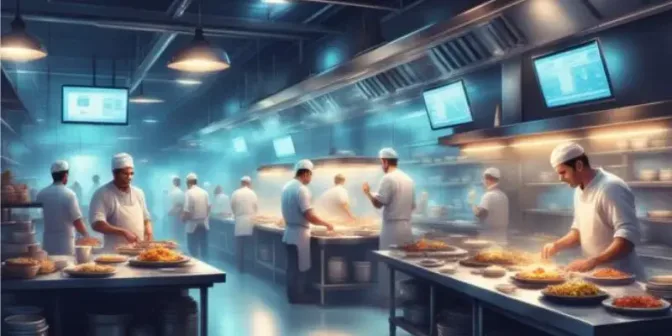
The restaurant industry has changed a lot in the past decade. People still enjoy dining out, but more customers now order food through delivery apps. This shift has pushed the rise of cloud kitchens, also known as ghost kitchens or virtual restaurants.
A cloud kitchen focuses only on preparing food for delivery. It doesn’t need a dining area, waiters, or a prime storefront location. Instead, it runs behind the scenes and uses technology, including a robust FnB platform, to manage orders and operations efficiently.
For business owners, this model can significantly reduce costs compared to traditional restaurants. But running a cloud kitchen still requires strong systems, smart logistics, and solid digital marketing. Understanding how this ecosystem works is key to making it successful.
Key Takeaways
Cloud kitchens operate as delivery-only facilities with no dine-in area, storefront, or front-of-house staff.
Cloud kitchens follow an operational workflow where orders are received through delivery apps, prepared centrally, and dispatched directly to customers.
Cloud kitchens operate under various business structures, including independent operators, multi-brand models, shared kitchens, and franchise-based models.
What Is a Cloud Kitchen?
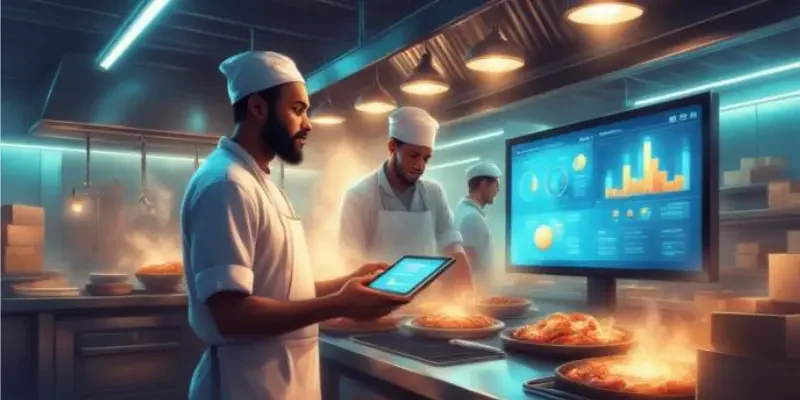
A cloud kitchen is a commercial kitchen designed specifically to prepare food for delivery. It doesn’t have a dine-in area, storefront, or takeout counter. Customers can only find and order from it through food delivery platforms like UberEats, DoorDash or through its own website and app.
This model separates cooking from the traditional dining experience. Instead of choosing a busy, high-traffic location, cloud kitchens pick spots based on delivery efficiency and target market data.
Because rent is usually cheaper in these areas, businesses can spend more on ingredients, technology, and marketing rather than interior design or expensive retail space.
How Does a Cloud Kitchen Work?
A cloud kitchen runs on a simple and efficient workflow built for speed and accuracy. Since there are no dine-in customers, the entire space is focused only on cooking and packing orders.
The process usually moves through four main steps: receiving the order, confirming and organizing it, preparing the food, and sending it out for delivery.
1. Order acquisition
Everything starts online. Customers browse a food delivery app or website, choose their meals, and pay digitally. Since there’s no physical store, the brand depends on attractive food photos, clear menu descriptions, good reviews, and strong visibility on apps and social media.
2. Order processing and integration
After the customer places an order, it goes straight to the kitchen system. In the past, kitchens used separate tablets for each delivery app, which was messy and inefficient.
Now, most cloud kitchens use a software for managing cloud kitchen that combines all orders into one screen, making it easier to manage sales and inventory.
3. Meal preparation and packaging
The kitchen team prepares the food based on the order shown on the screen. Menus are usually designed for quick preparation and easy delivery. Packaging is very important, it needs to keep the food warm, prevent spills, and still look appealing when the customer opens it.
4. Handoff and delivery
Once the food is ready, staff place it in a designated pickup area. Delivery drivers collect the order from this spot, whether they work for a third-party service or the restaurant itself. The system updates the order status in real time, so customers know their food is on the way.
Cloud Kitchen Business Models

“Cloud kitchen” is a broad term that includes several different business models. The right choice depends on your budget, experience, and long-term plans. Here are the most common models used in the industry today.
1. The independent cloud kitchen (single brand)
This is the simplest model. One restaurant brand rents or owns a kitchen space and uses it only for delivery orders, without any dine-in area. It’s common for existing restaurants expanding into new areas or for new entrepreneurs testing one food concept.
Pros: Full control over operations and brand image.
Cons: Higher risk if the concept doesn’t sell; must cover all rent and equipment costs alone.
2. The multi-brand cloud kitchen
In this model, one operator runs several brands from the same kitchen. For example, the kitchen might sell pancakes in the morning, burgers at lunch, and burritos at night, or operate different cuisine brands using shared staff and ingredients.
Pros: Makes better use of kitchen space and staff; reaches more customer segments; reduces ingredient waste.
Cons: More complicated to manage; needs flexible staff and strong inventory control.
3. The shared space (kitchen-as-a-service)
Here, a company provides ready-to-use kitchen units inside a larger facility. Different restaurant brands rent these small kitchen spaces, while the facility owner manages shared areas, security, and sometimes delivery flow.
Pros: Lower starting cost; flexible rental terms; shared operational support.
Cons: Rent per square foot can be expensive; limited control over the overall facility.
4. The aggregator-owned cloud kitchen
Some food delivery platforms set up their own kitchen facilities and invite selected restaurant partners to operate there. Because they have customer data, they know which cuisines are popular in certain areas and can fill market gaps quickly.
Pros: Strong visibility on the platform; access to valuable customer data.
Cons: Dependence on one platform; possible conflicts of interest.
5. The operator-managed (virtual franchise)
In this model, a central company creates a brand and menu, then partners with existing restaurants that have extra kitchen capacity. The partner restaurant prepares the virtual brand’s menu and pays a fee or commission to the brand owner.
Pros: Fast expansion; no need for the brand owner to invest in new kitchen space.
Cons: Harder to maintain consistent quality across many partner kitchens.
For quick reference, the table below summarises which cloud kitchen model fits which operator profile.
| Model | Best for | Capital required | Operational complexity | Brand control |
|---|---|---|---|---|
| Independent (single brand) | New entrepreneurs or restaurants expanding delivery | High | Low | Full |
| Multi-brand | Operators maximising one kitchen across multiple brands | Medium | High | Full |
| Shared space | New entrants testing a market with limited capital | Low | Medium | Moderate |
| Aggregator-owned | Brands seeking platform visibility and demand data | Low–Medium | Medium | Low |
| Virtual franchise | Brand owners scaling fast without new kitchen investment | Low | High | Moderate |
Benefits of Running a Cloud Kitchen
The cloud kitchen model looks modern and promising, yet it is not a guaranteed path to big profits. Like any business, it carries clear advantages that operators can lean on when the setup is planned well.
1. Reduced overhead costs
One of the biggest advantages is saving money on rent and staffing. Traditional restaurants in prime locations pay very high rental fees, while cloud kitchens can operate in cheaper areas such as industrial zones or smaller spaces.
2. Scalability
Opening a new traditional restaurant can take months because of construction, permits, and hiring. A cloud kitchen can expand much faster by renting space in another shared facility, so operators test new markets without long build-outs.
If the concept works, it is easy to duplicate in other locations. If it does not, the site can close with far less financial risk than a full restaurant fit-out, which keeps the overall portfolio lean and responsive.
Scaling is also easier with software built to streamline cafe operations, which adjusts usage to the size of the business. This covers multi-location setups, allowing synchronisation across every branch from a single dashboard.
3. Data-driven decisions
Cloud kitchens rely heavily on digital systems, so every order and customer action is recorded. Owners can see which menu items sell best, when peak hours happen, and what customers prefer across each delivery channel.
4. Flexibility and agility
Changing a traditional restaurant’s concept usually requires new signage, renovations, and major updates. In a cloud kitchen, changes can be made online by simply updating the menu or brand on delivery apps.
Difficulties of Running a Cloud Kitchen
Cloud kitchens remove many traditional costs, yet they introduce a different set of pressures that operators must manage carefully. Success depends on understanding these challenges before committing to the model.
1. Dependency on aggregators
Most cloud kitchens depend on third-party delivery apps for the majority of their orders. These platforms usually take 15 to 30 per cent commission per order, which reduces profit margins on every single transaction.
2. Lack of physical presence
This makes it harder to build strong brand recognition, especially when competing with many other options on the same screen. Branding, packaging, and social presence have to carry the weight that a shopfront would normally provide.
3. Operational complexity in delivery
Food quality can drop quickly once it leaves the kitchen. Items can get cold, soggy, or damaged in transit, which undermines even the best cooking once the bag reaches the customer’s door.
4. Intense digital competition
Since it is relatively easy to start a cloud kitchen, competition is very high. Operators compete not only with local restaurants but also with large fast-food chains and other virtual brands on the same delivery feed.
"Cloud kitchens cut rent and fit-out costs, but they shift the pressure onto aggregator fees, delivery quality, and digital visibility. Operators who plan for those three challenges from day one are the ones who turn the model into a profitable, scalable business."
How to Start a Cloud Kitchen
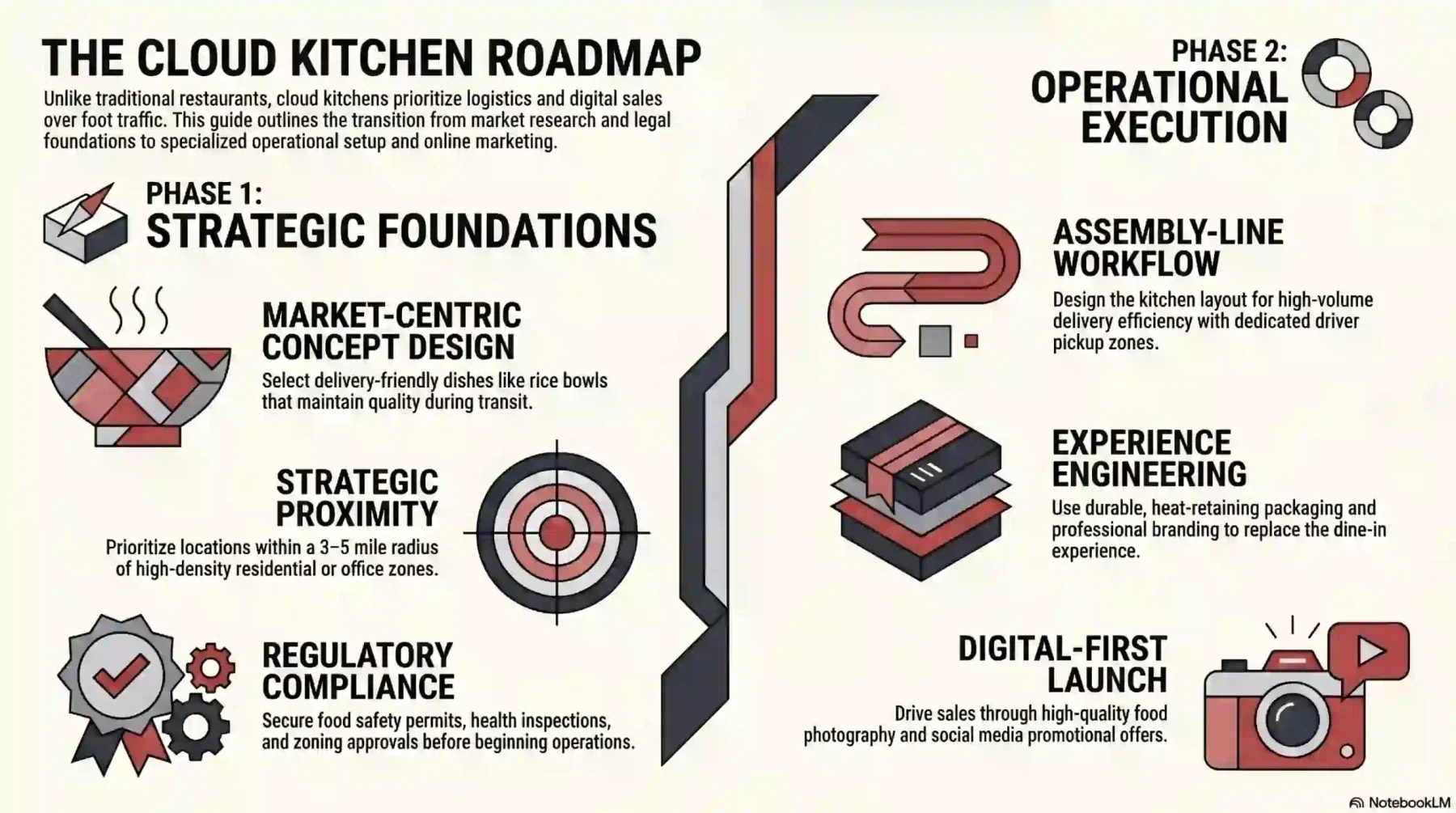
Launching a cloud kitchen requires a different mindset. You’re not just running a restaurant, you’re managing production, logistics, and digital sales. Here’s a practical roadmap to help you get started.
1. Market research and concept development
Start by studying your target market before renting a kitchen. Check food delivery apps or Google Trends to see what people nearby are ordering and where the gaps are. Choose a concept that travels well, foods like rice bowls, curries, or braised dishes usually hold up better during delivery than delicate or highly plated meals.
2. Choosing the right location
Location still matters, but now it’s about delivery speed, not foot traffic. Pick an area close to dense residential or office zones to keep delivery within a 3–5 mile radius. Make sure drivers can access the site easily and that competition for your cuisine isn’t already too high.
3. Licensing and legal requirements
Even without dine-in service, you must follow food safety regulations. You’ll need business registration, food service permits, health inspections, fire safety approval, pest control agreements, and liability insurance. Also, double-check local zoning rules to ensure food preparation is allowed in your chosen area.
4. Kitchen layout and equipment
Design your kitchen for efficiency and smooth workflow. An assembly-line setup works well for high delivery volume. Invest in equipment that speeds up cooking without lowering quality, and create a separate area for packaging and driver pickup to avoid crowding.
5. Staffing
Hire a head chef to maintain quality and skilled cooks who can handle fast-paced work. You may also need a dispatcher or expeditor to manage incoming orders, double-check packaging, and coordinate with drivers. This role helps prevent mistakes and ensures orders go out correctly.
6. Sourcing ingredients and packaging
Packaging matters because it’s part of the customer experience. Use durable, heat-retaining containers and consider adding branded stickers or seals for a professional touch. Work with reliable suppliers to keep ingredient quality consistent and avoid stock shortages.
7. Marketing and launch
Your launch will happen entirely online. Invest in high-quality food photos since visuals strongly influence buying decisions. Promote your brand on social media, share behind-the-scenes content, and use limited-time offers like BOGO or free delivery to attract early customers and build positive reviews.
Australian Regulations You Need to Pay Attention to When Starting a Cloud Kitchen
Cloud kitchens in Australia still operate as food businesses in the eyes of the law, so the same regulatory framework applies. Operators who skip compliance face fines, forced closure, and reputational damage that is very hard to recover from.
The five areas below cover food safety, local approvals, tax, and employment. Each has its own regulator, its own paperwork, and its own timeline, so it pays to plan compliance before the kitchen opens rather than after the first service.
1. Food Standards Code (Standard 3.2.2A)
Standard 3.2.2A sets food safety management tools that most food service businesses, including cloud kitchens, must implement. It covers a trained food safety supervisor, trained food handlers, and evidence of safe food practices across the operation.
Review the full requirements on the Food Standards Australia New Zealand site and confirm which tools apply to your specific category before you start trading.
2. Food Act
Each state and territory has its own Food Act that gives legal force to the national Food Standards Code. The Act requires food business notification or registration, regular inspections, and compliance with hygiene, labelling, and traceability rules.
Check your state’s specific requirements through the Department of Health and Aged Care overview, then register or notify with the relevant local authority before your first order goes out.
3. Council planning and zoning
Local councils control planning and zoning, which decide whether a site can legally operate as a commercial kitchen. Many cloud kitchens sit in industrial zones, yet operators still need development approval, waste management plans, and ventilation sign-off.
Before signing a lease, contact your local council directly to confirm zoning, permits, and any site-specific conditions.
4. GST registration
Any food business with a GST turnover of AUD $75,000 or more must register for GST with the Australian Taxation Office. Most cloud kitchens hit this threshold quickly because of aggregator volume, so registration is usually unavoidable within the first year.
Register through the ATO GST registration page as soon as you project hitting the threshold, and build GST correctly into menu pricing from day one.
5. Fair Work Act
The Fair Work Act sets minimum wages, award conditions, and employee entitlements that apply to every cloud kitchen worker, including casual cooks, packers, and drivers. The Restaurant Industry Award and Fast Food Industry Award usually cover these roles.
Check the relevant award and your obligations on the Fair Work Ombudsman awards page, then keep accurate time, wage, and roster records to avoid underpayment claims or compliance audits.
Choosing the Right Technology for Your Cloud Kitchen
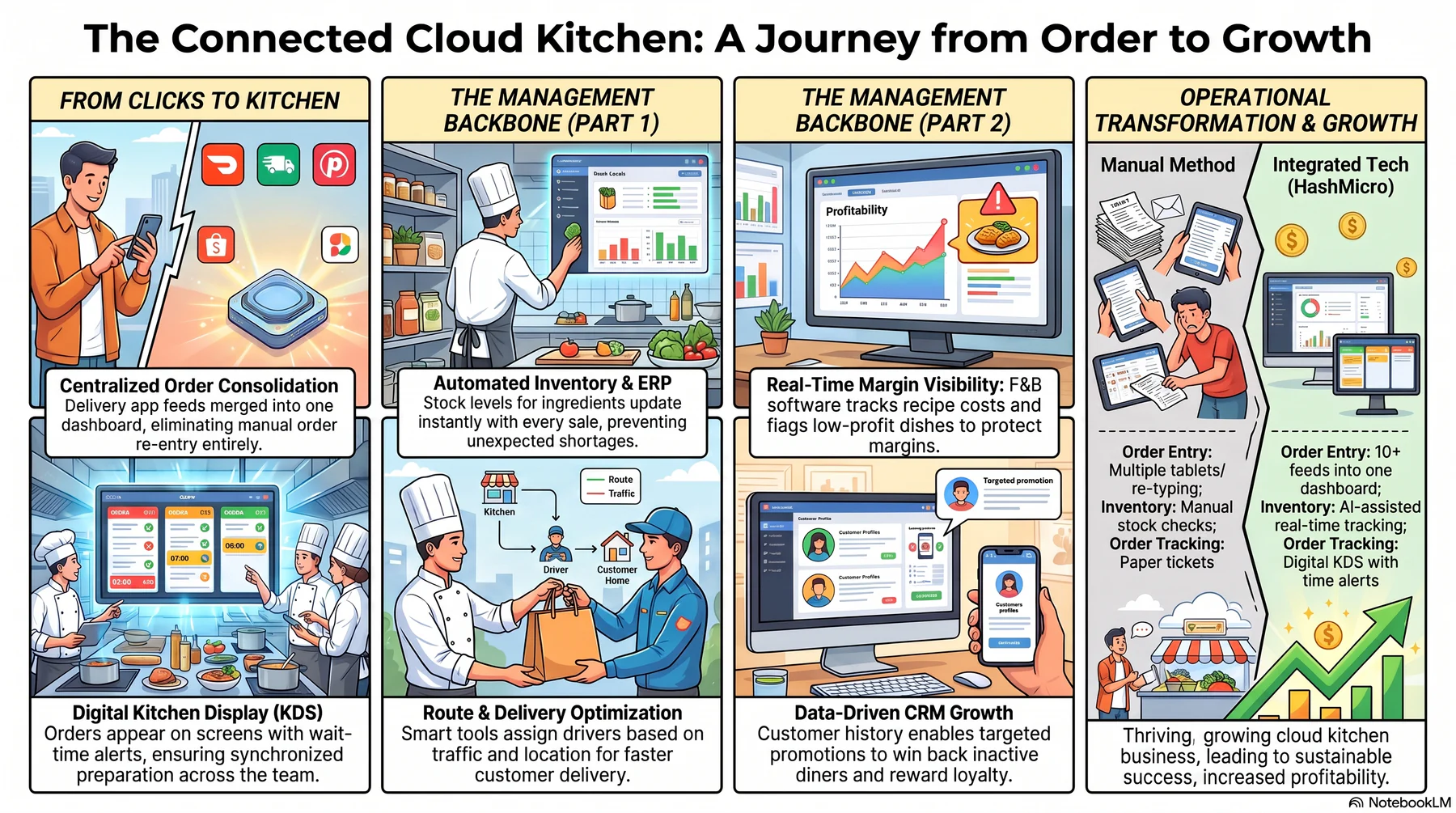
Technology is what keeps a cloud kitchen running smoothly. Without a proper kitchen management system, it’s hard to manage orders from different platforms, track inventory, or measure profits accurately.
The main purpose of using technology here is to bring everything into one system and reduce manual work as much as possible.
1. Centralised order management
Managing multiple tablets from different delivery apps is inefficient and stressful. A centralised system collects all orders from platforms like UberEats and DoorDash into one dashboard. Orders go straight to the Kitchen Display System (KDS), so staff don’t have to re-enter them manually.
2. Kitchen display systems (KDS)
Paper tickets are easy to lose and difficult to track. A KDS shows orders on digital screens in the kitchen and often highlights them based on waiting time. This helps the team prepare all items for one order at the same time and monitor how long each dish takes to make.
3. Delivery management software
If you manage your own delivery drivers to reduce commission fees, you’ll need route optimization tools. This software assigns orders based on driver location and traffic conditions. It helps ensure faster deliveries and allows customers to track their orders in real time.
4. Customer relationship management (CRM)
Owning customer data is important for long-term growth. A CRM system stores customer details and order history, making it easier to run targeted promotions. For example, you can send discount codes to inactive customers or reward loyal ones with special offers.
5. F&B management software
A dedicated F&B software ties menu engineering, recipe costing, supplier management, and sales analytics into one workflow. It gives cloud kitchen operators live visibility on gross margin per dish and flags items that quietly drag overall profitability down.
Platforms built for food and beverage also support multi-brand setups, which matters when one kitchen runs several virtual brands. Owners can manage menus, costs, and performance for each brand separately while sharing the same prep team and inventory pool.
6. Inventory management and ERP
In a business with tight margins, controlling food costs is critical. An inventory system tracks ingredient usage automatically, for example, when a burger is sold, the stock for buns, patties, and cheese updates instantly.
For growing operations, using an integrated ERP solution like HashMicro can help manage procurement, recipes, and multi-location operations in one connected system.
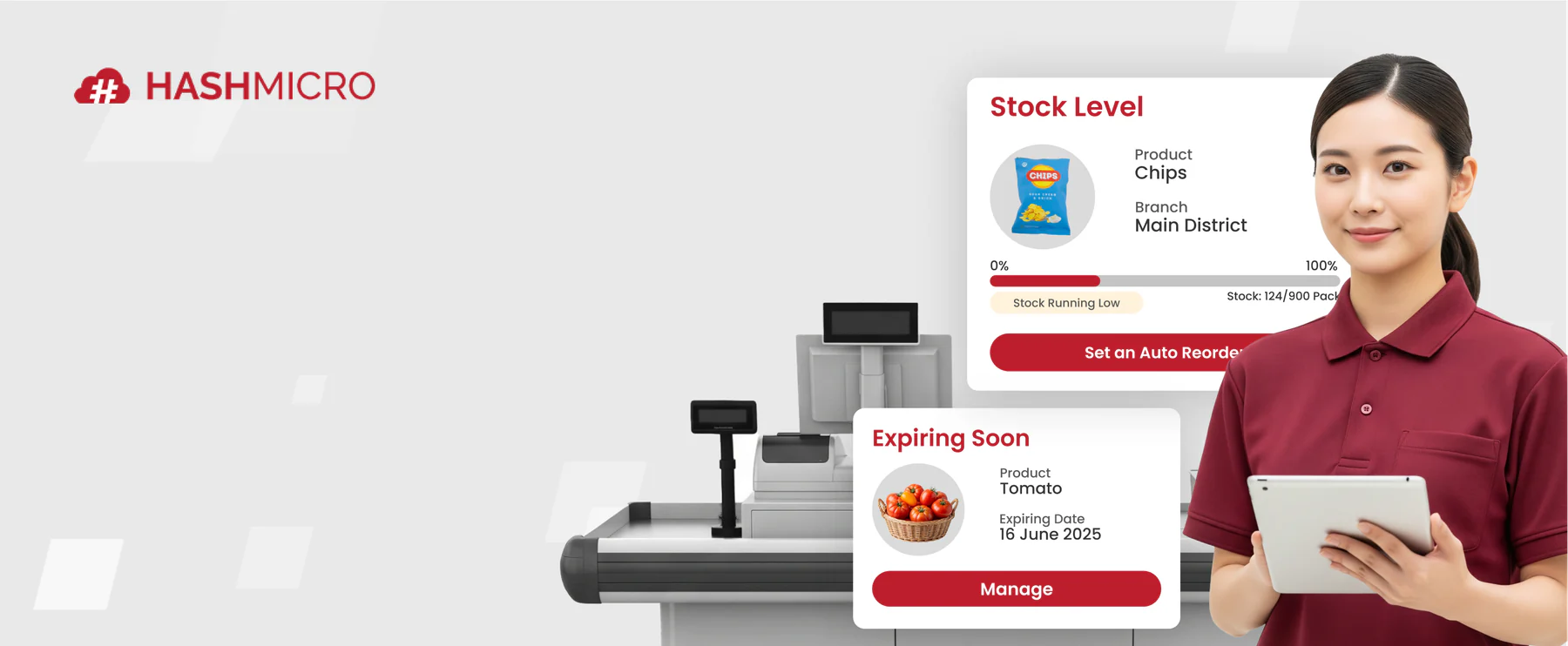
Cloud kitchens process orders while ingredients move across menus and brands. Hashy, HashMicro’s AI assistant, helps teams track ingredient risks, reduce manual checks, and act before shortages disrupt service, as shown below.






How an Integrated ERP Streamlines Cloud Kitchen Operations
Managing a cloud kitchen involves more moving parts than a traditional restaurant. An integrated ERP brings these together in one system, reducing manual work and giving operators clearer visibility across every part of the business.
Here are the key ways an integrated ERP supports cloud kitchen operations:
- Recipe costing linked to automatic inventory deduction each time an order is received
- Multi-brand per-kitchen P&L tracking consolidated in a single dashboard
- Automated procurement triggered by per-ingredient sales velocity
- GST and BAS lodgement compliance built directly into the system
- Multi-location consolidation for operators running more than one cloud kitchen
- Real-time margin tracking per dish with automatic flagging of loss-making items
Conclusion
Cloud kitchens have reshaped food businesses around delivery, efficiency, and technology instead of dine-in service. They offer lower startup costs, faster scalability, and data-driven decisions, yet success depends on strong operations, smart logistics, and effective digital marketing.
The model brings flexibility and growth, along with challenges like platform dependency and intense online competition. With the right strategy and tools, a cloud kitchen becomes a scalable, sustainable business in today’s digital-first food industry.
To optimise your cloud kitchen for efficiency and growth, get a free consultation with our expert today and start improving your business.
Frequently Asked Question
Generally, yes. Cloud kitchens have significantly lower overhead costs because they do not require prime real estate or front-of-house staff. However, they often face high commission fees from delivery apps (15-30%), so profitability depends on volume and efficient cost management.
The terms are often used interchangeably. However, 'Cloud Kitchen' typically refers to the tech-enabled facility itself, while 'Ghost Kitchen' often refers to the specific restaurant brand operating without a storefront. Both describe the delivery-only model.
Startup costs are significantly lower than traditional restaurants. If renting a spot in a shared facility (kitchen-as-a-service), costs can range from $20,000 to $50,000. Building a private facility from scratch can cost upwards of $100,000 depending on location and equipment.
The best foods are items that travel well and hold quality in transit, such as burgers, pizza, fried chicken, rice bowls, pasta, and most Asian cuisines. Dishes that go soggy, melt, or rely on a hot-off-the-pan texture usually underperform in delivery.
Not necessarily. Most cloud kitchens rely on third-party aggregators like UberEats or DoorDash for delivery logistics. However, some operators use their own fleet (hybrid model) to retain higher margins and control the customer experience.
Yes. Under the Australia New Zealand Food Standards Code, most food businesses must have a trained Food Safety Supervisor (FSS) who holds a nationally recognised qualification. Requirements vary slightly by state — NSW and Victoria both mandate a registered FSS for commercial food service operations. Cloud kitchens fall under these obligations regardless of whether they serve dine-in customers.
Generally, no. Cloud kitchens are classified as commercial food businesses and must operate from premises that comply with local council zoning laws. Residential zones typically do not permit commercial kitchen operations due to health, safety, and amenity requirements. Some councils allow limited home-based food businesses under strict conditions, but these are not suitable for cloud kitchen scale. Always check with your local council before choosing a location.