
The dynamic business landscape in the Philippines, from retail to F&B, relies heavily on retail Point of Sale (POS) systems to streamline operations and enhance business performance. Numerous solutions are available, and the POS retail software has been proven to help businesses stay competitive.
Did you know that based on FinancesOnline, 53% of entrepreneurs already use a cloud-based retail POS system? This number continues to rise as business development in the Philippines expands. Therefore, why don’t you be part of those top entrepreneurs?
This guide focuses specifically on retail operations, including the unique workflows, inventory challenges, and customer management needs that distinguish retail from restaurants, pharmacies, or service businesses.
We’ve evaluated 16 POS systems based on retail-specific capabilities:
- Matrix inventory (size/color/style variants)
- Omnichannel integration (online + offline unified)
- Loss prevention features
- Returns and exchange handling
- Retail analytics (sales per square foot, inventory turnover)
Key Takeaways
Retail POS System combines hardware and software to manage sales transactions, inventory, and customer interactions efficiently.
Retail POS software speeds up sales, updates inventory, centralizes pricing, tracks customer data, delivers insights, and integrates systems.
HashMicro Retail POS System helps Philippine retailers connect transactions, inventory, reporting, and daily operations in one platform.
What is a Retail POS System?
Retail POS System is a tool that combines hardware and software to manage sales transactions, inventory, and customer interactions efficiently. At its core, a point of sale system processes payments, tracks purchases, and generates receipts, making it essential for day-to-day operations.
Recent market analysis by Grand View Research shows that the cloud POS market in Asia Pacific is growing rapidly, with a projected CAGR of 19.6% from 2024 to 2030, reflecting how essential modern POS systems have become for retailers across the region. This steady growth highlights the increasing reliance on POS software as a core tool for managing transactions, inventory, and customer interactions, making it a fundamental technology for today’s retail operations.
What Makes Retail POS Different from Generic POS?
Not all POS systems are created equal. A system designed for restaurants handles tables, kitchen tickets, and tips. A system for services manages appointments and staff commissions. Retail POS handles lots of product, with complex variations. That difference is why a modern retail POS system is built around SKUs, variants, and stock movement instead of orders or appointments.
Key Differences:
| Feature | Generic POS | Retail-Specific POS |
|---|---|---|
| Product Variants | One product equals one SKU | Matrix-based variants (size, color, style) |
| Inventory Tracking | Basic quantity tracking | Batch, serial number, and location tracking |
| Returns Handling | Simple refund process | Exchanges, store credits, and return reason codes |
| Customer Data | Basic customer contact details | Purchase history, preferences, and loyalty data |
| Pricing | Fixed pricing only | Markdown schedules and promotional pricing |
| Reporting | Basic sales totals | Sell-through rate, sales per area, and inventory aging |
Comparison table of Retail Point of Sale Systems in Philippines 2026
After reviewing each retail POS system, the table below gives you a quicker way to compare the options side by side. Use it to check which software fits your store size, retail workflow, budget, and operational needs before narrowing your shortlist.
| Brand | Best for | Pros | Cons | Pricing |
|---|---|---|---|---|
| HashMicro | Best for businesses needing a highly customizable retail POS with multi-store support and unlimited users | Highly customizable; Strong system integration; Unlimited users; Multi-store support; UI-friendly | High demand may affect demo queue; Implementation time varies by scope | Custom pricing (available upon request; see pricing banner below) |
| Revel | Best for high-volume retailers needing advanced CRM and multi-location control | Feature-rich; Advanced CRM tools; Strong support; Robust reporting | Needs strong internet; Steep learning curve; Higher setup complexity; Limited offline | Around ₱6,105/month per register + ₱36,945 one-time setup fee |
| Lightspeed | Best for mid-to-large retailers focused on inventory, analytics, and multi-channel selling | Intuitive UI; Strong analytics; Multi-channel support; Good support | Can feel feature-heavy; Setup takes time; Add-ons may raise cost; Limited trial access | Starts from ₱5,490/month, billed annually |
| Peddlr | Best for Philippine micro and small retailers needing a free mobile POS with basic inventory tracking | Free mobile app; Philippine-made; Sales and expense tracking; Inventory tracker | Offline syncing Limited for enterprise retail chains; Hardware depends on external devices; Advanced integrations are limited | Free plan available, starting from ₱0/month |
| Cin7 | Best for inventory-heavy retailers, wholesalers, and omnichannel businesses needing strong stock control | Strong inventory tools; Omnichannel support; Good for wholesale and retail workflows | Detailed reporting Higher starting cost; May feel complex for small retailers | Starts from ₱21,500/month for Standard plan |
| Waffle | Best for F&B retailers needing kitchen display integration and mobile ordering | Strong F&B workflows; Real-time sales reports; Mobile ordering; Useful kitchen tools | F&B-focused; Needs stable internet; Limited customization; Basic inventory depth | Around ₱3,085–₱6,170/month; contact vendor for exact quote |
| Shopify | Best for retailers using Shopify who want unified online and in-store selling | Seamless Shopify integration; Easy setup; Mobile-friendly; Strong ecosystem | Limited offline; Add-ons increase cost; Basic inventory controls; Advanced reporting limited | Starts from ₱2,220/month for Basic plan with POS Lite; POS Pro add-on from ₱5,490/location/month |
| ePOS | Best for small to medium retailers needing simple sales and inventory tracking | User-friendly; Helpful service; Real-time transactions; Custom receipts | Limited advanced features; No CRM; Limited integrations; Limited mobile tools | Available upon request |
| Sapaad | Best for restaurants and F&B needing delivery + cloud kitchen workflows | Delivery/takeaway tools; Easy UI; Strong reporting; F&B-ready | Less flexible outside F&B; Needs stable internet; No offline mode; Limited loyalty tools | Starts from ₱3,640/month |
| Qashier | Best for small retail, F&B, and service businesses needing | POS hardware with quick setup Integrated POS hardware; Easy to use; Supports payments and offline syncing; Suitable for SMEs | Less customizable for complex enterprise workflows; Advanced features may require higher plans | Starts from ₱1,790/month, billed annually |
Retail is not one-size-fits-all, and neither should your POS choice be. Use the table above to shortlist, then match it to your business type below.
- Fashion & Apparel: Lightspeed for matrix inventory and a modern selling experience; Ordorite for fashion-first specialization; HashMicro for chains needing ERP integration
- Electronics & High-Value: HashMicro for serial number tracking and ERP integration; Cin7 for inventory-heavy operations with wholesale; Revel for large enterprise chains
- Home & Furniture: HashMicro for delivery management and complex transactions; Lightspeed for multi-location with strong inventory control
- General Merchandise & Convenience: Qashier for quick setup and integrated hardware; ePOS or HitPay for budget-friendly basics
- Online + Physical (Omnichannel): Shopify POS if you already sell on Shopify; Lightspeed for comprehensive omnichannel; HashMicro for enterprise omnichannel
- Budget-Conscious: ePOS or HitPay for basics at low cost; Erply for strong features at mid-range pricing
16 Best Retail POS Systems in the Philippines 2026
To achieve the best results, choosing the best retail POS system is essential. Here’s a list of the top 16 Best Retail POS systems available in the Philippines 2026:
1. HashMicro Retail POS System Philippines
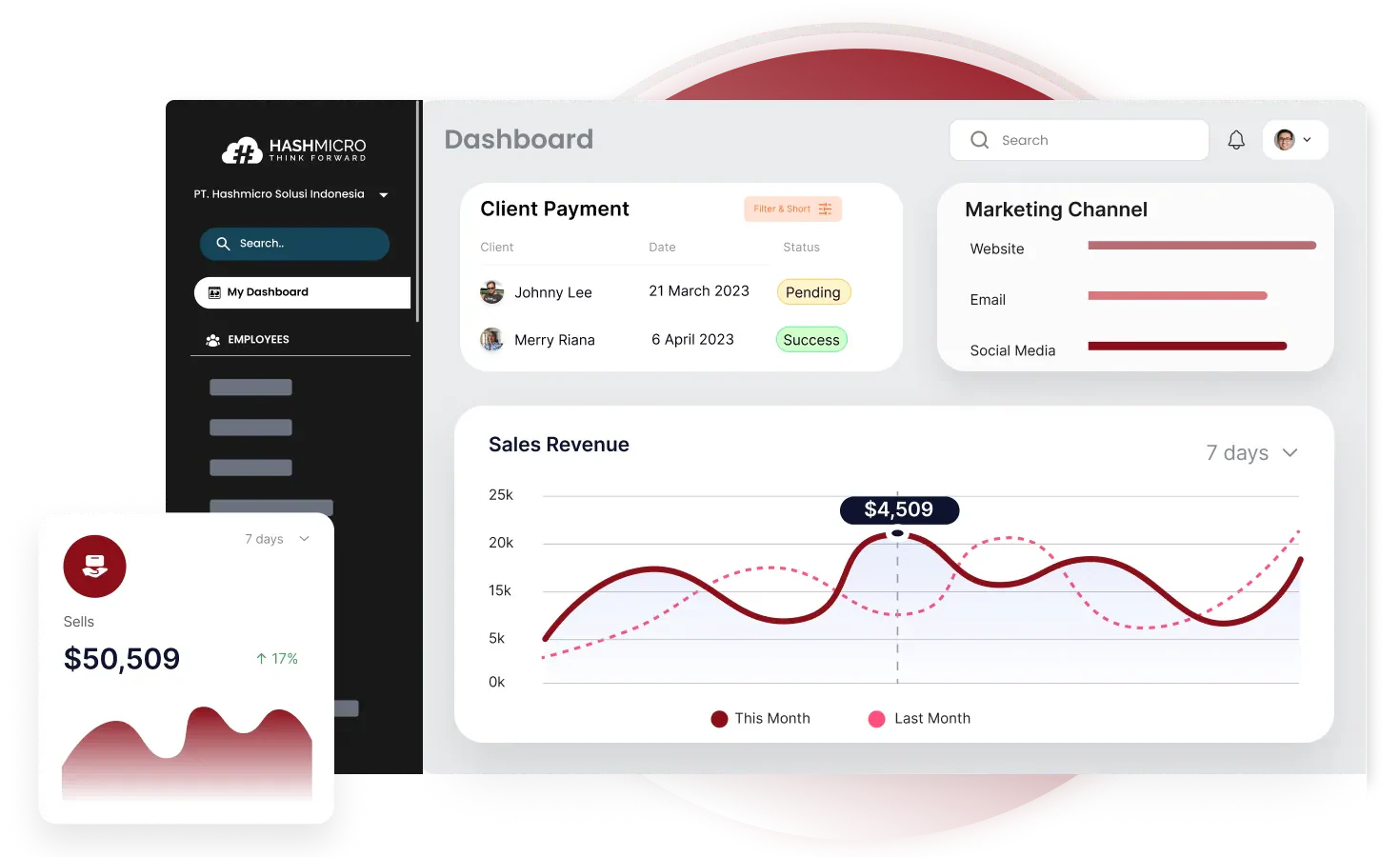
Best For: Medium to large retailers needing full ERP integration with retail operations
Retail Specialization Level: ⭐⭐⭐⭐⭐
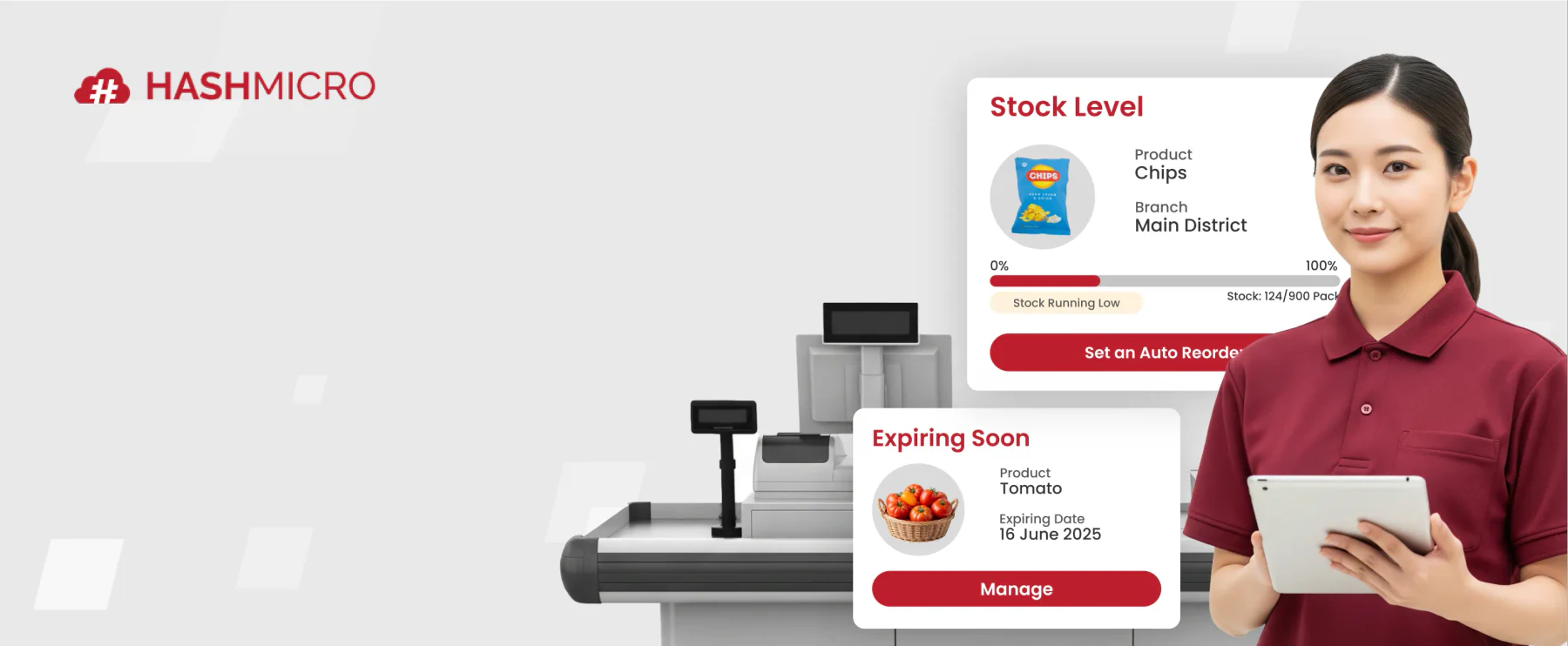
HashMicro’s POS Software is part of a comprehensive ERP ecosystem, making it ideal for retailers who need more than just point-of-sale. The integration between POS, inventory, accounting, and procurement creates a unified system where sales automatically update stock, generate accounting entries, and trigger purchase orders when inventory runs low.
Why HashMicro for Retail:
For Philippine retailers with multiple branches, HashMicro provides the centralized control that standalone POS systems lack. Head office can view real-time sales across all locations, transfer stock between branches, and analyze performance with enterprise-grade reporting.
Retail-Specific Features:
- Multi-Branch Inventory: Real-time visibility across all locations
- Stock Optimizer: AI-driven reorder recommendations
- Price Checker Integration: Customer-facing price displays
- Home Delivery Management: Track delivery orders
- Promotion Engine: Complex discount rules and campaigns
- BIR Compliance: Fully accredited for Philippine operations
- Unlimited Users: No per-cashier fees
| Pros | Cons |
|
|
Best For Retail Verticals:
- Electronics stores (serial number tracking)
- Department stores (multiple categories)
- Retail chains (multi-branch operations)
- Home & furniture (delivery management)
Pricing: Custom quote based on modules and branches
When head office asks how much stock a branch is holding, most retailers still wait for someone to count and reply. HashMicro keeps sales, stock, and branch performance on one live screen, so your team answers from the system instead of a phone call. Book a free consultation and run it on your own product list.
2. Revel
Best For: High-volume retailers needing enterprise features with iPad simplicity
Retail Specialization Level: ⭐⭐⭐⭐
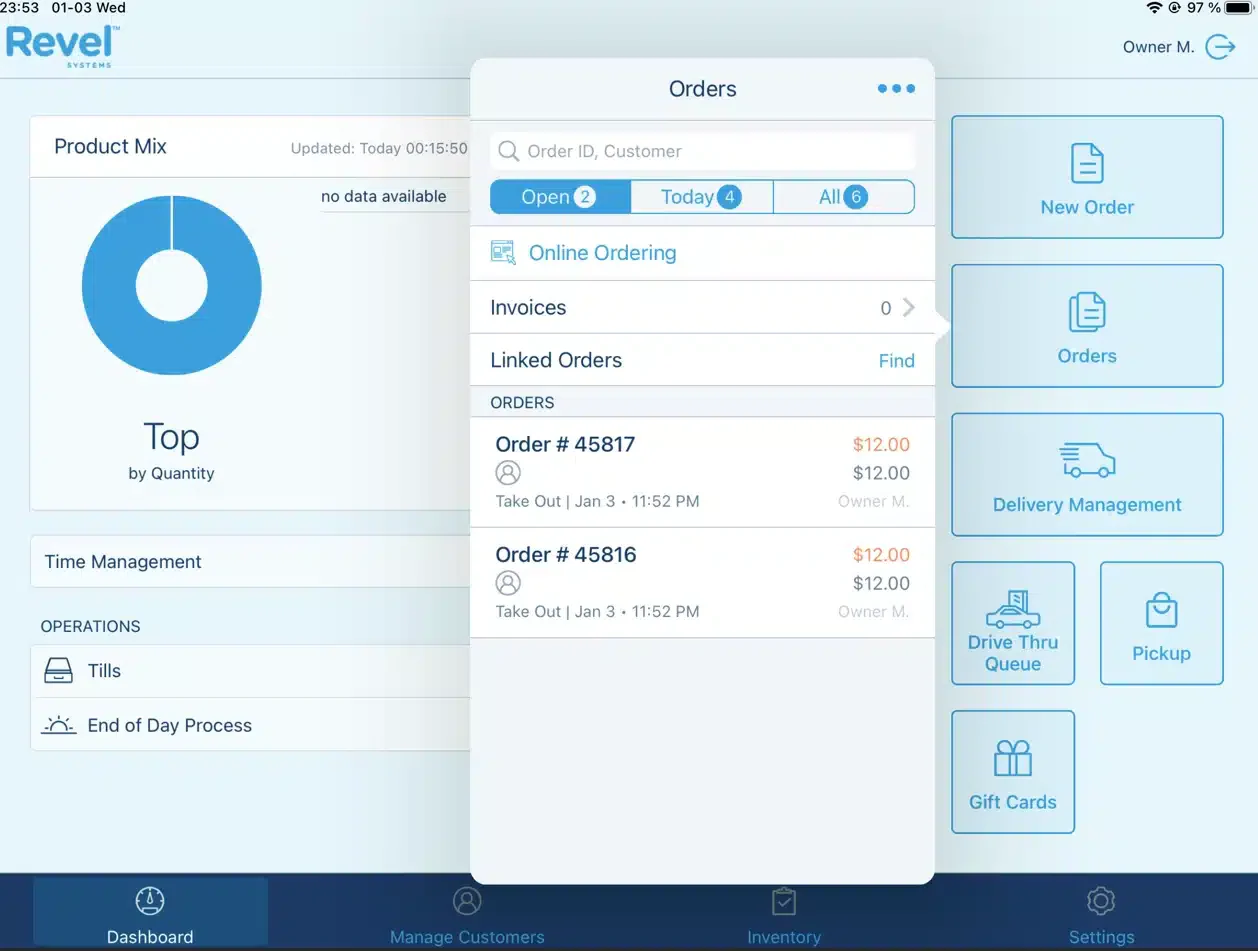
Revel started in restaurants but has built strong retail capabilities. The iPad-based system combines consumer-friendly hardware with enterprise-grade features, appealing to retailers wanting modern aesthetics without sacrificing functionality.
Why Revel for Retail:
The CRM and analytics capabilities exceed typical retail POS. For retailers who want to deeply understand their customers and optimize operations through data, Revel provides tools usually reserved for enterprise systems.
Retail-Specific Features:
- Advanced CRM: Deep customer insights and segmentation
- iPad-Based: Modern hardware experience
- Robust Reporting: Comprehensive analytics
- Multi-Location: Centralized management
- Employee Management: Scheduling, performance tracking
- API Access: Custom integrations
| Pros | Cons |
|
|
Best For Retail Verticals:
- Fashion retailers
- Lifestyle stores
- Multi-location operations
- Retailers valuing customer data
Pricing: From ₱6,105/month per register + setup fee
3. Lightspeed
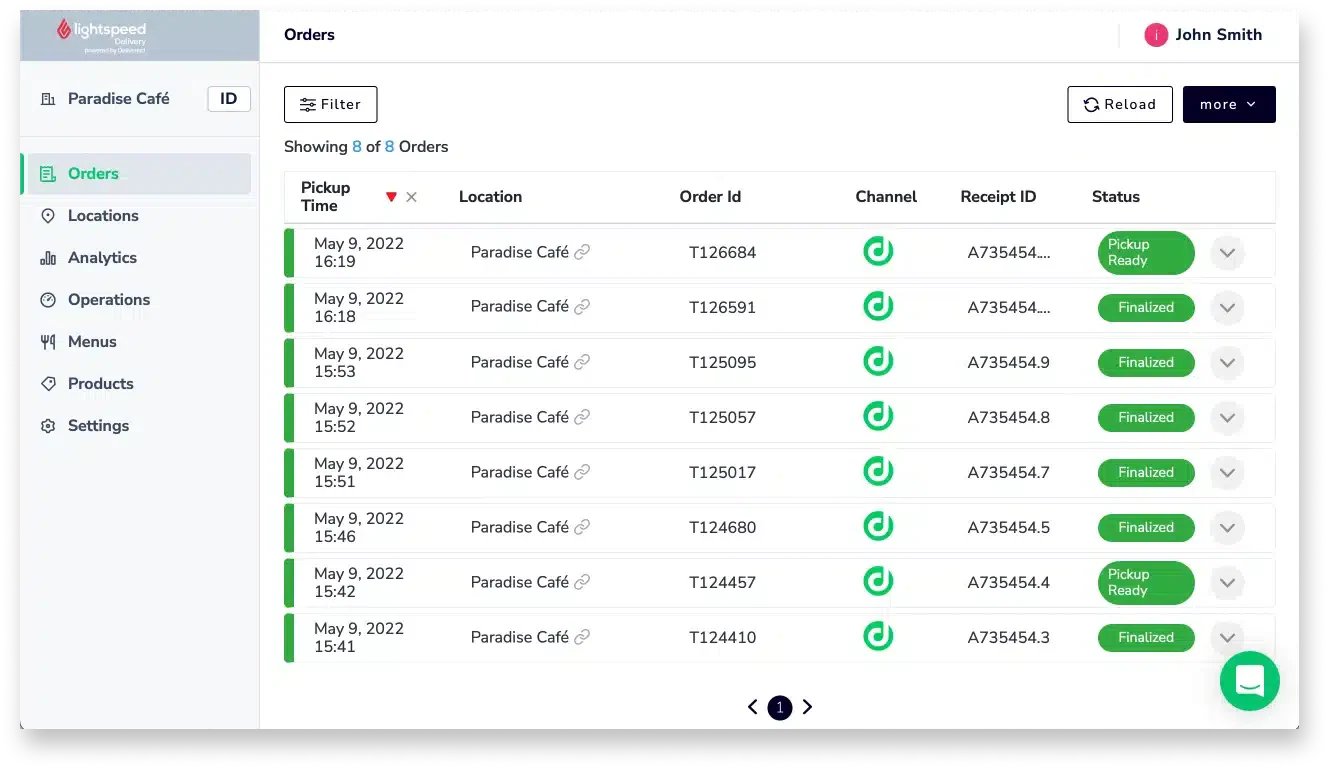
Best For: Fashion and specialty retailers needing advanced inventory management
Retail Specialization Level: ⭐⭐⭐⭐⭐
Lightspeed Retail has built its reputation specifically on retail, not restaurants, not services, just retail. This focus shows in features like matrix inventory, sophisticated vendor management, and retail-specific analytics that generic POS systems lack.
Why Lightspeed for Retail:
The matrix inventory system handles the complexity of fashion retail elegantly. When you receive a shipment of t-shirts in 5 sizes and 4 colors, Lightspeed lets you receive them as variants of one product and not 20 separate items. The reporting then shows you which size/color combinations sell and which don’t.
Retail-Specific Features:
- Matrix Inventory: Size, color, material variants
- Advanced Vendor Management: PO creation, receiving, margin calculation
- Retail Analytics: Sell-through rate, days-to-sell, inventory aging
- Multi-Location: Transfer stock, view availability across stores
- E-commerce Integration: Unified online-offline inventory
- Customer Database: Purchase history, loyalty, custom fields
| Pros | Cons |
|
|
Best For Retail Verticals:
- Fashion boutiques
- Sporting goods
- Specialty retail
- Multi-location retailers
Pricing: From ₱4,260-12,270/month depending on plan
4. Peddlr
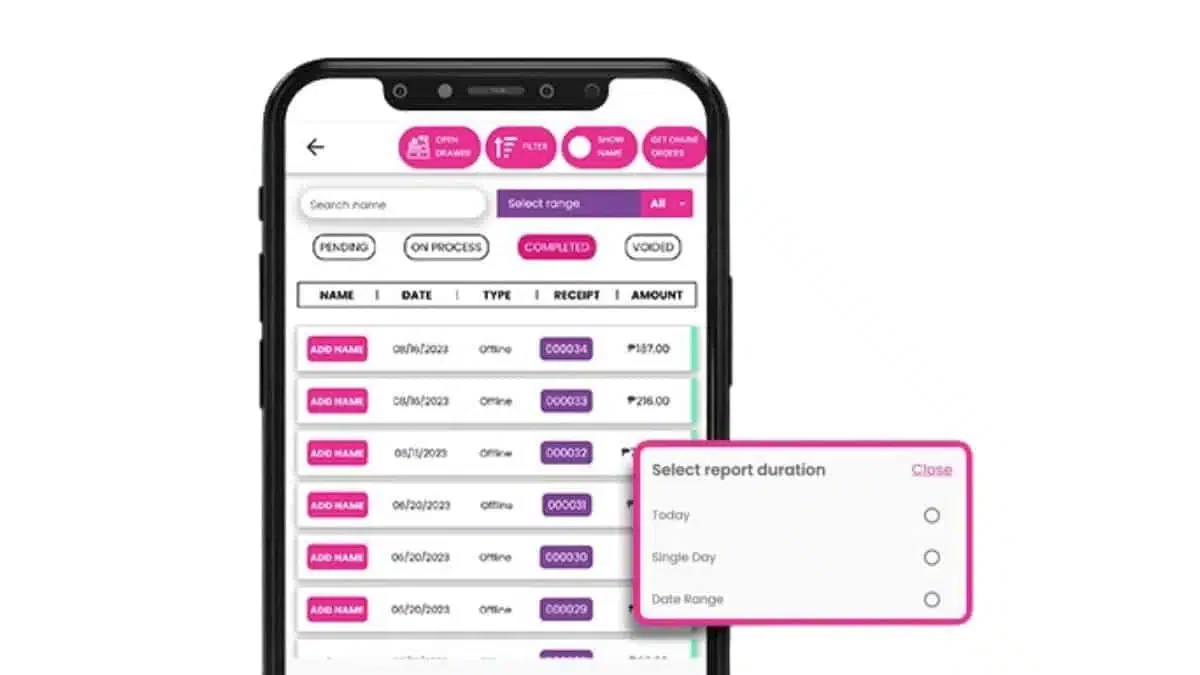
Best For: Micro and small retail businesses in the Philippines needing a free mobile POS with inventory tracking
Retail Specialization Level: ⭐⭐⭐
Peddlr is a Philippine-made mobile POS system built for small businesses that need a simple way to record sales, track inventory, monitor expenses, and issue receipts from a smartphone or tablet. Its free app makes it accessible for sari-sari stores, kiosks, online sellers, and small retail shops that are not ready for a full counter-based POS setup.
Why Peddlr for Small Retail:
Peddlr works well for retailers that need basic POS and stock visibility without high setup costs. It supports sales tracking, inventory monitoring, cash ledger, credit ledger, and external device connections such as barcode scanners and receipt printers.
Retail-Specific Features:
- Mobile POS: Process sales from a smartphone or tablet
- Inventory Tracker: Monitor stock levels and product movement
- Sales Reports: Track sales, expenses, profit, and cash flow
- Receipt and Invoice Maker: Generate receipts and invoices from the app
- Offline Mode: Continue recording transactions and sync data once online
- External Device Support: Connect barcode scanners, printers, and cash drawers
| Pros | Cons |
|
|
Best For Retail Verticals:
- Sari-sari stores
- Small retail shops
- Kiosks and pop-up sellers
- Online sellers with light inventory
Pricing: Free plan available, starting from ₱0/month
5. Cin7
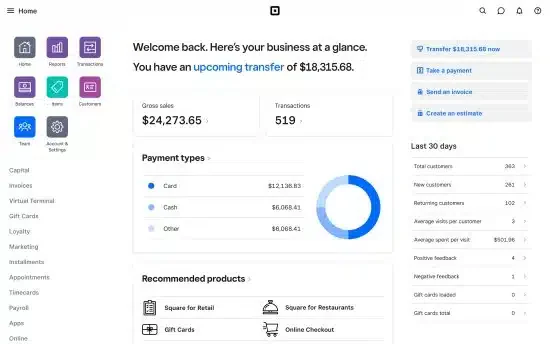
Best For: Product-based businesses needing inventory-first POS with strong wholesale capabilities
Retail Specialization Level: ⭐⭐⭐⭐
Cin7 approaches retail from an inventory perspective, it started as inventory management software and added POS capabilities. For retailers who also sell wholesale or manage complex supply chains, Cin7 offers inventory depth that POS-first systems lack.
Why Cin7 for Inventory-Heavy Retail:
If inventory management is your biggest challenge, tracking stock across warehouse and stores, managing suppliers, handling wholesale and retail pricing, then Cin7 provides enterprise-level inventory with retail POS attached.
Retail-Specific Features:
- Advanced Inventory: Multi-warehouse, batch tracking, serial numbers
- B2B + B2C: Wholesale and retail in one system
- 3PL Integration: Connect with fulfillment providers
- Marketplace Integration: Lazada, Shopee, Amazon connectivity
- EDI Support: Electronic data interchange with large retailers
- Product Bundles: Kit products, manufacturing
| Pros | Cons |
|
|
Best For Retail Verticals:
- Electronics distributors
- Wholesaler-retailers
- E-commerce with physical stores
- Multi-channel sellers
Pricing: From ₱21,520/month
6. Waffle
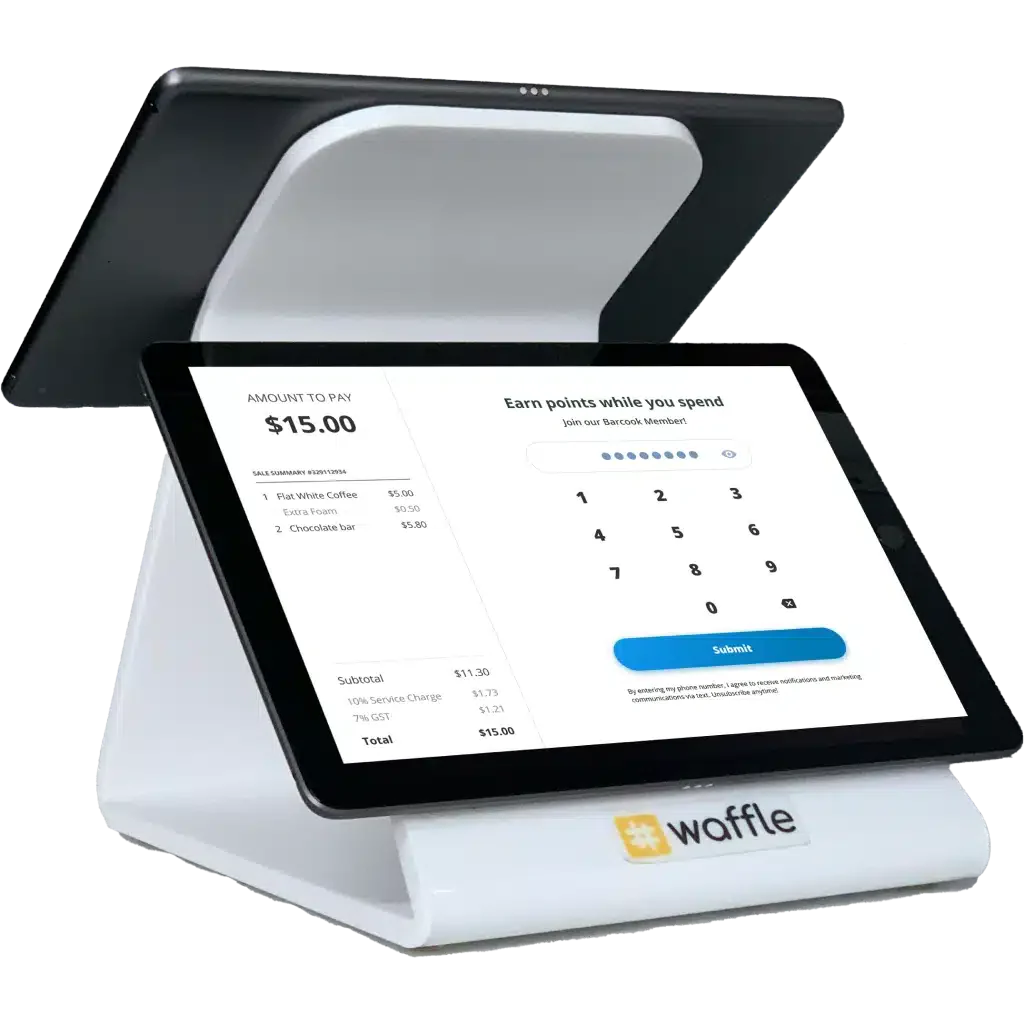
Waffle POS system for retail is known for its focus on F&B retail operations. It provides an easy-to-use system loaded with features for managing restaurants and cafés. Its integration capabilities allow seamless connection with kitchen management and payment systems.
Key features:
- Kitchen display integration
- Mobile ordering
- Staff performance tracking
- Real-time sales reports
| Pros | Cons |
|
|
Pricing: Contact the vendor for pricing details. Often starts around ₱3,080–₱6,170/month based on market standards.
Ideal for: Food and beverage retailers focused on kitchen integration and mobile ordering.
7. Shopify
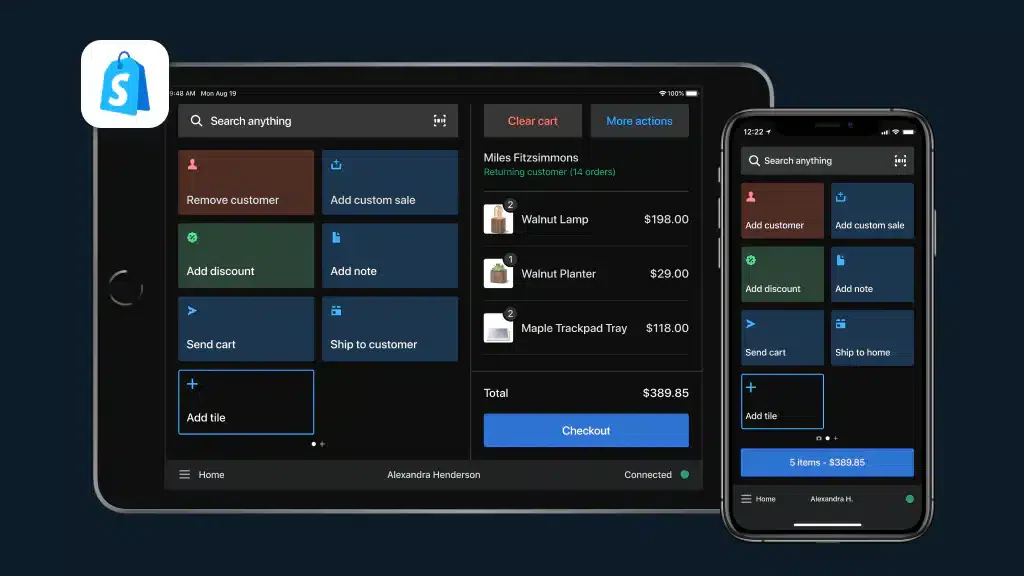
Best For: E-commerce businesses adding physical retail presence
Retail Specialization Level: ⭐⭐⭐
Shopify POS makes sense when you’re already in the Shopify ecosystem. The seamless connection between your online store and physical POS means unified inventory, customer data, and reporting that is essential for modern omnichannel retail.
Why Shopify for Omnichannel Retail:
If you started online and now want physical presence, Shopify POS is the natural choice. No integration needed, but your online store and physical store are already connected. Our guide on what Shopify POS covers breaks down the Lite and Pro tiers, hardware support, and how the omnichannel workflows behave in practice.
Retail-Specific Features:
- Shopify Integration: Native online-offline connection
- Unified Inventory: Real-time sync across channels
- Customer Profiles: Cross-channel purchase history
- BOPIS Support: Buy online, pickup in-store
- Mobile POS: Sell anywhere with smartphone
- Staff Management: Permissions and PIN login
| Pros | Cons |
|
|
Best For Retail Verticals:
- Online-first retailers with physical stores
- Pop-up shops
- Market vendors with e-commerce
- Small boutiques using Shopify
Pricing: From ₱2,220/month (Shopify) + POS Pro ₱5,490/location/month
8. ePOS
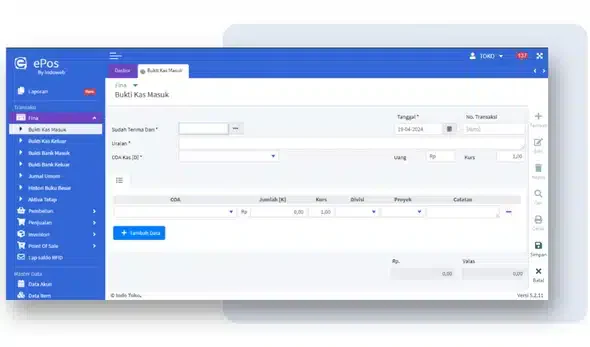
Best For: Small retailers wanting straightforward sales and inventory tracking
Retail Specialization Level: ⭐⭐⭐
ePOS provides the essentials without overwhelming complexity. For small retailers who need a practical retail management system without enterprise-level complexity, ePOS covers the essentials like sales processing, inventory tracking, and reporting.
Why ePOS for Simple Retail:
Not every store needs advanced features. ePOS serves retailers who want functional POS without subscription fees eating into already-thin margins.
Retail-Specific Features:
- Basic POS: Sales processing and receipting
- Inventory Management: Stock tracking and alerts
- Multi-Payment: Various payment method support
- Custom Receipts: Branded receipt templates
- Transaction Reports: Essential sales reporting
- User-Friendly: Minimal learning curve
| Pros | Cons |
|
|
Best For Retail Verticals:
- Small independent stores
- Basic retail operations
- Budget-conscious businesses
- Non-fashion retail
Pricing: Contact vendor (typically affordable)
9. Sapaad
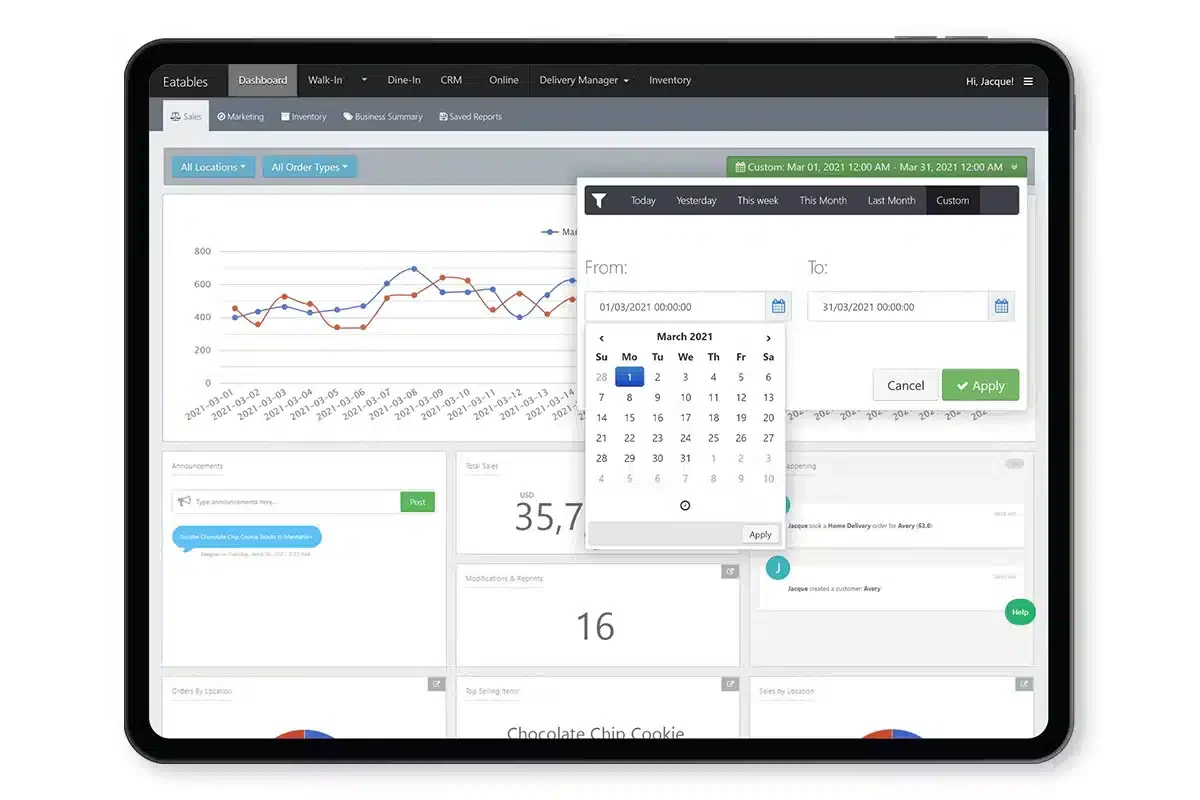
Best For: F&B retail outlets (cafés, food retail, food court stalls)
Retail Specialization Level: ⭐⭐⭐ (for F&B retail specifically)
Sapaad bridges the gap between restaurant POS and retail that is perfect for businesses that sell food products retail-style. Think bakeries, food kiosks, or convenience stores with prepared food sections.
Why Sapaad for F&B Retail:
When you’re selling croissants and coffee rather than clothes and electronics, you need features like kitchen integration and delivery app connectivity that pure retail POS lacks.
Retail-Specific Features:
- F&B Workflows: Kitchen display, order management
- Delivery Integration: GrabFood, foodpanda connectivity
- Quick Service: Fast-paced transaction handling
- Menu Management: Food-specific product handling
- Reporting: F&B-relevant analytics
- Mobile Ordering: QR code ordering support
| Pros | Cons |
|
|
Best For Retail Verticals:
- Bakeries
- Coffee shops
- Food kiosks
- Convenience stores with food service
Pricing: From ₱3,640/month
10. Ordorite
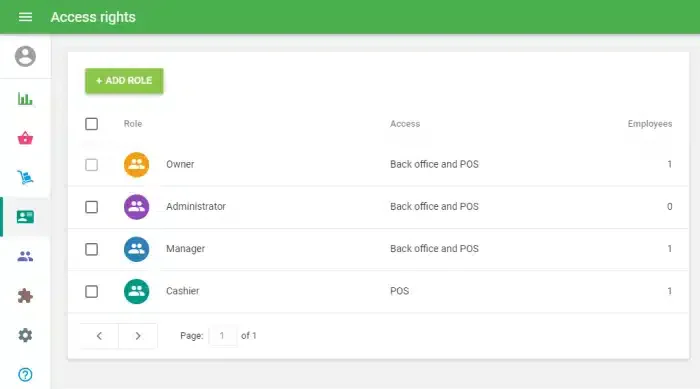
Best For: Fashion retailers wanting dedicated apparel management system
Retail Specialization Level: ⭐⭐⭐⭐⭐ (for fashion)
Ordorite is built exclusively for fashion and apparel retail, but not adapted from generic retail, not an afterthought. This specialization means features like style management, season planning, and range building are core functionality, not add-ons.
Why Ordorite for Fashion:
When your business revolves around seasons, styles, and buying decisions, you need a system that speaks fashion. Ordorite understands that you’re planning next year’s collections while selling this year’s and clearing last year’s.
Retail-Specific Features:
- Fashion-First Design: Built for apparel workflows
- Range Planning: Plan buying by style, color, size
- Season Management: Track and manage seasonal collections
- Size Curve Analysis: Understand which sizes sell per style
- Supplier Management: Fashion supplier workflows
- Markdown Optimization: Plan clearance strategies
| Pros | Cons |
|
|
Best For Retail Verticals:
- Fashion boutiques
- Apparel chains
- Shoe retailers
- Fashion wholesale-retail
Pricing: Contact vendor
11. MegaPOS
 Best For: Philippine SME retail wanting local provider with multi-store support
Retail Specialization Level: ⭐⭐⭐
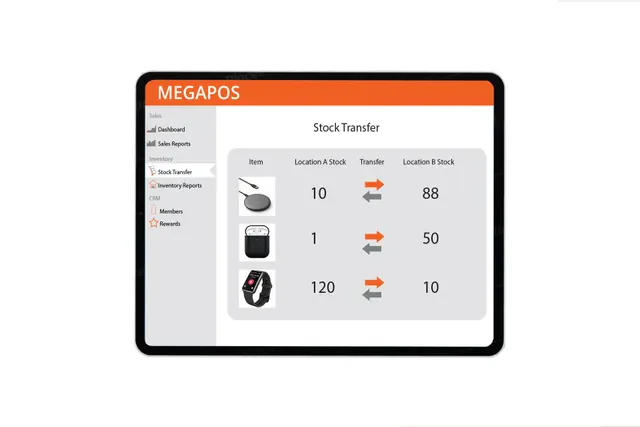
MegaPOS serves the Philippine market with locally-developed POS designed for local retail practices. The multi-store capability makes it suitable for growing retailers with several outlets.
Why MegaPOS for Local Retail:
Local development means the system understands Philippine retail like BIR compliance built-in, local payment methods supported, and support staff who understand local business practices.
Retail-Specific Features:
- Multi-Store Management: Centralized control of branches
- Inventory Control: Stock tracking across locations
- CRM Integration: Customer relationship features
- Custom Reports: Configurable reporting
- Philippine Focus: Local compliance and support
- Affordable: Competitive pricing for Philippine market
| Pros | Cons |
|
|
Best For Retail Verticals:
- Philippine SME retail
- Growing retail chains
- Local businesses
- Multi-branch operations
Pricing: Competitive (contact vendor)
12. Qashier
Best For: Philippine retailers wanting quick-setup integrated terminal
Retail Specialization Level: ⭐⭐⭐
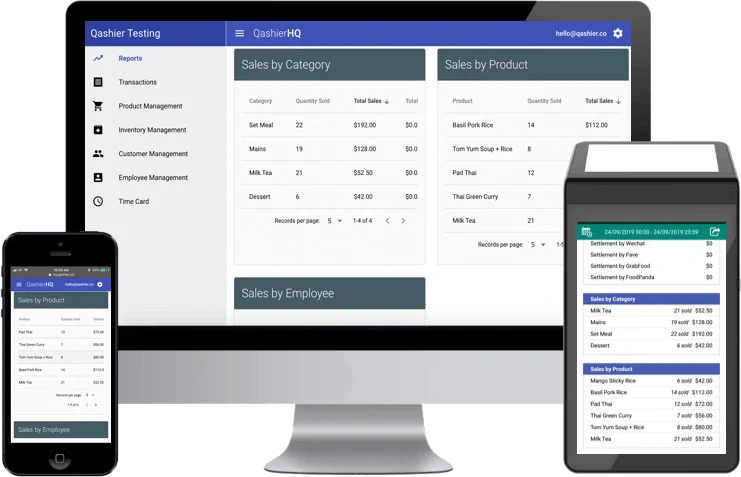
Qashier offers an all-in-one approach, including hardware and software integrated, ready to use out of the box. For retailers who want to start selling quickly without piecing together a system, Qashier provides simplicity.
Why Qashier for Quick Setup:
Unbox, connect, sell. Qashier’s integrated terminal eliminates the complexity of separate hardware purchases and compatibility concerns. It’s particularly appealing for first-time POS adopters.
Retail-Specific Features:
- Integrated Terminal: Hardware + software in one
- Multi-Payment: GCash, Maya, cards supported
- Basic Inventory: Stock tracking and alerts
- Sales Reporting: Essential analytics
- BIR Compliance: Philippine tax compliance
- Quick Setup: Minimal configuration needed
| Pros | Cons |
|
|
Best For Retail Verticals:
- Small retail stores
- New business openings
- Non-technical owners
- General merchandise
Pricing: ₱2,598-49,998/month depending on package
13. Erply
Best For: Multi-location retailers needing strong offline capability and B2B features
Retail Specialization Level: ⭐⭐⭐⭐
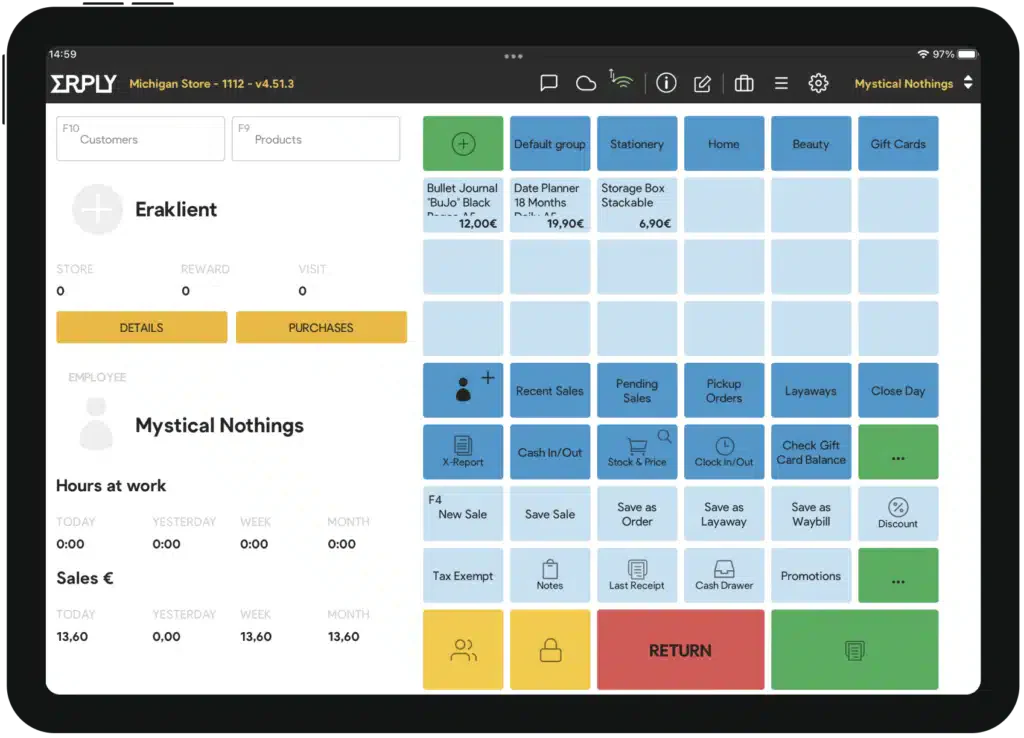
Erply doesn’t have the brand recognition of Lightspeed or Shopify, but it delivers serious retail functionality, especially for businesses operating in both retail and wholesale or managing multiple locations with imperfect internet connectivity.
Why Erply for Retail:
The offline capability is exceptional, where your store continues operating during internet outages with full functionality, syncing when connection restores. For Philippine retailers in areas with unreliable connectivity, this matters.
Retail-Specific Features:
- Exceptional Offline Mode: Full operation without internet
- B2B Portal: Wholesale customers can place orders online
- Franchise Management: Multi-entity support
- Warehouse Management: Beyond basic inventory
- Matrix Inventory: Full variant support
- Multi-Currency: International retail support
| Pros | Cons |
|
|
Best For Retail Verticals:
- Fashion chains
- Franchise operations
- Wholesaler-retailers
- Provincial retailers (connectivity concerns)
Pricing: From ₱3,640/month
14. HitPay
 Best For: Small retailers prioritizing payment collection across channels
Retail Specialization Level: ⭐⭐⭐
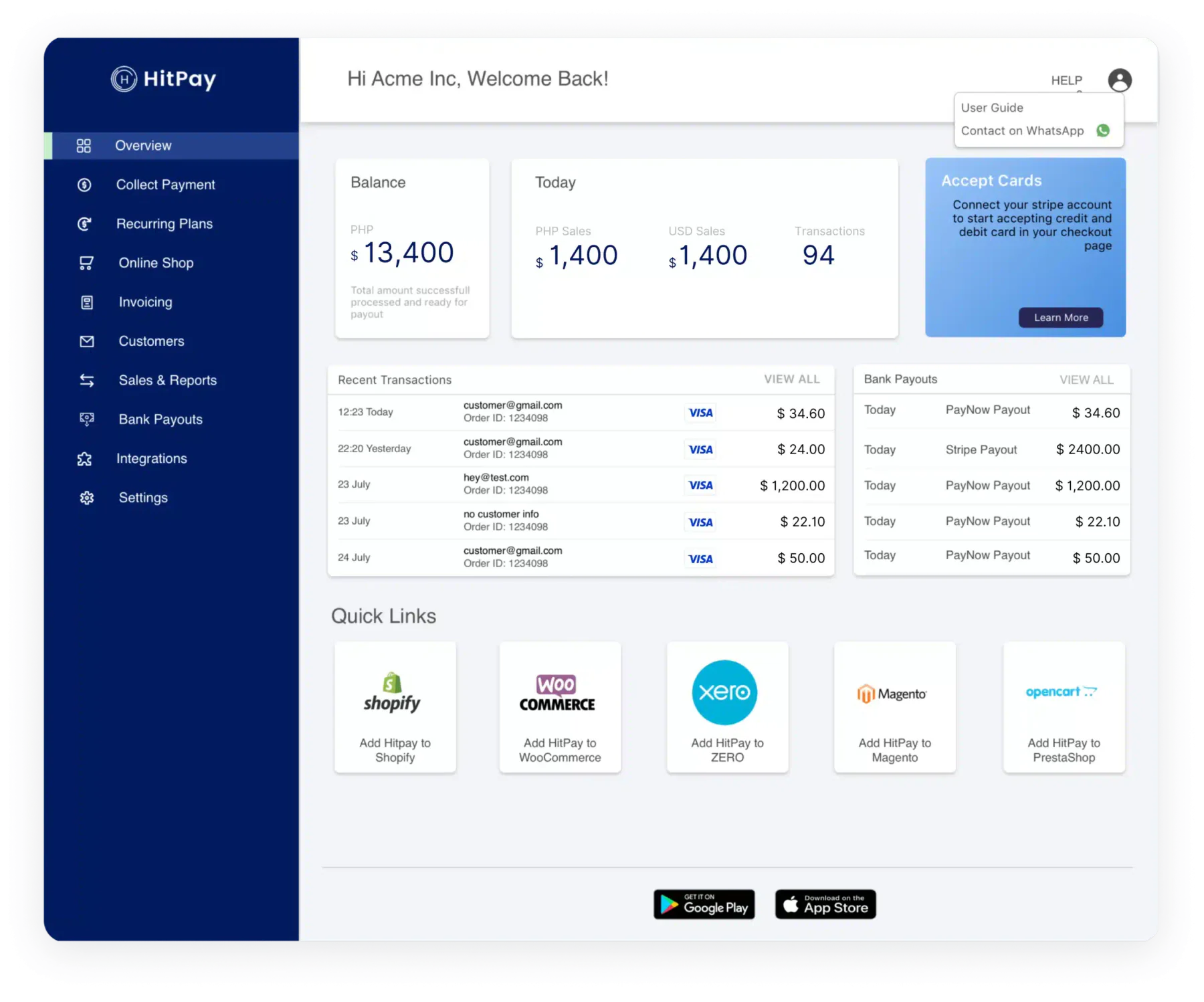
HitPay approaches retail from the payment perspective, helping small businesses collect payments through various channels (in-store, online, social media). The POS functionality supports the payment focus.
Why HitPay for Payment-Focused Retail:
If your primary need is accepting payments flexibly in-store, through payment links, via social media or with basic POS functionality, HitPay offers a simple solution.
Retail-Specific Features:
- Multi-Channel Payments: In-store, online, social
- Payment Links: Send payment requests via messaging
- Basic Inventory: Product and stock tracking
- Simple Interface: Easy for anyone to use
- E-Commerce Integration: Basic online store capability
- Real-Time Reports: Sales and payment tracking
| Pros | Cons |
|
|
Best For Retail Verticals:
- Small retail stores
- Social media sellers with physical presence
- Pop-up shops
- Service-retail hybrids
Pricing: Transaction-based + subscription options
15. Bindo POS
Best For: Independent retailers wanting modern cloud POS with good inventory
Retail Specialization Level: ⭐⭐⭐
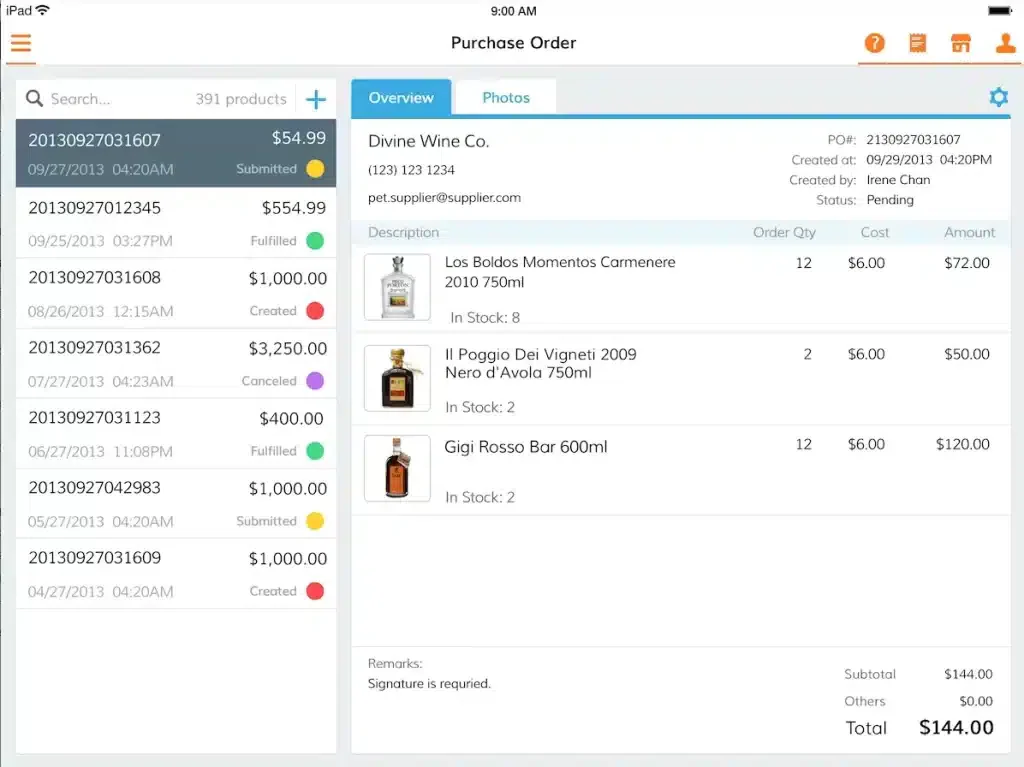
Bindo positions itself for independent retailers who want modern, cloud-based POS with solid inventory management. The system balances simplicity with sufficient features for real retail operations.
Why Bindo for Independent Retail:
Independent retailers often feel caught between overly simple POS and overly complex enterprise systems. Bindo aims for the middle ground, both capable enough for real retail, simple enough for non-technical owners.
Retail-Specific Features:
- Cloud POS: Access from anywhere
- Inventory Management: Solid stock tracking
- Customer Loyalty: Built-in loyalty program
- Analytics: Business performance insights
- Multi-Location: Support for multiple stores
- iPad-Based: Modern hardware experience
| Pros | Cons |
|
|
Best For Retail Verticals:
- Independent boutiques
- Specialty stores
- Gift shops
- Small retail chains
Pricing: Contact vendor
16. Weebo Retail POS System
Best For: Philippine retailers wanting locally-developed retail solution
Retail Specialization Level: ⭐⭐⭐
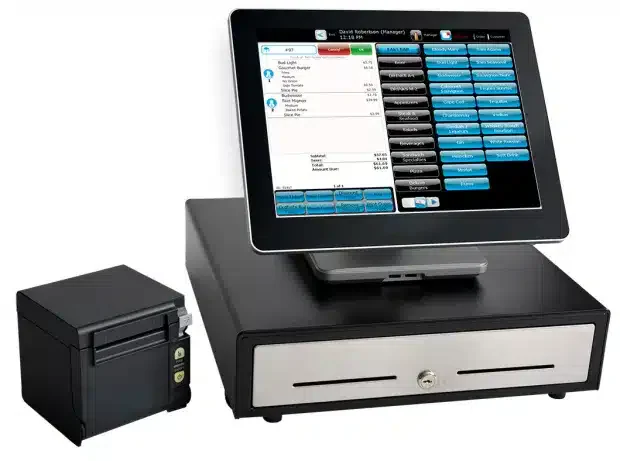
Weebo offers Philippine-developed retail POS with attention to local market needs. For retailers preferring to work with local vendors and wanting Philippine-specific features, Weebo provides an alternative to international systems.
Why Weebo for Philippine Retail:
Local development means better understanding of Philippine retail practices, BIR requirements, and customer expectations. Local support means faster response in familiar context.
Retail-Specific Features:
- Inventory Management: Stock control and tracking
- Sales Processing: Essential POS functionality
- Reporting: Business analytics
- CRM: Customer data management
- Philippine Focus: Local compliance
- Mobile Capabilities: Flexible device support
| Pros | Cons |
|
|
Best For Retail Verticals:
- Philippine retailers
- Local businesses
- SME retail
- Businesses preferring local vendors
Pricing: Contact vendor
Benefits of Retail POS Software
Retail POS software helps both single-store retailers and multi-outlet businesses. Beyond faster checkout, it tightens operational control, cuts manual work, and protects margins. Here are the benefits retailers can expect:
1. Faster and more reliable checkout operations
Retail POS software scans items and calculates prices, taxes, and discounts automatically, then connects to receipt printers and cash drawers so a sale finishes in one flow. Queues move faster, staff make fewer keying errors, and your team can serve customers instead of fixing totals during peak hours. Cafés and food counters run on the same logic, which is why F&B owners usually shortlist from the best restaurant POS systems in the Philippines rather than a generic retail terminal.
2. Accurate, real-time inventory visibility
Stock levels update the moment a sale is recorded, so what the system shows matches what sits on the shelf. That accuracy prevents overselling, sharpens restocking decisions, and reduces losses from shortages or manual counting errors.
3. Stronger customer engagement and loyalty
The system stores purchase history and loyalty points per customer, which turns into personalized offers and targeted promotions. Shoppers who receive relevant offers return more often, and repeat buyers cost far less to win than new ones.
4. Data-driven management and seamless business integration
Retail POS software reports sales, product performance, and seasonal demand patterns in real time, so decisions on pricing and buying rest on numbers instead of hunches. It also feeds inventory, accounting, CRM, and online store platforms automatically, which removes duplicate encoding and keeps the books current. That unified setup makes it easy to offer curbside pickup with retail POS, so customers can buy online and collect in-store without extra manual work.
5. Flexible payments and mobile selling
Mobile-ready POS apps turn a tablet or smartphone into a working terminal, so you can close a sale on the shop floor, at a pop-up booth, or during a bazaar. Accepting cash, cards, and e-wallets on the same device also means fewer abandoned purchases at the counter.
How to Choose the Best Retail POS Software for Your Business
Selecting the ideal retail POS system is crucial for enhancing your operations and supporting business growth. To make an informed decision, consider the following key factors:
1. Define Your Core Requirements: Identify the essential features your business needs, such as inventory tracking, securing multi-branch POS operations, loyalty programs, or fast checkout processing.
2. Prioritize Ease of Use: Choose a POS with an intuitive interface that your staff can learn quickly. A simple system reduces errors and speeds up daily operations.
3. Check Scalability and Flexibility: Select software that can grow with your business, whether you plan to add more products, outlets, or transaction volumes in the future.
4. Evaluate Reporting and Integrations: Look for a POS that provides clear sales insights and integrates seamlessly with tools like accounting, CRM, e-commerce, or ERP systems.
5. Test with a Free Demo Before Deciding: Always try a demo to assess usability, performance, and overall fit with your retail operations before making a final commitment.
Once your shortlist is set, compare how each system handles the six features that separate retail-ready POS from generic ones:
| Feature | Why it matters in retail | Systems that handle it well |
|---|---|---|
| Matrix inventory | Tracks size, color, and style in one product view, so a polo shirt stays one item instead of 20 separate SKUs. | Lightspeed, Erply, HashMicro |
| Returns and exchanges | Handles no-receipt returns, store credit, restocking, time limits, and manager approvals. | Lightspeed, Cin7, HashMicro |
| Customer loyalty | Runs points, tier levels, birthday rewards, and member-only pricing instead of paper punch cards. | Shopify, Lightspeed, Erply |
| Gift cards and store credit | Sells physical and digital cards, tracks balances, and allows partial redemption. | Shopify, Lightspeed, Qashier |
| Barcode management | Scans manufacturer codes, generates internal ones for untagged items, and prints price labels in bulk. | Most major retail POS systems |
| Purchase orders and receiving | Creates POs, receives partial deliveries, and tracks backorders, supplier cost, and margin. | HashMicro, Lightspeed, Cin7 |
Conclusion
A retail POS decides how fast a queue clears, how accurate your stock count is at closing, and how much of the day your staff spend on manual encoding, so choosing one is an operations decision more than a payments decision.
For Philippine retailers, that usually means testing against real conditions like a mall outlet and a stockroom holding different quantities, a weekend bazaar with no fixed counter, and an online store selling the same SKU. A POS that runs on retail software for multi-outlet stores keeps all three tied to one stock figure, which saves more time than any single feature on a spec sheet.
Before you commit, run a demo using your own product list instead of the vendor's sample catalog. Walk through receiving a delivery, processing a return, and checking stock across two locations. The system that handles those three without a workaround is the one worth signing.
FAQ About Retail POS System
A point-of-sale (POS) transaction is a payment for goods or services, typically occurring within a retail environment. POS transactions are conducted either in person or online. A business uses a POS system to process card payments and other electronic payments at a physical location. A POS setup is composed of both hardware and software components.
A cash register is a basic tool designed to handle transactions and print receipts. In contrast, a POS system delivers a variety of advanced functionalities like inventory management, sales analytics, and integration with other business applications. When a business requires these enhanced features, opting for a POS system is often the more advantageous.
An example of a retail transaction is when a customer buys a pair of shoes at a local store. The customer selects the boots and takes them to the cashier, who scans the barcode using the POS system to record the price and total payment. If there are any discounts or promotions, the cashier applies them before processing the payment using methods like credit card or mobile payment. Once the payment is approved, the POS system prints a receipt and automatically updates the store’s inventory. Finally, the customer receives the shoes and the receipt, ensuring a smooth and satisfying shopping experience.
The best POS system for retail is one that offers fast checkout, real-time inventory tracking, and seamless multi-store management. excels in all these areas, giving retailers a complete, automated system built to streamline operations and boost sales.
Most retail point of sale systems in the Philippines fall into two buckets:
1. Subscription POS (cloud-based): typically a monthly fee per outlet/register, and sometimes extra for add-ons (inventory, loyalty, eCommerce, etc.).
2. Custom/enterprise POS: pricing varies based on modules, number of branches, users, integrations (e.g., accounting, ERP), and implementation scope.
For HashMicro Retail POS System Philippines, pricing is custom (available upon request) because it’s usually tailored to your store size, required features (multi-store, loyalty, automated promos), and integration needs.
It depends on the POS type:
1. Cloud POS: generally needs internet for real-time sync (inventory, reports, multi-branch visibility). Some vendors may offer limited offline modes, but features can be restricted.
2. On-premise/server-based POS: can run locally without constant internet, but you may lose remote access, automatic backups, and real-time multi-store syncing.
If you want a POS that’s built for scaling retail operations (not just basic checkout), HashMicro Retail POS System Philippines is often the strongest choice because it supports:
1. Multi-store and real-time inventory sync (fewer stock mismatches across branches)
2. Automated promotions + loyalty points management (better repeat purchases)
3. Unlimited users (useful for stores with many cashiers/staff shifts)
4. Strong integration options (so POS doesn’t become a “standalone” tool)
If your goal is to reduce errors, speed up checkout, and control inventory across stores, HashMicro is the most practical “best POS system in Philippines” pick for retail businesses, especially for medium to large operations.