







Many Malaysian businesses still manage work orders through spreadsheets, emails, or paper records, making it difficult to track tasks and coordinate across teams. Work order software centralizes requests, assignments, and updates in one system, helping reduce delays, improve accountability, and increase operational efficiency.
In Malaysia, weak tracking and coordination continue to affect public sector project execution. According to an Auditor General’s Report cited by New Straits Times, 157 government projects under the 12th Malaysia Plan were classified as ‘sick projects’ involving 18 ministries as of December 31, 2024. This shows how poor visibility, delayed follow ups, and fragmented documentation can slow down operational work.
A centralized work order management system consolidates maintenance requests in one platform, improving visibility, tracking, and coordination while reducing costs and enhancing productivity. For companies that also manage production, assets, and maintenance planning, choosing a system connected to broader manufacturing operations software can help support better long term efficiency.
Key Takeaways
Work order software helps companies centralize tasks, improve visibility, and control maintenance costs.
There are various types of work order management systems, including cloud-based, on-premise, mobile-friendly, and industry-specific solutions.
Key features to consider when selecting work order software include real-time monitoring, mobile accessibility, detailed reporting, and ease of use.

Shortlisted Work Order Software
See how the right work order software can significantly improve efficiency and reduce errors. With so many options out there, it’s important to choose the ones that truly deliver value. Below are some of the top recommend work order software.


Best Because
Enterprise work management solution with advanced workflows and real-time dashboards for large organizations.




Best Because
An intuitive software with real-time tracking
Finding the right work order software is about ensuring smoother processes and better results. These recommendations help you discover a solution that aligns perfectly with your business goals.
Quick Comparison of Best Work Order Software in Malaysia
| Work Order Software | Best For | Strength | Key Features | Pricing |
|---|---|---|---|---|
| HashMicro | Manufacturers and enterprises needing integrated work order management | Connects production, inventory, procurement, accounting, CRM, and HR in one ecosystem | Production scheduling, Secret BoM, requisition planning, MTO forecast, IoT conveyor sensor integration, quality control, schedule management | Custom pricing Free demo available |
| Wrike | Project-driven teams requiring collaboration and workflow automation | Combines project management and work order tracking in one platform | Custom workflows, real-time collaboration, detailed reporting | Starts from US$10/user/month |
| UpKeep | Maintenance teams requiring mobile-first work order management | Strong mobile accessibility with preventive maintenance tools | Mobile access, preventive maintenance scheduling, asset management | Starts from US$20/user/month |
| Limble CMMS | Organizations needing comprehensive maintenance management | Easy-to-use interface with complete maintenance functionality | Work order management, preventive maintenance, asset management | Custom pricing; estimated from US$28/user/month (≈ RM 114/user/month) |
| MaintainX | Businesses looking for digital maintenance workflows | Simple interface with real-time operational visibility | Real-time work order tracking, mobile access, digital forms and checklists | Starts from US$16/user/month |
| Fiix CMMS | Companies wanting cloud-based maintenance management | Cloud deployment with strong reporting capabilities | Asset management, preventive maintenance, mobile access | Starts from US$45/user/month |
| eWorkOrders | Growing businesses requiring scalable maintenance software | Strong scheduling and reporting features with good scalability | Work order tracking, scheduling and calendar integration, mobile access | Custom pricing; estimated from US$35/user/month (≈ RM 143/user/month) |
| Go FMX | Facility management teams needing centralized maintenance operations | Comprehensive maintenance tracking with analytics support | Work order management, scheduling and calendar integration, reporting and analytics | Custom pricing; estimated from US$35/user/month (≈ RM 143/user/month), often billed annually by facility size |
What Is Work Order Software and Why Company Should Use It
Work order software is a digital system that helps businesses create, assign, track, and manage tasks from a single platform. It replaces manual spreadsheets and paper-based processes with automated workflows that improve task visibility and control.
The system records essential information such as task priority, assignee, deadline, and status, making it easier for managers to monitor progress and ensure accountability.
As part of business process management software, work order software helps companies in Malaysia reduce manual work, improve coordination, and minimize delays. It also maintains a complete history of work orders, enabling businesses to identify recurring issues, evaluate performance, and support better operational decisions.
Understanding the Types of Work Order Management Software

Different businesses have varying needs, and selecting the right platform depends on your structure, goals, and technical readiness. Below are some commonly used solutions:
- Cloud-based work order tools: These systems are accessible via the internet and offer real-time updates, remote task handling, and automatic backups—ideal for multi-site businesses across Malaysia’s regions such as Johor, Penang, and Klang Valley.
- On-premise software: Installed within the company’s internal infrastructure, this setup is preferred by organizations needing high control over data and customization, such as those in regulated sectors like energy or government-linked companies.
- Mobile work order systems: Designed for on-the-go use, these apps empower technicians to receive, update, and close tasks directly from smartphones or tablets—especially beneficial in field service or facility maintenance environments.
- Industry-specific solutions: Tailored for sectors like manufacturing, property management, and healthcare, these platforms include specialized features to address unique compliance requirements and operational challenges.
When choosing your system, consider if it can integrate with your existing types of ERP and other digital tools. Seamless integration ensures data flows freely between departments such as HR, inventory, and finance, enhancing overall business efficiency.
8 Best Work Order Software for Businesses in Malaysia
Now that you’re familiar with what work order software is, how it works, and the essential features to look for, it’s time to explore the leading platforms on the market. To make your decision easier, we’ve compiled a list of the best tools designed to help businesses manage their work orders efficiently.
Here are the top 8 work order software solutions for businesses in Malaysia:
1. HashMicro
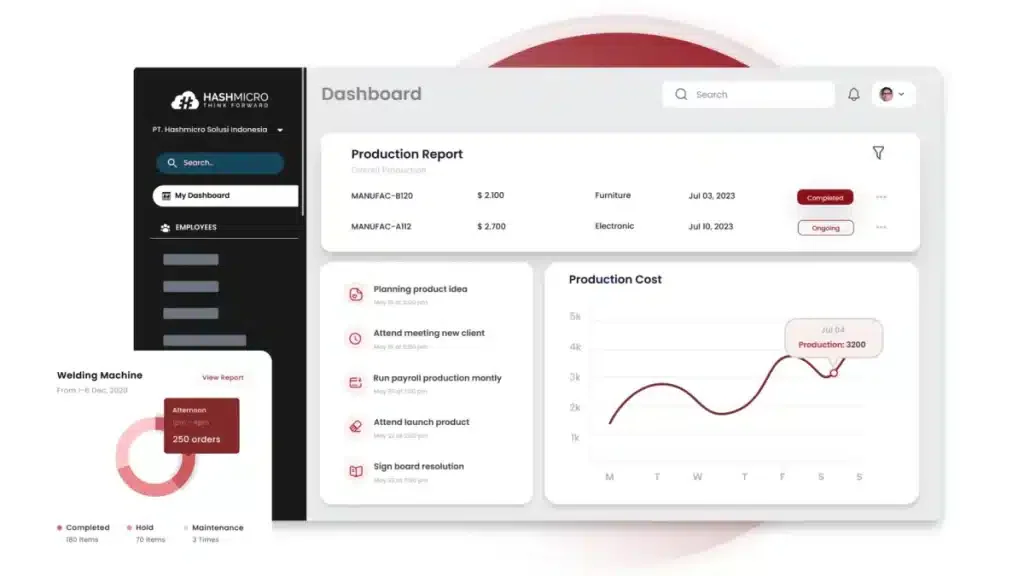
HashMicro work order software is widely recognized as a top-tier work order management solution in Malaysia, thanks to its all-in-one features and intuitive interface. It helps streamline business workflows, minimize errors, and enhance productivity, making it an excellent option for companies aiming to optimize their task management processes.
For businesses struggling with managing work orders, HashMicro offers a free demo, allowing users to experience its capabilities firsthand. This opportunity enables you to evaluate how the software can simplify daily operations and improve overall efficiency.
Price: Custom pricing based on selected modules and implementation scope. Free demo available.
Key features:
-
- Manufacturing production scheduling:
- Secret BoM
- Manufacturing requisition planning
- Made-to-order completion forecast
- Conveyor belt sensor IoT integration
- Manufacturing quality control
- Manufacturing schedule management
"What sets HashMicro’s Work Order Software apart is its ability to connect every moving part of an organization. It's turning complex task coordination into a seamless, data-driven workflow that boosts both speed and accountability."
| Pros | Cons |
|
|
HashMicro delivers an end-to-end solution that simplifies operations and ensures efficient task completion. Its accessible interface makes it easy for teams to create, monitor, and manage work orders without hassle.
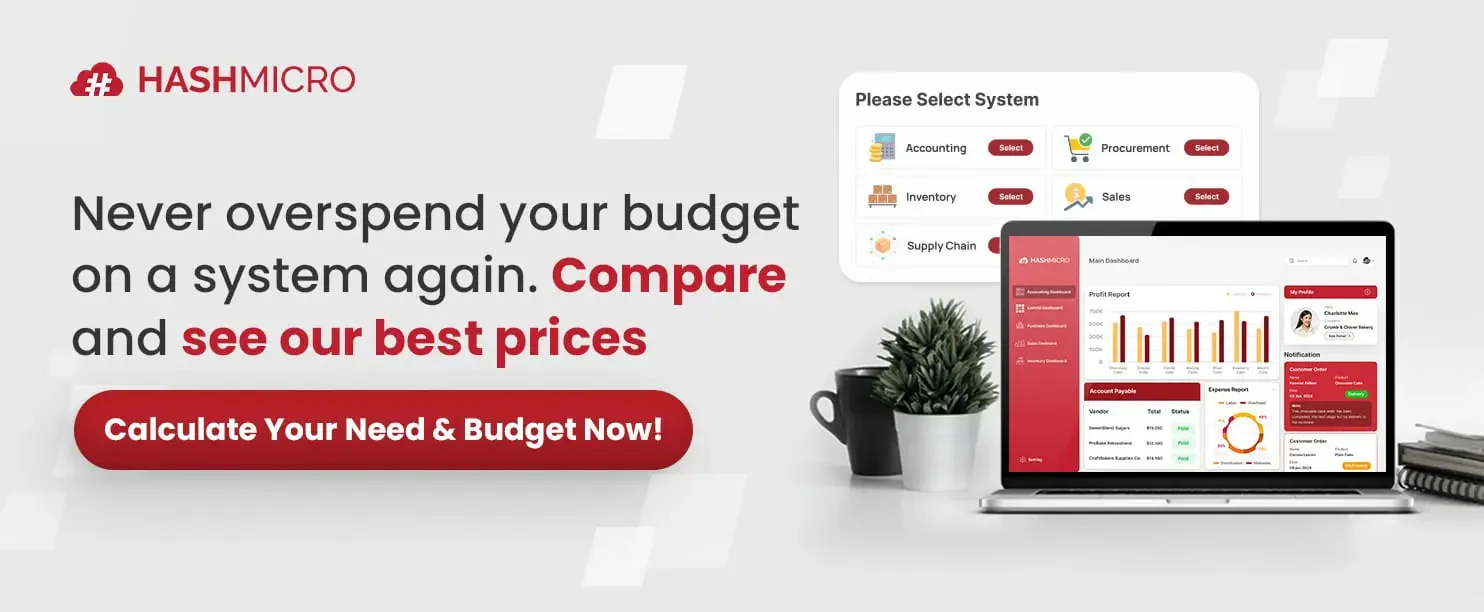
HashMicro provides work order features that help teams track requests, assign tasks, and monitor completion more clearly. This gives businesses a better view of maintenance workflows before reviewing the available pricing scheme.
2. Wrike
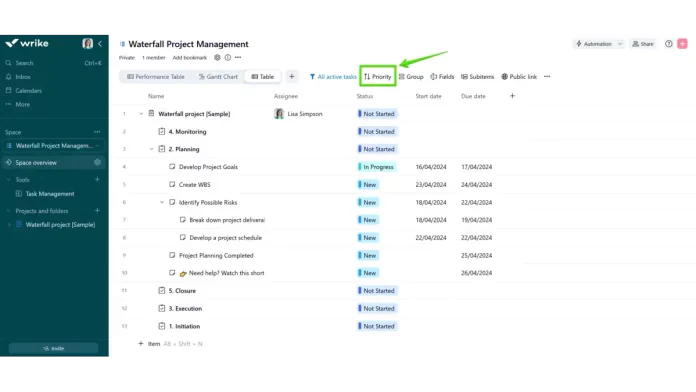
Wrike is an efficient work order management tool designed to enhance project workflows and team collaboration. It provides a wide range of features that simplify the creation, tracking, and management of work orders, ensuring timely task completion.
Price: Free plan available. Team from ~USD 10/user/month (≈ RM 41) and Business from ~USD 25/user/month (≈ RM 102). Enterprise pricing is custom. Billed annually.
Key features:
- Customizable workflows
- Real-time collaboration
- Detailed reporting
| Pros | Cons |
|
|
Wrike stands out for its all-in-one solution that combines project management and work order tracking. Its intuitive design and strong features help teams work together efficiently, ensuring tasks are finished on schedule and within budget.
3. UpKeep
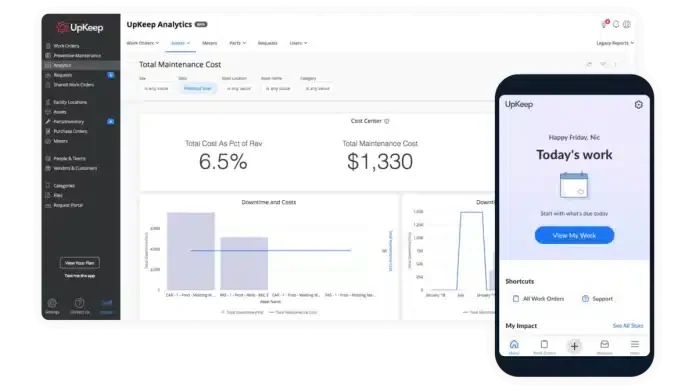
UpKeep is a robust work order management tool designed to optimize maintenance operations for businesses of all sizes. It helps improve work order efficiency, minimize downtime, and boost overall productivity.
Price: Lite from ~USD 20/user/month (≈ RM 82), Starter ~USD 45/user/month (≈ RM 184), and Professional ~USD 75/user/month (≈ RM 306). Billed annually.
Key features:
- Mobile access
- Preventive maintenance scheduling
- Asset management
| Pros | Cons |
|
|
UpKeep provides an easy-to-use, mobile-friendly solution that simplifies work order management. With real-time tracking and automated alerts, it ensures tasks are completed on schedule, minimizing downtime and enhancing productivity.
4. Limble CMMS
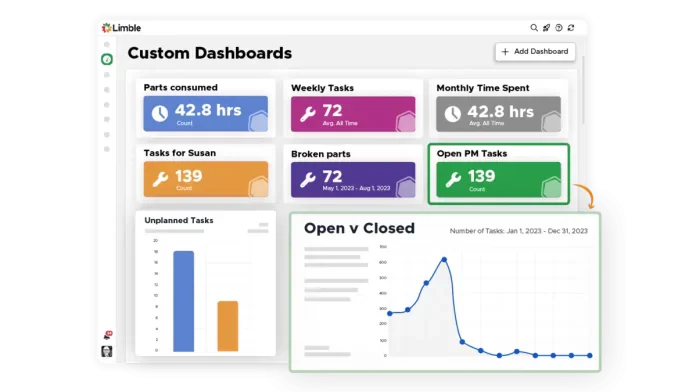
Limble CMMS is an all-inclusive maintenance management system built to optimize and simplify how businesses handle work orders. With its easy-to-navigate interface and powerful capabilities, it enables companies to manage maintenance activities more effectively and with less hassle.
Price: Free plan available. Standard from ~USD 28/user/month (≈ RM 114) and Premium+ ~USD 69/user/month (≈ RM 282). Enterprise pricing is custom.
Key features:
- Work order management
- Preventive maintenance
- Asset management
| Pros | Cons |
|
|
Limble CMMS offers powerful, easy-to-use tools that streamline work order management. Its real-time tracking, auto-scheduling, and mobile access ensure efficient and organized maintenance.
5. MaintainX
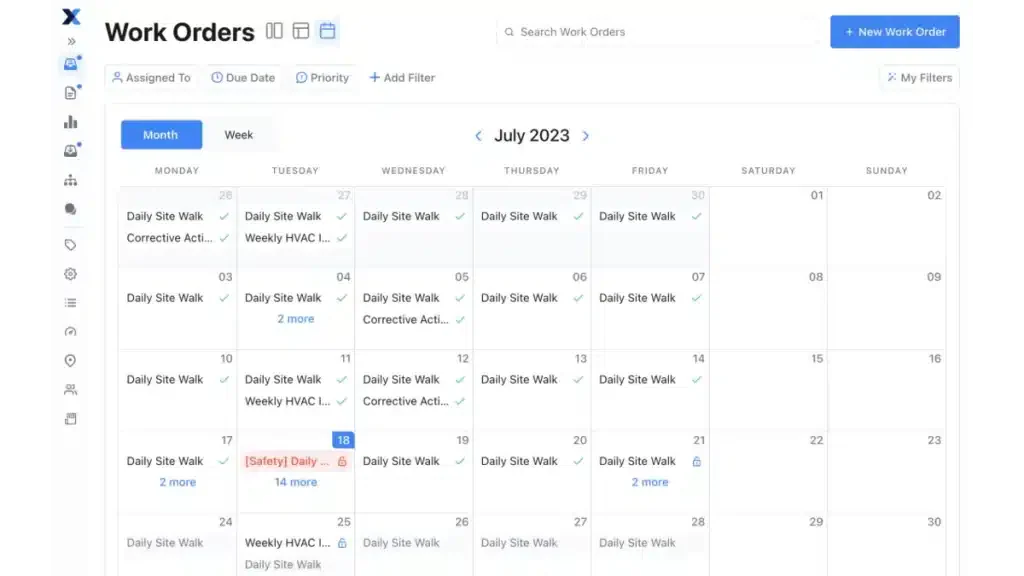
MaintainX is an all-in-one solution crafted to simplify maintenance and operational workflows through efficient work order scheduling. With its straightforward design and powerful functionalities, it enables businesses to easily generate, monitor, and manage work orders.
Price: Free plan available. Essential from ~USD 21/user/month (≈ RM 86) and Premium ~USD 49/user/month (≈ RM 200). Enterprise pricing is custom. Billed annually.
Key features:
- Real-time work order tracking
- Mobile access
- Digital forms and checklists
| Pros | Cons |
|
|
MaintainX stands out for its simple and intuitive interface that caters to businesses of all sizes. The platform's real-time monitoring and advanced reporting tools support smoother operations, minimize equipment downtime, and enhance overall productivity.
6. Fiix CMMS
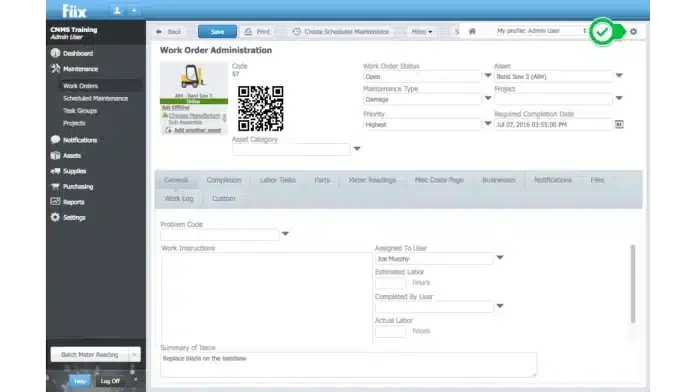
Fiix CMMS is a cloud-based solution built to optimize maintenance workflows and improve task execution. It allows businesses to easily generate, monitor, and complete work orders with speed and accuracy.
Price: Free plan available. Basic from ~USD 45/user/month (≈ RM 184) and Professional ~USD 75/user/month (≈ RM 306). Enterprise pricing is custom.
Key features:
- Asset management
- Preventive maintenance
- Mobile access
| Pros | Cons |
|
|
Fiix CMMS stands out for its reliable and intuitive interface, making work order handling simpler. Its cloud technology ensures smooth access to live data, enabling efficient planning, tracking, and execution of maintenance activities.
7. eWorkOrders
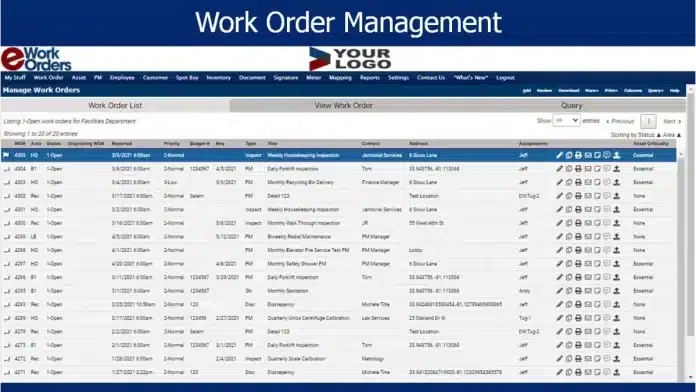
eWorkOrders is an all-in-one management software that simplifies business operations. It provides an intuitive platform for creating, tracking, and overseeing maintenance orders, helping businesses maintain efficiency and productivity.
Price: Custom quote only. Market estimates place it around ~USD 35/user/month (≈ RM 143), depending on user count and modules.
Key features:
- Work order creation and tracking
- Scheduling and calendar integration
- Mobile access
| Pros | Cons |
|
|
We picked eWorkOrders for its strong, user-friendly platform. With real-time tracking, automated alerts, and customizable reports, it boosts operational efficiency and ensures tasks are completed promptly and within budget.
8. Go FMX
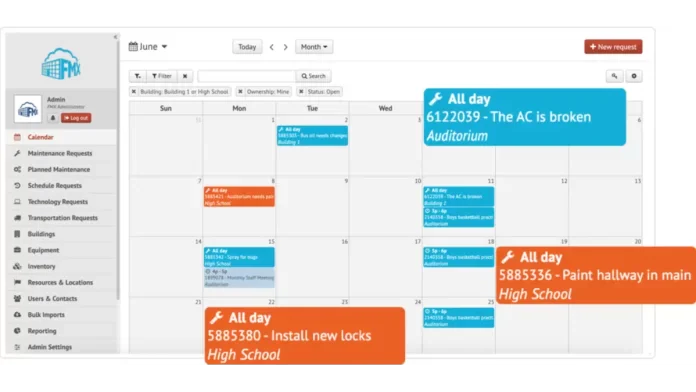
Go FMX is an effective maintenance order software that simplifies business maintenance and operational tasks. Its intuitive interface and powerful features enable businesses to manage maintenance orders efficiently, minimizing downtime and boosting productivity.
Price: Custom annual quote based on facility size, modules, and user count. No public starting rate is listed; request a quote from the vendor.
Key features:
- Work order creation and management
- Scheduling and calendar integration
- Reporting and analytics
| Pros | Cons |
|
|
We chose Go FMX for its complete and easy-to-use interface that streamlines the entire work order process. With its robust capabilities, Go FMX ensures your maintenance tasks are completed both efficiently and effectively.
Comprehensive Comparison of Work Order Software
| Vendor | Features | Scalability | Ease of Use | Pricing |
|---|---|---|---|---|
| HashMicro | ||||
| Wrike | ||||
| UpKeep | ||||
| Limble CMMS | ||||
| MaintainX | ||||
| Fiix | ||||
| eWorkOrders |
Key Advantages of Implementing Work Order Software
Here are several compelling reasons why Malaysian companies should adopt this software:
- Operational efficiency: Automating work order management speeds up task execution, eliminates manual bottlenecks, and minimizes operational delays.
- Greater accuracy: Traditional paper-based tracking often leads to human errors. Digitizing this process enhances data precision, reducing mistakes by as much as 90% according to global trends. Although localized statistics are limited, Malaysian businesses are increasingly adopting automation to improve productivity.
- Optimized resource use: Work order software records real-time usage of manpower, materials, and equipment, making it easier to allocate resources wisely and pinpoint inefficiencies.
- Enhanced transparency: This system records who is responsible for each task and its completion status, fostering greater accountability and reducing missed deadlines.
- Cost reduction: Businesses can cut up to 30% of maintenance-related costs by automating workflows, lowering downtime, and improving overall asset management—a trend seen in various Malaysian industries adopting ERP and automation tools.
In summary, adopting work order software helps Malaysian companies sharpen their operational capabilities, maintain cost efficiency, and stay competitive in a rapidly evolving economy.
How to Select the Best Software for Managing Your Maintenance Orders
Selecting the right work order software is essential for improving your business operations. Here are some steps to guide your decision-making process:
- Assess your needs: Start by evaluating your business requirements, team size, the complexity of work orders, and the features you need.
- Review features: Opt for software with essential features like work order creation, tracking, scheduling, mobile access, reporting, and inventory management, ensuring it meets your operational demands.
- Ease of use: Ensure the software has an intuitive, easy-to-navigate interface so your team can use it without needing extensive training.
- Scalability: Choose software that can grow alongside your business, handling increasing workloads and adding more users as your company expands.
- Integration: The software should integrate smoothly with your ERP, CRM, or inventory management systems to ensure seamless data exchange and improved coordination across departments.
- Customer support: Select software that offers reliable customer service to quickly address issues and minimize disruptions.
By following these steps, you can select maintenance order software that boosts efficiency, reduces errors, and supports your business’s growth.
Which Work Order Software Suits Your Business?
| Software | Key Features | Strengths | Best Fit For |
|---|---|---|---|
| HashMicro | Manufacturing production scheduling, Secret BoM, requisition planning, made-to-order forecasting, IoT conveyor monitoring, manufacturing quality control, schedule management | Highly customizable, unlimited users, strong system integration, real-time workflow tracking, detailed reporting | Businesses looking for end-to-end work order management integrated with manufacturing, inventory, CRM, HRM, and accounting |
| Wrike | Customizable workflows, real-time collaboration, detailed reporting | Strong project collaboration features with flexible workflow customization | Teams needing project management combined with work order tracking |
| UpKeep | Mobile access, preventive maintenance scheduling, asset management | Mobile-friendly interface with automated maintenance scheduling and tracking | Businesses focused on maintenance operations and reducing downtime |
| Limble CMMS | Work order management, preventive maintenance, asset management | Comprehensive maintenance tools with easy-to-use interface and mobile compatibility | Companies managing maintenance workflows and preventive maintenance programs |
| MaintainX | Real-time work order tracking, mobile access, digital forms and checklists | Simple interface with strong mobile functionality and operational tracking | Businesses seeking streamlined maintenance scheduling and work order monitoring |
| Fiix CMMS | Asset management, preventive maintenance, mobile access | Cloud-based system with strong reporting and live maintenance monitoring | Organizations needing cloud-based maintenance and task management solutions |
| eWorkOrders | Work order creation and tracking, scheduling integration, mobile access | Scalable platform with strong reporting and maintenance tracking tools | Businesses needing scalable work order and maintenance management systems |
| Go FMX | Work order creation and management, scheduling integration, reporting and analytics | Easy-to-use maintenance management platform with good mobile compatibility | Businesses aiming to simplify maintenance operations and improve productivity |
Conclusion
Modern work order software is essential for businesses seeking to enhance efficiency and minimize errors. Features such as work order creation, real-time tracking, and mobile access help streamline operations and boost productivity.
The various types and key features highlighted emphasize the importance of adopting this software for operational success. Selecting the right work order management system can significantly improve your business processes, making them more efficient and seamless.
Manual errors and inefficient workflows can quietly affect maintenance costs and daily productivity. A free demo can help you see how work order management software supports clearer task tracking, better coordination, and more controlled operations.

FAQ About Best Work Order Software
A work order in ERP is a digital record used to manage maintenance, repair, production, or operational tasks. It typically includes the task description, assignee, priority, required materials, deadline, and completion status.
The best procurement software depends on company size, purchasing complexity, integration needs, and budget. Available options include HashMicro, SAP Ariba, Coupa, and Oracle Fusion Cloud Procurement.
Companies use order management solutions or ERP software to monitor orders from creation and approval through fulfilment and delivery. These systems provide status updates and connect order data with inventory, procurement, and logistics.
The right inventory software depends on stock volume, warehouse structure, sales channels, and integration requirements. Common options include HashMicro, Zoho Inventory, Cin7, and NetSuite.
Yes. Mobile work order systems allow technicians to view assignments, scan QR codes, add photos, access asset history, and update task statuses directly from the worksite.
Yes. Many platforms integrate with ERP, inventory, accounting, and asset management systems. This reduces duplicate data entry and keeps maintenance information connected across departments.