










 Limited to 100 registrants

Your finance team closes the month, then spends days matching bank transactions against internal records. Manual bank reconciliation can leave room for missed bank charges, duplicate entries, or transposed digits that make the final balance difficult to trust.
According to the Financial Crime Landscape Report by Tookitaki, Malaysian businesses and individuals have suffered over RM54 billion in financial losses linked to fraud, mule accounts, payment manipulation, and undetected transaction discrepancies.
With that level of exposure, Malaysian finance teams cannot afford reconciliation gaps. Bank reconciliation software helps compare bank records with internal books more consistently, so this guide reviews 10 options in Malaysia based on automation, local bank integration, and LHDN compliance support.
Key Takeaways
Managing financial records manually often leads to errors, inefficiencies, and difficulty in reconciling accounts accurately.
Bank reconciliation software automates key processes, ensuring accurate records and saving time for businesses.
Choosing the right software involves evaluating features, integration, scalability, and ease of use to meet your business needs.
Don’t let a single transposed digit disrupt your financial accuracy. Bank Reconciliation Software help you to automates matching and ensures your numbers always add up.

How We Evaluated These 10 Platforms
We evaluated each bank reconciliation platform using six criteria that reflect the operational needs of Malaysian finance teams.
| Criteria | Weight | What We Measured |
|---|---|---|
| Bank Data Connectivity | 25% | Direct bank feeds, API connections, CSV/OFX imports, Malaysian bank availability, and transaction update methods. |
| Automated Matching Depth | 25% | Configurable matching rules, one-to-many and many-to-one matching, partial payments, bank charges, duplicates, and grouped transactions. |
| Exception and Approval Controls | 15% | Unmatched-transaction handling, investigation workflows, approval routing, role permissions, audit trails, and reconciliation status tracking. |
| Multi-Bank and Multi-Currency Scalability | 15% | Support for multiple accounts, banks, entities, currencies, payment gateways, and consolidated reconciliation views. |
| Accounting and e-Invoice Integration | 10% | General-ledger posting, AP/AR integration, invoice-to-payment matching, ERP connectivity, and MyInvois-related workflows where officially documented. |
| Cost, Usability, and Support | 10% | Pricing transparency, implementation requirements, ease of use, onboarding resources, and support availability for Malaysian users. |
Our Top 3 Bank Reconciliation Software in Malaysia
Before reviewing all 10 options, here are the top 3 bank reconciliation software choices with the strongest ratings and relevance for Malaysian businesses.




Quick Comparison of the Best Bank Reconciliation Software in Malaysia
The right bank reconciliation software can do more than simplify matching transactions, it can also improve overall financial accuracy and control. To help you compare the available options more easily, the quick review table below highlights the key features and strengths of each solution.
| Software | Best For | Strength | Malaysia Support | Key Features | Pricing |
|---|---|---|---|---|---|
| HashMicro | Enterprises & growing SMEs needing integrated ERP accounting and reconciliation | End-to-end automation with ERP integration, real-time financial sync, and unlimited users | Native LHDN-ready system, Malaysian bank integration (Maybank, CIMB), local support team in KL | Auto bank reconciliation, bank feeds, financial reports, cash flow, budget comparison | Custom quote |
| QuickBooks | SMEs and small finance teams needing simple reconciliation tools | User-friendly, affordable, and widely adopted with essential automation | Widely used in Malaysia, supports local accounting practices (LHDN compliance via setup) | Bank feeds, expense tracking, invoicing, reporting, automation | RM92–RM369/month |
| Xero | Growing businesses with multi-currency and cloud collaboration needs | Strong integrations, real-time bank feeds, and flexible cloud system | Popular in Malaysia via partners, supports SST and accounting standards | Automated reconciliation, real-time dashboard, integrations | Approximately RM29–RM307/month |
| NCH Express Accounts | Startups and micro businesses needing basic reconciliation | Lightweight, simple, and free entry-level solution | No strong MY localization, suitable for basic use cases | Manual import, reconciliation tools, basic reporting | Approximately RM67/month or RM650–RM1,020 one-time |
| Sage 50 | Mid-sized businesses needing structured accounting and reconciliation | Reliable reporting, secure system, and strong accounting workflows | Available in Malaysia via partners, SST supported | Automated reconciliation, reporting, workflows | From approximately RM526/month |
| BlackLine | Large enterprises requiring compliance and financial close automation | Enterprise-grade automation, audit-ready, high scalability | Used by large MY enterprises via global implementation partners | Financial close, reconciliation automation, audit trails | Custom enterprise quotation |
| ReconArt | Companies with complex reconciliation and high transaction volumes | Highly customizable matching rules and strong audit capabilities | Available globally, usable in Malaysia with integrations | Automation engine, audit trail, reporting | Custom enterprise quotation |
| Cube | Mid-sized businesses combining FP&A with reconciliation | Strong financial planning + reconciliation in one platform | Available via global access, limited MY-specific compliance | Data consolidation, reporting, reconciliation workflows | From approximately RM5,100/month; current plans by quotation |
| Nomentia | Mid-large enterprises with multiple bank accounts and entities | Real-time bank data aggregation and treasury visibility | Suitable for MY enterprises with global banking operations | Multi-bank integration, real-time sync, automation | Custom enterprise quotation |
| NetCash (Netgain) | NetSuite users needing built-in reconciliation and cash visibility | Native NetSuite integration with real-time cash insights | Depends on NetSuite ecosystem in Malaysia | Bank data import, reconciliation, cash flow visibility | Netgain Custom quotation |
What is Bank Reconciliation Software?
Bank reconciliation software cross-checks every transaction in your accounting system against your actual bank statement. It flags unmatched payments, duplicate entries, bank charges, and timing differences before they turn into reporting errors or missed fraud signals.
By reducing manual matching work, the software helps finance teams close accounts faster and review cash movement with fewer blind spots. It also keeps reconciliation records more organised for audits, month-end reporting, and internal financial checks.
Hashy AI Fact

Hashy AI uploads proof of payment and flags it for verification, streamlining the bank reconciliation process for accurate and efficient financial management.
Request a free demo today!
Why Bank Reconciliation is Important for Financial Accuracy?
A bank reconciliation is more than just a routine financial task. It’s essential for keeping your business’s records accurate and reliable. By regularly comparing your financial records with bank statements, you gain a clearer understanding of your company’s financial health.
Here’s why this process is so important:
- Matches Transactions Automatically
Manually matching bank transactions is slow and prone to mistakes, especially as transaction volumes grow. Bank reconciliation software automatically compares bank statements with accounting records using predefined matching rules, helping businesses identify duplicate, missing, or unmatched transactions more efficiently. - Detects Errors and Fraud Earlier
Duplicate supplier payments, incorrect customer deposits, unauthorized withdrawals, or unexpected bank charges can easily go unnoticed. Automated reconciliation highlights these discrepancies quickly, allowing businesses to investigate issues before they become larger financial problems. - Provides Real-Time Cash Visibility
Accounting records do not always reflect available cash. Outstanding payments, uncleared cheques, and bank fees can create differences between recorded and actual balances. Bank reconciliation software continuously updates account balances, giving businesses a more accurate view of their cash flow for daily financial decisions. - Improves Financial Accuracy and Audit Readiness
Reconciling transactions regularly creates reliable financial records and accurate balance sheets. With accounting system, software automatically identifies inconsistencies, documents reconciliation activities, and generates audit-ready reports, making financial reviews and compliance requirements much easier to manage. - Supports Better Business Decisions
Business decisions are only as good as the financial data behind them. With accurate and up-to-date financial information, companies can manage budgets more confidently, forecast cash flow, identify spending trends, and plan future investments with greater certainty.
10 Top Bank Reconciliation Software in Malaysia
To help Malaysian businesses make the right choice, we’ve curated a list of the 10 best bank reconciliation software tailored to local needs.
- Automated Bank Reconciliation Software from HashMicro: Automates reconciliation with real-time bank integration, smart matching rules, and centralized financial oversight.
- QuickBooks Bank Reconciliation Automation Software: Simplifies reconciliation with automated bank feeds, easy transaction matching, and accountant collaboration tools.
- Xero: Offers automated bank feeds, AI-driven transaction matching, and real-time financial updates.
- NCH Express Accounts: A lightweight accounting tool with basic bank reconciliation, simple matching, and straightforward reporting features.
- Sage 50 Bank Reconciliation Software: Provides automated matching, secure bank connections, and clear reconciliation reports for SMEs.
- BlackLine: Specializes in compliance-focused automated reconciliation with real-time visibility and audit-ready documentation.
- ReconArt: Delivers enterprise-grade reconciliation with rule-based matching, exception management, and end-to-end financial close automation.
- Cube Bank Reconciliation Software: A finance planning and reporting tool that simplify reconciliation with automated workflows and centralized financial data.
- Nomentia: Automates reconciliation with real-time data integration, multi-bank aggregation, and customizable matching rules.
- NetCash by Netgain: A Malaysian cloud accounting solution offering automated bank feeds, reconciliation tools, and simple cash-flow tracking.
1. Automated Bank Reconciliation Software from HashMicro

HashMicro provides bank reconciliation as part of its broader ERP accounting system. The software connects directly to Malaysian banks, imports transactions automatically, and matches them against your internal records using configurable matching rules.
The reconciliation module sits within a larger system that includes general ledger, accounts payable, accounts receivable, and financial reporting. This integration means reconciled transactions flow directly into your financial statements without manual re-entry.
Here are several of HashMicro’s features that will be useful for you:
- Bank Integration – Auto Reconciliation
- Bank Integration – Auto Payment
- Multi-Level Analytics
- Profit & Loss vs Budget & Forecast
- Cash Flow Reports
- Financial Statement with Budget Comparison
Why we recommend this software: HashMicro simplifies the reconciliation process with its automation tools, ensuring accurate financial records and reducing the risk of manual errors. The solution includes features such as automated transaction matching, making it a versatile choice for businesses with diverse needs.
Pricing depends on required modules, company entities, integrations, transaction volume, and implementation scope. A free consultation and demo are available.
Pricing: Pricing depends on required modules, company entities, integrations, transaction volume, and implementation scope. A free consultation and demo are available.
Ideal for companies that need integrated accounting, reconciliations, and enterprise-grade automation in a unified ERP ecosystem. Works best for businesses with multiple bank accounts, recurring transactions, and centralized financial oversight.
| Pros | Cons |
|
|
Looking for a more efficient way to reconcile your bank accounts? See how our bank reconciliation software helps finance teams save time, reduce manual work, and maintain accurate financial records.
2. QuickBooks Bank Reconciliation Automation Software
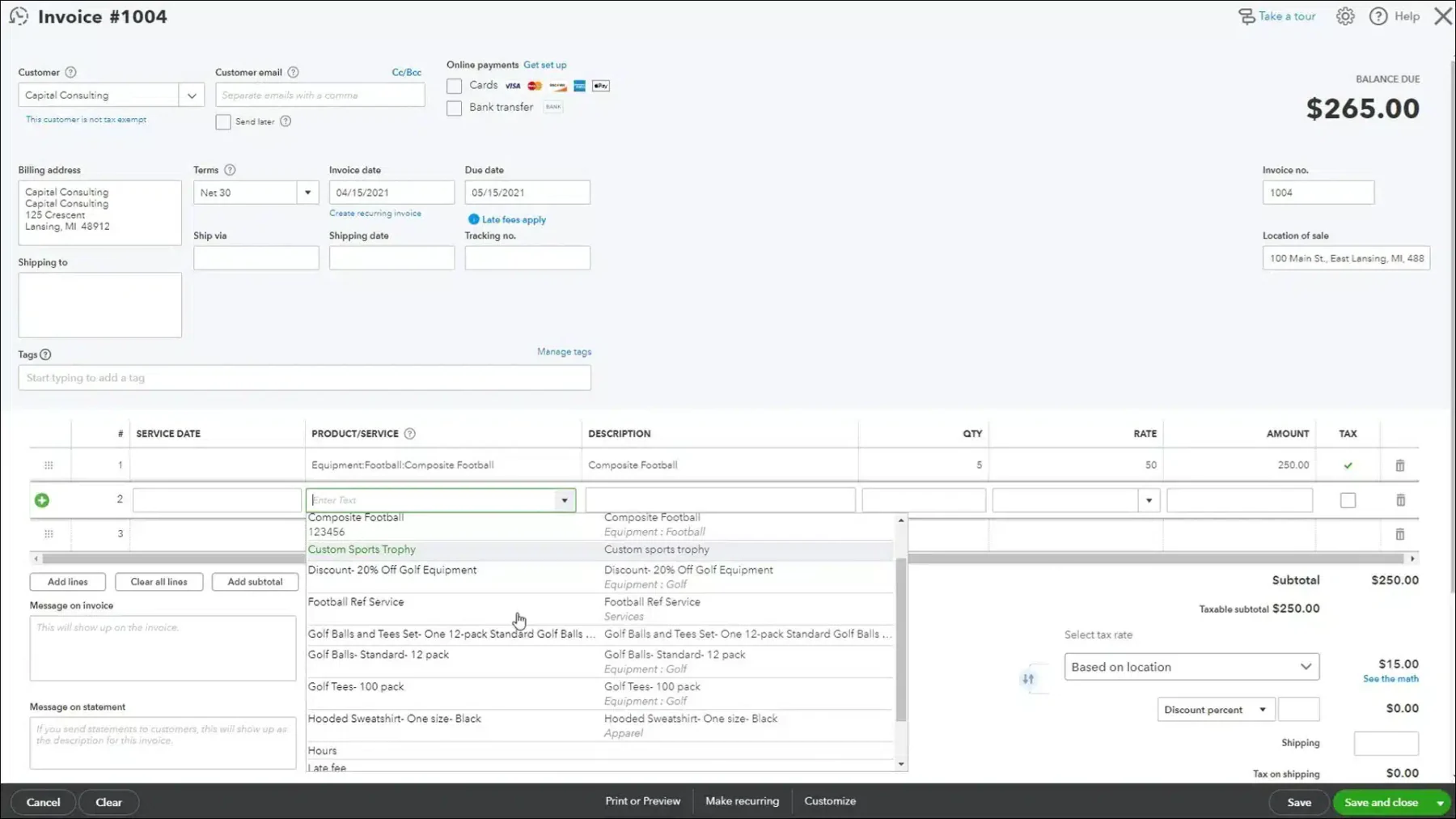
QuickBooks is a widely used software developed by Intuit, known for its bank reconciliation features tailored for small to medium-sized businesses. This bank reconciliation automation software simplify transaction matching, ensuring that financial records remain accurate and up-to-date.
QuickBooks’ automated bank reconciliation software includes the following features:
- Income and Expenses
- Invoices and Payments
- Tax Deductions
- Comprehensive Reports
- Receipt Capture
- Workflow Automation
Why we recommend this software: QuickBooks bank reconciliation software is a top choice for small businesses in Malaysia due to its user-friendly interface and cost-effective pricing. This bank reconciliation automation software provides essential bank reconciliation tools suitable for businesses with simple financial management needs.
Pricing: List prices range from Simple Start at RM92 to Advanced at RM369 per month. Temporary introductory discounts may lower the initial monthly cost.
Suitable for SMEs, accountants, and small finance teams that want simple automated reconciliations, easy bank feeds, and collaborative workflows without heavy IT setup.
| Pros | Cons |
|
|
3. Xero
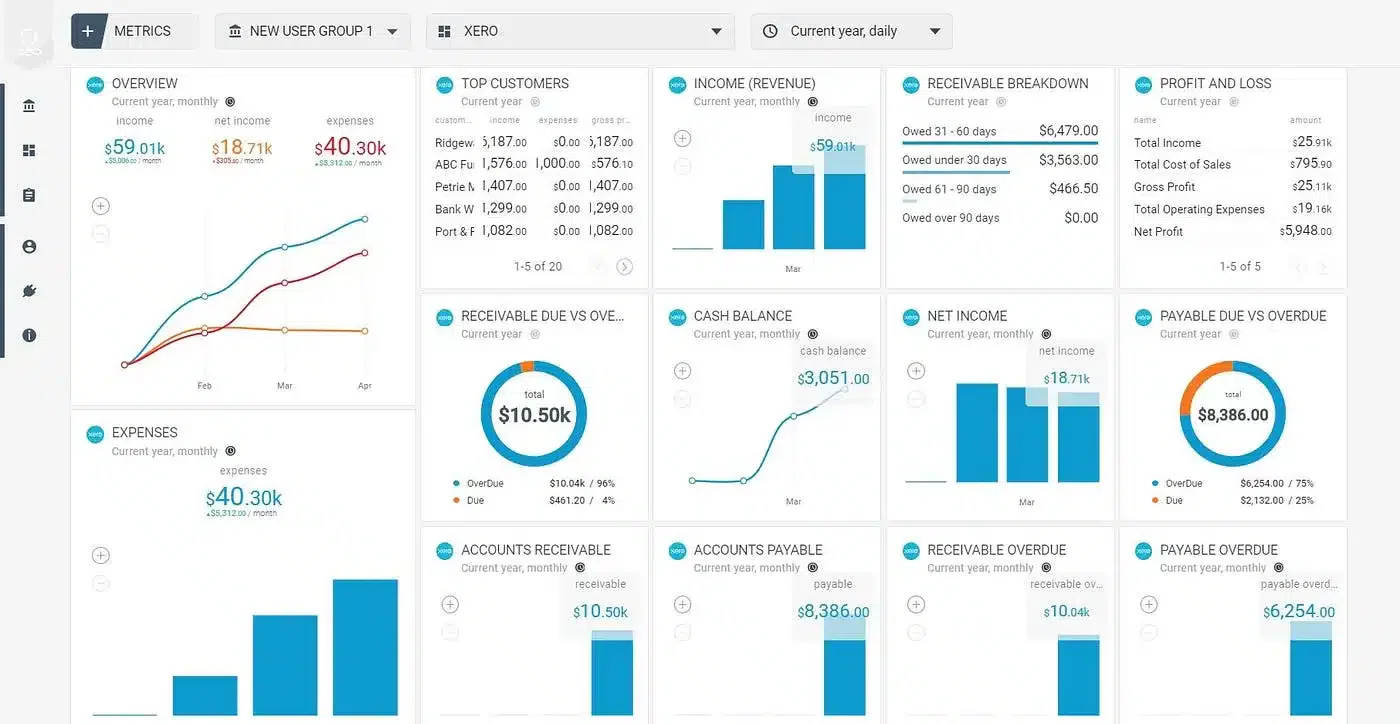
Xero is a cloud-based accounting platform known for its intuitive design and powerful bank reconciliation features. It enables businesses to quickly match transactions with accounting records, ensuring simplify and accurate financial processes.
Features:
- Automated reconciliation
- Real-time analysis
- Direct integration with third-party applications and online services.
- Advanced data security
- Automatic bank feeds for real-time updates on transactions.
Why Xero Stands Out: Xero’s cloud-based system and integration capabilities make it a standout choice for businesses in Malaysia. The bank reconciliation software’s flexibility and collaborative tools allow companies to manage their finances efficiently, even when working across teams or locations.
Pricing: Normal prices range from US$7 for Lite to US$75 for Premium. Projects, expenses, payment processing, and other add-ons may carry additional fees.
Well-suited for organizations dealing with international transactions, multi-currency reconciliations, and real-time cloud financials, especially remote or distributed teams.
| Pros | Cons |
|
|
4. NCH Express Accounts
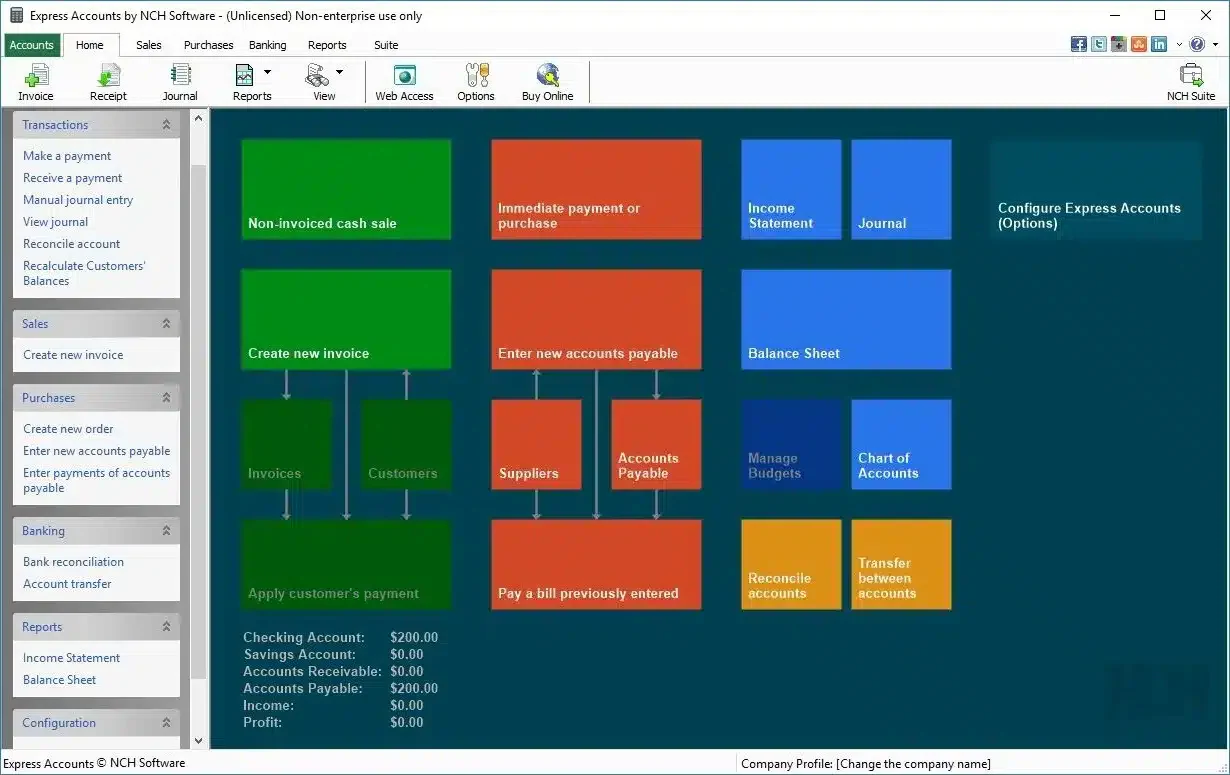
NCH Express Accounts is a versatile accounting software designed for small businesses, offering essential bank reconciliation tools that allow users to easily match their bank transactions with accounting records.
Features:
- Manual import
- Immediate correction
- Balance recalculation
Why We Recommend This Software: NCH Express Accounts is an excellent choice for small businesses or startups in Malaysia looking for a simple, no-frills solution for bank reconciliation. This bank reconciliation automation software is perfect for companies that don’t need the complexity of more advanced software.
Pricing: The Plus subscription is billed quarterly. Basic and Plus licences are also available as one-time purchases. Taxes and future version upgrades may cost extra.
Perfect for very small businesses that need basic reconciliation, easy bookkeeping, and lightweight financial management without the complexity or cost of full accounting suites.
| Pros | Cons |
|
|
5. Sage 50 Bank Reconciliation Software
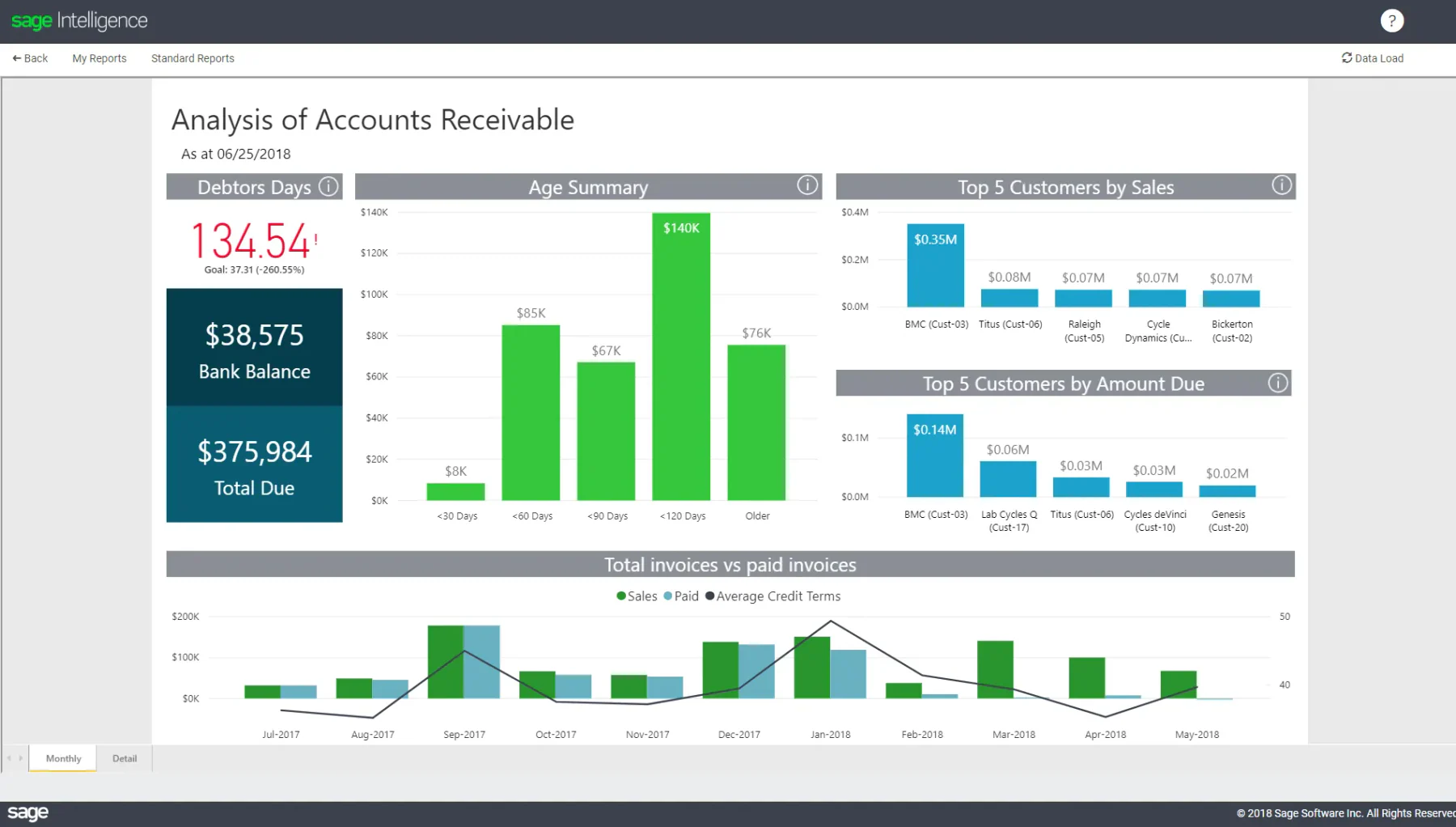
Sage 50 is a simplified bank reconciliation software that offers powerful tools for automated bank reconciliation. Designed for small to medium-sized businesses, this bank reconciliation software helps simplify financial processes while ensuring accurate record-keeping. It also offers manufacturing accounting software specifically tailored to factories.
Features:
- Automated account reconciliation
- Customizable workflows
- Reliable reporting
- 24/7 customer support
Why We Recommend This Solution: Sage 50 Accounting is ideal for medium-sized businesses in Malaysia, offering a comprehensive financial management system with reliable bank reconciliation capabilities.
Pricing: Estimate is based on the international Sage 50 Pro price of US$128.67 per month. Malaysian pricing, localisation, payroll, implementation, and support should be confirmed with a local Sage partner.
Works best for SMEs that require secure on-premise accounting, clear reconciliation workflows, and strong financial reporting, especially where local accountants or auditors prefer Sage’s documentation style.
| Pros | Cons |
|
|
6. BlackLine
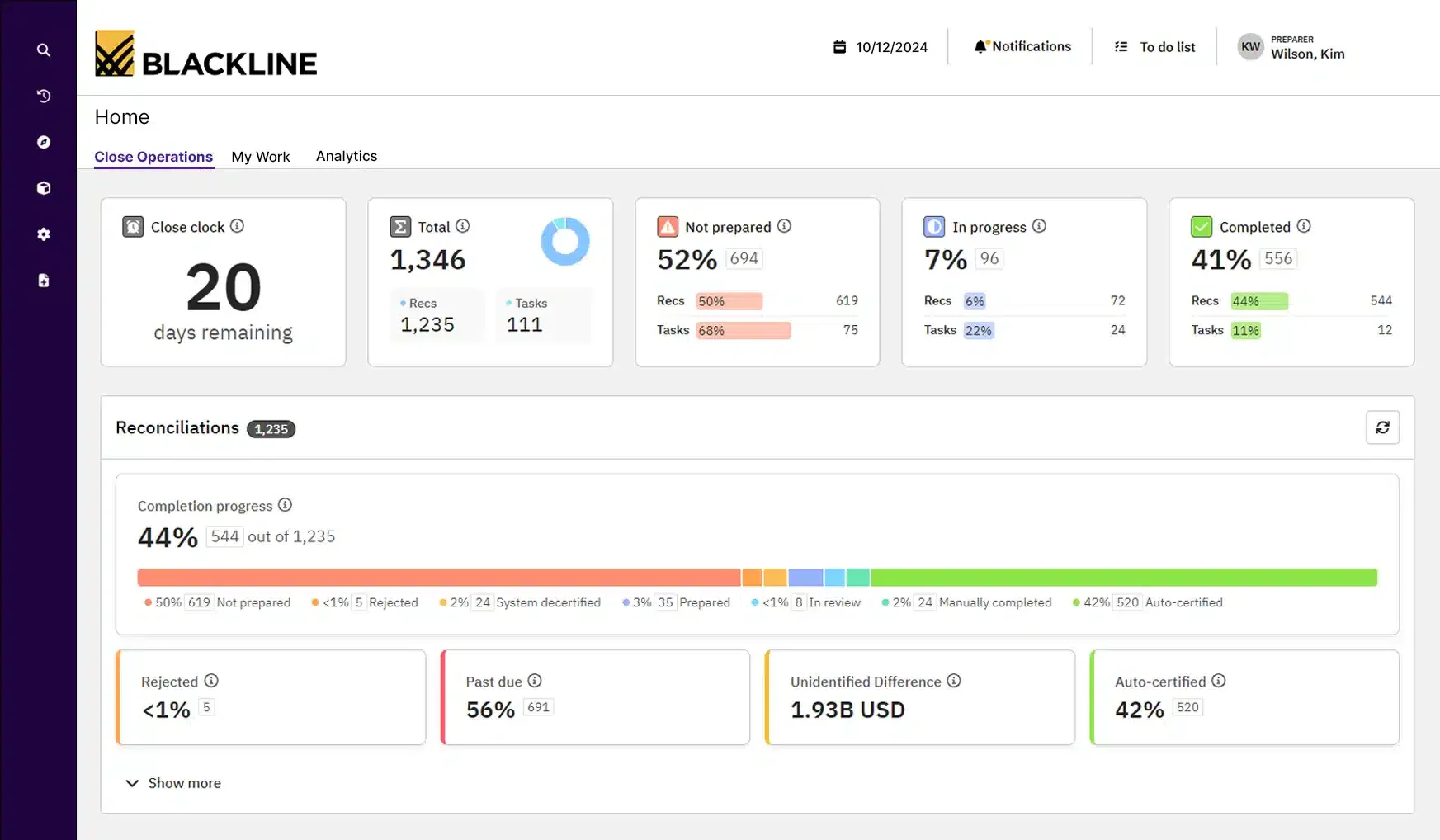
BlackLine provides advanced financial automation solutions, including bank reconciliation automation software and construction procurement software designed for large enterprises. This bank reconciliation software improves the accuracy of financial data by automating detailed reconciliation tasks and ensuring better compliance.
Features:
- Comprehensive financial close management
- Automated workflow and task management
- Real-time monitoring and exception reporting
- Integration with major ERP systems
Why We Recommend This Solution: BlackLine bank reconciliation software is chosen for its enterprise-level capabilities, making this bank reconciliation software Malaysia ideal for large companies in Malaysia that need reliable financial management and reconciliation tools to ensure compliance and maintain financial accuracy.
Pricing: subscription BlackLine does not publish a standard price list. Costs generally depend on selected products, users, entities, transaction volume, integrations, and implementation requirements.
Designed for large organizations that need compliance-ready reconciliation, internal controls, audit trails, and real-time financial visibility, especially in regulated industries or companies preparing for audits.
| Pros | Cons |
|
|
7. ReconArt
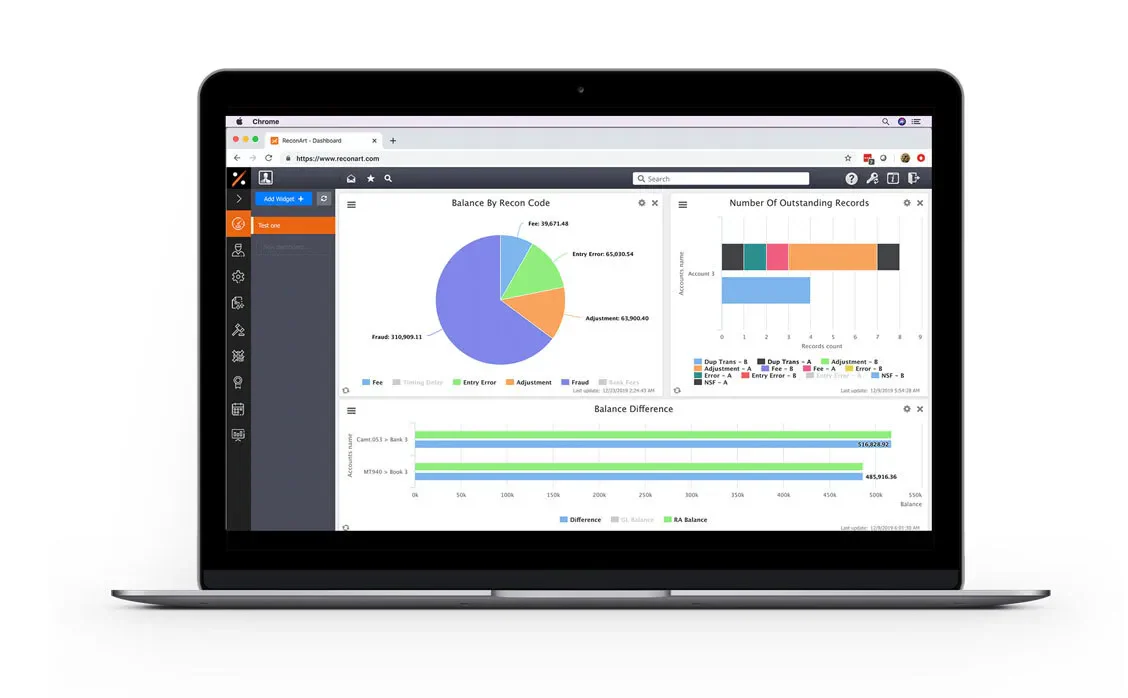
ReconArt offers automated reconciliation software solutions tailored for businesses of all sizes. Its highly customizable platform is particularly suited for companies with complex reconciliation requirements across various financial accounts.
Features:
- Advanced automation
- Configurable matching rules
- Comprehensive audit trails and reporting
- Integration with multiple financial systems
Why We Recommend This Solution: ReconArt bank reconciliation automation software is ideal for large businesses in Malaysia with high transaction volumes and detailed reconciliation needs. Its reliable automation and customization features ensure it can handle the complexities of large-scale financial operations effectively.
Pricing: No official public list price is available. Pricing is normally determined by reconciliation processes, transaction volume, data sources, users, and required integrations.
Best for companies with high transaction volume, multiple ledgers, and complex rule-based matching, including finance teams that require end-to-end financial close automation across departments.
| Pros | Cons |
|
|
8. Cube Bank Reconciliation Software
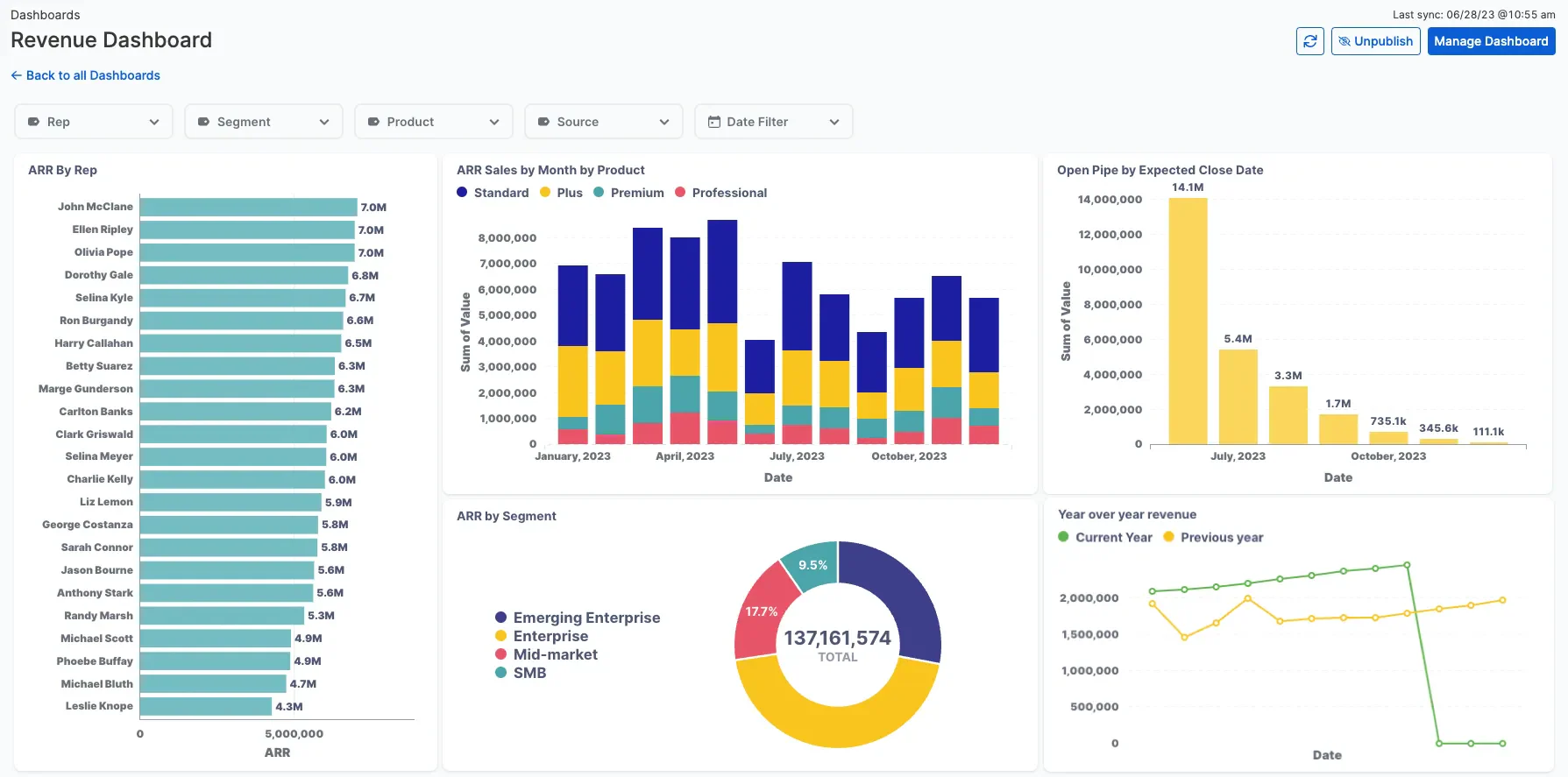
Cube is a financial planning and analysis software that includes bank reconciliation features. This bank reconciliation software Malaysia is especially beneficial for midsize businesses, directly integrating with existing financial systems to enable efficient reconciliation and provide real-time financial insights.
Features:
- Data consolidation
- Spreadsheet-driven
- Audit trail
- Data management
- Report distribution
Why We Recommend This Solution: Cube’s bank reconciliation automation software is chosen for its powerful financial planning and analysis capabilities, making this bank reconciliation software an ideal choice for midsize businesses in Malaysia that want to combine reconciliation with broader financial management functions.
Pricing: Cube previously published a starting benchmark of US$1,250 per month. Its current Bronze, Silver, and Gold plans require a custom quote. Cube is primarily an FP&A platform rather than dedicated bank reconciliation software.
Great for finance teams that want centralized financial planning, automated reconciliation workflows, and unified reporting, especially where budgeting and reconciliation sit under the same department.
| Pros | Cons |
|
|
9. Nomentia
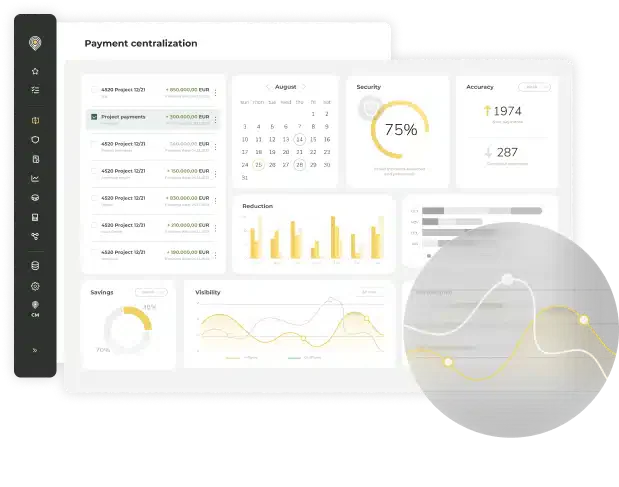
Nomentia is built for mid-to-large enterprises and global corporations that need advanced automation and flexibility in bank reconciliation. This online bank reconciliation software simplify transaction matching, integrates real-time data from multiple banks, and adapts to complex financial workflows.
Features:
- Automated transaction alignment
- Real-time financial synchronization
- Consolidated multi-bank data management
Why We Recommend This Solution: Nomentia is ideal for mid-to-large enterprises and multinational corporations with numerous banking relationships and those handling high transaction volumes, as it ensures accuracy, speed, and consistency in every reconciliation process.
Pricing: Pricing depends on selected treasury and reconciliation modules, number of banks and accounts, payment volume, countries, integrations, and implementation scope.
Ideal for businesses that need real-time data aggregation across multiple banks, treasury oversight, cash forecasting, and automated reconciliation, especially in environments with multiple financial entities.
| Pros | Cons |
|
|
10. NetCash by Netgain
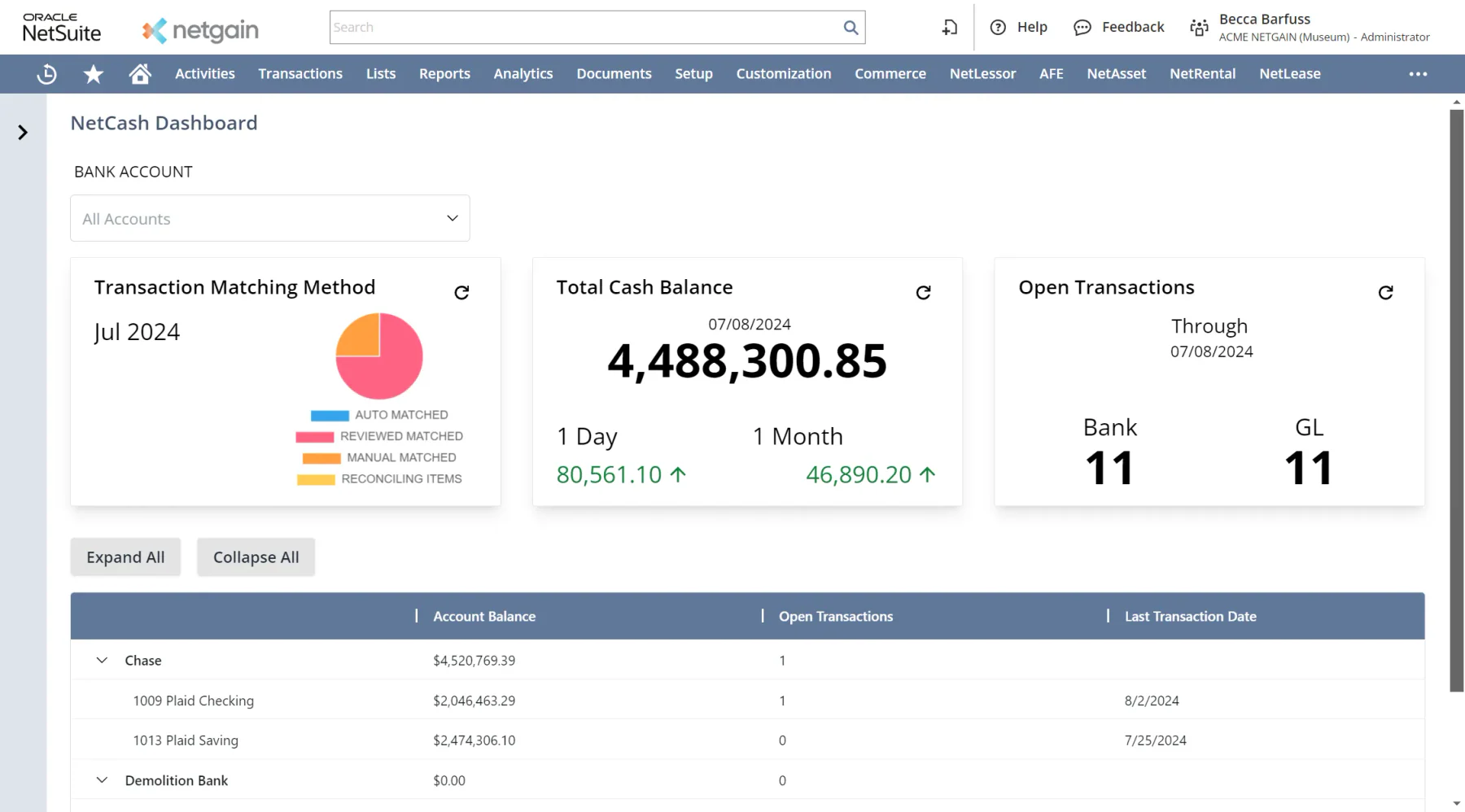
NetCash by Netgain simplifies bank reconciliation and cash-flow management directly within NetSuite, offering real-time visibility and automation to accounting teams. This online bank reconciliation software brings together automated bank imports, directly matching to the general ledger, and integrated cash-position reporting to reduce manual effort and increase accuracy.
Features:
- Automated bank data imports and transaction matching.
- Real-time cash-flow reporting and visibility of cash positions.
- Native integration with NetSuite
Why We Recommend This Solution: NetCash by Netgain is ideal for businesses seeking to simplify their bank reconciliation and gain real-time visibility of cash without relying on manual spreadsheets. Its tight NetSuite integration and strong automation make it a smart choice for finance teams focused on efficiency and accuracy.
Pricing: Pricing depends on transaction volume and the number of connected bank accounts. NetCash generally requires an existing NetSuite environment, whose licence and implementation costs are separate.
Well-suited for Malaysian SMEs that want automated reconciliations, bank feeds, and local accounting workflows, especially organizations that prefer local compliance support, easier onboarding, and familiar accounting formats.
| Pros | Cons |
|
|
Overall Comparison of Bank Reconciliation Software in Malaysia
The table below compares the top three platforms based on their bank-data method, reconciliation automation, exception handling, multi-account capabilities, and integration with accounting and e-Invoice workflows.
| Provider | Online Bank Data Method | Automated Matching | Exception & Approval Workflow | Multi-Bank & Multi-Currency | Accounting & e-Invoice Integration |
|---|---|---|---|---|---|
| HashMicro | Automated transaction import; supported Malaysian bank connections should be confirmed | Configurable matching rules compare bank transactions with accounting records | Identifies unmatched transactions; approval depth should be confirmed during evaluation | Supports multiple bank accounts within its integrated accounting system | Native accounting integration; MyInvois workflow should be stated based on verified product scope |
| BlackLine | Collects bank and financial data through ERP and system integrations | Advanced rule-based matching for high-volume reconciliation | Exception queues, approval workflows, internal controls, and audit trails | Designed for multiple accounts, entities, and currencies | Integrates with enterprise accounting systems; native MyInvois support is not stated |
| Cube | Imports data from spreadsheets, ERP, and connected finance systems; direct bank feeds are not stated | Focuses more on financial consolidation and close workflows than dedicated bank matching | Provides review workflows and audit trails; specialist reconciliation exceptions are limited | Dedicated multi-bank and multicurrency reconciliation capabilities are not clearly stated | Connects with existing finance systems; native MyInvois support is not stated |
Key Features of Bank Reconciliation Software

Choosing the right bank reconciliation software means focusing on features that boost accuracy, efficiency, and usability. Essential features of bank reconciliation automation software to look for include:
Accuracy & efficiency
- Automated transaction matching: Instantly compares bank statements with accounting records to identify matches and discrepancies, reducing manual effort and human errors.
- User-friendly interface: Simplifies navigation and shortens training time, allowing finance teams to complete reconciliations faster and more accurately.
Decision-making & visibility
- Real-time reporting: Provides immediate access to reconciliation data and cash positions, helping decision-makers act quickly based on the latest financial insights.
- Multi-level analytics: Breaks down financial data across departments, projects, or locations to reveal performance trends and support informed strategic decisions.
Automation & connectivity
- Direct bank integration: Connects directly with multiple banks to automatically import transaction data and statements for smooth reconciliation workflows.
- Customizable workflow: Let’s businesses tailor reconciliation rules, approval processes, and report formats to automate tasks according to internal requirements.
Risk management & compliance
- Error detection and alerts: Identifies duplicates, missing entries, or unauthorized payments early to prevent financial losses and maintain clean records.
- Audit trails: Logs every reconciliation activity for full transparency and easier compliance with auditing and regulatory standards.
Scalability & Customization
- Customizable reconciliation rules: Enable companies to set tailored matching criteria based on payment types, intercompany activities, or unique customer billing requirements.
- Scalability for growth: Capable of handling rising transaction volumes and connecting with more financial systems as the business grows, ensuring long-term adaptability.
User Experience & Accessibility
- Simplified navigation: Offers intuitive tools such as drag-and-drop actions, personalized layouts, and quick access to essential reports.
- Operational efficiency: Accelerates reconciliation through automation and simplified workflows, enabling teams to work faster with less effort.
Together, these features help businesses maintain precise financial records, simplify reconciliation, and improve overall financial control.
How to Choose Bank Reconciliation Software That Actually Fits?
Forget feature checklists for a moment. Start with your actual situation.
| Factor to Check | What to Verify | Why It Matters |
|---|---|---|
| Local Bank Compatibility | Confirm whether the software supports direct feeds for Maybank, CIMB, RHB, Public Bank, or Hong Leong Bank, or only accepts CSV/OFX uploads. | Direct feeds reduce statement imports, while file-based reconciliation requires more manual preparation. |
| Accounting and MyInvois Workflow | Check whether bank payments can be matched with invoice records in your accounting system and connected e-Invoice workflow. | This reduces manual cross-checking between bank statements, accounting records, and MyInvois-related invoice data. |
| Number of Bank Accounts | Determine whether the platform can consolidate accounts from different banks, branches, payment gateways, and entities. | Reconciling each account separately becomes inefficient as the number of banking sources increases. |
| Monthly Transaction Volume | Test whether its automation can handle your average transaction volume, including grouped and partial payments. | Higher volumes require stronger matching rules, bulk actions, and efficient exception handling. |
| Existing Accounting System | Confirm whether built-in reconciliation is sufficient or whether the software integrates with your current accounting or ERP platform. | Poor integration can create duplicate entries and require reconciled transactions to be re-entered manually. |
| User Experience | Assess whether daily users can review matches, investigate discrepancies, and approve reconciliations without extensive technical support. | A feature-rich platform still creates delays if finance or administrative users find it difficult to operate. |
| Support Availability | Check local support hours, communication channels, onboarding assistance, and issue-resolution procedures. | Reconciliation problems can delay month-end closing when assistance is unavailable during Malaysian business hours. |
| Total Cost | Compare subscription fees, implementation, user licences, bank connections, integrations, training, and support. | The advertised subscription may not represent the full cost of operating the system over time. |
"Bank Reconciliation Software speeds up the reconciliation process by automatically matching bank statements with ledger records, reducing manual work and errors. It’s a reliable tool for businesses that want better financial control."
Which Bank Reconciliation Software Suits My Business?
Each bank reconciliation software comes with different strengths, so choosing the right one depends on your business size, transaction complexity, and integration needs. To help you make the best decision, read table bellow:
| Business Scenario | Best Fit | Why It Works |
|---|---|---|
Malaysian business needing reconciliation fully integrated with ERP and accounting | HashMicro | Provides native bank integration with auto-reconciliation, financial sync, and full ERP modules, suitable for centralized financial control without third-party tools. |
SMEs needing simple, affordable cloud-based reconciliation | QuickBooks | Offers automated bank feeds and transaction matching for small finance teams that need straightforward reconciliation with minimal setup. |
Growing business handling multi-currency and remote collaboration | Xero | Cloud-based platform with bank feeds, integrations, and multi-currency support, suitable for distributed teams and regional operations. |
Startup or microbusiness needing basic, no-cost reconciliation tools | NCH Express Accounts | Lightweight software with manual import and simple reconciliation features, suitable for low transaction volumes without complex requirements. |
Mid-sized business needing structured accounting and monthly close workflows | Sage 50 | Offers reconciliation processes, reporting, and approval workflows for businesses that prioritise financial discipline and month-end accuracy. |
Large enterprise requiring audit-ready reconciliation and compliance control | BlackLine | Enterprise-grade automation with monitoring, audit trails, and financial close management for high-volume and regulated environments. |
Company with high transaction volume and complex matching rules | ReconArt | Provides configurable matching rules, exception management, and reporting for finance teams handling complex reconciliation at scale. |
Finance team combining reconciliation with financial planning and analysis | Cube | Connects reconciliation with FP&A workflows, helping teams manage budgeting, forecasting, and financial data in one planning environment. |
Enterprise managing multiple banks and treasury operations | Nomentia | Supports multi-bank data aggregation, treasury visibility, and automated reconciliation for companies with complex cash management structures. |
NetSuite users needing built-in reconciliation and cash visibility | NetCash by Netgain | Native NetSuite integration supports automated reconciliation, bank data imports, and cash flow visibility without adding a separate system. |
Conclusion
For Malaysian businesses that need bank reconciliation connected with broader accounting and ERP workflows, HashMicro may be considered. QuickBooks or Xero can suit SMEs seeking simpler cloud-based reconciliation, while BlackLine or ReconArt is more relevant for enterprises with complex matching, approval, and audit requirements.
Companies managing multiple banks and treasury operations may also evaluate Nomentia. The final choice should be tested against the company’s own bank statements, transaction volume, integrations, and exception scenarios.
If HashMicro matches your need for bank reconciliation connected with broader accounting workflows, use thefree demo to test its matching rules, exception handling, bank-data import methods, and reporting process with scenarios relevant to your business before making a final decision.

FAQ on Bank Reconciliation Software
Many bank reconciliation software solutions are designed to manage multiple bank accounts simultaneously. They allow users to import transactions from various accounts, automate the matching process, and provide consolidated reports, streamlining the reconciliation process across all accounts.
Yes, most bank reconciliation software can integrate with popular accounting systems. This integration ensures direct data flow between platforms, reducing manual data entry and enhancing overall financial accuracy.
Many bank reconciliation tools offer multi-currency support, allowing businesses to reconcile accounts involving different currencies. They automatically apply the appropriate exchange rates and adjust for currency fluctuations, ensuring accurate financial records across international transactions.
Bank reconciliation software typically employs advanced security protocols, including data encryption, secure user authentication, and regular security audits, to safeguard sensitive financial information. These measures help prevent unauthorized access and ensure data integrity.