







Managing employee schedules independently across departments often leads to overlapping shifts and unexpected staffing gaps. Without centralized coordination, these logistical hurdles create operational risks that drain productivity and stifle business growth.
Employee Scheduling Software bridges these gaps by unifying workforce management and providing real-time shift visibility. According to recent market reports on Malaysian HR technology trends, adopting these digital solutions is now crucial for organizations aiming to simplify administration and leverage data-driven insights for a better employee experience.
Selecting the right platform is a strategic move for operational efficiency in 2026. This guide showcases the 20 best digital human resource management solutions for scheduling to help you identify the perfect tool for your team’s specific operational needs and long-term goals.
Key Takeaways
Employee scheduling software is a digital tool that automates shift planning, tracks attendance, and reduces scheduling conflicts to boost operational efficiency.
Employee scheduling software ensures productivity and compliance by centralizing shifts to eliminate manual errors and reduce labor costs.
Choosing the right solution helps businesses comply with labor laws, enhance workforce productivity, and adapt to evolving HR needs.
To move beyond simple scheduling, adopting a centralized human resource management framework can help you streamline all your employee-related operations in one place.

Best Because
Google Workspace delivers integrated cloud productivity and real-time collaboration tools for streamlined business workflows..


Best Because
Monday.com delivers flexible work operating systems and real-time project tracking to boost organizational productivity


Best Because
Zoho delivers AI-powered recruitment and integrated candidate management workflows.

Best Because
Calendly provides seamless automated scheduling and eliminates back-and-forth emails to streamline professional meeting coordination
What is Employee Scheduling Software?
Employee scheduling software is a digital solution that helps businesses in Malaysia effectively manage shift planning and workforce allocation by aligning employee availability with legal regulations and business demands. This tool minimizes scheduling errors, controls labor costs, and saves time for HR teams and managers, particularly as companies seek seamless integration with HR and payroll software to support their growth in a competitive market.
Managing a large workforce can be complex, especially when trying to align business goals with employee needs. For many HR professionals, the workload can be overwhelming. That’s why cloud-based employee scheduling software becomes essential it simplifies staff planning and ensures smoother workforce management.
5 Benefits of Employee Scheduling Software in Malaysia
Employee scheduling software offers numerous advantages for Malaysian businesses, from streamlining shift planning to boosting overall efficiency and employee satisfaction. Automating the scheduling process based on staff availability and operational requirements reduces human error and saves valuable time.
Here are some of the main benefits you can expect:
- Boosted Workforce Efficiency: Scheduling software helps assign the right staff to the right shifts, ensuring optimal coverage and improving service quality, especially vital in Malaysia’s competitive service industries.
- Minimized Shift Overlaps and Errors: By centralizing scheduling tasks, businesses can prevent double bookings and shift clashes, creating a more organized and predictable work environment.
- Improved Legal and Policy Compliance: The system helps businesses in Malaysia adhere to local employment laws and internal policies, reducing the risk of non-compliance and penalties.
- Labor Cost Management: Companies can avoid overstaffing and cut down on unnecessary overtime costs, helping maintain profitability while meeting staffing needs.
- Dynamic and Flexible Scheduling: The software allows businesses to instantly adjust schedules in response to sudden absences or changes in demand, ensuring uninterrupted operations.
For businesses seeking broader control beyond shift planning, ERP platform can centralize employee management while optimizing scheduling processes across departments.
Quick Comparison of Best Employee Scheduling Software in Malaysia
| Software | Best For | Strength | Key Features | Limitations |
|---|---|---|---|---|
| HashMicro | All-in-one HR & scheduling | Highly customizable with full integration | AI assistant, payroll sync, KPI tracking, shift automation | Complex for small businesses |
| ConnectTeam | Mobile & field teams | Strong communication tools | GPS tracking, checklists, chat | Limited reporting & integrations |
| 7Shifts | Restaurants | Industry-specific features | Forecasting, POS integration, shift swaps | Not suitable outside F&B |
| ZoomShift | Hourly workers | Simple scheduling | Time tracking, reminders, drag & drop | Limited advanced features |
| Google Workspace | Small teams | Easy collaboration | Calendar, Sheets, Forms | Manual setup required |
| Planday | Retail & hospitality | Compliance features | Analytics, communication tools | Complex setup |
| Deputy | Multi-industry | Automation & payroll integration | Scheduling, mobile app, timesheets | Can be expensive |
| Sling | Small businesses | Simple and intuitive | Messaging, shift trading, tasks | Limited free features |
| Agendrix | Retail & service | Easy shift management | Scheduling, attendance tracking | Limited integrations |
| Activity Scheduling | Basic scheduling | Simple task assignment | Shift calendar, activity tracking | Not scalable |
| Homebase | SMBs | Easy to use | Time clock, scheduling, messaging | Limited free plan |
| Timify | Appointment-based business | Booking + scheduling | Calendar, booking system | Limited customization |
| FindMyShift | Basic scheduling | Easy interface | Shift planning, notifications | Outdated UI |
| QuickBooks Time | Accounting users | Payroll integration | GPS tracking, timesheets | Complex UI |
| When I Work | Hourly teams | Flexible scheduling | Shift swaps, messaging | Limited automation |
| Monday.com | Project-based teams | Highly flexible | Boards, automation, tracking | Not specialized for scheduling |
| Calendly | Simple scheduling | Easy booking | Calendar sync, reminders | Not for workforce scheduling |
| FieldCode | Field service | Task + scheduling combo | Dispatching, routing | Limited HR features |
| ClockShark | Construction teams | Field scheduling | Job assignment, notifications | Limited reporting |
| WorkFeed | SMBs | Simple UI | Shift planning, availability tracking | Basic features only |
20 Best Employee Scheduling Software for Your Business
In Malaysia, there are 20 top employee scheduling software solutions that stand out as excellent choices for businesses. These platforms have been selected based on their feature sets and how well they support the operational workflows of Malaysian companies. Here are the leading options:
1. HashMicro
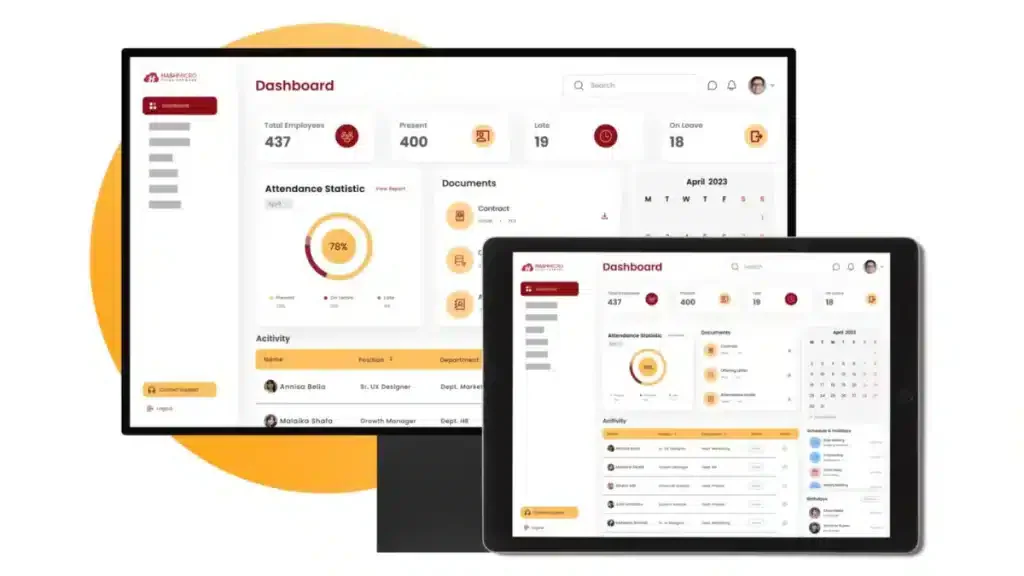
HashMicro’s employee scheduling software is among the most trusted solutions in Malaysia, providing businesses with a powerful platform for managing HR tasks and staff schedules with ease. It is particularly well-known for its smooth integration with payroll software, intuitive dashboard, and advanced automation features.
With a decade of experience driving operational efficiency, this AI-driven business software turns busywork into streamlined productivity using modular applications tailored to unique industry workflows.
Key features:
- Hashy AI: An intelligent virtual assistant embedded within the software that helps HR teams navigate features quickly, answer employee queries, and provide real-time support through an intuitive chat box interface. This improves user experience and speeds up HR-related tasks.
- Roster & dynamic employee working schedule management
- Daily worker, hourly worker payslip management
- Approval delegation with auto follow-up notification
- Talent management with KPI tracking
| Pros | Cons |
|
|
Why this suits Malaysian businesses: HashMicro aligns with local SST and MIDA grants while offering unlimited user pricing. Local support in Bahasa Melayu ensures a simple setup for every workforce.
The comprehensive features provided by HashMicro demonstrate the software’s capability in optimizing employee scheduling and workforce management. To learn more about HashMicro’s Employee Scheduling Software, click the banner below and explore the pricing scheme.
2. ConnectTeam
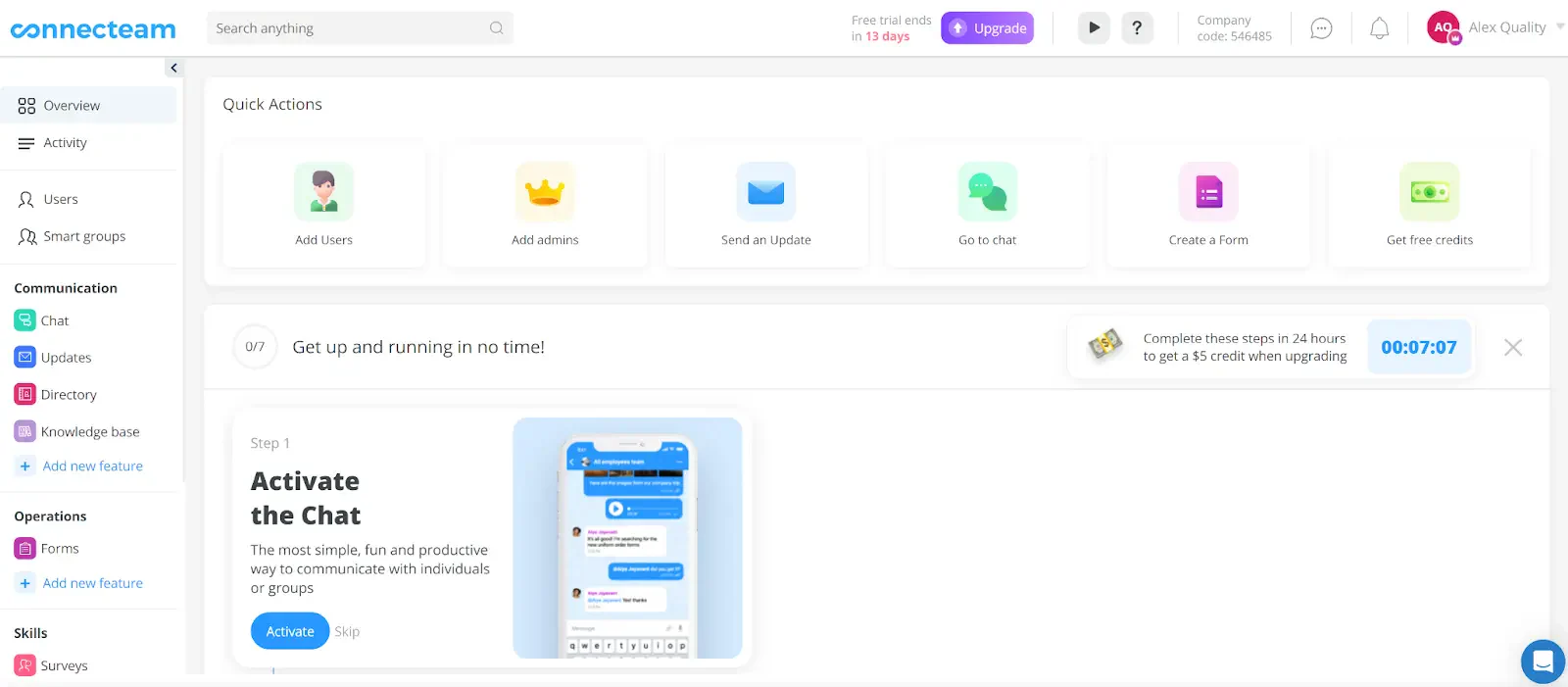
ConnectTeam is an employee scheduling software used by businesses to create and share work schedules digitally. The software supports shift coordination, team communication, and attendance tracking directly through the app.
With ConnectTeam, users can create weekly or daily work schedules and send them directly to employees through the mobile app. This software is suitable for businesses with field teams or mobile employees.
Key features:
- GPS location tracking
- Customizable checklists
- In-app communication tools
| Pros | Cons |
|
|
Why this suits Malaysian businesses: ConnectTeam provides mobile first scheduling for the diverse Malaysian workforce. Its easy interface simplifies local labor compliance and reduces training time for deskless teams.
3. 7Shifts
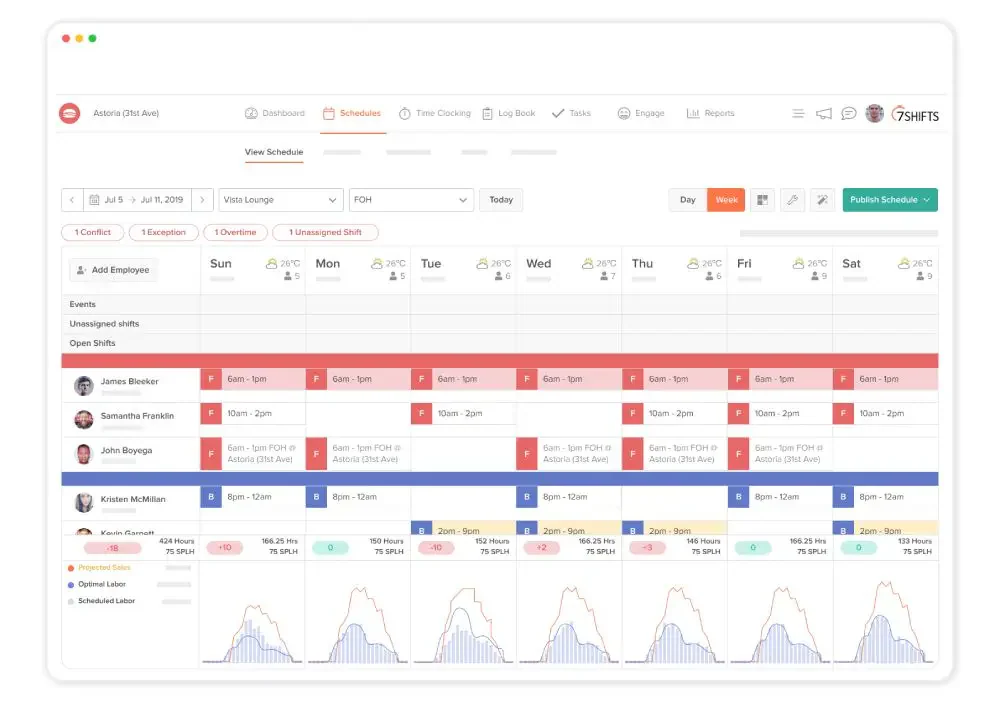
7Shifts is a scheduling software developed mainly for restaurants and shift-based businesses. It helps managers create, assign, and manage employee schedules through a digital platform that can be accessed via desktop or mobile.
The software focuses on simplifying the process of assigning shifts, managing availability, and reducing scheduling conflicts. It includes some communication features and time-off tracking, which support day-to-day operational needs.
Key features:
- Forecasting tools
- Overtime alerts
- Shift swapping
| Pros | Cons |
|
|
Why this suits Malaysian businesses: 7Shifts focuses on the local food and beverage sector with tools for labor cost tracking. It helps Malaysian owners manage shifts easily and stay profitable.
4. ZoomShift
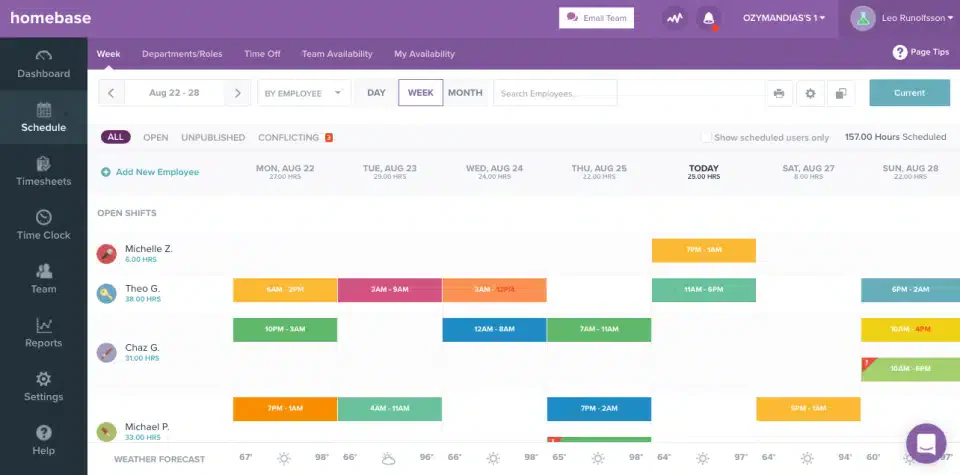
ZoomShift is a scheduling tool designed for hourly workers and shift-based teams. It provides basic features for creating and managing employee work schedules, including time tracking and shift swapping.
This software allows managers to assign shifts and track employee hours, while workers can request time off and view their schedules through the app. It aims to reduce scheduling conflicts and manual updates with its digital format.
Key features:
- Drag-and-drop scheduling
- Time tracking
- Shift reminders
| Pros | Cons |
|
|
Why this suits Malaysian businesses: ZoomShift offers simple visual scheduling and time tracking for local SMEs. Its intuitive design ensures that managers and staff stay organized without needing heavy technical training.
5. Google Workspace
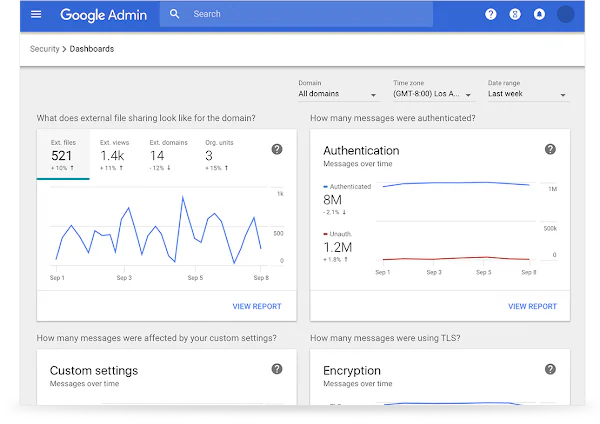
Google Workspace is not a dedicated employee scheduling software, but it is commonly used by businesses to organize work schedules through tools like Google Calendar, Sheets, and Forms. These applications allow teams to collaborate, plan shifts, and track availability using a more manual setup.
While it doesn’t offer built-in scheduling automation, many small teams use Google Workspace as a basic solution for managing work hours and coordinating shift changes.
Key features:
- Flawless integration with Google tools
- Collaborative scheduling
- Automated reminders
| Pros | Cons |
|
|
Why this suits Malaysian businesses: Google Workspace uses familiar tools like Google Calendar to simplify scheduling for local teams. Its cloud based setup helps Malaysian businesses stay connected and collaborate without the need for complex training.
6. Planday
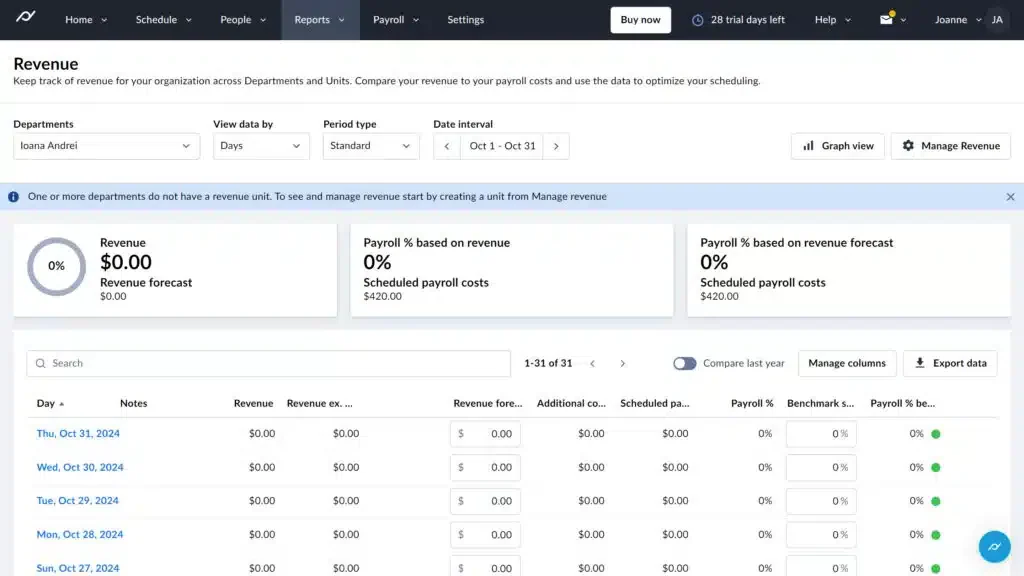
Planday is an employee scheduling software that helps businesses manage staff shifts and work hours. It offers scheduling tools, communication features, and time tracking functions designed to support daily operations, especially in shift-based industries.
While Planday can streamline scheduling tasks, it still requires regular user input to keep schedules accurate and up to date.
Key features:
- Compliance management
- Analytics and reporting
- Communication tools
| Pros | Cons |
|
|
Why this suits Malaysian businesses: Planday simplifies complex shift management and integrates with local payroll systems. Its mobile tools help Malaysian managers track labor costs and staff performance in real time.
7. Deputy
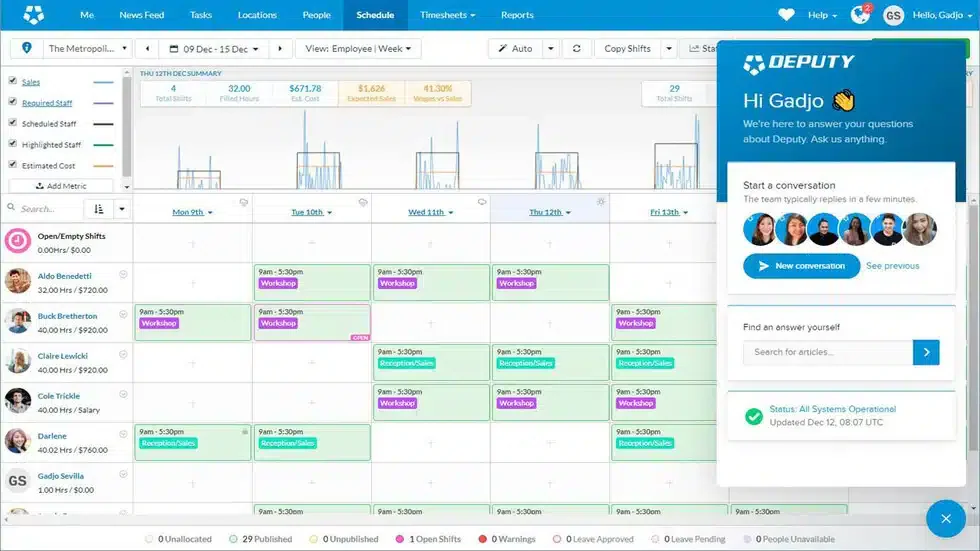
Deputy is an employee scheduling software designed to assist businesses in organizing work shifts, tracking employee time, and managing attendance. It provides digital scheduling tools that can help reduce manual scheduling tasks and improve workforce coordination.
Deputy is commonly used in industries like retail, hospitality, and healthcare, but may require consistent updates to keep schedules current.
Key features:
- Automated software for employee scheduling
- Mobile app for employees
- Timesheet exporting
| Pros | Cons |
|
|
Why this suits Malaysian businesses: Deputy provides smart scheduling tools that help local teams follow Malaysian labor regulations. Its mobile first approach makes it easy for managers to track attendance and manage costs across multiple locations.
8. Sling
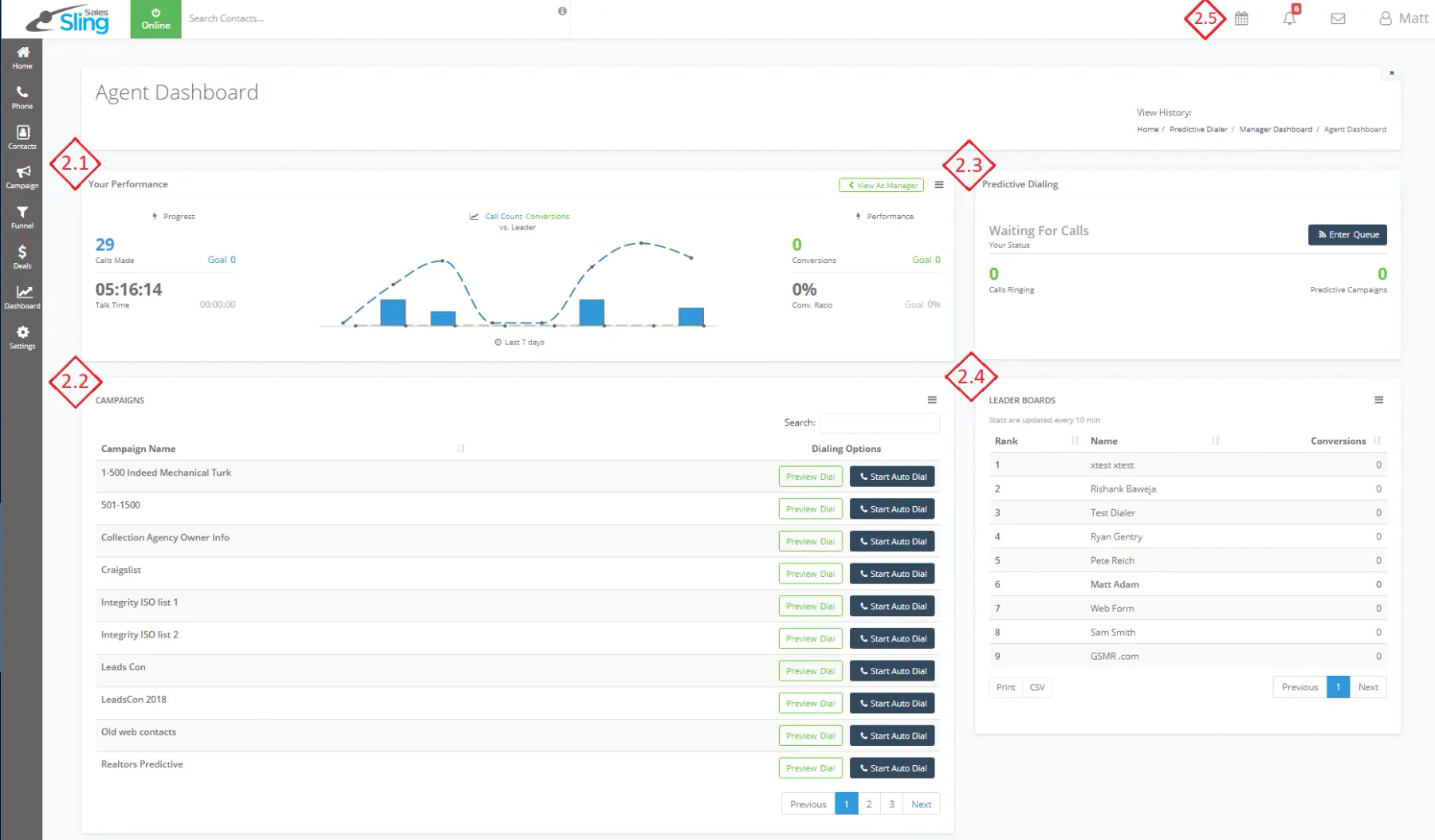
Sling is an employee scheduling app designed to help businesses manage shifts, track work hours, and communicate with team members. It provides a basic interface for creating schedules and offers tools for managing employee availability and time off requests.
The app is commonly used in service-based industries and small businesses looking for a simple scheduling solution.
Key features:
- Team messaging
- Shift trading
- Task management
| Pros | Cons |
|
|
Why this suits Malaysian businesses: Sling offers free scheduling and communication tools for small Malaysian businesses. Its simple design helps managers coordinate shifts and messaging without any extra overhead costs.
9. Agendrix
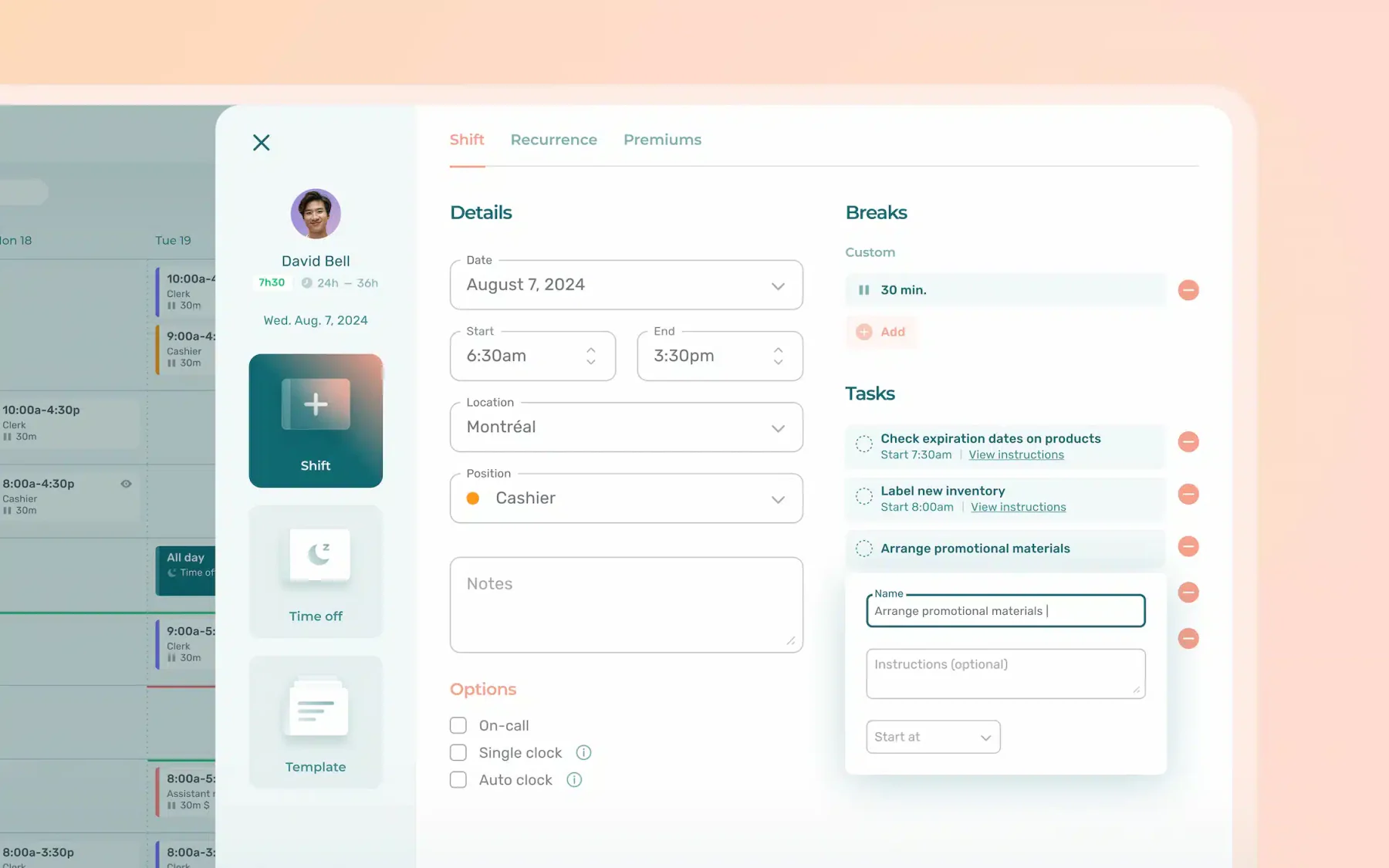
Agendrix is a staff shift planner developed to help businesses organize employee schedules, track attendance, and manage shift-related tasks. The platform supports schedule creation, shift swaps, and basic time tracking.
Agendrix is often used by retail stores, restaurants, and other service-based organizations seeking to Facilitating shift planning.
Key features:
- Shift planning and management
- Employee availability tracking
- Basic clock-in/clock-out system
| Pros | Cons |
|
|
Why this suits Malaysian businesses: Agendrix simplifies scheduling and time tracking for Malaysian managers. Its human centric design helps local businesses improve staff retention and operational clarity.
10. Activity Scheduling
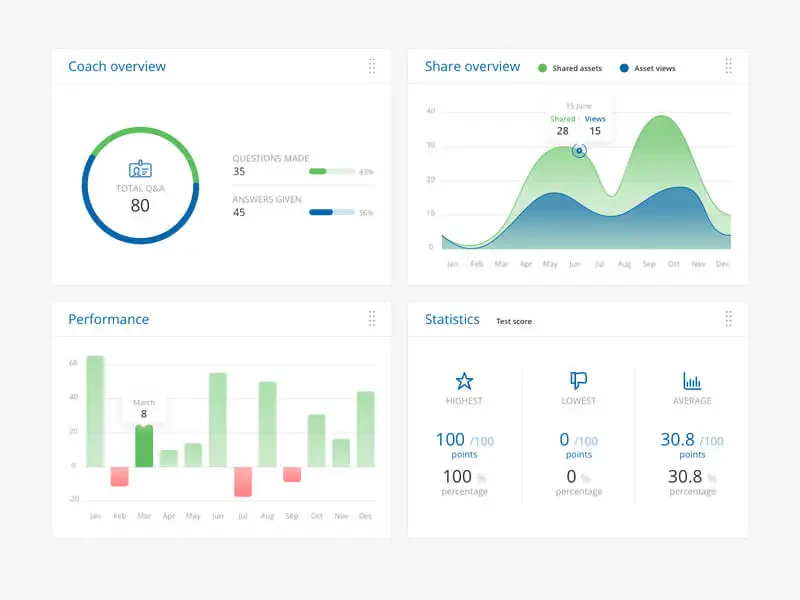
Activity Scheduling is a basic tool used to organize employee tasks and working hours. It helps managers assign activities, monitor schedules, and ensure that staffing needs are met across different shifts.
This type of software is commonly used in workplaces that require daily or weekly planning of employee duties and availability.
Key features:
- Task assignment
- Shift and activity calendar
- Employee availability tracking
| Pros | Cons |
|
|
Why this suits Malaysian businesses: Activity scheduling gives local teams a clear view of tasks and project deadlines. It helps Malaysian businesses stay organized and productive in a fast paced digital market.
11. Homebase
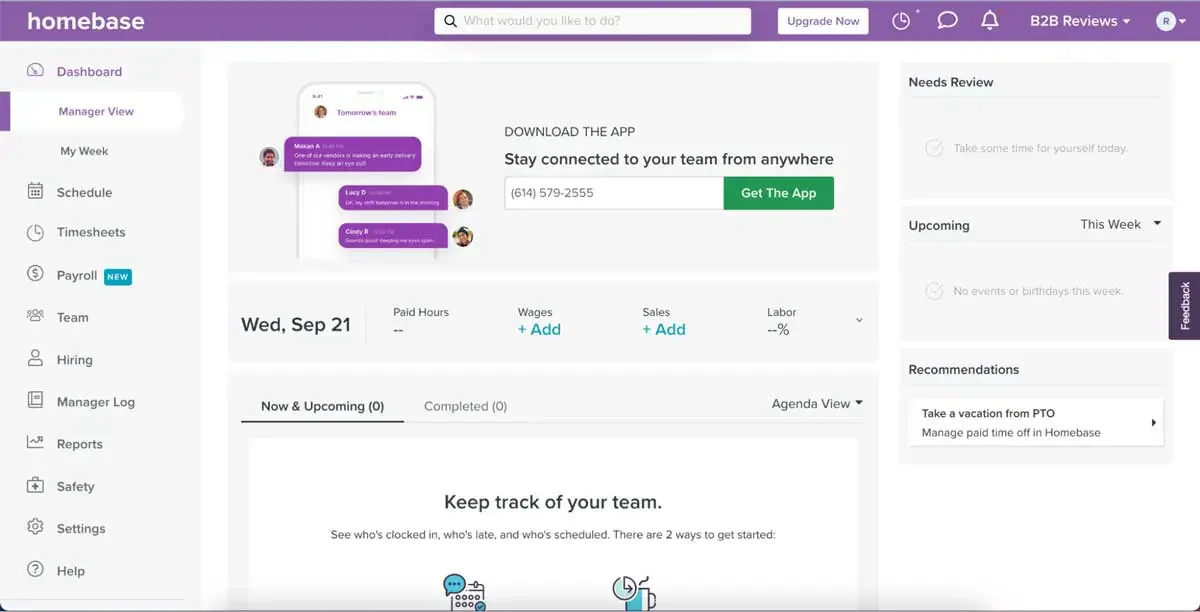
Homebase is a scheduling software commonly used by small to medium-sized businesses to manage employee work hours. It offers features to create shifts, track time, and communicate with staff members through a central platform.
With Homebase, managers can build weekly schedules, adjust shifts, and monitor employee attendance. It is suitable for businesses that operate with hourly workers.
Key features:
- Shift scheduling
- Time clock and attendance tracking
- Team messaging
| Pros | Cons |
|
|
Why this suits Malaysian businesses: Homebase provides all in one scheduling and time tracking for local SMEs. Its free tools help Malaysian business owners manage payroll and team communication without any upfront financial burden.
12. Timify
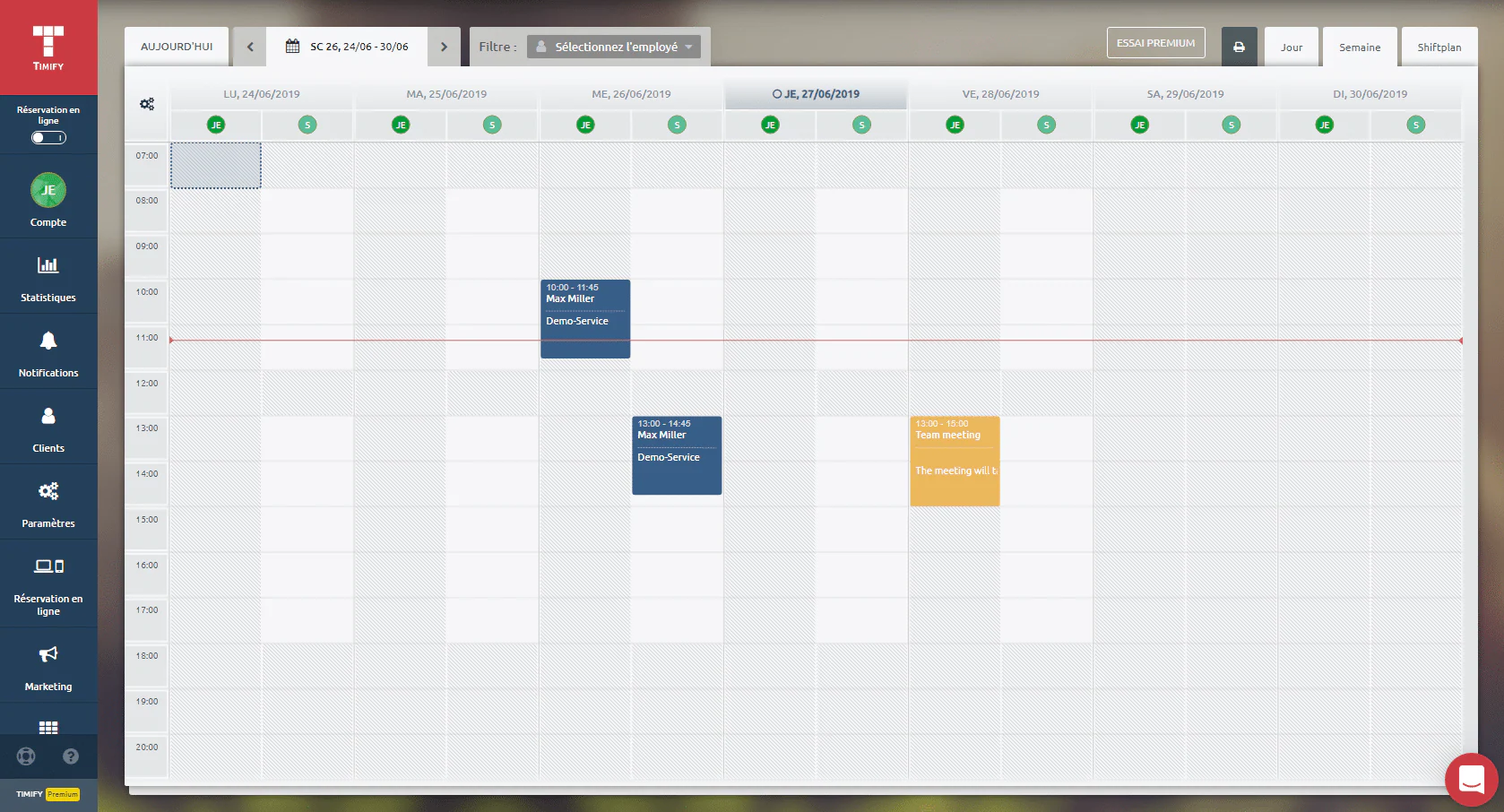
Timify is an employee scheduling tool that helps businesses organize staff work hours and manage appointments. It provides features for shift planning, calendar views, and managing staff availability in a centralized platform.
With Timify, businesses can assign shifts, monitor team schedules, and reduce scheduling conflicts. It is typically used by service-based industries and companies that rely on appointment-based systems.
Key features:
- Calendar-based shift planning
- Staff availability management
- Online appointment booking
| Pros | Cons |
|
|
Why this suits Malaysian businesses: Timify provides professional booking and resource management for service based businesses. Its versatile setup helps Malaysian teams organize appointments and improve customer satisfaction across multiple locations.
13. FindMyShift
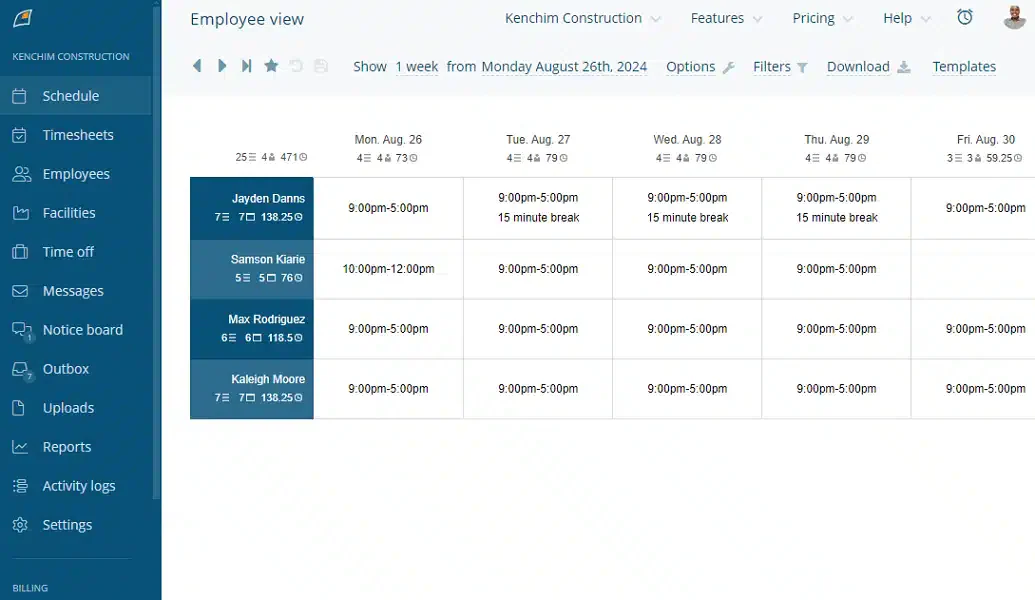
FindMyShift is an employee scheduling software built to help businesses create, manage, and share staff schedules online. It focuses on simplifying shift planning and offers basic tools for tracking attendance, handling time-off requests, and communicating with team members.
With FindMyShift, managers can build schedules using a simple drag-and-drop interface and share them with employees via email or SMS. It also includes timesheet tracking for payroll preparation, although it may not offer deep integrations with third-party platforms.
Key features:
- Online shift scheduling
- Time-off and leave management
- Messaging and notifications
| Pros | Cons |
|
|
Why this suits Malaysian businesses: FindMyShift offers flexible web based scheduling that fits the budget of local SMEs. Its simple setup helps Malaysian managers track hours and shifts without the need for complex training.
14. QuickBooks Time
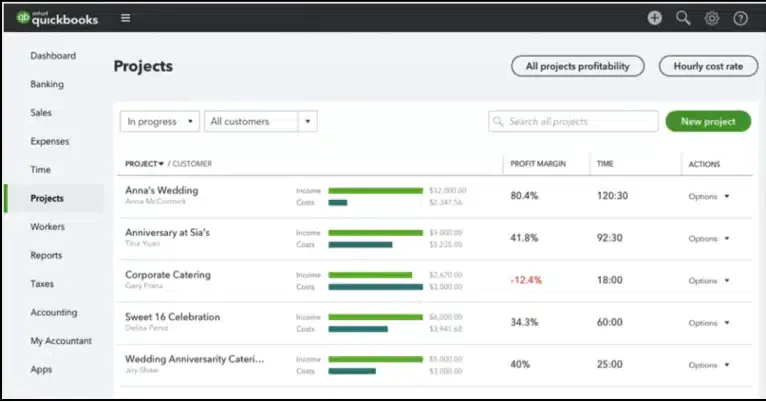
QuickBooks Time is a cloud-based employee scheduling and time tracking software developed to help businesses monitor work hours and manage shift schedules. It supports basic features such as creating staff schedules, tracking employee time, and approving timesheets for payroll processing.
The software allows employees to clock in and out from various devices, while managers can view schedules and adjust shifts as needed. It also includes GPS tracking for remote teams, though some users may find the interface overwhelming due to its integration with other QuickBooks products.
Key features:
- Employee time tracking
- Shift scheduling and calendar view
- GPS location monitoring
| Pros | Cons |
|
|
Why this suits Malaysian businesses: QuickBooks Time simplifies time tracking and job costing for mobile teams. Its integration with payroll tools helps local businesses manage labor costs and stay organized while working on the go.
15. When I Work
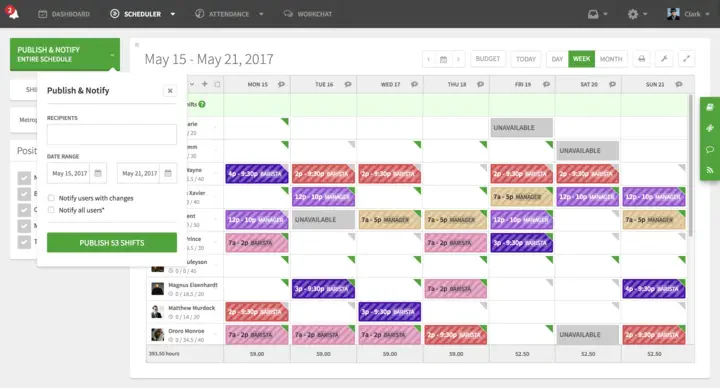
When I Work is an employee scheduling software designed to help businesses manage staff shifts and attendance. It offers basic scheduling tools, time tracking, and team messaging features useful for businesses with hourly workers or rotating shifts.
With When I Work, managers can create and share schedules, while employees can request time off or swap shifts through the app. The platform is accessible via desktop or mobile, making it easier to stay updated on schedule changes, though the interface may take time to get used to for some users.
Key features:
- Shift scheduling
- Time-off requests and shift swapping
- Team messaging
| Pros | Cons |
|
|
Why this suits Malaysian businesses: When I Work provides mobile first scheduling and communication for local teams. Its free plan for small businesses helps Malaysian owners manage shifts without any financial risk.
16. Monday
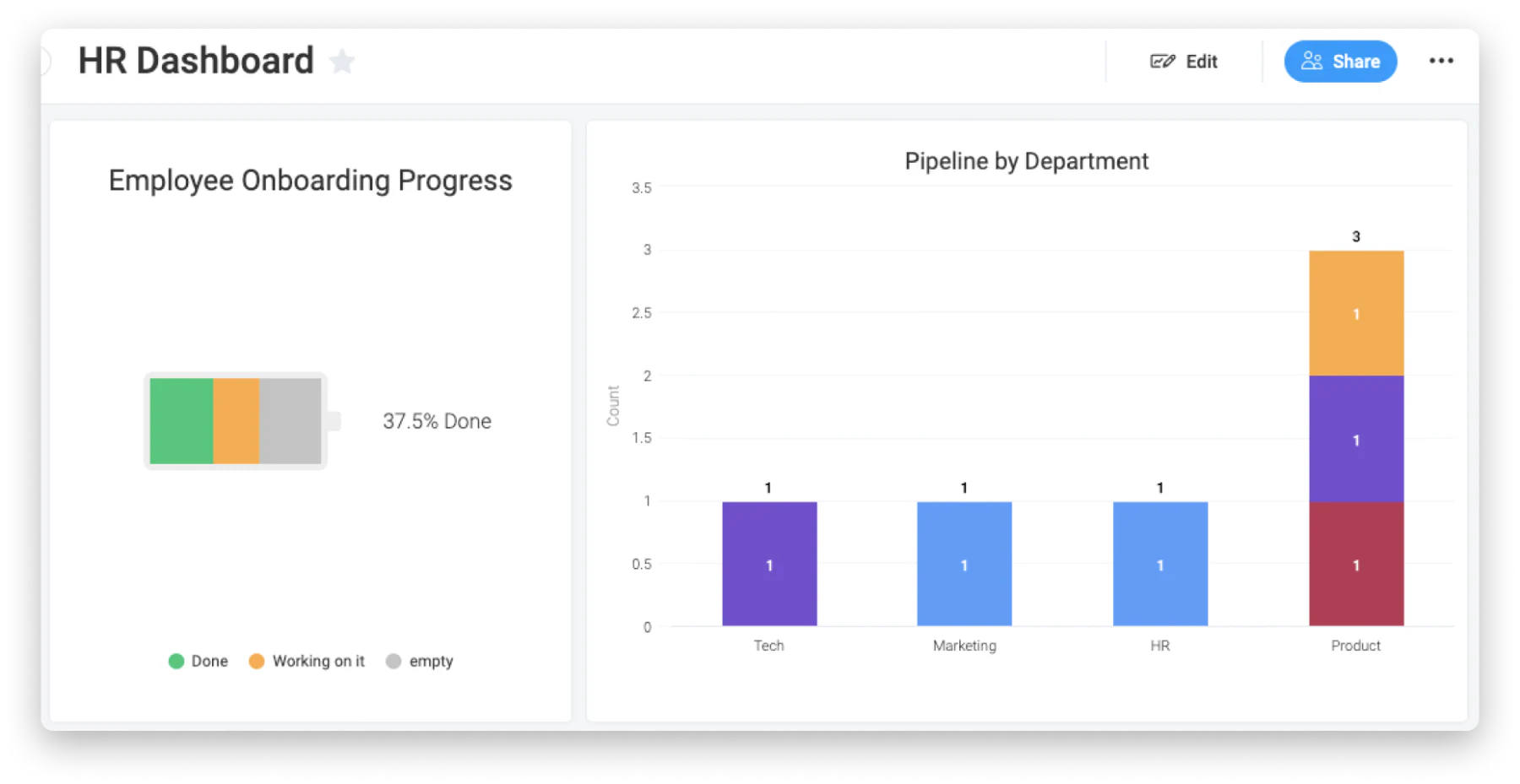
Monday.com is a general project management and scheduling tool that can be used for employee scheduling. It provides a visual platform to assign shifts, track work hours, and manage availability, although it is not designed specifically for workforce scheduling.
The platform allows teams to create schedules using customizable templates and boards. While it supports task management and basic scheduling, businesses may need additional tools or integrations to handle more complex shift planning needs.
Key features:
- Drag-and-drop scheduling board
- Task assignment and status tracking
- Notifications and reminders
| Pros | Cons |
|
|
Why this suits Malaysian businesses: Monday provides visual and flexible boards to simplify shift management for local teams. Its easy automation helps Malaysian businesses stay organized and collaborate effectively without the need for technical expertise.
17. Calendly
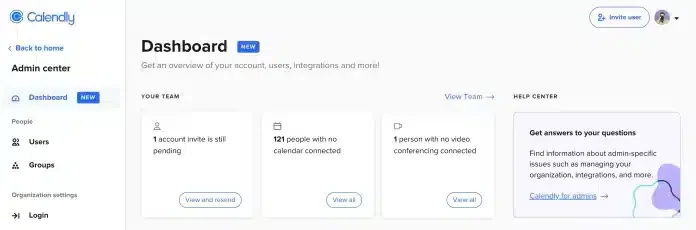
Calendly is mainly known as an appointment scheduling tool, but it can also be used for basic employee scheduling needs. It allows users to set availability, book time slots, and avoid double bookings. However, it is not a full-featured employee scheduling solution.
For small teams or simple scheduling needs, Calendly may provide a convenient option. It automates meeting scheduling but lacks advanced workforce scheduling features like shift rotation, payroll integration, or labor compliance tracking.
Key features:
- Online booking and calendar sync
- Automated reminders
- Availability setting
| Pros | Cons |
|
|
Why this suits Malaysian businesses: Calendly provides Smooth appointment booking for local sales and service teams. Its automated scheduling helps Malaysian businesses save time and stay professional without the need for manual coordination.
18. FieldCode
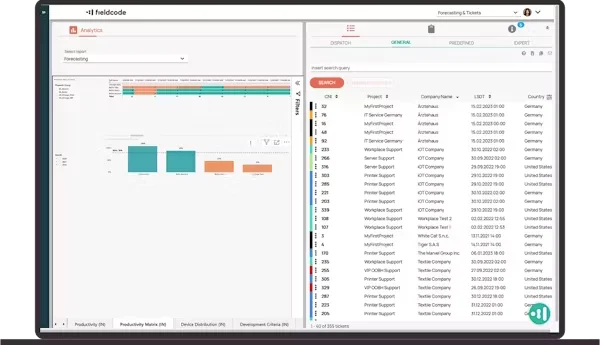
FieldCode is primarily a field service management tool that includes employee scheduling features as part of its broader platform. It helps businesses assign jobs, manage appointments, and monitor field employee activity. While not focused solely on scheduling, it offers basic tools for shift planning and task assignments.
The platform is generally suited for companies that operate with mobile or field teams. However, businesses looking for advanced scheduling functions like shift swapping, labor law compliance, or time tracking may find it limited in those areas.
Key features:
- Job and task assignment
- Route planning for field teams
- Basic scheduling dashboard
| Pros | Cons |
|
|
Why this suits Malaysian businesses: FieldCode provides a sustainable pay per event model that fits local budget needs. Its automated tools help Malaysian teams optimize schedules and reduce carbon footprints without upfront costs.
19. ClockShark
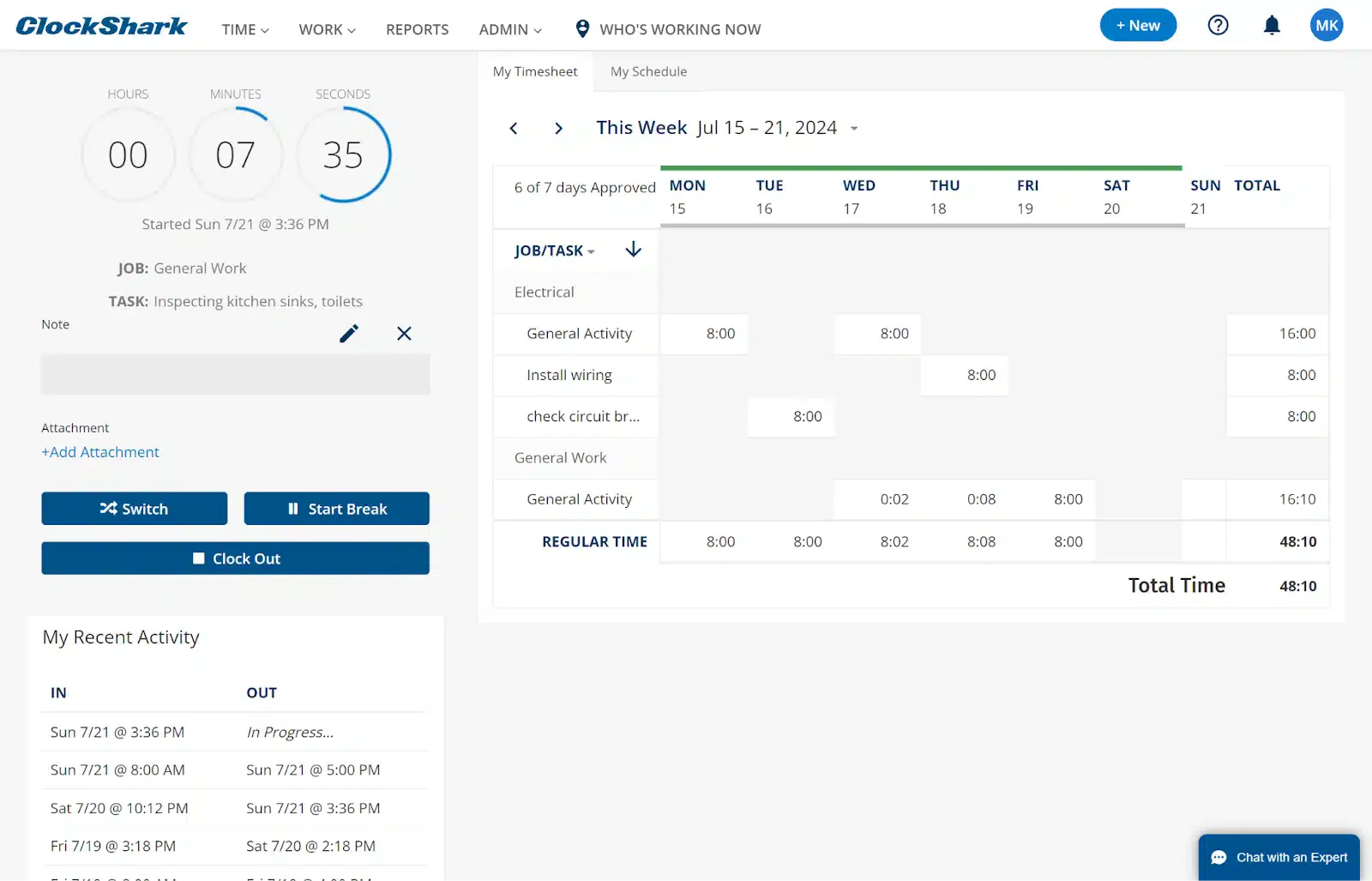
ClockShark is a scheduling tool designed mainly for construction and field service businesses. The staff scheduling system allows managers to assign shifts, create job schedules, and track employee availability. It also supports basic notifications and job updates to keep employees informed about their assignments.
While it provides essential scheduling functions, the system may be more suitable for companies with mobile crews rather than general office environments. It focuses more on task-based scheduling than comprehensive workforce planning.
Key features:
- Drag-and-drop shift scheduling
- Job and location assignments
- Employee notifications and updates
| Pros | Cons |
|
|
Why this suits Malaysian businesses: ClockShark provides GPS-powered time tracking for field and construction crews. It helps local managers monitor remote sites accurately while simplifying job costing for mobile teams.
20. WorkFeed
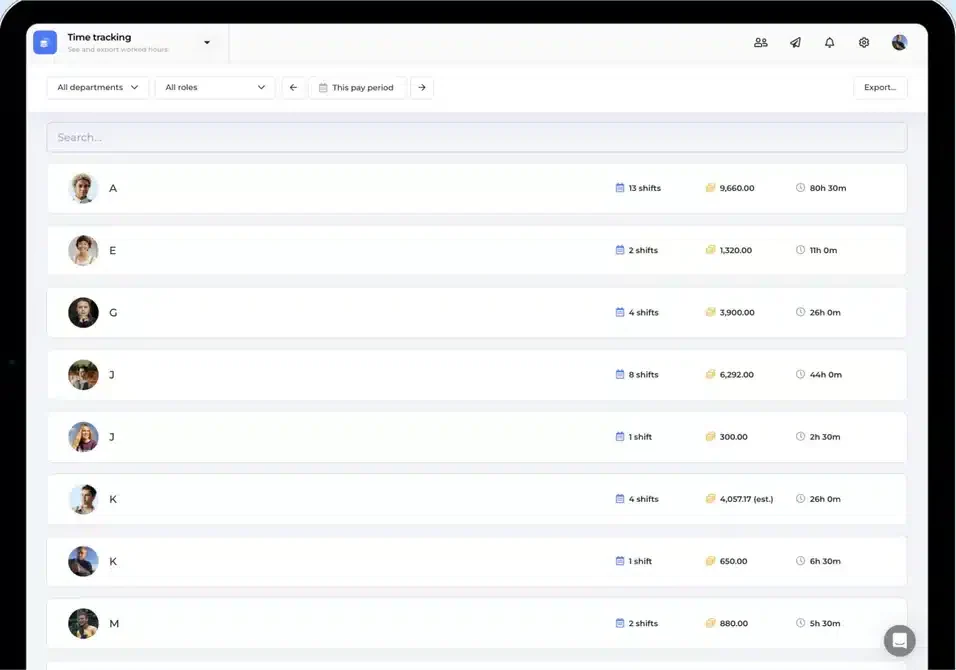
WorkFeed is an employee scheduling software developed to help small to medium-sized businesses manage work shifts and staff availability. It allows users to create weekly schedules, track hours, and handle shift swaps in a simplified interface. The platform is generally used in hospitality, retail, and service-based sectors.
The software is web-based and focuses on basic scheduling needs, offering limited advanced features compared to more comprehensive workforce management tools.
Key features:
- Weekly shift planning
- Employee availability tracking
- Shift swap functionality
| Pros | Cons |
|
|
Why this suits Malaysian businesses: WorkFeed simplifies shift management with automated scheduling and real-time communication. Its easy to use platform helps local SMEs stay organized and improves employee satisfaction through flexible shift swapping.
Comprehensive Comparison of Employee Scheduling Software
| Provider | Connection Quality | Bank Coverage | Ease of Integration | Data Enrichment |
|---|---|---|---|---|
| Hashmicro | ||||
| ConnectTeam | ||||
| 7Shifts | ||||
| ZoomShift | ||||
| Google Workspace | ||||
| Planday | ||||
| Deputy | ||||
| Sling |
Trends in Employee Scheduling Software in Malaysia
No need to worry about missing out—this quick rundown keeps you informed. In Malaysia’s dynamic business environment, the adoption of digital tools is leaning more toward improving efficiency, automation, and ease of use to support local workforce management needs.
With hybrid and remote work becoming part of the norm, many Malaysian companies are now opting for HR software that includes mobile scheduling features. These tools help managers handle shift changes, approve leave applications, and stay connected with employees regardless of their location.
Additionally, there’s a rising interest in real-time workforce insights. Businesses are looking for solutions that offer instant data on attendance, productivity, and labor expenses. As a result, having a scheduling system that includes strong analytics and reporting capabilities has become increasingly valuable.
To find the right fit, it’s worth comparing HRIS software packages available in the market and evaluating which features align best with your budget and future business goals.
Tips for Choosing the Right Employee Scheduling Software for Your Business
Choosing the most suitable employee scheduling software plays a vital role in streamlining operations and boosting productivity. Here’s a straightforward checklist to guide your decision:
- Understand your operational needs: Evaluate the size of your workforce, how complex your scheduling process is, and whether you operate across multiple locations to determine the exact features your business needs.
- Ensure compliance readiness: Pick a solution that includes features to help you stay compliant with local labor regulations. This is especially crucial for businesses in Malaysia to avoid any legal complications.
- Look for scalability: Choose software that can adapt as your business grows. It should support additional features or users when needed without major disruptions.
- Evaluate customer support quality: Go for a provider that offers dependable assistance through channels like tutorials, live chat, or phone support to help resolve any technical issues quickly.
- Check feedback from others: Read user reviews and ask peers for recommendations to gain insights into the software’s performance and reliability.
- Test before committing and review costs: Make use of a free demo to try out the platform and determine if it suits your operations. Also, review the pricing to make sure it aligns with your budget while covering the essential features.
Which Employee Scheduling Software Suits Your Business?
| Software | Key Capabilities | Strengths | Best Fit For |
|---|---|---|---|
| HashMicro | Shift scheduling, payroll integration, attendance tracking, KPI monitoring | Highly customizable, all-in-one HR system, strong automation | Medium to large businesses needing integrated HR & scheduling |
| ConnectTeam | Scheduling, GPS tracking, communication tools | Strong for mobile workforce management | Field teams and remote workers |
| 7Shifts | Shift planning, forecasting, POS integration | Industry-specific optimization for restaurants | Restaurants and F&B businesses |
| ZoomShift | Scheduling, time tracking, shift reminders | Simple and easy-to-use interface | Small teams with hourly workers |
| Google Workspace | Calendar scheduling, collaboration tools | Cost-effective and widely accessible | Small teams needing basic scheduling |
| Planday | Shift scheduling, analytics, compliance tools | Strong compliance and reporting features | Retail and hospitality industries |
| Deputy | Automated scheduling, timesheets, mobile access | Reliable payroll integration and notifications | Retail, healthcare, hospitality |
| Sling | Shift scheduling, messaging, task management | Easy-to-use and lightweight | Small service-based businesses |
| Agendrix | Shift planning, attendance tracking | Simple interface with essential tools | Retail and service businesses |
| Activity Scheduling | Task scheduling, activity tracking | Basic and straightforward | Businesses with simple scheduling needs |
| Homebase | Scheduling, time tracking, team messaging | User-friendly for SMBs | Small to medium businesses |
| Timify | Shift scheduling, appointment booking | Combines booking with scheduling | Service-based businesses |
| FindMyShift | Shift planning, notifications, time-off tracking | Easy to implement | Teams needing simple scheduling tools |
| QuickBooks Time | Time tracking, scheduling, GPS monitoring | Strong accounting integration | Businesses using QuickBooks |
| When I Work | Shift scheduling, messaging, time tracking | Flexible for hourly teams | Shift-based businesses |
| Monday.com | Task scheduling, workflow tracking | Highly flexible and visual | Project-based teams |
| Calendly | Availability scheduling, calendar sync | Very easy to use | Small teams and individual scheduling |
| FieldCode | Task assignment, route planning | Strong for field operations | Field service companies |
| ClockShark | Job scheduling, notifications | Good for construction teams | Construction and field services |
| WorkFeed | Shift planning, availability tracking | Simple and efficient | Small to mid-sized businesses |
Conclusion
Choosing the ideal employee scheduling software can be overwhelming, especially with numerous platforms offering different features. It’s important to assess your business needs thoroughly and select a solution that improves workforce efficiency, ensures compliance, and simplifies schedule management.
For businesses looking for a dependable scheduling tool, HashMicro’s employee scheduling software is a strong option. It helps automate shift planning, Make it easier team coordination, and provides data-driven insights to support better decision-making.
To discover how HashMicro can enhance your employee scheduling process, book a free demo today. See how this all-in-one solution can make workforce management easier, boost productivity, and support your business growth.
Question About Best Employee Scheduling Software
HashMicro is one of the best employee scheduling software solutions, especially for businesses in Southeast Asia. It offers smart automation tools, including AI-powered scheduling, KPI-based talent management, and flexible shift planning. Its integration with payroll, attendance, and HR modules ensures a Smooth and efficient HR workflow.
Yes, there are free employee scheduling apps such as Homebase, When I Work, and Sling that offer basic features for small teams. However, these free versions often come with limitations in features, number of users, or customer support. For growing businesses, it’s recommended to try a free demo from HashMicro, which offers more comprehensive and scalable features tailored to enterprise needs.
Here are ten popular employee scheduling software options in 2026:
1. HashMicro
2. Deputy
3. Homebase
4. When I Work
5. Sling
6. Connecteam
7. Shiftboard
8. ZoomShift
9. Planday
10. Microsoft Shifts
Yes, Microsoft offers Microsoft Shifts, a scheduling tool integrated within Microsoft Teams. It allows managers to create and manage employee shifts, approve requests, and send updates. However, it is primarily designed for teams already within the Microsoft 365 ecosystem and may not include advanced HR or payroll functionalities. For businesses seeking a more powerful and all-in-one solution, HashMicro’s employee scheduling software offers more advanced features, such as KPI tracking, dynamic scheduling, payroll automation, and AI-powered management, making it ideal for growing and complex organizations.