






AutoCount keeps accounting running smoothly, but when sales, warehouse movements, and procurement live in separate tools, daily operations quickly turn into manual workarounds. Teams end up re-entering transactions, reconciling stock numbers across spreadsheets, and chasing status updates that should be automatic.
Research published in the Journal of Information Systems Engineering and Management shows that integrated systems significantly improve decision-making and operational performance. Bridging financial ledgers with real-time operations eliminates blind spots, giving leadership immediate control over cash flow and fulfillment without disrupting reliable accounting workflows.
This guide explains how connecting existing accounting setups with comprehensive enterprise systems closes functional gaps and streamlines cross-department data flow. Read on to discover how direct system synchronization builds scalable, connected workflows without sacrificing familiar financial processes.

Key Takeaways
Integrating AutoCount with HashMicro links both platforms through automated data sync, enabling financial and operational information to move seamlessly between them.
The HashMicro modules compatible for integration with AutoCount include e-invoicing, inventory, procurement, and manufacturing.
HashMicro enables both smooth system integration and full-platform migration, allowing businesses to upgrade their operations according to their preferred pace.
HashMicro’s Modules That Can Integrate with AutoCount
HashMicro provides modules that integrate seamlessly with AutoCount, allowing you to enhance your operational functions without changing your existing accounting setup. The following HashMicro modules are compatible for integration with AutoCount.
1. E-invoicing
HashMicro E-Invoicing Software allows businesses to issue, deliver, and oversee invoices electronically while remaining compliant with regulatory standards. It streamlines the creation, verification, and transmission of invoice data, helping accelerate billing activities and minimize manual mistakes.
HashMicro E-Invoicing Software features include:
- Recurring billing setup: This function produces invoices at set intervals by referencing the customer’s saved billing details and scheduled frequency.
- Customer tax calculation: It determines which transactions are taxable and applies the appropriate tax rules to compute each customer’s obligations.
- Aging and collection reporting: This tool collects overdue bills and related payment information into targeted reports to track aging, reminders, and collection progress.
- Customer transaction summary: It compiles a customer’s full activity, including invoices, payments, and outstanding amounts, into a clear, organized statement.
- Invoice analytics: The system aggregates invoice records across transactions and presents them in analytical views filtered by date range, client, or status.
2. Inventory
HashMicro Inventory Software helps companies oversee stock activity, product information, and warehouse processes through a unified platform. It streamlines key tasks such as monitoring, demand prediction, and restocking to keep inventory operations precise and efficient.
HashMicro Inventory Software features include:
- Barcode and tagging setup: The system captures product identifiers through barcode, QR code, or RFID scans using compatible devices, allowing items to be registered instantly during handling.
- Stock movement reporting: It consolidates transaction-based stock activity and presents it in customizable report formats aligned with chosen filters or parameters.
- On-the-spot transfers: Moving items between locations becomes simpler, as users only need to scan the designated area to complete the transfer process.
- Product expiry monitoring: The platform visualizes expiry information from item records and continuously updates the dashboard as stock levels change.
- Quality inspection workflow: Incoming products go through a structured review process where each item must meet predefined checks before being accepted into the inventory system.
3. Procurement
HashMicro Procurement Software manages the entire purchasing cycle, starting from requisitions and vendor evaluation to approvals and order monitoring. It streamlines procurement procedures and automates document handling to enhance precision, compliance, and collaboration with suppliers.
HashMicro Procurement Software features include:
- Purchase budget monitoring: The system tracks PR and PO submissions by comparing them against assigned budgets and updating consumption levels as each step progresses.
- Cost optimization reporting: It logs procurement activities and evaluates them against set targets to highlight and document savings opportunities across purchasing processes.
- Layered approval for purchase requests: Every PR is directed through a defined approval sequence that follows user roles or analytical groups before it progresses.
- Adaptive PO authorization: Purchase orders are screened through customizable approval conditions, such as branch, department, spending limits, or item categories, before confirmation.
- Comprehensive purchasing insights: The feature compiles transaction-level buying information and arranges it into analytical reports categorized by items, suppliers, or fulfillment performance.
4. Manufacturing
HashMicro Manufacturing Software delivers a unified system for organizing, tracking, and enhancing production processes throughout the shop floor. It synchronizes resources, equipment, and workflows to maintain steady output and support timely manufacturing performance.
HashMicro Manufacturing Software features include:
- Quality validation for production stages: Raw materials, WIP items, and finished products are checked against predefined criteria to ensure they meet required standards before proceeding.
- Interactive production scheduling: Tasks and timelines are displayed via an adaptive Gantt chart that updates automatically as work orders progress.
- Real-time cost accumulation: The system continuously tracks material, labor, and overhead expenses, refreshing cost data as production activities occur.
- OEE performance reporting: Machine activity and production outputs are collected from multiple shop-floor points and transformed into configurable OEE metrics for performance evaluation.
- Live inventory synchronization: Every production movement is linked directly to inventory records, updating stock levels instantly when materials are issued or returned.
Benefits of AutoCount Hashmicro Integration
Integrating both systems creates a more connected workflow that strengthens day-to-day operations and improves data consistency across teams. This setup supports smoother coordination while ensuring every department works with reliable, synchronized information.
- Unified insights for better decisions: Bringing data together into consolidated dashboards helps leaders respond quickly with more precise, more timely analysis.
- Higher operational productivity: Automated data transfer reduces manual input, allowing teams to redirect their efforts toward more strategic activities.
- Improved collaboration across functions: Shared, real-time visibility ensures departments stay aligned, minimizing misunderstandings and workflow disruptions.
- Consistent and dependable information: Data entered once updates throughout the system, reducing errors and maintaining a trustworthy central source.
- Scalable foundation for growth: The integration makes it easier to add new tools or expand features as business demands increase.
How Integrating AutoCount with HashMicro Works
Integrating AutoCount with HashMicro keeps financial and operational data connected without disrupting existing workflows. This approach lets businesses retain AutoCount while gaining broader functionality through HashMicro’s ERP ecosystem.
- System link configuration: Integration is established through customized connectors or API-based setups that automate data movement between AutoCount and HashMicro.
- Task distribution across platforms: AutoCount manages accounting activities, including ledgers, billing, and financial statements, while HashMicro oversees broader business functions, including inventory, sales, procurement, and CRM.
- Data alignment process: Implementation teams match equivalent data fields—such as customer records, account structures, product codes, and transaction IDs—so both systems interpret the data accurately.
- Data flow management: Companies can set whether synchronization is one-way or two-way, depending on which system they designate as the primary reference for each data category.
- Automated update cycles: Once active, the integration keeps both platforms synchronized either in real time or on scheduled intervals without requiring manual data handling.
- Enhanced capabilities without a full migration: Businesses can keep using AutoCount’s familiar interface while leveraging HashMicro’s flexible ERP modules, enabling operational improvements without a complete system transition.
What data syncs between AutoCount and HashMicro
Connecting AutoCount with HashMicro creates a synchronized data pipeline that bridges everyday operations with financial accounting. Instead of relying on manual data entry or messy spreadsheet reconciliations, key records update automatically across both platforms.
| Data Object | Sync Direction | Trigger Event | Operational Benefit |
|---|---|---|---|
| Customer & Vendor Profiles | Two-way | Account creation or update in either system | Ensures consistent credit terms, tax details, and billing addresses across sales and finance. |
| Product & SKU Catalog | HashMicro → AutoCount | Adding or modifying items and UOM pricing | Prevents invoice errors by standardizing item codes, descriptions, and pricing tiers. |
| Purchase Orders (PO) | HashMicro → AutoCount | Approval of purchase order in procurement | Automatically posts committed expenses to AutoCount, securing budget control before payout. |
| Stock Movements & Transfers | HashMicro → AutoCount | Completion of goods receipt or inventory transfer | Instantly updates balance-sheet stock valuations and Cost of Goods Sold (COGS) journals. |
| Sales Invoices & Billing | HashMicro → AutoCount | Dispatch of goods or delivery order approval | Generates Accounts Receivable (AR) entries immediately, speeding up the month-end close. |
Why HashMicro Is the Ideal Choice for a Complete System Switch
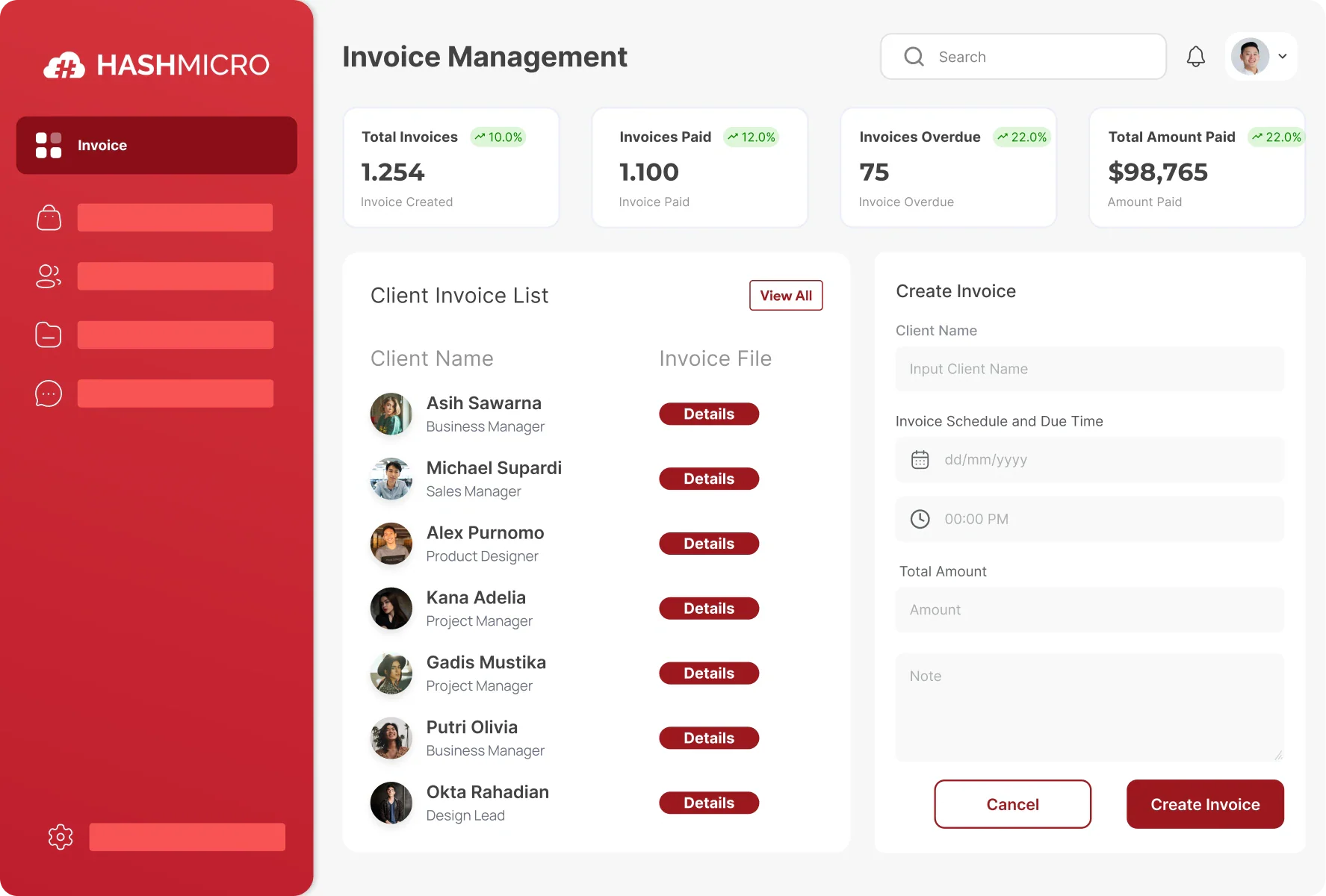
For companies looking to move beyond a hybrid setup, transitioning fully to HashMicro offers a way to consolidate core finance, operations, HR, and supply chain into a single database. Instead of juggling separate software licenses and coordinating between multiple vendors, an end-to-end platform standardizes company workflows under one roof.
Key operational capabilities of HashMicro's all-in-one ecosystem include:
Native cross-department data flow: Connects daily operations directly with accounting, so inventory movements, sales dispatches, and procurement requests reflect instantly across general ledgers without middleware or integration delays.
Unified operational analytics: Consolidates multi-department metrics into role-based dashboards, giving decision-makers clear visibility over profitability, cash flow, and stock turnover in one view.
Predictive demand planning: Utilizes automated forecasting models based on historical sales and seasonal trends, helping procurement teams optimize safety stock levels and avoid cash lockup.
Configurable workflow rules: Adapts to specific operational approval hierarchies, document numbering, and field validations, minimizing disruption to established team habits.
Granular security governance: Implements centralized role-based permissions and audit logs across all business functions, ensuring sensitive payroll and financial records remain strictly controlled.
Field-ready operational tools: Supports mobile warehouse barcoding, multi-branch tracking, and location-based attendance to capture ground-level activity accurately as teams grow.
While connecting AutoCount through API integration remains a solid, practical solution for businesses comfortable with their current accounting, a full transition to HashMicro provides a cleaner long-term path for organizations aiming to eliminate system fragmentation entirely. Businesses can assess whether this single-platform model fits their operational scale through a guided walkthrough or free demo.
Conclusion
AutoCount provides a reliable, compliant foundation for financial reporting and tax management. However, as order volumes, complex stock movements, and procurement cycles scale, connecting your accounting setup with dedicated operational workflows prevents month-end bottlenecks and protects ledger integrity without forcing a disruptive system overhaul.
The right architecture comes down to your current stage of growth. Bridging AutoCount via direct API integration eliminates manual reconciliations between warehouse racks and financial books, while a native unified system remains a viable path for broader consolidation across multi-branch operations.
To see how these synchronization workflows handle your specific chart of accounts, transaction volume, and operational processes, reviewing the data flows through a free demo offers a practical way to evaluate the technical fit.

FAQ About AutoCount Hashmicro Integration
No. The API connection relies on direct field mapping, meaning your established chart of accounts, tax codes, and payment terms in AutoCount remain intact. HashMicro’s operational modules simply post transactions against those existing accounting rules without forcing ledger restructuring.
Transactions are not dropped or partially posted. If an entry encounters an issue, such as an unmapped item code or a missing customer tax ID, the system places the record into an audit queue with clear error logs. This allows administrators to correct the specific field before the entry commits to the general ledger, safeguarding ledger integrity.
Yes. HashMicro captures granular physical movements across multiple sites, bins, or retail branches, then rolls them up into branch-specific journal entries or consolidated accounts receivable and payable within AutoCount. This gives growing businesses multi-location control without outgrowing their current financial software setup.