
Managing daily sales can become challenging for Filipino business owners when inventory, staff performance, and sales records are handled manually. A point-of-sale (POS) system helps address these challenges by automating inventory tracking, monitoring staff performance, and generating sales reports in real time, making it easier to keep business operations organized without manually counting every item.
The growing adoption of POS technology also reflects the increasing demand for digital tools among businesses in the Philippines. According to a report by the Daily Guardian, POS usage among individuals aged 15 and older increased from 3.2% in 2018 to 33.1% by mid-2024. This tenfold growth highlights how digital payment and sales technologies are becoming increasingly common in the Philippine market.
Choosing the right POS system can be challenging with many options available. This article reviews Loyverse’s key features and suitability for different business needs, helping business owners decide whether it is the right solution for their business.
Key Takeaways
Loyverse POS is simple and affordable but charges extra for key features like analytics and employee management.
HashMicro POS integrates sales, inventory, CRM, and finance into one system for seamless operations.
HashMicro is BIR-accredited, ideal for Philippine businesses that need to stay compliant with local tax laws.
What is Loyverse?
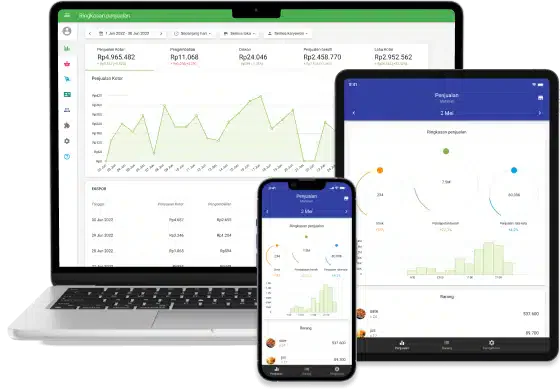
Loyverse, short for “Loyalty Universe,” is a cloud-based point-of-sale (POS) solution built for small to medium-sized businesses. It’s commonly used by retailers, cafes, bars, and even mobile vendors who want a simple and affordable POS system.
This software turns any tablet or smartphone into a functioning POS terminal. Without needing expensive hardware, businesses can process transactions, manage inventory, and monitor sales on the go. Loyverse is especially attractive to new businesses thanks to its free core version, with optional paid add-ons for more advanced features.
Loyverse’s Features
Loyverse comes with a variety of tools tailored for retail and F&B businesses, helping to streamline daily operations while keeping everything mobile and easy to use.
1. Mobile POS system
Loyverse allows businesses to turn a smartphone or tablet into a POS terminal, making it practical for pop-up shops, food stalls, cafés, and other businesses with flexible selling locations. Staff can process transactions and manage sales without relying on a traditional fixed checkout counter, which helps FOH (front of house) teams keep service moving while BOH (back of house) staff focus on preparation.
2. Inventory management
The system helps businesses monitor stock levels, track product movements, and receive alerts when items are running low. Businesses operating across multiple locations can also use inventory tools to keep track of stock across different stores and locations.
3. Employee management
Loyverse provides tools for managing employee access and tracking staff activity. Business owners can assign user roles, monitor sales by employee, and manage shifts, helping them maintain better oversight of daily staff performance.
4. Sales analytics
Loyverse provides sales reports and visual dashboards that help businesses understand their performance. Users can review sales trends, identify best-selling products, and evaluate which items contribute most to revenue, providing useful data for day-to-day business decisions.
5. Customer loyalty program
Businesses can use Loyverse’s loyalty features to encourage repeat purchases by rewarding customers with points. Customer purchase data can also help businesses understand buying behavior and create more relevant promotions and discounts.
6. Payment flexibility
Loyverse supports different payment methods, giving customers more flexibility at checkout. When paired with its inventory management capabilities, the system can function as a POS inventory system that keeps sales and stock records connected. Depending on the payment setup and available integrations, businesses can accept options such as card and contactless payments while keeping transactions recorded within the POS system.
Loyverse Pricing Plans in Philippine Pesos
Loyverse uses a free POS model with optional paid add-ons instead of fixed software packages. The core Loyverse POS, Dashboard, Kitchen Display System, and Customer Display System are available for free. Additional charges apply when businesses subscribe to advanced inventory, employee management, or unlimited sales history features.
The following prices are approximate Philippine peso conversions based on the exchange rates available on September 9, 2026: 1 EUR ≈ ₱72.76 and 1 USD ≈ ₱62.52. The final amount may vary depending on exchange rates, bank charges, and applicable taxes.
| Loyverse Plan or Add-On | Monthly Price | Annual Price | Billing Basis |
|---|---|---|---|
| Loyverse POS | ₱0 | ₱0 | Free |
| Loyverse Dashboard | ₱0 | ₱0 | Free |
| Loyverse Kitchen Display System | ₱0 | ₱0 | Free |
| Loyverse Customer Display System | ₱0 | ₱0 | Free |
| Unlimited Sales History | Approximately ₱364 | Approximately ₱3,638 | Per store |
| Employee Management | Approximately ₱313 | Approximately ₱3,126 | Per employee |
| Advanced Inventory | Approximately ₱1,563 | Approximately ₱15,630 | Per store |
All paid add-ons include a 14-day free trial. Loyverse also states that annual subscriptions provide two months free compared with monthly billing. Prices are exclusive of taxes, and the Employee Management and Advanced Inventory add-ons are charged according to the number of employees or stores included in the subscription.
Pros and Cons of Loyverse Software for Businesses in the Philippines
Loyverse can be a practical POS solution for small retailers, cafés, restaurants, kiosks, and other businesses that need basic sales, inventory, employee, and customer management. However, its suitability depends on the company’s branch structure, compliance requirements, connectivity, and need for more advanced business management features.
| Context | Pros | Cons |
|---|---|---|
| Cost & Pricing | Free core POS — no monthly fee for basic features | Add-on costs increase with more employees and stores; prices shown in USD/EUR, not Philippine pesos |
| Sales management | Sales, receipts, discounts, refunds, and daily analytics | May not replace a full accounting or ERP system |
| Inventory | Product catalog, stock tracking, and low-stock alerts | Advanced inventory requires a paid add-on |
| Multi-store | Branch comparison and cross-location management | Subscription costs scale with number of stores |
| Offline selling | Records sales during internet interruptions | Some features unavailable without a connection |
| Customer loyalty | Built-in loyalty program, customer profiles, and purchase history | No advanced marketing automation or segmentation |
| Employee management | Access controls and employee sales tracking | Employee Management is a paid add-on charged per person |
| Philippine payments | Supports POS-based payment workflows | Local payment provider compatibility must be verified |
| Philippine compliance | Basic tax and receipt settings for daily transactions | BIR, VAT, and e-invoicing requirements need verification |
| Business scalability | Suitable for businesses moving from manual to digital POS | Not sufficient for procurement, accounting, or ERP needs |
What is HashMicro?
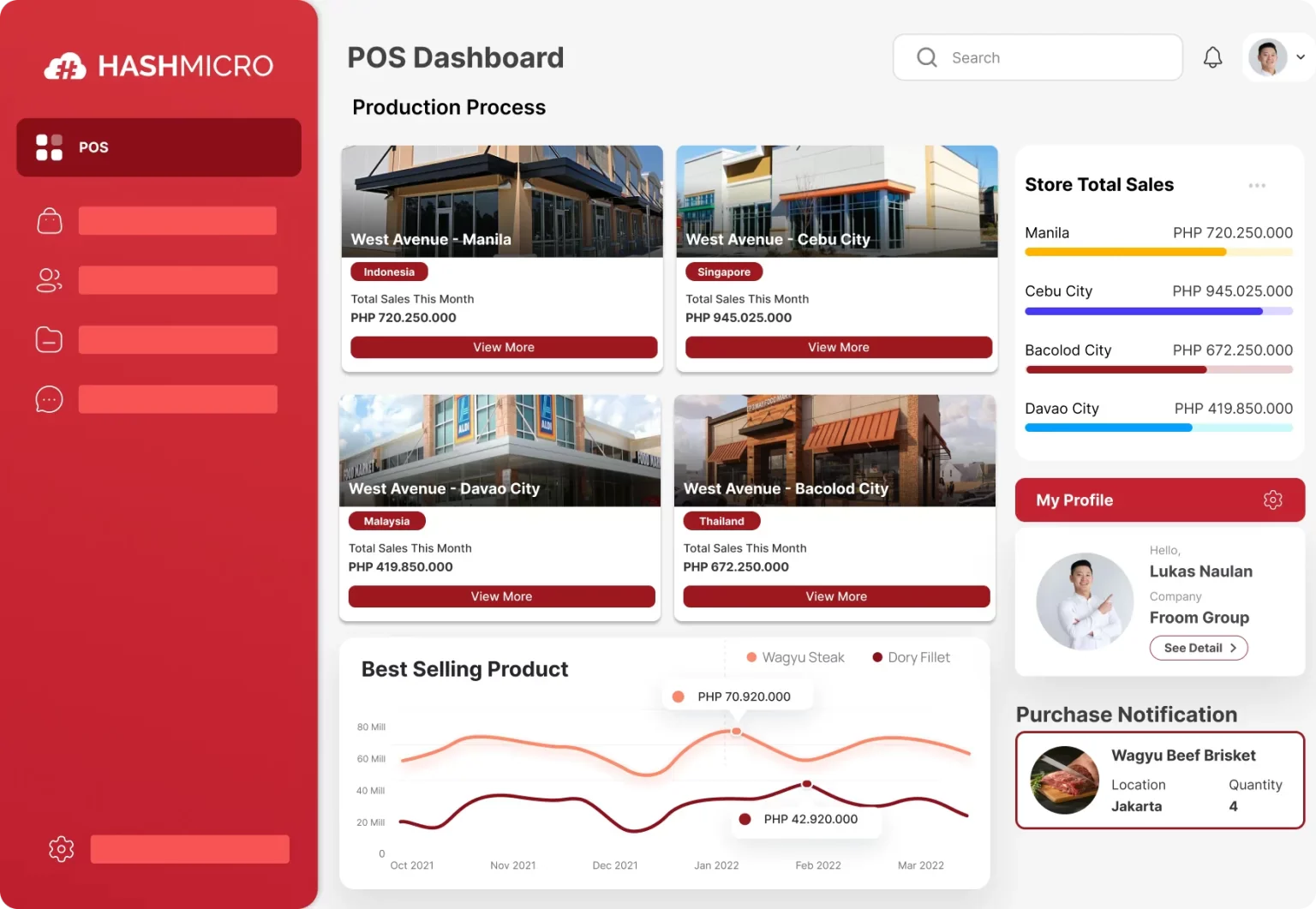
HashMicro delivers a cloud-based ERP system built for businesses across retail, wholesale, food and beverage, and manufacturing. Its POS solution is designed to simplify sales operations with an intuitive interface and automation capabilities.
Rather than operating in silos, HashMicro connects vital processes like sales, inventory, CRM, and financial reporting into one seamless platform. With centralized data access and real-time visibility, it helps decision-makers act faster and more accurately.
Even when offline, the system stores transactions securely and syncs them automatically once the connection returns. For businesses in the Philippines, the BIR-accredited POS system ensures regulatory compliance while supporting multi-branch operations with ease.
HashMicro’s Features
HashMicro POS Software is built to meet the needs of businesses in the Philippines. It offers a comprehensive set of tools that enhance efficiency, simplify processes, and support multi-branch scalability.
1. Centralized multi-branch POS system
Manage all your branches under one platform with integrated sales, inventory, and finance tools. As one of the types of POS systems designed for multi-location operations, a centralized solution helps maintain consistent data across branches while providing real-time visibility into business performance and operations.
2. Real-time stock optimizer
Automatically updates inventory based on live sales data, helping you avoid stockouts or excess inventory. This leads to better stock control and healthier cash flow.
3. Loyalty and promotion management
Create flexible loyalty programs and personalized promotions that apply automatically during checkout. This drives customer retention and boosts sales with minimal manual effort.
4. Barcode and RFID integration
Speed up checkout processes and improve accuracy with integrated barcode and RFID scanners. These tools also strengthen inventory control and minimize errors.
5. Multi-payment support
Offer your customers the freedom to pay with cash, credit/debit cards, or e-wallets, creating a smoother and faster checkout experience.
6. Easy billing and reconciliation
Generate receipts, track payments, and match transactions effortlessly. This simplifies the accounting process and ensures accuracy in your records.
7. Returns and credit management
Handle refunds, returns, and store credits without disrupting your inventory or accounting systems is essential for businesses aiming to maintain trust and flexibility.
8. Insightful reporting and analytics
Access real-time dashboards and detailed reports covering sales, product trends, and customer behavior. These insights help business owners make informed decisions and plan ahead with confidence.
9. Complete POS hardware packages
HashMicro also provides compatible hardware bundles, ensuring a smooth transition and system setup, ideal for businesses that want an all-in-one solution.
These powerful features make HashMicro POS software an excellent choice for Filipino enterprises looking to scale, improve efficiency, and stay ahead in a fast-evolving retail landscape. The next question is what this level of capability would cost for your own store setup. Use the calculation below to get an estimate based on your branches, users, and transaction volume.
HashMicro vs Loyverse: Main Comparison
Choosing the right point-of-sale system isn’t just about price, it’s also about how well the system supports your operations and growth. To help you evaluate both solutions more clearly, we’ve laid out a side-by-side comparison between HashMicro and Loyverse, highlighting the key differences in features, pricing, integrations, and overall support.
| Aspect | HashMicro | Loyverse |
| Main Products | POS system, CRM, Inventory Management, Analytics, Employee Management | POS |
| Pricing | Flexible pricing with customizable features, available on a subscription basis | Free but any additional features come with a fee.
+ Employee management: ₱1,421/store/month + Advanced inventory: ₱1,421/store/month + Sales history: ₱284/store/month |
| BIR Registration | Seamless integration with other business functions | None |
| Accounting Integration(s) | Seamless integration with other business functions | Limited integration options with external apps |
| Other Features | Inventory Management, Sales Reporting & Analytics, Employee Management, CRM, Loyalty Program, Multi-location Management, QR Order & Pay | POS (software), Inventory management, Employee management, Sales analytics, Loyalty Program, Multi-location management |
| Support & Service | Local support with 24/7 after-sales and in-house developers | 24/7 live chat only |
HashMicro delivers a more integrated POS than Loyverse, combining CRM, sales analytics, and employee management in one platform. It’s also fully BIR-compliant. While Loyverse is free to start, making it a great entry-level solution, its features become limited as business needs grow. HashMicro, on the other hand, offers scalable tools and flexible pricing without relying on paid add-ons, making it ideal for expanding companies.
If your goal is long-term growth and streamlined operations, HashMicro provides the tools and support necessary to help your business scale efficiently and confidently.
BIR Accreditation: HashMicro vs Loyverse

For businesses in the Philippines, having a BIR-accredited POS is non-negotiable. It ensures tax compliance, simplifies audit preparation, and avoids penalties from the Bureau of Internal Revenue.
HashMicro offers a BIR-accredited POS system that automates official receipt generation and supports multi-branch reporting, ideal for businesses that need reliable compliance. It’s a strong Loyverse POS alternative for enterprises seeking automation and tax readiness.
Loyverse, on the other hand, is currently not on BIR’s accredited POS provider list. This means users must issue manual receipts, increasing workload and risk of record-keeping errors.
If you’re running a business in a highly regulated region, HashMicro makes an excellent choice for those searching for the top POS software in Cebu, combining automation, compliance, and scalability in one solution.
Conclusion: Which is the Better POS – HashMicro or Loyverse?
The debate of HashMicro vs Loyverse highlights two very different POS solutions for Filipino businesses. While Loyverse POS offers an accessible platform for basic retail operations, its feature limitations can be a hurdle for long-term growth and integration.
If you’re choosing between HashMicro vs Loyverse, consider how your business may scale. Loyverse POS starts free but charges for essentials like inventory management and analytics. HashMicro's POS software is fully BIR-accredited and offers these features out of the box, ideal for compliance and multi-branch management.
For businesses comparing HashMicro or Loyverse, HashMicro provides a comprehensive, scalable POS system with loyalty tools, inventory tracking, and seamless integration. Book a free demo today and explore how HashMicro elevates your operations beyond basic POS solutions.
FAQ About HashMicro vs Loyverse
Loyverse is best suited for micro to small businesses. Its lack of deeper integrations and limitations in scalability may not meet the demands of larger operations.
While not all POS systems are BIR-accredited, using one that is can help avoid compliance issues and penalties, especially during tax audits.
Yes, Loyverse POS works offline and syncs data once internet connectivity is restored, making it useful for mobile or remote vendors.
Absolutely. HashMicro offers customizable modules tailored to your business needs, whether you’re in retail, F&B, or wholesale.