










 Limited to 100 registrants

Enterprise Resource Planning (ERP) software integrates various business processes into a single system, including finance, inventory, and human resources. By centralizing these operations, ERP helps businesses streamline workflows, enhance productivity, and minimize errors.
More businesses in Singapore, regardless of size, are adopting ERP software to improve efficiency. Without ERP, companies risk losing vital resources and missing growth opportunities.
As you continue reading, you’ll learn how our ERP system can simplify complex processes and support smarter business decisions. Let’s dive in!
Key Takeaways
ERP system streamlines business operations by centralizing data across key areas, automating processes, and leveraging AI for enhanced decision-making and real-time insights.
ERP systems benefit businesses by reducing costs, providing real-time insights for informed decision-making, and supporting scalable growth by streamlining processes.
The indicators that your company needs an ERP system include a lack of data visibility and accuracy, inefficient and fragmented processes, and difficulty meeting customer demands.
HashMicro ERP system provides flexible hosting options, AI-generated insights, WhatsApp integration for seamless communication, and customizable dashboards.
What is ERP?

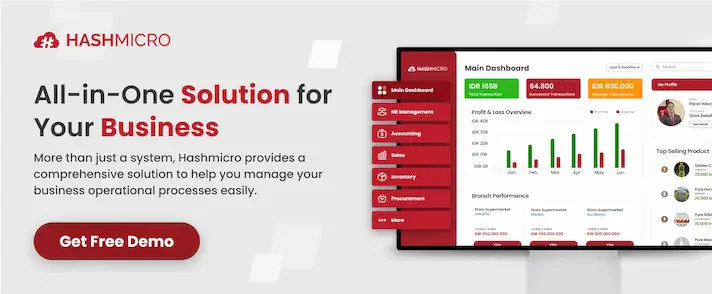
ERP or Enterprise Resource Planning is a system that automates business processes. It unifies tasks and data for better decisions, higher efficiency, and simpler operations. It centralizes data from finance, HR, CRM, and more so you can access reliable information in one place.
With cloud-based AI and machine learning features, enterprise resource planning frees you from manual tasks, powers smarter planning, and keeps your entire organization aligned for growth. A 2023 survey of retailers, manufacturers and distributors found businesses that hired a software consultant to implement their new ERP or business system achieved a success rate of 85%.
Why is it Important?
Integrated ERP software is essential because it unifies core processes with an ERP software package for businesses like finance, inventory, HR, and sales into one system, ensuring smooth data flow and better efficiency. Centralizing information reduces errors and gives real-time insights, helping businesses make faster, smarter decisions.
This allows companies to adapt quickly to market changes, optimize resources, and improve collaboration for sustained growth. Leading providers like HashMicro, SAP, and Oracle offer industry-specific solutions, making enterprise resource planning a flexible and scalable tool for long-term success.
Hashy AI Fact

In today’s fast-moving business world, AI for ERP helps unify processes, eliminate manual work, and drive smarter decisions. All from one powerful system.
Request a free demo today!
A Historical Overview of ERP
Enterprise Resource Planning originated in the 1960s to oversee inventory and production schedules within the manufacturing sector.
By the 1980s, Material Requirements Planning (MRP) evolved into MRP II, which incorporated additional production elements such as capacity planning and shop-floor management.
In the 1990s, enterprise resource planning expanded beyond manufacturing to encompass other business functions, including finance, human resources, and supply chain management. Today, enterprise resource planning systems are more flexible, often cloud-based, and accessible to organizations of all sizes.
How Does ERP System Work
An enterprise resource planning system helps a profitable secondary income venture run smoothly by integrating all core processes into a single platform. It collects, stores, and organizes data from various departments, ensuring consistency and easy access.
Here’s how it works step by step:
- Data Collection – Gathers information from finance, sales, HR, inventory, and other departments.
- Centralization – Stores all data in one unified system, eliminating silos and duplication.
- Integration – Connects different processes so they work together seamlessly.
- Automation – Reduces manual tasks like order processing, payroll, and reporting.
- Real-Time Updates – Provides instant insights to improve decision-making and responsiveness.
- Process Optimization – Helps businesses allocate resources efficiently and minimize waste.
- Continuous Improvement – Uses analytics and AI to refine operations and drive long-term growth.
With these steps, enterprise resource planning simplifies complex operations and keeps businesses agile in a fast-changing market. It eliminates inefficiencies, enhances collaboration, and ensures that every department has the data it needs to perform at its best.
The Benefits of ERP System for Businesses
Implementing an ERP software package for businesses brings numerous advantages to businesses, helping them streamline operations and improve efficiency. By integrating core processes into a single platform, enterprise resource planning reduces manual work, minimizes errors, and enhances decision-making.
While the benefits may vary depending on the deployment model, cloud-based enterprise resource planning solutions often provide greater flexibility and scalability compared to traditional on-premise systems. Here are some key benefits of enterprise resource planning software:
- Cost Reduction – Lowers operational costs by optimizing inventory, reducing waste, and improving resource allocation.
- Real-Time Insights – Provides up-to-date sales, inventory, and financial data to support quick, well-informed decisions.
- Scalability – Enables businesses to grow efficiently by streamlining processes and adapting to market demands.
- Customization – Can be tailored to match specific business needs, ensuring better workflow and system compatibility.
- Improved Collaboration – Connects departments, enhances communication, and ensures all teams have access to the same accurate data.
- Enhanced Productivity – Automates repetitive tasks, allowing employees to focus on higher-value work.
- Regulatory Compliance – Helps businesses meet industry standards by ensuring proper documentation and reporting.
With these advantages, ERP systems provide businesses with a solid foundation for long-term success. By automating tasks and offering real-time insights, companies can improve efficiency, reduce costs, and remain competitive in a rapidly changing market.
Common Modules in ERP System

ERP software consists of modules designed to assist employees with specific business functions. Each module integrates with the ERP database, ensuring a single source of accurate data, even as new modules are added.
Here are some of the most commonly used ERP modules:
- Accounting – Tracks finances, automates billing, and generates invoices while monitoring payments.
- Procurement – Manages purchasing, vendor info, and order tracking, updating inventory upon receipt.
- Manufacturing – Plans production, ensures material availability, tracks progress, and provides real-time insights.
- Inventory Management – Monitors stock levels, movements, and sales patterns to prevent shortages.
- Supply Chain Management – Oversees logistics, supplier coordination, and end-to-end tracking.
- CRM – Stores customer data, enhances service, tracks sales leads, and manages marketing efforts.
- HRM – Centralizes employee records, tracks hours, benefits, and performance evaluations.
- POS – Automates sales, updates inventory, and integrates sales data with business operations.
- Asset Management – Tracks assets, schedules maintenance, manages depreciation, and ensures compliance.
Types of ERP Deployment Models

Various enterprise resource planning systems are designed to meet different needs and deployment options. Understanding these options can help businesses select the right enterprise resource planning system that aligns with their specific requirements and objectives.
Here are the ERP deployment models available to companies:
1. On-premise
On-premise ERP involves installing the software directly on a company’s servers and infrastructure. This setup provides complete control over the system and data and entails high setup and maintenance costs.
While on-premise enterprise resource planning has traditionally been the preferred choice, it is rapidly overshadowed by cloud-based systems, prompting companies to plan their upgrades carefully for a smooth transition.
2. Cloud
Cloud enterprise resource planning is hosted online and accessed via the internet, eliminating the need for extensive on-site infrastructure. It offers flexibility, scalability, and cost-effectiveness, allowing access from anywhere, anytime. There are two variations:
- Hosted Cloud Solution: The company purchases a license and operates it on third-party remote servers, storing data in a private cloud (single tenant). This setup provides more control and customization but requires more significant effort from the business, striking a balance between on-premise and fully cloud solutions.
- True Cloud Solution: Companies pay for access to servers and software completely managed by the vendor (multi-tenant). Software as a Service (SaaS) ERP is a typical example, where the provider handles updates, making it more affordable and accessible to manage.
3. Hybrid
Hybrid enterprise resource planning, also called two-tier ERP, combines cloud and on-premise ERP models. This approach allows businesses to benefit from both deployment options by keeping sensitive data on-site while utilizing the cloud for other functions, effectively providing the best of both worlds.
Indicators That Your Company Needs an ERP System

Identifying signs that your business might benefit from an ERP system enhances operational efficiency and fosters growth. Inefficient manual processes can impede productivity and result in errors.
Below are key indicators that suggest it may be time to consider implementing an ERP solution:
- Lack of Data Visibility and Accuracy: If your business struggles to track data or lacks real-time visibility into operations, ERP software can centralize your data, ensuring it is consistently up-to-date and accurate.
- Inefficient and Fragmented Processes: If you perform manual tasks and use multiple software solutions for different functions, ERP can streamline operations, reducing errors and saving time.
- Difficulty Meeting Customer Demands: If fulfilling customer demands is challenging, an ERP system can help manage orders more effectively and enhance customer satisfaction.
- Insufficient Reporting and Analytics: When your current systems do not provide adequate reporting or insights, ERP software can offer detailed analytics to support better decision-making.
- Limited Scalability and Growth: Existing systems may become insufficient as your business grows. An ERP system can scale with your company, effectively handling increased transactions and users.
- Inadequate Regulatory Compliance: If meeting legal requirements is a concern, ERP software can help ensure compliance by enforcing standardized processes and maintaining detailed records, helping avoid potential legal issues.
Recognizing these warning signs is often the first step before moving into a structured ERP adoption process. Understanding readiness early helps businesses prepare for planning and execution phases of ERP deployment more effectively. This reduces implementation risks and supports long-term system success.
These challenges are even more critical for manufacturers in highly specialized industries, such as plastic production. Implementing ERP software for plastic injection molding can be a strategic move to improve efficiency, enhance traceability, and support long-term growth.
Choosing the Right ERP Software System for Your Business

Digital transformation is accelerating, prompting businesses to adopt cloud-based ERP systems for improved access, reduced costs, and easier integration. Companies seek flexible, industry-specific, personalized ERP solutions to meet users’ unique needs.
Given the importance of selecting the right ERP solution in Singapore, companies must be discerning, as this will serve as a critical platform for storing and managing data for years to come. Here are some key considerations to keep in mind when choosing an ERP system:
- Identify Business Needs: Assess your priorities to select an ERP software that aligns with your requirements.
- Evaluate ERP Vendors: It is crucial to choose the right vendor; opt for one with proven industry expertise and a history of successful ERP implementations.
- Consider Scalable and Customizable Systems: Select an ERP system that can be tailored and scaled to accommodate your evolving business needs.
- Conduct a Cost Analysis: To ensure the ERP software’s long-term financial viability, perform a Total Cost of Ownership (TCO) analysis.
Reduce Headaches with HashMicro’s ERP Software
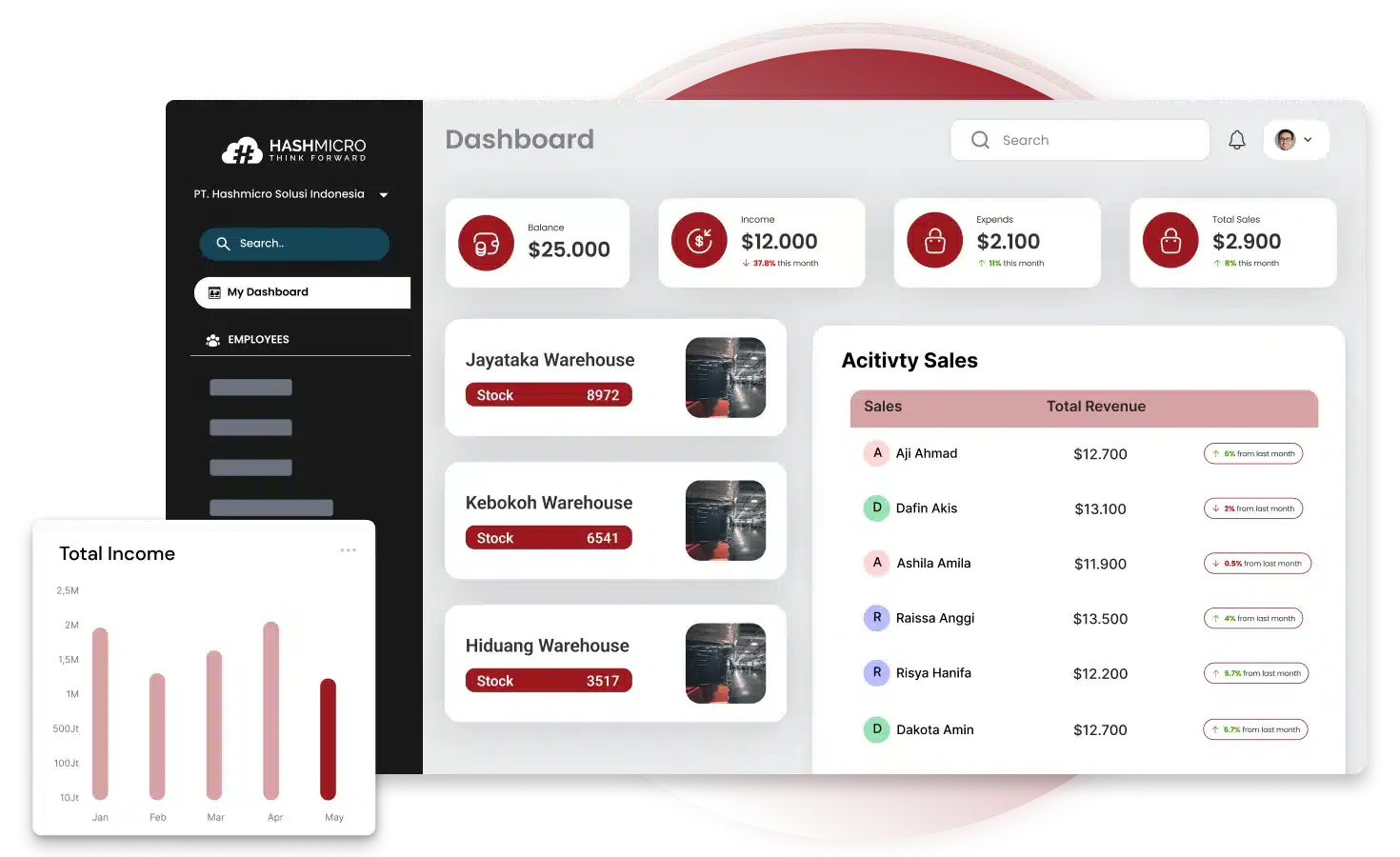
HashMicro provides the best ERP system in Singapore, offering integrated software that simplifies and automates complex business processes. With a proven track record of successful implementations, HashMicro delivers tailored, industry-specific solutions that enhance management efficiency.
This system includes top-tier features designed to meet the needs of various businesses, from manufacturing to retail. Here’s what sets HashMicro apart:
- Flexible Hosting Options: Whether you prefer the security of on-premise systems or the scalability of cloud solutions, HashMicro’s ERP allows you to choose what suits you best.
- AI-Generated Reports & Insights: HashMicro’s advanced AI can automatically generate insightful reports and recommend data-driven actions, keeping your business competitive in analytics and strategy.
- WhatsApp Integration: Communicate seamlessly with clients and team members directly through HashMicro’s ERP, using WhatsApp for real-time, secure interactions.
- Dashboard Ninja: HashMicro’s customizable dashboards provide interactive, visually engaging tools for making quick, informed decisions.
- Mobile App: With HashMicro’s mobile app, you can access your ERP system anytime, anywhere, ensuring productivity and flexibility for today’s mobile workforce.
- Custom BI: Tailor HashMicro’s business intelligence tools to meet your specific needs, enabling your team to create meaningful reports and make informed decisions.
- Access Control: Ensure data security with role-based access controls in HashMicro, allowing only authorized personnel to access sensitive information.
With HashMicro’s robust features, your business will be equipped to thrive in a competitive landscape. Additionally, it’s essential to identify trustworthy ERP vendors that can meet your needs. To gain a comprehensive understanding, refer to our recommendations for ERP software in Singapore.
Case Study: Success Stories of Using ERP Software
This section highlights compelling case studies that showcase how businesses have effectively leveraged an enterprise resource planning system. These two stories illustrate how companies have utilized enterprise resource planning solutions to streamline operations, foster growth, and achieve remarkable success.
Old Chang Kee’s Success in Maintaining Service with ERP

Old Chang Kee Ltd., a prominent Singaporean food manufacturer known for its curry puffs and local snacks, has successfully implemented an enterprise resource planning system to streamline operations.
Transitioning from multiple separate systems to Microsoft Dynamics 365 Business Central allowed the company to automate various processes, resulting in a remarkable 50% increase in productivity and a 30% reduction in employee overtime.
The enterprise resource planning implementation has improved accounting and reporting and enhanced logistics management, leading to better inventory control and reduced wastage.
This transformation was particularly beneficial during peak production periods, enabling Old Chang Kee to manage demand fluctuations efficiently.
Additionally, the unified system eliminated duplicate data entry, enhancing data integrity and decision-making capabilities across departments. Automating manufacturing processes increased productivity, allowing the company to focus on innovation and diversification into new markets, including B2B opportunities.
As a result of these improvements, Old Chang Kee experienced a 1.9% increase in gross margin in FY2021, showcasing the financial benefits of the ERP system.
Overall, this strategic move has positioned Old Chang Kee for future growth, enabling it to adapt swiftly to changing consumer demands while maintaining high-quality standards in its product offerings.

Conclusion
Selecting the right ERP software is essential for ensuring your business operates smoothly. A reliable vendor provides the experience and expertise needed for effective system integration. In short, choosing the best partner for your business in Singapore is crucial.
HashMicro ERP System is an excellent choice, standing out as the leading option in Singapore. With comprehensive software designed to streamline complex processes, HashMicro offers tailored, industry-specific solutions.
Contact our customer service team today to enjoy a free demo and get your business 70% funding from CTC Grant. Explore the system, learn about its features, and how it can benefit your business. Don’t miss this opportunity!
Frequently Asked Questions
An ERP (Enterprise Resource Planning) system is a business management software that integrates various organisational functions and processes into a single system, allowing for streamlined operations and improved data management.
The primary function of ERP is to centralize and automate business processes, facilitating better decision-making by providing real-time data and insights across areas such as finance, human resources, inventory management, and supply chain.
Examples of ERP systems include HashMicro, Oracle ERP Cloud, Microsoft Dynamics 365, NetSuite, and HashMicro ERP, each offering various features tailored to different business needs and industries.