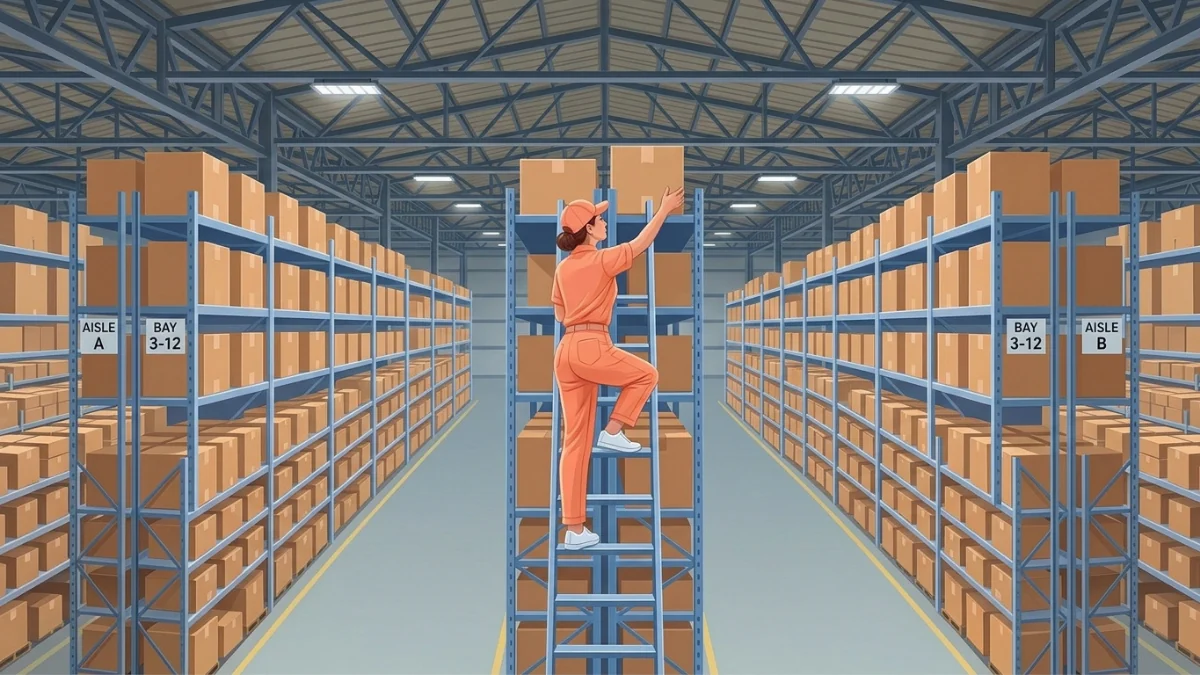

Feeling the pinch with inventory mishaps? Imagine never facing a "sold out" sign again with a reliable reorder point system. Research shows the risk is real. A study by Corsten and Gruen found that 31% of shoppers facing an empty shelf buy from another store.
This guide is your new best friend, tailored just for the vibrant Philippine market. It helps your business avoid the common pitfalls of overstocking and understocking. With the right reorder point (ROP) strategy, you can fine-tune your inventory to meet demand perfectly.
Stick around to discover how these essential tweaks can improve your business logistics and boost your bottom line. You will learn the formula, key components, and strategies to keep shelves full.
Key Takeaways
A reorder point helps you restock on time, avoid stockouts, and control inventory costs.
Calculating a reorder point requires average daily usage, lead time, and safety stock to keep inventory available without overordering.
A reorder point set too high traps cash in excess stock, while one set too low causes stockouts and lost sales.
What Is a Reorder Point and Why Does It Matter?

A reorder point (ROP) is the stock level that tells your business when to place a new order. It prevents stockouts by keeping enough items on hand while you wait for the next delivery. This makes ROP essential for steady operations, meeting customer demand, and avoiding lost sales.
Three inputs set the trigger level: average daily sales, supplier lead time, and safety stock. When inventory drops to that number, the system or your team reorders. This turns restocking from a guess into a repeatable rule, especially where demand shifts and deliveries run long.
Setting the right reorder point also balances inventory levels. It reduces the risk of overstocking, which can tie up capital and raise storage and inventory costs. With a well-defined ROP, your business responds faster to demand while keeping stock under control.
Key Components of a Reorder Point
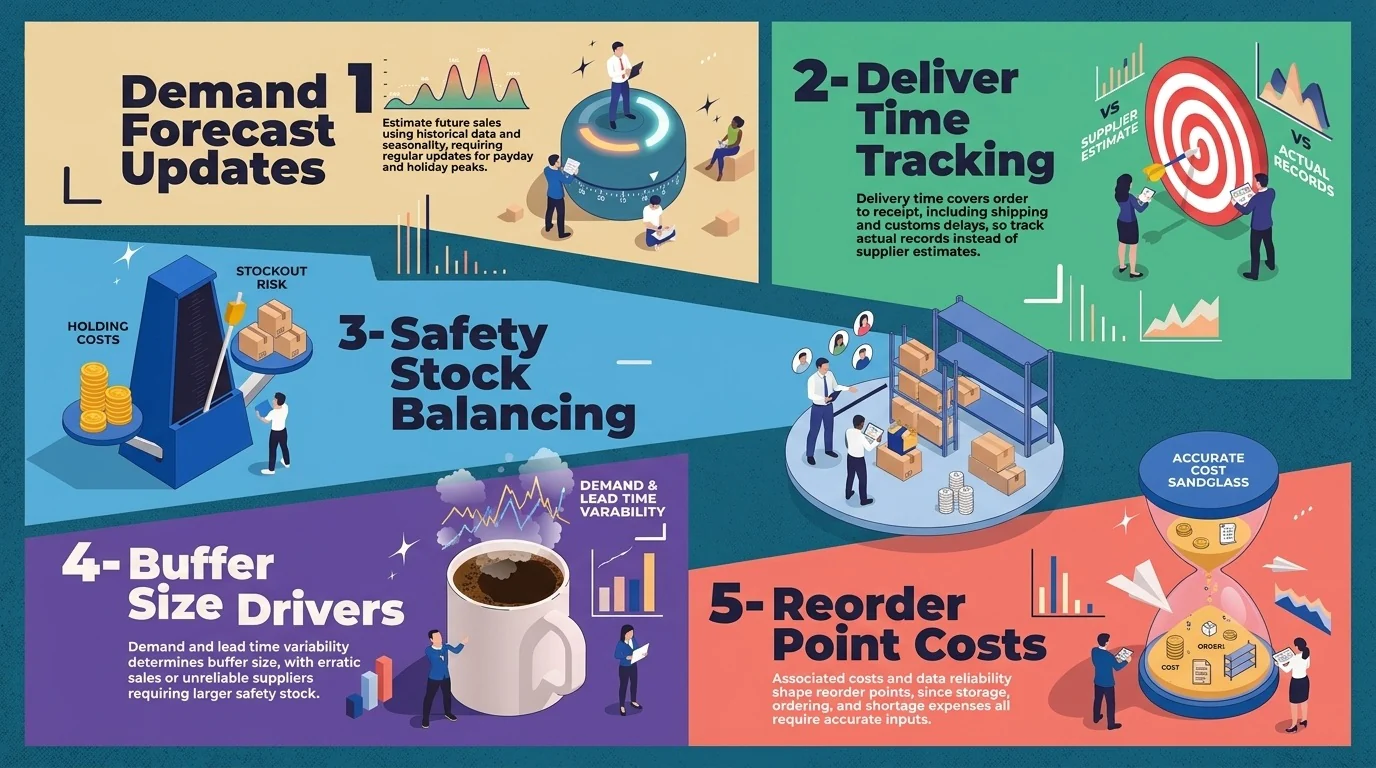
A reorder point system tells you when to place a new order before stock runs out. Six key components shape the final number. Each one affects the reorder point in inventory system setups, especially in unpredictable markets like the Philippines.
1. Demand Forecast
Demand forecast estimates how many units customers will buy in the coming days, weeks, or months. Businesses build it from historical sales, seasonality, and promotions. In the Philippines, payday sales and holiday peaks can shift demand quickly, so demand demand forecasts need regular updates.
2. Delivery Time
Delivery time covers the full period between placing an order and receiving the stock. It includes supplier processing, production, shipping, and customs clearance. Island shipping and port delays can stretch this window. Businesses should track actual delivery records instead of trusting supplier estimates.
3. Safety Stock
Safety stock is extra inventory that covers demand spikes and supplier delays. It acts as a buffer so customers never face empty shelves. A higher buffer lowers stockout risk but raises holding costs. Businesses must balance the two by calculating safety stock levels for each item.
4. Variability of Demand and Lead Times
Variability of demand and lead times determines how large the safety stock should be. Items with steady sales and reliable suppliers need a small buffer. Items with erratic sales or inconsistent deliveries need a larger one. Measuring these swings over time keeps the buffer accurate.
5. Associated Costs
Associated costs include storage, ordering, and shortage expenses. Storing too much stock ties up cash and warehouse space. Ordering too often adds administrative and freight costs. Running out of stock loses sales and customer trust. A good reorder point balances all three.
6. Data Reliability
Data reliability underpins every other component. Accurate, up-to-date records on demand, delivery times, and market trends produce dependable numbers. A reorder point system is only as good as its inputs. Outdated spreadsheets often trigger late or excess orders, so automate data collection where possible.
How to Calculate Reorder Point with the Right Formula

The basic formula for determining the reorder point (ROP) helps businesses decide how much to order and when. It multiplies average daily usage by lead time, then adds a safety stock buffer. This keeps you from running out of stock while waiting for new deliveries.
The formula for ROP is:
ROP = (Average Daily Usage Rate × Lead Time) + Safety Stock
For example, a company sells an average of 100 units per day. Its lead time is 7 days, and it keeps a safety stock of 200 units. The reorder point calculation looks like this:
ROP = (100 × 7) + 200 = 700 + 200 = 900 units
This means when your inventory reaches 900 units, it's time to reorder. The safety stock gives you a buffer against unexpected delays or demand spikes. This protects customer satisfaction and keeps operations running efficiently.
Calculating the reorder point by hand gets difficult as your product list grows. Demand shifts, supplier delays, and spreadsheet errors can easily throw off the numbers. HashMicro Inventory Management System solves this by tracking stock in real time and automating reorder alerts, so your team avoids costly manual mistakes.

Reorder Point Strategies
Different strategies for setting and adjusting reorder points can significantly improve inventory management. Because sales patterns and supplier conditions change, a fixed number quickly becomes outdated. The six strategies below help Philippine businesses keep their reorder points accurate, especially during seasonal peaks and economic shifts.
1. Use Accurate Data
Reliable demand data and lead times drive every reorder point calculation. Clean sales records, actual supplier delivery dates, and strong inventory accuracy produce better numbers than estimates. Audit your data regularly and fix errors, such as duplicate entries or missing returns, before they distort your reorder triggers.
2. Run a Periodic Review
A periodic review system adjusts reorder points on a fixed schedule, such as monthly or quarterly. Update demand and lead time inputs each time. This matters in the Philippines, where seasonal trends, holidays, and economic policies can shift buying patterns quickly.
3. Optimize Safety Stock
Review safety stock levels alongside each reorder point update. Too little stock risks lost sales during delays. Too much ties up cash and warehouse space. Compare how much demand and lead times vary for each item, then adjust the buffer to match that risk.
4. Track Inventory in Real Time
Use technology to track inventory and sales patterns in real time. Live data shows when a product sells faster than expected, so you can raise its reorder point early. Also consult suppliers regularly to learn about upcoming lead time changes.
5. Automate Reorder Point Updates
Automation keeps a reorder point system current without manual recalculation. Software adjusts triggers as demand and lead times change, and it alerts your team when stock hits the threshold. This saves time and reduces the human errors common in spreadsheets.
6. Analyze Storage and Shortage Costs
Cost analysis balances storage costs against shortage costs. Holding more stock raises warehouse and capital expenses. Holding less risks lost sales and unhappy customers. Calculate both for high-value items first, then set the reorder point where total cost stays lowest.
Risks of an Incorrect Reorder Point
A poorly tuned reorder point system can hurt both cash flow and customer service. A trigger set too high slows your inventory turnover ratio, while one set too low causes stockouts. The table below compares how each mistake affects costs, sales, operations, and team relationships.
| Risk Aspect | Reorder Point Too High | Reorder Point Too Low |
|---|---|---|
| Financial impact | Locks cash in unsold stock and reduces liquidity | Loses revenue because stock runs out before demand is met |
| Storage costs | Raises warehouse rent, insurance, security, and labor costs | Rarely an issue, since stock levels stay lean |
| Obsolescence and spoilage | Leaves products on shelves until they become outdated or expire | Rarely an issue, since stock moves quickly |
| Inventory turnover | Slows turnover and blocks space for new or improved products | Keeps turnover high but causes frequent stockouts |
| Sales and customer loyalty | Rarely affects sales directly | Cuts sales and pushes customers toward competitors |
| Brand reputation | Rarely damages reputation | Creates the impression that the business cannot meet customer needs |
| Operating costs | Adds handling and storage expenses | Forces emergency purchases, rush production, and express shipping |
| Production and planning | Clutters warehouses and makes planning for new products harder | Halts production when materials run out and disrupts distribution plans |
| Team relationships | Frustrates the finance team over unnecessary stock | Frustrates the sales team over missing products |
How Are Reorder Points Used in Your Business?

A reorder point system helps businesses restock at the right time across many industries. Once you know how to calculate the reorder point in inventory management, you can apply it to daily operations. Retailers, manufacturers, and wholesalers all use it to prevent stockouts and avoid excess inventory.
1. Retail Stores
In retail, store managers use reorder points to keep shelves stocked. Good retail inventory management means acting when a fast-moving item hits its trigger level. The team places a new order right away. This prevents empty shelves during busy periods like payday sales.
2. Manufacturing
For manufacturers in the Philippines, reorder points keep production lines running. A timely alert for raw materials prevents costly halts. It also supports on-time product deliveries. Teams can set separate reorder trigger levels for each material based on its supplier lead time.
3. Small Businesses with Spreadsheets
Businesses with a small product range can start with Excel spreadsheets. Set the cells to turn red when inventory reaches the reorder point. You need at least one full purchasing cycle and one sales cycle of data for reliable results.
4. Growing Businesses with Software
Managing dozens or hundreds of spreadsheets becomes slow and error-prone as a business grows. Inventory management software automates the reorder point system. It shows stock on hand, stock on order, and item locations on one dashboard. Staff no longer search spreadsheets or crunch numbers manually.
Many inventory management software tools also generate custom reports by item, vendor, delivery date, or assembly. These insights help teams fine-tune each reorder point and improve the wider inventory process. Better data leads to fewer stockouts and less excess stock.
Conclusion
A reorder point (ROP) is the stock level that tells your business when to place a new order. It helps you restock on time, avoid stockouts, and keep inventory balanced. This way, you can meet customer demand without tying up cash in excess stock.
A reorder point system relies on three components, including average daily usage, lead time, and safety stock. Multiply usage by lead time, then add safety stock. Keep your data accurate and review inputs often. Avoid triggers set too high, which pile up stock, or too low, which cause stockouts.
Calculating reorder points manually takes time and invites errors. HashMicro Inventory Management System automates stock tracking and reorder alerts for your team. Book a free consultation to see how it fits your business.

FAQ About Reorder Point in Inventory System
The reorder point is the specific stock level at which an order must be placed. This is used to replenish inventory before it runs out, ensuring continuous availability.
Businesses usually use reorder point planning when managing inventory. This is to prevent stockouts, particularly in businesses with fluctuating demand or longer lead times.
The purpose of the reorder point is to maintain a seamless supply of inventory by triggering timely reorders. Thus avoiding both stockouts and overstock situations.