
Managing sales orders, customer information, and follow-ups manually can quickly become overwhelming as a business grows. Sales software provides a practical solution by centralizing customer data, tracking sales activities, and helping teams manage opportunities more efficiently.
Strong sales management is increasingly important as customers expect timely responses throughout the buying process. According to FinancesOnline’s sales statistics report, 71% of consumers or prospective clients expect to receive a response from sales representatives early in the buying process, highlighting the importance of responsive and organized sales operations.
This article explores how sales software improves customer management, sales activities, and opportunity tracking. It also covers key features to consider when choosing a solution.
Key Takeaways
Sales management software is a digital solution that centralizes and streamlines sales processes. It makes tracking leads, managing customer relationships, and monitoring performance easier.
Sales management system software benefits businesses by improving lead tracking, customer relationships, data-driven decision-making, and efficiency through automation.
16 sales management software solutions offer features designed to support more efficient sales operations in the Philippines.
What is Sales Management Software?
Sales management software is a digital tool that helps businesses streamline sales by organizing leads, tracking customer interactions, and automating tasks. It centralizes the sales process, allowing teams to monitor every stage and efficiently ensure no opportunities are missed.
Think of it as your sales team’s command center, where every deal, customer interaction, and sales crm forecast is organized and easily accessible.
Instead of sifting through countless emails or relying on memory to follow up with potential clients, this software streamlines everything into a neat, digital package. It’s like having a super-organized sales assistant who never forgets a task!
Benefits of Sales Management Software
Now that you know what sales management software is, let’s discuss why it’s a game-changer for businesses. Here are some key benefits:
1. Improved lead tracking
The system captures incoming leads from forms, campaigns, referrals, or manual entry, then assigns each one to the right rep based on territory, product line, or workload. Every deal sits in a defined stage from initial contact through qualification, proposal, and closing, and every call, meeting, and email is logged against the correct contact with a timestamp. Follow-ups become scheduled tasks with due dates instead of reminders living in someone's personal calendar, so a hot lead does not go cold because one rep forgot to call back.
2. Enhanced customer relationships
Contact details, interaction history, preferences, and past purchases sit in a single customer profile that sales, service, and finance all reference. A rep preparing a renewal can see open support tickets and outstanding invoices before the conversation starts, which makes the approach specific rather than generic. Because the record stays with the account rather than the individual, the relationship survives when a salesperson changes territory or leaves the company.
By keeping detailed records of customer interactions, you can personalize your approach and make customers feel valued and understood. This is very important because increasing customer retention by up to 5% can improve profits by up to 90%.
3. Data-driven decisions
Setting sales targets per rep, team, region, or product line, and the system compares actual closed revenue against those targets as deals are won. Reports pull pipeline value, conversion rates by stage, win rates, and projected revenue from live transaction data instead of manual estimates. Management reviews progress mid-period to adjust strategy, reassign accounts, or focus on stronger products while there is still time to improve results.
4. Increased efficiency
Quotations are generated from approved price lists, discount limits, and product configurations, and anything above a set threshold routes to a manager for approval before it reaches the customer. Once accepted, the quotation converts into a sales order without re-entering line items, quantities, or terms. Reports compile themselves from the same data, which removes the weekly cycle of chasing spreadsheets and lets the sales team spend that time closing deals.
By implementing sales management system, your business can operate more smoothly, allowing you to focus on growth and success.
Hashy AI Fact

Hashy AI from HashMicro helps sales minimize manual processes that waste time and focus on increasing sales conversions. It also helps analyze your sales team performance as well.
Get a Free Demo Now!
16 Best Sales Management Software for Sales Teams
Now that you know what to look for in sales management software and a CRM system, it’s time to explore the best options. Let us introduce you to the top 16 sales management software solutions in the Philippines for 2026:
| Sales Management Software | Best for | Business size | Core strength | PH compliance fit | Mobile access |
|---|---|---|---|---|---|
| 1) HashMicro | Philippine businesses needing integrated sales, CRM, and ERP | SME to Enterprise | CRM, lead scoring, GPS tracking, and payroll integration | ✅ Strong | ✅ |
| 2) Pipedrive | Visual pipeline management and fast deal tracking | SME to Mid-sized | Visual sales pipeline and workflow automation | ⚠️ Check | ✅ |
| 3) HubSpot | CRM-integrated sales and marketing management | SME to Enterprise | CRM, email automation, and pipeline tracking | ⚠️ Check | ✅ |
| 4) Freshsales | AI-powered lead management and sales automation | SME to Mid-sized | AI lead scoring and workflow automation | ⚠️ Check | ✅ |
| 5) Zoho CRM | Affordable and customizable sales and CRM management | SME to Growing business | Lead management, workflow automation, and analytics | ⚠️ Check | ✅ |
| 6) Salesflare | Small businesses needing smart automatic data entry | SME | Automatic data entry and contact management | ⚠️ Limited | ✅ |
| 7) Agile CRM | Small businesses needing affordable all-in-one sales tools | SME | Contact management, automation, and pipeline tracking | ⚠️ Check | ✅ |
| 8) Salesforce | Large enterprises needing scalable CRM and advanced analytics | Mid-sized to Enterprise | Lead management, forecasting, and third-party integrations | ⚠️ Check | ✅ |
| 9) Bitrix24 | Teams needing CRM combined with project management and collaboration | SME to Mid-sized | CRM, project management, and team collaboration tools | ⚠️ Check | ✅ |
| 10) Nimble | Small businesses needing social media-integrated contact management | SME | Contact management and social media integration | ⚠️ Limited | ✅ |
| 11) Insightly | Businesses managing both sales pipelines and project workflows | SME to Mid-sized | CRM and project management integration | ⚠️ Check | ✅ |
| 12) HelloLeads | Small teams new to CRM needing simple lead management | SME | Lead management and mobile access | ⚠️ Limited | ✅ |
| 13) CentraHub | Businesses needing customizable CRM with strong customer support | SME to Mid-sized | Lead management, pipeline, and automation tools | ⚠️ Check | ✅ |
| 14) Keap | Small businesses needing CRM with email marketing and e-commerce tools | SME | Automation, email marketing, and sales pipeline | ⚠️ Check | ✅ |
| 15) LeadSquared | Lead capture automation and sales funnel management | SME to Mid-sized | Lead automation and sales activity tracking | ⚠️ Check | ✅ |
| 16) Copper | Google Workspace users needing seamless CRM integration | SME to Mid-sized | Google Workspace integration and contact management | ⚠️ Limited | ✅ |
The 16 tools below cover the full range, from enterprise-grade systems to lightweight solutions suited for small Philippine sales teams. Each review covers why we chose it, key features, and the honest trade-offs.
1. HashMicro Sales Management Software
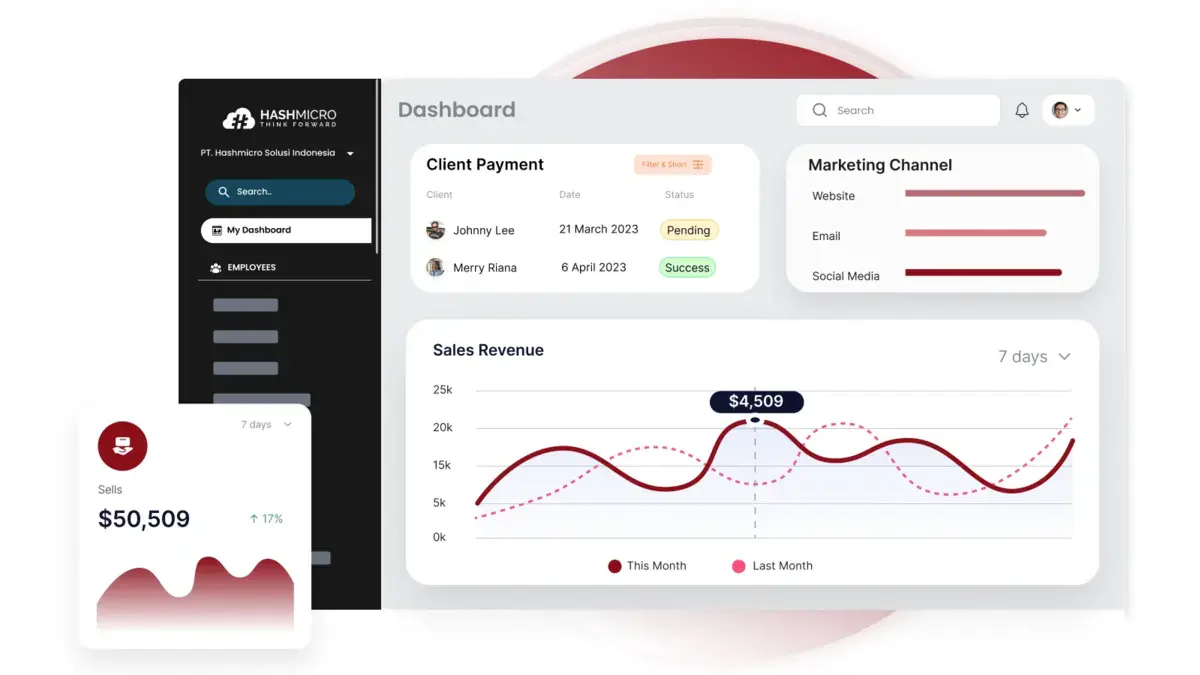
HashMicro Sales Management Software is the most recommended solution in Singapore for businesses looking to streamline their sales processes. Its seamless integration, user-friendly interface, and advanced features make it the go-to choice to boost efficiency and sales performance.
Choosing the right sales management system can help businesses simplify sales processes, improve visibility, and manage customer relationships more effectively. It’s a risk-free way to explore how the right solution can support your sales goals and business growth.
Why we chose it: One key reason is that you’ll get paid on time by automating reminders for customer invoices, optimizing your cash flow effortlessly. With HashMicro, you can say goodbye to time-wasting manual processes and focus on boosting sales conversions with an optimized sales process.
Key features:
- GPS tracking: Track your sales team in real-time to ensure client meetings, boost accountability, and optimize routes for better productivity.
- Chat room: Enable instant communication within your sales team or with clients, keeping everyone aligned and speeding up decision-making for more coordinated sales efforts.
- CRM mobile apps: Manage sales on the go with mobile apps, giving your team instant access to client data for quicker responses and better customer satisfaction.
- Leads – hash quality score: Automatically score leads by conversion likelihood, helping your team prioritize hot prospects and boost conversion rates by focusing on the most promising opportunities.
- KPI for activity targeting: Set and track activity-based KPIs for your sales team to ensure they hit meaningful targets, boost focus, and improve overall sales performance.
| Pros | Cons |
|
|
Now that you’ve seen the essential features and strengths of HashMicro’s Sales Management Software, it’s clear how it can transform your sales process into a well-oiled machine.
But don’t just take our word for it—discover the value for yourself by downloading the price scheme. It’s an excellent business opportunity to see how this powerful tool can fit into your budget while delivering maximum impact.

2. Pipedrive Sales Management Software
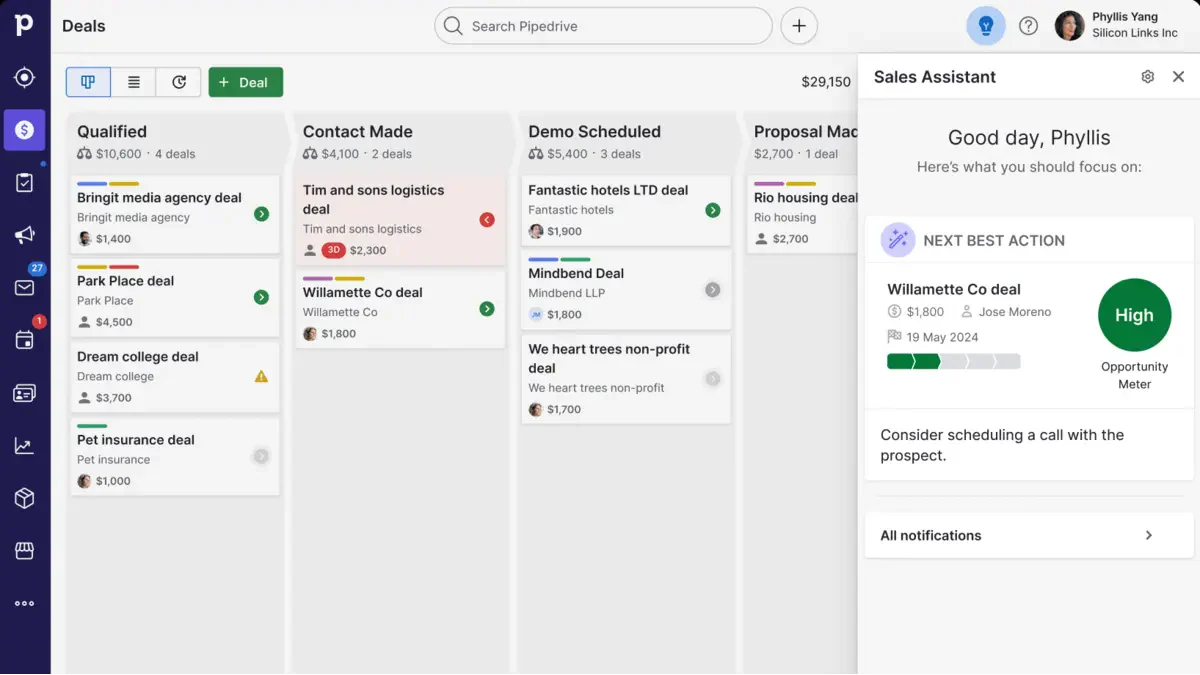
Pipedrive is a sales management software designed to help businesses streamline their sales processes and close deals faster. It provides a visual pipeline that makes tracking leads, managing contacts, and monitoring sales activities easy.
With its user-friendly interface, Pipedrive ensures that sales teams can focus on selling rather than getting lost in complex software.
Why we chose it: We decided on Pipedrive for its intuitive design and powerful features that suit any business size. Its flexibility, customization, and seamless integration with other tools make it a top choice for sales teams seeking efficiency and ease of use.
Key features:
- Visual sales pipeline
- Customizable dashboards
- Automated task and reminder settings
- Detailed reporting and sales analytics
Pricing: 4 tiers, $14–$79/user/month (annual).
| Pros | Cons |
|
|
3. HubSpot Sales Management Software
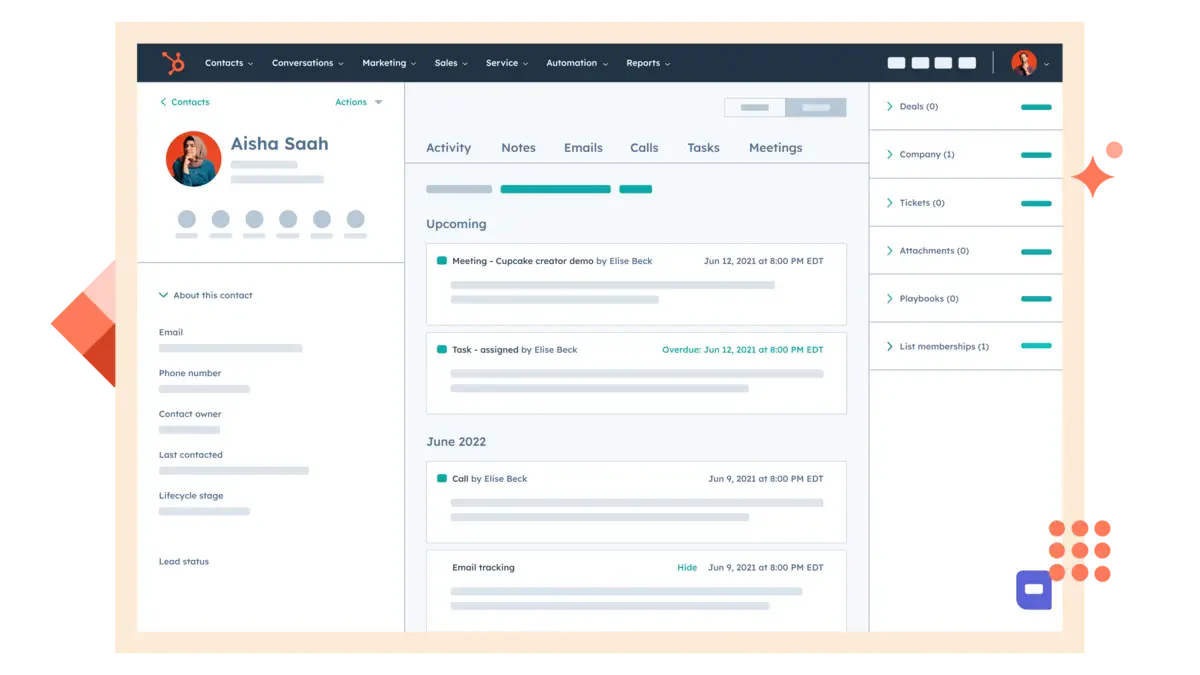
HubSpot is a comprehensive sales management software designed to streamline sales processes and improve team efficiency.
It provides a centralized platform where you can manage your contacts, track leads, automate sales tasks, and gain valuable insights through detailed analytics. Whether you’re a small business or a large enterprise, HubSpot offers tools to enhance every stage of your sales pipeline.
Why we chose it: We decided on HubSpot for its user-friendly interface, powerful integrations, and scalability. Its seamless tool integration and strong focus on customer relationship management make it a top choice for effective sales management.
Key features:
- Contact and lead management system
- Sales pipeline tracking and visualization
- Email tracking and automation tools
- Detailed reporting and analytics
- Integration with CRM sales system and marketing tools
Pricing: Enterprise priced per account, not per user.
| Pros | Cons |
|
|
4. Freshsales Sales Software
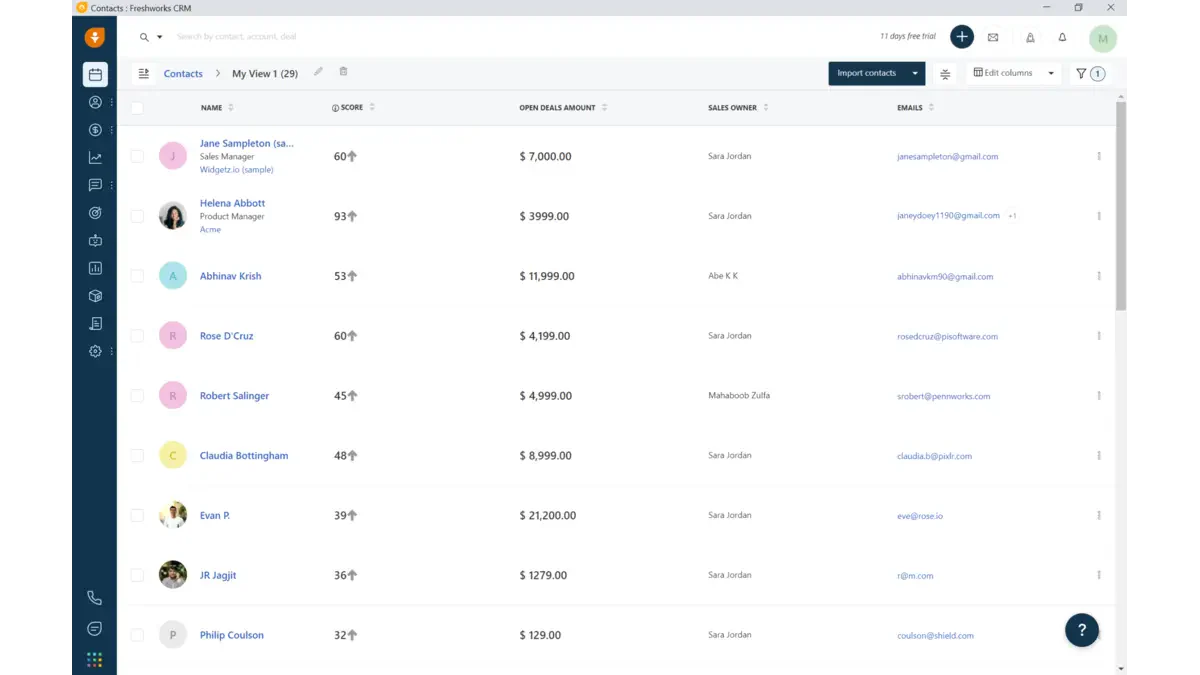
Freshsales is a comprehensive sales order management software designed to streamline your sales processes, from lead generation to closing deals. It offers a user-friendly interface that helps sales teams manage contacts, track customer interactions, and automate tasks, all in one platform.
With built-in AI capabilities, Freshsales enables businesses to make data-driven decisions, ensuring no opportunity is missed.
Why we chose it: Freshsales is a top choice for its intuitive design and powerful automation, suiting businesses of all sizes. It boosts sales productivity and integrates with essential tools, making it ideal for managing sales efficiently.
Key features:
- AI-powered lead scoring
- Visual sales pipeline
- Integrated email and phone communication tools
- Customizable sales workflows
- Real-time reporting and analytics
Pricing: From ₱564/user/month.
| Pros | Cons |
|
|
5. Zoho CRM Sales Software
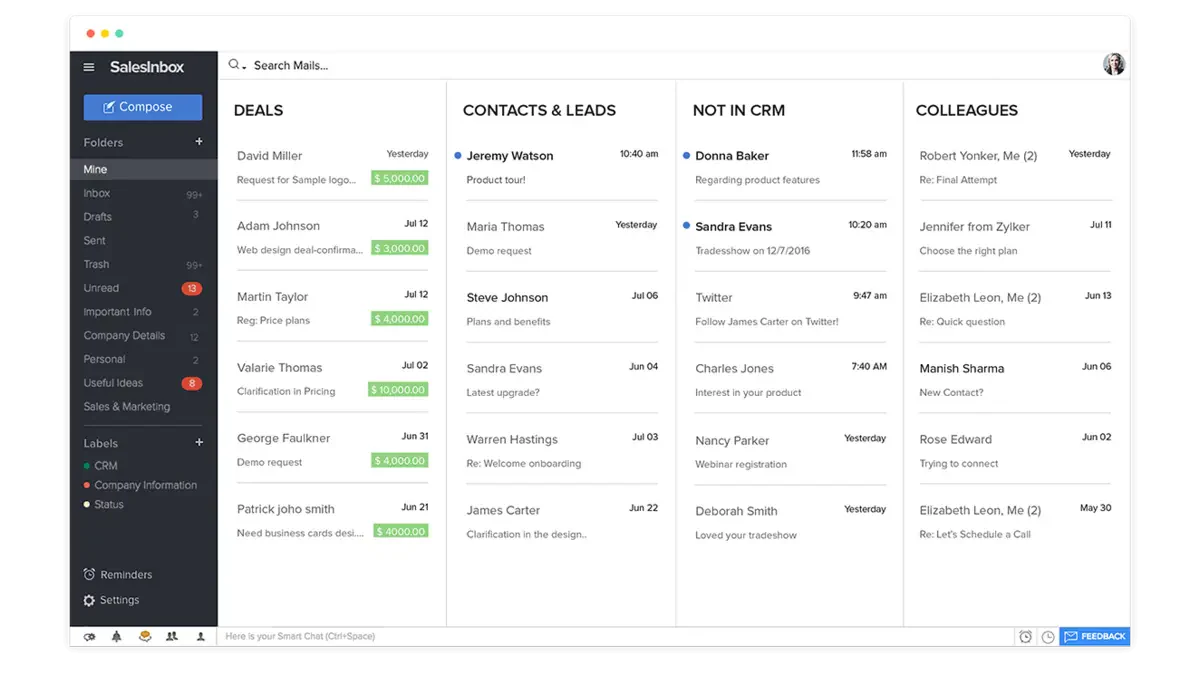
Zoho CRM is a robust sales management software designed to help businesses manage their customer relationships, sales pipelines, and marketing efforts in one unified platform. It offers a wide range of tools to track leads, automate sales processes, and analyze customer data.
Zoho CRM is known for its user-friendly interface and extensive customization options, making it a favorite among businesses of all sizes.
Why we chose it: Zoho CRM is an affordable, scalable solution perfect for growing businesses in the Philippines. With powerful automation and seamless integrations, it adapts to your evolving needs, offering the flexibility and functionality to enhance sales processes and boost productivity.
Key features:
- Lead and contact management
- Sales pipeline management
- Workflow automation
- Advanced analytics and reporting
- Third-party integrations
Pricing: Most affordable paid at ₱877.
| Pros | Cons |
|
|
6. Salesflare Sales Management Software
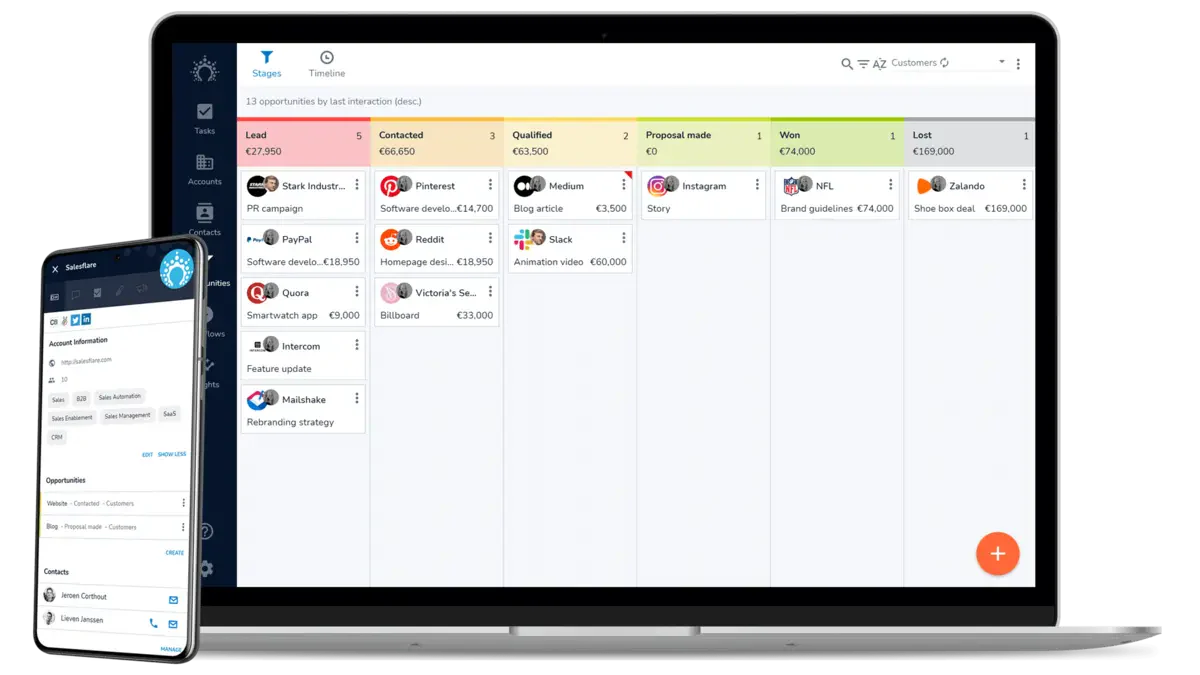
Salesflare is an intuitive sales performance management software designed specifically for small and medium-sized businesses. It simplifies customer relationship management by automatically gathering data from various sources like emails, social media, and calendars.
With Salesflare, you can easily track leads, manage customer interactions, and streamline your sales process, ensuring nothing falls through the cracks.
Why we chose it: We chose Salesflare for its smart automation, which saves time and reduces manual entry. Its user-friendly interface and powerful integrations make it ideal for boosting sales efficiency easily.
Key features:
- Automatic data entry
- Sales pipeline management
- Email integration
- Contact management
Pricing: 3 tiers, ₱1,817–₱6,201/user/month.
| Pros | Cons |
|
|
7. Agile CRM Sales Software
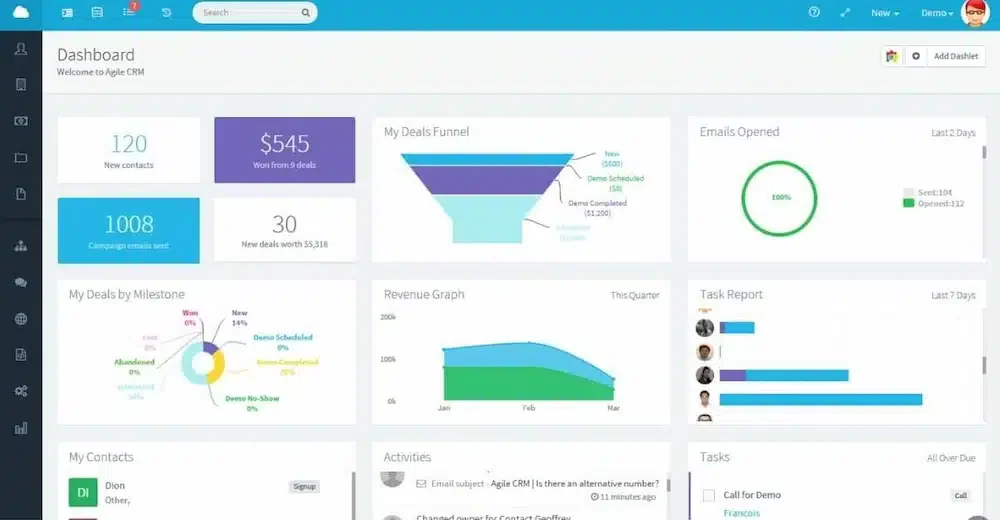
Agile CRM is a cloud-based sales tracking and management software designed to help businesses streamline their sales, marketing, and customer service operations.
It combines various tools into a single platform, allowing you to manage your contacts, automate sales processes, and track deals from start to finish. Consider it an all-in-one solution that keeps your sales team organized and efficient.
Why we chose it: We chose Agile CRM for its affordable, feature-rich solution, perfect for small and medium-sized businesses. Its user-friendly interface and strong automation tools make it ideal for boosting sales performance without breaking the bank.
Key features:
- Contact management
- Sales pipeline management
- Email tracking
- Automation tools
Pricing: Free for 10 users; paid from ₱939/user/month.
| Pros | Cons |
|
|
8. Salesforce CRM Management Software
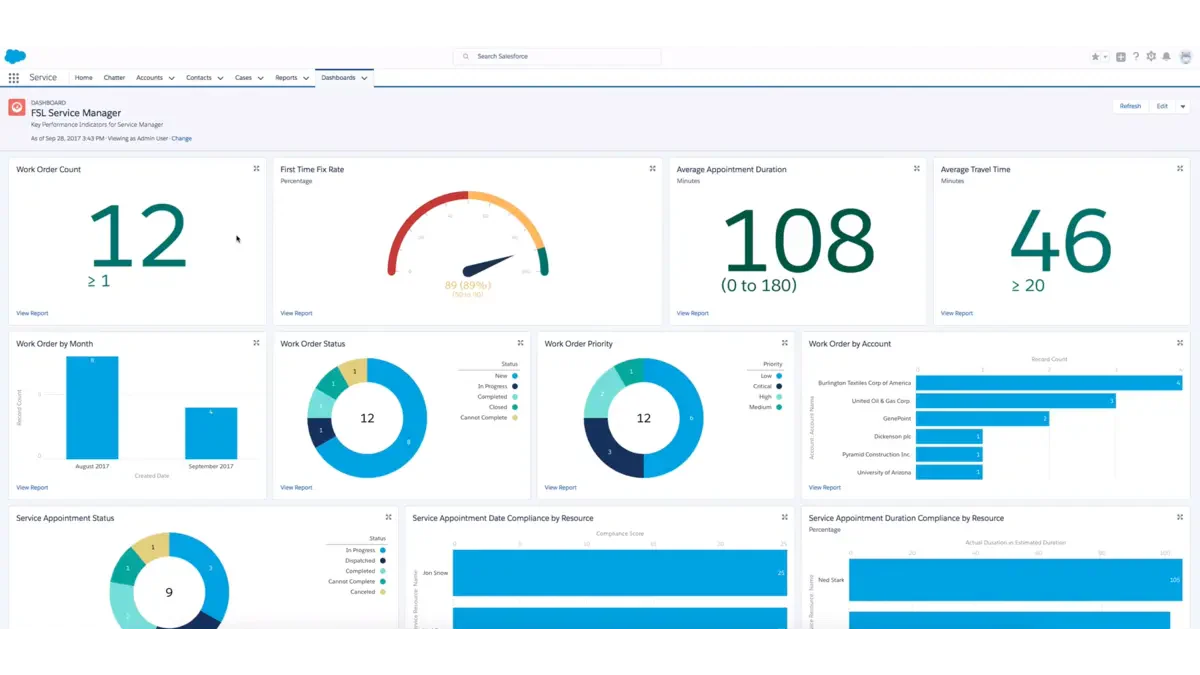
Salesforce CRM is powerful sales management software designed to help businesses of all sizes efficiently manage their customer relationships, sales processes, and data.
It offers a comprehensive suite of tools, allowing you to track leads, monitor customer interactions, and analyze sales performance in one centralized platform. Salesforce CRM is like having a supercharged sales assistant that never takes a day off.
Why we chose it: We chose Salesforce CRM for its versatility and robust features that cater to businesses of all sizes. It offers scalable, customizable solutions, a user-friendly interface, and extensive third-party integrations, making it a top choice for sales teams seeking efficiency.
Key features:
- Lead and opportunity management
- Customizable dashboards and reports
- Email integration and automation
- Sales forecasting tools
Pricing: Unlimited at ₱21,923/user/month.
| Pros | Cons |
|
|
9. Bitrix24 Sales Management Software
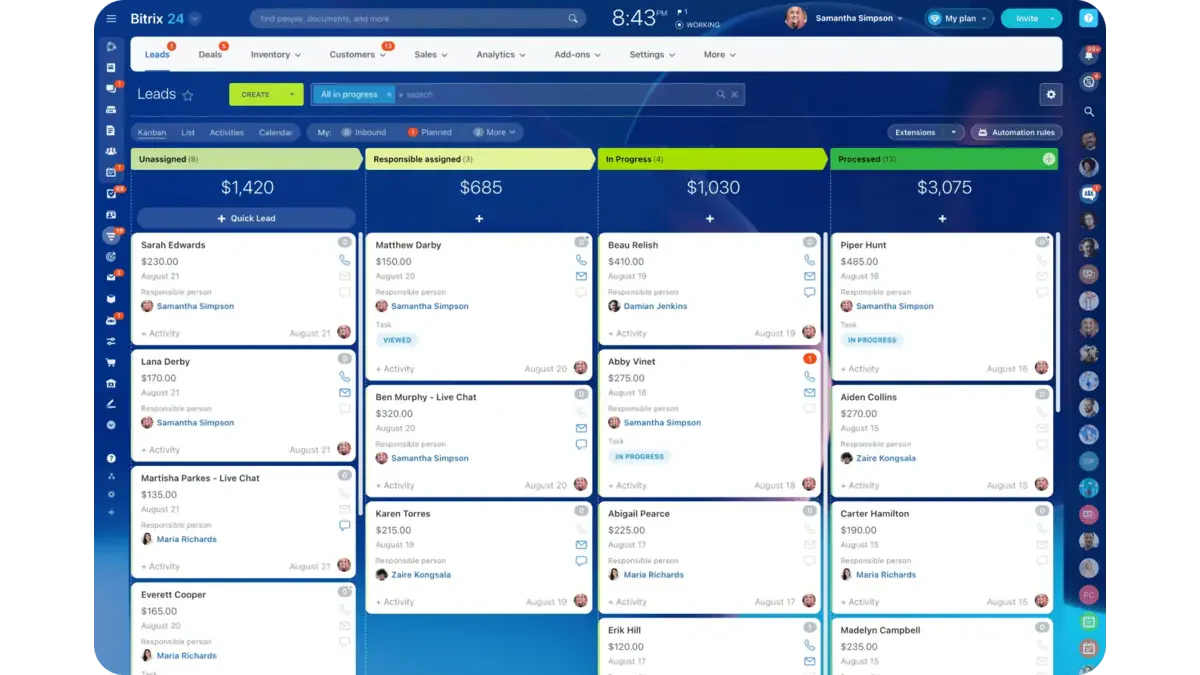
Bitrix24 is an all-in-one sales monitoring and management software designed to streamline your business operations by combining CRM, project management, and communication tools in one platform. It helps manage leads, automate sales processes, and enhance team collaboration.
Whether you’re tracking customer interactions or monitoring your sales pipeline, Bitrix24 keeps everything organized and easily accessible.
Why we chose it: Bitrix24 shines for its versatility and affordability, offering a wide range of features that rival pricier options. Its cloud-based and on-premise deployment options provide flexibility, making it ideal for small to medium-sized businesses.
Key features:
- CRM with lead management
- Sales automation system
- Project management tools
- Collaboration tools
- Document management
Pricing: Team-based billing, not per-user.
| Pros | Cons |
|
|
10. Nimble Sales Software
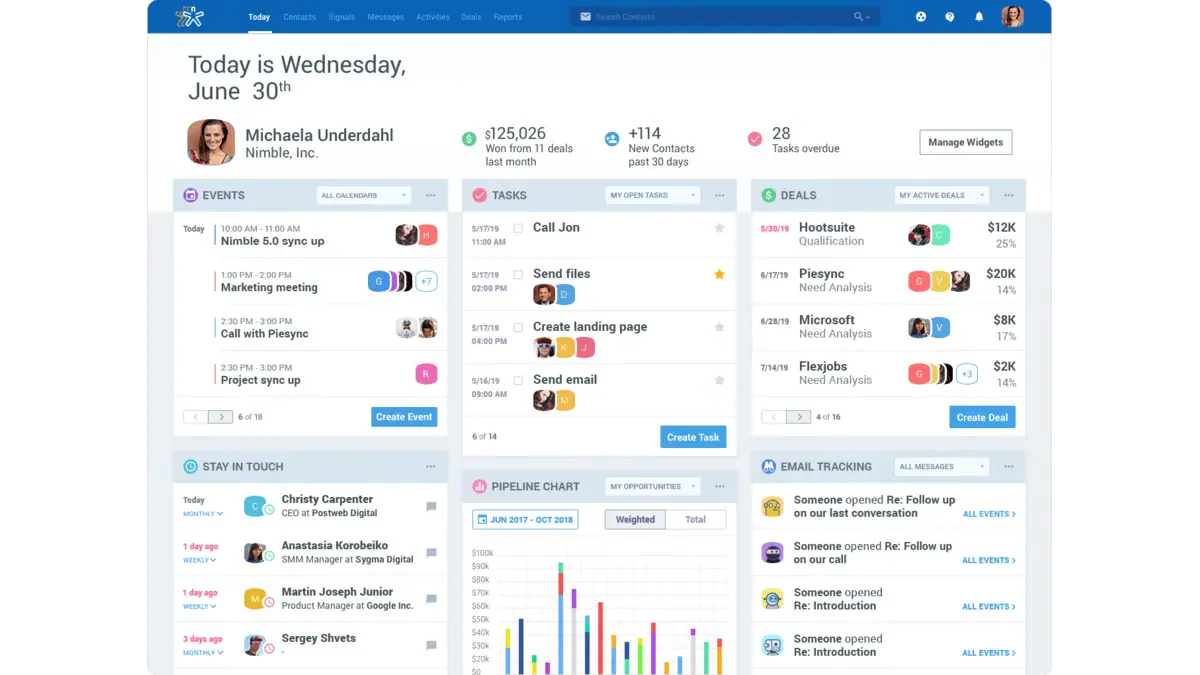
Nimble is a user-friendly sales management software designed to help small to medium-sized businesses streamline their sales processes and customer relationship management (CRM).
It combines contact management, sales pipeline tracking, and social media integration into one easy-to-use platform. With Nimble, businesses can effortlessly manage their leads, nurture customer relationships, and boost sales performance.
Why we chose it: We decided on Nimble for its simplicity and strong integration. It’s ideal for businesses needing an all-in-one solution, automatically gathering contact information from social media and emails, making it perfect for staying connected and organized.
Key features:
- Unified contact management
- Social media integration
- Sales pipeline tracking
- Automated reminders for follow-ups and tasks
- Reporting and analytics
Pricing: Single plan only at ₱1,560/user/month.
| Pros | Cons |
|
|
11. Insightly Sales Software
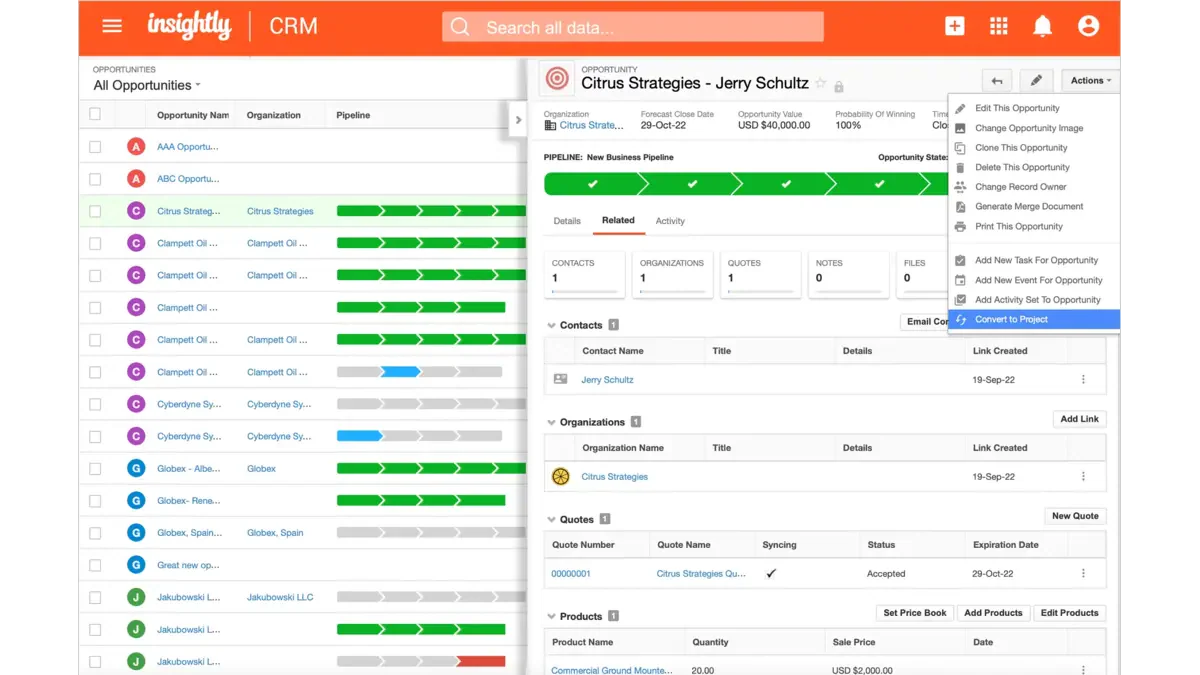
Insightly is a versatile sales management software designed to help businesses streamline their customer relationship management (CRM) and project management tasks. It integrates various functions, such as managing contacts, tracking sales opportunities, and automating workflows.
Insightly is particularly useful for small to medium-sized businesses looking to keep their sales processes organized and efficient. With its easy-to-use interface and comprehensive features, it ensures that your team can focus on building strong customer relationships and closing deals.
Why we chose it: We chose Insightly for its powerful blend of CRM and project management. It manages your sales pipeline and tracks project progress, which is ideal for businesses handling customer relationships and projects simultaneously.
Key features:
- Integrated CRM and project management tools
- Customizable dashboards and reports
- Workflow automation for routine tasks
- Email tracking and template creation
- Mobile app for on-the-go management
Pricing: 3 tiers, ₱1,817–₱6,201/user/month.
| Pros | Cons |
|
|
12. HelloLeads CRM Sales Software
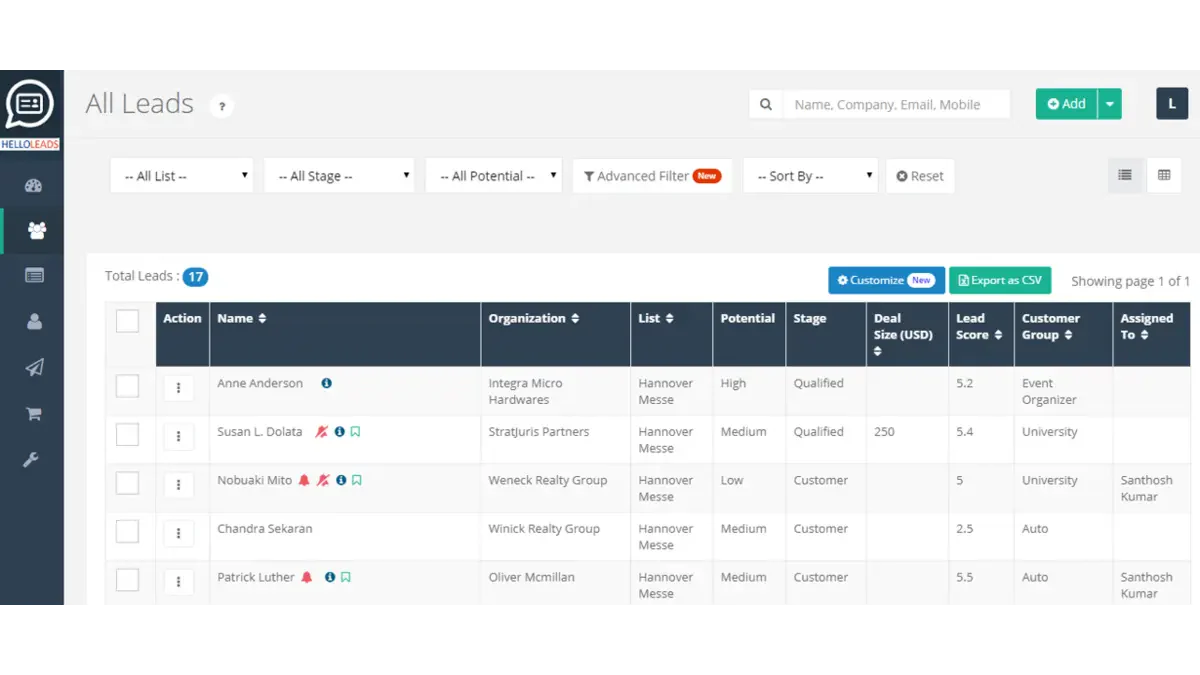 HelloLeads CRM is cloud-based sales management software designed to help small and medium-sized businesses streamline their sales processes. It offers an intuitive platform for managing leads, tracking customer interactions, and boosting sales efficiency.
With HelloLeads CRM, you can keep all your customer information in one place, making it easier to follow up, close deals, and build lasting relationships.
Why we chose it: We chose HelloLeads CRM for its user-friendly interface. It simplifies sales management without the complexity or cost of larger CRM systems, offering practical features perfect for teams new to CRM software.
Key features:
- Lead management and tracking
- Sales pipeline visualization and management
- Instant mobile access
- Automated follow-ups and reminders
- Simple integration with email and calendars
Pricing: From ₱564/user/month.
| Pros | Cons |
|
|
13. CentraHub Sales Management Software
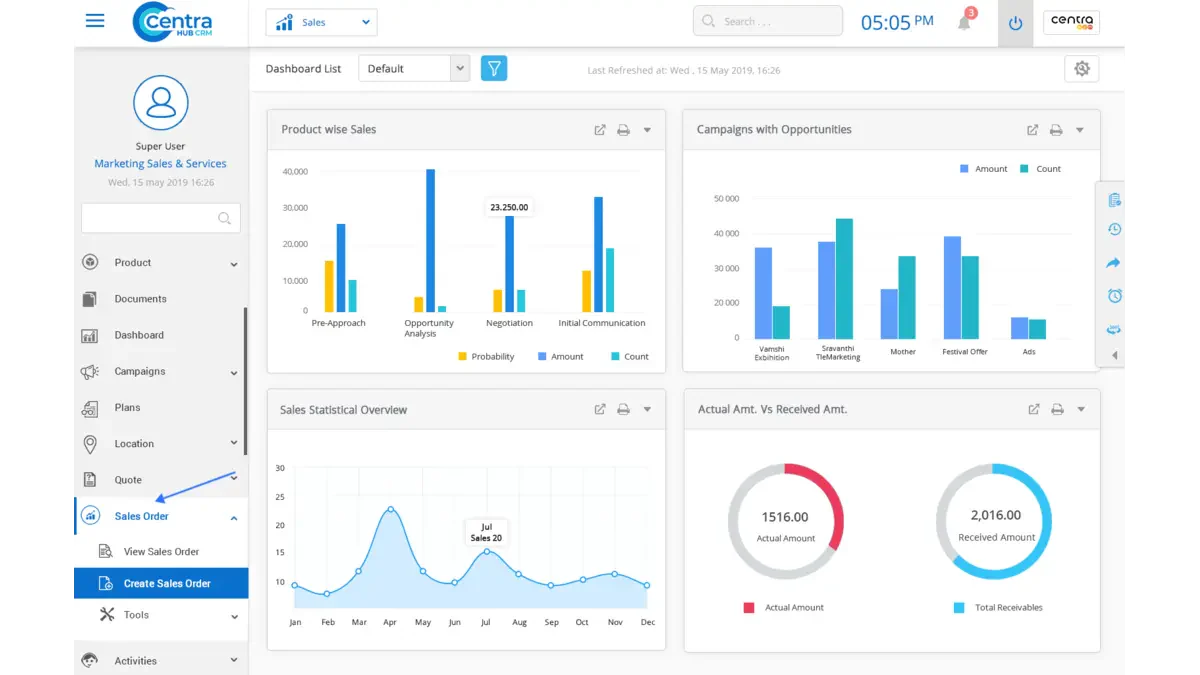
CentraHub CRM is comprehensive sales management software designed to streamline sales processes, from lead generation to closing deals. It offers an all-in-one platform for businesses to manage their customer interactions, sales pipeline, and follow-up activities.
This software is particularly effective for companies that use organized and automated workflows to enhance the productivity of their sales teams and improve customer satisfaction.
Why we chose it: CentraHub CRM made our list for its user-friendly interface, robust features, and flexibility to customize for any business size. Known for excellent customer support, it’s ideal for businesses new to CRM systems.
Key features:
- Lead management
- Sales pipeline
- Automation tools
- Customizable dashboards
- Email integration
Pricing: Free 3 users; Startup from ₱814/user/month.
| Pros | Cons |
|
|
14. Keap Sales Software

Keap is a sales management software designed to help small businesses automate their sales and customer relationship processes. It combines CRM, email marketing, and e-commerce tools into one platform, allowing you to manage leads, nurture customer relationships, and track sales.
Keap is like your business’s personal assistant, streamlining your workflow and helping you stay on top of every sale and client interaction.
Why we chose it: We chose Keap for its comprehensive, easy-to-use solution tailored to small businesses. Its automation saves time and reduces manual work. Plus, Keap’s user-friendly interface ensures anyone can maximize its benefits without being a tech expert.
Key features:
- Automated lead capture
- Email marketing automation
- Sales pipeline management
- E-commerce integration
- Task and appointment management
Pricing: Single plan ₱15,569/month (2 users).
| Pros | Cons |
|
|
15. LeadSquared Sales Software
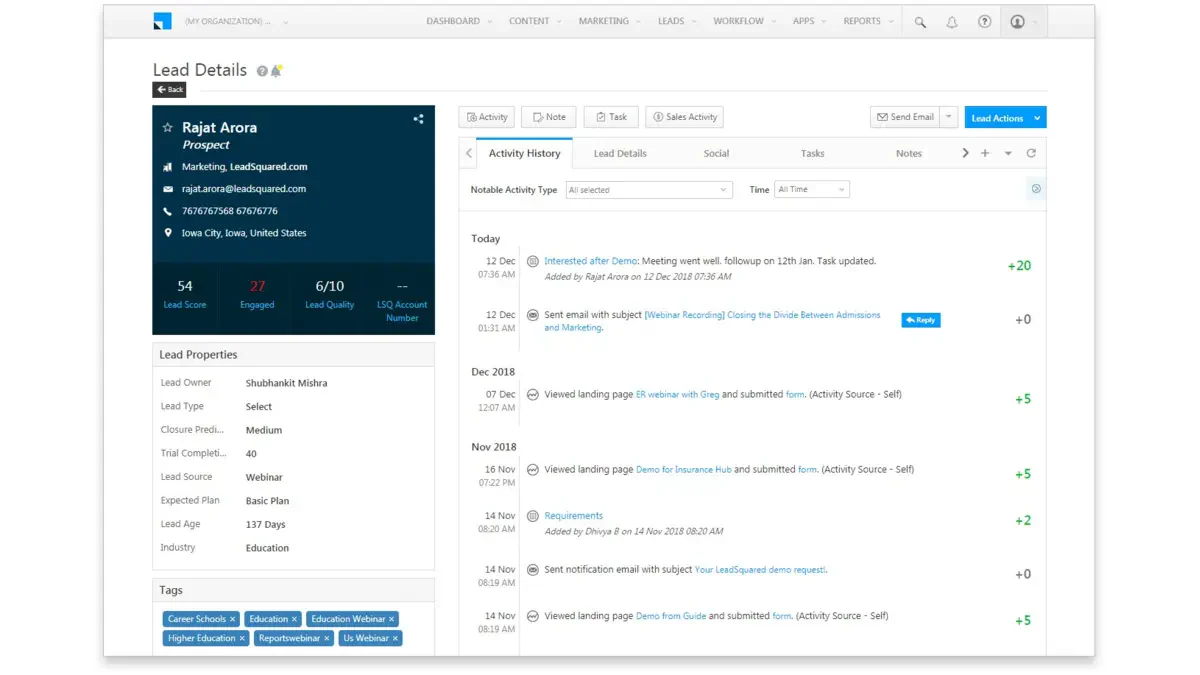
LeadSquared is a powerful sales management software designed to help businesses manage leads, track sales activities, and boost conversions. It centralizes all your sales processes, making it easier to capture, nurture, and convert leads into loyal customers.
Whether dealing with inbound or outbound sales, LeadSquared provides the tools to streamline and optimize your sales funnel.
Why we chose it: We decided on LeadSquared because its intuitive interface and strong automation capabilities boost sales efficiency and revenue. Its seamless integration with other tools helps businesses to streamline sales operations without juggling multiple platforms.
Key features:
- Lead capture automation
- Sales pipeline management
- Customizable dashboards
- Email campaign tracking
- Sales activity reporting
Pricing: 2 tiers, ₱1,566–₱3,132/user/month.
| Pros | Cons |
|
|
16. Copper Sales Software
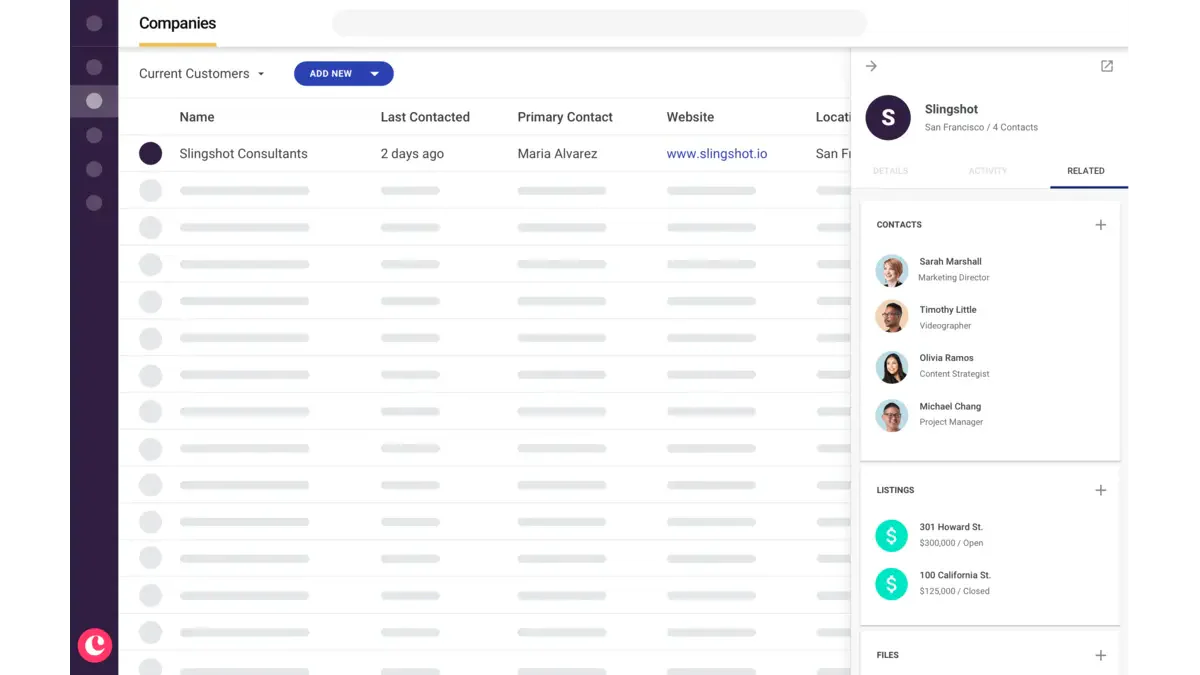
Copper is sales management software designed to integrate seamlessly with Google Workspace, making it an excellent choice for businesses that rely heavily on Google’s suite of tools.
It helps manage leads, track customer interactions, and automate repetitive tasks, all within your familiar Google environment. With Copper, your sales team can focus on building relationships rather than spending time on manual data entry.
Why we chose it: We chose Copper for its seamless Google Workspace integration. Its user-friendly interface and automation make it perfect for small to medium businesses wanting to improve sales management without a steep learning curve.
Key features:
- Automated data entry for contact management
- Customizable sales pipelines and workflows
- Real-time activity tracking and alerts
Pricing: 4 tiers, ₱752–₱8,393/user/month.
| Pros | Cons |
|
|
For more brand recommendations, please check out our other article about the best Customer management solutions for sales management.
How to Choose Sales Management Software

The right sales management software depends less on feature lists and more on how your team actually sells. A system with 50 modules your reps never open costs more than a focused tool they use every day. Before evaluating vendors, define what your sales cycle looks like, where it breaks down, and who needs to use the software daily.
Here are the factors that matter most for Philippine businesses.
1. Lead and contact management
The system should store all leads, customer interactions, and follow-up history in one place rather than across spreadsheets and personal inboxes. Check whether leads can be captured automatically from your website, email, or social media, or if every entry is manual. For businesses with a large inbound volume, automatic lead assignment by territory or product line saves hours of coordination every week.
2. Sales pipeline visibility
A clear pipeline view shows exactly where every deal stands, how long it has been in each stage, and which opportunities are overdue for a follow-up. Without it, managers cannot spot bottlenecks until the end of the quarter. Look for a system that lets you customize pipeline stages to match how your team actually moves a deal from prospect to close.
3. Reporting and analytics
Real-time reports on revenue, win rates, activity per rep, and pipeline value allow managers to adjust tactics during the period rather than after it. Check whether the reports are pre-built only or whether you can build custom views, and whether the data can be exported easily for quarterly business reviews.
4. Integration with existing tools
Sales software needs to connect with the tools that already uses, including email, calendar, invoicing, and inventory systems. For local businesses using a Philippine ERP platform, it is important to check whether the integration is native or requires a third-party connector. Disconnected systems mean double data entry, which defeats the purpose of automation.
5. Mobile accessibility
Philippine sales teams often work in the field, visiting clients across Metro Manila, CALABARZON, or the Visayas. A mobile app that lets reps log calls, view customer history, and update pipeline status without a laptop is not optional for field-heavy sales operations. Test the mobile version before committing to a plan.
6. Pricing model and total cost
Per-user pricing can become expensive as your team grows. A company with 20 salespeople, two sales managers, and a finance team that needs read access could face a significantly higher monthly cost than the advertised starting price. Compare the total cost for your actual team size, not just the published per-seat rate, and ask vendors whether the price includes onboarding, training, and local support.
7. Local support and implementation
Software that requires self-guided setup can slow adoption for teams without a dedicated IT resource. Check whether the vendor provides local implementation support in the Philippines, has a local account team, and offers after-sales service when something breaks. Enterprise tools with no local presence may take longer to resolve issues.
The right system does not need to be the most feature-rich one available. It needs to match the complexity of your sales process, fit the size of your team, and be adopted quickly enough that your reps are using it within the first two weeks.
Conclusion
Relying on outdated sales management methods is like trying to win a race on a tricycle. To stay competitive and keep your sales process running smoothly, it’s crucial to embrace modern, high-tech solutions like sales management software.
From streamlining your workflow to providing data-driven insights, the benefits of using sales software are undeniable. Plus, with key features like lead tracking, pipeline management, and seamless integration, you’ll wonder how you ever managed without it.
A well-designed sales management system helps businesses simplify sales processes and manage customer relationships more effectively. Book a free demo to explore how the right solution can support sales operations and business growth.
FAQ about Sales Management Software
Sales management software provides detailed analytics and reporting tools, allowing businesses to track real-time sales performance. It enables sales managers to monitor key metrics such as conversion rates, sales pipelines, and individual sales rep performance, ensuring that sales targets are met and any issues are addressed promptly.
Sales Management Software enhances customer relationship management by centralizing all customer interactions and data in one platform. This allows sales teams to view each customer comprehensively, track communication history, and personalize their approach, leading to stronger relationships and higher customer satisfaction.
Sales Management Software often includes automation features that streamline repetitive tasks such as follow-up emails, lead scoring, and data entry. Automation helps sales teams save time, focus on high-priority tasks, and increase efficiency by reducing manual work.
Sales Management Software can be customized to fit the specific needs of a business. Customization options may include adjusting the sales pipeline stages, creating custom reports, and integrating with other CRM or ERP system tools. This flexibility allows companies to tailor the software to their unique sales processes.
The best software for sales is HashMicro’s Sales Management Software, which helps businesses streamline and automate their sales processes. With features like lead tracking, sales forecasting, and customer relationship management, it optimizes your sales team’s performance and efficiency. HashMicro’s solution also integrates seamlessly with other business systems, providing a unified platform for sales, accounting, and inventory management. This ensures accurate data, smooth workflows, and timely decision-making, helping businesses drive growth and maximize revenue potential.