


 Limited to 100 registrants

Magandang araw, Business People! Employee scheduling has become a critical function in modern workforce management, especially as businesses handle shifting demands and dynamic work arrangements.
In fact, 83% of HR teams spend hours each week manually adjusting schedules due to last-minute changes. Without the support of technology, this process consumes valuable time and often results in errors such as missed shifts or double bookings.
As workforce operations grow more complex, employee scheduling software is increasingly seen as a practical solution for improving accuracy, saving time, and maintaining productivity.
Key Takeaways
Employee scheduling software is one of the most important tools for Filipino businesses to create efficiency.
There are 6 ways to choose the best software for your company, such as identifying your business needs.
By using a HRIS management solution, companies can streamline processes and enhance efficiency across operations
What is Employee Scheduling Software?
Employee scheduling software is a tool that helps businesses manage work schedules, ensuring shifts are covered and labor costs stay in check. It simplifies scheduling by using employee availability, legal requirements, and business needs.
Now, if we’re looking around, businesses in the Philippines use the best employee scheduling software for a united reason. They want efficiency, integration, and ease of use of a business process.
They need technology like HRIS systems that could simplify their workflow, such as employee scheduling software. Handling so many staff is never easy. There are obstacles to arranging staff’s needs with business goals.
5 Benefits of Employee Scheduling Software Philippines
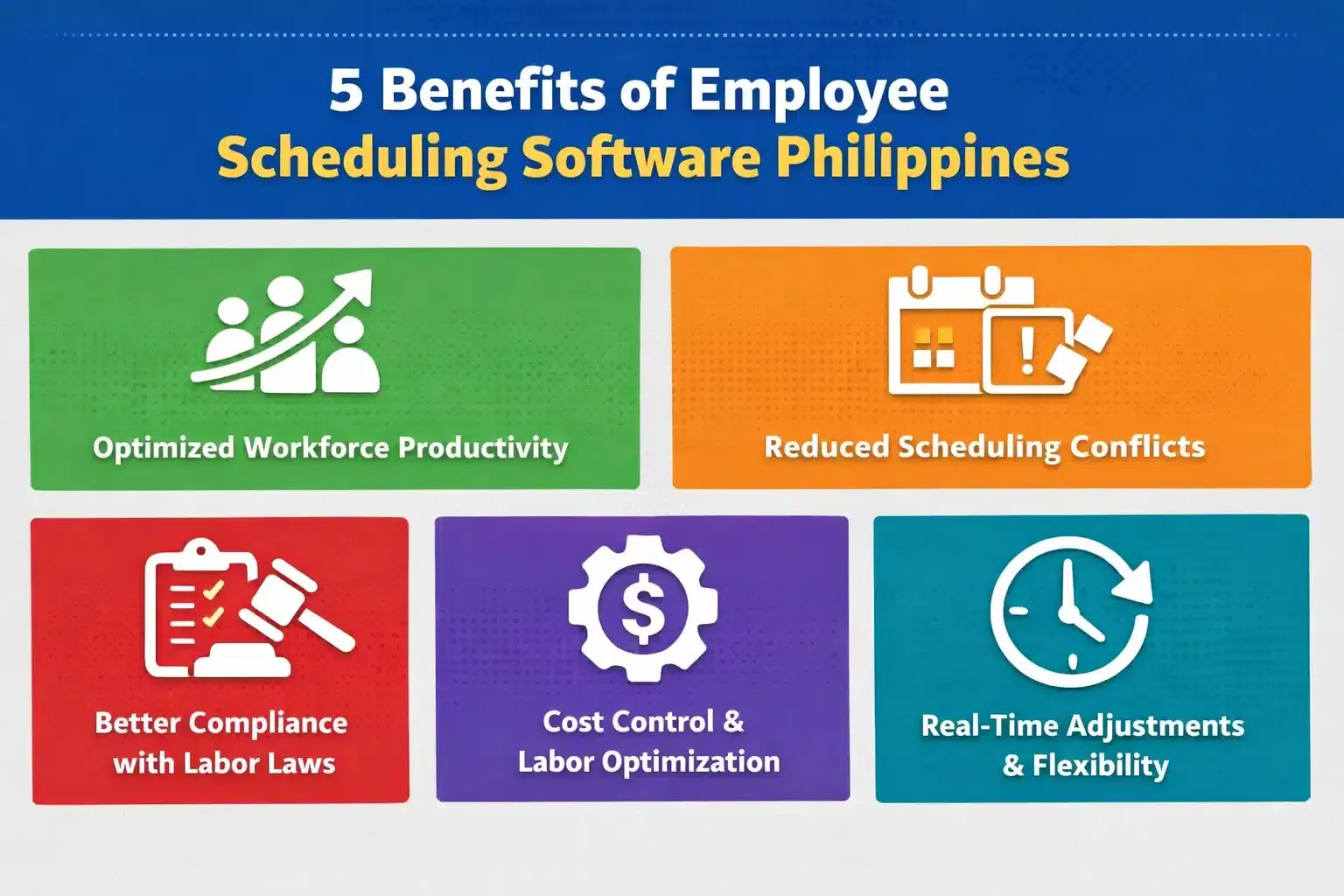
Employee scheduling software benefits include making work schedules easier to manage, improving resource use, lowering labor costs, and increasing employee satisfaction. It automates scheduling by considering availability and business needs. The best employee rostering software for 2026 should have these benefits.
- Optimized workforce productivity: Work scheduling software assigns the right number of employees to each shift, ensuring productivity matches business needs, leading to better service quality and efficiency.
- Reduced scheduling conflicts: The software centralizes scheduling, reducing double-booking and shift conflicts, leading to smoother operations and more consistent employee schedules.
- Better compliance with labor laws: The software helps ensure schedules follow labor laws and company policies, reducing compliance risks. It also supports a compressed work week, allowing employees to work longer hours across fewer days while following overtime and rest-day rules.
- Cost control and labor optimization: Businesses can better control labor costs by preventing overstaffing and unnecessary overtime, ensuring that shifts are properly staffed, and maintaining profitability.
- Real-time adjustments and flexibility: In a fast-paced environment, the work scheduling software quickly adapts schedules to handle sudden absences or unexpected demands, keeping operations smooth.
Full Comparison Employee Scheduling Software
With many employee scheduling solutions available, choosing the right one depends on business size, industry, and needs. The table below compares all 20 tools by their key strengths, target users, and suitability for Philippine businesses.
| Software | Best for | Pros | Cons | Starting Price (₱) |
|---|---|---|---|---|
| ConnectTeam | Frontline and field-based teams needing mobile scheduling and communication | Easy to use · Great for mobile teams · All-in-one communication platform · Flexible task management | Limited advanced reporting · Limited customization · Integration options are limited | Free up to 10 users; paid from ₱1,816/month/hub (annual) |
| HashMicro | Philippine businesses needing integrated scheduling, payroll, and HR management | Seamless payroll and HRIS integration · Real-time updates and analytics · User-friendly interface · Comprehensive feature set | Implementation duration may vary depending on business requirements | Custom pricing |
| 7Shifts | Restaurants and F&B businesses needing labor cost optimization | Excellent for restaurants · POS integration · Labor cost optimization · Employee engagement features | Not ideal for non-restaurant industries · Lacks extensive customization · Can be expensive for small teams | Free (1 location, 20 staff); paid from ₱1,878/location/month |
| ZoomShift | Small to mid-sized businesses needing simple drag-and-drop scheduling | User-friendly interface · Simple payroll integration · Good mobile app · Easy to implement | Basic reporting features · Limited advanced functionality · Not ideal for large enterprises | From ₱125/user/month (annual) |
| Google Workspace | Businesses already using Google tools needing collaborative scheduling | Easy integration with Google apps · Strong collaboration tools · Accessible from anywhere · Cost-effective for Google users | Limited scheduling-specific features · Requires manual setup for advanced tasks · Not designed specifically for scheduling | From ₱376/user/month (Business Starter) |
| Planday | Hospitality and retail businesses needing compliance management and reporting | Compliance-focused tools · Strong reporting · API integration capabilities · Great for hospitality and retail | Higher learning curve · Can be costly for smaller businesses · Complex setup | From ₱187/user/month (annual) |
| Deputy | Businesses needing automated scheduling and payroll integration | Easy payroll integration · Great mobile accessibility · Automated scheduling · Comprehensive notifications | Limited offline functionality · Can be expensive for larger teams · Limited customization options | From ₱219/user/month (Scheduling, annual) |
| Sling | Teams needing strong communication tools and shift trading features | Strong communication features · Great for shift trading · Easy to navigate · Cost-effective | Limited advanced reporting · Not ideal for complex organizations · Limited integrations | Free tier; Premium from ₱106/user/month |
| Agendrix | Healthcare and retail businesses needing automated shift planning and attendance | Comprehensive shift management · Good communication tools · Time tracking included · Flexible shift swapping | Limited customization · Some users find it less intuitive · Integration options are limited | From ₱219/user/month (annual) |
| Activity Scheduling | Companies managing both employee and resource scheduling | Good for resource management · Flexible calendar views · Comprehensive scheduling options · Automated notifications | Not as user-friendly as competitors · Lacks robust reporting · Requires more setup time | Contact vendor |
| Homebase | Small businesses needing simple scheduling with payroll and time tracking integration | Easy to set up and use · Good for small businesses · Affordable pricing tiers · Integrated time tracking | Limited advanced features · Not ideal for large enterprises · Limited customization | Free (1 location, unlimited staff); paid from ₱1,563/location/month |
| Timify | Appointment-based businesses coordinating customer bookings and employee shifts | Great for appointment-based businesses · User-friendly interface · Good calendar integration · Strong reporting tools | Less suitable for non-appointment-based businesses · Limited advanced features · Limited customer support | Free basic tier; Classic from ₱1,512/month (€21/month) |
| FindMyShift | Small businesses needing simple affordable scheduling with payroll reporting | Easy to use · Affordable pricing · Good mobile accessibility · Flexible scheduling options | Basic reporting features · Limited advanced functionality · Limited integration capabilities | From ₱1,566/team/month (annual) |
| QuickBooks Time | QuickBooks users needing GPS time tracking and accounting integration | Seamless QuickBooks integration · GPS tracking for remote workers · Real-time timesheet management · Strong overtime alerts | Higher cost compared to other tools · Complex for beginners · Requires QuickBooks for full functionality | Premium from ₱1,253/month + ₱501/user/month |
| When I Work | Small to mid-sized businesses needing intuitive scheduling with team communication | Easy to use · Strong communication tools · Good for shift swapping · Affordable pricing tiers | Limited advanced reporting · Not ideal for very large teams · Fewer customization options | From ₱157/user/month (annual, est.) |
| Monday.com | Teams needing highly customizable scheduling combined with project management | Highly customizable workflows · Strong project management features · Good integration options · Visual scheduling tools | Can be complex to set up · Pricing can be high for small teams · Requires training for full utilization | Free (2 seats); Basic from ₱564/seat/month (annual) |
| Calendly | Remote teams needing simple meeting and appointment scheduling with calendar integration | Simple and intuitive to use · Great calendar integration · Automated reminders · Good for remote teams | Limited to appointment scheduling · Not designed for employee shift scheduling · Basic reporting features | Free tier; Standard from ₱626/seat/month (annual) |
| FieldCode | Field service businesses needing real-time scheduling and GPS workflow automation | Great for field service companies · Real-time scheduling · GPS tracking included · Strong workflow automation | Limited to field service industries · Complex setup process · Requires training for full utilization | Contact vendor |
| ClockShark | Construction and field service businesses needing GPS time tracking and job costing | Excellent for construction industry · GPS tracking for job sites · Job costing features · Strong mobile app | Limited to construction and field services · Higher cost for smaller teams · Limited integration options | Standard from ₱2,506/month + ₱501/user/month |
| WorkFeed | Teams needing simple collaborative scheduling with ease of use | Simple and intuitive interface · Great for team collaboration · Good reporting tools · Affordable pricing | Fewer advanced features compared to competitors · Limited customization options · Newer software with fewer integrations | From approx. ₱157–₱188/user/month (est.) |
20 Best Employee Scheduling Software for Your Business
Employee scheduling software in the Philippines has 20 candidates who are suitable to be your top choice. These vendors are selected by their features and performance in the Filipino business workflow. Those are:
1. ConnectTeam
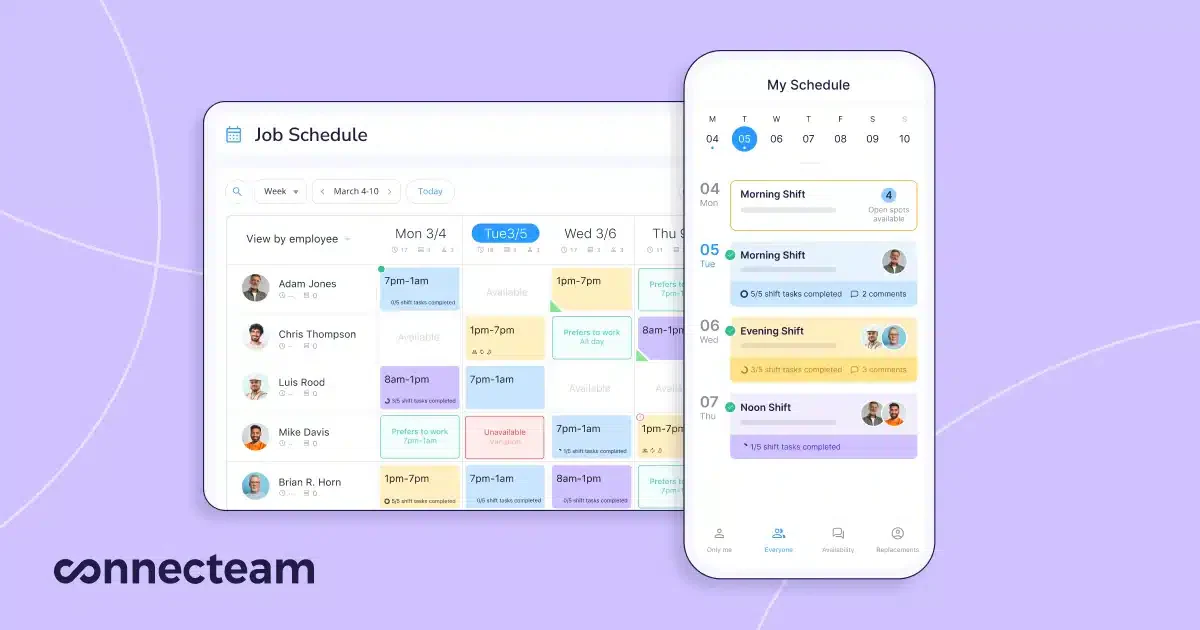
Why we chose: We chose ConnectTeam for its mobile-first approach, which makes it suitable for businesses with remote teams.
This software is particularly well-suited for logistics, construction, and retail industries, where on-the-go communication and task management are critical. ConnectTeam is designed to handle employee scheduling and tools for team communication, time tracking, and task management.
Key features:
- GPS location tracking
- Customizable checklists
- In-app communication tools
- Task management
- Employee time clock
|
Strengths |
Weaknesses |
| Easy to use | Limited advanced reporting features |
| Great for mobile teams | Limited customization options |
| All-in-one communication platform | Can be complex for smaller teams |
| Flexible task management | Integration options are limited |
2. HashMicro
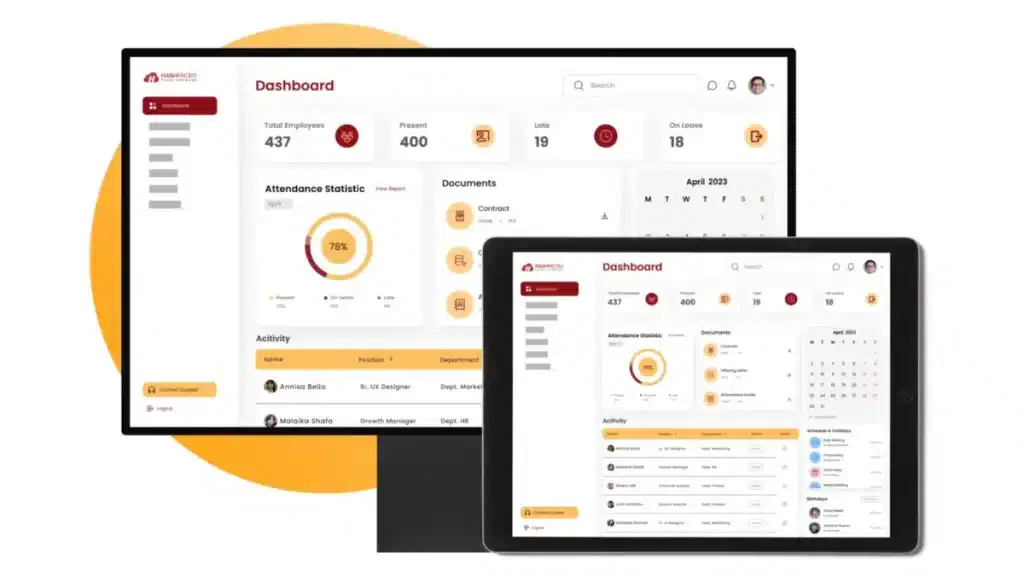 HashMicro’s employee scheduling software is a go-to solution for businesses in the Philippines, offering a comprehensive tool for efficient HR and workforce management. It stands out due to its seamless integration with payroll management solution and robust features.
Why is HashMicro's HR software the best option? Because its software offers an all-in-one solution for managing employee schedules. Its real-time capabilities allow managers to instantly update schedules, track attendance, and monitor workforce productivity.
Key features:
- Roster & dynamic employee working schedule management: Features to create and manage employee work schedules flexibly through shift assignments or fixed schedules.
- Daily worker, hourly worker payslip management: Features to manage employees’ daily or hourly working hours, calculate appropriate wages, and generate pay slips automatically.
- Approval delegation with auto follow-up notification: A feature that assigns a substitute for an unfinished approval task. Automatic notifications are then sent to both the alternate and the original task holder.
- Talent management with KPI tracking: Features to assign, manage and track employee achievements. This ensures that employee performance are aligned with the company’s goals.
Pricing: Custom pricing.
|
Strengths |
Weakness |
| Seamless integration with payroll and HRIS systems | Implementation duration may vary depending on the business’s requirements |
| Real-time updates and analytics | User-friendly interface |
| Comprehensive feature set | Strong mobile accessibility |
| Excellent customer support | Advanced reporting tools |
Managing employee schedules and working hours becomes easier with the right tools. HashMicro’s employee scheduling software helps businesses manage shifts, attendance, and workforce operations in one platform.
3. 7Shifts
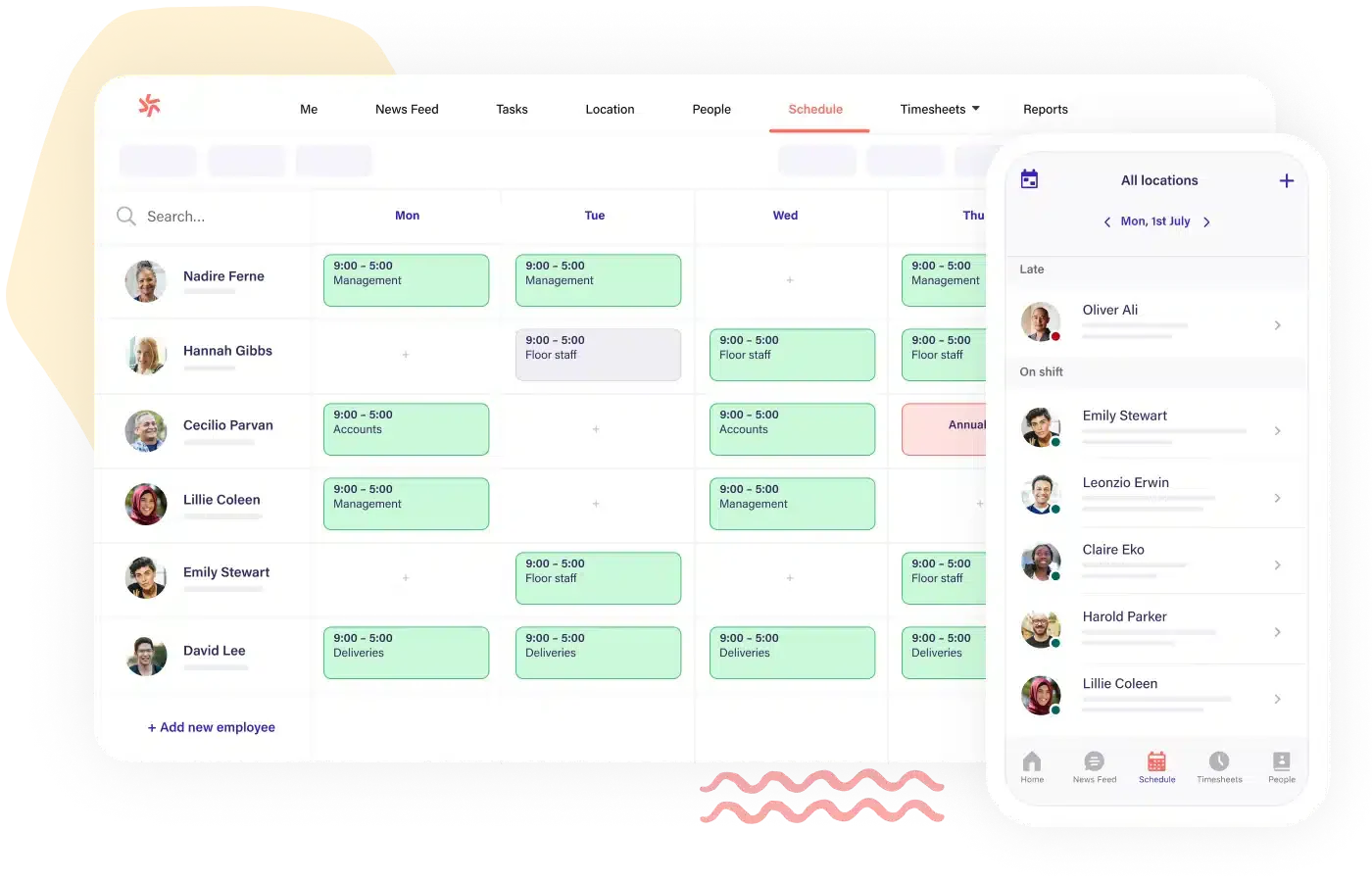
Why we choose: Its specialized features, including POS integration and labor cost optimization, are tailored for the restaurant industry.
7Shifts is designed specifically for the restaurant industry. It helps businesses streamline scheduling, improve team communication, and optimize labor costs. The work scheduling software offers useful tools that allow managers to forecast labor needs based on historical sales data.
Key features:
- Forecasting tools
- Overtime alerts
- Shift swapping
- Employee engagement tools
Pricing: From ₱1,878/location/month.
|
Strengths |
Weaknesses |
| Excellent for restaurants | Not ideal for non-restaurant industries |
| POS integration | Lacks extensive customization |
| Employee engagement features | Limited outside restaurant sector |
| Labor cost optimization | Can be expensive for small teams |
4. ZoomShift
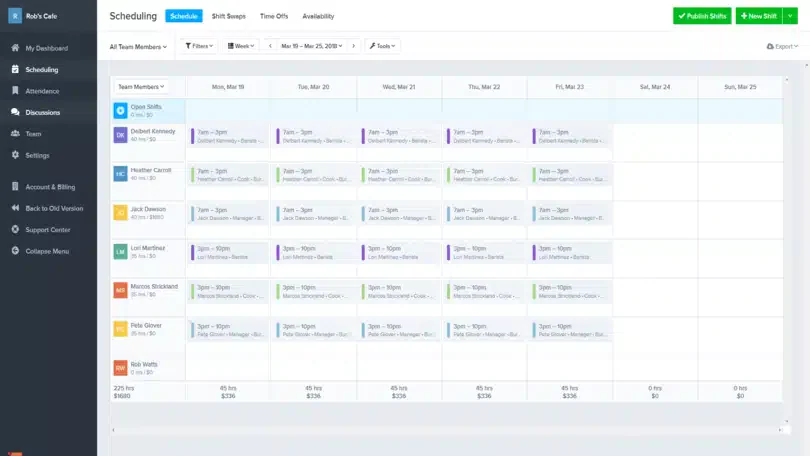 Why we choose: ZoomShift’s user-friendly scheduling and time-tracking features, ideal for small to medium-sized businesses.
Founded in 2011, this employee work schedule software vendor has become a scheduling tool for small to medium-sized businesses. The platform is known for its simplicity and ease of use, offering a drag-and-drop scheduling interface that makes it easy for managers to create and adjust schedules on the fly.
Key features:
- Drag-and-drop scheduling
- Time tracking
- Shift reminders
- Mobile app access
Pricing: From ₱125/user/month (annual).
|
Strengths |
Weaknesses |
| User-friendly interface | Basic reporting features |
| Simple integration with payroll | Limited advanced functionality |
| Good mobile app | Not ideal for large enterprises |
| Easy to implement | Fewer integration options |
5. Google Workspace
Why we choose: We choose Google Workspace for its seamless integration with existing Google tools.
Google Workspace (formerly G Suite) is a tool that integrates across the Google ecosystem, making it an attractive option for businesses already using Google products. With its features, Google Workspace offers a flexible and effective solution for managing employee schedules.
Key features:
- Seamless integration with Google tools
- Collaborative scheduling
- Automated reminders
- Cloud-based access
- Customizable templates
Pricing: Business Starter from ₱376/user/month.
|
Strengths |
Weaknesses |
| Easy integration with Google apps | Limited features specific to scheduling |
| Cost-effective for Google users | Requires manual setup for advanced tasks |
| Strong collaboration tools | Lacks advanced reporting |
| Accessible from anywhere | Not designed specifically for scheduling |
6. Planday
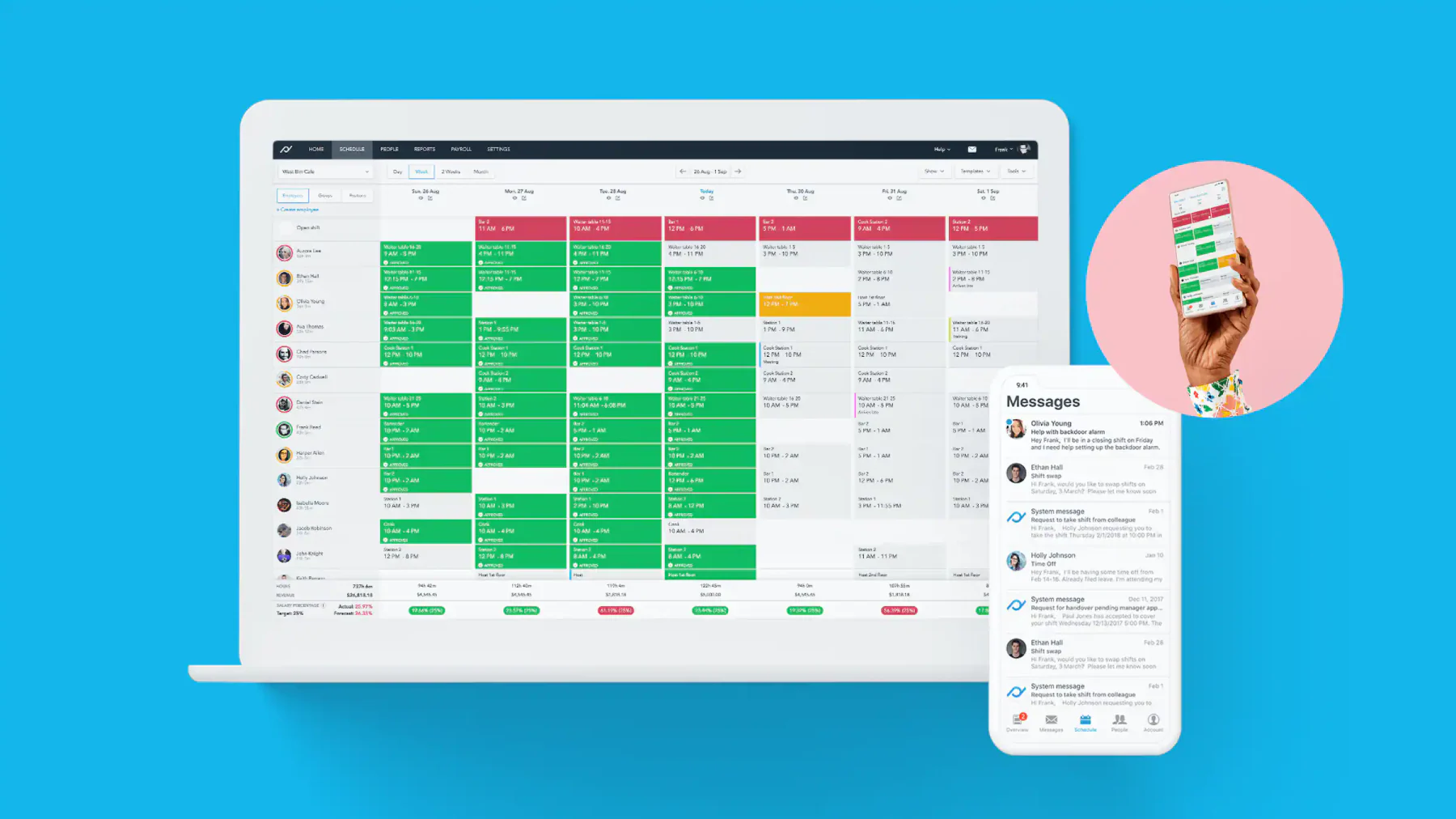
Why we choose: Planday has strong compliance management features and reporting tool.
Planday, founded in 2004, is a solution for businesses in the hospitality and retail sectors. The scheduling employee software is built to handle the complexities of workforce management, offering features that help businesses comply with labor laws, manage employee availability, and generate detailed reports.
Key features:
- Compliance management
- Analytics and reporting
- Communication tools
Pricing: From ₱187/user/month (Starter, annual).
|
Strengths |
Weaknesses |
| Compliance-focused | Higher learning curve |
| Strong reporting tools | Can be costly for smaller businesses |
| Great for hospitality and retail | Complex setup |
| API integration capabilities | Limited customer support hours |
7. Deputy
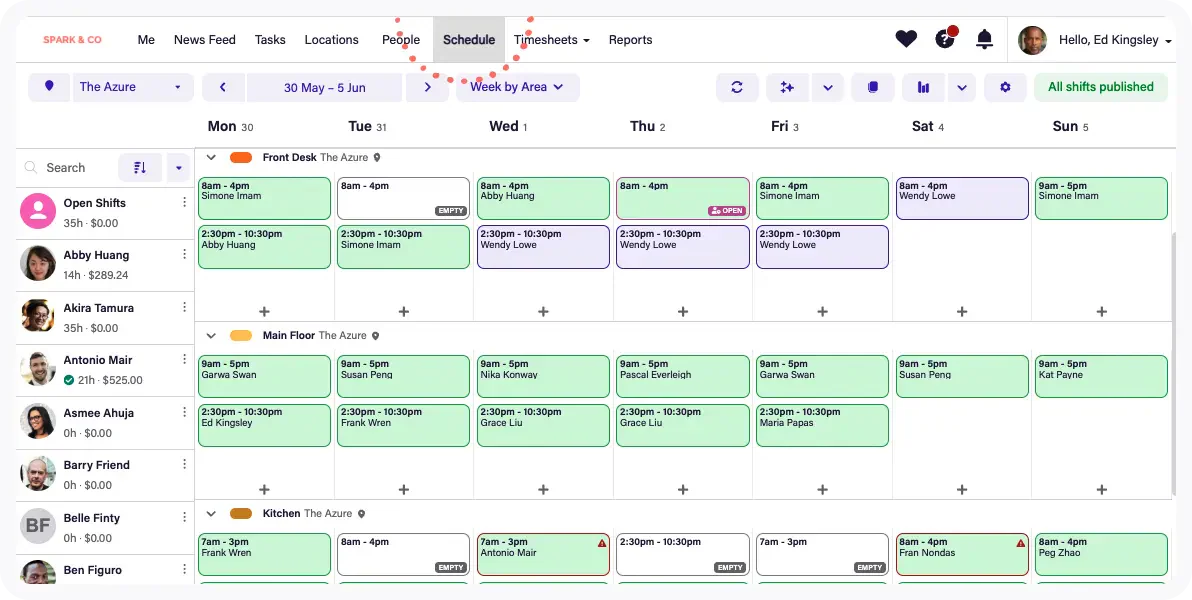 Why we choose: Its ease of use and powerful automation features, which simplify employee scheduling and ensure smooth operations.
Deputy is scheduling software that has been helping businesses manage their workforce since 2008. The software is designed to be easy to use, with automation features that make creating and managing employee schedules less stressful.
Key features:
- Automated software for employee scheduling
- Mobile app for employees
- Timesheet exporting
- Shift notifications
- Integration with payroll systems software
Pricing: From ₱219/user/month (Scheduling plan, annual).
|
Strengths |
Weaknesses |
| Easy integration with payroll | Limited offline functionality |
| Great mobile accessibility | Some users find the interface complex |
| Automated scheduling | Can be expensive for larger teams |
| Comprehensive notifications | Limited customization options |
8. Sling
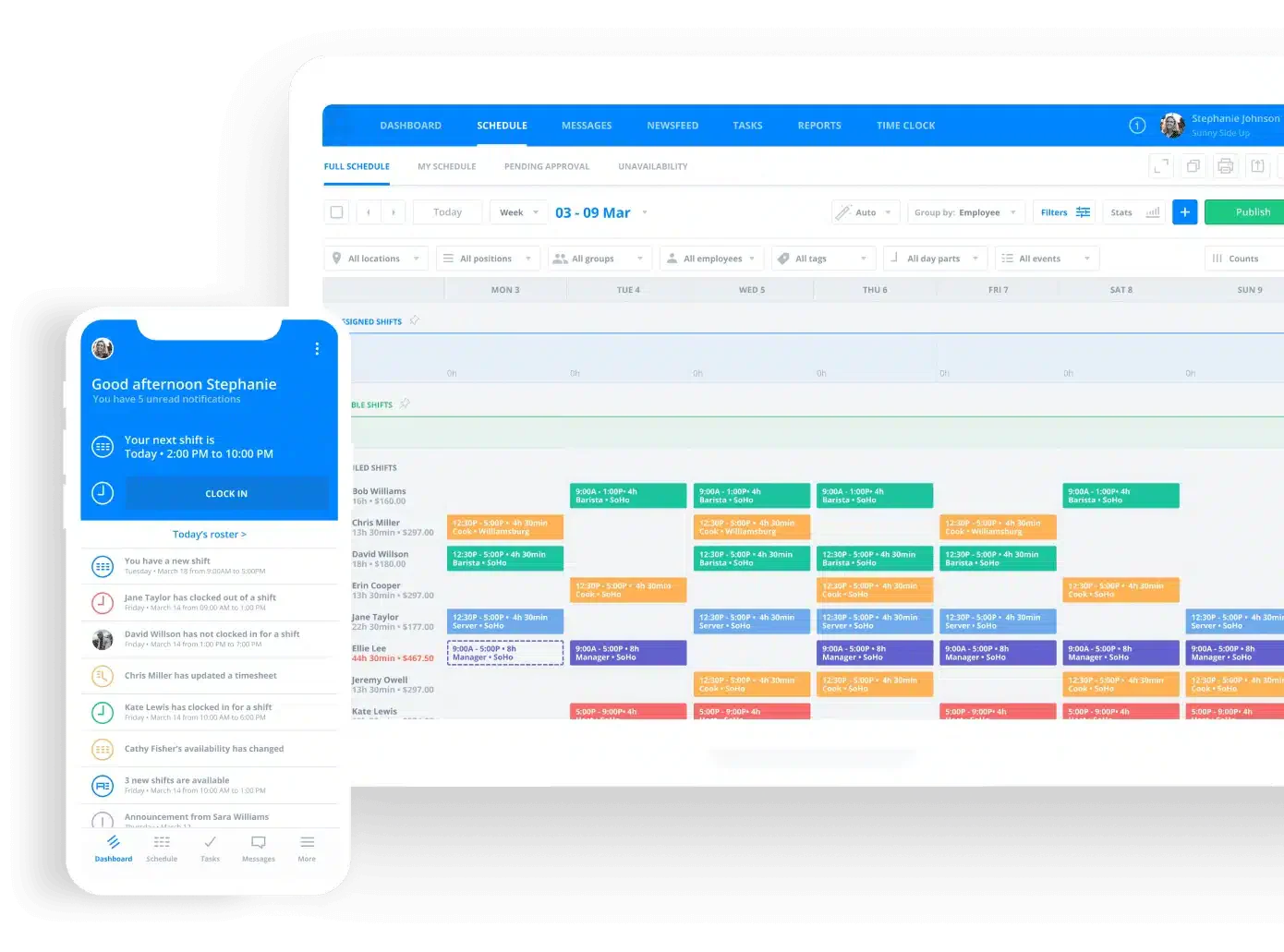
Why we choose: Robust communication tools make it ideal for businesses that need to keep their teams connected.
Sling is designed to be intuitive and easy to use, making it a good choice for businesses. This scheduling app offers team messaging tools, allowing employees to communicate directly within the platform. This makes it easier for teams to stay connected and ensure that everyone is on the same page.
Key features:
- Team messaging
- Shift trading
- Task management
- Overtime tracking
- Employee availability
Pricing: Premium from ₱106/user/month.
|
Strengths |
Weaknesses |
| Strong communication features | Limited advanced reporting |
| Great for shift trading | Lacks some customization options |
| Easy to navigate | Not ideal for complex organizations |
| Cost-effective | Limited integrations |
9. Agendrix Staff Shift Planner
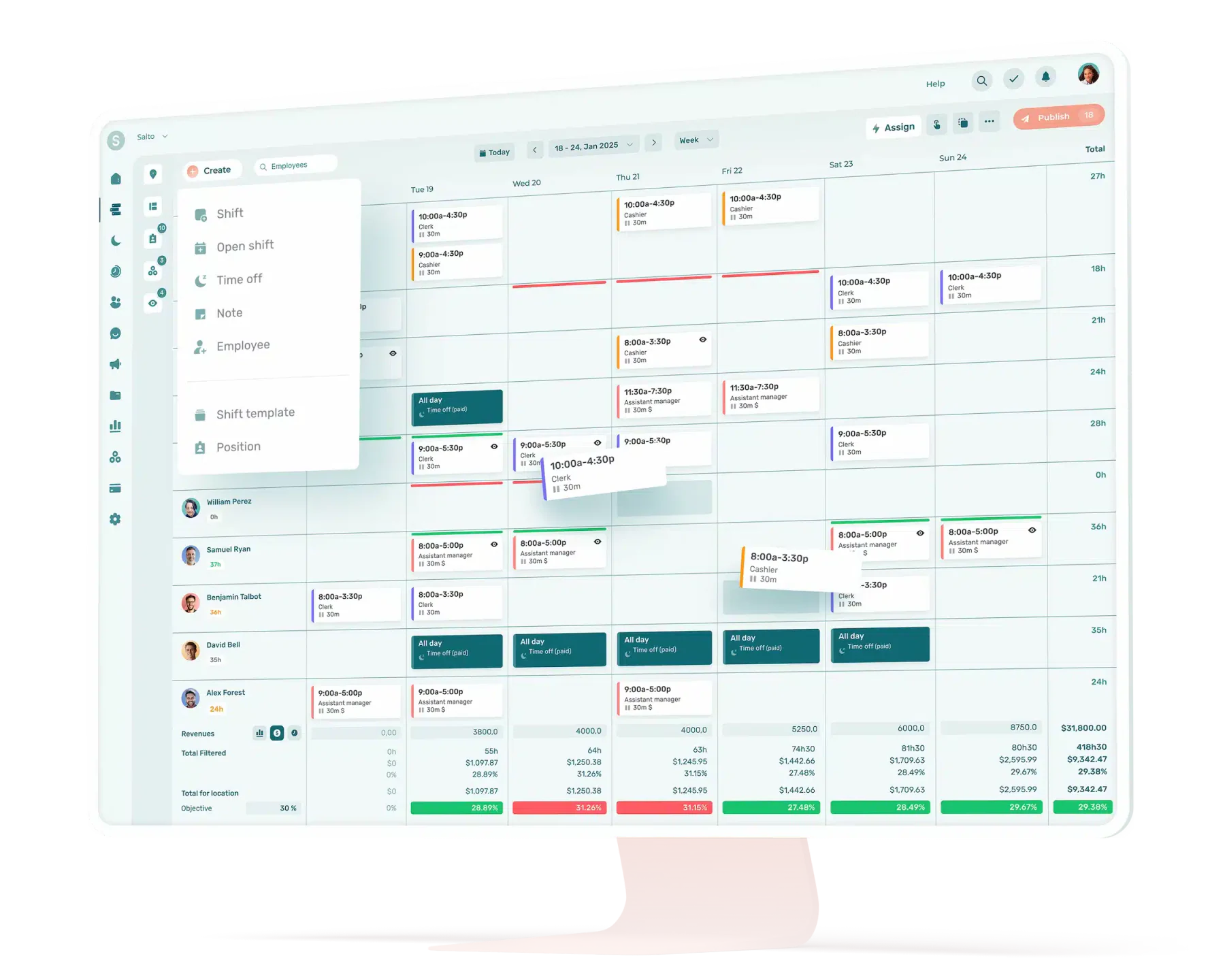
Why we choose: Agendrix focuses on shift-based industries like healthcare and retail, offering automated shift planning.
Agendrix is a good staff shift planner who has gained popularity in shift-based industries such as healthcare and retail. The software is designed to simplify shift planning and time tracking, making it easier for managers to create schedules that align with both business needs and employee availability.
Key features:
- Automated staff shift planner
- Time clock features
- Employee communication tools
- Shift trade and swap
- Attendance tracking
Pricing: From ₱219/user/month (annual).
|
Strengths |
Weaknesses |
| Comprehensive shift management | Limited customization |
| Good communication tools | Some users find it less intuitive |
| Time tracking included | Limited advanced features |
| Flexible shift swapping | Integration options are limited |
10. Activity Scheduling
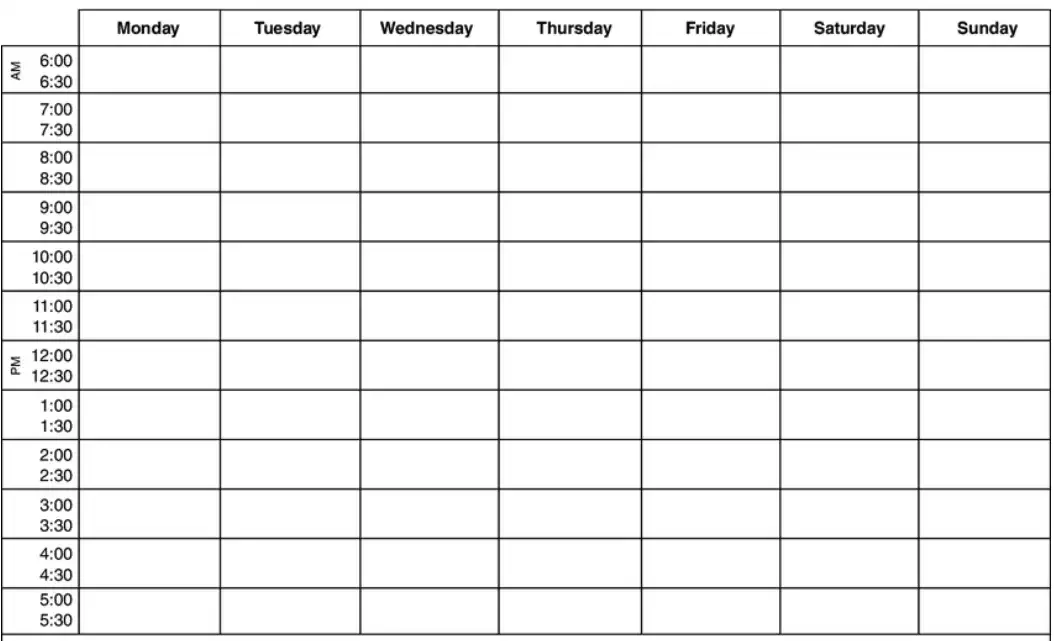
Why we choose: Its versatility in managing both employee and resource scheduling.
Activity Scheduling is a tool designed for companies that need to manage both employee and resource scheduling effectively. Originally developed for educational institutions, this employee leave and attendance system has since evolved into a solution for various industries.
Key features:
- Resource allocation
- Employee availability management
- Calendar view
- Automated notifications
Pricing: Contact vendor.
|
Strengths |
Weaknesses |
| Good for resource management | Not as user-friendly as competitors |
| Flexible calendar views | Lacks robust reporting tools |
| Comprehensive scheduling options | Limited customer support options |
| Automated notifications | Requires more setup time |
11. Homebase
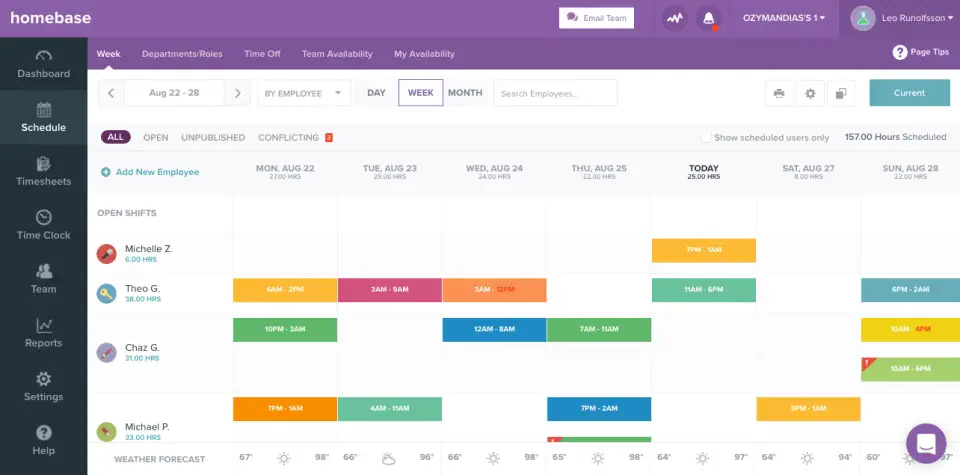 Why we choose: Straightforward, easy-to-use interface and integration with payroll systems, perfect for small businesses.
Founded in 2015, Homebase is a staff scheduling system that caters primarily to small and medium-sized businesses. Homebase is known for its straightforward and intuitive design, which makes it easy for managers to create schedules, track hours, and communicate with their teams.
Key features:
- Time clock and timesheets
- Automated scheduling
- Team communication
- Payroll integration
- Reporting tools
Pricing: From ₱1,563/location/month (Essentials).
|
Strengths |
Weaknesses |
| Easy to set up and use | Limited advanced features |
| Good for small businesses | Not ideal for large enterprises |
| Affordable pricing tiers | Limited customization |
| Integrated time tracking | Limited customer support |
12. Timify
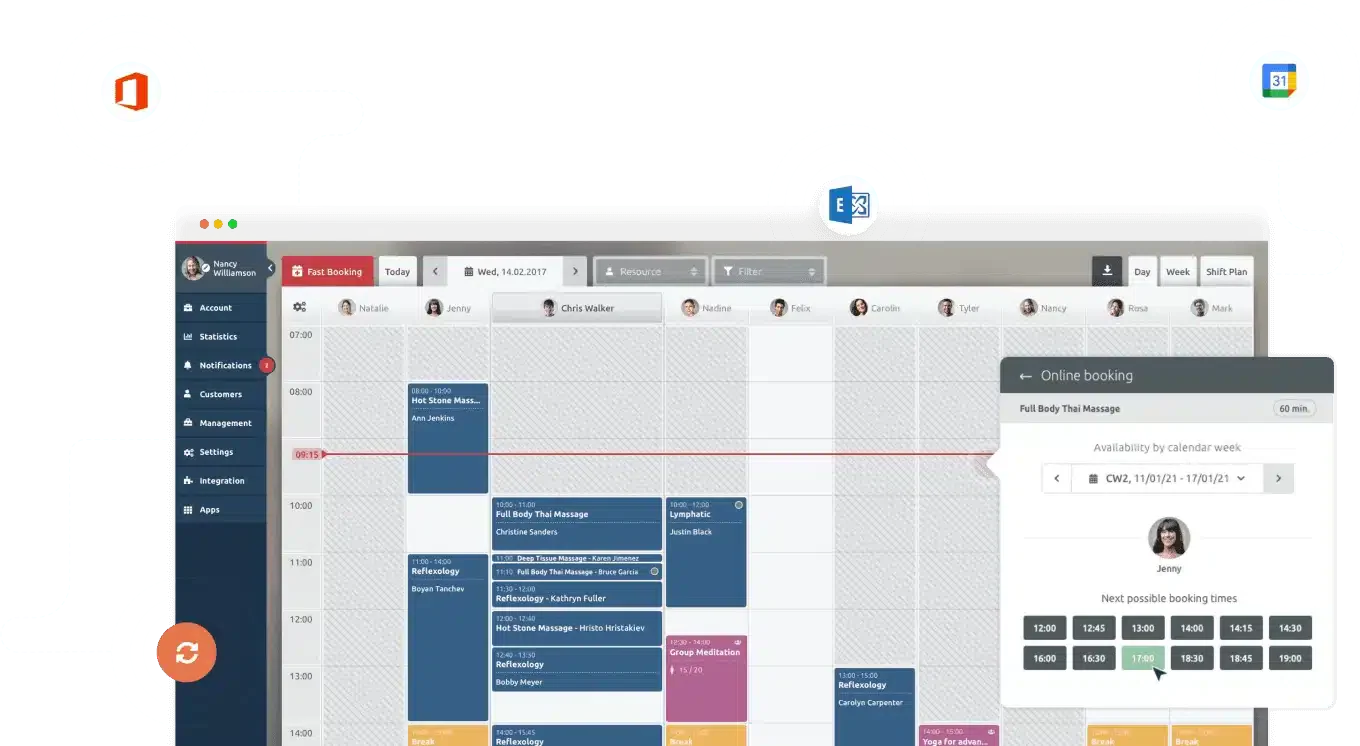
Why we choose: Its dual capability in managing employee shifts and customer appointments.
Timify was originally designed for appointment-based businesses, but it has expanded to include employee work schedule software features, making it a good tool for industries. The platform particularly benefits businesses coordinating customer bookings and employee schedules, such as salons and clinics.
Key features:
- Appointment scheduling
- Employee shift management
- Customer booking tools
- Calendar sync
- Reporting and analytics
Pricing: Classic from ₱1,512/month (€21/month).
|
Strengths |
Weaknesses |
| Great for appointment-based businesses | Limited advanced features |
| User-friendly interface | Less suitable for non-appointment-based businesses |
| Good calendar integration | Limited customization |
| Strong reporting tools | Limited customer support options |
13. FindMyShift
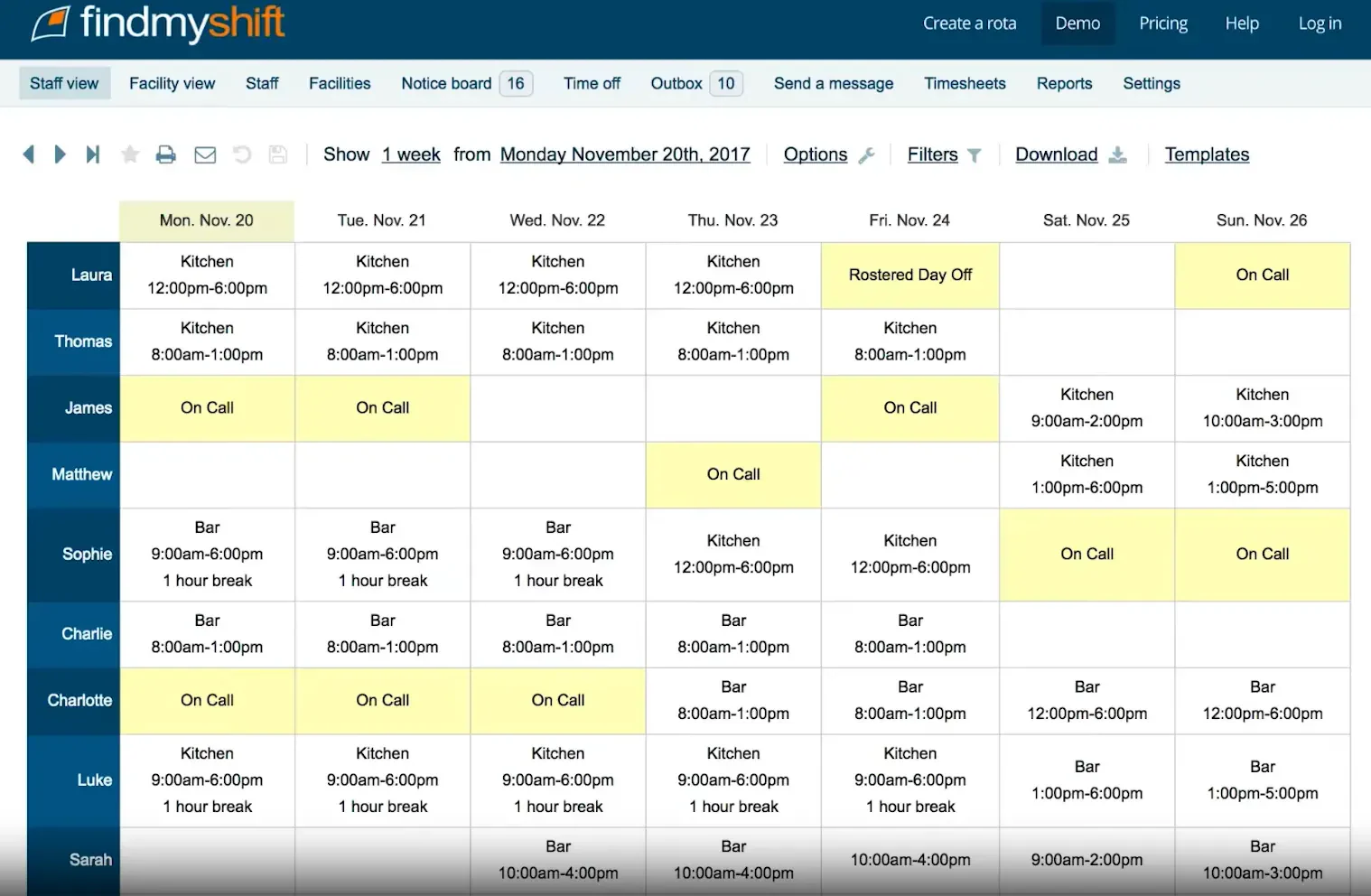
Why we choose: It has drag-and-drop functionality and payroll reporting.
FindMyShift has been helping businesses manage employee schedules since 2004. The software offers a simple platform that focuses on making scheduling easy. FindMyShift’s interface allows managers to quickly create and adjust schedules, while employees can easily access their shifts via the mobile app.
Key features:
- Shift reminders
- Payroll reporting
- Employee availability
- Mobile app access
Pricing: From ₱1,566/team/month (annual).
|
Strengths |
Weaknesses |
| Easy to use | Basic reporting features |
| Affordable pricing | Limited advanced functionality |
| Good mobile accessibility | Not ideal for large organizations |
| Flexible scheduling options | Limited integration capabilities |
14. QuickBooks Time
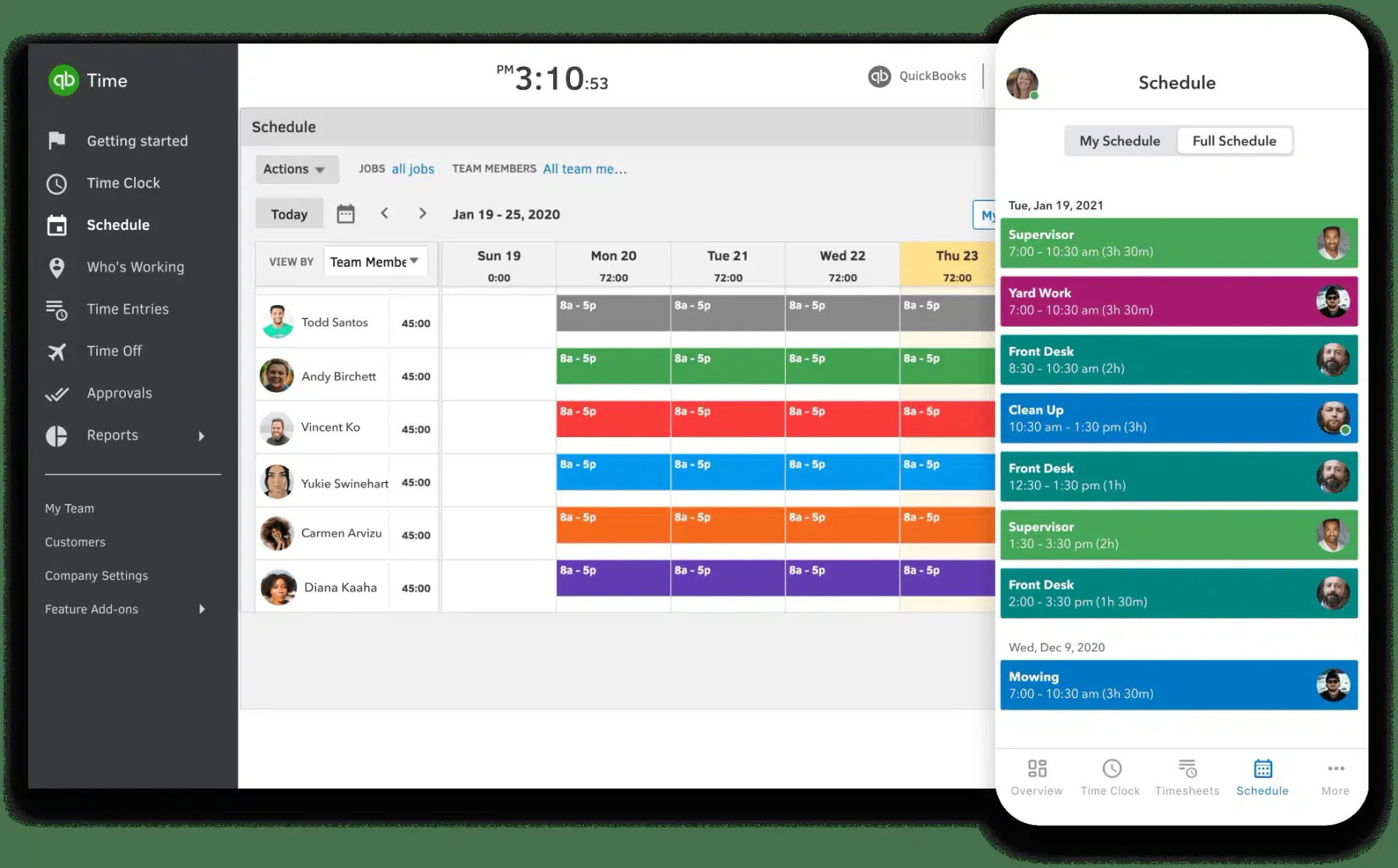 Why we choose: It has seamless integration with QuickBooks and GPS time-tracking.
This staff shift planner is a well-established scheduling and time-tracking software that integrates seamlessly with QuickBooks. Launched in 2006, the software’s intuitive interface and powerful reporting tools make it a good tech product for businesses looking to optimize their scheduling processes.
Key features:
- GPS time tracking
- Employee scheduling
- Timesheet management
- Overtime Alerts
Pricing: Premium from ₱1,253/month + ₱501/user/month.
|
Strengths |
Weaknesses |
| Seamless integration with QuickBooks | Higher cost compared to other tools |
| GPS tracking for remote workers | Complex interface for beginners |
| Real-time timesheet management | Requires QuickBooks for full functionality |
| Strong overtime alerts | Limited customization |
15. When I Work
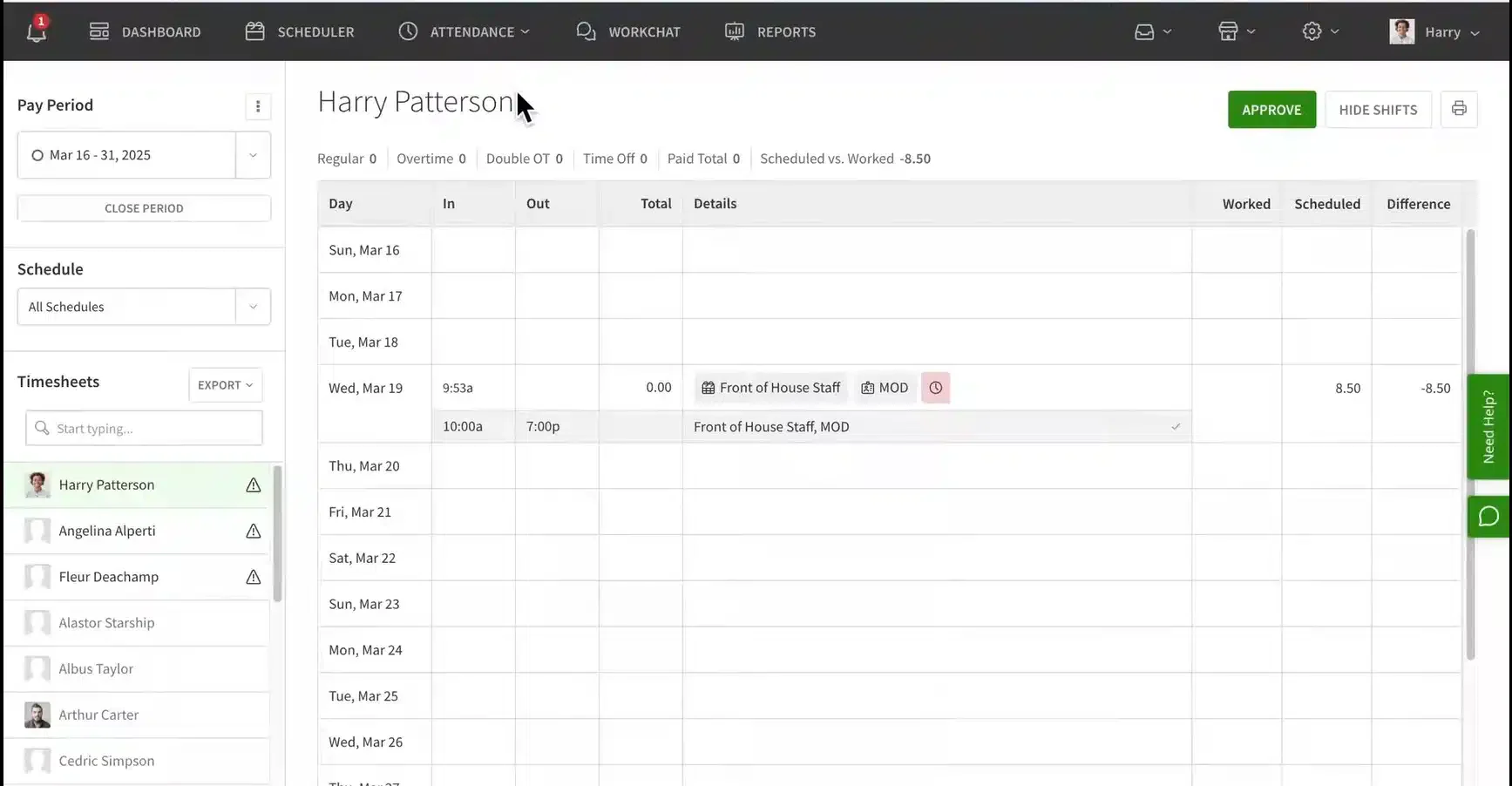
Why we choose: When I Work has an intuitive interface and strong team communication features.
This scheduling employee software vendor, established in 2010, is a scheduling software designed to simplify workforce management through an intuitive and user-friendly platform. It’s particularly popular among small to medium-sized businesses for its ease of use and efficient communication tools.
Key features:
- Employee messaging
- Overtime tracking
- Time and attendance tracking
Pricing: From ₱157/user/month (annual).
|
Strengths |
Weaknesses |
| Easy to use | Limited advanced reporting |
| Strong communication tools | Not ideal for very large teams |
| Good for shift swapping | Some users find the mobile app limited |
| Affordable pricing tiers | Fewer customization options |
16. Monday.com
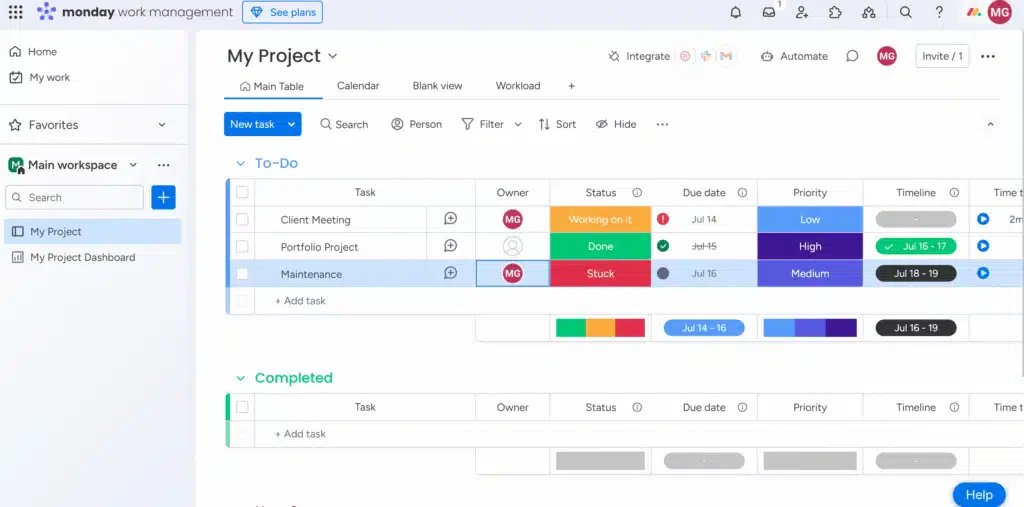
Why we choose: Its highly customizable workflows and powerful project management features.
Founded in 2012, Monday.com initially focused on project management. The software for employee scheduling is customizable, offering visual scheduling boards that allow managers to oversee employee shifts, tasks, and workloads. It’s suitable for businesses that need a scheduling and project management tool.
Key features:
- Visual scheduling boards
- Task management
- Time tracking
- Workflow automation
Pricing: Basic from ₱564/seat/month (annual).
|
Strengths |
Weaknesses |
| Highly customizable workflows | Can be complex to set up |
| Strong project management features | Pricing can be high for small teams |
| Good integration options | Some users find the interface overwhelming |
| Visual scheduling tools | Requires training for full utilization |
17. Calendly
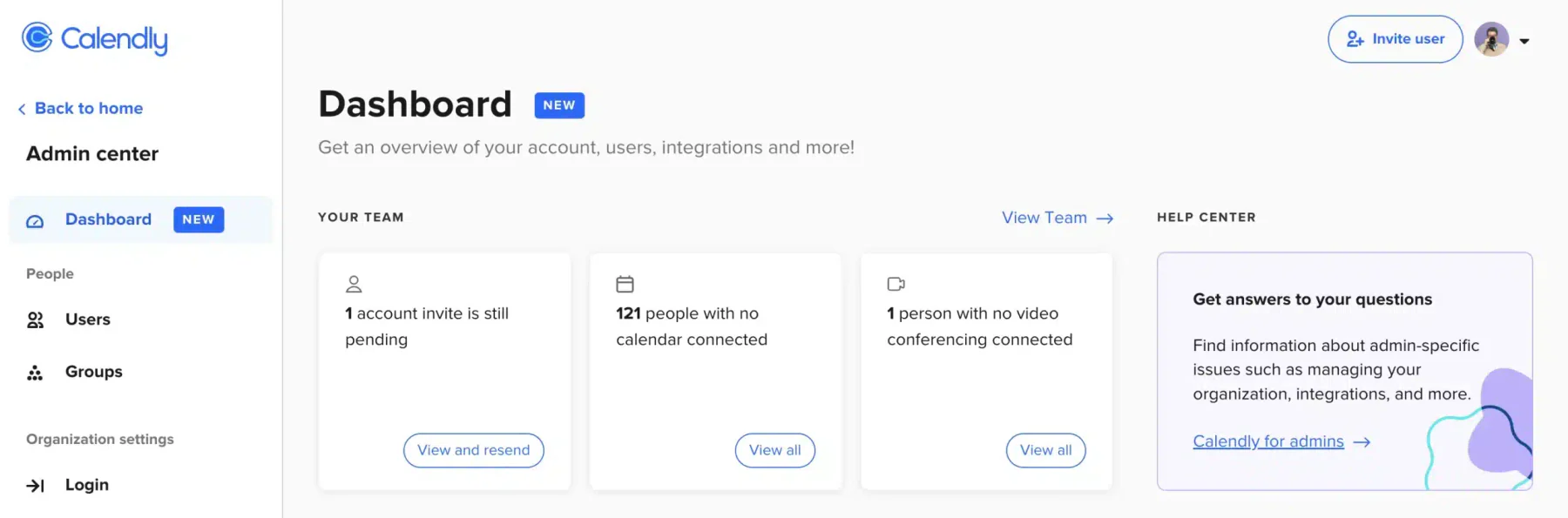 Why we choose: Calendly’s simplicity and effectiveness in scheduling meetings, with excellent integration options.
Calendly is an AI-based scheduling tool that simplifies meeting scheduling by allowing users to set their availability and share it with others. This eliminates the back-and-forth emails typically involved in arranging meetings.
Key features:
- Meeting scheduling
- Calendar integration
- Automated reminders
- Time zone detection
Pricing: Standard from ₱626/seat/month (annual).
|
Strengths |
Weaknesses |
| Simple and intuitive to use | Limited to appointment scheduling |
| Great calendar integration | Not designed for employee shift scheduling |
| Automated reminders | Basic reporting features |
| Good for remote teams | Limited customization |
18. FieldCode
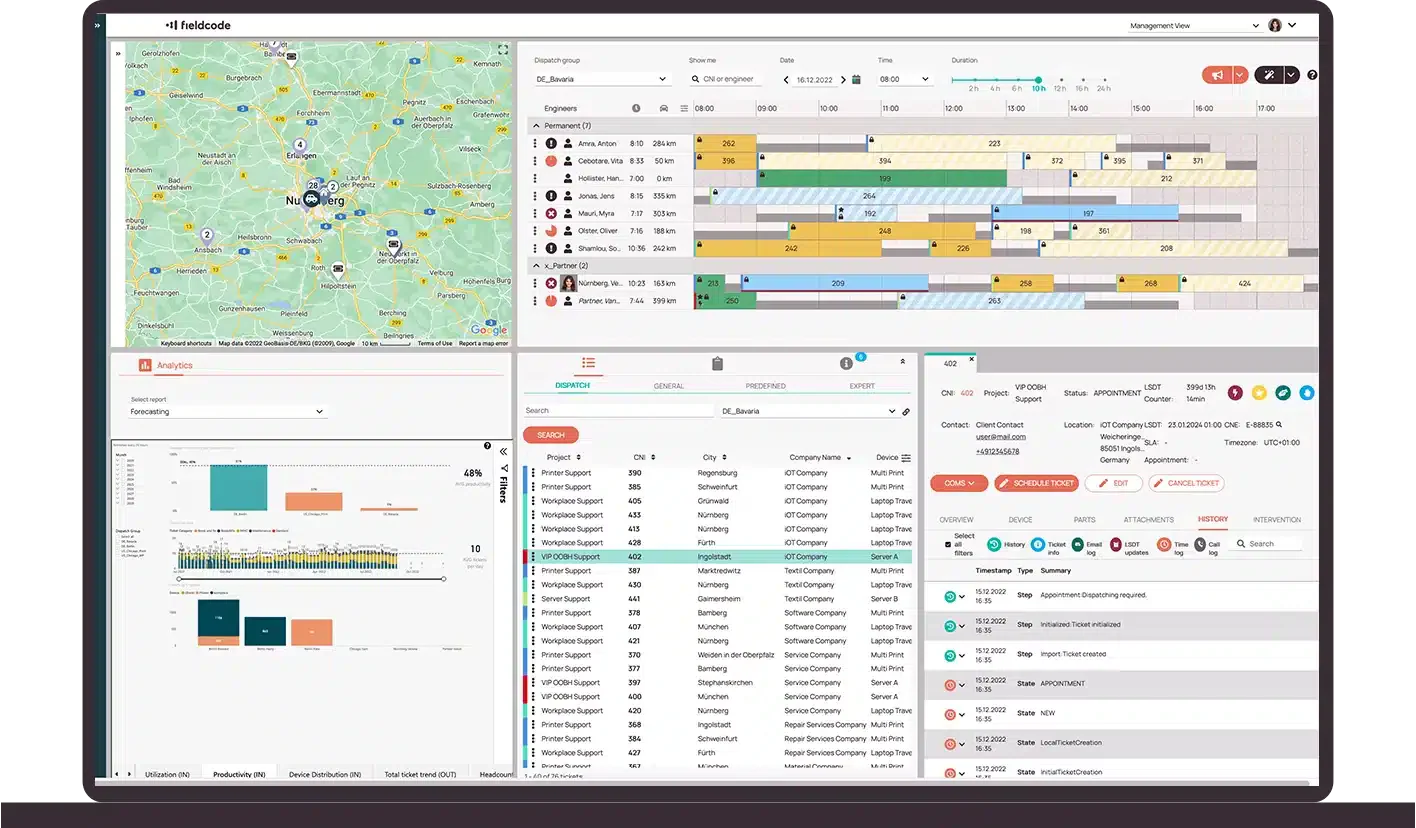
Why we choose: Its real-time scheduling and GPS tracking, make it an excellent choice for field service businesses.
Founded to improve field service operations, FieldCode is particularly beneficial for businesses that manage mobile workforces, such as repair services, utilities, and construction companies. The employee scheduling software Philippines offers real-time scheduling, GPS tracking, and workflow automation.
Key features:
- Field service management
- Real-time scheduling
- GPS tracking
- Workflow automation
- Customer management
Pricing: Contact vendor.
|
Strengths |
Weaknesses |
| Great for field service companies | Limited to field service industries |
| Real-time scheduling | Complex setup process |
| GPS tracking included | Requires training for full utilization |
| Strong workflow automation | Fewer customization options |
19. ClockShark
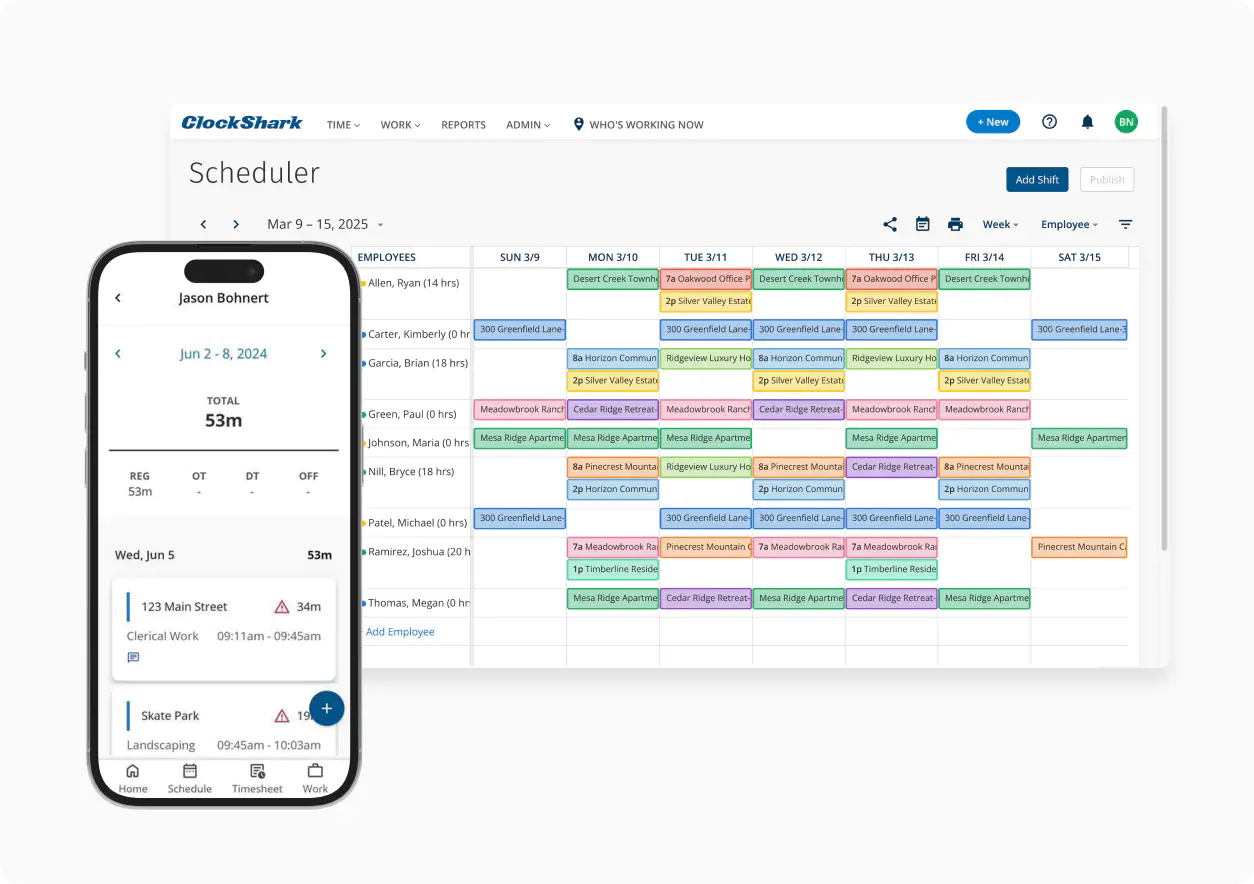
Why we choose: Specialized features tailored for the construction and field service industries.
ClockShark is time-tracking and scheduling software tailored specifically for construction and field service businesses. The software’s GPS time-tracking feature allows managers to monitor where employees are working in real time, while job costing tools help businesses manage project current liabilities more effectively.
Key features:
- GPS time tracking
- Job costing
- Employee scheduling
Pricing: Standard from ₱2,506/month + ₱501/user/month.
|
Strengths |
Weaknesses |
| Excellent for the construction industry | Limited to construction and field services |
| GPS tracking for job sites | Higher cost for smaller teams |
| Job costing features | Not ideal for non-field service businesses |
| Strong mobile app | Limited integration options |
20. WorkFeed
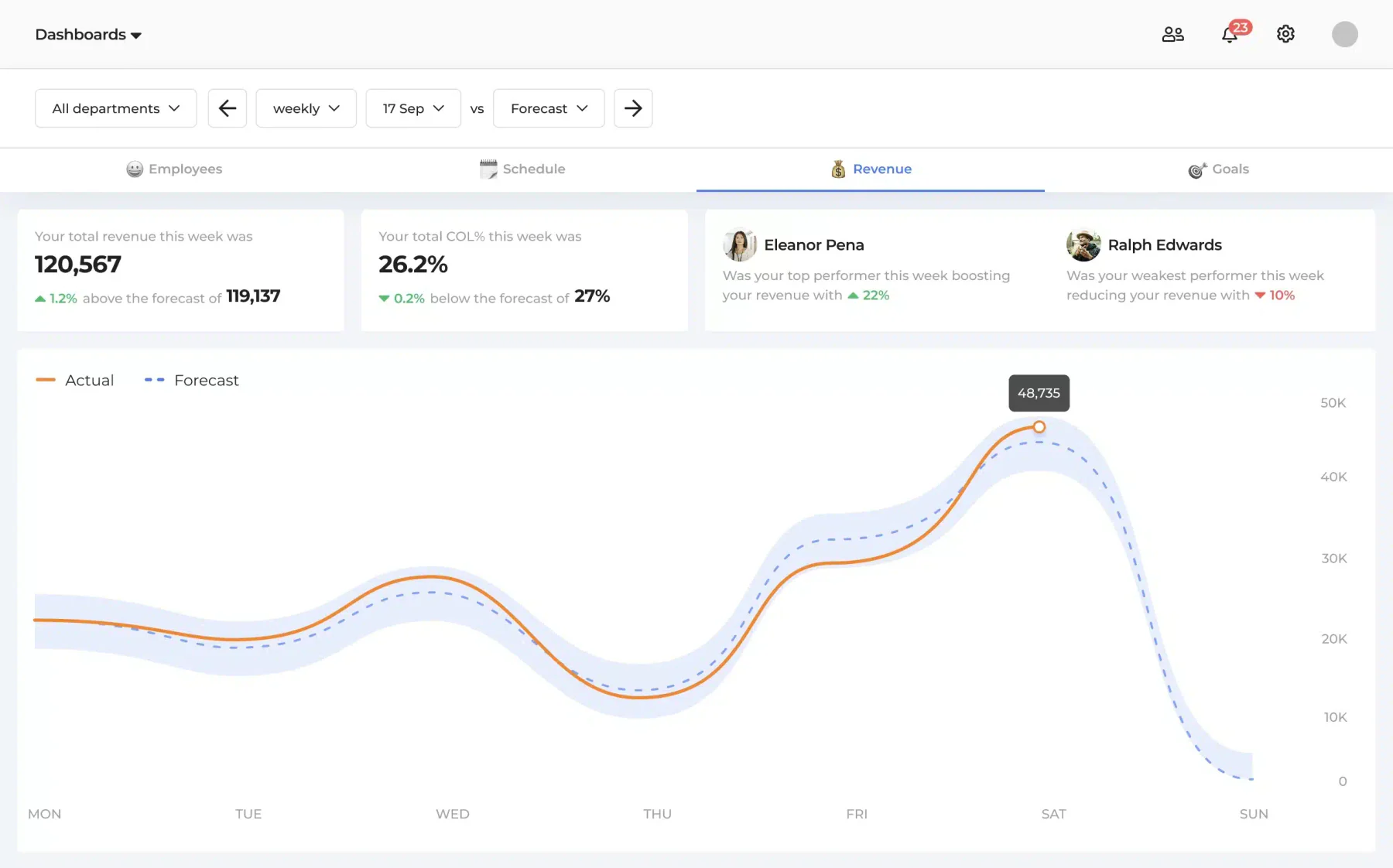 Why we choose: It has simple, intuitive interface and strong collaboration features, making it a good choice for companies.
Launched in 2020, WorkFeed is designed to improve team collaboration and efficiency by providing a platform where managers can schedule shifts, track employee availability, and communicate with their teams. This scheduling app focuses on its ease of user experience.
Key features:
- Collaborative scheduling
- Task management
- Employee availability tracking
- Shift reminders
- Reporting tools
Pricing: From approximately ₱157–₱188/user/month.
|
Strengths |
Weaknesses |
| Simple and intuitive interface | Fewer advanced features compared to competitors |
| Great for team collaboration | Limited customization options |
| Good reporting tools | Newer software with fewer integrations |
| Affordable pricing | Limited customer support options |
How to Choose the Suitable Software for Your Business

Selecting the right employee scheduling software is a critical decision that can significantly impact your business’s efficiency and productivity. Here’s a simple guide to help you make the best choice.
- Identify your business needs: Assess your team size, scheduling complexity, and multi-location operations to pinpoint your business’s requirements.
- Check for compliance features: Select employee scheduling software that helps you comply with local labor laws. This is especially important in the Philippines to avoid legal issues.
- Prioritize scalability: Opt for a solution that can grow with your business, allowing you to expand or customize features as your needs evolve.
- Assess customer support: Look for workforce attendance management system vendors offering reliable support, including tutorials, live chat, and phone assistance, to resolve issues quickly.
- Read reviews and seek recommendations: Gather insights from similar businesses by reading reviews and asking for recommendations, helping you make a well-informed decision.
- Try its free demo and consider the price: Take advantage of a free demo to test the software’s functionality and see if it meets your needs. Also, consider the price to ensure it fits within your budget while providing the features your business requires.
"Selecting the right employee scheduling software requires aligning it with your business needs, ensuring compliance, evaluating scalability and support."
Conclusion
In today’s dynamic business environment in the Philippines, having efficient employee scheduling software is essential to maintain productivity and operational stability. The right HRIS solution should align with your specific business needs.
Beyond functionality, businesses should carefully evaluate pricing structures, compliance features, and customer support to ensure the system fits both operational requirements and budget considerations.
By making an informed and strategic choice, companies can streamline processes and enhance efficiency across operations. Taking advantage of a free consultation can further help organizations understand how the software can be tailored to their unique workforce needs.
FAQ About Employee Scheduling Software
Staff scheduling software automates creating, managing, and optimizing employee work schedules. It simplifies tasks such as shift planning, time tracking, and workforce communication.
Scheduling is the process of organizing your activities to achieve your goals and priorities within the time you have. When done effectively, it helps you realistically assess what you can accomplish and ensures you allocate enough time for essential tasks.
There are three types of process schedulers: The long-term scheduler that adds processes to the Ready queue, the medium-term scheduler that temporarily blocks processes from accessing resources, and the short-term scheduler that moves processes from the Ready queue to the CPU for execution.