

 Limited to 100 registrants

Business owners and managers in the Philippines, imagine managing your orders with flawless precision, boosting efficiency, and pleasing your customers at every turn. This isn’t just a dream, it’s a reality that’s within reach with the right tools. Using an Order Management System (OMS) streamlines operations and enhances customer service.
This software manages inventory and customer relations under one roof. Integrating an OMS is essential for staying competitive in the fast-paced market, from the supply chain to the storefront. Please keep reading to uncover how an OMS functions and the benefits it offers businesses across the Philippines.
Key Takeaways
Streamlined Order Processing: An OMS manages the entire order cycle from entry to fulfillment, enhancing efficiency and accuracy.
Boosted Efficiency and Satisfaction: Automates processes to speed operations and improves customer experiences.
Customizable with HashMicro: HashMicro’s OMS can be tailored to fit specific business needs, integrating smoothly with existing systems to support growth.
What is an Order Management System (OMS)?

An Order Management System (OMS) is a digital tool designed to track sales, orders, inventory, and fulfillment as well as manage the people, processes, and partnerships necessary for products to find their way to the customers.
This system acts as the backbone of your business operations, integrating various facets of business management into a cohesive unit. Whether you run a small startup or a large enterprise, an OMS streamlines your order entry, maintains business inventory levels, processes your orders, and connects your business with logistics partners.
Besides handling orders, an OMS plays a pivotal role in a business’s operational efficiency. It connects your sales channels to your fulfillment strategies, ensuring that the products are delivered timely and customers remain satisfied.
How Does an Order Management System Work?
An Order Management System collects orders from every sales channel into one central database, then moves each order through the same sequence until it reaches the customer. The stages below run in order, and each one updates the same record rather than creating a new one.
1. Order capture
Orders from the website, marketplace, physical store, or sales team enter one central order database instead of separate tools. Each order carries its channel of origin, its current status, and its full history, so anyone reviewing it later can see how it progressed. This also removes the need to copy order details manually from one system to another.
2. Stock verification
The right inventory management help checks available quantities across all storage locations before the order is confirmed. Items that cannot be fulfilled are flagged at this point, before the customer is promised a delivery date. For businesses selling the same product on several channels, this is what prevents the same unit from being sold twice.
3. Payment processing
Payment status is recorded against the order and updated as the transaction clears. The order only advances to fulfillment once the payment condition for that channel is met, whether that is full prepayment, partial payment, or cash on delivery. Finance teams can see which orders are paid and which are still outstanding without asking the sales team.
4. Picking and packing
Warehouse staff work from a digital picking list generated by the system, which shows the item, quantity, and storage location for each line. Packed quantities are confirmed against the original order before the parcel is closed. Any shortfall is recorded at that moment rather than discovered after the customer complains.
5. Shipment and tracking
Carrier integration passes the confirmed order to the shipping provider and pulls tracking numbers and delivery status back into the order record. Customers receive updates automatically, which reduces the volume of where-is-my-order inquiries. If a delivery fails or is delayed, the status is visible against the order instead of sitting only in the carrier portal.
6. Inventory and customer record update
Stock balances adjust as the order ships, so the next availability check reads an accurate figure. The completed transaction stays attached to the customer profile alongside contact details and past purchases. Service and sales teams then have the full order history when the same customer contacts them again.
Because every stage reads and writes to the same order record, order details never need to be re-entered as work passes between teams. That is what reduces manual errors and keeps order processing steady as volume grows.
Key Features of an Effective OMS
An effective Order Management System (OMS) should encompass a wide range of comprehensive features that streamline all aspects of order management. Therefore, these are the key features that an OMS should include:
- Inventory Control: Manages stock levels across multiple channels in real-time, helping to minimize the risks of overstocking or understocking.
- Sales Automation: Streamlines the steps of order entry, validation, and processing. This reduces the workload on your team and lowers the chances of errors.
- Customer Relationship Management (CRM): Integrates customer data into the OMS for improved customer service management and enables personalized marketing strategies.
- Document Tracking and Advanced Reporting: Offers additional layers of operational control and provides insights into business processes.
- Accounting Integration: Ensures financial data is accurate and updated, facilitating better financial management.
These features combine to create a robust system that not only meets the diverse needs of a business but also enhances efficiency and customer satisfaction. By integrating these functionalities, an OMS ensures that every component of the order management process is optimized, leading to smoother operations and better overall performance.
Order Management System (OMS) vs. Inventory Management System (IMS)
Order management and inventory management systems are both essential, but they solve different problems. An OMS runs the order processing cycle, from sales order entry through delivery and payment, and coordinates the customer service and logistics work that keeps each order moving.
An IMS tracks and manages stock levels instead. It shows what is available, how fast it is being used, and when replenishment is needed, which is what keeps a business from running into stockouts or tying up cash in excess inventory.
| Point of comparison | Order Management System (OMS) | Inventory Management System (IMS) |
|---|---|---|
| Main purpose | Process orders from entry to delivery and payment | Track and control stock levels across locations |
| Primary focus | The order and the customer receiving it | The product and the quantity available |
| Starting point | A customer places an order | Stock is received, moved, counted, or issued |
| Core activities | Order capture, payment status, picking instructions, shipment, tracking | Stock recording, transfers, counting, reorder points, replenishment planning |
| Key data tracked | Order status, channel, delivery date, payment, customer history | Quantity on hand, stock movement, reorder level, stock value |
| Main users | Sales, customer service, and fulfillment teams | Warehouse, purchasing, and finance teams |
| Typical output | Order status reports, fulfillment performance, delivery updates | Stock reports, movement history, replenishment recommendations |
| Problem it prevents | Delayed, incorrect, or untracked orders | Stockouts, overstock, and inaccurate stock records |
| Relationship to the other | Depends on accurate stock data to confirm what can be sold | Depends on order data to know what has been consumed |
In practice, the two systems work on the same data from different directions. An OMS cannot promise a delivery date without knowing what is in stock, and an IMS cannot forecast replenishment without knowing what has been sold. This is why some inventory management solutions, so stock levels and order status update from one record instead of two systems that need to be reconciled.
Types of Order Management Systems

Types of Order Management Systems vary to cater to different business sizes and operational complexities. Here’s a breakdown of the options available:
Individual OMS Solutions
Ideal for smaller businesses with simpler operations, these systems manage essential order processes without the complexity of larger systems.
Enterprise Systems
Designed for larger businesses with multiple sales channels and high order volumes, these systems offer extensive features and capabilities.
Cloud-based Systems
Provide scalability and accessibility, making them an excellent choice for businesses planning to expand or for those with remote teams. When comparing cloud ERP vs on premise ERP, comparing cloud ERP vs on premise ERP, cloud-based systems offer the advantage of remote accessibility without requiring on-site infrastructure.
On-premises Systems
Suited for companies that prefer to manage their data and systems internally without relying on external servers.
Choosing the right type of OMS depends on the specific needs and goals of a business in the Philippines, such as the scale of operations, future growth plans, and team distribution. Each type offers unique benefits, and the selection should align with the strategic direction and operational framework of the business.
Benefits of Implementing an Order Management System
For businesses in the Philippines, an OMS changes how orders move through the company and how much visibility management has over that process. The benefits below cover both sides, the operational gain and the decision-making gain.
Fewer manual errors
Order entry, processing, and fulfillment run from one record instead of being retyped between spreadsheets, messaging apps, and separate channel dashboards. Wrong quantities, missed line items, and duplicate orders become far less common because the data is entered once and reused at every stage.
Faster order processing
Each stage moves forward as soon as the previous one is confirmed, without waiting for someone to forward a message or update a shared file. For businesses handling orders across several channels, this is usually where the largest time saving appears.
Better customer experience
Customers receive what they ordered, on the date they were told, with tracking they can check themselves. Accuracy and speed are what customers actually notice, and both improve when order handling stops depending on manual coordination.
Tighter inventory control
Because stock levels update as orders are confirmed and shipped, purchasing decisions are based on current figures rather than last week's count. This helps prevent both overstocking and understocking, the first tying up cash and warehouse space, the second turning into lost sales and disappointed customers.
Real-time operational visibility
Managers can see order volume, fulfillment status, and bottlenecks as they happen instead of waiting for a weekly summary. Problems such as a stalled batch of orders or a slow-moving product are visible while there is still time to act.
Stronger demand planning
Reporting tools built on live order and stock data show which products are moving, in which channels, and at what pace. That gives management a factual basis to plan demand, set promotion periods, and decide where to hold inventory ahead of a busy season.
Taken together, these benefits give a business tighter control over its daily operations and a clearer view of its own performance. For companies expanding across channels or locations in the Philippines, that combination is what makes order volume growth manageable rather than chaotic.
Increase Efficiency with HashMicro’s Order Management System
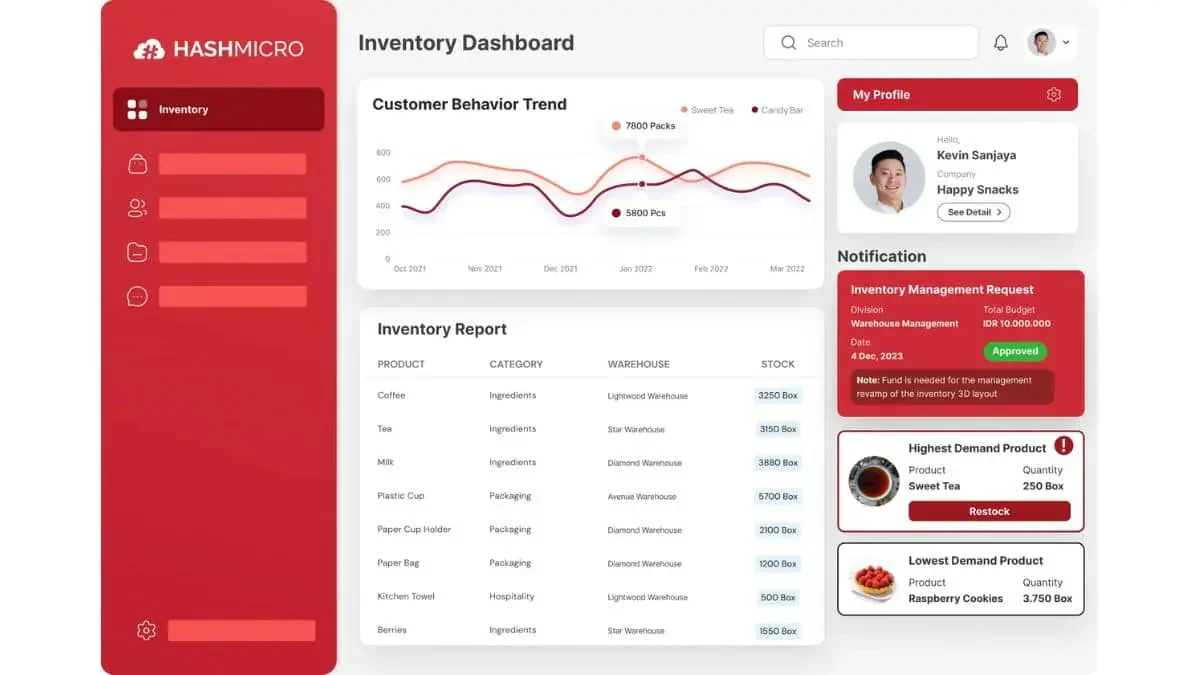
Different from other inventory software, HashMicro’s Order Management System (OMS) is uniquely designed to integrate seamlessly with its Inventory Management System (IMS), creating a robust solution for businesses in the Philippines. Here are the unique selling propositions (USPs) of HashMicro’s integrated OMS:
- Integrated Order and Inventory Management: The OMS is fully integrated with HashMicro’s IMS, ensuring synchronized management of orders and inventory, providing real-time visibility and control over stock levels.
- Efficient Order Processing: Manages the entire order cycle from entry to fulfillment and payment with precision, reducing errors and increasing efficiency.
- Advanced CRM Integration: Incorporates powerful customer relationship management features to enhance customer interactions and enable targeted marketing strategies.
- Sophisticated Analytics and Reporting: Features advanced tools for analyzing business operations, helping to make data-driven decisions and improve strategic planning.
- Scalability and Accessibility: Built on a cloud-based platform, it offers scalability for business growth and flexibility for remote management, ideal for businesses with distributed teams.
This integration of OMS and IMS under HashMicro’s suite offers a comprehensive solution that not only streamlines order processing but also enhances inventory control, customer relationships, and overall operational efficiency, positioning businesses for success in the competitive Philippine market.

Conclusion
Order Management System (OMS) is essential for any business aiming to excel in the competitive landscape of the Philippines. Furthermore, HashMicro’s OMS offers a tailored solution that enhances operational efficiency, boosts customer satisfaction, and supports long-term success.
As you evaluate the implementation or enhancement of your OMS, consider how HashMicro’s integrated system can meet your specific business needs and scale with your growth. Additionally, opt for a system that aligns with your requirements to elevate your business to new levels of efficiency.
Interested in seeing how our OMS can transform your operations? Request a free demo today and experience the benefits firsthand.
FAQ about Order Management System (OMS)
An Order Management System (OMS) is not a customer engagement tools, it focuses on processing and fulfilling orders efficiently. However, some OMS integrate CRM functionalities to enhance customer service.
The best OMS depends on your business needs, including scalability, integration capabilities, and specific features. Additionally, HashMicro’s OMS is highly recommended for its customization and comprehensive integration.
OMS is used to manage all aspects of the order process, from entry through fulfillment and post-sales support. Ensuring efficient inventory management, customer satisfaction, and operational transparency.