













A client management system is a digital solution designed to help businesses organize client data, track interactions, and manage follow-ups efficiently. As companies grow, handling multiple clients becomes more complex, making it harder to maintain consistent communication and service quality. These systems ensure every client feels valued and well managed.
In 2025, the projected average Spend per Employee in the Customer Relationship Management Software market in Singapore is estimated to reach US$77.85, reflecting the rising demand for structured and data-driven client management. This trend highlights how businesses are prioritizing better tools to strengthen customer relationships.
That’s where the right client management software makes a difference. For businesses in Singapore, HashMicro Client Management offers an integrated solution to streamline workflows and boost productivity. We’ve compiled the top client management software in Singapore to help you choose the best fit. Try a free demo today to see it in action.
Key Takeaways
|
What is Client Management Software System?
Client management software is a digital system that helps businesses organize client data and manage interactions in one place. It centralizes contact details, communication records, appointments, and sales activities, allowing teams to handle client relationships more efficiently as the business grows.
By using this software, businesses gain a complete view of each client, including past transactions, communication history, and preferences. This visibility helps teams respond faster, personalize interactions, and anticipate client needs more accurately.
Client management software often includes CRM (Customer Relationship Management) features such as automated reminders, alerts, and follow-ups. These tools help maintain consistent communication with clients while reducing manual work, improving retention, and strengthening long-term relationships.
Key Features of Client Management Software System
Client management software is built to support businesses in nurturing and improving their customer relationships. Below are the core features that make this type of software a valuable asset for efficient client handling:
1. Automated sales workflow
Automation plays a central role by simplifying and speeding up the sales process. Key functions include tracking leads, automating email or message campaigns, and triggering follow-up actions based on client interactions.
2. Lead monitoring and optimization
Keeping track of potential clients is crucial. With lead management features, businesses can score, segment, and analyze leads to understand customer behaviour better and prioritize high-value opportunities.
3. Marketing campaign management
With campaign management tools, companies can refine their marketing strategies using data-backed insights. Capabilities such as A/B testing, retargeting, and precise audience segmentation ensure messages reach the right people at the optimal time.
4. Customer segmentation
Segmenting contacts or accounts based on factors such as industry, region, or engagement level enables personalized service and more targeted marketing efforts for distinct groups of customers.
5. Insights and performance metrics
Analytics tools offer a more in-depth view of customer-related performance over time. Metrics such as sales funnel conversion, customer lifetime value, and churn rates help shape more effective strategies and improve the user experience.
6. Integrated data and synchronization
To maintain accurate customer records across platforms, integration and data sync features are essential. This includes seamless connectivity with CRMs, ERP platforms, accounting tools, and marketing systems for unified data access.
7. Quotation and contract handling
Tools for managing quotations and contracts streamline the process of creating, sending, and monitoring these documents. Features such as customizable templates, invoice tracking, and automated alerts help streamline the process and minimise errors.
Top 15 Client Management Software Options in Singapore
Finding the right client management software is crucial for businesses in Singapore seeking to streamline operations and enhance customer relationships. We’ve curated a list of standout tools that are user-friendly, powerful, and tailored for the local market. Let’s start with one of the top contenders:
1. HashMicro
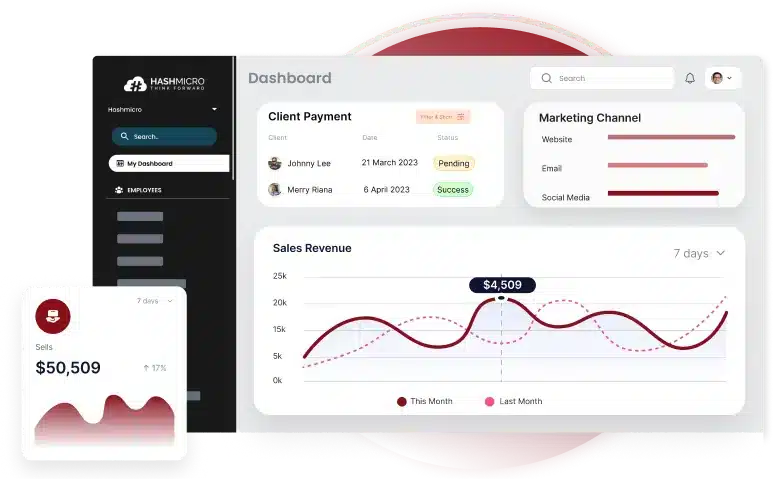
HashMicro’s Client Management Software stands out as a comprehensive tool designed specifically to simplify the management of multiple client relationships. It’s beneficial for agencies, independent professionals, and service-driven businesses in Singapore looking for an efficient, centralized platform.
HashMicro understands that each business is unique. That’s why they offer a free demo and personalized consultation, ensuring the solution is tailored to your specific needs rather than a one-size-fits-all system. Interested users can request a hands-on trial to explore its capabilities.
Imagine being able to build rich client profiles effortlessly, with details such as contact information, social links, tools used, and security data—all in one place. These insights enable businesses to fine-tune their services and communication strategies to meet the needs of individual clients.
Key Features:
- Lead & Opportunity Management with Activity Logging – Keep track of all client interactions, including calls and meetings, to maintain a detailed history that informs better follow-up.
- Activity Scheduling and Reminders – Stay on top of deadlines and tasks with tools that function like your digital assistant.
- Meeting Scheduling & History Tracking – Easily manage both upcoming and past meetings to maintain strong, consistent client communication.
- Integration with Online Forms & Emails – Automatically sync client data from lead forms and emails, streamlining communication and response times.
- Visual Sales Funnel Management – Gain a clear view of where each client stands in the sales pipeline to better strategize your outreach and engagement.
- Sales Forecasting & Actualization – Anticipate future revenue based on current trends, enabling more thoughtful decision-making.
- Customer Segmentation (RFM Analysis) – Group clients by recency, frequency, and monetary value to target them with personalized, effective strategies.
- Mobile CRM (iOS & Android) – Manage client information on the go, giving you access whether you’re in a meeting or working remotely.
| Pros | Cons |
|
|
Curious about the pricing plans that best suit your business needs? Click the banner below to explore detailed pricing options and discover the right package for your team.


2. HubSpot
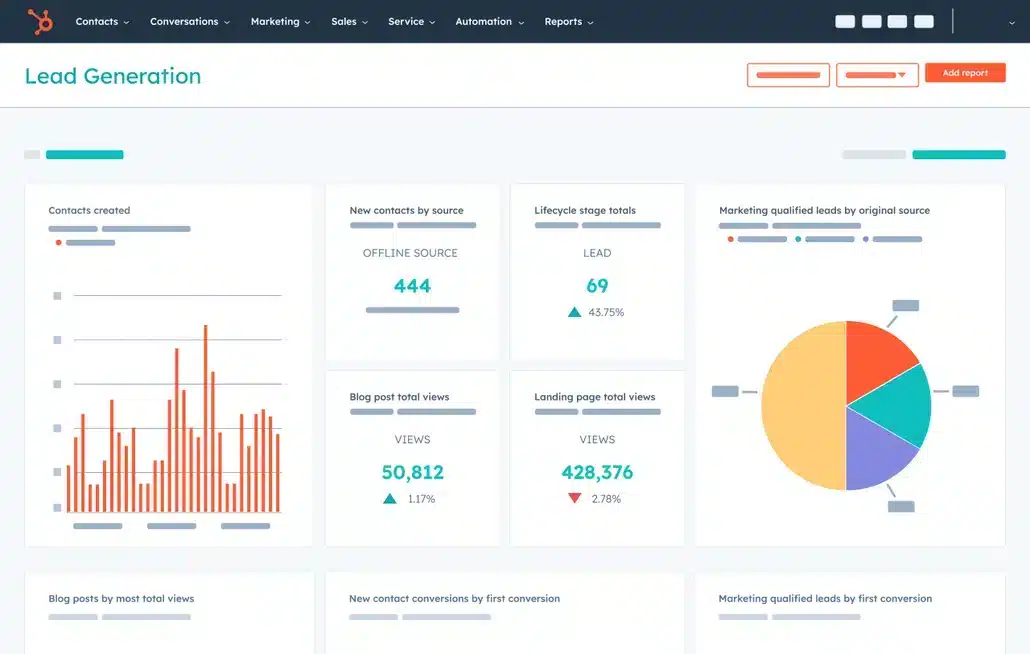
HubSpot delivers a comprehensive client management solution that combines marketing, sales, and customer service tools into a single, streamlined platform. Its user-friendly interface makes it a top choice for businesses in Singapore seeking to enhance their client relationship management.
Features:
- Email Marketing
- CRM and Sales Automation
- Lead Management
- Analytics and Reporting
| Pros | Cons |
|
|
3. Salesforce
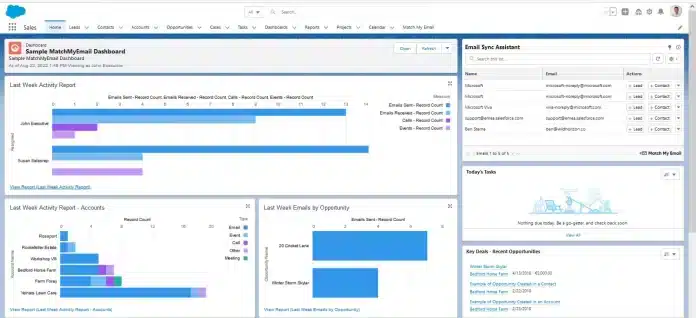
Salesforce stands out as a top-tier platform offering end-to-end solutions for managing the entire client lifecycle. Its robust integration features make it ideal for businesses in Singapore dealing with large-scale client data.
With highly flexible customization options, Salesforce empowers companies to adapt the system according to their unique operational needs.
Features:
- Sales, service, and marketing tools
- Account and Contact Management
- Opportunity Management
- Lead scoring
| Pros | Cons |
|
|
4. ClickUp
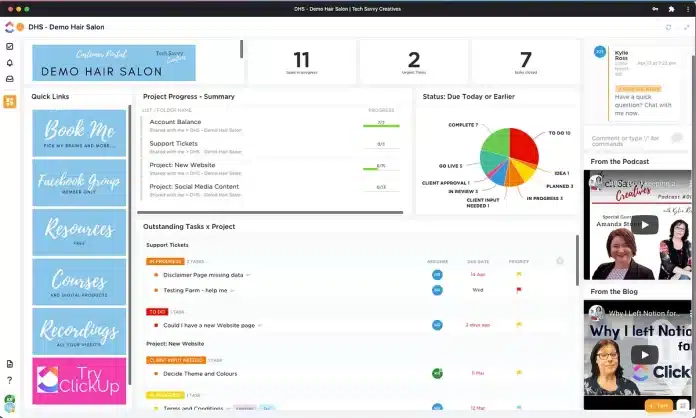
ClickUp is well-known for its flexibility, combining project management and client handling capabilities in one platform.
Its customizable interface makes it a great fit for businesses in Singapore that need an adaptable solution. The platform also supports numerous integrations, allowing users to extend its functionality as needed.
Features:
- Organization and Integration
- Collaborative tools
- Comprehensive reporting and planning
- Time and goal management
| Pros | Cons |
|
|
5. Freshworks
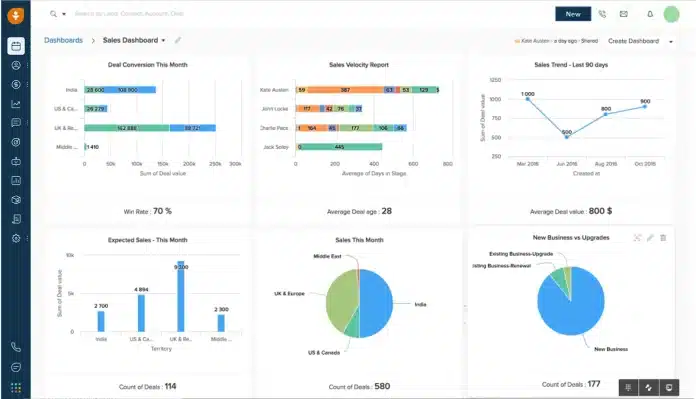
Freshworks streamlines client database management with its all-in-one platform. Its powerful automation tools and analytics capabilities make it an excellent choice for businesses in Singapore looking to improve client engagement.
Additionally, Freshworks offers exceptional customer support to help users maximise the software’s features.
Features:
- Unified CRM
- Contact Management
- Lead Scoring
- Client Segmentation
| Pros | Cons |
|
|
6. Pipedrive

- Pipedrive is designed to optimize sales processes with its easy-to-use interface. It’s ideal for businesses in Singapore seeking to boost their sales pipeline and monitor client interactions. The platform’s visual sales pipeline feature enables teams to efficiently manage and prioritize their deals.
- Features:
- Visual Sales Pipeline
- Activity Reminders
- Deal Tracking
- Contact and Deal Management
| Pros | Cons |
|
|
7. Drip
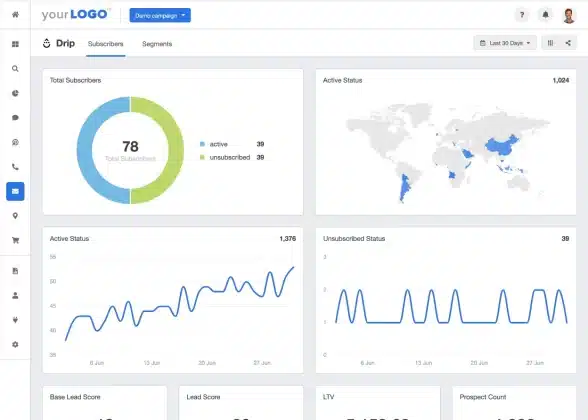
Drip excels in email marketing and automation, making it a top CRM choice that integrates seamlessly with various business tools. It’s highly valued for managing client communication workflows and providing other essential CRM features. Drip’s advanced segmentation tools allow for personalized and targeted marketing campaigns.
Features:
- Email Marketing Automation
- Customer Tracking
- Email Personalization
| Pros | Cons |
|
|
8. Zoho
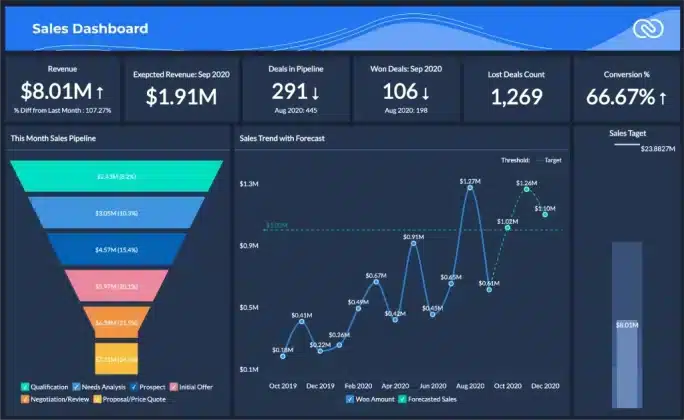
Zoho CRM caters to a wide array of business requirements with its all-encompassing suite of tools. Renowned for its extensive customization and integration capabilities, it’s a preferred option for businesses in Singapore. Additionally, Zoho offers a range of add-on applications to further enhance its core features.
Features:
- Sales Automation
- Multi-Channel Support
- Analytics and Reporting
- Campaigns Management
| Pros | Cons |
|
|
9. Airtable
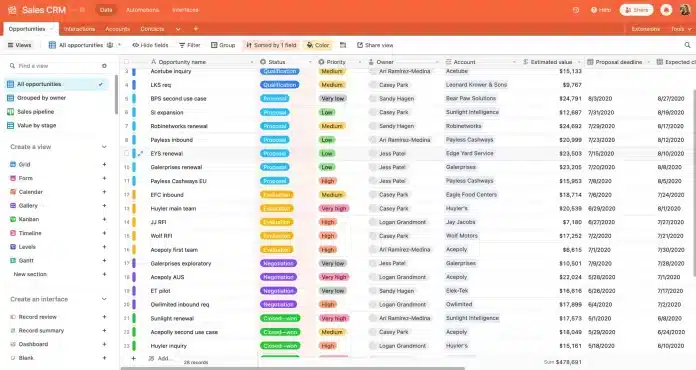
Airtable blends the simplicity of spreadsheets with advanced management features. It stands out in organizing and visualizing data, making it ideal for tracking both projects and client interactions. Its collaborative tools also make it easy for teams to collaborate seamlessly.
Features:
- Client Records Management
- Shared Views
- Collaborative workspace
- Automation tools and integrations
| Pros | Cons |
|
|
10. Monday.com
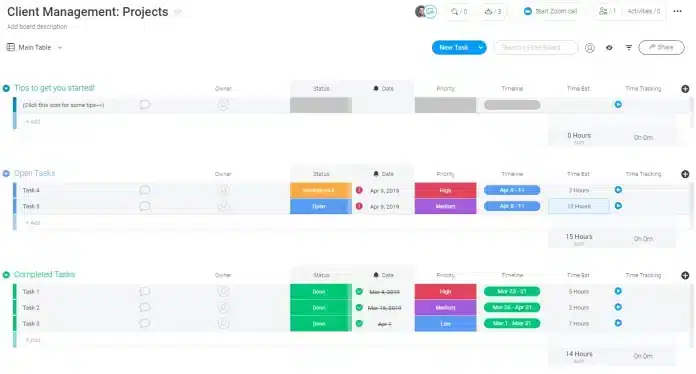
Monday.com is known for its visual project management tools and adaptable platform. It’s perfect for teams in Singapore that require a collaborative space to manage both client relationships and projects. The platform’s automation features also help eliminate repetitive tasks, improving overall efficiency.
Features:
- Visual Project Management
- Client Projects Dashboard
- Automated Notifications
- Integrated Document Management
| Pros | Cons |
|
|
11. Nutshell
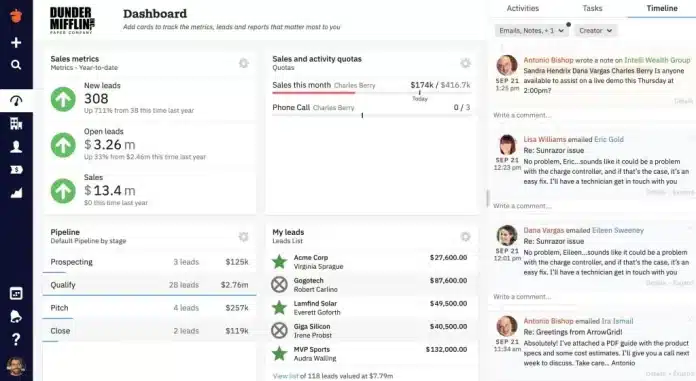
Nutshell offers a simple yet effective solution designed for sales and customer relationship management. It’s especially ideal for small to mid-sized businesses in Singapore, thanks to its easy integration with other tools. Additionally, Nutshell provides useful reporting features to monitor sales performance.
Features:
- Sales automation
- Reporting and analytics
- Pipeline management
- Workflow automation
| Pros | Cons |
|
|
12. Nifty PM
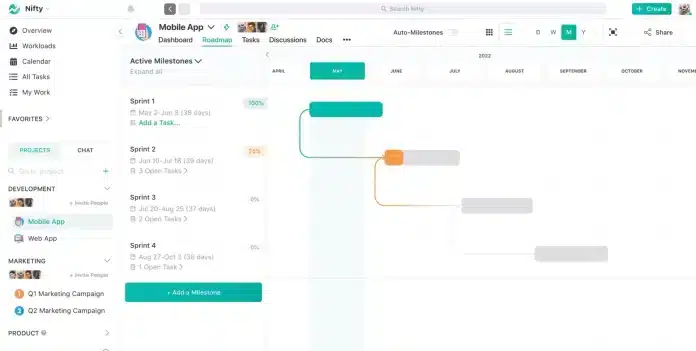
Nifty PM combines project management with strong client management capabilities. It’s a great fit for teams in Singapore aiming to improve both project oversight and client communication. Its milestone tracking feature helps keep projects aligned with timelines and goals.
Features:
- Task Management
- Project Milestones
- Team Collaboration
- Time Tracking
| Pros | Cons |
|
|
13. Keap
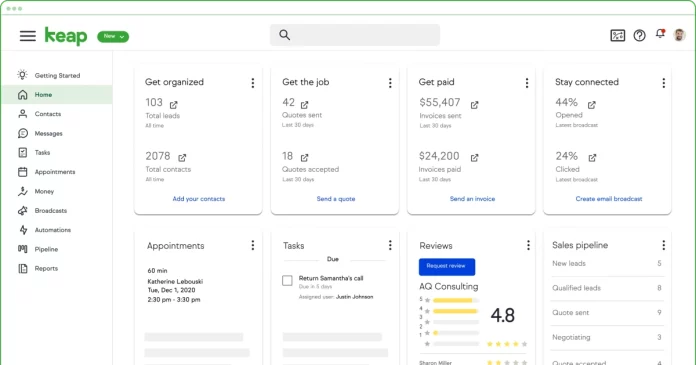
Keap serves as an all-in-one platform designed to automate both sales and marketing workflows. It’s especially well-suited for small businesses in Singapore looking to simplify operations and enhance client management. The platform also features built-in appointment scheduling to make meeting coordination easier.
Features:
- Sales and Marketing Automation
- CRM Features
- Appointment Scheduling
- Analytics and Reporting
| Pros | Cons |
|
|
14. Apptivo
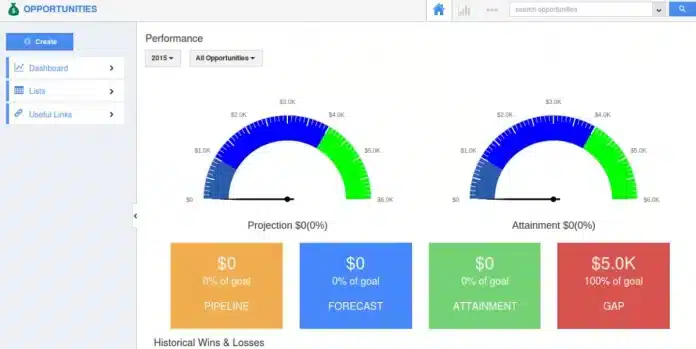
Apptivo offers a comprehensive suite of tools encompassing CRM, project management, and invoicing. Its all-in-one capabilities support businesses across every stage of the client journey. With budget-friendly pricing, Apptivo is a practical option for companies of all sizes in Singapore.
Features:
- CRM and Project Management
- Sales Automation
- Customization
- Reporting
| Pros | Cons |
|
|
15. EngageBay
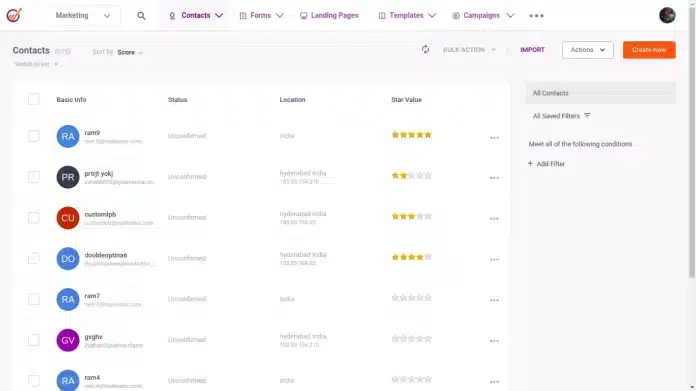
EngageBay combines marketing, sales, and customer service features into a single, unified platform. It’s a strong option for businesses in Singapore aiming to strengthen client relationships and drive growth. With its intuitive interface, EngageBay provides a seamless onboarding experience for new users.
Features:
- Marketing Automation
- CRM
- Helpdesk
- Analytics
| Pros | Cons |
|
|
Key Considerations When Choosing Client Management Software
Selecting the right client management software plays a vital role in streamlining business operations and fostering stronger customer relationships. Here are the key features to prioritize:
1. User-friendliness and customization
Look for software with an intuitive design to ensure easy adoption by your team. It should also allow for customization of fields, workflows, and reports to align with your specific business processes.
2. Automation and tool integration
Efficient systems should automate routine tasks like follow-ups and data updates, helping to save time and minimize manual errors. Additionally, it should integrate smoothly with your existing tools, such as calendars, email systems, or accounting platforms, to create a cohesive workflow.
3. Lead and contact management
Comprehensive management of client information is essential. The software should enable tracking of detailed contact histories and offer tools for managing leads from initial outreach to closed deals—ideally with visual pipeline features.
4. Analytics and reporting
Advanced reporting capabilities provide valuable insights into customer interactions and sales trends. The option to generate customized reports allows businesses to track critical metrics and make informed decisions.
5. Mobile access and data security
Being able to access the software via mobile devices supports flexibility and on-the-go management. Strong data protection features, such as encryption and access control, are also crucial for keeping client data secure.
6. Scalability and customer support
Select a solution that can scale with your business, supporting increased user numbers and client data without compromising performance. Responsive support services and accessible training resources are also crucial for resolving any challenges efficiently.
Focusing on these elements will help you select client management software that not only meets your current needs but also supports your long-term growth.
Conclusion
Choosing the right client management software is an important step toward building stronger and more consistent client relationships. With the right insights and tools, businesses can improve communication, stay organized, and deliver better client experiences.
For businesses in Singapore, HashMicro’s Client Management Software offers a flexible solution designed to support various industries such as retail, F&B, and services. Its integrated features help streamline workflows, improve efficiency, and support long-term business growth.
If you want to see how it works in practice, book a free demo today and explore how HashMicro can help you manage clients more effectively and confidently.
FAQ About Client Management Software
-
What is CRM vs CSM?
CMS platforms are designed for creating and managing digital content, whereas CRM systems are geared toward handling customer data and overseeing sales activities. While CMS tools help businesses publish and organize content, CRM tools allow them to store customer information, monitor interactions, and manage the sales pipeline.
-
What are CRM systems?
CRM (Customer Relationship Management) systems are software solutions that assist companies in organizing and evaluating their interactions with customers. Their purpose is to strengthen customer relationships, boost satisfaction, and support sales growth by offering a centralized platform for managing customer information and monitoring engagement.
-
What is the CRM software used for?
CRM, or customer relationship management, refers to a system used to handle a company’s interactions with both existing and prospective customers. Its main objective is to strengthen relationships in order to support business growth.