











 Limited to 100 registrants

Are you still tracking inventory manually? According to Gartner Digital Insights, 41% of businesses still use manual methods to manage their inventory. While spreadsheets and pen-and-paper tracking might work for very small operations, they fall apart quickly once you start scaling across multiple locations, sales channels, or warehouses.
To help you cut through the noise, we evaluated 11 of the most widely used inventory management systems available in Singapore across more than 30 data points, including G2 ratings, Forbes Advisor scores, user sentiment, feature depth, pricing, and integration capabilities, to build this definitive guide.
Key Takeaways
Inventory management software tracks stock, item movement, and storage locations in real time, so everything stays consistent across sites.
Inventory errors are costly in Singapore, where retail profit margins average around 6%, and grants such as EDG and IMDA funding can lower the cost of getting started.
Key features to look for include real-time tracking, barcode and RFID scanning, automated reordering, multi-location management, and batch and expiry tracking.
When selecting inventory management software, compare usability, real-time syncing, scalability, integrations, and total cost, plus Singapore needs like GST reporting.
This guide compares 11 inventory systems in Singapore, from SME-friendly tools like Zoho and Xero to ERP options like HashMicro, SAP, and NetSuite.
Top Inventory Management Systems
Market research shows that each inventory management system delivers its own value proposition. To simplify your decision, I’ve outlined the top-performing options expected to dominate in 2026:
| Brand | Best For | Rate | Source |
|---|---|---|---|
| HashMicro | Enterprise inventory with ERP integration, supports multi-warehouse | 4.8 | G2 |
| Katana | Delivers reliable Inventory and production management supported by smooth integrations. | 4.4 | G2 |
| Ordoro | Enhances multichannel inventory control and shipping through seamless e-commerce integrations. | 4.5 | G2 |
| Fishbowl | Delivers robust inventory management with seamless reporting. | 4 | G2 |
| NetSuite | Combines real-time visibility with automation to streamline inventory. | 4 | G2 |
| SAP | Delivers comprehensive inventory control with real-time insights and streamlined processes. | 4.2 | G2 |
| Oracle | Has comprehensive visibility related to the management of material flows, warehouse work, and product costs. | 4.3 | G2 |
| Monday.com | Its functionality to include inventory control featuring e-commerce and order management, and seamless third-party integrations. | 4.7 | G2 |
| ShipBob | Tailored for e-commerce enterprises, offering immediate insight into stock levels. | 3.7 | G2 |
| Zoho | The software offers real-time tracking and management of stock levels. | 4.1 | G2 |
| Xero | It provides real-time tracking of stock levels. | 4,4 | G2 |
What is Inventory Management Software?
Inventory management software tracks stock, item movement, and storage locations in real time, so reorders, warehouse workflows, and reporting stay consistent and less manual, especially across multiple sites.
For teams evaluating inventory management tools for fast-growing startups, the best-fit options usually combine real-time tracking, automation, multi-warehouse control, and clean integrations with accounting, POS, or ERP systems, so accuracy holds up as volumes and users scale.
Why It Matters: The Business Impact for Singapore Enterprises
Singapore’s high operating costs, tight warehousing space, and omnichannel expectations make inventory failures especially costly. Here’s what the numbers look like—without software vs. with it.
Singapore Government Support: Lower the Cost of Getting Started
Given the data above, it is important for Singaporean businesses to consider using inventory software for their day-to-day business operations.
This can help businesses maintain accurate stock levels, streamline inventory processes, and make more informed purchasing decisions.
With high operating costs, tight warehousing space, and retail margins of around 6%, even small stock errors can quickly eat into profit in Singapore.
Government support such as the Enterprise Development Grant and IMDA funding can lower the upfront cost, but confirm eligibility and current terms with Enterprise Singapore and IMDA first.
What are the Key Features?
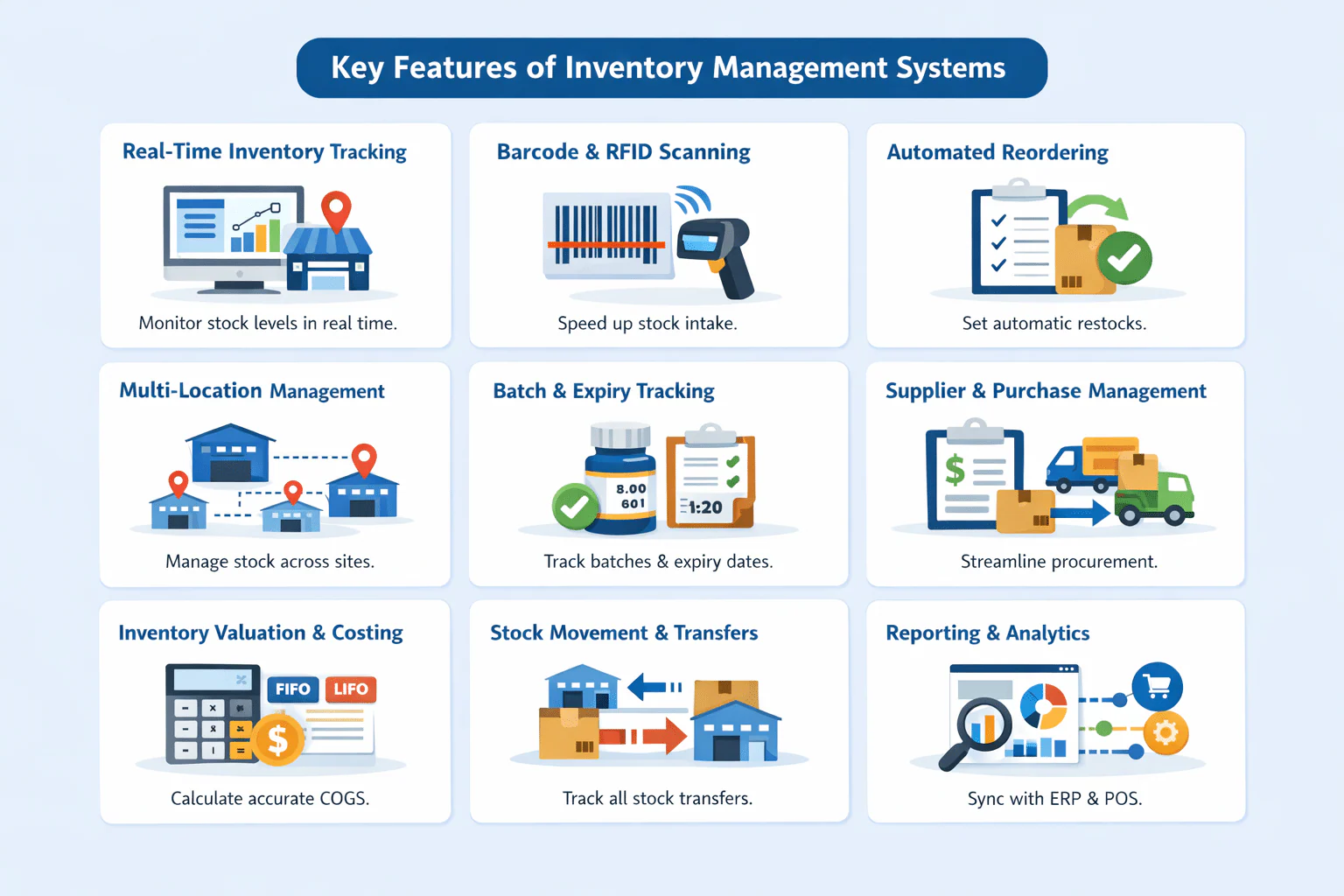
A typical inventory workflow includes receiving stock, recording quantity and batch details, storing items by location, processing transfers, performing cycle counts, and updating stock after sales or fulfillment.
The right system should provide an audit trail for adjustments and identify who made each change.
1. Real-Time Inventory Tracking
Monitor stock levels across multiple locations in real time. The system automatically updates quantities when items are received, transferred, or sold, minimizing manual input and reducing errors.
2. Barcode & RFID Scanning
Accelerate stock intake, dispatch, and audits with barcode or RFID scanning. This feature simplifies tracking and ensures item-level accuracy across the supply chain.
3. Automated Reordering
Set minimum stock thresholds and automate purchase orders when inventory falls below safety levels. This prevents stockouts and overstocking, improving cash flow management.
4. Multi-Location & Warehouse Management
Manage inventory across various warehouses, stores, or branches in one centralized system. Users can view stock availability and movement in each location instantly.
5. Batch & Expiry Tracking
Ideal for perishable goods or regulated industries, this function enables tracking of batch numbers, production dates, and expiry dates to ensure compliance and product quality.
6. Supplier & Purchase Management
Integrate vendor details, purchase orders, and delivery records directly into the inventory system for smoother procurement and supplier performance tracking.
7. Inventory Valuation & Costing
Supports various costing methods such as FIFO, LIFO, or Weighted Average to help businesses calculate accurate COGS, maintain precise records, and sync cleanly with financial reporting software for inventory and COGS.
8. Stock Movement & Transfer Management
Track every inbound, outbound, and internal transfer between locations with automated documentation and audit trails.
9. Reporting & Analytics
Generate detailed inventory reports, including turnover rates, demand forecasting, and stock aging analysis for better decision-making and demand planning.
10. Integration with Other Systems
Connects seamlessly with accounting, sales, procurement, and warehouse management modules to maintain synchronized data across departments.
What are the Benefits?
In my experience, implementing an inventory management system has been a game-changer for maintaining accuracy and efficiency. It not only streamlines daily operations but also helps me make smarter, data-driven decisions for better cost control and performance.
-
Operational Efficiency: Streamlines tracking and monitoring, saving time and effort.
-
Cost Savings: Prevents unnecessary purchases and compliance-related fines.
-
License Compliance: Ensures all software is legally licensed.
-
Data Security: Keeps systems updated to protect against threats.
-
Resource Optimization: Allocates resources based on actual usage.
-
Increased Productivity: Minimizes downtime and supports smooth operations.
Implementing software inventory provides significant benefits for companies, from operational efficiency to enhanced security and productivity.
Managing software inventory manually can be time-consuming, especially as businesses grow. Hashy, HashMicro's AI assistant, helps simplify software and business management by providing instant access to information, reducing manual tasks, and supporting faster, more informed decision-making across daily operations.






11 Popular Inventory Management Software Singapore
After understanding the importance of having the right inventory management system, the next step is to choose the software that best fits your business needs.
We evaluated these 11 inventory management systems based on inventory tracking, warehouse management, barcode and RFID support, integrations, reporting, implementation complexity, pricing factors, and suitability for Singapore businesses. Features and pricing should be confirmed with each provider because plans and availability may change.
This article is published by HashMicro, a provider of business software. HashMicro is included in the comparison, but the order is based on the criteria described in this article. Readers should verify current features, pricing, and implementation requirements directly with each provider.
1. Katana
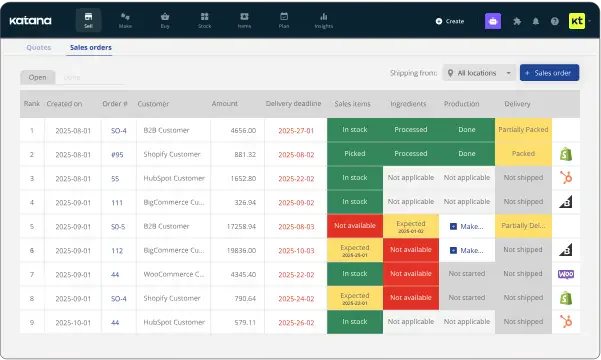
I chose Katana because it’s a cloud inventory platform that works as a Fishbowl Inventory alternative for manufacturing, with inventory tracking, order management, and production planning for small to mid-sized businesses.
Users have reported several issues with Katana Inventory Management, including sudden and significant price increases, system glitches that are slow to be resolved, and a lengthy, complicated onboarding process. These drawbacks have led to frustration and dissatisfaction among some users.
Consumer Sentiment (Forbes): Ease of Use: 79% positive | Customer Support: 79% positive | Customization: 50% positive | Data Sync: 80% positive
Features:
- Multichannel sales and production management
- SKU management
- Traceability
- Integrations with e-commerce platforms
| Pros | Cons |
|---|---|
| ✓ Implementation service | × Not ideal for drop shippers |
| ✓ Product management | × Primarily for SMBs |
| ✓ Integration capabilities | × Additional costs for extra users |
Best for: Small to mid-sized manufacturers that need inventory, production and sales orders managed in one cloud platform.
Pricing: A free plan covers 30 SKUs. Core starts at US$299 per month with usage-based extras. No Australian dollar price is listed. Advantage is custom priced.
2. Ordoro
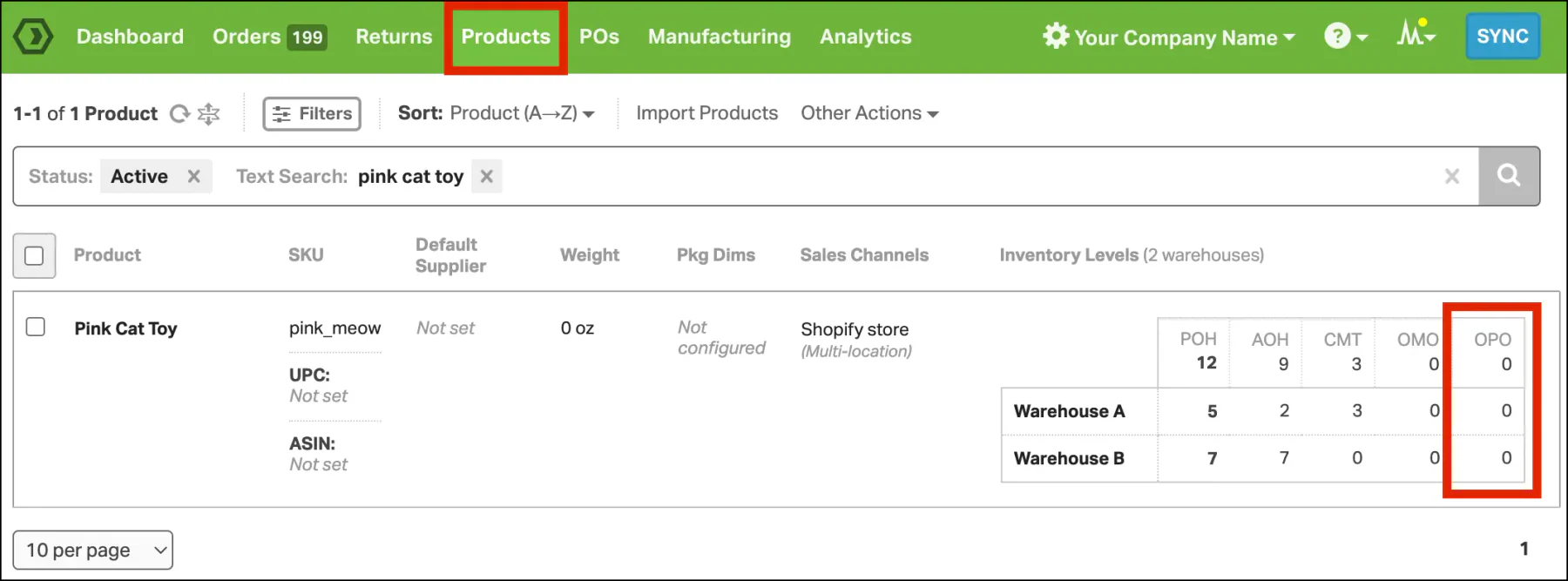
I chose Ordoro because it is a comprehensive e-commerce inventory management system designed to optimize warehouse operations for growing merchants. It works well alongside warehouse management software for order fulfillment, helping teams handle everything from shipping a hundred items to processing half a million orders per month.
Some users have reported encountering error messages when Ordoro attempts to communicate with their websites. Additionally, there have been instances where the documentation provided for these error codes was insufficient, making troubleshooting more challenging.
Consumer Sentiment (Forbes): Ease of Use: 100% positive | Customization: 89% positive | Customer Support: 71% positive
Features:
- Manages the entire inventory process for businesses shipping varying quantities of items monthly.
- Drives efficiency in every operation involved in the multichannel sales process.
- Allows integration with different sale channels for improved fulfillment workflows.
| Pros | Cons |
|---|---|
| ✓ Shipping options monitoring | × Lacks a mobile version |
| ✓ Return label creation | × Pricing is considered expensive for small businesses |
| ✓ E-commerce platform integration | × Updates occur once every hour, not in real-time |
Best for: Multichannel e-commerce sellers that need stock, shipping and dropshipping managed across several sales channels and warehouses.
Pricing: Inventory plans start at US$349 per month, with Premium at US$499. A free Shipping plan exists. No Australian dollar price is listed. Bundles need a quote.
3. Fishbowl
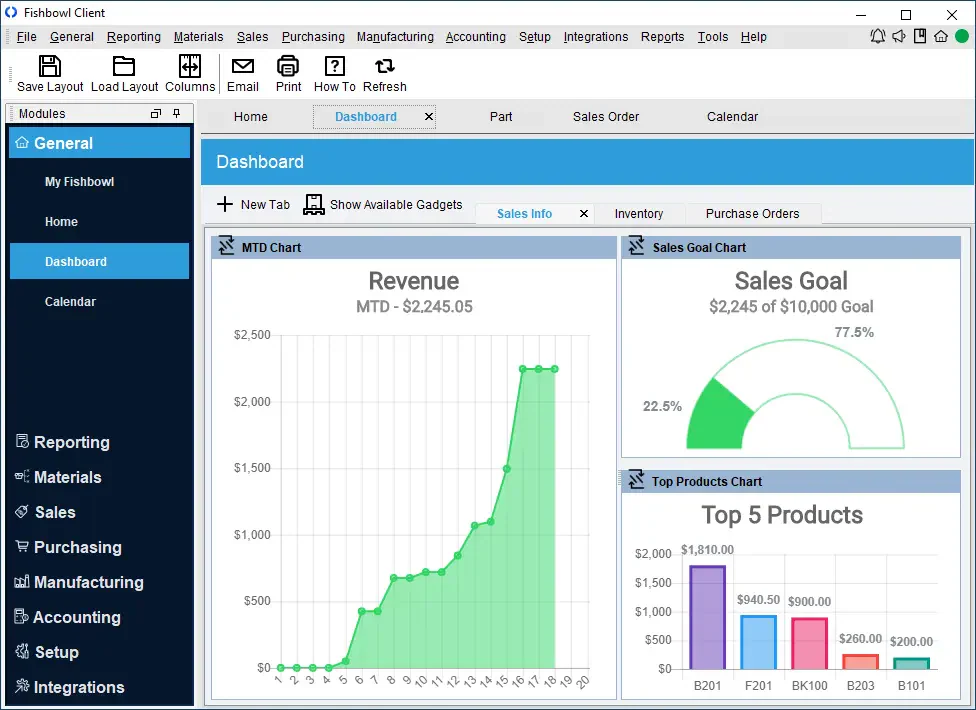
I chose Fishbowl because it is an inventory management system designed for Singapore businesses to streamline and optimize inventory-related processes for businesses, particularly those in manufacturing, warehousing, and distribution. It serves as a robust tool to track inventory, manage stock levels, handle orders, and enhance overall operational efficiency.
Some users have reported that Fishbowl can be prone to crashing, requiring them to restart the program during tasks. Additionally, there are recurring issues with line items displaying as zero, which prevents orders from shipping and necessitates frequent support calls to resolve.
Features:
- Inventory tracking system.
- Multi-location management.
- Auto purchasing.
- Vendor management.
- Payment processing, and order management.
| Pros | Cons |
|---|---|
| ✓ Extensive Inventory Management Capabilities | × Initial Complexity for Setup |
| ✓ Multi-Channel Sales Integration | × High Cost of Implementation and Maintenance |
| ✓ Scalability for Growing Businesses | × Steeper Learning Curve for New Users |
| ✓ Robust Reporting and Analytics Tools | × Limited Customization for Unique Needs |
| ✓ Efficient Order Management | × Occasional Software Performance Issues |
Best for: Australian product businesses that need barcode-driven stock control with Xero sync, or deeper manufacturing and multi-warehouse tools.
Pricing: Inventory plans run A$345 (Essentials), A$645 (Growth) and A$1,095 (Scale) per month, excluding GST. Advanced starts at A$495 by quote. Implementation is required.
4. NetSuite Inventory Management
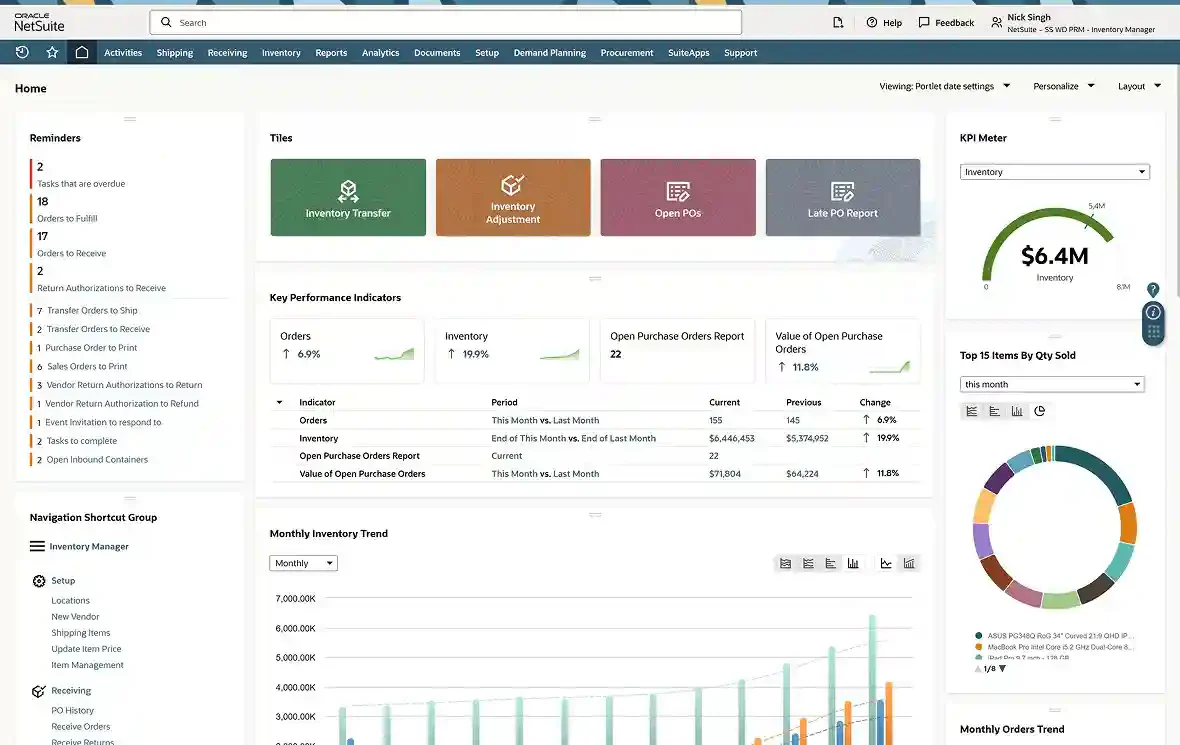
I chose NetSuite because it offers various features, including multi-location fulfillment, replenishment, cycle counting, traceability, and item visibility. These features help minimize manual processes, automate inventory management, reduce handling costs, and optimize cash flow.
Some users have noted that while NetSuite offers robust features, its integration process can be time-consuming and may involve additional costs. Additionally, the system’s interface isn’t always intuitive, which can present challenges during setup and everyday use.
Features:
- Real-time inventory counts.
- Multi-location tracking.
- Lot and serial tracking.
- Demand forecasting.
| Pros | Cons |
|---|---|
| ✓ Automates inventory management | × Subscription pricing may change over time |
| ✓ Reduces handling costs | × Limited basic support, additional support at extra cost |
| ✓ Optimizes cash flow | |
| ✓ Provides clear visibility into stock |
Best for: Growing mid-market businesses that need inventory, finance and order management on one cloud ERP across multiple locations.
Pricing: Quote based. NetSuite charges an annual licence fee for the core platform, optional modules and number of users, plus a one-time implementation fee.
5. HashMicro Inventory Management System
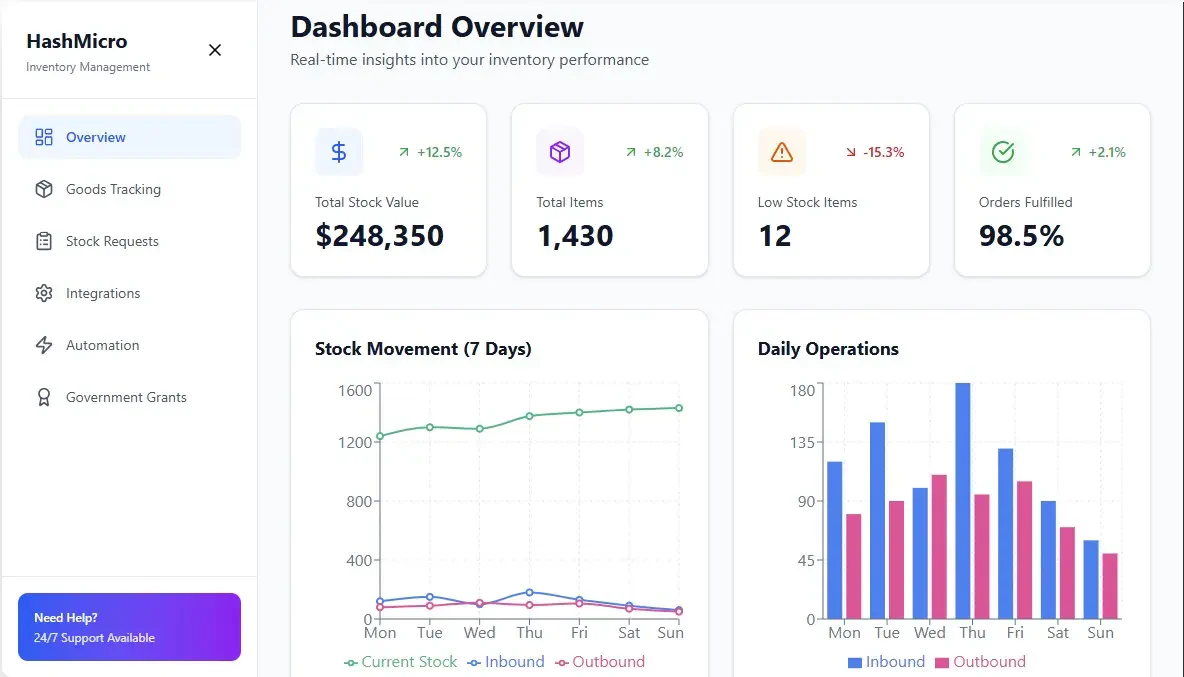
HashMicro provides an inventory management system designed for mid-to-large enterprises in Singapore. The system integrates with ERP modules and supports multi-warehouse operations.
With AI-driven automation, HashMicro Inventory Management Software helps companies in Indonesia and Singapore streamline tasks such as generating barcodes, monitoring stock in real time, managing picking and packing, placing supplier orders, and handling customer shipments efficiently.
HashMicro may be suitable for Singapore businesses looking for an integrated inventory and ERP solution with broader business management capabilities.
It suits mid-sized to large firms, but is less suited to SMEs with simple needs, and the investment is higher than standalone tools. Businesses should compare implementation scope, pricing, onboarding time, and integrations before making a decision.
Features:
- Efficient Goods Tracking
- Streamlined Stock Requests
- Tailored Integration
- Automated Inventory Operations
- Partnership with Singapore Government Grants
| Pros | Cons |
| ✓ Easy integration with other modules without requiring 3rd party assistance. | × Not suitable for SMEs that have simple needs compared to large-scale enterprises. |
| ✓ Data security is guaranteed with ISO certification. | × Implementation duration may vary based on the level of customization wanted by the company. |
| ✓ Wide choice of installation types from cloud, on-premise, and hybrid. | × Requires training for advanced features |
| ✓ Ease of monitoring from anywhere with mobile app integration and offline access. | × Higher investment compared to standalone solutions |
| ✓ Lifetime customer service and support after purchase. |
Best for: Mid-sized to large Australian businesses that want inventory connected to accounting, procurement, sales and manufacturing in one ERP.
Pricing: Quote based. No public price is listed, as cost depends on the modules and users you need. Request a free demo or consultation for a tailored quote.

6. SAP
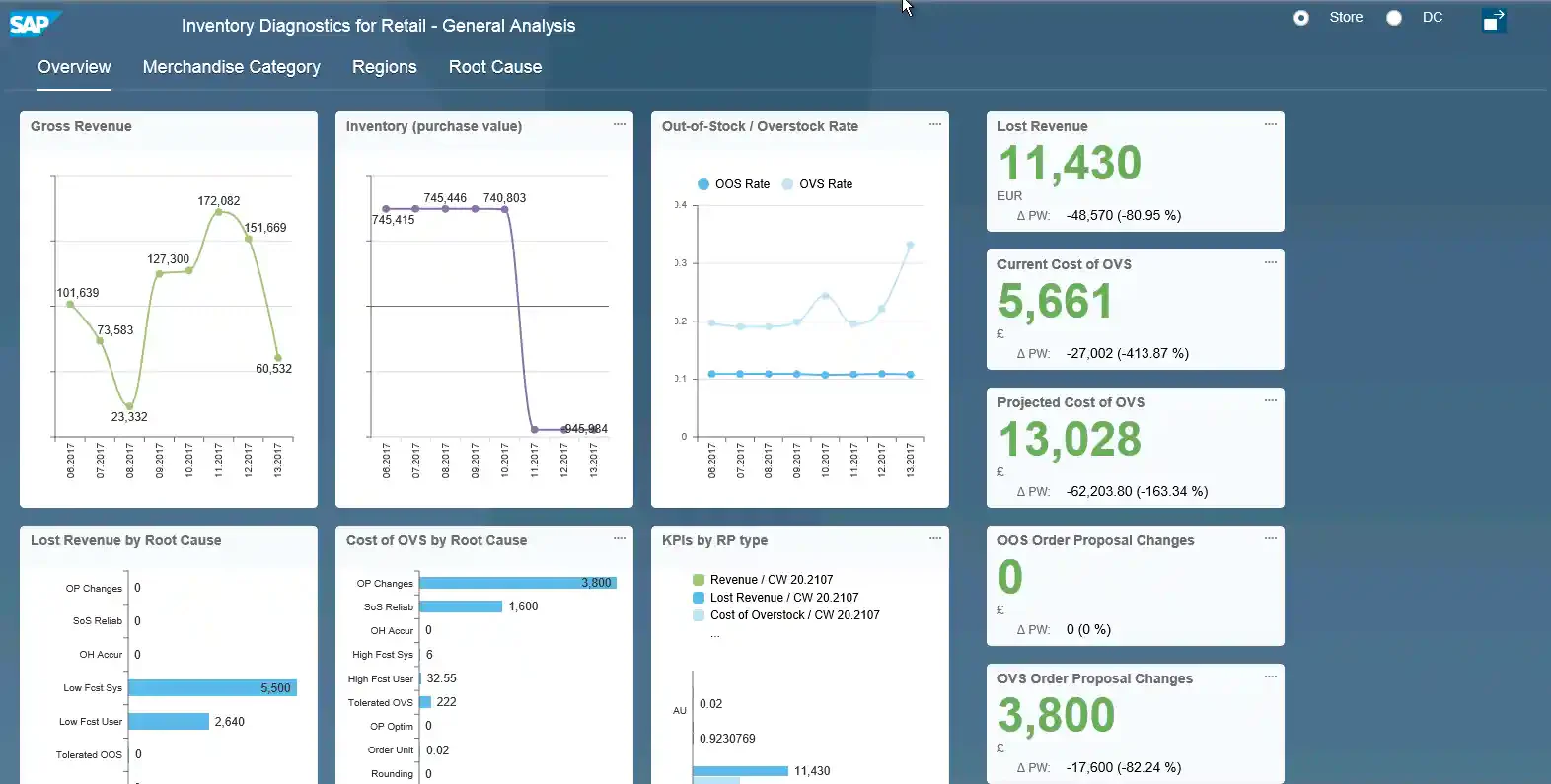
I chose the SAP ERP System because it provides a powerful system type module to help manufacturing and distribution businesses better manage their inventory. Therefore, this module facilitates efficient real-time, optimizes the levels of storage, and ensures timely shipping with the ability to track and record all stock transfers.
Some users say SAP inventory management software for large enterprises comes with high upfront costs and a complex implementation, which can be tough for smaller businesses. Its broad feature set also has a steeper learning curve, often requiring ongoing training and support.
Features:
- Inventory tracking system.
- Goods receipt and issue.
- Inventory valuation.
- Reporting and analysis.
| Pros | Cons |
|---|---|
| ✓ Faster decision making | × Complex system |
| ✓ Reliable sharing of data | × Lengthy implementation process |
| ✓ Enhanced financial management | × High prices |
| ✓ Better utilization of time and money | × Disappointing customer support |
| ✓ Provides tools to improve inventory | |
| ✓ levels and tracks the movement of materials |
Best for: Large manufacturers and distributors that need real-time stock control, valuation and goods movements inside a full ERP.
Pricing: Quote based. SAP sells cloud ERP in packages and its site shows no fixed Australian price for inventory. Contact SAP or a partner for a tailored quote.
Also Read: 10 Best Wholesale Distribution Software in 2026
7. Oracle Inventory Management
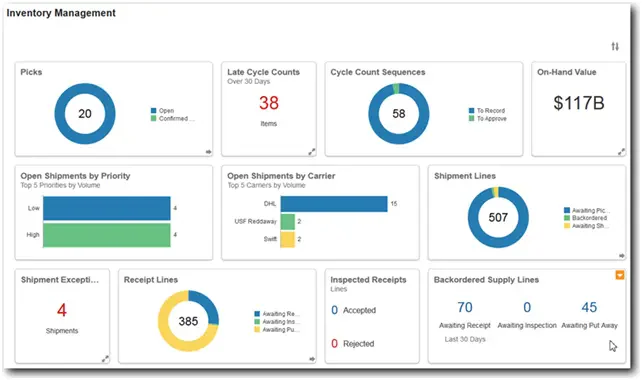
I chose Oracle because it is a provider with comprehensive visibility related to the management of material flows, warehouse work, and product costs throughout the supply chain.
Some users have reported that Oracle can be complex, making it challenging for non-technical users to operate effectively. Additionally, the system’s sensitivity during development can lead to a higher expectation of errors, which may hinder the development process.
Features:
- Proactively monitor facility operations and inventory levels.
- Support discrete inventory, process inventory, and spare parts in a single solution.
- Automate reorder points and replenishment strategies.
Pros Cons ✓ Proactively monitor facility operations × Complex system ✓ Support discrete inventory, process inventory, and spare parts in a single solution × Lengthy implementation process ✓ Track global inventory balances and transact in dual units of measure × High prices ✓ Flexibly define inventory categories and locations × Limited customization ✓ Automate reorder points and replenishment strategies
Best for: Large enterprises that need visibility over material flows, warehouse work and product costs across a complex supply chain.
Pricing: Quote based. Oracle lists no Australian price for Inventory Management, so you need to request a tailored quote based on your users and scope.
8. Monday.com
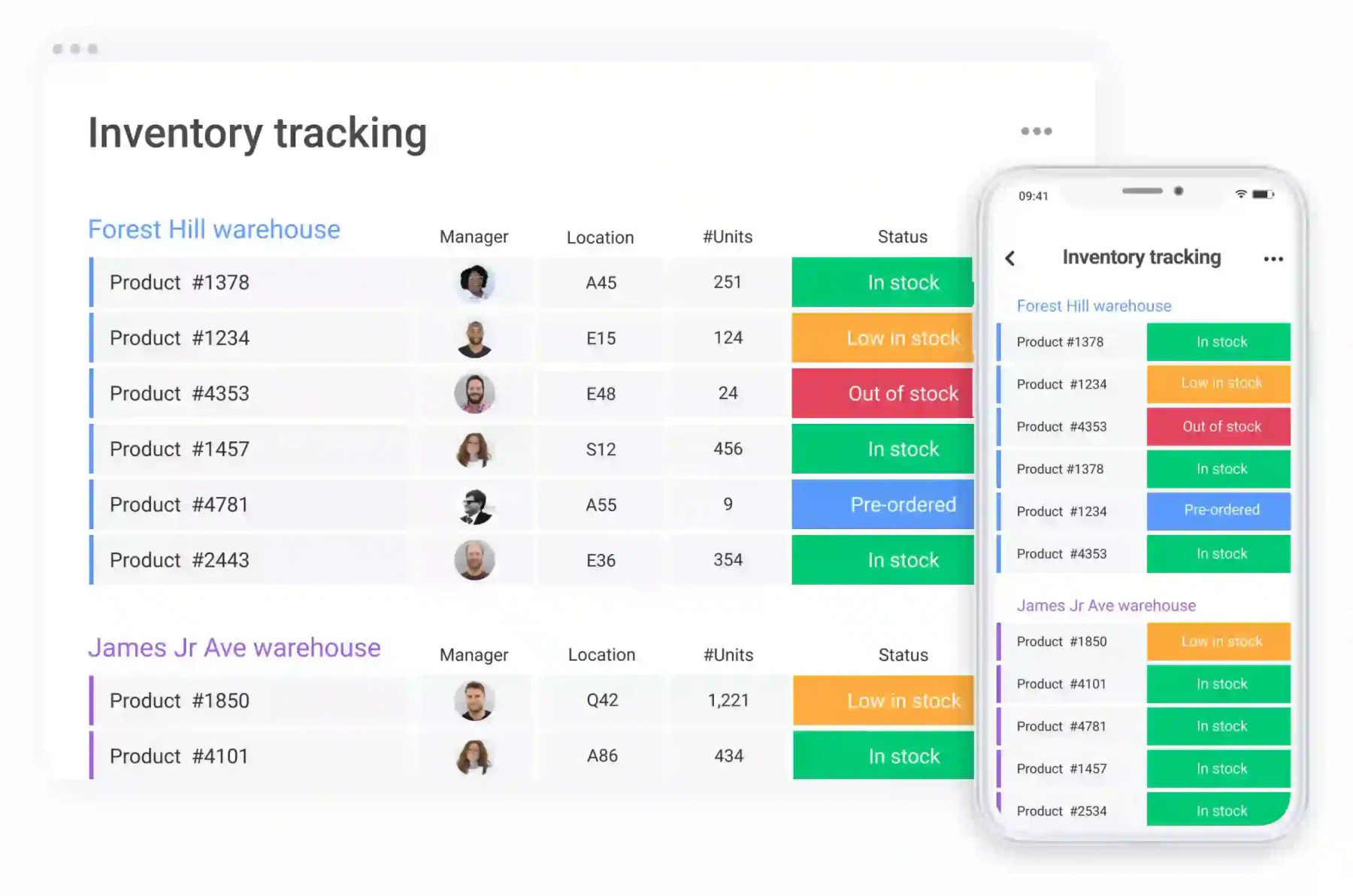
I chose Monday.com because it is known for its time and project management capabilities, extends its functionality to include inventory control featuring e-commerce and order management, and seamless third-party integrations.
Some users have found Monday.com overwhelming due to the flood of email notifications, which quickly clutters their inboxes. Others felt that the platform’s interface lacked the depth and flexibility they needed, ultimately leading them to switch to alternative tools after extended use.
Features:
- Facilitates effective management of e-commerce-related tasks.
- Provides control over inventory processes.
- Enables users to access and manage inventory on the go.
- Streamlines the process of managing orders efficiently.
- Integrates with third-party tools and systems.
| Pros | Cons |
|---|---|
| ✓ Ready-made templates | × Mobile version lacks optimization and some functionalities |
| ✓ Intuitive dashboards | × Complex especially for advanced inventory features |
| ✓ Flexibility in project management | |
| ✓ Integration harmony |
Best for: Teams already running projects in monday.com that want light inventory and order tracking without a dedicated inventory system.
Pricing: Free for 2 seats. Paid plans start at US$9 per seat per month (billed annually, 3 seats minimum). Price follows your billing country. Enterprise is by quote.
9. ShipBob
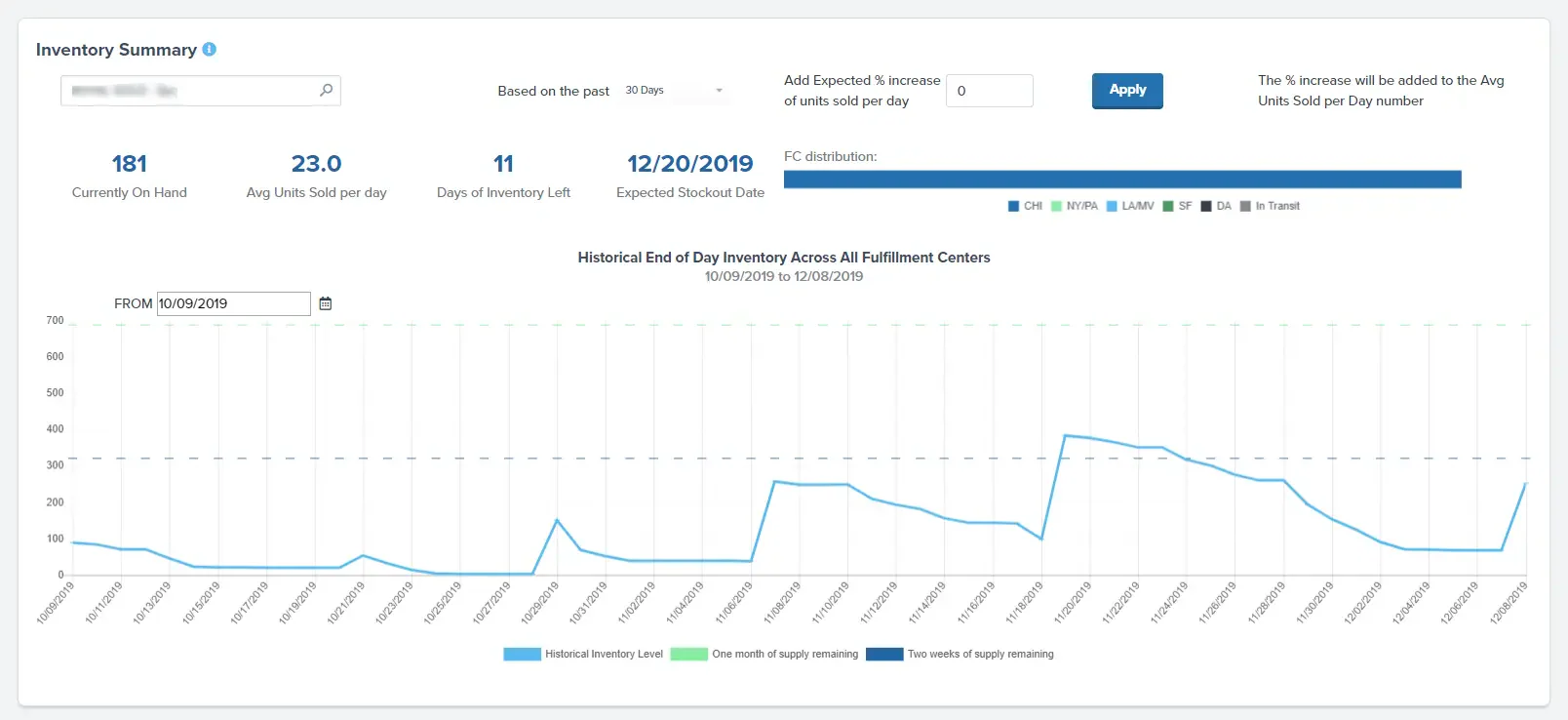
I chose ShipBob because it is a software for inventory management tailored for e-commerce enterprises, offering immediate insight into stock levels and shipping statuses across numerous warehouses.
Some users have reported significant challenges with ShipBob’s services, including lost inventory, frequent order delays, and subpar customer support. These issues have led to customer attrition and frustration among businesses relying on timely deliveries.
Features:
- Inventory tracking.
- Shipping management.
- API access.
- Order management.
| Pros | Cons |
|---|---|
| ✓ Multi-Channel Fulfillment Capabilities | × Higher Fulfillment Costs for Smaller Businesses |
| ✓ Distributed Warehousing Network | × Limited International Shipping Options |
| ✓ Integration with Major E-commerce Platforms | × Complex Pricing Structure |
| ✓ Real-Time Order and Inventory Management | × Customer Support Challenges |
| ✓ Streamlined Shipping and Order Tracking | × Minimum Order Requirements for Usage |
Best for: E-commerce brands that outsource fulfilment and want live stock visibility across several warehouses, including Australian centres.
Pricing: Quote based. ShipBob customises pricing for each merchant, so request a quote. Existing customers can view Australian pricing in their dashboard.
10. Zoho Inventory
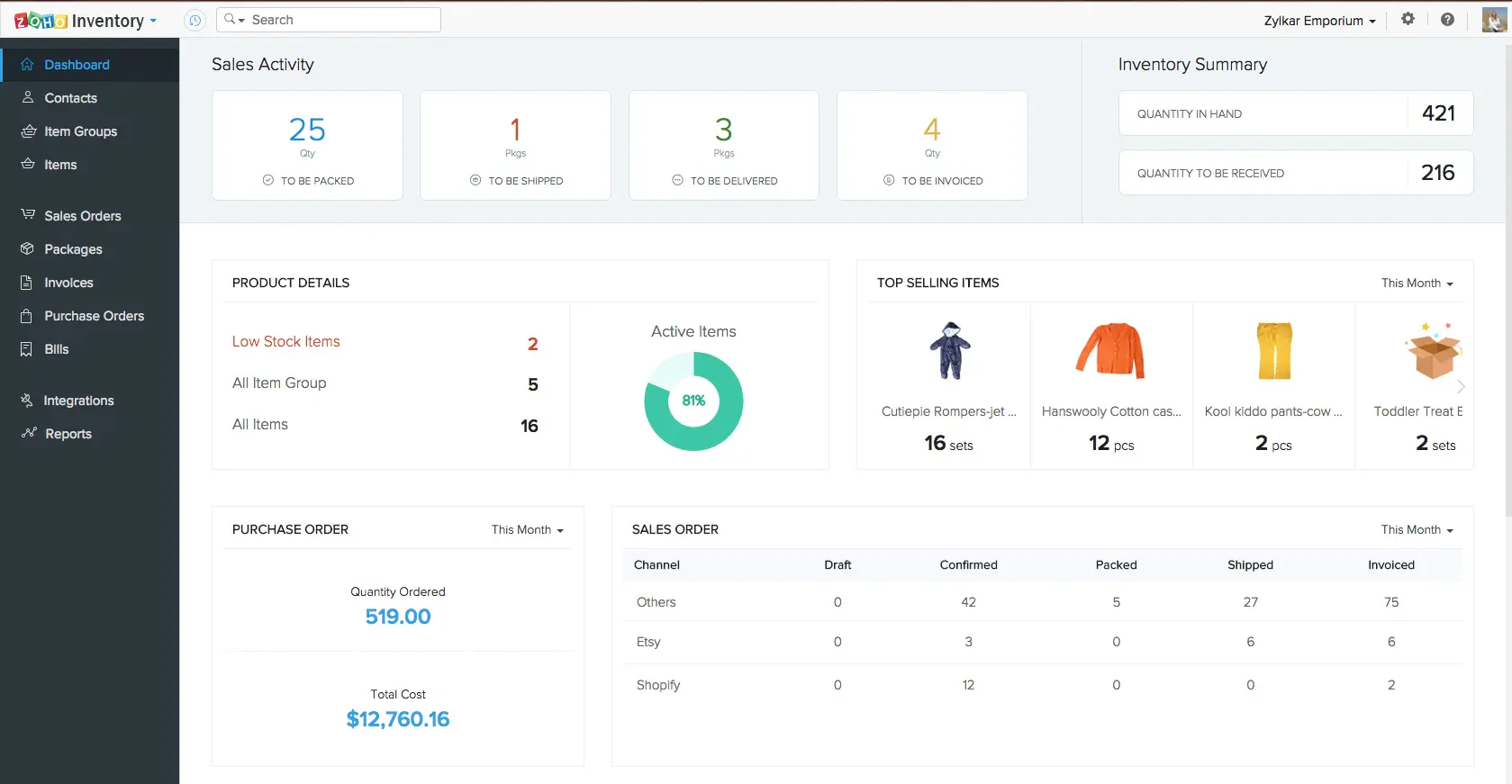
I chose Zoho Inventory because it is a cloud-based inventory and order management software designed to cater to the needs of growing businesses. The software offers real-time tracking and management of stock levels.
Some users have faced issues with Zoho Inventory’s customer support, citing unhelpful responses and a refusal to escalate problems to managers. Additionally, integration challenges with platforms like Shopify and the lack of features like pick lists can complicate warehouse operations for fast-moving inventory and day-to-day fulfillment.
Features:
- Real-time inventory tracking.
- Reporting tools.
- Integration with Zoho CRM.
| Pros | Cons |
|---|---|
| ✓ Suited for Small Businesses | × Limited Features and Customization |
| ✓ Comprehensive Integration | × Accuracy Issues |
| ✓ Real-Time Shipping Rates | × Pricing Dependence on Orders |
| ✓ Inventory Tracking |
Best for: Small businesses with modest order volumes that want affordable stock, order and shipping management alongside other Zoho apps.
Pricing: Free plan for 50 orders a month. Paid plans start at US$29 per month billed annually, excluding tax. Zoho's pricing page also shows AUD, so confirm the rate.
11. Xero
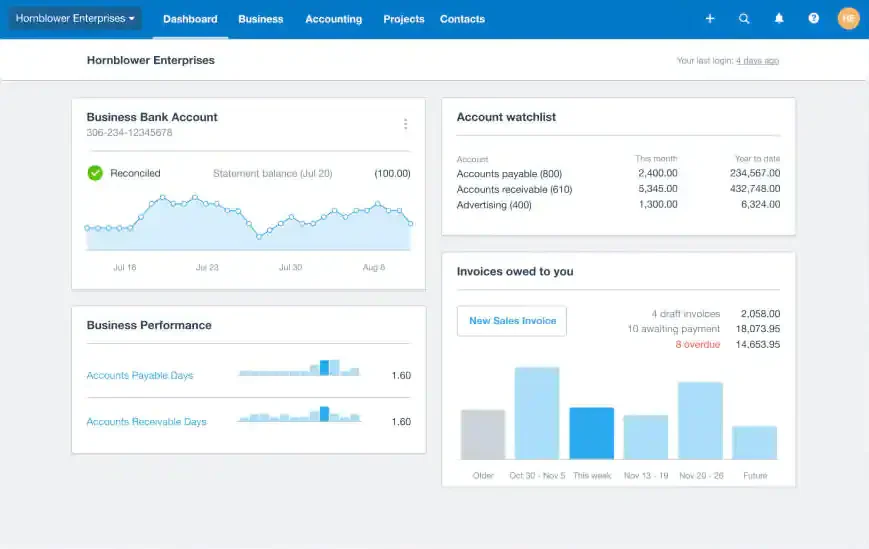
I chose Xero because it offers an inventory management software solution to help businesses manage their stock efficiently. It provides real-time tracking of stock levels. The system also emphasizes simplicity and ease of use, allowing users to stay on top of their numbers.
Some users have expressed concerns about Xero’s inventory management capabilities, noting the absence of features like delivery notes or packing slips. While workarounds exist, they can be cumbersome, requiring multiple additional steps, which may hinder efficiency for businesses that rely on these documents.
Features:
- Quick and easy inventory management
- Real-time stock tracking
- Sales performance insights
- Invoice integration
| Pros | Cons |
|---|---|
| ✓ User-friendly | × Limited customization |
| ✓ Real-time monitoring | × Businesses with more extensive needs may incur higher costs |
| ✓ Sales performance insights |
Best for: Small Australian businesses that want basic stock tracking connected to invoicing, bills, GST and BAS in one accounting platform.
Pricing: Grow is A$78 per month, Comprehensive A$107 and Ultimate 10 A$143. Prices are in AUD and include GST.
Quick Comparison Table
This table compares the 11 inventory management systems on fit, features, warehouse support, integrations, and pricing.
| Software | Best for | Inventory features | Warehouse support | Integrations | Pricing availability |
|---|---|---|---|---|---|
| Katana | Small manufacturers | SKU management and traceability | Not stated | E-commerce platforms | Public, from US$299/month |
| Ordoro | Multichannel e-commerce sellers | Multichannel stock and shipping | Multiple warehouses | Sales channels | Public, from US$349/month |
| Fishbowl | Product and manufacturing firms | Tracking and auto purchasing | Multi-location | Xero and sales channels | Public, from A$345/month |
| NetSuite | Mid-market businesses | Lot and serial tracking | Multi-location, cycle counts | Built into cloud ERP | Quote based |
| HashMicro | Mid-sized to large businesses | Goods tracking and stock requests | Multi-warehouse | Other ERP modules | Quote based |
| SAP | Large manufacturers | Goods movements and valuation | Stock transfers | Full ERP | Quote based |
| Oracle | Large enterprises | Discrete and process inventory | Warehouse work visibility | Not detailed | Quote based |
| Monday.com | Teams with light needs | Inventory and order tracking | Not dedicated | Third-party tools | Public, from US$9/seat/month |
| ShipBob | E-commerce brands | Tracking and shipping | Distributed warehouses | E-commerce platforms, API | Quote based |
| Zoho Inventory | Small businesses | Real-time stock tracking | Basic | Zoho CRM | Public, from US$29/month |
| Xero | Small businesses | Real-time stock tracking | Limited | Xero accounting | Public, from A$78/month |
What to Consider When Selecting Inventory Management Software
Businesses should also consider the total cost of implementing inventory software.
This may include subscription fees, implementation, data migration, hardware, user training, integrations, and ongoing support.
To assess return on investment (ROI), compare these costs with savings from fewer stock discrepancies, less manual processing, fewer stockouts, and better fulfillment accuracy.
Companies with optimized inventory management systems see a 30% improvement in order fulfillment rates, reducing delivery delays and boosting customer satisfaction. To achieve these results, a reliable inventory management software must prioritize precision and real-time accuracy.
From my perspective, the key indicators of a dependable inventory management tool or software include:
- Usability: Opt for platforms featuring a user-friendly interface and requiring minimal learning efforts.
- Real-time Syncing: Ensure stock data remains current and synchronized across all warehouses and sales channels in real-time.
- Barcode Compatibility: The system should support a barcode tracking system, facilitating easier product identification and tracking.
- Inventory Alerts: Ability to set up notifications and alerts for products out of stock, prompting restocking actions.
- Scalability: Look for a tool capable of accommodating business growth, handling increased data, and more complex inventory tracking needs.
- Mobile Accessibility: Compatibility across a variety of devices allows for greater flexibility in inventory management.
- Automation: Choose platforms that automate repetitive tasks, reducing dependency on manual inputs and minimizing potential human errors.
- Integration Abilities: Opt for tools that seamlessly integrate with other business software, ensuring a cohesive workflow.
Singapore businesses should also check that the software supports GST reporting, multi-location operations, local accounting integrations, and e-invoicing such as InvoiceNow where applicable.
"Effective inventory management isn’t just about tracking stock; it’s about ensuring the right products are available at the right time, minimizing costs while maximizing customer satisfaction."
Conclusion
Inventory management is about control and consistency. When stock data stays accurate across locations, teams spend less time fixing errors and more time improving operations.
This guide covered 11 inventory solutions in Singapore. For SMEs with basic needs, tools like Zoho Inventory or Xero offer quick setup. For enterprises requiring ERP integration and multi-warehouse support, options like HashMicro, SAP, or NetSuite provide more comprehensive capabilities.
Need help comparing inventory requirements, implementation scope, and ERP pricing? Request a free consultation from HashMicro and get tailored guidance for your business needs
FAQ About Inventory Management
The best option depends on inventory complexity, number of locations, integration needs, budget, and required implementation support.
Costs vary by users, modules, integrations, implementation, and support. Businesses should request a current quotation and confirm what is included.
Priorities depend on your business, but essentials often include barcode management, stock tracking, integrations, automated stock requests, customization, mobile access, and multi-location support.
Evaluate scalability, integration with existing systems, security, user-friendliness, support, customization, pricing, and fit with your industry requirements.
Some platforms support barcode scanning and selected RFID workflows. Confirm device compatibility and supported processes with the provider.
Yes, most top inventory systems in Singapore support multiple locations or warehouses, letting you monitor stock levels and transfers with real-time visibility across sites.
They use barcode scanning, automated stock movements, cycle counting, and real-time tracking to reduce errors, optimize stock levels, cut handling costs, and automate reorder points.
Common challenges include complex implementation, system integration, downtime during deployment, staff training, data migration, and adapting the software to changing business needs.