

Navigating the complex landscape of employment laws requires more than a spreadsheet. It demands the right payroll software to ensure compliance and efficiency, especially when evaluating payroll software Australia options.
With the Fair Work payroll requirements tightening enforcement on underpayments and the intricacies of STP Phase 2, choosing the right system is a critical strategic decision for your business.
For businesses, payroll is no longer just about transferring wages, but also selecting reliable australian payroll software for compliance and reporting. It includes data integrity, automated award interpretation, and integration with HR systems.
Key Takeaways
Payroll software is a system that automates salary calculations, pay runs, and payroll records to reduce manual work and generate accurate pay slips and reports.
The best payroll software helps businesses automate payroll, stay compliant, and reduce manual processing.
Choosing payroll software with features like STP reporting, leave management, and award interpretation improves payroll accuracy.
A quick comparison table makes it easier to compare payroll software features, pricing, and suitability at a glance.
Quick Comparison Shortlist

Best Because
Award-aware automation simplifies payroll for Australian SMEs.

Best Because
Payroll journals sync directly with accounting for clean financial reporting.

Best Because
It streamlines global payroll and contractor payments with compliance support.


Best Because
It automates payroll workflows alongside HR and IT access management.
What is Payroll Software and Do You Actually Need It?
Payroll software is a specialized system that automates pay runs, calculates wages, and keeps payroll records consistent. It reduces manual work by handling repetitive calculations and generating pay slips and reports.
In Australia, payroll software typically supports PAYG withholding, superannuation obligations, and STP reporting. These requirements make payroll accuracy and documentation essential, not optional.
Payroll software becomes especially valuable once pay conditions vary by role, shift, location, or award rules. Manual spreadsheets increase the chance of errors, missed entitlements, and inconsistent recordkeeping.
For most businesses employing more than one person, dedicated payroll systems and compliant workforce management software help lower compliance risk and administrative overhead.
Must-have Features to Look Out for in Payroll Software
Payroll features in Australia are worth judging against the obligations they actually carry, since each one below maps to a specific rule an employer has to meet. The capabilities that follow separate a system that holds up at audit from one that shifts the work back onto your team.
1. Built-in modern award interpretation
Award interpretation decides base rates, penalty rates, allowances, and overtime, and the modern awards published by the Fair Work Ombudsman set those conditions by industry and occupation. Reading them manually against a timesheet is where most underpayment errors start.
The best software applies the correct rates automatically from timesheet data, so the interpretation happens once in the system rather than in a spreadsheet each fortnight. As a result, employers reduce the risk of underpayment and the back-pay exposure that follows it.
2. Single Touch Payroll (STP) Phase 2 compliance
STP Phase 2 requires granular reporting of income types to the ATO, including disaggregated gross amounts, employment conditions, and country codes where they apply. Your payroll system should handle that breakdown as part of the pay run rather than as a separate submission.
Confirm the provider reports to the current Single Touch Payroll Phase 2 requirements before you commit. Therefore, ask how the software maps your existing pay categories to the reporting labels the ATO expects.
3. SuperStream compliance
Paying superannuation runs as a separate process from paying wages, and SuperStream requires contributions and employee data to travel electronically in a standard format, linked by a unique reference number. A payroll system that meets the standard handles that transmission without a manual file.
A robust system also validates employee fund details before submission, then clears payments through to the fund or clearing house. Consequently, fewer contributions bounce back and need reprocessing.
4. Employee self-service (ESS) portals
An integrated ESS portal lets staff access payslips, apply for leave, and update their own details, which removes a large share of routine HR admin. It also gives employees a single place to check what they were paid and why.
The portal supports a legal duty as well, since employers must issue a pay slip within one working day of paying an employee and keep records for seven years under the Fair Work Ombudsman's pay slip and record-keeping rules. In addition, digital delivery through a portal creates the timestamped trail those rules expect.
5. Payday Super reform
Under the Payday Super reform, employers pay the super guarantee at the same time as salary and wages instead of on the previous quarterly cycle. That change compresses the window between a pay run and a compliant contribution.
Faster cycles raise the cost of a calculation error, since there is far less time to spot and correct one before the payment goes out. Therefore, look for software that calculates, submits, and reconciles super inside the same pay run rather than as a later task.
2026 Australian Payroll Compliance Changes
Payroll rules keep shifting, so businesses need to adjust how they handle wages, superannuation, and reporting. Understanding these updates matters when choosing a payroll system that supports compliance without manual corrections.
Two of the biggest changes come from super. The Payday Super reform moves contributions from a quarterly cycle to every pay run, while the super guarantee rate and thresholds continue to be reviewed and published each year.
Reporting and enforcement have tightened alongside it. Single Touch Payroll Phase 2 requires income to be reported in far more detail, and the ATO's data matching programs compare that payroll data against other records, which raises the cost of an inaccurate submission.
Below are the key payroll compliance changes that impact businesses:
| Regulation | Key Change | Impact |
|---|---|---|
| Payday Super | Super paid with each pay cycle | Requires faster payroll processing and accuracy |
| STP Phase 2 | More detailed income reporting | Increases compliance complexity |
| ATO data matching | Stronger payroll data validation | Higher audit and penalty risks |
| Super guarantee updates | Ongoing contribution adjustments | Affects payroll cost planning |
Rates and start dates change, so confirm each requirement against current ATO guidance before you set your payroll calendar.
Quick Comparison Table
Below is a high-level matrix comparing leading Payroll Software in Australia, based on which ones best fit user and where they typically perform strongest. Use it to quickly narrow your shortlist before reviewing details like pricing, implementation approach and compliance requirements.
| Features | Employment Hero | ADP Payroll | HashMicro | QuickBooks Payroll | KeyPay | Sage MicrOpay | Xero Payroll | Deel | MYOB | ELMO Software | Rippling | Microkeeper | Reckon Payroll | Payroller |
|---|---|---|---|---|---|---|---|---|---|---|---|---|---|---|
| Ease of Use | ||||||||||||||
| Automation Level | ||||||||||||||
| Award Interpretation | ||||||||||||||
| Scalability | ||||||||||||||
| AU Compliance (STP, Super, Payday Super) | ||||||||||||||
| Reporting & Controls | ||||||||||||||
| Best For Business Size | SME | Enterprise | Mid–Large | Small | SME | Mid | Small | Global | SME–Enterprise | Mid | Mid | SME | Small | Micro |
Payroll Software Evaluation Methodology
We evaluated each payroll software provider based on Australian compliance, payroll and HR functionality, integrations and scalability, and pricing and support. Information was checked against vendor documentation and Australian government guidance. HashMicro is included as a vendor in this comparison, but we apply the same criteria to all providers for a fairer assessment.
Each criterion below carries equal weight in the assessment, since a payroll system that fails on any one of them creates work elsewhere.
| Criterion | What We Looked At | Why It Matters |
|---|---|---|
| Australian compliance | STP Phase 2 reporting, superannuation guarantee handling, PAYG withholding, and award interpretation | Compliance gaps create ATO exposure and manual rework every pay run |
| Payroll and HR functionality | Pay runs, leave management, timesheets, employee self-service, and payroll reporting | Depth here decides how much sits inside the system rather than in spreadsheets |
| Integrations and scalability | Accounting connections, rostering and time tracking links, multi-entity support, and user limits | A system that cannot grow with headcount becomes a migration project later |
| Pricing and support | Pricing model, per-employee costs, implementation effort, and local support availability | Total cost and access to help during a pay run matter more than the entry price |
Feature scope and pricing change regularly, so confirm current capability with each provider before you shortlist.
15 Best Payroll Software in Australia 2026
This list covers solutions ranging from SME-focused tools to enterprise-grade ERP modules.
1. Employment Hero Payroll
Employment Hero combines HR and payroll in one platform, with a highly automated payroll module popular among Australian SMEs. It supports employee engagement features and award-aware pay rules to streamline pay runs.
Key Features:
- Automated Pay Runs: Set up recurring pay runs that process automatically for salaried staff.
- Modern Award Library: Pre-built rule sets for the most common Australian awards.
- WorkZone App: Mobile app for employees to manage timesheets and leave.
| Pros | Cons |
|
|
Pricing: Pricing is tiered based on modules (HR vs. Payroll) and headcount, generally starting around $6-$10 per employee per month for the bundle.
Suitable for: Australian SMEs wanting combined HR and payroll with strong automation and compliance support.
2. ADP Payroll
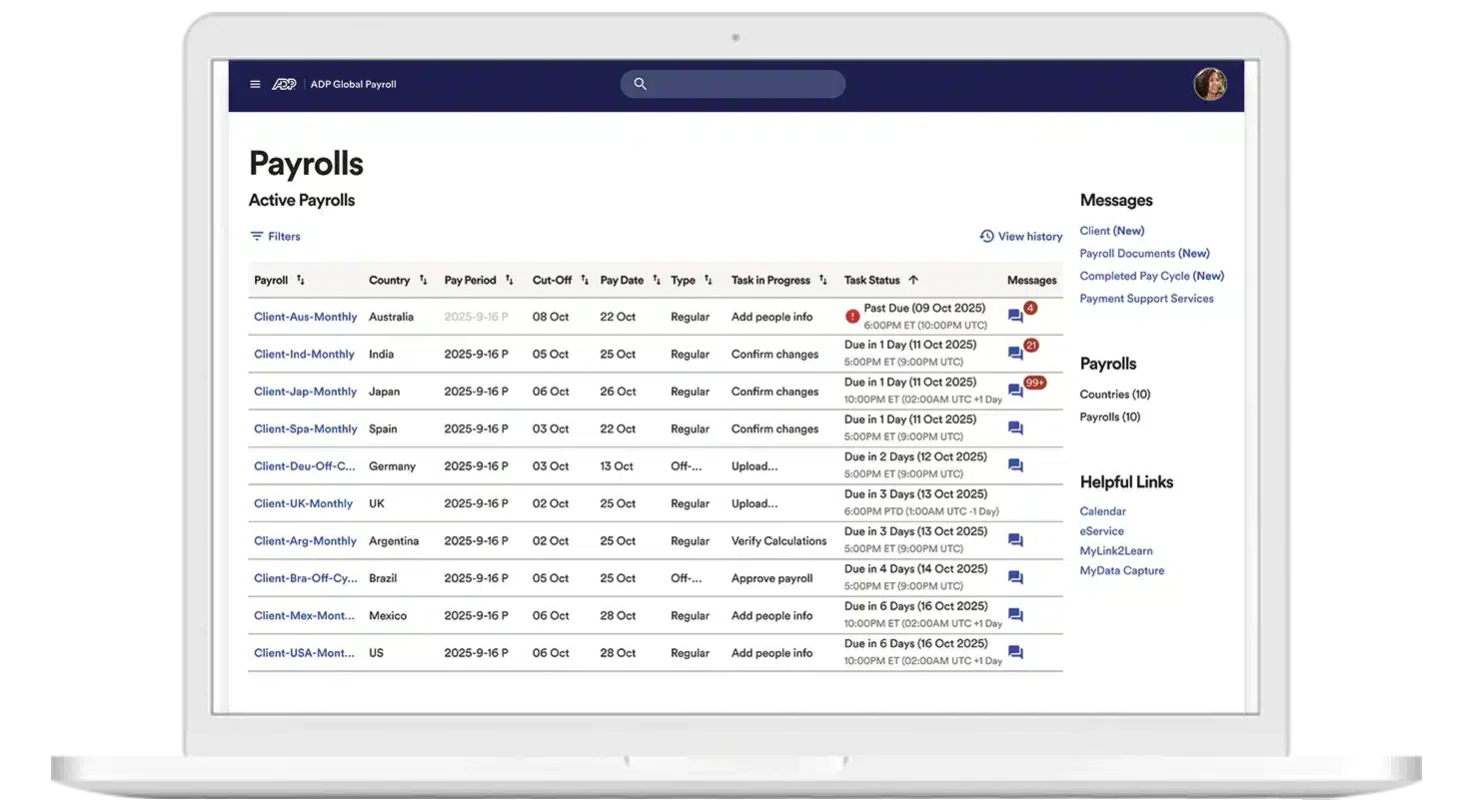
ADP provides scalable payroll for mid-market and enterprise business in Australia, with strong compliance support and optional payroll outsourcing. It handles complex EBAs and suits multinationals needing consolidated reporting.
Key Features:
- Global Payroll View: Unified dashboard for multi-country payroll management.
- Managed Services: Option to fully outsource payroll processing to ADP experts.
- Deep Analytics: Advanced reporting tools for labor cost analysis.
| Pros | Cons |
|
|
Pricing: Quote-based only. Costs vary significantly based on service level (SaaS vs. Managed Services) and employee count.
Suitable for: Mid-market and enterprise business needing scalable payroll, compliance assurance, and optional outsourcing.
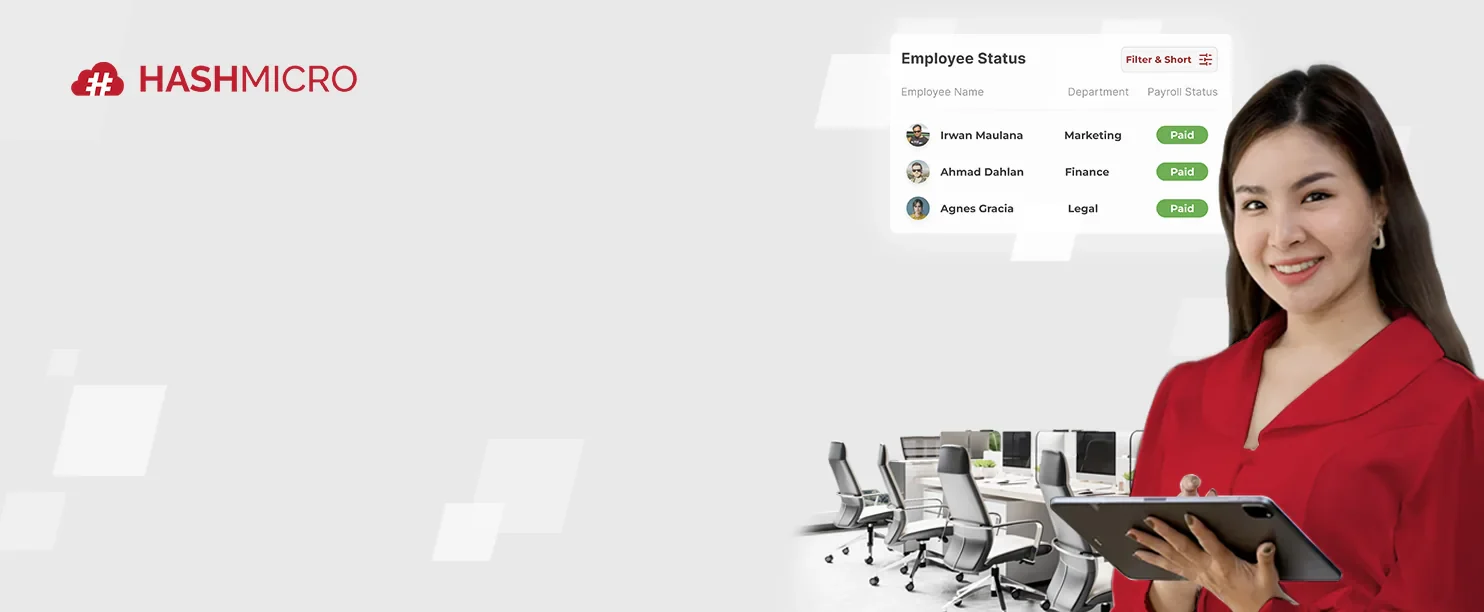
3. HashMicro
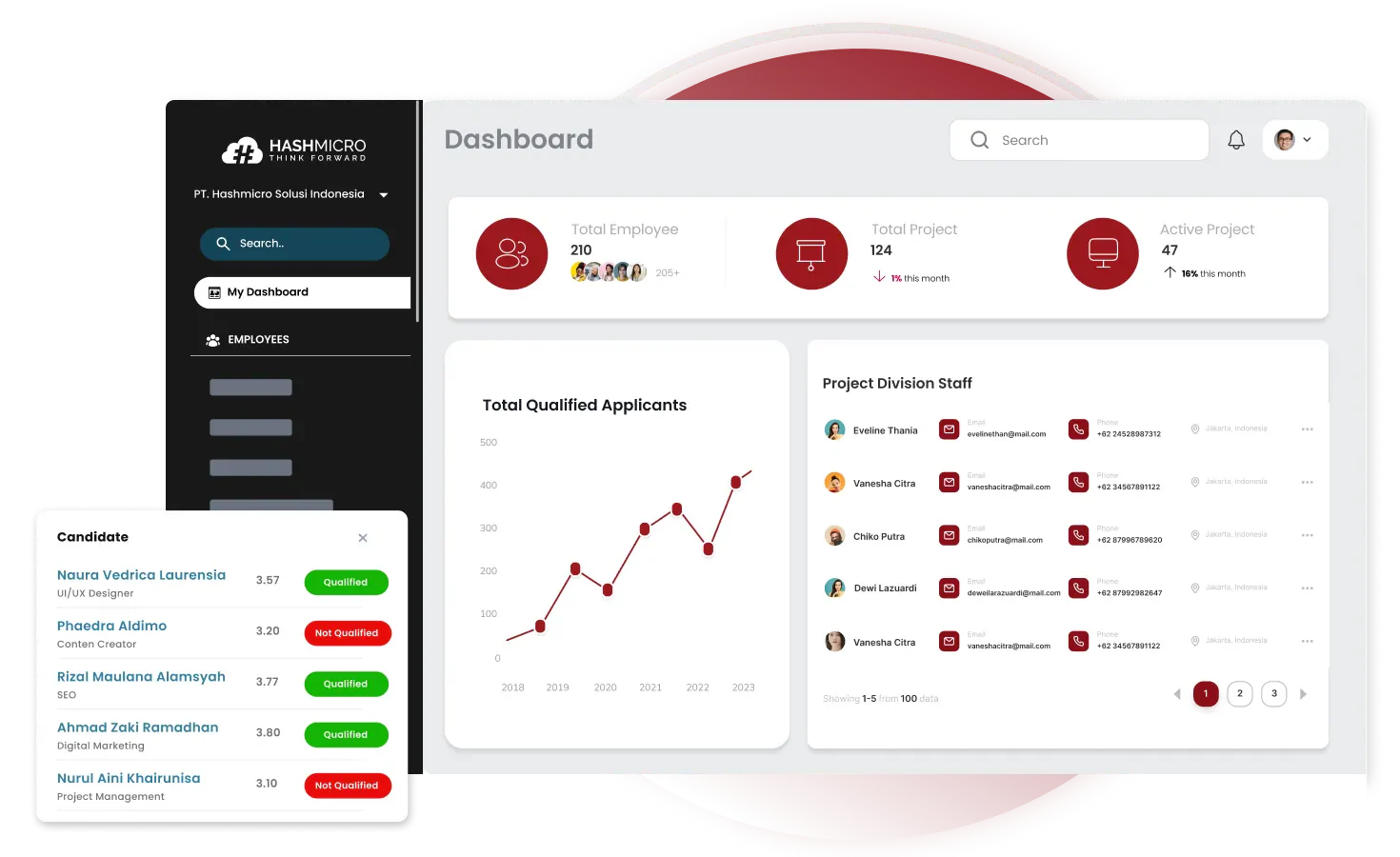
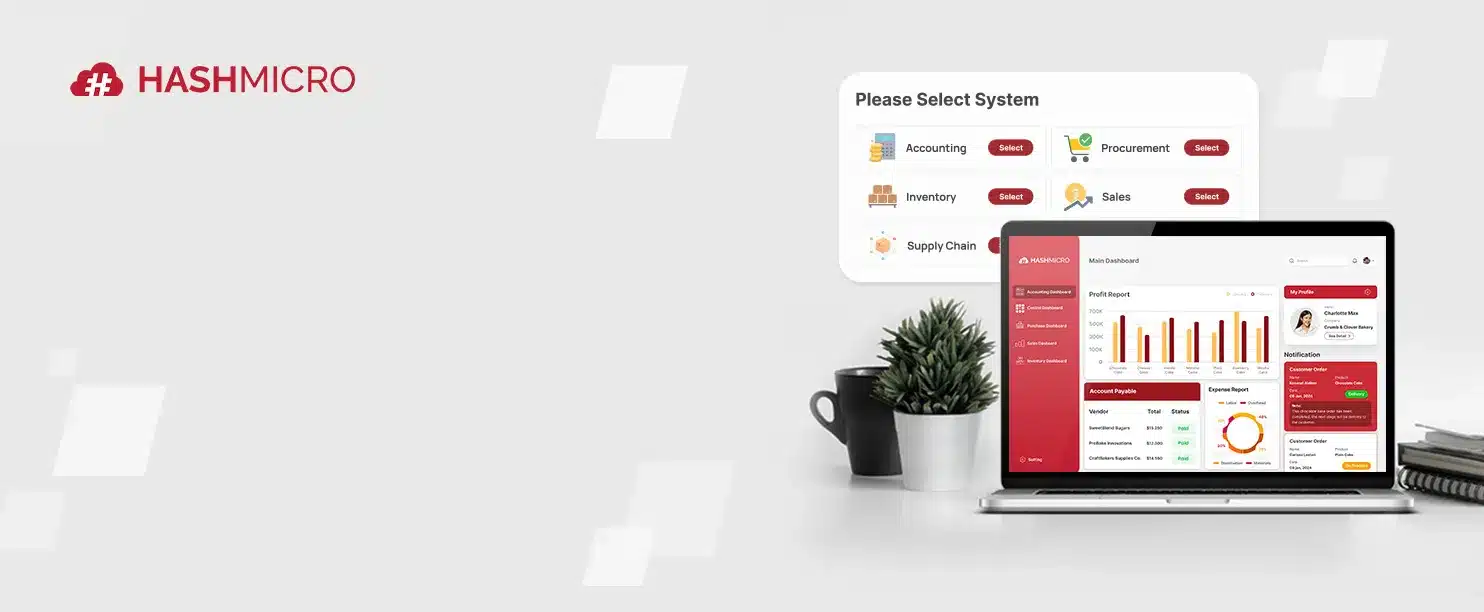
HashMicro offers a fully integrated ERP solution where payroll is a core component of a broader business ecosystem. HashMicro’s Payroll module is highly customisable and connects with HR and accounting in one platform, making it the best choice for industries with complex operational workflows
Key Features:
- End-to-End ERP Integration: Seamlessly links payroll data with financial and operational KPIs.
- Customizable Formula Builder: Allows for unique salary structures, commissions, and complex deductions.
- Face Recognition Attendance: Integrates biometric data directly into payroll to prevent time theft.
- Automated Tax & Insurance: Localized for Australian tax laws and scalable to other APAC regions.
- Hashy AI payroll assistant: Ask pay run queries, retrieve employee payment history, or check STP lodgement status in plain language without navigating multiple payroll screens.
- AI anomaly detection for payroll: Automatically flags irregular pay entries, missed super contributions, or STP discrepancies before each pay run is finalised and submitted.
- Hashy AI payroll assistant: Ask pay run queries, retrieve employee payment history, or check STP lodgement status in plain language without navigating multiple payroll screens.
- AI anomaly detection for payroll: Automatically flags irregular pay entries, missed super contributions, or STP discrepancies before each pay run is finalised and submitted.
| Pros | Cons |
|
|
Pricing: Quote-based. HashMicro typically offers a competitive model for mid-to-large enterprises, often providing better long-term TCO due to its unlimited user pricing structure.
Suitable for: Single-site and multi-site businesses that require payroll integration with ERP workflows, including accounting, operations, and project costing.
4. QuickBooks Payroll
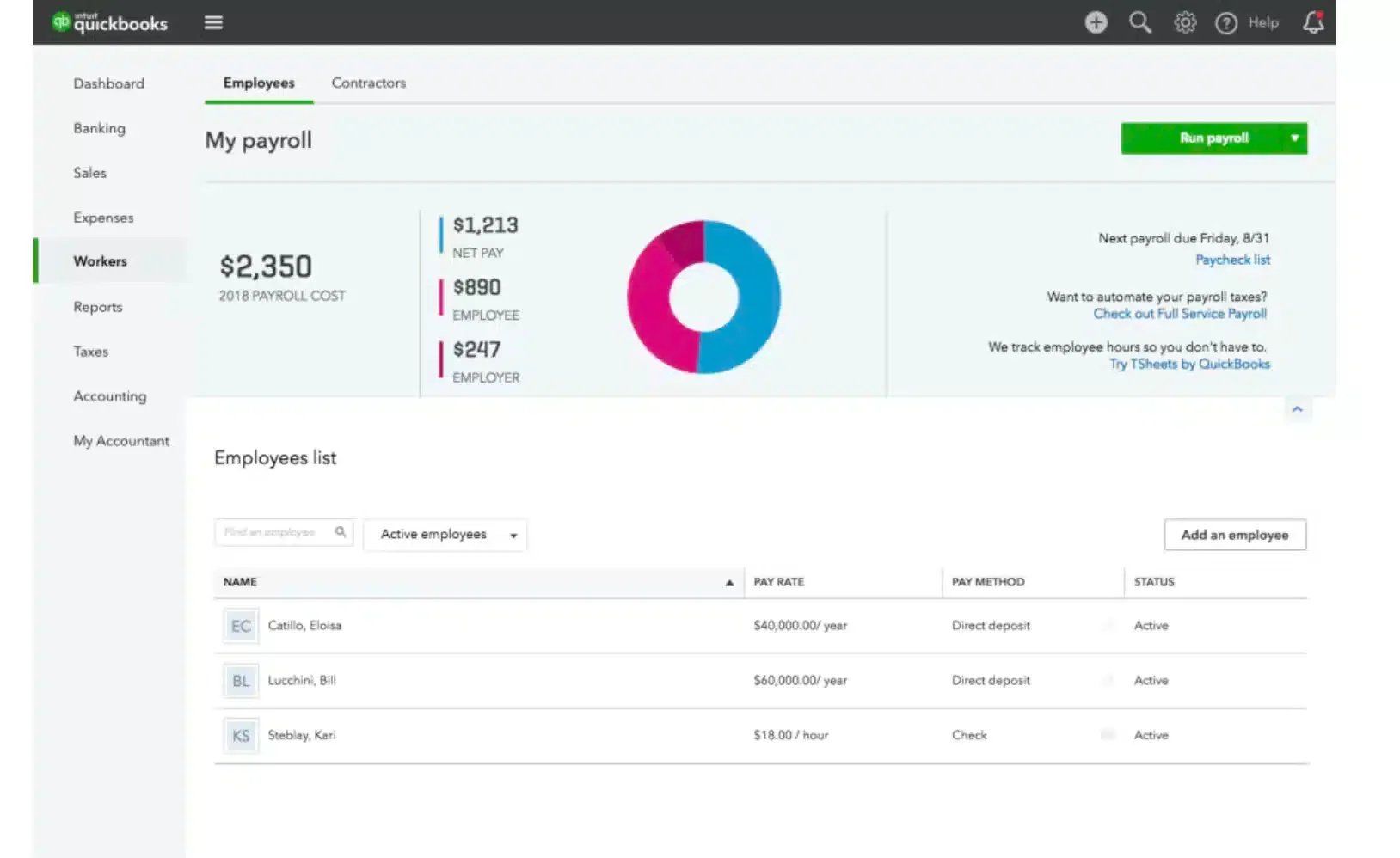
QuickBooks Payroll is a user-friendly payroll add-on for small businesses, especially service teams and contractors. The platform simplifies the end-of-year finalization process and offers a “Auto Pay” feature.
Key Features:
- Automated Super Payments: Direct integration with super clearing houses.
- Timesheet to Pay Run: Seamless flow from employee time tracking to pay packet.
- Employee Portal: Staff can view payslips and manage banking details.
| Pros | Cons |
|
|
Pricing: Generally included as an add-on to QuickBooks Online, starting from approximately $25/month plus a per-employee fee.
Suitable for: Small businesses wanting simple payroll automation within an accounting-led workflow.
5. KeyPay
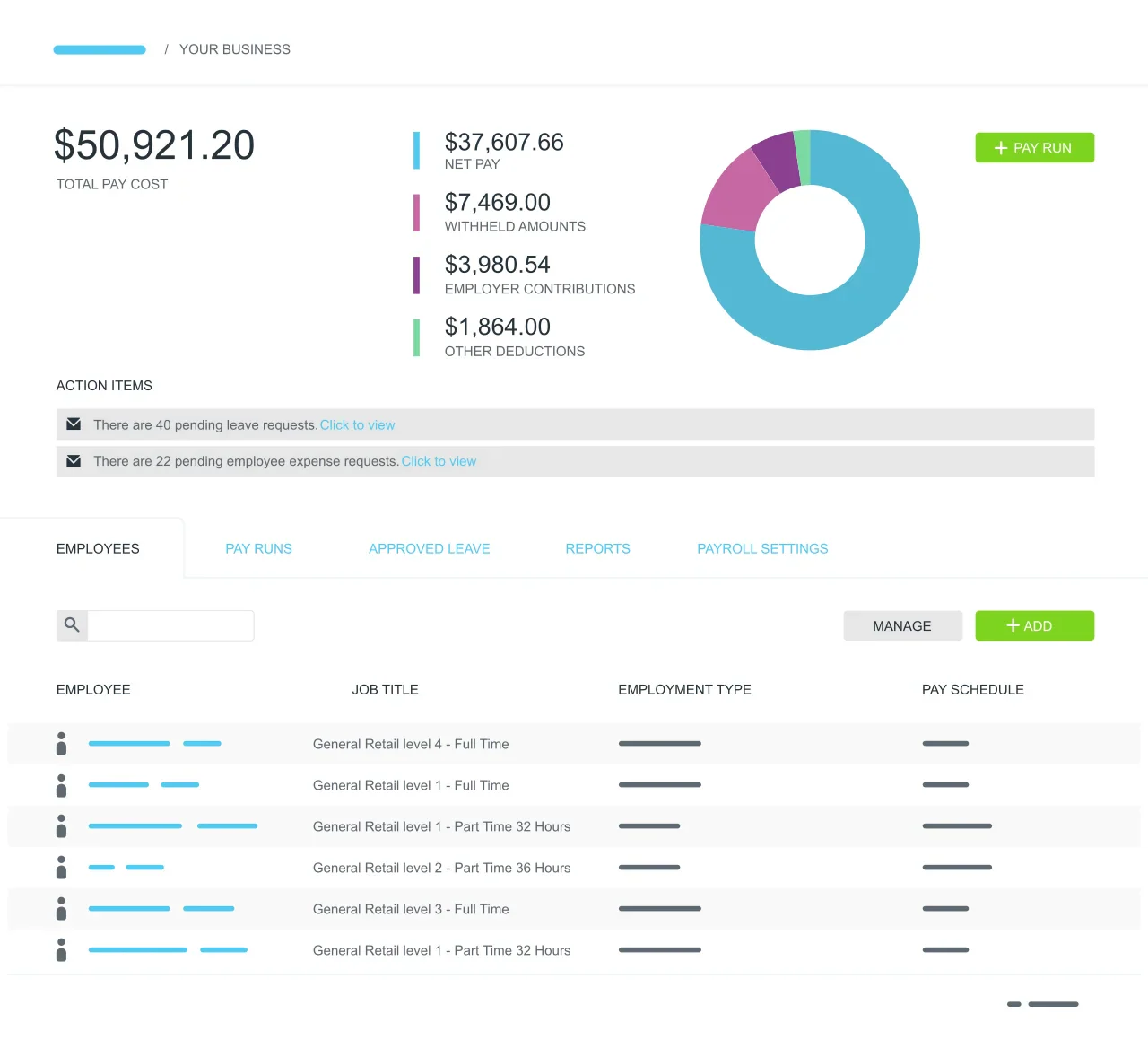
KeyPay is one of the best payroll software Australia options for automated, award-aware payroll, built for complex shift-based pay rules. Its cloud award interpreter supports set-and-forget processing for casual and rostered workforces.
Key Features:
- Pre-Built Awards: Instant access to compliant rule sets for major industries.
- Roster vs. Actuals: Compare budgeted roster costs against actual timesheet costs.
- Paperless Onboarding: New hires enter their own data, TFN, and super details.
| Pros | Cons |
|
|
Pricing: Starts around $6 per active employee per month, making it a cost-effective option for the feature set provided.
Suitable for: Shift-based businesses with complex award rules that need highly automated, award-aware payroll processing.
6. Sage MicrOpay
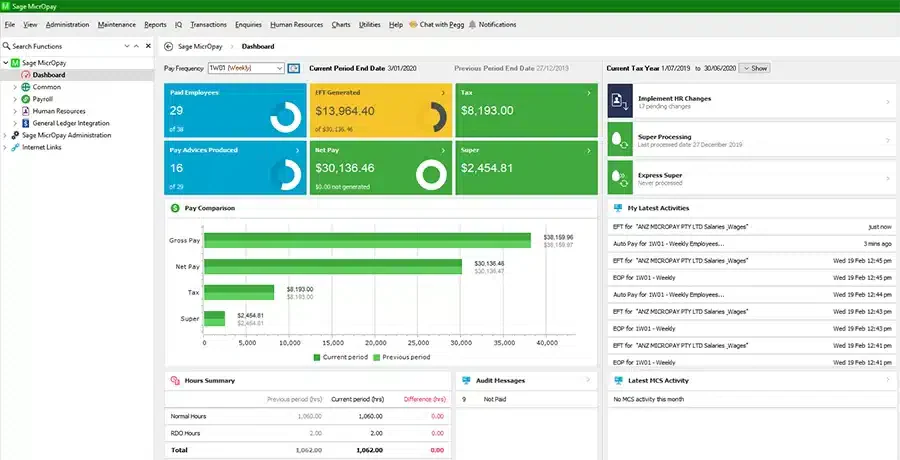
Sage MicrOpay offers payroll solution used in the Australian mid-market for complex pay rules and detailed reporting. Strong calculation accuracy, GL costing, and precise back-pay adjustments make it reliable for payroll corrections.
Key Features:
- Advanced General Ledger Interface: Maps payroll costs to complex accounting structures.
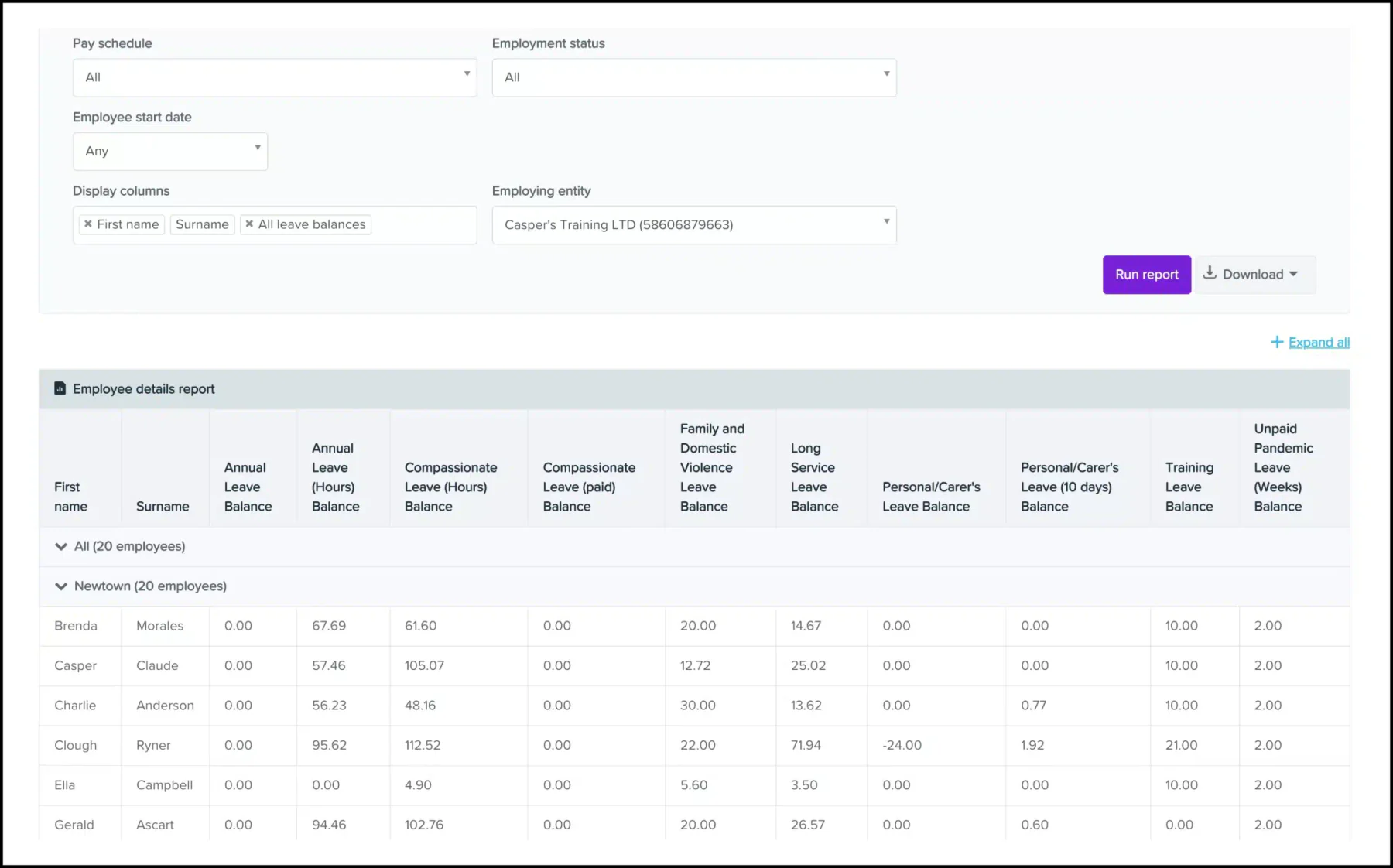
- Retrospective Calculations: Automatically calculates backpay for pay rate changes.
- Comprehensive Reporting: Hundreds of standard reports available out of the box.
| Pros | Cons |
|
|
Pricing: Quote-based. Typically involves upfront licensing or annual subscription fees suited for mid-sized businesses.
Suitable for: Payroll teams requiring granular control, detailed reporting, and precise back-pay adjustments.
7. Xero Payroll
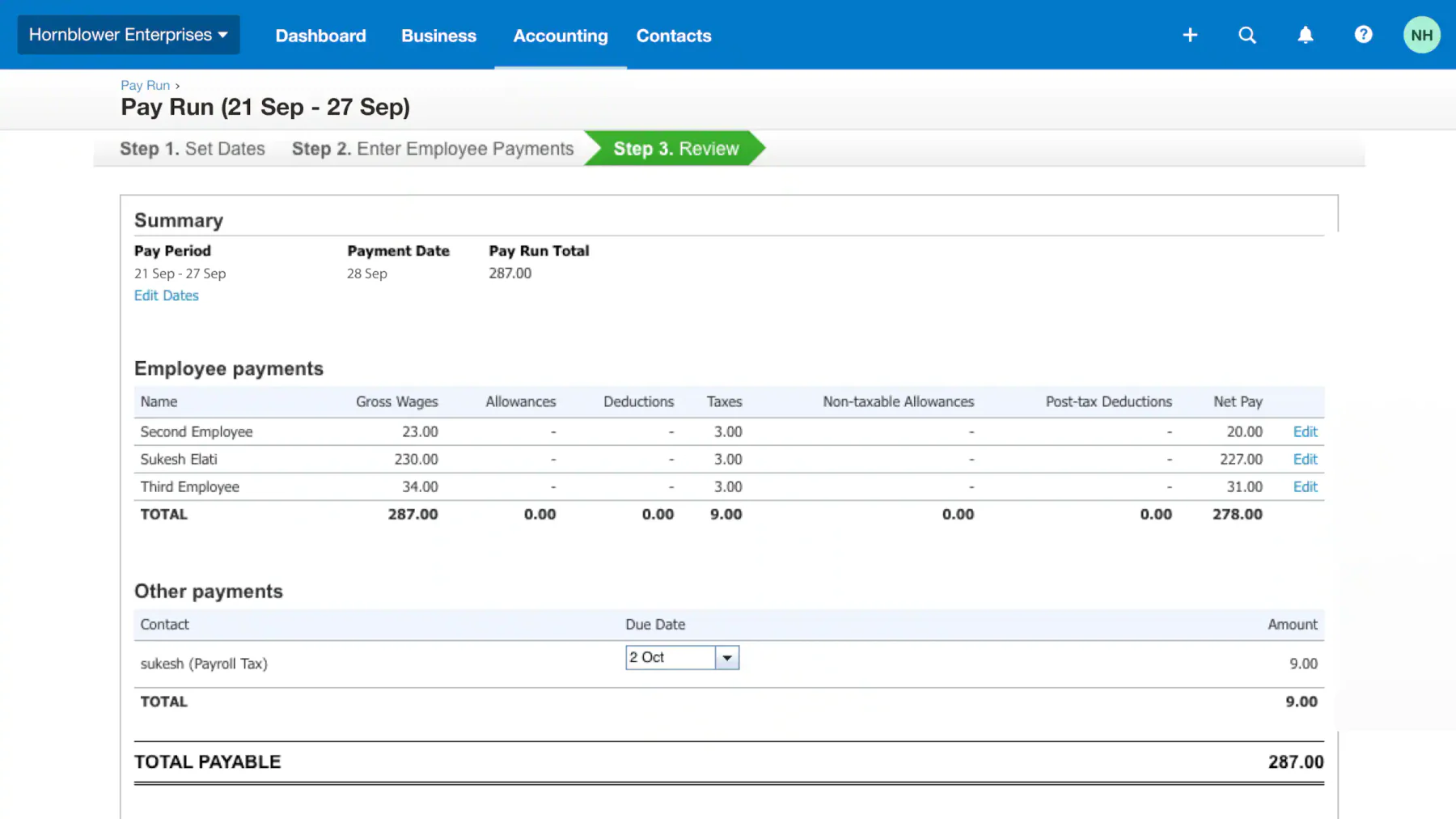
Xero Payroll offers payroll features used by many Australian micro and small businesses, built directly into the Xero accounting suite. Payroll journals post automatically to the ledger for a smoother accounting workflow.
Key Features:
- Auto-Super: Automated superannuation processing via ClickSuper.
- Xero Me App: Employees can view payslips and request leave from their phones.
- Reimbursement Management: Handle expense claims within the payroll run.
| Pros | Cons |
|
|
Pricing: Payroll for limited employees is included in Xero subscriptions (starting ~$32/month). Larger payrolls incur extra monthly fees.
Suitable for: Micro and small businesses that want payroll tightly connected to accounting and automatic ledger posting.
8. Deel
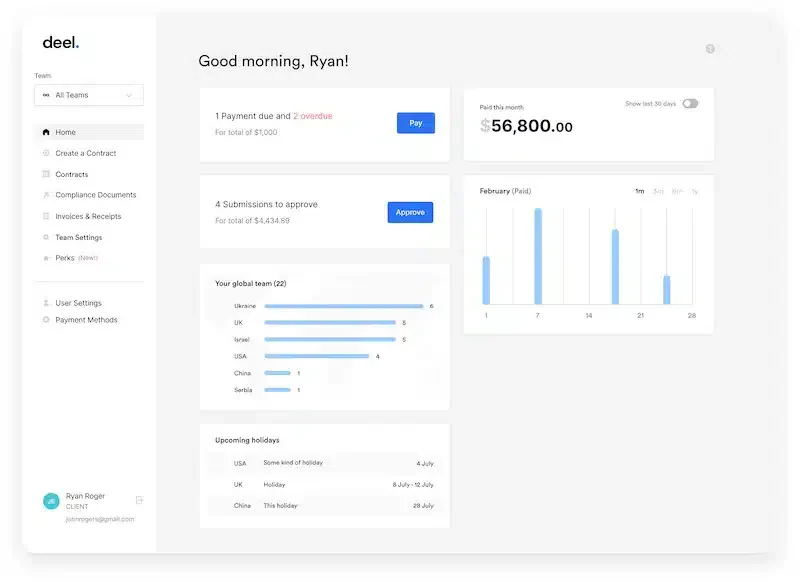
Deel is a global payroll platform for remote teams, enabling payments to contractors and employees across many countries from one dashboard. For Australian tech companies hiring talent in Southeast Asia or the US, Deel acts as the Employer of Record (EOR), handling local compliance risks.
Key Features:
- Employer of Record (EOR): Deel legally hires staff on your behalf globally.
- Crypto Payments: Option to pay contractors in cryptocurrency (where legal).
- Global Compliance: Automated contract generation compliant with local laws.
| Pros | Cons |
|
|
Pricing: EOR services start around $599 USD/employee/month. Contractor management is cheaper, starting around $49 USD/month.
Suitable for: Companies paying international contractors or employees and needing global payroll and EOR support.
9. MYOB
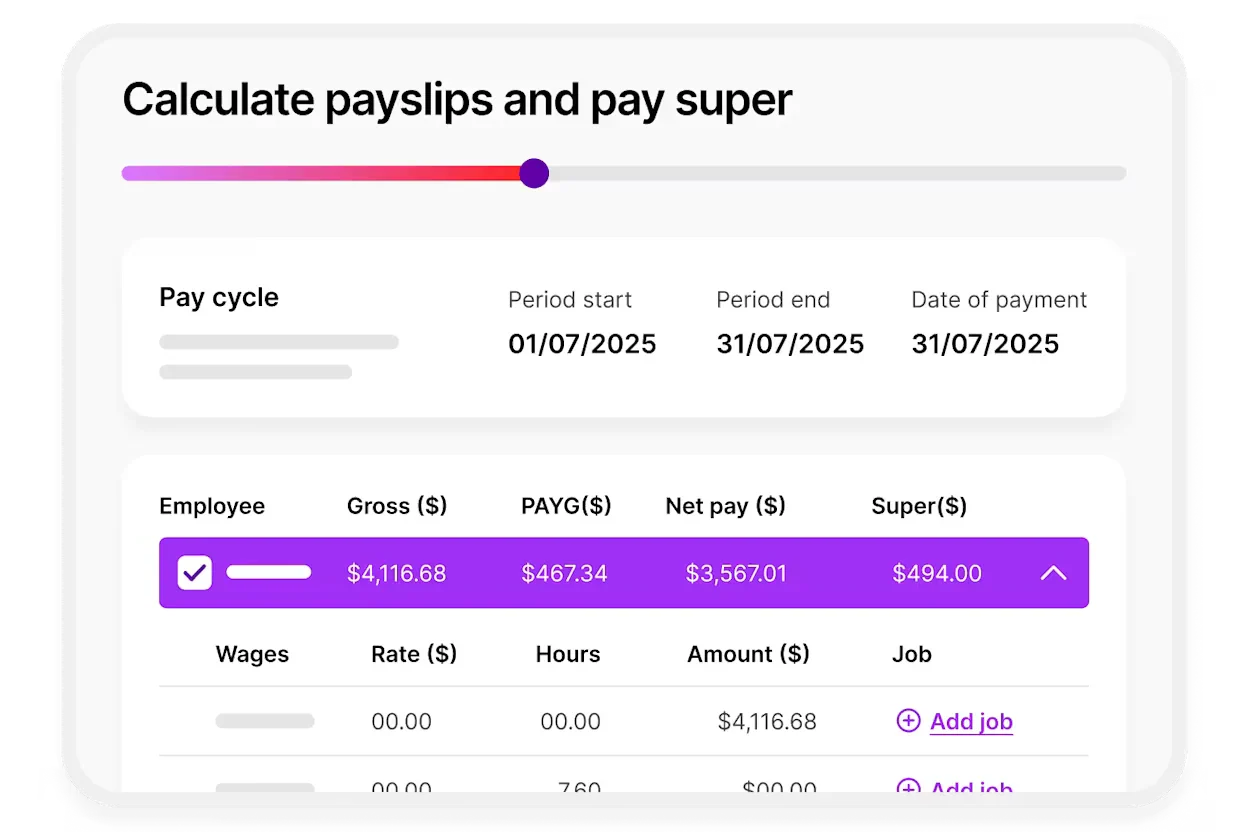
MYOB is an Australian payroll provider with cloud options and strong local compliance support for AU and NZ rules. Its advanced payroll suits larger companies needing complex payroll handling.
Key Features:
- Workforce Management: Integrated rostering and attendance features.
- STP Phase 2 Ready: Fully compliant reporting to the ATO.
- Local Support: Australian-based support teams understand local nuances.
| Pros | Cons |
|
|
Pricing: SME plans start around $30/month. Enterprise (MYOB Advanced) is quote-based.
Suitable for: Australian businesses wanting locally built payroll with strong AU compliance and local support.
10. ELMO Software
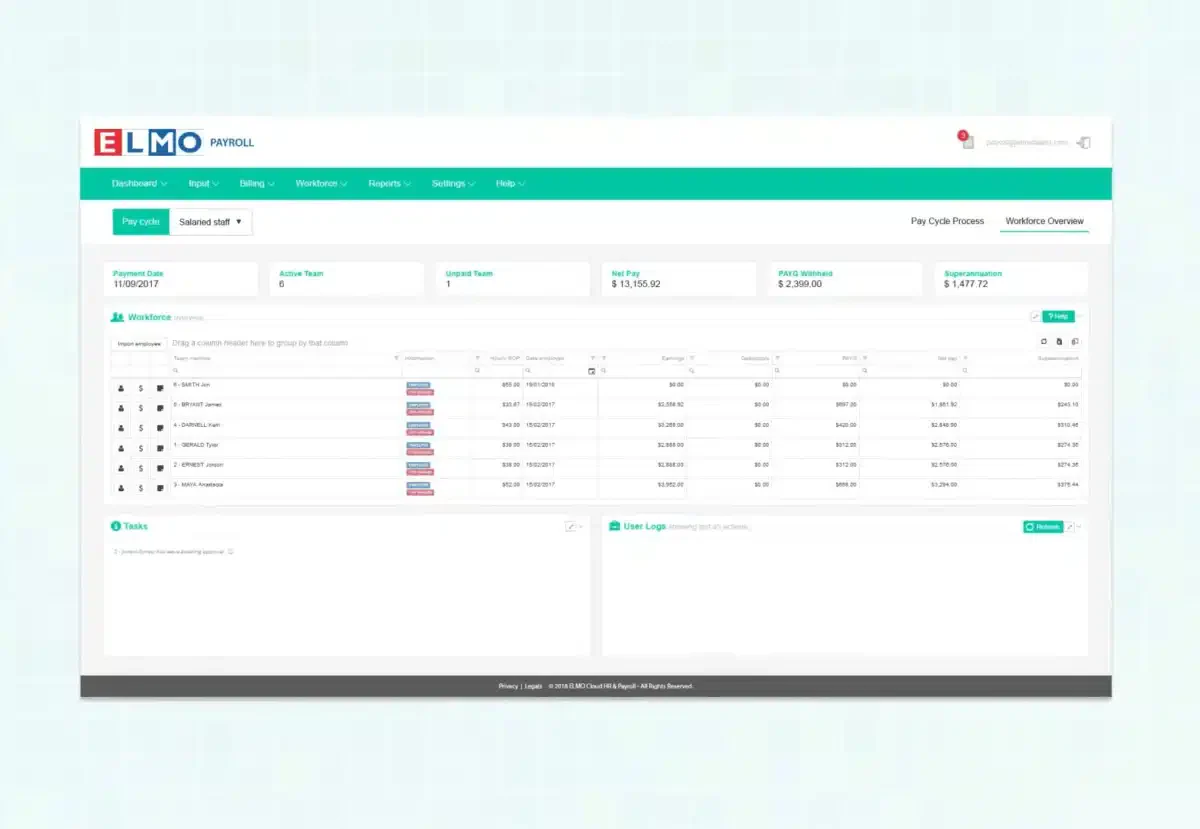
ELMO is a modular HR and payroll suite for mid-sized businesses, covering the employee lifecycle from hire to retire. As best AU payroll software, it reduces double handling by keeping HR and payroll data tightly integrated.
Key Features:
- Modular Suite: Add Learning, Performance, or Recruitment modules as needed.
- Secure Pay: A high-security payroll engine compliant with ISO standards.
- Dashboard Analytics: Visual reporting on leave liability and wage costs.
| Pros | Cons |
|
|
Pricing: Quote-based, generally depending on the number of modules and employees.
Suitable for: Mid-sized companies wanting modular HR and payroll across the hire-to-retire lifecycle.
11. Rippling
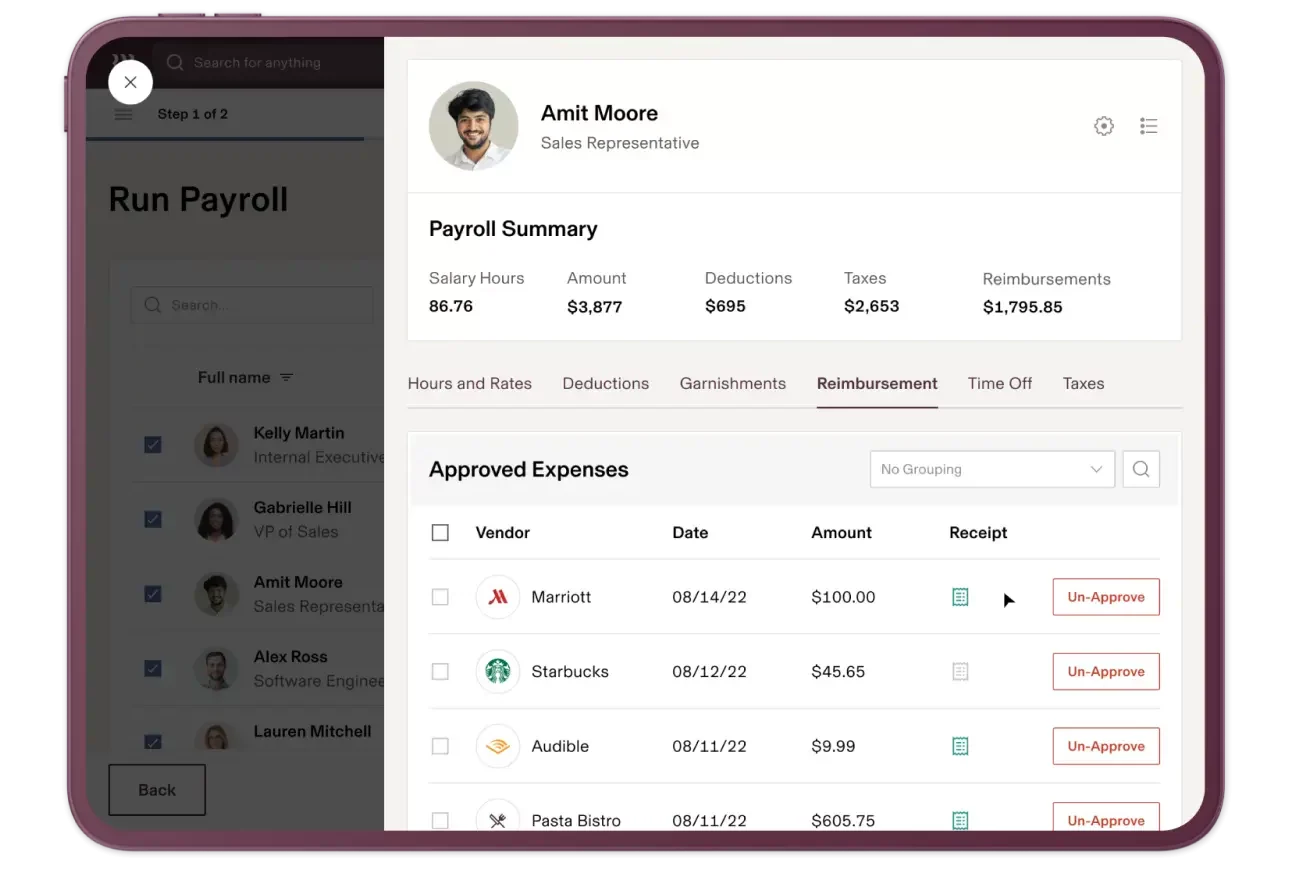
Rippling combines payroll with HR and IT automation in one platform as one of the best software for payroll. It streamlines onboarding and offboarding by triggering account and access changes across business tools.
Key Features:
- IT Device Management: Manage employee hardware alongside payroll.
- Global Payroll: Pay international staff easily.
- Workflow Automator: No-code builder to automate cross-department processes.
| Pros | Cons |
|
|
Pricing: Starts at $8 per user/month, but costs increase as you add IT and HR modules.
Suitable for: Tech-forward and distributed teams needing payroll plus HR and IT automation in one platform.
12. Microkeeper
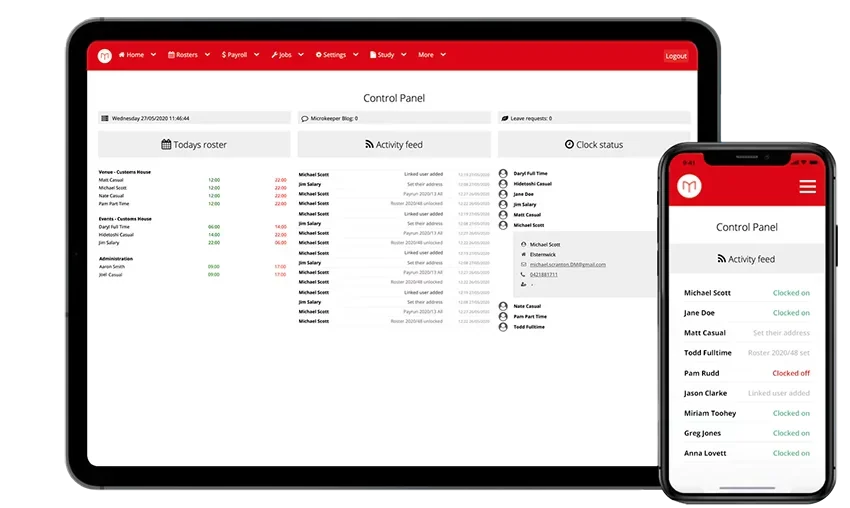
Microkeeper is one of the best payroll software Australia options for hourly-workforce businesses, combining rostering, time clocks, and payroll in one system. It uses biometric or NFC time tracking to automate pay calculations from clock-on to pay-out.
Key Features:
- Biometric Time Clocks: Hardware options for secure time tracking.
- Roster Budgeting: See the cost of a shift before you publish the roster.
- Skill Tracking: Ensure rostered staff have the necessary qualifications (e.g., RSA).
| Pros | Cons |
|
|
Pricing: Starts around $4 per employee per month, with additional costs for hardware scanners.
Suitable for: Hourly-workforce businesses that want time clocks, rostering, and payroll tightly linked for automation.
13. Reckon Payroll
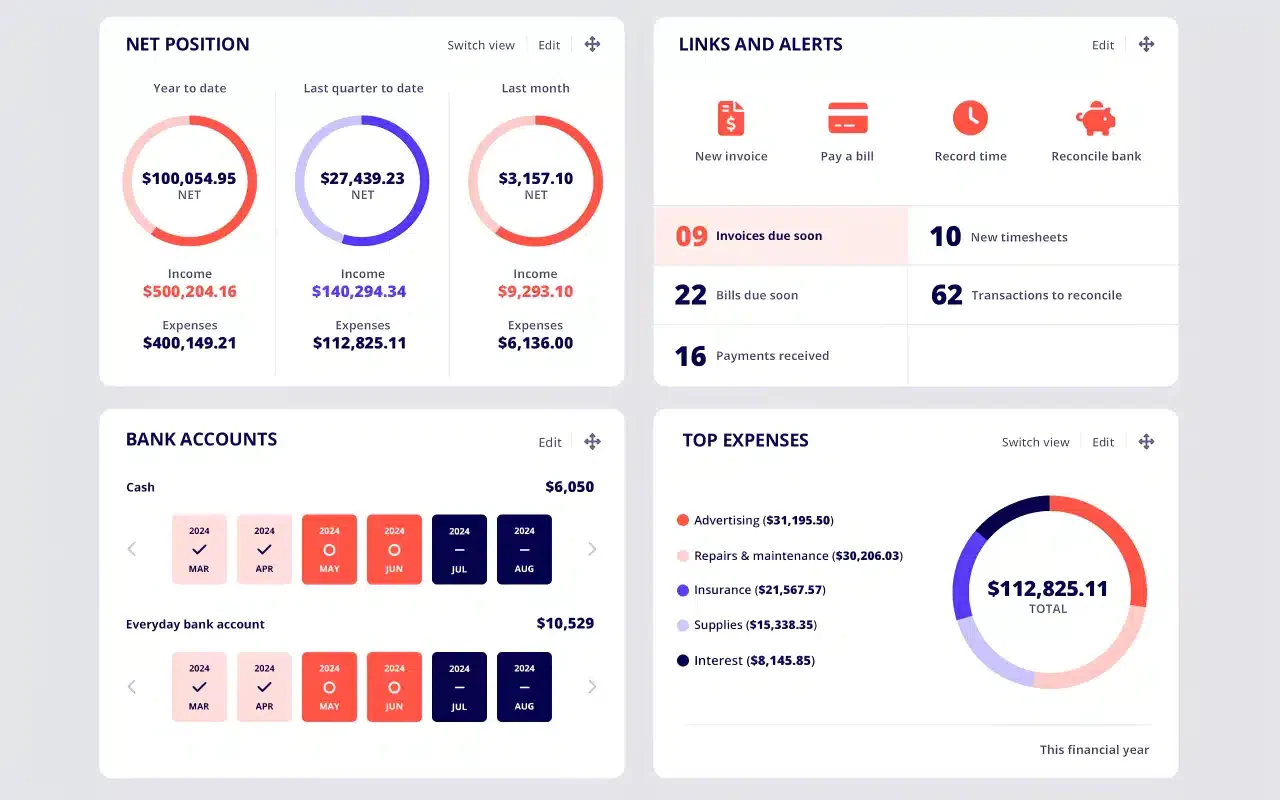
Reckon Payroll is a straightforward Australian payroll solution built for small businesses that want simple wage processing without per-employee pricing. It covers wages, leave, super, and Single Touch Payroll, making it a practical choice for growing teams that want compliance and value in one platform.
Key Features:
- Single Touch Payroll Support: Helps businesses manage STP submissions and stay aligned with payroll compliance requirements.
- No Per-Employee Pricing: Charges a flat monthly fee instead of increasing costs as headcount grows.
- Simple Payroll Management: Supports pay runs, leave tracking, super, and employee record management in one system.
| Pros | Cons |
|
|
Pricing: Starts from AUD 16/month. Free trial available.
Suitable for: Small businesses that want affordable payroll, simple compliance support, and predictable pricing as employee numbers grow.
14. Payroller
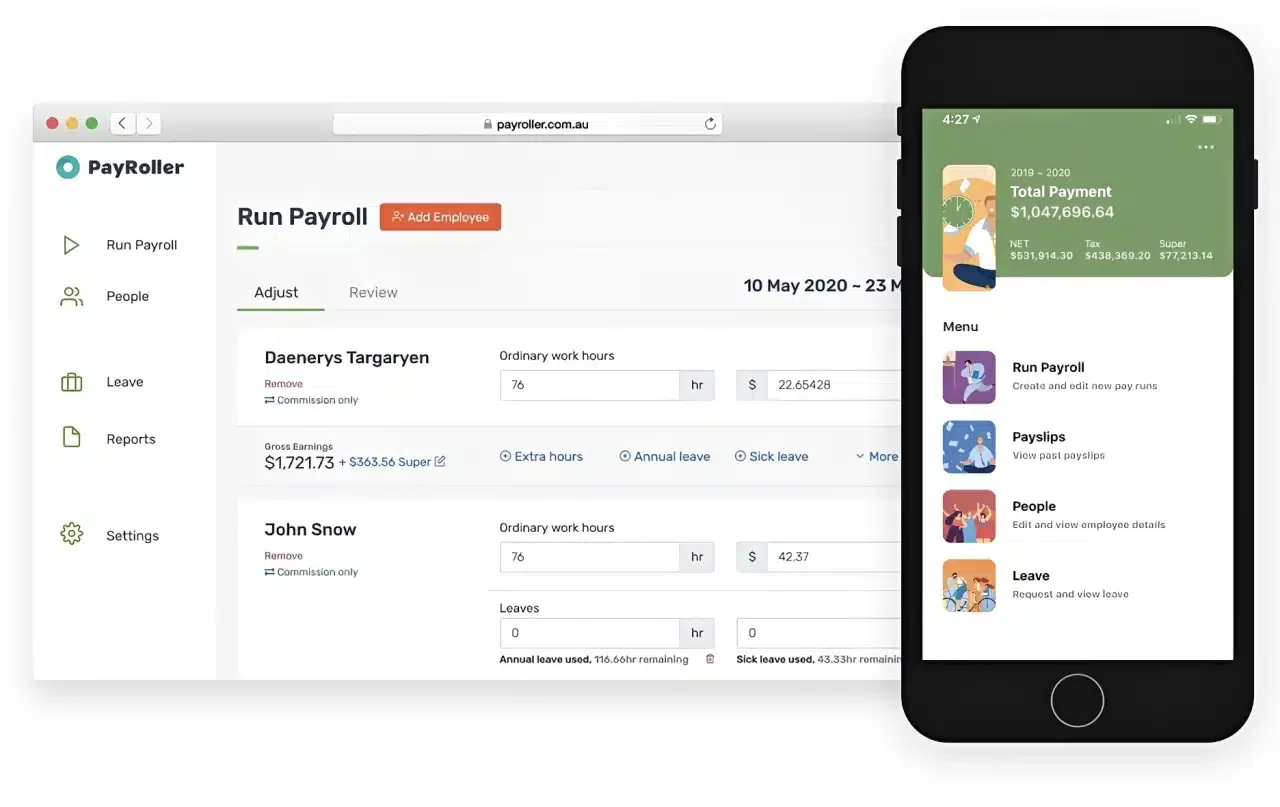
Payroller is an Australian-made payroll app designed for micro-businesses, sole traders, and small employers that need an easy and affordable way to stay compliant. It keeps payroll simple with web and mobile access, while still covering STP Phase 2, superannuation, PAYG, and leave tracking.
Key Features:
- STP Phase 2 Approved: Supports compliant payroll reporting for Australian businesses.
- Employee Self-Service: Lets employees access payslips and timesheets more easily.
- Multi-Device Access: Works across desktop, tablet, and mobile for flexible payroll processing.
| Pros | Cons |
|
|
Pricing: Free plan available. Also offers low-cost paid tiers.
Suitable for: Sole traders, freelancers, and micro-businesses that want a simple, compliant, and budget-friendly payroll solution.
15. e-PayDay
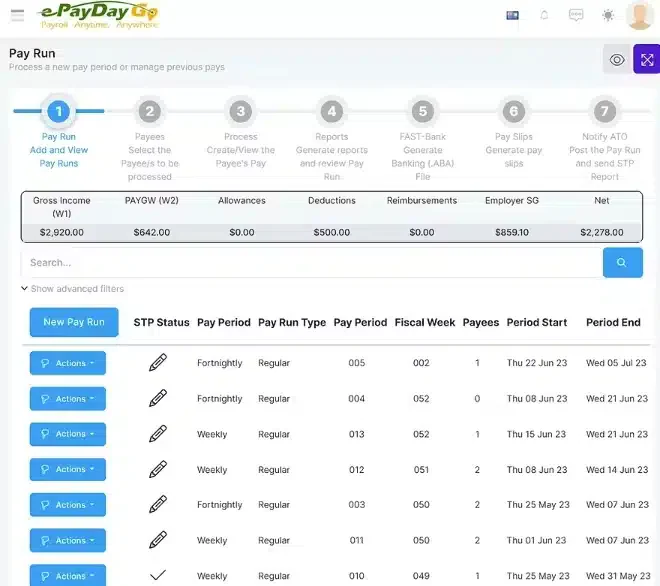
e-PayDay is an Australian-built payroll solution designed for small to medium businesses needing compliant, straightforward payroll processing. It supports STP Phase 2, superannuation, and PAYG withholding.
The platform is locally developed and maintained, giving Australian businesses access to support teams familiar with Fair Work and ATO requirements. It suits businesses that want reliable payroll without excessive overhead.
Key Features:
- STP Phase 2 Reporting: Compliant ATO payroll lodgment built into the workflow.
- Award and Leave Support: Handles common Australian award conditions and leave balances.
- Superannuation Processing: Automated super calculations and clearing house support.
| Pros | Cons |
|
|
Pricing: Quote-based; confirm current pricing directly with e-PayDay.
Suitable for: Small to medium Australian businesses wanting a locally built, compliance-ready payroll solution without the complexity of enterprise platforms.
Do You Need Payroll Software or Accounting Software?
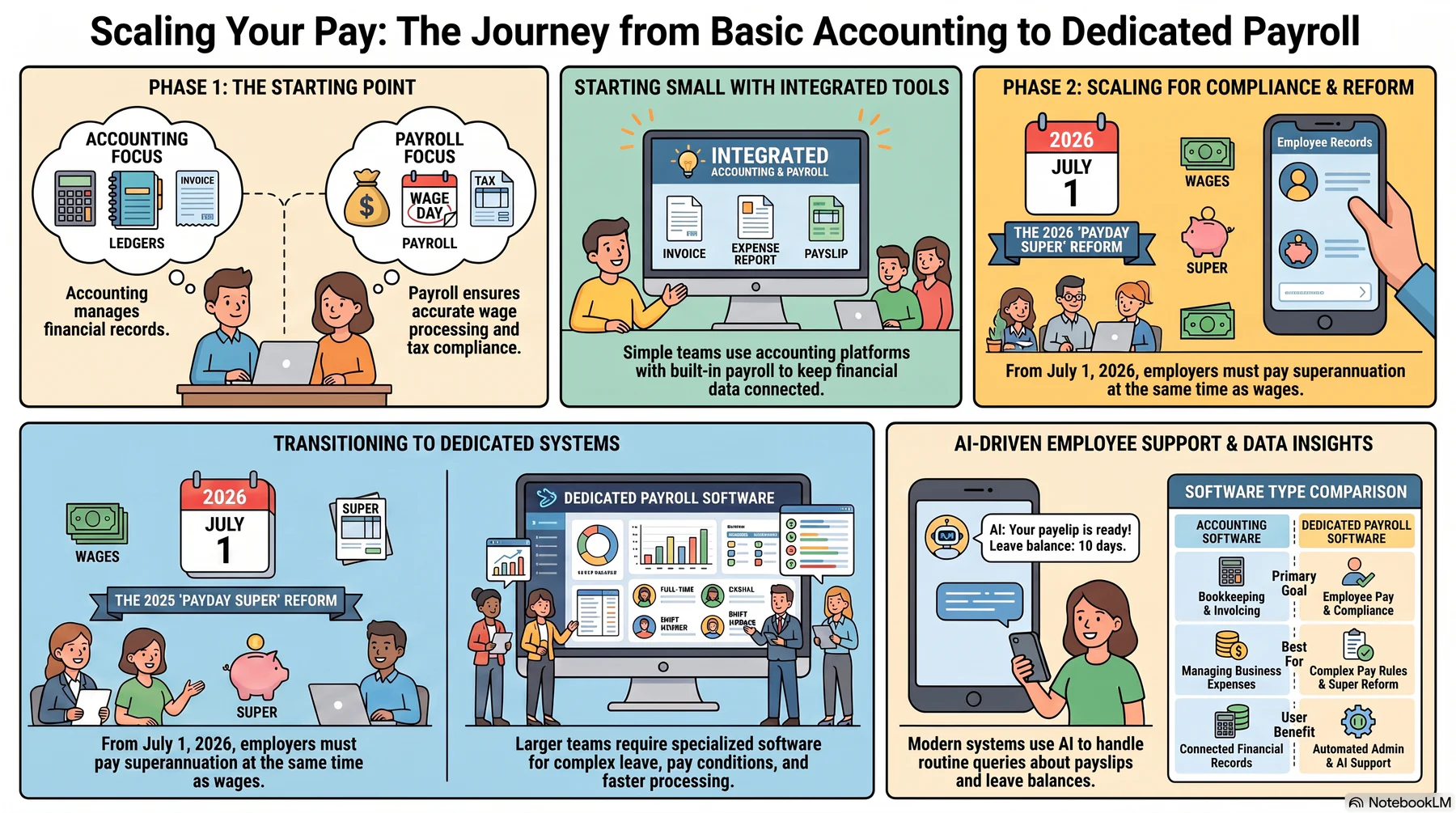
Accounting software helps businesses manage invoicing, expenses, and financial records, while payroll software focuses on accurate wage processing, taxes, super, and other payroll obligations. In simple terms, accounting software supports bookkeeping, while the best payroll software supports employee pay and compliance.
For very small teams with simple pay structures, an accounting platform with built-in payroll may still be enough. It can reduce admin work and keep payroll records connected with the rest of your financial data.
As headcount grows and pay rules become more complex, dedicated payroll systems become more valuable. The best AU payroll software is better suited for managing leave, pay conditions, recurring payroll tasks, and compliance requirements that general accounting tools may not handle reliably.
This matters even more in Australia because, from 1 July 2026, employers must pay super guarantee at the same time as salary and wages under the Payday Super reform, rather than on the older quarterly cycle.
That change underscores the need for greater payroll accuracy, faster processing, and better compliance controls, making dedicated payroll software a more practical choice for many employers.
As payroll requirements become more complex, administrative pressure extends beyond processing pay runs. Employees also expect prompt answers about payslips, leave balances, deductions, superannuation, and payment dates.
AI-supported payroll systems can handle routine employee enquiries using current workforce records, reducing repetitive HR tasks while directing sensitive or unusual cases to the appropriate team.






How to Choose the Right Payroll Software for Your Australian Business
Selecting software is not about choosing the platform with the most features, but identifying australian payroll software that fits your operational and compliance needs. Use this framework to help identify the best payroll software for your business.
1. The volume vs complexity matrix
High volume, low complexity: Large teams with mostly salaried employees and standard pay rules should prioritise speed, automation, and clear reporting. The best AU payroll software for this setup focuses on efficiency and reliable payroll processing.
Low volume, high complexity: Smaller teams with shift penalties, allowances, and variable overtime need stronger rules engines and award-compliant calculations. Accurate automation is more important than scale in these environments.
High volume, high complexity: Businesses with large headcounts and complex rosters need enterprise-grade payroll with deep integrations, advanced controls, and scalable reporting. Strong compliance features are essential at this level.
2. Total cost of ownership (TCO)
Do not judge payroll systems only by monthly subscription costs. Calculate the total cost by including setup fees, training, support, and internal admin time required to manage the system.
Pricing in the Australian payroll software market ranges from $6 to $19 per active employee per month for cloud-based solutions, with enterprise platforms offering quote-based pricing that delivers stronger long-term TCO.
A lower-cost platform that needs hours of manual data entry each month may cost more overall than the best payroll software with stronger automation and fewer ongoing tasks.
3. Ecosystem fit
Your payroll software cannot exist in a vacuum. It must connect with a critical HR management system, accounting software, and time-tracking tools to keep workforce data aligned.
If you are in manufacturing, an ERP that unifies inventory, production, and payroll will provide a higher ROI than disparate systems patched together.
"Great payroll software makes exceptions easy to handle and routine pay runs almost invisible."
Conclusion
Payroll management in Australia requires more than simply processing wages on time. The best payroll software helps ensure accuracy, compliance, and consistent reporting across every pay cycle.
As workforce rules grow more complex, automation becomes essential to reduce errors and administrative strain. The best AU payroll software connects time tracking, tax calculations, and superannuation into a structured workflow that improves efficiency.
Strong reporting and audit trails help identify cost patterns, resolve issues faster, and support better workforce decisions. A free consultation can clarify which payroll setup best fits current workflows and compliance needs.ssss
Frequently Asked Questions About Payroll Software
Yes, most payroll systems offer integrations with HR, accounting, and time-tracking platforms. Integrated solutions provide smoother data flow and reduce manual entry.
Key features include automated calculations, STP compliance, superannuation processing, reporting tools, and employee self-service portals.
Cloud-based payroll software uses encryption, secure access controls, and regular updates, making it a reliable option for protecting sensitive payroll data.
Costs vary based on features and business size. Basic plans can start from around AUD 10–30 per month, while advanced systems may require higher subscription or enterprise pricing.
Some of the payroll software options worth considering include HashMicro, Employment Hero, Xero, MYOB, Microkeeper, and Payroller. HashMicro is particularly suitable for businesses that need payroll connected with HR, attendance, finance, and broader ERP workflows. The best choice depends on your workforce size, payroll complexity, Australian compliance requirements, integrations, and budget.
Popular payroll software options used by Australian businesses include Xero, MYOB, Employment Hero, Microkeeper, Payroller, and HashMicro. HashMicro is an option for businesses seeking an integrated payroll, HR, attendance, finance, and ERP system. Popularity varies by business size and industry, so compare each provider's features, pricing, support, integrations, and suitability before choosing.
Yes, a small business can calculate payroll in Excel, but the process is manual and increases the risk of formula errors, outdated tax settings, missed superannuation obligations, and incomplete records. As employee numbers and payroll complexity grow, payroll software can provide automated calculations, reporting, audit trails, and integrations. Businesses must still meet current ATO and Fair Work requirements regardless of the tool used.
Australian businesses are not generally required to use an accountant for routine payroll processing, but they remain responsible for accurate pay, tax withholding, superannuation, reporting, payslips, and employee records. An accountant, registered tax agent, BAS agent, or payroll specialist may be helpful when payroll is complex or when professional tax or compliance advice is required.