
![12 Best Project Management Software in Australia [2026]](https://storagewebsitev11.hashmicro.com/uploads/blog-2fa51fa8ed2c-untitled-design-76-672.webp)
Project management software helps teams plan, execute, and track projects from a single shared workspace, acting as one of the most useful business systems for project coordination. It replaces email chains, spreadsheets, and messaging apps with one structured system.
Poor project management costs Australian businesses an estimated AUD $2.5 billion annually in missed deadlines, budget overruns, and rework, according to the Australian Institute of Project Management.
This article reviews 12 project management platforms for Australian businesses in 2026. Each entry covers features, pricing, Xero and MYOB integration, and how to match each tool to your context.
Key Takeaways
Project management software is a digital platform for planning tasks, assigning owners, tracking progress, and managing budgets from one shared workspace.
Not all PM tools are built the same. I’ve grouped them by where they genuinely shine: construction delivery, agile and scrum teams, enterprise resource planning, and small business simplicity with Xero integration.
Best Because
A visual project management platform built for teams that want flexibility, automation, and real-time collaboration at scale.

Best Because
An all-in-one productivity platform offering highly customisable tasks, docs, goals, and dashboards for teams of any size.


Best Because
A streamlined work management tool that helps teams plan, track, and manage projects with clarity and accountability.
Best Because
A powerful project management solution designed for enterprise teams needing advanced workflows, approvals, and reporting.
What is Project Management Software?
Project management software is a digital platform for planning tasks, assigning owners, tracking progress, and managing project budgets. It gives teams a shared view of work, responsibilities, and risks. It also supports reporting project milestones and tasks so managers can monitor delivery progress without relying on scattered updates.
The tools on this list range from free Kanban boards for small teams through to enterprise platforms with Gantt charts, resource planning, and direct accounting system integration.
For Australian businesses, the right PM tool must also integrate with Xero or MYOB, handle GST-inclusive budget tracking, and support construction compliance documentation where required.
"Project management software is the digital backbone of any project. It brings planning, accountability, and financial visibility into one place so teams can deliver on time and on budget."
Key Features to Look for in Project Management Software
Not all project management platforms offer the same capabilities. These six features separate platforms that genuinely improve project delivery from those that simply add another system to manage.
1. Task and milestone management
Every task should have a single owner, a due date, a status, and the ability to link to dependent tasks. Milestones mark the critical delivery points in a project schedule and trigger downstream actions when reached.
Look for sub-task support, recurring tasks, and the ability to view work as both a list and a Kanban board. Without these basics, teams default back to email to track what is actually happening on the project.
2. Gantt charts and scheduling
Gantt charts show the full project timeline: tasks, dependencies, the critical path, and baseline versus actual progress. For construction, engineering, and consulting projects, this view is not optional.
Verify the Gantt is interactive. Drag-and-drop rescheduling with automatic dependency updates is the standard in 2026. Trello and entry-level Asana do not include a true Gantt chart. Confirm this before committing to any plan.
3. Budget and cost tracking
A PM tool without budget tracking creates a reporting gap: project status tracked in one place, financial performance in another. Look for budget versus actual cost visibility per task, per phase, and per project.
For Australian projects, GST-inclusive budget handling is essential. Labour cost allocation from timesheet entries gives a live cost-at-completion figure, which is more accurate than re-estimating at month-end.
4. Document and file management
Projects generate contracts, drawings, specifications, RFIs, and sign-off documents. Files should be attached to the relevant task or milestone, with version history, so teams always work from the current document.
For construction projects, Procore or Autodesk integration is typically required. For general business use, Google Drive or SharePoint usually covers document management needs.
5. Time tracking and reporting
Time tracking enables accurate project cost calculation and is essential for professional services firms billing by the hour. It should be a native feature in your PM tool, not a paid add-on or third-party integration.
Look for timer start and stop, manual time entry, timesheet approval workflows, and payroll system integration. Asana requires a third-party tool. ClickUp and Wrike include time tracking from their base paid plans.
6. Integration with accounting software (Xero, MYOB, ERP)
Xero and MYOB dominate Australian SMB accounting. Your PM tool must integrate with at least one of them. Verify it is a native two-way integration, not a one-way Zapier data push.
For mid-market businesses on an ERP, native integration means project costs flow directly to the general ledger. This eliminates manual export and reconciliation overhead between the delivery team and finance.
Australian Compliance Requirements for Construction Projects
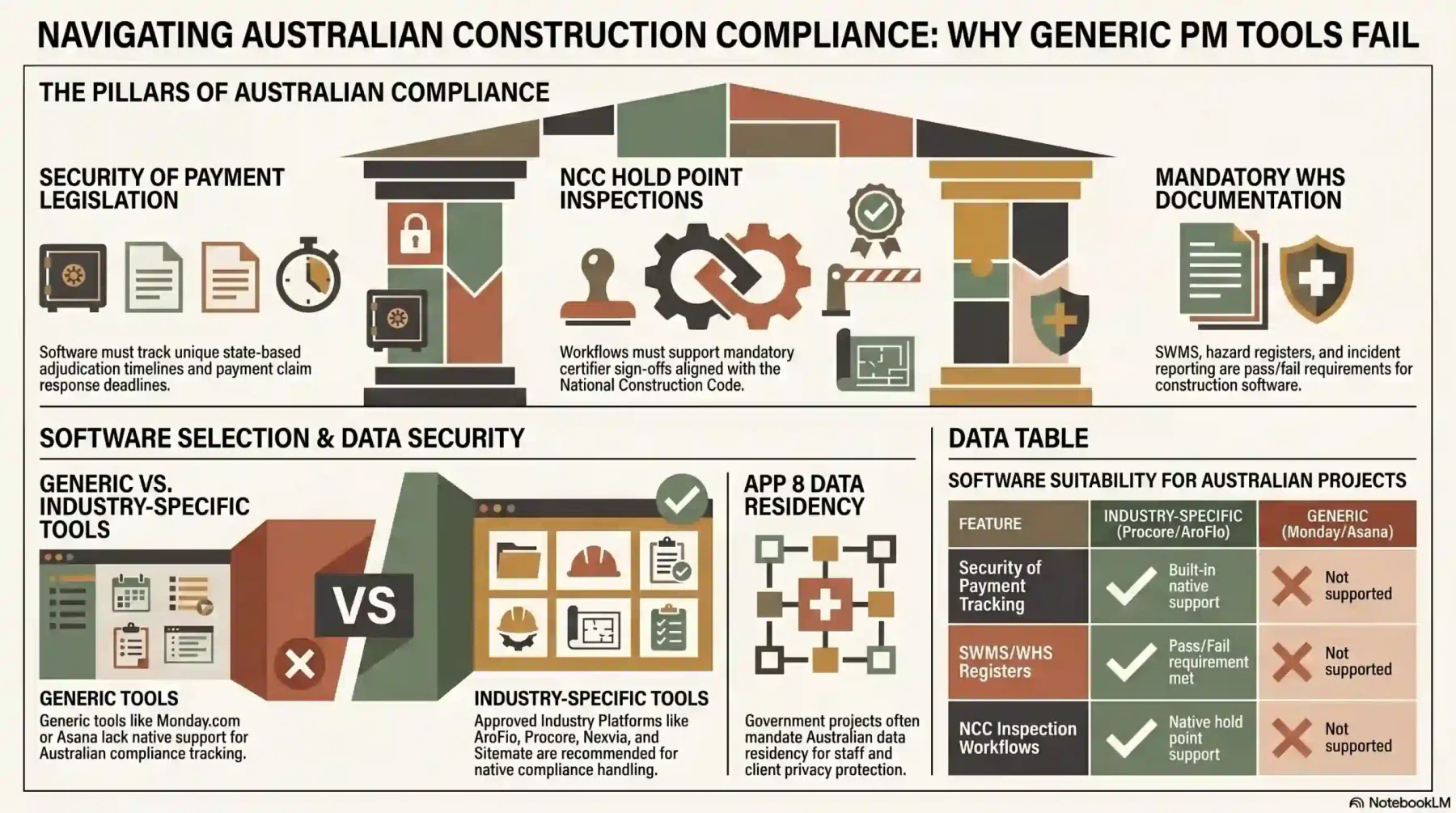
Australian construction projects operate under a complex web of state and federal compliance obligations. PM software that cannot support these requirements creates significant legal and financial risk. For construction teams, this makes PM software important for coordinating building project activities across contractors, inspections, payment claims, and documentation.
The Australian Bureau of Statistics records construction as one of Australia’s largest employing industries, with over 1.2 million workers.
At that scale, compliance failures across security of payment, WHS, and building code obligations are costly. The right PM tool makes them avoidable.
1. Security of Payment legislation
Every Australian state and territory has its own Security of Payment Act governing payment claims, payment schedules, and adjudication timelines for construction contracts.
Construction PM software must track payment claim dates, response deadlines, and dispute documentation. AroFlo, Procore, Nexvia, and Sitemate handle this. Generic tools such as Monday.com, Asana, and Trello do not.
2. Building Code of Australia and National Construction Code
The National Construction Code sets minimum performance standards for building design, construction, and performance. PM software for construction should support inspection checklists aligned with NCC requirements.
Hold point inspection workflows, which require certifier or council sign-off before work continues, are essential for residential projects subject to state Home Building Act obligations.
3. Work Health and Safety (WHS) requirements
Under the Work Health and Safety Act 2011 and state equivalents, principal contractors have primary duties to manage site safety. PM software must support SWMS attached to tasks, hazard registers, and incident reporting.
Subcontractor WHS compliance documentation must be stored and retrievable. This is a pass/fail requirement for any PM tool used on a formal construction project in Australia, not a differentiating feature.
4. Privacy Act and data residency
Australian Privacy Principle 8 requires businesses to take reasonable steps to ensure any overseas recipient of personal data meets Australian privacy standards.
For PM tools storing staff, subcontractor, or client data, verify where the data is hosted. Government and healthcare projects often require Australian data residency as a contractual condition of engagement.
Generic PM tools such as Monday.com, ClickUp, and Asana are not suitable as a primary platform for formal construction projects in Australia.
Use industry-specific tools (AroFlo, Procore, Nexvia, Sitemate) or an ERP-integrated platform that handles compliance documentation natively.
12 best project management software in Australia (reviewed)
The 12 reviews below cover the full range of business types in Australia, from small teams on free plans through to enterprise construction contractors needing compliance documentation and ERP integration.
1. HashMicro
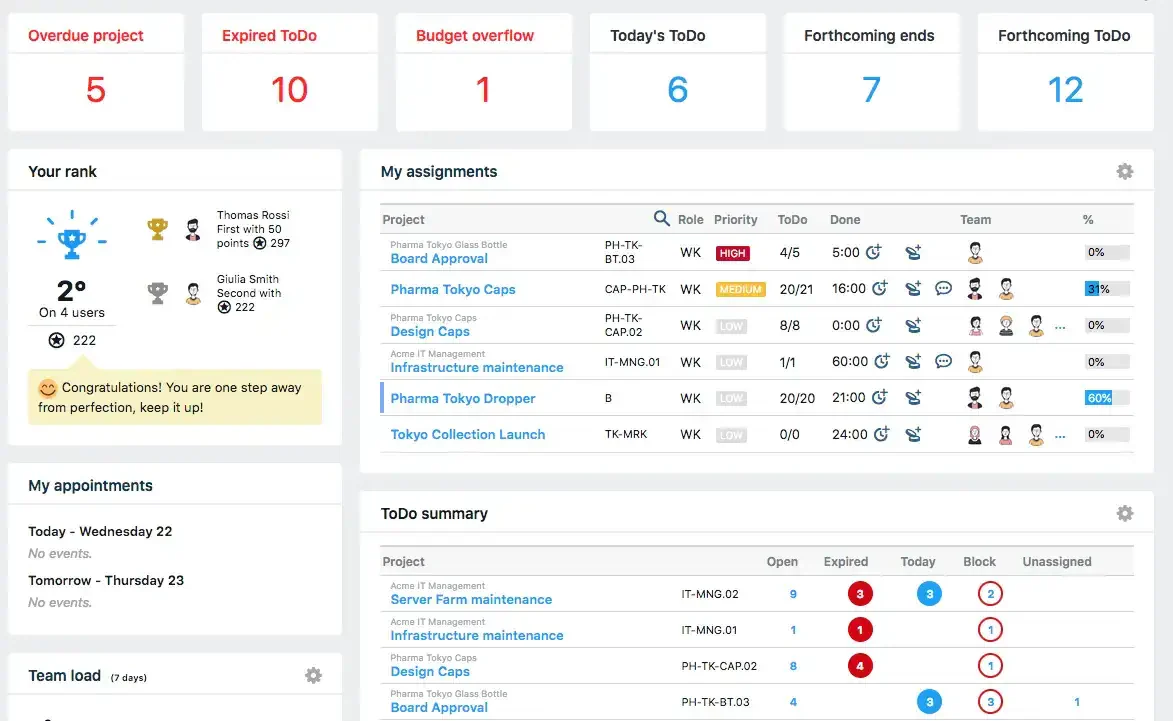
Best for: Australian businesses that need project management natively connected to ERP, with costs posted to the general ledger and purchase orders raised per project.
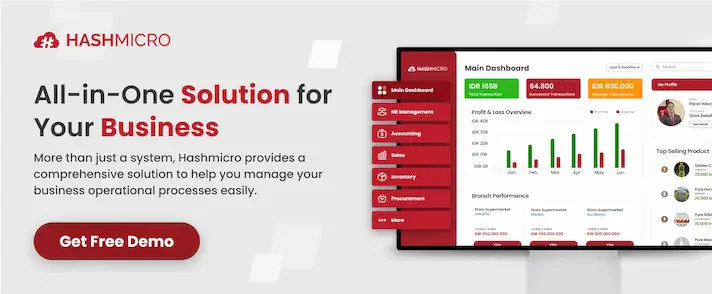
HashMicro’s Project Management module is the only ERP-native PM tool on this list. Project costs are posted directly to the general ledger, purchase orders are raised per project, and resource costs are pulled from payroll.
Gantt charts, resource planning, and procurement connect in one platform, giving teams centralised business management tools for project delivery and financial control.
For Australian businesses that have outgrown standalone PM tools, this removes double-entry between project and finance teams.
HashMicro's AI layer, Hashy OS, runs directly on the ERP and project data. Project managers can query task status, cost summaries, and resource conflicts through a natural-language interface connected to live project records.
Hashy can also automate routine project actions: assigning tasks based on workload, flagging budget variances before they reach thresholds, and surfacing schedule risks across concurrent projects.
| Pros | Cons |
|---|---|
| ✓ Native ERP integration, project costs auto-post to the general ledger | ✗ Pricing by custom quote only, no public pricing |
| ✓ Full Gantt, resource planning, and procurement in one platform | ✗ Requires implementation lead time before going live |
| ✓ Australian implementation team and local support | ✗ Feature depth is overkill for teams without ERP needs |
2. Monday.com
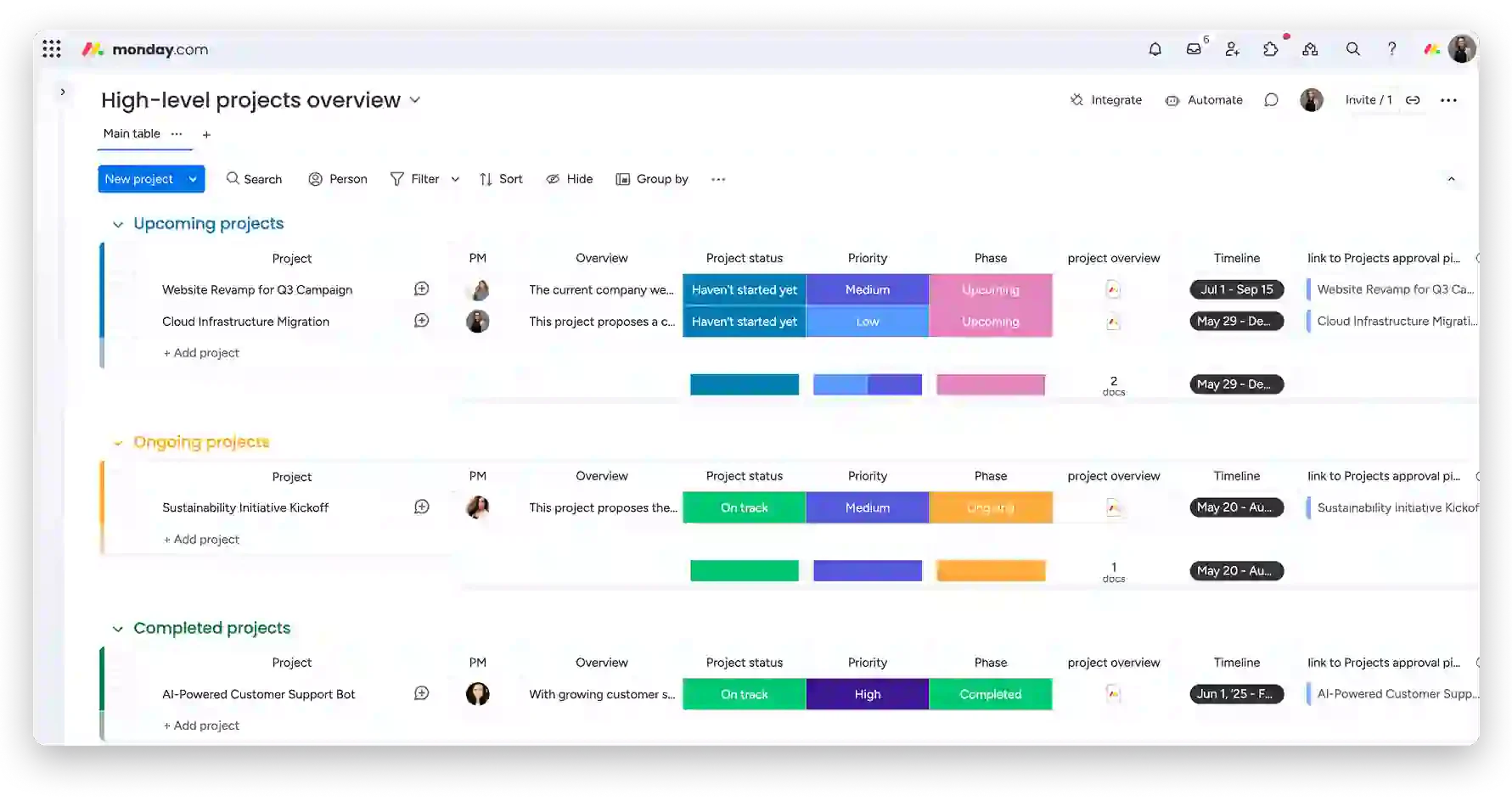
Best for: Teams that need a visual, flexible project workspace with strong automations and a wide range of integrations, without deep financial tracking requirements.
Monday.com presents work across grid, board, calendar, and timeline views. Its automation builder handles status updates, task assignments, and notifications without requiring technical setup.
Monday.com integrates with Xero and connects to over 200 third-party tools. It lacks native Gantt dependency tracking on lower plans, and has no built-in time tracking or budget management.
| Pros | Cons |
|---|---|
| ✓ Intuitive interface, fast onboarding for non-technical teams | ✗ No native time tracking or budget management |
| ✓ 200+ integrations, including Xero | ✗ Gantt dependency tracking is locked to higher-tier plans |
| ✓ Powerful automation builder with no-code setup | ✗ Not suitable for construction compliance workflows |
Pricing: From USD $9/user/month (Basic), billed annually. AUD pricing displayed at checkout.
3. ClickUp
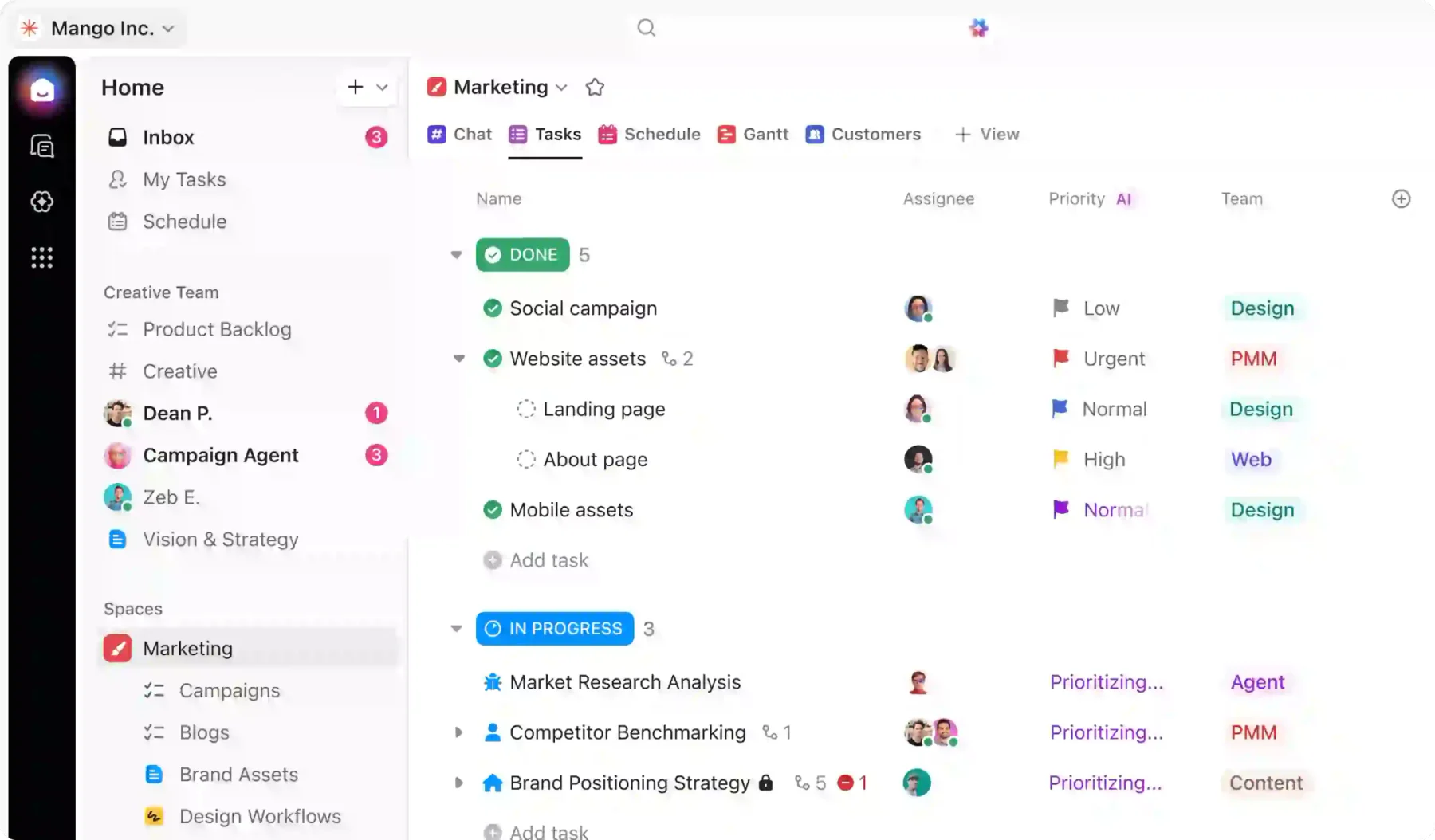
Best for: Teams managing complex, multi-layer task structures who need time tracking, docs, and dashboards in one platform without switching tools.
ClickUp organises work into Spaces, Folders, Lists, and Tasks, giving teams fine control over how projects are structured. Time tracking, goals, and reporting dashboards are all included in paid plans.
Its Xero integration works through native connectors. ClickUp can feel feature-heavy for new users, and performance can slow down on large workspaces with many active automations running.
| Pros | Cons |
|---|---|
| ✓ Native time tracking is included in paid plans | ✗ The feature set can overwhelm new users during setup |
| ✓ Highly flexible task hierarchy for complex projects | ✗ Performance can degrade in very large workspaces |
| ✓ Free plan available with generous feature access | ✗ No construction compliance or Gantt on the free tier |
Pricing: Free plan available. Paid from USD $7/user/month (Unlimited), billed annually.
4. Asana
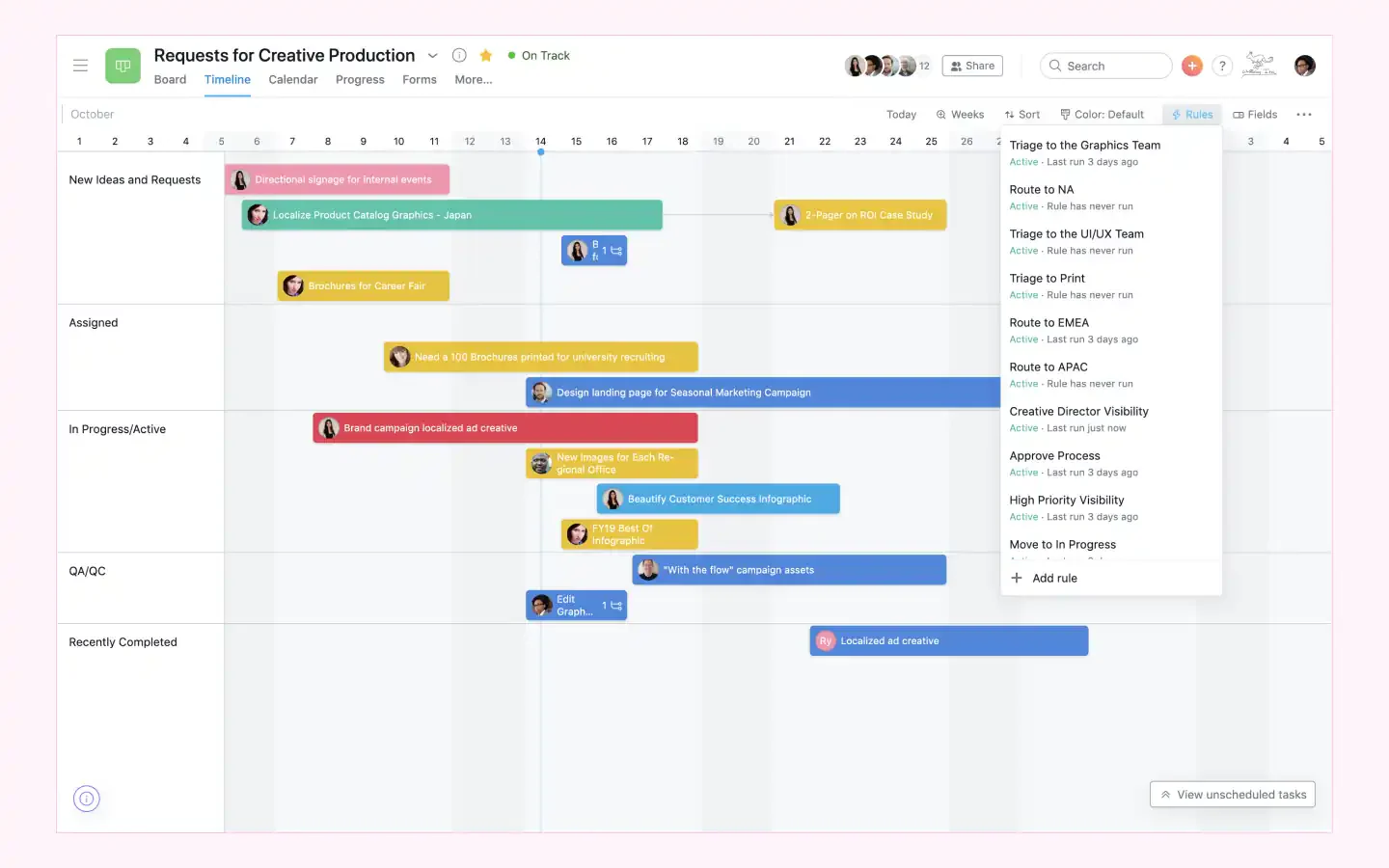
Best for: Teams coordinating work across multiple departments that need structured task workflows, rule-based automations, and clear accountability at the task level.
Asana’s Timeline view functions as a basic Gantt, with task dependencies and workload views available on Business and Enterprise plans. Rules automate repetitive actions across projects and portfolios.
Asana does not include native time tracking, which requires a third-party integration. Budget and cost tracking are also absent. It suits teams focused on task delivery rather than project financials.
| Pros | Cons |
|---|---|
| ✓ Clean interface with strong task dependency management | ✗ No native time tracking, requires Harvest or Toggl |
| ✓ Rule-based automations reduce repetitive manual work | ✗ Budget and cost tracking are not included |
| ✓ Free plan for up to 10 users | ✗ Full Gantt requires a business plan or higher |
Pricing: Free plan for up to 10 users. Paid from USD $10.99/user/month (Premium), billed annually.
5. Wrike
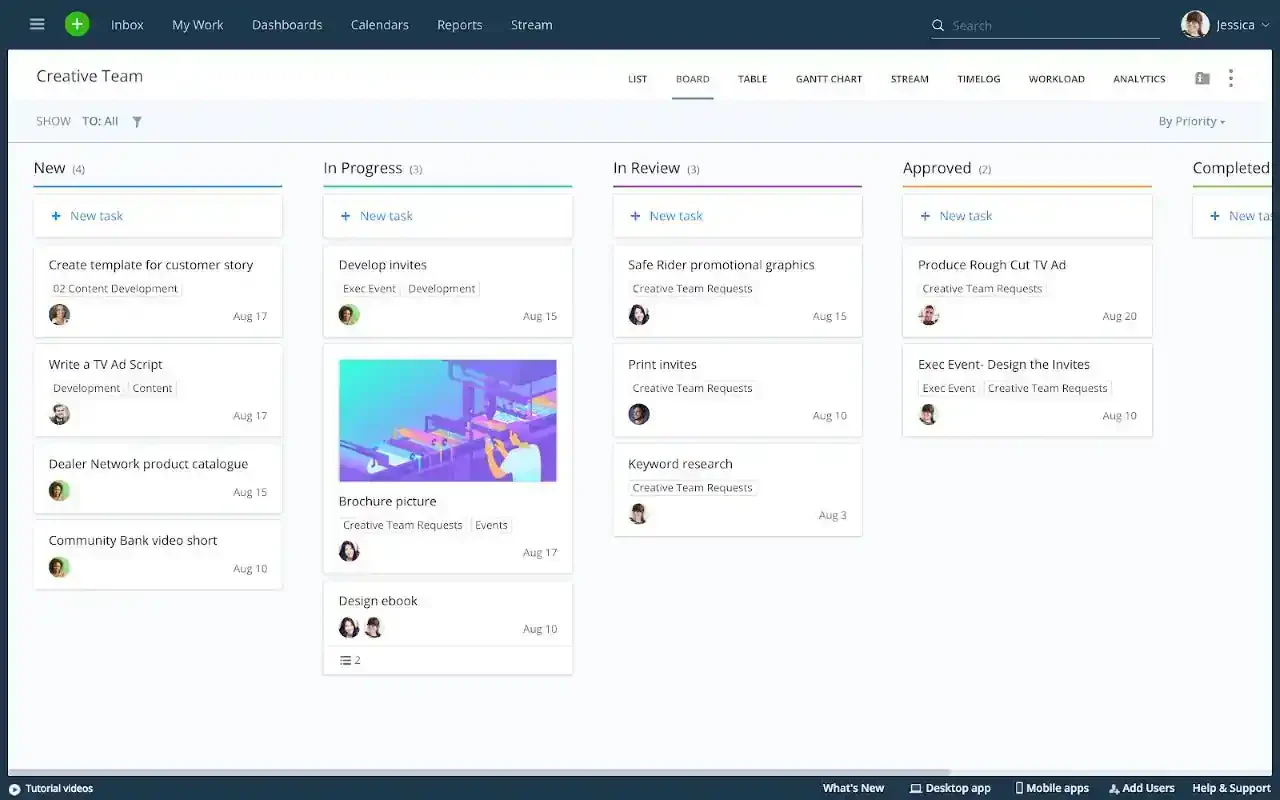
Best for: Consulting, marketing, and professional services teams that need structured project delivery with approval workflows, time tracking, and client-facing project views.
Wrike combines task management with interactive Gantt charts, time tracking, and approval workflows on a single platform. It supports custom workflows and dynamic request forms to standardise project intake.
Wrike integrates with Salesforce, Google Workspace, and Microsoft 365. Its pricing is higher than that of tools, and the interface has a steeper learning curve than Monday.com or ClickUp for new users.
| Pros | Cons |
|---|---|
| ✓ Native time tracking and interactive Gantt on paid plans | ✗ Higher cost than Monday.com and ClickUp at similar tiers |
| ✓ Approval workflows and request forms for project intake | ✗ Steeper learning curve for non-technical users |
| ✓ Strong Salesforce and Microsoft 365 integration | ✗ No native Xero or MYOB integration |
Pricing: Free plan for up to 5 users. Paid from USD $9.80/user/month (Team), billed annually.
6. Microsoft Project
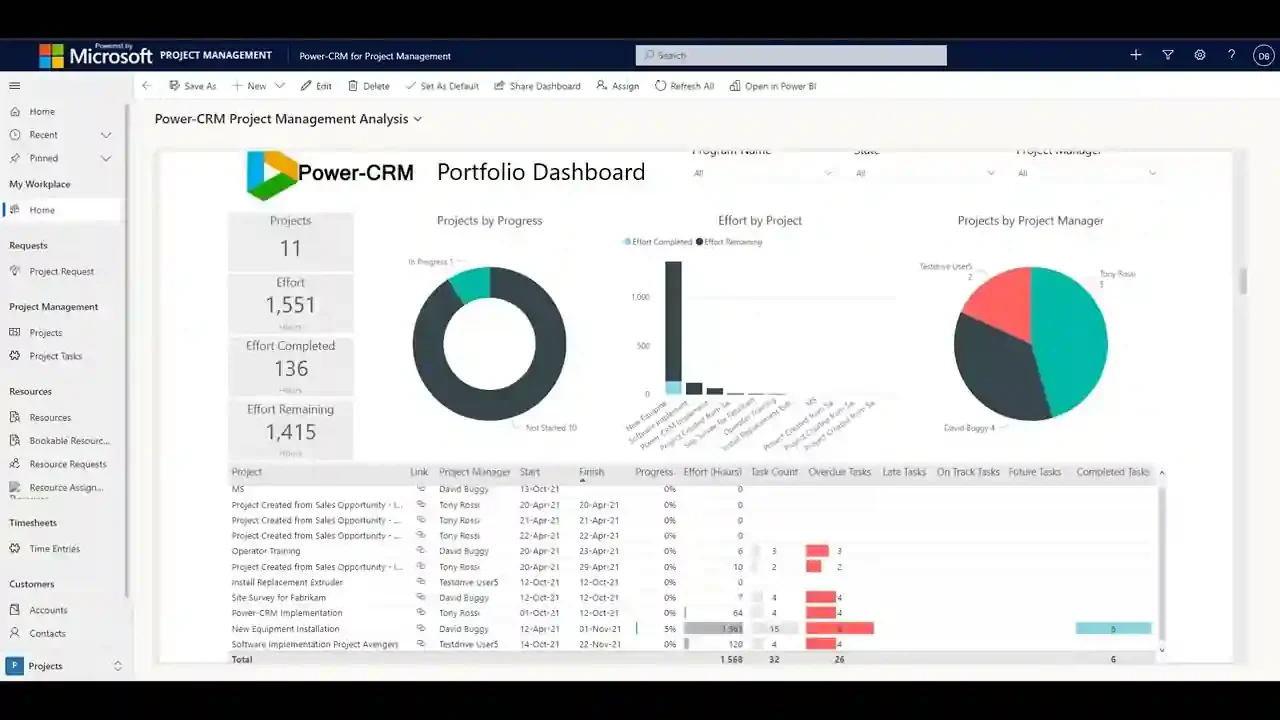
Best for: Large enterprises in the Microsoft 365 ecosystem that need advanced critical path scheduling, resource levelling, and portfolio-level project visibility.
Microsoft Project provides the most detailed scheduling engine on this list, with full critical path analysis, resource levelling, and earned value management for complex programme delivery.
It integrates with Microsoft 365, SharePoint, and Teams, but does not natively connect to Xero or MYOB. For Australian SMBs, the cost and learning curve are difficult to justify unless scheduling depth is essential.
| Pros | Cons |
|---|---|
| ✓ Most advanced critical path and resource levelling on the list | ✗ No native Xero or MYOB integration |
| ✓ Deep Microsoft 365 ecosystem integration | ✗ Steep learning curve; significant training required |
| ✓ Earned value management for programme delivery reporting | ✗ No free plan, and the cost is high for SMB use cases |
Pricing: From USD $10/user/month (Plan 1). No free plan.
7. Smartsheet
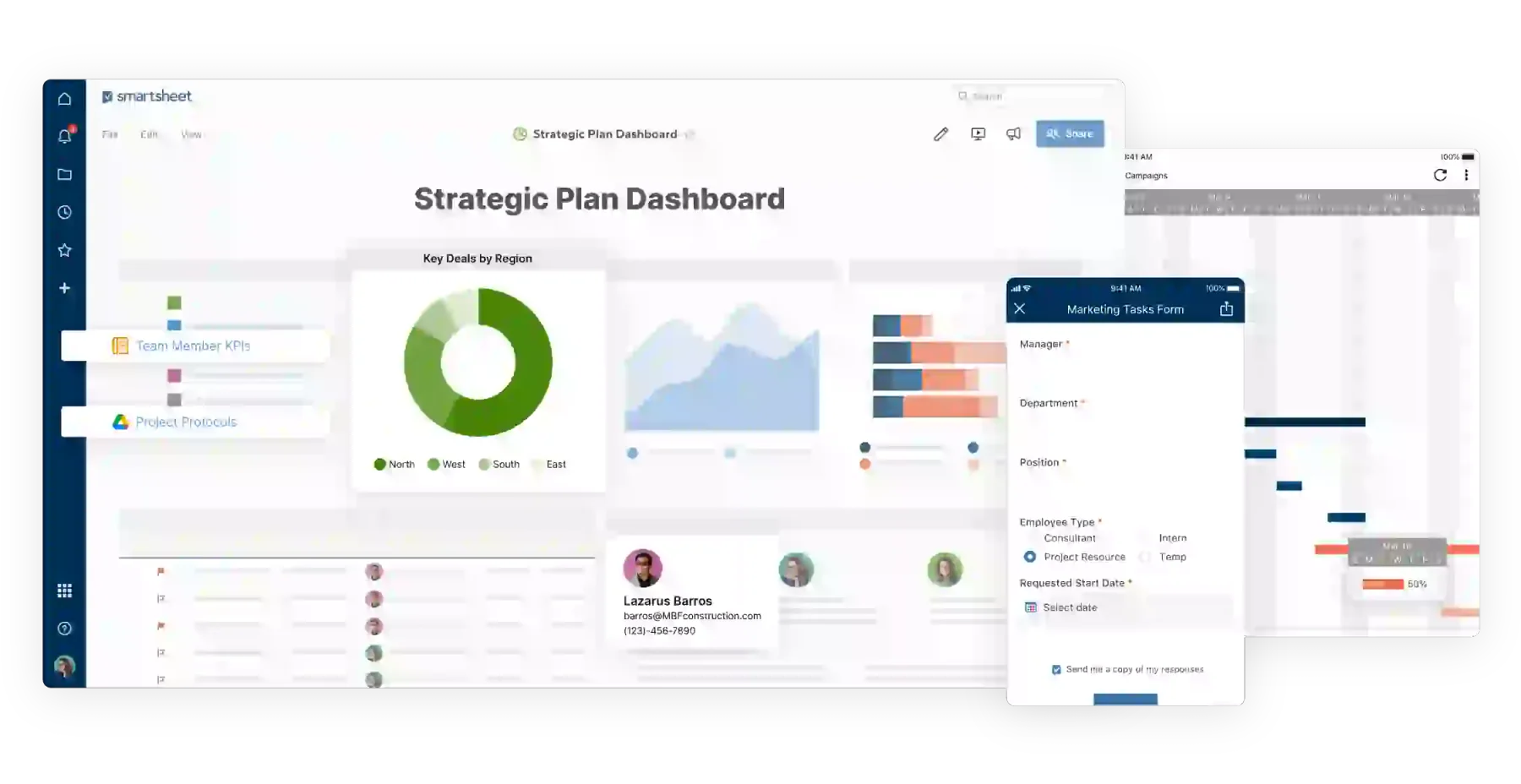
Best for: Teams transitioning from Excel who want a familiar grid interface with added automation, Gantt views, and collaboration features without a full PM platform rebuild.
Smartsheet presents projects in a spreadsheet-style grid with formula support, conditional formatting, and real-time collaboration. It suits teams managing data-heavy projects or reporting workflows.
It connects to Xero, Salesforce, and Microsoft 365. Smartsheet lacks native time tracking and does not support construction compliance workflows. It is best suited to office-based projects and operations teams.
| Pros | Cons |
|---|---|
| ✓ Familiar spreadsheet interface, low adoption friction for Excel users | ✗ No native time tracking |
| ✓ Xero integration and strong reporting with formula support | ✗ No construction compliance features |
| ✓ Gantt charts and automation are available from the base paid plan | ✗ No permanent free plan, free trial only |
Pricing: From USD $7/user/month (Pro), billed annually. Free trial available, no permanent free plan.
8. AroFlo
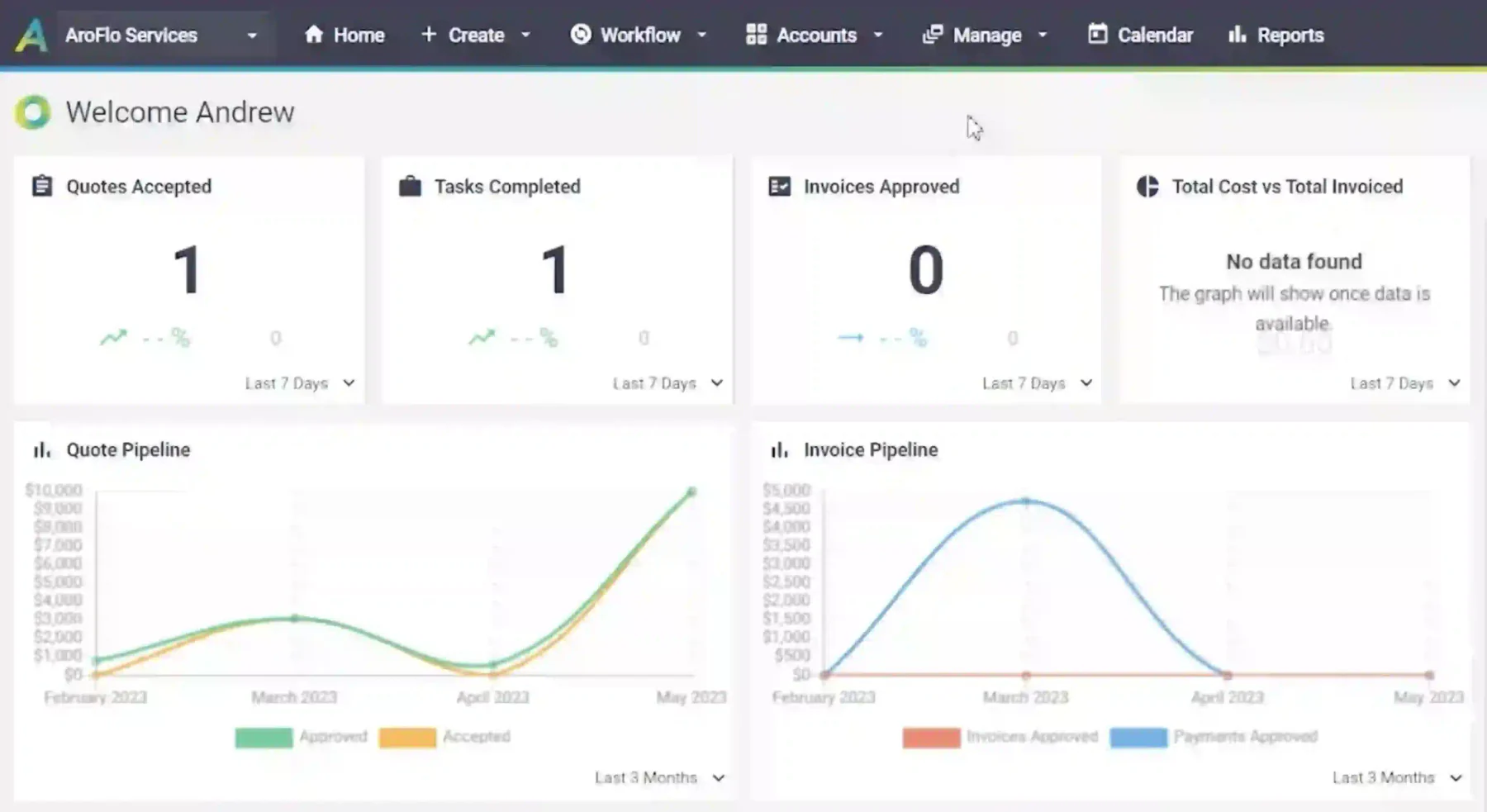
Best for: Australian trade contractors and field service businesses that need job scheduling, WHS documentation, and mobile field access in a single platform.
AroFlo is purpose-built for Australian trades. It handles job scheduling, quoting, WHS documentation, subcontractor management, and invoicing from one platform with a mobile-first field interface.
It integrates natively with Xero and MYOB, and supports state-specific Security of Payment compliance. AroFlo does not suit general business teams as it is purpose-built for trades and field service work.
| Pros | Cons |
|---|---|
| ✓ Purpose-built for Australian trades with native Xero and MYOB integration | ✗ Not suitable for general business or non-trade teams |
| ✓ WHS documentation and Security of Payment compliance support | ✗ Pricing not publicly listed, requires a sales call |
| ✓ Mobile-first interface designed for field use | ✗ Limited Gantt and portfolio-level scheduling features |
Pricing: Contact AroFlo for AUD pricing. Subscription-based with separate field and office user tiers.
9. Procore
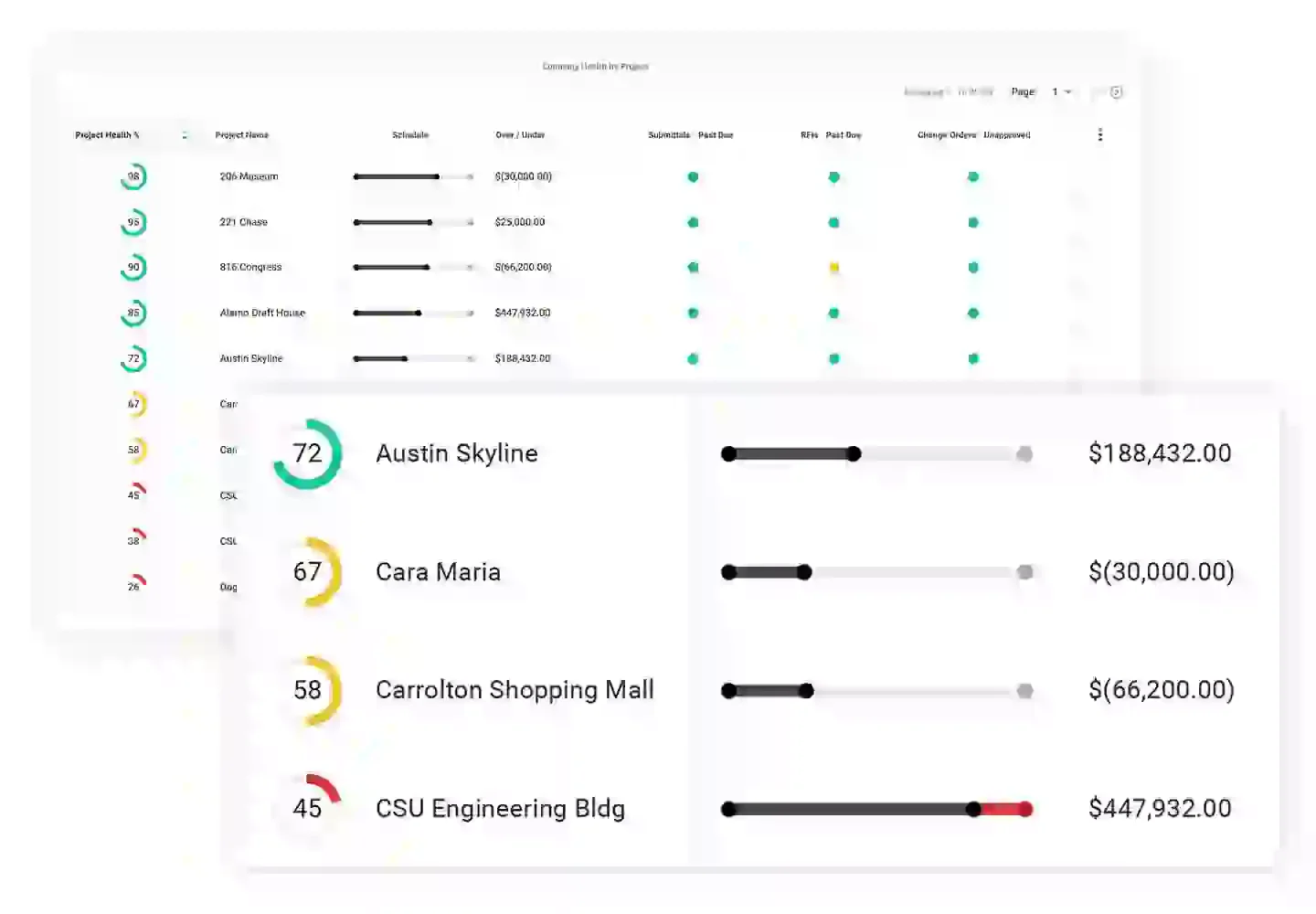
Best for: Principal contractors managing complex projects with subcontractors, drawing management, RFIs, and formal quality and safety programmes.
Procore is the leading construction PM platform globally. It handles drawings, submittals, RFIs, daily logs, budget tracking, and subcontractor compliance documentation in one environment.
It supports Australian Security of Payment compliance and integrates with Xero, MYOB, and Autodesk. Procore is expensive and primarily suited to construction firms managing high-value or multi-site contracts.
| Pros | Cons |
|---|---|
| ✓ Industry-leading drawing management and RFI tracking | ✗ High cost, pricing requires a direct sales quote |
| ✓ Australian Security of Payment compliance support | ✗ Overkill for small construction firms or sole traders |
| ✓ Xero, MYOB, and Autodesk integration | ✗ Significant onboarding time required for full adoption |
Pricing: Contact for pricing. Annual licence available on a per-project or unlimited-project basis.
10. Trello
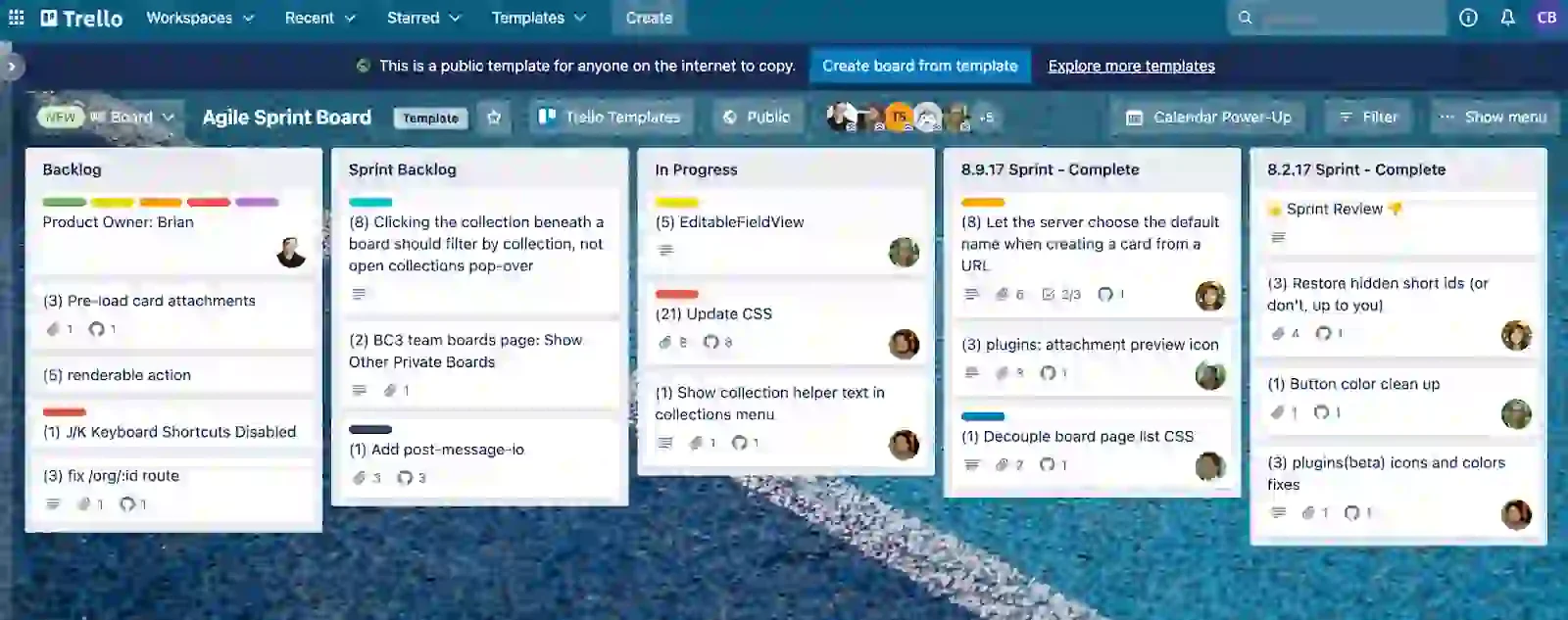
Best for: Small teams or sole traders managing simple task lists, content calendars, or light project workflows who do not need Gantt charts, budgeting, or time tracking.
Trello uses a Kanban board structure: cards move across lists representing workflow stages. It is the simplest onboarding experience on this list and works well for visual task tracking on a small scale.
Trello does not include Gantt charts, time tracking, or budget management. It integrates with Xero via Zapier rather than a native connector. For teams with growing project complexity, it reaches its limits quickly.
| Pros | Cons |
|---|---|
| ✓ Simplest onboarding of any tool on this list | ✗ No Gantt chart, time tracking, or budget management |
| ✓ Generous free plan for unlimited cards and members | ✗ Xero integration requires Zapier, not a native connector |
| ✓ Power-Up ecosystem extends functionality on paid plans | ✗ Not scalable for complex or multi-phase projects |
Pricing: Free plan available. Paid from USD $5/user/month (Standard), billed annually.
11. Nexvia
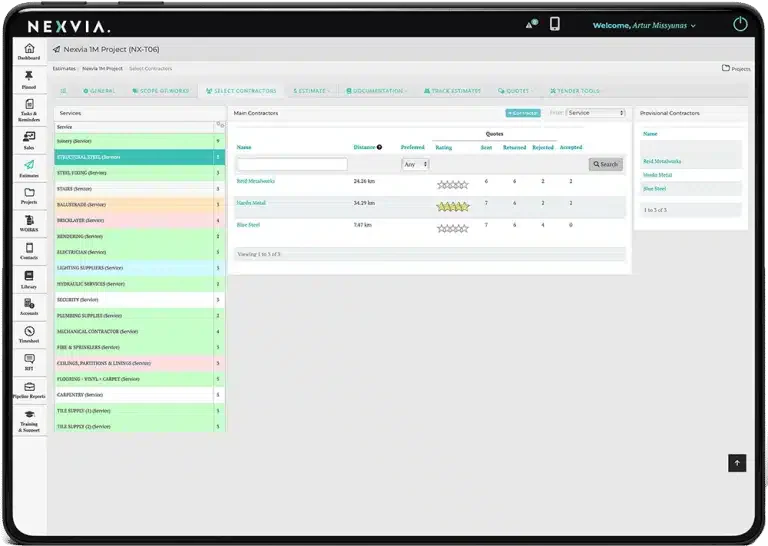
Best for: Australian commercial builders and fit-out contractors needing purpose-built project financials, subcontractor procurement, and Security of Payment documentation.
Nexvia is built specifically for Australian and New Zealand construction. It combines programme scheduling, budget tracking, subcontractor procurement, and Security of Payment documentation in one platform.
It integrates with Xero and MYOB, and its budget module handles GST-inclusive cost tracking with variation management. Nexvia suits mid-sized construction companies better than sole traders or small trade businesses.
| Pros | Cons |
|---|---|
| ✓ Built specifically for Australian construction requirements | ✗ Pricing not publicly listed, requires a sales call |
| ✓ GST-inclusive budget tracking with variation management | ✗ Not suited to sole traders or small trade businesses |
| ✓ Native Xero and MYOB integration | ✗ Smaller user base than Procore, fewer community resources |
Pricing: Contact Nexvia for AUD pricing and a platform demonstration.
12. Sitemate
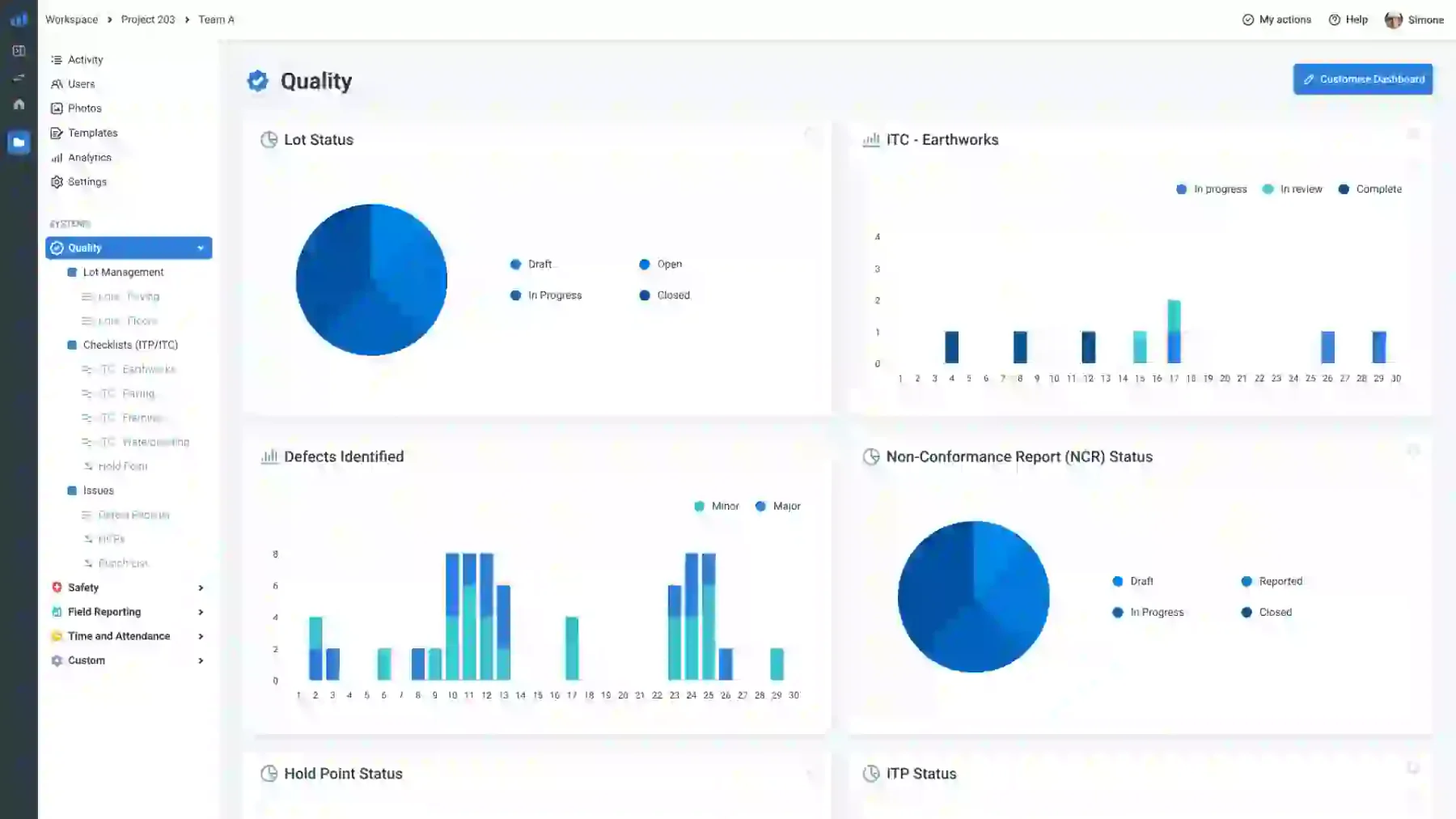
Best for: Construction teams managing site compliance, SWMS, inspections, and daily site activities through mobile devices, replacing paper-based processes with digital form workflows.
Sitemate is a digital form and workflow platform designed for construction sites. Teams use it to manage SWMS, inspection checklists, incident reports, and subcontractor pre-qualifications via mobile.
It works offline on-site and syncs when connectivity is restored, which is critical for remote Australian projects. Sitemate strengthens compliance but does not replace a full PM platform.
| Pros | Cons |
|---|---|
| ✓ Purpose-built for site compliance, SWMS, inspections, and incidents | ✗ Not a full PM tool, no Gantt, budget, or task hierarchy |
| ✓ Offline mobile functionality for remote sites | ✗ Must be paired with a separate PM platform for full delivery |
| ✓ Free trial available with fast onboarding | ✗ Pricing not publicly listed |
Pricing: Contact Sitemate for pricing. Free trial available.
Quick Comparison Table
| Features | HashMicro | Monday.com | ClickUp | Asana | Wrike | Microsoft Project | Smartsheet | AroFlo | Procore | Trello | Nexvia | Sitemate |
|---|---|---|---|---|---|---|---|---|---|---|---|---|
| User-Friendly Interface | ||||||||||||
| Pricing | ||||||||||||
| Learning Curve | ||||||||||||
| Task Management | ||||||||||||
| Team Collaboration | ||||||||||||
| Reporting & Analytics | ||||||||||||
| Integrations | ||||||||||||
| Mobile App |
Project management software pricing in Australia
Pricing models vary significantly across the tools on this list. Understanding how each structure works prevents unexpected costs after your team is already relying on the platform.
As projects grow, tasks, budgets, timesheets, procurement, and documents often spread across separate tools. This makes coordination harder and leaves managers working from delayed or incomplete information.
An integrated AI-powered project management system centralises this data, automates routine follow-ups, and highlights budget or schedule risks earlier. Try our free demo and consultation to see how it fits your workflows.






1. Per-user pricing vs flat-rate
Most PM tools charge per user per month. Costs scale with headcount, which suits small teams but becomes expensive for businesses adding contractors, clients, or subcontractors as project collaborators.
Flat-rate or project-based pricing models, used by Procore and Nexvia, charge based on project volume or a fixed annual licence. These suit larger teams where per-user costs would exceed the flat-rate threshold at scale.
2. Free vs paid plans
Trello, ClickUp, Asana, and Wrike offer permanent free plans. These are useful for small teams with basic needs, but most free plans restrict the features that make PM tools genuinely useful.
Gantt charts, time tracking, budget management, and integrations are typically locked behind paid plans. The free plan is worth testing, but budget for the paid tier from the start if your projects need these features.
3. Total cost of ownership
The subscription price is only part of the total cost. Add onboarding, training, integration setup, and any third-party connectors required for time tracking or accounting sync to get a realistic annual figure.
ERP-integrated tools such as HashMicro have higher upfront configuration costs but eliminate the per-tool subscription stack. For businesses running multiple disconnected systems, consolidation often lowers total spend.
How to Choose the Right Project Management Software for Your Business
The right PM tool depends on your project type, team size, and integration requirements. These ten questions help narrow the field before you commit to a free trial or sign a contract.
1. Check if it has a real Gantt chart and scheduling features
A Gantt should show task dependencies, the critical path, and baseline versus actual progress. Confirm whether it is interactive with drag-and-drop rescheduling and automatic dependency updates.
Trello has no Gantt. Asana includes Timeline on paid plans, but without true dependency cascading. ClickUp, Wrike, Microsoft Project, and Nexvia all include full Gantt functionality. Verify before shortlisting.
2. Make sure it integrates with other systems
Check whether the integration with Xero, MYOB, or your ERP is native or Zapier-based. A native two-way integration pushes invoices and purchase orders both ways. A Zapier flow usually only pushes in one direction.
Construction teams also need integration with drawing management tools such as Autodesk or Procore. General business teams typically need Google Workspace or Microsoft 365 file sync as a minimum.
3. Confirm mobile access works offline
Australian construction, field service, and remote project teams frequently work in areas with unreliable connectivity. Verify whether the mobile app caches data and syncs on reconnection.
AroFlo, Sitemate, and Procore have offline mobile functionality designed for site use. Monday.com, Asana, and ClickUp have mobile apps but are primarily designed for office-based teams with stable connections.
4. Evaluate budget and cost tracking capability
Ask whether the tool tracks budget at the task, phase, and project level, and whether costs pull from timesheets. GST-inclusive budget handling is essential for Australian project reporting.
HashMicro, Procore, and Nexvia have purpose-built cost tracking. Monday.com and Trello have none. Asana and ClickUp offer limited cost fields requiring manual entry rather than live payroll or purchase order feeds.
5. Look at how tasks are assigned and tracked
Each task should have a single owner, a due date, a status, and a clear escalation path when overdue. Check whether the tool sends automated reminders and whether overdue tasks surface in dashboard views.
Also, check sub-task support and recurring task functionality. Projects with repetitive cycles, such as weekly site reports or monthly billing runs, benefit from automated task creation over manual re-entry.
6. Test the reporting and dashboard quality
Use a project status report template before committing. Check whether it shows budget versus actual, percentage complete, and overdue tasks in one view. Reports needing manual export waste time every week.
Wrike and Monday.com have strong visual dashboards. Microsoft Project has deep schedule reporting but limited financial dashboards. HashMicro reports across project, finance, and procurement from one ERP dataset.
7. Understand the true per-user cost
Most per-user pricing looks reasonable until you add external collaborators, clients, or subcontractors. Confirm whether guest or view-only seats are free, and what the cost is for occasional contributors.
Monday.com and ClickUp charge for every seat above a minimum. Procore and HashMicro use project-volume or module-scope pricing. Run the real per-user cost across your expected seat count before comparing tools.
8. Check time tracking is built in (not an add-on)
Native time tracking means timesheets feed directly into project cost reports. An integration or add-on creates a sync dependency that can fail, lag, or add cost to your monthly subscription.
ClickUp, Wrike, AroFlo, and HashMicro include time tracking natively. Asana requires Harvest or Toggl. Monday.com requires a paid integration. This matters most for services teams billing by the hour.
9. Ask about local support and data residency
Australian Privacy Principle 8 applies when personal data is stored offshore. Government, healthcare, and enterprise contracts often require Australian data residency as a condition. Verify this before purchasing.
HashMicro and AroFlo offer local Australian support teams. US-headquartered platforms such as Monday.com, Asana, and ClickUp operate with support from overseas, which can affect response time for urgent issues.
10. Start with a free trial on a real project
Most tools offer a 14 to 30-day free trial. Use it on an active project, not a test scenario. The trial will expose configuration limits, integration delays, and reporting gaps that a demo environment hides.
Involve the team members who will use the tool daily. Adoption failure after purchase is the most common reason projects return to spreadsheets, and it is usually a sign that the trial was too shallow.
Conclusion
The best PM software depends on your work type, team, and systems. For construction and field service, AroFlo, Procore, Nexvia, and Sitemate cover compliance needs that generic tools cannot match.
For ERP integration, HashMicro bridges the project-to-finance gap. Monday.com, ClickUp, Asana, and Wrike suit general business teams, with differences in workflow style, reporting depth, and team fit.
If you are interested in learning further about project management software, then you can consult with our experts and start scaling today.

Frequently Asked Questions
Yes. HashMicro, AroFlo, and Nexvia are built for the Australian market. AroFlo suits trades and field service, Nexvia for commercial builders, and HashMicro is widely used across construction, manufacturing, and professional services.
Most tools on this list offer native Xero integration, including Monday.com, ClickUp, Asana, Smartsheet, AroFlo, Procore, Nexvia, and HashMicro. Always verify whether an integration is native or connector-based before purchasing.
Pricing ranges from free basic plans (Trello, ClickUp, Asana, Wrike) to USD $5–$15 per user per month for paid tiers. Construction platforms like AroFlo, Procore, and Nexvia use custom pricing, as does HashMicro.
Task management tracks to-dos, owners, and due dates. Project management adds Gantt charts, budget tracking, resource planning, and more. Trello is a task tool, while Wrike and HashMicro are full project management platforms.