


 Limited to 100 registrants

A BIR-accredited POS system is required for any Philippine business that issues official receipts. To register, you need to submit documents through the BIR eAccReg portal, pay the accreditation fee, and visit your local Revenue District Office (RDO) within 3 days of receiving your documents from your provider. This guide covers the complete requirements, registration steps, and what to look for in a BIR-accredited POS system.
In addition, we’ll also explain to you about the significance of BIR-accredited POS, the benefits, and how to register your point-of-sale system. Let’s get started!
Key Takeaways
The BIR POS System enhances retail operations in the Philippines, ensuring compliance while improving sales management and customer experience.
Key benefits of the BIR POS include regulatory compliance, streamlined operations, real-time analytics, better customer experience, and scalability.
Choosing the right BIR POS requires understanding regulations, ensuring compliance, supporting online registration, and evaluating provider support, costs, and ease of use.
What Is BIR POS Accreditation?
A BIR-accredited POS is an integrated solution to streamline retail and service operations. It offers businesses an efficient way to manage real-time sales, inventory, and customer interactions. This system is tailored to comply with the Philippines’ Bureau of Internal Revenue (BIR) standards, making BIR-accredited POS essential for businesses seeking to ensure regulatory compliance.
Before reviewing accreditation requirements, businesses should understand how a POS system works, including how it records sales, updates inventory, and stores transaction data.
Step-by-Step: How to Register Your BIR POS System in the Philippines

Implementing a Point of Sale (POS) system in compliance with the Bureau of Internal Revenue (BIR) regulations in the Philippines involves several key steps. Below is a comprehensive guide detailing the process.
1. Initial preparations
The first step in preparing for BIR POS implementation is to understand the BIR’s requirements for POS systems.
Familiarize yourself with the specific regulations governing the machines requiring accreditation, such as Cash Register Machines (CRM) and Special Purpose Machines (SPM). Additionally, gather all necessary documents to facilitate the registration process.
Ensure you have all necessary documents ready, including:
- BIR Certificate of Registration (BIR Form 2303). The address on your BIR Form 2303 must match the location of your POS system. Discrepancies can cause delays in the registration process and may result in non-compliance with BIR standards.
- Sworn Statement (if applicable for SPM)
- Annual Registration Fee payment confirmation (BIR Form 0605).
- BIR Form 1907 (Application for Permit to Use CRM/POS/SPM), the primary permit application form for POS registration.
2. Fill out the BIR registration form
Once your documents are ready, complete the POS registration form through your POS provider or the BIR’s Enhanced Electronic Accreditation and Registration (eAccReg) System. eAccReg is used for the initial registration or accreditation of your POS system, while eSales is used later for monthly sales reporting to the BIR, so the two systems should not be treated as the same process. If your provider requires a processing or accreditation-related fee, confirm the amount before submission; some providers list PHP 5,600 per device, inclusive of 12% VAT for VAT-registered businesses.
3. Submit required documentation
After completing the registration form and settling any applicable fee, prepare the required documents for submission. This usually includes:
- Sworn Declaration (4 copies)
- Sworn Statement (4 copies)
- BIR Permit Registration (2 copies)
- Email confirmation from BIR (1 copy)
You must visit your local Revenue District Office (RDO) within three days of receiving your documents from the POS provider. During this visit, submit all documentation and your BIR Certificate of Registration (BIR Form 2303). If you do not have one yet, you must first register your business with the BIR online to obtain it. The address on your BIR Form 2303 must match the location of your POS system.
4. Await accreditation approval
After submitting your documentation, you must await accreditation approval from the BIR. The processing time typically ranges from 7 to 14 days after submission.
During this period, you will receive updates from your POS provider regarding the status of your application.
You will be notified via email once the application is approved. To comply with BIR regulations, inform your POS provider of your preferred start date.
5. Finalize setup and compliance
After receiving your accreditation approval, the next step is to finalize the setup of your POS system to ensure compliance with BIR regulations. You will be issued a “Permit to Use” sticker, which must be displayed prominently on your POS system where customers can see it.
Additionally, ensure that your POS system is updated with the necessary information the BIR provides, including any required changes to official receipts and Z Reading formats.
6. Ongoing compliance
Finally, ongoing compliance is essential for maintaining adherence to BIR regulations. Sign up for the BIR eSales portal to facilitate monthly sales data reporting from your POS system. This step is crucial for avoiding penalties and ensuring smooth operations.
It’s also important to check for updates from the BIR regarding any changes in regulations or requirements related to POS systems, since BIR eSales will be updated regularly.
7. Renewal and Updates
BIR POS accreditation must be updated whenever you change device location, replace a POS unit, or add new terminals. Notify your RDO and resubmit the relevant forms. Failure to update accreditation after hardware changes may result in a compliance violation even if your original permit was valid.
By following these steps meticulously, businesses can ensure a smooth implementation of their POS systems in compliance with BIR regulations, thus avoiding potential penalties or issues in future audits.
| Brand | Details |
|---|---|
| BIR Form 2303 | Address must match POS device location |
| BIR Form 0605 | Annual registration fee payment confirmation |
| BIR Form 1907 | Primary application for Permit to Use CRM/POS |
| Sworn Declaration | 4 notarized copies required |
| Accreditation fee | PHP 5,600 per device |
| Processing time | 7–14 business days after RDO submission |
| RDO visit deadline | Within 3 days of receiving documents from provider |
Benefits of Using the BIR Accredited POS System
A BIR-accredited POS system does more than keep your business compliant. It also streamlines how you manage sales, inventory, and reporting daily. Here are the key benefits businesses in the Philippines typically experience after making the switch.
- Ensures full tax compliance and reduces reporting errors.
Using a BIR-accredited POS helps businesses follow regulatory requirements accurately. It minimizes mistakes commonly seen in manual filing and makes compliance easier and less time-consuming. - Streamlines operations for faster and smoother transactions.
Accredited systems speed up checkout processes, allowing customers to enjoy quicker service. This improves overall satisfaction, especially for businesses with high transaction volume. - Provides real-time insights for smarter business decisions.
A BIR-accredited POS generates up-to-date sales and inventory analytics, helping owners monitor trends and adjust strategies quickly. This supports better planning and more responsive operations.
What are the Features of BIR POS System?

To help businesses stay organized and compliant, BIR-accredited POS systems offer a variety of essential features. These features streamline daily operations and ensure businesses are equipped with the tools needed for efficient management.
- Z Reading: This feature records the total sales for the day, helping businesses keep accurate, real-time sales data. It is a vital component for BIR compliance.
- X Reading: Resets the sales counter at the end of each day to prepare for the next. This ensures that the system tracks sales on a daily basis, in compliance with BIR regulations.
- eJournal: Stores sales data electronically, allowing for easy retrieval during audits or for regular reporting. This feature ensures that businesses have access to historical data as required by the BIR.
- eSales Reporting: This feature is used for the monthly submission of sales data to BIR, enabling businesses to report their sales and taxes in an efficient and compliant manner.
- Non-resettable Accumulating Total: Ensures that the total sales cannot be reset, maintaining a continuous and accurate record of business transactions.
With a BIR-accredited POS system like HashMicro, you can enjoy all of these features built-in, fully recognized by the BIR for compliance and reliability. Look further into list of software options for the best Cloud POS Systems.
Common Problems Businesses Face with BIR POS
The most common problems with BIR-accredited POS systems in the Philippines tend to fall into a few key areas:
- Keeping Up with BIR Rules: Complying with BIR’s regulations can feel like a moving target. POS systems need to follow specific requirements, and when rules change, your system might need updates to stay compliant.
- Unexpected Downtimes: There’s nothing worse than your POS going down during busy hours. These systems can sometimes glitch or go offline, causing delays in sales and unhappy customers.
- Integration Issues: Making your BIR-accredited POS work smoothly with your existing accounting software or inventory management can be tricky. Often, it takes extra setup or expertise to get everything running smoothly.
- Data Security Worries: With so much sensitive customer info, POS security is a big deal. Data breaches or unauthorized access are always risky, so security has to be solid.
- Lack of Good Support: Many businesses mention that the support from their POS provider isn’t always helpful or responsive, which can be frustrating when issues arise.
To overcome these challenges, it’s worth picking a reliable POS provider with strong customer support, regular software updates, and good team training.
How to Choose the Best BIR Accredited POS System in the Philippines?
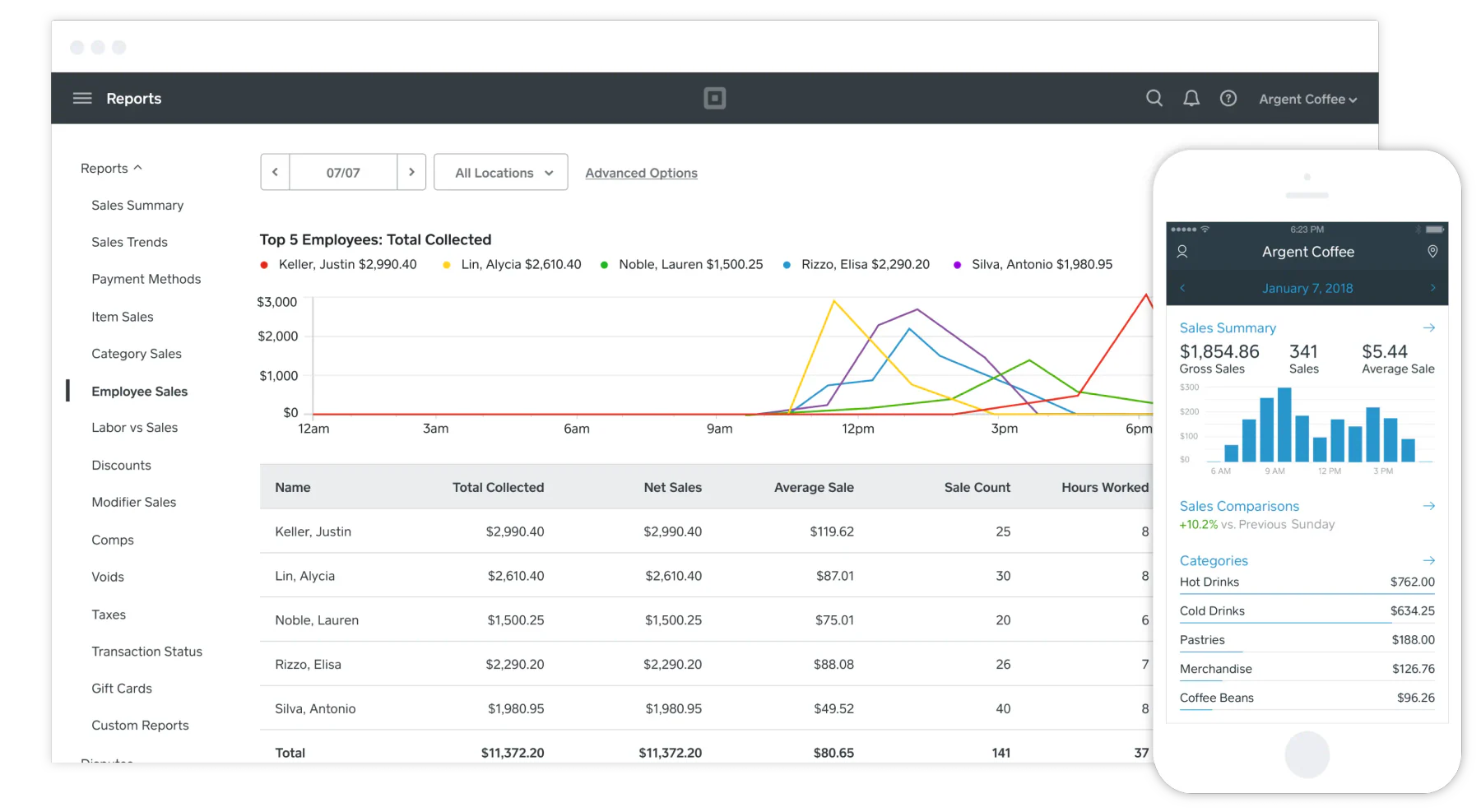
Choosing the best point-of-sale solution that complies with BIR regulations in the Philippines requires careful consideration of several key factors.
Below is a comprehensive guide to assist you in making an informed choice.
1. Understand BIR requirements
Start by confirming which BIR permit your POS setup needs, because the requirements differ depending on how the system will be used.
SPM: Used mainly for internal business processes and does not print BIR-recognized receipts or invoices.
CRM/POS: Used for customer transactions, receipt or invoice printing, and daily sales reporting through Z Reading.
2. Acknowledge the registration fee
When choosing the best BIR-accredited POS software, it’s essential to understand how the accreditation fee works. The BIR POS accreditation fee is PHP 5,600 per device (inclusive of 12% VAT for VAT-registered businesses). Non-VAT registered businesses pay the base amount only.
This fee covers the printing, laminating, and delivery of decals, as well as the supplier-side registration, which a third-party partner handles. Although the BIR itself does not charge for registration, this partner ensures that your POS system is processed correctly and compliant with BIR requirements.
3. Compliance with BIR regulations
To comply with BIR regulations, businesses should choose a POS system that supports proper POS registration, Permit to Use documentation, compliant receipt or invoice formats, and required sales reports such as X Reading and Z Reading.
The provider should also help prepare key documents, including BIR Form 2303, BIR Form 1907, payment confirmation if required, and sworn statements for SPMs when applicable. After approval, the system should support ongoing sales reporting through BIR eSales to help keep records consistent for review and audit purposes.
4. Features and specifications
The POS or CRM you register must meet BIR's technical requirements for sales recording and data integrity:
- Non-resettable accumulating total: At least 10 digits including decimal points, and the total must not be resettable by the user.
- Tamper-proof operation: The machine cannot be switched to training mode or no-sale transaction mode once registered.
- Daily sales report (Z Reading): CRM and POS machines must generate a daily Z Reading that closes and locks the day's sales total, consistent with BIR official receipt requirements for registered machines.
- Non-volatile memory or backup: Sales data must be preserved even after power loss or system restart.
These readings also serve as the basis for monthly eSales reporting and for supporting VAT returns filed through the applicable BIR forms.
5. Online registration and compliance
Your POS system should support online registration through the Enhanced Electronic Accreditation and Registration (eAccReg) System.
This feature allows users to submit required documents and information online and manually to the local Revenue District Office (RDO). Note that eSales is not the same as BIR EIS, which covers electronic invoice or receipt data transmission rather than monthly per-machine sales reporting.
6. Additional requirements
Another important consideration is whether the POS system can prominently display the “Permit to Use” sticker.
It should also be capable of updating Official Receipts and Z Readings with the data provided by the BIR. If you opt for an SPM, you must prepare a duly notarized sworn statement, while both SPMs and CRMs require a sworn declaration.
7. Provider support and assistance
It is vital to choose a provider that offers comprehensive technical support. Providers like DMS or Qashier assist with the online application process, help update the POS system with BIR data, and troubleshoot any issues that may arise.
8. Cost and fees
Be aware of the registration fees associated with the POS system, which include PHP 4,480 per device (PHP 4,000 plus 12% VAT) for VAT-registered entities. Non-VAT entities are exempt from the VAT portion of the fee. Using reliable accounting platforms can also help track these registration costs accurately and ensure smooth compliance reporting.
9. Ease of use and integration
Finally, the POS system’s user experience and integration capabilities should be considered. Opt for a system with a user-friendly interface to ensure smooth operations and minimize errors.
Additionally, evaluate whether the POS system can integrate seamlessly with other business systems, such as inventory management or accounting software.
By carefully evaluating these factors, you can select a BIR-compliant POS system that meets your business needs and ensures ongoing compliance with BIR regulations. Explore HashMicro's BIR-accredited POS systems in the Philippines to get the right solution for your business size and industry.
Conclusion
BIR POS accreditation is no longer optional for businesses in the Philippines, it is a legal requirement that directly affects your ability to issue official receipts and stay compliant with BIR regulations.
The key is choosing a POS provider that handles the accreditation process for you, so you can focus on running your business instead of navigating BIR paperwork. A fully accredited system should not only generate compliant receipts but also support eSales reporting, integrate with your accounting software, and stay up to date as BIR requirements evolve.
If you want to see how a BIR-ready POS handles machine registration details, receipt formats, and monthly sales reporting in one system, take a free product tour before shortlisting a provider.
Frequently Asked Questions About BIR POS Accreditation
Businesses must register their POS through a BIR-accredited provider. The provider usually handles the Permit to Use (PTU) application, prepares the required documents, and coordinates decal issuance. After approval, businesses must also submit monthly sales reports through the BIR eSales system to remain compliant.
A POS system must come from a BIR-accredited vendor and must be able to generate official receipts in the required BIR format. It should also support proper sales recording and allow businesses to submit sales data through the BIR eSales portal.
The BIR accreditation fee typically starts at PHP 4,000 per device plus VAT. This usually covers registration processing, decal printing, and approval of the Permit to Use before the POS can be officially used for transactions.
Processing time depends on the BIR branch and the provider handling the application. In most cases, businesses should prepare several weeks for document review, approval, and decal issuance before the system is ready for use.
Using a POS system that is not BIR-accredited may lead to compliance issues, including penalties, surcharges, or possible closure orders. Businesses required to issue official receipts must use a POS system that complies with BIR regulations.
Yes. HashMicro provides POS software designed to support BIR compliance in the Philippines. The system helps businesses manage transactions, generate compliant receipts, and maintain accurate sales reporting based on local requirements.