













Choosing the right construction software in Australia depends on how a contractor manages projects, job costing, subcontractors, site documentation, and compliance. For many Australian builders, the best option is a construction project management software that support ERP, BOQ, payroll, WHS documentation, and financial reporting in one workflow.
In this article, we reviewed 25 construction software solutions and narrowed the list down to the 8 best options. Each platform is reviewed based on construction workflow depth, local relevance, scalability, pricing fit, and suitability for builders, developers, civil contractors, and commercial construction teams.
Key Takeaways
|
Our Top Picks at a Glance
These selections represent the best balance of functionality, local Australian support, and scalability. Whether you are a specialized subcontractor or a Tier 1 developer, these platforms offer the foundational architecture needed for success.
Best Because
A strong choice for contractors that need reliable field collaboration, document control, and project visibility in one cloud platform.



Best Because
Ideal for construction firms that prioritize deep job costing, payroll, and financial control over modern interface design.
How We Evaluate Construction Software
Not every construction software Australia solution fits every business. We reviewed 25 construction management software solutions and narrowed our selection to the 8 best options. Each platform was evaluated against 6 key criteria, including core functionality, ease of use, scalability, and overall business value for construction companies.
- Construction-specific fit: We check whether the software supports real construction workflows such as project costing, procurement, scheduling, and progress tracking.
- ERP and project integration: We assess how well each ERP system integrates finance, purchasing, inventory, and project operations into a single system.
- Project management strength: We review how each project management system handles timelines, tasks, milestones, and team coordination.
- Cost control and visibility: We examine whether the system helps businesses track budgets, actual costs, and project profitability more accurately.
- Ease of use: We consider whether the platform is practical for both office teams and site teams, not just powerful on paper.
- Scalability and support: We assess how well the platform supports business growth, multi-project operations, and long-term vendor support.

8 Best Construction Management Software in Australia
Selecting the right technology partner is a long-term commitment that impacts every aspect of your operation. We dissect the 8 leading platforms available in Australia for 2026, looking beyond the marketing brochures to the operational reality.
1. Procore – For multi-project operations
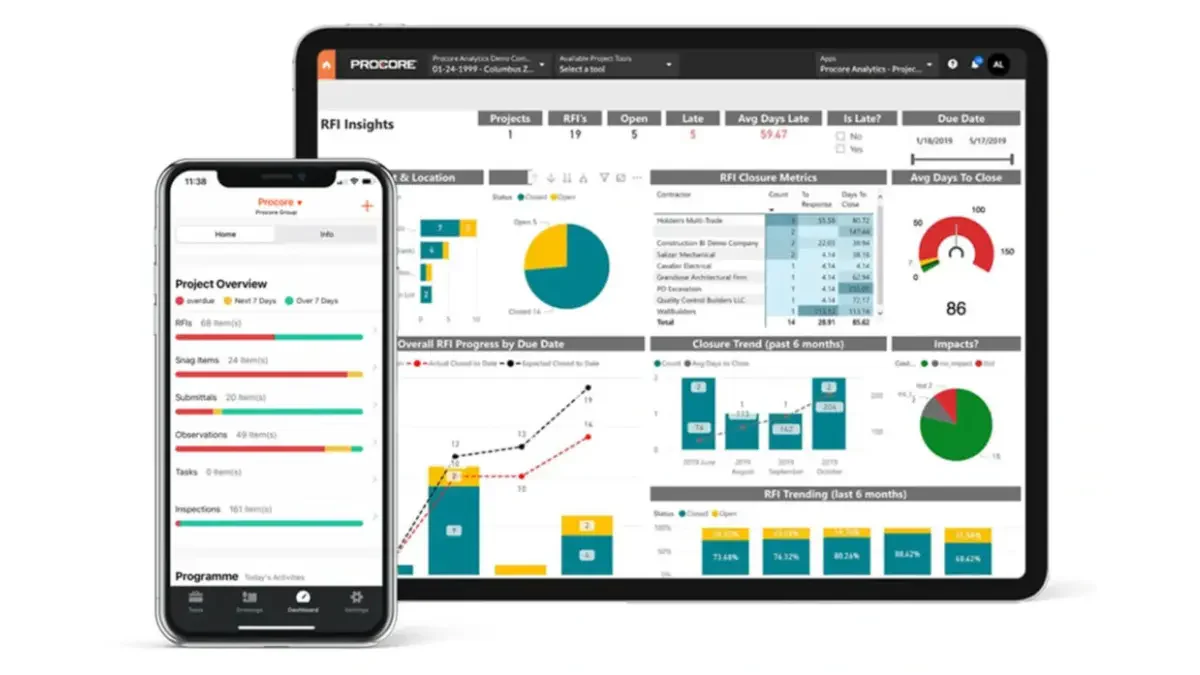
Procore is widely recognized as one of the leading project management platforms and a popular choice among companies adopting cloud-based construction management solutions. It excels in connecting the site team with the office, ensuring that drawings, RFIs, and submittals are always up to date.
As a leading solution, Procore is often used alongside broader construction management software platforms or ERP systems to extend operational visibility.
While primarily a project management tool, Procore has significantly expanded its financial tools. However, for full ERP capability, it often relies on integrations with dedicated accounting systems like Xero, MYOB, or Sage.
Key Features
- Field Productivity: Mobile-first daily logs, inspections, and site diaries that field teams actually want to use.
- Document Management: Unlimited storage and version control ensure everyone builds off the latest set of drawings.
- BIM Viewer: Accessible 3D models on mobile devices allow trades to visualize complex installations on-site.
| Pros | Cons |
| Intuitive interface reduces training time | Can become expensive as turnover increases |
| Massive marketplace of integrations | Not a full GL/ERP system (needs accounting integration) |
| Excellent mobile app functionality | Reporting can be rigid without add-ons |
Pricing
Procore typically utilizes a pricing model based on annual construction volume (ACV). This allows unlimited users, which encourages collaboration, but costs scale up as your business revenue grows.
Best for
Commercial contractors handling complex, multi-project operations
2. HashMicro – For Australian large construction projects
HashMicro combines ERP, management, and project capabilities into a single integrated platform designed for project-based operations.
HashMicro offers an AI-driven, highly customizable Construction ERP suite that rivals global giants at a more competitive price point in Australian market. Unlike rigid legacy systems, HashMicro prioritizes flexibility, allowing the software to adapt to your specific workflows rather than forcing you to change your business.
This smart construction solution is designed to handle the end-to-end project lifecycle, from tender management to handover. A key advantage for Australian businesses is its localized understanding of the APAC market nuances, ensuring better support and compliance alignment.
Key Features
- Automated BOQ & Budgeting: AI tools assist in estimating and automatically converting Bills of Quantities into project budgets, reducing manual entry errors.
- S-Curve Management: Real-time generation of S-Curves to visualize planned vs. actual progress, essential for project managers to spot deviations early.
- Fleet & Asset Management: Integrated IoT capabilities for tracking heavy equipment location, utilization, and maintenance schedules directly within the ERP.
- Subcontractor Portal: Streamlines the management of external vendors, progress claims, and work orders in a centralized hub.
- Local compliance workflows: Supports GST-ready invoicing, BAS reporting, payroll workflows, WHS documentation, progress claims, payment schedules, and retention tracking for Australian construction projects.
- Integrated HR & Payroll: Manages workforce records, timesheets, leave, and payroll within the same ERP
- AI-Powered Project Assistant (Hashy): Connects live to project and financial data, letting managers ask about budgets or subcontractor status and get instant answers instead of chasing reports.
| Pros | Cons |
| Highly customizable to specific workflows | Brand awareness is growing but lower than SAP |
| Unlimited user pricing model available | Advanced customizations take time to deploy |
| Modern, intuitive UI with AI integration |
Best for
Commercial and civil contractors managing large-scale projects.
Pricing
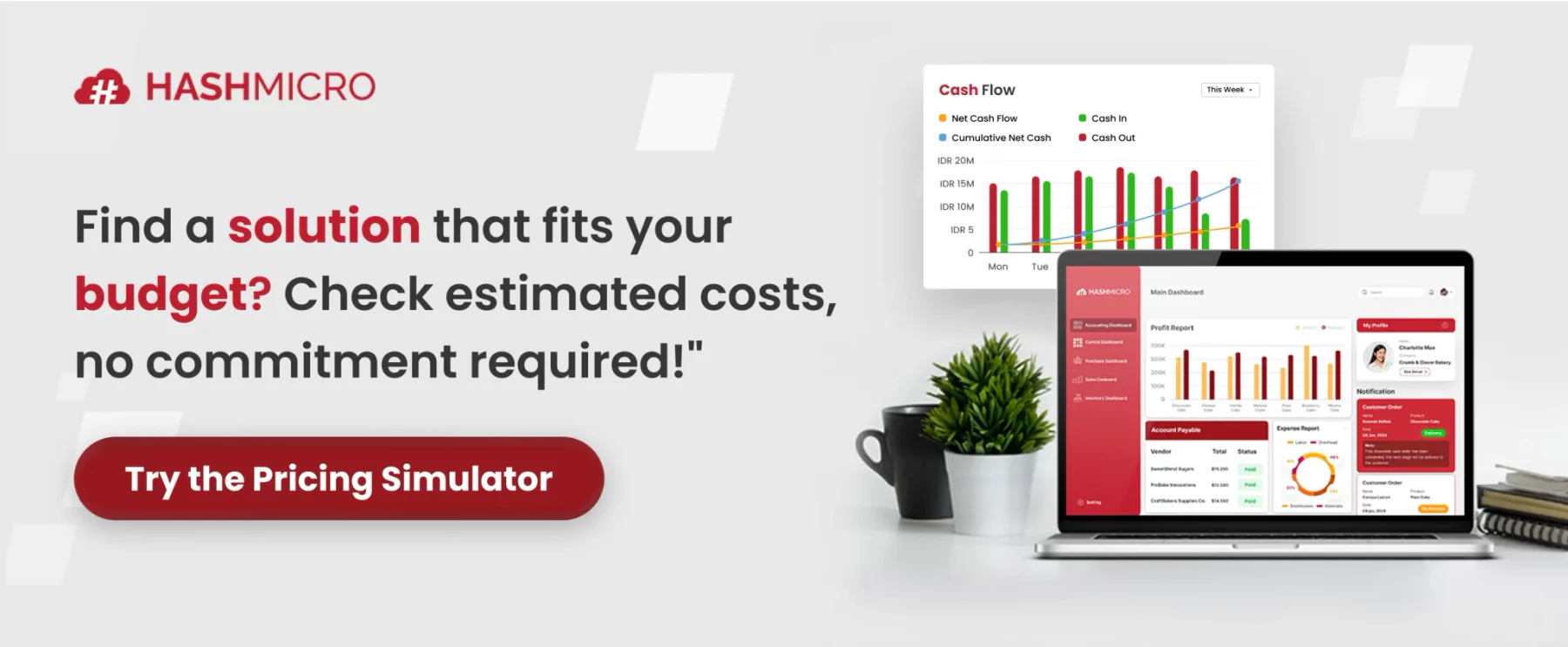
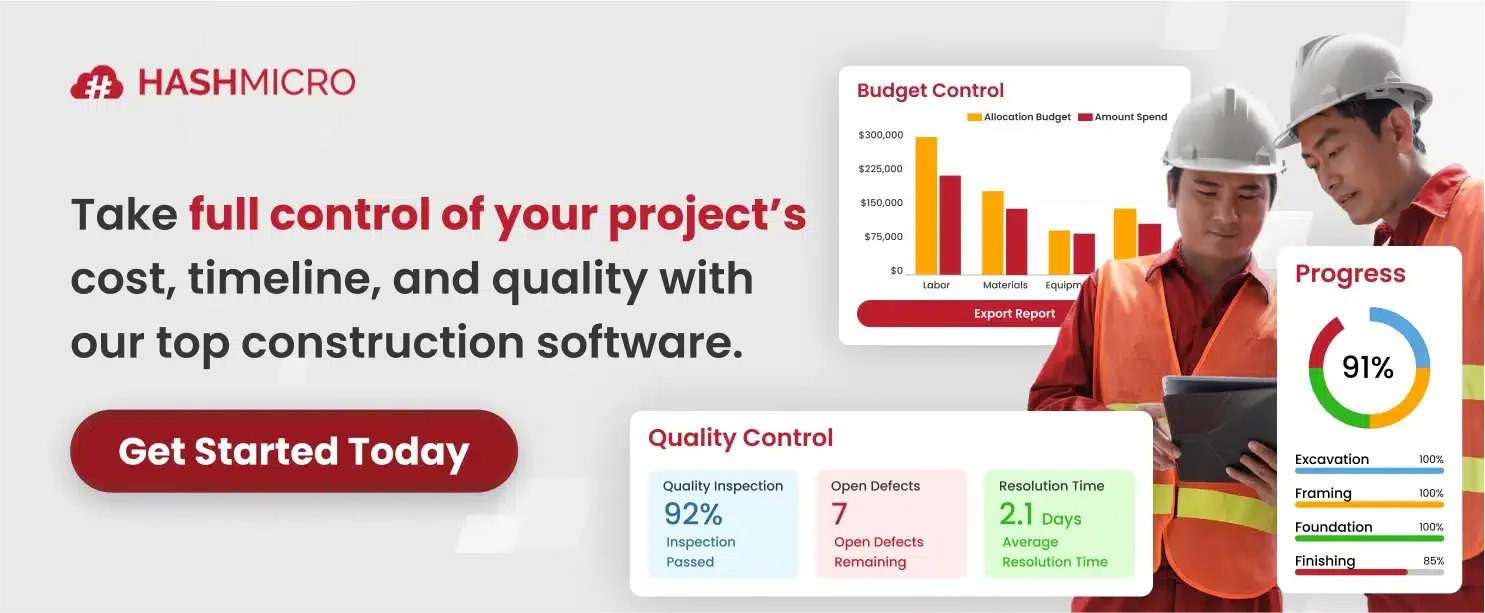
HashMicro uses a quote-based pricing model and provides quotations in AUD. For more information about pricing and implementation costs, click the banner below.
3. Sage 300 CRE – For construction finance teams
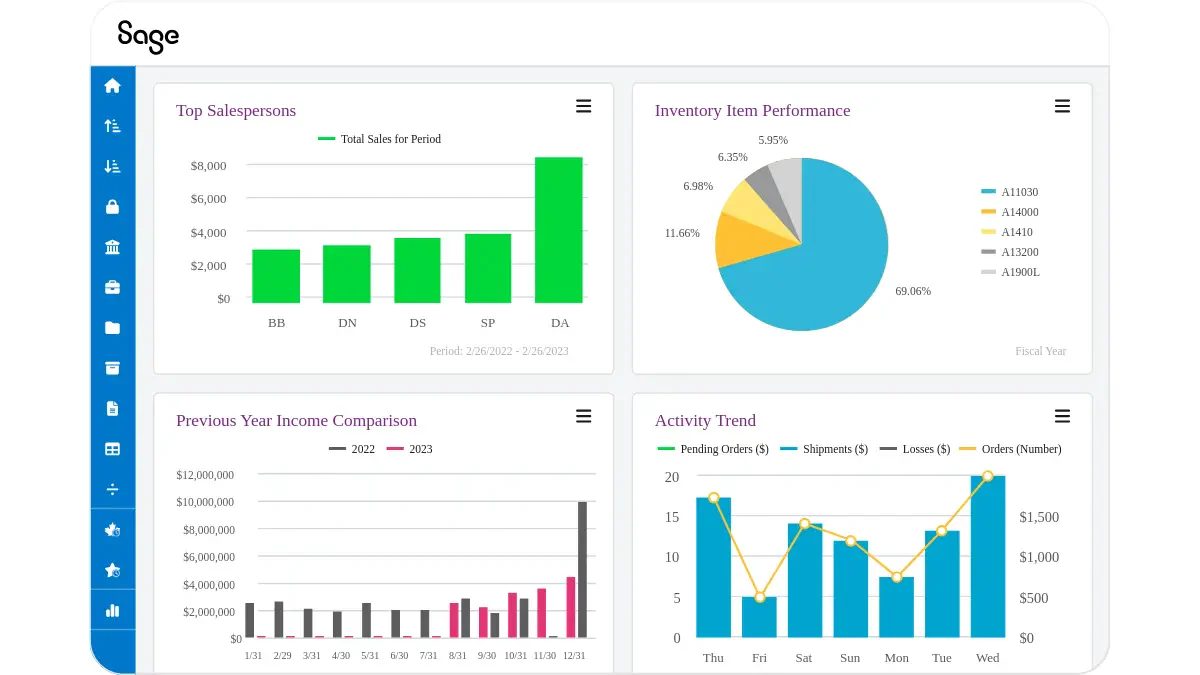
Sage 300 Construction and Real Estate (formerly Timberline) is the legacy heavyweight champion of construction accounting and financial control. It is designed for CFOs and Controllers who demand audit-trail precision and complex job-costing capabilities that generic accounting software cannot provide.
It is particularly strong in managing Australian payroll nuances and complex retention structures. While the interface is traditional, the engine behind it is incredibly powerful for financial governance.
Key Features
- Job Costing: Granular tracking of costs by code, category, and cost type, allowing for forensic financial analysis.
- Property Management: Integrated lease and facilities management for companies that build and hold assets.
- Estimating Integration: Seamless flow from bid to budget, reducing data entry errors during project startup.
| Pros | Cons |
| Gold standard for financial reporting | User interface feels dated and complex |
| Handles complex payroll and union rules | Steep learning curve for new users |
| Robust audit trails and security | Remote access often requires hosting/VPN |
Pricing
Sage 300 CRE generally follows a perpetual license or subscription model based on modules and concurrent users. Implementation costs are high due to the system’s complexity.
Best for
Commercial contractors handling complex, multi-project operations
4. Nexvia – For Australian commercial developers and project builders
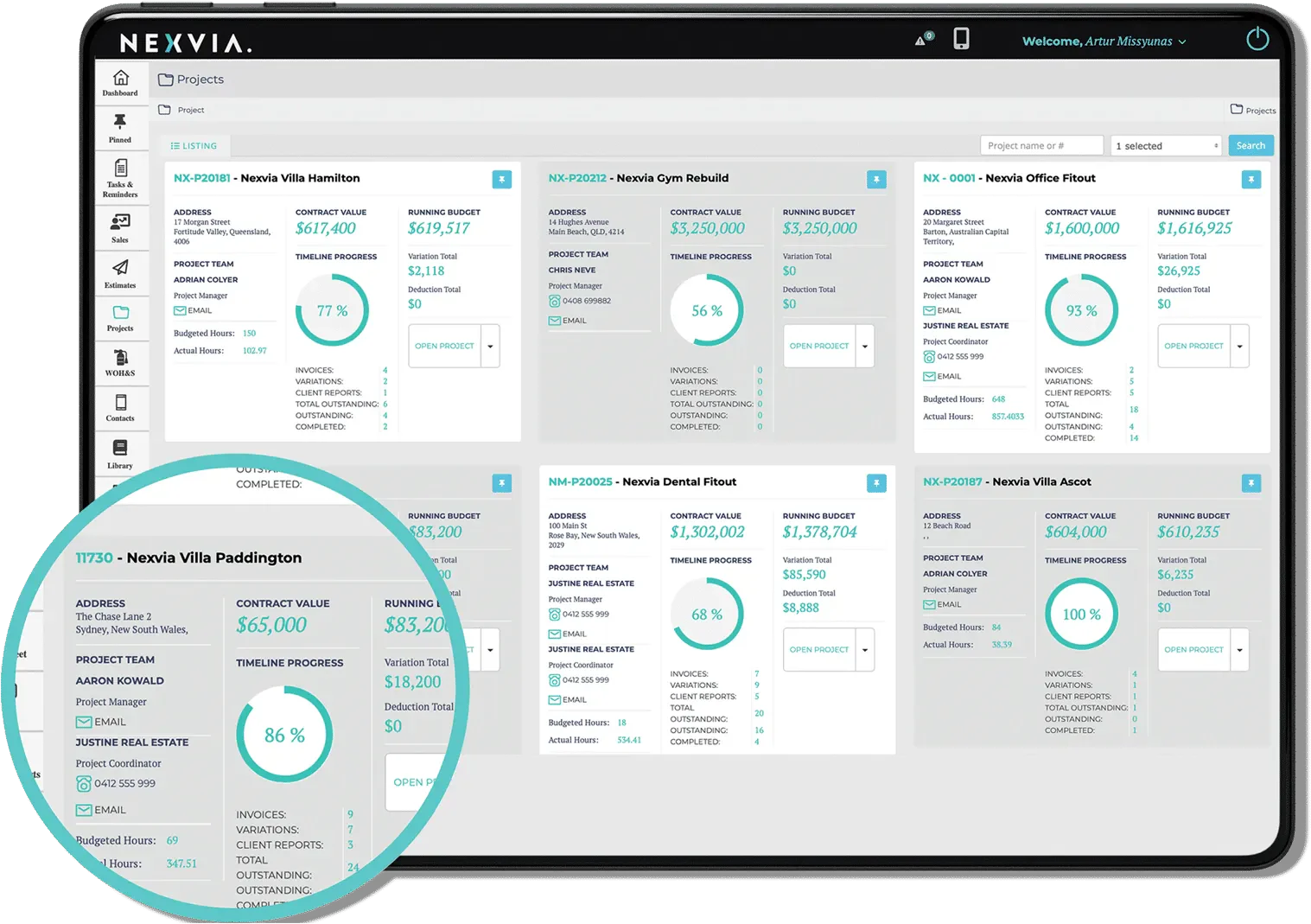
Nexvia is cloud-based construction management software built for builders in Australia and New Zealand, especially fit-out specialists, home builders, and small- to mid-sized commercial contractors. It combines estimating, tendering, live budget tracking, field tools, and shared project access on a single platform, making it a practical choice for businesses that need stronger control across site and office teams.
It stands out for its local fit, mobile-friendly workflows, and tools that help teams manage variations, defects, safety checks, and contractor activity without relying on disconnected spreadsheets or manual updates.
Key Features
- Estimating and Tender Management: Prepare estimates, compare bids, and set budgets directly in the platform to improve cost planning from the start.
- Real-Time Budget Tracking: Monitor spending, variances, and defect-related costs in a single live view to identify issues earlier.
- Site and Field Tools: Support time tracking, QR-code check-ins, defect logging, safety audits, and mobile requests for labour or materials.
| Pros | Cons |
| Built for Australian and New Zealand builders | May feel complex for very small jobs |
| Strong estimating, budgeting, and variation tracking | Limited global integrations |
| Mobile tools improve field-to-office coordination | Works best with consistent data entry |
Pricing
Custom pricing, depends on business needs.
Best for
Commercial contractors seeking an all-in-one project management system.
5. Premier Construction Software – For Australian contractors tracking project financial performance
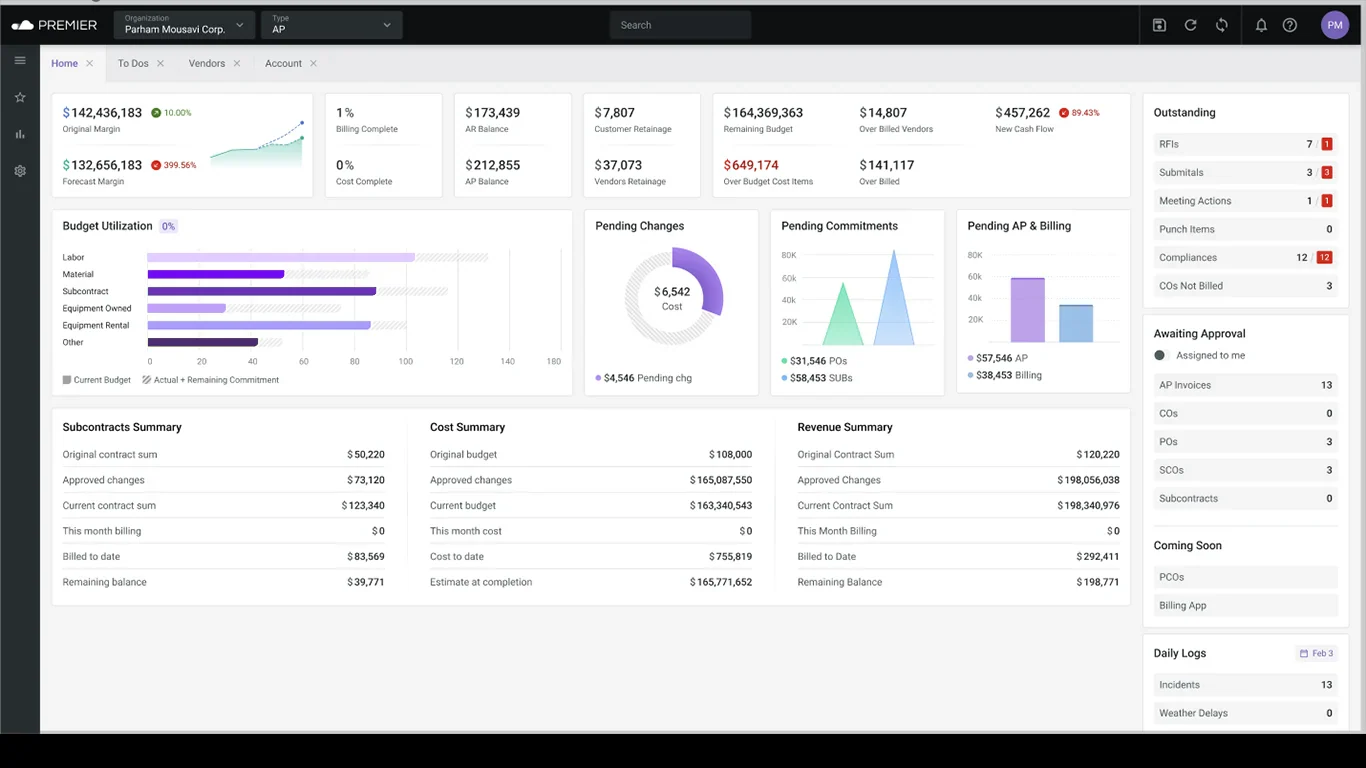
Premier Construction Software is a cloud-based solution that combines project management, accounting, and reporting into one platform. It is designed to support construction businesses with real-time data and streamlined workflows.
Key Features:
- Project Scheduling: Organises timelines and project workflows efficiently.
- Financial Management: Tracks budgets, costs, and financial performance.
- Document Control: Centralises files and improves team collaboration.
- Budget Tracking: Monitors project spending and cost adjustments.
- Cloud Access: Enables real-time updates and remote accessibility.
| Pros | Cons |
| Combines project management and accounting in one system | May require configuration to match workflows |
| User-friendly interface | Pricing may vary depending on modules |
| Supports real-time collaboration | Advanced features may need training |
Pricing
Custom pricing depending on business needs
Best for
Residential and commercial contractors looking for integrated systems.
6. Buildxact – For Australian residential builders and small contractors
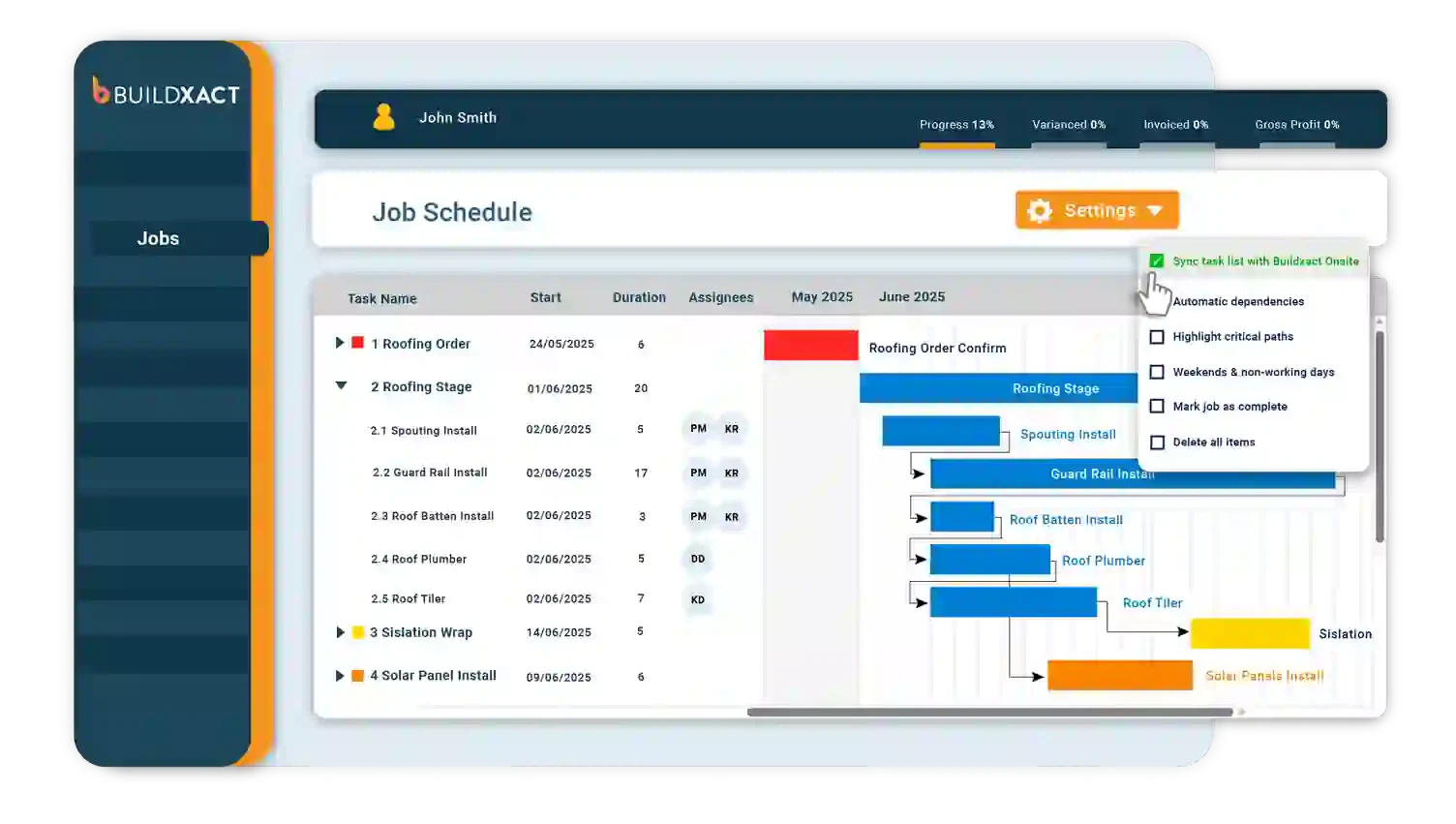
Buildxact is an Australian estimating and job management platform built for small to mid-sized builders, renovators, and trade contractors.
It helps teams move from initial enquiry through to quote and project completion without relying on disconnected spreadsheets.
The platform is a practical choice for residential builders who need faster quoting, clearer job visibility, and tighter cost control on every project.
Key Features
- Estimating: Build quotes to reduce manual calculation and pricing errors.
- Job Management: Track project progress, budgets, and timelines from a dashboard.
- Client Portal: Share quotes, progress updates, and invoices with clients.
| Pros |
Cons |
| Built specifically for Australian small builders | Not suited for large or Tier 1 contractors |
| Fast quote-to-job workflow with Xero and MYOB integration | Limited subcontractor management depth |
| Simple to deploy and use for smaller teams | Reporting is functional but not enterprise-grade |
Pricing
Subscription-based plans vary by user count and feature access. Contact the vendor for current pricing.
Best for
Small to mid-sized residential builders and trade contractors managing estimating and job costing.
7. Pronto Xi – For Australian middle-sized construction businesses
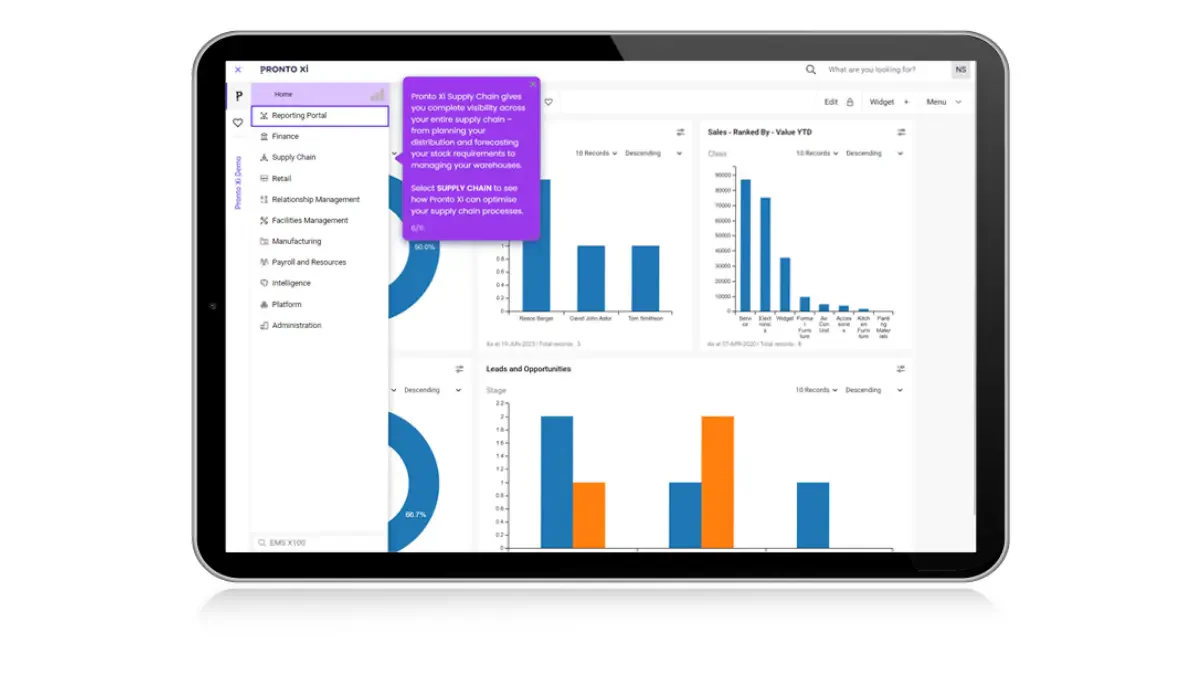
Pronto Xi is a proud Australian ERP solution that offers deep functionality for construction, mining services, and facility management. Because it is developed locally, it has native compliance with Australian tax laws, payroll, and reporting requirements out of the box.
It is known for its reliability and breadth, covering everything from financials and payroll to supply chain and CRM in a single integrated package.
Key Features
- Project Costing: hierarchical project structures that allow for detailed budget tracking.
- Rental Management: Specific modules for managing equipment hire and internal rental fleets.
- Cognos Analytics: Embedded IBM Cognos for world-class business intelligence and reporting.
| Pros | Cons |
| Native Australian compliance and support | UI is functional but traditional |
| Integrated BI reporting tools | Customization requires proprietary language |
| Strong inventory and rental features | Mobile capabilities are improving but lag Procore |
Pricing
Pronto Xi is a mid- to high-tier solution. Pricing is typically based on the number of concurrent users and the modules selected.
Best for
Commercial and industrial contractors requiring integrated ERP and asset management.
8. Connecteam – For construction crew and field workforce management
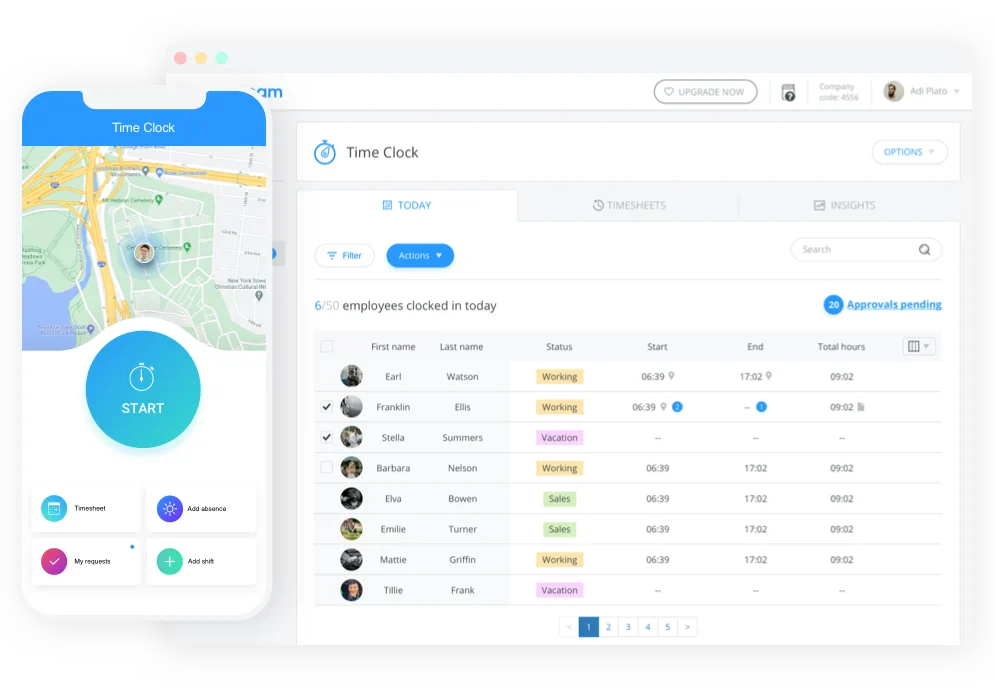
Connecteam is a strong option for Australian construction businesses that need to manage field crews, rosters, timesheets, communication, onboarding, and site documentation from one mobile-first app. It is especially useful for contractors with deskless workers spread across multiple sites, where supervisors need better visibility over shifts, attendance, task updates, forms, and crew communication.
Unlike full construction ERP systems, Connecteam is not built for BOQ, job costing, procurement, or project financial control. Its strength is workforce operations: helping construction teams organise daily site activity, reduce manual paperwork, track time, share updates, and keep important documents accessible to field workers.
Key Features
- Employee scheduling: Create and manage rosters for construction crews across multiple worksites.
- Time tracking: Track work hours by employee, job, or shift with mobile timesheets.
- Team communication: Share site updates, announcements, documents, and instructions with field teams.
- Mobile forms and checklists: Digitise site reports, safety checks, and operational forms.
| Pros | Cons |
| Easy for field crews to use on mobile devices. | Not a full construction ERP or project financial management system. |
| Strong scheduling, time tracking, and team communication features. | Does not replace BOQ, job costing, procurement, or accounting software. |
| Free plan available for small teams with up to 10 users. | Advanced automation and integrations may require higher-tier plans. |
Pricing
Connecteam offers a free Small Business Plan for teams with fewer than 10 users. Paid plans start from $29 per month when billed annually, with pricing varying by hub and feature tier. Larger teams may need higher-tier plans or custom enterprise pricing.
Best for
Connecteam is best for Australian contractors, subcontractors, and site-based construction teams that need a simple mobile app for crew scheduling, time tracking, communication, forms, onboarding, and workforce compliance documentation.
Quick Comparison Table
To make your evaluation easier, the comparison table below highlights the key differences between our top eight construction software picks.
| Feature | Procore | HashMicro | Sage 300 CRE | Nexvia | Premier Construction | Buildxact | Pronto Xi | Connecteam |
|---|---|---|---|---|---|---|---|---|
| Best for | Large contractors needing cloud-based project and document control across multiple sites | AU commercial contractors wanting all-in-one ERP with BOQ automation and unlimited user licensing | Construction finance teams prioritising deep job costing and audit-ready reporting | AU commercial developers managing tender, procurement, and contract delivery | AU head contractors and developers tracking project financial performance against budget | AU residential builders and small contractors streamlining estimating, quoting, and job management | AU mid-market construction and contracting businesses wanting a locally developed, fully integrated ERP | Construction teams needing crew scheduling and field workforce management |
| Reviews | 4.6/5 | 4.8/5 | 3.9/5 | 4.7/5 | 4.3/5 | 4.5/5 | 3.8/5 | 4.6/5 |
| Pricing | Custom quote | Custom quote | Custom quote | Custom quote | Custom quote | From AUD $149/month | Custom quote | From AUD $42 |
| Free plan | Not available | Free demo available | Not available | Not available | Not available | 14-day trial | Not available | Up to 10 users |
17 Other Construction Software Tools to Consider
While the 8 solutions above represent our top recommendations, they are not the only options available. If you are looking for more options, the following construction software platforms are also worth considering.
| Software | Type | Best For | Key Strength | Limitation | AU Fit |
|---|---|---|---|---|---|
| SAP S/4HANA | Enterprise ERP | Large construction groups | Financial consolidation and governance across subsidiaries | High implementation cost and complexity | Requires local SAP partner for implementation |
| Oracle Fusion Cloud | Enterprise ERP | Infrastructure and engineering firms with complex financial needs | Enterprise-grade project accounting and asset management | Long deployment timelines | Used by large AU infrastructure firms but limited local reseller depth |
| Epicor | Mid-market ERP | Modular builders managing site and factory operations | Manufacturing-to-construction process integration | Less specialised for pure-play construction than dedicated platforms | Growing AU presence |
| Acumatica | Cloud ERP | Mid-market contractors wanting flexible cloud ERP | Open API for integrations | Construction module less deep than dedicated construction platforms | US-originated but available in AU via local resellers |
| IFS Cloud | Enterprise ERP | Asset-intensive infrastructure and civil contractors | Asset lifecycle management and field service integration | Overkill for project-based commercial contractors | Strong in AU mining and energy-adjacent construction |
| Jonas Construction | Construction ERP | Construction and service businesses managing both build and maintenance divisions | Integrated job costing across construction and service/maintenance workflows | Primarily North American market focus | Limited AU implementation network |
| CMiC | Construction ERP | Tier 1 general contractors managing high-value, multi-project portfolios | Enterprise financial controls and subcontractor management at scale | Significant implementation investment | Used by large AU head contractors but limited AU-specific compliance |
| Deltek Vantagepoint | Project-based ERP | Engineering consultancies tracking profitability and billing | Professional services billing, resource planning, and project profitability reporting | Not designed for field construction delivery workflows | Used by AU engineering firms and project management consultancies |
| Accentis Enterprise | SME ERP | Small-to-medium Australian contractors | Australian-developed; covers accounting, job costing, and payroll in one platform | Feature depth limited compared to enterprise platforms | Strong AU compliance fit |
| Access Coins Evo | Construction ERP | Procurement-driven construction operations | Procurement depth, materials tracking, and subcontractor payment workflows | Complex setup for smaller contractors | AU compliance includes Security of Payment and subcontractor retention |
| Cheops | Financial software | Construction companies needing detailed cost control | Detailed contract and cost management at the project-phase level | Finance-only focus | Available in AU |
| Styck | Project finance | Australian contractors managing project financials | AU-native platform combining project financials, RFI management, and cost forecasting | Newer platform with smaller market presence | Compliance and workflow designed around local construction processes |
| Buildlogic | Construction management | Australian developers and contractors | Budget and progress tracking for developers | Less suited for large civil or infrastructure projects | Strong AU residential and medium commercial fit |
| Fieldwire | Field management | Field teams needing mobile task management | Mobile-first interface | Not a full ERP | Global platform available in Australia |
| BuildPass | WHS/Safety | Contractors digitising safety and compliance processes | Digital WHS documentation, site induction management, and incident reporting | Safety-only platform | Widely used on AU construction sites |
| Viewpoint Vista (Trimble) | Construction ERP | Large commercial contractors | Deep job costing, subcontractor management, and document control for large commercial portfolios | Heavy implementation | Available in AU via Trimble resellers but limited local implementation depth |
| Microsoft Dynamics 365 | Enterprise ERP | Microsoft-based construction teams needing ERP | Strong finance, CRM, Power BI reporting, and Microsoft ecosystem integration | Requires configuration for construction-specific workflows | Widely used on AU construction sites |
What is Construction Management Software?
Construction management software Australia is a type of construction solution that helps businesses manage budgets, schedules, documents, procurement, and site activities in one place. It acts as a single source of truth for construction teams managing multiple job sites.
Compared with general systems, construction ERP gives broader visibility by connecting project operations with finance, compliance, payroll, and subcontractor management. This makes the platform more useful for companies that need accurate data across both site and office teams.
At the same time, construction project management software focuses on scheduling, RFIs, document control, and site reporting. For growing contractors, the right construction software creates a stronger path to efficiency, visibility, and profitability.
Who Needs Construction Software?
Construction ERP, project management tools, and operational systems are not only for large enterprises. Any construction business that manages multiple projects, variable costs, subcontractors, or field teams can benefit from a Customizable ERP system that centralizes project, financial, and operational data.
In Australia, construction software also helps businesses maintain cleaner records for GST/BAS, STP payroll (if payroll is included), WHS documentation, and Security of Payment approvals and claims. Many contractors also rely on these systems to keep compliance records, procurement workflows, and project documentation organized across multiple sites.
- General contractors use These tools help manage construction projects efficiently, with many offering construction project management software Australia features tailored to local compliance and operational workflows.
- Specialty subcontractors such as MEP, concrete, and steel contractors use these systems to track labour productivity, material usage, and job costing with more accuracy. Better visibility helps protect margins and improve project profitability.
- Real estate developers need stronger control over feasibility, cash flow, investor reporting, procurement, and project progress. A connected system gives them clearer visibility across the full project lifecycle.
- Multiple job sites construction businesses need a construction ERP to centralise budgets, committed costs, variations, and subcontractor progress.
For project-driven businesses, project management tools and construction project management software help manage scheduling, RFIs, document control, and site reporting. As operations grow more complex, many businesses move to construction management software for stronger procurement and financial oversight, then adopt a full construction ERP for end-to-end visibility.
Key Features to Look For in Construction Software
The best construction software should do more than digitize tasks. It should help your team control projects, costs, people, and documents with better speed, accuracy, and visibility.
- Advanced Scheduling and Project Planning: Strong project management tools should help teams build timelines, assign resources, track milestones, and respond to delays faster. This feature gives project managers better control over daily execution and keeps field and office teams aligned.
- Real-Time Financial Tracking and Budgeting: A reliable ERP system should track budgets, actual costs, invoices, variations, and cash flow in real time. Better financial visibility helps businesses protect margins, reduce surprises, and make decisions with more confidence.
- Procurement and Inventory Control: Effective systems should help teams manage purchasing, supplier coordination, material availability, and stock movement across sites. This reduces the risk of shortages, overordering, and project delays caused by poor material planning.
- Workforce and Payroll Management: Labour is one of the biggest costs in construction, so the system should help monitor schedules, timesheets, payroll, and workforce allocation more accurately. The right system makes it easier to control labour costs while keeping operations more organized.
- Compliance and Risk Management: Construction businesses also need tools to manage safety records, compliance documents, approvals, and risk-related reporting in one place. A strong ERP system helps reduce legal, financial, and operational risks by keeping critical records easier to track.
- Document and Contract Management: Good platforms should centralize contracts, RFIs, drawings, variation records, and project documents so teams can access the right information quickly. This is especially important for businesses that need strong project management capabilities and broader operational control without relying on scattered files.
- Mobile Access: Construction software should allow field teams to update progress records, review drawings, and log activity from a mobile device without needing to return to the office.
The table below summarises each feature and its core functionality to help you assess which capabilities matter most for your business.
| Feature | Functionality |
|---|---|
| Advanced Scheduling and Project Planning | Builds timelines, assigns resources, tracks milestones, and helps teams respond to delays faster. |
| Real-Time Financial Tracking and Budgeting | Tracks budgets, actual costs, invoices, variations, and cash flow in real time. |
| Procurement and Inventory Control | Manages purchasing, supplier coordination, material availability, and stock movement across sites. |
| Workforce and Payroll Management | Monitors schedules, timesheets, payroll, and workforce allocation to control labour costs. |
| Compliance and Risk Management | Manages safety records, compliance documents, approvals, and risk-related reporting in one place. |
| Document and Contract Management | Centralises contracts, RFIs, drawings, variation records, and project documents for fast access. |
| Mobile Access | Allows site teams to update records, review drawings, and log activity from a phone or tablet. |
Australian Compliance Requirements in Construction Software
Construction businesses in Australia must comply with various regulatory requirements that impact daily operations, workforce management, and financial reporting. Choosing software that supports these requirements helps reduce compliance risks and ensures smoother project execution.
SWMS (Safe Work Method Statements)
SWMS are required for high-risk construction activities and outline how work is carried out safely. Construction software should allow teams to create, store, and access SWMS documents easily on-site.
This ensures workers follow consistent safety procedures and helps businesses meet Work Health and Safety (WHS) obligations.
Site Inductions
Site inductions ensure that workers and contractors understand safety protocols before entering a job site. Software with digital induction features allows businesses to track attendance, manage documentation, and verify compliance.
This reduces manual paperwork and ensures that only authorised personnel access the site.
Security of Payment (SoP Act)
The Security of Payment Act regulates how contractors and subcontractors are paid across construction projects. Software should support progress claims, payment schedules, and documentation required for compliance.
This helps reduce disputes, ensures timely payments, and improves cash flow management.
STP Phase 2 (Single Touch Payroll)
STP Phase 2 is an Australian Taxation Office (ATO) requirement that standardises payroll reporting. Construction software should integrate payroll and reporting systems to ensure accurate and compliant submissions.
This reduces administrative workload and helps businesses avoid penalties related to incorrect reporting.
TPAR (Taxable Payments Annual Report)
The Taxable Payments Annual Report (TPAR) is an ATO requirement for construction businesses that pay contractors for building and construction services.
Businesses must report each contractor’s ABN, name, address, and total payments including GST for every financial year.
Construction software that supports TPAR should track contractor payments throughout the year and generate a compliant report ready for lodgement.
This reduces end-of-year administration and helps businesses avoid penalties from incomplete or late reporting. For more detail, refer to the ATO’s official TPAR guidance.
The Difference between Construction ERP vs Generic ERP
Understanding the difference between ERP systems, management platforms, and project tools is critical when selecting a system that fits construction workflows.
A common pitfall for construction companies using construction management software Australia is attempting to force a generic manufacturing or retail ERP to fit the construction mold. While the core accounting principles (debits and credits) remain the same, the operational workflows are fundamentally different.
- Revenue Recognition and WIP: Generic ERPs typically recognize revenue upon shipment of goods. Construction ERPs must handle Percentage of Completion accounting. They calculate Work in Progress (WIP) schedules to ensure you are not over- or under-billing, in accordance with AASB 15 revenue standards.
- Retentions and Security of Payments: In Australia, holding retention money (e.g., 5% of the contract value) is standard. A generic ERP treats an invoice as fully due. An ERP system automatically splits the invoice, moving the retention amount to a liability account and tracking the defects liability period for release.
- Subcontractor Management: Generic systems treat subcontractors as simple vendors. Construction software manages compliance, ensuring insurance is valid, SWMS are signed, and ABNs are checked before the system even allows a payment to be processed.
How to Implement Construction ERP Successfully
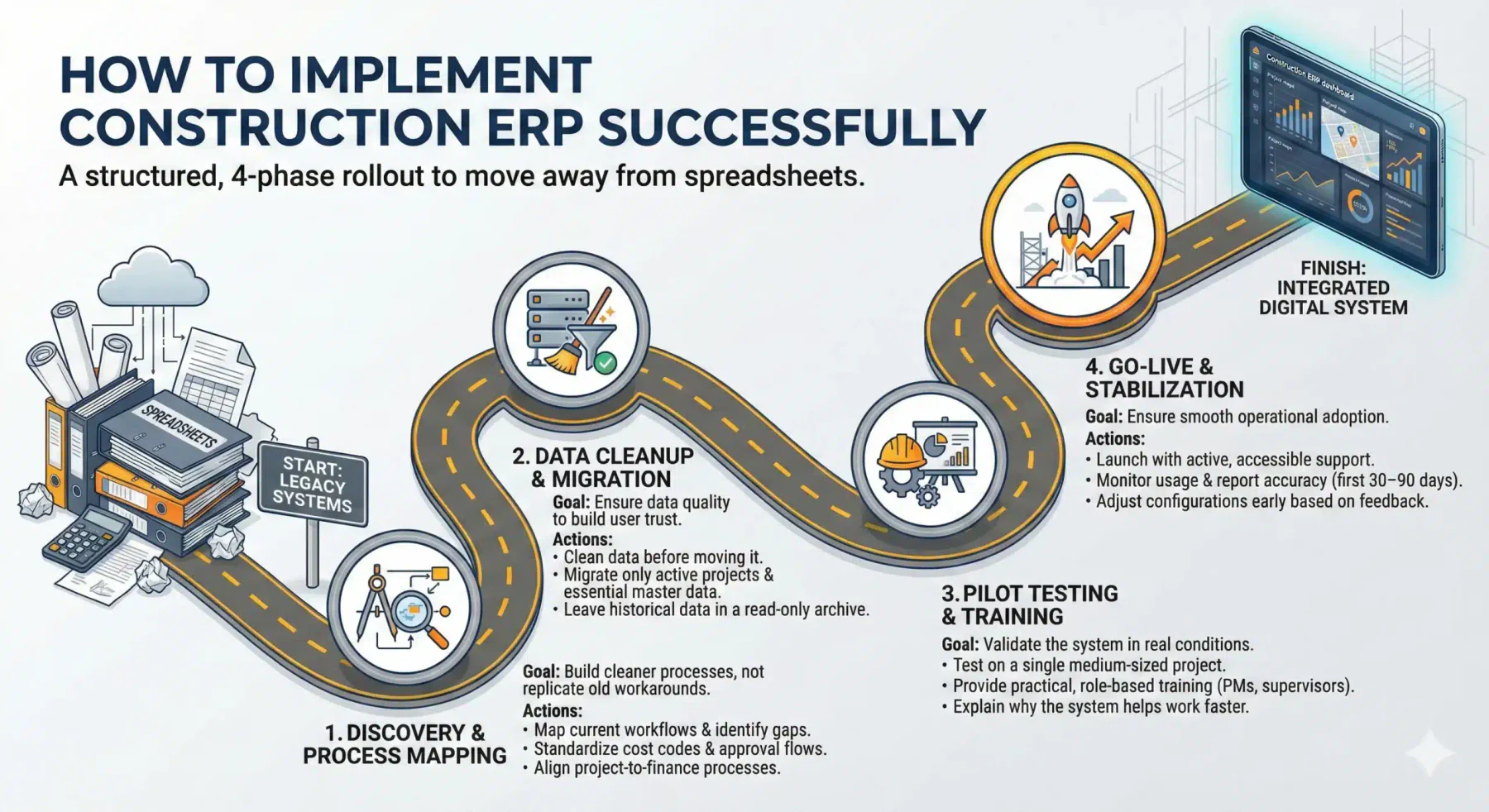
Successfully implementing ERP systems, management platforms, or project tools requires structured planning, data cleanup, and clear process ownership.
Choosing the best construction management software Australia matters, but implementation is what determines whether it actually improves the business. A strong rollout helps teams adopt the system faster, keeps reporting accurate, and reduces the risk of going back to spreadsheets. The most effective approach is not a big-bang launch, but a structured rollout in four clear phases.
1. Discovery and process mapping
Start by mapping how your business works today before deciding how it should run in the new system. This phase helps you identify gaps, eliminate inefficient habits, and align teams around a single way of working.
Focus on the essentials: define approval flows, standardize cost codes, and document key project-to-finance workflows (such as procurement, progress claims, and variations). The goal is not to replicate every old workaround, but to build cleaner processes that the ERP can support consistently.
2. Data cleanup and migration
Data quality will shape user trust from day one. If duplicate suppliers, inconsistent cost codes, or outdated project records are migrated into the new system, reporting issues will appear immediately and adoption will slow down.
Clean the data before migration: consolidate vendor records, validate critical details, and decide what truly needs to move. In most cases, active projects, opening balances, and essential master data are enough, while older historical data can stay in a read-only legacy archive for audit reference.
3. Pilot testing and training
Avoid rolling out the ERP company-wide at once. Instead, test it on one medium-sized project or one business unit first. A pilot gives your team space to identify friction points, refine workflows, and confirm that the system works in real operating conditions.
Training should be role-based and practical. Project managers, accountants, and site supervisors each need different training focused on their daily tasks. Explain not only how to use the system, but also why it helps them work faster, reduce errors, and improve visibility.
4. Go-live and stabilization
Go-live is not the finish line; it is the start of operational adoption. When the system launches, ensure support is available to resolve issues quickly and keep teams confident throughout the transition.
In the first 30–90 days, monitor usage, review reporting accuracy, and collect feedback from each department. If key reports do not match expectations, adjust the configuration early. A short stabilization period with active support usually makes the difference between a successful ERP rollout and a system teams use only partially.
Common Construction ERP Implementation Mistakes (and How to Avoid Them)
Even the best ERP system, management platform, or project tool can fail if user adoption, training, and change management are ignored.
When deployed correctly, these systems improve transparency between project teams, subcontractors, and finance teams.
Even with the right software, implementation can still fail because of process, adoption, and decision-making mistakes. Most construction teams also go through a short productivity dip after go-live (often called the “Valley of Despair”) before users become confident. The goal is not to avoid every issue, but to spot common traps early and put the right safeguards in place.
Organizations implementing these systems should prioritize training and workflow alignment before scaling the system across projects.
1. Over-customizing the system to match old habits
- The mistake: Teams ask the vendor to rebuild old spreadsheet workflows or legacy system behavior through custom code.
- How to avoid it: Use a configuration-over-customization approach. Challenge each customization request and ask whether it supports a true competitive advantage or simply preserves an old habit. In most cases, adapting internal processes to proven ERP workflows leads to faster rollout and lower long-term cost.
2. Treating training as a one-time event
- The mistake: Training is delivered once before go-live, often in a generic session for everyone.
- How to avoid it: Provide role-based, continuous training. Project managers, accountants, and site supervisors need different learning paths. Keep training practical, focused on real tasks, and supported with quick guides or short videos. Internal champions can also help teams build confidence faster after go-live.
3. Ignoring field user experience and mobile adoption
- The mistake: The system is selected mainly for finance and head-office reporting, while site teams are expected to “figure it out” later.
- How to avoid it: Evaluate the ERP with a mobile-first mindset. Involve site supervisors in testing, and check whether common tasks (e.g., uploading photos, daily logs, defects, timesheets) can be completed quickly. Offline functionality is especially important for sites with poor connectivity.
4. Building a software stack without a clear integration strategy
- The mistake: Companies buy separate tools for estimating, project management, accounting, CRM, or safety without planning how data should move between them.
- How to avoid it: Define integration requirements early. Prioritize systems with native or supported connectors, and decide the source of truth for each critical data set (e.g., vendor master, approved budget, contract value). If custom integration is necessary, design it properly instead of relying on manual exports.
5. Underestimating change management during go-live
- The mistake: Teams assume go-live means the project is finished.
- How to avoid it: Plan a stabilization period (hyper-care) after go-live. Provide fast support, monitor usage, and fix small issues quickly before they become permanent workarounds. Early reinforcement helps teams navigate the productivity dip and adopt the system effectively.
How to Choose Construction ERP Software
Choosing between ERP systems, management platforms, and project tools depends on project complexity, team size, and integration requirements.
Evaluating both management and project tools options ensures that project teams and finance departments can work from the same operational data.
Choosing construction ERP software is not just about features; it is about fit. The right system should support how your business runs across projects, finance, procurement, subcontractors, and field teams, while still being practical to implement and use.
1. Start with your business model: Define how your construction business operates before comparing vendors, because different contractor types need different capabilities. Evaluating both management and project tools that fits a general contractor may not fit a trade contractor or developer-builder.
2. Evaluate by size and complexity: Use business size as a starting point, but prioritize operational complexity such as project type, subcontractor volume, and approval needs. The best choice solves current bottlenecks without adding unnecessary system complexity.
3. Decide ERP or software stack: Not every company needs a full ERP system immediately, especially when construction project management software still supports daily operations. You likely need ERP when data is duplicated, reports are delayed, and project numbers no longer match finance.
4. Focus on criteria that affect ROI: Do not choose based on demos alone; prioritize workflow fit, compliance support, mobile usability, integrations, and implementation quality. These factors determine whether the software improves daily operations and delivers long-term value.
5. Check internal readiness before buying: Many ERP projects struggle because the business is not ready, not because the software is bad. Review your cost codes, approval roles, data quality, and internal team capacity for testing and training before signing.
6. Use a structured evaluation process: Compare vendors using the same real-world scenarios, such as PO approvals, variations, progress claims, and site updates. A structured scoring process makes the decision more objective and easier to justify internally.
7. Make the final decision based on fit: The best construction ERP is the one your teams can adopt, your managers can trust, and your business can scale with. The right system should work well for both office and site teams, not just look impressive in a demo.
In many cases, companies use project tools, management platforms, and ERP systems for financial and enterprise control.
Conclusion
The right construction ERP should align with your operating model, support field and finance workflows equally, and scale as project complexity increases. A strong decision also depends on implementation readiness, user adoption, and integration planning, because long-term value comes from fit and execution rather than feature volume alone.
If you are evaluating options and want a clearer shortlist, you can book a free consultation with our team to review your business model, current workflows, and software priorities. We can help you compare solutions based on practical fit, implementation scope, and the level of control your projects need.
FAQ About Construction Software in Australia
Do these solutions integrate with accounting software?
Yes, most construction management software Australia integrates with accounting systems such as Xero, MYOB, or built-in ERP modules to ensure financial data is aligned with project operations.
Does the software support Security of Payment Act (SoP) and retention management?
Yes, many construction project management software Australia solutions support progress claims, retention tracking, and compliance with the Security of Payment Act to help reduce disputes and manage cash flow.
Does the software support Peppol e-invoicing (mandatory mid-2026)?
Some modern construction software Australia platforms support or are preparing for Peppol e-invoicing. Businesses should confirm this capability when selecting software.
Why do I need specific construction software instead of Xero or MYOB?
Xero and MYOB are strong accounting tools, but they do not support construction-specific workflows such as job costing, retention tracking, and subcontractor management required for project-based operations.
Does HashMicro support Australian tax and payroll rules?
Yes, HashMicro’s construction suite is localised for Australian requirements, including STP payroll, BAS reporting, and compliance-related processes depending on the modules implemented.