













Odoo ERP is known for its modular setup, so you can start with the apps you need and expand over time. That flexibility is appealing, but it also makes pricing feel less straightforward at first.
Have you been trying to figure out what you’ll actually pay for licenses, implementation, and ongoing support? These costs can vary depending on how many users you have, which modules you choose, and how much customization your workflow requires.
In this guide, we’ll break down Odoo’s pricing models and the typical cost components, so you can budget realistically and choose an approach that fits your business.
Key Takeaways
|
A Brief Overview of Odoo ERP
Odoo ERP is an enterprise resource planning software with a modular structure, so businesses can start with the essentials and add modules as needs evolve. It centralizes key functions to improve data accuracy, automate routine work, and keep operations running more efficiently.
Odoo’s modules can run on their own but also connect smoothly with each other, so teams can scale processes without rebuilding the system. Here are some of the modules in Odoo Singapore:
- Sales Management
- Inventory Management
- Accounting
- Human Resources
- Customer Relationship Management (CRM)
- Point of Sale
- Manufacturing
- Project Management
Odoo Pricing Plans
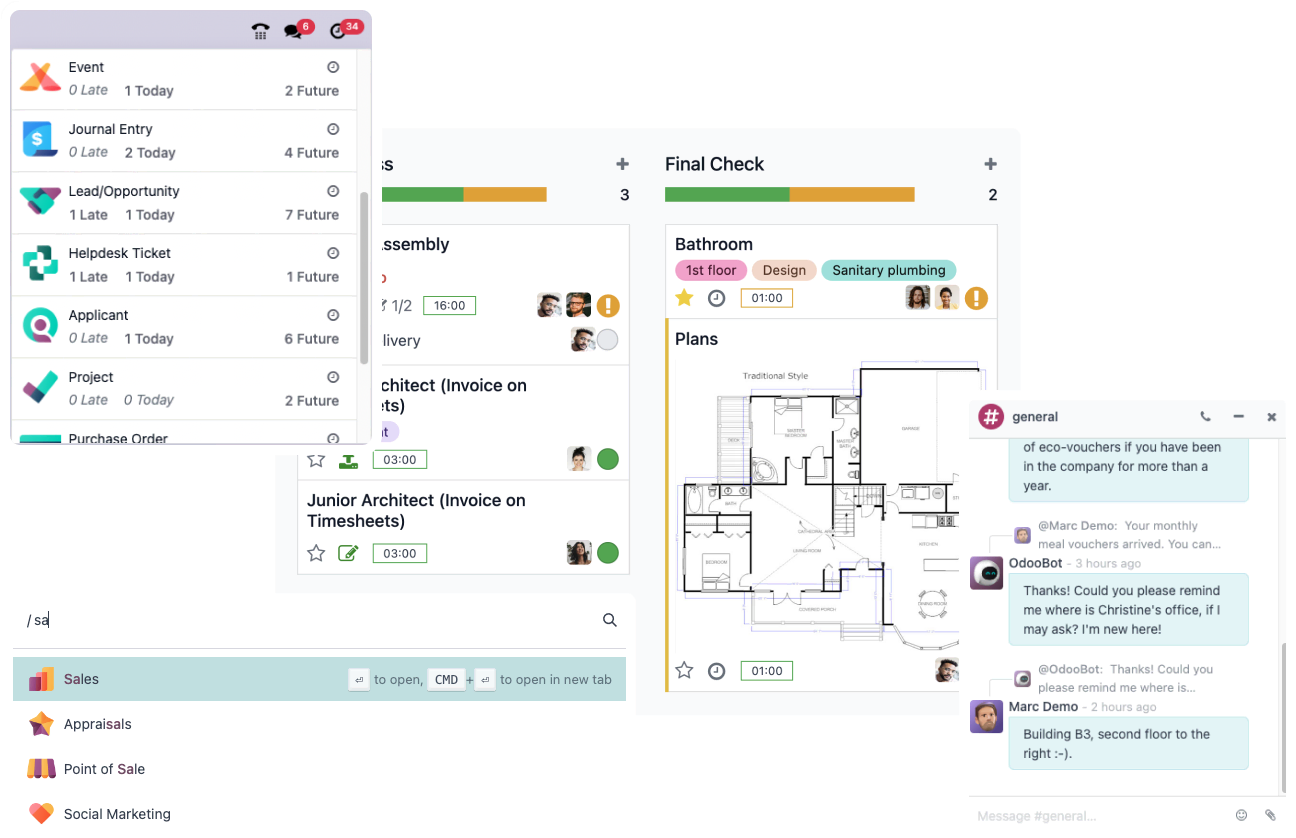
Odoo ERP offers two distinct editions of its ERP system, each designed to cater to different business needs and scales. Understanding these options will help you choose the right plan that aligns with your business requirements and budget.
1. Community Edition
The Community Edition of Odoo is a free, open-source package for businesses that need basic ERP functions like sales, inventory, accounting, and CRM. For ERP security best practices for access control, it’s important to set clear roles from the start.
It also includes simple invoicing tools for straightforward accounting needs. Since there’s no direct Odoo support, most help comes from community forums and online resources.
a. Licensing costs
The Community Edition is entirely free, eliminating any upfront licensing fees. This setup is particularly advantageous for businesses testing ERP systems or those with limited budgets, allowing them to leverage core ERP functionalities at no cost.
b. Hosting costs
You can choose between two hosting options:
- Self-hosting: Businesses opting for self-hosting must manage their own server infrastructure. You will incur costs related to hardware, network infrastructure, and data center expenses.
- Cloud hosting: Alternatively, you can opt for cloud ERP hosting, where you pay for server resources like CPU, RAM, and storage on a subscription basis. The costs here will vary depending on the resource usage.
c. Implementation and deployment costs
Odoo implementation pricing costs typically cover the expenses of employing consultants or using your team to install Odoo, set up its various modules, transfer existing data into the system, and ensure everything runs smoothly.
d. Customization costs
Basic customizations can be affordable, but more advanced changes or integrations can become costly. You should plan for these development expenses if you need specific features or additional functionality.
2. Enterprise Edition
Designed for businesses that need advanced features and more direct support, the Enterprise Edition of Odoo ERP builds on the foundation of the Community Edition by incorporating more sophisticated tools and functionalities.
The Enterprise Edition of Odoo ERP includes regular updates from Odoo to ensure that it remains on the cutting edge, offering new features and improvements to keep your business competitive and efficient.
a. Licensing costs
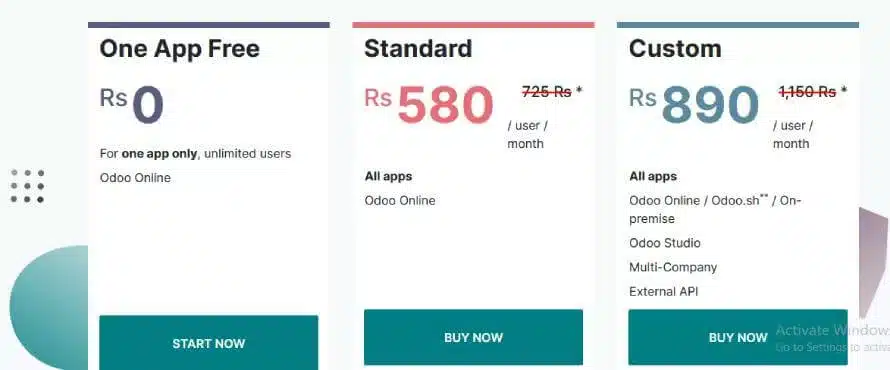
The Enterprise Edition offers more structured Odoo pricing plans:
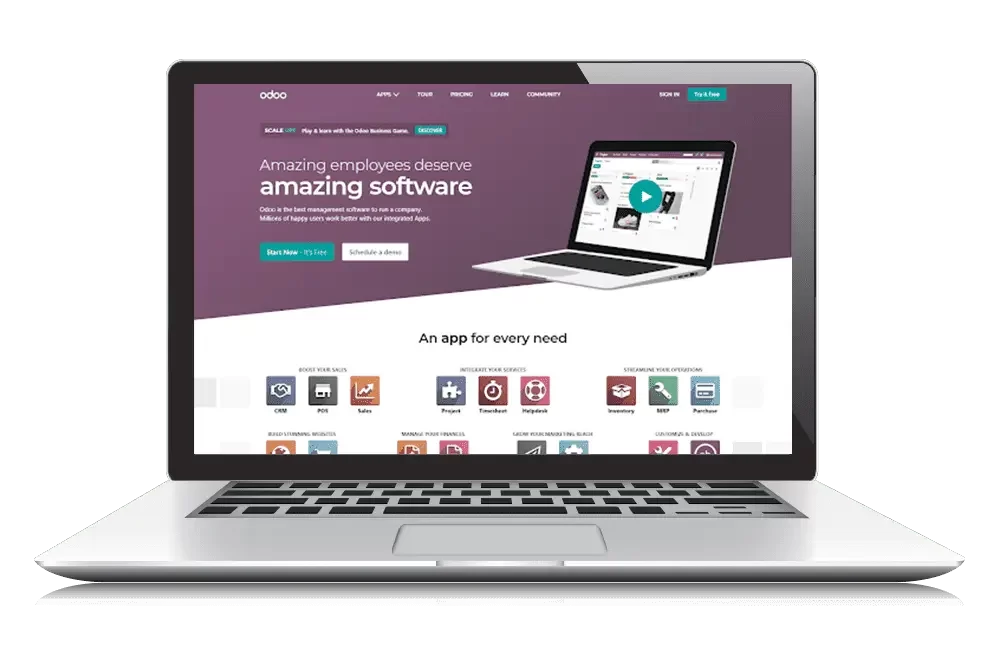
- One App Free: One App Free is an introductory plan ideal for businesses that need just one application. It is free, though additional costs may apply if other apps are integrated.
- Standard: This plan suits businesses seeking a comprehensive ERP solution with access to all Odoo modules. It’s priced per user, providing predictability in costs and scaling as your business grows.
- Custom: For enterprises requiring a high degree of customization and integration, the Custom plan offers the most flexibility across the ERP implementation process lifecycle. It’s typically the priciest option, but it fits needs the Standard plan can’t cover.
b. Hosting costs
The Enterprise Edition offers three different hosting options:
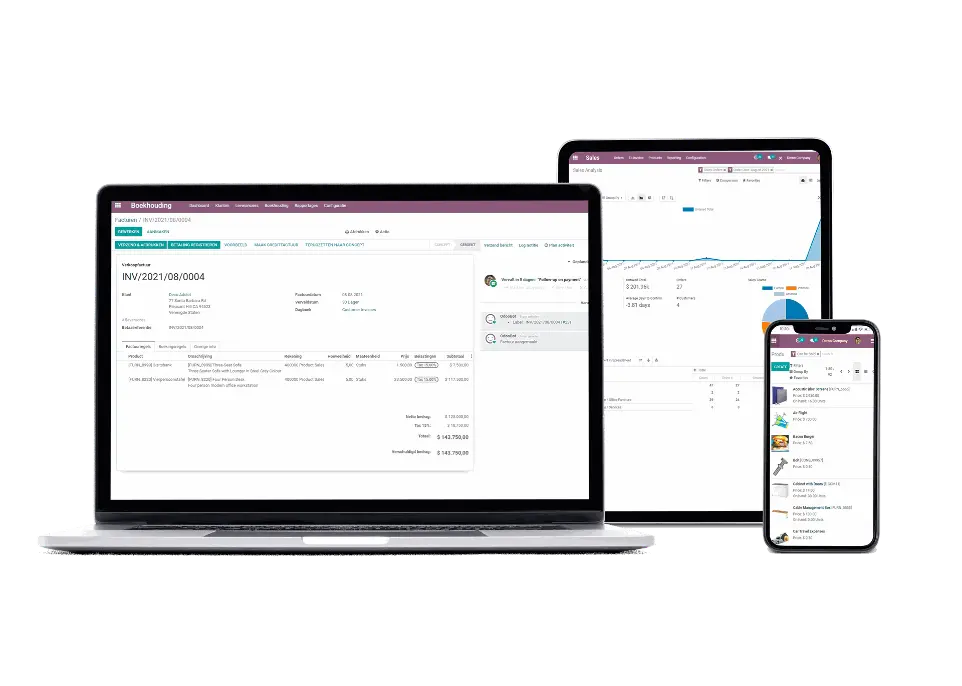
- On-premises: Odoo enterprise on-premise pricing involves hosting on a local or third-party server, granting complete control over the ERP environment. It comes with higher responsibilities for maintenance and operational management.
- Odoo Online: Odoo manages this hassle-free option, handling all operational and maintenance tasks. It offers a cloud experience, so users can focus on using the ERP without worrying about backend technicalities.
- Odoo.sh: This platform provides shared and dedicated server options to suit various business sizes and needs. Particularly beneficial for businesses with complex processes, Odoo.sh also extends cost advantages to Odoo partners.
c. Implementation and deployment costs
Based on Odoo review, Odoo implementation pricing costs may include hiring consultants or using your staff for the system’s initial setup, configuration, data transfer, and deployment.
While updating from one version of Odoo Singapore to another is free, any specific customizations might incur additional charges, especially if you need to hire Odoo partners for these modifications.
d. Customization costs
Customizing the Enterprise Edition can vary greatly depending on your needs. Whether you require tailored features, system integrations, or specific adjustments, it’s important to budget for these development costs accordingly.
Comparing Odoo ERP with Competitors
When choosing the best ERP software, it is crucial to compare your options to ensure you select the solution that best meets your business needs and budget. Each offers unique strengths and functionality, making it essential to understand how they compare.
Odoo vs. SAP
- Cost: Odoo offers a free plan, making it accessible for smaller businesses and those seeking affordability. While providing extensive features, SAP’s solutions come with a higher price tag, which may be prohibitive for smaller organizations.
- Features: Odoo’s basic plan covers essential ERP functions but may lack the advanced features in SAP’s offerings. SAP provides a more robust system with advanced functionalities suitable for businesses needing customization and complexity.
- Scalability: Odoo’s flexible pricing allows businesses to scale their use of ERP features as needed, whereas SAP’s high cost might limit its accessibility to larger enterprises with substantial budgets.
Odoo vs. HashMicro
- Cost: While Odoo offers a free Community Edition and affordable Enterprise plans, HashMicro’s competitive pricing provides comprehensive value with advanced features and support.
- Features: Odoo covers basic ERP functionalities well, but HashMicro goes further with advanced features and customization options that cater to more complex business requirements.
- Support: HashMicro excels in offering extensive support services, ensuring that businesses receive the necessary assistance for successful ERP implementation and operation.
- Scalability: Both Odoo and HashMicro offer scalable solutions, but HashMicro’s extensive features and support make it a robust choice for businesses looking for a more tailored and supported ERP experience.
Choosing the Right Odoo Pricing Plan
Choosing the right Odoo cloud pricing plan helps ensure your ERP supports growth, efficiency, and cost control. This Odoo review explains how to select a plan that fits your goals while highlighting ERP software benefits for staying competitive, so you can decide with confidence.
1. Assess your needs:
The Community Edition might be enough if you’re a small business or just starting. It’s free and covers basic features. This plan is great if you’re on a tight budget or just want to try out ERP software.
2. Plan for growth:
The Enterprise Edition could be a better choice if you need more advanced features or want to expand easily. It offers more modules and features that can grow with your business, plus regular updates to keep your system current.
3. Budget and costs:
The Community Edition has no licensing fee, but you’ll need to cover hosting costs. The Enterprise Edition does have a licensing fee, which depends on the number of users and features you need.
4. Customization:
Think about whether you need custom features or integrations. The Enterprise Edition allows for more customization and can be tailored to your business needs. If you require special modifications, this edition might be worth the extra cost.
5. Support needs:
Consider how much support you’ll need. The Community Edition doesn’t include official support. If you want more help and professional support, the Enterprise Edition provides access to Odoo’s support team, which can be helpful.
ERP as a Solution for Advanced Features and Support
ERP software connects finance, inventory, purchasing, and sales in one system, so teams stop chasing updates across spreadsheets. With one workflow, approvals and reporting become faster and more consistent.
It also centralizes data in real time, keeping numbers aligned across departments. This helps teams track performance, cut double entry, and make decisions from the same source of truth.
For example, organizations such as Changi Airport Group and Abbott use an ERP approach to handle complex operations at scale. In that context, an ERP system solution from HashMicro can support cross-department workflows by keeping data and processes connected in one platform.


Conclusion
Odoo’s modular setup makes it easy to start small and scale, but pricing can feel complex because costs go beyond the subscription. Your total budget depends on the edition and the number of apps, users, and integrations.
This guide compares Community vs Enterprise and breaks down key cost drivers like licensing, hosting, implementation, and customization, so you can match the plan to your support and growth needs.
If you want to avoid budgeting surprises, a short consultation can help map your module list, user count, hosting choice, and customization scope into a realistic cost range before you commit.

FAQ about Odoo Pricing
-
Do I have to pay for Odoo?
Odoo Enterprise requires a subscription fee, whether hosted by Odoo or you. In contrast, Odoo Community Edition is completely free and open-source.
-
What is the disadvantage of using Odoo?
One of Odoo’s major disadvantages is its complicated setup structure. Many users find the initial implementation challenging due to the intricate configuration required. This complexity can lead to delays and increased frustration, making the onboarding process less smooth and more time-consuming than expected.
-
Can Odoo work without the Internet?
Yes, Odoo can work without the Internet if you host it on your own servers (Odoo On-Premise). However, Odoo Online and Odoo.sh, which are hosted by Odoo, require an internet connection.