



An enterprise can’t function properly without its asset. And to ensure your assets work properly, you need to do an auditing process in your business. The purpose of the audit itself is to increase compliance & asset accuracy.
In sum, auditing is the process of checking whether the information is correct or incorrect, resulting in the performance of your business will be better, and you can make better decisions. Hence, to help your auditing process be more manageable, you may use Asset Management Software (AMS).
This article will explain the auditing process and various asset software that will handle all your auditing processes. And how fully integrated asset software can help your auditing process.
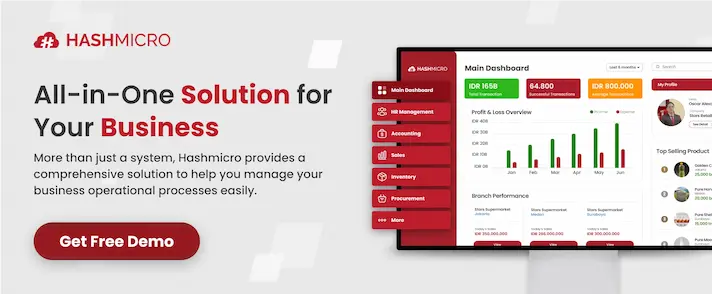
Table of Contents
Types of Asset Auditing
As explained, the reason behind why you’re doing asset auditing is to ensure that your company or organization continues to uphold accuracy and transparency standards. There are primarily two kinds of audits: internal and external audits, which we will explain below.
1. Auditing internal asset
It will help you evaluate either an organization’s internal controls or accounting procedures, so you’ll know whether these two work properly or it doesn’t. The internal auditor aims to improve the performance of your organizational operations.
2. Auditing external asset
An external auditor plays a significant role in validating and evaluating your organizational assets. An external auditor will provide you with a valid and valuable check of your organization’s accounting for business and government.
The Process of Auditing

1. Setting a plan
First of all, in the auditing process, the first step you must do is to review and examine prior audits performed in your region and professional literature. Then, research and investigate applicable laws and policies to create a simple audit plan.
2. Sending a notification
The Official of the Internal Audit Services will notify the relevant department or department personnel of the upcoming audit and its purpose. And will schedule an upcoming meeting to discuss the initial audits. You also need to invite the management team and administrative staff members who are involved in the audit to attend it.
3. Start a meeting
The management team and any administrative staff who attend this meeting will discuss the purpose and objective of the audit, as well as the audit program. During this meeting, it is possible to change the audit program based on the information discussed.
4. Fieldwork
The next step of the auditing process is that you must conduct a test in addition to conducting interviews with the relevant department staff members.
5. Drafting a report
After you do the fieldwork, you may continue to the next step, which is to write down a report. The report contains a variety of topics, including the objective and scope of the audit, relevant background information, the findings of the audit, and recommendations for making improvements or correcting errors.
6. Response from management
Submit the draft audit report written before to the management of the audit for their review. Which also will be asking for a response or a comment on their recommendations. In response, management should outline how they intend to make the necessary adjustments.
7. The closing meeting
The management department will attend this closing meeting, in which we will conduct a review and discuss both the audit report and the management responses. If there are any questions or explanations regarding those two, this is the right time to throw them, as this is the closing meeting before announcing the audit program. Therefore, it is better to submit them now. Also, during this meeting, we will communicate the results of various other audit procedures that are not covered in the final report.
8. Distribution of the final audit report
Then, after the closing meeting, The President, Provost, and CFO of CWRU, as well as CWRU’s external accounting firm, receive copies of the final audit report along with management responses.
9. Follow up
The audit report will be distributed, and then the Office of Internal Audit Services will do an investigation afterward, approximately for six months. In other words, following up on the audit report is to determine whether or not the audit report is on the corrective actions.

5 Top Asset Software
Automated Asset Management Software (AMS) aims to help increase the visibility of your business assets and manage them effectively. To make it simple, AMS’s purpose is to ensure that you’re utilizing your business assets to the fullest, as in full potential, and lowering your IT costs and software at the same time.
Furthermore, AMS enables your business to analyze data on specific assets, enabling your company to make the right decisions based on the information collected. If you are looking for the best Asset Management Software (AMS) to optimize your business assets, you may look at this roundup in which we listed these top five asset management software.
1. HashMicro asset management software
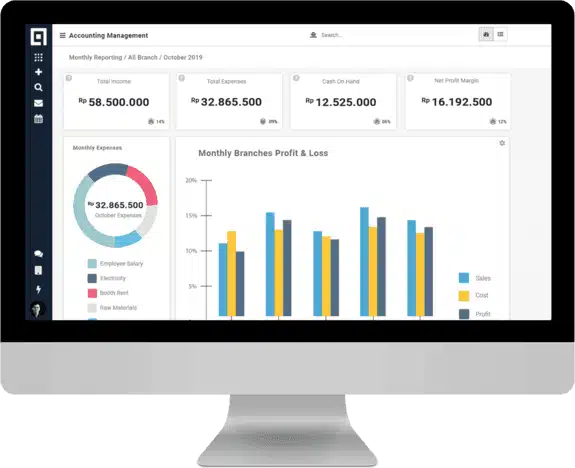
HashMicro Asset Management Software is the most well-known solution provider in Singapore that helps medium to large enterprises improve the efficiency of their day-to-day asset management processes. Founded in 2008 and trusted by big enterprises ever since. To name a few, the Ministry of Education in Singapore, Changi of Singapore, Bank of China, and many more. It is not only being used and trusted by enterprises from Singapore but in Indonesia as well.
AMS by HashMicro is cloud-based asset management that provides you with many advanced features to maximize your asset management process, such as tracking the usage of the assets, scheduling maintenance, calculating the ROI & expenses, and how to know your asset value automatically, and so on.
Moreover, the features of the HashMicro Asset Management System will make it easy for you to identify your asset. All information related to assets can be monitored by serial numbers and barcodes.
It also provides you with an accurate asset valuation, including asset depreciation, ROI, and other expenses of an asset that is well-tracked with automated calculation. Other than that, the leasing procedures of assets become much simpler, and you can generate analytics reports in seconds.
Another advantage of ASM by HashMicro is that, unlike other well-known asset management apps, HashMicro Asset Management Software offers unlimited licensing per organization, with no limited users. In short, it can be used by as many users as possible at no additional cost.
Besides that, the asset management app that HashMicro provides has been integrated with various modules that are customizable to support the productivity of your enterprise. These modules include purchasing system, HRM system, accounting system, and many more. You can download the software pricing scheme calculation here if you wish to know the price offered by HashMicro.
2. ManageEngine AssetExplorer
ManageEngine AssetExplorer is a website-based asset solution that is packed full of tools and features to handle all your aspects of asset management, including inventory management, software license administration, tracking purchase orders and contracts, compliance review, and more.
AssetExplorer assists in the monitoring and management of IT assets, from the planning phase all the way through to the disposal phase, by providing a number of options. Other than that, it also offers an easy way to set up and can be used immediately after unboxing.
3. InvGate Assets
InvGate Assets offers an easy setup of the asset system, ease of use, advanced reporting, and remote desktop access. It also has all of the essential things in software and hardware for tracking assets and inventory. Moreover, it also has a user interface that helps to accelerate the learning process for new users.
InvGate Assets also provides reporting, network discovery, remote desktop access, change management, license management, software deployment, and metering capabilities. These asset system features make it possible for businesses to keep track of their assets. It is also possible to export the report data to Microsoft Excel.
4. Ivanti IT asset management
Ivanti IT Asset Management features enable tracking key data points using many pre-built reports. Also possible to customize the reports based on your queries. As a result of its features, asset software offers you an accurate track and efficient management of IT assets, which includes asset discovery, financial management, software compliance, and license management, among other things.
The installation is ready and easy to use since it has an interface based on Windows, so it’s simpler for people who use Windows on a daily basis.
5. Asset Panda
Asset management by Asset Panda is cloud-based asset management. It offers premium features such as unlimited users, and custom reporting, and is easily configured to meet the specific needs of any business. AMS by AssetPanda gives users the ability to manage assets located in multiple locations as well as those that are moving between locations.
In addition, Asset Panda allows users to add photos, documents, and videos to asset data files. The software integrates with the web application and can scan bar codes.
Also read: 5 Effective Asset Management Tips for Improving Business Efficiency.
Conclusion
Choosing the right app for asset management can be challenging. There are a few considerations, such as the feature sets, prices, advantages, disadvantages, etc. We ranked the best asset management software to narrow your options, with HashMicro AMS at the top.
We put into consideration that Asset Management System by HashMicro is number one based on important factors. Such as the ease of setting up, using the program, the features, the capabilities, the reporting, and the pricing.
Are you still confused about how the AMS works or how much AMS by HashMicro costs? Worry not, we would be happy to assist and guide you. You may also get a free demo.