





Email attachments, shared drives, or cloud folders, which one do you rely on most to manage your documents today? Each option works, but they often leave teams switching between platforms and searching longer than necessary.
A Document Management System brings everything into one organized workspace. Research by Fortune Business Insights estimates the global DMS market at USD 7.16B (2024), rising to USD 8.32B (2025), and projected to reach USD 24.34B by 2032. This rapid growth highlights the increasing need for businesses to adopt advanced document management solutions.
With clearer workflows and better visibility over documents, daily operations become more efficient and consistent. This is why your business needs an integrated technology to manage your documents.
Key Takeaways
|
Learn About the Document Management System
A Document Management System (DMS) is software that allows businesses to store, organize, and manage digital files and scanned versions of paper documents. It helps transition from paper-based systems to digital systems, improving efficiency and security by centralizing document storage.
Implementing a DMS streamlines document handling by automating organization and version control, boosting security, and ensuring compliance. When selecting the right document management system provider, consider scalability to accommodate your business’s future needs and enhance team collaboration and productivity.
Key Features of a Digital File Solution
While every business has unique document management needs, there are several key features that a document management system should provide:
1. Version control and backup
A document management system should offer version control, enabling users to track changes and revert to previous versions when needed. It should also include secure backup storage to ensure important files are protected and can be restored in case of loss, offering peace of mind.
2. Support for multiple file types
A versatile file management software must accommodate a wide range of file types to meet diverse business needs and support a robust document management strategy across teams. Supporting multiple formats reduces the need for multiple systems, streamlining workflows and improving efficiency by centralizing all files in one place.
3. Ease of use
The document management system provider should offer a user-friendly interface. If the system is complex, employees may avoid using it. A simple and intuitive system helps ensure full adoption by your team, increasing efficiency and making document management easier for everyone.
4. Search functionality for quick access
An effective document management system must include a powerful search feature to quickly locate documents. This functionality reduces time spent searching for files, boosts productivity, and helps maintain smooth operations, especially across large teams and departments.
5. Document history and auditing
A solid document management system should offer comprehensive auditing features, tracking all document changes and updates. This helps maintain compliance with regulatory standards and ensures that all edits are authorized, creating a reliable audit trail for accountability.
6. Customizable security features
Customizable security settings in a document management feature are crucial. By managing who can view, edit, and share specific files, businesses can safeguard sensitive information. This feature provides control over access, ensuring that only authorized users interact with critical documents.
Benefits of a Document Storage Platform

From reducing storage costs to enhancing security and workflow efficiency, implementing a DMS can help streamline several aspects of document management.
1. Cost-effective storage solutions
Managing physical documents is costly, not only in terms of storage space but also for maintaining office facilities. With a document management system, you can eliminate the need for filing cabinets and large storage rooms. Cloud-based solutions provide affordable, secure off-site storage, saving valuable office space and reducing overhead costs.
2. Enhanced data backup and recovery
Physical document storage carries inherent risks, such as fire or water damage, that could result in significant data loss. Storing documents digitally eliminates this risk by offering automatic cloud backups. This ensures all your documents are secure and can be easily recovered if disaster strikes, helping your business avoid major disruptions.
3. Improved workflow efficiency
Many employees waste time searching for files, leading to delays and missed opportunities. Centralized storage and easy access streamline workflows, enabling employees to find what they need quickly. This improves collaboration and allows your team to focus on more important tasks.
4. Better version control and organization
Versioning and organization are common challenges in document management. A document management system helps prevent confusion by tracking changes and ensuring everyone works with the latest version. This feature reduces errors, enhances document consistency, and keeps everything well-organized.
5. Streamlined regulatory compliance and security
Ensuring compliance with regulations like HIPAA or OSHA can be a challenge, but a DMS simplifies this process. It also enhances security by offering customizable access controls, ensuring only authorized users can access sensitive documents and helping businesses meet regulatory standards.
6. Significant time and cost savings
Physical document management consumes both time and resources. A document management system saves time by allowing employees to quickly search and retrieve files. It also cuts costs by reducing the need for physical storage, printing, and copying, leading to long-term savings for your business.
Singapore’s Regulatory Landscape for Document Management
Businesses operating in Singapore must navigate several key regulations when implementing a document management system. Understanding these requirements helps ensure your DMS not only improves efficiency but also keeps your organization compliant with local laws.
1. Personal Data Protection Act (PDPA)
The PDPA is Singapore’s primary data privacy law, governing how organizations collect, use, and disclose personal data. For document management, this regulation has significant implications.
Key requirements under PDPA:
- Appoint a Data Protection Officer (DPO): All organizations collecting personal data must designate at least one DPO to oversee data protection policies. Since 2024, businesses must register their DPO details in BizFile+ through ACRA.
- Retention Limitation Obligation: Organizations cannot keep personal data indefinitely. Once data is no longer needed for its original purpose, it must be securely disposed of or anonymized.
- Data Breach Notification: If a data breach occurs that may cause significant harm or affects 500+ individuals, organizations must notify the Personal Data Protection Commission (PDPC) and affected individuals within 3 days of assessment.
- Security Arrangements: Your DMS must implement reasonable security measures, including encryption, role-based access controls, and secure backup systems to prevent unauthorized access.
Penalties for non-compliance: Organizations can face fines of up to SGD 1 million or 10% of annual turnover in Singapore, whichever is higher.
2. Companies Act & Record Retention Requirements
Under Section 199 of Singapore’s Companies Act 1967, companies must maintain proper accounting records and supporting documents. Both ACRA and IRAS also require businesses to retain these records for at least 5 years from the end of the relevant financial year or Year of Assessment (YA).
What records must be kept:
- Source documents (invoices, receipts, vouchers)
- Bank statements
- Accounting ledgers, journals, and schedules
- Contracts and business correspondence
Penalties for poor record-keeping:
- Fines up to SGD 5,000 or imprisonment up to 12 months under the Companies Act
- IRAS may disallow expense claims and capital allowances
- Additional penalties up to SGD 1,000 under the Income Tax Act
3. Electronic Transactions Act (ETA) 2010
The ETA 2010 provides the legal framework for electronic records in Singapore, making it easier for businesses to go paperless. This means your DMS can fully replace physical filing systems while remaining compliant, as long as records remain accessible, accurate, and protected from unauthorized alterations.
Key provisions:
- Electronic records are legally equivalent to paper documents when certain conditions are met
- Organizations can fulfill document retention requirements using electronic records
- Digital signatures are legally recognized
Highlights of Electronic Document Systems in Singapore
Selecting the ideal document management system (DMS) can be complex, given the many options and their distinct features. By choosing the right one, you can maximize the benefits of the document management system, such as improved efficiency, security, and compliance. Here’s a quick look at some of the best systems to guide your decision.
- HashMicro: Best for workflow automation, secure storage, real-time collaboration, and seamless integration
- DocuWare: Best document management system for workflow automations
- M-Files: Suitable for agile workflows
- Box: Small companies prioritizing e-signature requests
- SharePoint: Best for Microsoft users
- Google Workspace (Drive): Suitable for budget-conscious teams and Google users
- OnlyOffice: Best for users who need a collaborative and Microsoft Office-compatible option.
- Revver: For combining document and business process management
- PandaDoc: For a simple, friendly interface
- Laserfiche: Enterprise businesses
- Dropbox Business: Best for those who plan to access content from mobile
- Klippa DocHorizon: Best for automated document classification
- Axero: Best for centralized document storage
- OpenText: Best for content lifecycle management
- DocHub: Best for comprehensive PDF editing
- Trainual: Best for AI-assisted documentation creation
16 Best Document Management Systems in Singapore 2026
After highlighting some of the best document management systems (DMS) available in Singapore, this section dives deeper into each system’s features, benefits, and drawbacks. We’ll explore the specifics, helping you make a more informed decision based on your business’s unique needs and goals.
1. DocuWare File Management Software
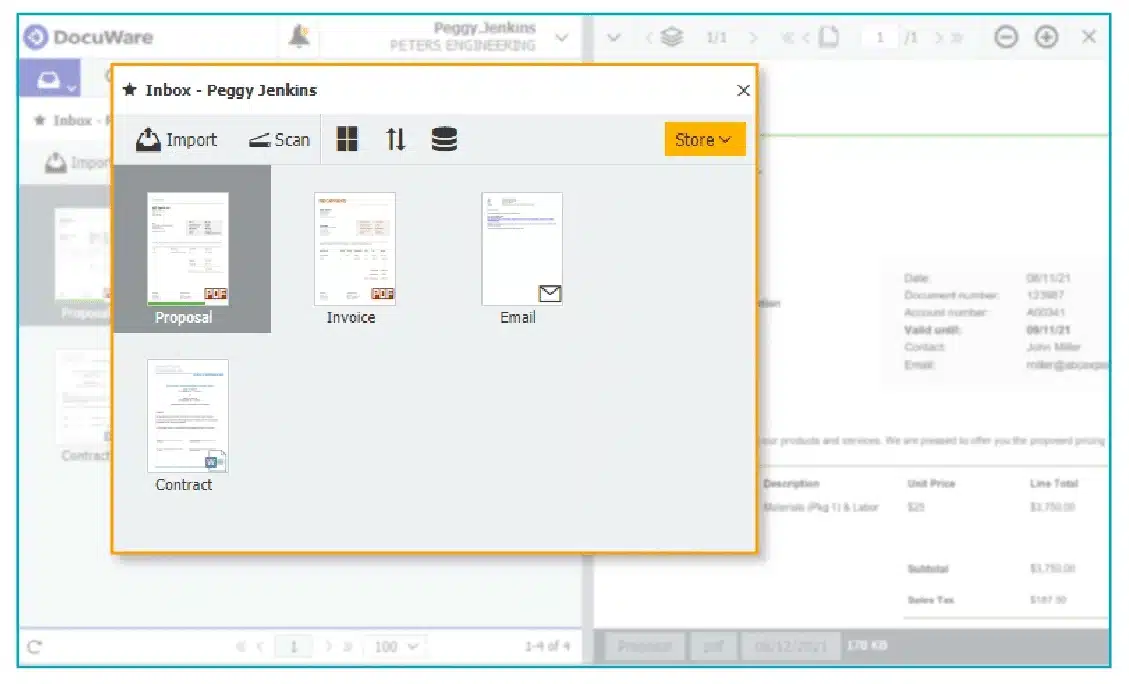
DocuWare is a Document Management System (DMS) that enables seamless integration with various business software applications. By offering cloud-based document storage and digitalization capabilities, it helps businesses increase operational efficiency and streamline workflows.
Key features of DocuWare:
- Metadata-based search
- Optical character recognition (OCR)
- Automatic data backup
- Reporting and audit trail functionality
| Pros | Cons |
|
|
2. M-Files
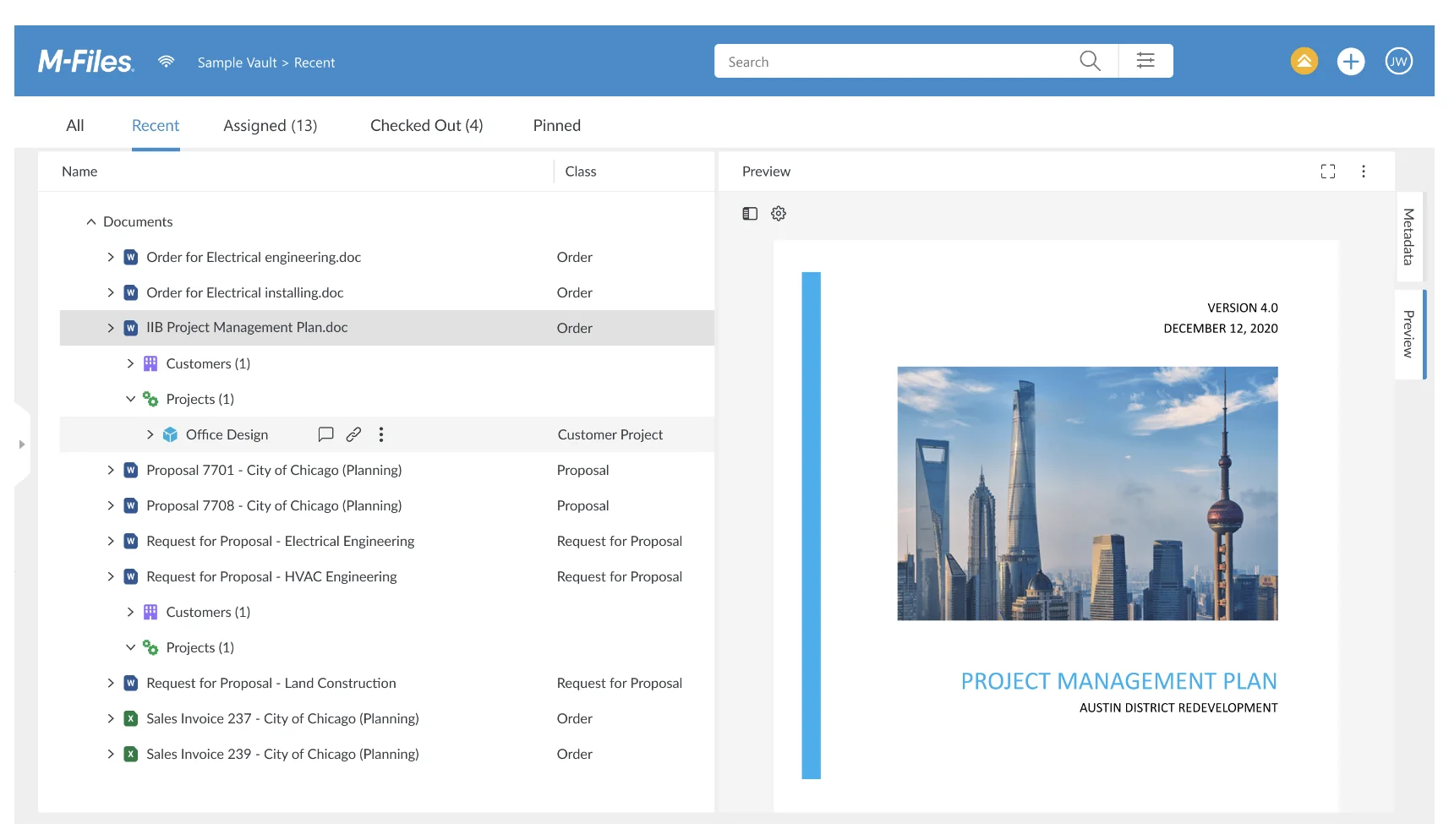
M-Files is a Document Management System (DMS) that uses metadata to organize and automate document workflows. It is designed for businesses with complex document structures, such as those in legal, finance, and engineering sectors, providing cloud-based document storage and mobile access.
Key features of M-Files:
- Automated document workflows
- Version control and document history
- Cloud-based storage
- Mobile app for on-the-go access
| Pros | Cons |
|
|
3. HashMicro Document Management Software
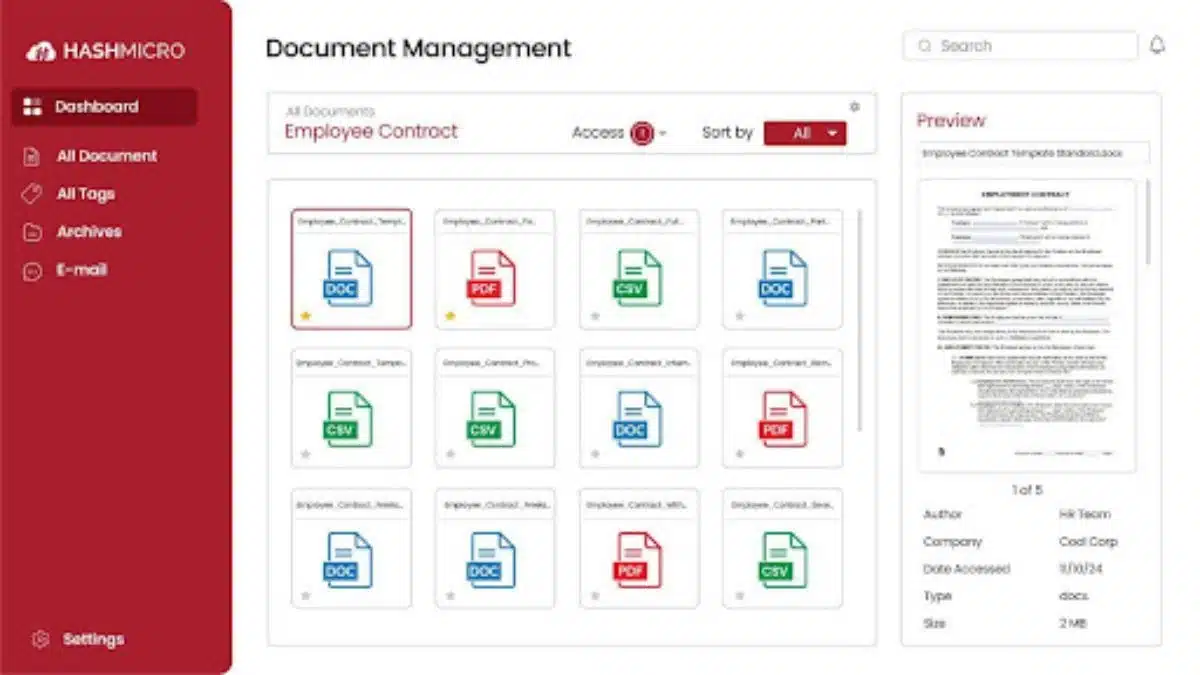
HashMicro’s Document Management System supports various document types, including videos, e-books, and more, making it versatile and adaptable for different departments. This system ensures businesses can effectively manage large data volumes, whether for administrative, financial, or legal documents. HashMicro is trusted by over 2,000 companies across Southeast Asia.
Key features of HashMicro Document Management Software:
- Folder & Subfolder Management: Organize documents into folders and subfolders for better storage management.
- Document & File Management: Centralize all essential data in one accessible location.
- File Review & Lock Management: Allow employees to provide feedback and lock documents for secure review.
- Access Management: Set up role-based access control to protect sensitive data.
- Versioning and Timeline Management: Keep documents up to date with easy version tracking.
- Expiry Management: Receive notifications when documents are nearing their expiration date.
- DMS Integration: Seamlessly integrate with other systems like payroll, accounting, and HR.
- Asset Management: Manage and organize documents related to company assets efficiently.
| Pros | Cons |
|
|
4. Box
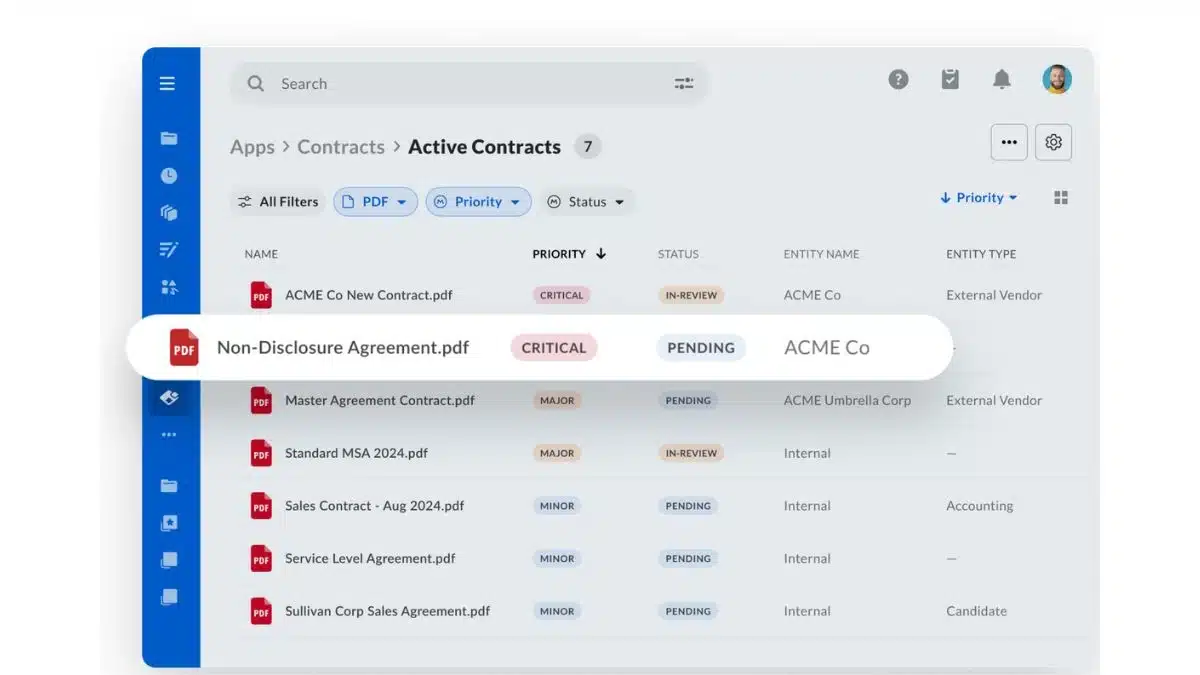
Box is a cloud-based document management system that provides a secure, scalable solution for businesses seeking efficient file management. With its cloud storage system, Box ensures that all documents are stored safely while providing easy access for collaboration.
Key features of Box:
- Collaborative tools for real-time document editing
- Version control and audit trails
- Integration with Microsoft 365, Google Workspace, and Slack
- Mobile app for remote access
| Pros | Cons |
|
|
Read more: Work Motivation – Things that Have a Big Impact on Employee Productiveness
5. SharePoint
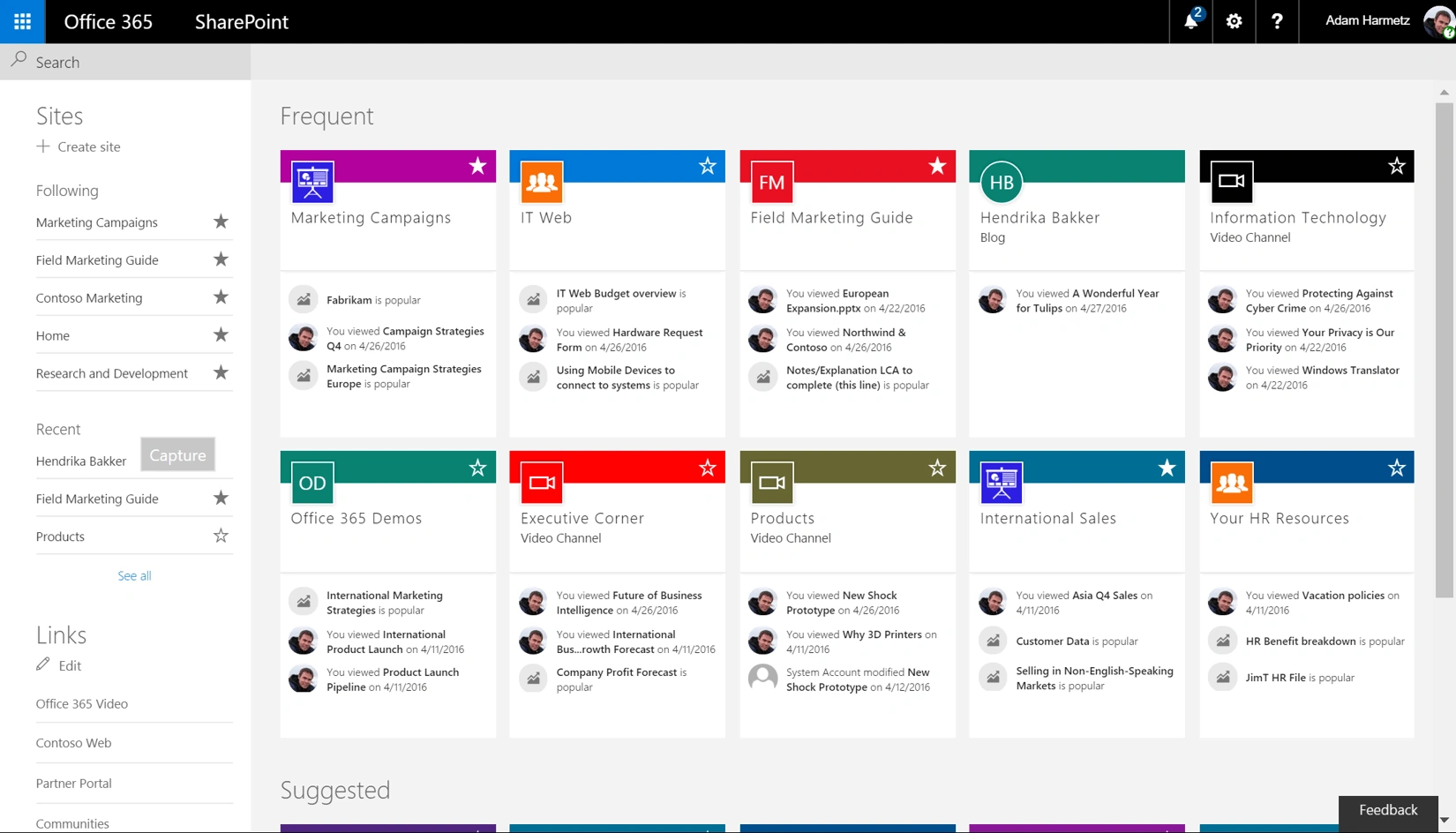
SharePoint is a cloud-based platform designed to help organizations manage documents, streamline collaboration, and enhance workflow efficiency. Tailored for businesses already using Microsoft tools, it integrates seamlessly with the broader Microsoft ecosystem to provide robust storage and sharing capabilities.
Key features of SharePoint:
- Customizable workflows for document approvals
- Security features for compliance
- Mobile access for remote management
- Integration with Microsoft 365
| Pros | Cons |
|
|
6. Google Workspace (Drive)
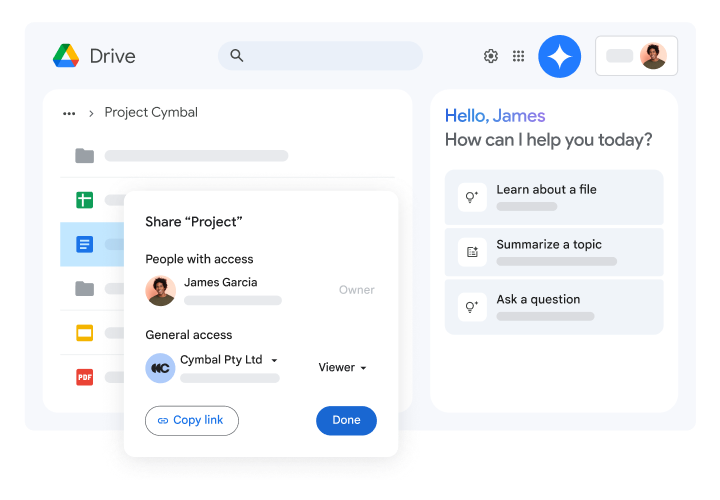
Google Workspace, though not initially a dedicated Document Management System (DMS), is now a popular cloud-based platform for document creation, collaboration, and management. Tools like Google Drive, Docs, Sheets, and Shared Drives facilitate real-time team collaboration and document organization without complex IT setups.
Key features of Google Workspace (Drive):
- File storage for various formats (documents, images, audio, video)
- Real-time collaboration with comments and shared editing
- Automatic synchronization across devices
- Role-based access and document sharing via Google Admin tools
| Pros | Cons |
|
|
7. OnlyOffice DocSpace
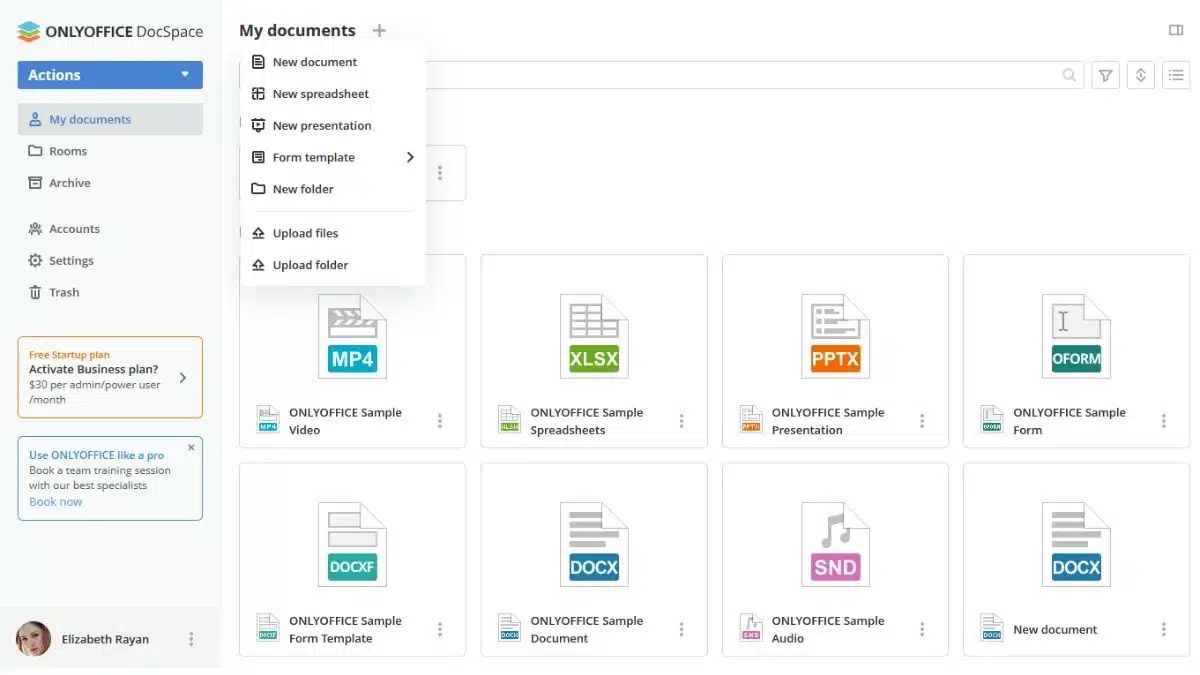
OnlyOffice DocSpace is an open source desktop and online office suite that lets you share documents through your own server or via cloud services. OnlyOffice’s collaboration features are based on Rooms, which are document folders that can only be accessed by team members selected by an administrator, and different rooms can have different administrators.
Key Features of OnlyOffice:
- Integration with Zoom for in-meeting document collaboration
- Support for Microsoft Office formats
- Collaboration Rooms for team access
- External sharing of files and folders with third-party cloud integration
| Pros | Cons |
|
|
8. Revver link equip
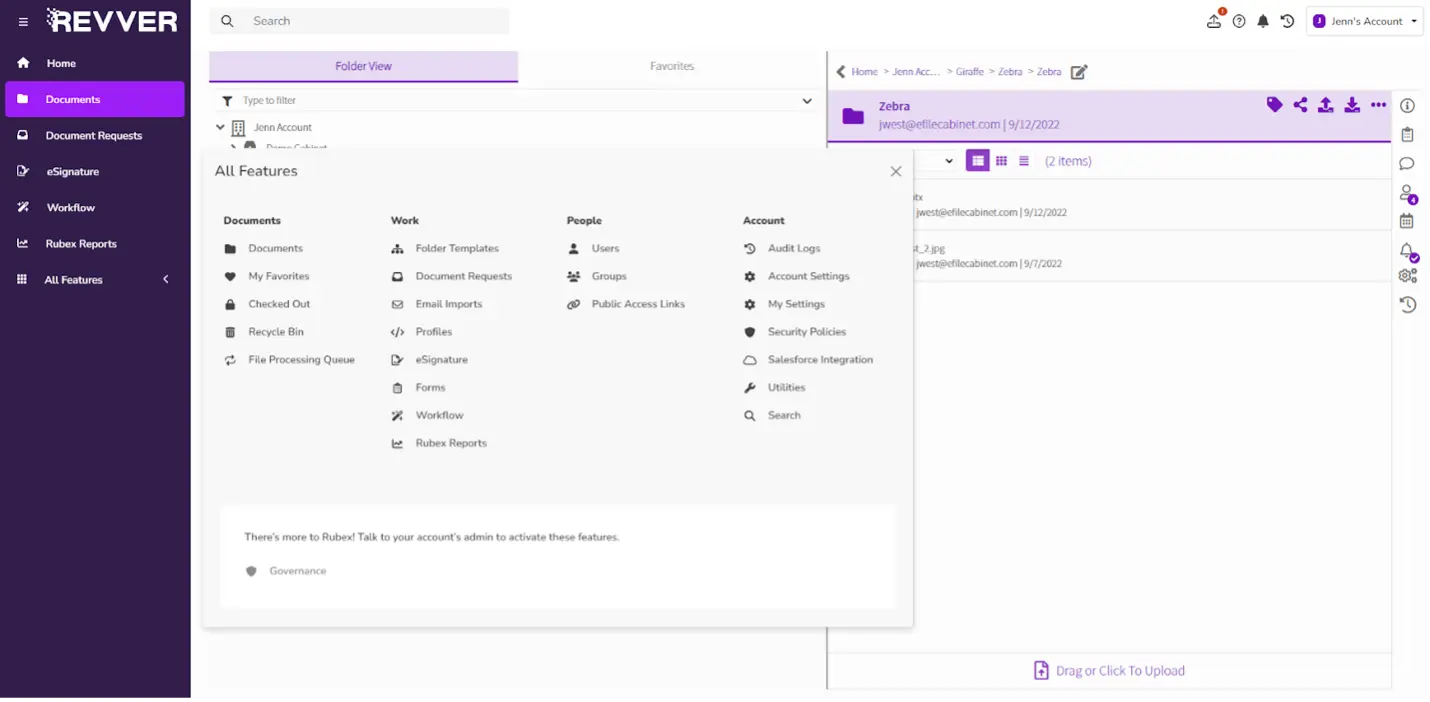
Revver focuses on document automation and work collaboration, designed to help teams complete administrative tasks without complex manual processes. The platform supports industries with complex documentation needs and integrates seamlessly into existing workflows.
Key Features of Revver:
- Collaboration features with eSignature
- Document search using OCR, metadata, and custom filters
- High-level security with encryption and access control
- No-code automated workflow builder
| Pros | Cons |
|
|
9. PandaDoc Document Management Software
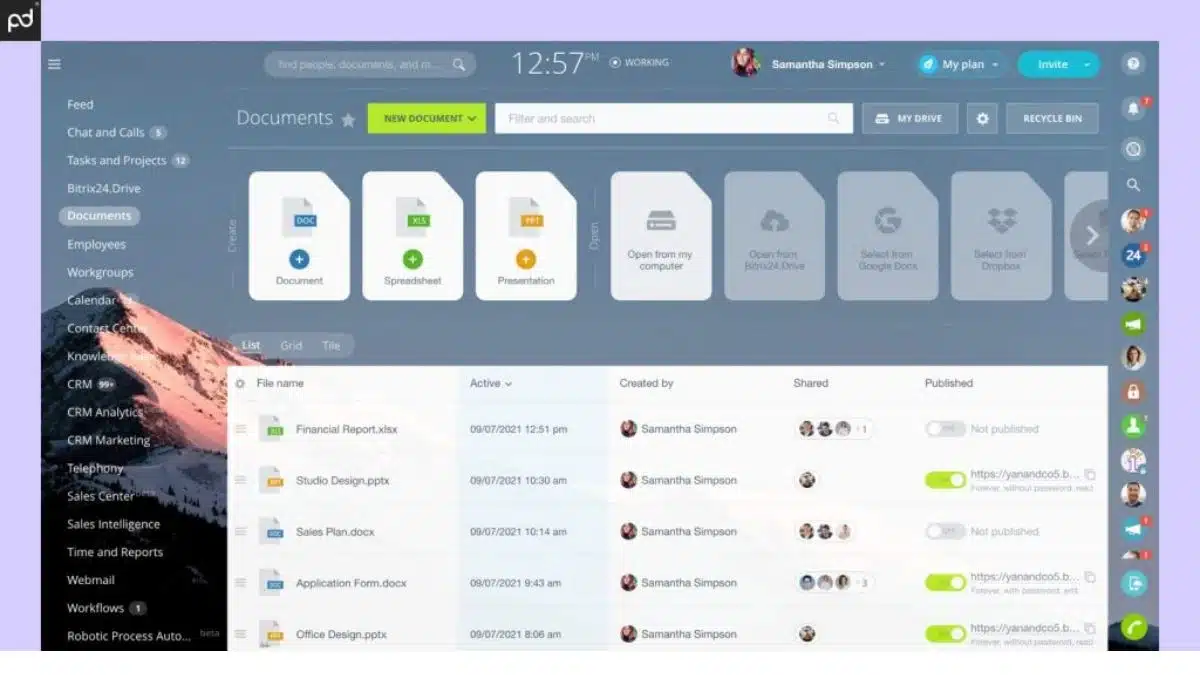
PandaDoc is primarily a document automation and e-signature platform that has now evolved into a fully integrated document management system (DMS). It provides a content library filled with templates to help businesses create customized documents and workflows, ensuring brand consistency across all materials.
Key Features of PandaDoc:
- Library of templates, including pricing tables, form fields, and embedded media
- Real-time tracking and analytics for monitoring
- Built-in e-signature and approval workflows
| Pros | Cons |
|
|
10. Laserfiche
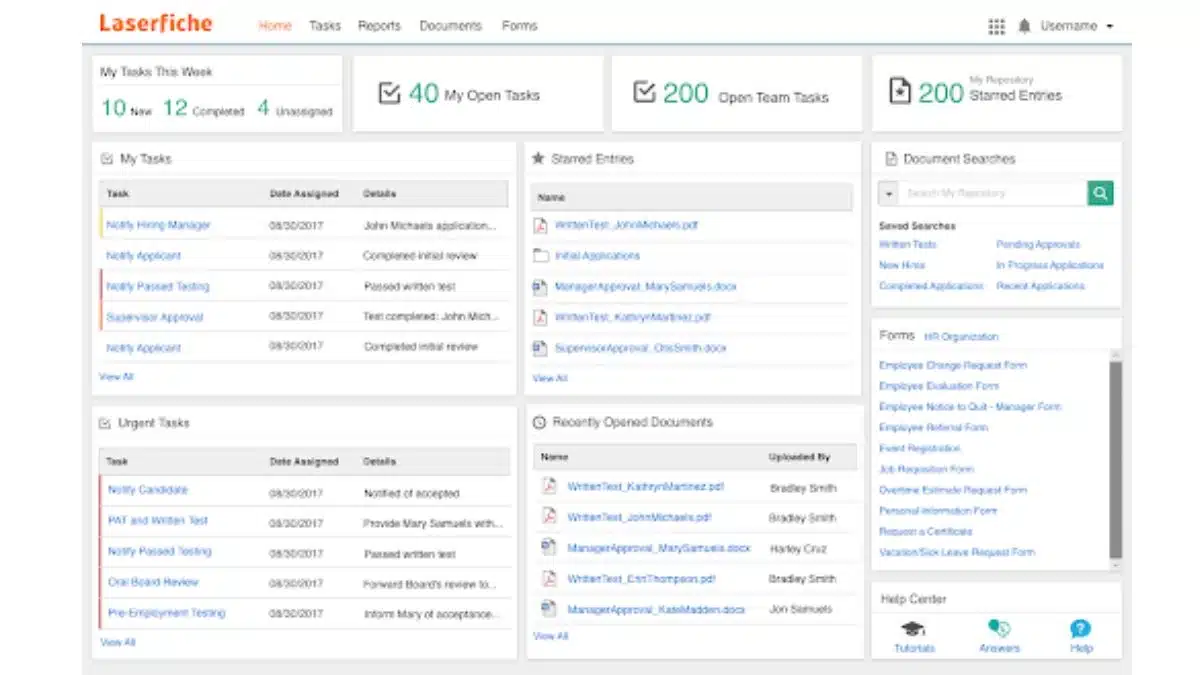
Laserfiche is an AI-powered document management system (DMS) and business automation tool, ideal for large enterprises, government agencies, and educational institutions. It combines document control, compliance enforcement, and low-code automation to redesign workflows and improve operational efficiency.
Key features of Laserfiche:
- Integration with Microsoft 365, Salesforce, ESRI, and other platforms
- AI-powered document capture using OCR
- Advanced analytics and reporting dashboards
- Role-based access controls, encryption, and audit trails
| Pros | Cons |
|
|
11. Dropbox Business
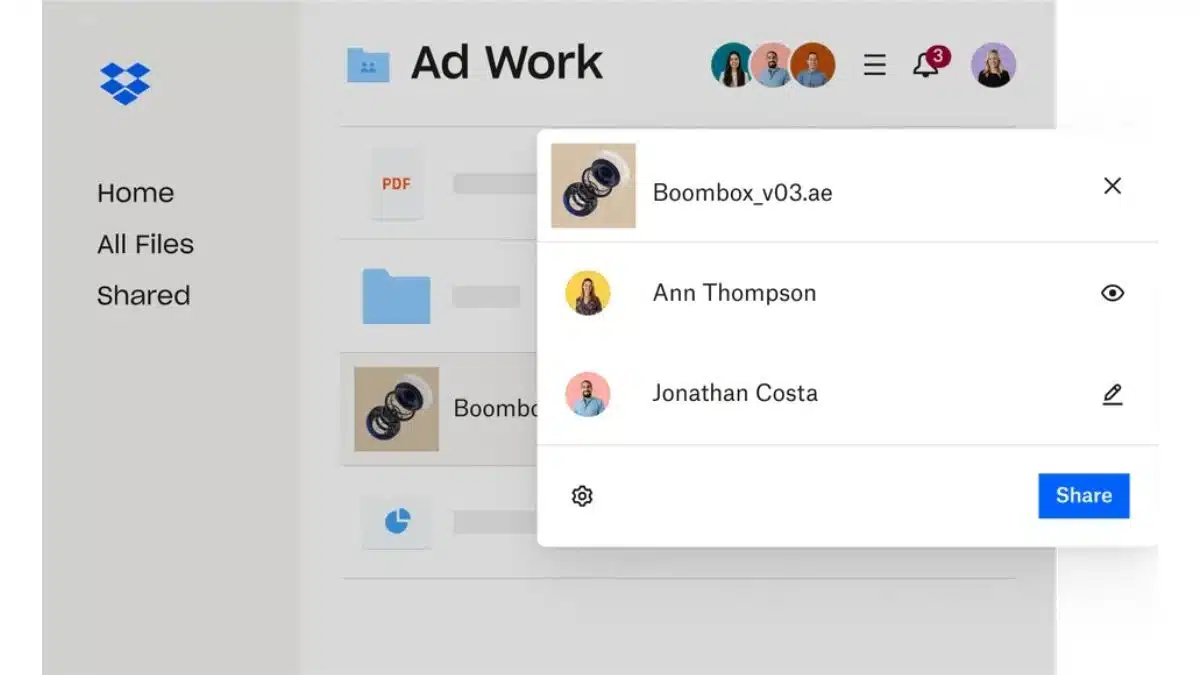
Dropbox Business is a widely used cloud storage solution with advanced features of a document management software. It is designed for teams that need a secure and scalable platform for file sharing, collaboration, and managing documents across departments or remote teams.
Key features of Dropbox Business:
- Real-time file syncing and sharing across teams
- File versioning to track changes and restore previous versions
- Advanced security (2FA, encryption)
- Integrates with Slack, Zoom, and Microsoft 365.
| Pros | Cons |
|
|
Read more: Definition of Multitasking, Pros and Cons, and How to Do It Properly
12. Klippa DocHorizon
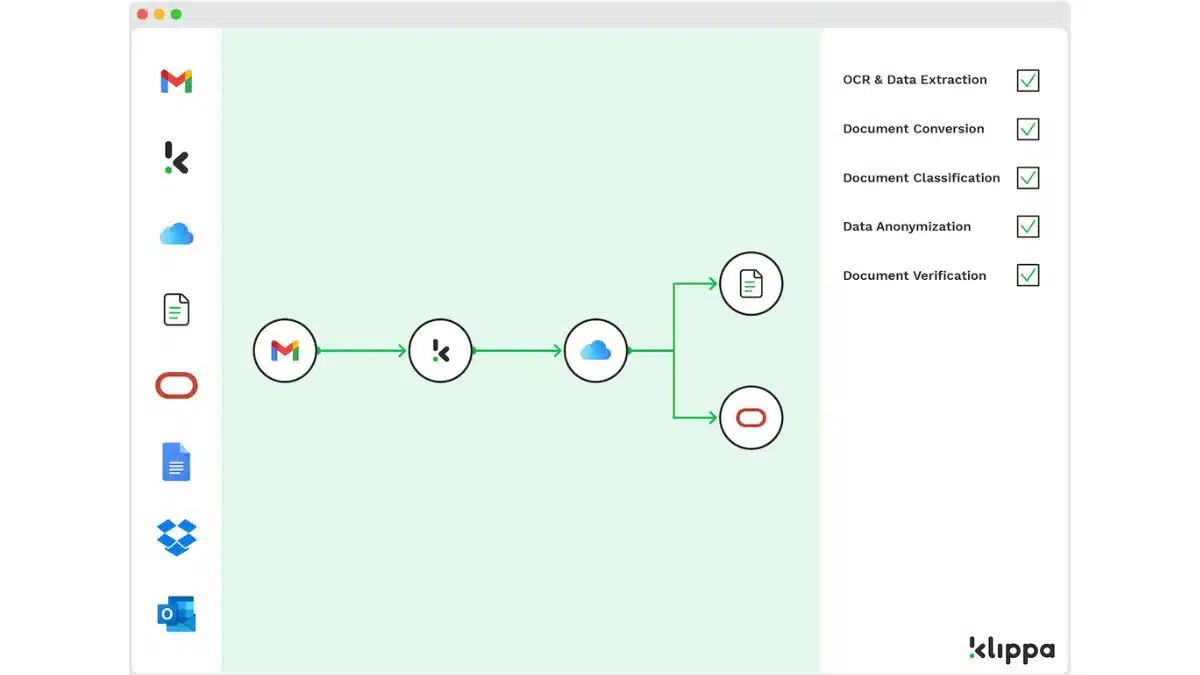
Klippa DocHorizon is a cloud-based Intelligent Document Processing (IDP) solution that leverages AI and OCR technology. It automates document processing tasks like data extraction, classification, conversion, and verification, making it ideal for businesses needing fast document management.
Key features of Klippa DocHorizon:
- Automates the extraction and verification of invoice data
- Pricing extraction
- OCR to scan and process ID documents
- API integration
| Pros | Cons |
|
|
13. Axero
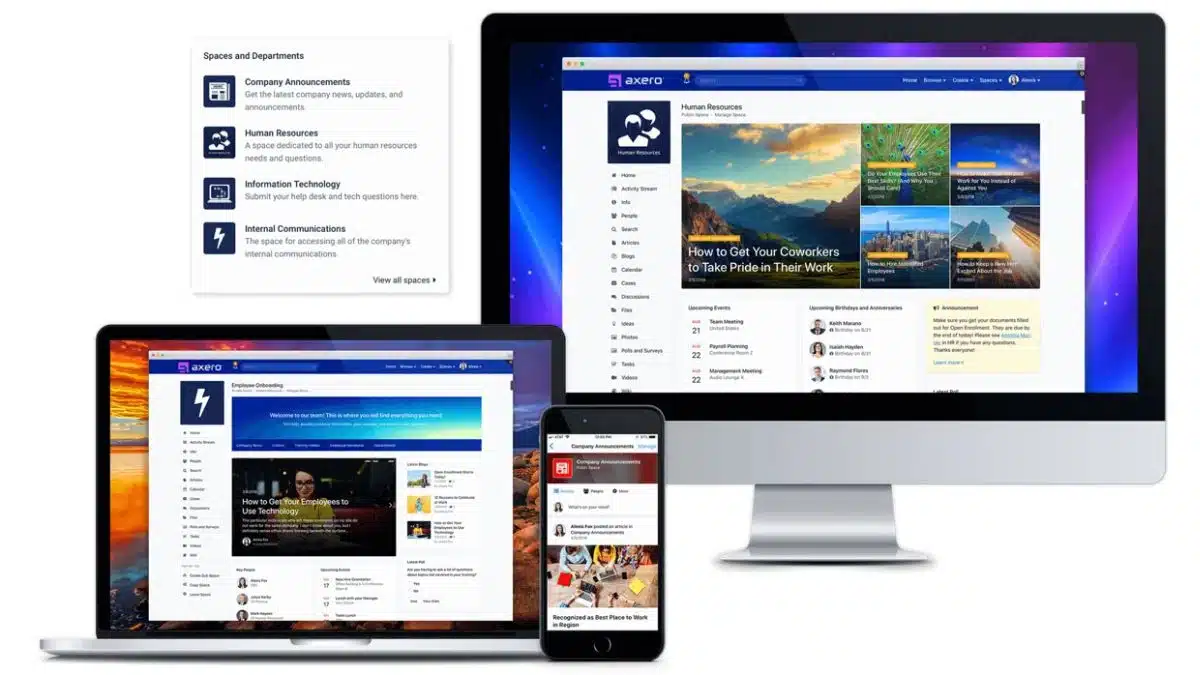
Axero is an intranet platform designed to centralize communications, collaboration, and content management within organizations. It allows teams to store, organize, and access documents in a centralized hub, ensuring that everyone has access to the latest versions of files.
Key features of Axero:
- Centralized repository for document storage and organization
- Version history tracking for document revisions
- Role-based access control to secure sensitive documents
- Integrates with Slack, Microsoft Office 365, Google Workspace, and other tools.
| Pros | Cons |
|
|
14. OpenText
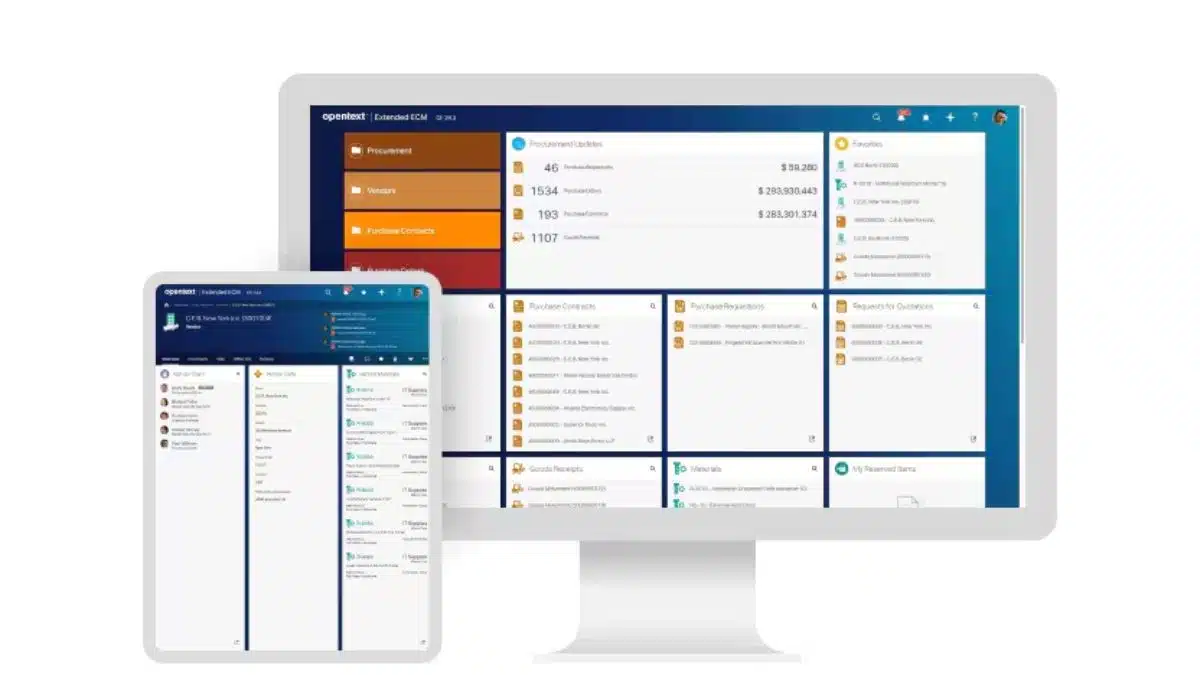
OpenText Content Server, a DMS within the OpenText Enterprise Content Suite, handles diverse document types with robust file management, workspace creation, and custom metadata features. It seamlessly integrates with Microsoft Office and Windows Explorer.
Key features of OpenText:
- Extensive integrations with other business tools and platforms
- Intelligent capture to digitize paper documents
- Workspaces for organizing files across teams
- Supports all document types
| Pros | Cons |
|
|
15. DocHub Document Management Software
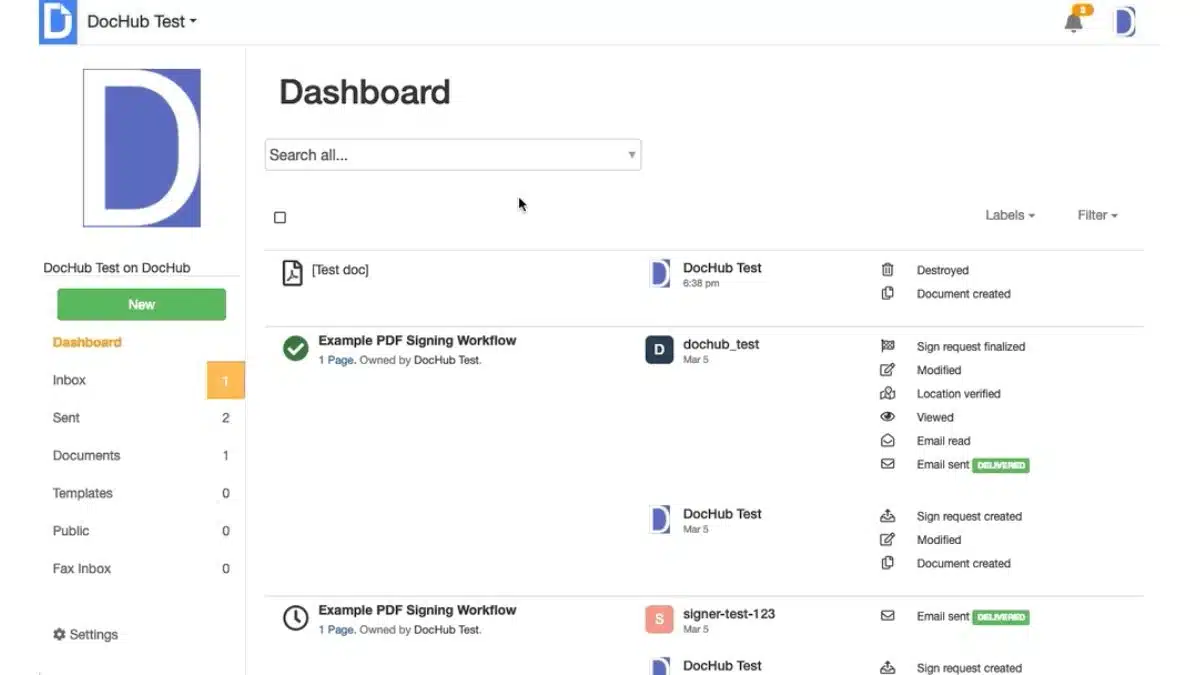
DocHub is an intuitive online document management platform that allows users to edit, sign, and share PDF documents directly from a web browser. It eliminates the need for additional software, providing a streamlined solution for teams looking to enhance their document workflows and collaboration efforts.
Key features of DocHub:
- PDF editing allows users to add text, images, comments, and highlights to documents
- Form creation and management tools
- Document merging
- Integration with Google Workspace, Dropbox, and OneDrive
| Pros | Cons |
|
|
16. Trainual
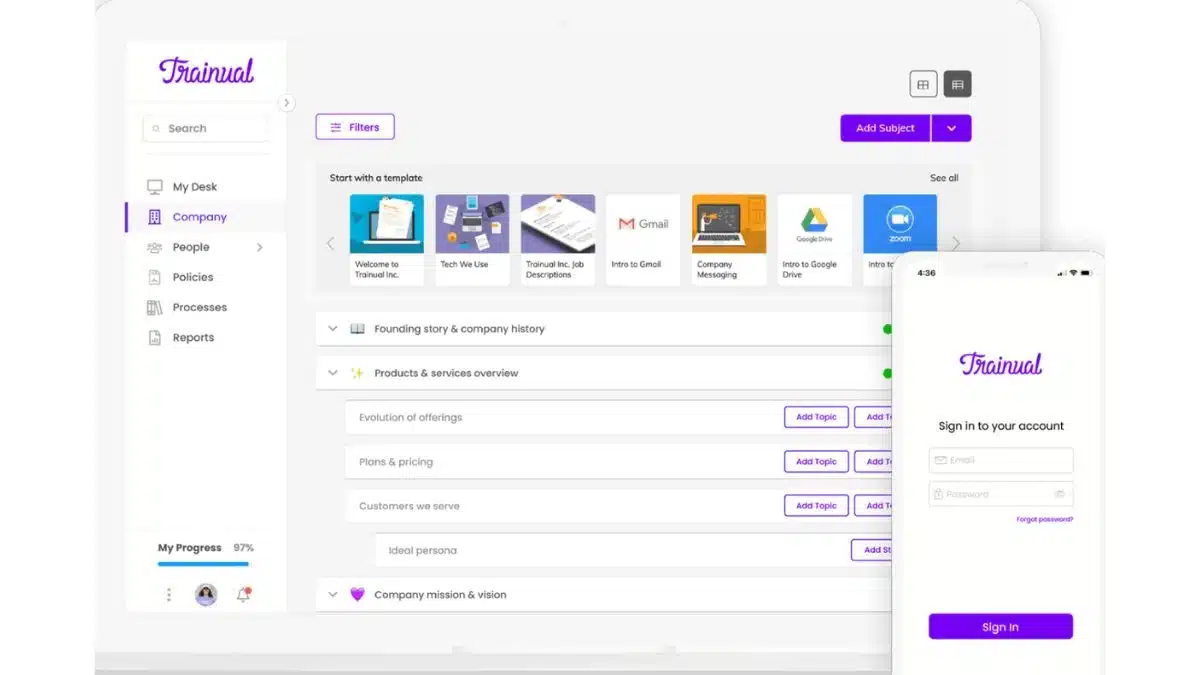
Trainual is a document management system designed to help businesses document and organize their processes, policies, and SOPs. It serves as a centralized hub where teams can access training materials and step-by-step guides to ensure everyone is aligned and informed about company operations.
Key features of Trainual :
- Document import functionality to convert existing files
- AI-powered content generation
- Centralized hub for easy access and collaboration
| Pros | Cons |
|
|
How to Choose the Right Digital File Storage Platforms
Choosing the right document management system (DMS) is crucial for your business success. With so many options available, it’s important to carefully evaluate the document management system benefits and select a provider that fits your business needs. An effective DMS will streamline workflows and enhance collaboration across teams.
Tailored to business needs
First, it’s essential to select a document management system provider that aligns with your specific business needs. For example, small businesses may prefer a file management software that is simple and easy to use. In contrast, larger organizations may need a DMS that offers advanced features like workflow automation and multi-user access.
Data security is key
In addition, make sure the DMS includes strong security features like encryption, role-based access controls, and automatic backups. These features are critical for protecting sensitive data and ensuring compliance with industry regulations, thus preventing potential breaches or loss of important information.
Ease of Access and Use
Choose a system with an intuitive, user-friendly interface that supports accessibility across devices like desktops and mobile phones. This flexibility allows teams to work from anywhere, improving collaboration and productivity across departments.
Integration with Other Systems
Make sure the DMS seamlessly integrates with other business applications, such as ERP, CRM, or productivity tools. This integration minimizes manual data entry, streamlines processes, and ensures teams have the most up-to-date information at all times.
Compliance and Scalability
For businesses in regulated industries, ensure the DMS supports compliance with standards such as ISO 27001, GDPR, PDPA, and industry-specific regulations. Additionally, select a system that scales with your business growth and offers flexibility as your document management needs evolve.
Cost and Pricing
Finally, consider the pricing structure of the document storage system. Compare the subscription fees, setup costs, and any additional charges for extra storage or users. Ensure the DMS fits within your budget while meeting your current and future needs.

Conclusion
Selecting the right document management system is a critical step for businesses looking to boost efficiency, ensure compliance, and enhance security. It’s important to evaluate factors like scalability, integration with other tools, and the system’s ability to meet specific business needs.
Interested in adopting one of these document management software for your business? Consult with our expert so that you can optimize your document management, improve your team’s productivity, and help you stay ahead of the competition with a solution tailored to your needs.

FAQ about Document Management System
-
What are the three types of DMS?
The three types of DMS are centralized, where all documents are stored in one location; distributed, where documents are spread across multiple systems; and hybrid, which combines elements of both centralized and distributed systems for flexibility.
-
Is document management a hard skill?
Yes, document management is considered a hard skill because it requires technical knowledge of DMS software, file organization, workflow management, and compliance with industry standards.
-
What is the difference between CRM and DMS?
A CRM focuses on managing customer data and interactions, while a DMS stores, organizes, and retrieves documents within an organization, ensuring efficient document control and collaboration.
-
What are the three stages of DMS?
The three stages of DMS are capture, where documents are digitized; storage, where files are securely organized; and access and retrieval, where users can quickly find and retrieve documents as needed.