















The morning rush hits fast in the Philippines, office workers lining up for iced Americanos, custom milk requests, and orders pinging from GrabFood. For cafe owners, the right cafe pos system keeps peak hours smooth and profitable.
Cafes move quicker than full-service restaurants, with highly customizable menus and strong reliance on digital payments and delivery apps. A cafe-focused POS helps manage modifiers and handle multiple order channels without slowing service.
From small tambayan coffee shops to specialty cafes in Bonifacio Global City, the right POS improves workflow, sales visibility, and speed. As cafe culture grows, technology becomes key to running a sustainable coffee business.
Table of Contents
Key Takeaways
|
What is a Cafe POS System?
A cafe POS system is purpose-built technology for coffee shop operations— distinct from general retail POS or even restaurant systems. While the core function remains transaction processing, cafe-specific POS solutions address workflows unique to coffee businesses:
Many cafes rely on POS systems to enhance service speed, maintain accurate financial records, and simplify operational tasks. With automation and real-time reporting, cafe POS systems contribute to smoother operational workflows and increased overall efficiency.
What Makes Cafe POS Different:
- Modifier-Centric Design
Unlike retail (scan barcode → done) or restaurant orders (appetizer → main → dessert), cafe orders are modifier-heavy. A single drink might involve:
– Base choice (espresso, brewed, cold brew)
– Size (8oz, 12oz, 16oz)
– Milk type (regular, oat, almond, coconut, soy)
– Sweetness level (full, half, sugar-free)
– Add-ons (extra shot, flavored syrup, whipped cream)
– Temperature (hot, iced, blended) - Speed-Optimized Interface
Cafe transactions average 45-90 seconds from order to payment. Restaurant
transactions can take 45-90 minutes (full dining experience). Cafe POS
Interfaces must be designed for rapid-fire ordering during the morning rush. - Dual-Mode Operations
Cafes simultaneously handle:
– Quick grab-and-go customers (similar to QSR)
– Dine-in guests occupying tables for hours (similar to a restaurant)
– Delivery aggregator orders (GrabFood, foodpanda) - Ingredient-Based Inventory
Tracking ‘cups of coffee sold’ is useless. Cafe inventory tracks:
– Beans by weight (how many grams per shot)
– Milk by volume (liters used per shift)
– Syrups and add-ons consumption
– Pastry and food items by unit
Why Cafe Operations Specifically Need Dedicated POS Systems
Let’s be concrete about what cafe POS solves, with real numbers from Philippine cafe operations:
The Morning Rush Multiplier
A busy Manila cafe might process 80-120 transactions between 7-9 AM. Without optimized POS, each 10-second delay compounds:
– 100 transactions × 10 seconds = 16+ minutes of cumulative delay
– That’s potentially 8-10 customers who walked away from the queue
Cafe-optimized POS with quick-select modifiers and saved customer favorites can recover these lost revenue goal.
Drink Customization Tracking
Generic POS: Records “Latte – ₱180.”
Cafe POS: Records “Latte, 16oz, oat milk (+₱40), extra shot (+₱30),
half sugar, iced = ₱250”
This granularity matters for:
– Accurate inventory deduction (oat milk depletes faster than regular)
– Understanding actual profit margins per variation
– Identifying which customizations customers request most
The Subscription/Loyalty Math
Cafe customers return frequently—often daily. A customer buying ₱150 Coffee daily represents:
– ₱4,500/month potential
– ₱54,000/year lifetime value
POS-integrated loyalty programs (buy 10, get 1 free) that track across visits turn one-time buyers into regulars. Most Philippine cafes without proper tracking lose this repeat business to competitors who remember their customers.
Wastage Visibility
Coffee shops face unique spoilage challenges:
– Brewed coffee goes stale in 30-60 minutes
– Pastries have a 1-2 day shelf life
– Milk products require cold chain management
POS systems tracking waste by category (expired, spillage, over-preparation)
help cafes identify where money leaks. A cafe wasting ₱500/day in expired
pastries loses ₱15,000/month—often more than their POS subscription cost.
Labor Cost Optimization
Cafe staffing needs fluctuate dramatically:
– 7-9 AM: All hands on deck
– 10 AM-12 PM: Slow period
– 2-4 PM: Afternoon rush
– 5-7 PM: After-work crowd
POS data showing sales-per-hour patterns enables smart scheduling, adequate staff during rush, reduced during lulls. A single unnecessary staff hour daily (₱70-100/hour) adds up to ₱2,100-3,000/month in avoidable costs.

Top 10 POS Systems for Cafes in the Philippines
To help your cafe business find the most fitting POS solution, we’ve rounded up the top 10 cafe POS systems in the Philippines. Each system presents its strengths and considerations, giving you the flexibility to choose the ideal option for your daily operations.
Explore our curated picks to enhance order handling, boost efficiency, and elevate overall service quality in your cafe.
1. Clover
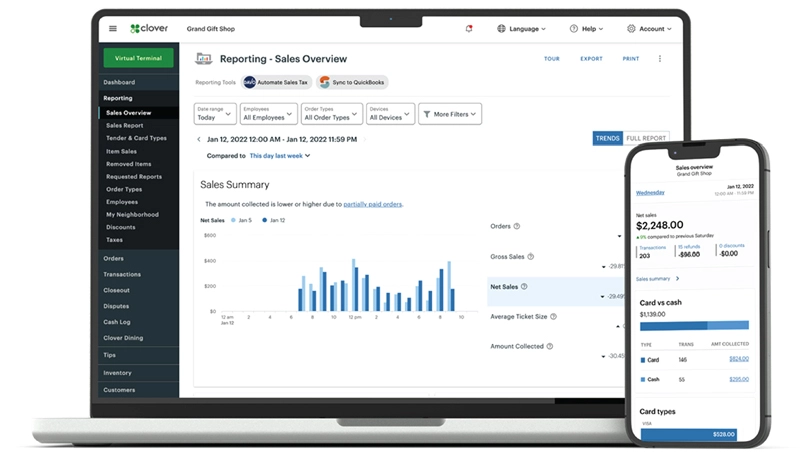
Clover is a POS system built for cafes, coffee shops, and small restaurants. It helps manage everyday operations like taking orders, processing payments, tracking inventory, and managing staff.
With features like menu customization, real-time sales reports, and loyalty programs, Clover makes it simple to run your cafe more efficiently and deliver a better customer experience.
| Pros | Cons |
|
|
2. HashMicro
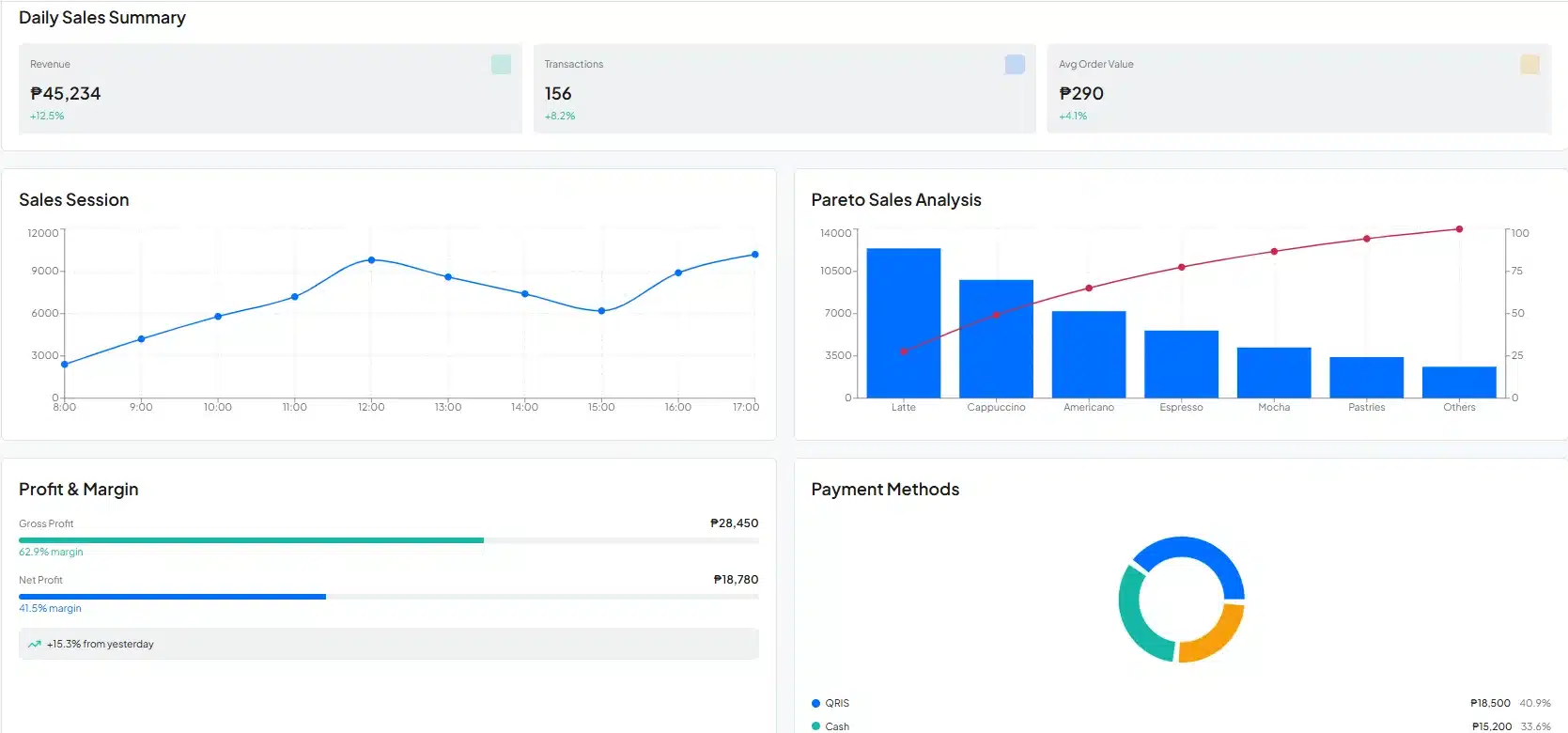
HashMicro’s POS Software is one of the top POS software solutions in the Philippines, offering a variety of features for businesses with complex. The POS system from HashMicro is good for all types of cafe businesses, including coffee shops and others in the food and beverage industry.
This top cafe POS program also offers a comprehensive set of features. Here are the key features of the best POS software from HashMicro:
- POS Loyalty Program: An integrated loyalty program within the POS system offering multiple reward levels that automatically update customer points or status based on their transactions.
- POS Reports: Detailed reports that provide analysis on margins, profits, losses per location, Pareto reports, and sales sessions.
- POS Customer Relationship Management: A system that stores customer databases for personalized promotions, loyalty programs, birthday card sending, and event notifications through automated broadcasts.
- Multi-payment Options: Payment automation with QRIS and e-wallet integrations, along with reconciliation features and complete payment methods for detailed invoice settlement.
| Pros | Cons |
|
|
3. Revel
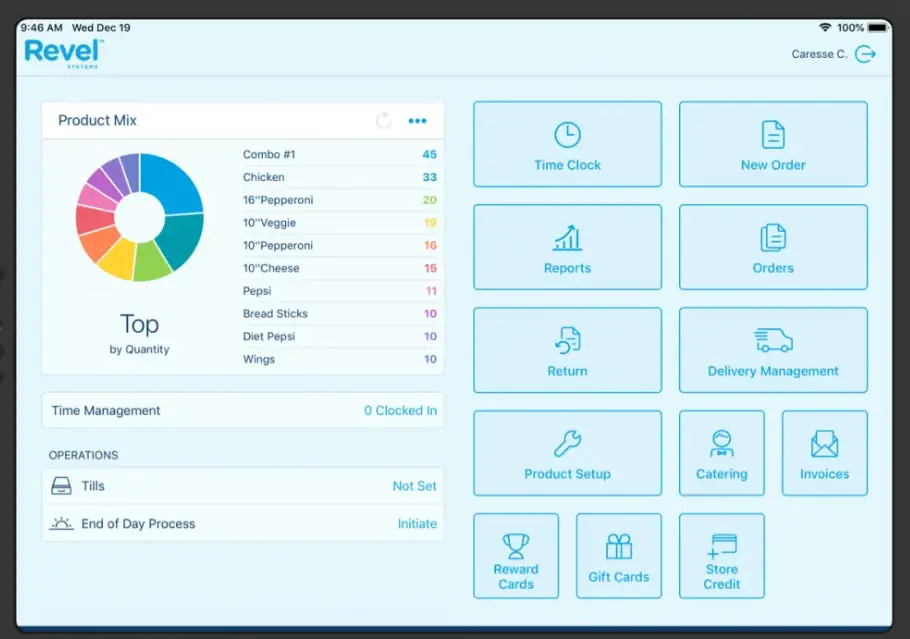
Revel is a POS solution hosted in the cloud, tailored for cafes and fast-paced food service businesses. It offers a centralized system that simplifies key tasks such as order-taking, payment processing, and sales reporting.
Revel is built on an iPad-based system, and it supports multiple ordering types, including counter service, online orders, and delivery. It also includes features like CRM, loyalty programs, and integrations with third-party tools such as delivery apps.
| Pros | Cons |
|
|
4. Toast
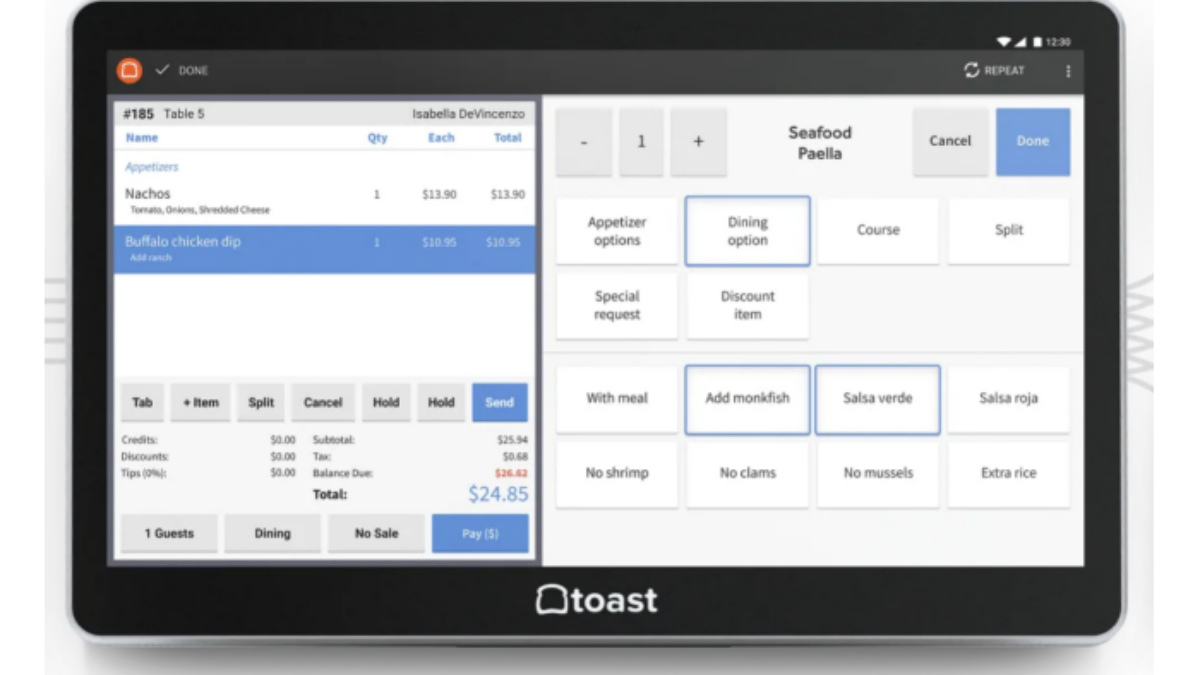
Toast is a cloud-driven POS system developed specifically for cafes. It provides a unified platform to streamline essential operations, such as managing orders, processing payments, and monitoring sales performance.
Toast restaurant management software includes a variety of built-in tools to enhance customer experience, such as loyalty rewards, marketing features, and seamless online ordering integrations.
| Pros | Cons |
|
|
5. LightSpeed
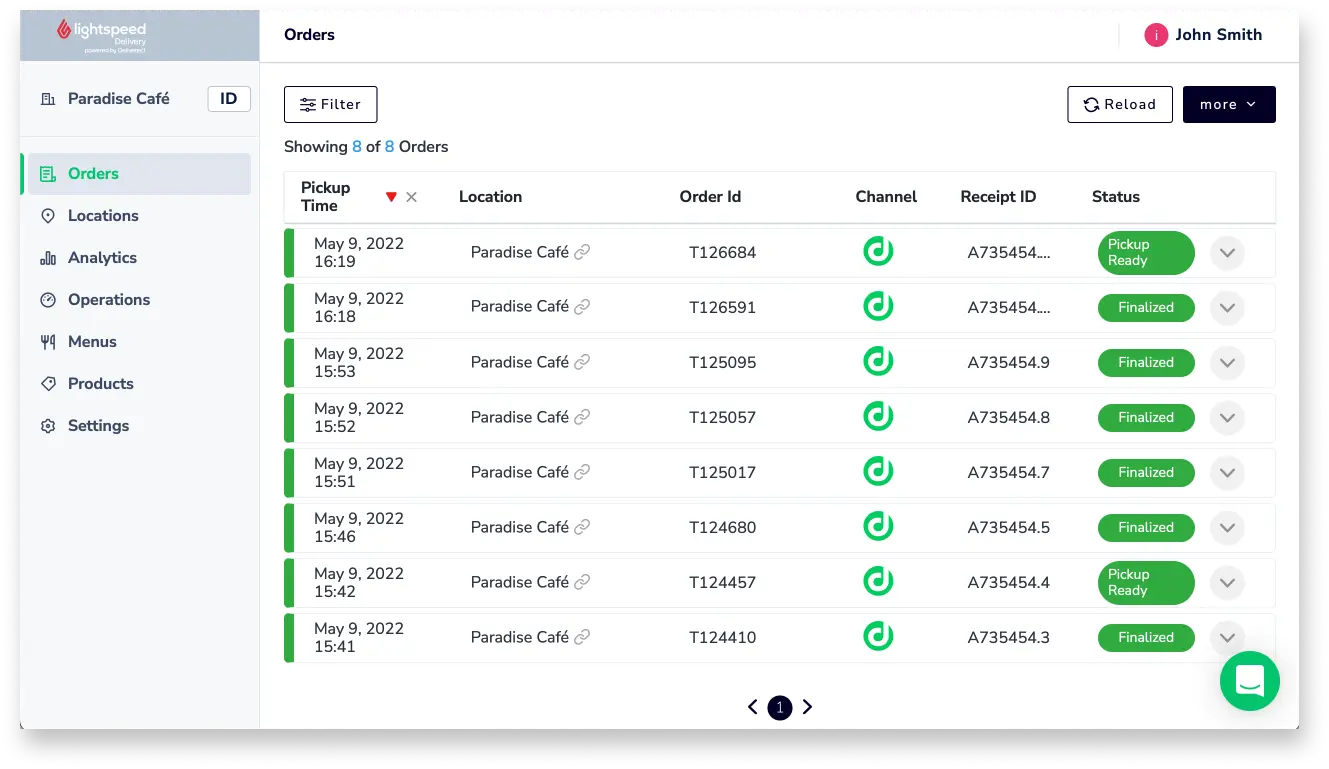
Lightspeed is a cloud-based POS system designed to help businesses manage sales, inventory, and customer relationships engagement. It’s used in a wide variety of industries, including cafes, retail, and hospitality.
| Pros | Cons |
|
|
6. Square
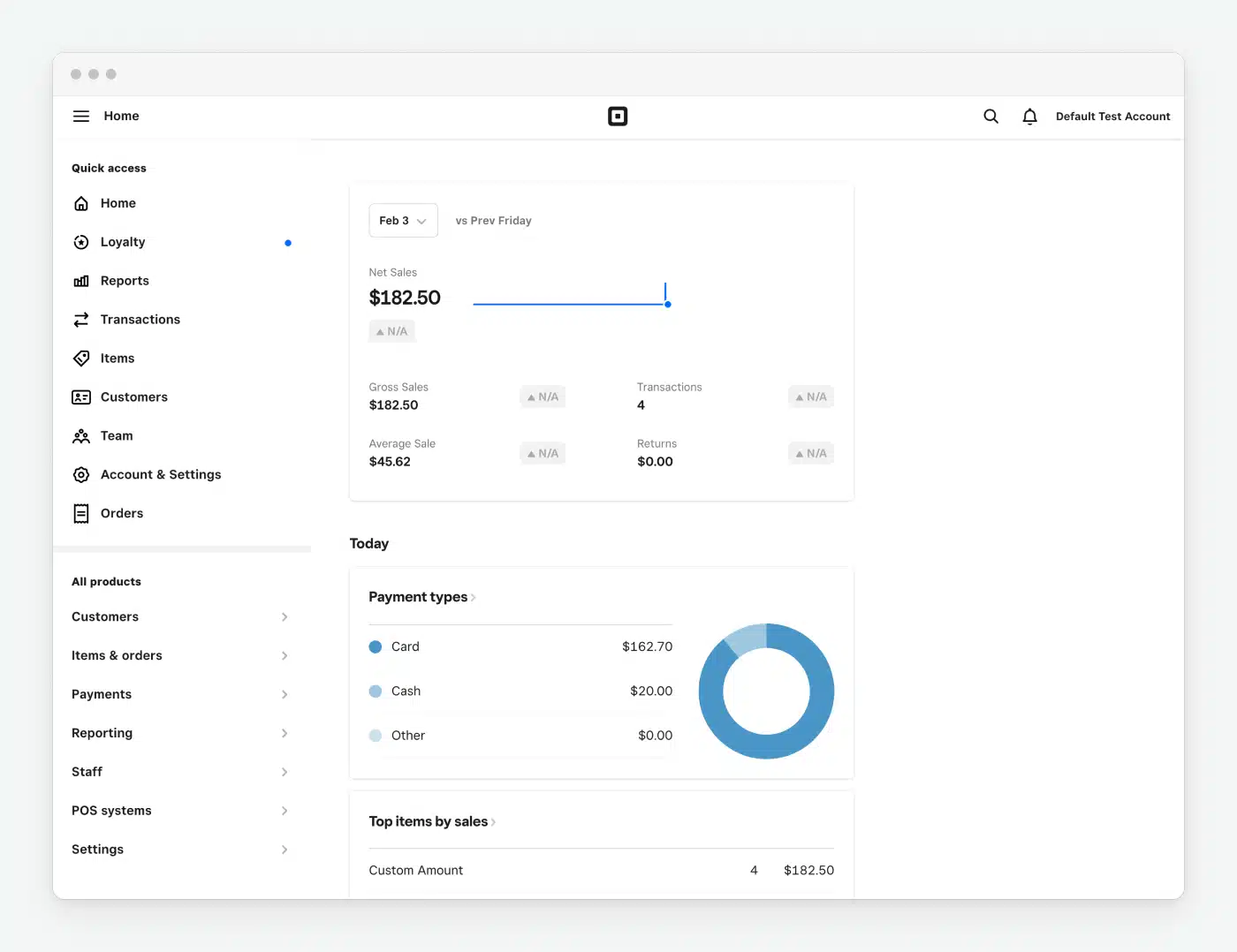
Square POS is a point-of-sale system designed for small businesses, especially in retail, cafes, restaurants, and service industries. It offers an easy-to-use, all-in-one solution to manage sales, payments, inventory, and customer data.
| Pros | Cons |
|
|
7. TouchBistro
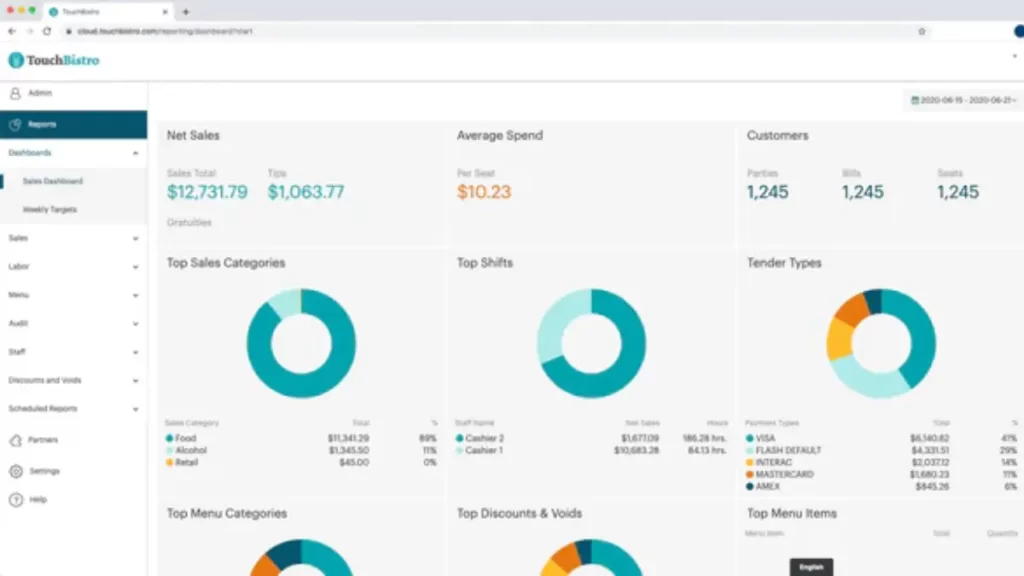
TouchBistro POS is designed to streamline operations and improve efficiency in cafes. It helps manage orders, payments, and customer interactions seamlessly, enhancing the overall cafe experience.
With a user-friendly interface, this system caters specifically to the needs of coffee shops, offering easy access to essential tools that simplify day-to-day management.
| Pros | Cons |
|
|
8. Sage
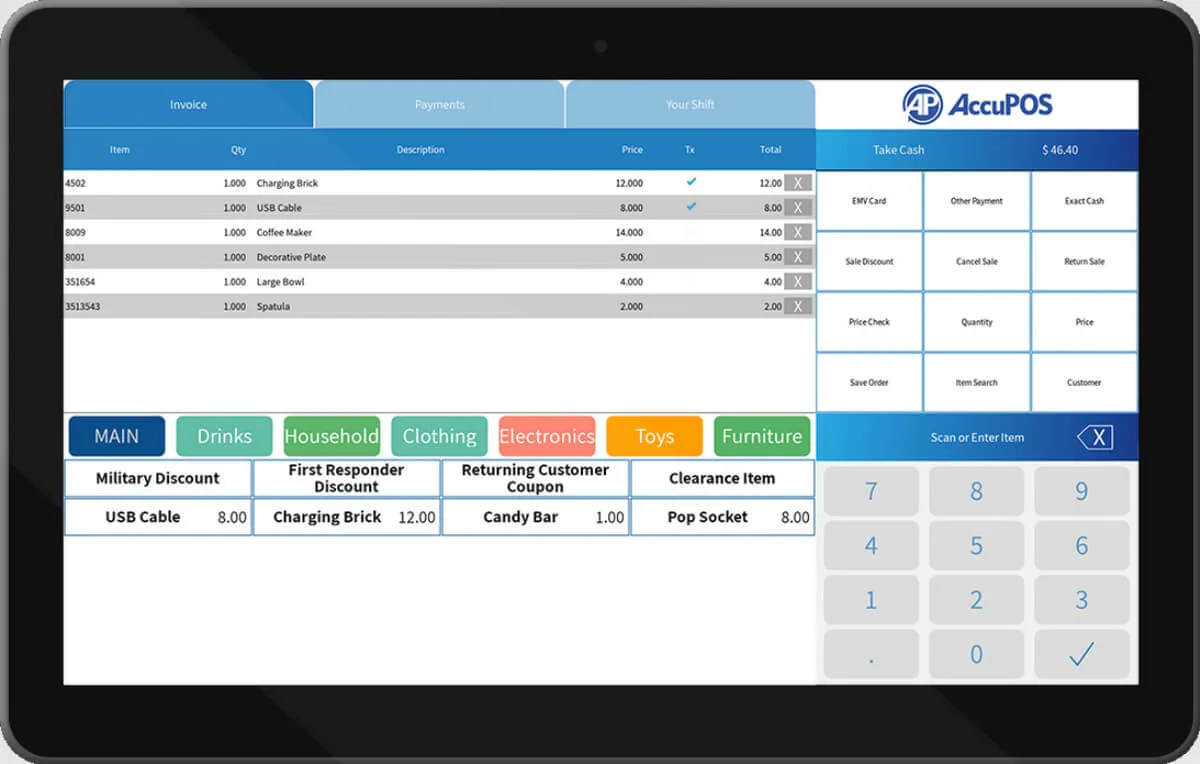
Sage POS software is an ideal point of sale solution for businesses in restaurants, cafes, franchises, and more. This system helps automate sales reporting, manage inventory, and easily control product pricing, providing a streamlined experience for business owners.
| Pros | Cons |
|
|
9. E-cash
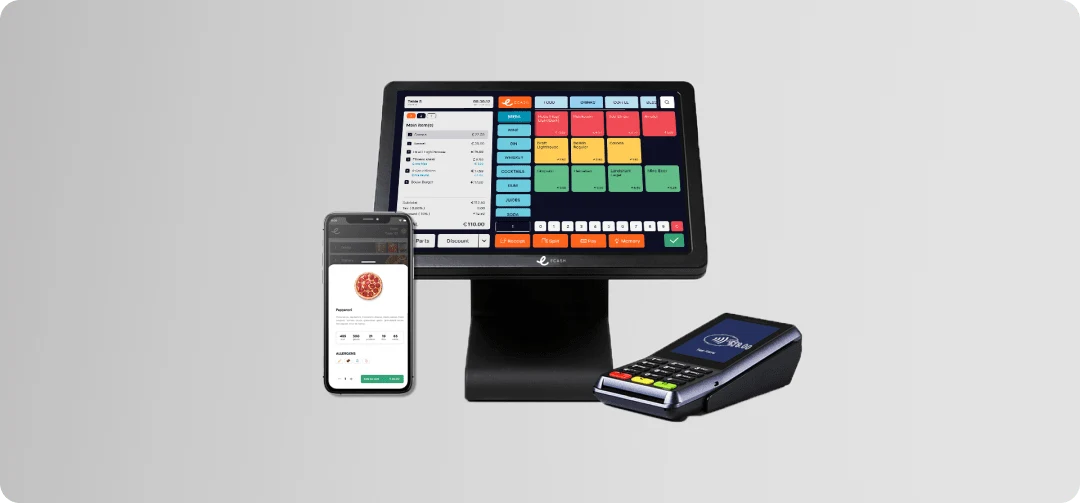
E-Cash POS software for cafes is a POS system categories that integrates digital payment solutions, enabling cafes to process cashless transactions efficiently. It allows customers to pay via e-wallets, QR codes, mobile banking, or credit/debit cards.
| Pros | Cons |
|
|
10. Odoo
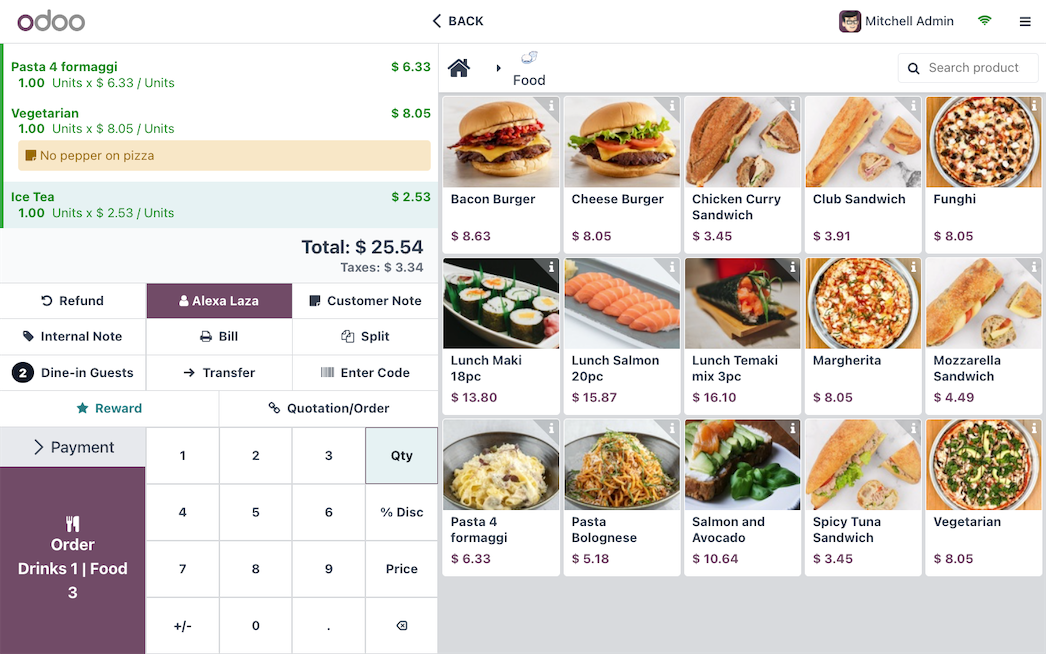
Odoo POS is a point-of-sale system that is part of the broader Odoo business management suite. It’s designed for retail, cafes, restaurants, and other service-based businesses. Since it’s cloud-based and can also work offline, it offers flexibility and real-time data synchronization.
| Pros | Cons |
|
|
Essential Cafe POS Features: What Actually Matters for Coffee Businesses
Not all POS features matter equally for cafes. Here’s what separates cafe-optimized systems from generic solutions:
Drink Builder Interface
🔴 Generic POS: Select “Latte” from menu → done
🟢 Cafe POS: Select base → size → milk → temperature → sweetness → add-ons
The difference is crucial. A proper drink builder:
– Guides staff through required selections (prevents incomplete orders)
– Calculates price dynamically based on selections
– Deducts correct ingredients from inventory
– Prints clear preparation instructions for the barista
Test Question: Can your staff ring up “16oz iced oat milk latte with extra shot and vanilla, half sugar” in under 8 seconds? If not, your POS is costing you during rush hours.
Quick-Access Favorites
Peak periods don’t allow time for menu navigation. Effective cafe POS provides:
– Customizable hot buttons for top 10-15 drinks
– One-touch reorder for returning customers
– Saved “usual order” by customer name
– Quick-add modifiers without leaving main screen
Real Impact: Reducing average transaction time by just 5 seconds during Morning rush (7-9 AM, ~100 transactions) saves 8+ minutes, enough time to serve 5-8 additional customers.
Ingredient-Based Inventory (Not SKU Tracking)
Generic retail POS tracks products: “10 bags of coffee beans remaining”
Cafe-specific POS tracks consumption:
– 18g beans used per espresso shot
– 4 shots sold today = 72g deducted
– Current inventory: 2,340g remaining
– Projected runout: 3.2 days at current pace
– Reorder alert: Triggered when below 1,000g
This granularity enables:
– Accurate cost-per-drink calculations
– Waste identification (theoretical vs. actual usage)
– Automated reorder triggers
– Supplier performance tracking (beans lasting longer/shorter than expected)
Split Kitchen/Bar Routing
Cafes serving food alongside drinks need intelligent order routing:
– Drink items → Bar printer/display
– Food items → Kitchen printer/display
– Combo orders → Split automatically
Without this, staff manually relay food orders to kitchen—introducing delays
and errors during busy periods.
Tipping Configuration
Barista compensation often includes tips. Proper cafe POS handles:
– Suggested tip percentages on customer screen
– Tip pooling calculations for team distribution
– Individual tip tracking for tax purposes
– Cash vs. card tip reporting
Philippine Context: With increasing card/e-wallet usage, digital tipping matters more than ever. Systems without tip functionality shift this burden to manual tracking.
Mobile Order Integration
Modern Philippine cafes receive orders from multiple channels:
– Walk-in counter orders
– GrabFood / foodpanda
– Direct mobile ordering (cafe’s own app/website)
– Advance orders via messaging
An effective cafe POS consolidates these into a single queue, preventing:
– Double-selling inventory
– Order collision during rush
– Missed delivery orders
Customer Recognition & Loyalty
Unlike restaurants where customers visit monthly, cafe regulars come daily. The POS should:
– Recognize returning customers (phone number or card)
– Display purchase history (“the usual?”)
– Track loyalty progress across visits
– Enable personalized promotions (birthday rewards, etc.)
Loyalty Math: A customer converted from occasional (2x/month) to regular
(3x/week) represents ₱2,400/month additional revenue from single conversion.
How to Choose the Best POS for a Cafe
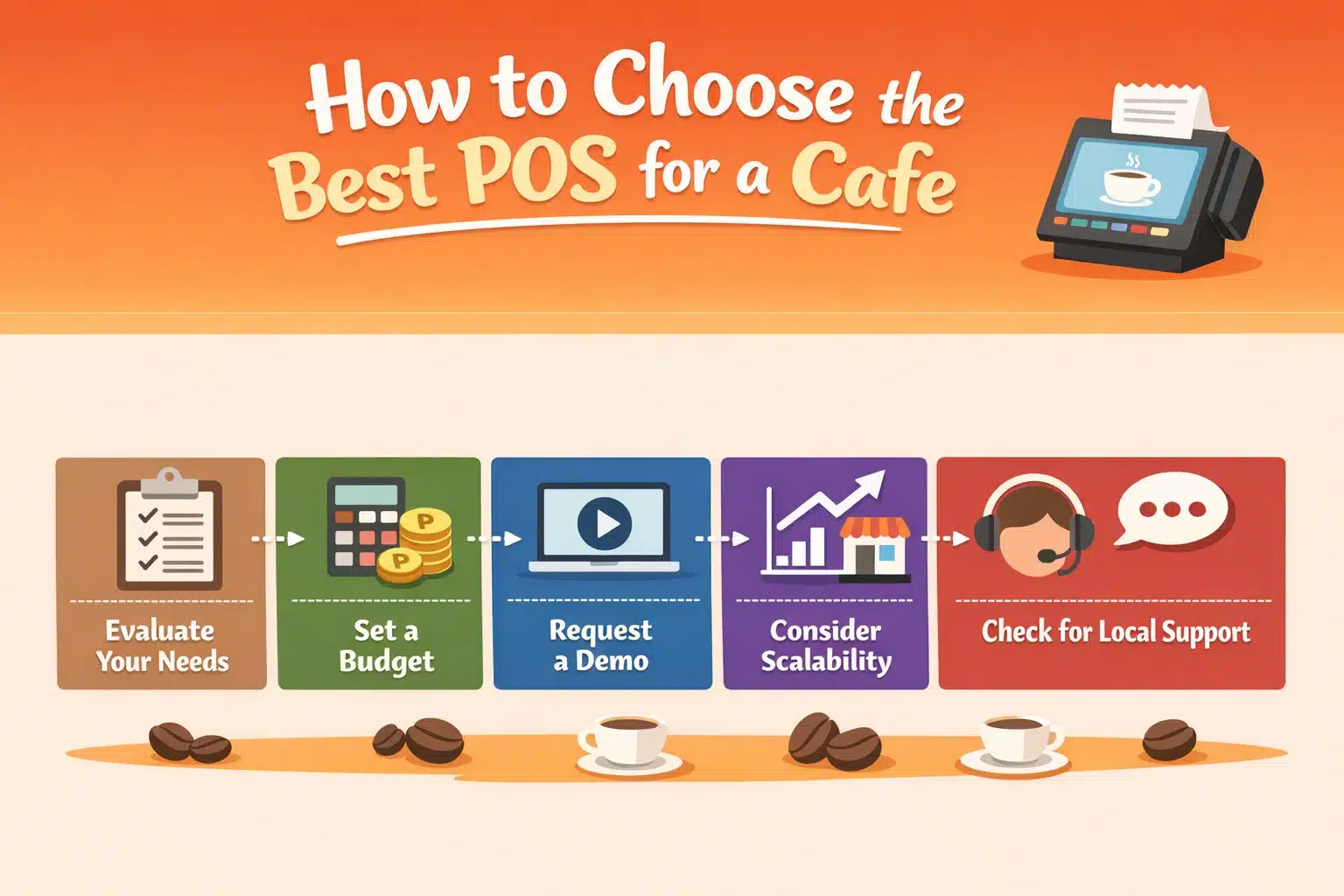
Considering the wide range of POS systems on the market, selecting the most suitable one for your cafe can feel daunting. To help you make a more informed decision, here are a few practical tips you can follow:
- Evaluate your needs
Identify the specific operational needs of your cafe, such as advanced inventory tracking or precise order processing from the table. Create a list of essential features required before comparing different POS systems.
- Set a budget
The cost of POS systems can vary significantly. Some offer basic versions at no charge, while others may require monthly billing payments. It’s important to set a budget and ensure it aligns with the essential features your cafe needs.
- Request a demo
Trying out demos gives you the chance to experience the system’s interface firsthand. It allows you to evaluate whether it’s intuitive and easy for your staff to navigate, ensuring it aligns with your cafe’s workflow and operational needs.
- Consider scalability
In that case, it’s crucial to choose a POS system that offers flexibility and can easily accommodate your expanding needs. It will ensure that the system can handle the complexities of managing multiple locations without compromising efficiency.
- Check for local support
Select a POS system provider that offers dependable local support, as timely assistance is crucial for resolving technical issues and maintaining seamless cafe operations, particularly during peak service hours.
Conclusion
Choosing the right POS software helps cafes improve efficiency and deliver better customer service. With streamlined order processing, accurate inventory tracking, and faster payments, daily operations become more organized and reliable.
Modern POS systems also support customer management, loyalty programs, promotions, and automated reporting, making it easier for cafe owners to monitor performance and manage operations in one place.
Starting with a free consultation can help you identify the POS features your cafe needs, reduce operational errors, and build a system that supports smoother service and long-term business growth.
Frequently Asked Questions
-
What is a cafe POS system?
A point-of-sale system is the combination of hardware and software that allows your business to process sales and perform other functions. It is essential for the smooth functioning of your cafe. A POS system includes hardware, such as a terminal, that processes information about a sale.
-
What is a POS in a cafe?
POS stands for point of sale, and it refers to the transactional moments when a guest orders and pays for their meal. Plenty of places continue to make do with the cash-only, pen-and-paper systems that restaurants have relied on for years.
-
What is the cafe system?
By focusing on the four key components of successful reading: Comprehension, Accuracy, Fluency, and Expanding Vocabulary, and providing strategies to support each goal, the CAFE System is an efficient and effective way to assess, instruct, and monitor student progress.














