
















Key Takeaways
|
Table of Contents
Quick Overview of Best Pharmacy POS
| Brand | Best for | Pros | Cons |
|---|---|---|---|
| HashMicro | Suited for medium to large pharmacies or chains that need a scalable system with end-to-end integration from sales to accounting. | Unlimited users with no additional costs; BIR-accredited system that complies with tax laws; Dedicated local customer support that understand the needs of pharmacy businesses | May offer more features than needed for very small pharmacies; Implementation time varies depending on customization level |
| Parmazip | All-in-one solution to streamline sales, inventory, and prescription management. | Offers specific features for pharmacies; BIR-accredited and suitable for business in the Philippines; Includes AI-assisted tool for bulk product imports | Limited integration options with other systems; Basic reporting features; Support is limited to email and in-app FAQs |
| RxPlus | Simplify daily operations while helping local businesses stay compliant and competitive. | Comprehensive inventory management; Modular architecture that can be customized; Can integrate with various accounting systems | Limited online presence; Unclear compliance features; Information of what kind of support they provide is unclear |
| IVend | Robust features to streamline operations, manage inventory, and ensure regulatory compliance. | Provides omnichannel support and seamless integrations; Advanced analytics features; Compatible with multi-store and multi-currency companies | Specialized features like prescription management might not be available; Integration with existing system might be complex; Might come with higher implementation and maintenance costs |
| Odoo | Integrates with Odoo’s business apps to manage sales, inventory, and customer data in one platform. | Customizable based on a pharmacy business’s needs; Comprehensive pharmacy management; Compatible across every device | Limited support in community version; Can be demanding on system resources; Customization might require technical expertise or third-party assistance |
| BirPOS | Mobile order-taking, real-time stock reconciliation, and comprehensive discount and commission management. | Accredited by BIR and comply to tax laws; Offers detailed sales and inventory reports; Has enhanced security features | Limited online presence; Designed for general use and might lack specific features; Limited integration with other systems |
| PrimeRx | Daily tasks like prescription processing, invoicing, and insurance claims, which reduces the risk of human error. | Offers specific features for pharmacy management; Automates workflows with refill reminders; User-friendly interface | POS functions are limited, with issues like double billing; Inventory tracking may be unreliable for perpetual systems; Support response can be slow or inconsistent at times |
| Square POS | Designed to help small and medium-sized businesses manage sales, inventory, and customer relationships efficiently. | Limited customization options for complex business needs; Customer support is not available 24/7; Only works with Square Payments as its payment processor | Offers a user-friendly interface that’s easy to navigate; Provides real-time inventory tracking and sales analytics; Supports multi-device access with a fully cloud-based platform |
| ConnectPOS | Cloud-based POS system made specially to boost pharmacy efficiency and keep customers happy. | Syncs data in real time across multiple sales channels; Works with popular e-commerce platforms like Shopify; Includes built-in tools for promotions, customer loyalty, and store credit | Requires frequent software updates; Limited functionality on mobile devices; Integration with certain e-commerce platforms may require additional configuration |
| DataScan | For wholesalers and pharmacies that focus heavily on pricing accuracy and financial insights. | Designed specifically for pharmacies with Rx and OTC management tools; Provides electronic signature capture and prescription scanning; Includes delivery tracking and integration with workflow systems | Initial setup and integration may present challenges; Limited online presence and user reviews; Some users have reported difficulties with customer support responsiveness |
What is Pharmacy POS?
A pharmacy POS system combines software and hardware tools to handle sales transactions, manage inventory, and store customer information. It helps pharmacies process payments, scan product barcodes, and monitor stock levels, while also organizing prescription records and customer profiles.
Beyond these core functions, a pharmacy POS in the Philippines should also support regulatory compliance and business efficiency. Advanced systems help track medicine expiry dates, manage batch numbers, and monitor dangerous drug inventories to comply with local health regulations.
Some solutions even automate prescription refills and offer loyalty programs to improve customer retention, making them essential tools for modern, well-managed pharmacies.
Why Generic Retail POS Systems Fail Pharmacies
Before diving into specific products, let’s understand why pharmacies cannot simply use any POS system:
1. Prescription Medications Require Verification
Unlike buying a shirt or a meal, purchasing prescription medicine involves:
- Verifying the prescribing doctor’s PRC license
- Checking prescription validity (not expired, not altered)
- Recording patient information for controlled substances
- Ensuring correct dosage and quantity dispensed
A generic POS sees a transaction. A pharmacy POS sees a patient safety workflow.
2. Controlled Substances Have Legal Tracking Requirements
The Dangerous Drugs Board (DDB) mandates that pharmacies maintain detailed records of:
- S2 drugs (dangerous drugs): Every tablet, every patient, every prescription
- S3 drugs (regulated drugs): Batch tracking and dispensing logs
- S4 drugs (prescription drugs): Prescription verification records
Failure to maintain these records can result in pharmacy license revocation.
3. Expiry Management is Life-or-Death
Dispensing expired medication isn’t just bad business; it’s potentially criminal negligence. Pharmacy POS must:
- Track expiry dates at the batch level (not just product level)
- Alert staff before products expire
- Enforce FEFO (First Expiry, First Out) dispensing
- Generate reports for expired product disposal
4. Insurance and Government Programs Require Integration
Philippine pharmacies regularly process:
- PhilHealth benefits for seniors and PWDs
- HMO co-payment transactions
- Company medicine allowances
- Government discount programs (20% senior/PWD)
Each requires specific documentation and reporting that generic POS cannot provide.
5. Regulatory Inspections Demand Documentation
FDA and DOH inspectors can arrive unannounced. Your POS must generate:
- Dangerous drugs dispensing reports
- Prescription logs
- Temperature monitoring records (for cold chain items)
- Sales reports matching BIR filings
Understanding Medicine Classifications: What Your POS Must Track
Philippine law classifies drugs into schedules that determine handling requirements:
Schedule 2 (S2) – Dangerous Drugs
Examples: Morphine, Fentanyl, Methylphenidate (Ritalin)
Tracking Requirements:
- Patient name, address, and ID verification
- Prescribing physician name and PRC number
- Exact quantity dispensed (down to individual tablets)
- Balance remaining in pharmacy inventory
- Quarterly report to the Dangerous Drugs Board
POS Must-Have Features:
- Patient database with ID verification fields
- Prescription scanning and storage
- Real-time inventory balance per batch
- DDB report generation (PDEA format)
- Audit trail for all S2 transactions
Schedule 3 (S3) – Regulated Drugs
Examples: Pseudoephedrine-containing products, some sedatives
Tracking Requirements:
- Sales volume tracking
- Purchaser identification for bulk purchases
- Batch-level inventory management
POS Must-Have Features:
- Quantity limits per transaction
- Alert for suspicious purchase patterns
- Batch tracking with supplier information
Schedule 4 (S4) – Prescription Drugs
Examples: Antibiotics, antihypertensives, most prescription medications
Tracking Requirements:
- Valid prescription verification
- Prescriber information recording
- Prescription retention
POS Must-Have Features:
- Prescription entry workflow
- Doctor database with PRC verification
- Prescription validity checking (date, quantity)
Over-the-Counter (OTC)
Examples: Paracetamol, antacids, vitamins
Tracking Requirements:
- Standard sales records
- Batch/expiry tracking (best practice)
POS Must-Have Features:
- Basic inventory management
- Expiry alerts
- BIR-compliant receipting
10 Best Pharmacy POS for Drug Stores in the Philippines
You might wonder now, which system is the best for your drug store business? We present to you the list of the top 10 pharmacy POS in the Philippines in 2026, complete with their features, pros, and cons:
1. HashMicro
Best For: Medium to large pharmacy chains needing full ERP integration with pharmacy compliance
Pharmacy Specialization Level: ⭐⭐⭐⭐ (Strong, with customization)
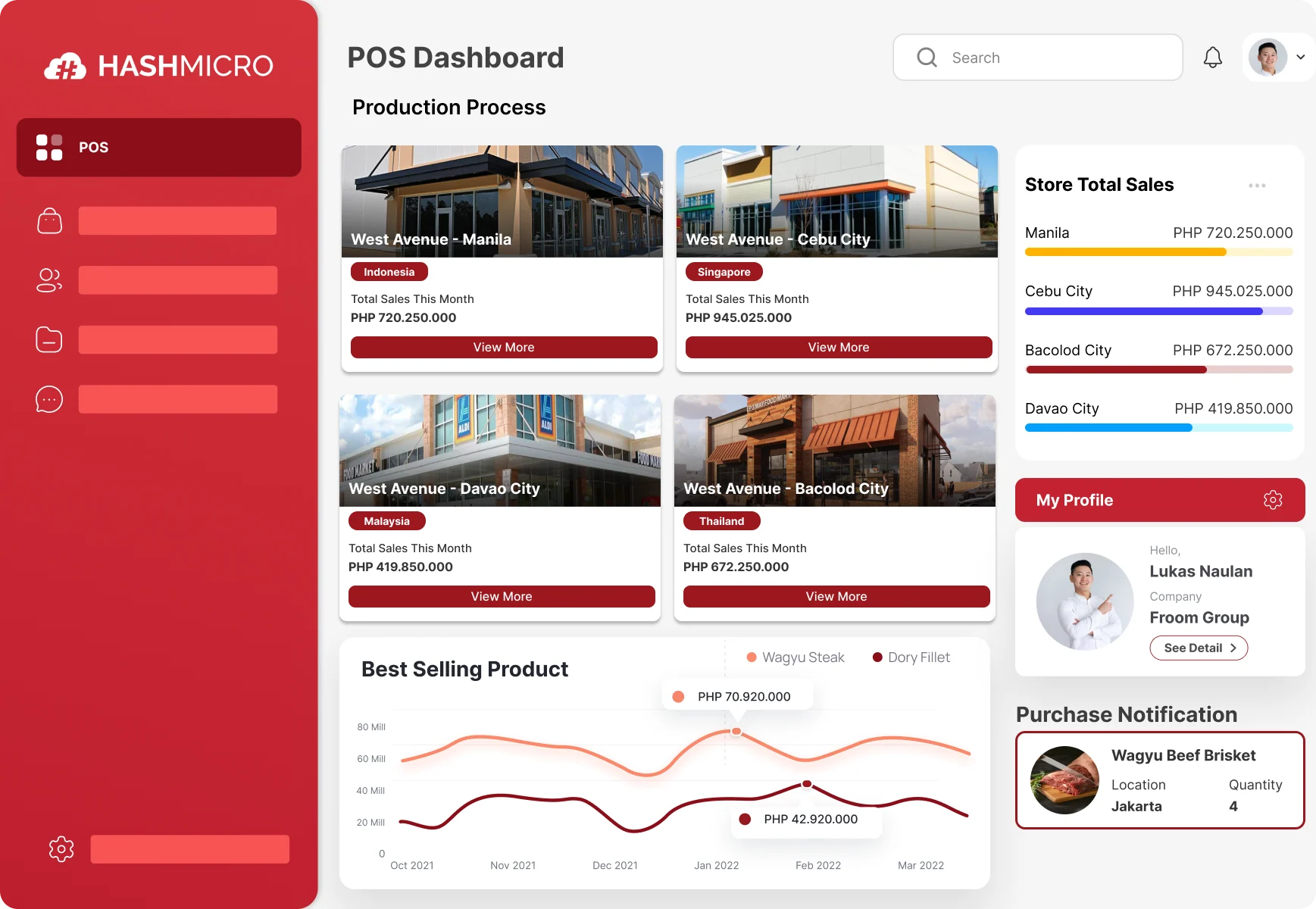
For pharmacy chains with 5+ branches, HashMicro’s retail POS system offers centralized inventory control, BIR compliance, and full ERP integration across locations. While designed for broader retail applications, it offers robust customization capabilities that make it suitable for pharmacy operations. The strength lies in its ERP integration, connecting point-of-sale with inventory, procurement, accounting, and supplier management in a unified system.
Why HashMicro for Pharmacies:
For pharmacy chains managing multiple branches, HashMicro provides centralized control over inventory across locations. The batch tracking functionality can be configured to monitor expiry dates at granular levels, essential for pharmaceutical compliance. The procurement module helps manage supplier relationships, including tracking FDA-registered distributors.
Pharmacy-Relevant Features:
- Batch & Expiry Tracking: Monitor multiple batches per product with expiry alerts
- Multi-Branch Inventory: Real-time stock visibility across all pharmacy locations
- Supplier Management: Track purchases from FDA-licensed distributors
- BIR Accreditation: Compliant official receipt generation
- Custom Reports: Generate reports for regulatory compliance
- Approval Workflows: Control discounts and price overrides
Considerations for Pharmacy Use:
- S2 dangerous drugs module requires customization
- Prescription workflow needs configuration
- Best suited for chains with IT resources for setup
- PhilHealth integration is available through customization
Pricing: Custom quote based on modules and branches. Free consultation available.
Verdict: Excellent for pharmacy chains wanting enterprise-grade ERP with pharmacy customization. May be overkill for single-location community drugstores.
2. Parmazip
Best For: Community drugstores (botika) wanting Philippines-specific pharmacy POS
Pharmacy Specialization Level: ⭐⭐⭐⭐⭐ (Purpose-built for PH pharmacies)
Parmazip stands out as one of the few POS systems designed specifically for Philippine community pharmacies. Unlike adapted retail systems, Parmazip was built from the ground up understanding local pharmacy requirements, from barangay health center botika to medium-sized drugstores.
Why Parmazip for Philippine Pharmacies:
The system includes pre-built compliance features for Philippine regulations. Dangerous drugs tracking follows DDB requirements, prescription management aligns with FDA guidelines, and the interface is designed for how Filipino pharmacies actually operate, including the common scenario of customers asking “Meron ba kayong…” followed by symptom description rather than drug name.
Pharmacy-Specific Features:
- Dangerous Drugs Module: Built-in S2/S3 tracking with DDB report generation
- Prescription Tracking: Digital prescription records with doctor verification
- Expiry Management: Automated FEFO with configurable alerts
- AI Product Import: Bulk import medications from supplier catalogs
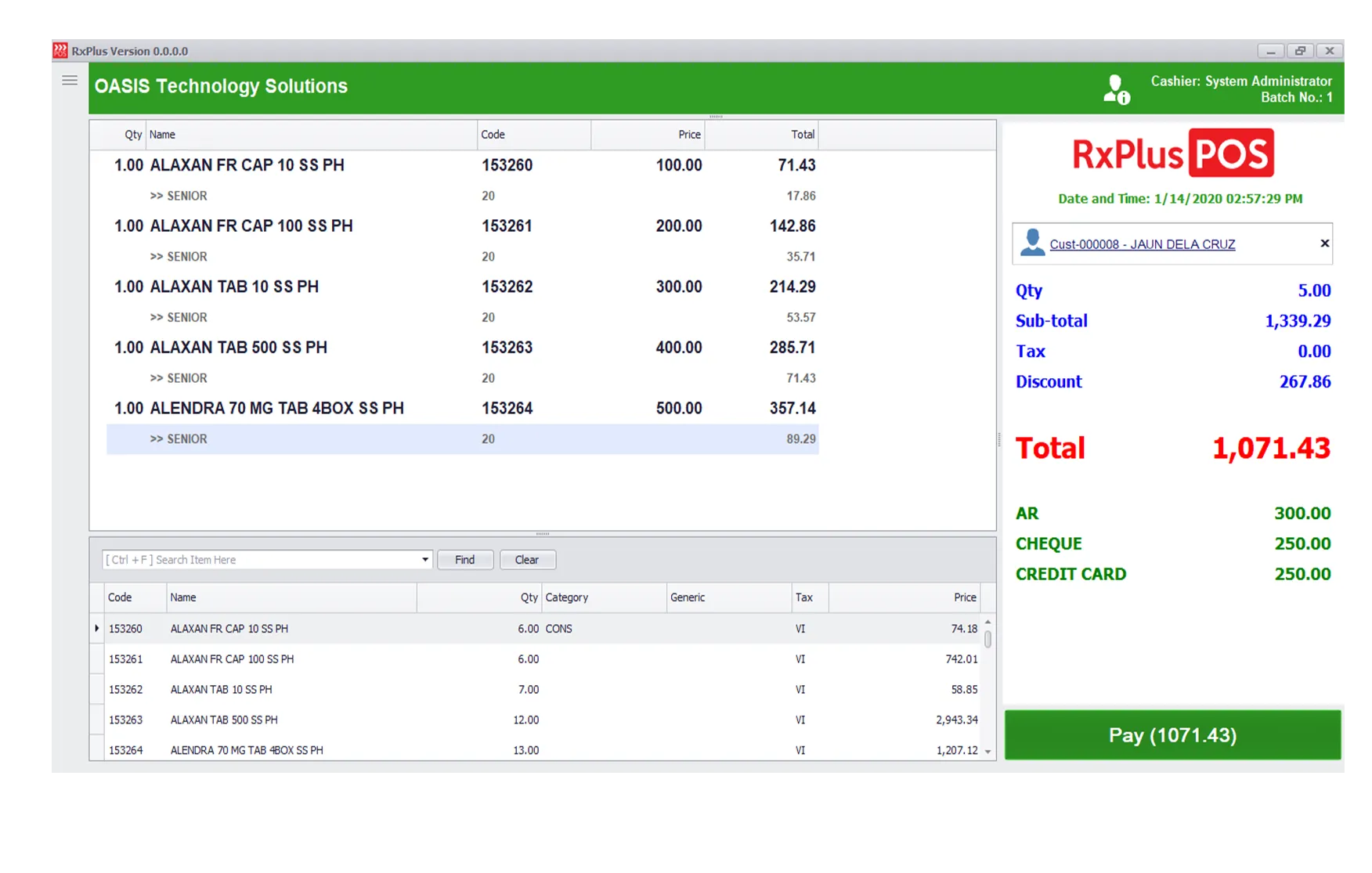
- Senior/PWD Automation: Automated 20% discount with ID logging
- Offline Capability: Works without internet (critical for provincial pharmacies)
BIR Status: Fully accredited for Philippine operations
Limitations:
- Limited integration with external systems
- Basic reporting compared to enterprise solutions
- Support is primarily through email and in-app
Pricing: Contact the vendor for Philippine pricing
Verdict: The most Philippines-specific pharmacy POS available. Ideal for community drugstores prioritizing local compliance over enterprise features.
3. RxPlus by Oasis
Best For: Growing pharmacy chains wanting a proven Philippine market solution
Pharmacy Specialization Level: ⭐⭐⭐⭐⭐ (Established PH pharmacy solution)
RxPlus by Oasis has been serving Philippine pharmacies for years, building a reputation among both independent drugstores and larger chains. The system evolved from understanding actual pharmacy operations in the Philippine context, resulting in features that address real local challenges.
Why RxPlus for Philippine Pharmacies:
With a significant installed base in the Philippines, RxPlus has refined its features based on actual user feedback. The modular architecture allows pharmacies to start with core features and add modules as they grow. The system handles the complexity of Philippine pharmacy operations, including the mix of cash, credit, PhilHealth, and HMO transactions common in local drugstores.
Pharmacy-Specific Features:
- Comprehensive Prescription Management: Full Rx workflow from entry to dispensing
- Warehouse & Expiry Management: Batch tracking with warehouse location support
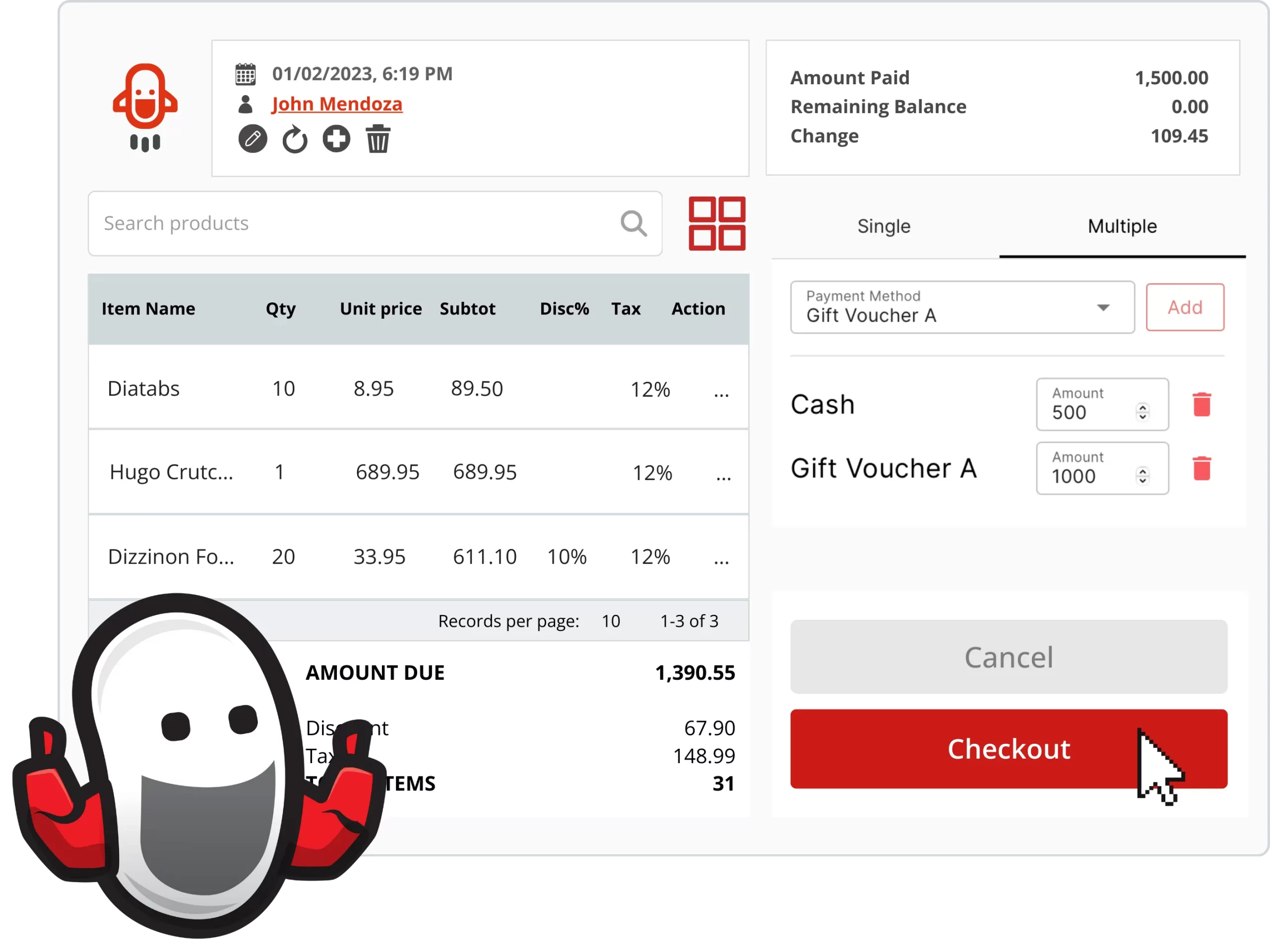
- Multi-Payment Support: Cash, card, PhilHealth, HMO in single transaction
- Purchase Order System: Integrated ordering from suppliers
- Inventory Control: Real-time stock with reorder point alerts
- Sales Analytics: Performance reports by product, category, branch
Integration Capabilities:
- Accounting system integration (various Philippine systems)
- Supplier electronic ordering (select distributors)
Limitations:
- Interface may feel dated compared to modern cloud systems
- Limited online documentation
- Support responsiveness varies by region
Pricing: Contact vendor for quotation
Verdict: Battle-tested in Philippine pharmacies with strong inventory and prescription features. Good for pharmacies wanting proven local solutions over cutting-edge interfaces.
4. iVend
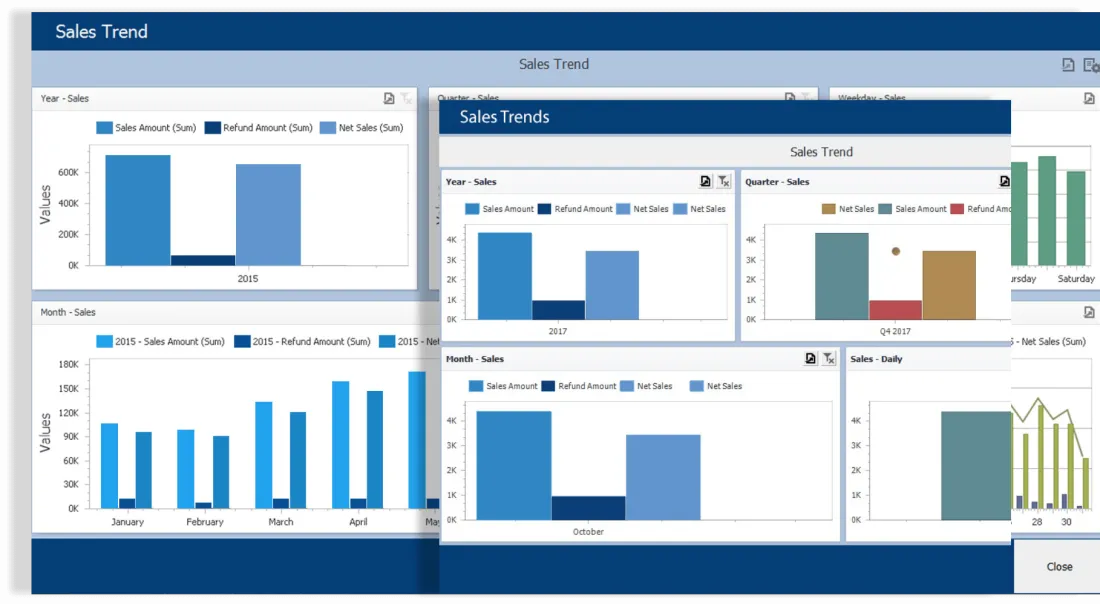
Best For: Pharmacy chains needing enterprise retail platform with pharmacy customization
Pharmacy Specialization Level: ⭐⭐⭐ (Retail platform adaptable to pharmacy)
iVend is primarily an enterprise retail platform that can be configured for pharmacy operations. It’s used by larger retail chains across Southeast Asia, including some pharmacy networks. The strength is in its robust retail foundation, inventory management, multi-location control, and analytics, which can be customized for pharmaceutical requirements.
Why iVend for Pharmacy Chains:
If you’re operating a pharmacy chain that also sells non-pharmaceutical products (cosmetics, personal care, medical devices), iVend’s retail-first approach may be advantageous. The system handles the complexity of mixed retail while allowing pharmacy-specific configurations for prescription items.
Pharmacy-Relevant Features:
- Enterprise Inventory Management: Multi-warehouse, multi-location tracking
- Expiry Date Monitoring: Batch-level tracking with alerts
- Loyalty Programs: Customer retention features (important for pharmacy regulars)
- Omnichannel Support: If expanding to online pharmacy sales
- Advanced Analytics: Sales trends, inventory optimization
- Multi-Currency: For pharmacy chains with international operations
Limitations for Pharmacy:
- Prescription workflow requires significant customization
- Dangerous drugs module not built-in (needs development)
- Higher implementation complexity and cost
- Overkill for single-location pharmacies
Pricing: Enterprise pricing, contact vendor for quote (typically higher than pharmacy-specific solutions)
Verdict: Consider if you need enterprise retail capabilities beyond pure pharmacy. For pharmacy-only operations, specialized solutions offer better value.
5. Paladin
Best For: Independent pharmacies wanting North American-standard pharmacy management
Pharmacy Specialization Level: ⭐⭐⭐⭐⭐ (Purpose-built pharmacy system)
Paladin Data Corporation has been developing pharmacy-specific software for over two decades. While originally designed for North American markets, their systems have been adopted by pharmacies in various countries seeking robust prescription management and compliance features.
Why Paladin for Pharmacies:
Paladin’s POS is built around the pharmacy workflow, not adapted from retail software. Every feature assumes you’re dispensing medications, not selling general merchandise. This pharmacy-first approach results in more intuitive prescription handling and compliance features compared to adapted retail systems.
Pharmacy-Specific Features:
- Full Prescription Processing: From intake to dispensing with verification steps
- Drug Interaction Checking: Alerts for potential medication conflicts
- Refill Management: Track refill limits and notify patients
- Insurance Claim Processing: Built-in claim submission and tracking
- Inventory Management: Pharmacy-specific with NDC/drug database integration
- Patient Profiles: Complete medication history per patient
- Compound Medication Support: For pharmacies offering compounding services
Considerations for Philippine Use:
- May require localization for PH regulations
- DDB reporting format needs verification
- Best suited for pharmacies with technical resources
- Insurance integration needs a Philippine HMO setup
Pricing: Contact the vendor for Philippine market pricing
Verdict: World-class pharmacy system with potential need for Philippine localization. Consider if you value deep pharmacy functionality over out-of-the-box local compliance.
6. BitPOS
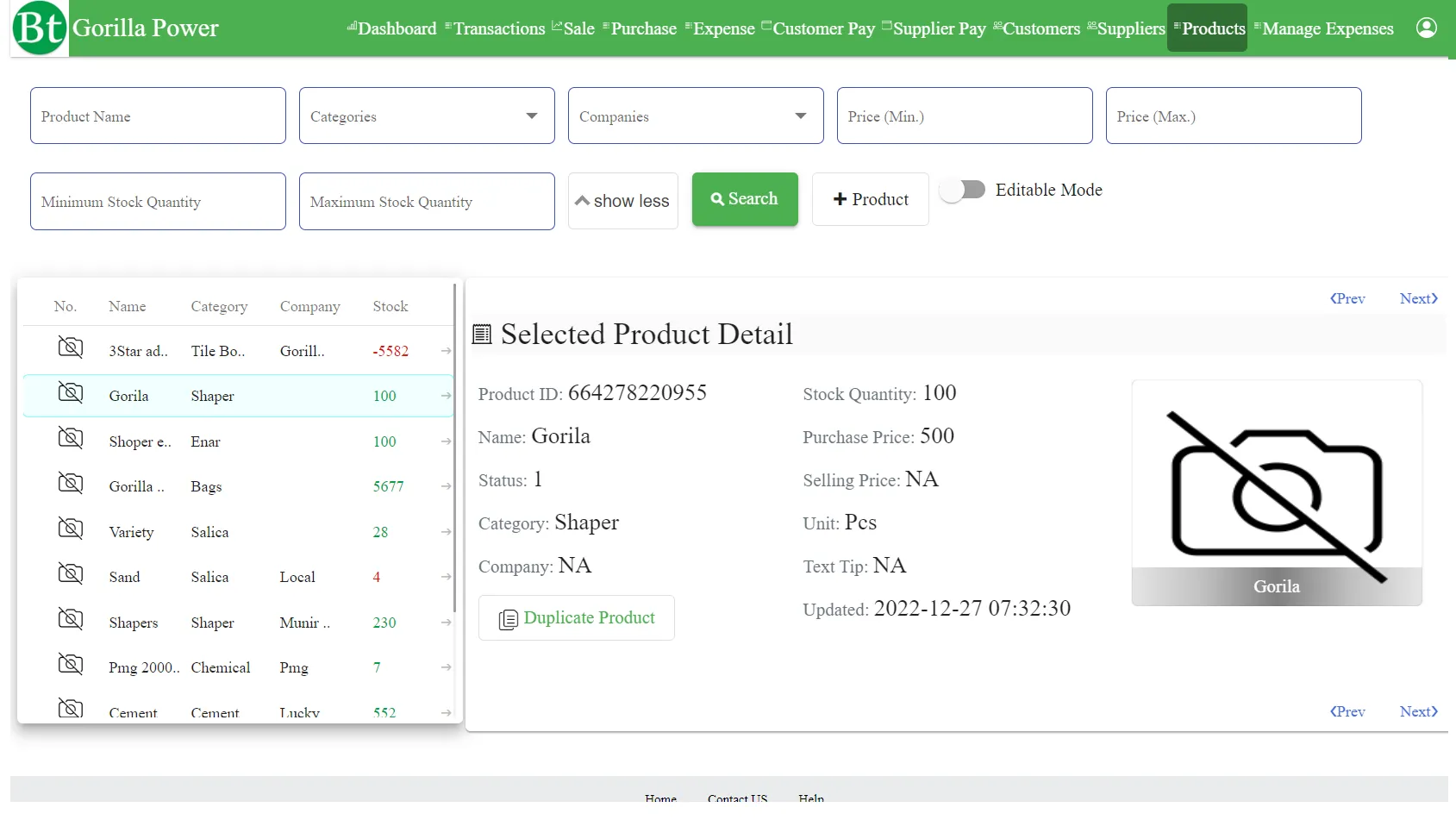
Best For: Philippine pharmacies wanting a local vendor with an established track record
Pharmacy Specialization Level: ⭐⭐⭐⭐ (Strong PH pharmacy focus)
BitPOS has grown to serve over 3,000 pharmacies in the Philippines, making it one of the most widely deployed pharmacy POS systems locally. This extensive user base means the system has been refined based on real Philippine pharmacy operations across various business sizes and locations.
Why BitPOS for Philippine Pharmacies:
Local presence matters for pharmacy software. BitPOS understands that a pharmacy in Makati operates differently from one in a provincial town, with different customer behaviors, different payment mixes, and different connectivity challenges. The system is designed with Philippine realities in mind.
Pharmacy-Specific Features:
- Mobile Order-Taking: Staff can assist customers on the floor with tablets
- Real-Time Stock Reconciliation: Accurate inventory without full physical counts
- Discount & Commission Management: Handle complex promo schemes
- BIR Compliance: Fully accredited for Philippine tax requirements
- Detailed Reporting: Sales, inventory, and compliance reports
- Security Features: User-level permissions and audit trails
Dangerous Drugs Support:
- S2/S3 tracking capabilities
- Dispensing logs for controlled substances
- Report generation for regulatory submission
Limitations:
- Limited online presence and documentation
- Some features are designed for general retail (not pharmacy-exclusive)
- Integration options with external systems may be limited
Pricing: Contact vendor for quotation
Verdict: Proven Philippine pharmacy solution with a large user base. Strong choice for pharmacies wanting local support and an established track record.
7. PrimeRx
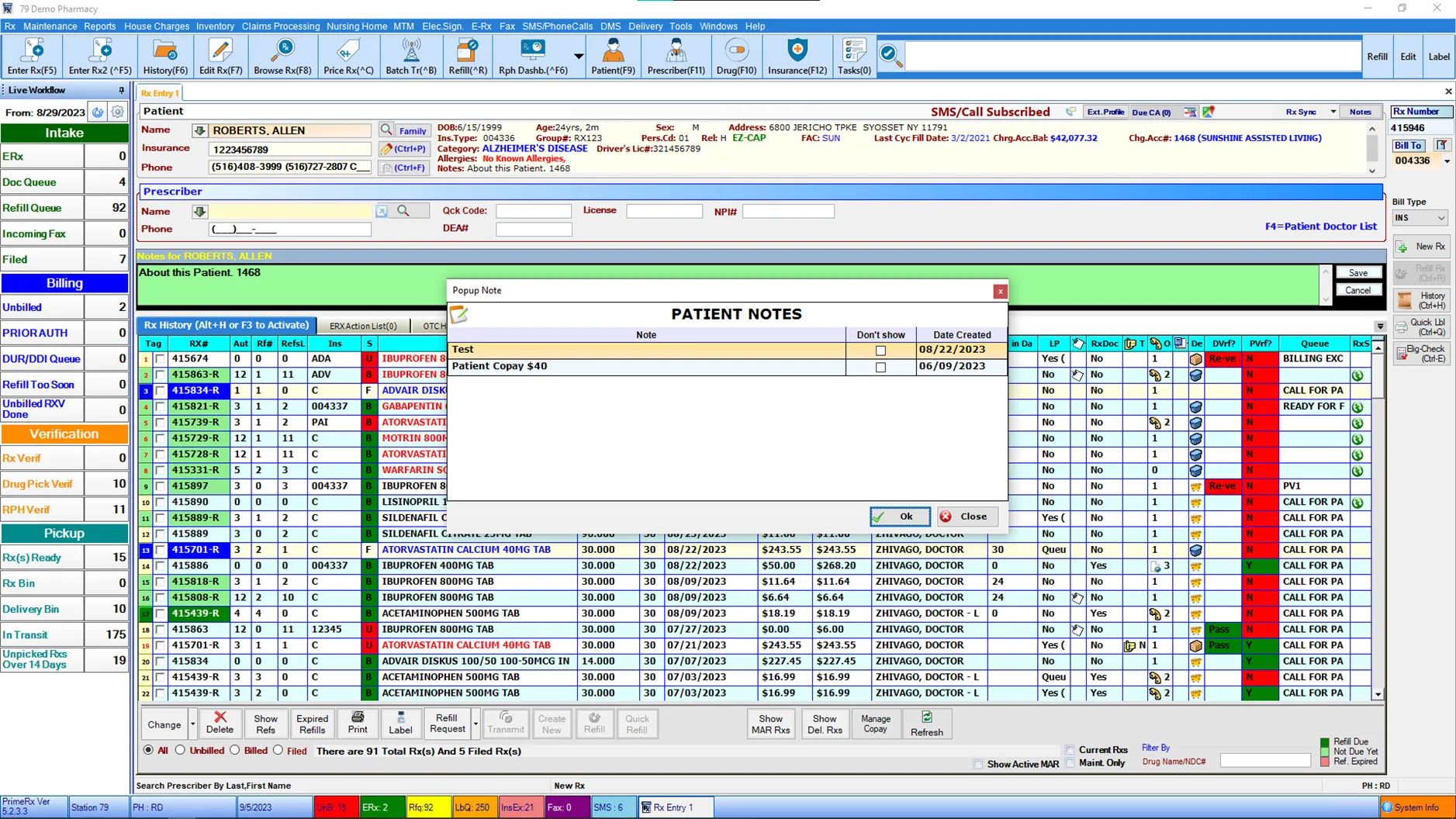
Best For: Pharmacies prioritizing prescription workflow automation and patient safety
Pharmacy Specialization Level: ⭐⭐⭐⭐⭐ (Dedicated pharmacy management system)
PrimeRx is a dedicated pharmacy management system that goes beyond POS functionality into full pharmacy workflow management. The system is designed around the patient-pharmacist relationship, emphasizing prescription accuracy and patient safety features.
Why PrimeRx for Pharmacies:
PrimeRx treats the pharmacy as a healthcare facility, not just a retail store. The system includes clinical features like drug interaction checking, allergy alerts, and patient counseling documentation. For pharmacies positioning themselves as healthcare providers rather than just medicine sellers, PrimeRx aligns with that vision.
Pharmacy-Specific Features:
- Prescription Processing Engine: Full workflow from receipt to dispensing
- Patient Status Board: Customers see their prescription progress (reduces counter congestion)
- Drug Interaction Alerts: Clinical decision support
- Refill Automation: Automatic reminders via SMS/email
- Insurance Claims: Built-in claim processing and tracking
- Will Call Management: Track prescriptions waiting for pickup
- Delivery Module: For pharmacies offering delivery services
Limitations:
- POS functionality is secondary to pharmacy management
- Reports of occasional double-billing issues
- Inventory perpetual tracking concerns some users
- Support responsiveness varies
Pricing: Contact the vendor for Philippine pricing
Verdict: Excellent for pharmacies wanting to emphasize clinical services and patient relationships. Less ideal if you need strong POS features for non-prescription sales.
8. McKesson Pharmacy Systems
Best For: Large pharmacy chains seeking enterprise-grade pharmaceutical management
Pharmacy Specialization Level: ⭐⭐⭐⭐⭐ (Global pharmacy industry leader)
McKesson is one of the world’s largest healthcare companies, and their pharmacy systems are used by major chains globally. While primarily serving North American markets, McKesson’s solutions set the standard for pharmacy technology that other systems try to match.
Why McKesson Represents the Enterprise Standard:
When large pharmaceutical retailers evaluate pharmacy systems, McKesson is often the benchmark. Their systems handle the most complex pharmacy operations, high prescription volumes, sophisticated inventory optimization, advanced clinical services, and strict compliance requirements.
Pharmacy-Specific Features:
- Enterprise Prescription Management: Handles thousands of prescriptions daily
- Inventory Optimization: AI-driven ordering and stock management
- Clinical Services Platform: MTM (Medication Therapy Management) support
- Insurance Integration: Direct connections to major payers
- Supply Chain Integration: Direct ordering from McKesson distribution
- Analytics Suite: Business intelligence for pharmacy operations
- Compliance Management: Built for strict regulatory environments
Considerations for the Philippine Market:
- Primarily designed for US/North American regulations
- Would require significant localization for Philippine compliance
- Enterprise pricing is not suitable for small pharmacies
- Implementation requires substantial resources
Pricing: Enterprise-level investment, appropriate for large chains only
Verdict: The global gold standard for pharmacy systems. Realistically, only relevant for the largest Philippine pharmacy chains considering international-grade solutions.
9. CarePoint Pharmacy POS
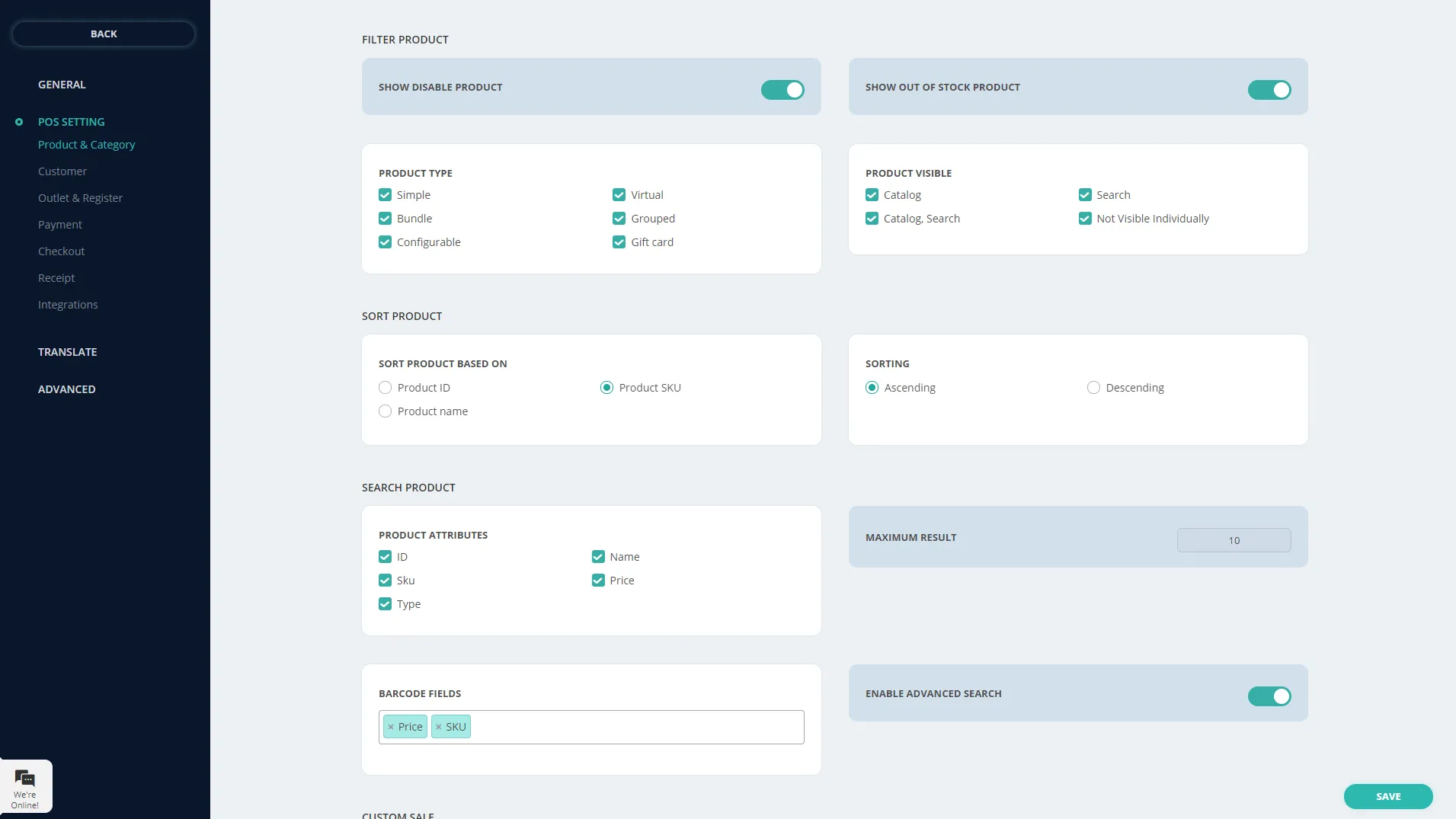
Best For: Independent pharmacies wanting a modern interface with solid pharmacy features
Pharmacy Specialization Level: ⭐⭐⭐⭐ (Pharmacy-focused with modern design)
CarePoint represents a newer generation of pharmacy software, built with modern user interface principles while maintaining essential pharmacy functionality. It’s designed for independent pharmacies wanting to compete with chain drugstores through technology without enterprise-level complexity.
Why CarePoint for Independent Pharmacies:
Many pharmacy POS systems feel dated, designed 10-15 years ago with interfaces that frustrate staff and slow operations. CarePoint brings modern software design principles to pharmacy management, making the system easier to learn and faster to use.
Pharmacy-Specific Features:
- Modern User Interface: Intuitive design reduces training time
- Prescription Workflow: Streamlined process from intake to pickup
- Patient Engagement: Communication tools for refill reminders
- Inventory Management: Batch tracking with expiry management
- Reporting Dashboard: Visual analytics for business decisions
- Mobile Access: Check business performance from a smartphone
- Delivery Management: Track pharmacy delivery orders
Clinical Features:
- Drug interaction alerts
- Allergy checking
- Dosage verification
Considerations:
- Newer platform with less market history
- Philippine localization status needs verification
- DDB compliance features need evaluation
Pricing: Contact the vendor for pricing information
Verdict: Appeals to pharmacies wanting a modern software experience. Evaluate carefully for Philippine regulatory compliance before committing.
10. DataScan
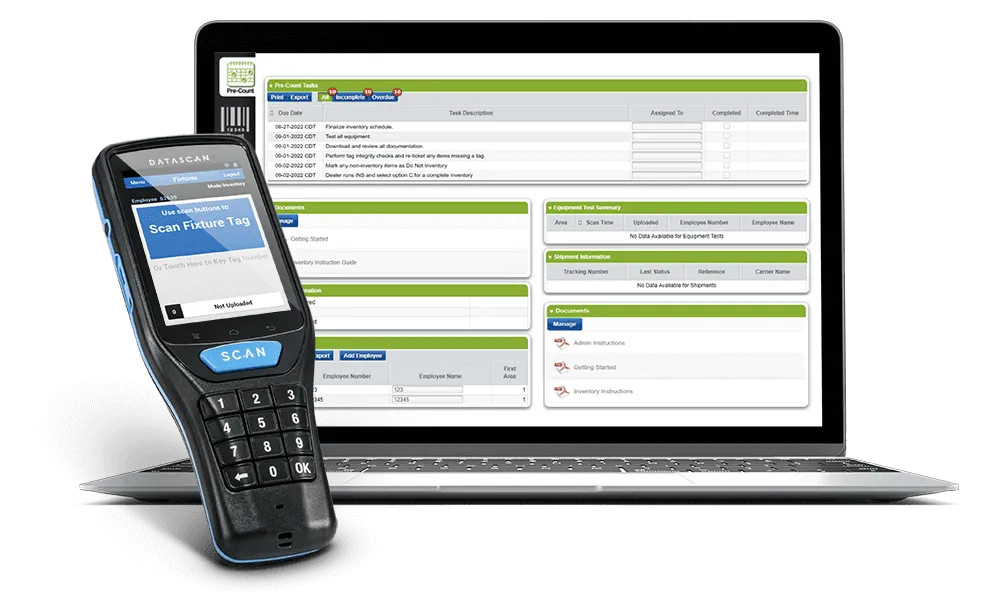
Best For: Wholesale pharmacies and those prioritizing purchasing/pricing optimization
Pharmacy Specialization Level: ⭐⭐⭐⭐ (Strong wholesale/procurement focus)
DataScan positions itself differently from typical pharmacy POS; it emphasizes the purchasing and financial side of pharmacy operations. For pharmacies where margins depend heavily on smart procurement decisions, DataScan provides tools that other systems lack.
Why DataScan for Pharmacy:
In the pharmaceutical business, what you pay for inventory directly impacts profitability. DataScan helps pharmacies compare prices across wholesalers, track purchasing patterns, and optimize procurement decisions. This purchasing intelligence is particularly valuable for independent pharmacies competing against chains with more buying power.
Pharmacy-Specific Features:
- Wholesaler Price Comparison: Compare prices across distributors
- Purchasing Analytics: Track historical pricing trends
- Prescription Scanning: Quick processing of prescriptions
- Delivery Tracking: For pharmacies receiving daily wholesaler deliveries
- Workflow Integration: Connect purchasing with inventory and sales
- Financial Reporting: Strong profit margin analysis
Unique Strengths:
- Focuses on the often-neglected procurement optimization
- Good for pharmacies working with multiple distributors
- Helps identify purchasing savings opportunities
Limitations:
- Less emphasis on clinical pharmacy features
- Limited online presence and reviews
- Support responsiveness concerns from some users
- Integration complexity reported
Pricing: Contact vendor for quotation
Verdict: Niche strength in procurement optimization. Best for pharmacies where purchasing decisions significantly impact profitability, such as those working with multiple wholesalers.
How to Choose the Ideal Pharmacy POS Software for Your Business

A pharmacy isn’t just another retail business. It deals with sensitive prescriptions, regulated medications, and tight inventory that must be tracked to the last pill. That’s why choosing the right Point of Sale (POS) system is important.
And here’s what you should look for when choosing the most suitable pharmacy POS software:
1. Inventory Management That Understands Medicines
Not all POS systems are built to handle medicines. Look for:
- Batch and expiry tracking so you’re alerted before stock expires
- Low-stock notifications to avoid running out of essential drugs
- Dangerous drug logs to meet compliance requirements from the FDA or DOH
- Stock movement reports across branches, especially if you have multiple outlets
This is crucial in the Philippines, where expired or unrecorded drugs can lead to DOH inspection issues or penalties.
2. Prescription and Refill Management
A pharmacy POS should help manage prescriptions, not just sales.
Look for features like:
- Patient profiles with prescription history
- Automated refill reminders via SMS or email
- Digital prescription scanning for faster input
- Support for over-the-counter (OTC) and Rx-based transactions
3. Regulatory Compliance and Security Features
You’ll want the best POS system that protects both your business and your customers. Look for:
- Data encryption and role-based access controls to protect patient data
- Audit trails and transaction logs for inspections or disputes
- BIR accreditation or compatibility for sales reporting
Being compliant with the Data Privacy Act and BIR e-invoicing requirements is key in the Philippines.
4. Multi-Branch and Remote Access Capability
If you have or plan to have more than one location, make sure your POS can:
- Sync inventory and sales data in real-time across all stores
- Offer centralized reporting so owners or managers can track business performance from anywhere
- Support warehouse-to-branch transfers
Cloud-based systems are ideal for this, as they help you monitor everything from one dashboard, even if you’re not on-site.
5. Flexible Payment and Insurance Handling
Customers today pay with more than just cash. Your POS should be able to handle:
- Credit/debit card payments and GCash/QRPH
- Split payments (e.g., cash + PhilHealth or HMO)
- Integration with insurance billing for HMOs or co-pay setups
The smoother the payment process, the less time your cashier and customers waste at the counter.
PhilHealth & HMO Integration: Processing Insurance Claims
Many Philippine pharmacy transactions involve third-party payments, PhilHealth benefits, HMO coverage, or company medicine allowances. Your pharmacy POS should streamline these transactions rather than create additional manual work.
PhilHealth Processing:
PhilHealth provides benefits for:
- Senior citizens (in addition to 20% discount)
- PWDs (Persons with Disabilities)
- Specific medical conditions with coverage
POS Requirements for PhilHealth:
- Member verification (PhilHealth ID or lookup)
- Benefit eligibility checking
- Proper documentation generation
- Claim form preparation
- Transaction logging for reimbursement
HMO Transaction Processing:
Common HMO providers in the Philippines:
- Maxicare
- Intellicare
- Medicard
- PhilCare
- Caritas Health Shield
HMO Transaction Workflow:
- Customer presents HMO card
- Verify coverage (call or online portal)
- Determine covered amount vs co-pay
- Process split payment (HMO + customer portion)
- Generate HMO claim documentation
- Customer signs LOA (Letter of Authorization)
- Submit claim to HMO
POS Features for Efficient HMO Processing:
| Feature | Benefit |
| Multiple payment methods per transaction | Handle HMO and cash or card co-pay in a single transaction |
| HMO-specific receipt generation | Provides proper documentation for insurance and reimbursement claims |
| Claim tracking | Monitor pending reimbursements and claim status in real time |
| Pre-authorization recording | Log authorization codes to support faster claim approval |
| Credit management | Track receivables and outstanding balances from HMOs |
Integration Levels:
- Basic: Manual entry of HMO information, separate claim submission
- Intermediate: POS generates claim forms, manual submission
- Advanced: Direct integration with HMO systems (rare in PH)
Most Philippine pharmacy POS systems are at the Basic or Intermediate level. Full integration requires HMO cooperation, which is limited.
Philippine Pharmacy Regulations: Your POS Must Support
Understanding regulatory requirements helps you evaluate whether a POS system truly serves pharmacy needs:
1. FDA (Food and Drug Administration) Requirements
The FDA Philippines requires pharmacies to:
- Maintain License to Operate (LTO) documentation
- Keep records of all drug purchases and sales
- Report adverse drug reactions
- Implement proper storage conditions monitoring
POS Implication: System must track purchases by supplier (with FDA registration), maintain sales records, and support temperature logging for refrigerated items.
2. DOH (Department of Health) Compliance
DOH regulations mandate:
- Qualified pharmacist supervision during all operating hours
- Proper drug dispensing procedures
- Patient counseling documentation
- Prescription retention for two years
POS Implication: The system should log which pharmacist supervised each transaction and support prescription image/document storage.
3. BIR (Bureau of Internal Revenue) Accreditation
Like all retail businesses, pharmacies must:
- Issue BIR-registered official receipts
- Maintain sales records for tax purposes
- Submit required tax reports
POS Implication: System must be BIR-accredited with proper OR numbering and reporting capabilities.
4. Dangerous Drugs Board (DDB) Reporting
The strictest requirements apply to controlled substances:
| Drug Schedule | Examples | Reporting Requirement |
| S1 (Prohibited) | Not sold in pharmacies | N/A |
| S2 (Dangerous) | Morphine, Fentanyl | Individual transaction log and quarterly DDB report |
| S3 (Regulated) | Codeine combinations | Batch tracking and sales summary |
| S4 (Prescription) | Antibiotics and most prescription drugs | Prescription verification log |
POS Implication: System must support DDB-format reporting, individual patient tracking for S2 drugs, and prescription verification workflows.
Conclusion: Choosing the Right Pharmacy POS
Selecting pharmacy POS software is fundamentally different from choosing regular retail systems. Regulatory compliance, patient safety, and pharmaceutical-specific workflows make this decision critical to both your business operations and professional license.
Our Recommendations by Pharmacy Type:
Community Botika / Small Drugstore (1 location, under 500 SKUs): → Parmazip or BitPOS for Philippine-specific compliance at appropriate scale
Growing Independent Pharmacy (1-3 locations, expanding): → RxPlus by Oasis for proven Philippine market solution with growth capacity
Pharmacy Chain (5+ locations, centralized management): → HashMicro for ERP integration across branches, or iVend for enterprise retail capabilities
Clinical-Focused Pharmacy (MTM services, patient consultation emphasis): → PrimeRx for patient management and clinical workflow features
Wholesale/Distribution-Heavy Pharmacy: → DataScan for procurement optimization and wholesaler management
Key Decision Factors Specific to Pharmacy:
- Compliance First: Verify dangerous drugs tracking, prescription workflow, and regulatory reporting before evaluating other features.
- Local Support Matters: Pharmacy software issues can halt operations. Ensure the vendor has Philippine support capable of resolving issues quickly.
- Verify Before Buying: Request a demonstration with your actual compliance scenarios, S2 drug transaction, prescription processing, and PhilHealth claim documentation.
- Plan for Inspection: Ask vendors how their system supports FDA/DOH inspection scenarios. Can you quickly retrieve the required records?
- Consider Total Workflow: The best pharmacy POS improves prescription handling, inventory accuracy, and compliance documentation, not just payment processing.
Final Advice:
Don’t choose pharmacy POS based on price alone. The cost of regulatory non-compliance, fines, suspension, license revocation, far exceeds software investment. Choose a system that makes compliance easier, not just one that makes transactions faster.
Take advantage of demos and trial periods. Test with real scenarios: Process an S2 drug sale, handle a PhilHealth transaction, and generate a DDB report. The system that handles these smoothly is the right choice for your pharmacy.
FAQ’s About Pharmacy POS Systems
-
Do pharmacies in the Philippines need a BIR-accredited POS system?
Yes. Pharmacies in the Philippines that issue official receipts must use a BIR-accredited POS system. Failure to comply may lead to penalties, fines, or issues during BIR audits.
-
What makes a pharmacy POS different from a regular retail POS?
A pharmacy POS includes features built for pharmacy operations, such as prescription validation, expiry date monitoring, controlled medicine records, and PhilHealth or HMO integration. A regular retail POS often does not cover these pharmacy-specific needs.
-
Which pharmacy POS is suitable for small drugstores in the Philippines?
Small community pharmacies often need a system that is affordable, easy to use, and aligned with local compliance requirements. Businesses with plans to expand may benefit more from a scalable pharmacy POS with stronger inventory control, reporting, and multi-branch support.
-
Can a pharmacy POS system support PhilHealth claims?
Some pharmacy POS systems in the Philippines support PhilHealth and HMO integration to help process eligible claims at the point of sale. It is best to confirm this feature with the vendor before choosing a system.














