






For many business owners in the Philippines, a POS system plays an important role in managing transactions and staff performance. As operations grow, businesses often begin exploring Loyverse pos alternatives that can better support their changing needs.
Loyverse is widely used among small and medium-sized businesses because of its user-friendly interface and accessible features. It helps automate sales tracking and stock management
However, as operations become more complex, businesses often require stronger integrations, more advanced reporting, and better multi-location management capabilities.
Key Takeaways
|
What is Loyverse POS?
Loyverse POS is a cloud-based system built for small and medium businesses, especially in retail and F&B. It offers a user-friendly interface with essential tools for sales, inventory, and customer management in one platform.
Suitable for pop-up shops, cafés, and retail stores, it supports daily operations with a simple setup and core features. This makes it a practical choice for startups and growing businesses seeking a straightforward POS solution.
However, as businesses expand, some may outgrow its features, particularly in system integration, advanced reporting, or multi-branch management, prompting them to consider more scalable POS alternatives for retail and F&B.
Key Features of Loyverse POS
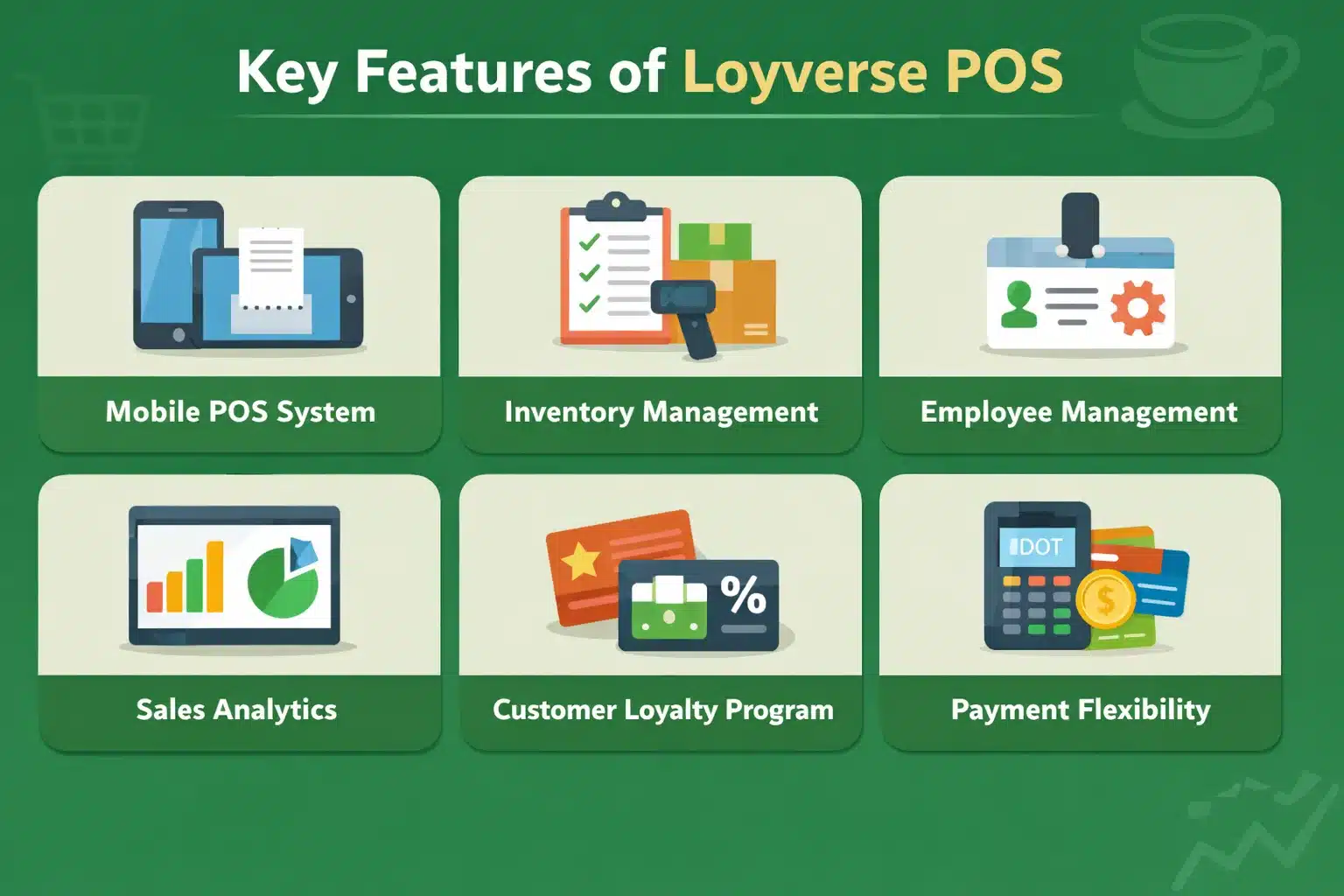
Before exploring alternatives, it’s important to understand what makes Loyverse POS a popular choice among businesses. The following features highlight how it supports daily operations and enhances overall efficiency:
- Mobile POS system: Loyverse POS turns your smartphone or tablet into a portable POS terminal, ideal for pop-up shops and food stalls. This enables quick sales processing without needing a fixed setup.
- Inventory management: Easily monitor goods inventory levels, receive low-inventory alerts, and track items across branches, helping you avoid stockouts and overstocking.
- Employee management: Assign roles, manage shifts, and track employee sales to maintain clear oversight of staff activities.
- Sales analytics: Access real-time dashboards and reports to identify best-sellers, monitor profit margins, and make data-driven decisions.
- Customer loyalty program: Reward repeat customers with points or discounts through a built-in loyalty feature that encourages long-term engagement.
- Payment flexibility: Accept various payment methods, including contactless options, to ensure smooth and convenient checkouts.
Advantages and Disadvantages of Loyverse POS
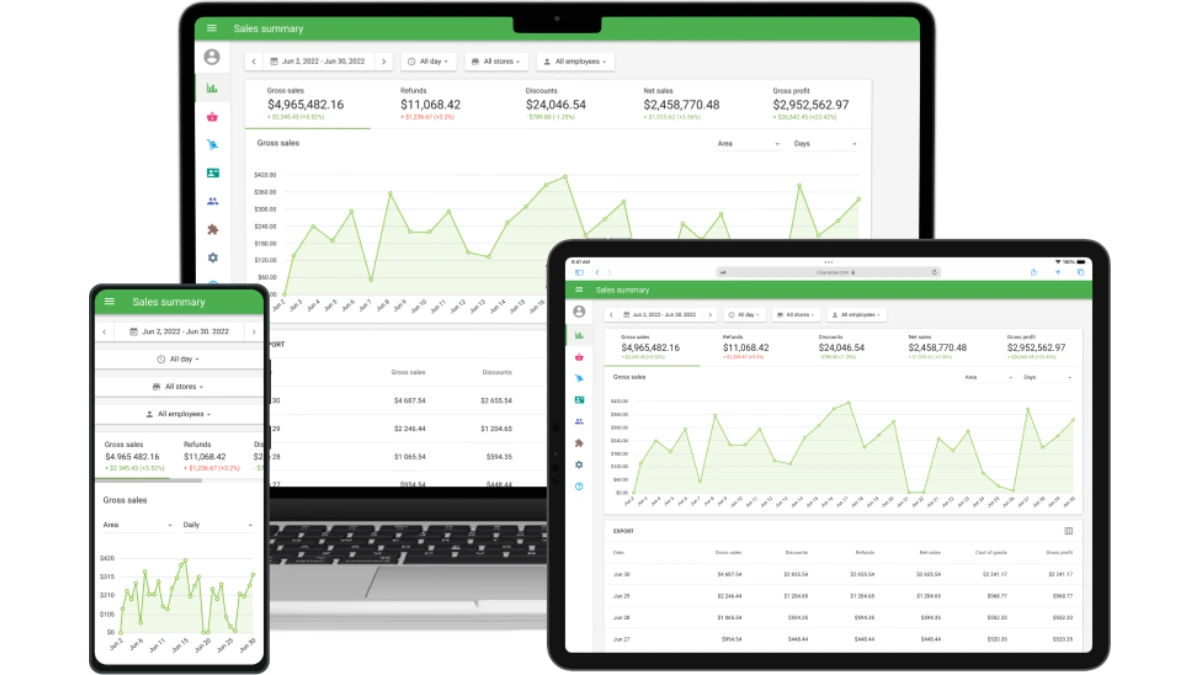
Loyverse POS is a cloud-based point-of-sale system that simplifies daily transactions for small and medium-sized businesses, particularly in the retail and F&B industries. While it offers several benefits, its strengths and limitations must be considered to determine the right fit for your business.
Below are the main advantages and disadvantages of Loyverse POS:
Advantages of Loyverse POS
- User-friendly interface: Loyverse POS provides an intuitive and easy-to-navigate interface, making it accessible for users of all technical backgrounds. This simplicity allows business owners to easily handle essential tasks.
- Cloud-based access: As a cloud-based solution, Loyverse POS enables business owners to manage their operations remotely, allowing them to monitor sales and inventory from anywhere.
- Built-in customer loyalty programs: Loyverse POS integrates customer loyalty programs directly into the system, helping businesses enhance customer retention. Businesses can easily encourage repeat purchases.
Disadvantages of Loyverse POS
- Fewer third-party integrations: Loyverse offers limited integration options with external apps such as accounting or CRM software compared to more robust POS systems. T
- No native support for e-commerce: Loyverse POS does not offer built-in tools for managing e-commerce platforms, which may be an issue for online and offline businesses.
- Limited advanced reporting: Loyverse offers basic sales reports but lacks more advanced analytics features and custom reporting capabilities. Loyverse may not provide the level of detail required for complex business insights.
10 Loyverse Alternatives & Competitors in 2026
As businesses evolve, a robust, versatile point-of-sale (POS) system becomes increasingly essential. Loyverse POS alternatives offer similar or enhanced features, providing businesses with various options to streamline operations.
Whether you seek advanced reporting, integrated loyalty programs, or better customer support, the right POS system can make a difference. Below, we explore 10 Loyverse POS alternatives and compare their strengths and weaknesses to help you decide.
1. Square Point of Sale
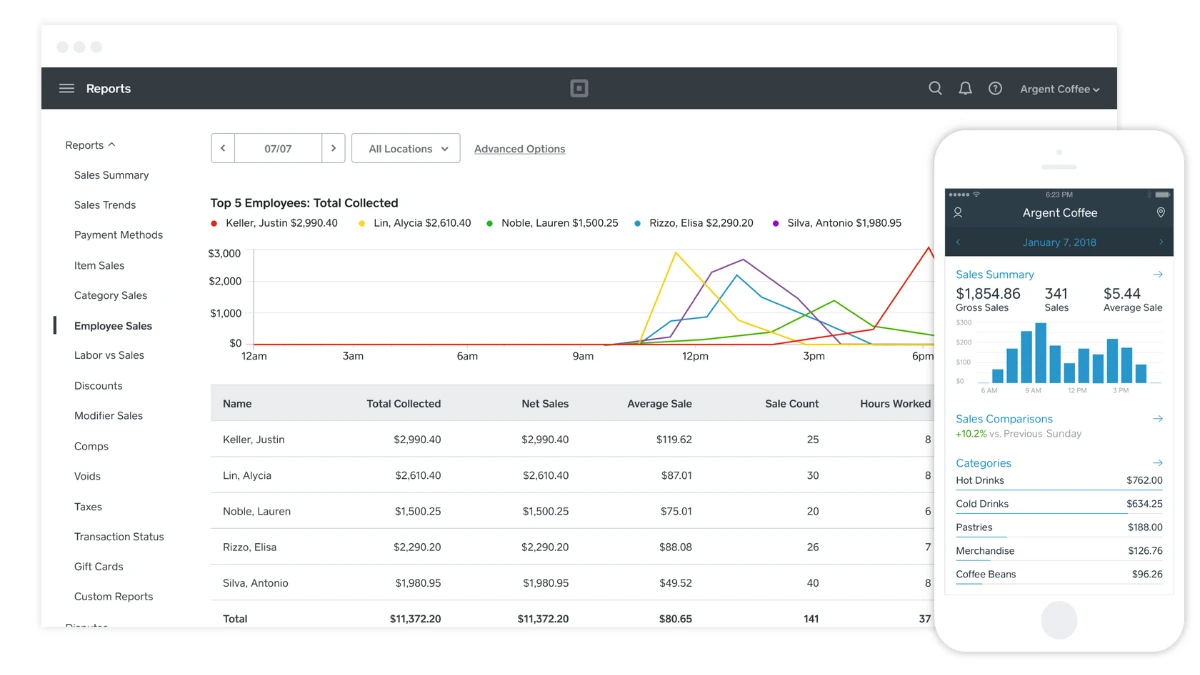
Square POS is a widely recognized system known for its simplicity and easy setup, making it an ideal Loyverse POS alternative for businesses starting out or those that need a straightforward solution. Square offers payments, inventory, and customer management tools.
Comparison to Loyverse
Square offers simplicity and quick setup, similar to Loyverse POS, but with more advanced features like marketing integrations and hybrid store capabilities. However, Square’s paid plans and the need for external subscriptions for advanced features.
Key Features
- Payment processing with mobile and card readers
- Inventory and sales reporting
- Customer directory and loyalty tools
| Pros | Cons |
|
|
2. HashMicro POS Software
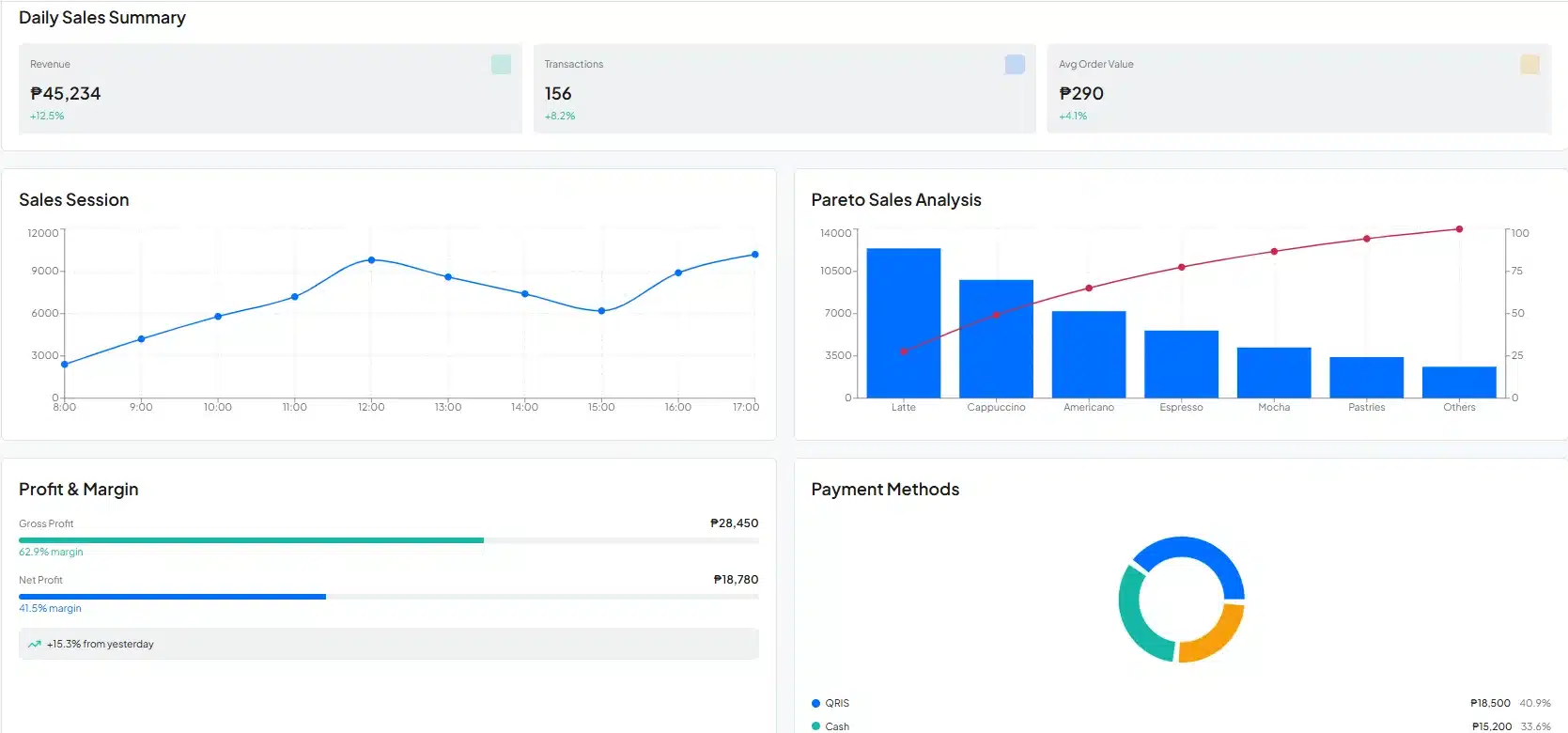
HashMicro POS System is a powerful solution within the HashMicro ERP suite, designed to optimize sales, inventory, and customer management across Southeast Asia. It offers a comprehensive system tailored for the retail and F&B industries.
With HashMicro POS, businesses can streamline operations with real-time updates and powerful reporting tools. The system also integrates with barcode scanners, payment processing, and other business functions like employee management.
Key Features:
- Real-Time Stock Optimizer: Automatically updating inventory with live sales data helps prevent stockouts and excess inventory, ensuring better stock control and healthier cash flow for more sustainable business growth.
- Loyalty and Promotion Management: Flexible loyalty programs and personalized promotions that apply automatically at checkout drive customer retention and boost sales, allowing businesses to increase revenue with minimal manual effort.
- Multi-Payment Support: Offering multiple payment options, cash, credit/debit cards, and e-wallets, creates a faster and more seamless checkout experience, improving customer convenience and boosting sales potential.
- Insightful Reporting and Analytics: Real-time dashboards and detailed reports on sales, product trends, and customer behavior enable data-driven decisions and strategic planning, helping businesses adapt and grow confidently.
| Pros | Cons |
|
|
3. TouchBistro
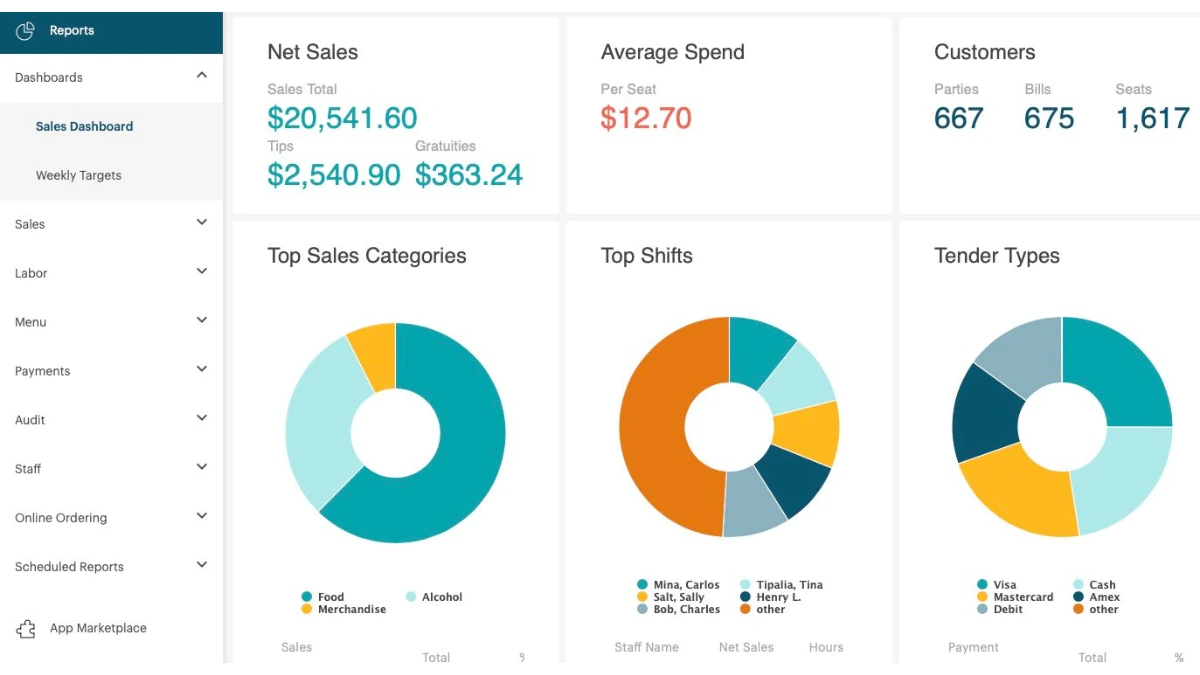
TouchBistro is a POS system tailored specifically for restaurants and foodservice businesses. With an emphasis on customer experience, TouchBistro offers a user-friendly interface and advanced features to streamline restaurant operations.
Comparison to Loyverse
TouchBistro’s restaurant-specific features make it a powerful alternative for businesses in the F&B sector, a key market for Loyverse POS. While Loyverse alternatives like TouchBistro offer more tailored solutions for restaurants, they are less versatile for retail.
Key Features
- Menu management and table reservations
- Real-time sales and inventory updates
- Staff management and scheduling
- Customer management and loyalty programs
| Pros | Cons |
|
|
4. Restroworks Restaurant POS
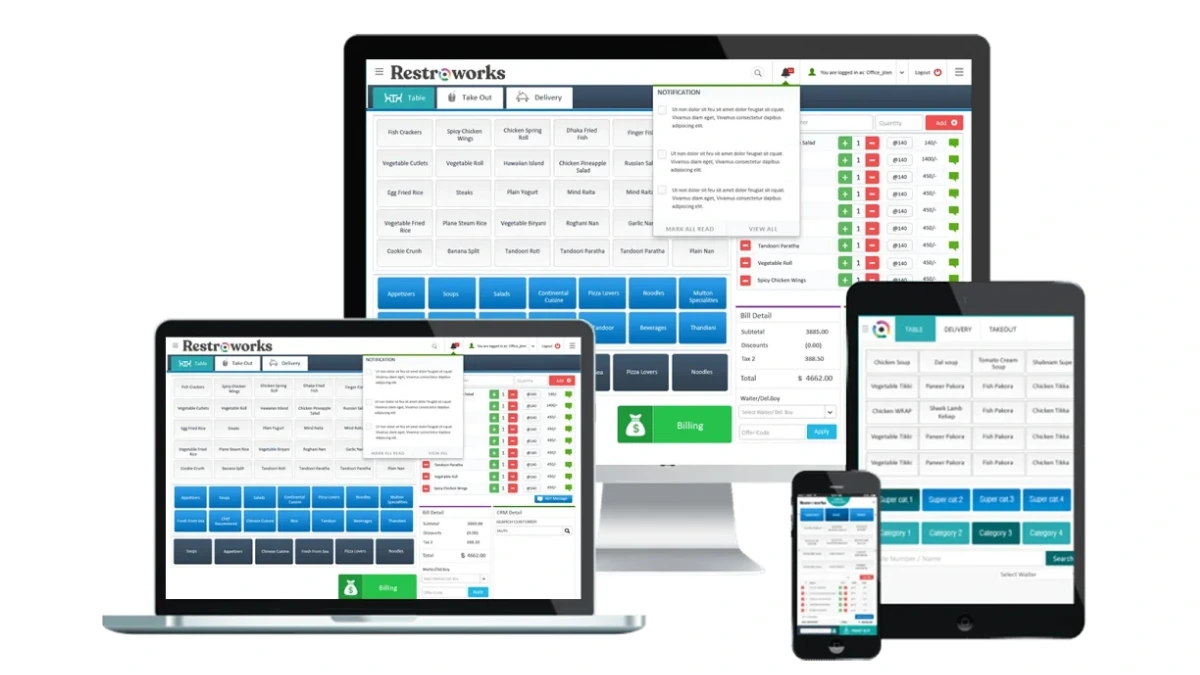
Restroworks POS is another restaurant-centric POS system that offers a comprehensive set of features aimed at improving the efficiency of foodservice businesses. With a focus on order management, it provides an integrated solution for managing both front-end and back-end operations.
Comparison to Loyverse
While Loyverse POS focuses on simplicity, Restroworks POS provides more in-depth reporting for restaurants. However, Loyverse POS alternatives like Restroworks are specialized for F&B businesses, which could be limiting for other industries.
Key Features
- Order management and delivery tracking
- Customer database with loyalty programs
- Advanced reporting tools
- Payment processing
| Pros | Cons |
|
|
5. SAP Emarsys
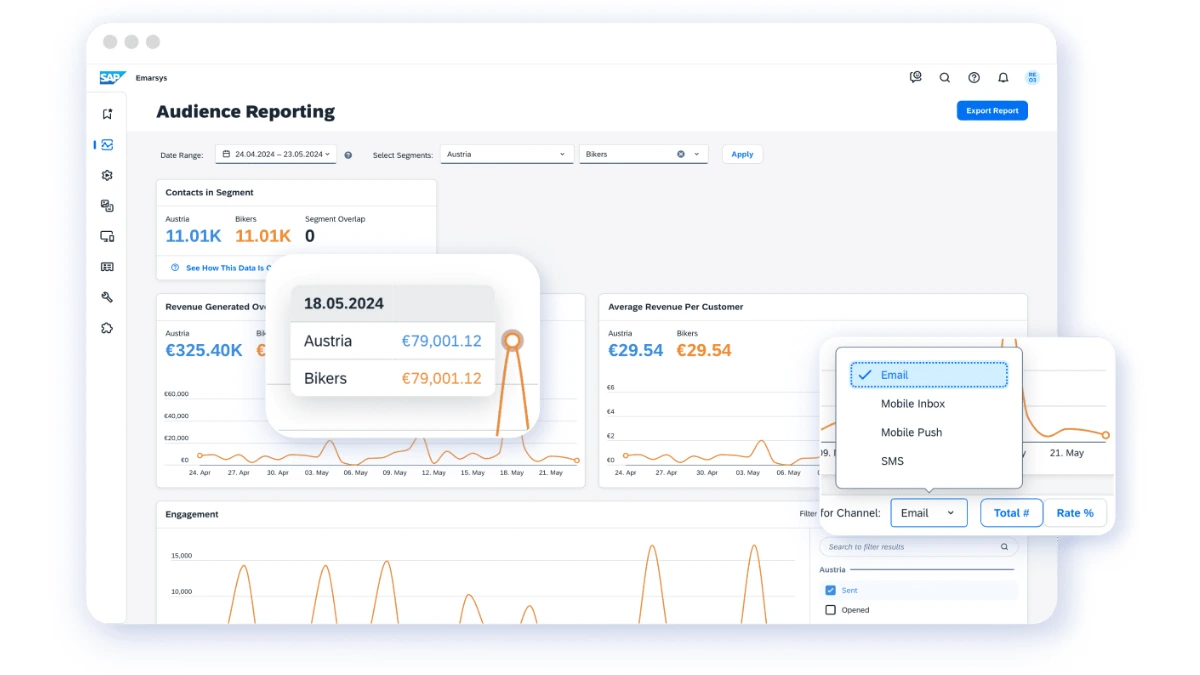
SAP Emarsys is a customer engagement platform that combines data-driven marketing with robust POS features. It’s known for its ability to integrate seamlessly with existing systems, offering a comprehensive suite of tools for customer segmentation.
Comparison to Loyverse
Unlike Loyverse POS, which excels in ease of use, SAP Emarsys provides advanced marketing and engagement tools. This makes it more suitable for businesses looking for deep customer insights, while SAP Emarsys might be overkill for those seeking a simpler POS solution.
Key Features
- Customer engagement and retention tools
- Sales automation and reporting
- Multi-channel marketing integration
- Advanced analytics and data-driven insights
| Pros | Cons |
|
|
6. LoyaltyLion

LoyaltyLion focuses on customer loyalty and engagement, making it an ideal POS alternative for businesses looking to enhance their customer engagement strategies. With strong integrations and customizable reward programs, it helps businesses build lasting relationships with customers.
Comparison to Loyverse
While LoyaltyLion focuses primarily on customer loyalty, Loyverse POS offers a more well-rounded solution with inventory and sales management included. Loyverse POS alternatives like LoyaltyLion are perfect if your primary goal is customer retention, but they may not be ideal for businesses needing a full POS solution.
Key Features
- Customizable loyalty programs
- Integration with e-commerce platforms
- Real-time analytics and insights
- Reward automation tools
| Pros | Cons |
|
|
7. Toast POS
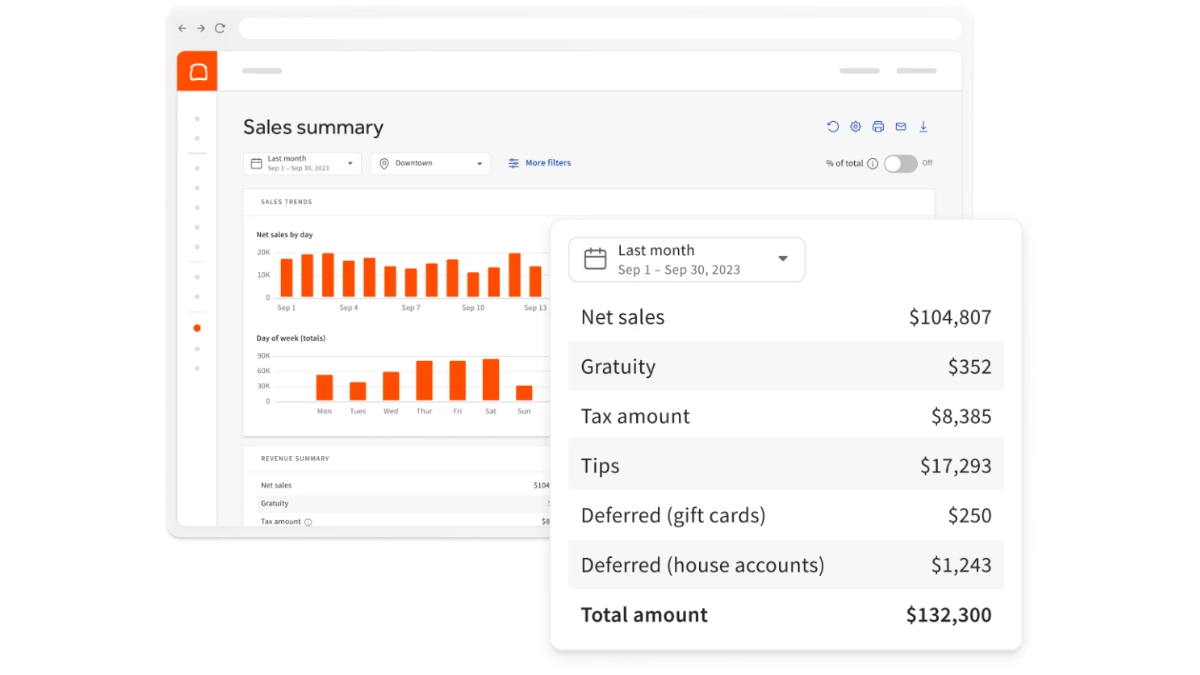
Toast POS is an all-in-one restaurant management solution designed to help businesses streamline their operations. With a focus on enhancing the guest experience, Toast offers comprehensive tools for order management, payment processing, and sales tracking.
Comparison to Loyverse
While Loyverse POS is a more versatile, simple solution for both retail and F&B businesses, Toast POS provides highly specialized features for restaurants. Toast offers more robust restaurant functionalities, while Loyverse POS remains a solid, general-purpose alternative.
Key Features
- Order management and table-side service
- Payment processing with integrated tips
- Inventory and ingredient tracking
- Employee scheduling and payroll
| Pros | Cons |
|
|
8. Lightspeed Retail
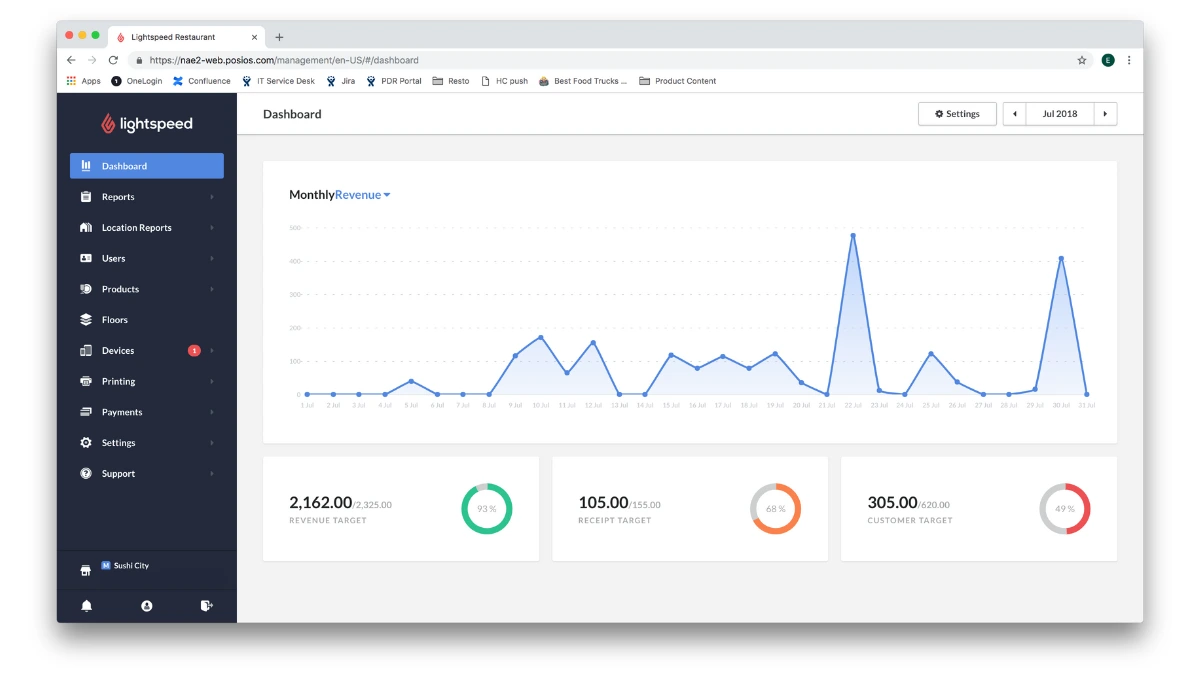
Lightspeed Retail is a cloud-based POS system that caters to a wide range of retail businesses. Known for its ease of use, customizable workflows, and comprehensive inventory management, Lightspeed is favored by businesses that require detailed insights into their operations.
Comparison to Loyverse
Loyverse POS offers simplicity and ease of use, which makes it a better fit for smaller businesses or those just starting out. In contrast, Lightspeed Retail is ideal for businesses that require advanced inventory tracking and multi-location management.
Key Features
- Real-time inventory management
- Customer management and loyalty programs
- Detailed sales analytics and reporting
- Multi-store management
| Pros | Cons |
|
|
9. Impact.com
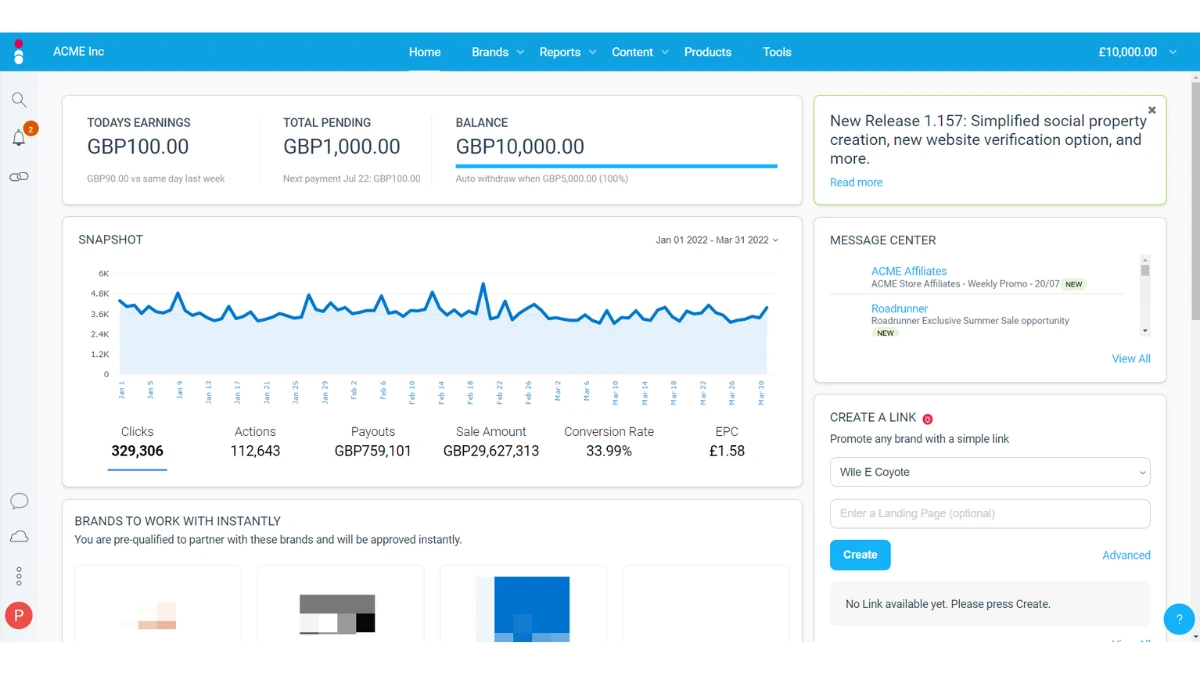
Impact.com specializes in partnership automation and affiliate marketing management, integrating seamlessly with other systems to help businesses optimize their marketing efforts. Though not a traditional POS system, its features make it a valuable tool for businesses focused on affiliate and influencer marketing.
Comparison to Loyverse
Unlike Loyverse POS, which focuses on point-of-sale transactions, Impact.com specializes in partnerships and marketing automation. While Loyverse POS alternatives like Impact.com are invaluable for businesses with an e-commerce focus.
Key Features
- Affiliate marketing management
- Partnership automation
- Real-time reporting and analytics
- Cross-platform integrations
| Pros | Cons |
|
|
10. Shopify POS
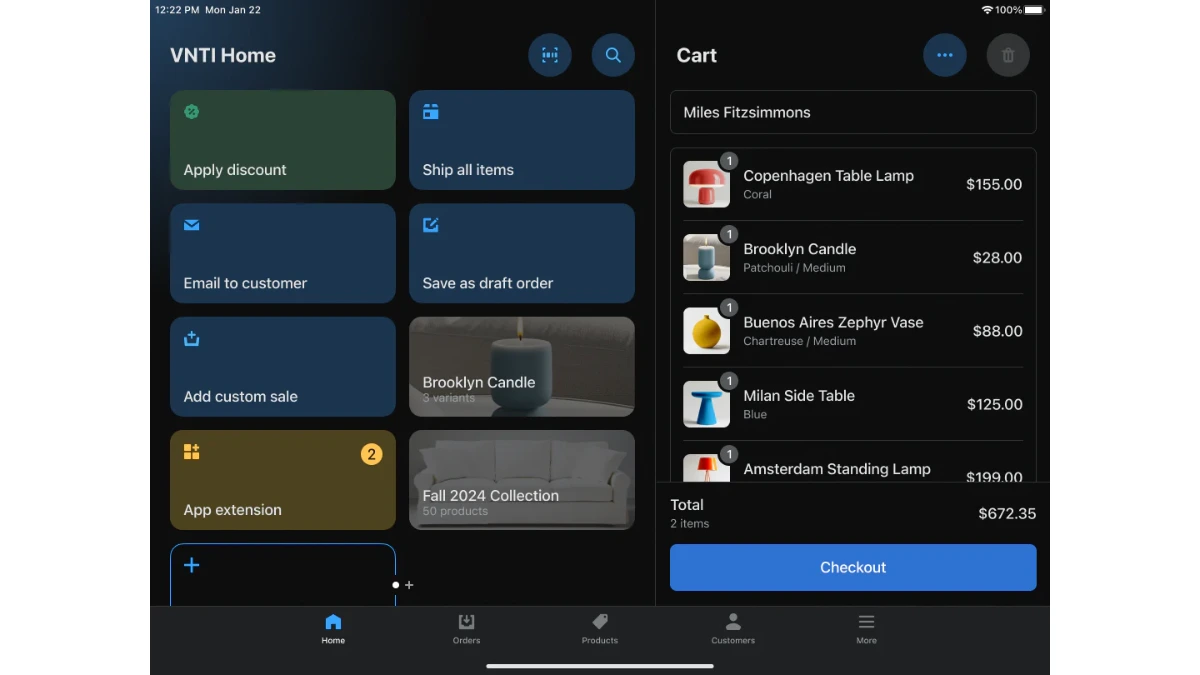
Shopify POS is part of the popular Shopify ecosystem, providing a seamless solution for both online and offline stores. It enables businesses to manage order management, inventory, and customer interactions across multiple channels.
Comparison to Loyverse
While Loyverse POS is a more flexible solution for various industries, Shopify POS excels for businesses already embedded in the Shopify ecosystem. Loyverse POS alternatives like Shopify POS are particularly offering seamless online and offline integration.
Key Features
- Seamless integration with Shopify e-commerce platform
- Multi-channel sales management
- Payment processing with mobile and card readers
- Inventory and customer management
| Pros | Cons |
|
|
Tips For Choosing The Best POS Software
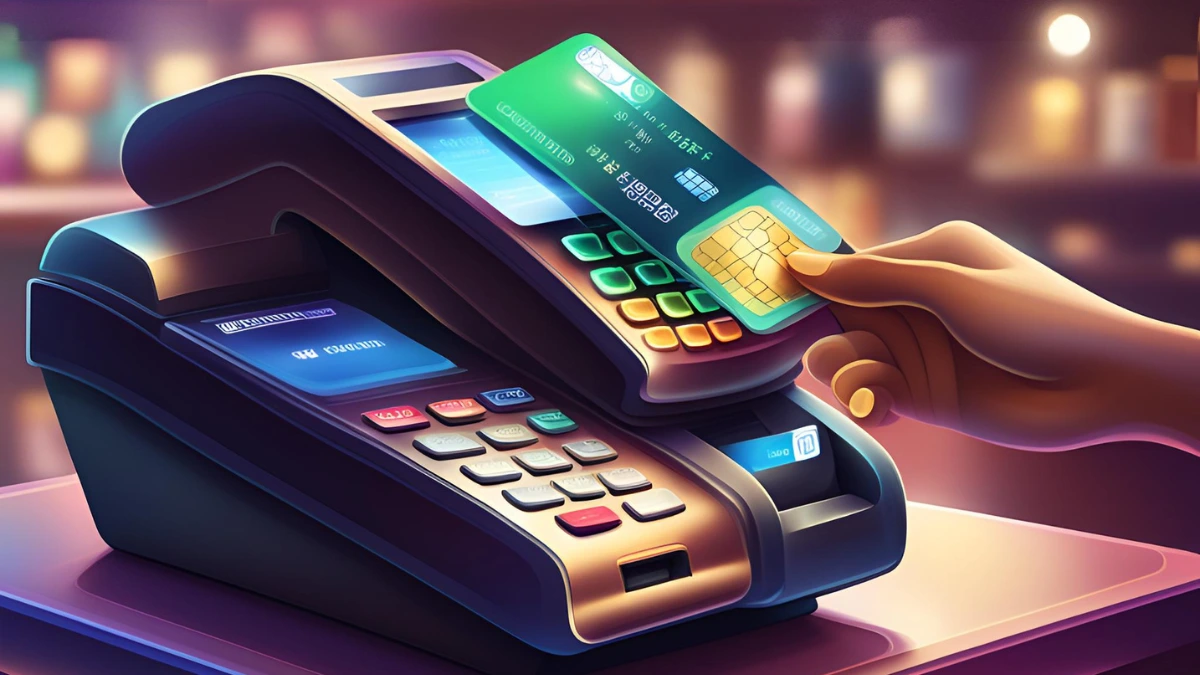
Choosing the right point-of-sale (POS) software can significantly impact your business operations. Whether considering Loyverse POS alternatives or other options, these tips will help you make an informed decision that aligns with your business needs.
1. Understand your business needs
Before selecting a POS system, clearly define your business requirements. Consider factors such as the size of your business, the type of products or services you offer, and the volume of transactions you handle daily.
Understanding these needs will help you narrow your options, ensuring that your chosen system, whether a Loyverse POS alternative or another solution, can effectively support your operations.
2. Look for ease of use and user-friendly interface
A POS system should be easy to use and require minimal training for your staff. A user-friendly interface ensures that you and your team can quickly adapt, reducing the risk of errors and improving efficiency.
3. Consider integration capabilities
Your POS system should seamlessly integrate with other software like accounting, inventory management, and CRM tools. Look for systems like Loyverse POS alternatives that provide strong integration features, allowing you to streamline operations.
4. Evaluate reporting and analytics features
Advanced reporting and analytics are critical for tracking sales trends, monitoring inventory levels, and making data-driven decisions. A POS system with comprehensive reporting tools can provide real-time insights into your business performance.
5. Ensure scalability for future growth
As your business grows, your POS system should be able to scale with it. Look for a POS solution that offers the flexibility to add more features, handle larger transaction record volumes, and support multiple locations.
6. Prioritize customer support and service
Adequate customer support is essential when using any cloud POS software, especially when issues arise. Choose a provider that offers reliable, accessible support channels, whether it’s through live chat, phone, or email.
7. Assess payment processing options
Your POS system should offer various secure and convenient payment processing options, including credit cards, mobile payments, and contactless methods. Ensure that your chosen system supports the payment methods your customers prefer.
8. Review pricing and affordability
While pricing shouldn’t be the only consideration, choosing a POS system that fits your budget is essential. Compare the costs of Loyverse POS and other Loyverse alternatives to ensure you’re getting the most value for your investment.
9. Ensure security features are in place
Security is crucial when handling sensitive customer and payment data. Look for a POS system that adheres to industry standards for data protection and offers features such as encrypted transactions and secure cloud storage.
Loyverse POS provides secure payment processing, but it’s wise to review other Loyverse POS alternatives for their security protocols to ensure your system is protected from potential threats.
10. Consider mobility and cloud features
If your business operates on the go, ensure that your POS system is mobile-friendly and supports cloud-based access. This allows you to manage your business remotely, monitor sales in real-time, and access data from any device.

Conclusion
A modern POS system should do more than handle transactions. It helps businesses manage sales, monitor inventory in real time, and organize customer data while supporting long-term growth.
An integrated POS can also connect with finance, HR, and inventory systems in one platform. This reduces manual work, improves reporting accuracy, and makes operations easier to manage as the business scales.
To see how this solution fits your business, consider booking a free consultation. A short discussion can help identify operational gaps, explore automation opportunities, and improve sales and inventory management more effectively.