







Businesses that record expenses through spreadsheets, paper receipts, or disconnected approval channels may struggle to classify spending and maintain complete supporting records. Finance teams can spend unnecessary time checking receipts, correcting entries, and preparing expense reports.
Limited expense visibility can delay financial reporting, make budget variances harder to identify, and increase the risk of unapproved or duplicated claims. A suitable system should connect expense capture with approval, accounting, reporting, and policy controls while supporting compliance with the Data Privacy Act when handling sensitive business and employee information.
A suitable system should connect expense capture with approval, accounting, reporting, and policy controls while supporting compliance with the Data Privacy Act of 2012 when handling sensitive business and employee information.
This guide compares 15 expense tracking software options for 2026 based on receipt capture, categorization, approval workflows, reporting, accounting integration, policy controls, and usability. These criteria can help Philippine businesses evaluate which platform fits their expense process.
Key Takeaways
Expense tracking software is a tool to help accountants manage their cash flow.
There are 4 reasons you should implement accounting software before understanding things to look inside the system.
Knowing your business needs is one step to choosing the best software.

Expense tracking software is a digital tool designed to help businesses manage, monitor, and record their expenses efficiently. It automates tracking of various business expenditures, such as travel, meals, office supplies, and utility bills.
This accounting software can also automatically categorize expenses and generate detailed financial reports. Its integration with accounting software further streamlines financial management, reducing manual data entry and enhancing the accuracy of financial statements.
The Importance of Expense Tracking Software
Expense tracking software is vital for financial management in companies of all sizes. Its importance lies in the following key benefits:
- Enhanced accuracy: The expense tracking software minimizes errors and ensures reliable data by automating expense tracking. This reduces manual data entry and mistakes caused by human error.
- Time and cost savings: Expense tracking software streamlines processes, reducing administrative tasks and freeing employees to focus on more productive work. It also reduces the costs associated with paper-based systems.
- Real-time visibility: Businesses gain real-time insights into spending, allowing proactive decision-making, better budgeting, and improved financial control.
- Data analysis and reporting: With built-in data analysis tools, businesses can generate custom expense reports and streamline the reconciliation and forecasting processes, effectively addressing companies’ common accounting problem.
Best Expense Tracking Software at a Glance
The table below compares leading expense tracking software based on their main functions and the types of businesses they are best suited to support. Use it as a starting point before reviewing each platform’s pricing, integrations, approval workflows, and policy controls.
| Software | Key Functions | Best For |
|---|---|---|
| HashMicro | Expense claims, receipt capture, approval workflows, financial reporting, ERP integration | Businesses seeking integrated expense management and accounting |
| Zoho Expense | Receipt scanning, expense approvals, mileage tracking, multi-currency support | Teams managing expenses across multiple currencies |
| Rydoo | Receipt management, mobile expense submission, mileage tracking, approval workflows | Businesses prioritizing mobile expense submissions and approvals |
| Emburse Professional | OCR receipt extraction, expense reports, policy controls, multi-level approvals | Organizations managing structured expense policies and approvals |
| FreshBooks | Expense tracking, receipt capture, invoicing, payment collection, financial reports | Freelancers and small businesses managing expenses and invoicing |
| Expensify | SmartScan receipt scanning, expense reports, reimbursements, card reconciliation | Teams prioritizing receipt scanning and automated expense reporting |
| QuickBooks Online | Expense categorization, receipt capture, bank reconciliation, financial reporting | Small and medium-sized businesses combining accounting and expense tracking |
| SAP Concur | Travel expense management, receipt capture, policy controls, corporate card integration | Large organizations managing complex travel and employee expenses |
| Navan | Travel booking, receipt capture, expense submission, travel policy controls | Companies managing business travel and expenses together |
| Everlance | Automatic mileage tracking, receipt uploads, expense categorization, expense reports | Freelancers and mobile teams tracking mileage and business expenses |
| ExpensePoint | Expense reports, receipt capture, mileage tracking, policy controls, approval workflows | Finance teams managing employee reimbursements and expense policies |
| Shoeboxed | Receipt digitization, document storage, expense reports, accounting exports | Small businesses digitizing paper receipts and expense records |
15 Best Expense Tracking Software
Here’s a list of the top expense tracker software to suit a wide range of businesses, from startups to large enterprises:
1. HashMicro
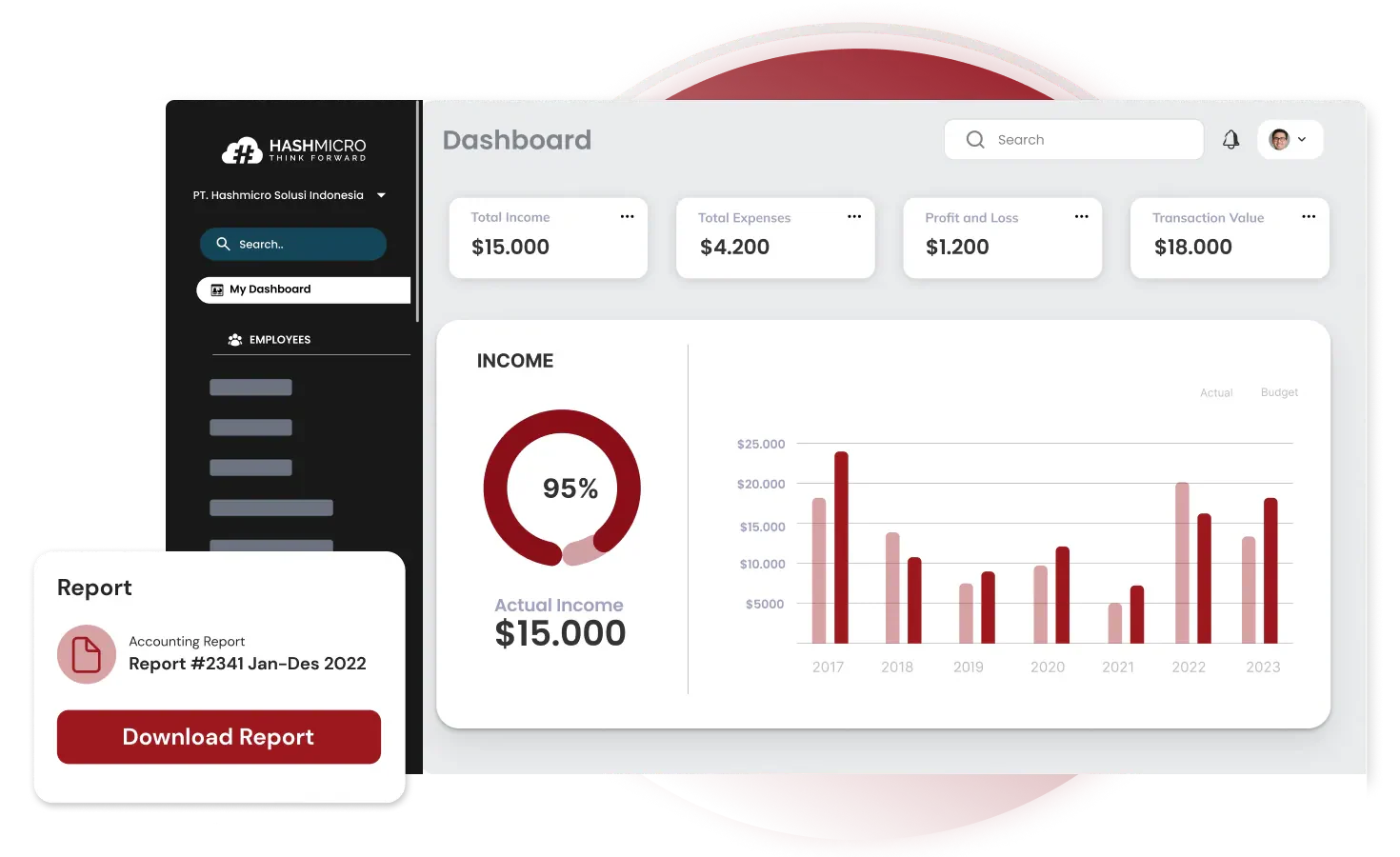 Why we choose: HashMicro’s Accounting Software business expense tracker offers powerful automation and mobile access to streamline expense management. It simplifies data entry, receipt scanning, and categorization, helping reduce errors and save time. With a user-friendly interface, employees can manage expenses efficiently from anywhere.
Business people, HashMicro also integrates with other accounting software to ensure smooth and accurate data flow. Its best expense tracker software offers a free demo that is recommended by 1750+ businesses in Southeast Asia.
Key features:
- Cash flow reports: Monitor the company’s cash inflows and outflows to ensure sufficient liquidity, make appropriate financial plans, and identify and address potential financial issues.
- Multi-level analytical: You can see the trend or insight of all financial transactions in real-time, and they can be filtered based on various categories (project, branch, etc.).
- Profit & loss: A report comparing gains and losses’ value with the original budget and previous estimates.
- Financial ratio: Provides the top accounting solutions that automatically calculates various critical financial ratios such as liquidity ratios, profitability ratios, debt ratios, etc.
| Pros | Cons |
| Free to add users without additional cost | The system implementation time may vary according to your desire for customization. |
| User-friendly interface | Strong integration with ERP systems |
| Secure and reliable data handling | Customizable workflows tailored to industries |
| Strong customer support |
Pricing
: Custom pricing.





2. Zoho Expense
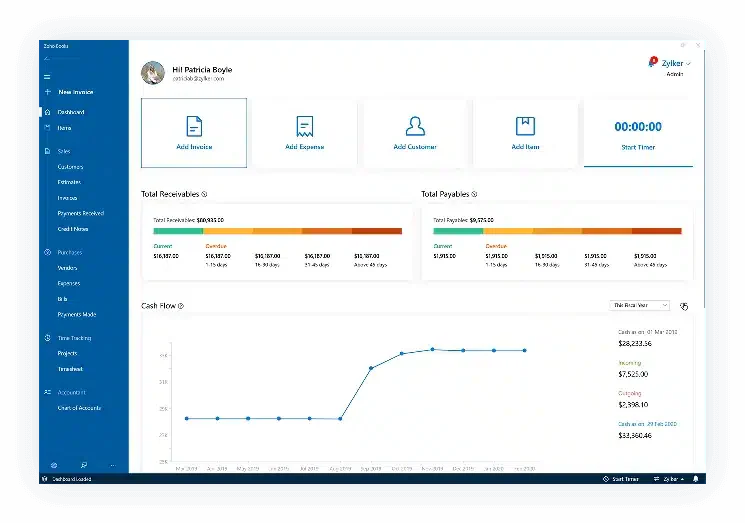
Why we choose: Zoho Expense accounting software combines an intuitive interface with seamless accounting integration, making expense tracking and management simple. Its automated tracking, digital receipt scanning, and customizable reports support efficient workflows for businesses of all sizes.
Key features:
User-friendly Interface: Provides simple navigation that helps employees manage and submit expenses without complicated steps.
Integration with Accounting Software: Connects expense records with accounting systems to simplify financial reporting and reconciliation.
Multi-currency Support: Handles expenses in different currencies, making it useful for businesses with international transactions.
Expense Approvals: Enables managers to review and approve employee expense submissions before reimbursement.
Receipt Uploads: Allows users to upload digital receipts as supporting documents for expense claims.
| Pros | Cons |
| User-friendly and clean interface | Limited offline access |
| Offers multi-currency support | It can be overwhelming for first-time users due to the numerous features |
| Integration with popular accounting software | Some advanced features are locked behind premium plans |
| Streamlines receipt uploads | Support response can be slow during peak times |
Pricing: Standard ₱191/user/month, premium ₱318/user/month.
3. Rydoo
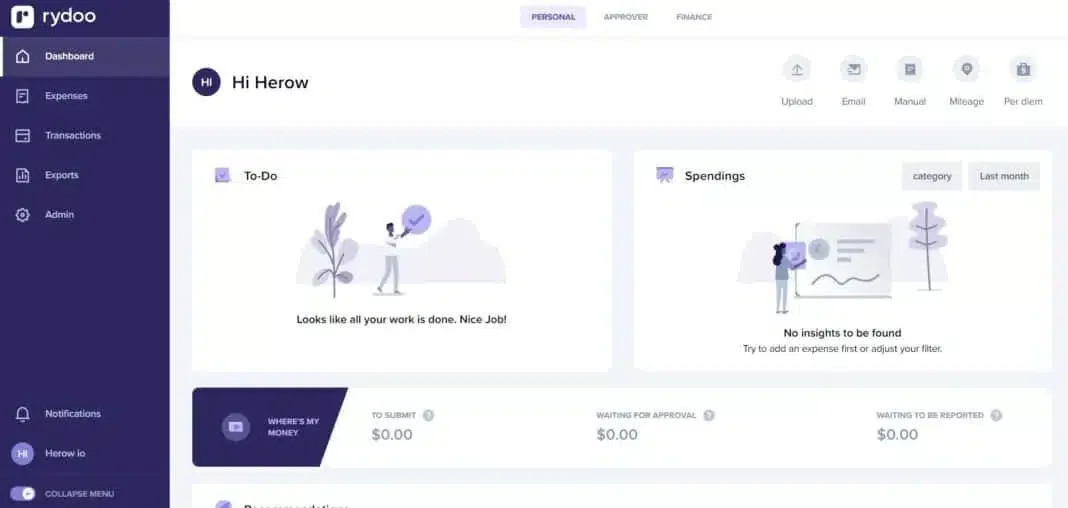 Why we choose: Rydoo offers digital receipt uploads, automatic categorization, and a unified space for expense tracking. Its user-friendly interface and seamless integration with other systems make it a strong fit for modern businesses.
Key features:
Receipt Management: Stores digital receipts in one place, making expense documentation easier to organize and review.
Expense Approvals: Allows managers to review submitted expenses and approve claims based on company procedures.
Mileage Tracking: Records business travel distances to help calculate employee mileage reimbursements.
Policy Enforcement: Applies company expense rules to help identify claims that do not meet spending requirements.
Integration with Accounting Software: Transfers expense information to accounting systems to reduce manual data entry.
| Pros | Cons |
| Centralized receipt management | UI might feel cluttered for some users |
| Easy-to-use mobile application | Requires internet for most functionalities |
| Simplifies approval workflows | Pricing plans may not suit smaller businesses |
| Supports multiple languages | Limited customization of expense categories |
Pricing: Contact vendor.
4. Emburse Certify
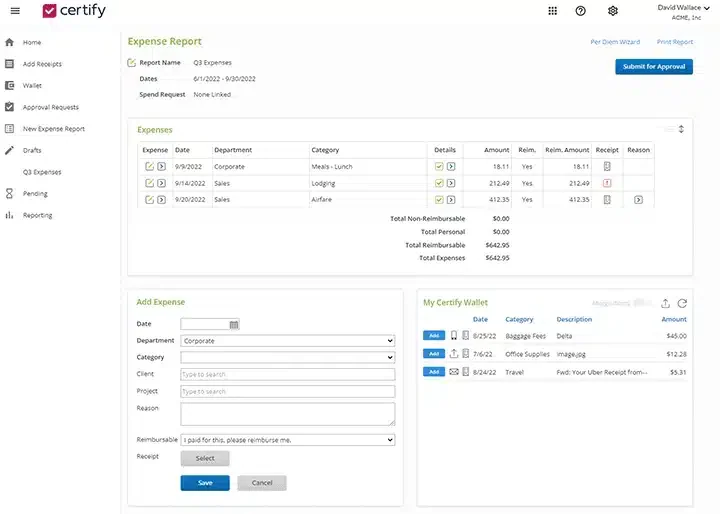 Why we choose: Intelligent automation for accurate expense tracking. Emburse Certify is a business expense tracker software that uses advanced algorithms and OCR technology to automate data entry and receipt categorization, reducing errors and saving time.
Key features:
Automated Data Extraction (OCR): Extracts important information from receipt images, reducing the need for manual data entry.
Multi-level Approvals: Routes expense claims through several approval stages based on company authorization requirements.
Receipt Uploads: Allows employees to attach digital copies of receipts to their expense submissions.
Expense Policy Enforcement: Checks submitted expenses against company spending rules to identify potential policy violations.
Report Generation: Compiles expense information into reports that help finance teams review spending and monitor costs.
| Pros | Cons |
| Automated data extraction from receipts | It can be complex to set up for new users |
| Intuitive interface for expense tracking | Higher-end plans can be expensive |
| Supports multi-level approvals | Limited offline capabilities |
| Real-time policy enforcement | Occasional delays in system updates |
Pricing: Contact vendor.
5. FreshBooks
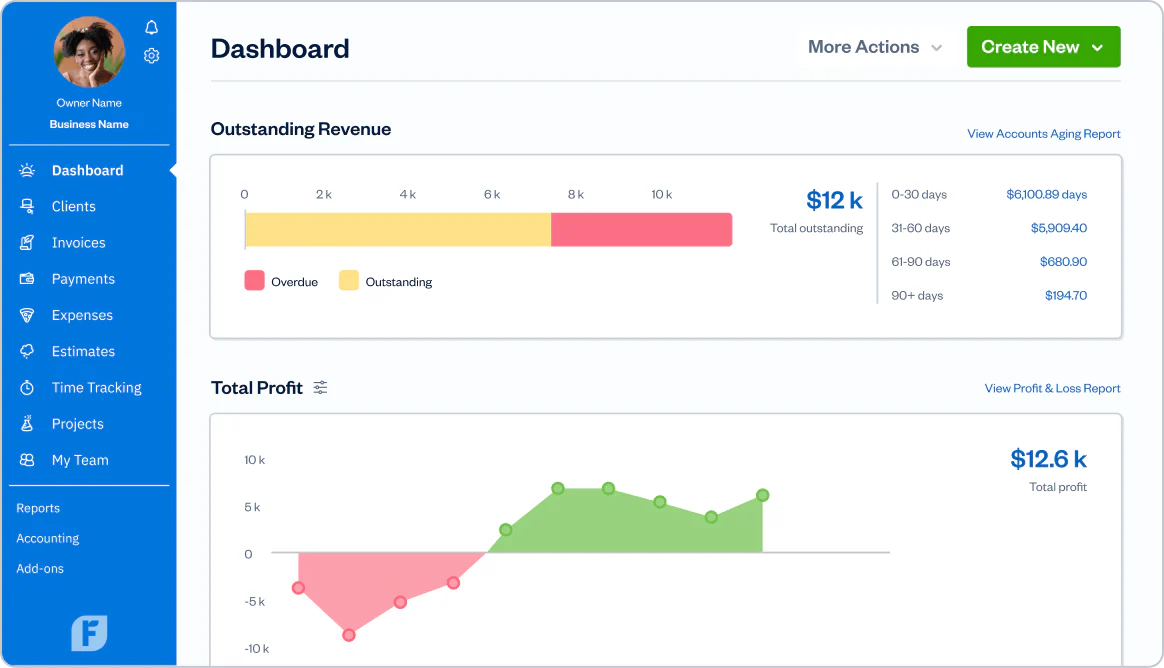 Why we choose: It is ideal for small businesses that need simple invoicing and cloud-based expense tracking. FreshBooks offers professional invoicing, payment integration, and automation tools that help users upload receipts, monitor cash flow, and gain financial insights with ease.
Key features:
Customizable Invoices: Allows businesses to adjust invoice details and layouts to match their branding and billing requirements.
Time Tracking: Records time spent on projects or client work to support accurate billing.
Expense Categorization: Organizes business expenses into categories to make financial records easier to review.
Mobile Access: Enables users to manage expenses, invoices, and other financial activities through mobile devices.
Online Payment Gateways: Supports online payment options so customers can settle invoices electronically.
| Pros | Cons |
| Simple invoicing system | It does not support complex expense categorization |
| Easy integration with payment gateways | Lacks advanced reporting features in basic plans |
| Mobile app for expense tracking | It can get costly as the business scales |
| Cloud-based for accessibility | Limited customization in invoice templates |
Pricing: Lite starts at ₱1,462/month, Plus at ₱2,733/month, and Premium at ₱4,449/month.
6. Expensify
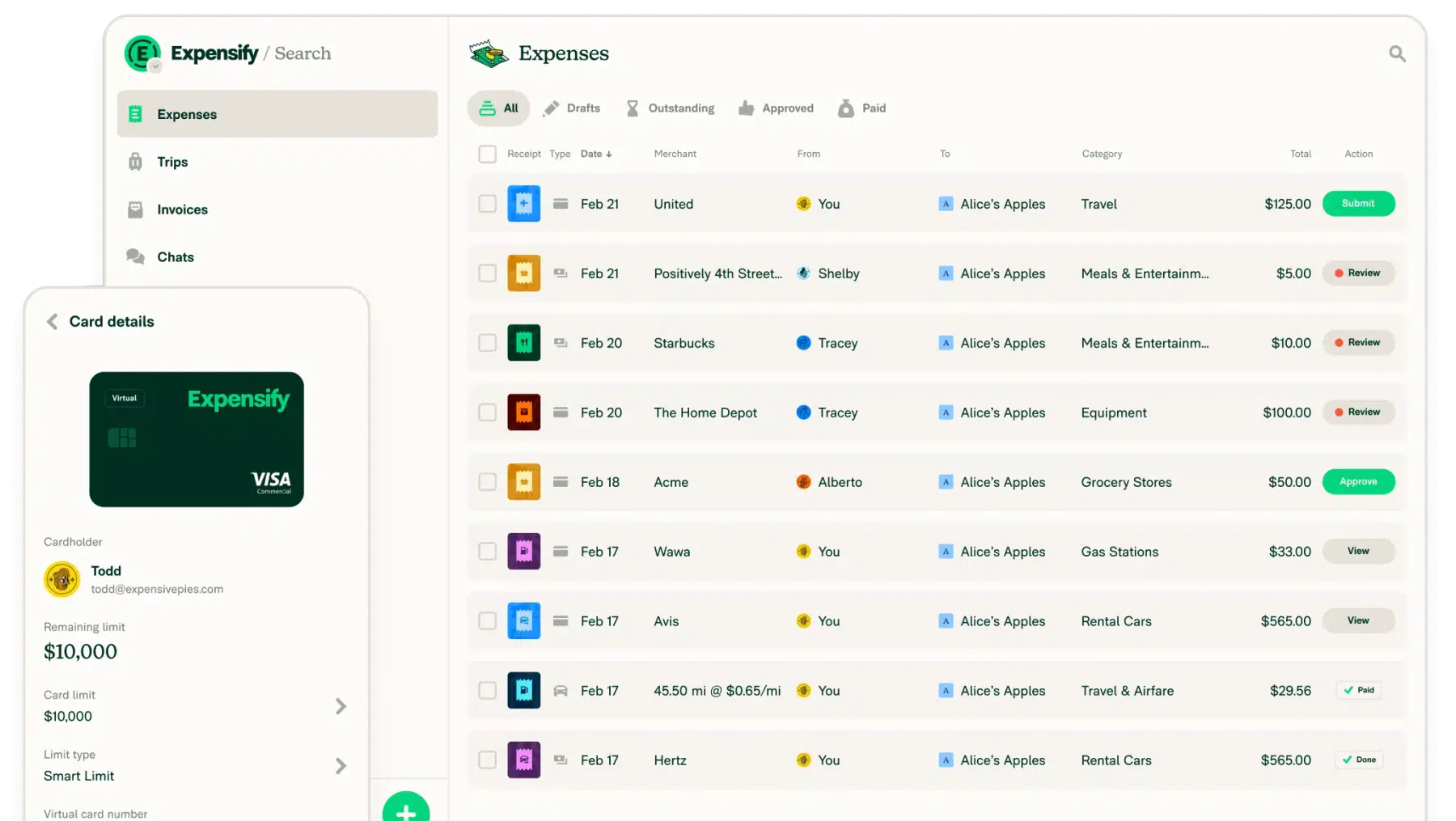 Why we choose: Expensify enhances expense tracking by extracting data from receipts using OCR, allowing users to submit them via mobile or email. This automation reduces manual work, saves time, and helps ensure compliance with company policies.
Key features:
Automatic Data Extraction (OCR): Reads receipt details such as merchant names, dates, and transaction amounts to reduce manual input.
SmartScan Receipts: Captures and processes receipt information through photos or uploaded documents.
Expense Categorization: Organizes transactions into relevant expense categories for easier tracking and reporting.
Approval Workflows: Routes expense reports to the appropriate reviewers before they are processed or reimbursed.
Integration with Accounting Systems: Connects expense records with accounting platforms to support reconciliation and financial reporting.
| Pros | Cons |
| Automated expense reporting with OCR | The high learning curve for advanced features |
| Mobile app for receipt scanning | Premium features can be pricey |
| Supports multi-currency transactions | Customer support can be slow at times |
| Real-time policy violation alerts | Limited offline functionality |
Pricing: Starts at approximately ₱318/member/month.
7. QuickBooks Online
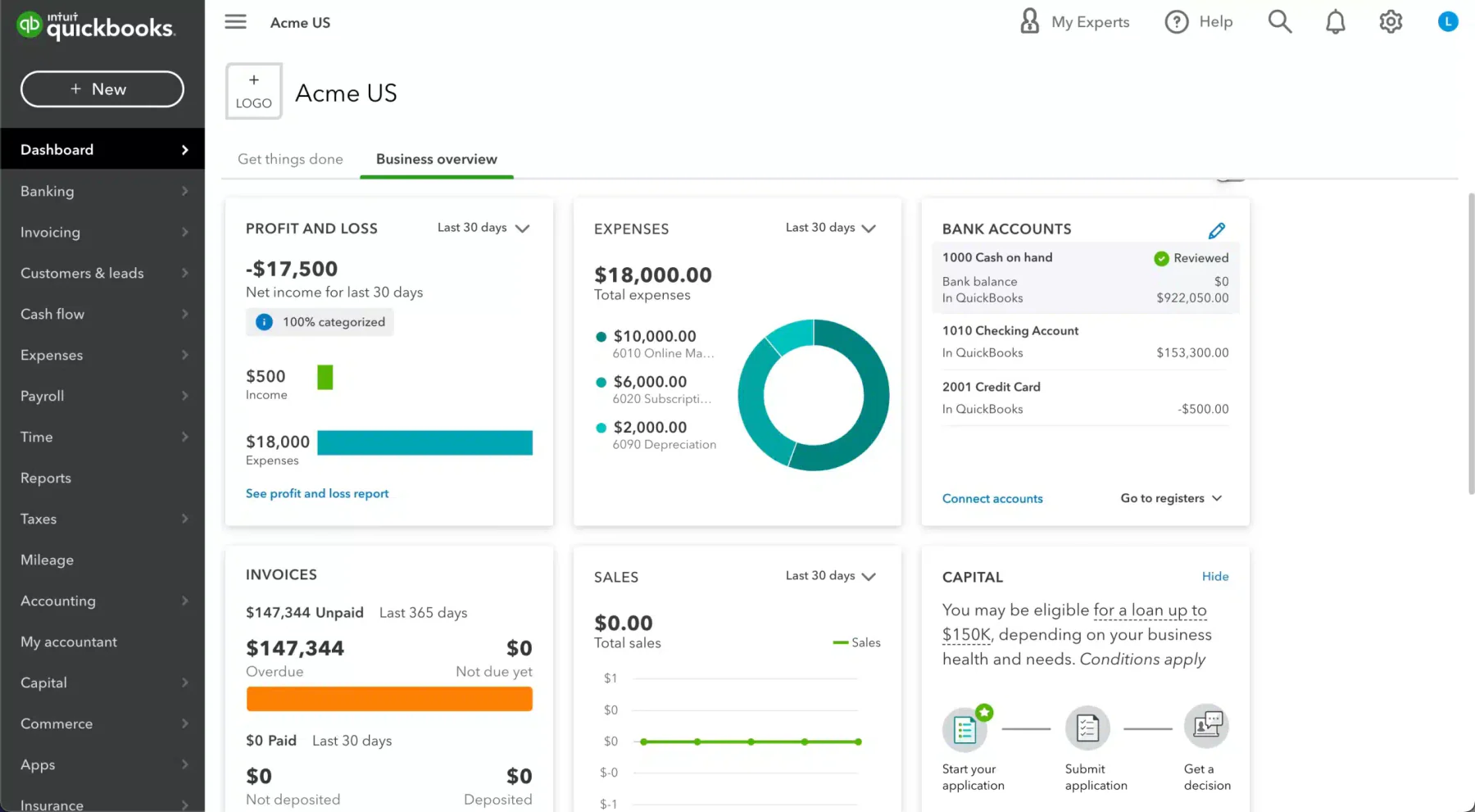 Why we choose: QuickBooks Online is a trusted business tracker and accounting solution for small to medium-sized businesses. It streamlines financial management with automated bank transaction categorization, expense tracking, and customizable invoicing to support faster payments and better cash flow.
Key features:
Automated Expense Import: Imports transaction information from connected financial accounts to reduce manual recording.
Custom Invoicing: Allows businesses to create invoices with customized details that suit their billing needs.
Receipt Capture: Stores digital receipt images and links them to expense records for supporting documentation.
Bank Reconciliation: Matches recorded transactions with bank statements to identify discrepancies and maintain accurate records.
Reporting Tools: Generates financial reports that help businesses review expenses, income, and overall financial performance.
| Pros | Cons |
| Widely recognized accounting platform | The interface may feel outdated for some users |
| Comprehensive reporting tools | Some features are only available in premium tiers |
| Integrates with various financial accounts | Setup and configuration can be time-consuming |
| Invoicing with multiple payment options | Limited customer support for lower-tier plans |
Pricing: Custom quote.
8. SAP Concur
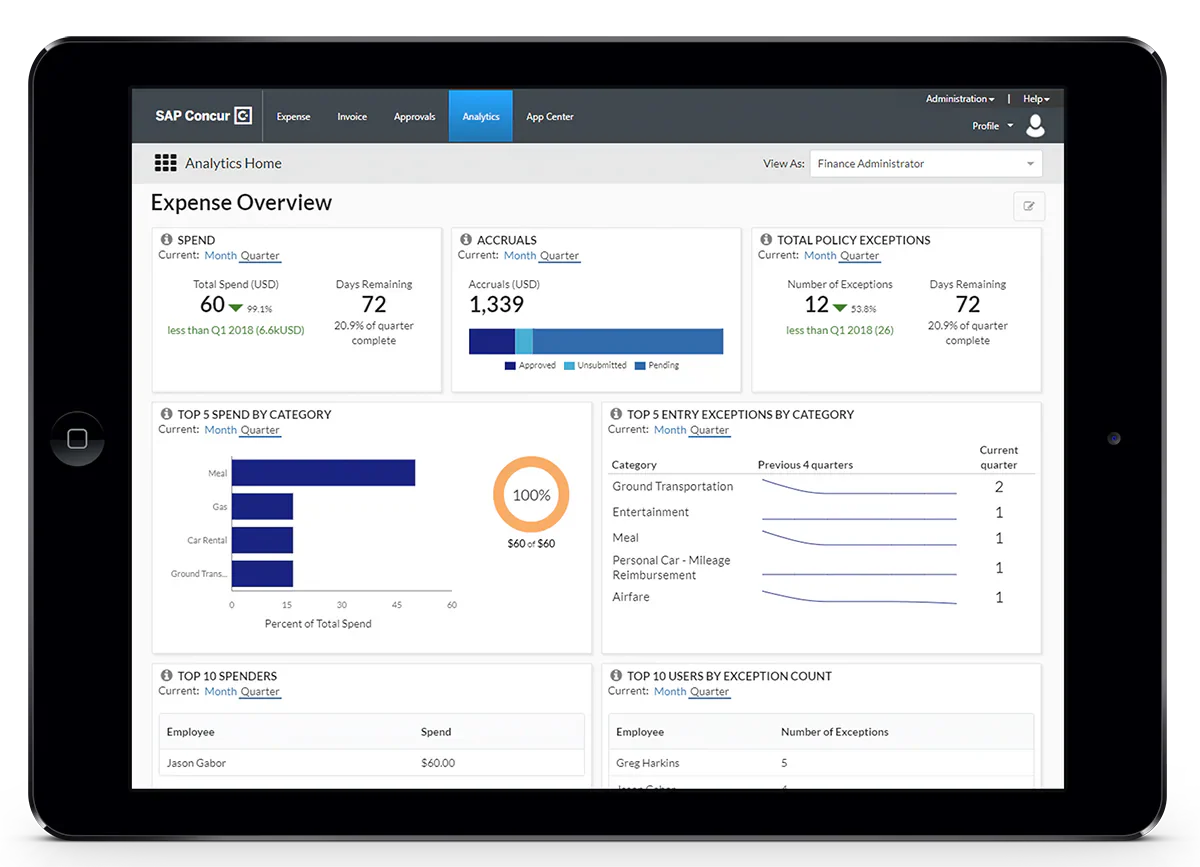 Why we choose: SAP Concur is a powerful business expense software tracker that automates expense tracking, enforces spending policies, and connects with other financial systems. This helps businesses reduce costs, improve compliance, and maintain full control over travel and expense management.
Key features:
Policy Compliance: Checks expense submissions against company rules to help maintain consistent spending practices.
Expense Categorization: Sorts transactions into relevant categories to make expense reporting and analysis easier.
Multi-platform Access: Allows employees and managers to access expense management functions through different devices.
Expense Report Automation: Automate expense report preparation and submission to reduce repetitive administrative work.
Integration with Travel Services: Connects travel booking information with expense records to help businesses manage travel-related spending.
| Pros | Cons |
| Robust policy enforcement features | It can be expensive for smaller businesses |
| Comprehensive travel and expense management | Requires thorough training to use it effectively |
| Real-time tracking and reporting | Limited customization options in standard plans |
| Integrates with multiple financial systems | Complex user interface for beginners |
Pricing: Base ₱445/expense report, Plus ₱699/expense report.
9. Navan Inc
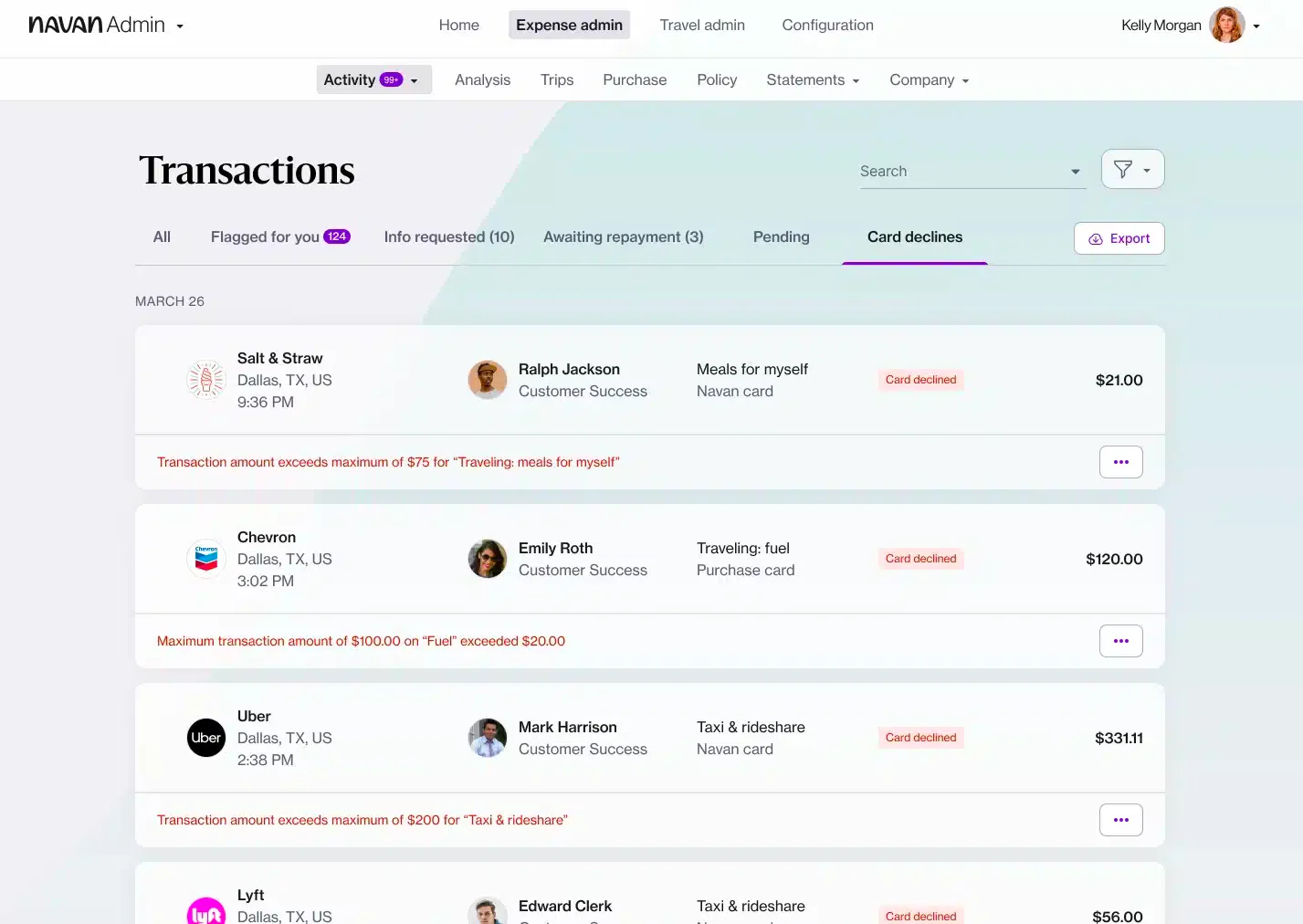
Why we choose: Navan is ideal for businesses aiming to simplify travel management, reduce costs, and save time. As a combined expense and business tracker, Navan streamlines travel planning, consolidates receipts, and supports real-time monitoring across departments.
Key features:
- Real-time Expense Tracking: Captures and categorizes transactions as they happen, giving finance teams immediate visibility into company spending.
- Built-in Spending Policies: Applies spending limits and flags transactions that do not follow company policies.
- Automated Receipt Matching: Matches receipts and invoices with payment records to reduce manual reconciliation.
- Employee Reimbursements: Allows employees to submit receipts through the mobile app and receive approved reimbursements through payroll or bank transfers.
| Pros | Cons |
| Seamless integration with my companys booking policies. |
The product has excessive fine print on travel adjustments. |
| Simple and easy-to-use mobile interface | Handling flight cancellations is sometimes challenging |
| Easy to navigate | Limited reporting customization |
| Ideal for freelancers and small businesses | Requires internet connection for real-time syncing |
Pricing: ₱953/user/month.
10. Everlance
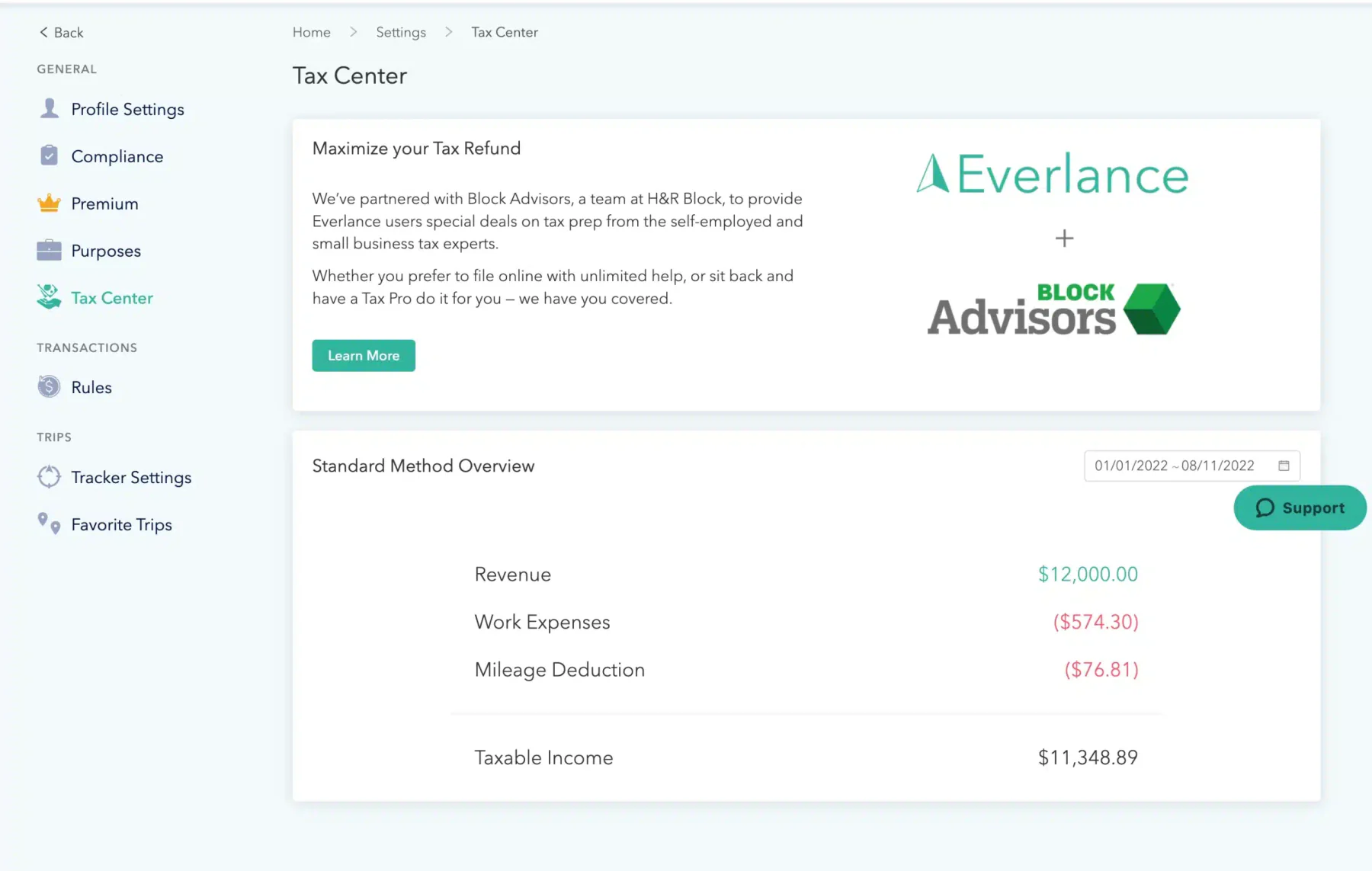 Why we choose: Everlance acts as a lightweight business tracker, offering automated mileage tracking and insightful reports that help users monitor spending and simplify reimbursements or tax reporting. Perfect for freelancers and small businesses needing simple expense tracking.
Key features:
Automatic Mileage Tracking: Records business travel distances automatically to simplify mileage calculations and reimbursement claims.
Receipt Uploads: Allows users to capture and store receipts as documentation for business expenses.
Expense Categorization: Groups transactions into categories to make spending records easier to organize.
Report Generation: Compiles mileage and expense information into reports for reimbursement or financial reviews.
Web and Mobile Access: Provides access through desktop and mobile devices, allowing users to manage expenses in different work settings.
| Pros | Cons |
| Automatic mileage tracking | Limited features in the free version |
| Simple and easy-to-use mobile interface | Not designed for large enterprises |
| Customizable expense reports | Basic analytics compared to competitors |
| Ideal for freelancers and small businesses | Requires internet connection for real-time syncing |
Pricing: Approximately ₱571/month or ₱4,448/year.
11. Rydoo
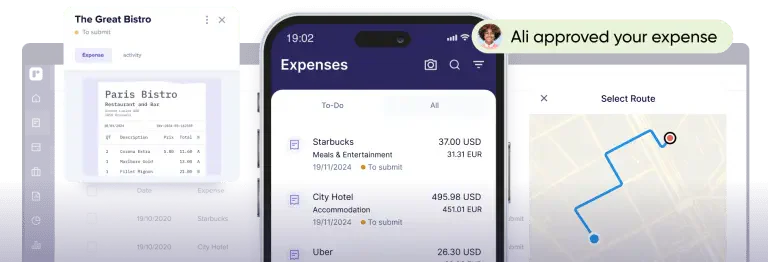
Why we choose: Rydoo is a business expense tracking software that helps streamline reporting, automate approvals, and ensure policy compliance across teams. Its customizable workflows and instant mobile access allow finance teams to manage spending efficiently while saving time on routine tasks.
Key features:- Automated Expense Approvals: Routes expense claims for approval based on company policies and configured rules.
- Smart Audit: Uses AI to identify unusual expenses, missing information, and potential policy violations.
- Mileage and Per Diem Tracking: Records business travel distances and manages daily expense allowances.
- Credit Card Reconciliation: Matches corporate card transactions with submitted expense records to simplify financial reviews.
| Pros | Cons |
| Ease of Use | Approval Issues |
| Easy Upload | Confusing Interface |
| Expense Tracking | Expense Management |
| Expense Management | Inefficient Submission Process |
Pricing: Custom quote.
12. ExpensePoint
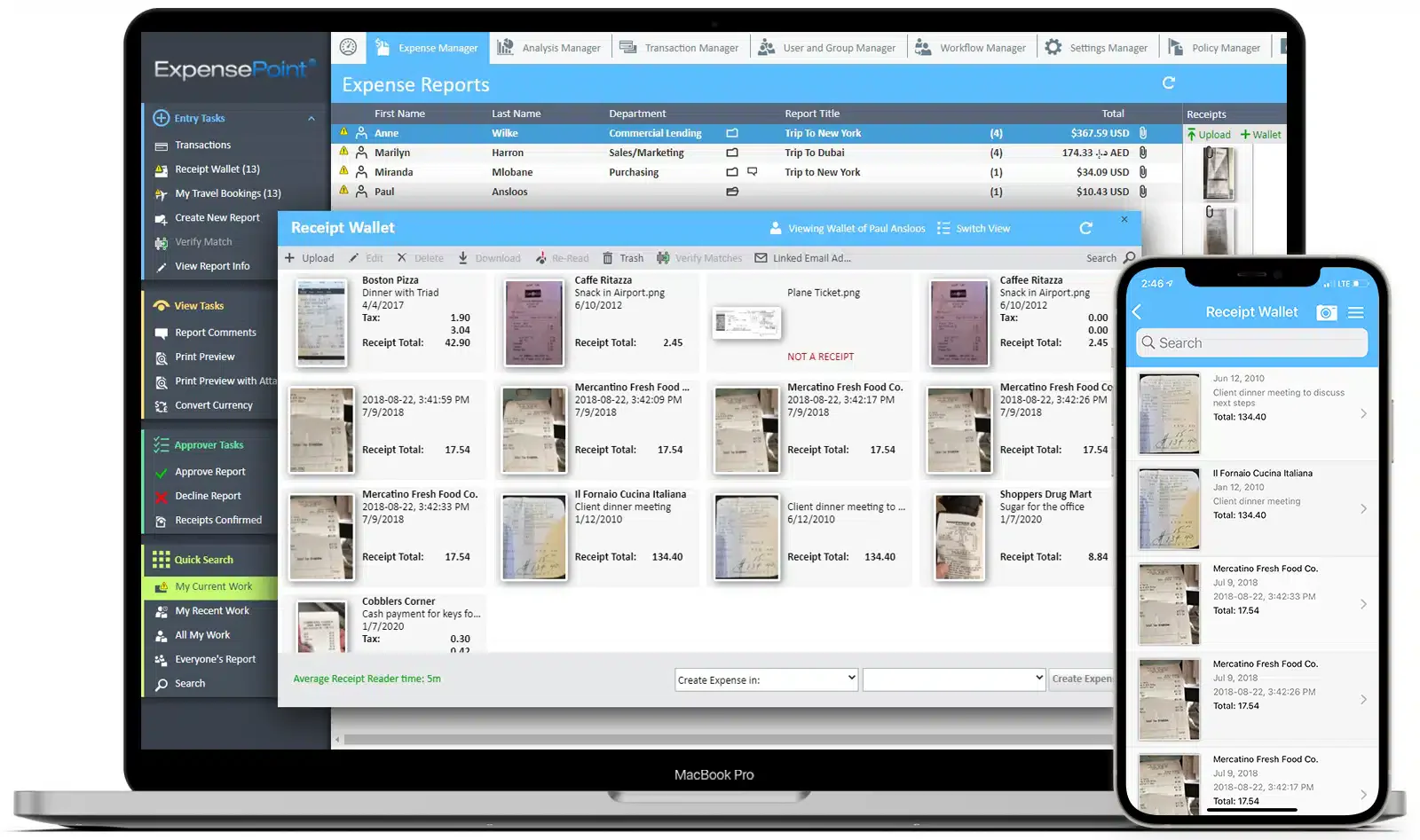
Why we choose: ExpensePoint stands out among business expense tracking apps by offering robust tools tailored for accountants and finance teams. It delivers precise policy management and advanced reporting features to support accuracy and compliance.
Key Features:
Expense Reports: Helps employees compile business expenses into reports for review, approval, and reimbursement.
Mobile: Allows employees to access expense management functions and submit expense information through mobile devices.
Administration: Provides administrative controls for managing users, expense policies, and approval procedures.
Platform: Offers a centralized environment for accessing and managing expense records and related activities.
| Pros | Cons |
| Highly granular control over expense policies. | User interface is a bit confusing for day-to-day user. |
| Reporting is outstanding. | Insufficient explanations |
| Versatile and effortless to use. | Itemization categorizes expenses only |
Pricing: Custom quote.
13. Mint
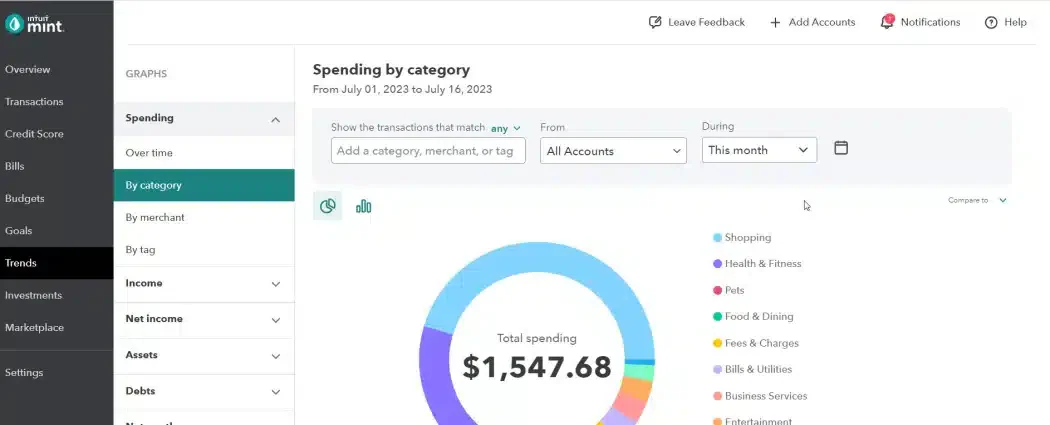 Why we choose: Mint is a business expense tracking software that helps users manage budgets, monitor finances, and track expenses effectively. It automatically organizes transactions and delivers visual spending patterns to help individuals and small businesses identify areas to reduce costs.
Key features:
Automated Transaction Categorization: Sorts recorded transactions into spending categories to help users understand where their money goes.
Budgeting Tools: Helps users set spending limits and monitor expenses against their budgets.
Goal Setting: Allows users to establish financial targets and track their progress over time.
Multi-account Management: Brings information from multiple financial accounts into one place for easier monitoring.
Spending Reports: Summarizes transaction data to show spending patterns and help users review their financial habits.
| Pros | Cons |
| Free personal finance platform | No multi-user support for business teams |
| Automatic categorization of expenses | Lacks in-depth business analytics features |
| Visual representation of spending patterns | The ad-supported interface can be distracting |
| Budget tracking with goal-setting | Limited to personal finance rather than business use |
Pricing: Custom quote.
14. Abacus
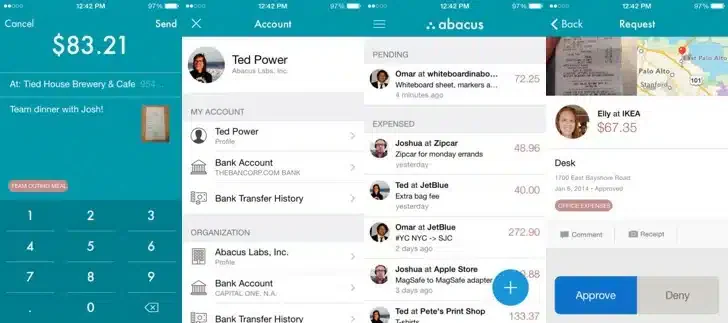
Why we choose: Avolution’s ABACUS offers a comprehensive toolkit for enterprise architecture, IT management, and strategic planning. It supports data import, customizable models, and powerful analytics for planning and roadmapping. The platform also provides detailed visualizations and reporting features, making it suitable for complex business transformations.
Key features:- Real-time Expense Approvals: Allows employees to submit expenses and managers to review transactions as they occur.
- Customizable Expense Policies: Sets spending rules and approval workflows based on company requirements.
- Corporate Card Management: Supports virtual and physical cards with spending controls to monitor employee purchases.
- Accounting Integration: Connects expense records with accounting platforms to support faster reconciliation and financial reporting.
| Pros | Cons |
| Flexibility | The studio tool is not easy to use |
| Flexible meta modelling | Manual visualizations is not a strength |
| Enterprise portal application | Limited export capability |
| Budget tracking with goal-setting |
Pricing: Custom quote.
15. Shoeboxed
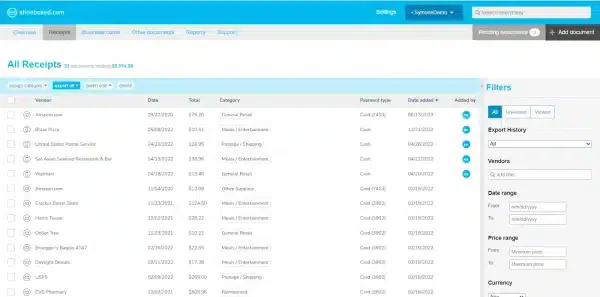
Why we choose: Shoeboxed is a digital receipt and expense tracking tool that helps users manage finances by uploading receipts, organizing expenses, and connecting with platforms like Evernote and QuickBooks. It digitizes financial documents, improving record-keeping and saving valuable time.
Key features:
Receipt Digitization: Converts paper receipts into digital records, making expense documentation easier to store and access.
Expense Categorization: Organizes recorded expenses into categories to simplify financial reviews.
Business Card Management: Stores business card information digitally to make contact details easier to organize and retrieve.
Integration with Productivity Tools: Connects with other applications to support document sharing and expense record management.
Online Document Storage: Keeps digitized receipts and financial documents in an online repository for easier access.
| Pros | Cons |
| Easy receipt digitization and storage | Limited expense categorization options |
| Integrates with tools like Evernote | Basic plan lacks some advanced features |
| Enhances productivity with organized receipts | Pricing may not suit smaller businesses |
| Simple user interface | Requires scanning for paper receipts manually |
Pricing: Starter costs ₱572/month, Pro costs ₱1,843/month, and Plus costs ₱5,022/month.
How to Choose the Best Expense Tracking Software
When choosing the best expense tracker software in the Philippines, consider the following steps:
- Identify your business needs: Determine your business’s specific requirements, such as multi-currency support, receipt scanning, integration with accounting software, and budget management features.
- Ease of use: Select user-friendly software for all employees to ensure easy adoption and minimal training time. A simple interface can make tracking expenses less daunting.
- Integration capabilities: To streamline your expense management process, choose an accounting or ERP system that integrates seamlessly with business budgeting software.
- Compliance and local regulations: To simplify compliance, choose the best expense tracker software that adheres to Philippine financial rules and tax laws.
- Cost and scalability: Consider your budget and the software’s pricing plans. Look for options that can scale with your business as it grows.
Conclusion
Best business expense-tracking software is crucial for organizations to maintain financial control, improve accuracy, and enhance overall efficiency. The 15 options listed here provide a range of features to meet different business needs.
HashMicro Philippines stands out with its user-friendly interface, robust tracking capabilities, mobile access, and automated report generation, making it a top choice for Filipino businesses. Try a free demo today to see how HashMicro can optimize your expense management.
FAQ about Expense Tracking Software
Since budgeting apps often contain sensitive financial information, hackers frequently target them. However, there are steps you can take to secure your data and use these apps without worry. Explore the best budgeting apps for 2026 to track your finances while keeping them safe and efficient.
The best software for keeping track of expenses depends on your business needs. Some of the top options include: HashMicro, Zoho Expense, Rydoo.
If you are looking for an app to track your daily expenses, the following are highly recommended: HashMicro, Zoho, Expensify.
You should track all expenses directly related to your business operations. Common categories include office supplies, travel expenses, utilities, marketing, employee salaries, and equipment purchases. Using business expense tracking software or business expense tracking apps can simplify this process, ensuring accuracy and helping with financial planning and tax deductions.