

















Choosing the right POS system is one of the most consequential tech decisions for any Philippine retail or F&B business. The wrong choice means manual reconciliation, BIR compliance headaches, and inventory that never matches your actual stock. This guide compares the 20 best options available in the Philippines — ranked by who they’re actually built for, with honest pros, cons, and pricing.
Disclosure: This article is published by HashMicro. HashMicro is included in this list and assessed using the same criteria applied to all other vendors.
Key Takeaways
|
Table of Contents
Best POS in the Philippines 2026 at Glance











Comparison of best POS systems Philippines 2026
Scroll right on mobile. Pricing in PHP/month unless noted.
| POS System | Best for | Industry fit | Starting price | BIR compliant | Offline mode |
|---|---|---|---|---|---|
| 1) HashMicro | Enterprise, multi-branch | Retail, F&B | Custom quote Free consultation |
✅ Built-in | ✅ Hybrid |
| 2) StoreHub | SEA-focused retail & F&B | Retail, F&B | Custom quote | ✅ | ✅ |
| 3) UTAK | Small PH businesses, F&B | F&B, SMB | ₱2,333/mo | ✅ | ⚠️ Limited |
| 4) Clover | Customizable POS | Retail, F&B | Custom quote | ✅ | ⚠️ Limited |
| 5) Erply | Scalable retail chains | Retail, Enterprise | Custom quote | ⚠️ Check | ✅ |
| 6) Lightspeed | Multi-location retail | Retail | ₱5,000/mo $89/mo USD |
⚠️ Check | ⚠️ Limited |
| 7) Loyverse | Free entry-level POS | SMB, F&B | Free Paid add-ons |
❌ | ✅ |
| 8) Nextar | Offline-first, low cost | SMB, Retail | ₱57/mo Premium plan |
❌ | ✅ Excellent |
| 9) Oracle | Large hospitality & F&B | Enterprise, F&B | Custom quote | ⚠️ Check | ✅ |
| 10) Shopify POS | E-commerce + in-store | Retail | ₱1,600/mo $29/mo USD |
⚠️ Check | ⚠️ Limited |
| 11) Square | Simple, fast setup | SMB, Retail | Free to start Transaction fees apply |
⚠️ Limited | |
| 12) Toast | Restaurant-specific | F&B | Custom quote | ⚠️ Check | ✅ |
| 13) Qashier | Quick setup, SEA-focused | Retail, F&B | Custom quote | ✅ | ✅ |
| 14) Mosaic | Inventory & reporting depth | Retail | Custom quote | ⚠️ Check | ⚠️ Limited |
| 15) Condor | Multi-industry versatility | Retail, F&B | Custom quote | ✅ | ✅ |
| 16) Peddlr | Micro-businesses, free | SMB | Free Premium available |
⚠️ Limited | ✅ |
| 17) Aronium | Budget retail POS | Retail, SMB | Custom quote | ⚠️ Check | ✅ |
| 18) Revel Systems | iPad-based enterprise | Enterprise, F&B | Custom quote | ⚠️ Check | ✅ |
| 19) TouchBistro | Restaurant simplicity | F&B | Custom quote | ⚠️ Check | ✅ |
| 20) Eats365 | Cloud restaurant POS | F&B | Custom quote | ⚠️ Check | ✅ |
✅ = confirmed. ⚠️ Check = verify with vendor for PH-specific setup. Pricing as of early 2026 — verify with each vendor directly.
Recommendations Based on Specific Business Needs
- All-in-one POS for retail & F&B operations → HashMicro
- Affordable POS for small to micro businesses → UTAK, Peddlr, Aronium
- Restaurant-focused POS with dine-in workflows → Toast, Condor, Oracle
- POS with strong inventory & reporting depth → Mosaic, Lightspeed, Erply
- Easy-to-use POS with quick setup → StoreHub, Qashier, Square
- POS with strong e-commerce integration → Shopify, Lightspeed
- Offline-first POS for high-volume operations → Nextar, Loyverse
Which POS is Right for Me?
Here’s a quick guide to help you choose the best POS system based on your business type and size:
| Category | POS Systems |
| Small/Micro Businesses | Peddlr, Tagrain |
| Restaurants | Oracle, Toast, Condor |
| Multi-Branch Retail | HashMicro, Erply, Lightspeed |
| Pharmacy / Drugstore | Condor, HashMicro |
| Mall-based businesses | Mosaic, Qashier |
| Budget / offline-first | Nextar, Aronium |
Note: Choose a POS system that fits your specific needs and features, especially for businesses requiring further integrations, such as restaurants with delivery platforms or multi-branch retail stores with centralized management.
Top 20 POS Systems for Philippines Business 2026
To assist you in choosing the best POS software in the Philippines, we have curated a list of the 20 top POS providers in the Philippines 2026. Each system has been evaluated based on its features, scalability, and integration with other business operations. Below is the list:
1. StoreHub
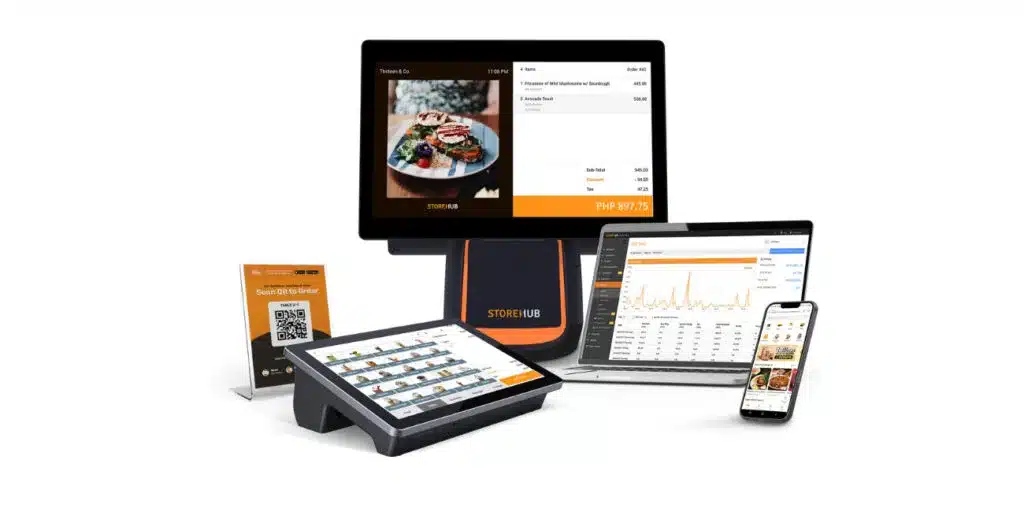
StoreHub has built strong presence across Southeast Asia, understanding the unique needs of businesses in this region. For Philippine retailers and restaurants wanting a provider that “gets” the local market, StoreHub offers a compelling package of features, support, and regional expertise.
Best For: Southeast Asian businesses wanting regional provider with local support.
Key Differentiators:
- Regional Focus: Built for Southeast Asian markets
- E-Commerce Ready: Online store integration included
- Delivery Integration: GrabFood, foodpanda connectivity
- Local Support: Regional support team
| Pros | Cons |
|
|
Best Suited For:
- Retail stores expanding to online
- F&B businesses using delivery platforms
- Growing businesses needing scalable solution
Pricing: ₱1,874-7,499/month.
2. HashMicro POS System
HashMicro POS software is more than just a point-of-sale tool, it’s a complete business management ecosystem. While other providers focus solely on point-of-sale, HashMicro integrates sales with inventory, accounting, procurement, HR, and CRM in one platform. For businesses that have outgrown standalone POS and need enterprise capabilities, HashMicro represents the logical upgrade path.
Best For: Medium to large businesses needing an all-in-one ERP with POS.
Key Differentiators:
- Full ERP Integration: POS connects directly to accounting, inventory, purchasing
- Unlimited Users: No per-user fees unlike most competitors
- Philippine-Focused: Local support team, BIR compliance built-in
- Customizable: Adapt to specific business workflows
- Multi-Branch Ready: Centralized control with branch-level flexibility
| Pros | Cons |
|
|
Best Suited For:
- Retail chains (5+ branches)
- Restaurants with central kitchen operations
- Businesses needing POS + accounting integration
- Companies planning significant growth
Pricing: Custom quote based on modules and scale. Free consultation available.
For businesses ready to explore this option, you can learn more about HashMicro’s POS software for Philippines businesses here

3. UTAK POS
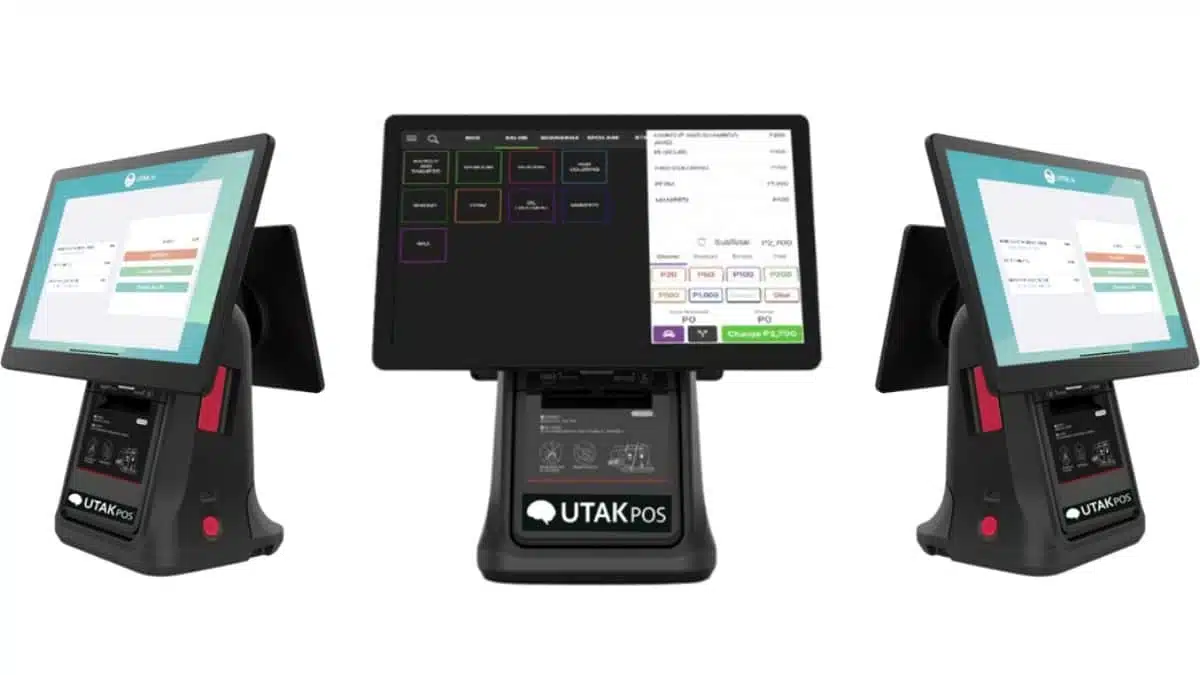
UTAK POS is designed specifically for the Philippine market, with Filipino business practices in mind. The system is accessible, affordable, and supported locally—making it an excellent choice for businesses taking their first step into digital POS.
Best For: Philippine SMEs wanting affordable, locally-designed solution.
Key Differentiators:
- Philippine-First Design: Built for local business practices
- Affordable Entry: Accessible pricing for SMEs
- Hardware Bundles: Complete packages available
- Local Support: Filipino support team
| Pros | Cons |
|
|
Price: PHP 1,500.00 monthly
4. Condor POS
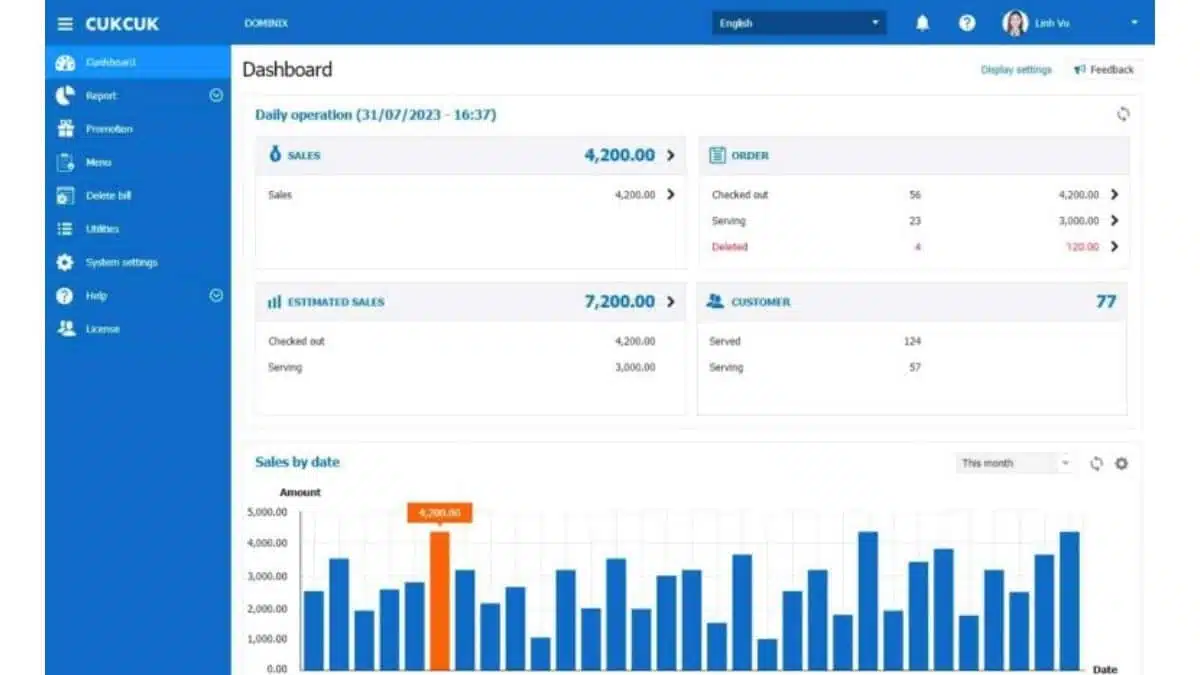
Condor serves diverse industries—retail, pharmacy, supermarket, restaurant—making it a versatile choice for business owners with multiple ventures or unique hybrid operations. The local presence ensures Philippine-specific requirements are understood.
Best For: Multi-industry businesses wanting versatile local solution.
Key Differentiators:
- Multi-Industry: Retail, F&B, pharmacy, supermarket
- Hardware + Software: Complete bundles available
- Local Provider: Philippine-based company
- Versatility: Adapts to different business types
| Pros | Cons |
|
|
Best Suited For:
- Business owners with multiple venture types
- Pharmacies and drugstores
- Supermarkets and groceries
- Restaurants and cafés
Pricing: Contact vendor for quote.
5. Square POS
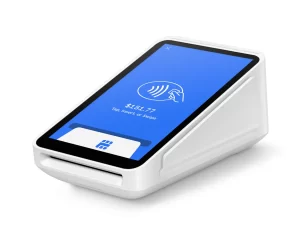 Square is a versatile POS system offering a range of features that work well for both small and large businesses. It’s popular for its simple setup, robust payment processing, and powerful reporting tools, making it a great choice for businesses in the Philippines, especially in retail and F&B sectors.
Best For: Small to medium businesses in retail and food service.
Key Differentiators:
- Simple Setup: Easy to install and start using, even for beginners
- Payment Processing: Accepts all major card types and mobile payments
- Powerful Reporting: Real-time analytics for smarter business decisions
- Hardware Ecosystem: Compatible with a range of POS hardware
| Pros | Cons |
|
|
Best Suited For:
- Small and medium retail businesses
- Food and beverage establishments
- Businesses looking for a budget-friendly POS solution
Pricing: ₱1,100-4,000/month.
6. Mosaic POS
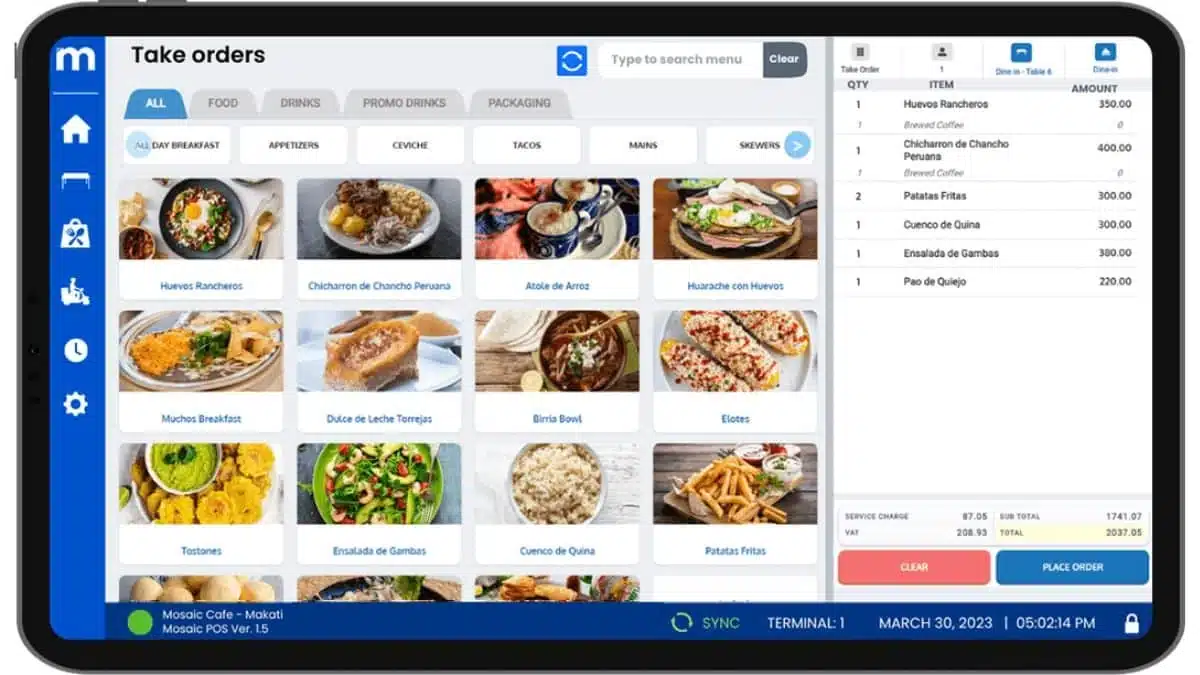
Mosaic has particular strength in mall-based businesses, with BIR accreditation and major mall recognition. For businesses operating in SM, Ayala, Robinsons, and other major malls, Mosaic’s established relationships can simplify compliance requirements.
Best For: Retail and F&B businesses in Philippine malls.
Key Differentiators:
- Mall Accredited: Recognized by major PH malls
- BIR Compliant: Established tax compliance
- SaaS Model: Predictable monthly costs
- Local Presence: Philippine-based support
| Pros | Cons |
|
|
Best Suited For:
- Mall-based retail stores
- Mall-based restaurants
- Businesses needing mall reporting compliance
Pricing: ₱2,000/month (2-year contract typical).
7. Qashier POS
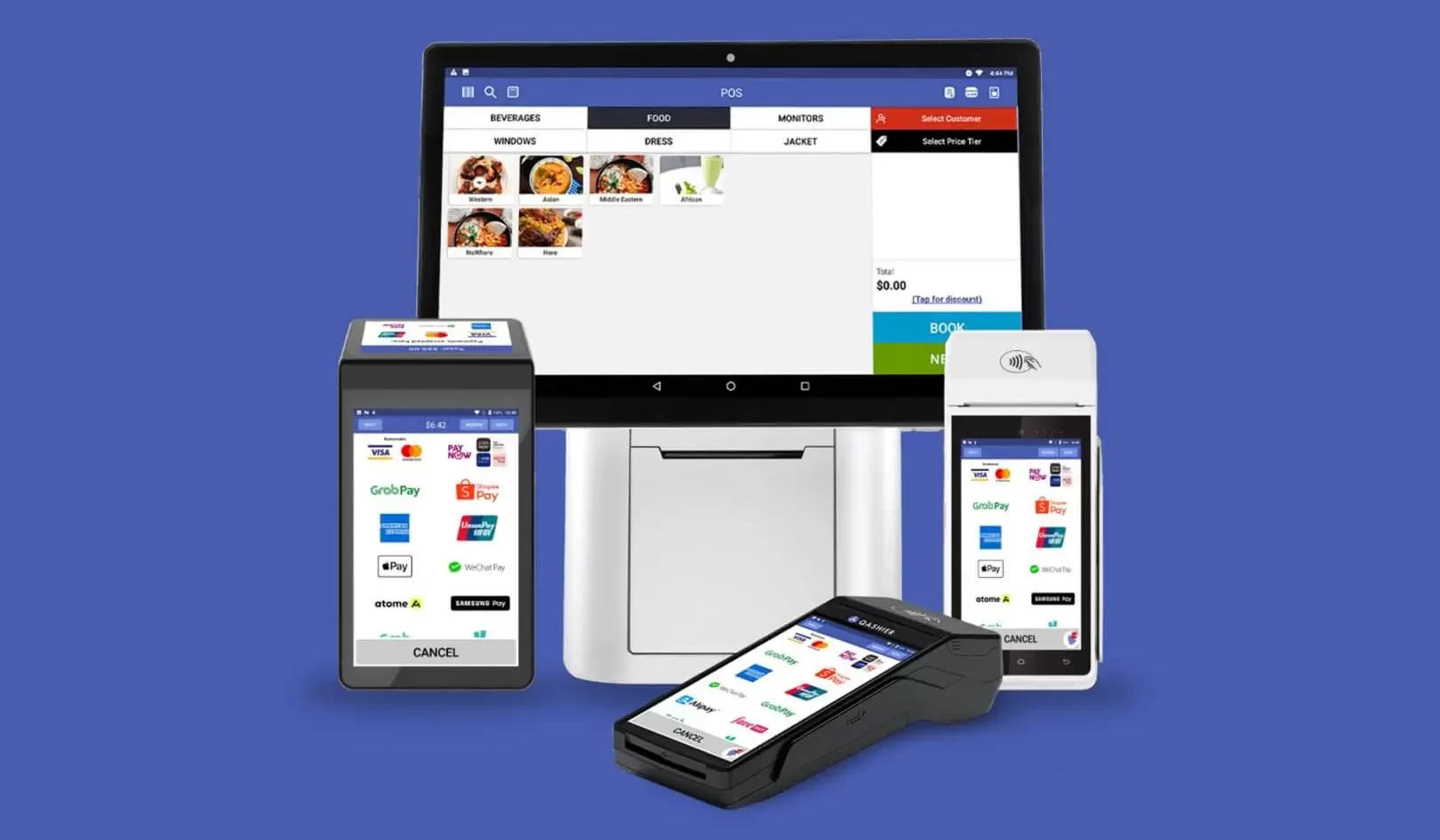
Qashier’s appeal is simplicity—integrated hardware with software pre-installed, ready to use out of the box. For business owners who don’t want to piece together systems or deal with complex setup, Qashier offers a straightforward path to modern POS.
Best For:Businesses wanting quick-setup integrated hardware/software.
Key Differentiators:
- All-in-One: Hardware and software integrated
- Quick Setup: Minimal configuration needed
- Payment Integration: Multiple payment methods built-in
- Clean Design: Modern, attractive terminals
| Pros | Cons |
|
|
Best Suited For:
- New business openings needing fast setup
- Businesses wanting turn key solution
- Retailers and small F&B
- Non-technical owners
Pricing: ₱2,598-49,998/month depending on package.
8. Oracle Simphony Essentials
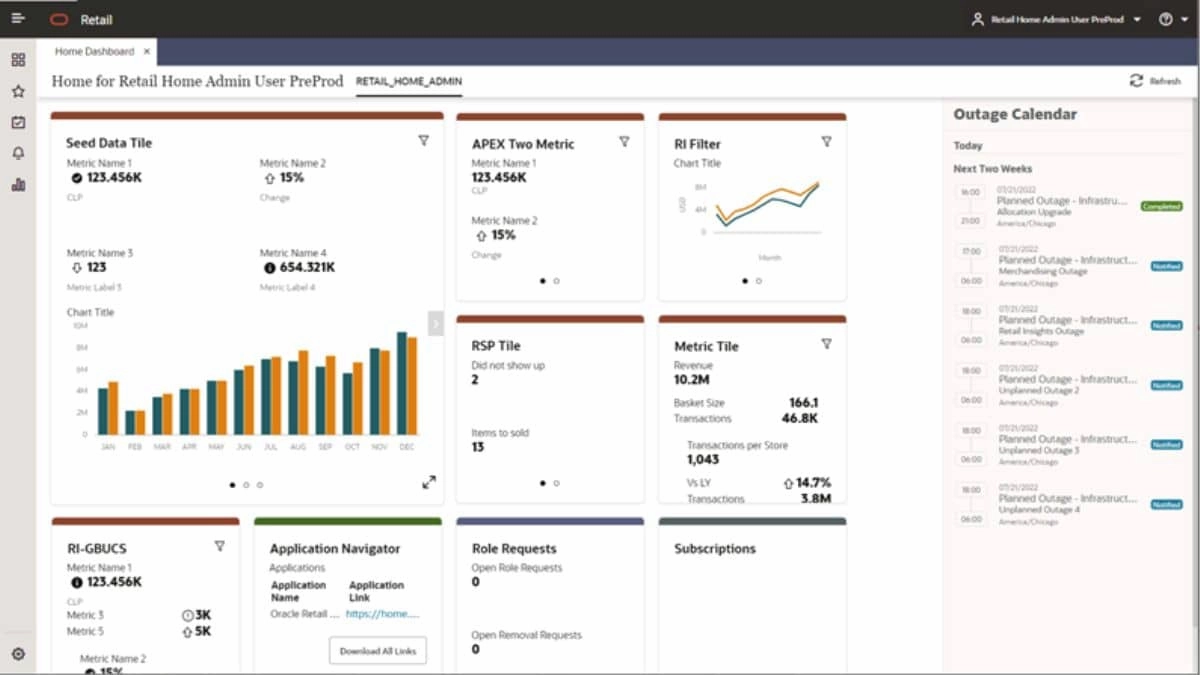
Oracle Simphony is the global standard for restaurant POS, used by major chains worldwide. In the Philippines, it’s particularly relevant for restaurant groups seeking international-standard operations. The system is purpose-built for food service—not adapted from retail software.
Best For: Restaurant chains needing enterprise-grade F&B management.
Key Differentiators:
- Restaurant DNA: Every feature designed for F&B operations
- Conversational Ordering: Natural language order entry
- Real-Time Analytics: Enterprise business intelligence
- Global Scale: Proven in thousands of restaurants worldwide
| Pros | Cons |
|
|
Best Suited For:
- Restaurant chains (especially 10+ locations)
- Hotel F&B operations
- Quick-service restaurant franchises
- Fine dining establishments
Pricing: Starting from ₱3,175/month.
9. Tagrain
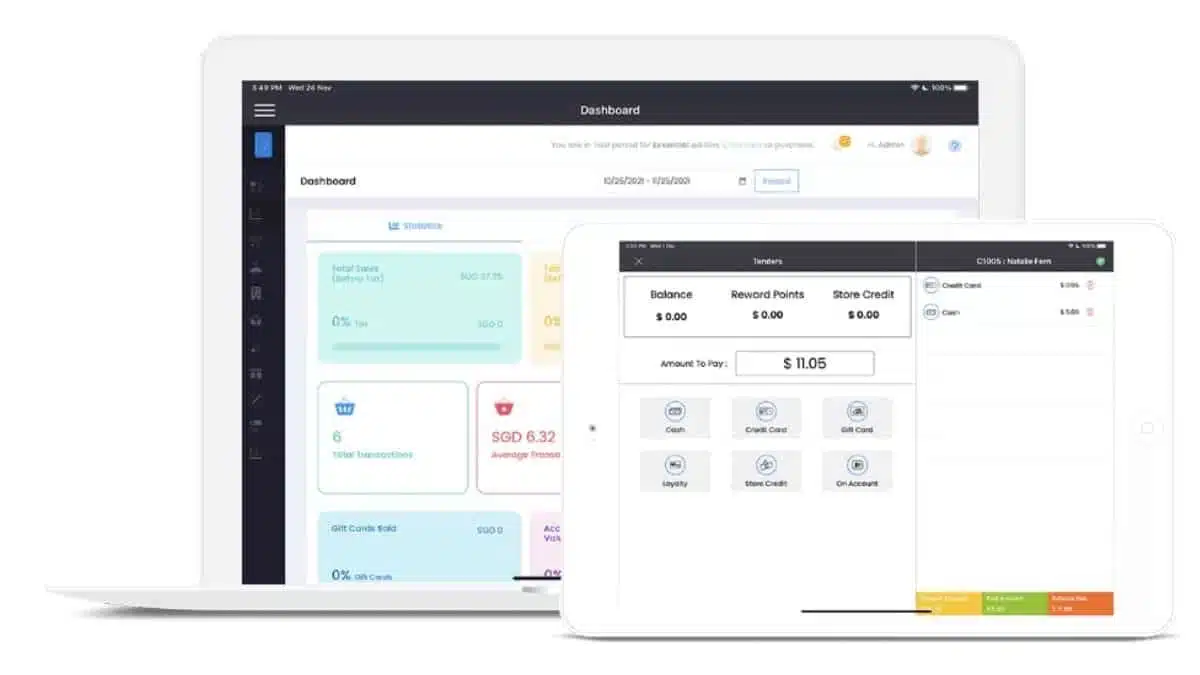
Tagrain provides a cloud-based POS system focused on streamlining retail operations. It’s a solid choice for small businesses seeking simplicity and speed in managing sales and inventory. While it lacks complex integrations, it excels at handling daily transactions and basic reporting needs.
- Best for: Small-scale retail operations with basic POS needs.
- Features: Basic sales tracking, inventory management, and customer data storage.
- Ease of Use: Fast and easy installation, with a user-friendly interface.
- Support: Limited support options, but offers extensive FAQ and online resources.
- Security: Standard security measures for cloud-based systems.
- Pricing: ₱149/month
10. Toast POS Systems Philippines
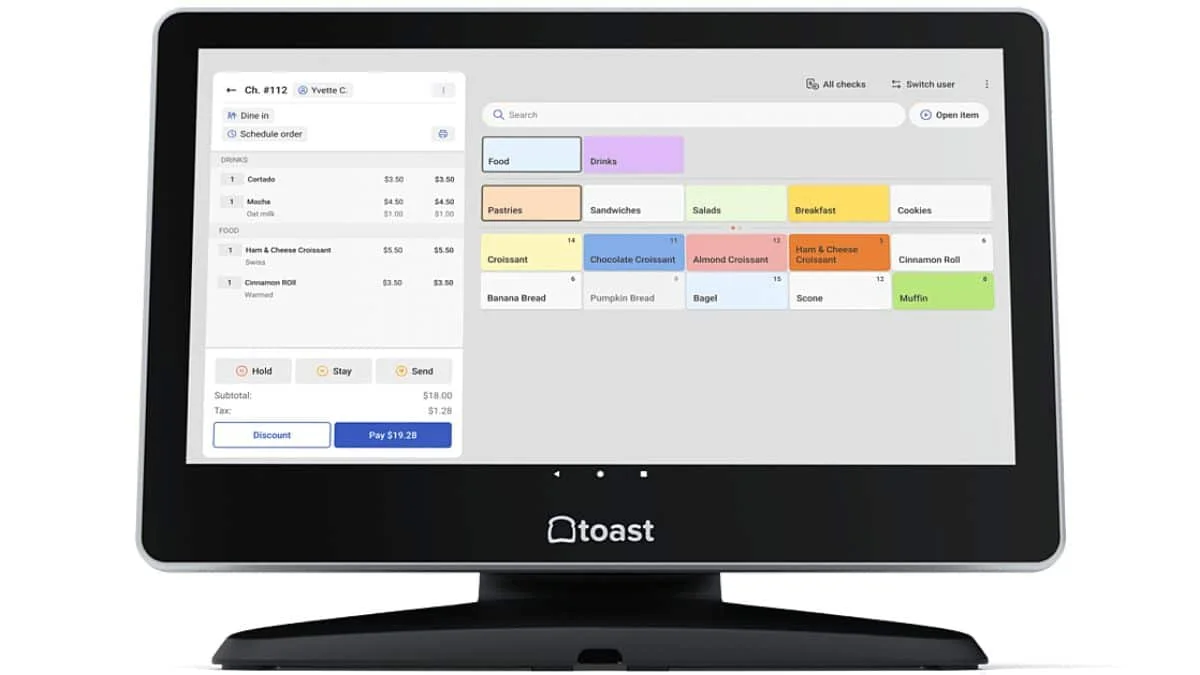
Toast is the leading restaurant-specific POS in the United States, offering deep F&B functionality that generic POS systems cannot match. For Philippine restaurant operators wanting international-standard operations, Toast represents the premium restaurant technology option.
Best For: Restaurants wanting US-standard specialized restaurant POS.
Key Differentiators:
- Restaurant-Only: 100% F&B focused
- Kitchen Integration: Seamless front-to-back-of-house
- Online Ordering: Built-in, not bolted-on
- Restaurant Analytics: Menu engineering, labor optimization
| Pros | Cons |
|
|
Best Suited For:
- Full-service restaurants
- Quick-service chains
- Restaurant groups
- F&B businesses prioritizing technology
Pricing: $0-165/month (₱0-9,200) plus hardware.
Philippine restaurant businesses can also explore a dedicated restaurant POS system built for local F&B operations
11. Peddlr POS Systems Philippines
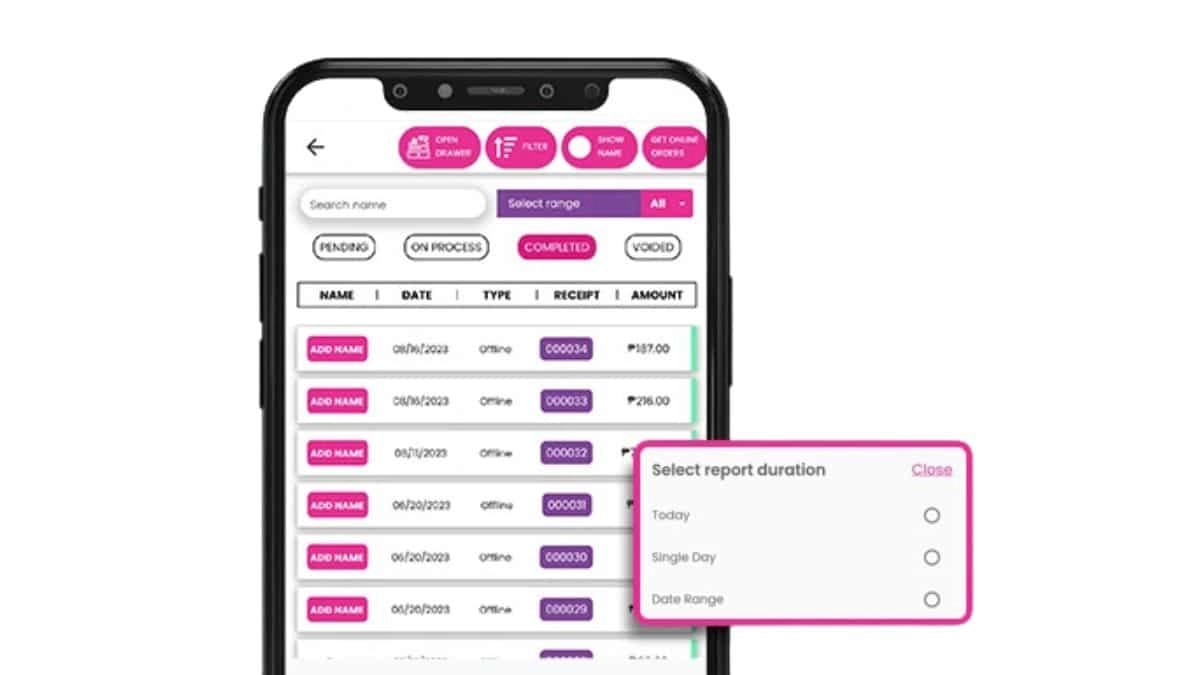
Peddlr targets the micro-business segment—sari-sari stores, market vendors, food carts—with a mobile-first approach. The app runs entirely on smartphones, eliminating the need for dedicated POS hardware.
Best For: Micro businesses wanting mobile-only POS solution.
Key Differentiators:
- Phone-Based: No special hardware needed
- Micro-Business Focus: Designed for smallest businesses
- Filipino Language: Interface in English and Tagalog
- Affordable: Very low cost of entry
| Pros | Cons |
|
|
Best Suited For:
- Sari-sari stores
- Market vendors
- Food carts
- Home-based sellers
Pricing: Contact vendor (very affordable).
12. Pawoon POS
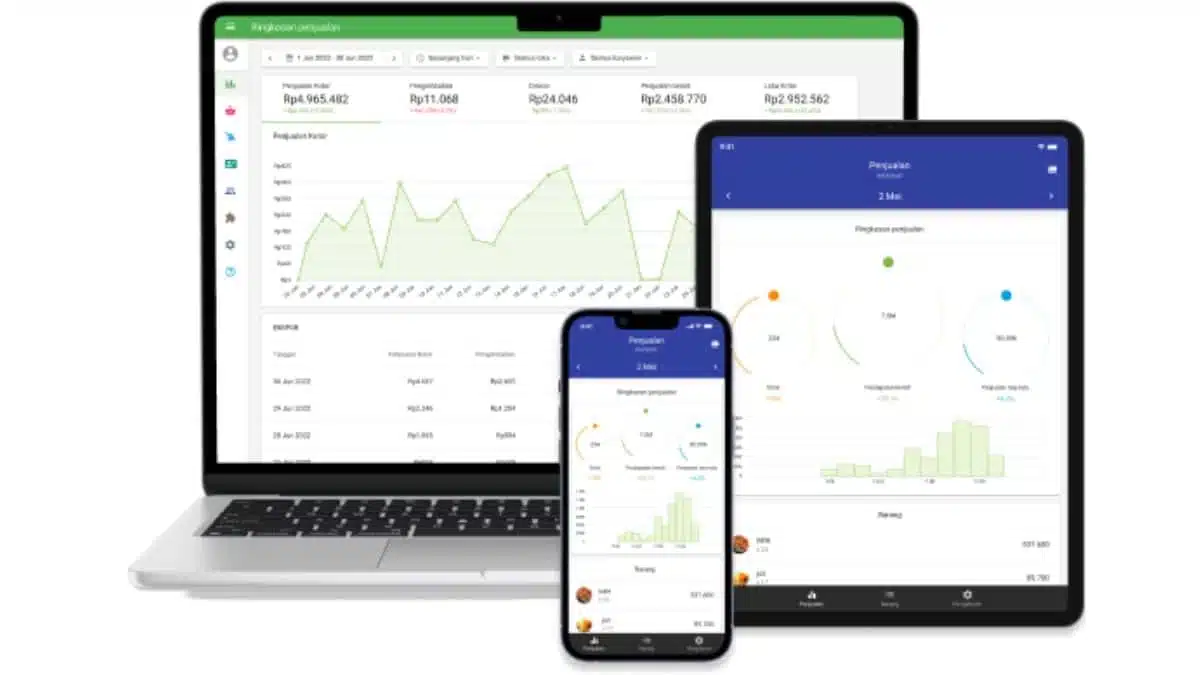
Pawoon POS offers an intuitive interface designed for small and medium-sized businesses. It is particularly useful for businesses looking for a straightforward POS solution with no complex setup. The system includes features like inventory management, sales tracking, and basic customer management.
- Best for: Simple POS systems with easy setup for retail or small businesses.
- Features: Real-time inventory tracking, sales reports, and customizable receipts.
- Ease of Use: Quick setup and minimal training required for staff.
- Security: End-to-end encryption to protect sensitive customer data.
- Support: 24/7 customer service via email and live chat.
- Pricing: Free basic, premium from ₱999/month.
13. Shopify POS Software
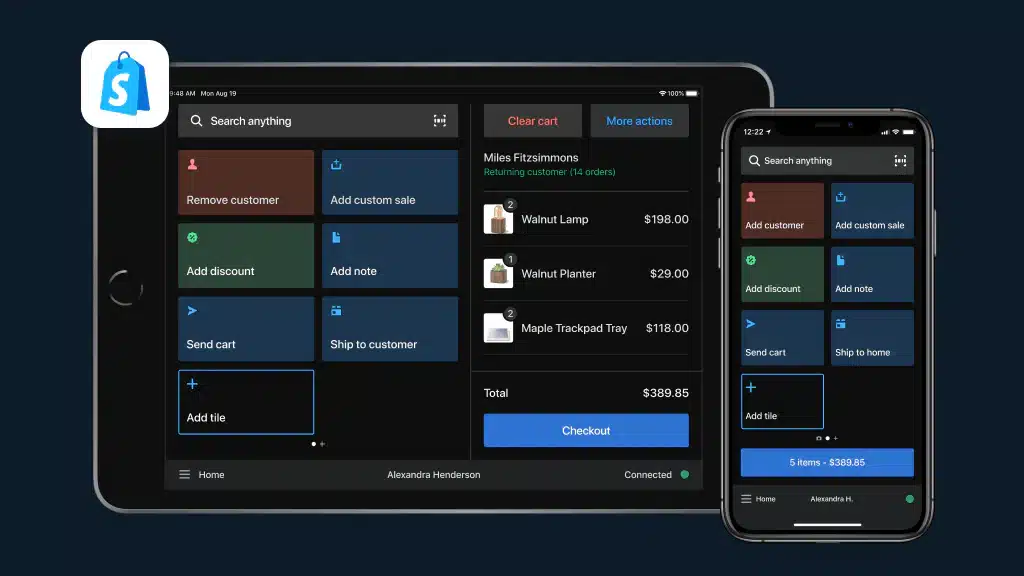
Shopify POS is the logical choice for businesses already using Shopify for e-commerce. The seamless integration between online store and physical POS means unified inventory, customers, and reporting—essential for modern omnichannel retail.
Best For: E-commerce businesses adding physical retail.
Key Differentiators:
- Shopify Ecosystem: Native integration with Shopify e-commerce
- Omnichannel Native: Online and offline truly unified
- App Ecosystem: Thousands of Shopify apps
- Global Standard: Proven at scale worldwide
| Cons | |
|
|
Best Suited For:
- Shopify e-commerce businesses opening physical stores
- Retailers prioritizing online-offline integration
- Pop-up shops and events
- Multi-channel retailers
Pricing: From ₱2,200/month + ₱5,000/month (POS Pro).
14. Clover POS
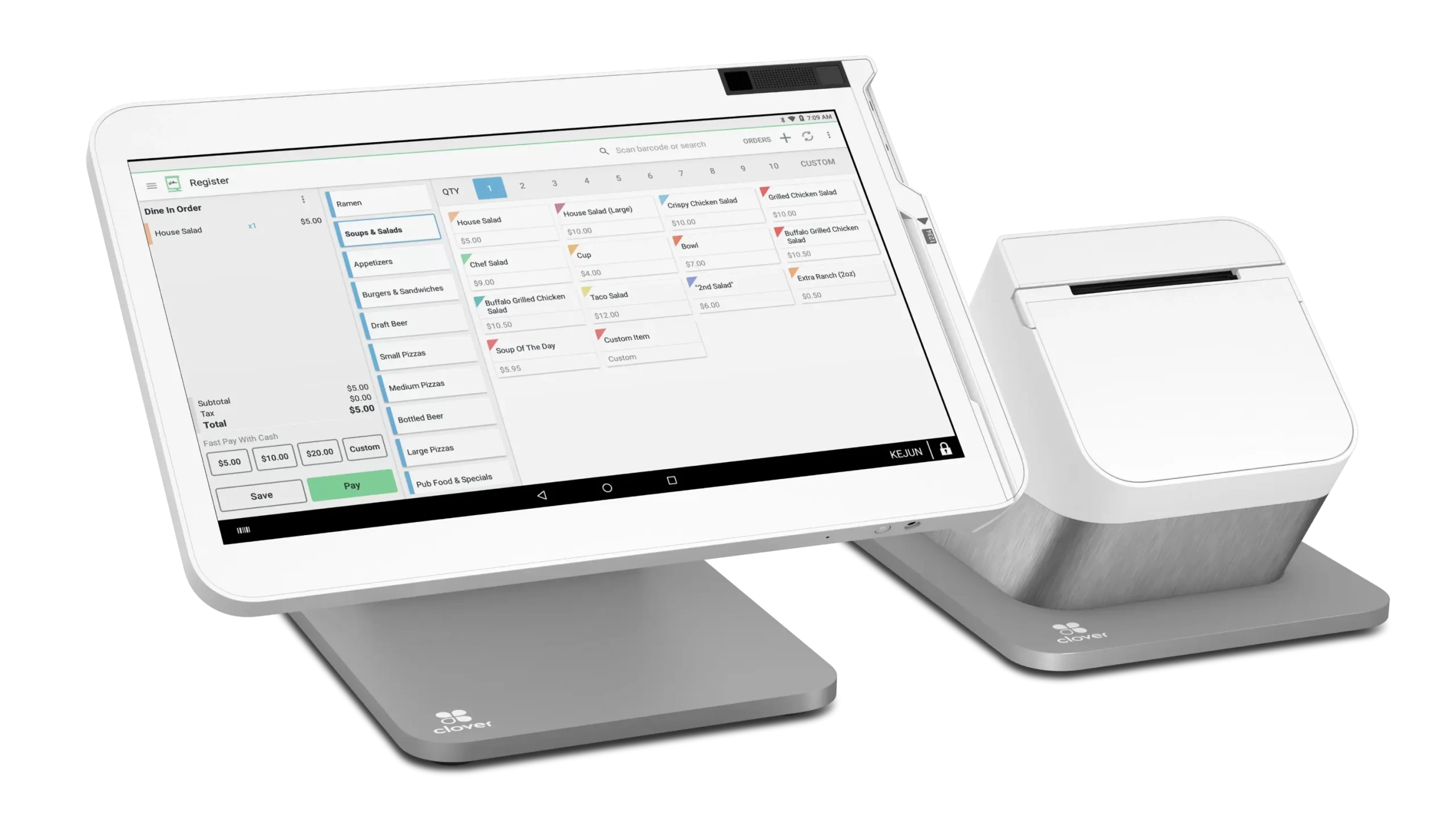
Clover has established itself as a leading retail POS platform globally, known for sophisticated inventory management and analytics. For Philippine retailers wanting world-class capabilities—especially those with e-commerce ambitions—Clover delivers enterprise features without enterprise complexity.
Best For: Multi-location retail businesses wanting premium cloud solution
Key Differentiators:
- Advanced Inventory: Matrix inventory, vendor management
- E-Commerce Native: Seamless online-offline integration
- Analytics Power: Actionable business intelligence
- App Ecosystem: Extensive third-party integrations
| Pros | Cons |
|
|
Best Suited For:
- Retail stores wanting turnkey solution
- Restaurants preferring hardware bundles
- Service businesses (salons, spas)
- Businesses valuing aesthetics
Pricing: Hardware from ₱35,000-100,000, software from ₱800/month.
15. Maya POS
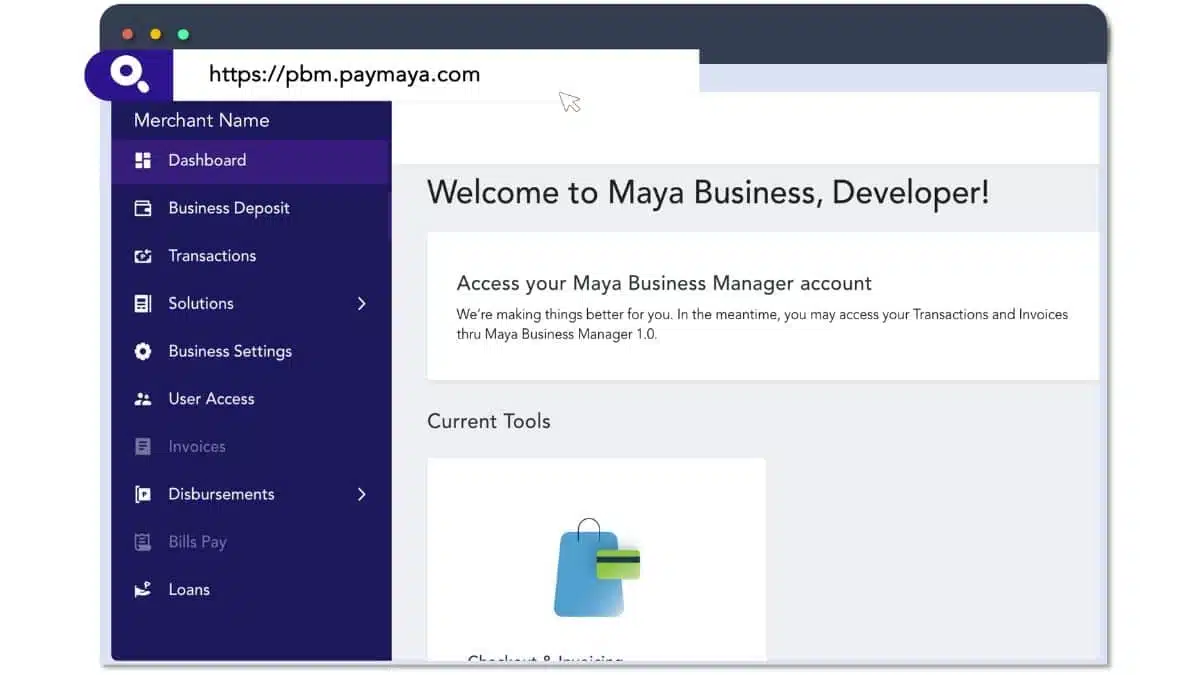
Maya (formerly PayMaya) approaches POS from the payment side—their strength is in accepting digital payments (e-wallets, QR, cards) with POS functionality built around that core. For businesses where payment flexibility is priority, Maya offers integrated solution.
Best For: Businesses prioritizing digital payment acceptance.
Key Differentiators:
- Payment-First: Deep payment integration
- Maya Ecosystem: E-wallet, cards, QR all supported
- Philippine Native: Local company, local suppor
- Financial Services: Beyond POS into business finance
| Pros | Cons |
|
|
Best Suited For:
- Businesses prioritizing digital payments
- Maya ecosystem users
- Retail accepting diverse payment methods
- Businesses wanting integrated financial services
Pricing: From ₱949/month.
16. Nextar POS 
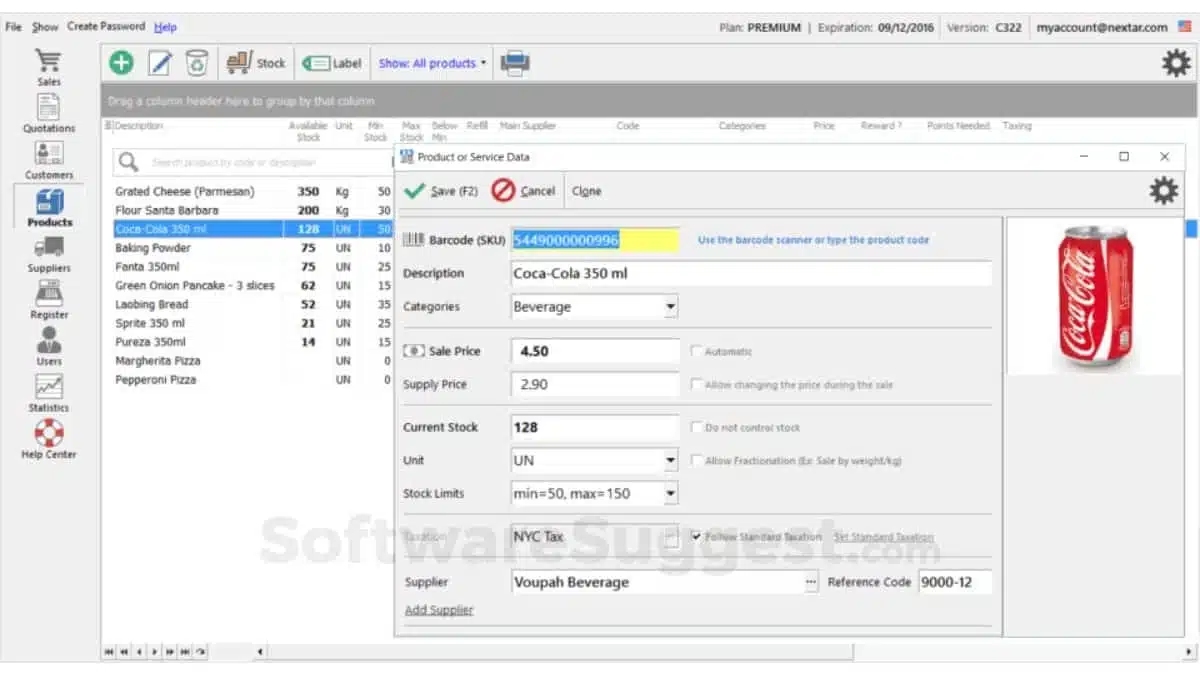
Nextar is a traditional, locally-installed POS that works entirely offline. For businesses in areas with poor internet connectivity, or those preferring data to stay on their own computers, Nextar provides a reliable alternative to cloud-dependent systems.
Best For: Businesses in areas with unreliable internet wanting an offline-first system.
Key Differentiators:
- True Offline: Works without internet
- One-Time Option: Perpetual license available
- Windows-Based: Runs on standard PCs
- Data On-Premise: Your data stays local
| Pros | Cons |
|
|
Best Suited For:
- Provincial businesses with poor internet
- Businesses prefer local data storage
- Cost-conscious buyers (one-time payment option)
- Simple retail operations
Pricing: ₱450/month or one-time license option.
17. Aronium
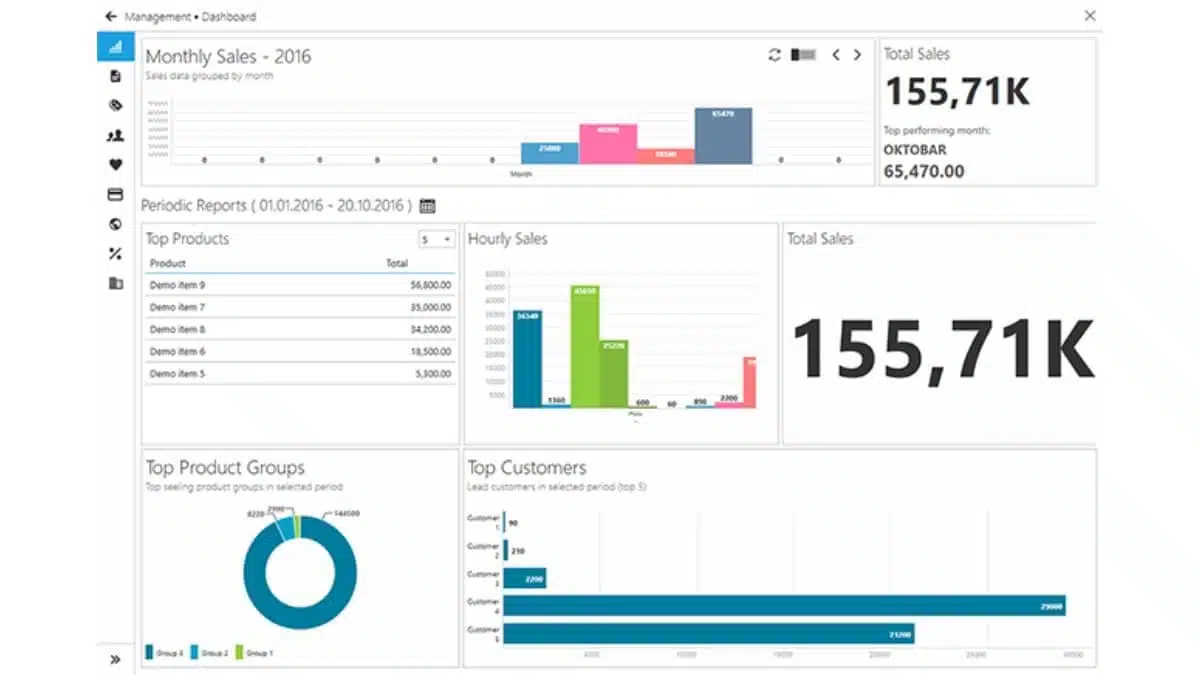
Aronium offers a free offline POS that runs on Windows, providing basic POS functionality without cloud dependency or subscription fees. For the most budget-constrained businesses wanting legitimate POS software, Aronium provides a starting point.
Best For: Businesses needing an offline-only free POS solution.
Key Differentiators:
- Free Option: No-cost basic version
- Offline-Only: No internet required
- Multi-Language: Supports various languages
- Lightweight: Runs on older hardware
| Pros | Cons |
|
|
Best Suited For:
- Very small businesses
- Offline-only environments
- Maximum budget constraint
- Basic POS needs
Pricing: $5-50 (₱280-2,800) for premium features.
18. Human Incubator
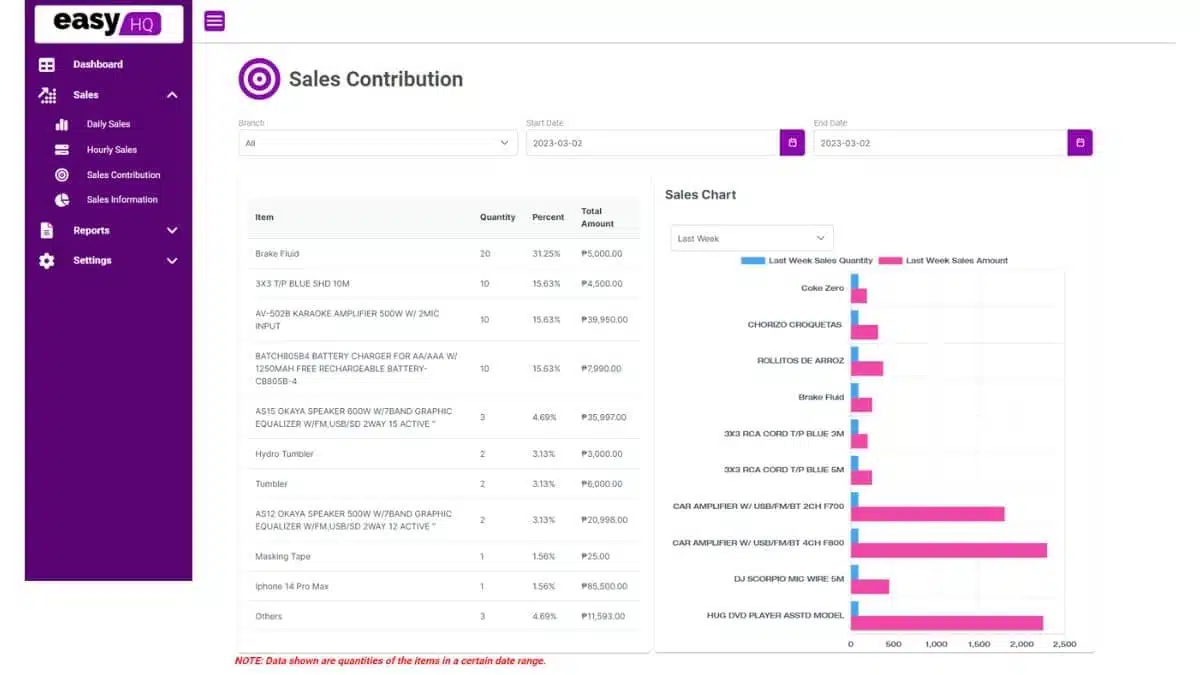
Human Incubator POS serves small businesses in need of basic sales management. It provides straightforward features with limited reporting and integration options. This system is best for companies seeking a no-frills POS that covers essential transactions.
- Best for: Small businesses with minimal POS needs.
- Features: Basic sales tracking, product categorization, and cash flow management.
- Ease of Use: Simple interface designed for quick adoption.
- Support: 24/7 support via email with a dedicated helpdesk.
- Security: Data is securely stored with cloud backup features.
- Pricing: Contact for details.
19. Erply POS System
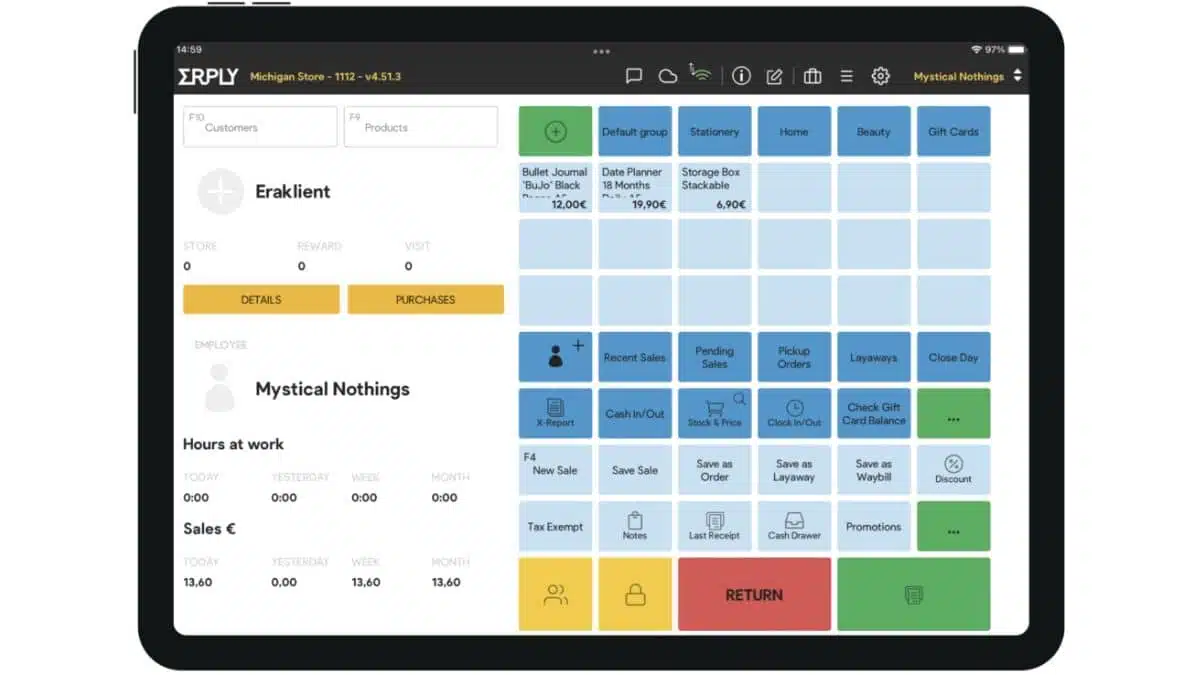
Erply serves retailers with complex needs—multiple locations, warehouse operations, B2B sales, and franchising. While less known than some competitors, Erply punches above its weight in features, particularly for businesses selling both retail and wholesale.
Best Suited For:
- Retailers with wholesale operations
- Franchise businesses
- Multi-warehouse operations
- Businesses in areas with poor connectivity
Key Differentiators:
- B2B + B2C: Handle retail and wholesale in one system
- Warehouse Management: Beyond store inventory
- Franchise Ready: Multi-entity management
- Offline Excellence: Best-in-class offline capability
| Pros | Cons |
|
|
Pricing: Starting from $59/month (approximately ₱3,300).
20. LightSpeed POS System Philippines
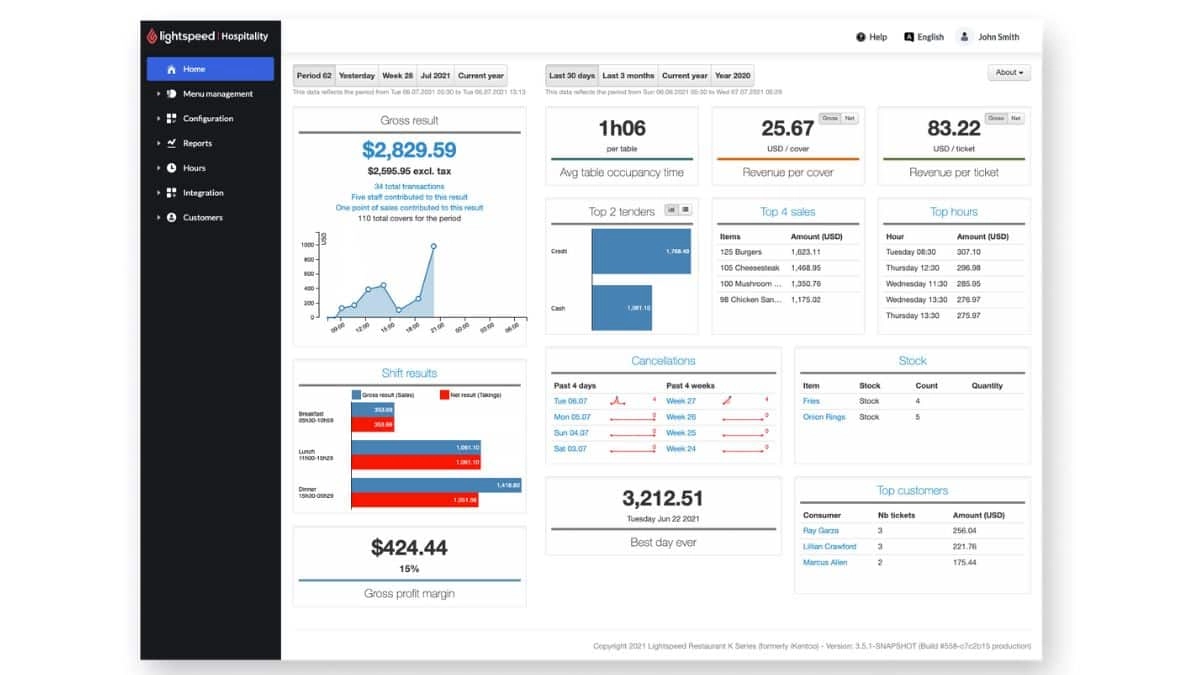
LightSpeed POS is a POS provider in the Philippines that offers a cloud-based system for retail and restaurant businesses. It focuses on enhancing customer experience through advanced warehouse stock supervision and data analytics.
Best Suited For:
- Fashion/apparel retailers
- Specialty retail (sporting goods, outdoor, etc.)
- Retailers with online stores
- Multi-location retail chains
Features of LightSpeed POS software:
- Multi-store capability
- Inventory tracking
- E-commerce integration
- Customer loyalty features
| Pros | Cons |
|
|
Price: Start from $89.
How to Choose the Best POS System Philippines

Beyond feature lists, these are the criteria that matter most for Philippine businesses specifically:
1. BIR accreditation
Any business required to issue official receipts must use a BIR-accredited POS. Check whether the vendor handles the accreditation process for you or leaves it to you — this alone can take several weeks. See our guide on BIR POS accreditation requirements.
2. Offline capability
Internet connectivity in the Philippines is not always reliable, especially outside Metro Manila. A POS that stops working when the internet goes down is a real operational risk. Prioritize systems with robust offline modes that auto-sync when connectivity returns.
3. Local payment methods
In the Philippines, your POS must accept GCash, Maya, and QR Ph not just cash and cards. Philippine consumer payment habits have shifted significantly since 2020. According to the Bangko Sentral ng Pilipinas 2024 E‑Payments Measurement Report, digital payments now make up 57.4% of retail transactions in the Philippines, driven by the growing use of e‑wallets, QR codes, and bank transfers.
4. Industry fit
A POS built for restaurants has kitchen display system integration and table management; one built for retail has barcode scanning and batch inventory. Don’t use a generic POS find one that handles your specific operational workflows. For F&B specifics, see our retail POS comparison.
5. Multi-branch readiness
If you operate or plan to operate multiple branches, your POS must offer centralized reporting, stock visibility across locations, and the ability to manage pricing and promotions from one dashboard — without paying per-branch fees that scale against you.
6. Local support quality
When your POS goes down during a Saturday rush, you need someone to pick up the phone. Prioritize vendors with Philippine-based support teams or at minimum SEA-timezone coverage. International vendors with US-only support can leave you stranded during business hours.
7. Integration with accounting & inventory
A standalone POS creates data silos — you’ll end up manually reconciling sales with inventory and accounting. Look for systems that integrate natively, or have documented APIs that your current systems can connect to.
8. Total cost of ownership
Monthly subscription is only part of the cost. Factor in hardware (terminal, receipt printer, barcode scanner), BIR accreditation fees (~₱4,480/device), implementation, training, and per-transaction fees if applicable. A “free” POS with high transaction fees can cost more than a paid subscription.
If you are looking for an enterprise-grade solution with built-in BIR compliance and full ERP integration, you can explore HashMicro’s POS system directly here
Conclusion
Choosing the right POS provider is a strategic move that can improve accuracy, efficiency, and visibility across daily operations. A well-chosen POS system helps businesses streamline transactions while supporting long-term growth.
Strong POS solutions stand out through intuitive interfaces, seamless integrations, and scalable features for retail, F&B, and multi-branch operations. With the right tools, sales processing and customer management become simpler and more reliable.
If you’re aiming to boost efficiency and make better business decisions, consider POS solutions that match your operational needs and future plans. You can start with a free consultation to evaluate which system best fits your business goals.
FAQ about POS Systems in the Philippines
-
What is the best POS system in the Philippines in 2026?
HashMicro is one of the strongest all-in-one options for medium to large retail and F&B businesses, with built-in BIR compliance, ERP integration, and multi-branch support. For smaller businesses, StoreHub and UTAK are more accessible locally focused alternatives. Budget-conscious operations can start with Loyverse, which offers a free plan, or Nextar, which starts at around ₱57/month.
-
Do I need a BIR-accredited POS system in the Philippines?
Yes, if your business is required to issue official receipts. Under BIR regulations, businesses above certain revenue thresholds must use a BIR-accredited POS or Computerized Accounting System (CAS). The accreditation fee is approximately ₱4,480 per device, based on ₱4,000 plus 12% VAT for VAT-registered businesses. Using a non-accredited system may lead to penalties or even closure orders.
-
How much does a POS system cost in the Philippines?
Entry-level systems can start free, such as Loyverse and Peddlr, or as low as ₱57/month for Nextar. Mid-range local systems like UTAK start at around ₱2,333/month. International platforms such as Shopify POS start at about ₱1,600/month, while Lightspeed starts at around ₱5,000/month. Enterprise systems like HashMicro usually use custom pricing based on modules and business scale. Hardware costs, such as terminals, printers, scanners, and BIR accreditation fees, are typically charged separately.
-
Can a POS system work without internet in the Philippines?
Yes, several POS systems offer offline functionality. Examples include HashMicro with hybrid offline syncing, Nextar with strong offline capability, Loyverse with offline mode support, and Condor. This matters for businesses in areas with unstable internet access or for high-volume operations where downtime can disrupt sales.
-
What POS systems support GCash and Maya payments in the Philippines?
HashMicro, StoreHub, and Qashier support GCash, Maya, QR Ph, and major card payment methods. Before choosing a system, confirm whether it supports the exact payment terminals, e-wallet integrations, or QR payment methods your business needs, since support can vary by vendor and setup requirements.














