












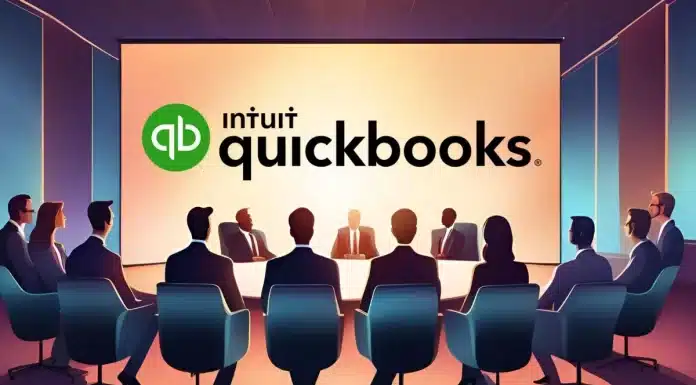
QuickBooks was once an accounting software that offered simple features to companies. But this vendor began to expand the capacity of its software, making it more complicated and expensive. Luckily, in this digital era, many alternatives can provide similar features.
From the comprehensive capabilities of HashMicro’s accounting system to the flexible and integratable features offered by Tiller, this article explores the top 12 alternatives available today. Each option brings its own strengths and weaknesses. By comparing these solutions, you can find a platform that better matches your budget, operational needs, and long-term business goals.
Key Takeaways
|
Table of Contents

Comparison of Best QuickBooks Alternatives in 2026
Scroll right on mobile. Pricing follows the attached article draft and may still change depending on plan, users, or add-ons.
| Brand | Best For | Price | Key Strength |
|---|---|---|---|
| 1) HashMicro | Enterprises needing an all-in-one ERP accounting system | Custom quote | Advanced accounting with strong ERP integration |
| 2) Zoho Books | Businesses needing connected apps across platforms | Free to $200/month | Seamless integration with the Zoho ecosystem |
| 3) FreshBooks | Freelancers and service-based businesses | Starts at $151/year to $468/year | Strong invoicing and time tracking |
| 4) Xero | SMBs with remote or distributed teams | $29 to $69/month | Real-time collaboration and modern interface |
| 5) Quicken | Individuals and small businesses managing personal and business finances | Starts at $8.99/month billed annually | Simple finance management in one platform |
| 6) NetSuite | Large enterprises with complex financial needs | Starts at around $99/user/month + $999/month license | Enterprise scalability with advanced financial management |
| 7) Sage Business Cloud | Growing businesses needing payroll and reporting tools | Around $595 to $1,920+/year | Reliable cloud accounting with payroll support |
| 8) OneUp | Businesses wanting CRM and accounting in one tool | Starts at $18/month to $300/month | Built-in CRM plus automated bookkeeping |
| 9) Bench.co | Businesses wanting software plus bookkeeping service | $339 to $599/month | Dedicated bookkeeper with hands-off support |
| 10) Wave | Startups and small businesses needing free core tools | Free core tools, Pro at $170/year | Free accounting with essential features |
| 11) GNUCash | Tech-savvy users wanting free open-source software | Free | Flexible open-source accounting with full customization |
| 12) Tiller | Spreadsheet-first users who prefer Google Sheets or Excel | $79/year | Automated financial data feeds into spreadsheets |
QuickBooks Alternatives at a Glance
Finding the right QuickBooks alternative can elevate your business accounting processes, especially if you’re seeking more features, better integration, or tailored scalability. Here’s a quick shortlist of the top choices:
- HashMicro Accounting System: Simplifies accounting for Philippine businesses with automation and BIR-ready tools.
- Zoho Books: Best for handling global billing and banking for growing SMEs.
- FreshBooks: Ideal for invoicing and time tracking for freelancers and MSMEs.
- Xero: Supports remote teams with real-time access and payroll tools.
- Quicken: Helps solo users manage personal and small business finances.
- NetSuite Accounting System: Best for large enterprises with global financial controls.
QuickBooks Accounting Key Features
 Quickbook system offers a range of features designed to simplify and optimize your business’s financial management processes, helping you save time and reduce errors.
Invoicing and billing: Easily create and send professional invoices.
- Expense tracking: Track business expenses and categorize them for accurate reporting.
- Payroll management: Automate employee payments and tax calculations.
- Financial reporting: Generate detailed financial reports like profit & loss to tackle accounting problems.
- Invoicing and billing: Allows businesses to create and send invoices easily and quickly.
- Third-party integrations: Seamlessly connect with other apps to expand functionality.
After learning about QuickBooks’s accounting features, you might be curious to explore other accounting systems in the Philippines and their prices. Why don’t you try out QBO online alternative pricing scheme, HashMicro, which could be one of the best alternatives? You can also learn about the funds and customize the system by clicking the banner below!

QuickBooks Accounting Advantages and Disadvantages
Before we discuss and explore some alternatives to QuickBooks, it’s essential to fully understand how QuickBooks can impact your business by reviewing its key pros and cons.
According to review QuickBooks by Forbes , below are the pros and cons of QuickBooks that help you make an informed decision on whether to switch from these accounting principles or stay with the QuickBooks system.
| Pros | Cons |
| Widely used with bookkeepers and accountants | Expensive subscription |
| Easy way to track finances | Limited support |
| Straightforward implementation | The learning curve for corrections can be frustrating |
When To Choose a Competitor Over QuickBooks
Even at the most basic level, QuickBooks Desktop and QuickBooks Online can be costly compared to other options. QuickBooks also lacks sufficient assistance for beginners under the more affordable plans. If you have a limited budget, don’t require the full features of a complete accounting system, and prefer broader support options, it may be wiser to select a QuickBooks alternative.
12 Best QuickBooks Alternatives in 2026
While QuickBooks is widely used, it may not suit everyone. Here are 10 great alternatives to explore.
1. HashMicro Accounting System
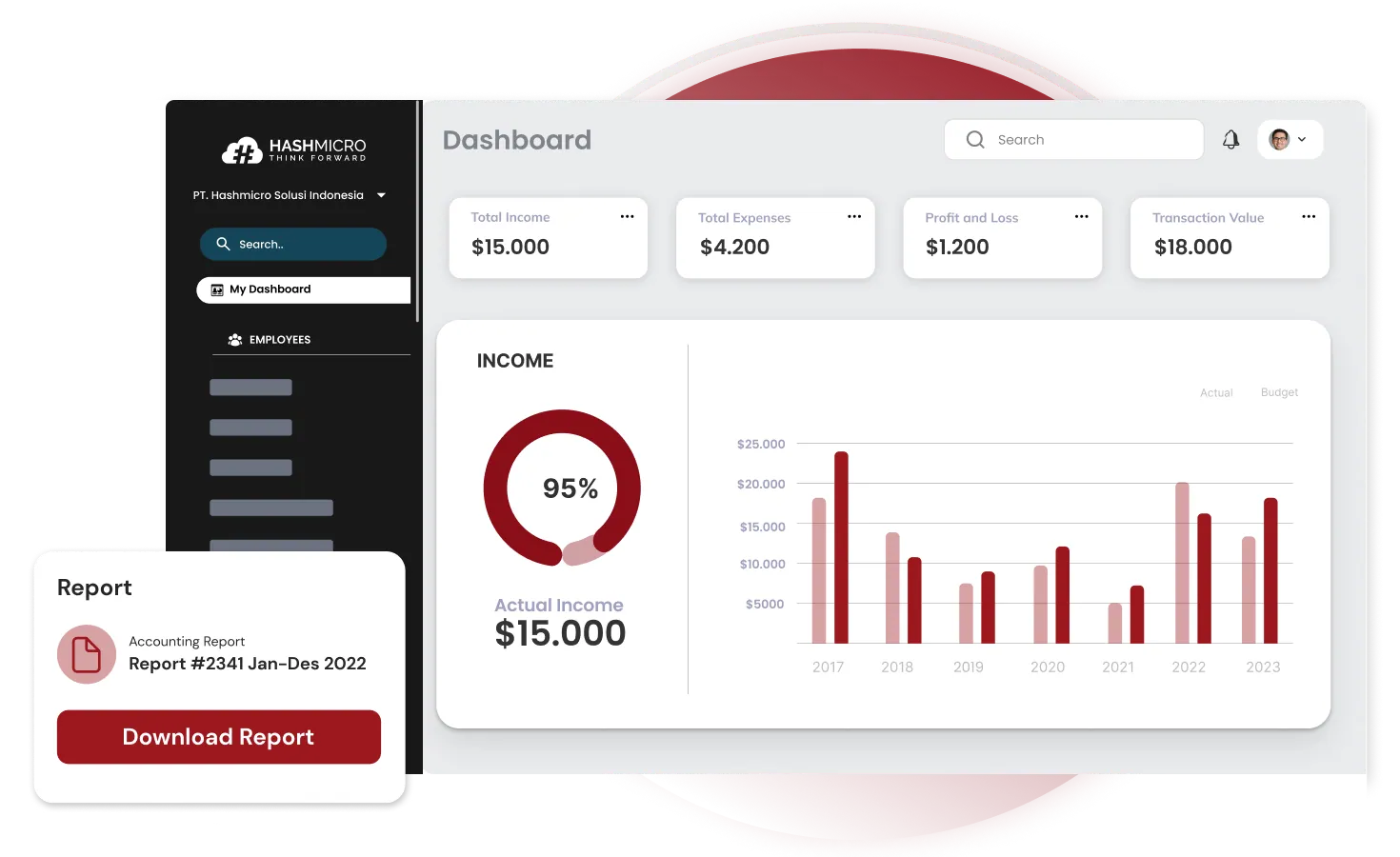 Why we choose: HashMicro is a comprehensive ERP solution with an advanced accounting module, making it a strong contender for businesses seeking an all-in-one platform.
Founded in 2015, HashMicro offers a robust accounting system tailored to enterprises that require more than basic bookkeeping. It integrates with other business management tools, providing a seamless experience for various industries in the Philippines.
Its accounting software has a free demo to help you discover how this QuickBooks alternative works. It also offers you complete features of accounting with countless advantages.
HashMicro key features
- Bank integration: Automatic matching process between transaction data recorded in the bank and internal bookkeeping in the system.
- Profit & loss: A report comparing gains and losses’ value with the original budget and previous estimates.
- Cash flow reports: Monitor the company’s cash inflows and outflows to ensure sufficient liquidity, make appropriate financial plans, and identify and address potential financial issues.
- Forecast budget: Predict future budgets based on historical data to help plan finances, allocate resources efficiently, and make better strategic decisions.
- Financial ratio: This tool automatically calculates various critical financial ratios, such as liquidity ratios, profitability ratios, debt ratios, etc.
- AI-powered accounting: Automatic billing scheduling and speed up payments.
| Pros | Cons |
| Free to add users without additional cost | The system implementation time may vary according to your desire for customization. |
| User-friendly interface | |
| Strong integration with ERP systems | |
| Secure and reliable data handling | |
| Customizable workflows tailored to industries | |
| Strong customer support |
HashMicro pricing
HashMicro offers a fair and flexible pricing where all costs are stated upfront. If you want to check out the pricing plans, click on the banner below!
2. Zoho Books Accounting Software
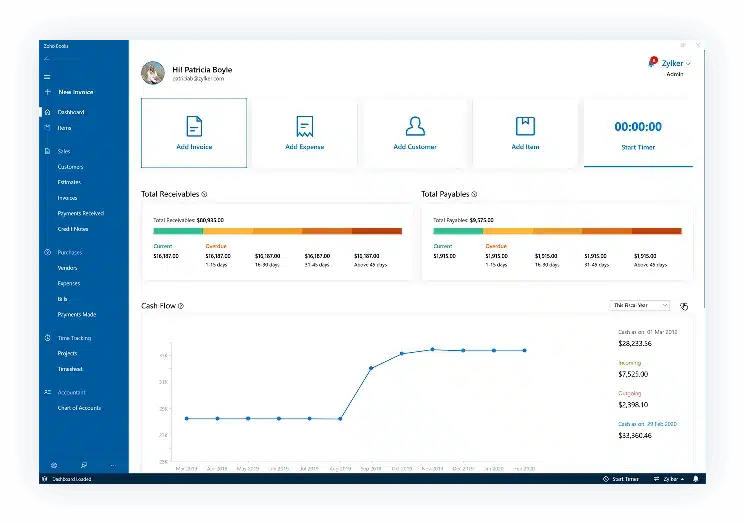 Why we choose: Zoho Books is perfect for businesses needing seamless integration with powerful business tools across multiple platforms.
Zoho Books is a versatile, cloud-based accounting solution designed as one of the QuickBooks alternatives in the Philippines. Its automation features and real-time collaboration tools make it a favourite for companies that need an interconnected approach to managing finances and other business operations.
Zoho Books pricing
Free for solopreneurs to $200/month.
Zoho Books key features
- Multi-currency support
- Project accounting
- Bank reconciliation
- Custom workflows
| Pros | Cons |
| Easy integration with Zoho’s complete suite | Limited offline functionality |
| Highly customizable for various business needs | Customer support response times can vary |
| Clean and intuitive user interface | Lacks advanced reporting tools |
| Excellent mobile app for on-the-go accounting | Some features may require a learning curve |
3. FreshBooks Accounting Software
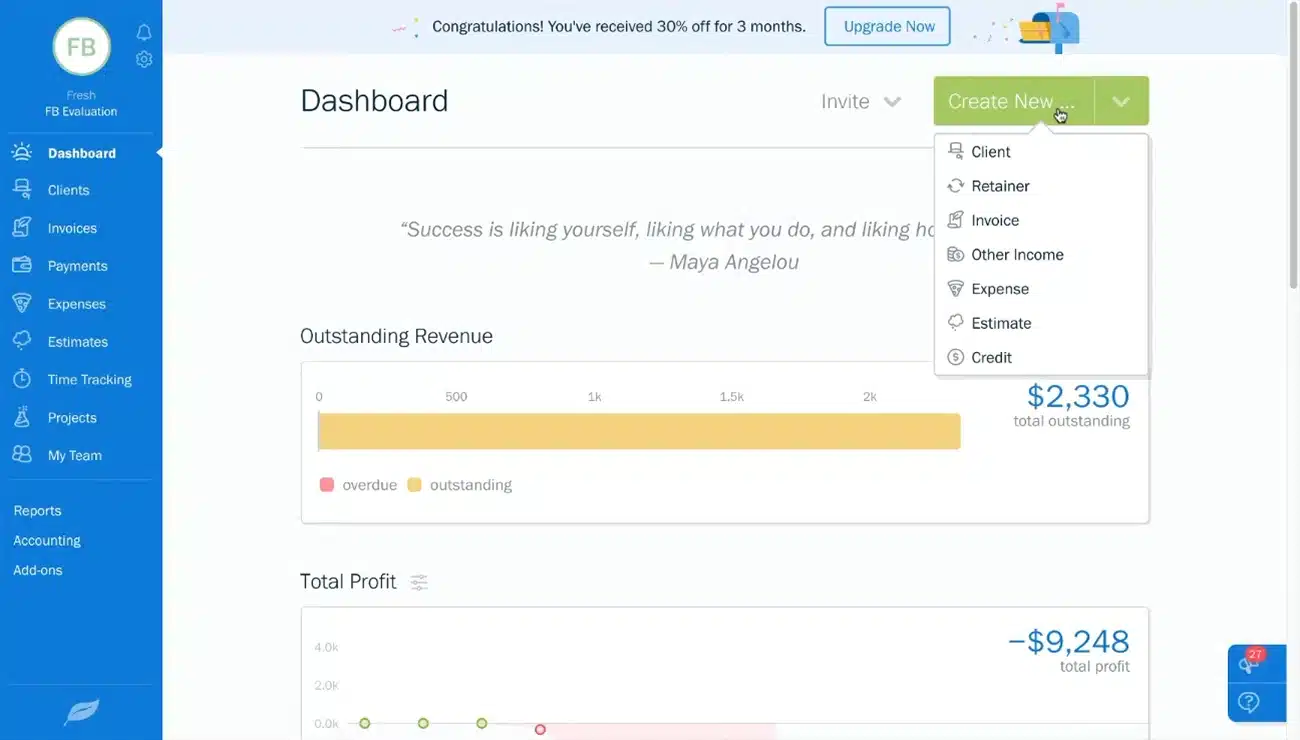 Why we choose: FreshBooks excels in ease of use and is particularly well-suited for service-based industries with its robust invoicing and time-tracking capabilities.
Initially designed for freelancers, FreshBooks has grown to serve small and medium businesses with its cloud-based accounting services. Known for its intuitive interface and project-based invoicing, FreshBooks is a QBO online accounting alternative for those needing a simple yet effective accounting tool.
FreshBooks pricing
Starts at $151/year, with advanced features up to $468/year.
FreshBooks key features
- Time tracking and invoicing
- Recurring billing
- Automated expense tracking
- Multi-client management
| Pros | Cons |
| Simple, user-friendly interface | Lacks some advanced customization |
| Excellent customer support with fast response | It may not be ideal for businesses requiring complex integrations |
| Perfect for project-based businesses | Limited features for larger enterprises |
| Fast, responsive mobile app | Mainly focused on service businesses |
4. Xero
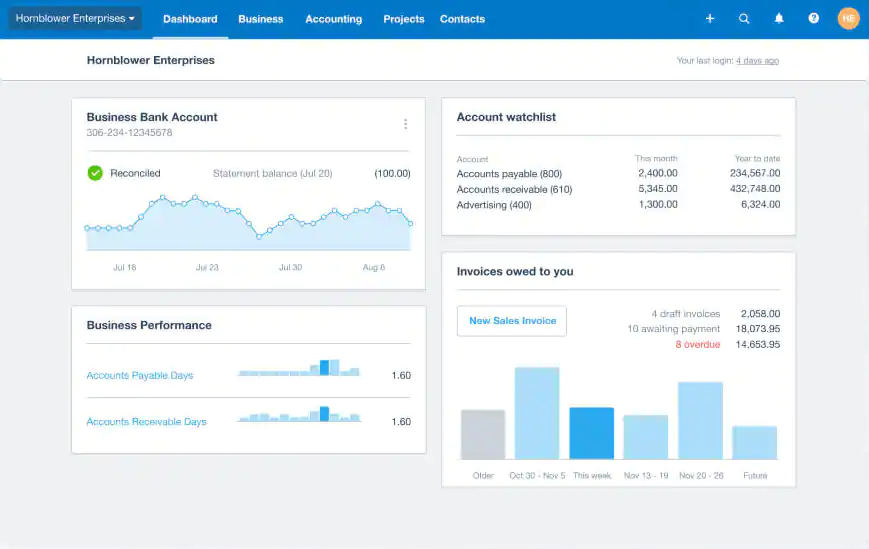 Why we choose: Xero bookkeeping real-time collaboration and clean interface make it an excellent choice for companies with distributed teams or remote operations.
Xero is a QuickBooks software alternative from New Zealand designed for small and medium businesses. It provides various tools, from invoice management to payroll integration, and offers real-time data access, making it ideal for teams working across different locations.
Xero pricing
Priced from $29 to $69/month.
Xero key features
- Real-time bank feeds
- Invoice and quote management
- Payroll integration
- Inventory tracking
| Pros | Cons |
| Clean, modern interface with intuitive navigation | Occasional delays in customer support |
| Regular updates and feature enhancements | Some users find the learning curve steep |
| Extensive third-party integrations | Customization of reports is limited |
| Ideal for multi-user collaboration | Add-on services can drive up costs |
5. Quicken
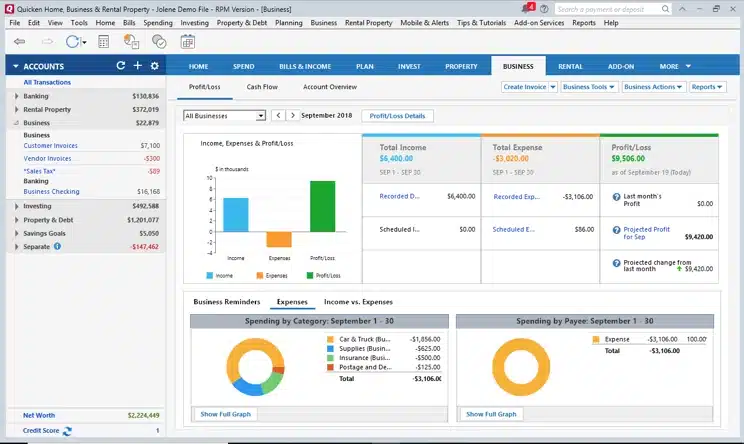 Why we choose: Quicken is a reliable choice for managing personal and business finances on an easy-to-use platform.
Quicken has become a competitor to QuickBooks for personal finance management, but it also offers business tools useful for smaller enterprises. Quicken’s interface is straightforward, making it easy for individuals or business owners to manage their personal and business finances from one platform.
Quicken pricing
Starts at $8.99/month billed annually.
Quicken key features
- Investment management tools
- Customizable reports
- Budgeting and expense tracking
- Invoice and payment tracking
| Pros | Cons |
| Trusted and long-standing reputation | Outdated interface compared to newer software |
| Easy to manage both personal and business finances | Limited scalability for growing businesses |
| Comprehensive reporting tools | Lacks real-time collaboration features |
| Simple to navigate and use | Limited to desktop versions in some cases |
6. NetSuite
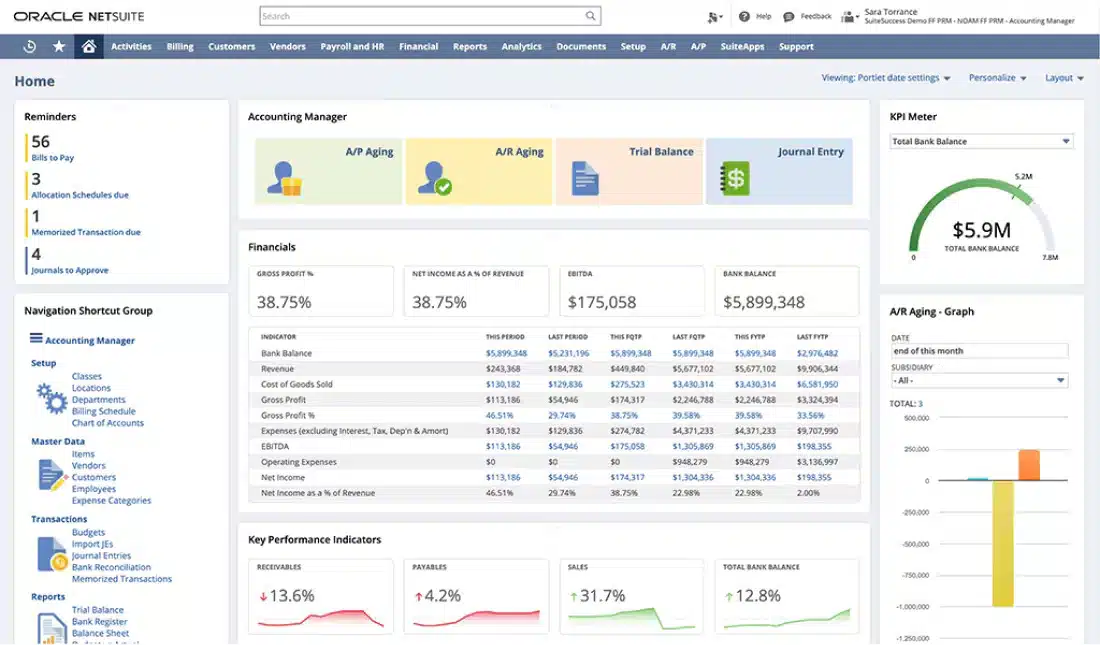 Why we choose: NetSuite stands out for its scalability and robust feature set, making it a go-to solution for large enterprises that need more than just accounting software.
As part of the Oracle ecosystem, NetSuite is an all-in-one ERP platform that includes an advanced accounting system. It offers QuickBooks software alternatives with global financial management, revenue management, and compliance tools, making it a leading choice for businesses with complex needs.
NetSuite pricing
The platform starts at around $99 per user per month, plus a monthly license fee of $999. While these base prices can be used as estimates, your costs can vary greatly.
NetSuite key features
- Global financial consolidation
- Advanced revenue management
- Compliance tools
- Project and resource management
| Pros | Cons |
| Highly scalable and ideal for enterprise-level users | Expensive and complex to implement |
| Exceptional integration with Oracle ERP tools | Overwhelming for small teams |
| Advanced data security and compliance features | Lengthy setup and training process |
| Supports global financial management | Not user-friendly for beginners |
7. Sage Business Cloud Accounting System
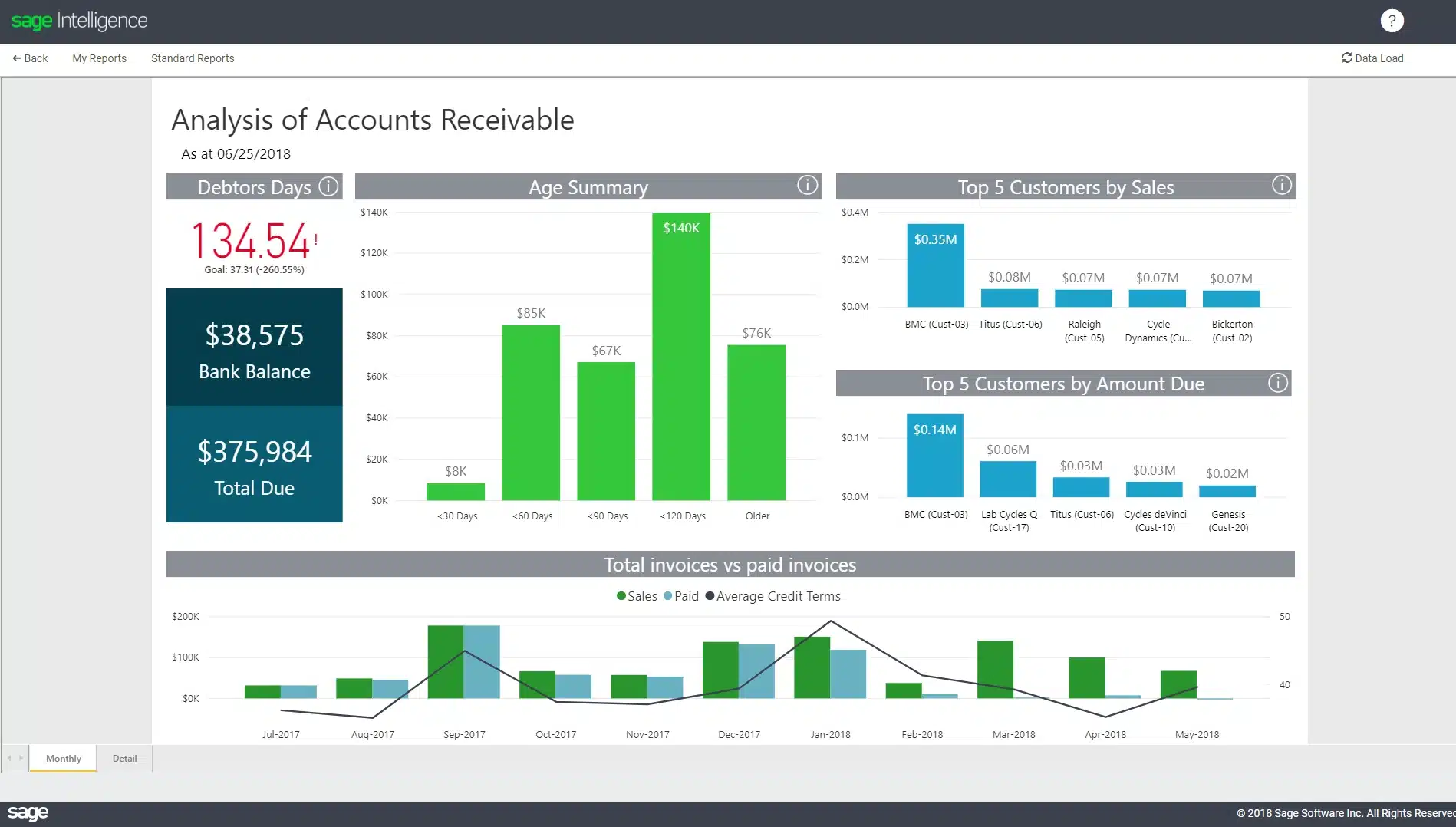 Why we choose: Sage Business Cloud provides an easy-to-use platform with reliable tools for growing businesses, particularly in industries needing advanced reporting and payroll features.
Sage Business Cloud is a cloud-based accounting platform that helps businesses automate their billing, invoicing, and payroll processes. It provides reliable support and tools to help companies stay organized and compliant.
Sage Business Cloud pricing
The platform starts at around $595-$1,920+ per year
Sage Business Cloud key features
- Cash flow forecasting
- Multi-user access
- Automated invoicing
- Payroll integration
| Pros | Cons |
| Intuitive user interface with advanced tools | Limited customization options |
| Strong customer support | Integration options may be fewer than competitors |
| Reliable for compliance and payroll needs | Navigation can be complex for new users |
| Regular updates ensure ongoing improvements | Integrations can be costly |
8. OneUp
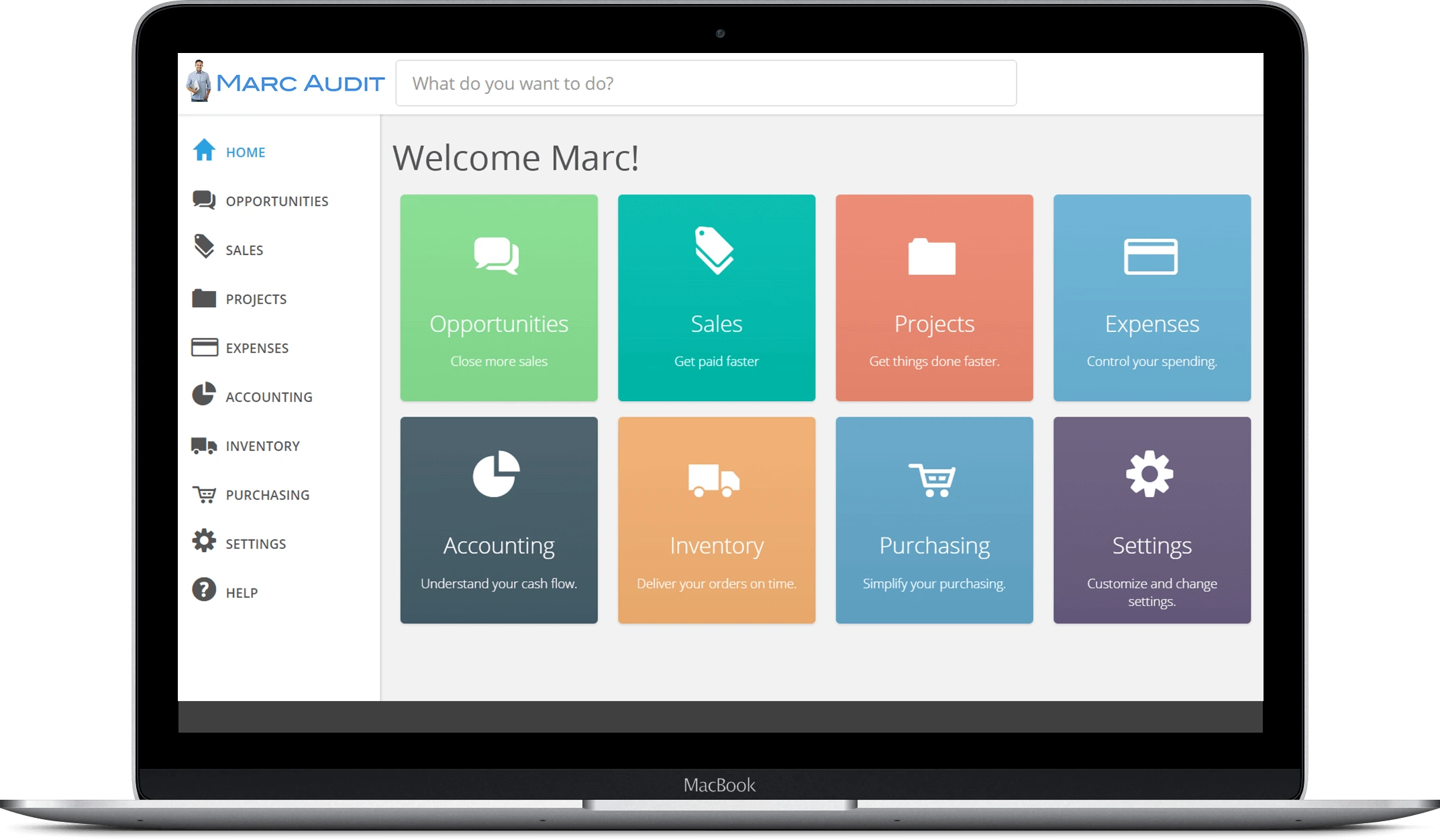 Why we choose: OneUp’s unique combination of CRM and accounting tools in one platform makes it ideal for businesses that need both functionalities in a single solution.
OneUp is a QuickBooks alternative solution that also includes CRM functionality. It is a powerful tool for businesses combining customer relationship management with their accounting software. It provides automated bookkeeping and other key features for managing finances.
OneUp pricing
Starts at $18/month, with advanced plans up to $300/month for larger teams.
OneUp key features
- CRM integration
- Expense tracking
- Automated bookkeeping
- Inventory management
| Pros | Cons |
| Compact and efficient design | A lesser-known vendor with limited customer support |
| Quick setup and deployment | Limited integrations with third-party tools |
| Combines CRM and accounting in one tool | Not ideal for complex reporting needs |
| Easy-to-navigate interface | Updates may cause system slowdowns |
9. Bench.co
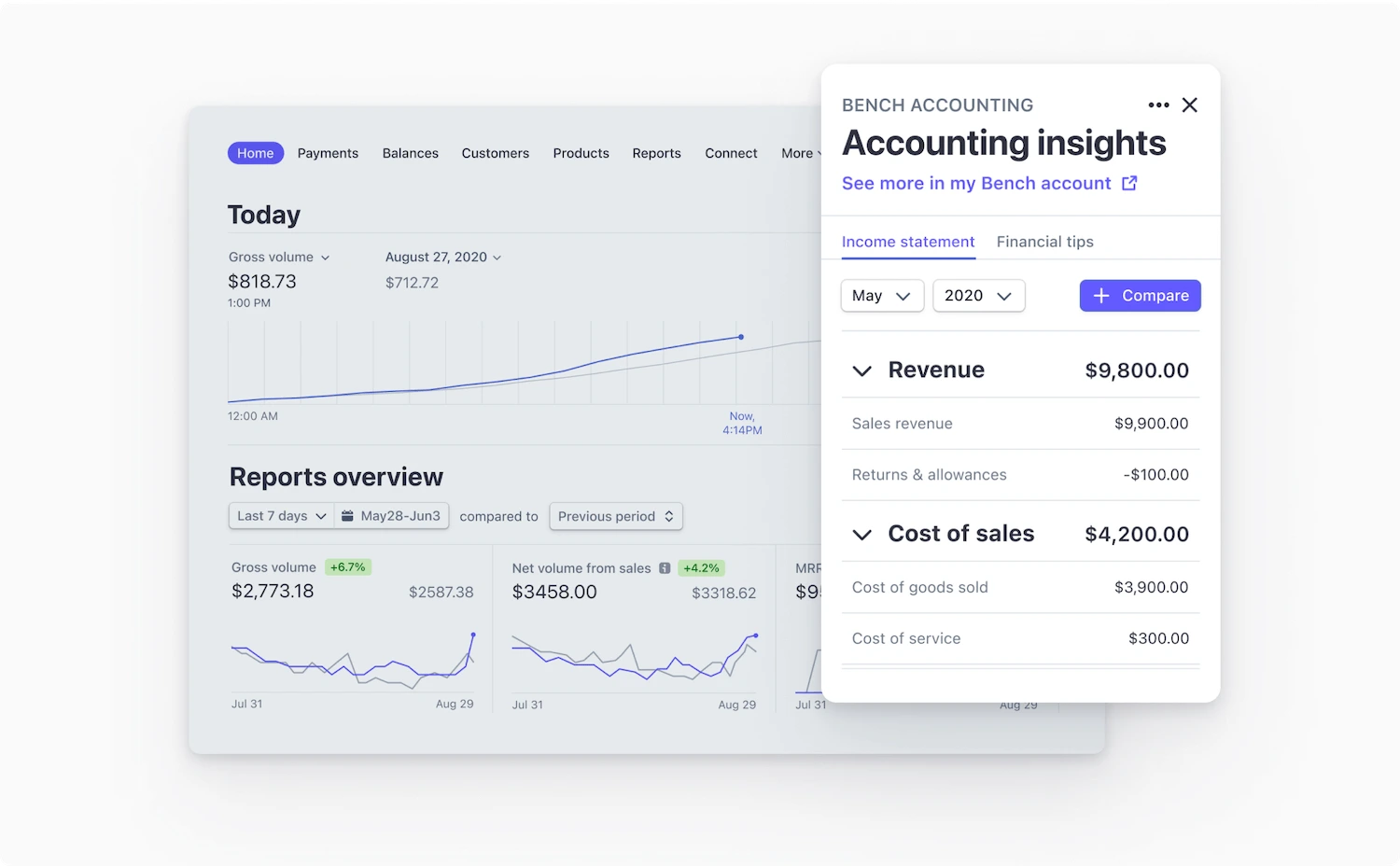 Why we choose: Bench.co stands out for its combination of accounting software and professional bookkeeping services, making it ideal for businesses that want the best of both worlds.
Bench.co is more than just software—it’s a service that provides dedicated bookkeepers to handle your finances while giving you access to financial software to track your performance. This hybrid approach offers business owners a hands-off experience with personalized bookkeeping.
Bench.co pricing
Starts at $339/month to $599/month.
Bench.co key features
- Dedicated bookkeeper
- Monthly financial reports
- Tax filing support
- Visual financial dashboard
| Pros | Cons |
| Personalized service with a dedicated bookkeeper | Limited control over bookkeeping processes |
| Exceptional customer support and communication | Limited integrations with other platforms |
| Time-saving with minimal manual input is required | Switching bookkeepers may be difficult |
| Clear, intuitive financial dashboard | Primarily focused on the US market |
10. Wave
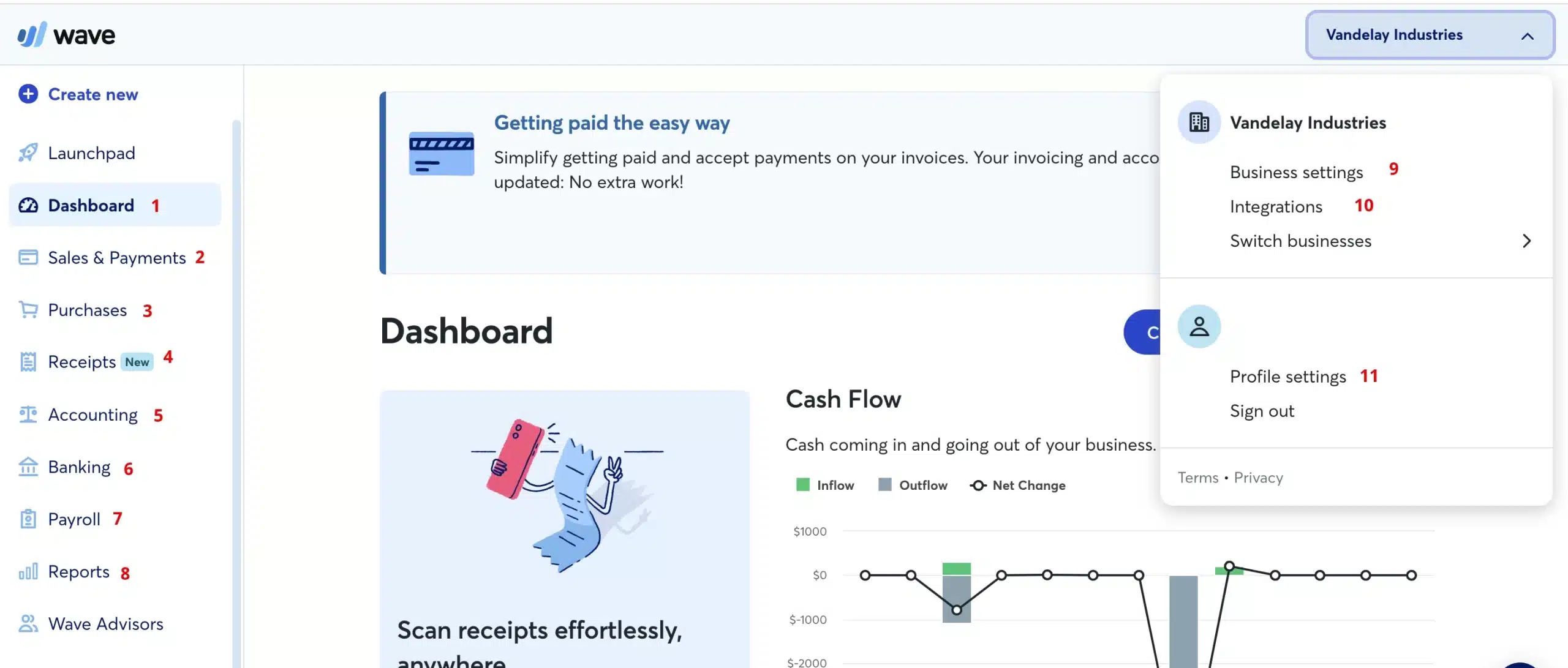 Why we choose: Wave offers a free, easy-to-use accounting platform, making it an attractive option for businesses looking for basic financial management tools.
Wave is a QuickBooks accounting alternative solution that provides solid financial tools, including invoicing, expense tracking, payroll, and bank account reconciliation software. Its simplicity and lack of cost make it ideal for smaller businesses or startups needing core accounting features.
Wave pricing
Free core accounting tools, with a Pro plan at $170/year.
Wave key features
- Unlimited invoicing
- Bank reconciliation
- Income and expense tracking
- Payroll integration
| Pros | Cons |
| Free accounting software with core functionality | Customer support is primarily self-service |
| Intuitive, simple interface for beginners | Lacks advanced features and scalability |
| Fast and easy to set up | Limited integration options |
| No hidden fees or costs | Not ideal for businesses with complex needs |
11. GNUCash
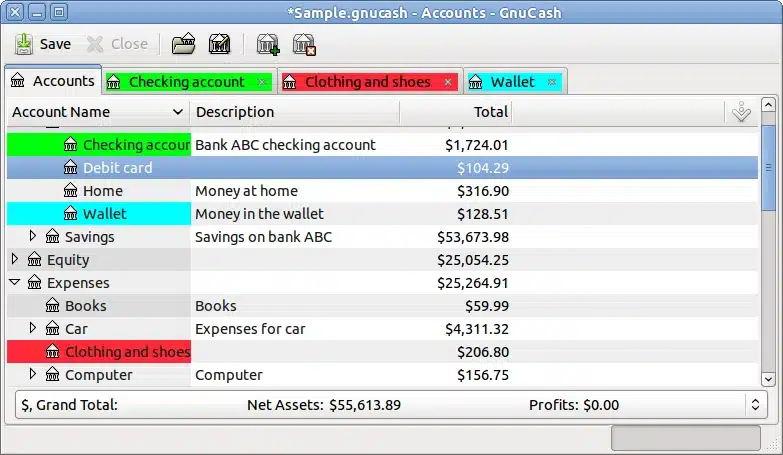 Why we choose: GNUCash’s open-source nature and customizable features make it perfect for tech-savvy businesses looking for flexibility without additional costs.
GNUCash is open-source accounting software for personal and business use. While its interface may seem dated, its flexibility and community-driven updates make it a strong option for those who prefer open-source QuickBooks accounting software.
GNUCash pricing
Free accounting software.
GNUCash key features
- Double-entry accounting
- Reporting and analysis
- Investment portfolio management
- Scheduled transactions
| Pros | Cons |
| Completely free and open-source | Outdated user interface |
| Highly customizable for advanced users | The steep learning curve for beginners |
| Regular community-supported updates | Limited customer support |
| Excellent for users comfortable with tech | Lacks seamless integration with modern apps |
12. Tiller  Why we choose: Tiller is ideal for businesses that prefer managing finances through spreadsheets, offering an automated way to update financial data directly into Google Sheets or Excel.
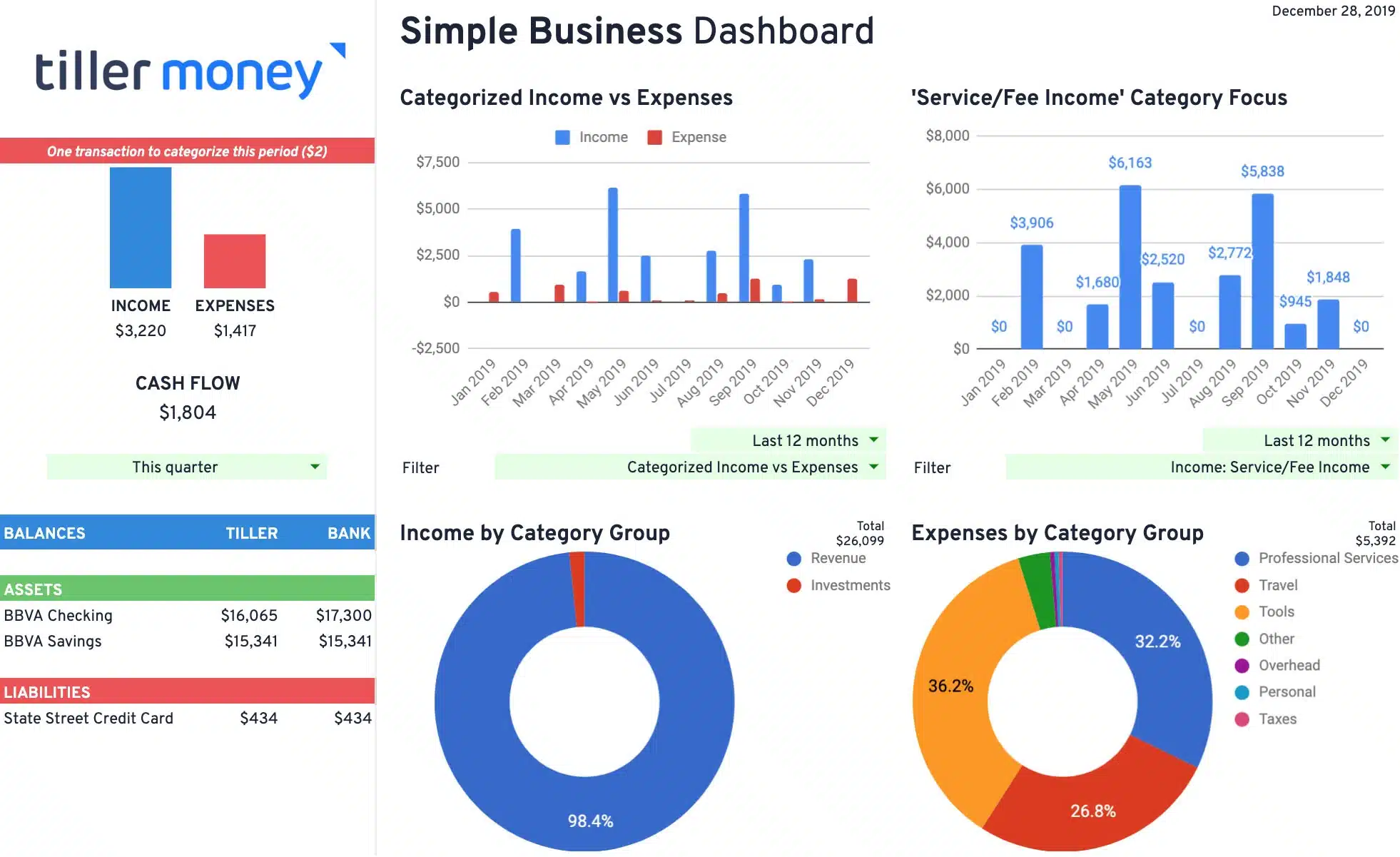 Why we choose: Tiller is ideal for businesses that prefer managing finances through spreadsheets, offering an automated way to update financial data directly into Google Sheets or Excel.
Tiller is a QuickBooks competitor that automatically pulls your financial data into Google Sheets or Excel, offering full control and customization. It’s a perfect option for businesses that prefer the familiarity and flexibility of spreadsheets while automating the data entry process.
Tiller pricing
Tiller only has one price, $79 per year.
Tiller key features
- Automated bank feeds into spreadsheets
- Customizable dashboard
- Daily financial updates
- Financial templates
| Pros | Cons |
| Great for spreadsheet enthusiasts | Not a complete accounting solution |
| Provides full control and customization | Primarily DIY with limited support |
| Automatically updates financial data | Lacks more advanced features like automation |
| Integrates seamlessly with Google Sheets & Excel | Customer support is limited to online resources |
How to Choose the Best QuickBooks Alternatives for Your Company
 Selecting the right Accounting platforms used locally for your business is a critical decision that impacts your financial efficiency and overall operations. To make an informed choice, consider the following factors that will help you identify the best QuickBooks alternative for your company:
- Assess needs: Identify the specific accounting needs of your company.
- User experience: Choose programs like QuickBooks with an intuitive interface.
- Integration: Ensure seamless integration with other business tools.
- Scalability: Consider the software’s ability to grow with your company.
- Support: Check for reliable customer support.
- Data security: Prioritize software with solid security features.
- Reporting: Test the software’s reporting and analytics capabilities.
- Trial: Take advantage of a free demo over the QuickBooks alternative.
- Pricing: Accounting software typically costs around $20/month for basic cloud-based plans, while premium tiers with advanced features can reach up to $200/month.
Conclusion
Choosing the right QuickBooks alternative for your company requires careful consideration of various factors, including your specific business needs. By assessing these aspects, you can find software that meets your current requirements and grows with your business.
Ultimately, testing the QuickBooks alternative software, like HashMicro, through a free demo will give you a clearer perspective and confidence in your decision. With these tips in mind, you’re better equipped to make an informed choice that aligns with your company’s goals.
Frequently Asked Questions About QuickBooks Alternatives
-
What is the best alternative to QuickBooks?
Consider HashMicro, which has powerful and advanced accounting features for a QuickBooks alternative. Other options include Xero for ease of use, Zoho Books for integration, FreshBooks for freelancers, and Sage Cloud for advanced financial tools.
-
Who owns QuickBooks now?
QuickBooks is an accounting software suite created and promoted by Intuit.
-
What features should I look for in a QuickBooks alternative?
When selecting accounting software, consider essential features such as user-friendly interfaces, customizable reporting, invoicing capabilities, expense tracking, multi-user access, and seamless integration with other business tools. Scalability and reliable customer support are also key factors, particularly for growing businesses.