







Picture a Friday night in Poblacion, Makati, every table filled, orders flying in from dine-in customers and delivery apps simultaneously. Behind the scenes, a well-integrated POS system orchestrates the chaos: tickets route automatically to the right kitchen stations, inventory is deducted in real-time, and your manager monitors sales from across town.
Research from the International Journal of Research in Engineering and Science (IJRES) found that restaurants in Iloilo City using web-based POS systems with integrated inventory tracking experienced faster order processing and fewer kitchen-to-table bottlenecks. A separate IJIRT study reported a 30% reduction in billing time and 25% fewer order-entry errors after POS adoption.
With so many options available, from budget-friendly cloud solutions to enterprise-grade platforms. Finding the right fit depends on your restaurant’s size, service style, and growth plans. Here’s a look at what makes each type of POS system different and which ones work best for Philippine restaurants.
Key Takeaways
|
What are the Best Restaurant POS Systems in 2026?
Best Because The best end-to-end solution for all types of business needs Best Deals







What is a Restaurant POS System?
A restaurant POS (Point of Sale) system serves as the digital nervous system of food service operations, a specialized platform engineered for the unique workflows of dining establishments. Unlike retail-focused POS solutions, restaurant systems must handle complexities specific to F&B: table assignments, course timing, modifier-heavy orders (“extra rice, no onions, sauce on the side”), kitchen routing, and split bills among large groups.
Modern systems go beyond basic cash registers. They can sync data across multiple branches, generate sales reports, manage staff schedules, and even integrate with food delivery apps. For restaurants in the Philippines, this means you can monitor your Makati and Cebu locations from a single dashboard, or check which menu items are selling best during lunch rush at your BGC branch.
For Philippine restaurants specifically, the system must also accommodate local requirements: BIR-compliant receipt generation, integration with GCash/Maya payments increasingly expected by customers, and often, support for the mixed-language ordering common in Filipino establishments.
What are the Benefits of a Restaurant POS System?
Using a POS system brings significant operational, financial, and customer-service advantages, helping businesses operate more efficiently. Key benefits of restaurant point of sale include:
- Faster operations – Speeds up ordering and payment processes, reducing wait times.
- Higher accuracy – Minimizes human error in transactions, inventory, and order entry.
- Improved inventory control – Ensures stock visibility and better purchasing decisions.
- Better customer experience – Enhances service quality with quicker and more accurate order handling.
- Centralized data – Keeps sales, inventory, and customer data in one unified system.
- Enhanced decision-making – Provides detailed analytics for revenue, performance, and trends.
- Reduced operational costs – Cuts labor hours, paper use, and inefficiencies across workflows.
- Stronger operational performance – When supported by a reliable retail POS system, businesses gain smoother processes and better overall control of store activities.
Choosing Your POS Architecture: What Works for Philippine Restaurants
The “best” POS type depends on your restaurant format. Here’s how each architecture fits different Philippine F&B operations:
Terminal-Based Systems (Traditional)
- These stationary setups anchor your POS to specific stations—host stand, bar, service stations. They’re reliable and don’t depend on WiFi for basic functions, making them suitable for areas with inconsistent internet.
- Best for: Established full-service restaurants with fixed layouts
- Philippine fit: Popular among legacy restaurants in Binondo, established steakhouses, and hotel F&B outlets where infrastructure is stable.
- Consideration: Less flexible if you rearrange layouts seasonally or during events.
Tablet/Mobile POS (mPOS)
- Server tablets and smartphone-based ordering enable tableside service without
returning to a fixed terminal. Most modern systems use iPads or Android tablets. - Best for: Fast-casual concepts, food trucks, pop-up restaurants
- Philippine fit: Ideal for the growing food park scene (Mercato Centrale, Sugbo Mercado), mobile vendors, and restaurants offering al fresco dining where servers cover large areas.
- Consideration: Requires reliable WiFi coverage; tablets need charging management.
Cloud-Based Hybrid Systems
- Data lives in the cloud but the system functions offline during outages, syncing when connectivity returns. Owners access real-time reports from anywhere.
- Best for: Multi-branch operations, franchise restaurants
- Philippine fit: Essential for growing chains expanding across Metro Manila or nationwide. Jollibee-style franchise operators rely heavily on centralized cloud reporting.
- Consideration: Monthly subscription costs; requires trust in the provider’s data
security.
Self-Service Kiosk Systems
- Customers order directly from touchscreen kiosks, reducing counter queues and labor requirements.
- Best for: QSR (Quick Service Restaurants), high-volume takeaway
- Philippine fit: Gaining traction in mall food courts (SM, Ayala), airport restaurants, and fast-food chains. Younger Filipino consumers increasingly prefer self-service options.
- Consideration: Higher upfront hardware cost; requires staff to assist less tech-savvy customers.
Integrated Delivery-First Systems
- Designed primarily for managing GrabFood, foodpanda, and direct delivery
orders with dine-in as secondary. - Best for: Cloud kitchens, delivery-heavy restaurants
- Philippine fit: Critical for the post-pandemic restaurant landscape, where delivery can represent 40-60% of revenue. Cloud kitchens in Pasig, BGC, and QC rely entirely on these systems.
- Consideration: Less robust dine-in features; may needa supplementary system
for in-house service.
14 Best Restaurant POS Systems
Here, we’ve compiled a list of restaurant POS softwares that stand out in various aspects, including options for the restaurant POS Philippines market.
Let’s explore the best POS systems for restaurants and why they could be ideal for your business.
1. HashMicro Restaurant POS
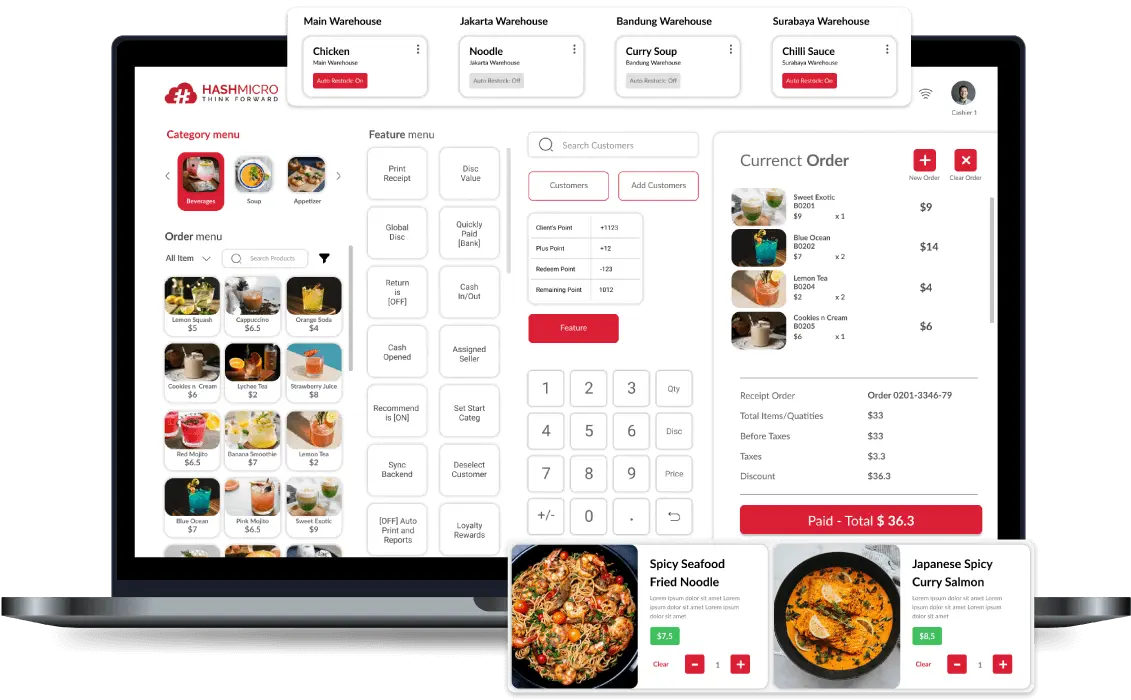
- Ideal for medium-large restaurants needing unified control.
- Prices start from: $35 per month
HashMicro has positioned itself as a serious contender for Philippine restaurant groups seeking enterprise-grade POS infrastructure. The platform’s strength lies in its integration depth—connecting front-of-house POS terminals with back-office accounting, inventory management, and even HR modules in a unified ecosystem.
HashMicro key features
- Multi-Payment Method: A multi-payment method feature in a POS system allows businesses to accommodate various payment preferences from customers, enhancing convenience and sales opportunities.
- Inventory tracking: A critical feature that lets you monitor and manage their stock levels in real-time.
- Customer and promotion management: This feature helps businesses build and maintain strong customer relationships while driving sales through targeted marketing efforts.
- Easy billing and reconciliation: Streamline the process of billing customers and balancing accounts at the end of the day.
- Centralized multi-branch POS: Allows businesses with multiple locations to manage all their POS systems from a single, centralized platform.
- Comprehensive reporting: Offers detailed insights into various aspects of the business, aiding in informed decision-making.
| Strengths | Weaknesses |
|
|
Who benefits from HashMicro? – HashMicro is ideal for medium to large restaurants or franchise businesses that need centralized management, real-time inventory tracking, and seamless integration with CRM, accounting, and multi-branch operations.
2. Shopify POS System Restaurant
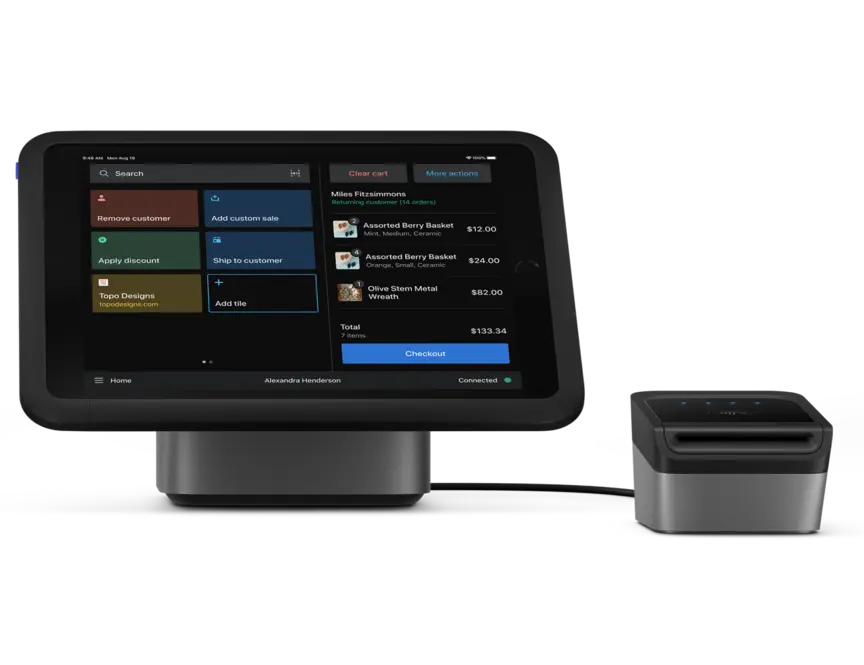
- Ideal for fast food bistros and multi-site franchises.
- Prices start from: $5 per month
Shopify Point of Sales (POS) is a system that lets you merge their online and offline sales seamlessly, thereby increasing sales and revenue.
However, while POS solutions for PH companies by Shopify offers many benefits, there are a few notable drawbacks. One significant con is the lack of a free version, which can be a barrier for small or budget-conscious businesses.
Additionally, while Shopify’s advanced features and customization options are powerful, they can be expensive, potentially placing them out of reach for smaller establishments.
Shopify key features
- Hardware Customization: Shopify allows users to customize their hardware, including printers and scanners, to meet their business needs.
- Inventory Management: The system provides effective real-time inventory management tools to track product stock levels, ensuring product availability.
- Customer Loyalty Management: Shopify offers features to manage customer loyalty programs, helping businesses build stronger customer relationships.
- Business Reporting: The business reporting feature provides detailed insights into sales performance and operations, enabling better decision-making.
| Strengths | Weaknesses |
|
|
Who benefits from Shopify? – Quick-service and fast casual restaurants, cafés and bakeries, as well as multi-location chains.
3. Square POS
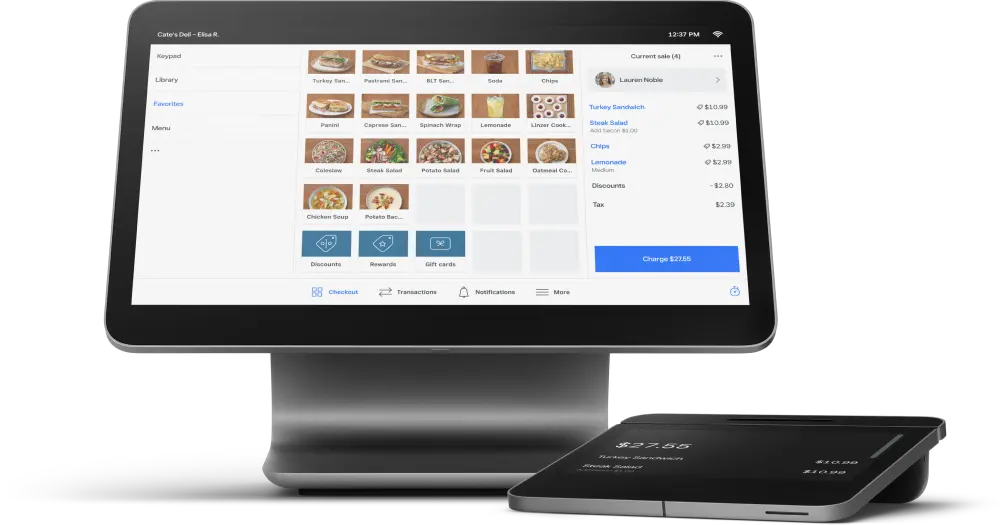
- Ideal for single-site vendors
- Prices start from: $69 per month
Square is a point of sale (POS) system known for its versatility and ease of use in various industries, especially in food service.
The primary advantages of Square POS include its affordability and ease of setup, making it accessible for businesses with limited budgets and technical expertise. The user-friendly interface and intuitive design allow quick onboarding and efficient daily operations.
However, some potential drawbacks are the transaction fees, which can add up for high-volume businesses, and the limited customization options compared to more specialized restaurant software.
Square POS key features
- Employee Management: Square provides tools for managing employee schedules, tracking attendance, and overseeing labor costs to streamline workforce management.
- Inventory Management: The system includes reliable inventory management capabilities, allowing businesses to track stock levels sales data, and make adjustments as needed.
- Sales Analytics: Square POS offers comprehensive sales analytics, providing insights into sales performance, trends, and customer purchasing behavior to inform business decisions.
| Strengths | Weaknesses |
|
|
Who benefits from Square POS? – Vendors starting without upfront costs, single-location businesses like food trucks, cafes, or kiosks, and those integrating an online store.
4. Clover Restaurant Point of Sale
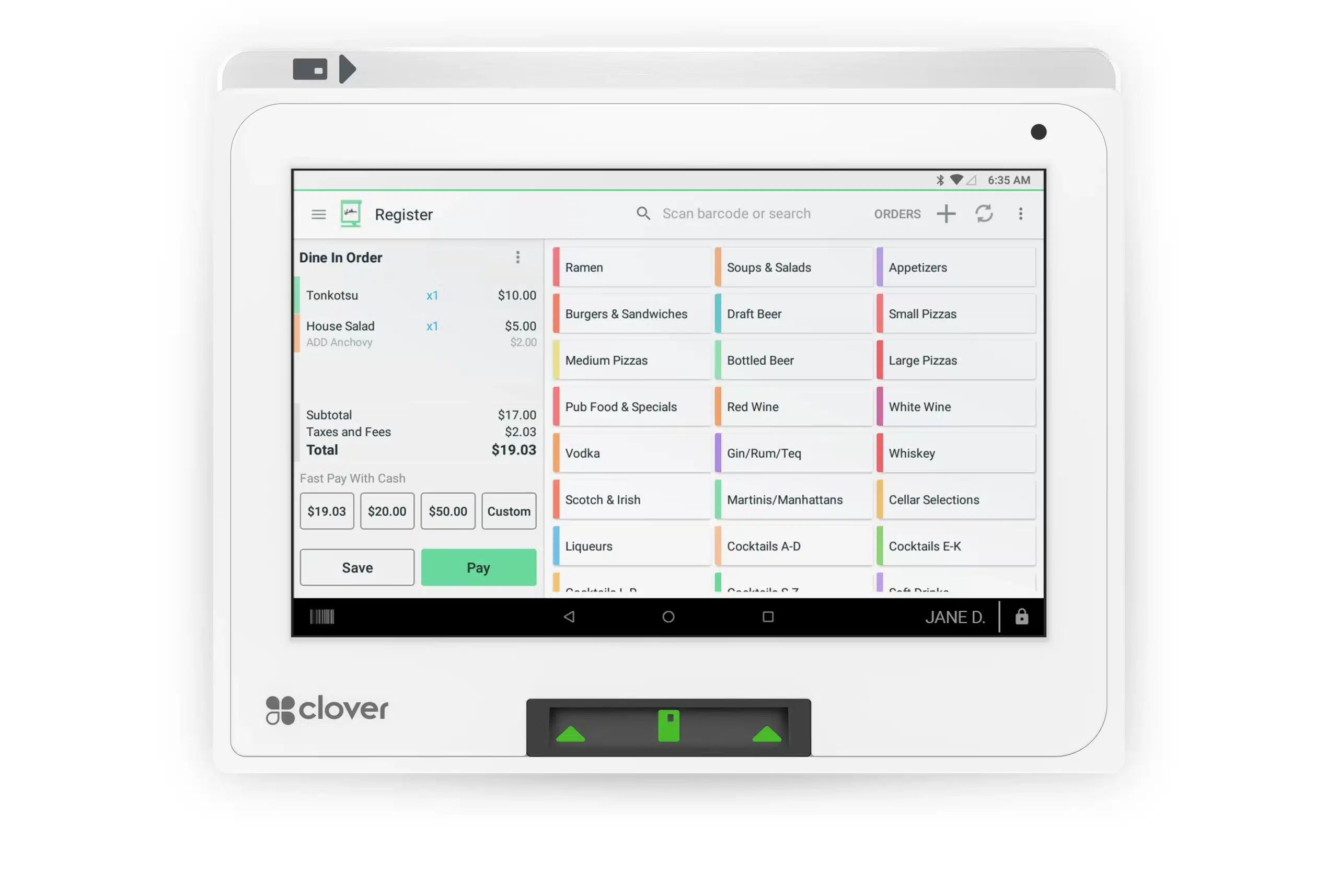
- Ideal for expert dining establishment equipment
- Prices start from: $135 per month
Clover offers an all-in-one solution that integrates sales processing, inventory management, employee management, and detailed reporting.
Its cloud-based platform ensures that business data is securely stored and accessible from any device, enabling real-time updates and remote management.
However, some potential drawbacks include occasional bugs and software glitches, which can disrupt operations and require time for troubleshooting. The cost can be higher than other POS systems, especially when adding hardware and app integrations.
Clover key features
- Employee Management: Clover includes features for managing employee schedules, tracking hours worked, and handling payroll efficiently.
- Customer Engagement Tools: The system provides tools for enhancing customer engagement through loyalty programs, promotions, and targeted marketing campaigns.
- Hardware Customization: Clover allows businesses to customize their hardware setup with various options tailored to their specific operational needs.
| Strengths | Weaknesses |
|
|
Who benefits from Clover? – Medium to large establishments, businesses focused on customer retention, and those seeking industry-leading hardware.
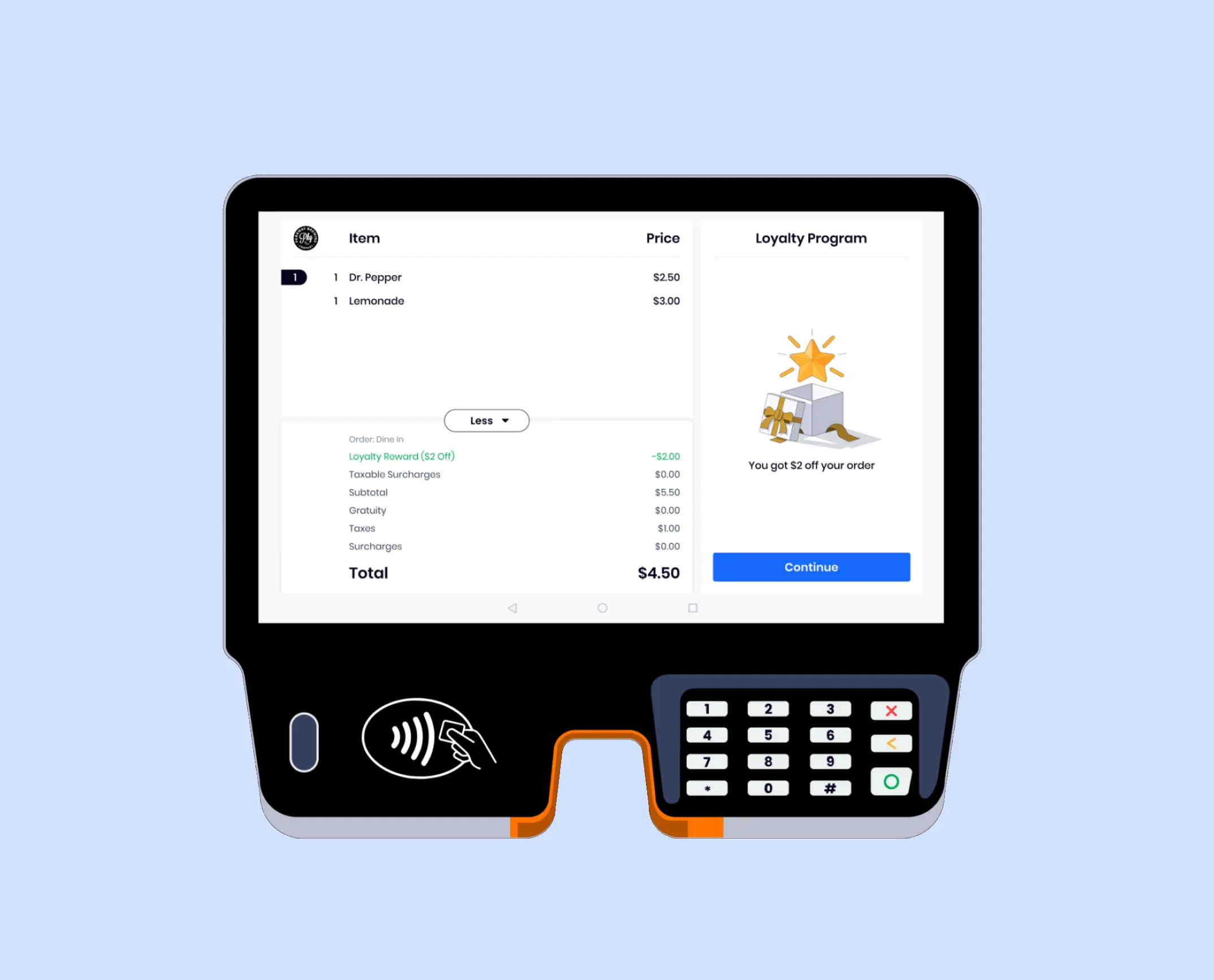
5. SpotOn POS System Restaurant
- Ideal for overseeing staff
- Prices start from: $0
SpotOn Restaurant Software is a mobile POS system hosted in the cloud, tailored to assist small to medium-sized businesses within the hospitality sector in enhancing efficiency in online transactions, tableside ordering, and preventing fraud.
Additionally, occasional glitches within the system have been reported, which can disrupt operations and lead to frustrations. Furthermore, users have encountered challenges with system upgrades, which can result in interruptions and delays in service.
SpotOn key features
- Marketing Tools: SpotOn includes marketing capabilities that help businesses create and manage promotional campaigns to attract customers.
- Customer Data Analysis: The system provides tools for analyzing customer data, helping businesses understand purchasing patterns and preferences.
- Engagement Tracking: SpotOn offers features to track customer engagement across various channels, enabling businesses to refine their strategies.
- Loyalty Program Integration: The software integrates loyalty programs to reward repeat customers and encourage brand loyalty.
| Strengths | Weaknesses |
|
|
Who benefits from SpotOn? – Vendors starting without upfront costs, busy establishments with large teams, and managers seeking to streamline employee processes.
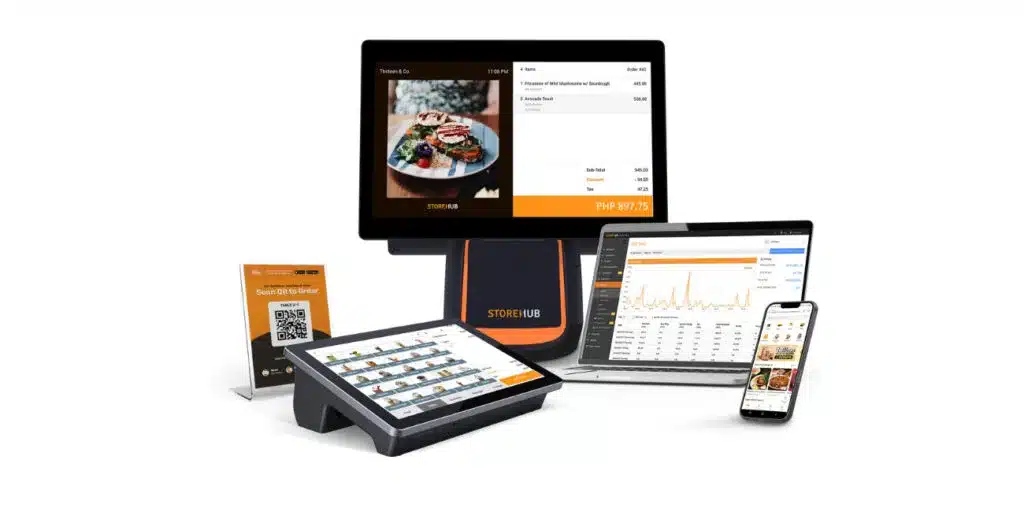
6. StoreHub POS for Restaurant
- Ideal for small-scale eateries and shops
- Prices start from: $39 per month
StoreHub is a comprehensive Point of Sales (POS) system that is tailored for small to medium-sized businesses, particularly in the retail and F&B sectors. It offers a range of features designed to speed up daily tasks, enhance customer experience, and boost sales.
One of the key advantages of StoreHub is its user-friendly interface, which simplifies the onboarding process and daily operations for staff.
However, some users might find the subscription costs relatively high, especially for businesses with tight budgets. Additionally, while StoreHub offers extensive features, it may present a learning curve for less tech-savvy people.
StoreHub pricing
- Starter plan: $39/month
- Advanced plan: $79/month
- Pro plan: $149/month
StoreHub key features
- Sales Tracking: StoreHub provides tools for accurate sales tracking, helping businesses understand sales trends.
- Inventory Management: The system includes inventory management features to efficiently manage stock levels.
- Business Reporting: The reporting feature offers an in-depth business performance analysis, aiding strategic planning.
- Customer Relationship Management: StoreHub has tools to manage customer relationships and enhance customer experience.
| Strengths | Weaknesses |
|
|
Who benefits from StoreHub? – Small to medium-sized food and beverage businesses, such as cafés, restaurants, and retail stores.
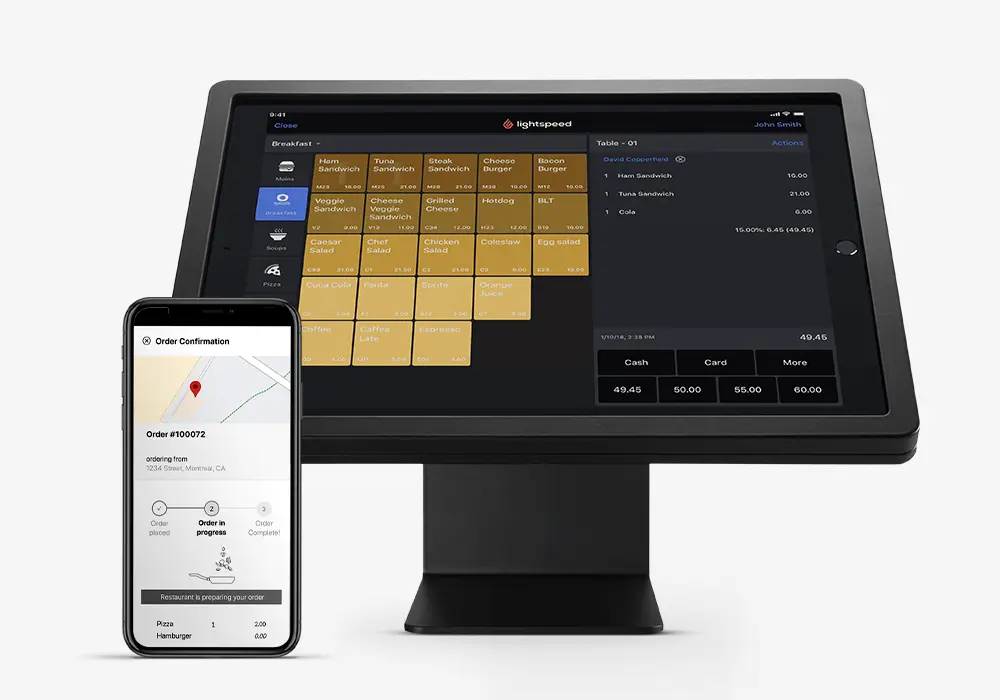
7. Lightspeed Restaurant POS System
- Ideal for growing F&B firms
- Prices start from: $69 per month
Lightspeed is a versatile Point of Sales (POS) system designed to cater to the needs of retail, hospitality, and e-commerce businesses. Key features include advanced inventory management, integrated eCommerce, employee management, and detailed analytics.
The main advantages of Lightspeed include its comprehensive inventory management, which supports complex product catalogs and seamless integration with online sales.
Furthermore, while Lightspeed is feature-rich, it might be more complex than necessary for small operations. In addition, users not experienced with advanced ePOS or tech-savvy may find Lightspeed challenging.
Lightspeed key features
- Inventory Tracking: Lightspeed offers advanced inventory tracking capabilities, allowing users to monitor stock levels in real-time.
- Customer Loyalty Feature: The system includes a customer loyalty feature to manage loyalty programs and retain customers.
- Multi-Store Capability: Lightspeed supports managing multiple locations, ideal for businesses with multiple branches.
- Payment Processing: The system offers various payment processing options, providing flexibility for customers during transactions.
| Strengths | Weaknesses |
|
|
Who benefits from Lightspeed? – Food and beverage businesses expanding, those with large or complex inventories, and vendors focused on protecting profit margins.
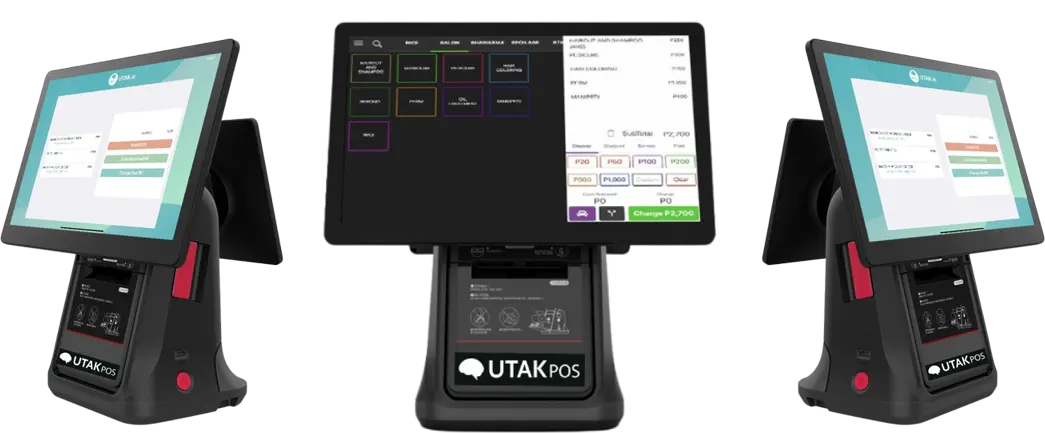
8. UTAK POS for Restaurant
- Ideal for small Filipino SMEs
- Prices start from: $26.58 per month
UTAK is an emerging Point of Sales (POS) system in the Philippines that caters specifically to food service industries. UTAK’s real-time analytics provide valuable insights into sales trends and inventory levels, aiding in better business decision-making.
However, a potential drawback is that UTAK POS may lack some of the advanced features in more established mobile POS systems, limiting its scalability for larger businesses or those with more complex needs.
Additionally, while customer support is available, it may not be as reliable or extensive as some competitors offer.
UTAK key features
- Sales Tracking: UTAK includes tracking features to help businesses analyze their sales performance.
- Customer Management: The system allows for effective customer data management to enhance service quality.
- Multi-Language Support: UTAK supports multiple languages, making it easier to use in various regions.
- Local Payment Support: The feature helps local payments, increasing customer convenience.
| Strengths | Weaknesses |
|
|
Who benefits from UTAK? – Small to medium-sized enterprises in the Philippines looking for an affordable, tablet-based POS system.
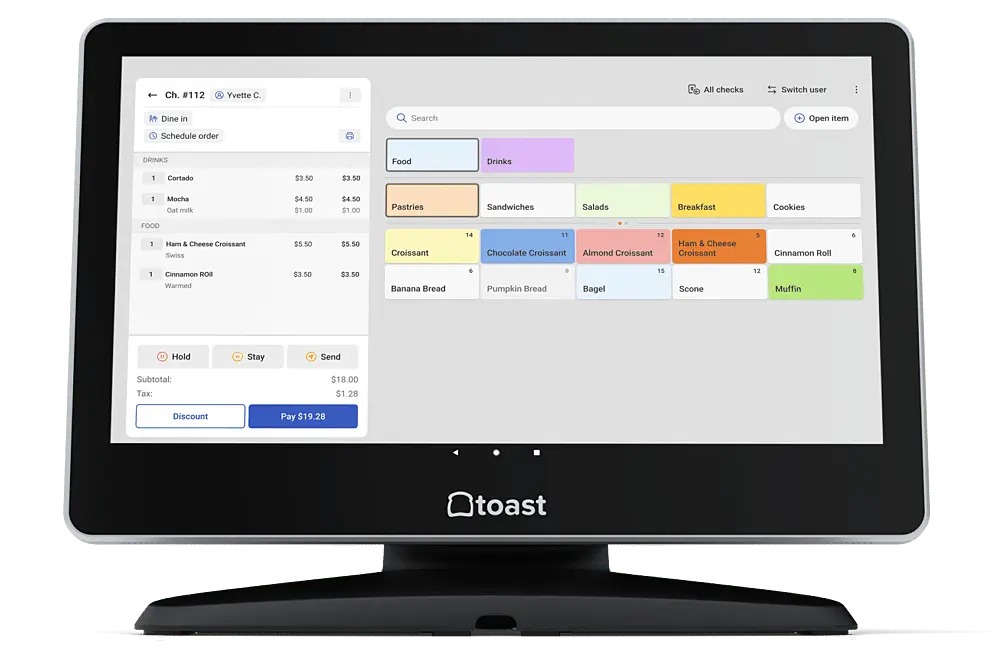
9. Toast Restaurant POS Software
- Ideal for full-service eateries
- Prices start from: $0
Known for its reliable and restaurant-centric features, Toast offers an all-in-one platform that integrates order management, inventory tracking, customer relationship management (CRM), and comprehensive reporting.
The intuitive interface and seamless integration with kitchen display systems streamline order processing and reduce errors. Additionally, while Toast offers extensive features, this might result in a steeper learning curve for some users.
Toast key features
- Inventory Management: Toast provides comprehensive inventory management tools to track ingredients and products efficiently.
- Customer Management: The system allows customer information management to improve customer experience and service.
- Loyalty Program Management: Toast includes features to manage loyalty programs, helping businesses retain loyal customers.
- Reporting & Analytics: The reporting and analytics feature provides valuable insights into business performance and sales trends.
| Strengths | Weaknesses |
|
|
Who benefits from Toast? – Full-service restaurants with complex operations, restaurants that onboard regularly, restaurants or bars with large inventories, and food businesses aiming to increase profits.
10. Lavu POS for Restaurant
- Ideal for small to mid eateries
- Prices start from: $59 per month
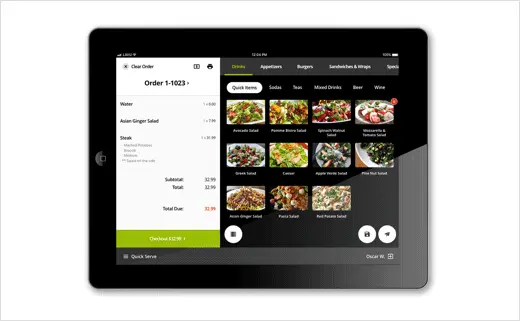
Lavu’s reliable platform integrates order management, tableside ordering, inventory tracking, and detailed reporting, all within a user-friendly interface designed specifically for restaurant workflows.
While Lavu boasts a multitude of strengths, a few cons warrant consideration. Users have reported challenges with the onboarding process, citing complexities that may require additional time and resources for staff training.
Additionally, occasional print issues have been reported, which can disrupt service flow and customer satisfaction.
Lavu key features
- Multiple Payment Options: Lavu supports various payment methods, including credit cards and mobile payments, providing flexibility for customers.
- Menu Interface: The system features an intuitive menu interface that allows easy navigation for staff and customers when placing orders.
- Inventory Management: Lavu includes inventory management tools that help track stock levels and ingredient usage in real time.
- Customer Loyalty Management: The system provides features for managing customer loyalty programs to enhance customer retention and satisfaction.
| Strengths | Weaknesses |
|
|
Who benefits from Lavu – Small to medium-sized restaurants, bars, and cafés seeking a flexible, iPad-based POS system.
11. Revel POS System Restaurant
- Ideal for medium-large eateries and quick-service outlets
- Prices start from: $119 per month
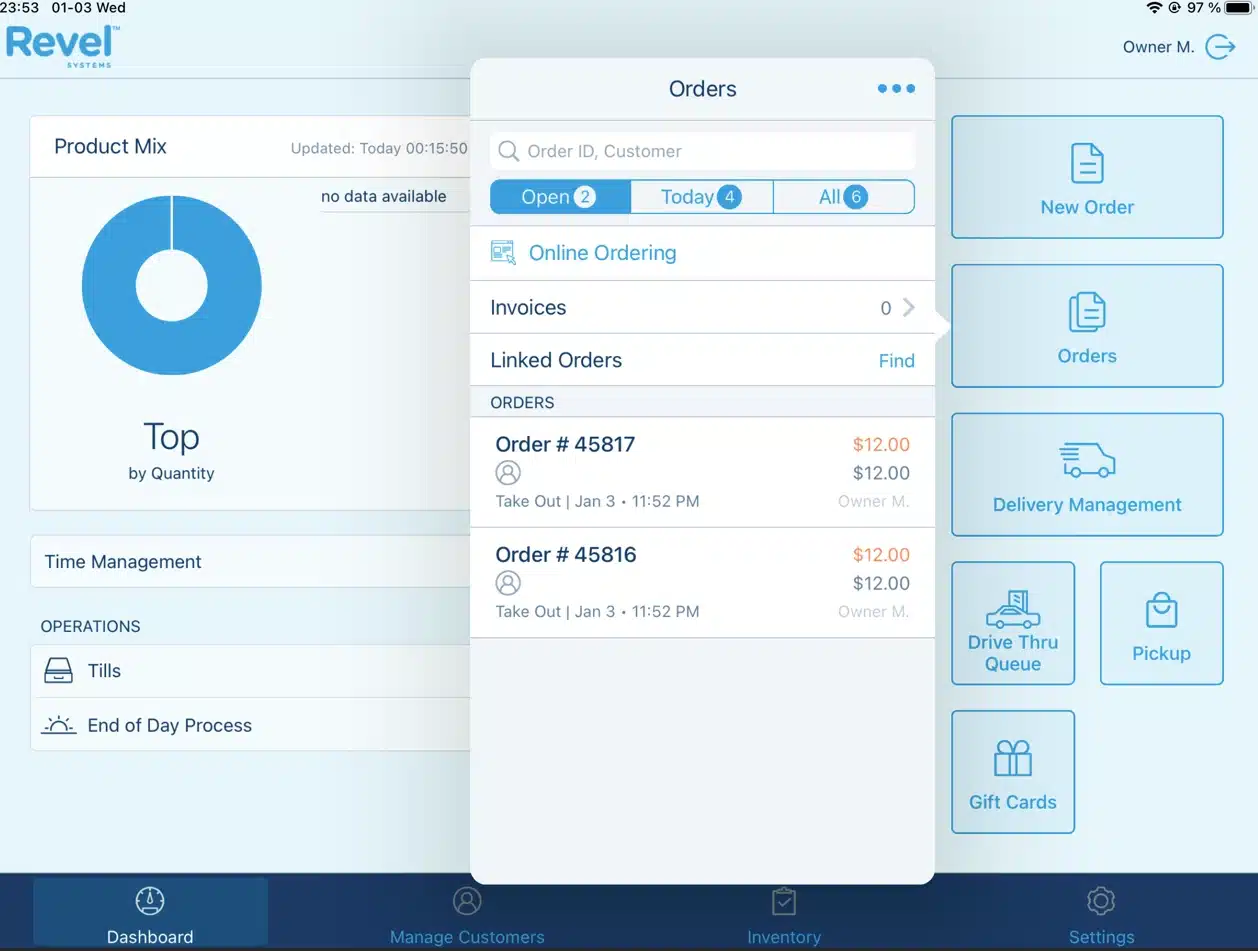
Revel Systems is a cloud-based Point of Sale (POS) solution designed primarily for the restaurant industries, including cafes. It offers a comprehensive suite of features that speed up daily tasks, enhance customer service, and improve inventory management.
With tools for table management, real-time inventory tracking, and detailed sales analytics, Revel empowers business owners to make informed decisions based on accurate data.
One of the standout aspects of Revel Systems is its flexibility in payment processing, allowing businesses to choose the payment solutions that best fit their needs. Additionally, it supports multi-location management, making it an ideal choice for businesses with multiple branches.
Revel key features
- Customizable Dashboard: Revel offers a highly customizable dashboard that allows users to tailor their interface according to their specific operational needs.
- Advanced Inventory Management: The system includes advanced inventory management tools that track stock levels, ingredient usage, and supplier information in real-time.
- Employee Management Tools: Revel Systems provides features for managing employee schedules, tracking performance, and handling payroll efficiently.
- Integrated Marketing Tools: The platform includes marketing capabilities that enable businesses to create promotions, email campaigns, and customer engagement strategies directly from the POS.
| Strengths | Weaknesses |
|
|
Who benefits from Revel? – Medium to large-sized restaurants, bars, and quick-service establishments needing advanced features.
12. TouchBistro POS Restaurant
- Ideal for small to mid eateries
- Prices start from: $69 per month
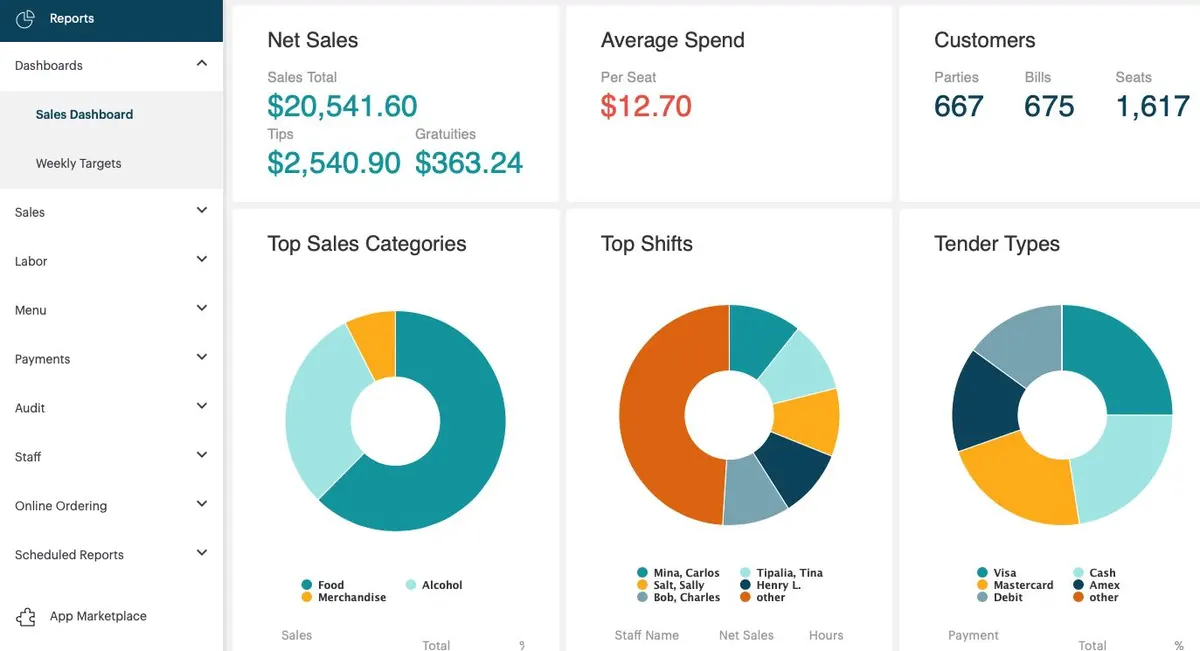
TouchBistro is a cloud POS software specifically designed for the restaurant industry, and it includes cafes, bars, and food trucks.
Key features include intuitive menu management, which allows restaurant staff to quickly add or modify menu items, and detailed inventory tracking that helps manage stock levels and understand profit margins for each dish.
TouchBistro also provides reliable table management capabilities, enabling managers to design floor plans and easily allocate tables to guests, streamlining service during busy periods.
TouchBistro key features
- Tableside Ordering: This feature allows servers to take orders directly at the table using mobile devices, improving service speed and accuracy.
- Menu Management: Users can easily customize their menus, adding images and descriptions to enhance customer appeal.
- Staff Scheduling: TouchBistro provides tools for managing staff schedules, allowing managers to efficiently allocate shifts and track hours worked.
- Integrated Payments: The system supports various payment methods, including contactless options, ensuring a seamless checkout experience for customers.
| Strengths | Weaknesses |
|
|
Who benefits from TouchBistro? – Small to mid-sized restaurants, bars, cafés, and
13. EPOS Now
- Ideal for large-stock, budget-conscious, expanding vendors.
- Prices start from: $39 per month
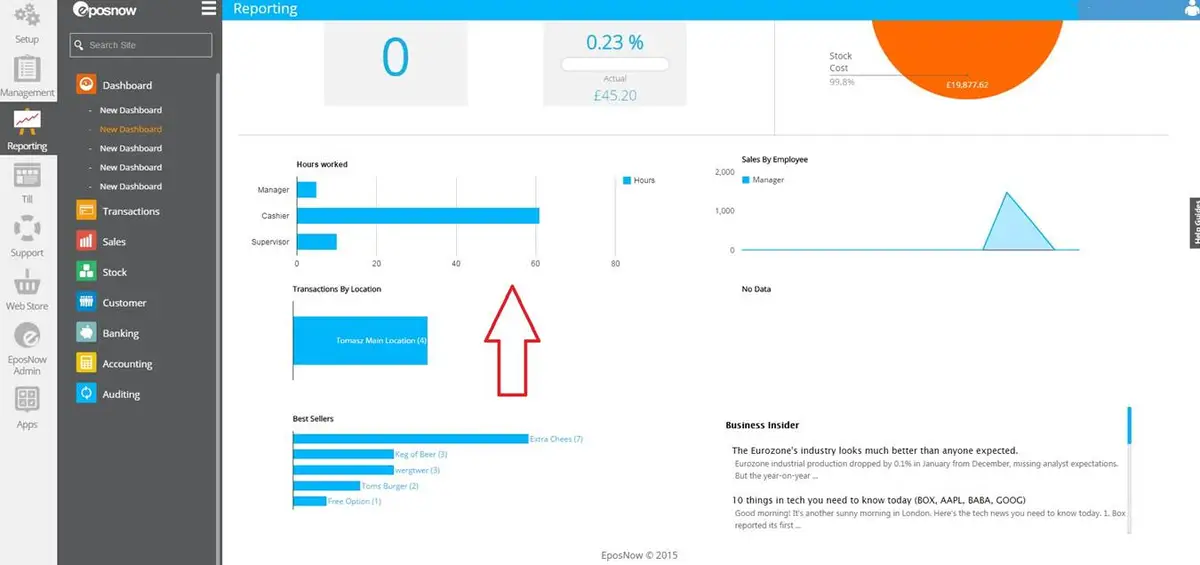
Epos Now is a cloud-based point of sale (POS) system that caters to the restaurant industry and provides a versatile solution for businesses of various sizes.
It features a user-friendly interface that can be operated on multiple devices, including iPads, Android tablets, PCs, and Macs.
The system also includes features like customer loyalty programs and reservation management, which help businesses enhance customer engagement and speed up daily tasks.
EPOS Now key features
- Inventory Management: Epos Now offers reliable inventory tracking capabilities, allowing users to monitor stock levels in real-time and manage reordering processes effectively.
- Customer Relationship Management (CRM): The system includes CRM tools that help businesses track customer interactions and preferences, enabling personalized marketing strategies.
- Multi-Location Support: Epos Now allows businesses with multiple locations to manage all their operations from a single dashboard, streamlining oversight and reporting.
- Sales Reporting and Analytics: Users can access detailed sales reports and analytics to gain insights into business performance and make data-driven decisions.
| Strengths | Weaknesses |
|
|
Who benefits from EPOS Now? – Food businesses with large inventories, those seeking low monthly costs, and restaurants opening a second branch.
14. CAKE POS for Restaurant
- Ideal for all sizes restaurants
- Prices start from: $69 per month
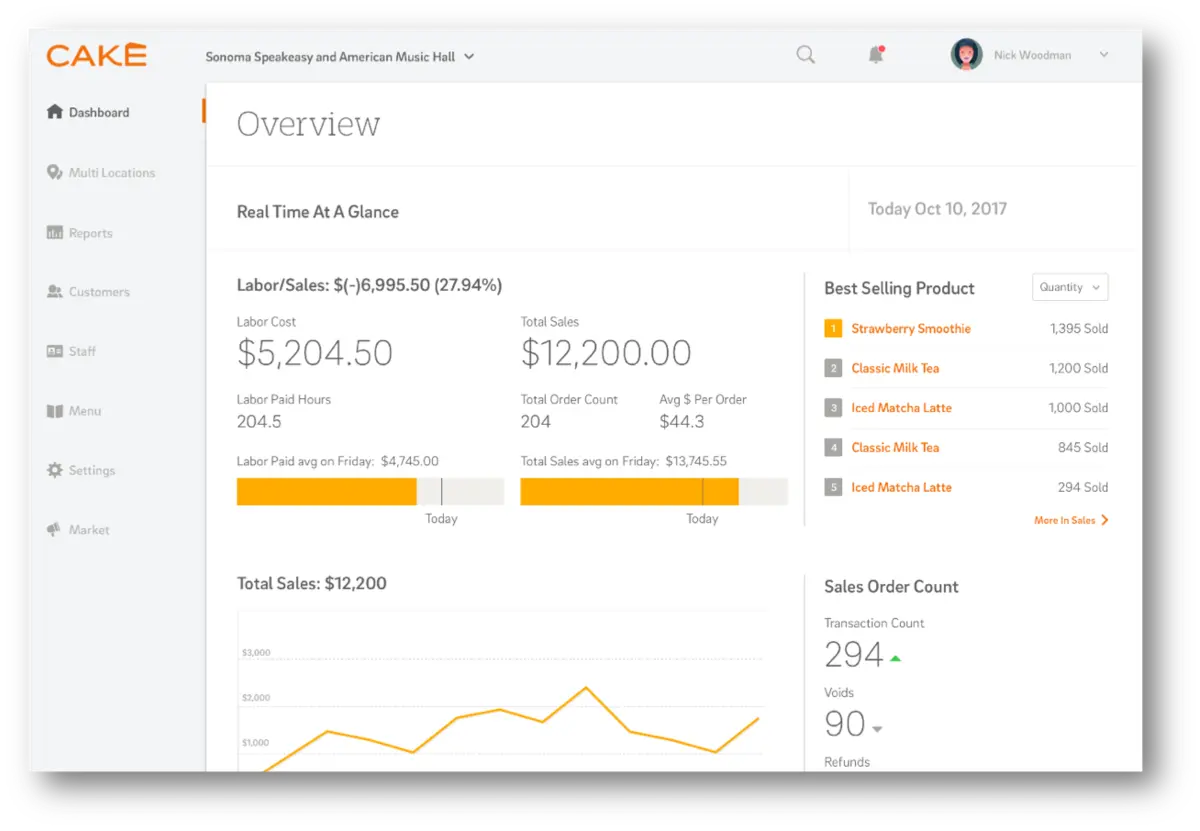
CAKE is a cloud-based Point of Sale (POS) system that offers a user-friendly interface that simplifies order management and enhances customer service.
Key features include integrated online ordering, curbside pickup, and tableside ordering, allowing restaurant staff to place and modify orders quickly.
CAKE’s payment cube supports various payment methods, including contactless options like Apple Pay and Google Pay, which streamline transactions and improve efficiency.
Cake key features
- Online Ordering Integration: CAKE supports online ordering directly through the POS system, allowing restaurants to manage in-house dining and takeout seamlessly.
- Loyalty Programs: The system includes built-in loyalty program features that help businesses engage customers and encourage repeat visits through rewards.
- Real-Time Reporting: CAKE provides real-time reporting tools that give insights into sales trends, staff performance, and customer preferences for better decision-making.
- Curbside Pickup Management: This feature allows restaurants to manage curbside pickup orders efficiently, enhancing the customer experience during busy times.
| Strengths | Weaknesses |
|
|
Who benefits from CAKE? – Restaurants of all sizes looking for a user-friendly, all-in-one POS system.
Full Comparisson of Best Restaurant POS System
| Brand | Best for | Pros | Cons | Price |
|---|---|---|---|---|
| 1) HashMicro | Best for medium–large restaurants needing centralized POS | 1) Fully integrated modules 2) Strong multi-branch control 3) Real-time analytics | 1) Requires customization 2) Complex initial setup | Custom Pricing |
| 2) Shopify | Best for fast food and multi-site chains | 1) Easy online–offline sync 2) User-friendly 3) Flexible payment options | 1) Not restaurant-specific 2) Limited reporting 3) Add-on costs | Starts from $5 per month |
| 3) Square | Best for single-location vendors on a budget | 1) Affordable plans 2) Easy setup 3) Strong loyalty features | 1) Limited customization 2) Basic advanced features | Starts from $69 per month |
| 4) Clover | Best for restaurants needing advanced hardware and tracking | 1) Advanced analytics 2) Excellent ingredient tracking 3) Multi-location support | 1) Higher cost 2) Occasional glitches 3) Steep learning curve | Starts from $135 per month |
| 5) SpotOn | Best for busy teams needing streamlined staff control | 1) Affordable and localized 2) Simple interface 3) Offline-capable | 1) Limited advanced features 2) Minimal integrations | Starts from $0 |
| 6) StoreHub | Best for small eateries wanting simple POS + online ordering | 1) Strong online ordering 2) Easy to use 3) Good reporting tools | 1) Higher subscription cost 2) Learning curve for some users | Starts from $39 per month |
| 7) Lightspeed | Best for growing F&B brands with complex inventory | 1) Advanced inventory tools 2) Multi-store ready 3) Mobile payment support | 1) Costly add-ons 2) Not ideal for simple setups 3) Requires tech familiarity | Starts from $69 per month |
| 8) UTAK POS | Best for small Filipino SMEs needing affordable POS | 1) Customizable 2) Good analytics 3) Supports local payments | 1) Limited scalability 2) Inconsistent support | Starts from $26.58 per month |
| 9) Toast | Best for full-service restaurants with heavy operations | 1) Excellent CRM tools 2) Strong reporting 3) Integrated online ordering | 1) Complex setup 2) Limited for large enterprises | Starts from $0 |
| 10) Lavu | Best for small–mid eateries using iPad workflows | 1) Easy menu tools 2) Offline-capable 3) Customizable interface | 1) Limited support hours 2) Fewer advanced features | Starts from $59 per month |
| 11) Revel | Best for multi-location restaurants needing advanced tools | 1) Highly scalable 2) Advanced inventory 3) Strong integrations | 1) Slow support at peak times 2) Complex for small businesses | Starts from $119 per month |
| 12) TouchBistro | Best for small–mid venues wanting intuitive table management | 1) Intuitive menu & table tools 2) Affordable 3) Restaurant-focused | 1) Limited advanced features 2) Internet-dependent | Starts from $69 per month |
| 13) EPOS Now | Best for large-inventory vendors on a budget | 1) Easy setup 2) Offline-capable 3) Wide integrations | 1) Support may vary 2) Add-ons needed for advanced tools | Starts from $39 per month |
| 14) CAKE | Best for restaurants needing simple all-in-one POS | 1) Easy ordering tools 2) Strong online features 3) Fast setup | 1) Fewer customization options 2) Learning curve for new users | Starts from $69 per month |
Tips for Selecting the Right Restaurant POS System

An effective restaurant POS software is important for restaurant operations. It helps seamless transactions and enables informed business decisions. Due to their unique operational needs, restaurants especially need specialized systems.
Unlike typical retail setups, restaurants must handle table reservations and link orders to tables. Additionally, Restaurant inventory management must closely track ingredient use and costs per dish.
What are the top restaurant POS system features to look for?
A quality restaurant POS software will include specialized tools to meet the demands of food service operations. In mall-based restaurants, the POS should also integrate seamlessly with the mall’s system, such as centralized reporting, tenant sales submission, and required compliance formats, so daily operations and reporting stay aligned.
Below are some of the most important features to consider:
- Inventory Management: Keeps track of ingredient usage and current stock levels.
- Stock Alerts: Automatically notifies the team when supplies run low and need restocking.
- Customer Loyalty Programs: Lets you offer promotions, gift cards, and incentives to encourage repeat business.
- Customer Relationship Management (CRM): Safely maintains customer contact information (emails, phone numbers, etc.) for marketing campaigns.
- Employee Management: Tracks employee work assignments and shift hours.
- Table Management: Links orders to specific tables and tracks each table’s service status.
- Reservation Management: Allows your team to schedule and manage table bookings efficiently.
- Online Ordering: Enables customers to place online orders, which is especially helpful for quick-service environments.
- Payment Processing: Accepts various payment methods (cash, credit/debit cards, and contactless payments).
What restaurant POS hardware accessories do I need?
While the POS software handles most tasks behind the scenes, the right hardware can greatly improve efficiency during day-to-day operations. Here are some important hardware components for a restaurant POS software:
- POS Stands & Docks: Adjustable holders for the POS terminal, allowing staff to easily show the screen to customers and capture electronic signatures.
- Self-Service Kiosks: Standalone stations (with built-in receipt printers and card readers) where customers can place orders and pay independently, reducing the staff’s workload.
- Touchscreen Terminals: Tablet-based screens (such as an iPad) that offer a faster and more mobile alternative to a standard desktop POS.
- Portable Power Sources: Battery packs or mobile charging units keep tablets and card readers running without interruption during long service hours.
- Card Readers: Small devices that connect to tablets or smartphones to quickly process credit and debit card payments.
POS Adoption in Philippine Restaurants: What the Data Shows
The shift toward digital POS systems in the Philippines has accelerated since the pandemic. Here’s what we’re seeing on the ground:
- BIR compliance is driving adoption. With the BIR tightening enforcement on official receipting, many restaurants that relied on manual cash registers are now switching to accredited POS systems. The penalty risk simply isn’t worth it anymore.
- E-wallet integration is now expected. Customers—especially in Metro Manila—assume they can pay with GCash or Maya. Restaurants without these options lose walk-ins to competitors. Most modern POS systems now include QR payment support as standard.
- Multi-branch visibility matters for growing chains. Local restaurant groups expanding beyond their first location often hit a wall when their standalone POS can’t sync data across branches. This is typically the trigger point for upgrading to integrated systems.
- Cloud-based systems are winning over on-premise. The flexibility to check sales from your phone, automatic backups, and no need for expensive local servers make cloud POS the default choice for most new restaurant setups in the Philippines.
According to the IJRES study on Iloilo City restaurants, establishments that moved to web-based POS reported not just operational improvements but also better customer satisfaction scores—likely because faster service and fewer order errors directly impact the dining experience.
Conclusion
Picking a restaurant POS system isn’t just about finding software that processes payments. It’s about choosing a tool that fits how your restaurant actually operates. Your service style, your team’s tech skills, your growth plans, and the specific demands of running a food business in the Philippines.
For smaller operations, a simple cloud-based system with BIR compliance and e-wallet support might be all you need. If you’re managing multiple branches or planning to expand, you’ll want something that centralizes your data and integrates with accounting and inventory tools.
The systems listed here each have their strengths. Some excel at simplicity and low cost. Others offer deep customization for complex operations. Take the time to demo a few options, talk to their support teams, and if possible, chat with other restaurant owners using the system you’re considering.
Your POS is something you’ll use every single day. It’s worth getting right.
FAQ Restaurant POS Software
-
What are the different types of POS systems?
Several types of POS systems exist, including traditional POS systems that use hardware, mobile POS (mPOS) that operate on tablets or smartphones, cloud-based systems that store data online, and self-service kiosks.
-
Can restaurant POS software integrate with accounting software?
Yes, many restaurant POS softwares can integrate with accounting software, allowing for seamless data transfer that streamlines financial management, reduces manual entry, and enhances reporting accuracy.
-
What is a POS system for restaurants?
A POS (Point of Sale) system for restaurants is a software and hardware solution designed to manage sales, orders, and payments efficiently. It integrates various aspects of restaurant operations, such as order taking, inventory management, and reporting, into one seamless platform.
-
What is the difference between a POS system and a POS terminal?
A POS system encompasses the entire setup for processing sales, including software and hardware, while a POS terminal specifically refers to the hardware device used to complete transactions, such as a card reader or cash register.
-
What are the 4 types of POS systems?
The 4 most common types of POS systems are:
1. On-premise POS (traditional/installed) – Runs on in-store servers and devices; works offline but needs local maintenance.
2. Cloud-based POS – Web-based with real-time sync across outlets; easier updates and remote access.
3. Mobile POS (mPOS) – Uses tablets/phones for checkout anywhere (ideal for pop-ups, queues, tableside service).
4. Self-service POS (kiosk/QR ordering) – Customers place orders and pay themselves, helping reduce queues and staff workload.