

















When President Marcos declared a four day workweek, many companies faced an immediate issue employees still had to work, but on premise ERP systems were not always accessible from home. In the Philippines, that kind of disruption can quickly affect productivity and daily operations.
As a result, more businesses are rethinking their IT setup. From cloud services and SaaS ERP systems to on-site data centers, each option affects how well a company can adapt, stay efficient, and keep operations running.
Table of Contents
Key Takeaways
|

What is SaaS?
SaaS, or Software as a Service, is a way to deliver software over the Internet. Instead of installing software on your computer, it is hosted on a remote server managed by the SaaS provider.
This approach helps companies use ERP analytics software without worrying about managing complex IT systems. It reduces the internal workload for software maintenance and updates and eliminates the need to buy servers and hardware.
SaaS is popular among many types of companies in the Philippines, from small startups to large enterprises. It’s great for financial management, human resources, and collaboration applications.
With SaaS, businesses can access the tools they need more easily and efficiently, adapting to their changing needs.
What is SaaS ERP?
SaaS ERP software is a cloud-based solution that allows businesses to use Enterprise Resource Planning software without managing their hardware or servers.
With SaaS ERP, companies pay a subscription fee instead of buying software licenses outright. This subscription model means businesses can use the software for regular payment, whether monthly or annually.
SaaS ERP examples include platforms like HashMicro, NetSuite, SAP Business ByDesign, and Odoo. These solutions simplify the implementation process and reduce costs, making them particularly helpful for small and medium-sized enterprises.
SaaS ERP is especially popular among small businesses and is suitable for larger companies. Many organizations in the Philippines use this model to streamline their operations.
Advantages and Disadvantages of SaaS ERP

There are strong reasons why SaaS and ERP subscriptions are leading trends in today’s IT development. Here are the advantages of SaaS ERP:
- Accessibility: Cloud-based solutions allow users to access services from anywhere with internet access, promoting flexibility and remote work.
- Reduced Development Needs: Companies can benefit from SaaS services without requiring extensive in-house development, allowing them to focus on their core operations.
- Guaranteed Reliability: Service providers ensure application availability and reliability, alleviating user concerns and enabling them to concentrate on their data.
- Cost Savings: SaaS ERP helps reduce operational expenses, including maintenance and network repairs, as the service provider manages these responsibilities.
- Flexibility in Technology Selection: Organizations can easily choose applications that meet their needs and discontinue those no longer necessary, allowing for a more tailored technology approach.
Although there are many benefits to using this service, you may also face some drawbacks with SaaS that may not suit your business requirements. Here are the disadvantages of SaaS ERP presented in point format:
- Limited Customization: SaaS ERP systems are often designed to meet business needs, which can limit the ability to customize them to specific business requirements. This can make it challenging for companies to tailor the system to their unique business processes. That’s why they are often a better fit for small to medium-sized businesses.
- Dependence on the Vendor: Companies using SaaS ERP highly depend on the vendor for maintenance, security, and software updates. This can raise concerns about control and flexibility.
- Data Security Concerns: Although SaaS ERP vendors typically offer strong security measures, some companies may have concerns about storing data off-site and the potential for data breaches.
Why the Philippines Energy Crisis Makes SaaS ERP Non-Negotiable
The Philippines’ 2026 energy crisis exposed how fragile office dependent systems can be. Under MC 114, issued on March 6, 2026, government offices were ordered to adopt a four day onsite setup starting March 9, with a compressed workweek or a common WFH day to cut energy and fuel use amid the Middle East crisis.
That shift matters beyond government. DOLE said private employers may also consider compressed workweeks or work-from-home arrangements as fuel costs rise. In that kind of disruption, SaaS ERP systems become critical because teams still need access to operations, approvals, and data from anywhere.
SaaS ERP for WFH Teams: Key Features Philippine Businesses Need
For WFH and hybrid teams, a SaaS ERP system should offer secure remote access, real-time data, and multi-user functionality. These features let employees log in from anywhere, work on the same system at once, and view updated finance, inventory, and procurement data without waiting for manual reports. Hybrid work in the Philippines depends heavily on digital infrastructure, which makes these capabilities essential.
It should also support BIR compliance. Under RR No. 11-2025, covered taxpayers using CAS, CBA with electronic invoicing, or other invoicing software must generate system-generated electronic invoices in structured invoice data that can be transmitted electronically to the BIR. That makes compliance-ready ERP functionality more than a nice-to-have.
Steps to Choose the Right ERP System for Your Business

You have already discovered cloud ERP systems and their benefits, types, advantages, and disadvantages. However, each company’s requirements for an ERP solution differ depending on its specific business type and industry.
Thus, a company must choose an ERP solution that fits its needs. Investing time to identify the right ERP system is important, as this software may be used for the next 10 to 15 years. Here are some suggestions to keep in mind when assessing an ERP for your organization:
- Assess Current Challenges: Understand the difficulties and weaknesses of your existing system across all departments. Involving the IT team in this assessment is vital to identify any issues. This analysis will help you determine which aspects of your business can be improved through different ERP modules.
- Choose a Reputable Partner: Selecting a partner with a strong, credible reputation is important. A reliable partner will help you maximize the benefits of ERP for your business processes. Look for SaaS developers from a reputable company that can meet your expectations.
- Prioritize User-Friendliness: Ensure that the ERP software you choose is accessible and user-friendly so all employees can easily adapt.
- Consider Cost Factors: To ensure smooth ERP operation, investigate the necessary hardware and networking equipment costs. Pricing models can vary significantly, so it’s important to compare quotes to find the best deal.
Are you looking for ERP software Philippines for your business? Using Hashmicro ERP can help streamline your operations.
Interesado sa mga natatanging tampok na ibinibigay namin? Huwag mag-atubiling makipag-ugnayan sa amin!
HashMicro ERP – Ideal SaaS Alternative for Your Business
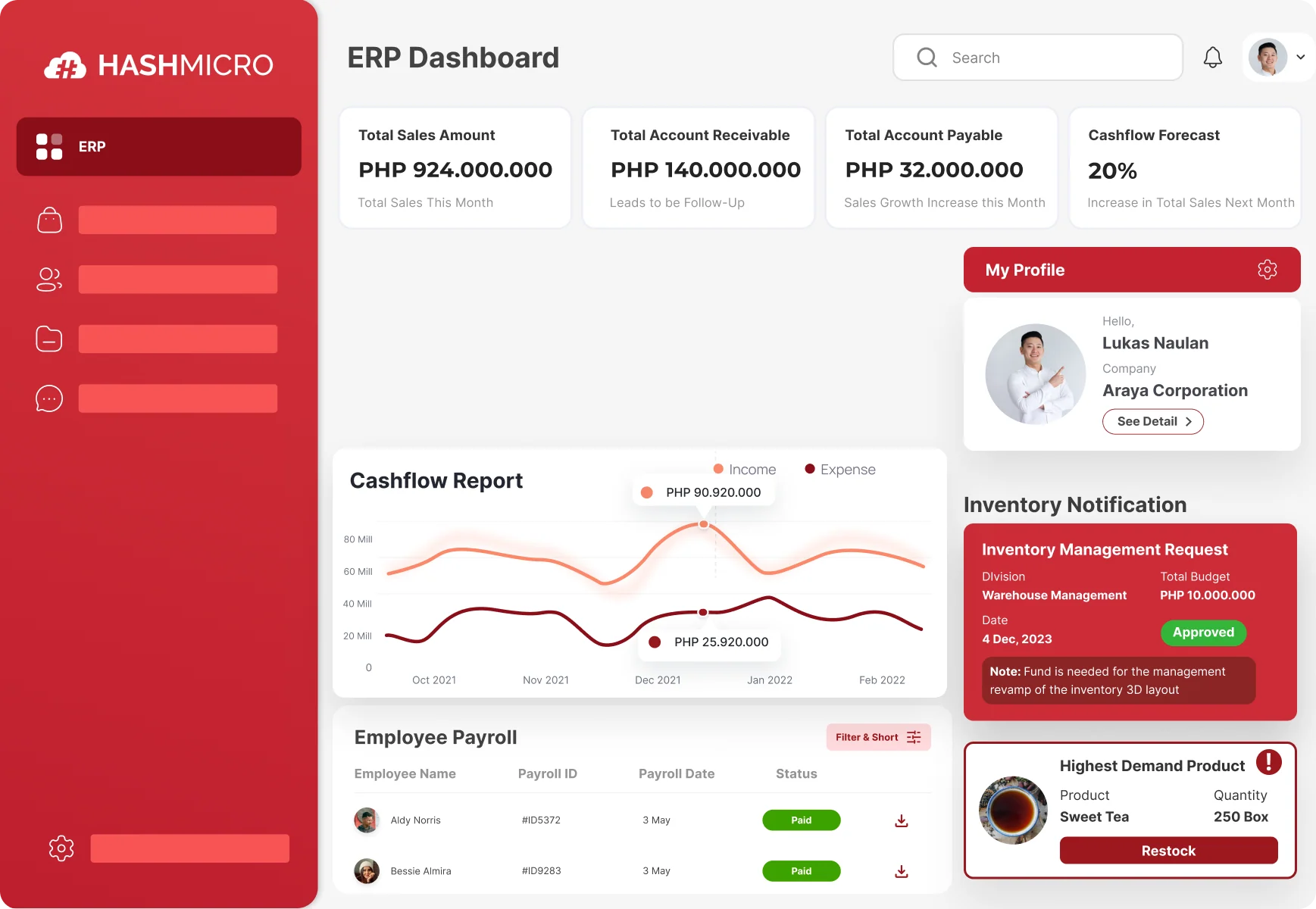
Hash Core is a leading ERP developed by HashMicro, a well-known ERP provider based in Singapore. It is designed specifically to help small and medium-sized enterprises grow through business process automation.
A key feature of Hash Core is its modular design, which lets users choose specific modules to fit their needs. The ERP module options include accounting, CRM, procurement, inventory management, and POS systems for retail and restaurants.
HashMicro emphasizes accessibility and user experience, catering to diverse client needs across various industries. Its dedicated team of experts is ready to assist with inquiries and support.

Conclusion
SaaS and SaaS ERP subscriptions can be highly advantageous in various scenarios. Many business activities benefit from the flexibility and efficiency that SaaS services offer.
With cloud-based solutions, there’s no need to constantly monitor hardware or install specialized software just access the services anytime with an internet connection.
Have you looked into an ERP system? HashMicro is a trusted SaaS application provider offering top-tier HashMicro ERP systems in the Philippines that meet international standards and can help elevate your business.
Makipag-ugnayan sa amin upang subukan ang isang libreng demo ng aming mga tampok ng ERP!

FAQ About SaaS ERP Systems
-
Why did the Philippines energy crisis make SaaS ERP more important?
The 2026 energy crisis showed how risky office-dependent systems can be. When work arrangements shifted because of fuel and energy-saving measures, companies needed ERP access from anywhere. SaaS ERP became more important because teams could still manage operations, approvals, and business data even outside the office.
-
What SaaS ERP features are essential for WFH teams in the Philippines?
The most important features include secure remote access, real-time data visibility, multi-user functionality, and compliance support. These allow employees to work from different locations, access the same updated information, and keep finance, inventory, procurement, and approvals moving without delay.
-
Is SaaS ERP better than on-premise ERP for remote work?
For remote or hybrid work, SaaS ERP is often more practical because users can access the system through the internet without depending heavily on office-based infrastructure. On-premise ERP can still work, but it may create more challenges when employees need consistent access from home or multiple locations.
-
Can SaaS ERP help businesses stay compliant with BIR requirements?
Yes, a SaaS ERP system can help support BIR compliance when it includes accounting and invoicing features that align with local requirements. This is especially important for businesses that need system-generated electronic invoices and structured invoice data for reporting and submission purposes.
-
Why is real-time data important in a SaaS ERP system?
Real-time data helps businesses make faster and more accurate decisions. For WFH and hybrid teams, it ensures that everyone sees the same updated figures for inventory, transactions, procurement, and financial records, which reduces reporting delays and miscommunication.














