















Manufacturing ERP (Enterprise Resource Planning) is crucial for keeping production stable and preventing costly issues. Kumusta, Business People! When machinery is pushed too hard and errors increase, the lack of a dependable manufacturing system quickly becomes a serious concern.
A study found that robust ERP Manufacturing can reduce labor costs by up to 20%. That is why Filipino businesses that implement the best manufacturing ERP will not experience inefficient processes. You may be curious about which vendor provides the best solutions for your business.
HashMicro Manufacturing ERP helps manufacturers streamline production planning, manage inventory, and reduce operational inefficiencies through one integrated system. By automating core manufacturing processes, the software supports smoother workflows and more consistent output. To help you evaluate its impact before committing, HashMicro also offers a free demo so you can see how the system works in real production environments.
Wag kang mag-alala, you’re in the right place. Below, we provide complete ERP system for manufacturing recommendations to help you choose the ideal vendor for your business in the Philippines. Book a free demo with HashMicro today and discover how automation elevates your production cycle.
Key Takeaways
|
Table of Contents

Quick Overview of ERP for Manufacturing



Best Because
Best for multi-site operations needing cloud-based ERP with strong financial integration
Best Because
Best for large enterprises needing AI-driven, complex manufacturing and supply chain optimization

Best Because
Best for businesses wanting seamless Microsoft ecosystem integration and real-time insights

Best Because
Best for manufacturers needing deep industry functionality and IoT-enabled shop floor visibility

Best Because
Best for manufacturers with complex processes needing AI-driven planning and multi-site support
What is Manufacturing ERP?
A Manufacturing ERP (Enterprise Resource Planning) is a software designed to manage and optimize all aspects of a manufacturing company’s operations. It integrates various business functions, such as ERP production planning, inventory, quality control, and financial accounting.
Most ERPs offer general features, but manufacturing ERPs are designed specifically to streamline factory processes, like those that make bicycles and other products. This specialized software ensures reports and outputs are relevant to the company’s operations.
Benefits of ERP Manufacturing
Implementing an ERP system can revolutionize the way your business operates, offering multiple benefits that directly impact efficiency and profitability. Here are key benefits that will drive your business forward:
- Enhanced ERP production planning and scheduling
- Real-time inventory tracking and management
- Streamlined procurement processes
- Improved supply chain coordination
- Automated quality control
- Accurate financial management and reporting
- Greater overall efficiency and cost reduction
Ready to experience these benefits for your business but worry about the price? Explore the most flexible pricing options to find the perfect Manufacturing ERP system that fits your needs below.

Key Features of Manufacturing ERP
Manufacturing ERP software integrate essential tools across various departments, enhancing overall operational efficiency within a manufacturing business. Here’s how these systems play a pivotal role:
- Material Requirements Planning (MRP): Central to coordinating manufacturing activities, MRP aids in efficient inventory, planning, and scheduling, ensuring materials are ready when needed, which prevents production halts.
- Quality Management: This feature ensures products meet quality standards and regulatory compliance, helping maintain high customer satisfaction and avoid the costs associated with non-compliance.
- Supply Chain Management: Optimizes the movement of goods from suppliers to customers, streamlining processes, reducing costs, and improving delivery speed.
- Customer Relationship Management (CRM): Manages customer interactions and data throughout the customer lifecycle, enhancing relationships, increasing customer retention, and boosting sales.
- Financial Management: Provides real-time financial data and compliance with accounting standards, supporting effective management, reporting, and strategic financial planning.
By leveraging these features, Manufacturing ERP systems allow businesses to not only streamline operations but also enhance responsiveness to market conditions with features such as MRP and finance modules which are vital in today’s manufacturing landscapes.
Hashy AI Fact

Need to know!
Hashy AI from HashMicro helps monitor manufacturing expenses thoroughly from material to finished goods calculation with accurate and real-time reporting in one system.
Get a Free Demo Now!
Top 13 Manufacturing ERP Systems
With numerous ERP for manufacturing industry options available in 2026, we’ve curated the top 13 ERP for manufacturing businesses that may be ideal for your business. Each vendor offers its pros and cons, so it’s important to evaluate them carefully and select the ERP that provides the greatest benefits for your company.
1. HashMicro Manufacturing ERP
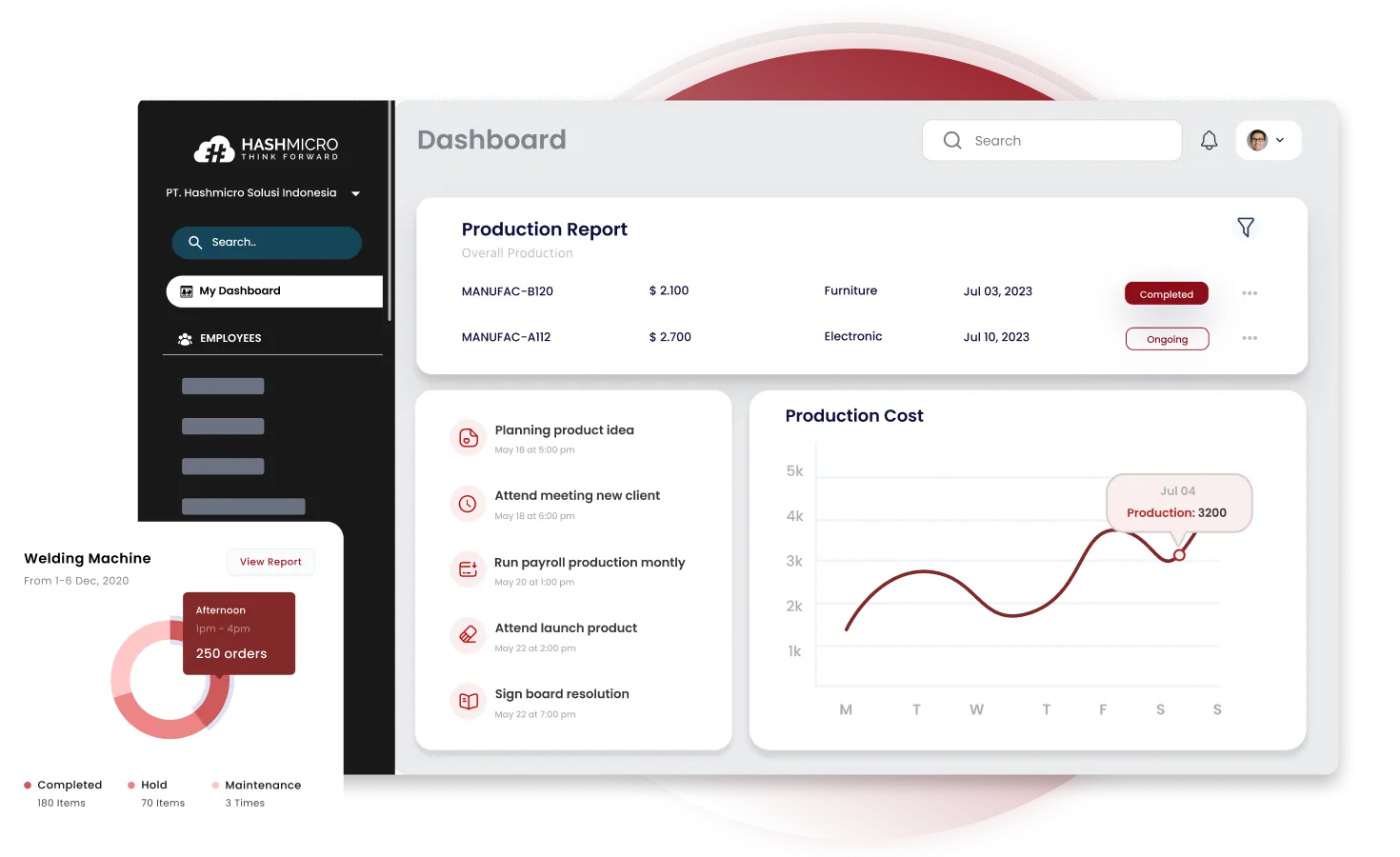 Entrepreneurs, madalas ba kayong nahihirapan sa sobrang komplikadong manufacturing software? Kung oo, hindi mo pa siguro nasusubukan ang HashMicro.
HashMicro is Southeast Asia’s top ERP Manufacturing provider, including the Philippines. HashMicro’s software is tailor-made for manufacturing businesses to streamline factory processes from start to finish through one integrated platform.
Selected by more than 1750 Southeast Asian businesses, including Changi Airport, Brinks, and Forbes, HashMicro proves its capacity as a vendor provider that delivers many benefits. HashMicro dares to offer a free demo option, no additional fees for adding users, and flexible and extensive customization options.
Some of its key features are:
- Kiosk mode: The front-end or initial display for labor can see the status of production machine readiness, take attendance, and want to start the production process.
- Manufacturing production scheduling: A feature that allows companies to plan production schedules based on demand forecasts that are based on demand history.
- Secret recipe / BoM: Create secret recipes and control which users can access or create these BoMs to keep product formulas and processes confidential, ensuring only authorized users can view sensitive information.
- Manufacturing requisition planning: Assist in planning detailed production needs, ensuring the availability of raw materials and other resources for the production process.
- Conveyor belt sensor IoT integration: Detect issues such as bottlenecks and damaged goods. It sends alerts and analytical data to improve efficiency and decision-making in the production process.
- Manufacturing quality control: Identify and handle nonconforming items, organize corrective actions, and prevent future quality problems to improve the continuous production process.
- Finished goods production simulation: Ensure the current material stock meets production targets and request more supplies promptly if insufficient.
| Pros | Cons |
|
|
2. Oracle NetSuite
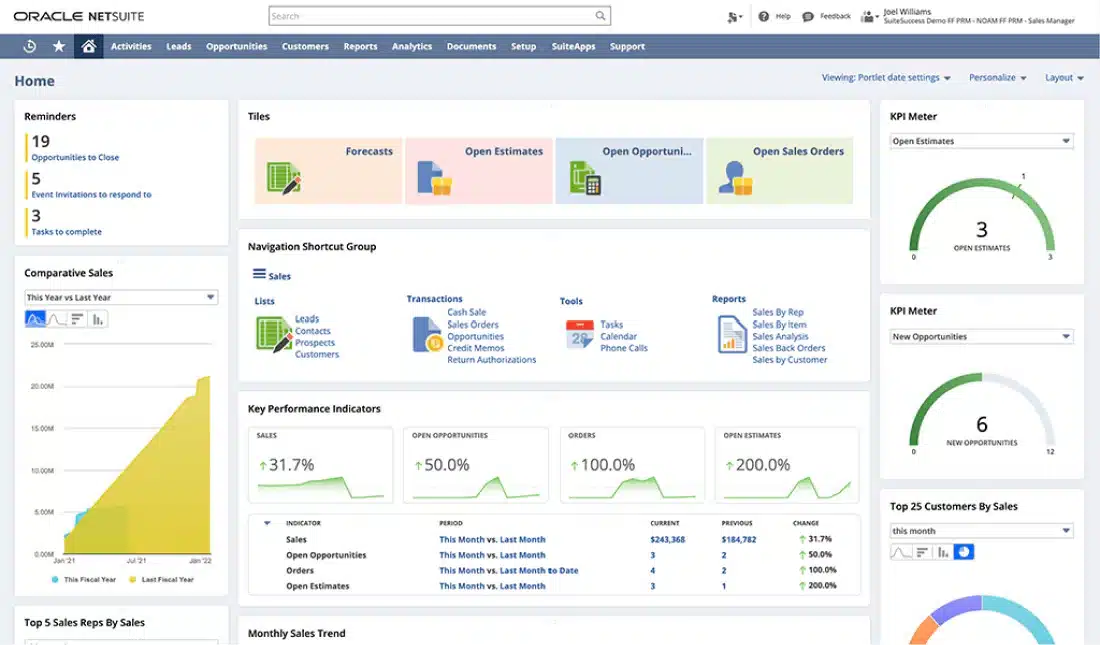 Oracle NetSuite is a well-known lumber industry ERP system for manufacturers looking to manage financials, inventory, and operations in one place. It’s well-suited for businesses in the Philippines with complex supply chains and multi-site operations.
Key features:
- Advanced material requirements planning (MRP)
- Shop floor and ERP production control
- Real-time financial reporting and consolidation
- Global supply chain management
| Pros | Cons |
|
|
3. SAP S/4HANA
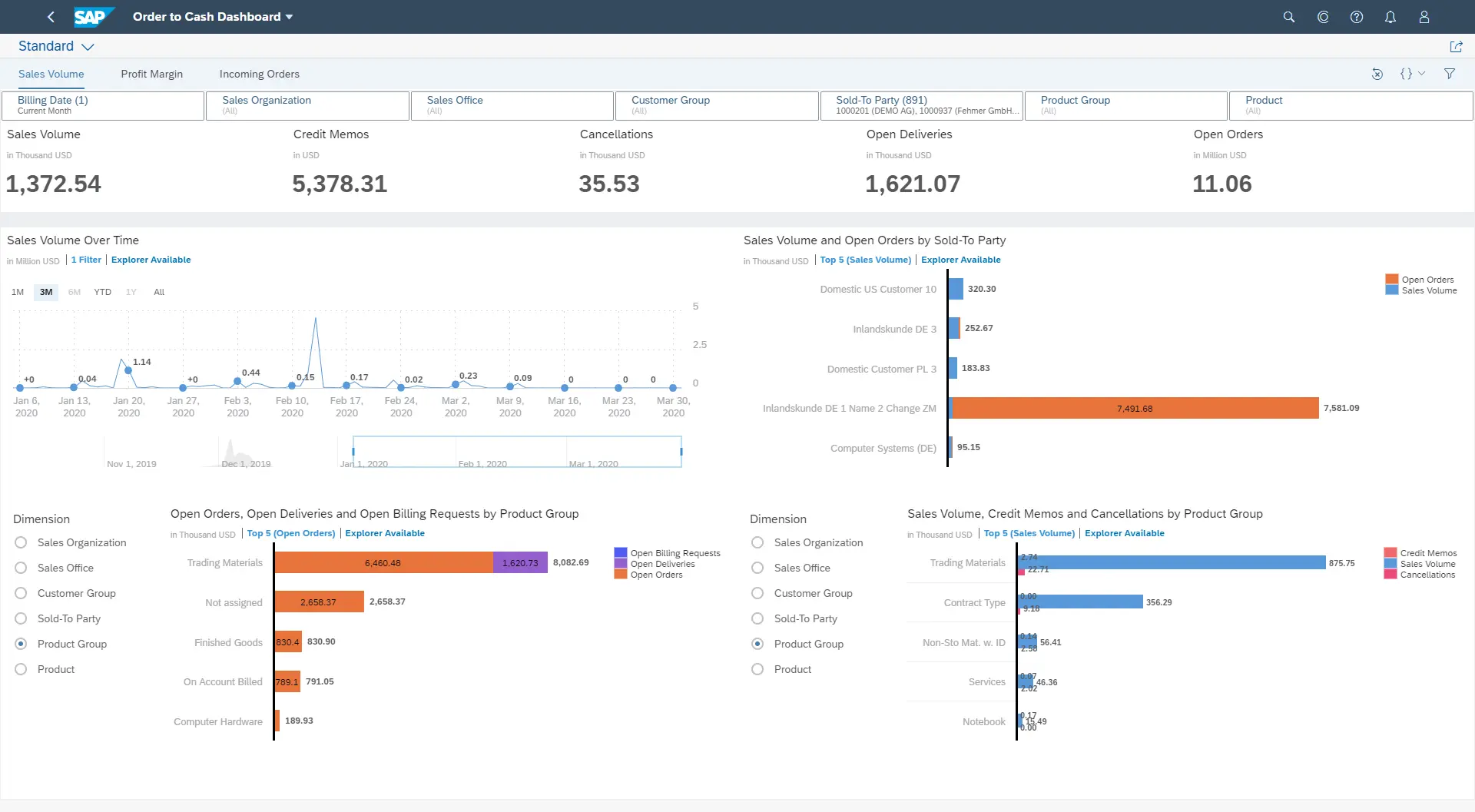 SAP S/4HANA is one of the reliable ERP platforms, ideal for large-scale manufacturers with highly complex operations. It integrates real-time data analytics, machine learning, and IoT to optimize manufacturing and supply chain processes.
Key features:
- Real-time production and inventory tracking
- Integrated AI and machine learning for predictive analytics
- Advanced supply chain management
- Financial consolidation and risk management
| Pros | Cons |
|
|
4. Microsoft Dynamics 365 Business Central
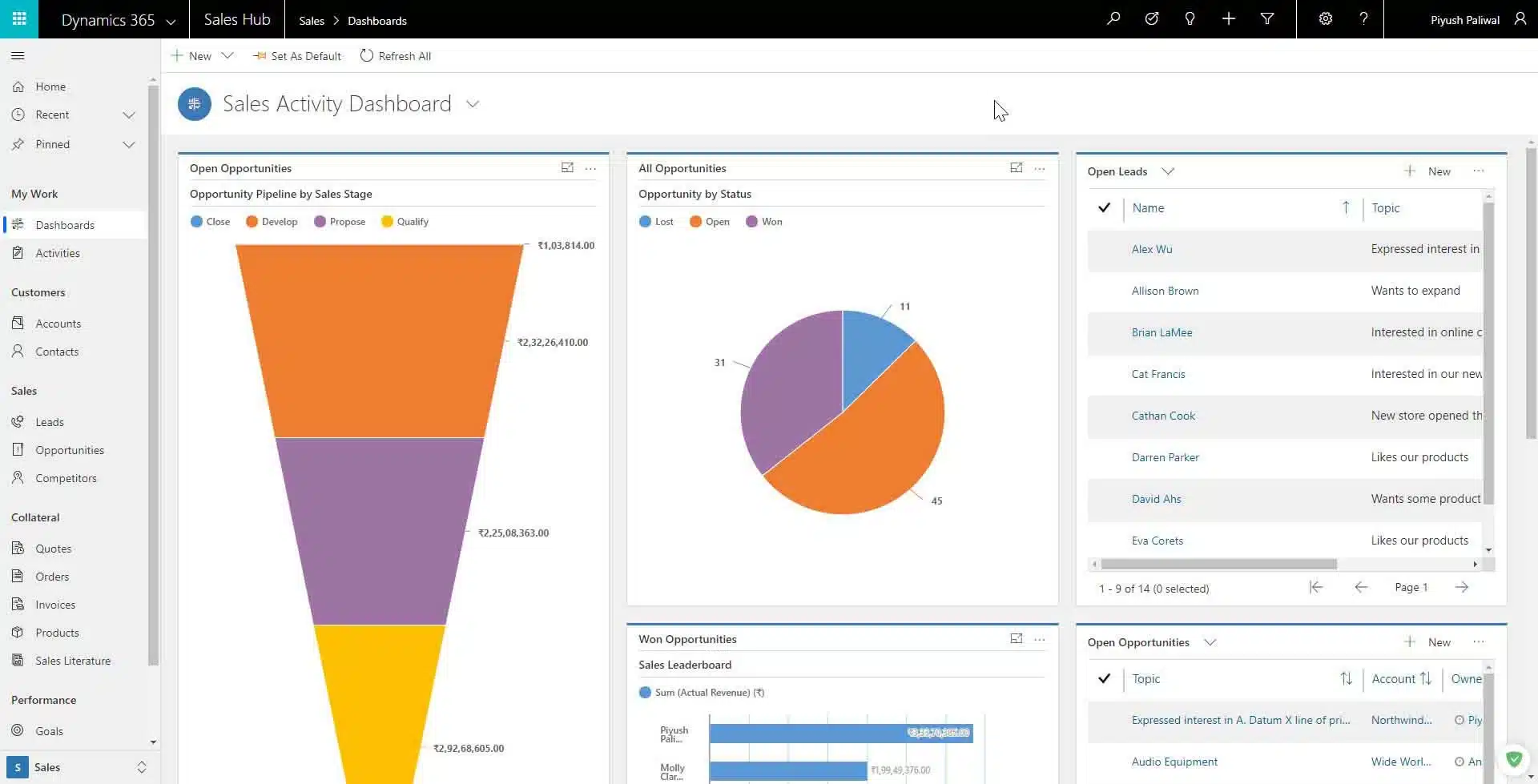 Microsoft Dynamics 365 Business Central is a comprehensive manufacturing software that helps manufacturers integrate their operations with Microsoft’s suite of products. It offers seamless collaboration across departments with real-time insights.
Key features:
- Integrated financial and production planning
- Sales and service management
- Supply chain optimization
- AI-powered insights and automation
| Pros | Cons |
|
|
5. Epicor Kinetic
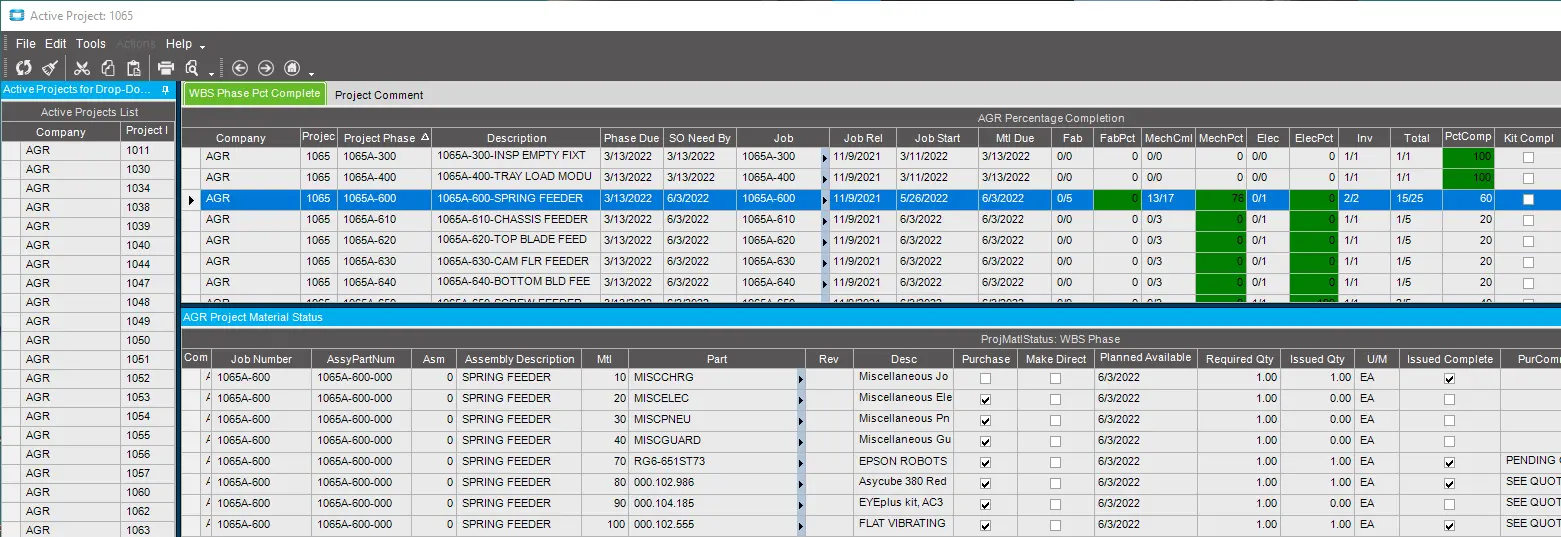 Epicor ERP is a cloud-based manufacturing ERP Philippines solution specifically built for manufacturers. It offers deep industry functionality, making it ideal for businesses with unique production needs and complex workflows.
Key features:
- Advanced production management and scheduling
- Embedded IoT (Internet of Things) for real-time shop floor data
- Integrated quality management system
- Global supply chain and inventory management
| Pros | Cons |
|
|
Also read: Top 12 Acumatica ERP Alternatives & Competitors in 2026
6. QT9 ERP for Manufacturing Industry
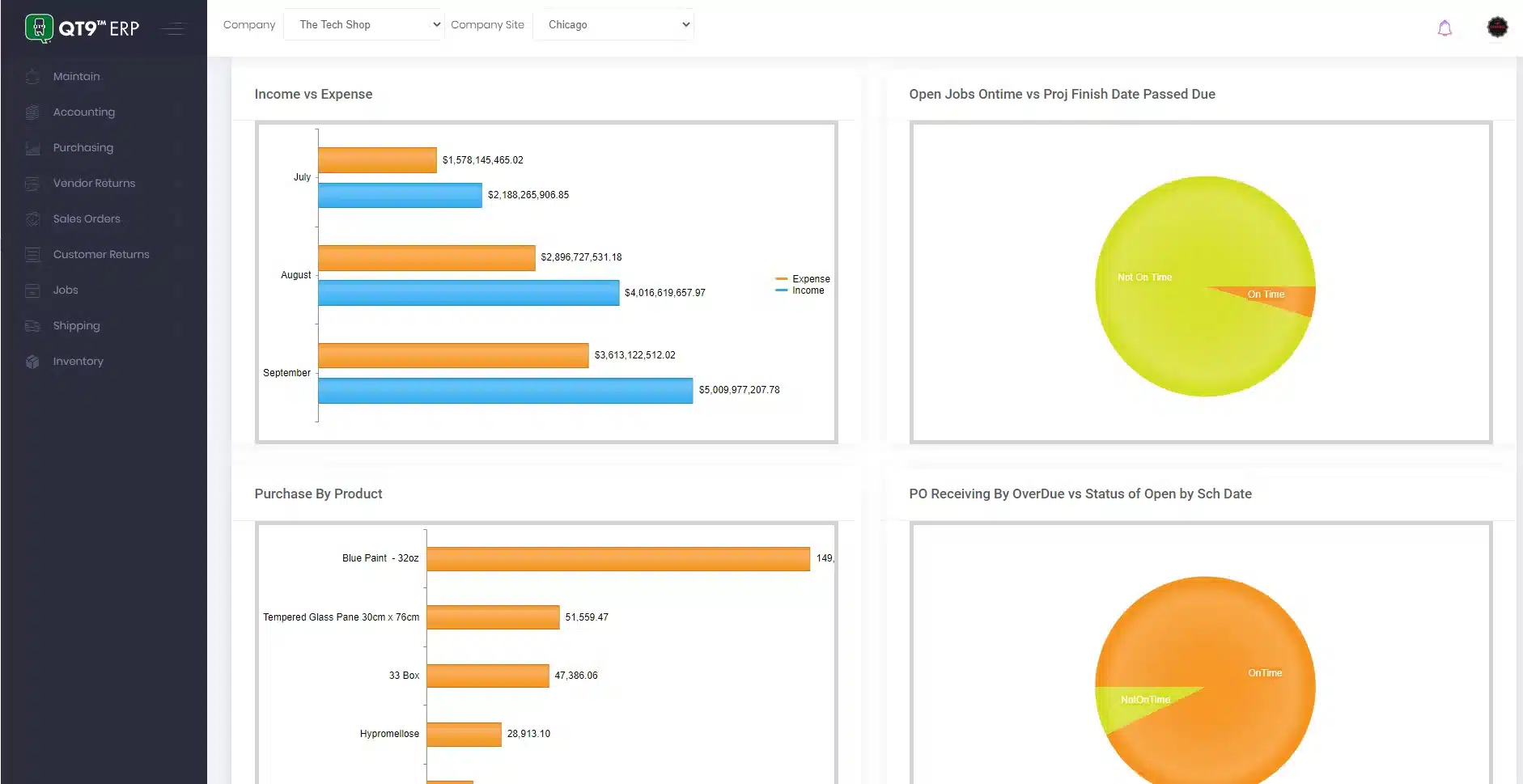 QT9 ERP is a modular and cloud-based system designed to help manufacturers automate processes and improve efficiency. Its core strength lies in its ability to streamline quality and compliance management for highly regulated industries.
Key features:
- Quality management system (QMS)
- Automated document control
- Production scheduling and inventory control
- Supplier management and compliance tracking
| Pros | Cons |
|
|
7. Infor ERP System for Manufacturing
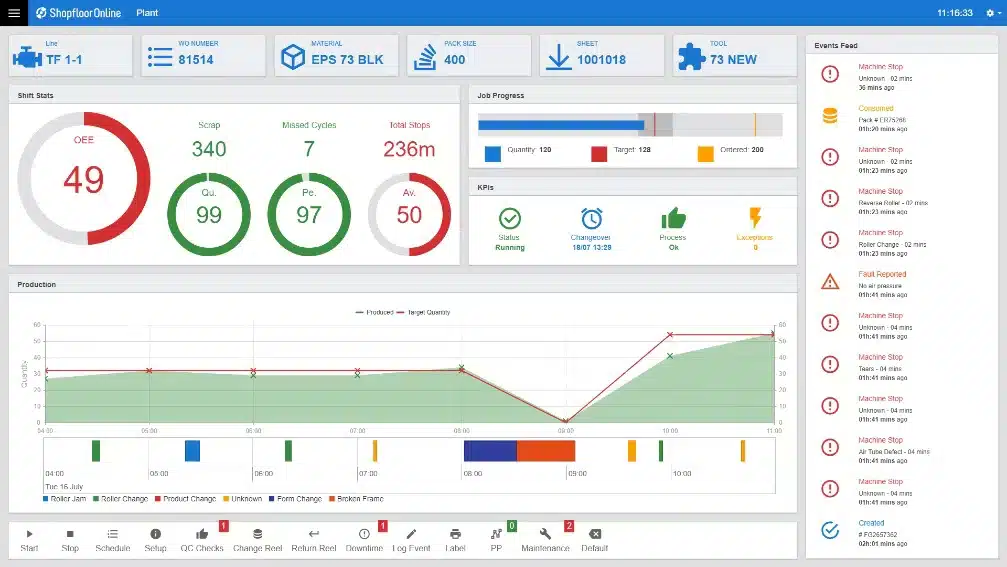 Infor CloudSuite is a cloud-based ERP solution that is industry-specific and designed to meet the needs of manufacturers with complex processes. It excels in its ability to manage shop floors and handle multi-site operations.
Key features:
- Advanced material planning and scheduling
- Real-time production monitoring
- Supply chain planning and execution
- Embedded AI and machine learning
| Pros | Cons |
|
|
8. Acumatica
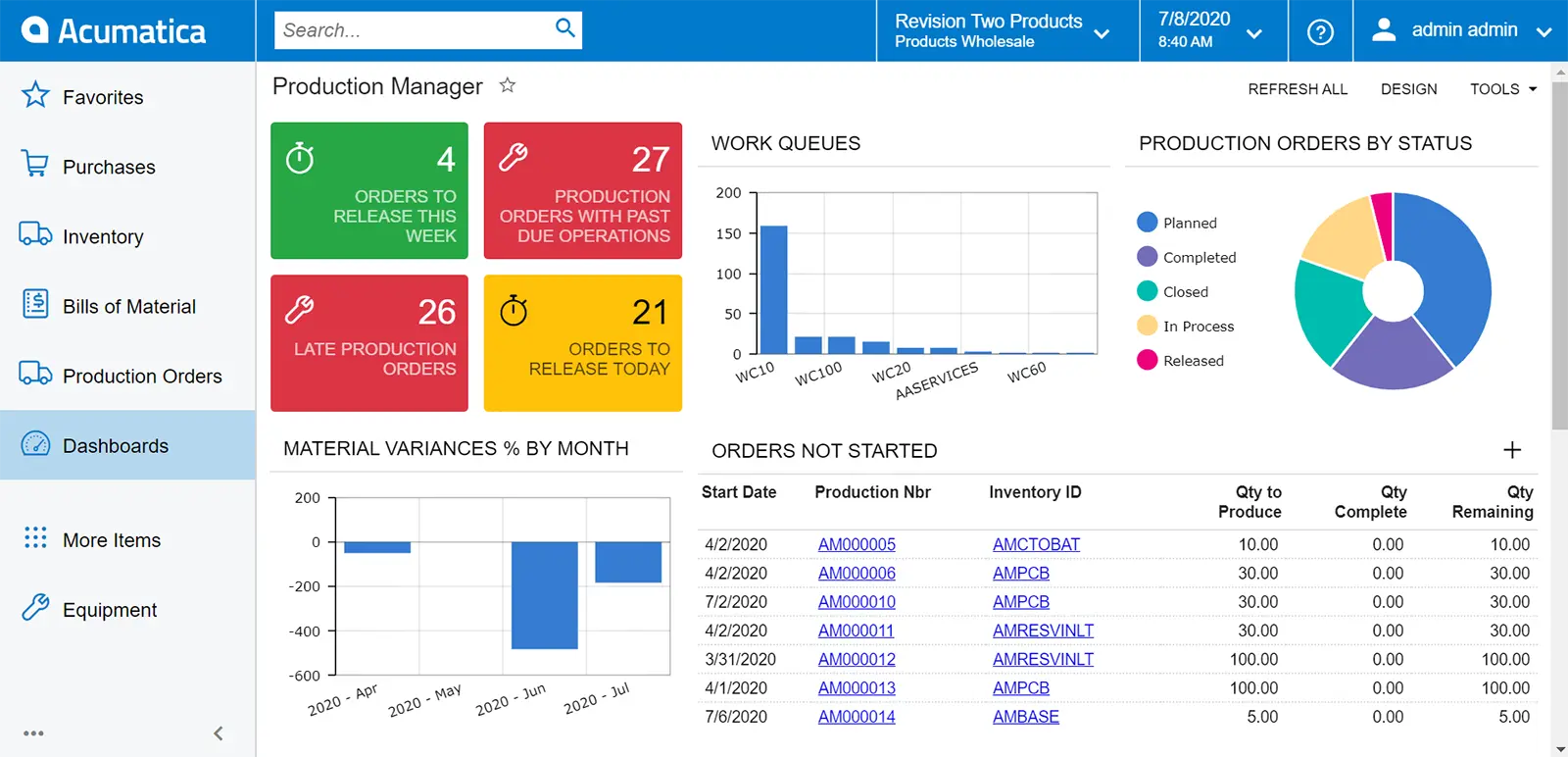 Acumatica provides a cloud-based manufacturing execution system tailored for small to mid-sized manufacturers. Known for its flexible deployment options, Acumatica system integrates production, inventory, and financial data into a single platform.
Key features:
- Production scheduling and control
- Inventory and warehouse management
- Sales and purchase order management
- Cloud and mobile access
| Pros | Cons |
|
|
9. Syspro
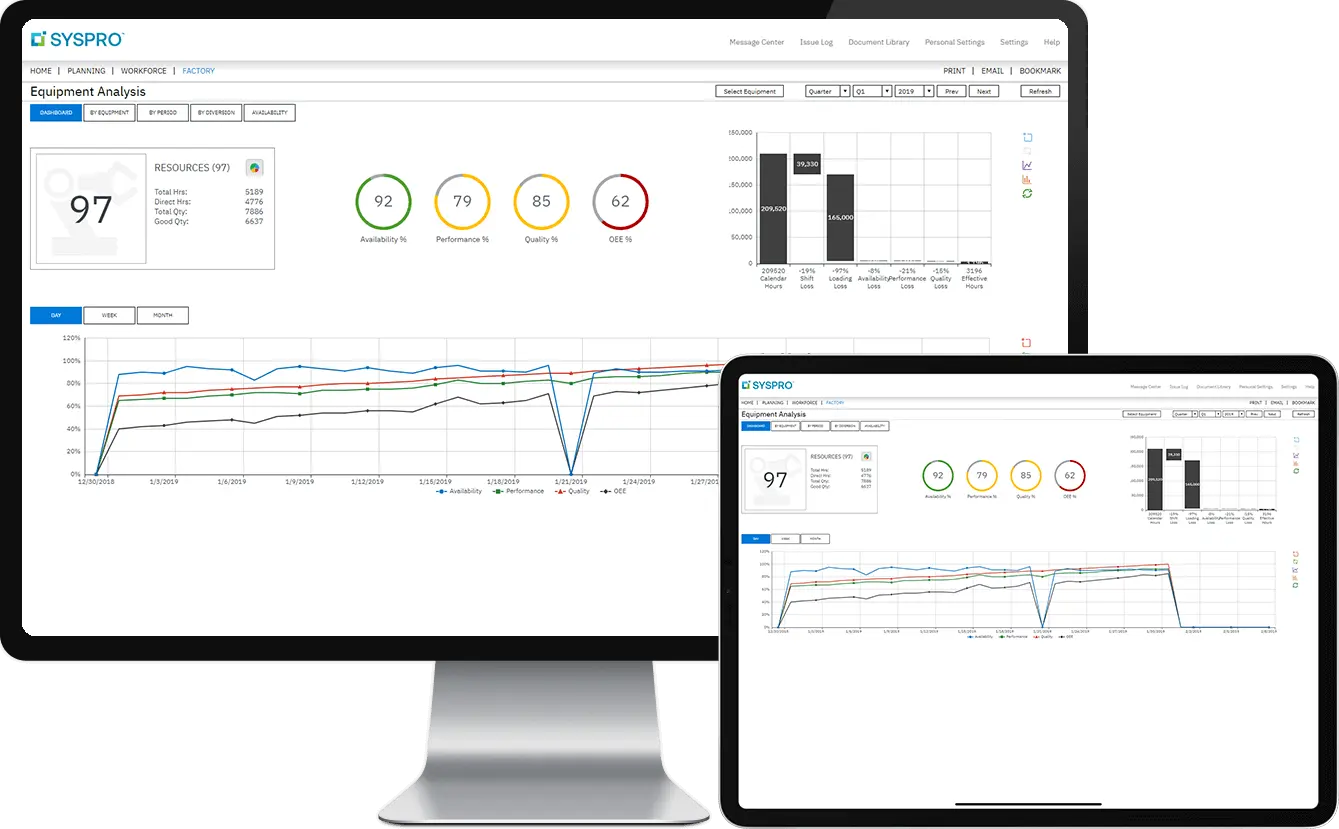 Syspro is a global manufacturing software for manufacturers, offering tools to streamline production, inventory, and supply chain processes. It is highly configurable and used by both discrete and process manufacturers.
Key features:
- Production scheduling and shop floor control
- Inventory and warehouse management
- Supplier and procurement management
- Real-time analytics and reporting
| Pros | Cons |
|
|
10. QuickBooks
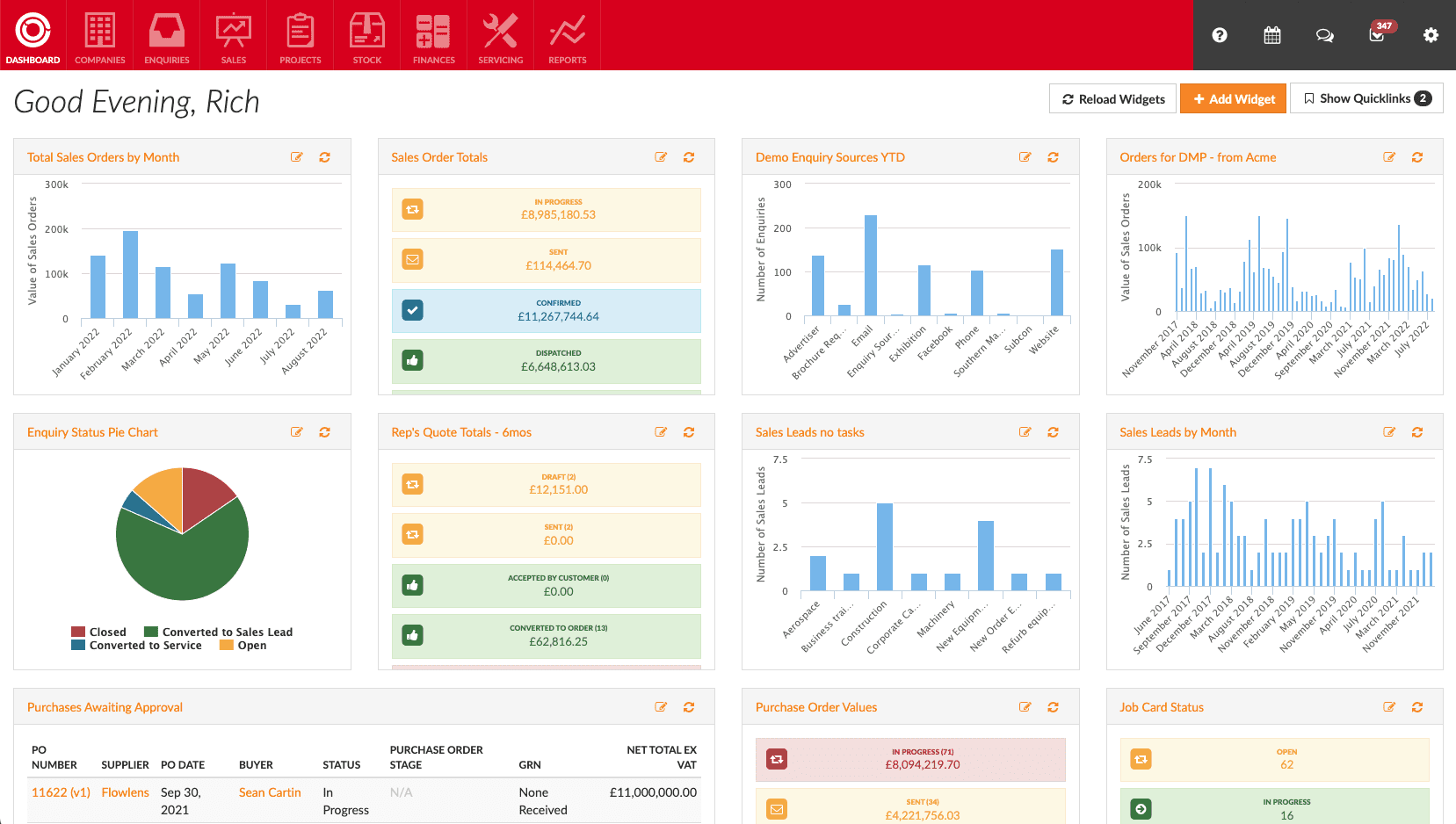
QuickBooks ERP for the manufacturing industry is built upon its strong QuickBooks accounting foundation, offering small and mid-sized manufacturers accounting comprehensive tools to streamline their production, inventory, and financial management.
By integrating core QuickBooks accounting functionalities with specialized manufacturing features, businesses can manage everything from cost tracking to financial reporting in one seamless platform.
This combination helps manufacturers maintain efficiency and accuracy across operations while supporting their financial oversight and growth strategies.
Key features:
- Production and inventory tracking
- Financial management and reporting
- Order and billing management
- Integrated payroll features
| Pros | Cons |
|
|
11. Plex Manufacturing Cloud ERP
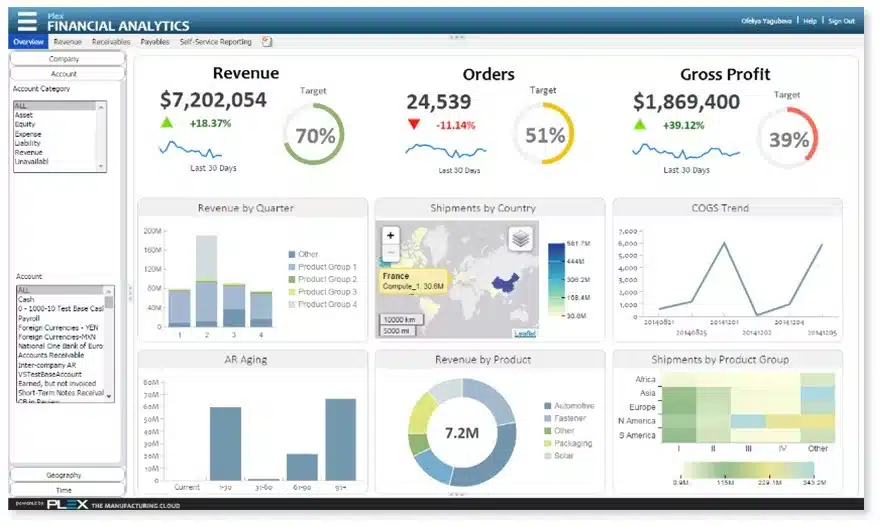 Plex ERP is a cloud-based ERP platform that offers end-to-end manufacturing solutions. With a focus on operational efficiency and quality, Plex is ideal for manufacturers looking to integrate shop floor control with enterprise-level functionality.
Key features:
- Shop floor and production automation
- Real-time quality management
- Supply chain planning and control
- Cloud-based remote access
| Pros | Cons |
|
|
12. Global Shop Solutions
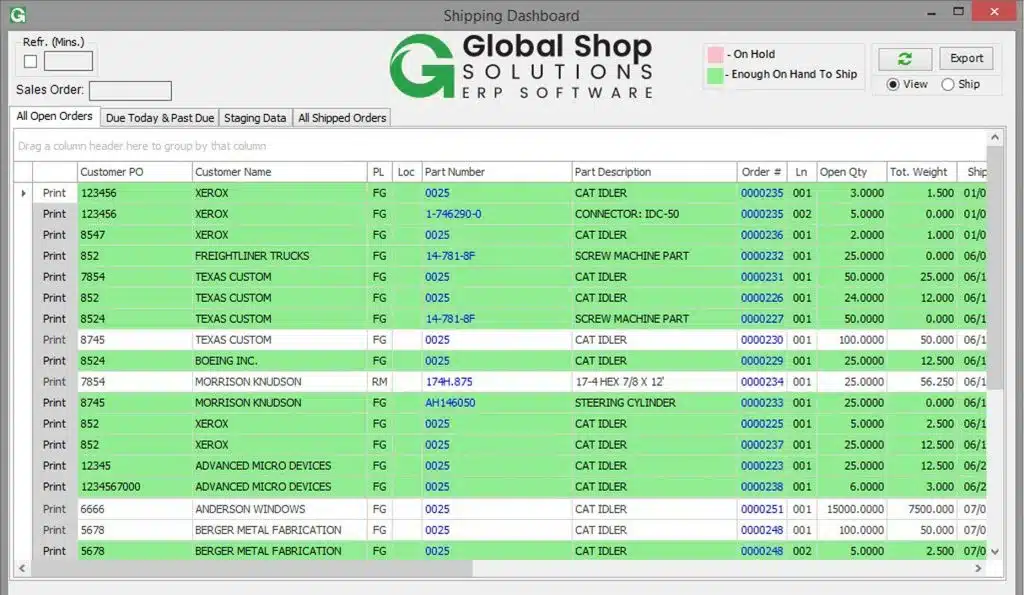 Global Shop Solutions is designed to simplify manufacturing operations through a single ERP platform. Discrete manufacturers widely use it for its strong inventory control and real-time production visibility.
Key features:
- Real-time inventory and production management
- Integrated shop floor control
- Customizable dashboards and reporting
- CRM and supply chain integration
| Pros | Cons |
|
|
13. QAD Manufacturing ERP
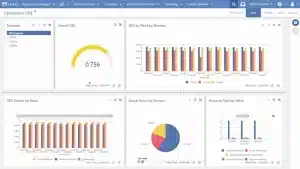
QAD Adaptive ERP is a comprehensive cloud-based enterprise resource planning solution tailored for global manufacturing companies. It’s suitable for industries such as automotive, consumer products, food and beverage, high-tech, industrial, and life sciences.
Key features:
- Manufacturing management
- Supply chain management
- Financial management
- Customer management
- Analytics and reporting
| Pros | Cons |
|
|
Full Comparisson of Manufacturing System ERP
| Brand | Best for | Pros | Cons |
|---|---|---|---|
| 1) HashMicro | Best for manufacturers needing customizable, scalable ERP with localized compliance | 1) Highly customizable 2) Scalable and flexible 3) Free user additions 4) Strong customer support 5) Compliant with local regulations 6) User-friendly interface | 1) Implementation time varies based on customization complexity |
| 2) NetSuite | Best for multi-site operations needing cloud-based ERP with strong financial integration | 1) Comprehensive cloud system 2) Strong financial integrations 3) Real-time insights 4) Scales well for multi-site operations | 1) Steep learning curve 2) Costly setup 3) Limited industry-specific customization 4) Requires technical expertise |
| 3) SAP | Best for large enterprises needing AI-driven, complex manufacturing and supply chain optimization | 1) Real-time predictive insights 2) Excellent global support 3) Comprehensive manufacturing capabilities 4) AI and machine learning tools | 1) High implementation cost 2) Steep learning curve 3) Overwhelming for smaller teams 4) Complex customization |
| 4) Dynamics 365 | Best for businesses wanting seamless Microsoft ecosystem integration and real-time insights | 1) Seamless Microsoft integration 2) AI-driven automation 3) Scalable cloud solution 4) User-friendly interface | 1) Costly for advanced needs 2) May require third-party integrations 3) Limited customization for niche industries 4) Can overwhelm smaller teams |
| 5) Epicor | Best for manufacturers needing deep industry functionality and IoT-enabled shop floor visibility | 1) Real-time IoT integration 2) Scalable for larger manufacturers 3) Strong quality management 4) Deep industry-specific features | 1) Complex configuration for small businesses 2) Significant setup time 3) Limited local support 4) Expensive for SMEs |
| 6) QT9 ERP | Best for regulated industries needing strong quality and compliance management | 1) Strong quality management focus 2) Compliance automation 3) Easy cloud access 4) User-friendly | 1) Limited scalability for larger firms 2) Complex customization 3) Fewer advanced production features 4) May require third-party tools |
| 7) Infor ERP | Best for manufacturers with complex processes needing AI-driven planning and multi-site support | 1) Deep manufacturing functionality 2) AI-driven analytics 3) Multi-site support 4) Strong production tracking | 1) Requires high IT support 2) Costly initial setup 3) Complex for small businesses 4) Limited mobile functionality |
| 8) Acumatica | Best for small to mid-sized manufacturers needing flexible cloud deployment and solid financials | 1) Flexible deployment 2) Cloud and mobile access 3) Affordable for mid-sized firms 4) Strong financial integration | 1) Customization may need technical expertise 2) Limited advanced modules 3) Limited local support 4) Fewer industry-specific features |
| 9) Syspro | Best for manufacturers needing configurable ERP with strong inventory and reporting tools | 1) Highly configurable 2) Strong inventory management 3) Real-time reporting 4) Comprehensive manufacturing modules | 1) Requires significant IT support 2) High learning curve 3) Long setup time 4) Expensive for smaller companies |
| 10) QuickBooks | Best for small manufacturers needing simple accounting-integrated production tools | 1) Easy to use 2) Affordable for small businesses 3) Seamless accounting integration 4) Simple financial reporting | 1) Lacks advanced manufacturing tools 2) Limited scalability 3) Basic production features 4) Fewer customization options |
| 11) Plex | Best for manufacturers needing real-time shop floor automation and quality-focused workflows | 1) Real-time shop-floor control 2) Focus on quality management 3) End-to-end manufacturing solution 4) Cloud accessibility | 1) High setup cost 2) Requires stable internet 3) Limited specialized integrations 4) Complex customization |
| 12) Global Shop Solutions | Best for discrete manufacturers needing strong inventory control and production visibility | 1) Strong inventory control 2) Customizable reporting 3) End-to-end shop floor visibility 4) Good customer support | 1) Limited cloud capabilities 2) Complex setup 3) Limited mobile features 4) Long implementation time |
| 13) QAD | Best for global manufacturers needing scalable, industry-specific ERP capabilities | 1) Industry-specific functionality 2) Flexible and scalable 3) Real-time insight into operations | 1) Requires technical expertise 2) Complex UI 3) High customization cost 4) Potential integration challenges |
Why Use a Manufacturing ERP System in the Philippines?
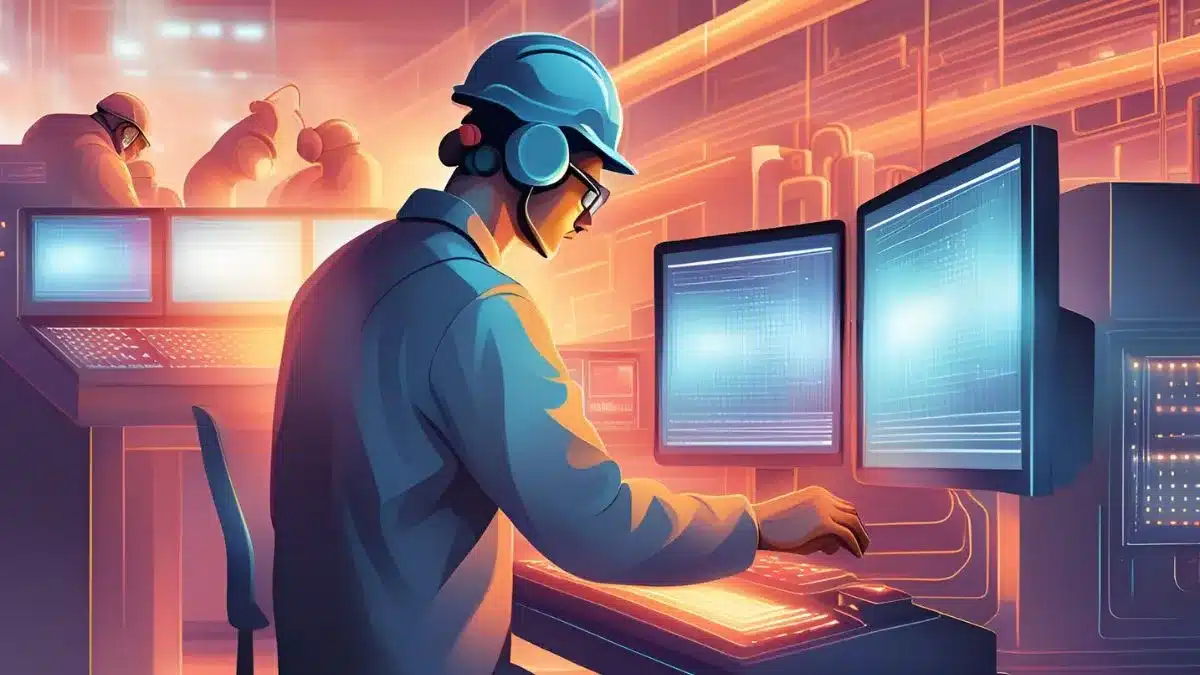
ERP Manufacturing helps Filipino businesses manage growing operational complexity by streamlining supply chain processes and improving coordination across departments in line with good manufacturing practices. It also supports compliance with local and international regulations, ensuring smoother, more reliable, and standardized operations.
How to Set Up a Manufacturing ERP Philippines
Successfully setting up a manufacturing ERP system involves a structured pre-implementation process. Here’s a breakdown of the key phases if you want to set up any manufacturing software types:
- Evaluation: The first phase involves evaluating the current manufacturing process and identifying areas that need improvement, such as inventory management, production efficiency, and financial tracking.
- Planning: Develop a project plan that outlines clear goals, timelines, resource allocation, and key stakeholders to ensure all business needs are addressed.
- Prototyping: Create a prototype or sandbox environment to simulate the ERP system’s functionalities, allowing for exploration and testing without affecting live operations.
- Configuration: Customize and configure the ERP Manufacturing to fit your business processes, ensuring that workflows, reports, and data align with your manufacturing requirements.
- Development: If custom modules or integrations are needed, this is the phase where additional development takes place to tailor the ERP system for your specific needs.
- Testing: Conduct thorough testing of the ERP system in the sandbox environment, checking for functionality user compatibility and identifying any gaps or issues that need to be addressed.
- Deployment: After successful testing, prepare for deployment by finalizing configurations, training users, and transitioning the system into live production to fully integrate into your operations.
Also read: Project Management ERP
Conclusion
Choosing the right Manufacturing ERP system is crucial for improving operational efficiency, streamlining production processes, and driving business growth. You can select an ERP that best fits your manufacturing operations by identifying your business needs.
If you’re looking for manufacturing software that covers all business aspects, HashMicro’s manufacturing ERP could be the perfect fit for your business. Take the first step toward transforming your business by trying a free demo of its manufacturing ERP and see how it can elevate your operations to the next level.
FAQ About Manufacturing ERP
-
What is the manufacturing perspective in ERP?
ERP for manufacturers connects different functions in your company, enabling smooth coordination, shared data, and full visibility into operations.
-
What are the three common types of ERP?
The three main types of ERP systems are on-premises, cloud-based, and hybrid ERP. An on-premises ERP is hosted on the company’s own servers, whereas a cloud-based ERP runs on a third-party, remote server.
-
Do ERP systems work directly with manufacturing machines?
Yes, ERP systems can integrate with manufacturing machines to deliver real-time data, helping improve decisions, boost efficiency, and lower costs.
-
What is ERP software for manufacturing?
Manufacturing ERP unifies production, inventory, and supply chain processes in one system. It increases efficiency, lowers costs, and supports better decisions through real-time tracking and quality control.
-
What are the five types of software used in manufacturing?
ERP Software – Centralizes production, inventory, and financial management.MES – Tracks shop floor operations and supports quality control.
PLM Software – Manages product design and lifecycle.
SCM Software – Improves procurement and logistics coordination.
CAD Software – Supports product design and prototyping.














