

















In 2024, over 40% of construction projects in the Philippines experienced delays due to poor coordination and manual processes. As the industry rebounds with major infrastructure projects under the Build Better More program, construction firms are racing to digitize their operations. The right project management software can mean the difference between a profitable project and a costly overrun.
According to the Philippine Statistics Authority, the construction sector contributed 7% of GDP in 2023, reflecting its important role in economic growth. Ongoing infrastructure and property development make it essential for companies to manage projects efficiently.
Modern construction management platforms offer features like automated scheduling, real-time budget tracking, and resource management, helping teams stay organized and informed throughout each phase of a project.
Table of Contents
Key Takeaways
|
Quick Overview of Construction Management Software
Below is our compilation of the 16 top construction project management software for teams, highlighting their key advantages and USPs.






Best Because
Best for visual project planning


Best Because
Best for residential construction teams
Full Comparison of Construction Management Software
| Brand | Best for | Features | Cons | Pricing |
|---|---|---|---|---|
| 1) HashMicro | Best for all-in-one construction management | 1) Tender & contract control 2) Real-time monitoring 3) Strong material management | 1) Higher learning curve 2) Requires proper setup 3) Not ideal for very small teams | Custom Pricing |
| 2) Oracle Aconex | Best for cloud-based collaboration | 1) Excellent document control 2) BIM-ready tools 3) Strong cloud collaboration | 1) Expensive 2) Complex for beginners 3) Needs strong internet | Starts from $1/user/month |
| 3) Procore | Best for large-scale construction projects | 1) Robust tracking tools 2) Mobile + financial management 3) Enterprise-grade features | 1) Pricing is high 2) Overwhelming for small contractors 3) Feature-heavy for simple builds | Contact Vendor |
| 4) ClickUp | Best for customizable project workflows | 1) Highly customizable 2) Strong dashboards 3) Good collaboration tools | 1) Too many features for small teams 2) Requires customization time 3) Limited offline use | Starts from $7/user/month |
| 5) Zoho Projects | Best for affordable project tracking | 1) Affordable 2) Good task tracking 3) Solid time management features | 1) Limited advanced construction tools 2) Not ideal for large projects 3) Some features need add-ons | Starts from $5/member/month |
| 6) Monday.com | Best for visual project planning | 1) Visual workflows 2) Easy task planning 3) Great communication tools | 1) Can feel overwhelming 2) Requires workflow setup 3) Lacks construction-specific depth | Starts from $8/user/month |
| 7) Wrike | Best for scalable project management | 1) Scalable dashboards 2) Strong resource tracking 3) Advanced analytics | 1) Complex to configure 2) Requires onboarding time 3) Limited offline capability | Starts from $10/member/month |
| 8) FieldWire | Best for on-site team coordination | 1) Great for field teams 2) Fast plan viewing 3) Clear issue tracking | 1) Limited advanced PM tools 2) Needs strong device performance 3) Not ideal for large enterprises | Starts from $44/member/month |
| 9) Buildertrend | Best for residential construction teams | 1) Good scheduling tools 2) Strong customer features 3) Solid financial tracking | 1) Pricey for small teams 2) Requires training 3) Some features locked behind upgrades | Starts from $99/month |
| 10) OrangeScrum | Best for simple, user-friendly project tools | 1) User-friendly 2) Good task tools 3) Clean collaboration features | 1) Basic UI 2) Limited enterprise features 3) Needs integrations for full function | Contact Vendor |
| 11) Asana | Best for task collaboration | 1) Strong workflow tools 2) Easy task dependency setup 3) Good team collaboration | 1) Not construction-focused 2) Needs customization 3) Can get cluttered | Starts from $13.5/member/month |
| 12) OpenDocMan | Best for secure document management | 1) Strong document control 2) Good versioning 3) Secure access control | 1) Basic interface 2) Limited collaboration tools 3) Lacks full PM features | Starts from $79/month |
| 13) Methvin | Best for estimation and scheduling | 1) Strong tender tools 2) Good estimation features 3) Useful scheduling | 1) Outdated UI 2) Limited integrations 3) Not ideal for large teams | Starts from $27/member/month |
| 14) AutoDesk | Best for BIM and 3D construction design | 1) BIM + 3D tools 2) Strong PM integration 3) Advanced takeoff tools | 1) Expensive for small firms 2) High system requirements 3) Complex for beginners | Starts from $500/year |
| 15) TeamGantt | Best for Gantt-focused planning | 1) Clear Gantt visuals 2) Good resource allocation 3) Simple task mapping | 1) Limited budget tracking 2) Not for enterprise-scale builds 3) Needs integrations | Starts from $20/member/month |
| 16) PlanGrid | Best for blueprint access and field reporting | 1) Fast blueprint access 2) Good document tools 3) Solid field reporting | 1) Limited customization 2) Needs stable internet 3) Not ideal for mega-projects | Starts from $39/user/month |
Which Construction Project Management Software Suits My Business?
| Business Profile | Recommended Software | Why It Fits |
| SME, tight budget, small-scale projects | Zoho Projects | Affordable, user-friendly, integrates well with Zoho tools |
| Growing business, multi-site, evolving processes | ClickUp | Highly customizable workflows, strong task management |
| Large enterprise, large-scale construction | Procore | Robust tracking tools, mobile-friendly, enterprise-grade features |
| Industry-specific (construction, heavy machinery) | Oracle Aconex | Excellent for document control, scalable collaboration features |
| Growing business with multi-department needs | HashMicro | All-in-one solution, real-time project monitoring, scalable, BIR compliant, and easy to integrate with other systems |
16 Best Construction Project Management Software
These tools can help simplify planning, task management, and cost control for construction teams. Adopting reliable platforms helps contractors operate with the efficiency of a leading project management company in the Philippines.
Below are 16 of the best construction project management tools in 2026, widely used by construction companies for planning, budgeting, and daily coordination.
1. HashMicro
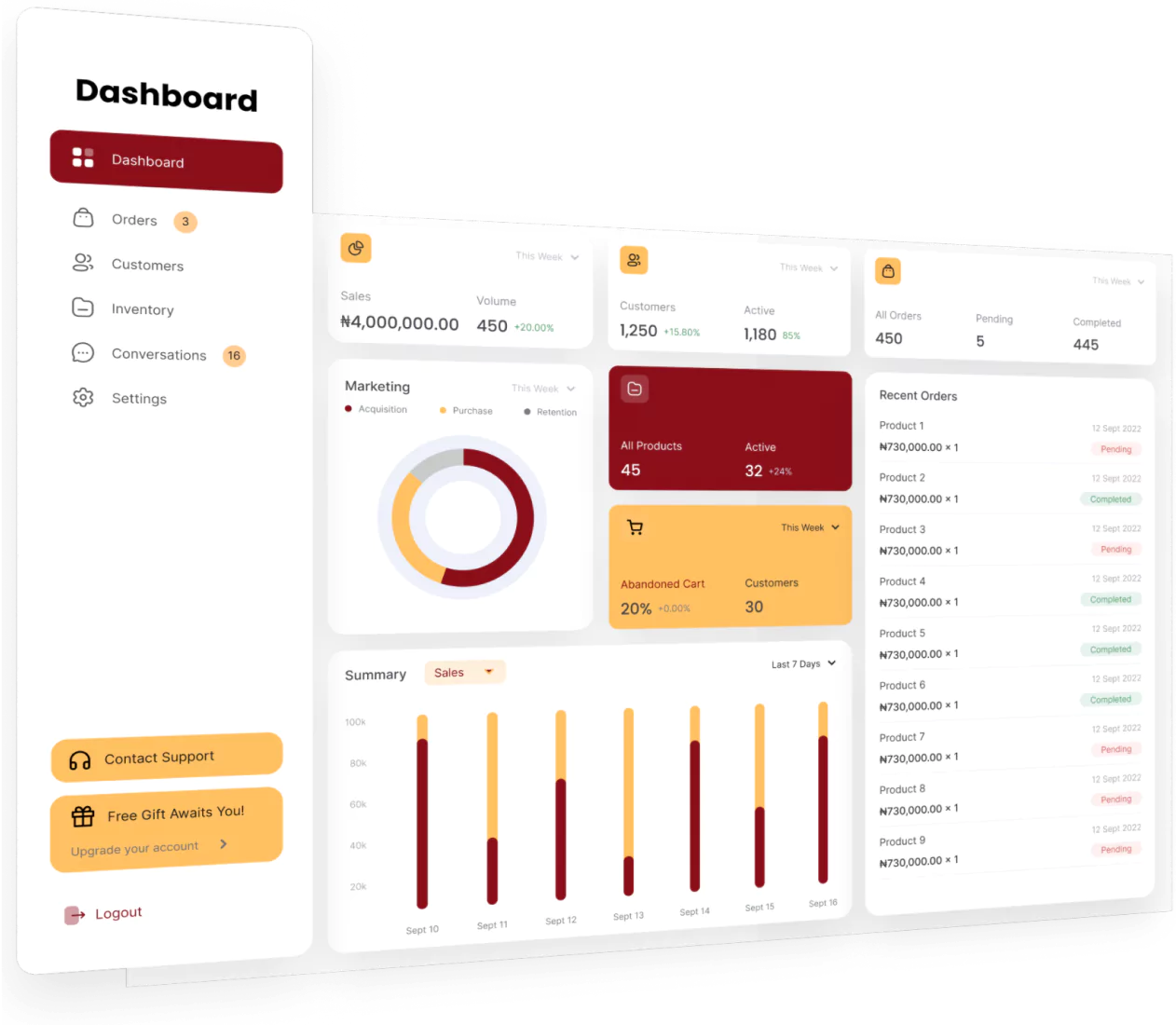
Hash Construction Suite is a holistic solution for elevating project planning and management at every stage, from preconstruction to closeout. It is the best overall option for contractors and business owners seeking an all-in-one construction software solution.
HashMicro enables users to create a sample project quantity estimate tailored to their projects, equipped with asset management functionality. Furthermore, it offers unlimited users, ease of use, and useful features for every construction industry.
HashMicro key features
- Tender and Contract Management
- Purchasing Management
- Real-Time Project Monitoring
- Material Management
- Financial and Budgeting Management
- Asset Management
- Vendor Portal and Procurement Tools
- Real-Time AI planning and cost control
HashMicro pricing
To learn more about Hash Construction Suite, you can start the price calculation by clicking the banner below!
| Pros | Cons |
|---|---|
|
|
HashMicro ideal user
HashMicro offers the comprehensive tools you need to manage everything from budgeting to real-time project monitoring. It is well-suited for contractors, business owners, and subcontractors seeking comprehensive construction project management software that covers end-to-end business operations.


2. Oracle Aconex
 Oracle Aconex is a cloud-based construction management platform designed to simplify project delivery for large-scale construction and engineering projects. It offers tools for document control, project coordination, and real-time collaboration.
Oracle Aconex key features
- Document management
- BIM collaboration
- Workflow automation
- Cost management
- Field productivity tools
Oracle Aconex pricing
- Basic: $1 per user/month
- User-Based: Contact sales for pricing
- Unlimited Use: Contact sales for pricing
Oracle Aconex offers custom pricing based on project size and requirements. Interested businesses should contact Oracle directly for a detailed quote tailored to their needs.
Oracle Aconex ratings
- Software Advice: 4.4/5 (210+ reviews)
- Capterra: 4.4/5 (210+ reviews)
| Pros | Cons |
|---|---|
|
|
Oracle Aconex ideal user
Oracle Aconex ERP for construction is ideal for construction firms and infrastructure projects requiring robust document management and collaboration capabilities.
3. Procore
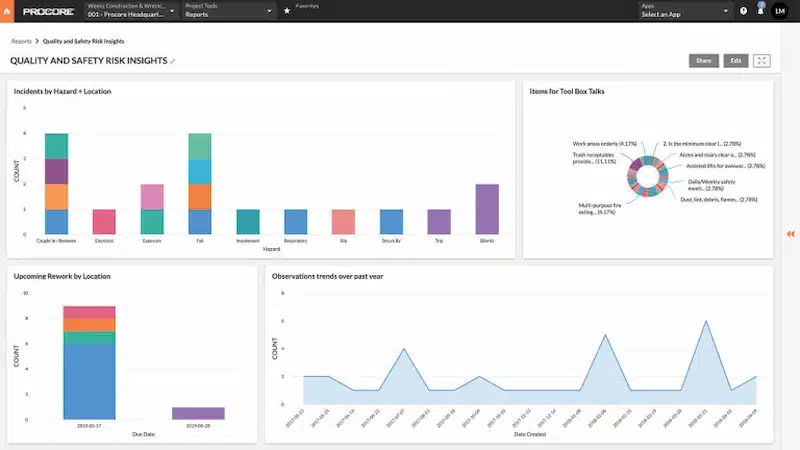
Procore is a cloud-based construction estimating tools in the Philippines that streamlines project workflows, from bidding to project completion. It offers tools for project management, document control, and financial management.
Procore key features
- Project tracking
- OCR (Optical Character Recognition) Technology
- Document control
- Financial management
- Mobile accessibility
Procore pricing
Visit Procore’s official pricing page to request your personalized quote today.
Procore ratings
- Capterra: 4.5/5 (2,500+ reviews)
- G2: 4.5/5 (1,170+ reviews)
| Pros | Cons |
|---|---|
|
|
Procore ideal user
Procore Construction Software Philippines is particularly well-suited for construction companies of all sizes looking for a scalable project management solution. To get a custom quote for calculated pricing, visit their pricing page.
4. Clickup
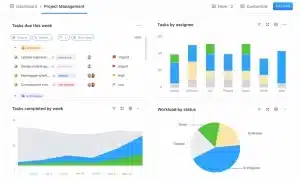 ClickUp is one of construction management system in the Philippines that offers tools to streamline construction projects. It provides features for task management, time tracking, and collaboration, enabling teams to plan, execute, and monitor projects efficiently.
ClickUp key features
- Gantt chart view
- Time tracking
- Customizable dashboards
- Collaboration tools
- Custom field
ClickUp pricing
- Free Forever: Free
- Unlimited: $7 per user/month
- Business: $12 per user/month
- Enterprise: Contact sales for pricing
ClickUp ratings
- Capterra: 4.7/5 (2,000+ reviews)
- G2: 4.7/5 (2,000+ reviews)
| Pros | Cons |
|---|---|
|
|
ClickUp ideal user
Clickup will particularly benefit businesses seeking a customizable and feature-rich project management solution with automation capabilities and integrations.
5. Zoho
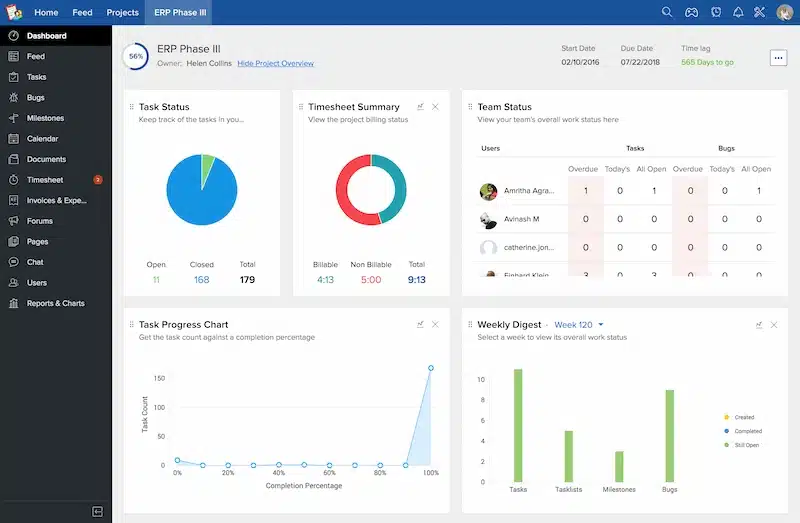
Zoho Projects is one of the business operations solutions for construction project management, for small and medium-sized construction companies. It is designed to streamline project workflows and enhance productivity. It offers a range of features to manage tasks, track progress, and communicate effectively with team members.
Zoho key features
- Task management
- Gantt charts
- Time tracking
- Document management
Zoho pricing
- Free: $0 per user/month
- Premium: $5 per member/month
- Enterprise: $10 per member/month
Zoho ratings
- Capterra: 4.2/5 (200+ reviews)
- G2: 4.2/5 (200+ reviews)
| Pros | Cons |
|---|---|
|
|
Zoho ideal user
Zoho Projects is ideal for businesses looking for affordable and easy-to-use software for construction project management. It has three pricing plans: free, premium, and enterprise.
6. Monday.com
 Monday.com is a versatile work operating system (Work OS) that offers robust solutions for construction project management. It streamlines processes from initial planning to project completion, facilitating seamless collaboration between field and office teams.
It can integrate with tools like Slack, Microsoft Teams, Google Drive, and Dropbox to share updates, documents, and progress notes.
Monday.com key features
- Customizable workflows
- Task management
- Timeline tracking
- Communication tools
Monday.com pricing
- Basic: $8 per user/month
- Standard: $12 per user/month
- Pro: $20 per user/month
- Enterprise: Contact sales for pricing
Monday.com ratings
- Capterra: 4.6/5 (5,390+ reviews)
| Pros | Cons |
|---|---|
|
|
Monday.com ideal user
Monday.com is ideal for construction businesses looking for flexible construction project tracking software with customization options and integration capabilities.
7. Wrike
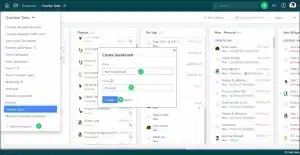 Wrike is a project management software for construction that offers a range of features to streamline workflows. It provides tools for task management, collaboration, and reporting. It’s equipped with an innovative feature called Work Intelligence, which detects potential project risks.
Wrike key features
- Task management
- Document sharing and resource tracking
- Customizable dashboards
- Time tracking
- Reporting and analytics
Wrike pricing
Wrike offers four subscription options for its project management software:
- Free Plan
- Professional: $9.80 per member/month
- Business: $24.80 per member/month
- Enterprise: Contact Wrike for customized pricing
Wrike ratings
- Capterra: 4.2/5 (1,600+ reviews)
- G2: 4.2/5 (1,300+ reviews)
| Pros | Cons |
|---|---|
|
|
Wrike ideal user
Wrike Construction Management Software will benefit construction businesses seeking a flexible project management solution with robust collaboration and reporting features. It has four pricing plans: free, professional, business, and enterprise.
8. Fieldwire
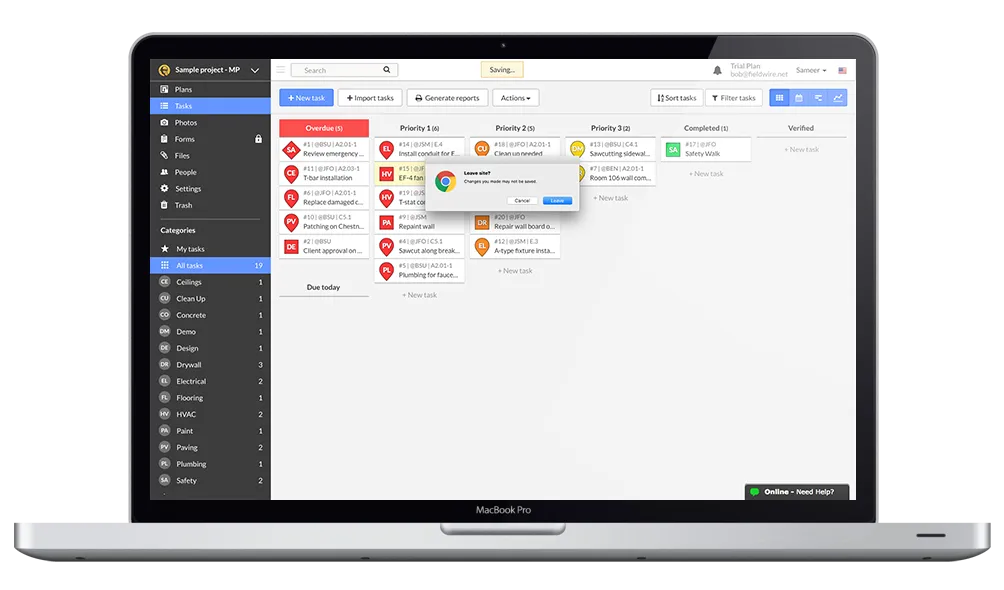 Fieldwire is a construction management software designed to streamline field operationsa and improve communication. It offers tools for task management and issue tracking, enabling teams to coordinate work more efficiently.
Fieldwire key features
- Task management
- Plan viewing and markups
- Issue tracking
- Document management
Fieldwire pricing
Fieldwire provides four subscription plans for its construction management software:
- Basic: Free
- Pro: $44 per member/month
- Business: $64 per member/month
- Premier: $104 per member/month
Fieldwire ratings
- Capterra: 4.6/5 (78+ reviews)
- G2: 4.5/5 (78+ reviews)
| Pros | Cons |
|---|---|
|
|
Fieldwire ideal user
Fieldwire is suitable for businesses that prioritize field operations and project site management and require mobile-friendly collaboration tools for on-site work.
9. Buildertrend
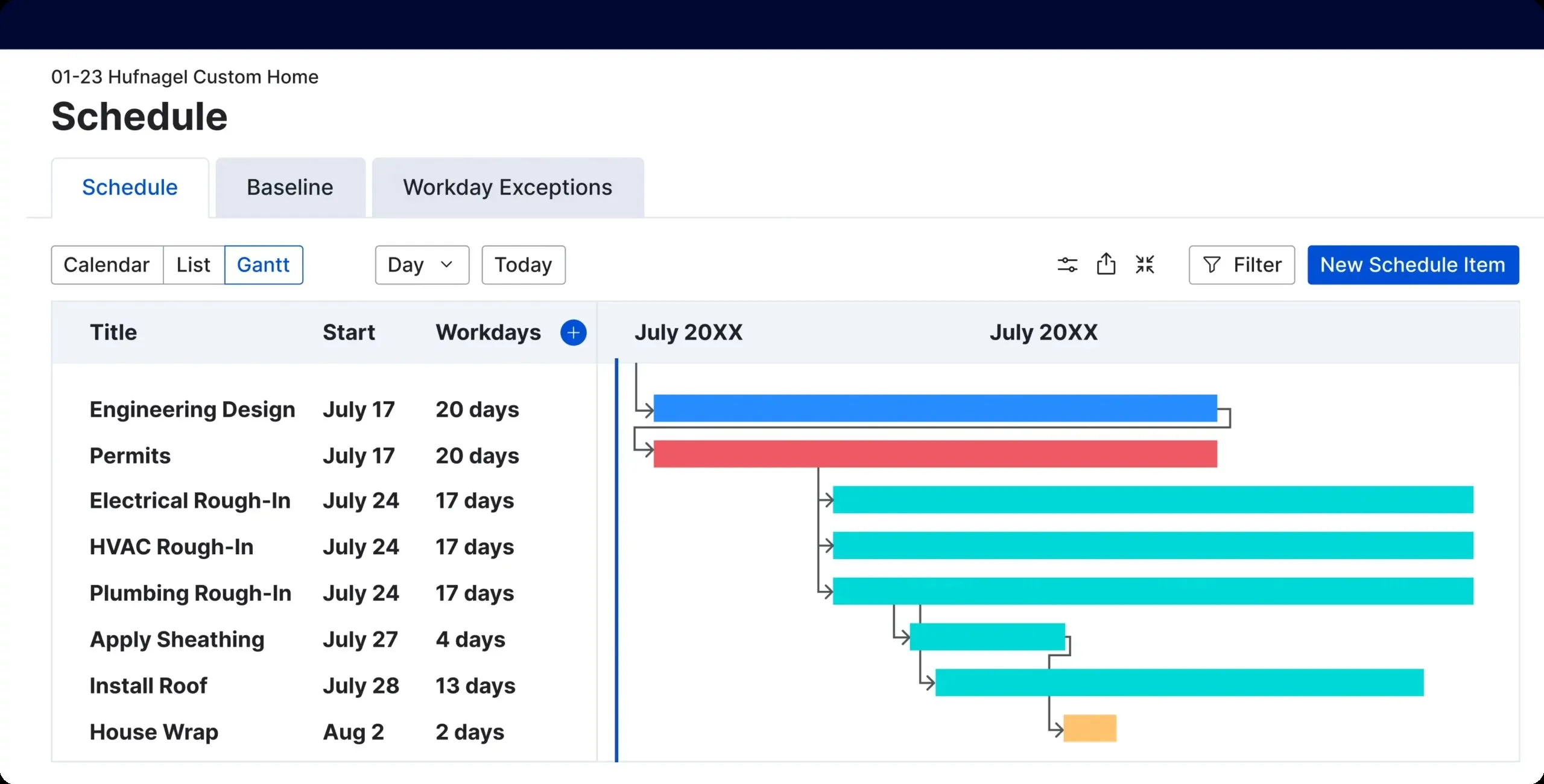
Buildertrend is construction management software designed to streamline project workflows and improve communication among construction teams. It offers features for project scheduling, document management, and customer management, enabling construction companies to manage projects more efficiently.
Buildertrend key features
- Project scheduling
- Document management
- Customer management
- Financial management
- Mobile accessibility
Buildertrend pricing
Buildertrend offers the following pricing plans:
- Essential: $99/month initially; increases to $399/month after two months
- Advanced: $399/month initially; increases to $699/month after two months
- Complete: $899/month initially; increases to $1,299/month after two months
Buildertrend ratings
- Capterra: 4.5/5 (1,570+ reviews)
- G2: 4/5 (55+ reviews)
| Pros | Cons |
|---|---|
|
|
Buildertrend ideal user
BuilderTrend’s construction project management software is ideal for businesses seeking a system with mobile accessibility for on-the-go collaboration with clients.
10. OrangeScrum
 OrangeScrum is a versatile project management tool that streamlines construction workflows from task assignment to project completion. It was founded to address the need for a robust yet user-friendly project management solution.
Over the years, it has gained popularity among construction firms for its flexibility and scalability. Its simple UI helps project managers efficiently manage multiple tasks while collaborating with teams on the go.
OrangeScrum key features
-
- Task Management
- Gantt Chart for Planning
- Time Tracking
- Collaboration Tools
OrangeScrum pricing
OrangeScrum has three subscription options for managing construction projects:
- Community: Free
- Cloud: Pricing based on number of users
- Enterprise: Contact OrangeScrum for customized pricing
OrangeScrum ratings
- Capterra: 4.2/5 (80+ reviews)
- G2: 4.5/5 (20+ reviews)
| Pros | Cons |
|---|---|
|
|
OrangeScrum ideal user
Small to mid-sized construction teams looking for a flexible and easy-to-use project management tool.
11. Asana
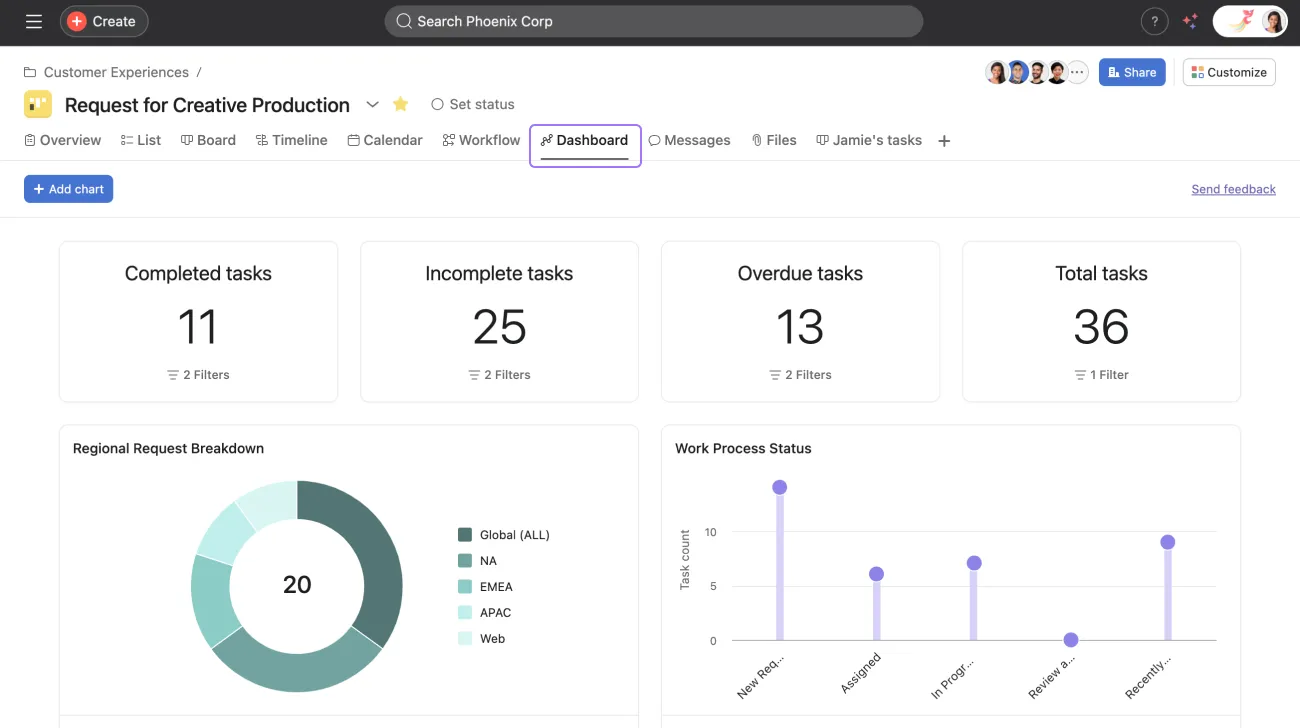 Asana is a renowned project management software that simplifies task management for construction teams. It has a clean design and a straightforward project layout, making it a top choice for those seeking to manage tasks and deadlines effortlessly. While it caters to various sectors, here’s a comprehensive review of Asana from UC Today.
Asana key features
- Project Timeline Views
- Customizable Workflows
- Team Collaboration
- Task Dependencies
Asana pricing
This project management tool provides four different subscription plans:
- Basic Plan: Free
- Premium Plan: $13.49 per member/month
- Business Plan: $30.49 per member/month
- Enterprise Plan: Contact Asana for custom pricing
Asana ratings
- Capterra: 4.4/5 (9,000+ reviews)
- G2: 4.3/5 (7,000+ reviews)
| Pros | Cons |
|---|---|
|
|
Asana ideal user
Construction managers who need a clear, visual task management system with strong collaboration capabilities.
12. OpenDocMan
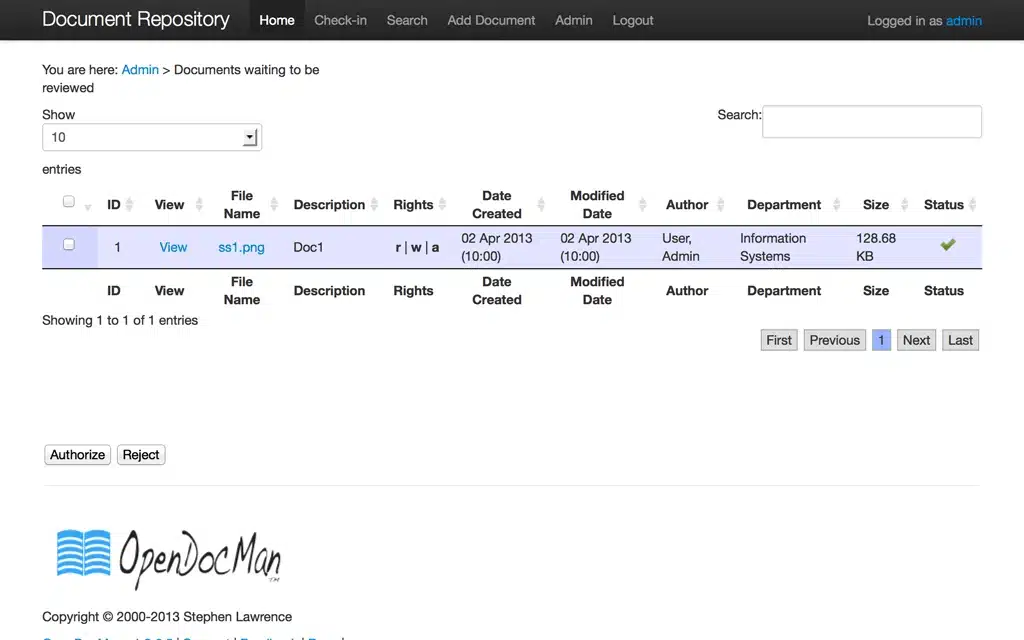
OpenDocMan is open-source document management software specializing in construction project documentation. It was developed to provide a low-cost yet powerful solution for managing the vast number of documents generated during construction projects.
OpenDocMan key features
- Document Control System
- Versioning and Audit Trails
- Permission-Based Access
- Automated Notifications
OpenDocMan pricing
| Pros | Cons |
|---|---|
|
|
OpenDocMan ideal user
Document-heavy construction projects that require strict version control and document organization.
13. Methvin
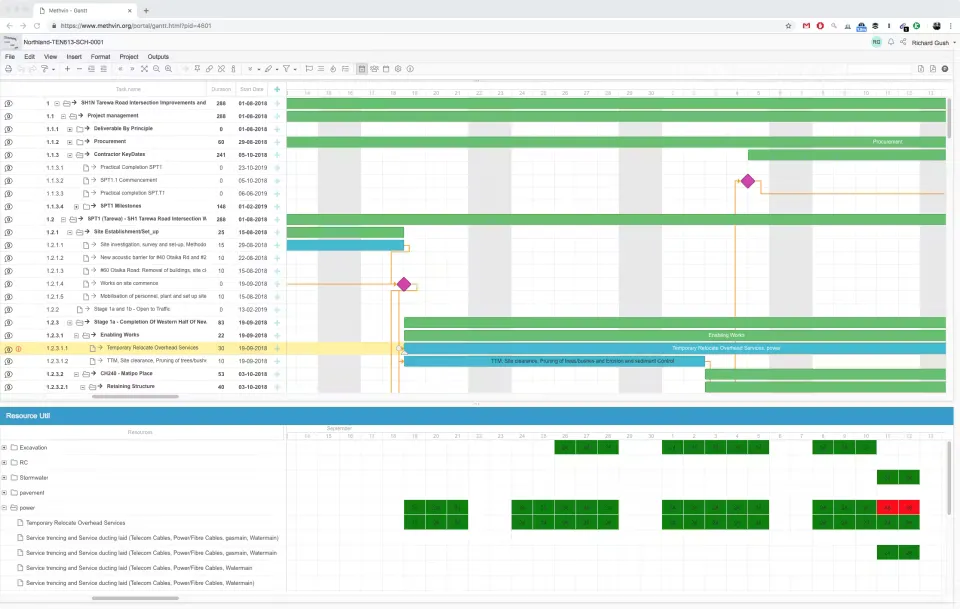
Methvin is a specialized project management tool tailored for the construction industry. Launched with a focus on enhancing project estimation and scheduling, Methvin has become a favorite among construction managers for its powerful features.
Methvin key features
- Tender Management
- Construction Estimation
- Scheduling Tools
- Collaboration Across Teams
Methvin pricing
This software for construction project management comes with three pricing options:
- Single User: Free
- Business: $27 per member/month
- Enterprise: $165 per member/month
Methvin ratings
- Capterra: 4.6/5 (10+ reviews)
- G2: 4.4/5 (10+ reviews)
| Pros | Cons |
|---|---|
|
|
Methvin ideal user
Large construction projects focused on precise cost estimation and scheduling efficiency.
14. Autodesk
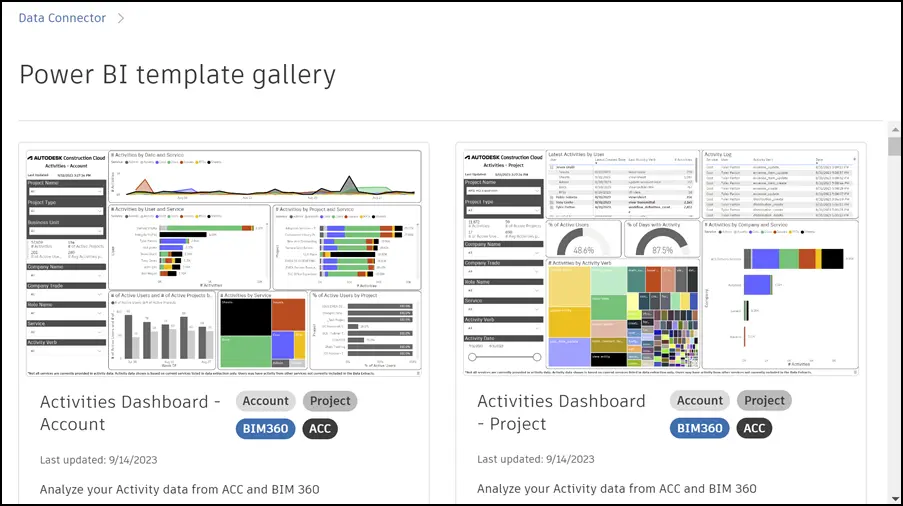 Autodesk Construction Cloud is a powerful management platform connecting workflows, teams, and data throughout construction projects. It helps construction managers reduce risks, boost efficiency, and increase profitability with specialized tools tailored to the industry’s needs.
Autodesk key features
- Integrated Project Management
- Cloud-Based Document Management
- Accurate 2D and Automated 3D Takeoffs
- BIM Collaboration and Coordination
Autodesk pricing
- Autodesk Docs: Starting at $500/year
- BIM Collaborate: Starting at $705/year
- Autodesk Takeoff: Starting at $1,250/year
- Autodesk Build: Starting at $1,625/year
Autodesk ratings
- Software Advice: 4.3/5 (2,200+ reviews)
- G2: 4.4/5 (4,000+ reviews)
| Pros | Cons |
|---|---|
|
|
Autodesk ideal user
Construction managers, estimators, and BIM professionals who want a simple cloud tool for better teamwork and easy management from start to finish.
15. TeamGantt
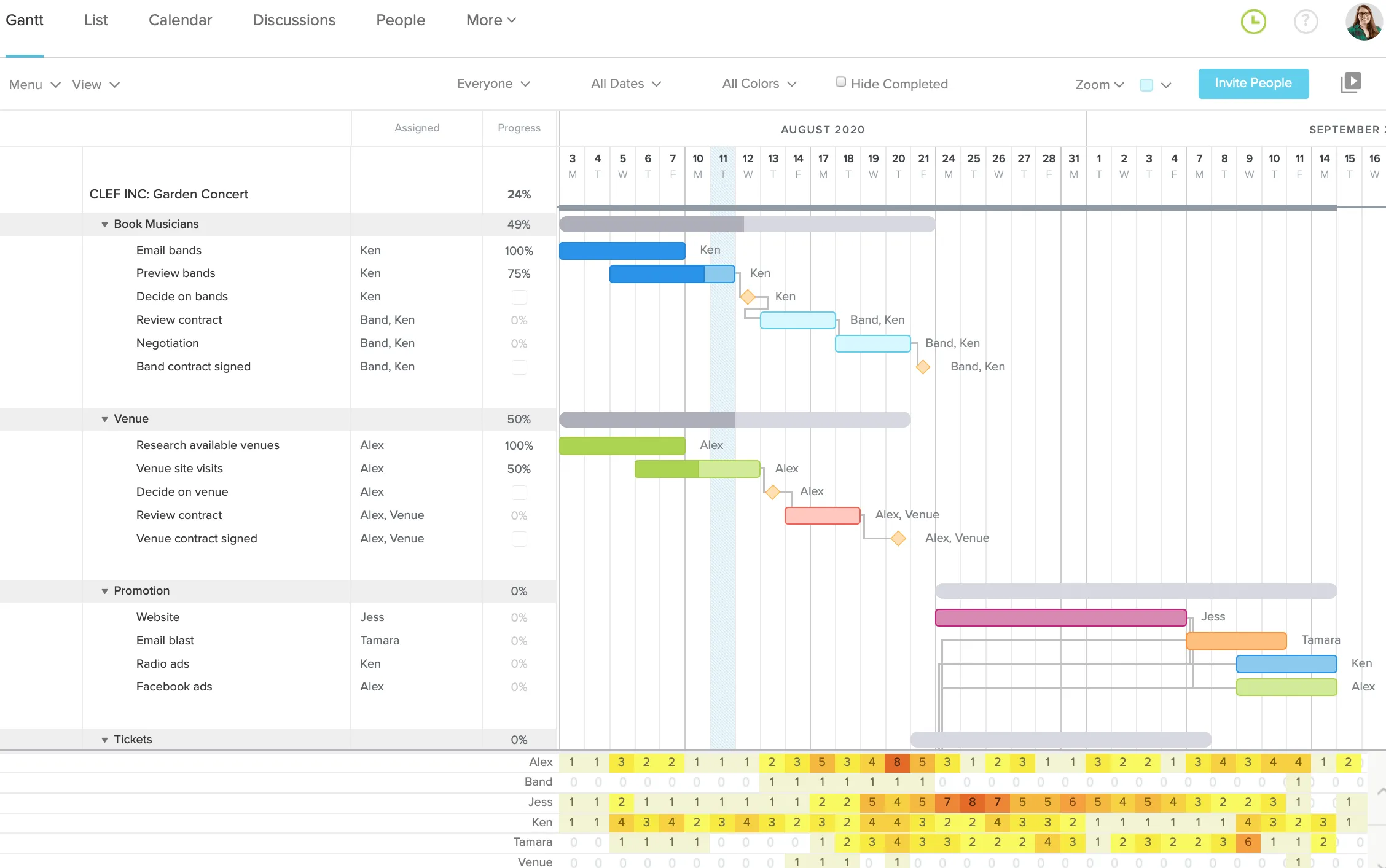 TeamGantt is an intuitive project planning tool built around the Gantt chart model, making it perfect for construction managers who need to visualize timelines and tasks effectively. It simplifies scheduling and allows teams to collaborate seamlessly on construction projects and construction inventory management.
TeamGantt key features
- Interactive Gantt Charts
- Resource Allocation
- Task Dependencies
- Collaboration Tools
TeamGantt pricing
This project management software for construction provides three different subscription tiers:
- Free: $0 per user/month
- Standard: $19.90 per member/month
- Advanced: $24.45 per member/month
TeamGantt ratings
- Capterra: 4.6/5 (99+ reviews)
- G2: 4.8/5 (700+ reviews)
| Pros | Cons |
|---|---|
|
|
TeamGantt ideal user
Managers who prefer a visually-driven Gantt chart system for detailed construction project timelines.
16. PlanGrid
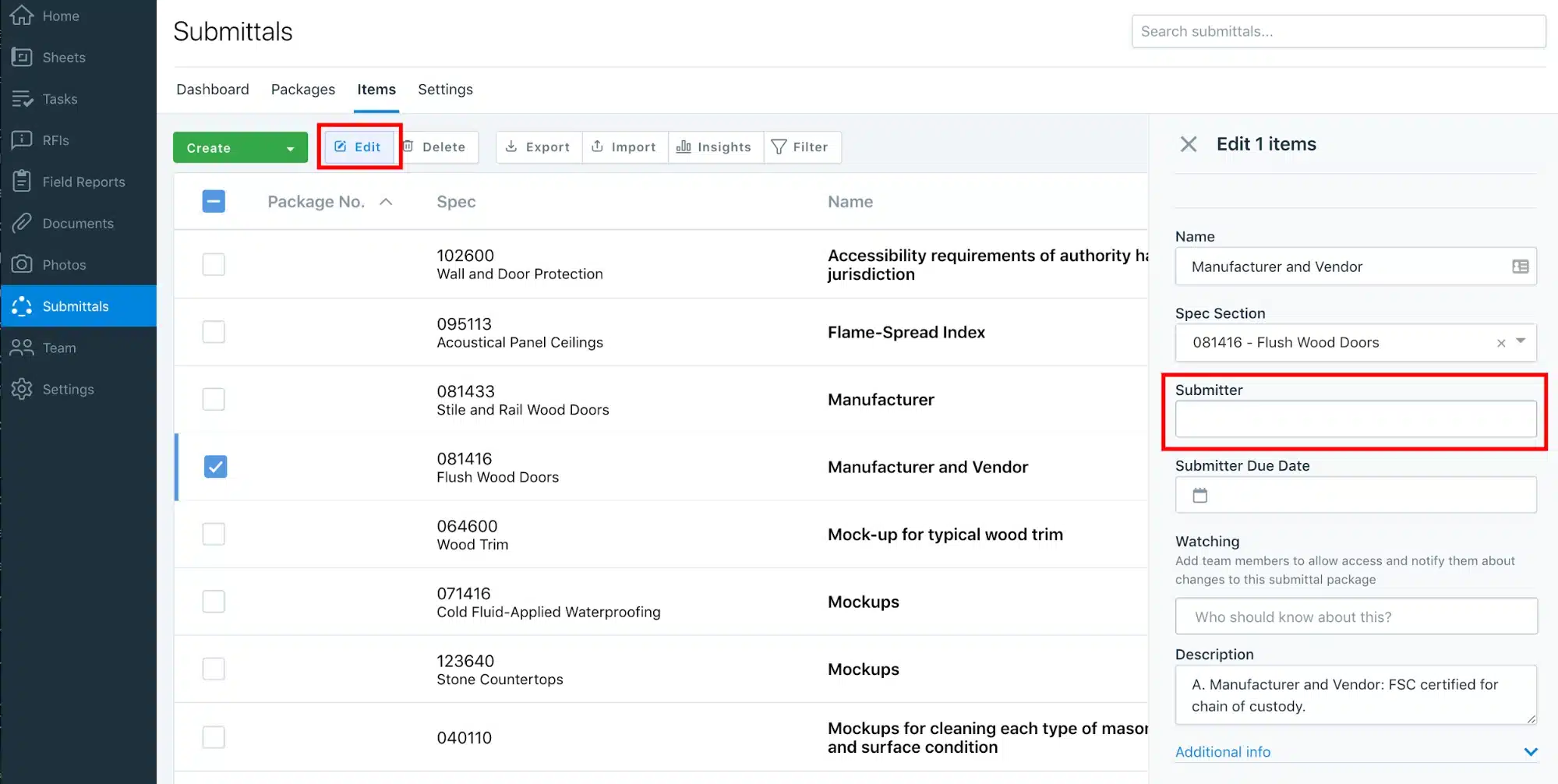 PlanGrid is a construction productivity software that enables teams to manage blueprints, specs, and project updates in real time. Founded in 2011, PlanGrid is specifically designed for the construction industry and provides robust tools for managing every aspect of construction documentation.
PlanGrid key features
- Real-Time Blueprint Access
- Document Management
- Field Reports
- Photo Capture and Annotations
PlanGrid pricing
- Nailgun: $39 per user/month
- Dozer: $59 per user/month
- Crane: $119 per user/month
All plans are billed annually
PlanGrid ratings
- Trust Radius: 7.8/10 (145+ reviews)
- Software Advice: 4.28/5 (1,896+ reviews)
| Pros | Cons |
|---|---|
|
|
PlanGrid ideal user
On-site construction teams needing instant access to blueprints and real-time updates via mobile devices.
Benefits of Construction Project Management Software
Construction project management software offers several key advantages that help teams work more efficiently throughout every phase of a project. As construction company software, it improves coordination and supports better decision-making.
- Improved project planning and scheduling: Enables detailed timelines, resource allocation, and proactive adjustments to keep projects on track, much like construction ERP software centralizes project data for better visibility. According to McKinsey, construction projects using digital planning tools complete 20% faster than those relying on traditional methods.
- Enhanced communication and collaboration: Improves collaboration and ensures that all teams receive timely updates about on-site changes. This kind of construction company software also supports better coordination between field crews and office teams. A 2024 study by Dodge Data & Analytics found that 52% of rework in construction is caused by poor communication, costing the industry billions annually.
- Real-time tracking and reporting: Provides up-to-date insights into project progress, costs, and resource use, enabling quick, data-driven decisions. Real-time visibility enables project managers to identify issues 3x faster than weekly site visits, allowing for immediate corrective action.
- Better risk management and compliance: Helps identify risks early, ensures regulatory compliance, and supports contingency planning. Companies using construction PM software report 40% fewer safety incidents due to better documentation and compliance tracking.
- Increased transparency and accountability: Centralized documentation and automated reporting make it easier to track responsibilities and project performance summaries. Client portals and automated progress reports reduce client inquiries by 60% while improving satisfaction scores.
- Boosted productivity and efficiency: Automates routine tasks, reduces errors, and allows teams to focus on high-value work, leading to faster and more successful project delivery. Construction firms using integrated PM software see an average ROI of 300% within the first two years of implementation.
The Functions of Construction Project Management Software
A good construction management tool can boost your project’s efficiency and success. Here are the functions of construction project management software: the functions of construction project management software
1. Project Planning & Scheduling: Helps construction teams create detailed project plans, set timelines, assign tasks, and organize workflows. Tools like Gantt charts and critical path analysis make it easier to track progress and prevent delays.
2. Budgeting & Cost Control: Monitors project expenses, materials, labor, and overhead. The system compares actual and planned costs to ensure the project stays within budget and to alert teams to potential cost overruns.
3. Document Management: Stores and organizes essential project documents such as blueprints, contracts, permits, RFIs, change orders, and progress reports. This ensures that all stakeholders can access the latest version at any time.
4. Resource & Workforce Management: Tracks equipment, materials, subcontractors, and manpower allocations. This helps avoid resource shortages, reduce downtime, and improve on-site efficiency.
5. Task & Workflow Management: Automates daily tasks, approvals, and workflows for smoother project execution. Ensures team members follow the correct procedures and timelines.
Key Features of Construction Management Software
Construction management software is designed to help contractors, developers, and project managers manage the entire construction project lifecycle in an integrated way. Here are the most important key features:
- Real-time reporting and dashboards: Provides live insights into project progress, costs, and performance through customizable dashboards and data-driven decision-making.
- Procurement and vendor management: Manages supplier selection, purchase orders, contract terms, and material deliveries to ensure timely procurement and cost efficiency.
- Change order management: Tracks, approves, and documents project changes while automatically updating budgets, schedules, and contracts to reduce disputes.
- Quality and safety management: Supports site inspections, safety checklists, incident reporting, and quality control to ensure compliance with industry standards.
- Collaboration and communication tools: Facilitate real-time communication among field teams, contractors, and office staff via shared updates, notifications, and comments.
Tips to Choose the Best Construction Management Software for Business

When choosing a construction project management tool, consider integration, usability, reporting, and support. You should look for construction software management features that centralize tasks and data.
Here are some essential tips to help you navigate through the selection process and choose the best construction management software for your business:
- Identify your company’s needs: Before diving into the selection process, identify the specific needs and requirements of your construction business. Identify the key functionalities and features essential to managing your projects effectively.
- Prioritize ease of use: Choose a software solution that is intuitive and easy for your team members to use. A user-friendly interface and straightforward navigation are essential for ensuring quick adoption and minimal training requirements.
- Evaluate integration capabilities: To enhance efficiency and productivity, assess how the construction project management software integrates with other tools and systems in your construction workflow.
- Consider customization options: Look for construction management software that offers customizable dashboards, reporting tools, and workflow configurations to enhance efficiency and project visibility.
- Review scalability and flexibility: Opt for software that supports your business’s evolving needs. Ensure that the software can grow with your business and adapt to changes in project scope.
- Look for support and training: Select a software provider that offers comprehensive support and training resources to ensure a smooth implementation process and ongoing success.
A well-implemented project timeline visualization feature in your software can significantly improve project planning and tracking, ensuring all tasks are completed on time and within budget.
Conclusion
Implementing construction project management software is essential for businesses in the fast-paced construction industry. These tools help streamline workflows, improve team collaboration, and enhance overall efficiency.
Modern platforms offer integrated features such as scheduling, resource management, and real-time progress tracking, making it easier for companies to stay organized and maintain control over complex projects.
For companies exploring options, a free consultation can provide guidance on selecting the right system to meet their specific project management needs. By understanding the capabilities of these tools, construction businesses can optimize operations in a competitive market.
FAQ about Construction Project Management Software
-
What are the four types of management in construction?
Four types of management in construction:
1. Practice management
2. Relationship management
3. Safety management
4. Total quality management in construction -
What is a PM in construction?
Project Managers (PM) supervise the planning and execution of construction projects, ensuring timely completion and adherence to budget constraints.
-
How to organize a construction project?
To optimize organization in your next construction project, try these basic tips:
1. Develop a project roadmap
2. Use the latest tools
3. Maintain daily checklists
4. Monitor progress and goals
5. Ensure constant communication -
Which software is best for construction project management?
HashMicro – Ideal for all-in-one project coordination, offering unlimited team members and task creation
OrangeScrum – Top choice for open-source tools focused on timeline planning and workforce allocation
Asana – Excellent for visualizing workflows and organizing assignments efficiently














