

















The dynamic business landscape in the Philippines, from retail to F&B, relies heavily on retail Point of Sale (POS) systems to streamline operations and enhance business performance. Numerous solutions are available, and the POS retail software has been proven to help businesses stay competitive.
Did you know that 53% of entrepreneurs already use a cloud-based retail POS system? This number continues to rise as business development in the Philippines expands. Therefore, why don’t you be part of those top entrepreneurs?
This guide focuses specifically on retail operations—the unique workflows, inventory challenges, and customer management needs that distinguish retail from restaurants, pharmacies, or service businesses.
We’ve evaluated 16 POS systems based on retail-specific capabilities:
- Matrix inventory (size/color/style variants)
- Omnichannel integration (online + offline unified)
- Loss prevention features
- Returns and exchange handling
- Retail analytics (sales per square foot, inventory turnover)
Key TakeawaysTable of Contents
Content Lists
|
Best Retail POS Software System Highlight in Philippines for 2026



Best Because
Inventory management and multi-channel integration.



What is a Retail POS System?
Retail POS System is a tool that combines hardware and software to manage sales transactions, inventory, and customer interactions efficiently. At its core, a POS system processes payments, tracks purchases, and generates receipts, making it essential for day-to-day operations.
Recent market analysis by Grand View Research shows that the cloud POS market in Asia Pacific is growing rapidly, with a projected CAGR of 19.6% from 2024 to 2030, reflecting how essential modern POS systems have become for retailers across the region. This steady growth highlights the increasing reliance on POS software as a core tool for managing transactions, inventory, and customer interactions—making it a fundamental technology for today’s retail operations.
What Makes Retail POS Different from Generic POS?
Not all POS systems are created equal. A system designed for restaurants handles tables, kitchen tickets, and tips. A system for services manages appointments and staff commissions. Retail POS handles products—lots of them, with complex variations.
Key Differences:
| Feature | Generic POS | Retail-Specific POS |
| Product Variants | One product equals one SKU | Matrix-based variants (size, color, style) |
| Inventory Tracking | Basic quantity tracking | Batch, serial number, and location tracking |
| Returns Handling | Simple refund process | Exchanges, store credits, and return reason codes |
| Customer Data | Basic customer contact details | Purchase history, preferences, and loyalty data |
| Pricing | Fixed pricing only | Markdown schedules and promotional pricing |
| Reporting | Basic sales totals | Sell-through rate, sales per area, and inventory aging |
Essential Retail POS Features: What Actually Matters
1. Matrix Inventory Management
Matrix inventory tracks products across multiple dimensions (size, color, style, etc.) in a single view.
Example: Viewing a polo shirt’s inventory:
| Color / Size | XS | S | M | L | XL |
| Black | 3 | 5 | 8 | 6 | 2 |
| White | 2 | 4 | 10 | 7 | 3 |
| Navy | 0 | 3 | 5 | 4 | 1 |
| Red | 4 | 6 | 7 | 5 | 0 |
Without matrix inventory, you’d have 20 separate products to manage—impossible to see which size/color combinations are selling well or running low.
Which POS has this: Lightspeed, Vend, Erply, HashMicro (via configuration)
2. Returns & Exchange Management
Retail returns are complex:
- Original receipt vs. no receipt
- Refund to original payment vs. store credit
- Exchange for different item/size
- Return reason tracking
- Restocking inventory (or marking as damaged)
Return Policy Support:
- Time limits (7 days, 14 days, 30 days)
- Exception handling
- Manager approval workflows
- Return abuse detection
Which POS handles this well: Lightspeed, Retail Pro, HashMicro
3. Customer Loyalty Programs
Retail loyalty goes beyond punch cards:
- Points earning on purchases
- Tier levels (Silver, Gold, Platinum)
- Birthday rewards
- Member-exclusive pricing
- Points redemption tracking
Which POS has built-in loyalty: Vend, Shopify, Lightspeed, Erply
4. Gift Cards & Store Credit
Essential for retail:
- Physical gift card sales
- Digital gift cards
- Balance tracking
- Partial redemption
- Expiration management
- Store credit from returns
Which POS supports this: Shopify, Lightspeed, Vend, Square (but Square removed due to overlap)
5. Barcode Management
Retail runs on barcodes:
- Scan existing manufacturer barcodes
- Generate internal barcodes for untagged items
- Print price labels with barcodes
- Mobile barcode scanning
- Bulk barcode import
Which POS has strong barcode support: All major retail POS systems
6. Purchase Orders & Receiving
Managing supplier relationships:
- Create purchase orders to suppliers
- Receive against PO (partial/complete)
- Backorder tracking
- Supplier performance reporting
- Cost tracking and margin calculation
Which POS excels here: HashMicro, Lightspeed, Retail Pro, Cin7
16 Best Retail POS Systems in the Philippines 2026
To achieve the best results, choosing the best retail POS system is essential. Here’s a list of the top 16 Best Retail POS systems available in the Philippines 2026:
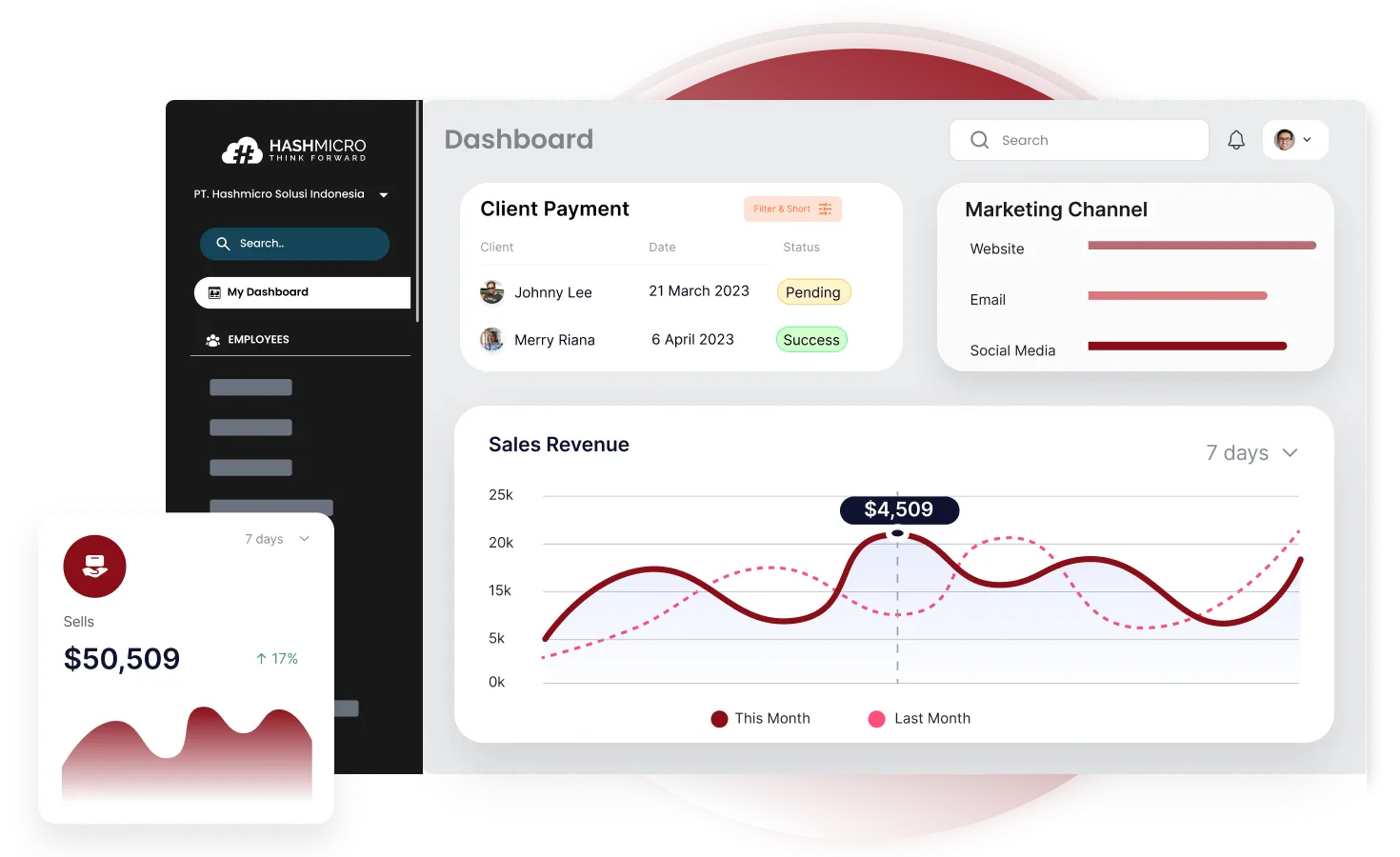
1. HashMicro Retail POS System Philippines
Best For: Medium to large retailers needing full ERP integration with retail operations
Retail Specialization Level: ⭐⭐⭐⭐⭐
HashMicro’s Retail POS is part of a comprehensive ERP ecosystem, making it ideal for retailers who need more than just point-of-sale. The integration between POS, inventory, accounting, and procurement creates a unified system where sales automatically update stock, generate accounting entries, and trigger purchase orders when inventory runs low.
Why HashMicro for Retail:
For Philippine retailers with multiple branches, HashMicro provides the centralized control that standalone POS systems lack. Head office can view real-time sales across all locations, transfer stock between branches, and analyze performance with enterprise-grade reporting.
Retail-Specific Features:
- Multi-Branch Inventory: Real-time visibility across all locations
- Stock Optimizer: AI-driven reorder recommendations
- Price Checker Integration: Customer-facing price displays
- Home Delivery Management: Track delivery orders
- Promotion Engine: Complex discount rules and campaigns
- BIR Compliance: Fully accredited for Philippine operations
- Unlimited Users: No per-cashier fees
| Pros | Cons |
|
|
Best For Retail Verticals:
- Electronics stores (serial number tracking)
- Department stores (multiple categories)
- Retail chains (multi-branch operations)
- Home & furniture (delivery management)
Pricing: Custom quote based on modules and branches
2. Revel
Best For: High-volume retailers needing enterprise features with iPad simplicity
Retail Specialization Level: ⭐⭐⭐⭐
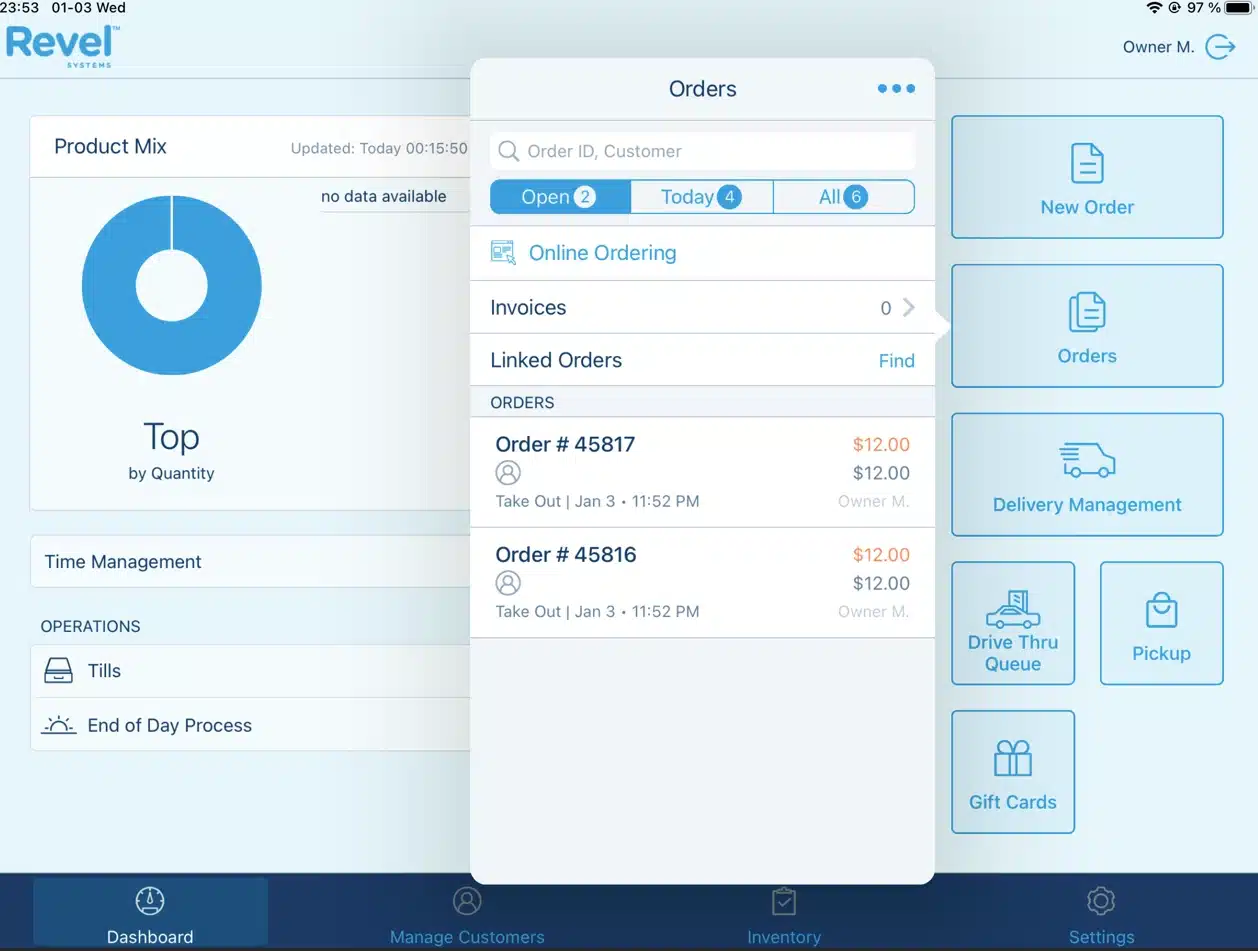
Revel started in restaurants but has built strong retail capabilities. The iPad-based system combines consumer-friendly hardware with enterprise-grade features, appealing to retailers wanting modern aesthetics without sacrificing functionality.
Why Revel for Retail:
The CRM and analytics capabilities exceed typical retail POS. For retailers who want to deeply understand their customers and optimize operations through data, Revel provides tools usually reserved for enterprise systems.
Retail-Specific Features:
- Advanced CRM: Deep customer insights and segmentation
- iPad-Based: Modern hardware experience
- Robust Reporting: Comprehensive analytics
- Multi-Location: Centralized management
- Employee Management: Scheduling, performance tracking
- API Access: Custom integrations
| Pros | Cons |
|
|
Best For Retail Verticals:
- Fashion retailers
- Lifestyle stores
- Multi-location operations
- Retailers valuing customer data
Pricing: From $99/month + setup fee
3. Lightspeed
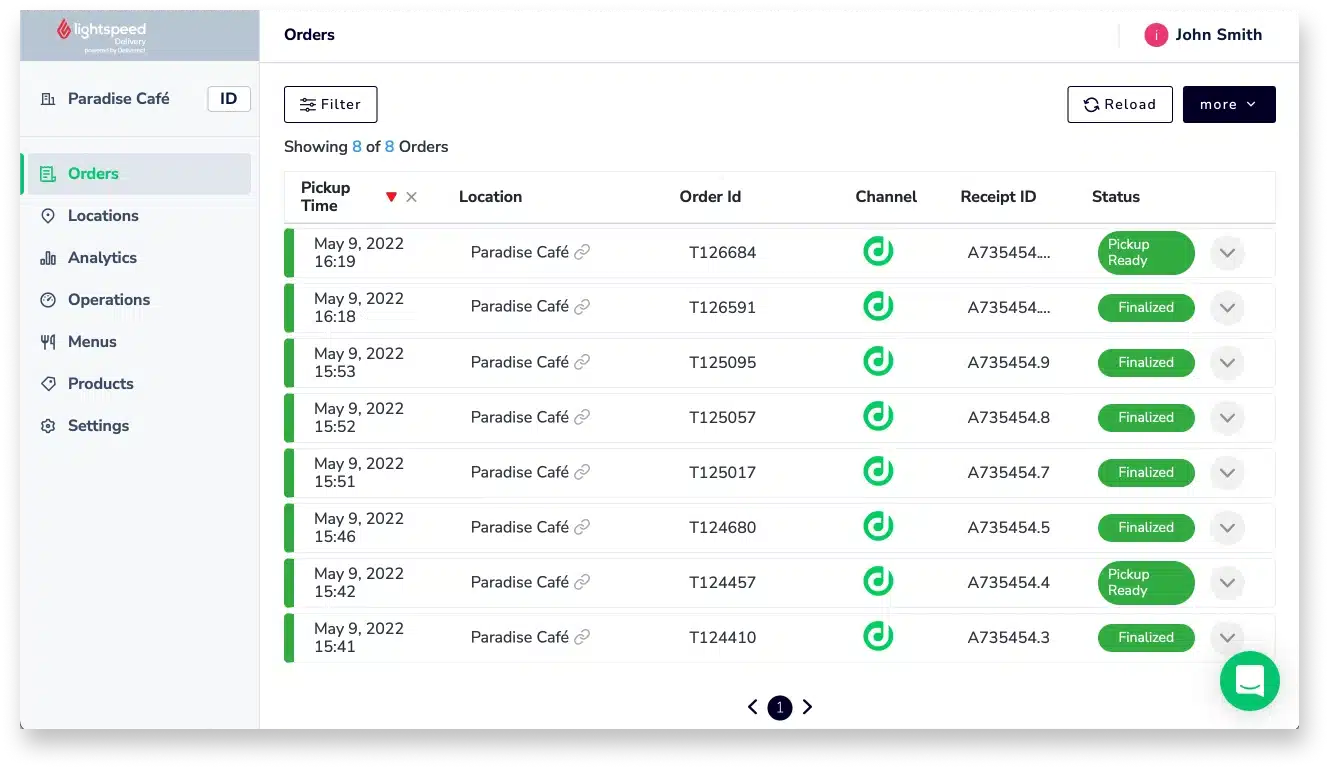
Best For: Fashion and specialty retailers needing advanced inventory management
Retail Specialization Level: ⭐⭐⭐⭐⭐
Lightspeed Retail has built its reputation specifically on retail—not restaurants, not services, just retail. This focus shows in features like matrix inventory, sophisticated vendor management, and retail-specific analytics that generic POS systems lack.
Why Lightspeed for Retail:
The matrix inventory system handles the complexity of fashion retail elegantly. When you receive a shipment of t-shirts in 5 sizes and 4 colors, Lightspeed lets you receive them as variants of one product—not 20 separate items. The reporting then shows you which size/color combinations sell and which don’t.
Retail-Specific Features:
- Matrix Inventory: Size, color, material variants
- Advanced Vendor Management: PO creation, receiving, margin calculation
- Retail Analytics: Sell-through rate, days-to-sell, inventory aging
- Multi-Location: Transfer stock, view availability across stores
- E-commerce Integration: Unified online-offline inventory
- Customer Database: Purchase history, loyalty, custom fields
| Pros | Cons |
|
|
Best For Retail Verticals:
- Fashion boutiques
- Sporting goods
- Specialty retail
- Multi-location retailers
Pricing: From $69-199/month depending on plan
4. Vend
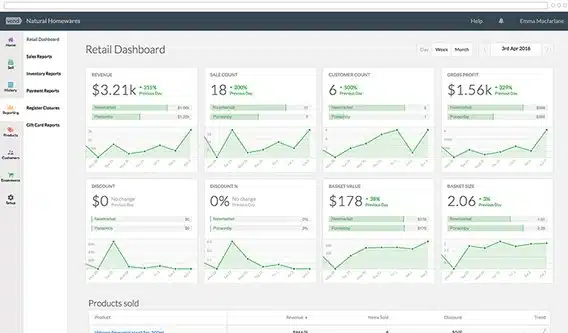
Best For: Fashion boutiques and small-medium retail wanting intuitive cloud POS
Retail Specialization Level: ⭐⭐⭐⭐
Vend (now part of Lightspeed) built its reputation on making retail POS simple yet powerful. The interface is clean and intuitive, but beneath the simplicity lies genuine retail functionality—matrix inventory, customer loyalty, and solid reporting.
Why Vend for Fashion Retail:
Fashion retailers love Vend because it handles variants elegantly and looks modern to staff. The quick-setup approach gets you running fast, while the integration options let you connect e-commerce, accounting, and loyalty as needed.
Retail-Specific Features:
- Variant Products: Size, color, style combinations
- Quick Setup: Get running in hours, not weeks
- Customer Loyalty: Built-in points program
- Shopify Integration: Direct connection to Shopify e-commerce
- Gift Cards: Physical and digital
- Multi-Register: Multiple sales points in one location
| Pros | Cons |
|
|
Best For Retail Verticals:
- Fashion boutiques
- Shoe stores
- Accessory retailers
- Gift shops
Pricing: From $69/month
5. Cin7
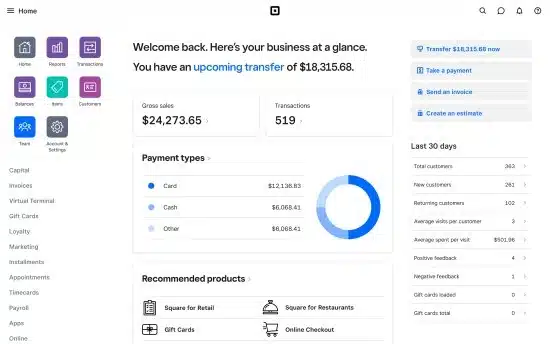
Best For: Product-based businesses needing inventory-first POS with strong wholesale capabilities
Retail Specialization Level: ⭐⭐⭐⭐
Cin7 approaches retail from an inventory perspective—it started as inventory management software and added POS capabilities. For retailers who also sell wholesale or manage complex supply chains, Cin7 offers inventory depth that POS-first systems lack.
Why Cin7 for Inventory-Heavy Retail:
If inventory management is your biggest challenge—tracking stock across warehouse and stores, managing suppliers, handling wholesale and retail pricing—Cin7 provides enterprise-level inventory with retail POS attached.
Retail-Specific Features:
- Advanced Inventory: Multi-warehouse, batch tracking, serial numbers
- B2B + B2C: Wholesale and retail in one system
- 3PL Integration: Connect with fulfillment providers
- Marketplace Integration: Lazada, Shopee, Amazon connectivity
- EDI Support: Electronic data interchange with large retailers
- Product Bundles: Kit products, manufacturing
| Pros | Cons |
|
|
Best For Retail Verticals:
- Electronics distributors
- Wholesaler-retailers
- E-commerce with physical stores
- Multi-channel sellers
Pricing: From $349/month
6. Waffle
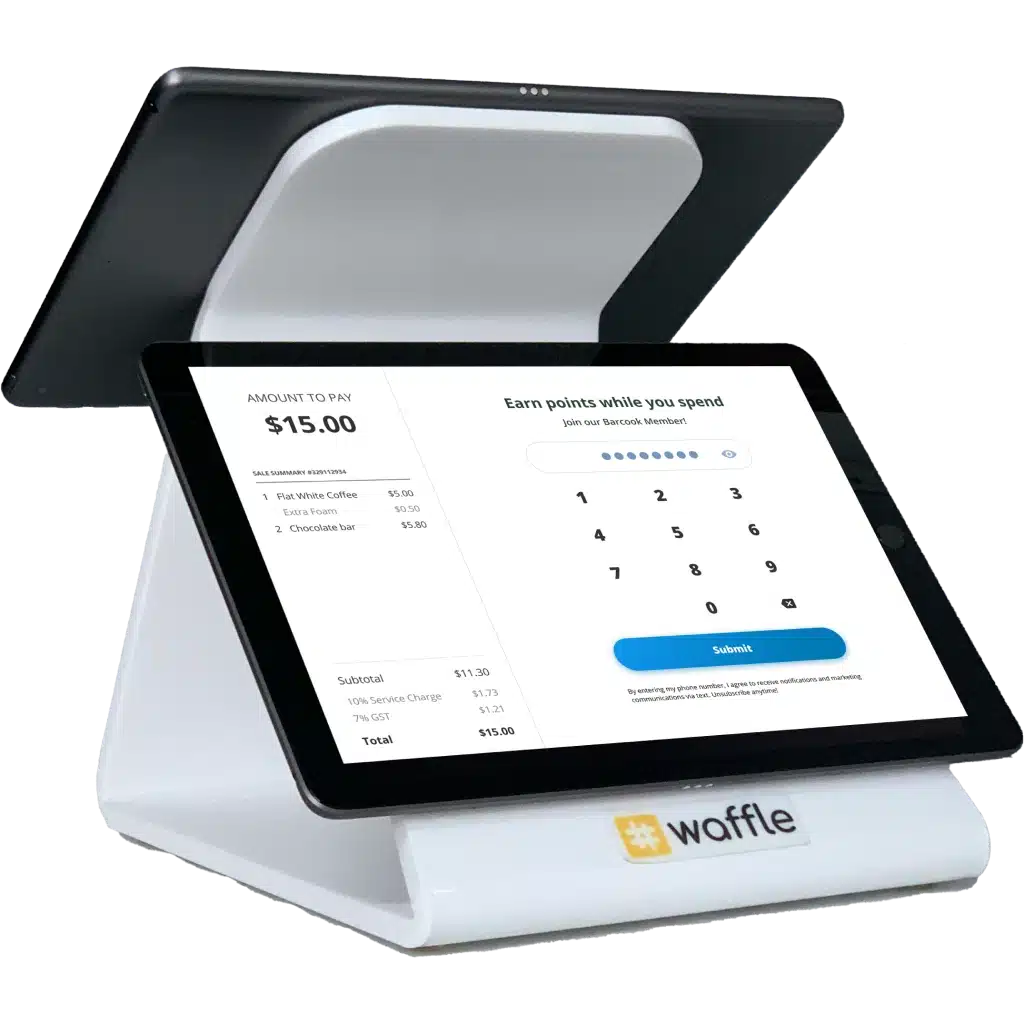
Waffle POS system for retail is known for its focus on F&B retail operations. It provides an easy-to-use system loaded with features for managing restaurants and cafés. Its integration capabilities allow seamless connection with kitchen management and payment systems.
Key features:
- Kitchen display integration
- Mobile ordering
- Staff performance tracking
- Real-time sales reports
| Pros | Cons |
|
|
Pricing: Contact the vendor for pricing details.Often starts around $50-$100/month based on market standards.
Ideal for: Food and beverage retailers focused on kitchen integration and mobile ordering.
7. Shopify
Best For: E-commerce businesses adding physical retail presence
Retail Specialization Level: ⭐⭐⭐
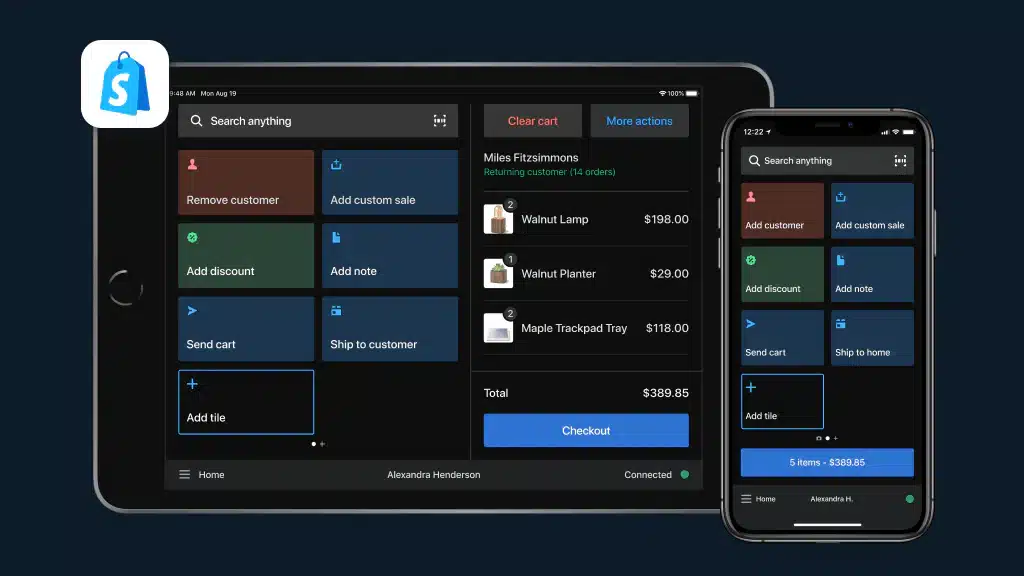
Shopify POS makes sense when you’re already in the Shopify ecosystem. The seamless connection between your online store and physical POS means unified inventory, customer data, and reporting—essential for modern omnichannel retail.
Why Shopify for Omnichannel Retail:
If you started online and now want physical presence, Shopify POS is the natural choice. No integration needed—your online store and physical store are already connected.
Retail-Specific Features:
- Shopify Integration: Native online-offline connection
- Unified Inventory: Real-time sync across channels
- Customer Profiles: Cross-channel purchase history
- BOPIS Support: Buy online, pickup in-store
- Mobile POS: Sell anywhere with smartphone
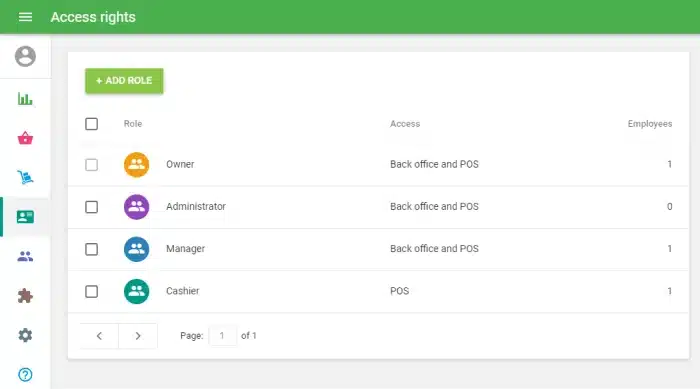
- Staff Management: Permissions and PIN login
| Pros | Cons |
|
|
Best For Retail Verticals:
- Online-first retailers with physical stores
- Pop-up shops
- Market vendors with e-commerce
- Small boutiques using Shopify
Pricing: From $29/month (Shopify) + $89/month (POS Pro)
8. ePOS
Best For: Small retailers wanting straightforward sales and inventory tracking
Retail Specialization Level: ⭐⭐⭐
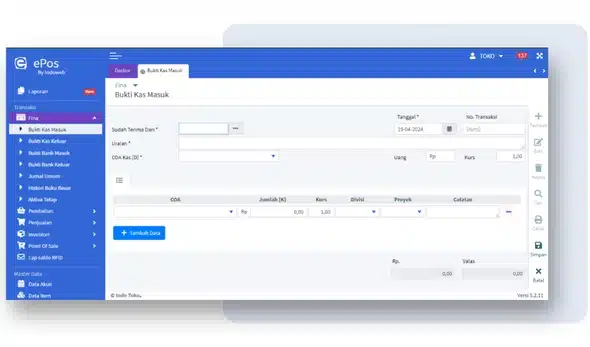
ePOS provides the essentials without overwhelming complexity. For small retailers who need basic sales processing, inventory tracking, and reporting without enterprise features, ePOS offers appropriate simplicity.
Why ePOS for Simple Retail:
Not every store needs advanced features. ePOS serves retailers who want functional POS without subscription fees eating into already-thin margins.
Retail-Specific Features:
- Basic POS: Sales processing and receipting
- Inventory Management: Stock tracking and alerts
- Multi-Payment: Various payment method support
- Custom Receipts: Branded receipt templates
- Transaction Reports: Essential sales reporting
- User-Friendly: Minimal learning curve
| Pros | Cons |
|
|
Best For Retail Verticals:
- Small independent stores
- Basic retail operations
- Budget-conscious businesses
- Non-fashion retail
Pricing: Contact vendor (typically affordable)
9. Sapaad
Best For: F&B retail outlets (cafés, food retail, food court stalls)
Retail Specialization Level: ⭐⭐⭐ (for F&B retail specifically)
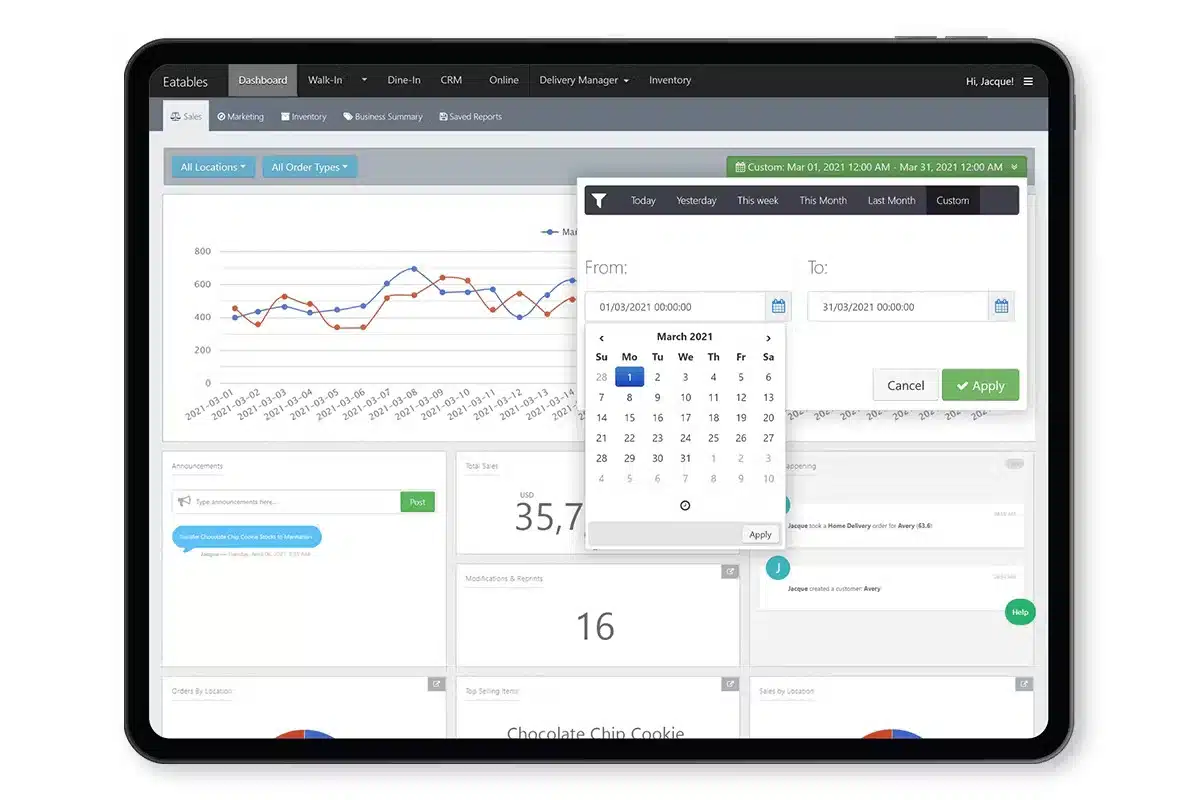
Sapaad bridges the gap between restaurant POS and retail—perfect for businesses that sell food products retail-style. Think bakeries, food kiosks, or convenience stores with prepared food sections.
Why Sapaad for F&B Retail:
When you’re selling croissants and coffee rather than clothes and electronics, you need features like kitchen integration and delivery app connectivity that pure retail POS lacks.
Retail-Specific Features:
- F&B Workflows: Kitchen display, order management
- Delivery Integration: GrabFood, foodpanda connectivity
- Quick Service: Fast-paced transaction handling
- Menu Management: Food-specific product handling
- Reporting: F&B-relevant analytics
- Mobile Ordering: QR code ordering support
| Pros | Cons |
|
|
Best For Retail Verticals:
- Bakeries
- Coffee shops
- Food kiosks
- Convenience stores with food service
Pricing: From $59/month
10. Ordorite
Best For: Fashion retailers wanting dedicated apparel management system
Retail Specialization Level: ⭐⭐⭐⭐⭐ (for fashion)
Ordorite is built exclusively for fashion and apparel retail—not adapted from generic retail, not an afterthought. This specialization means features like style management, season planning, and range building are core functionality, not add-ons.
Why Ordorite for Fashion:
When your business revolves around seasons, styles, and buying decisions, you need a system that speaks fashion. Ordorite understands that you’re planning next year’s collections while selling this year’s and clearing last year’s.
Retail-Specific Features:
- Fashion-First Design: Built for apparel workflows
- Range Planning: Plan buying by style, color, size
- Season Management: Track and manage seasonal collections
- Size Curve Analysis: Understand which sizes sell per style
- Supplier Management: Fashion supplier workflows
- Markdown Optimization: Plan clearance strategies
| Pros | Cons |
|
|
Best For Retail Verticals:
- Fashion boutiques
- Apparel chains
- Shoe retailers
- Fashion wholesale-retail
Pricing: Contact vendor
11. MegaPOS
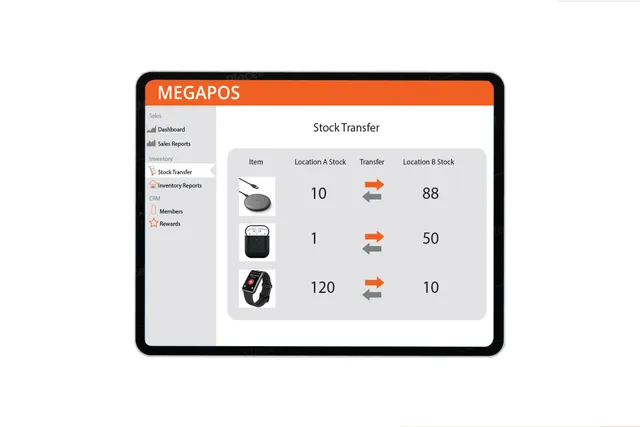 Best For: Philippine SME retail wanting local provider with multi-store support
Retail Specialization Level: ⭐⭐⭐
MegaPOS serves the Philippine market with locally-developed POS designed for local retail practices. The multi-store capability makes it suitable for growing retailers with several outlets.
Why MegaPOS for Local Retail:
Local development means the system understands Philippine retail—BIR compliance built-in, local payment methods supported, and support staff who understand local business practices.
Retail-Specific Features:
- Multi-Store Management: Centralized control of branches
- Inventory Control: Stock tracking across locations
- CRM Integration: Customer relationship features
- Custom Reports: Configurable reporting
- Philippine Focus: Local compliance and support
- Affordable: Competitive pricing for Philippine market
| Pros | Cons |
|
|
Best For Retail Verticals:
- Philippine SME retail
- Growing retail chains
- Local businesses
- Multi-branch operations
Pricing: Competitive (contact vendor)
12. Qashier
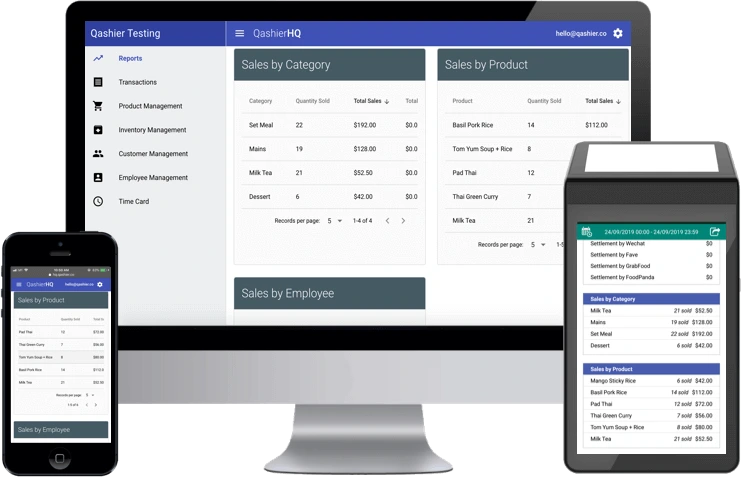
Best For: Philippine retailers wanting quick-setup integrated terminal
Retail Specialization Level: ⭐⭐⭐
Qashier offers an all-in-one approach—hardware and software integrated, ready to use out of the box. For retailers who want to start selling quickly without piecing together a system, Qashier provides simplicity.
Why Qashier for Quick Setup:
Unbox, connect, sell. Qashier’s integrated terminal eliminates the complexity of separate hardware purchases and compatibility concerns. It’s particularly appealing for first-time POS adopters.
Retail-Specific Features:
- Integrated Terminal: Hardware + software in one
- Multi-Payment: GCash, Maya, cards supported
- Basic Inventory: Stock tracking and alerts
- Sales Reporting: Essential analytics
- BIR Compliance: Philippine tax compliance
- Quick Setup: Minimal configuration needed
| Pros | Cons |
|
|
Best For Retail Verticals:
- Small retail stores
- New business openings
- Non-technical owners
- General merchandise
Pricing: ₱2,598-49,998/month depending on package
13. Erply
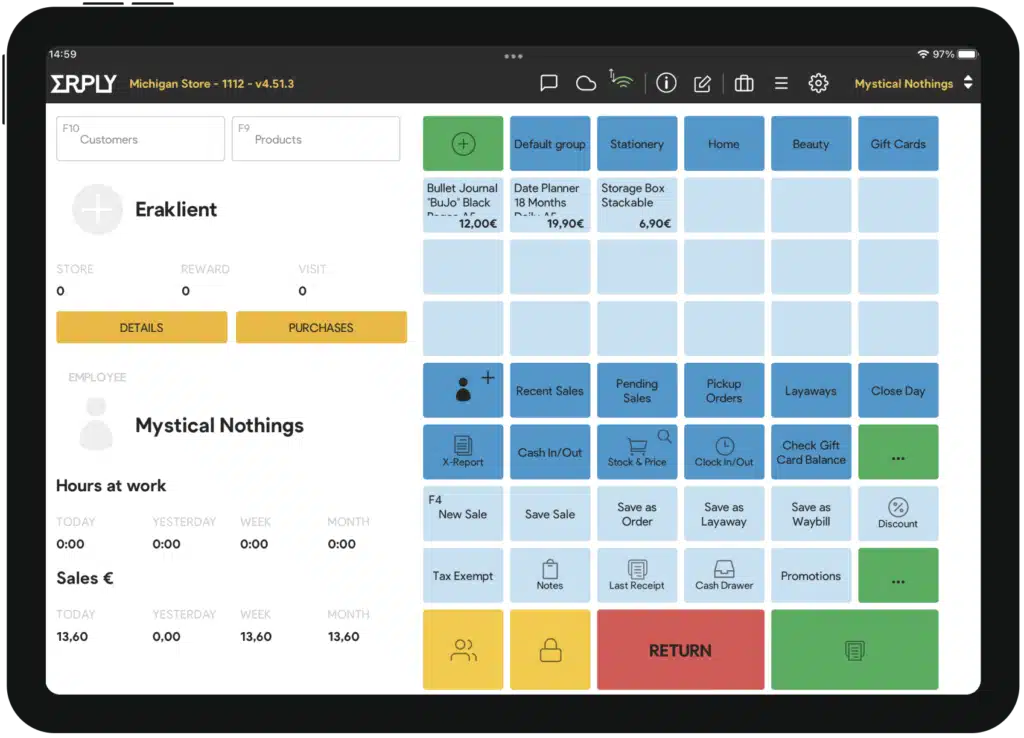
Best For: Multi-location retailers needing strong offline capability and B2B features
Retail Specialization Level: ⭐⭐⭐⭐
Erply doesn’t have the brand recognition of Lightspeed or Shopify, but it delivers serious retail functionality—especially for businesses operating in both retail and wholesale or managing multiple locations with imperfect internet connectivity.
Why Erply for Retail:
The offline capability is exceptional—your store continues operating during internet outages with full functionality, syncing when connection restores. For Philippine retailers in areas with unreliable connectivity, this matters.
Retail-Specific Features:
- Exceptional Offline Mode: Full operation without internet
- B2B Portal: Wholesale customers can place orders online
- Franchise Management: Multi-entity support
- Warehouse Management: Beyond basic inventory
- Matrix Inventory: Full variant support
- Multi-Currency: International retail support
| Pros | Cons |
|
|
Best For Retail Verticals:
- Fashion chains
- Franchise operations
- Wholesaler-retailers
- Provincial retailers (connectivity concerns)
Pricing: From $59/month
14. HitPay
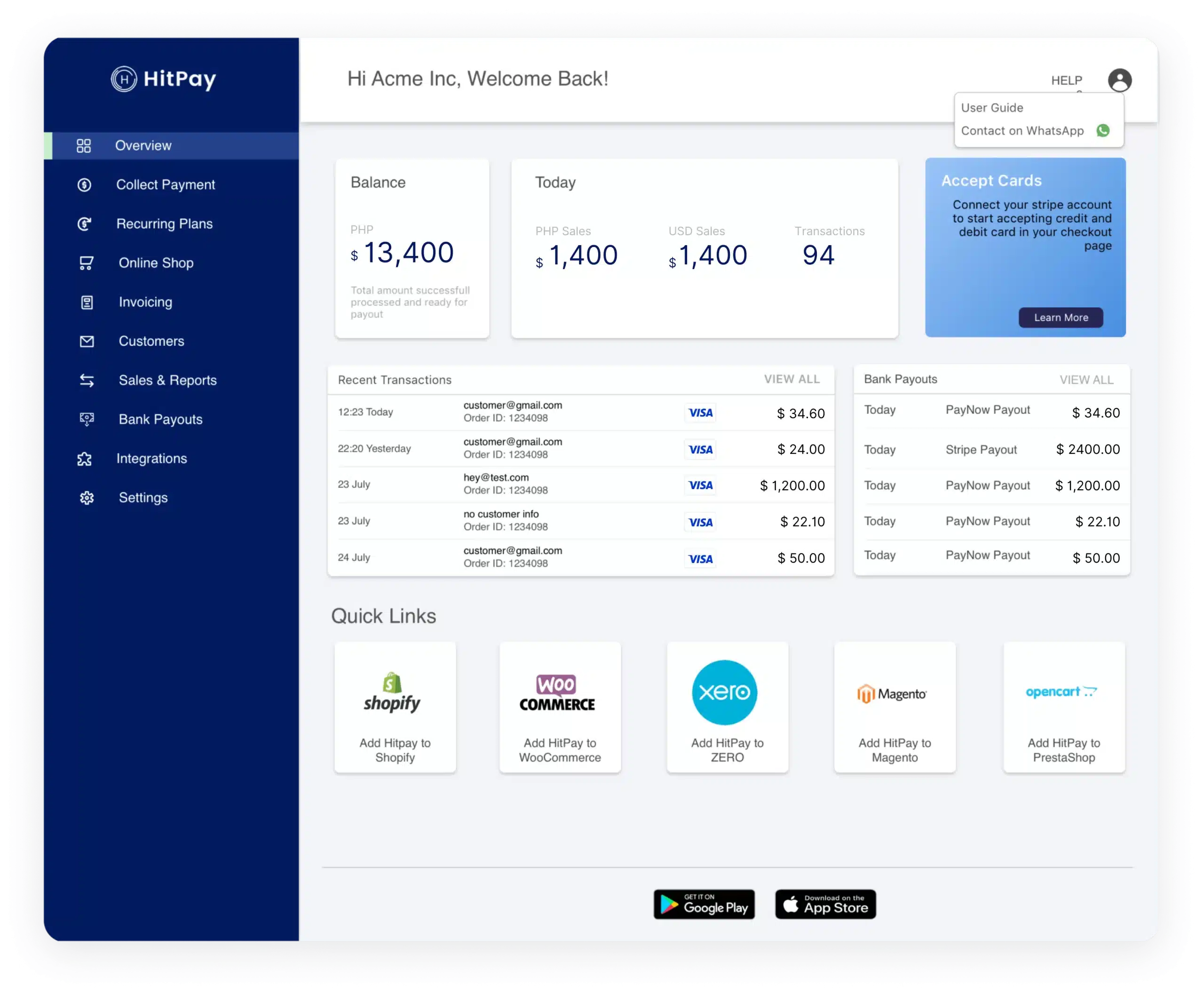 Best For: Small retailers prioritizing payment collection across channels
Retail Specialization Level: ⭐⭐⭐
HitPay approaches retail from the payment perspective—helping small businesses collect payments through various channels (in-store, online, social media). The POS functionality supports the payment focus.
Why HitPay for Payment-Focused Retail:
If your primary need is accepting payments flexibly—in-store, through payment links, via social media—with basic POS functionality, HitPay offers a simple solution.
Retail-Specific Features:
- Multi-Channel Payments: In-store, online, social
- Payment Links: Send payment requests via messaging
- Basic Inventory: Product and stock tracking
- Simple Interface: Easy for anyone to use
- E-Commerce Integration: Basic online store capability
- Real-Time Reports: Sales and payment tracking
| Pros | Cons |
|
|
Best For Retail Verticals:
- Small retail stores
- Social media sellers with physical presence
- Pop-up shops
- Service-retail hybrids
Pricing: Transaction-based + subscription options
15. Bindo POS

Best For: Independent retailers wanting modern cloud POS with good inventory
Retail Specialization Level: ⭐⭐⭐
Bindo positions itself for independent retailers who want modern, cloud-based POS with solid inventory management. The system balances simplicity with sufficient features for real retail operations.
Why Bindo for Independent Retail:
Independent retailers often feel caught between overly simple POS and overly complex enterprise systems. Bindo aims for the middle ground—capable enough for real retail, simple enough for non-technical owners.
Retail-Specific Features:
- Cloud POS: Access from anywhere
- Inventory Management: Solid stock tracking
- Customer Loyalty: Built-in loyalty program
- Analytics: Business performance insights
- Multi-Location: Support for multiple stores
- iPad-Based: Modern hardware experience
| Pros | Cons |
|
|
Best For Retail Verticals:
- Independent boutiques
- Specialty stores
- Gift shops
- Small retail chains
Pricing: Contact vendor
16. Weebo Retail POS System
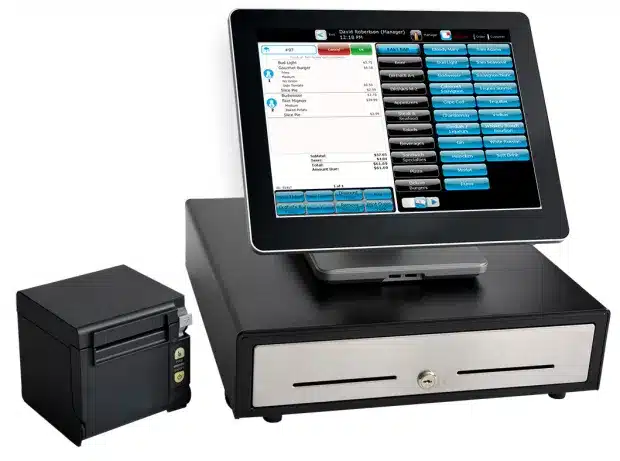
Best For: Philippine retailers wanting locally-developed retail solution
Retail Specialization Level: ⭐⭐⭐
Weebo offers Philippine-developed retail POS with attention to local market needs. For retailers preferring to work with local vendors and wanting Philippine-specific features, Weebo provides an alternative to international systems.
Why Weebo for Philippine Retail:
Local development means better understanding of Philippine retail practices, BIR requirements, and customer expectations. Local support means faster response in familiar context.
Retail-Specific Features:
- Inventory Management: Stock control and tracking
- Sales Processing: Essential POS functionality
- Reporting: Business analytics
- CRM: Customer data management
- Philippine Focus: Local compliance
- Mobile Capabilities: Flexible device support
| Pros | Cons |
|
|
Best For Retail Verticals:
- Philippine retailers
- Local businesses
- SME retail
- Businesses preferring local vendors
Pricing: Contact vendor
Comparison table of Retail Point of Sale Systems in Philippines 2026
| Brand | Best for | Pros | Cons | Pricing |
|---|---|---|---|---|
| 1) HashMicro | Best for businesses needing a highly customizable retail POS with multi-store support and unlimited users | Highly customizable; Strong system integration; Unlimited users; Multi-store support; UI-friendly | High demand may affect demo queue; Implementation time varies by scope | Custom pricing (available upon request; see pricing banner below) |
| 2) Revel | Best for high-volume retailers needing advanced CRM and multi-location control | Feature-rich; Advanced CRM tools; Strong support; Robust reporting | Needs strong internet; Steep learning curve; Higher setup complexity; Limited offline | Around $99/month per register + $599 setup fee |
| 3) Lightspeed | Best for mid-to-large retailers focused on inventory, analytics, and multi-channel selling | Intuitive UI; Strong analytics; Multi-channel support; Good support | Can feel feature-heavy; Setup takes time; Add-ons may raise cost; Limited trial access | $69–$199/month (by plan) |
| 4) Vend | Best for retailers wanting an easy-to-use cloud POS with ecommerce integration | Easy setup; Good support; Omnichannel-ready; Strong inventory tools | Limited for large enterprises; Key features in higher tiers; Needs reliable internet; Reports may lack depth | Starts around $69/month |
| 5) POS Square | Best for small to medium stores needing a mobile-friendly POS with multi-payment support | Easy to use; Mobile POS; Multi-payment support; Reliable support | Limited integrations; Fewer customization options; Basic reporting; Updates can be inconsistent | Free basic plan; $49–$149/month (paid plans) |
| 6) Waffle | Best for F&B retailers needing kitchen display integration and mobile ordering | Strong F&B workflows; Real-time sales reports; Mobile ordering; Useful kitchen tools | F&B-focused; Needs stable internet; Limited customization; Basic inventory depth | Available upon request (often $50–$100/month) |
| 7) Shopify | Best for retailers using Shopify who want unified online and in-store selling | Seamless Shopify integration; Easy setup; Mobile-friendly; Strong ecosystem | Limited offline; Add-ons increase cost; Basic inventory controls; Advanced reporting limited | Shopify plans from $29/month; POS add-ons extra |
| 8) ePOS | Best for small to medium retailers needing simple sales and inventory tracking | User-friendly; Helpful service; Real-time transactions; Custom receipts | Limited advanced features; No CRM; Limited integrations; Limited mobile tools | Available upon request |
| 9) Sapaad | Best for restaurants and F&B needing delivery + cloud kitchen workflows | Delivery/takeaway tools; Easy UI; Strong reporting; F&B-ready | Less flexible outside F&B; Needs stable internet; No offline mode; Limited loyalty tools | Starts at $59/month |
| 10) Loyverse | Best for small to medium businesses wanting a simple POS with multi-store support | Free basic POS; Easy to navigate; Employee management; Multi-store support | Add-ons needed for advanced tools; Limited support; Basic reporting; Limited CRM | Free basic plan; add-ons from $25/month |
Benefits of Retail POS Software
Retail POS software provides significant advantages for both single-store retailers and multi-outlet businesses. Beyond simplifying checkout, it strengthens operational control, boosts efficiency, and improves overall profitability. Here are the key benefits retailers can expect:
1. Faster and more reliable checkout operations
Retail POS software speeds up transactions by automating item scanning, discounts, and payments. This reduces customer wait times and eases staff workload, allowing employees to focus more on customer service during peak hours.
2. Accurate, real-time inventory visibility
POS systems update stock levels instantly after each sale, giving retailers accurate inventory visibility. This helps avoid overselling, improves restocking decisions, and prevents losses from stock shortages or counting errors.
3. Stronger customer engagement and loyalty
By tracking customer purchase history and loyalty points, POS software helps create personalized offers and targeted promotions. This leads to stronger engagement and increases the likelihood of repeat purchases from satisfied customers.
4. Data-driven management and seamless business integration
Retail POS software delivers real-time reports and insights into sales and product performance. It also integrates with inventory, accounting, CRM, and online platforms, reducing manual tasks and improving overall business efficiency.
How to Choose the Best Retail POS Software for Your Business

Selecting the ideal retail POS system is crucial for enhancing your operations and supporting business growth. To make an informed decision, consider the following key factors:
1. Define Your Core Requirements – Identify the essential features your business needs, such as inventory tracking, multi-branch support, loyalty programs, or fast checkout processing.
2. Prioritize Ease of Use – Choose a POS with an intuitive interface that your staff can learn quickly. A simple system reduces errors and speeds up daily operations.
3. Check Scalability and Flexibility – Select software that can grow with your business—whether you plan to add more products, outlets, or transaction volumes in the future.
4. Evaluate Reporting and Integrations –Look for a POS that provides clear sales insights and integrates seamlessly with tools like accounting, CRM, e-commerce, or ERP systems.
5. Test with a Free Demo Before Deciding – Always try a demo to assess usability, performance, and overall fit with your retail operations before making a final commitment.
How Retail POS Software Enhances Your Business
A well-designed retail POS system simplifies sales processes, benefiting businesses and customers. Here’s how it can transform your operations:
- Enable flexible payments: Modern POS systems allow transactions to happen effortlessly, in-store or remotely. Mobile-compatible POS applications turn smartphones or tablets into portable sales terminals, enabling transactions in various environments.
- Simplify daily operations: From bustling cafes to busy retail stores, POS systems automatically calculate prices, taxes, and discounts, expediting the checkout process. These systems integrate with devices like receipt printers, ensuring smooth transactions and efficient customer management.
- Automate routine tasks: POS systems reduce manual efforts in managing accounting, inventory, and sales tracking. Integrated with accounting software, they automatically record sales and payment data, maintaining accuracy and saving time.
- Drive data-driven decisions: By compiling and analyzing sales data, POS systems offer insights into customer preferences, seasonal trends, and top-performing products. This data helps businesses make informed decisions to boost growth.
Conclusion: Choosing the Right Retail POS for Your Store
Retail is not one-size-fits-all, and neither should your POS choice be. Here’s our final recommendation by retail vertical:
- Fashion & Apparel: → Lightspeed or Vend for matrix inventory and modern experience → Ordorite for fashion-first specialization → HashMicro for chains needing ERP integration
- Electronics & High-Value: → HashMicro for serial number tracking and ERP integration → Cin7 for inventory-heavy operations with wholesale → Retail Pro for large enterprise chains
- Home & Furniture: → HashMicro for delivery management and complex transactions → Lightspeed for multi-location with good inventory
- General Merchandise & Convenience: → Qashier for quick setup and integrated hardware → ePOS or HitPay for budget-friendly basics
- Online + Physical (Omnichannel): → Shopify POS if already on Shopify → Lightspeed for comprehensive omnichannel → HashMicro for enterprise omnichannel
- Budget-Conscious: → ePOS or HitPay for basics at low cost → Erply for strong features at mid-range pricing
The Bottom Line:
Retail POS is not just about processing payments—it’s about managing products, understanding customers, and optimizing operations. The right system makes inventory management easier, staff more productive, and customers happier.
Before committing, request demos with your actual products. Test how the system handles your specific workflows—receiving shipments, processing returns, checking stock levels. The POS that handles your daily operations smoothly is the right choice.
FAQ About Retail POS System
-
What is POS retail transaction?
A point-of-sale (POS) transaction is a payment for goods or services, typically occurring within a retail environment. POS transactions are conducted either in person or online. A business uses a POS system to process card payments and other electronic payments at a physical location. A POS setup is composed of both hardware and software components.
-
Is POS and cashier the same?
A cash register is a basic tool designed to handle transactions and print receipts. In contrast, a POS system delivers a variety of advanced functionalities like inventory management, sales analytics, and integration with other business applications. When a business requires these enhanced features, opting for a POS system is often the more advantageous.
-
What is an example of a retail transaction?
An example of a retail transaction is when a customer buys a pair of shoes at a local store. The customer selects the boots and takes them to the cashier, who scans the barcode using the POS system to record the price and total payment. If there are any discounts or promotions, the cashier applies them before processing the payment using methods like credit card or mobile payment. Once the payment is approved, the POS system prints a receipt and automatically updates the store’s inventory. Finally, the customer receives the shoes and the receipt, ensuring a smooth and satisfying shopping experience.
-
What POS system is best for retail?
The best POS system for retail is one that offers fast checkout, real-time inventory tracking, and seamless multi-store management. HashMicro Retail POS excels in all these areas, giving retailers a complete, automated system built to streamline operations and boost sales.
-
How much does a pos retail system cost in Philippines?
Most retail point of sale systems in the Philippines fall into two buckets:
1. Subscription POS (cloud-based): typically a monthly fee per outlet/register, and sometimes extra for add-ons (inventory, loyalty, eCommerce, etc.).
2. Custom/enterprise POS: pricing varies based on modules, number of branches, users, integrations (e.g., accounting, ERP), and implementation scope.For HashMicro Retail POS System Philippines, pricing is custom (available upon request) because it’s usually tailored to your store size, required features (multi-store, loyalty, automated promos), and integration needs.
-
Do I need an internet connection to use a retail point of sale systems?
It depends on the POS type:
1. Cloud POS: generally needs internet for real-time sync (inventory, reports, multi-branch visibility). Some vendors may offer limited offline modes, but features can be restricted.
2. On-premise/server-based POS: can run locally without constant internet, but you may lose remote access, automatic backups, and real-time multi-store syncing. -
What is the best POS system in Philippines for retail business?
If you want a POS that’s built for scaling retail operations (not just basic checkout), HashMicro Retail POS System Philippines is often the strongest choice because it supports:
1. Multi-store and real-time inventory sync (fewer stock mismatches across branches)
2. Automated promotions + loyalty points management (better repeat purchases)
3. Unlimited users (useful for stores with many cashiers/staff shifts)
4. Strong integration options (so POS doesn’t become a “standalone” tool)If your goal is to reduce errors, speed up checkout, and control inventory across stores, HashMicro is the most practical “best POS system in Philippines” pick for retail businesses—especially for medium to large operations.














