







Many businesses seek a smart, cloud-based POS system to streamline sales, manage inventory, and improve customer interactions. A reliable POS helps track stock, process payments efficiently, and keep operations running smoothly.
Choosing the right system is essential because every business has unique needs and workflows. The right system should offer flexibility and features that align with specific operational requirements, such as those provided by StoreHub POS.
Understanding key functionalities, potential strengths, and limitations can guide companies in selecting a solution that supports growth, simplifies daily management, and enhances overall efficiency.
Key Takeaways
StoreHub POS is a cloud-based system designed for retail and F&B businesses, offering features like inventory tracking, QR payments, and offline functionality.
While it provides ease of use and an integrated e-commerce store, there are a few factors that businesses need to consider before choosing.
Top POS solutions in the Philippines offering built-in profit tracking, seamless e-commerce integration, and BIR-compliant reporting for Filipino businesses
What is StoreHub POS?
StoreHub is a cloud-based retail management platform offering an iPad-based Point of Sale (POS), alongside inventory management, customer relationship management (CRM), and comprehensive business analytics.
By replacing traditional bulky equipment with an intuitive iPad interface, StoreHub delivers advanced enterprise-level features. All business data is securely stored in the cloud, giving business owners convenient access to real-time reports.
Founded in Malaysia in 2013, StoreHub rapidly gained popularity across various industries, including retail, service, and food & beverage, thanks to its practical POS functionalities and strong business values.
Useful Features of StoreHub POS
StoreHub’s POS system is designed to help businesses run smoother, faster, and smarter. With cloud technology at its core, it keeps sales, inventory, and customer data updated in real time. Here are some of StoreHub’s key features:
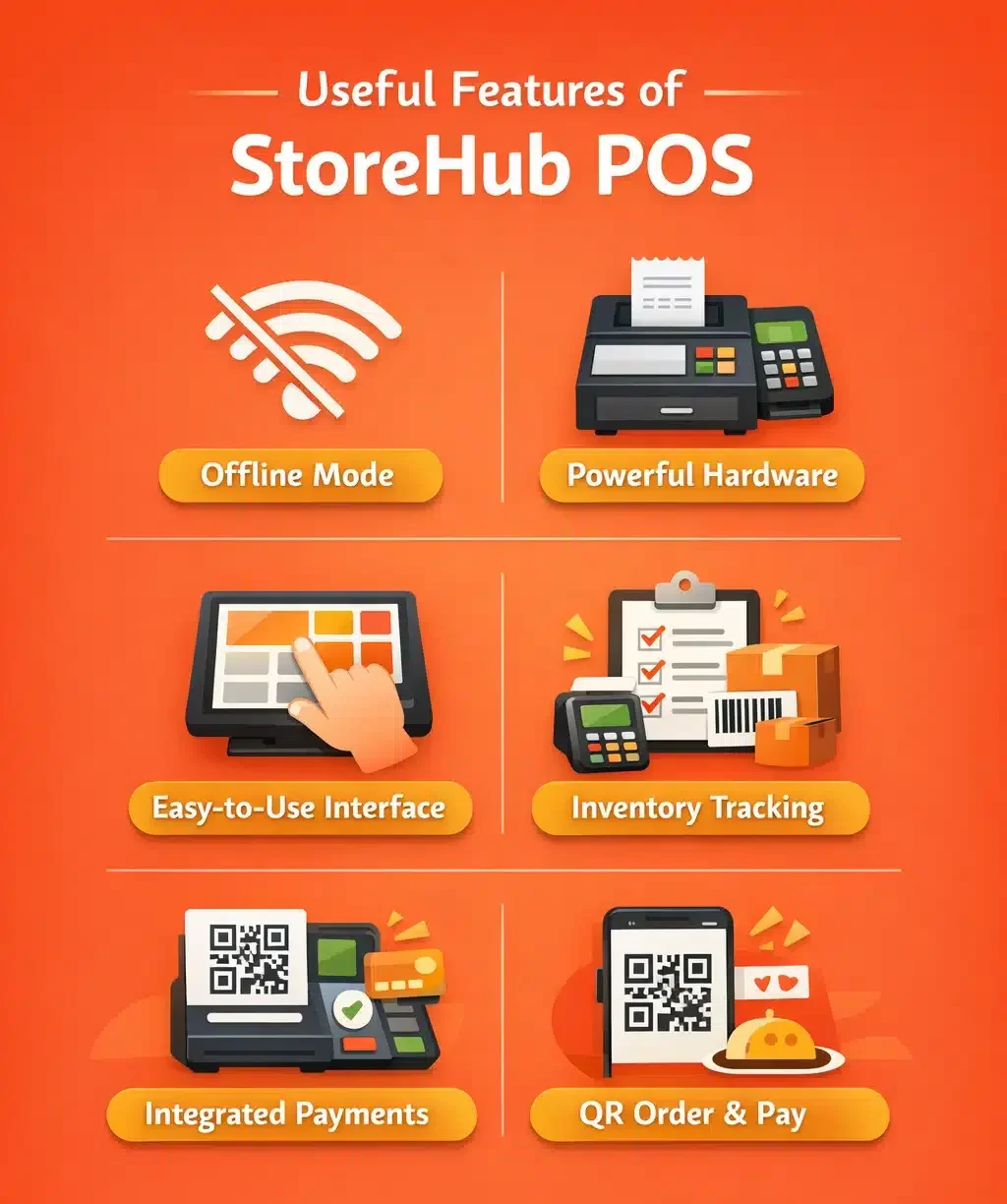
- Offline Mode: Keep operations running smoothly even without an internet connection. Orders and transactions will sync automatically once you’re back online.
- Powerful Hardware: Designed to withstand the demands of retail and restaurant environments. Reliable performance ensures smooth transactions and minimal unexpected system outages.
- Easy-to-Use Interface: Simple setup with an intuitive design for quick learning. Employees can start using the system with minimal training.
- Inventory Tracking: Monitor ingredients, stock levels, and profit margins in real-time. Reduce waste and prevent running out of best-selling items.
- Integrated Payments: Accept all QR-powered payments directly through your POS. Streamline checkout experiences and improve payment efficiency.
- QR Order & Pay: Automate in-store ordering and payment for faster service. Update menu items instantly and reduce reliance on manpower.
Pros of StoreHub POS
 StoreHub’s POS system makes running a business easier with smart, cloud-based features. From handling sales to keeping inventory in check, it helps business owners stay organized and in control.
Here are the advantages of using StoreHub’s POS for your business:
1. Easy to use
Most POS systems take too long to learn, leaving new staff struggling at the register while customers wait. StoreHub’s system makes everything simple with a clear, intuitive layout inspired by iOS.
Buttons stand out, menus are straightforward, and custom orders take just a few taps. Even someone new to POS systems can pick it up quickly.
2. Can work offline
StoreHub connects POS, e-commerce, and CRM in one system. Businesses selling both in-store and online never have to worry about inventory mismatches, when an item sells online, the system updates instantly.
Owners can check sales data from anywhere and pull past records in seconds to spot trends and repeat past successes.
3. Built-in E-Commerce Store
Opening an online store with StoreHub is quick and simple. The built-in site builder covers the basics, so businesses don’t have to juggle multiple platforms. It’s also easy to track sales across physical and online stores.
4. Cloud Technology
Since StoreHub runs on the cloud, every sale, report, and transaction update instantly. There’s no need to stress over failed backups or manual data storage, it’s all saved automatically and ready to access anytime.
"StoreHub’s cloud-based POS offers an intuitive interface, offline capability, built-in e-commerce, and real-time data syncing, making it a practical solution for businesses seeking simple operations."
Cons of StoreHub
While StoreHub offers a solid set of features, it’s not without its limitations. Some functions may fall short depending on a business’s specific needs, especially for those looking for more flexibility and advanced capabilities.
Here are some factors to consider when evaluating StoreHub’s POS system to see if it’s the right fit for your business, according to Bitcatcha:
1. No built-in profit & loss reporting
StoreHub’s POS does not include an income and expense forecast reporting feature, which means business owners can’t track net earnings directly within the system. This can be inconvenient for those who prefer a single platform for financial analysis.
However, StoreHub integrates with accounting software like QuickBooks and SQL, allowing users to export sales data and process financial reports externally. While this adds extra steps, it still provides a functional solution.
2. Customer support in office hours
StoreHub offers customer support 365 days a year from 8:30 AM to 10:30 PM, covering most business hours, but 24/7 operations, such as convenience stores or POS-driven retail similar to Qashier, may find this schedule limiting.
3. No direct migration for existing e-commerce stores
For businesses with an existing e-commerce store, StoreHub doesn’t support migration. Users must either create a new store on its platform or manage online and offline stores separately.
This won’t be a dealbreaker for brick-and-mortar businesses expanding online, but for entrepreneurs who started as online sellers, especially those using Lazada, Shopee, or Shopify, this limitation could be a major drawback.
Conclusion
StoreHub’s POS system offers a reliable, user-friendly solution for businesses needing cloud-based sales management, covering essential features like inventory tracking, e-commerce integration, and payment processing.
For companies looking for a more scalable solution with broader system integrations, alternative POS platforms provide advanced tools such as profit tracking, automated inventory updates, and compliance-ready reporting.
These systems help keep online and offline sales connected, making daily operations smoother and more efficient. Exploring these options through a free consultation can help businesses determine which POS solution best fits their needs.
Frequently Asked Questions on StoreHub POS
Yes, StoreHub works with QuickBooks and SQL, so users can export sales data and generate financial reports outside the system.
Yes, StoreHub provides a centralized dashboard where business owners can track sales, inventory, and staff performance across different store locations.
Yes, StoreHub includes a built-in loyalty system that helps businesses reward customers with points, discounts, and special promotions.
StoreHub runs on iPads which offers a touchscreen interface that simplifies sales transactions, inventory updates, and customer management.