






Tracking costs in manufacturing isn’t like regular accounting. You’re juggling raw materials, labor, overhead, work-in-progress inventory, and one miscalculation can throw off your entire margin.
According to ACPAPP, 96% of accountants agree that specialized accounting software boosts efficiency and cuts down on errors. That’s a pretty telling number. When your financial data flows directly from production, you get accurate costing without the manual headaches.
So what should you look for in a manufacturing accounting system? And which ones actually deliver for Philippine businesses? Let’s break it down.
Key Takeaways
Manufacturing accounting software is a specialized tool designed to help the manufacturing industry manage financial processes.
Manufacturing accounting software provides important advantages that help companies control production costs and financial activities more effectively.
HashMicro software is one of the best solutions in the Philippines. HashMicro offers you robust features with free demo sessions. You can discover its performance way before committing.
Here’s a shortlist of the top manufacturing accounting software in 2026:
| Brand | Best for | Pros | Cons |
|---|---|---|---|
| HashMicro | Best All-in-One Solution | Easy to use even if you’re not a tech-savvy; Strong local support in the Philippines; Highly customizable | Implementation takes varying amounts of time depending on your request; More suitable for medium to large manufacturing companies |
| Paychex | Payroll and HR Integration | Easy-to-use interface; Strong payroll integration; Excellent customer service | Limited manufacturing-specific features; May lack advanced reporting capabilities; Customization options are limited |
| Netsuite | Cloud-Based ERP Accounting | Scalable and flexible; Strong analytics capabilities; Comprehensive reporting tools | High learning curve; Can be expensive to implement; Requires significant customization |
| QuickBooks | Small and Medium Businesses | Easy to use; Affordable pricing; Strong support community | Limited scalability for larger operations; Lacks advanced manufacturing features; May require third-party integrations |
| Gusto | Automated Payroll & Compliance | User-friendly platform; Strong payroll and HR integration; Excellent customer support | Limited to small to medium-sized businesses; Not focused on manufacturing-specific needs; Basic accounting features |
| Xero | Scalable Financial Management | Intuitive user interface; Strong third-party app integrations; Real-time collaboration | Limited inventory management features; Can be expensive as more features are added; Customer support can be slow |
| Zoho | Affordable yet reliable accounting solution | Affordable and scalable; Strong integration; Customizable reports | Inventory management is a basic; Lacks advanced manufacturing-specific features; Can be challenging to navigate for beginners |
| FreshBooks | Simple invoicing, expense tracking, and financial reporting tools. | User-friendly interface; Strong customer support; Cloud-based accessibility | Limited scalability for larger businesses; Lacks advanced features for manufacturing; Reporting features are basic |
| Sage | In-depth financial analysis, forecasting, and budget planning | Comprehensive financial management; Strong reporting capabilities; Cloud-based accessibility | The interface may not be intuitive; Can be expensive for small businesses; Customer support can be slow |
| Katana | Precise inventory tracking, material planning, and real-time cost monitoring. | Tailored for manufacturing needs; Strong inventory management; Real-time updates | Can be complex to set up; May require integration with other software; Customer support is limited |
| Wave | Free yet functional accounting system | Free to use; User-friendly interface; Cloud-based accessibility | Limited features for growing businesses; Lacks advanced manufacturing-specific features; Customer support is minimal |
| Deskera | Inventory, HR, and supply chain management. | Easy to use; Strong multi-currency support; Comprehensive reporting tools | Limited advanced features for larger companies; Can be expensive as you scale; Customer support can be slow |
| Rootstock | Accurate costing and full visibility across manufacturing | Excellent costing capabilities; Strong Salesforce integration; Great visibility for multi-entity finance | Implementation can be complex; Not ideal for small teams; Higher learning curve |
| MRPeasy | Affordable system with reliable costing and manufacturing | Easy to use for SMEs; Affordable for growing manufacturers; Strong costing tools | Limited customization; Not suited for large enterprises; Some features require upgrades |
| Unleashed | Accurate cost tracking and improved manufacturing | Excellent cost and margin visibility; Strong cloud integrations; Useful for improving financial clarity | Limited customization; Not suited for large enterprises; Some features require upgrades |
What is Manufacturing Accounting Software?
Manufacturing accounting software handles the financial side of production—cost tracking, budgeting, inventory valuation, and reporting. Unlike generic accounting tools, it’s built to handle the complexity of manufacturing: multiple cost centers, bill of materials, job costing, and production overhead.
The software uses double-entry accounting to track and allocate costs like labor and overhead accurately. This gives manufacturers better visibility into what each product actually costs to make.
Research from Southeast Asia found a strong link between implementing production accounting systems and improvements across planning, cost control, and operational execution. In short, the right system doesn’t just track numbers—it helps you make better decisions.
Why Use Manufacturing Accounting Software?
The right system does more than track numbers. Here’s what you actually get:
- Better cost visibility — You see exactly what materials, labor, and overhead cost in real time. That means you can price products accurately and catch margin issues before they become problems.
- Faster reporting — Manual reports eat up time and introduce errors. Automated reporting gives you accurate statements, forecasts, and cost analyses when you need them.
- Inventory clarity — When your accounting system connects to production, you know where inventory stands—raw materials, work-in-progress, finished goods. No more guesswork.
- Smarter budgeting — With up-to-date cost data, you can forecast cash flow and plan budgets based on reality, not estimates.
- Easier compliance — Consistent documentation and accurate records make audits less painful. When everything’s tracked properly, you’re not scrambling to reconstruct data.
“Manufacturing accounting software enables manufacturers to accurately track costs, automate reporting, improve inventory and production visibility, enhance budgeting and forecasting, and maintain compliance through reliable, real-time financial data.”
— Angela Tan, Regional Manager
What to Look for in Manufacturing Accounting Software

Before picking a system, understand what features actually matter for your operations:
- Cost tracking – You need accurate tracking of production costs, including materials, labor, and overhead. This is foundational for understanding profitability.
- Budgeting and forecasting – The ability to plan ahead based on actual data helps you allocate resources effectively.
- Compliance and audit trails – Your system should maintain records that comply with local regulations and provide clear documentation for audits.
- Integration capabilities – The software should connect with your other systems—inventory, CRM, supply chain, so you’re not managing data in silos.
- Financial reporting – You’ll want reports that show margin analysis, profit and loss, and cost breakdowns without requiring manual compilation.
These features don’t have to come at a premium price. Many vendors offer competitive pricing, especially for Philippine businesses.
Business people, before you know the best manufacturing accounting software in the Philippines, it’s smart to understand the key factors and features of the ideal accounting software. These features are:
- Cost tracking: Accurately tracks production costs, including materials, labor, and overhead, helping businesses in the Philippines control expenses and optimize profitability.
- Budgeting and forecasting: This feature enabling better financial planning and resource allocation. Nakakatulong ito sa mas epektibong pagpaplano para sa mga gastos sa hinaharap.
- Compliance and audit trails: Ensures that all financial transactions comply with local regulations and provides an audit trail to detect and prevent fraud.
- Integration with other modules: Integration with other modules: Seamlessly integrates with business budgeting software and other systems like manufacturing execution system, CRM, inventory, and supply chain management, providing a unified view of the business.
Read also : Remittance Advice for Bookkeeping
The 15 Best Accounting Software for Manufacturing in 2026
Manufacturing accounting has its own set of requirements that general-purpose software often can’t meet. You need something that handles job costing, tracks production expenses, and integrates with your operations.
Here’s our breakdown of the top options available for Philippine manufacturers in 2026.
1. HashMicro Manufacturing Accounting Software
HashMicro offers a full-featured manufacturing accounting solution designed for the Philippine market. It’s a solid choice for businesses that want financial management tightly integrated with their production workflows.
The platform has served over 1,750 businesses across various industries. You can try the software through their free demo to see if it fits your operations.
Key features:
- Budget forecasting based on historical data
- Multi-level analytics with real-time filtering by project, branch, or department
- S-curve visualization for tracking project spending
- Automated bank reconciliation
- Customizable financial reporting
| Pros | Cons |
| Easy to use even if you’re not a tech-savvy | More suitable for medium to large manufacturing companies |
| Strong local support in the Philippines | Implementation takes varying amounts of time depending on your request. |
| Highly customizable | Free to add users with no additional cost |
Suitable for: Mid-size to large manufacturers looking for an integrated ERP and accounting system to manage finances and production costs together.
2. Paychex
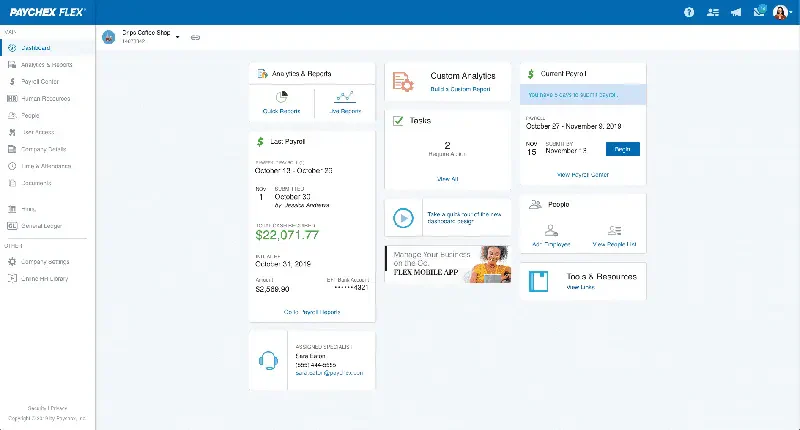
Paychex is primarily known for payroll and HR, but it also offers accounting features that work well for manufacturing companies with sizable workforces.
If payroll is a major pain point—say you have shift workers, overtime calculations, or complex benefit structures—this could simplify things significantly.
Key features:
- Payroll integration
- Tax compliance tools
- Employee management
| Pros | Cons |
| Easy-to-use interface | Limited manufacturing-specific features |
| Strong payroll integration | May lack advanced reporting capabilities |
| Excellent customer service | Customization options are limited |
| Reliable tax compliance tools | Not as robust for large-scale operations |
Suitable for: Manufacturers with large teams who need automated payroll, tax compliance, and benefits management more than they need production costing.
3. NetSuite Manufacturing Accounting
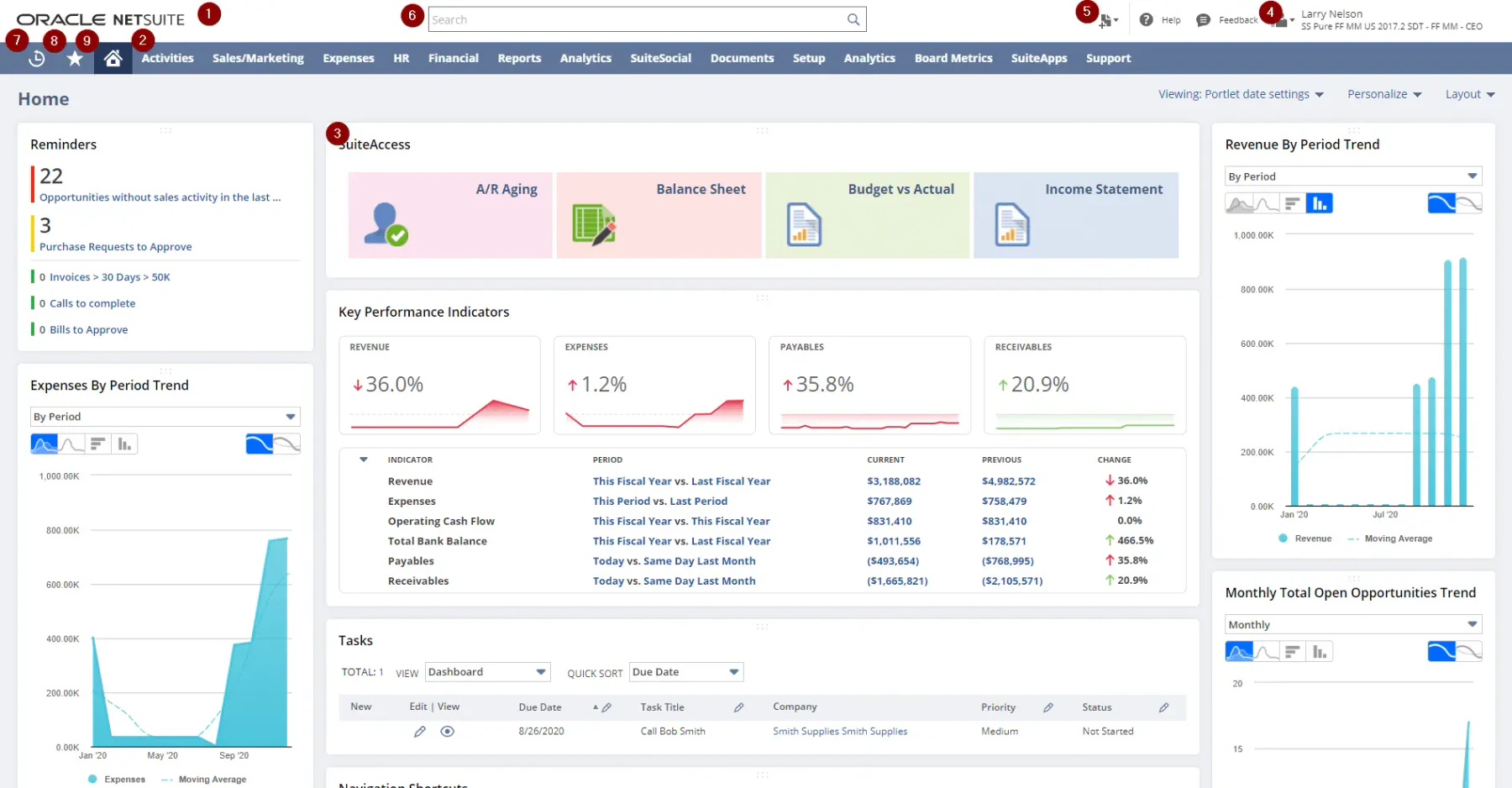
NetSuite delivers a cloud-based ERP with strong accounting capabilities. It’s designed for companies managing complex operations across multiple locations or product lines.
The platform handles everything from financial management to supply chain visibility, making it a popular choice for growing enterprises.
Key features:
- Financial management suite
- Supply chain integration
- Advanced analytics and reporting
| Pros | Cons |
| Scalable and flexible | High learning curve |
| Strong analytics capabilities | Can be expensive to implement |
| Comprehensive reporting tools | Requires significant customization |
| Excellent global support | May be overkill for smaller operations |
Suitable for: Enterprises needing cloud-based financial management with real-time inventory tracking and supply chain oversight.
4. QuickBooks Online
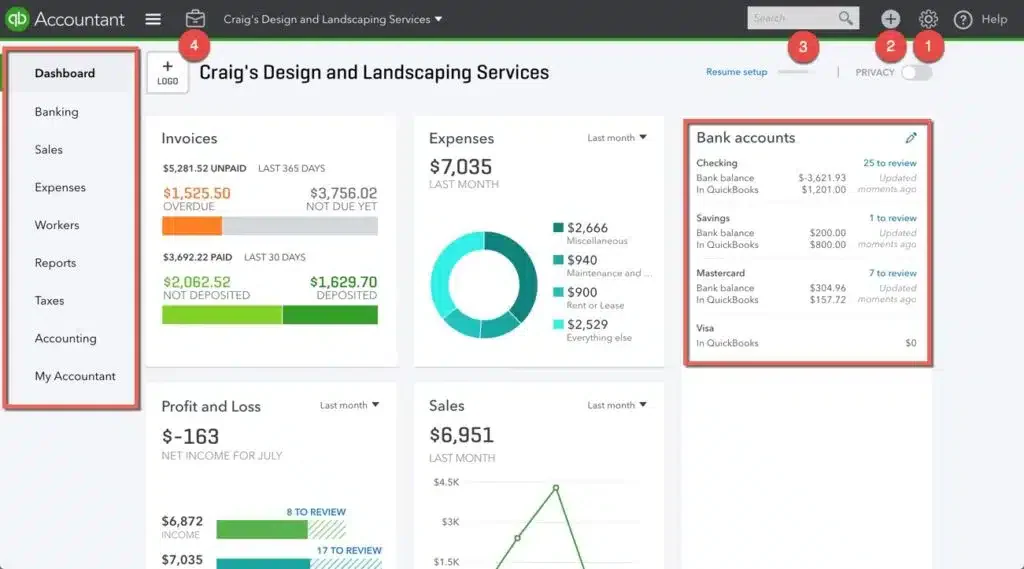 QuickBooks Online works well for smaller manufacturers who need straightforward accounting without the complexity of enterprise systems. It’s easy to use and gets the basics done.
That said, it wasn’t built with manufacturing in mind. For heavier production tracking needs, you might outgrow it.
Key features:
- Invoicing and billing
- Expense tracking
- Basic inventory management
| Pros | Cons |
| Easy to use | Limited scalability for larger operations |
| Affordable pricing | Lacks advanced manufacturing features |
| Strong support community | May require third-party integrations |
| Cloud-based accessibility | Reporting features are basic |
Suitable for: Small to mid-sized manufacturers looking for simple accounting with essential financial tracking.
Also read: Top Manufacturing Asset Management Software
5. Gusto Manufacturing Business Accounting
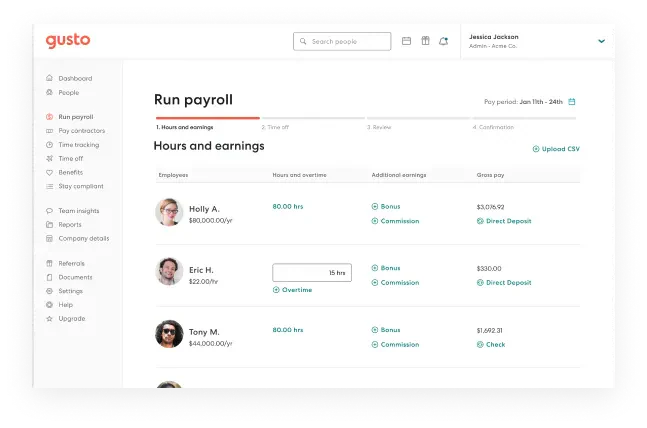
Gusto started as a payroll platform and has expanded into bookkeeping. For manufacturers, it’s useful if HR and payroll integration matters more than production costing.
The automated processes cut down on manual work, which helps if you’re managing a growing team.
Key features:
- Payroll management
- Employee benefits administration
- Tax filing assistance
| Pros | Cons |
| User-friendly platform | Limited to small to medium-sized businesses |
| Strong payroll and HR integration | Not focused on manufacturing-specific needs |
| Excellent customer support | Basic accounting features |
| Automated tax filings | Lacks advanced financial reporting |
Suitable for: Manufacturers prioritizing payroll automation and employee management over production accounting.
6. Xero Manufacturing Accounting Software
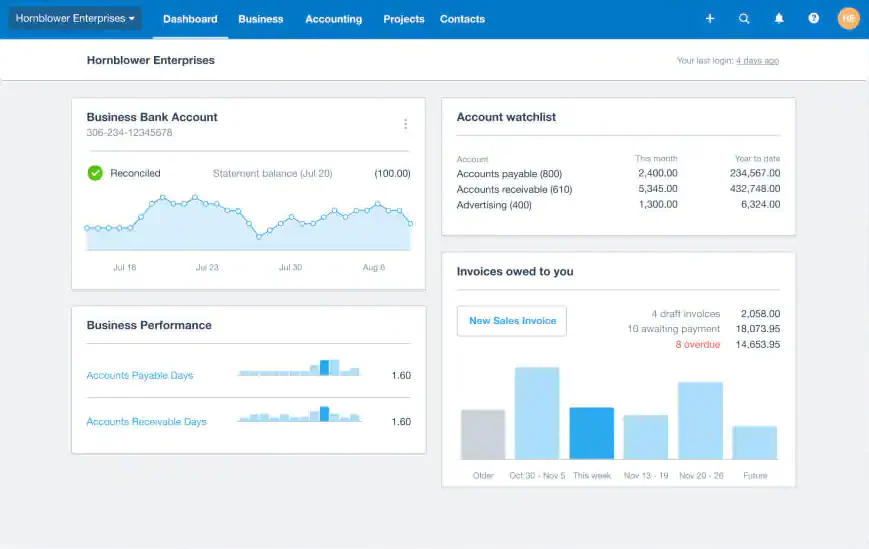
Xero is a cloud-based accounting platform known for its clean interface and strong third-party integrations. It works well for manufacturers who need real-time collaboration with accountants or bookkeepers.
The platform’s flexibility makes it a decent option for growing businesses, though you may need add-ons for manufacturing-specific functions.
Key features:
- Real-time financial tracking
- Invoice and billing management
- Bank reconciliation
| Pros | Cons |
| Intuitive user interface | Limited inventory management features |
| Strong third-party app integrations | Can be expensive as more features are added |
| Real-time collaboration | Customer support can be slow |
| Cloud-based accessibility | Not tailored for large-scale manufacturers |
Suitable for: Growing manufacturers that need scalable financial systems and value third-party integrations.
7. Zoho Books
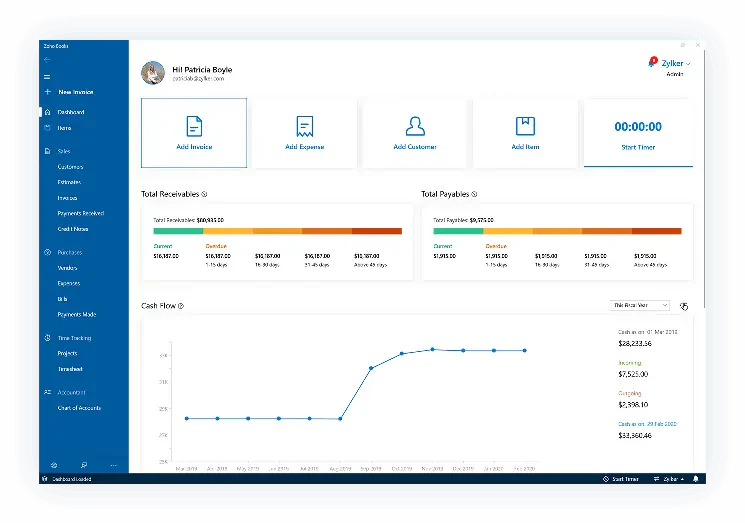
Zoho Books fits well if you’re already using other Zoho products—the ecosystem integration is smooth. It offers solid accounting features at a competitive price point.
For small to medium manufacturers, it covers the essentials without overwhelming you with enterprise-level complexity.
Key features:
- Invoicing and expense tracking
- Project accounting
- Financial reporting
| Pros | Cons |
| Affordable and scalable | Inventory management is a basic |
| Strong integration with Zoho ecosystem like Zoho accounting software | Lacks advanced manufacturing-specific features |
| Customizable reports | Can be challenging to navigate for beginners |
| Easy to use | Limited customer support |
Suitable for: Startups and small manufacturers looking for affordable accounting with automation.
8. FreshBooks Manufacturing Business Accounting
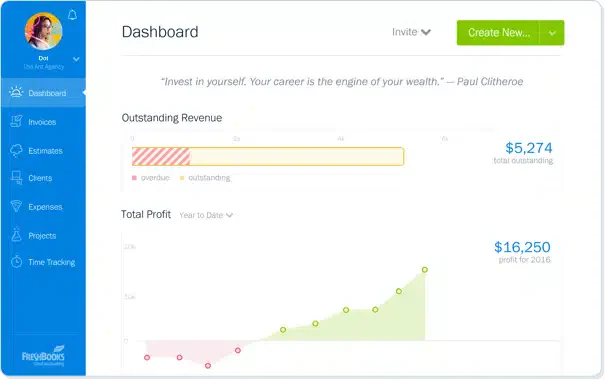 FreshBooks keeps things simple. It’s built for small businesses and excels at invoicing and expense tracking. If you’re a smaller operation that doesn’t need heavy production costing, it gets the job done.
The interface is clean and easy to navigate, even if you’re not an accounting expert.
Key features:
- Invoicing and billing
- Expense tracking
- Time tracking
| Pros | Cons |
| User-friendly interface | Limited scalability for larger businesses |
| Strong customer support | Lacks advanced features for manufacturing |
| Cloud-based accessibility | Reporting features are basic |
| Integrates with multiple payment gateways | Inventory management is limited |
Suitable for: Small-scale manufacturers needing simple invoicing, expense tracking, and reporting.
9. Sage Business
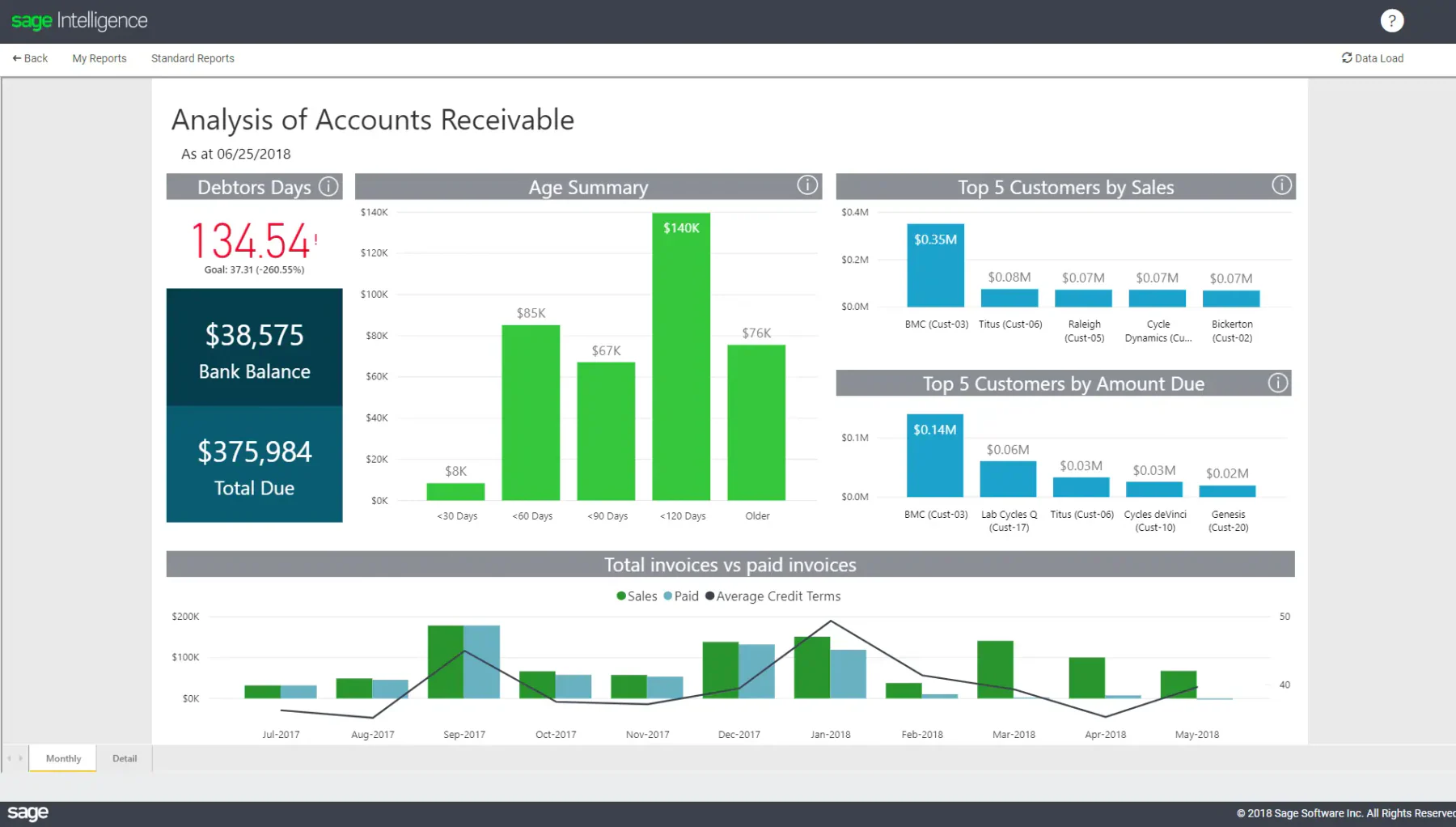
Sage Business offers detailed financial management with strong reporting capabilities. It’s a good fit for manufacturers who need in-depth analysis and forecasting.
The platform helps maintain accurate financial records and supports data-driven decision-making.
Key features:
- Invoice management
- Expense tracking
- Cash flow forecasting
| Pros | Cons |
| Comprehensive financial management | The interface may not be intuitive |
| Strong reporting capabilities | Can be expensive for small businesses |
| Cloud-based accessibility | Customer support can be slow |
| Scalable and flexible | Requires customization for manufacturing needs |
Suitable for: Manufacturers requiring in-depth financial analysis, forecasting, and budget planning.
10. Katana
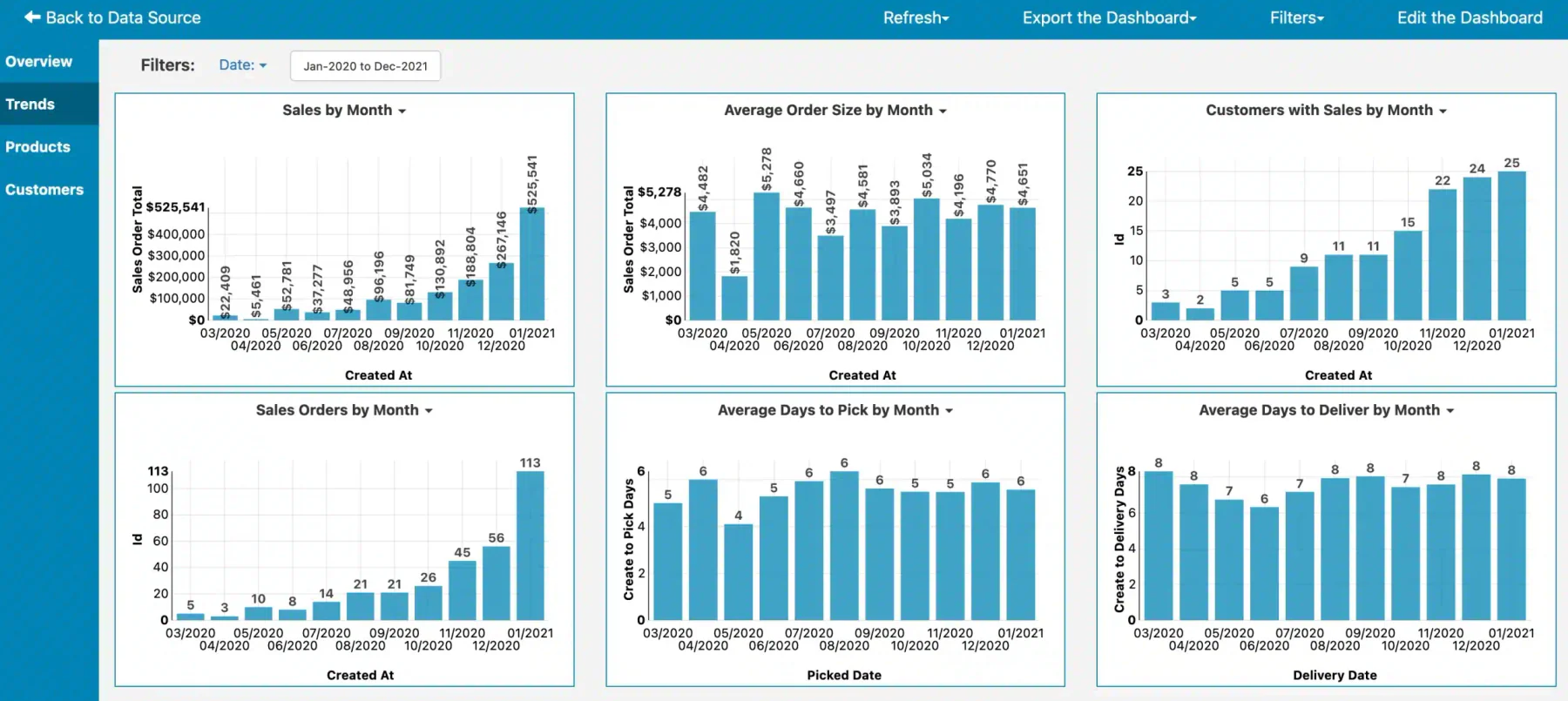 Katana is purpose-built for manufacturing. It combines accounting with inventory management and production planning in one platform. This makes it a strong choice if you need tight integration between financial data and shop floor operations.
Real-time visibility across inventory and production costs is where it really shines.
Key features:
- Real-time inventory management
- Production planning
- Sales order tracking
| Pros | Cons |
| Tailored for manufacturing needs | Can be complex to set up |
| Strong inventory management | May require integration with other software |
| Real-time updates | Customer support is limited |
| Excellent production planning tools | Pricing can be high for small businesses |
Suitable for: Manufacturers relying on precise inventory tracking, material planning, and real-time cost monitoring.
Read More: Top Manufacturing Inventory Software
11. Wave Accounting for Manufacturing
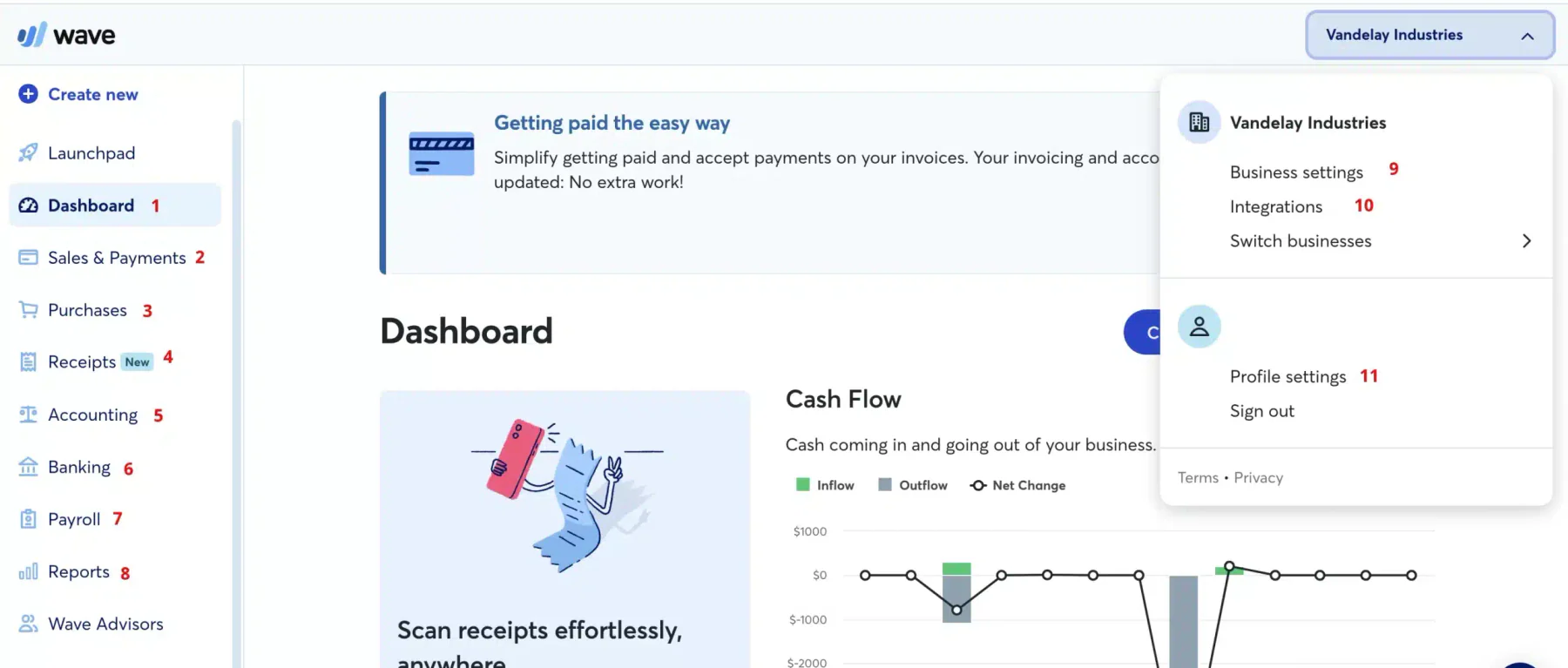
Wave is free, which makes it attractive for small manufacturers just starting out. It covers basic invoicing, expense tracking, and financial reporting without the subscription fees.
Keep in mind—you get what you pay for. It lacks the manufacturing-specific features you’d find in paid platforms.
Key features:
- Invoicing and billing
- Expense tracking
- Financial reporting
| Pros | Cons |
| Free to use | Limited features for growing businesses |
| User-friendly interface | Lacks advanced manufacturing-specific features |
| Cloud-based accessibility | Customer support is minimal |
| Integrates with payroll and payments | Reporting features are basic |
Suitable for: Small businesses and startups looking for free, functional accounting for basic financial tasks.
12. Deskera Books
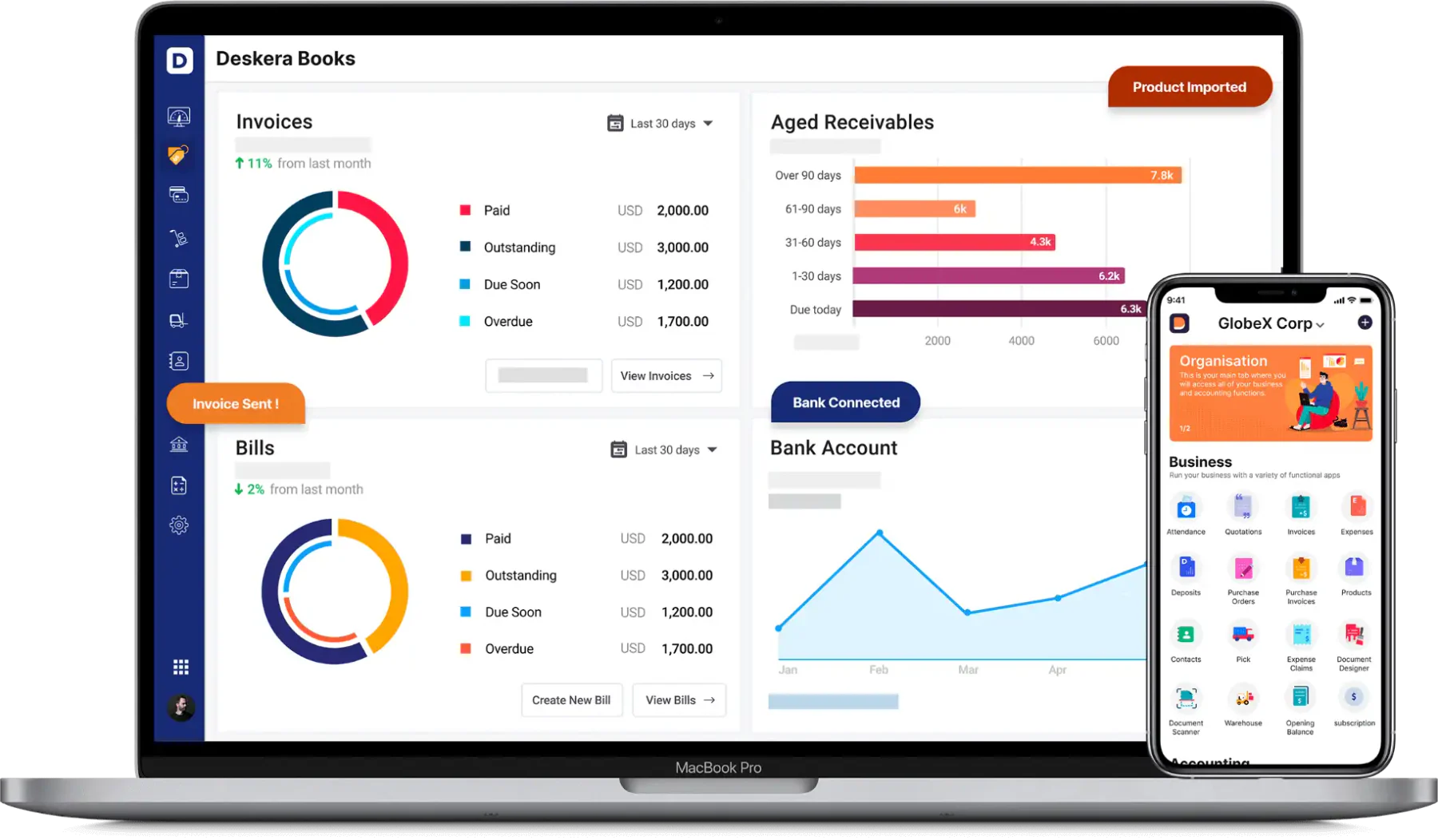
Deskera Books targets small to medium-sized companies with a comprehensive platform that includes accounting, inventory, and HR tools. The multi-currency support is helpful for businesses dealing with international suppliers.
It’s a decent all-in-one option if you want to consolidate multiple tools.
Key features:
- Inventory management
- Multi-currency support
- Real-time financial reporting
| Pros | Cons |
| Easy to use | Limited advanced features for larger companies |
| Strong multi-currency support | Can be expensive as you scale |
| Comprehensive reporting tools | Customer support can be slow |
| Integrates well with other Deskera tools | Interface can be challenging for beginners |
Suitable for: Manufacturers needing an all-in-one system for accounting, inventory, HR, and supply chain.
13. Rootstock Software for Manufacturing
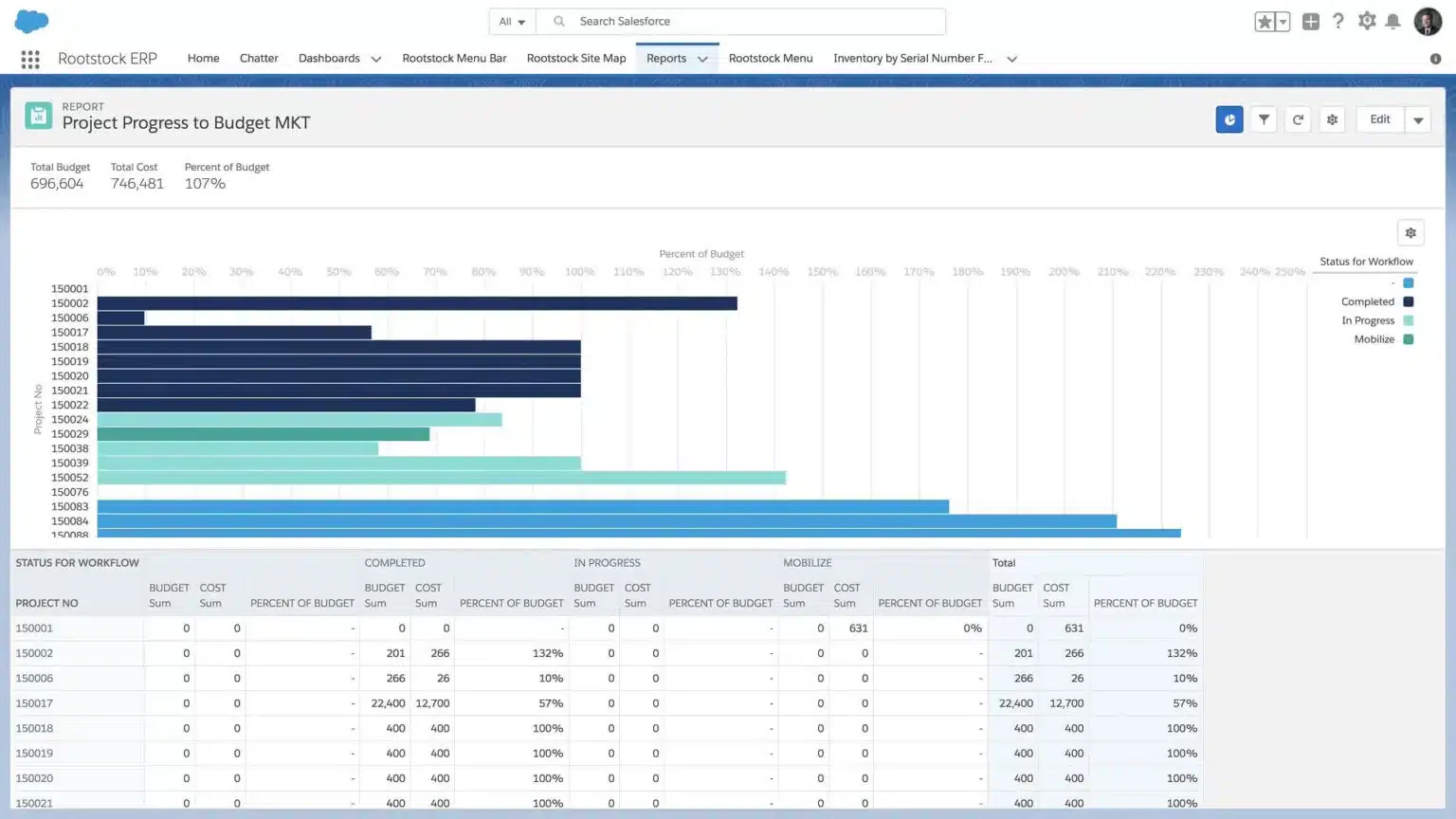
Rootstock is built on Salesforce, which means strong CRM integration if that matters to your business. It provides end-to-end support for manufacturing accounting with good visibility into material, labor, and overhead costs.
The cloud-based platform works well for companies already invested in the Salesforce ecosystem.
Key features:
- Real-time production costing
- Automated financial reports
- Salesforce integration
| Pros | Cons |
| Excellent costing capabilities | Implementation can be complex |
| Strong Salesforce integration | Not ideal for small teams |
| Great visibility for multi-entity finance | Higher learning curve |
Suitable for: Medium to large manufacturers needing accurate costing and full visibility across production and finance.
14. MRPeasy for Manufacturing
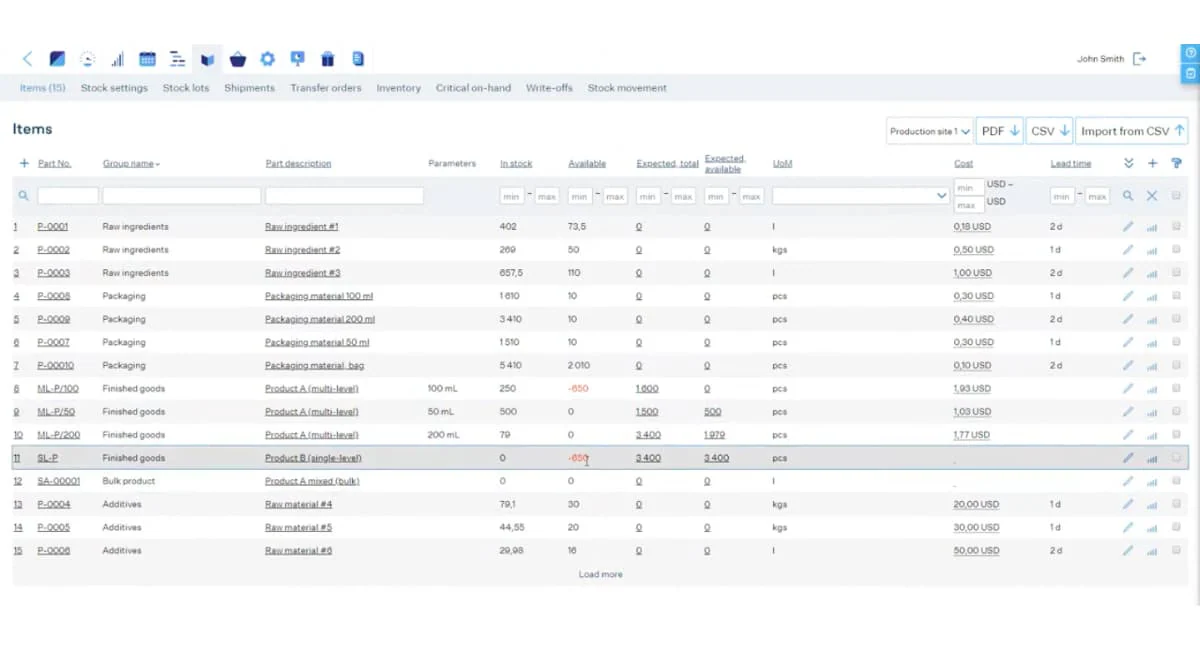 MRPeasy offers lightweight but capable tools for small and mid-sized manufacturers. It handles production planning and cost tracking without the complexity (or price tag) of enterprise systems.
If you want clear financial visibility without heavy implementation, it’s worth considering.
Key features:
- Automated cost tracking
- Budgeting and financial reporting
- Material and labor cost monitoring
| Pros | Cons |
| Easy to use for SMEs | Limited customization |
| Affordable for growing manufacturers | Not suited for large enterprises |
| Strong costing tools | Some features require upgrades |
Suitable for: SMEs seeking affordable production costing and manufacturing accounting.
15. Unleashed Software for Manufacturing
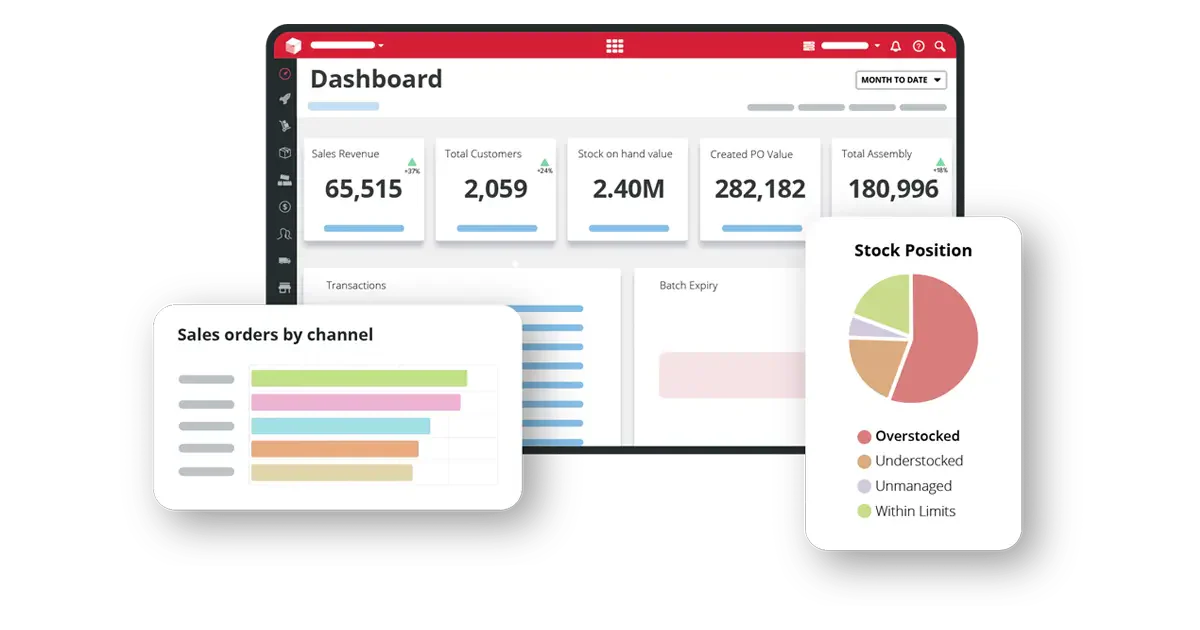
Unleashed focuses on inventory and costing, making it a good match for manufacturers who need tight control over margins and production expenses. It integrates with Xero and QuickBooks for the accounting side.
Stock movement tracking and margin analysis are its strong points.
Key features:
- Real-time margin tracking
- Xero and QuickBooks integration
- Detailed costing insights
| Pros | Cons |
| Excellent cost and margin visibility | Limited customization |
| Strong cloud integrations | Not suited for large enterprises |
| Useful for improving financial clarity | Some features require upgrades |
Suitable for: Manufacturers and distributors needing accurate cost tracking and inventory management.
How to Choose the Best Manufacturing Accounting Software
 Choosing the right manufacturing accounting software is important for your business. Here’s how to make the best choice:
- Start with your pain points. What’s actually causing problems? Manual data entry? Poor cost visibility? Integration gaps? Your answer shapes which features matter most.
- Think about scale. Will your operations grow significantly in the next few years? Pick software that can grow with you rather than something you’ll outgrow in 18 months.
- Consider usability. The best system is one your team will actually use. If it’s too complex, adoption suffers, and you lose the benefits.
- Check security. Your financial data needs protection. Look for encryption, regular backups, and proper access controls.
- Evaluate support. When something breaks (and it will), you want responsive support—ideally with local availability for Philippine time zones.
2026 Market Trends Affecting Your Decision
AI Becomes Standard, Not Premium
According to Accounting Today, 2026 is “the year AI becomes mainstream in finance and accounting.” But here’s the practical reality:
- What AI does well now: Transaction categorization, anomaly detection, basic forecasting
- What AI still struggles with: Complex cost allocation, custom manufacturing scenarios, judgment calls
Don’t pay a premium for “AI-powered” if the underlying functionality doesn’t meet your needs.
Platform Consolidation
The industry is moving from “best-of-breed point solutions” to “comprehensive suites.” In practice, this means:
- Fewer standalone accounting tools
- More ERP systems with integrated accounting modules
- Tighter integration between production and finance
For mid-sized manufacturers, this of m,.k;lment hit 67% of new implementations in 2024. But for Philippine manufacturers with unreliable internet or strict data residency requirements, on-premise still makes sense.
Consider hybrid approaches: cloud-based financials with on-premise production systems that sync during off-peak hours.
Conclusion
Picking the right manufacturing accounting software comes down to understanding your specific needs and matching them to the right capabilities. There’s no universal best choicei, it depends on your size, complexity, budget, and growth plans.
Take the time to evaluate your options, request demos where available, and involve your finance and operations teams in the decision. The right system pays for itself through better cost control, faster reporting, and clearer visibility into your manufacturing performance.
FAQ about Manufacturing Accounting Software
Enterprise Resource Planning (ERP) Software, Product Lifecycle Management (PLM) Software, Supply Chain Management (SCM) Software, Human Resources Management System (HRMS) Software, and Internet of Things (IoT) for Manufacturing.
Manufacturing ERP offers features specifically designed to meet the unique requirements and processes of manufacturing businesses. It encompasses Bill of Materials, shop floor management, supply chain, inventory control, quality assurance, and other essential functions.
Manufacturing accounting is a specific area of cost accounting that deals with managing and overseeing the financial aspects of manufacturing operations within a company. It plays a crucial role in tracking production costs, monitoring budgets, and ensuring effective financial control in the manufacturing process.
Manufacturing accounting software is used to track production costs, manage inventory valuation, handle job costing, and generate financial reports. It helps manufacturers maintain accurate cost data and supports better budgeting and resource planning.
Job costing is a method used to calculate the total cost of a specific production run or project. It includes materials, labor, and overhead expenses. This approach helps manufacturers measure profitability, control expenses, and improve future cost estimates.