







Key Takeaways
|
Top POS Software in Cebu Shortlist
| Brand | Best for | Pros | Cons |
|---|---|---|---|
| HashMicro | Best all-in-one customizable POS solution with automation and unlimited user access. | Intuitive user interface and easy navigation; Customizable in detail according to the company’s needs; Integrates with other systems like inventory & CRM.; 100% unlimited users without additional user fees. | Implementation duration may vary depending on company needs; Free demo queue may take time due to high demand. |
| Oracle | A POS system used in the hospitality industry for order management and analytics. | Highly optimized for hospitality and food service; AI-driven analytics for smarter business decisions; Seamless multi-channel order management. | The pricing is relatively higher compared to many competitors; Requires a stable internet connection for cloud features; Setup and training may take time for new users. |
| Storehub | Cloud-based POS software with marketing and sales tools. | Easy to use, even for beginners; Cloud-based for remote access; Good customer support and training. | Limited advanced features for large enterprises; Requires internet for full functionality; May not integrate with all third-party accounting tools. |
| Shopify | Connects with e-commerce platforms for online and in-store sales. | Easy-to-use interface for all businesses; Scalable for small to large businesses; Mobile POS support for flexible selling. | Monthly subscription fees can add up; Limited offline functionality without an internet connection; Some advanced features require higher-tier plans. |
| Clover | Includes payment processing and customer management features. | User-friendly interface and easy setup; Supports multiple payment options; Built-in customer loyalty and rewards. | Hardware costs can be high; Monthly subscription required for advanced features; Some features may require additional fees. |
| Loyverse | Helps with sales tracking and inventory management. | Easy setup and user-friendly interface; Mobile POS support for convenience; Real-time sales tracking and analytics. | Limited advanced features for large enterprises; Requires internet for cloud synchronization; Additional add-ons may require extra payment. |
| Ansi | Provides inventory tracking and multiple payment options. | User-friendly interface; Cloud-based for real-time data access; Strong inventory and sales tracking. | Some advanced features require additional costs; Limited third-party integrations; Requires stable internet connection. |
| Mosaic | Commonly used in retail and restaurants for sales tracking. | Strong inventory and sales tracking; Easy-to-use interface; Multi-location support. | Requires stable internet connection; Limited advanced features for large enterprises; Some integrations may require additional fees. |
| Qashier | Designed for SMEs with automation and payment processing. | Cloud-based system for remote access; Automated inventory and sales tracking; User-friendly interface. | Monthly subscription required for full functionality; Limited customization compared to enterprise-level POS; Some advanced features may require add-ons. |
| Tagrain | Supports multiple stores and offers sales analysis. | Easy-to-use interface; Multi-store support; Built-in loyalty and promotions. | Limited advanced features for large enterprises; Requires internet for full functionality; Some integrations may require additional costs. |
What is POS Software?
POS (Point of Sale) software serves as the digital command center for Cebu businesses, a unified platform where transactions, inventory, and customer data come together in one system.
For local entrepreneurs, it is more than just technology, and it helps connect traditional Filipino business values, such as personalized customer relationships and loyalty, with the efficiency of modern business operations.
Modern sales terminal activities systems designed for the Philippine market typically include:
- BIR-compliant receipt generation
- Integration with GCash, Maya, and local bank payments
- Multi-branch synchronization (ideal for Cebu’s expanding business chains)
- Tagalog/Bisaya language interface options
- Offline mode capability (essential during occasional power fluctuations)
Cebu’s Thriving Business Sectors That Benefit from POS Systems

A POS system benefits many industries, speeding up daily transactions and improving overall business operations. Businesses in all industries, from food service to retail and even specialized services, can greatly benefit from automation and better tracking.
If you’re wondering whether your business needs one, check out these industries that need POS software:
- Lechon & Regional Food Businesses
Cebu’s famous lechon enterprises, from CnT to Zubuchon, require POS systems capable of handling both retail sales and large catering orders with weight-based pricing. - Dried Goods & Pasalubong Shops
The iconic dried mango and otap shops around Mactan Airport and Taboan Market benefit from inventory tracking systems designed for perishable goods with varying expiration dates - Furniture & Handicraft Retailers
Mandaue’s furniture district needs POS solutions that handle custom orders, deposits, and complex delivery scheduling. - Dive Shops & Water Sports Rentals
Moalboal and Malapascua’s dive operators require systems tracking equipment rentals, package deals, and instructor commissions. - IT Park & Tech Hub Businesses
The modern cafes, co-working spaces, and retail shops in Cebu IT Park demand sophisticated POS systems with loyalty programs and mobile ordering. - Traditional Markets Going Digital
Carbon Market vendors and Taboan dried fish sellers are increasingly adopting mobile POS solutions to accept GCash and card payments from younger customers. - Beauty & Wellness Centers
From Ayala’s high-end spas to neighborhood salons, appointment scheduling integrated with POS streamlines service businesses.
With the right POS software, businesses can improve operations and customer satisfaction. In the Philippines, POS systems must comply with BIR regulations like RR No. 11‑2004, requiring accreditation and proper receipts to avoid penalties.
List of Top POS Software Providers Available in Cebu (2025)
Now we’ve discussed what POS software is and already know if your business needs this software or not. Let’s dive into each of the 10 best POS software that is available in Cebu:
1. Oracle Simphony
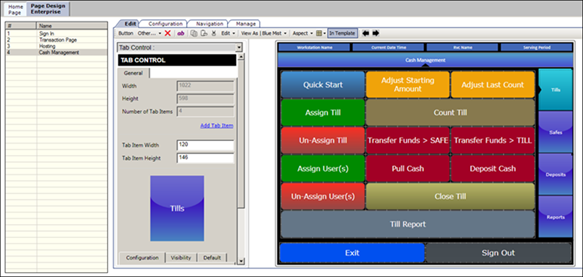
Oracle Simphony is a cloud-based POS system built for the fast-paced needs of the hospitality and food service industry. It provides businesses with real-time insights and automated reporting to enhance customer engagement strategies.
With its AI-driven analytics and strong integration with Oracle’s business solutions, Simphony helps businesses make data-driven decisions. It simplifies complex workflows, ensuring smoother service and faster transactions.
Here are some features of Oracle Symphony:
- Smart Inventory Management – Automates stock tracking to reduce waste and ensure essential ingredients or products never run out.
- Real-Time Table Management – Provides up-to-date views of table statuses, helping staff manage seating and improve service efficiency.
- Menu Management – Enables centralized updates to menu items, prices, and promotions across all POS devices and digital platforms.
- Kitchen Display Systems (KDS) – Replaces paper tickets with digital displays in the kitchen, improving order accuracy and communication among staff.
- Reporting and Analytics – Offers real-time performance data and customizable reports to help businesses make informed decisions.
| Pros | Cons |
|---|---|
|
|
Why choose Oracle? Oracle Simphony elevates businesses with powerful automation, reducing wait times and boosting efficiency. Its smart analytics and cloud capabilities help businesses grow effortlessly.
2. HashMicro
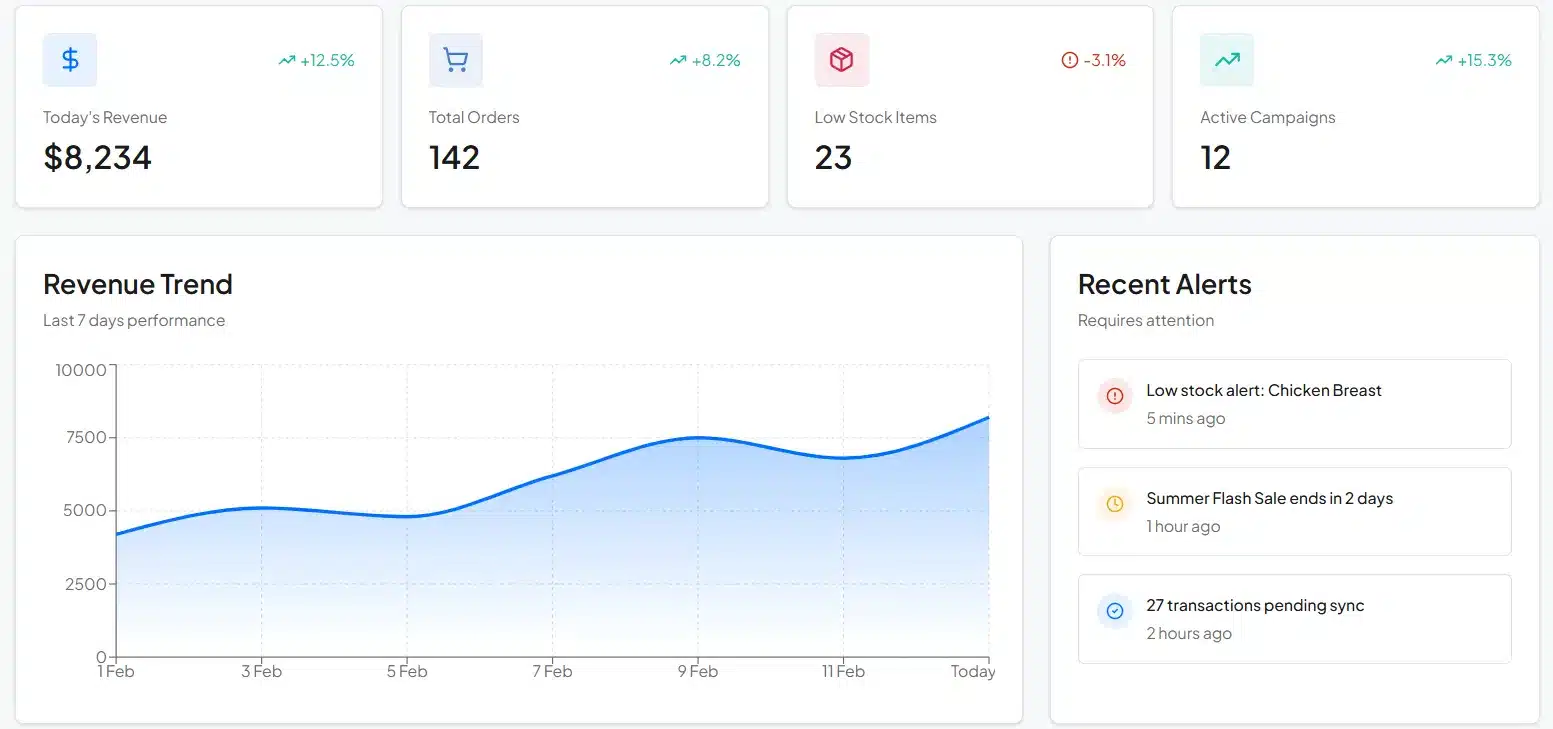
HashMicro POS software is a powerful cloud-based solution designed to help Cebu businesses simplify transactions, optimize inventory, and enhance financial management.
HashMicro offers a tailored solution to simplify your workflows. With a focus on automation, this POS software eliminates repetitive tasks and provides real-time data insights, allowing businesses to make informed decisions faster. HashMicro’s integration with other essential business tools ensures smooth operations across different departments.
Now, let’s see some features that set HashMicro apart from other POS solutions:
- Stock Optimizer – Tracks stock levels in real-time and adjusts inventory based on sales trends to reduce overstock and prevent stockouts.
- Automated Promotion Management – Allows businesses to set up promotions and dynamic pricing across multiple channels to attract customers.
- Barcode and RFID Integration – Streamlines checkout and inventory tracking with accurate barcode and RFID scanning capabilities.
- In-depth Reporting Management – Provides detailed insights into sales, customer behavior, and operational performance for better decision-making.
- Hybrid Mode – Ensures uninterrupted transactions by allowing businesses to continue processing sales even during connectivity issues both online and offline.
| Pros | Cons |
|---|---|
|
|
Why choose Hashmicro? HashMicro simplifies business operations with seamless automation, making work faster and stress-free. Its smart integrations and intuitive design create a smooth experience.
3. Storehub
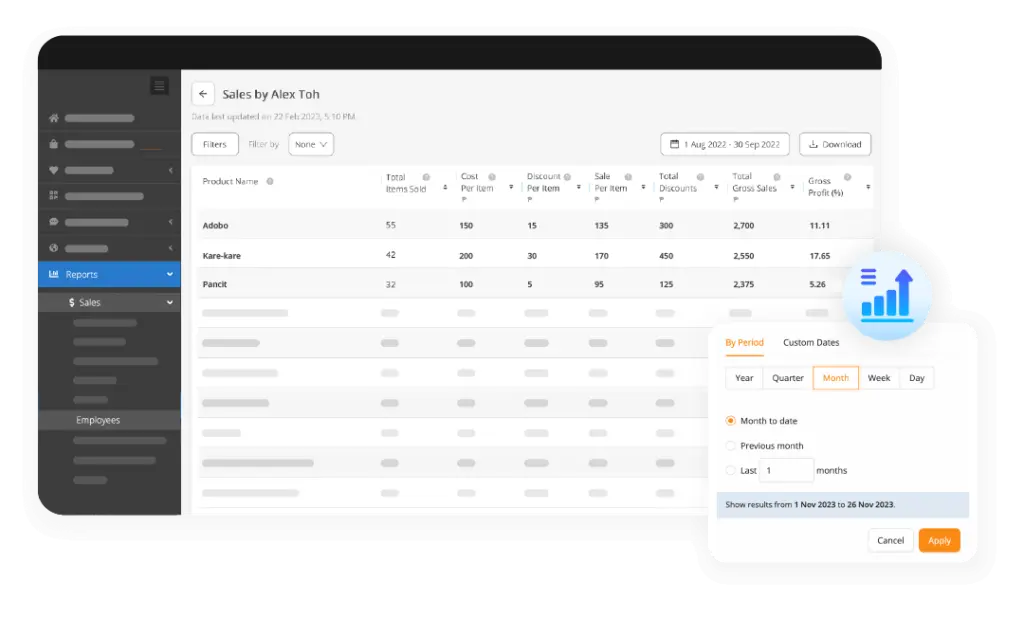 StoreHub has built a notable presence in Southeast Asia’s SME market, and Cebu businesses have begun adopting the platform for its regional relevance. StoreHub understands the operational rhythms of Philippine retail.
The platform offers tiered pricing that accommodates Cebu’s diverse business spectrum, from single-owner sari-sari stores upgrading to digital systems to established retail chains in SM Seaside.
Regional Advantages for Cebu:
- Southeast Asian company with understanding of local market dynamics
- Customer support available in Philippine time zones
- Pre-built integrations with Grab, foodpanda, and local delivery services
- Training materials available in Tagalog
Cebu-Specific Use Cases:
- Beach resort boutiques in Mactan
- Food courts in Cebu’s malls
- Retail chains with branches across Metro Cebu
| Pros | Cons |
|---|---|
|
|
Why choose Storehub? Storehub makes running a business easier with smart automation and seamless inventory tracking. Its user-friendly design and cloud features ensure smooth operations.
4. Shopify

For Cebu entrepreneurs eyeing both physical retail and online expansion, Shopify offers a unified commerce solution that has gained popularity among the city’s tech-savvy business owners.
The platform is particularly favored by Cebu’s growing community of artisan product sellers, dried mango exporters, and fashion boutiques looking to reach customers beyond Visayas.
Features Particularly Useful for Cebu Businesses:
- Cross-Border Selling – Accept USD, AUD (for the large Australian tourist market), and other currencies alongside PHP
- Integrated Shipping Calculator – Connect with local couriers like LBC, J&T, and Flash Express for Visayas delivery rates
- Social Commerce – Sell directly through Facebook and Instagram, popular platforms for Cebu’s online shoppers
- Inventory Sync – Automatically update stock across your Shopify store and Cebu physical location
| Pros | Cons |
|---|---|
|
|
Why choose Shopify? Shopify simplifies retail by connecting online and in-store sales in one system. It’s seamless integration and smart tools help businesses sell effortlessly.
5. Clover
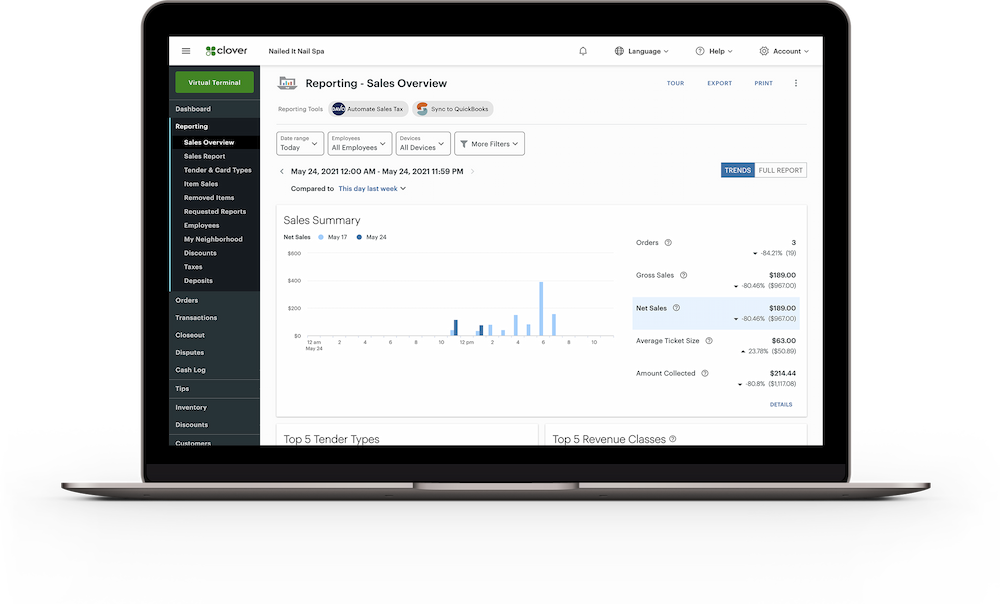
Clover’s all-in-one hardware-software bundle presents an interesting option for Cebu businesses seeking a turnkey POS solution. The system is particularly visible in Cebu’s shopping malls, where its sleek terminal design appeals to retailers prioritizing modern store aesthetics.
For Cebu entrepreneurs, Clover’s main draw is its simplicity; the pre-configured hardware eliminates the technical setup that can be challenging for businesses
without dedicated IT staff.
Hardware Options Available
- Clover Station (full countertop setup)
- Clover Mini (compact for smaller Cebu retail spaces)
- Clover Flex (portable for table service or outdoor events)
| Pros | Cons |
|---|---|
|
|
Why choose Clover? Cebu businesses seeking polished hardware aesthetics with straightforward operations
6. Loyverse
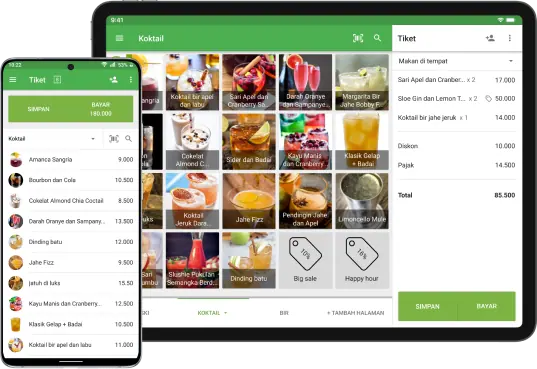
For Cebu’s budget-conscious entrepreneurs, Loyverse offers an attractive proposition: a functional POS system at zero monthly cost. This freemium model has made Loyverse popular among Cebu’s startup community, market stall owners, and small cafes.
This cafe management platform runs on Android devices, which aligns well with the Philippine market, where affordable Android tablets are readily available from IT hubs like Cybergate or SM Cyberzone.
Why Cebu Small Businesses Consider Loyverse:
- No monthly fees for core features
- Works on affordable Android tablets
- Simple setup without technical expertise
- Sufficient for businesses processing under 1,000 transactions monthly
Free Features Include:
- Basic sales processing
- Simple inventory tracking
- Customer database
- Sales analytics dashboard
Paid Add-Ons (Optional):
- Employee management
- Advanced inventory features
- Multi-store support
Reality Check for Cebu Businesses:
- Limited scalability for growing operations
- Premium features require subscription
- Support primarily through online resources
- Not ideal for complex, multi-location businesses
| Pros | Cons |
|---|---|
|
|
Why choose Loyverse? Loyverse offers a cost-effective POS solution with loyalty features and real-time analytics, helping small businesses grow without the burden of high costs.
7. Ansi

Ansi is a feature-rich POS system designed for businesses seeking an affordable yet efficient solution for managing transactions and operations. It is particularly well-suited for retail, hospitality, and service-based industries.
Ansi helps businesses optimize workflow and enhance efficiency with an intuitive interface and cloud-based functionality. Its automated features reduce manual tasks, allowing businesses to focus on growth.
Here are some features of Ansi:
- Real-Time Inventory Management – Automatically updates stock levels to prevent shortages and overstocking.
- Multi-Payment Support – Accepts various payment methods, including credit cards, e-wallets, and cash.
- Cloud-Based Accessibility – Allows remote access to sales and business data from any device.
- Comprehensive Sales Reporting – Provides insights into revenue, transactions, and business performance.
| Pros | Cons |
|---|---|
|
|
Why choose Ansi? Ansi simplifies business operations with real-time tracking, automation, and seamless integrations, making daily management easier and more efficient.
8. Mosaic
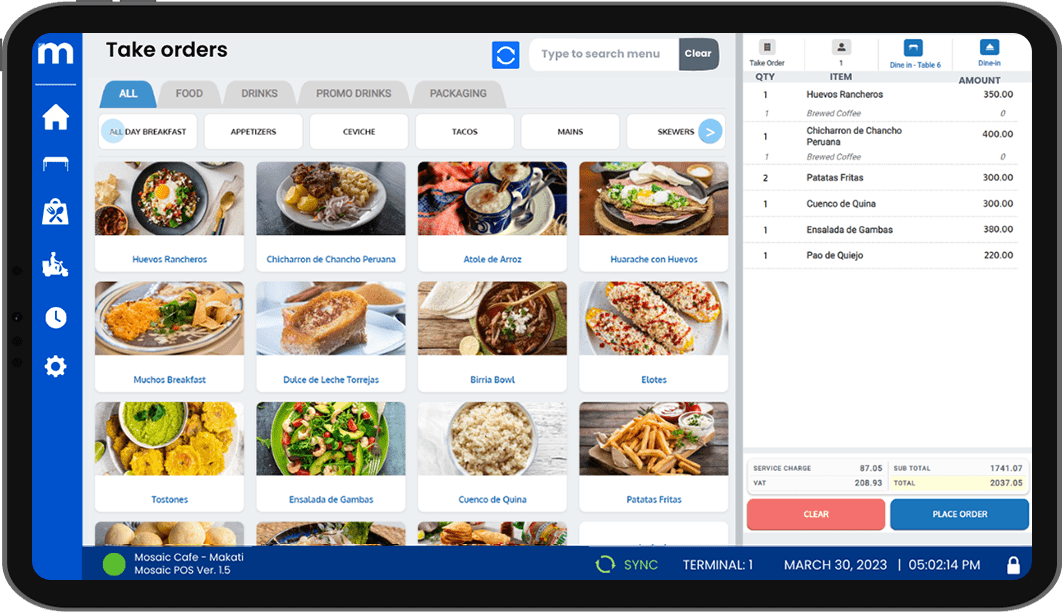
Mosaic is a robust POS system designed to help businesses improve efficiency, manage sales, and optimize customer service. It offers a seamless platform for retail stores, restaurants, and service-based businesses looking for a comprehensive solution.
With cloud-based functionality and strong reporting tools, Mosaic provides real-time insights that help businesses make smarter decisions. Its user-friendly interface ensures smooth transactions and better workflow management.
Here are some features of Mosaic:
- Cloud-Based POS System – Allows businesses to process transactions and access sales data from anywhere.
- Multi-Store Management – Enables centralized control for businesses operating multiple locations.
- Customer Loyalty Programs – Helps businesses build long-term relationships with rewards and promotions.
- Advanced Sales Reporting – Provides detailed insights into business performance and customer trends.
| Pros | Cons |
|---|---|
|
|
Why choose Mosaic? Mosaic enhances business efficiency with real-time tracking and automation, making daily operations seamless and hassle-free.
9. Qashier
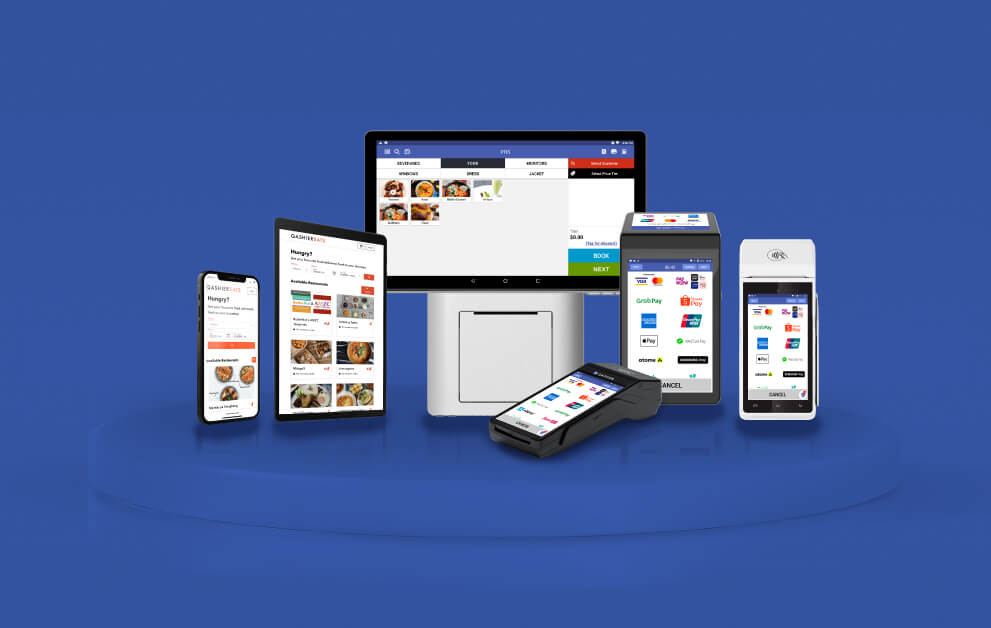
Qashier is an all-in-one smart POS system designed to help small and medium businesses easily streamline their operations. It combines hardware, software, and payment processing into a seamless platform, making transactions more efficient.
With cloud-based capabilities, Qashier allows businesses to track sales, manage inventory, and access insights from anywhere. Its automation tools help simplify operational process flow, reduce human errors, and improve customer experience.
Here are some features of Qashier:
- Cloud-Based POS – Enables remote access to sales and inventory data anytime, anywhere.
- Automated Inventory Management – Tracks stock levels in real-time to prevent shortages and overstocking.
- Customizable POS System – Offers tailored solutions to fit different business needs.
- Data-Driven Sales Insights – Provides real-time reports and analytics to help businesses make informed decisions.
| Pros | Cons |
|---|---|
|
|
Why choose Qashier? Qashier provides a hassle-free, all-in-one POS system with smart automation, making daily business operations smooth and stress-free.
10. Tagrain
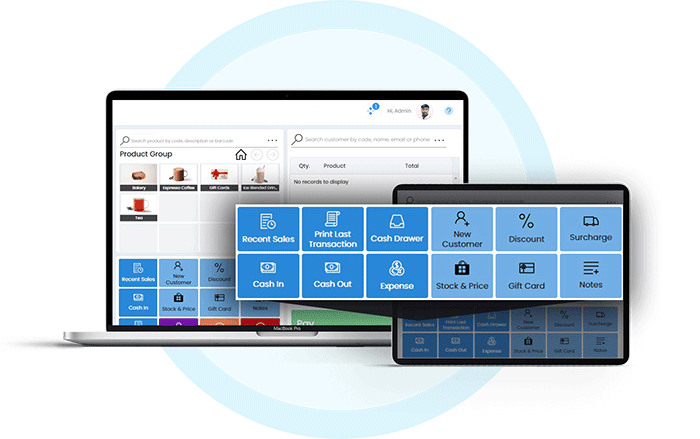
Tagrain is a cloud-based POS system designed for small and medium-sized businesses looking for a cost-effective yet powerful solution. It offers easy-to-use tools for managing sales and customer relationships, making it ideal for retail shops and service providers.
With its intuitive interface and seamless cloud integration, Tagrain allows business owners to track transactions, automate workflows, and access real-time data from anywhere. Here are some features of Tagrain:
- Cloud-Based POS – Enables businesses to manage sales and inventory remotely with real-time data access.
- Flexible Payment Options – Accepts various payment methods, including cash, credit cards, and digital wallets.
- Customer Loyalty Programs – Enhances customer engagement with built-in rewards and promotions.
- Advanced Sales Analytics – Provides in-depth insights to help businesses optimize performance and drive sales.
| Pros | Cons |
|---|---|
|
|
Why choose Tagrain? Tagrain simplifies business operations with cloud accessibility and smart automation, helping businesses grow efficiently and hassle-free.
Features to Consider When Choosing POS Software in Cebu
Choosing the right POS software is crucial for streamlining business operations and improving customer experience. A great system should simplify tasks, provide useful insights, and integrate seamlessly with your existing tools.
Here are the must-have features to look for in a POS system:
- Ease of Use & User Interface – A simple and intuitive design makes it easy for employees to learn and reduces errors.
- Inventory Management – Helps track stock levels in real time to prevent shortages and overstocking.
- Sales Reporting & Analytics – Provides insights into sales activity trends and business performance to guide decision-making.
- Integration & Compatibility – Connects with accounting, e-commerce, and other software for smooth business operations.
- Customer Relationship Management (CRM) – Manages customer data, loyalty programs, and purchase history to boost retention.
- Payment Processing – Supports various payment methods like cash, credit cards, and digital wallets for convenience.
- Mobile & Cloud Accessibility – Allows business owners to access sales and inventory data anytime, anywhere.
- Security & Compliance – Protects sensitive business and customer data with encryption and role-based access.
- Offline Mode for Unstable Internet – Cebu’s internet connectivity can be unpredictable, so a POS system with offline functionality ensures uninterrupted transactions.
Having these features ensures your POS system works efficiently and supports business growth. The right POS software will not only speed up transactions but also help you manage operations effectively, giving you more time to focus on serving your customers.
Common Mistakes to Avoid When Choosing POS Software in Cebu
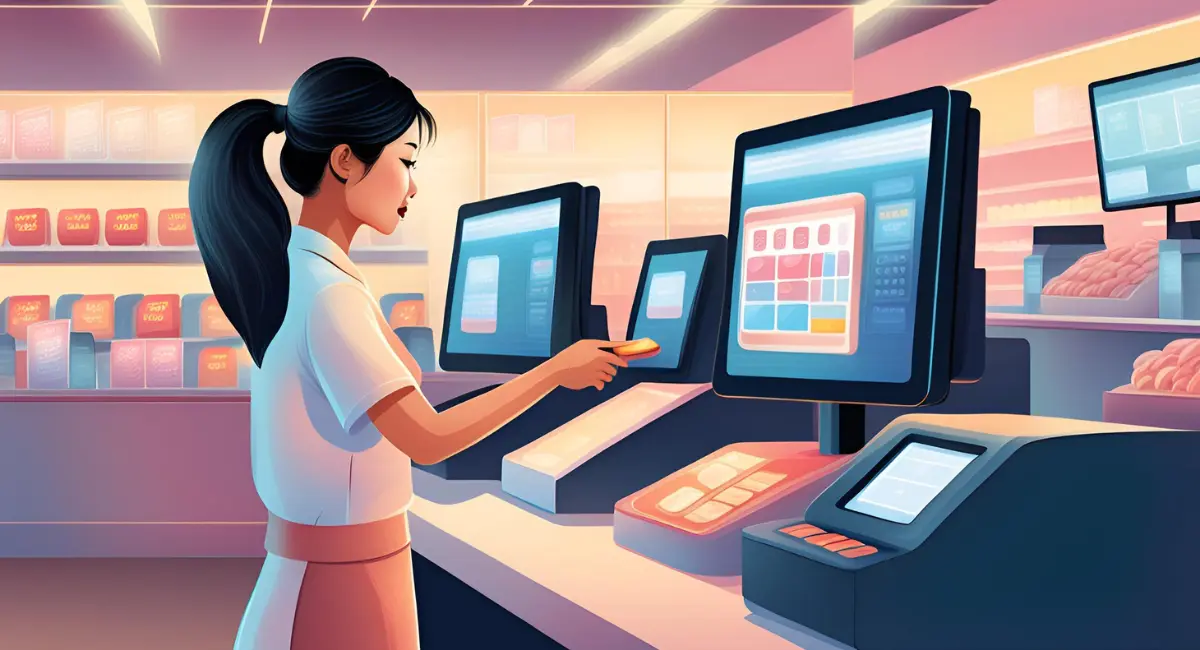
Selecting the right POS software is a big decision that can impact your business operations in the long run. Many businesses rush into buying a system without considering key factors, leading to costly mistakes.
To avoid frustration, it’s important to know the common pitfalls business owners encounter. Here are five mistakes to steer clear of:
- Ignoring Scalability – Choosing a system that can’t grow with your business can lead to costly upgrades later.
- Overlooking Integration Capabilities – A POS system that doesn’t integrate with accounting or e-commerce platforms can create workflow inefficiencies.
- Underestimating Training & Support – A complex system with little support can slow down your team and cause unnecessary downtime.
- Neglecting Data Security & Privacy – Without proper security measures, customer and bookkeeping financial data could be at risk of breaches.
- Choosing Based Solely on Price – The cheapest option may lack essential features, leading to operational inefficiencies and higher costs in the long run.

Conclusion
POS software is a digital tool that helps businesses process transactions and manage operations more efficiently. It supports sales tracking, inventory control, and reporting to improve daily business performance.
By centralizing operational data in one system, POS software reduces manual work, minimizes human errors, and improves transaction accuracy. It also helps businesses monitor stock levels in real time, track sales trends, and generate reports more quickly.
Choosing the right POS software can save time and support business growth. Evaluate features, integrations, and pricing carefully, and consider scheduling a free consultation to find the best fit for your business.
Frequently Asked Questions About POS Software in Cebu
-
What is the most popular POS software in Cebu?
The most popular POS software in Cebu depends on your industry, business size, and operational needs. Businesses often choose systems such as HashMicro for flexible business management, Oracle Simphony for hospitality operations, Shopify for retail with online selling, and Loyverse for smaller businesses that need a simpler setup.
-
Does POS software in Cebu need to be BIR-accredited?
Yes. Businesses in Cebu that issue official receipts must use a BIR-accredited POS system. A compliant system helps support proper receipt issuance, tax reporting, and the operational records required for regulatory compliance.
-
Can Cebu businesses use cloud-based POS software?
Yes. Cloud-based POS software is widely used by Cebu businesses because it offers easier access to real-time sales data, centralized reporting, and smoother multi-branch management. It is often a practical choice for growing retail, F&B, and hospitality businesses.