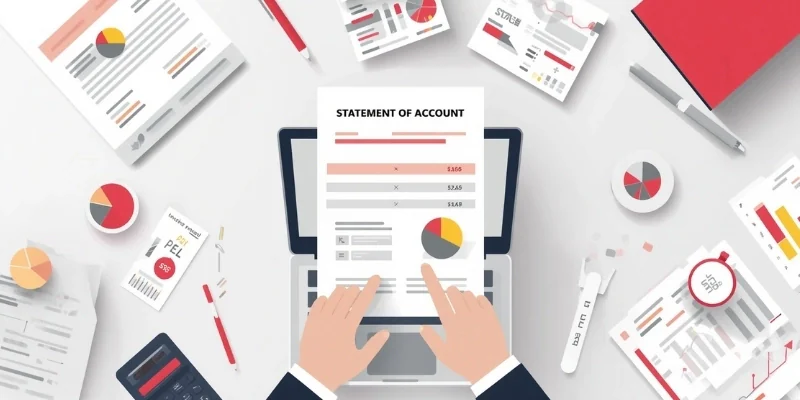







As Malaysia businesses grow, manual invoicing becomes harder to manage. Delayed billing, payment tracking issues, and data entry errors can affect cash flow and financial accuracy. Invoicing software helps automate billing, track payments, and keep records organized in one system.
The growing adoption of LHDN’s e-Invoicing framework is also increasing the need for accurate and well-managed invoice records. Invoicing software helps businesses maintain data accuracy, reduce manual work, and support compliance with digital invoicing requirements.
Choosing the right invoicing software can improve billing efficiency, strengthen cash flow visibility, and support business growth as transaction volumes increase. It will help you move away from manual work and scale your billing operations with confidence.
Key Takeaways
Invoicing software is a dedicated solution designed to streamline and automate billing and invoice management.
Businesses can track payments and benefit from real-time reporting, improving visibility into collections and cash flow.
Picking the right solution to automate your business’s accounting and invoicing processes would increase efficiency by minimizing human error.
Manual tracking of complex capital structures often leads to data latency and increased financial risk. An integrated accounting ERP ensuring your leadership has the real-time accuracy needed for strategic growth.
Shortlisted Top 5 Best Invoicing Software
Based on our research, here is a shortlist of the best invoice software designed to simplify billing, track payments, and improve cash flow management. These tools provide automation, accuracy, and efficiency, making them essential for businesses aiming to streamline financial operations.
Each tool in this list was assessed based on a structured evaluation framework to keep our recommendations impartial and relevant to Malaysian businesses.
Each tool in this list was assessed based on a structured evaluation framework to keep our recommendations impartial and relevant to Malaysian businesses.


Best Because
Customizable real-time insights and strategic capabilities.
Best Because
Tax automation, expense tracking, and customer support.
Best Because
Time tracking, automation, and multi-language for SMEs.
What is Invoicing Software?

In Malaysia’s sector, a business with many functions, like owners, accountants, and finance teams rely on e-invoicing software to manage billing efficiently. Also, they have to ensuring compliance with LHDN’s electronic invoicing standards and maintaining accurate financial records.
Invoicing Software vs e-Invoicing Software
Invoicing software helps businesses manage internal billing, while e-Invoicing software supports structured invoice validation and LHDN compliance. For compliance-ready tools, businesses can compare available e-Invoicing software options in Malaysia.
| Aspect | Invoicing Software | e-Invoicing Software |
|---|---|---|
| Purpose | Used to create, send, print, and manage invoices for daily billing. | Used to create and submit structured invoices for official validation. |
| Invoice Format | Usually supports PDF, printed invoices, or basic digital records. | Uses structured formats such as XML or JSON. |
| Compliance Function | Primarily supports internal business records and customer transaction tracking. | Supports LHDN MyInvois submission and validation in Malaysia. |
| Automation | May still require manual invoice status checks, payment tracking, and reconciliation. | Supports real-time validation, secure transmission, and automated reporting flow. |
| Integration | May connect with accounting systems, but often needs manual monitoring. | Integrates with ERP or accounting systems to reduce manual verification work. |
| Best For | Businesses that need faster invoice creation and better billing organization. | Businesses that need compliant e-Invoice workflows, tax documentation, payment records, and proper handling of refund note compliance in Malaysia. |
Hashy AI Fact

Hashy AI from HashMicro streamlines invoicing across multiple companies by generating real-time, detailed billing reports, and custom online payment management.
Request a free demo today!
Why Do Businesses Need Invoicing Software?
Malaysia’s e-Invoice mandate has been implemented in phases according to annual turnover or revenue. Businesses above RM5 million entered earlier phases, while taxpayers with turnover of up to RM5 million were scheduled from 1 January 2026. Taxpayers earning below RM1 million are currently exempt from mandatory implementation.
| Phase | Turnover / Revenue Scope | Effective Date |
|---|---|---|
| Phase 1 | Taxpayers with annual turnover or revenue of more than RM100 million | 1 August 2024 |
| Phase 2 | Taxpayers with annual turnover or revenue of more than RM25 million and up to RM100 million | 1 January 2025 |
| Phase 3 | Taxpayers with annual turnover or revenue of more than RM5 million and up to RM25 million | 1 July 2025 |
| Phase 4 | Taxpayers with annual turnover or revenue of up to RM5 million | 1 January 2026 |
| Exempted | Taxpayers with annual turnover or revenue of less than RM1,000,000 | Exempted from mandatory e-Invoicing. |
As a result, invoicing software has become an essential business tool, helping companies manage billing processes while meeting Malaysia’s e-invoicing requirements.
- Automates billing
Manual invoicing takes too much time and slows down operations. With invoicing software, invoices are generated instantly and sent with just a few clicks. - Reduces errors
Human mistakes in calculations or data entry can cause payment disputes. Software ensures accuracy by automating calculations and standardizing records. - Improves cash flow
Chasing late payments is stressful and disrupts cash flow. Invoicing software tracks payments, sends reminders automatically, and shortens collection cycles. - Ensures compliance
Keeping up with tax rules manually can lead to costly errors. E-invoicing software Malaysia software automatically applies tax regulations, making compliance effortless. - Enhances professionalism
Handwritten or poorly formatted invoices look unprofessional. Software creates branded, polished invoices that build trust with clients. - Centralizes records
Searching through scattered files wastes valuable time. With invoicing software, all invoices are stored in one place for easy monitoring and reporting.
Quick Invoice Software Comparison Overview
Before exploring each software in detail, it helps to compare the leading options side by side. The table below summarizes their key features, strengths, weaknesses, and pricing considerations.
| Software | Best For | Key Features | Strengths | Weaknesses | Pricing | Billing Features |
|---|---|---|---|---|---|---|
HashMicro | Enterprise & ERP users | Bank integration, auto reconciliation, invoice automation, LHDN compliance, reporting | Highly customizable, unlimited users, full ERP integration | Pricing requires a quote; broader scope than businesses needing basic invoicing only | Custom pricing | Recurring billing, reminders, payment integration, multi-currency, receivables |
SQL Account | Malaysian SMEs & growing businesses | Quotation, invoice, order and return documents; accounting reports; bank connection with auto reconciliation; inventory and multi-currency on Pro | Public pricing with a 10-year price guarantee; choice of desktop, public cloud or private cloud deployment; LHDN e-Invoice and SST on both plans | Inventory, multi-currency and advanced reports only on the Pro plan; RM60 per additional user adds up for larger teams | Cloud: Essential RM79/month, Pro RM109/month; RM60 per additional user | Quotation to invoice documents, batch email and WhatsApp delivery, auto bank reconciliation, LHDN e-Invoice compliance |
AutoCount | Malaysian SMEs choosing between cloud tiers | Quotation, invoice and credit note; purchase documents; auto bank reconciliation; inventory and multi-location on higher tiers | Transparent cloud pricing by plan; LHDN e-Invoice included on every cloud tier; large Malaysian dealer network | Lite tier excludes SST and recurring transactions; inventory only from Plus; add-on users RM10 to RM20 per month; phone support is chargeable | Cloud: RM70 to RM180/month by tier (1 to 3 users), excluding SST; Accountant plan RM10/month; desktop edition priced through dealers | LHDN e-Invoice on all cloud tiers, recurring transactions from Basic, multi-currency from Plus, credit notes and purchase returns |
Bukku | Malaysian startups & small businesses | Cloud invoicing, payment gateway integration, bank feeds, SmartRecon, 50+ financial reports | LHDN e-Invoice on every plan including the free tier, unlimited users on all plans | SST and multi-currency are add-ons below Prime; the free Launch tier is capped at 100MB storage and 100 emails per month | Launch free forever (limited); Seed to Elite RM35 to RM135/month + 8% SST | Recurring transactions, auto invoice reminders, auto monthly statements, payment gateways |
N3 AI Accounting (QNE Software) | Malaysian SMEs wanting AI-assisted cloud accounting | Automated bookkeeping, SST form generation, LHDN-ready documents, Quinny AI assistant, real-time financial insights | AI-native cloud platform built for Malaysian SMEs; ISO/IEC 27001:2022 certified; free trial without a credit card | No published pricing, so cost comparison requires contacting sales; previously marketed under the QNE Cloud Accounting name, so older reviews may not match the current product | Not published; free trial available, pricing on request | Invoicing with SST handling and LHDN e-Invoice readiness; e-Integrator available for e-Invoice integration |
InvoisPro | Businesses needing LHDN and Peppol compliance without changing accounting systems | MyInvois submission with real-time validation, Peppol delivery, ERP and third-party integration, Docnova mobile app, legal retention archiving | MDEC-accredited Peppol Service Provider; listed under MDEC Freemium E-Invoicing Solutions; works alongside existing systems | Focused on e-invoicing rather than full accounting; free tier capped at 20 invoices monthly; paid pricing not published | Free: 20 e-invoices per month, free for one year; paid plans on request | LHDN e-invoice submission, Peppol delivery, validation status, document archiving |
Aspert AiNexus | Malaysia compliance | Automated invoicing, real-time tracking, templates | High accuracy, compliance-focused | Internet dependency, setup learning curve | Subscription-based | LHDN e-Invoice submission and ERP integration |
Zoho Invoice | Freelancers & small businesses | Invoicing, quotations, time tracking, expense tracking, payment reminders, customer portal | Genuinely free product with no paid tier; multi-language; mobile apps across platforms | Not a full accounting ledger; advanced subscription billing requires Zoho Billing, a separate paid product | Free; no paid tier published | Recurring invoices, payment reminders, payment gateways, multi-currency, receivables |
Xero | Growing businesses | Multi-currency, payment tracking, dashboard | Strong integrations, reporting | Learning curve | RM60–RM320/month | Recurring invoices, reminders, online payments; multi-currency on Premium |
QuickBooks | SMEs | Payroll, expense tracking, reporting | Popular, easy to use | Cost increases with features | RM91.99–RM183.99/month | Recurring invoices, reminders, receivables; multi-currency on Essentials |
FreshBooks | Freelancers & SMEs | Expense tracking, time tracking, reports | Easy to use, strong support | Limited customization | RM80–RM250/month | Recurring invoices, reminders, online payments, overdue tracking |
Oracle NetSuite | Large enterprises | Accounting, CRM, e-commerce integration | Scalable, real-time data | Expensive, complex | From RM4,120/month | Subscription billing, payments, multi-currency, receivables |
Sage Intacct | Mid-large enterprises | Multi-entity, reporting, automation | Highly scalable, customizable | Expensive, complex | From RM41,000/year | Subscription billing, collections, multi-currency, receivables |
Invoice2go | Mobile users | Mobile invoicing, templates, tracking | Great mobile experience | Limited advanced tools | RM25–RM165/month | Reminders and online payments; recurring billing on Premium |
Refrens | Freelancers billing international clients | Invoices, quotations, proposals, multi-currency, client records, expense tracking | Free tier, quick setup, multi-currency for cross-border work | India-focused GST compliance; no SST or MyInvois; support oriented to the Indian market | Free up to 15 documents; premium pricing not listed publicly | Recurring invoices, reminders, online payments, multi-currency; no MyInvois submission |
15 Best Recommended Invoice Software Malaysia 2026
Each tool in this list was assessed based on a structured evaluation framework to keep our recommendations impartial and relevant to Malaysian businesses. In this section, we’ve compiled the 12 best invoicing software Malaysia has to offer, categorized by key features, strengths, and business suitability to help you make an informed decision.
In this section, we’ve compiled the 12 best invoicing software Malaysia has to offer, categorized by key features, strengths, and business suitability to help you make an informed decision.
1. HashMicro
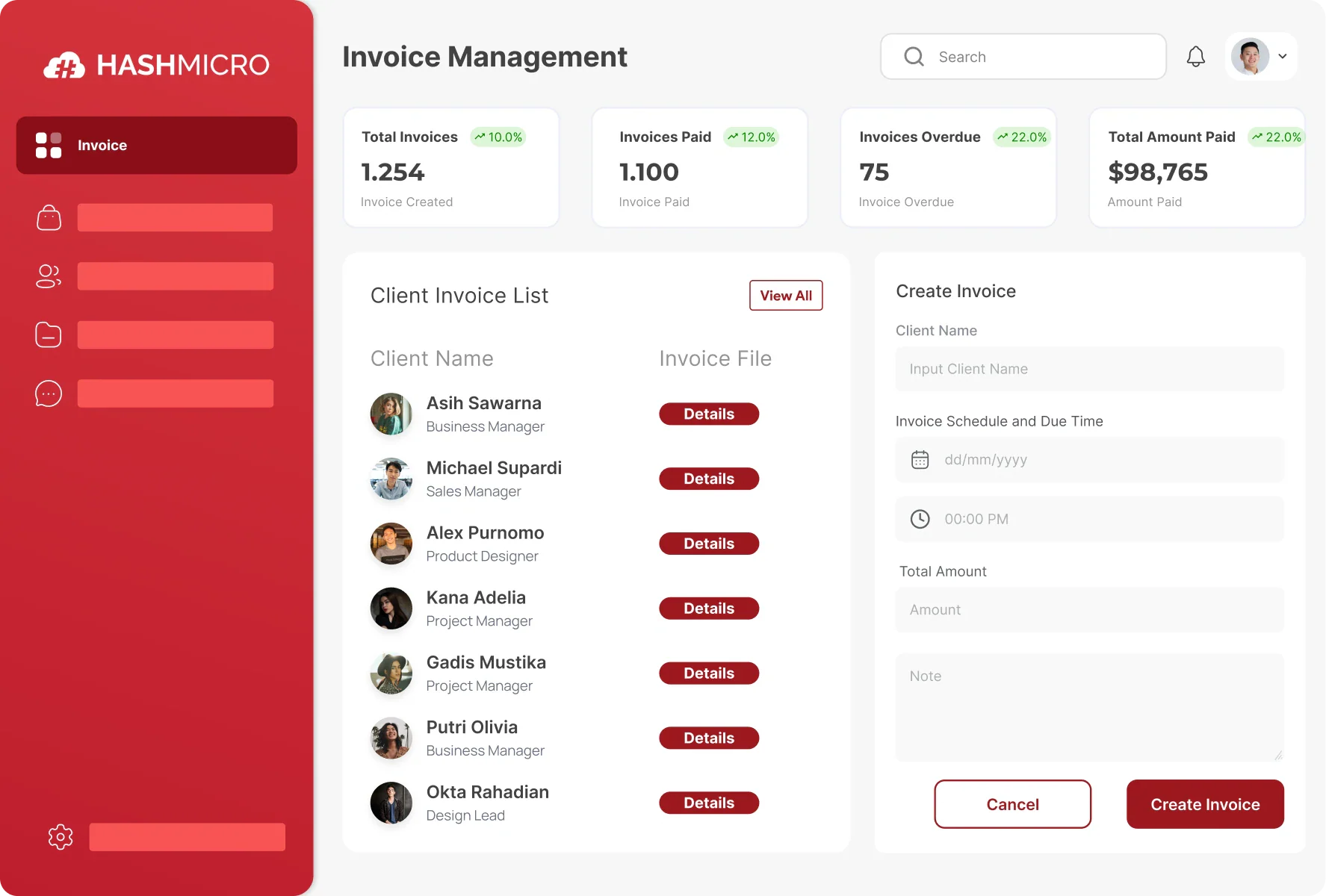
We’ve found HashMicro to be a reliable ERP-based invoicing system designed for enterprise-scale billing and accounting to be effective in automating invoicing workflows. From our experience and research, we like its accurate financial tracking, smooth ERP integration, and compliance with local regulations and Peppol standards.
As an established enterprise software provider in Southeast Asia, HashMicro supports thousands of businesses with scalable digital solutions tailored to regional market demands and strict regulatory frameworks.
Hashmicro Key-Feature:
1. Bank Integrations & Auto Reconciliation
2. Invoice Generation
3. Online Payment Management
4. Invoice Approval & Validation
5. Tax & Discount Management
6. Credit Limit Management
7. LHDN Compliance
8. Real-time Invoice Reporting
| Pros | Cons |
|
|
HashMicro aligned with Malaysian regulatory and operational needs that fully complies with LHDN and MyInvois requirements, such as supports local banking integrations like Maybank and CIMB, and offers strong ERP connectivity. Its unlimited user model and localized implementation support in Bahasa Melayu make it especially suitable for growing SMEs and mid-sized enterprises.
Pricing: Contact the HashMicro team to get a customized pricing scheme.
"E-invoicing software is a must-have for businesses that want to automate and streamline compliance with Malaysia's IRBM requirements. Moreover, real-time synchronization across sales and tax reporting is achieved through seamless integration with ERP accounting systems."
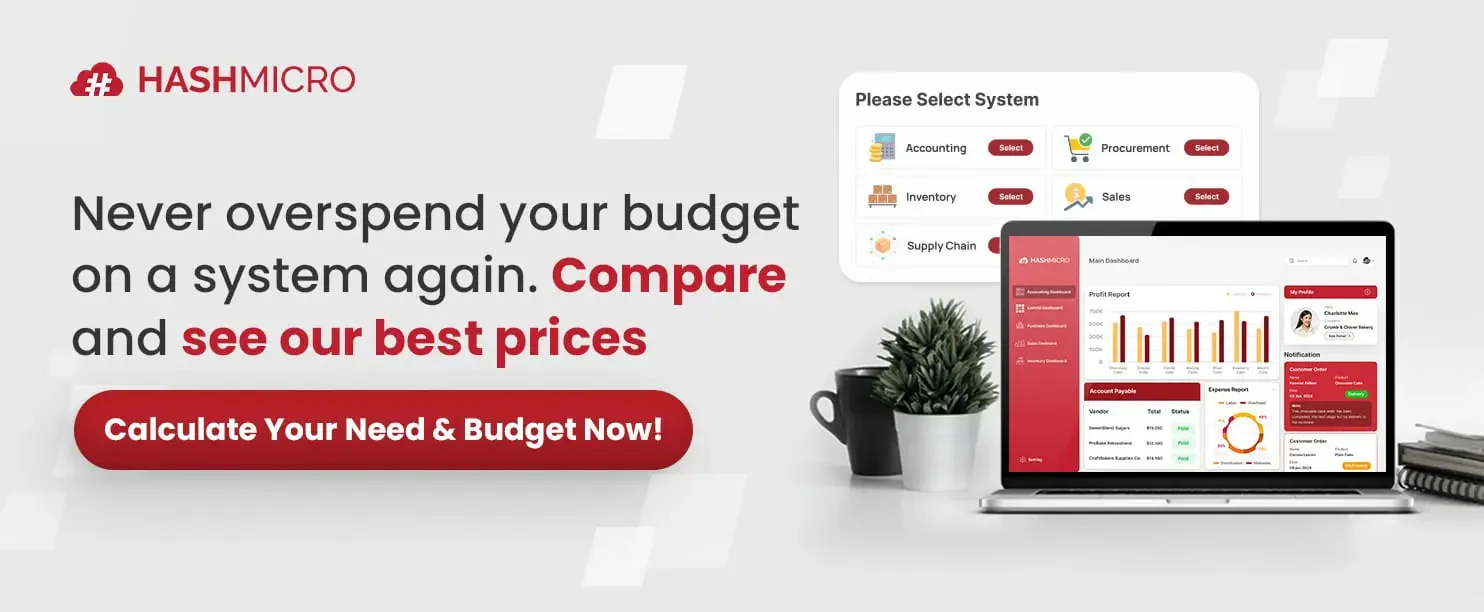
HashMicro invoicing software pricing depends on selected modules, integrations, and implementation scope. The overview below outlines these cost factors.
2. Zoho
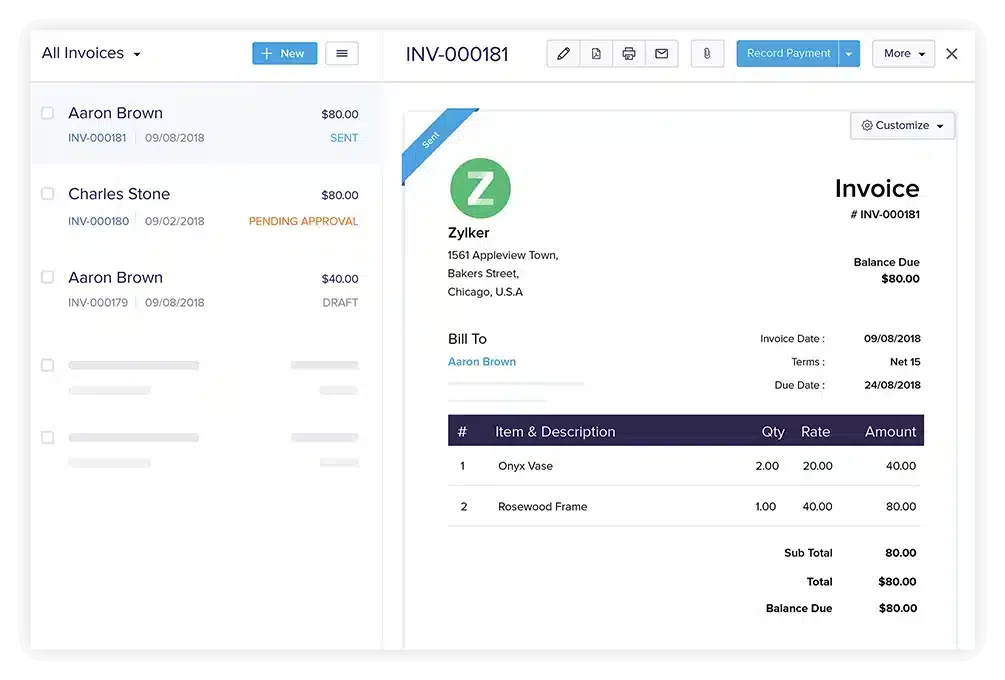
We found Zoho Invoice to be a reliable cloud-based invoicing software that streamlines billing and invoicing processes. From our experience and research, we can create customized invoices, automate billing cycles, and manage receipts efficiently, even without advanced accounting knowledge.
Zoho Invoice features:
- Time tracking
- Expense management
- Customizable invoice templates
- Automated reminders
- Reporting tools
| Pros | Cons |
|
|
Zoho Invoice is a practical choice for Malaysian small businesses looking for a cost-effective invoicing solution. Its free pricing model lowers entry barriers, while multi-currency and multilingual support help businesses operating in diverse local and regional markets. It’s especially useful for startups and service-based businesses that need simple invoicing without complex compliance requirements.
Pricing: RM0/month for Zoho Invoice, while advanced Zoho Billing plans start at approximately RM123/month.
3. Oracle NetSuite
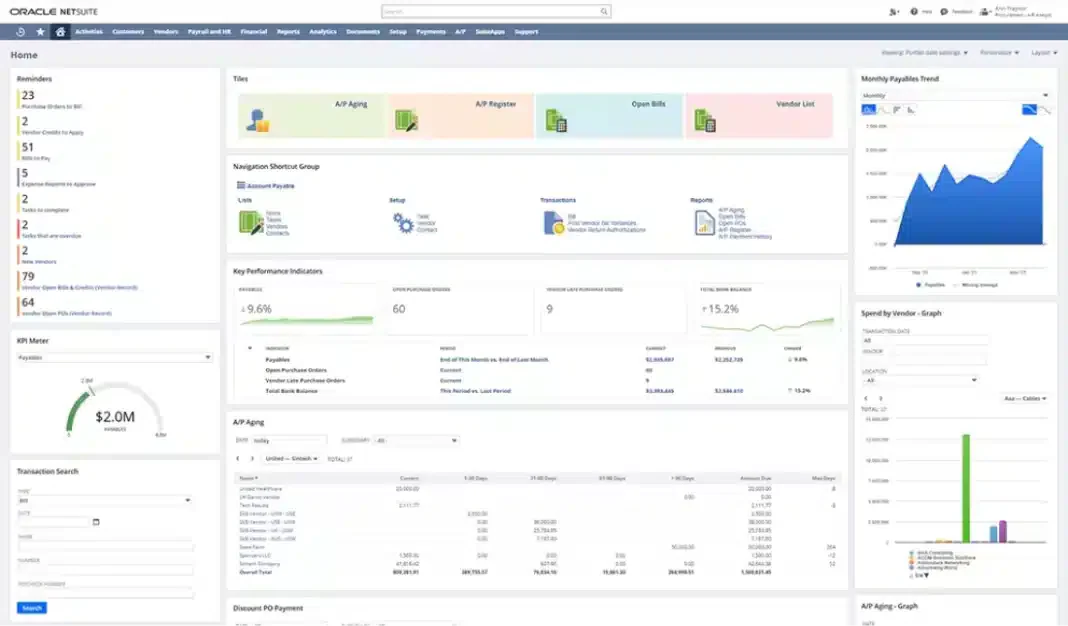
We found Oracle NetSuite’s online invoicing software to be a powerful solution that brings multiple business functions into one system. From our research, its advanced automation makes invoice creation, sending, and tracking seamless while giving us access to real-time financial data.
Oracle NetSuite’s features:
- Robust accounting module
- CRM integration
- E-commerce capabilities
| Pros | Cons |
|
|
Oracle NetSuite fits large Malaysian enterprises dealing with complex, multi-entity operations. Its ability to handle multiple tax systems and currencies supports businesses operating across ASEAN. With local partners providing implementation and compliance alignment, it’s well-suited for corporations that require real-time financial visibility and scalability.
Pricing: From RM4,120/month platform + RM410/user/month.
4. FreshBooks
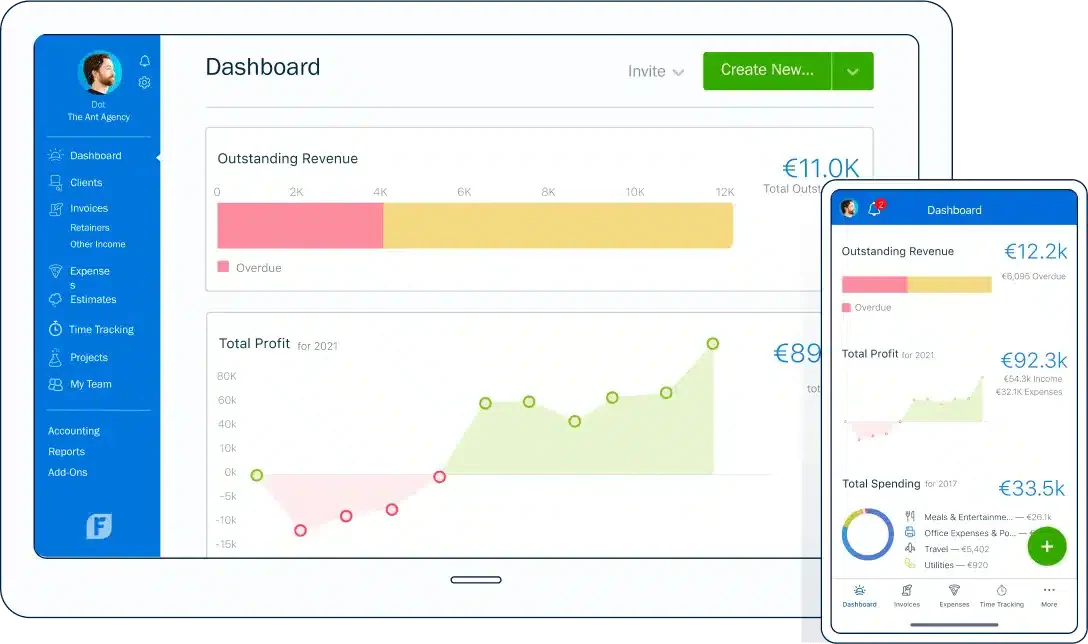
We found FreshBooks to be an invoicing software in Malaysia that truly simplifies invoice management, time tracking, and automation. From our experience and research, we can create professional-looking invoices, accept online payments, and automate reminders to ensure timely payments.
FreshBooks’s features:
- Expense tracking
- Time tracking
- Project management tools
- Reports and dashboards
| Pros | Cons |
|
|
FreshBooks is ideal for Malaysian freelancers and SMEs that prioritize ease of use and quick setup. Its automated invoicing, expense tracking, and online payment features help streamline day-to-day billing without heavy accounting knowledge. This makes it a strong fit for service professionals and small agencies.
Pricing: RM80–RM250/month, depending on plan.
5.
6. Xero
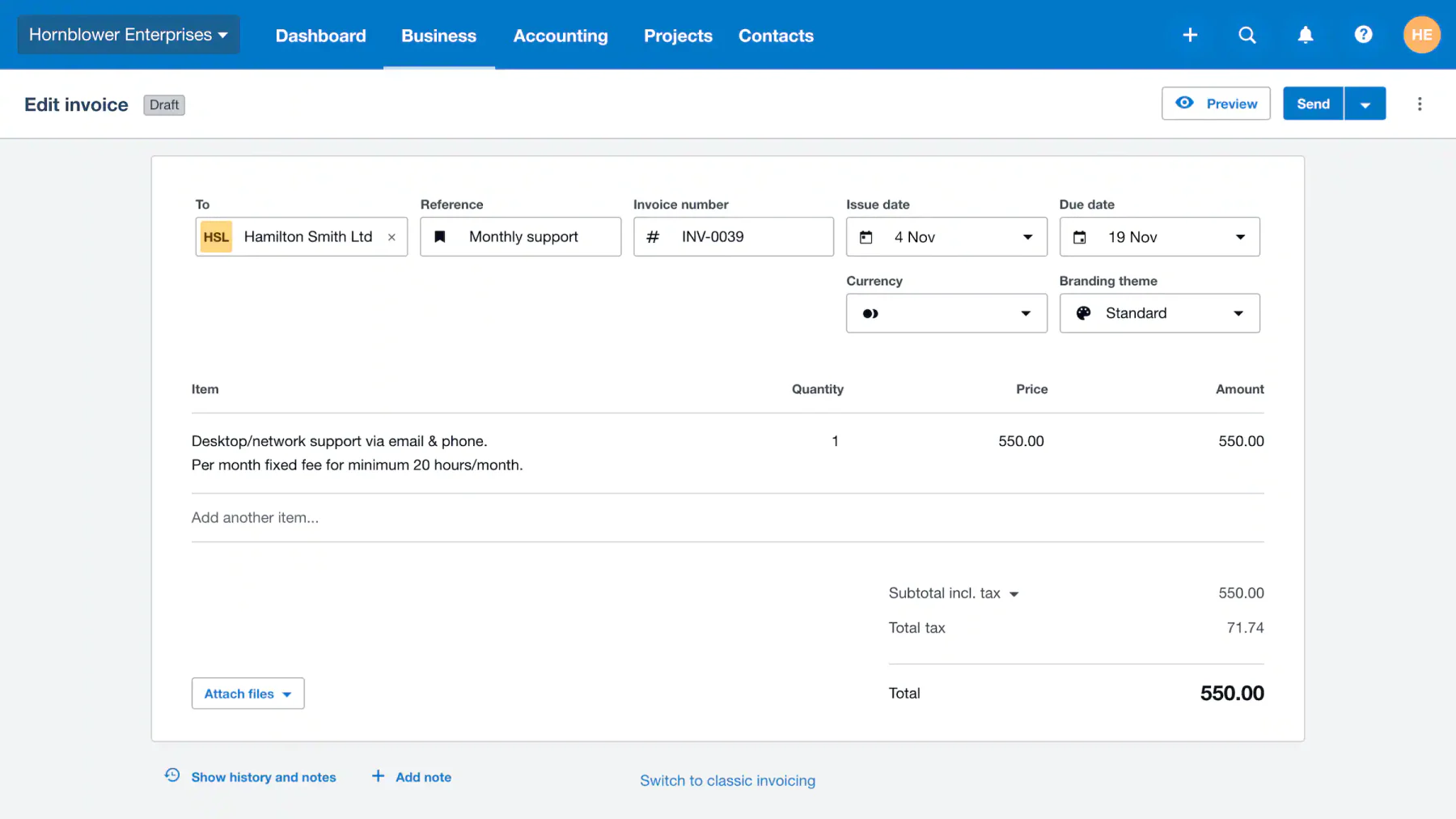
We found Xero to be a solid cloud-based invoicing software that makes creating, sending, and tracking invoices effortless. Based on our hands-on use, we also value how it integrates with third-party apps while offering financial reporting, inventory management, and payroll tools in one platform.
Xero’s features:
- Multi-currency invoicing
- Automatic exchange rate updates
- Online payment options
- Financial dashboard
| Pros | Cons |
|
|
Xero is a strong option for growing Malaysian businesses that need cloud-based flexibility and integrations. Its multi-currency support and connection to various third-party apps make it suitable for companies expanding regionally. While not fully localized, it remains popular among SMEs working with accountants and cloud systems.
Pricing: RM60–RM320/month, depending on plan and region.
7. Sage Intacct
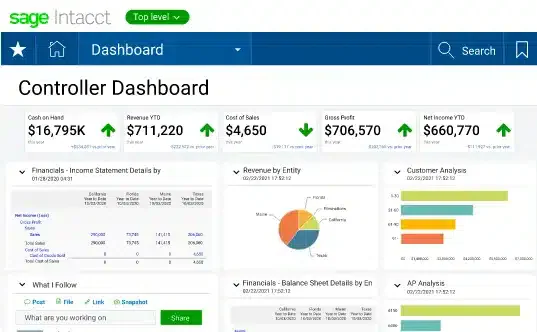
We’ve seen Sage Intacct automate financial processes while offering customization to fit business needs. From our research, we value its integration with other systems that provide a complete financial view for more thoughtful decisions.
Sage Intacct’s features:
- Advanced financial reporting
- Multi-entity support
- Multi-currency support
- Real-time insights
- Robust invoicing module
| Pros | Cons |
|
|
Sage Intacct is well-suited for mid-to-large Malaysian enterprises requiring advanced financial control and multi-entity management. Its strong reporting and automation capabilities help businesses maintain compliance and financial clarity, especially those with complex structures or regional operations.
Pricing: From RM41,000+/year (quote-based for mid-enterprise).
8. QuickBooks
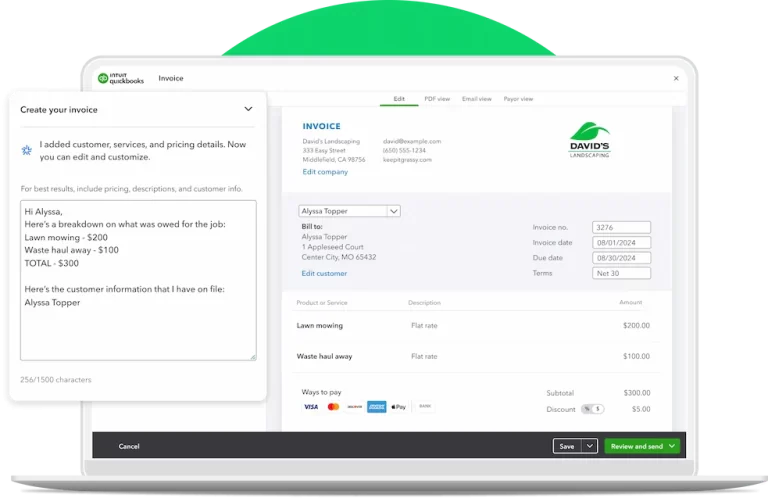
We found QuickBooks, developed by Intuit, to simplify financial management by automating invoicing, tax calculations, and payment tracking. From our research, it stands out as a comprehensive tool for managing businesses.
QuickBooks’s features:
- Payroll services
- Expense tracking
- Financial reporting
- Versatile functionality
| Pros | Cons |
|
|
QuickBooks is a widely adopted solution among Malaysian SMEs due to its balance of functionality and ease of use. It supports essential features like tax calculations, payroll, and reporting, making it a practical all-in-one financial tool. Its strong community and support ecosystem also benefit local users.
Pricing: RM91.99, RM132.99, RM183.99/month (Malaysia plans).
10. Invoice2go
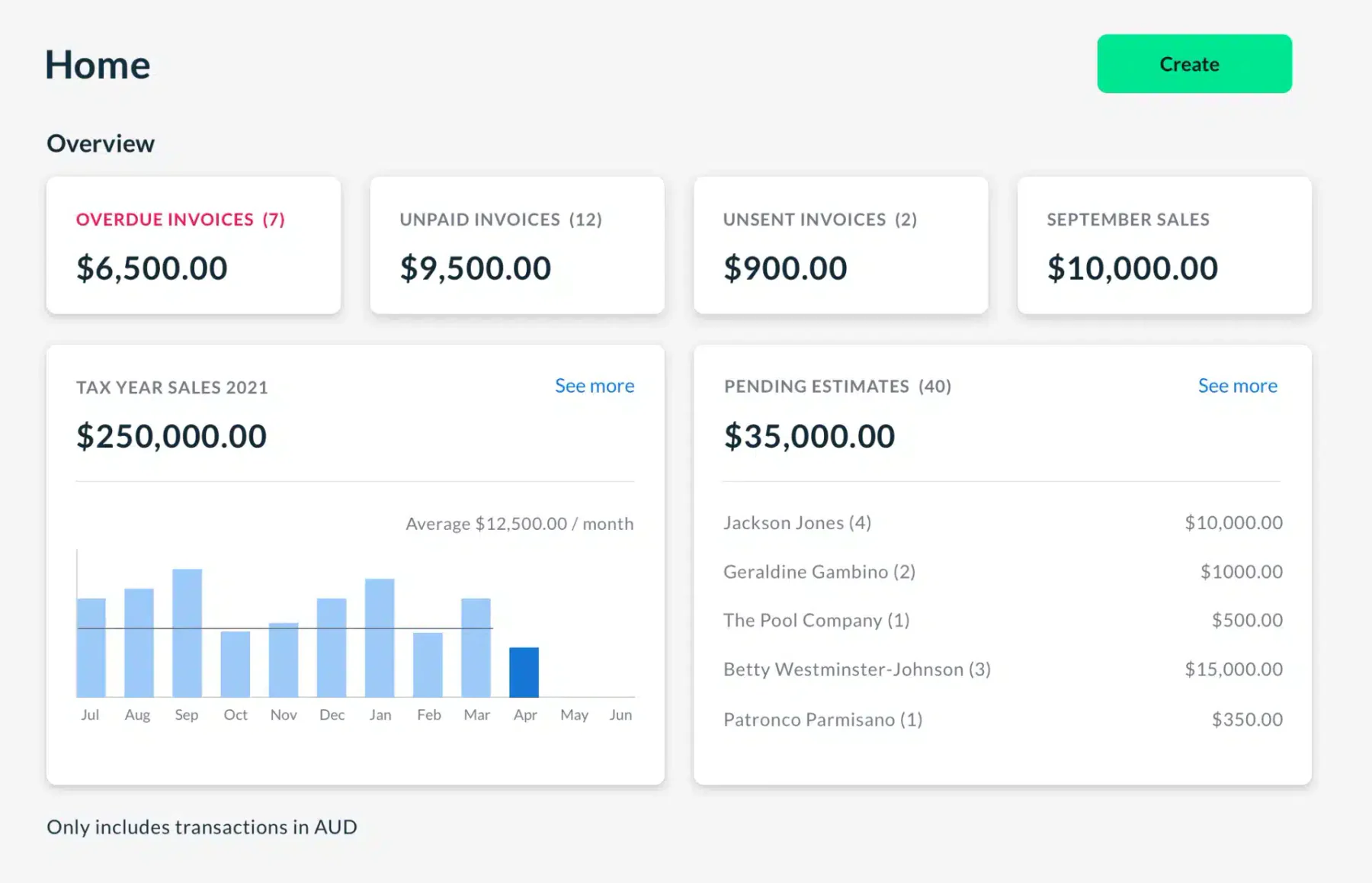
We’ve used Invoice2go and found it very convenient as a mobile-first invoicing software in Malaysia, letting us create, send, and track invoices right from our smartphones or tablets. Through our experience and research, we also appreciate its support for estimates, expense tracking, and time tracking.
Invoice2go’s features:
- Customizable invoice templates
- Invoicing focus
- Business management tools
- Performance reports
| Pros | Cons |
|
|
Invoice2go is ideal for Malaysian business owners who operate on the go, such as contractors and small service providers. Its mobile-first design enables easy invoice creation and tracking from anywhere, making it highly practical for field-based work environments.
Pricing: RM25–RM165/month across plans.
12. Aspert
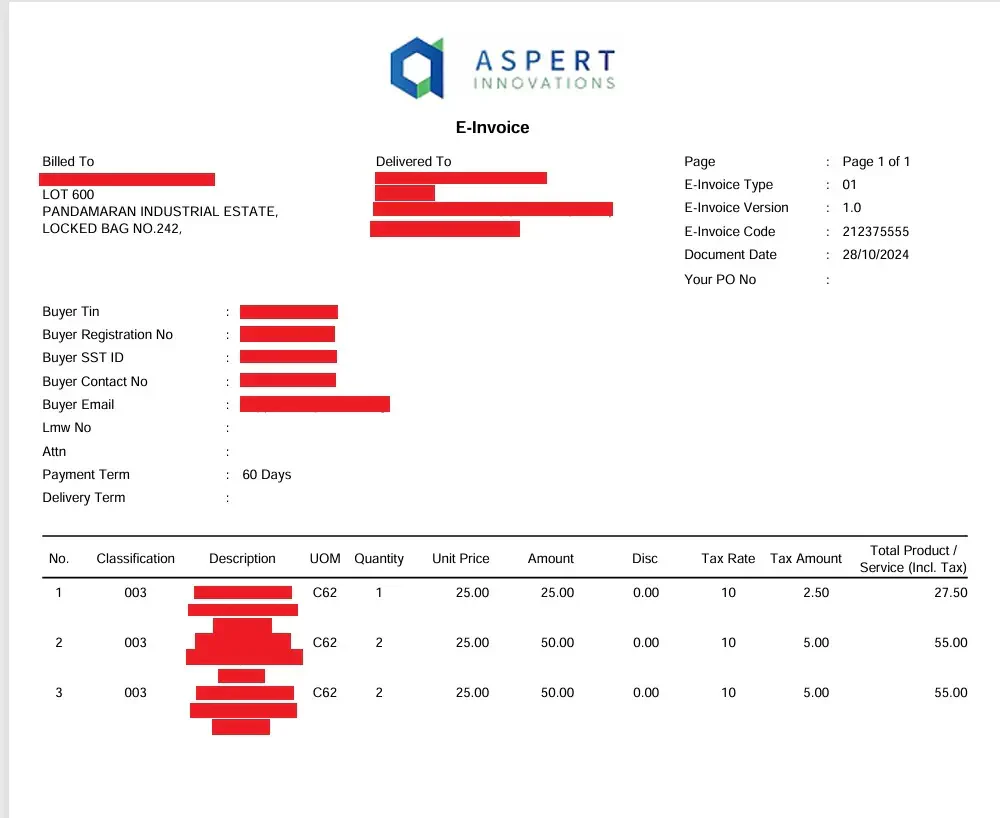
Aspert AiNexus stands out as a purpose-built, Malaysian-developed e-invoicing solution designed to facilitate a smooth transition into the digital billing landscape. This innovative platform is specifically tailored to meet the unique demands of the local market, placing a strong emphasis on strict compliance with the latest government tax regulations.
Aspert Billing’s features:
- Automated invoicing
- Real-time payment tracking
- Multi-currency support
- Professional template customization
| Pros | Cons |
|
|
Aspert AiNexus is specifically designed for the Malaysian market, with a strong focus on LHDN compliance and e-invoicing regulations. Its real-time tracking and automation features help businesses transition smoothly into mandatory e-invoicing requirements, making it highly relevant for companies prioritizing compliance and accuracy.
Pricing: Custom quote based on business needs and integration scope.
Overall Comparison of Invoicing Software in Malaysia
To help you compare options more easily, we’ve summarized the strengths of each invoice software in the table below. This overview highlights key criteria such as integration, security, and banking support.
| Software | MyInvois Submission | Billing Automation | Payment & Reconciliation | Accounting/ERP Integration |
|---|---|---|---|---|
| HashMicro | Full LHDN MyInvois compliance & Peppol ready | Automated workflows, approvals & recurring billing | Bank integration & real-time auto reconciliation | Seamless native ERP integration (CRM, Inventory, HRM) |
| Zoho Invoice | Requires Zoho Books/add-on for full LHDN | Automated recurring billing & reminders | Online payment gateway & expense tracking | Integrates within Zoho ecosystem |
| Xero | Supports LHDN via 3rd-party app integration | Automated invoicing & payment reminders | Automatic bank feeds & reconciliation | Strong 3rd-party app marketplace |
| Sage Intacct | Enterprise LHDN e-Invoicing via API | Multi-entity complex billing automation | Multi-currency & automated reconciliation | Deep multi-entity financial ERP integration |
| QuickBooks | Requires 3rd-party middleware for LHDN | Automated billing & auto tax calculations | Bank feed syncing & payment tracking | Standard 3rd-party app integrations |
How to Send Invoices in Malaysia?
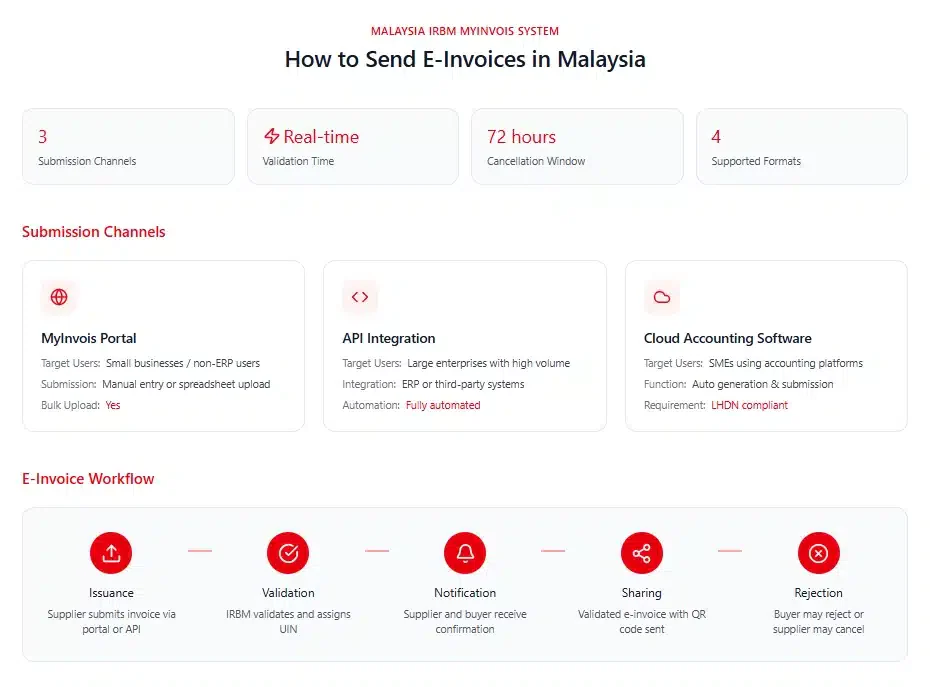
In Malaysia, businesses can issue e-invoices through two main channels provided by the Inland Revenue Board of Malaysia (IRBM), such as the MyInvois Portal and API integration. Both options support different business needs and sizes.
1. MyInvois portal
Best suited for small businesses or those without an ERP system, the MyInvois Portal allows users to manually input or upload invoices in bulk using spreadsheets. It’s designed for taxpayers who prefer a simple, direct submission process without needing system integration. Check If Your Current System is MyInvois-Ready.
2. API integration
Larger organizations producing high volumes of invoices typically choose API integration. This method connects their existing systems or third-party platforms directly to MyInvois for automated e-invoice submission.
To activate this, businesses must register their software vendor’s details on the portal to become an authorized intermediary. If you’re unsure how to set up API integration, Caltrix Asia offers free 30-minute consultation sessions to help you streamline the process.
E-Invoice Submission Workflow
- Issuance: Suppliers generate and submit e-invoices via the MyInvois Portal or API.
- Validation: The IRBM validates invoices in real time and assigns a Unique Identifier Number (UIN).
- Notification: Both suppliers and buyers are notified once validation is complete.
- Sharing: Suppliers send the validated e-invoice (with a QR code) to buyers.
- Rejection/cancellation: Buyers can reject, and suppliers can cancel invoices within 72 hours, with valid justification.
- Readable format: A readable version, such as a PDF or JPG, may also be shared for convenience.
This efficient process ensures regulatory compliance while improving financial transparency and workflow efficiency.
3. E-Invoice cloud accounting software
Small and medium-sized enterprises (SMEs) using cloud or desktop accounting software can also issue e-invoices. However, it’s important to verify that the system complies with LHDN’s e-invoice requirements to ensure smooth submission and integration. Implementing a reliable invoicing software automates the filing process while ensuring perfect compatibility with your existing workflows.
Invoice Workflow Automation Case Study
A Malaysian retail chain processed more than 10,000 invoices each month using spreadsheets. Manual data entry caused a 15% error rate, payment delays of up to 45 days, and two days of bank reconciliation work every week. Limited visibility into unpaid invoices also made accounts receivable tracking difficult and restricted cash flow.
The company implemented invoicing software to automate invoice creation, recurring billing, payment reminders, AR tracking, and bank reconciliation with Maybank and CIMB. Customers could pay faster through FPX gateways, while the finance team gained real-time visibility into outstanding and overdue invoices.
Invoice processing time dropped from five minutes to just 30 seconds, reducing errors by 93%. Automated reminders helped cut DSO from 45 to 20 days, while streamlined reconciliation saved valuable finance hours. The company achieved RM150,000 in annual savings and improved monthly cash flow by RM500,000 without hiring additional staff.
By automating its invoice workflow, the business accelerated collections, reduced administrative work, and built a more scalable billing process.
How to Choose the Right Invoice Program for Your Business in Malaysia
When choosing an invoice program in Malaysia, businesses should not only check whether the software can create invoices. A reliable solution should support the full invoicing workflow, from preparing invoice details and submitting them through MyInvois or Peppol to tracking LHDN validation status, handling rejected invoices, creating credit notes, and monitoring payment status
Step 1: Check system compatibility
Many businesses focus only on invoice creation, but invoicing involves a much broader process. Before selecting a solution, evaluate how invoices are generated, approved, delivered to customers, tracked, and reconciled with payments.
A suitable platform should support the entire billing cycle from invoice issuance to payment collection. Features such as recurring billing, approval workflows, customer management, and payment tracking can significantly reduce manual effort while improving visibility across finance operations.
Step 2: Verify compliance with Malaysian regulations
Since Malaysia has implemented mandatory e-Invoicing through LHDN’s MyInvois framework, compliance should be a key consideration during software evaluation. Businesses need to ensure their chosen solution supports invoice validation, submission, record management, and refund note requirements in Malaysia.
Look for vendors that actively update their systems whenever LHDN releases new guidelines or technical specifications. This reduces the risk of compliance issues and minimizes the burden on internal teams to adapt processes manually.
Step 3: Evaluate automation features
Automation is one of the main reasons businesses invest in invoicing software. Features such as automatic invoice generation, recurring billing, payment reminders, tax calculations, and payment reconciliation can significantly reduce manual work.
By automating routine billing activities, finance teams can process invoices faster, improve accuracy, and spend less time on administrative tasks. This becomes increasingly important as transaction volumes grow.
Step 4: Compare cost and ROI
While pricing is an important consideration, focusing solely on subscription fees can be misleading. A lower-cost solution may lack the functionality needed to support future growth, leading to additional expenses later.
Instead, evaluate the overall return on investment. Consider factors such as reduced administrative workload, faster invoice processing, improved payment collection rates, fewer billing errors, and lower compliance risks. These benefits often generate far greater value than the software’s initial cost.
Step 5: Review support and training availability
Even the most feature-rich invoicing software can become difficult to use without proper implementation and support. Businesses should evaluate the vendor’s onboarding process, training resources, technical support availability, and local expertise.
This becomes particularly important for organizations transitioning from manual invoicing processes or preparing for large-scale e-Invoicing adoption. Reliable support can accelerate implementation, reduce disruption, and help users maximize the software’s capabilities from the start.
To better understand how your business can speed up collections and minimize payment delays, you can also explore our full guide on achieving timely invoice payment. It provides practical strategies and insights that complement the automation features offered by HashMicro.
Which One Best Invoice Software Suits Your Business?
Different businesses have different invoicing priorities, from simple billing and payment tracking to full ERP integration and LHDN compliance. The table below helps narrow your options by matching software solutions to specific business scenarios.
| Business Profile | Recommended Software | Why It Fits |
|---|---|---|
Startup or microbusiness needing free and simple invoicing tools | Wave or Zoho Invoice | Both offer free plans with essential invoicing features, making them ideal for businesses with limited budgets and simple financial needs. |
Freelancers or service-based SMEs needing easy invoicing and time tracking | FreshBooks or Invoice2go | FreshBooks provides strong time and expense tracking, while Invoice2go excels in mobile invoicing for on-the-go billing. |
Growing SME needing scalable cloud invoicing with integrations | Xero or QuickBooks | Both platforms offer strong reporting, integrations, and automation to support business growth and more complex financial workflows. |
Malaysian SME requiring LHDN-compliant e-invoicing and local support | HashMicro or Aspert AiNexus | Both solutions are aligned with MyInvois requirements, offering local compliance, automation, and support tailored for Malaysian regulations. |
Large enterprise needing full ERP integration with invoicing | Oracle NetSuite or Sage Intacct | These systems provide advanced financial management, multi-entity support, and real-time reporting for complex organizations. |
Business already using Microsoft ecosystem (Office 365, Outlook, Teams) | Microsoft Invoicing | Seamless integration with Microsoft tools allows for smoother workflows without needing major system changes. |
SaaS or tech company needing subscription and recurring billing automation | Stripe Billing | API-first platform with strong support for recurring payments, automation, and global transaction handling, ideal for digital business. |
| Construction company managing progress claims and retention | HashMicro or another verified construction-ready platform | Supports milestone billing, variation orders, retention records, and integration with accounting workflows; PAM/JKR capability must be verified with the vendor. |
Conclusion
The right invoicing software can simplify the entire billing process, from invoice creation and recurring billing to payment reminders and accounts receivable tracking. By reducing manual work and providing clearer visibility into outstanding payments, businesses can accelerate collections and maintain healthier cash flow.
The 12 platforms reviewed offer different capabilities, from straightforward invoicing tools to integrated accounting and ERP solutions. Businesses should compare them based on invoice volume, billing complexity, payment collection needs, reporting features, integrations, budget, and scalability.
Choosing the right platform can help shorten payment cycles, reduce billing errors, and support sustainable business growth. If you need help evaluating your options, a free consultation can help you identify the most suitable invoicing solution for your business.

FAQ about Invoicing Software
Look for features like invoice templates, automated tax calculations, recurring billing, payment tracking, reporting tools, and integration with accounting or ERP systems.
Yes. Most invoicing software allows you to monitor overdue invoices, send reminders, and view payment status in real time.
With HashMicro e-Invoicing, clients simply click the secure “Pay Now” button on the invoice you send via email or portal. They can pay using methods you enable (such as bank transfer, virtual account, payment gateway, or e-wallet), and the system automatically updates the invoice status and records the payment in your finance module.
Yes. Many invoicing software solutions support recurring billing for repeat customers, subscriptions, retainers, or scheduled services. The system can automatically issue invoices based on daily, weekly, monthly, or custom billing cycles.
Yes, invoicing software can send automated payment reminders before or after an invoice due date. This helps businesses reduce late payments without manually chasing every customer.
If an e-invoice is rejected by LHDN, it must be corrected and resubmitted before it can be recognized as a valid e-invoice. Common causes include incorrect tax details, missing information, or formatting issues that do not meet MyInvois requirements.
HashMicro supports Malaysia’s e-Invoicing framework through integration with the LHDN MyInvois system, allowing businesses to generate, validate, and submit e-invoices in accordance with current compliance requirements.
Yes. Advanced invoicing software can manage progress claims based on PAM and JKR contract structures, including milestone billing, retention sums, and variation orders, while also generating MyInvois-compliant e-invoices for LHDN submission.