







Running a hospital or clinic means juggling hundreds of medical supplies daily—from syringes and gauze to expensive diagnostic equipment. When stock runs low unexpectedly or medications expire on the shelf, patient care suffers. That’s where inventory tracking tools come in.
A dedicated system for managing medical supplies gives you real-time visibility over what you have, what you need, and what’s about to expire. For Philippine healthcare facilities dealing with DOH reporting requirements and FDA regulations on drug handling, having organized records isn’t just convenient—it’s often mandatory.
This guide covers 12 software options designed for hospitals, clinics, and pharmacies. We’ll break down what each one does well, where it falls short, and which types of facilities would benefit most from each solution.
Key Takeaways
Tracking systems for medical supplies help reduce counting errors and prevent stock-outs of critical items.
When evaluating options, consider integration with your existing systems, staff training requirements, and whether the platform can grow with your facility.
Philippine healthcare providers should verify that any software can generate reports aligned with DOH and FDA documentation standards.
Quick Overview of Best Medical Inventory Software




Best Because
Best for hospitals managing both equipment maintenance and medicine tracking

Best Because
Best for large institutions requiring advanced analytics and enterprise-level control

Best Because
Best for facilities that need automated purchasing and supplier integration

12 Best Medical Inventory Management Software (Features)
Below are top choices for healthcare inventory management software, selected to help hospitals and clinics manage supplies more efficiently and reduce errors. Each recommendation is structured with an overview, features, and a pros and cons summary to aid in your decision-making:
1. HashMicro Medical Inventory Software
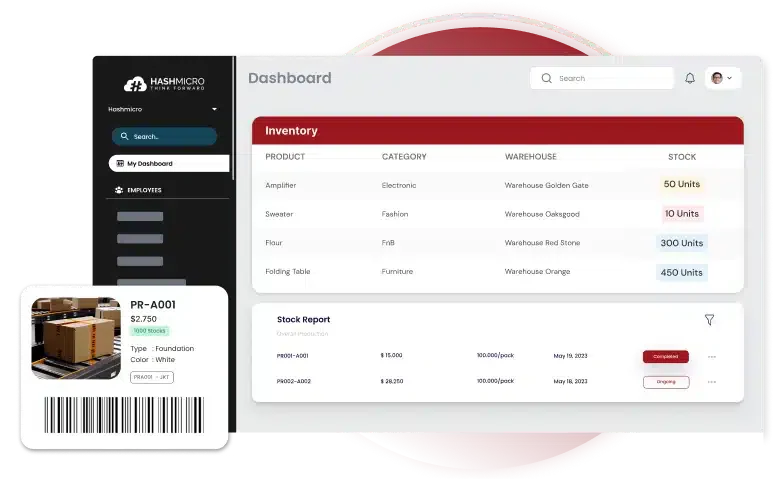 HashMicro’s Inventory Software offers comprehensive features for real-time inventory tracking and integration with ERP systems. It is ideal for hospitals looking to streamline stock management while maintaining compliance and reducing human error.
Features:
- RFID Warehouse Rack Stock In-Out Automation: This system implements RFID technology for real-time tracking of inventory movements, enhancing accuracy and reducing manual workload.
- Stock Forecasting: Utilizes predictive analytics to forecast future inventory requirements, ensuring optimal stock levels at all times.
- Product Expiry Management: This department efficiently manages expiry dates to minimize waste and ensure the use of supplies within safe timeframes.
- Product Warranty & Expiry Tracking with Reminders & Reports: This system tracks warranty and expiry details and issues alerts to manage replacements or renewals proactively.
- Consignment Stock Management: It effectively manages inventories, ensuring stock levels are maintained and accounted for.
| Pros | Cons |
|
|
To see how HashMicro can work for your facility, request a free demo and get a pricing estimate tailored to your hospital’s needs.

2. EZOfficeInventory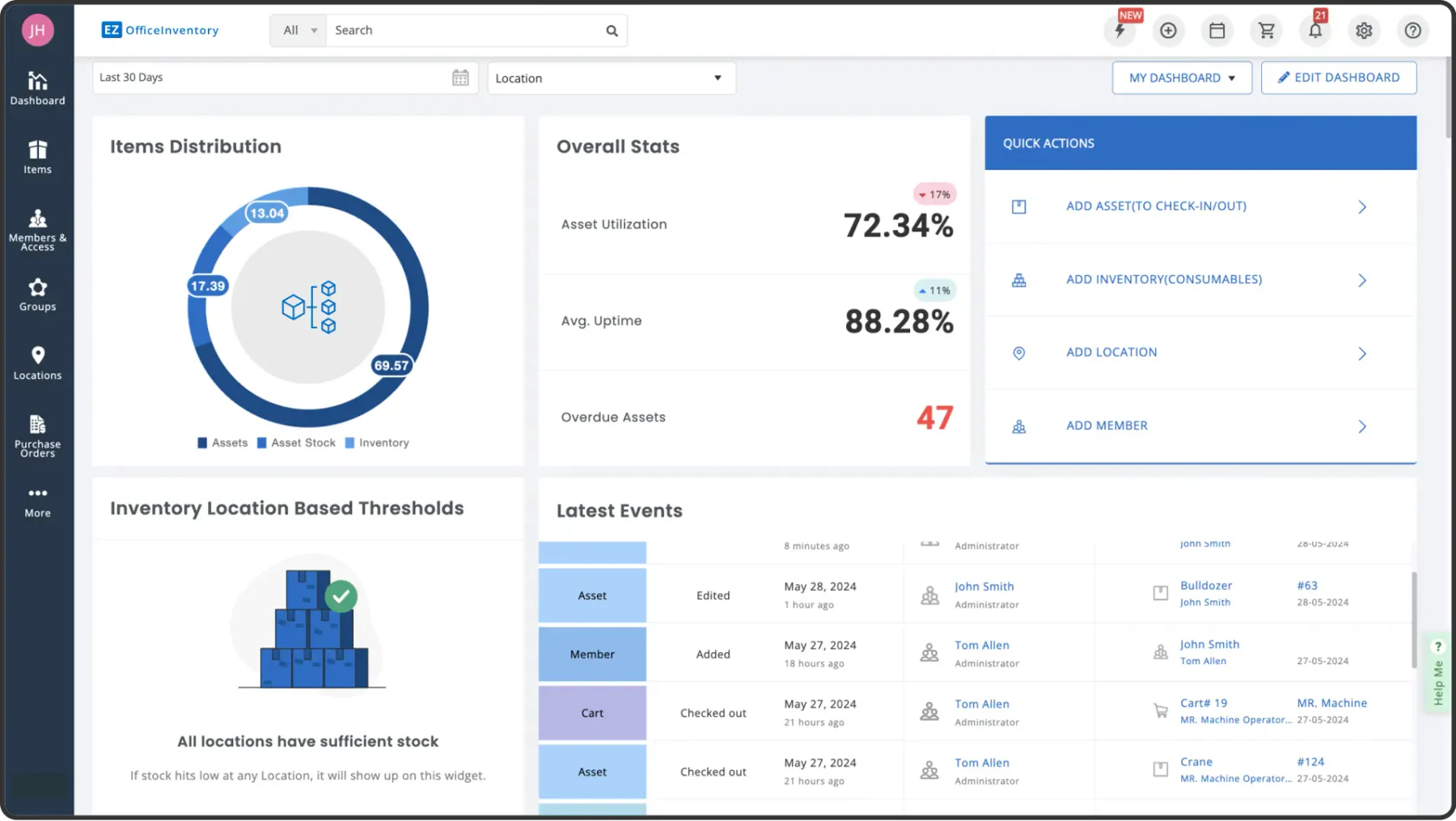
EZOfficeInventory offers a straightforward medical inventory software solution for tracking supplies and improving daily workflows in clinics and hospitals. It is particularly well-suited for smaller clinics and hospitals that require a simple, user-friendly interface with minimal complexity.
Features:
- Inventory tracking with barcode scanning.
- Automated reporting and data backup.
- Asset lifecycle management for consumables & equipment
| Pros | Cons |
|
|
3. Sortly Medical Inventory Software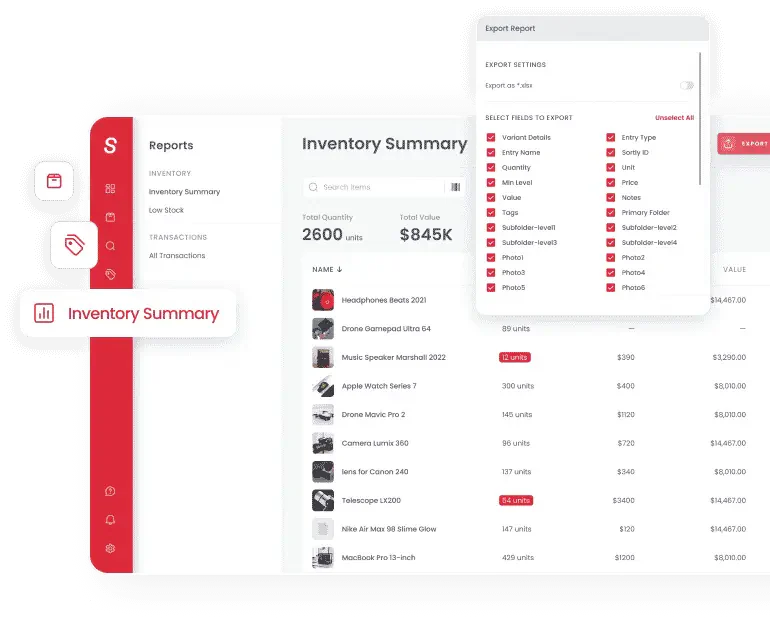
Sortly provides a clear view of your entire hospital inventory management process. This app is specifically designed for inventory control, enabling you to monitor supplies, streamline ordering and receiving, and collect real-time data and analytics. In today’s medical field, Sortly simplifies and enhances inventory management tasks.
Features:
- Visual-based inventory management
- Item scanning functionality
- Automation tools
| Pros | Cons |
|
|
4. UpKeep Health Inventory Management
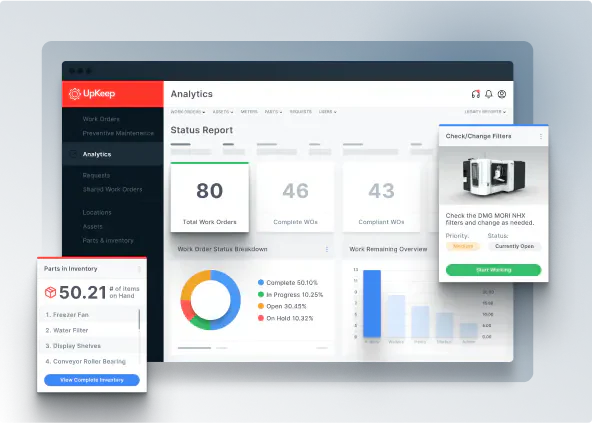
UpKeep is recognized for its asset management capabilities, which are particularly well-suited for hospitals with extensive medical equipment that requires regular maintenance, tracking, and inventory management.
Features:
- Asset and inventory tracking with maintenance scheduling.
- Mobile integration for easy access on the go.
- Real-time updates.
| Pros | Cons |
|
|
5. Oracle Inventory Management Cloud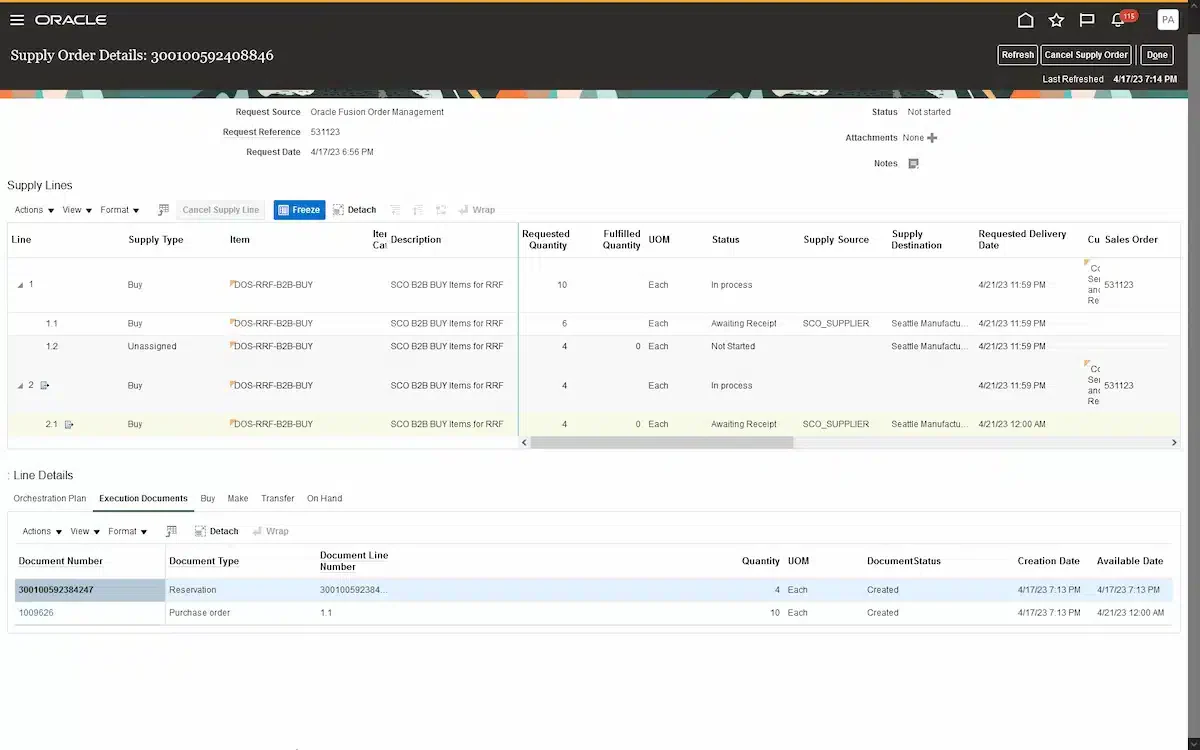
Oracle’s cloud-based inventory solution offers extensive analytics and integration capabilities, making it ideal for large hospitals that require complex inventory management.
Features:
- Advanced inventory analytics and reporting.
- ERP and financial integration for detailed cost analysis.
- Cloud scalability.
| Pros | Cons |
|
|
6. MedSupply Pro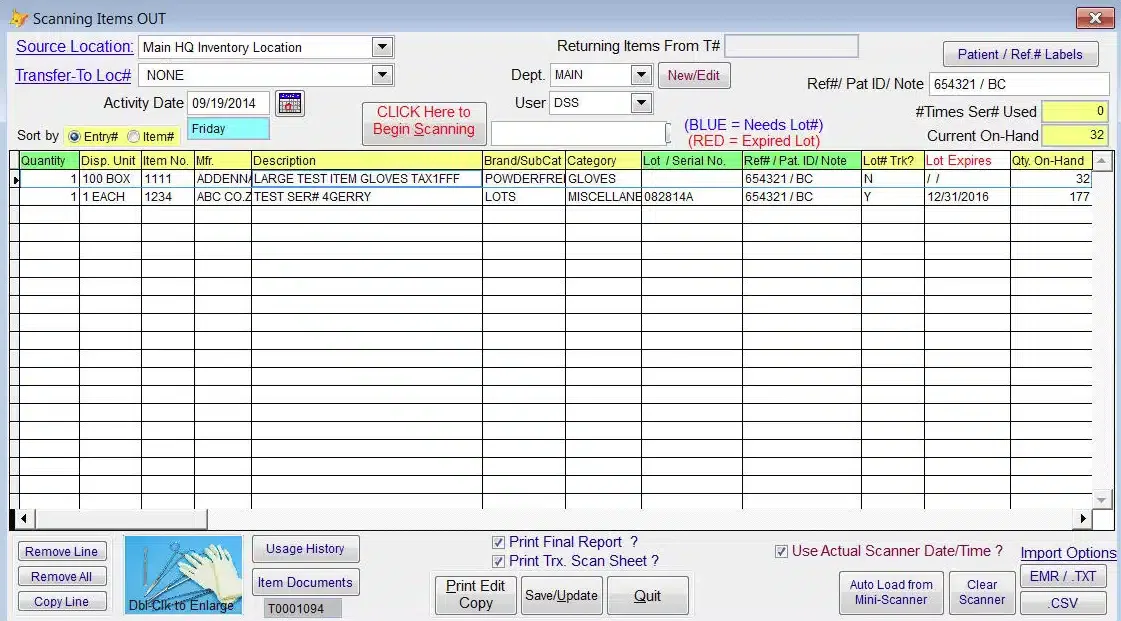
MedSupply is a straightforward yet highly effective healthcare inventory software and pharma ERP. Its ease of use facilitates quick adoption by organizations while still delivering key features such as task automation, inventory monitoring, and item scanning.
Features:
- Inventory monitoring
- Purchase order management
- User-friendly interface
| Pros | Cons |
|
|
7. Marg Inventory & Accounting Software
 Known for its robust accounting integration, Marg Inventory & Accounting Software supports inventory and financial tracking, making it an ideal solution for healthcare facilities seeking comprehensive financial and stock management.
Features:
- Inventory control with multi-location support.
- Accounting integration for real-time financial analysis.
- Expiry and batch control for pharmaceuticals
| Pros | Cons |
|
|
8. SmartVault
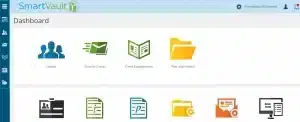 SmartVault combines document management with inventory tracking. It is designed for healthcare facilities that need secure, organized storage for inventory documents and stock control.
Features:
- Secure document storage with inventory tracking.
- HIPAA-compliant for secure handling of sensitive information.
- Centralized access for compliance auditing
| Pros | Cons |
|
|
9. BlueBin Hospital Inventory Management Software
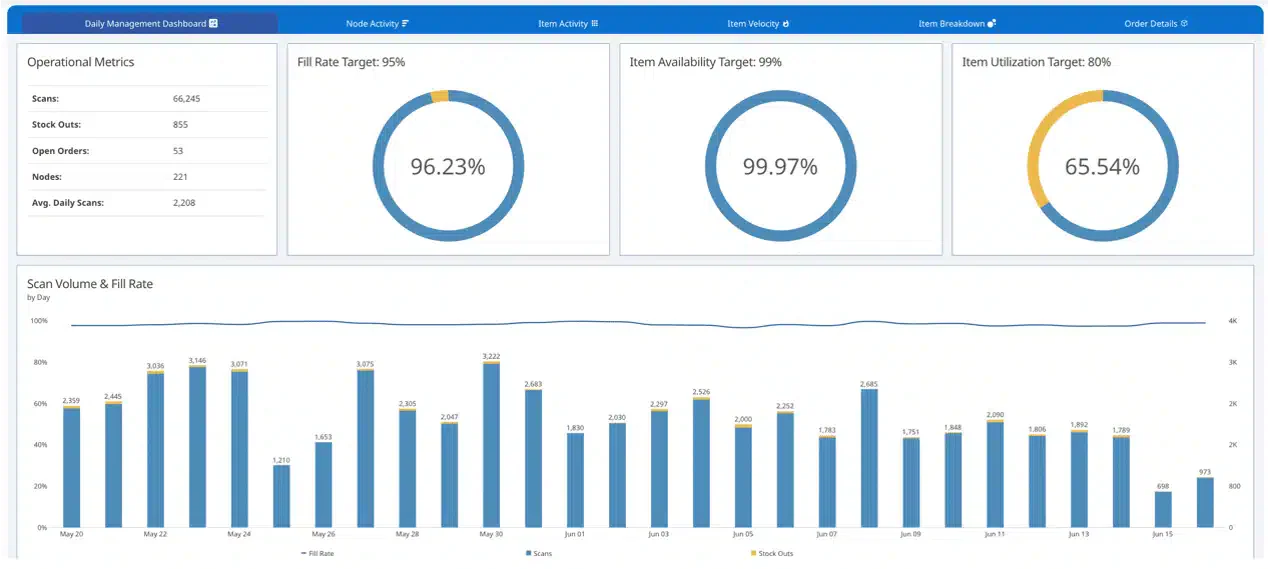
BlueBin is a lean inventory management solution specifically designed for healthcare settings, offering a just-in-time inventory system to help hospitals reduce waste and optimize supply levels.
Features:
- Real-time stock tracking with just-in-time inventory capabilities.
- Real-time analytics for informed purchasing decisions.
- Just-in-time (JIT) inventory replenishment
| Pros | Cons |
|
|
10. Hybrent
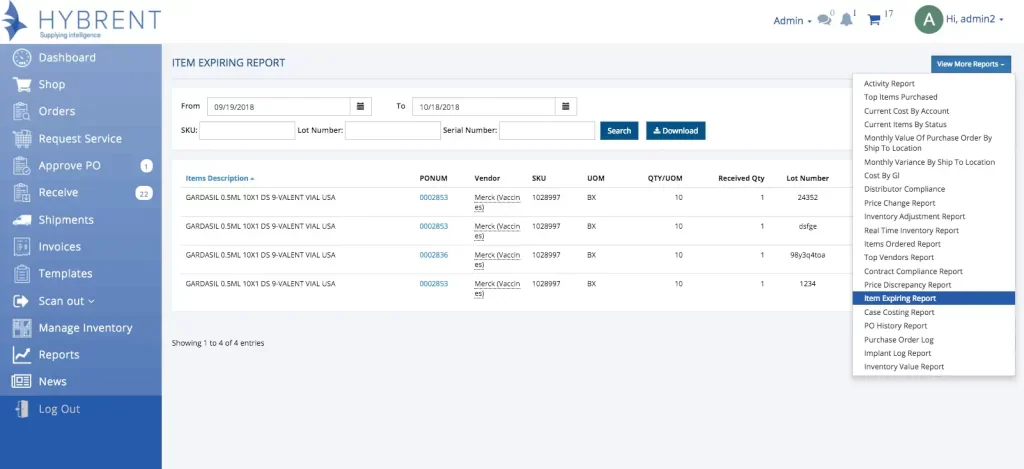
Hybrent is designed for medical facilities of all sizes. It focuses on automating purchasing and inventory management to simplify workflows and reduce manual work in supply chain operations.
Features:
- Automated purchasing and inventory tracking.
- Supplier integration for streamlined reordering.
- Real-time PO and invoice matching
| Pros | Cons |
|
|
11. Wasp Barcode Technologies
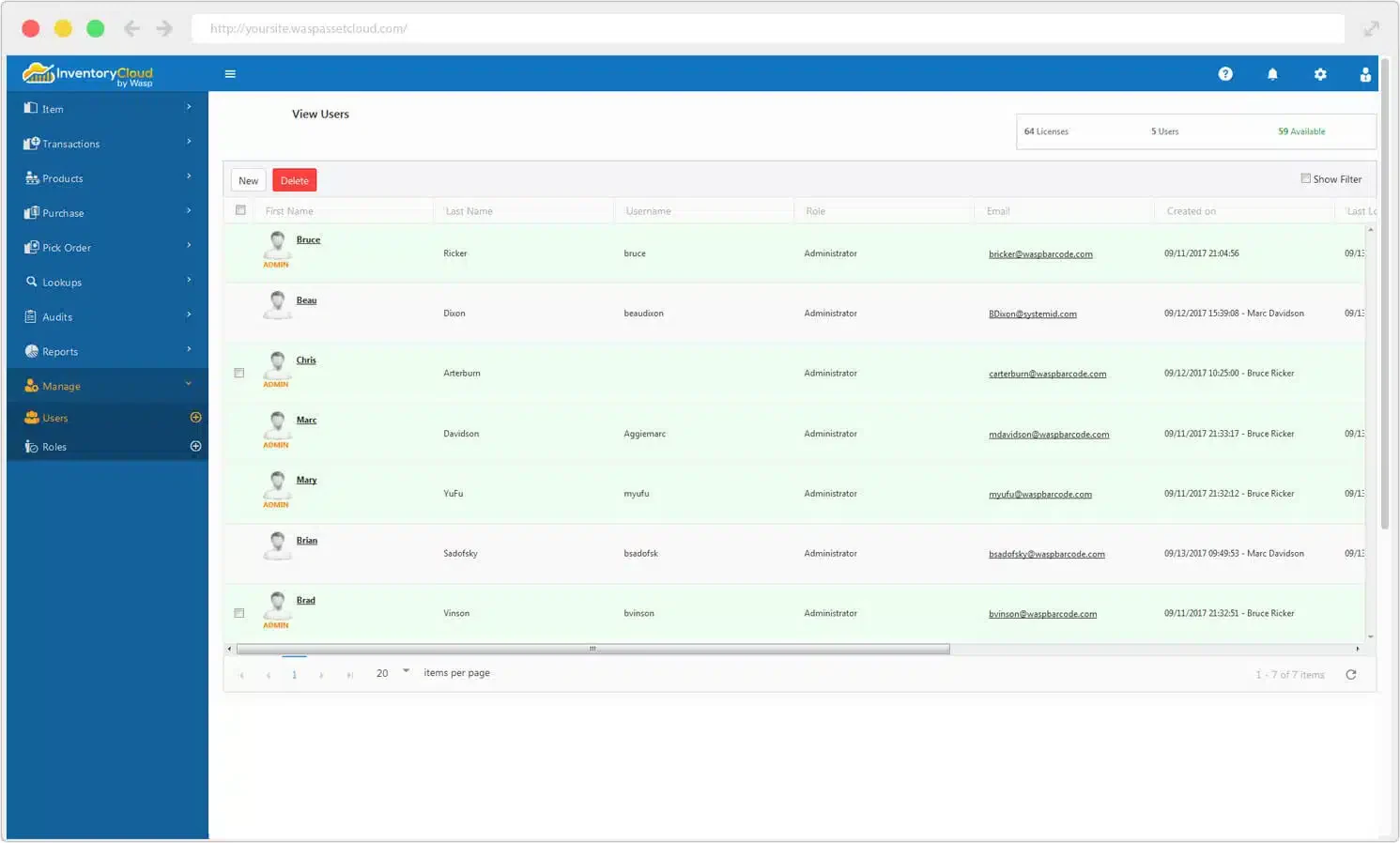
Wasp provides a dependable medical inventory software solution tailored for healthcare facilities that need accurate tracking of supplies and equipment. The system focuses on improving visibility, reducing stock discrepancies, and simplifying daily inventory tasks.
Features:
- Barcode and label creation for fast scanning and item identification
- Real-time tracking of medical consumables and high-value equipment
- Automated notifications for low stock, expirations, and asset movement
| Pros | Cons |
|
|
12. Timly Medical Inventory System
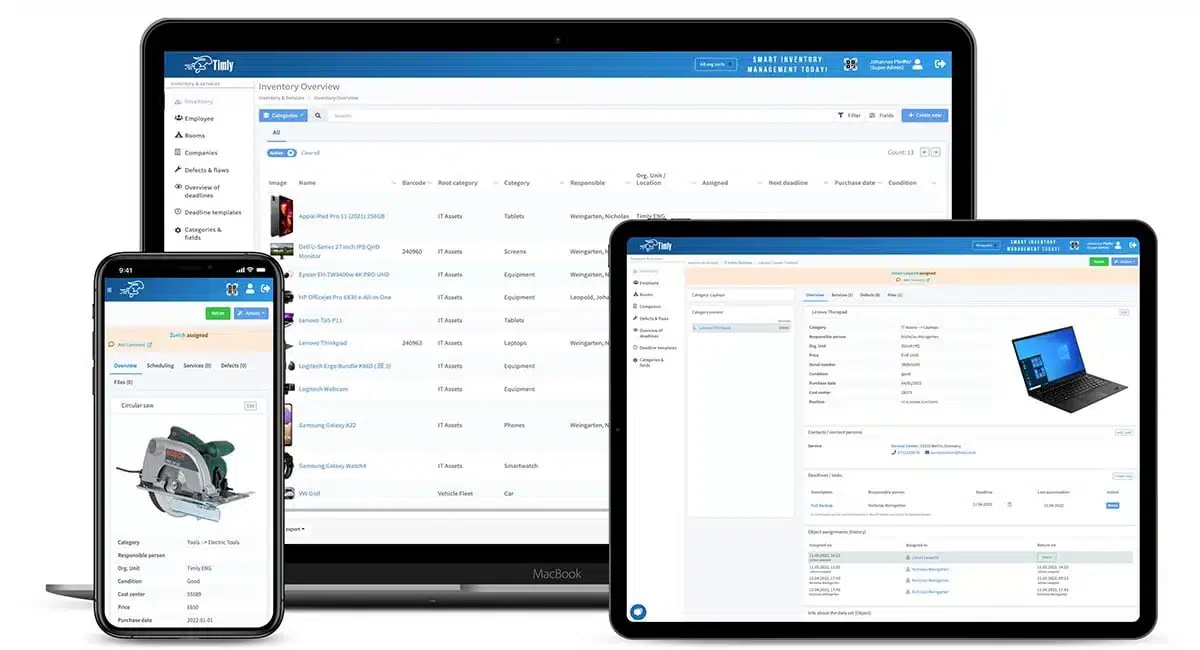
Timly offers a cloud-based medical inventory software platform that centralizes tracking for medical supplies, consumables, and equipment. It helps hospitals maintain organized stock data while also supporting preventive maintenance schedules.
Features:
- Centralized real-time dashboard for supplies and equipment
- QR code tagging for fast audits and item updates
- Maintenance and inspection scheduling for medical devices
| Pros | Cons |
|
|
Full Comparisson of Medical Inventory Software
| Brand | Best for | Pros | Cons |
|---|---|---|---|
| 1) HashMicro | Best all-in-one medical inventory system for multi-branch hospital networks, with RFID tracking, analytics, and centralized visibility across NCR, CALABARZON, and provincial sites. | 1) Seamless ERP integration 2) Highly customizable 3) Reduces manual errors | 1) Requires a learning curve for complex functionalities |
| 2) EZOfficeInventory | Best for small clinics under 50 beds that want a simple, fast-to-use system with minimal training | 1) User-friendly interface 2) Quick setup process 3) Ideal for small to mid-sized clinics | 1) Limited advanced features 2) May lack scalability for larger hospitals |
| 3) Sortly | Best for small clinics where one or two staff handle all inventory and prefer visual control with easy scanning | 1) User-friendly interface 2) Barcode scanning 3) Clear visual-based controls | 1) Limited advanced features 2) Integration options |
| 4) UpKeep | Best for hospitals managing high-value equipment such as MRI, CT, and surgical robots alongside medicine tracking, with maintenance and calibration scheduling | 1) Excellent for tracking equipment and medicine 2) Mobile-friendly 3) Real-time updates | 1) Focuses heavily on maintenance 2) May not suit medicine-tracking priorities |
| 5) Oracle | Best for large multi-branch institutions where head office monitors every site while branch managers purchase within approved limits | 1) Powerful analytics and scalability 2) Strong ERP and financial integration 3) Ideal for large institutions | 1) Expensive 2) Too complex for smaller hospitals |
| 6) MedSupply Pro | Best for small pharmacies and dispensing facilities needing affordable batch tracking, expiration management, and dispensing logs | 1) Easy-to-use interface 2) Suitable for smaller facilities 3) Affordable | 1) Limited advanced reporting 2) Not ideal for large hospitals |
| 7) Marg | Best for pharmacies and drug dispensing facilities needing prescription integration and FDA compliance alongside accounting linkage | 1) Strong accounting features 2) Customizable for diverse needs 3) Multi-location support | 1) Steeper learning curve 2) More suitable for facilities with dedicated accounting staff |
| 8) SmartVault | Best for facilities that prioritize secure document handling with inventory data | 1) High level of document security 2) Integrates with accounting systems 3) HIPAA compliant | 1) More focused on document management 2) May lack specific medical inventory tools |
| 9) BlueBin | Best for hospitals focused on lean, waste-reducing inventory systems | 1) Excellent for waste reduction 2) User-friendly interface 3) Ideal for lean inventory needs | 1) Limited advanced features 2) Better for smaller inventory scopes |
| 10) Hybrent | Best for facilities that need automated purchasing and supplier integration | 1) Comprehensive purchasing features 2) Easy-to-use mobile app 3) Strong supplier integrations | 1) Requires customization for certain medical fields 2) Higher costs for premium features |
| 11) Wasp Barcode | Best for healthcare sites relying heavily on barcode workflows and multi-location tracking | 1) Easy-to-use barcode-focused interface 2) Strong tracking for supplies and equipment 3) Reliable for multi-location setups | 1) Limited advanced analytics 2) Fewer customization options |
| 12) Timly | Best for hospitals wanting combined asset tracking and maintenance scheduling | 1) Intuitive interface 2) Strong asset and maintenance tracking 3) Cloud-based for multi-department coordination | 1) Advanced functions may require training 2) Limited offline capabilities |
What is Medical Inventory Software?
Medical inventory software is a specialized tool that helps healthcare facilities manage supplies and equipment more efficiently. A reliable medical inventory solution that ensures accurate tracking, timely replenishment, and full visibility across departments. This software ensures that critical items are always stocked and readily available.
Think of medical inventory software as a digital stockroom manager. It keeps tabs on everything your facility uses, from cotton balls to CT scanners, and tells you when supplies are running low before you actually run out.
Unlike spreadsheets or paper logs, these systems update automatically when staff dispense items or receive new shipments. Most can also track batch numbers and expiration dates, which matters a lot when you’re handling medications that the FDA requires you to monitor.
Function of Medical Inventory Software?
Medical Inventory Software is designed to simplify inventory management in medical settings, such as hospitals, clinics management, and laboratories. The software allows users to:
1. Stock Monitoring Across Locations
Your central supply room probably tracks inventory differently than your ER or pharmacy. Good software connects these departments so you can see the full picture. When the operating room uses the last box of surgical gloves, the system flags it—no phone calls needed.
2. Expiration Date Alerts
Here’s the thing: expired medications don’t just waste money. They create compliance headaches with the FDA and can harm patients if accidentally dispensed. Automated expiry tracking sends alerts weeks or months ahead, giving you time to use items before they expire or return them to suppliers.
3. Purchase Order Automation
Instead of manually checking what needs restocking each week, the system can generate purchase orders when stock hits preset levels. Some facilities set this up for routine items like syringes while keeping manual approval for expensive equipment.
4. Barcode and QR Code Scanning
Typing item codes manually leads to mistakes. Scanning speeds up receiving, dispensing, and cycle counts while creating an automatic audit trail. Most systems work with standard barcode scanners or even smartphone cameras.
5. Regulatory Report Generation
Philippine hospitals need to submit various reports to the DOH, particularly for controlled substances and medical devices. Software that generates these reports automatically saves hours of administrative work and reduces the risk of filing errors.
Essential Features of a Medicine Inventory System
When evaluating inventory platforms for healthcare use, a few capabilities separate adequate tools from genuinely helpful ones.
- Real-time updates matter more in healthcare than in most industries. If a nurse checks stock levels at 8 AM but another department used the last units at 7:45 AM, outdated information creates problems. Look for systems that sync within seconds, not hours.
- Batch and lot tracking lets you trace any item back to its source. This becomes critical during product recalls—instead of pulling everything, you can identify exactly which units came from the affected batch.
- Multi-location visibility is essential for hospital networks. A system that only shows inventory at one site forces staff to make calls or send emails to check other branches. The best platforms display all locations on a single dashboard.
- Integration capability determines whether the software plays nicely with your existing setup. If your facility already uses an ERP system, accounting software, or electronic medical records, check whether the inventory platform can connect to them. Disconnected systems mean double data entry.
- Mobile access allows staff to check stock, receive shipments, or scan items using tablets or phones. This proves especially useful for facilities where the stockroom isn’t near a desktop computer.
Need to know!
Efficient medical inventory management is key to better patient care. Hashy AI automates tracking, optimizes stock levels, and reduces waste. Ensure accuracy and efficiency today. Get a free demo now!

Get a Free Demo Now!
Tips for Choosing The Best Medical Inventory Software

Selecting the right medicine inventory system or pharmacy inventory tool is essential for achieving efficient operations and maintaining safe stock levels across healthcare facilities. Here are some considerations:
1. Features relevant to your needs
Hospitals have specific needs, so ensure the chosen system has essential features such as expiration tracking, stock management, and ERP integration for maximum efficiency.
2. Ease of use
Select software with an intuitive interface, as it will be used by staff across various hospital departments.
3. Integration capability with other systems
The top inventory software options should integrate with other systems, such as ERP, accounting, or laboratory applications, to unify data and enhance inventory visibility.
4. Scalability and customizability
Hospitals often grow in size and need, so flexible and scalable systems are crucial.
5. Technical support and training
Select a software provider that offers technical support and training for hospital staff to ensure a smooth transition to the new system without disrupting operations.
Challenges of Healthcare Inventory Management
Managing healthcare inventory is a complex process that significantly impacts patient care, operational efficiency, and financial stability. The following challenges highlight the key areas in which healthcare facilities often struggle to optimize inventory management:
Challenge #1: Ensuring Patient Safety
Patient safety is a top priority in healthcare, and inventory management plays a direct role in maintaining it. Insufficient stock of essential supplies can result in critical shortages, putting patient care at risk.
The lack of essential surgical instruments or medications can delay treatment and worsen health outcomes, while inventory data breaches risk patient trust. Healthcare organizations must adopt robust inventory management to ensure patient safety and data security.
Challenge #2: Managing Bulk Purchasing Contracts
While bulk purchasing agreements can reduce costs, they also present challenges such as overstocking and product obsolescence. Excess inventory ties up financial resources and increases waste, particularly when dealing with perishable medical supplies.
To mitigate these risks, healthcare decision-makers must carefully analyze purchasing contracts to ensure they align with actual demand patterns, thereby avoiding financial strain and inefficiencies.
Challenge #3: Integrating with Enterprise Resource Planning (ERP) Systems
Integrating healthcare inventory management with enterprise resource planning (ERP) systems is a critical yet complex challenge. Discrepancies between these systems can lead to inaccurate stock tracking, which in turn affects decision-making and overall efficiency.
Healthcare leaders must prioritize seamless integration to ensure accurate, real-time inventory data, enabling better resource allocation and operational effectiveness.
Challenge #4: Controlling Inventory Costs
Healthcare organizations continually strive to maintain an optimal balance between inventory availability and cost. Holding excess stock inflates costs, while insufficient supplies can compromise patient care.
Mismanaged inventory can result in various financial losses, including wasted storage space and expired or unused products. Effective inventory control strategies are essential to minimizing waste, reducing costs, and ensuring high-quality patient care.
Challenge #5: Managing Hospital Data Efficiently
Accurate and up-to-date data is the backbone of effective healthcare inventory management. Poor data management can lead to inaccurate stock levels, which can impact financial planning and patient safety.
Healthcare organizations must invest in advanced inventory management solutions that provide accurate and comprehensive data insights and implement a periodic inventory system.
"Medical inventory software provides real-time stock visibility, minimizes waste, and ensures critical supplies are always available. It streamlines tracking and replenishment so healthcare facilities can operate with greater accuracy and efficiency."
Philippine Compliance Considerations
Healthcare facilities in the Philippines operate under several regulatory frameworks that affect inventory management:
1. DOH Requirements
The Department of Health requires hospitals to maintain records of medical supplies and equipment. Certain categories, particularly drugs and medical devices, require documentation showing proper storage, handling, and dispensing. Your inventory system should generate reports that match DOH audit requirements.
2. FDA Drug Monitoring
The Food and Drug Administration oversees pharmaceutical products and medical devices. For facilities dispensing medications, the FDA requires batch-level tracking for certain drug categories especially antibiotics/antibiotic preparations. Software with lot tracking capabilities helps during inspections by showing the complete chain of custody for any item.
3. BIR Documentation
While inventory systems aren’t directly tax software, they affect your BIR compliance by tracking the cost of goods. Systems that integrate with accounting software can help generate accurate inventory valuations for tax reporting.
4. Data Privacy Act / NPC Considerations
Based on Data Privacy Act of 2012 state that if your inventory system connects to patient records (showing which medications were dispensed to whom), you’ll need to consider data privacy requirements under Philippine law. Cloud-based systems should clarify where data is stored and what security measures protect it.
Managing Controlled Substances in Philippine Healthcare
The Philippine Drug Enforcement Agency (PDEA) and FDA require strict tracking for Schedule I-IV controlled substances. This isn’t optional—it’s the law.
What your software MUST track for controlled substances:
1. Chain of Custody
- Who received the drug
- Who dispensed it
- To which patient
- Remaining balance
2. S2 License Compliance
- Automatic alerts for license renewal
- Quantity limits per prescription
- Authorized prescriber verification
3. Dangerous Drugs Board (DDB) Reporting
- Monthly consumption reports
- Wastage documentation
- Discrepancy investigation logs
4. Physical Count Requirements
- Daily count for high-risk items
- Weekly reconciliation reports
- Audit trail for inspections
5. Software with strong controlled substance features:
- HashMicro (customizable for PDEA requirements)
- Oracle (enterprise-grade audit trails)
- MedSupply Pro (pharmacy-focused compliance)
Warning: Generic inventory software often lacks the granular tracking needed for PDEA compliance. Verify this feature specifically before purchasing.
Conclusion
Finding the right inventory system depends on your facility’s size, complexity, and existing technology setup. A provincial clinic with straightforward needs won’t benefit from enterprise features designed for 500-bed hospitals and will overpay for capabilities that never get used.
Healthcare facilities need an inventory system that matches their size, workflow, and operational priorities. The right choice should help staff track stock accurately, prevent shortages, reduce waste, and support smoother day-to-day control.
If you want a platform that can streamline stock monitoring, automate replenishment, and improve visibility across medical supplies, explore HashMicro’s inventory management system in the Philippines.
FAQ About Medical Inventory Management
No, this software is suitable for hospitals and clinics of all sizes.
Medical Inventory Software sends automated alerts for items nearing expiration, helping hospitals avoid using unsafe stock.
A Philippine hospital does not need PhilHealth accreditation just to use inventory software for internal stock control, purchasing, expiry tracking, or supply monitoring. PhilHealth accreditation applies to facilities that want to participate in the National Health Insurance Program, while PhilHealth’s claims-related digital systems and certified service provider requirements become relevant only if the hospital will use software for PhilHealth eClaims or related reimbursement workflows
Yes, most medical inventory software can integrate with ERP or accounting systems for easier cost analysis and reporting.