

















Running a business is tough enough without losing track of your products. For Filipino businesses operating in a fast-paced market, poor inventory organization leads to mislabeled stock, delayed fulfillment, and avoidable errors that quietly drain margins. A Stock Keeping Unit (SKU) addresses this by giving every product a unique, structured code that the entire operation can rely on.
This article covers what SKUs are, how they are created, where they are used, and how they support better inventory decisions across retail and e-commerce operations.
Key Takeaways
|
Table of Contents
What is a Stock Keeping Unit (SKU)?

A Stock Keeping Unit (SKU) is a unique alphanumeric code businesses use to identify and track each product in their inventory, typically reflecting attributes like brand, size, color, and category. For example, a retail store might assign “SHRT-BLU-M” to a blue medium-sized shirt.
The significance of SKUs lies in their ability to help businesses monitor stock levels, sales performance, and replenishment needs. Unlike UPCs, SKUs are unique to each business, allowing for customization that aligns with specific internal tracking needs.
The Importance of SKU in Inventory Management
SKUs enable precise tracking and organization by allowing businesses to categorize products based on attributes like type, size, and color, leading to better inventory management across warehouses, store shelves, and multiple locations.
Both large and small businesses benefit from SKUs as they simplify stock counting, order fulfillment, and restocking. Inventory management software integrates seamlessly with SKU systems, offering real time stock insights and helping prevent overstocking or stockouts.
How are SKUs Created?
Effective SKUs are short, usually 8–12 characters, and descriptive enough to convey key product details without becoming hard to read. A retailer, for example, might use “JKT-BLK-L” to represent a large black jacket, making it immediately recognizable to anyone handling that item. Keeping a consistent format across all SKUs is crucial, especially as inventory grows and more people across the team rely on these codes daily.
As product catalogs expand, managing SKUs manually becomes increasingly difficult to sustain. Inventory management software solves this by automating SKU generation through predefined templates based on attributes like type, color, or size. This keeps codes consistent, reduces human error, and ensures the system scales alongside the business without losing accuracy.
Where are SKUs Used?
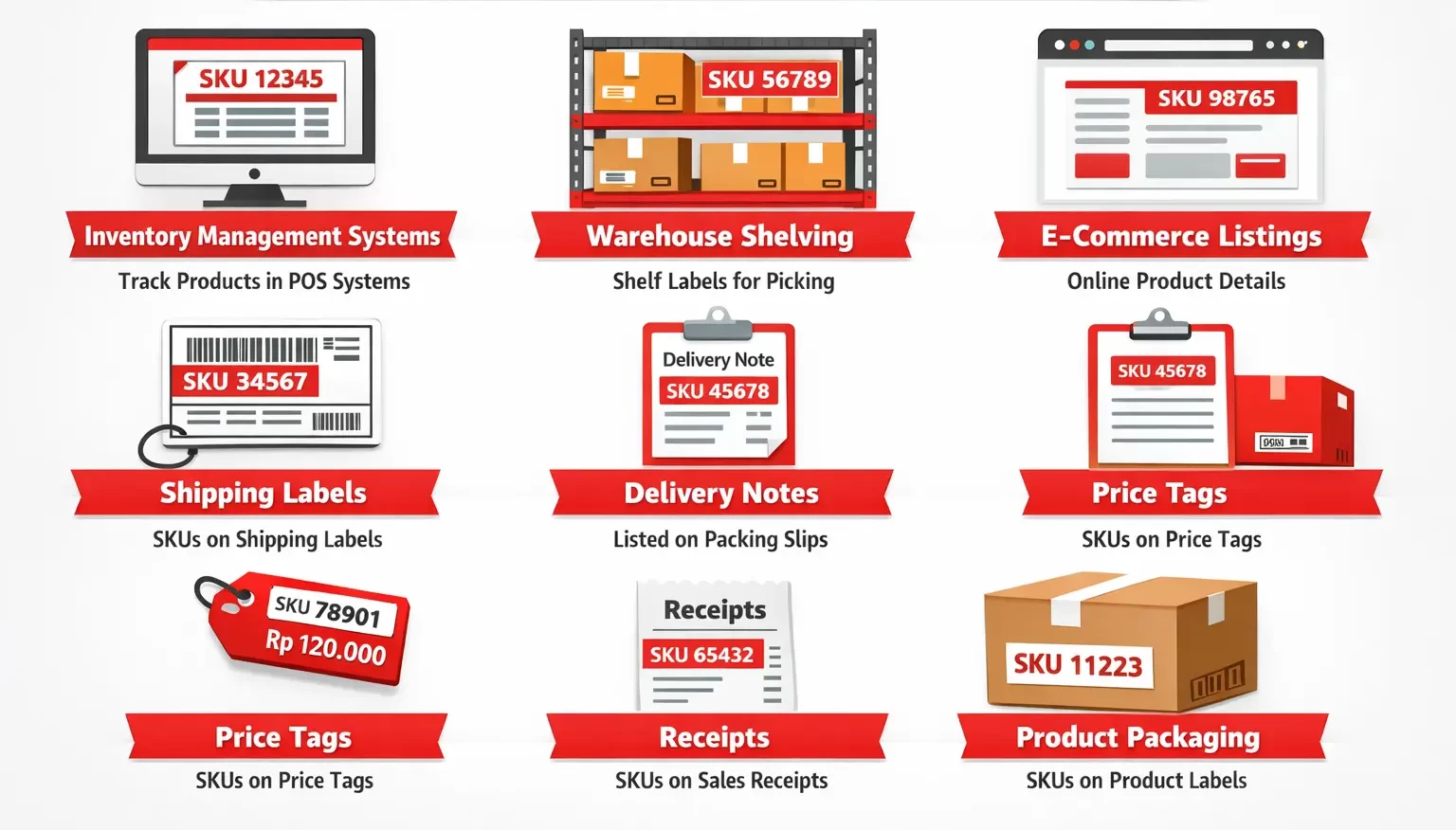
SKUs are used across retail, manufacturing, logistics, and e-commerce to help staff locate items and ensure customers receive the correct products. Common places where SKUs appear include:
- Inventory Management Systems: SKU numbers are stored in inventory management systems or point-of-sale (POS) systems, making it easier to track all products.
- Warehouse Shelving: SKUs are often labeled on warehouse shelves to help staff quickly locate products during picking and packing.
- Product Listings: On e-commerce platforms like Amazon and eBay, SKU numbers are included in product details to ensure customers receive the correct items from the BIR inventory list.
- Shipping Labels: Many businesses include SKU numbers on shipping labels for easy identification and tracking of products during delivery.
- Delivery Notes: SKUs are often listed on delivery notes to provide clear reference to the products being shipped, helping ensure accurate order fulfillment.
- Price Tags: Retailers often use SKU numbers on price tags, enabling staff to efficiently manage inventory and locate items in-store.
- Receipts: When a product is sold, the receipt typically lists the SKU number alongside the product description.
- Product Packaging: Manufacturers print SKU numbers on product packaging, usually on a label or directly on the packaging.
Integrating SKUs with an inventory tracking system enhances accuracy and streamlines operations, especially for businesses with large product catalogs.
SKU vs. UPC: What’s the Difference?
Both SKUs and UPCs are used in inventory management, but they serve different purposes. Understanding the distinction helps businesses decide when to use each and how to manage both within the same system.
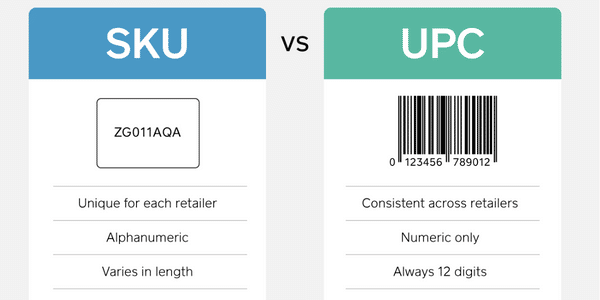
| Aspect | SKU | UPC |
|---|---|---|
| Role | SKUs are unique codes created by each business to track and organize products within their operations. | UPCs are standardized codes that are used globally to identify products and remain consistent across all retailers. |
| Example | “TSHRT-BLU-M” as an SKU for a medium blue t-shirt. | “012345678905” |
| Customization | SKUs are tailored to meet a business’s specific needs. | UPCs are universal and do not change, no matter where the product is sold. |
| Consistency Across Retailers | The same product might have different SKUs in different stores. | The same product always carries the same UPC across all retailers. |
| Usage | Businesses usually rely on SKUs for internal tracking. | UPCs are used to sell products across various platforms. |
| System Compatibility | Many inventory management systems can handle SKUs. | Many inventory management systems can handle UPCs. |
Businesses typically rely on SKUs for internal tracking and UPCs when selling across external platforms. Most inventory management systems support both, making it straightforward to manage products across multiple sales channels without maintaining two separate systems.
How are SKUs Used in E-Commerce?
In e-commerce, SKUs keep online stores organized and ensure accurate order fulfillment by categorizing products, tracking inventory, and managing sales data across platforms. When a customer places an order, the SKU helps locate the exact item in the warehouse so the correct product gets shipped.
High-volume sellers use SKUs to manage product variants and reduce fulfillment errors. Inventory management software enhances this by syncing SKUs across platforms, automating reorders, and helping sellers forecast demand and fine-tune marketing strategies.
Track SKUs with an Inventory Management System
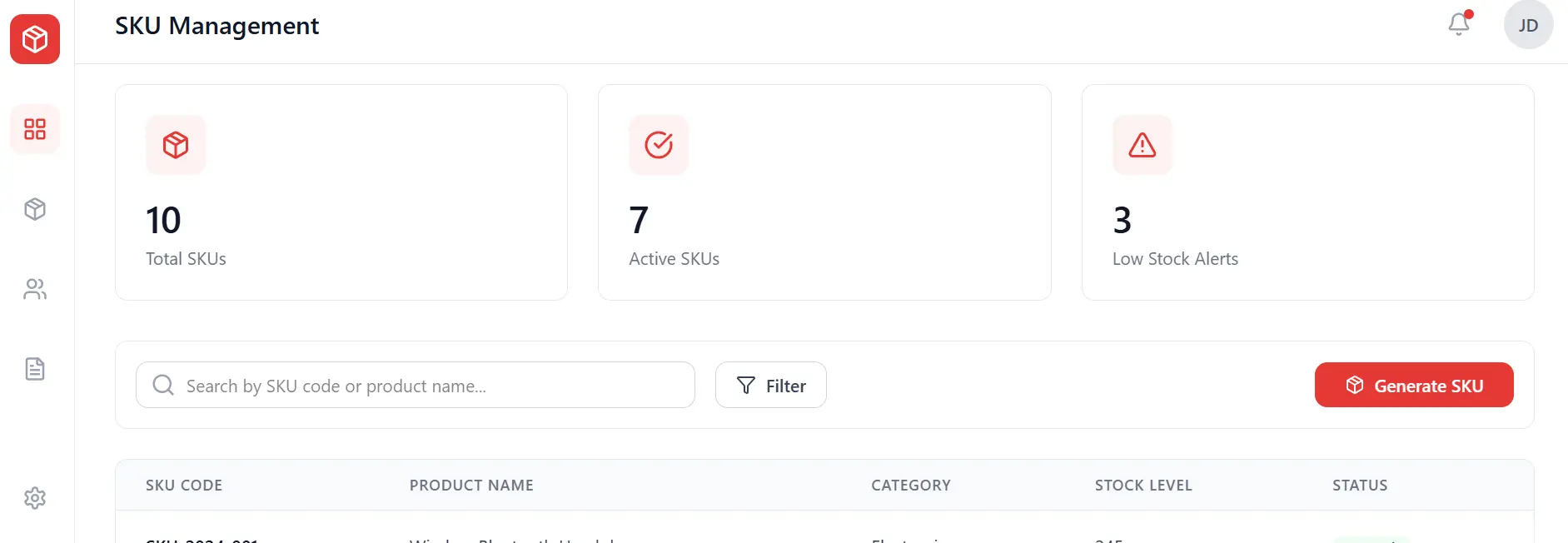
As SKU catalogs grow, manual management becomes unsustainable. Using dedicated inventory management software automates SKU generation, stock monitoring, and reporting, keeping product data accurate without constant manual input.
Key capabilities include automated SKU generation, real-time stock monitoring, multi warehouse management, inventory analytics, and ERP integration. Together, these tools give businesses the visibility needed to manage growing catalogs without adding operational complexity.
Conclusion
SKUs are a foundational element of effective inventory management, giving businesses a reliable way to identify, track, and organize every product in their catalog. When applied consistently across warehouses, retail floors, and e-commerce platforms, a well-structured SKU system reduces errors, supports faster fulfillment, and improves overall stock visibility.
For businesses looking to strengthen this further, exploring the best inventory management software options available can help identify which tools align with their operational scale and product complexity.
FAQ Around SKUs
-
How do I get a SKU for my product?
You can create a SKU by combining product details like type, color, size, or brand into an alphanumeric code. HashMicro’s Inventory Management Software automates SKU generation, ensuring consistency and simplifying the process for businesses.
-
Are SKU and barcode the same?
No, SKUs and barcodes serve different purposes. SKUs are unique codes created by businesses to categorize and track inventory internally, while barcodes are standardized codes that are scanned for pricing and sales information at checkout. Both can work together but have distinct functions.
-
How to choose SKU numbers?
Choose SKU numbers that are clear, consistent, and easy to understand. Incorporate key product attributes like type, size, and color. Avoid using overly long codes or special characters, and ensure that your SKU format is scalable as your inventory grows.














