

















For companies operating in the Philippines, whether you’re running a manufacturing plant in CALABARZON, managing a hotel chain in Metro Manila, or overseeing equipment at a BPO facility, keeping track of maintenance schedules across multiple assets isn’t something you can afford to get wrong. Unexpected breakdowns don’t just cost money in repairs. They disrupt production, delay deliveries, and sometimes even put worker safety at risk.
According to Sudip Saha, the Southeast Asia CMMS market, including the Philippines, was valued at USD 101.9 million in 2023 and is expected to double by 2033. However, many businesses still struggle to find the right CMMS software.
So what exactly should you look for in a maintenance management system? And which options actually work well for Philippine businesses? We reviewed 12 CMMS platforms available in the local market and broke down what each one offers, along with its limitations.
Table of Contents
Key Takeaways
|
A One-minute Summary
- HashMicro: Customizable CMMS that integrates with ERP systems.
- Fiix: Scalable CMMS with predictive maintenance capabilities.
- MaintainX: CMMS with mobile access for real-time work order management.
- UpKeep CMMS Tools: Cloud-based CMMS with intuitive mobile functionality for assets.
- Cryotos: CMMS that provides customizable maintenance management.
- Limble: Scalable CMMS with automated work order management.
What is CMMS Software and How Does it Work?
A Computerized Maintenance Management System (CMMS) is software that helps businesses organize and track maintenance activities for their equipment and assets. Think of it as a central hub where your maintenance team can see what needs fixing, what’s scheduled for routine checkups, and what parts are available in inventory.
Here’s how it typically works: when a piece of equipment needs attention, the system creates a work order. That work order gets assigned to a technician, complete with details about what tools they’ll need, safety precautions, and step-by-step instructions. Once the job’s done, the technician logs the completion, and the system updates the asset’s maintenance history.
The real value comes from having all this information in one place. Instead of digging through filing cabinets or asking around to find out when a machine was last serviced, anyone with access can pull up the complete history. For businesses that need to comply with BIR requirements for asset tracking and depreciation, this kind of documentation can save a lot of headaches during audits.
Key Functions of a CMMS System
Before you start comparing options, it helps to understand what a CMMS should actually do. Here are the core functions:
- Work order coordination: The system helps your team create, assign, and track maintenance tasks from start to finish. When someone spots a problem, they can log it in the system, and it gets routed to the right person automatically.
- Asset record management: Every piece of equipment gets its own profile with maintenance history, performance data, warranty information, and documentation. This is especially useful for BIR compliance—you’ll have records of asset values and depreciation ready when you need them.
- Inventory tracking: The system monitors spare parts and supplies so you know what’s in stock and what needs reordering. Running out of a critical part during a repair is frustrating and expensive.
- Planned maintenance scheduling: Instead of waiting for equipment to break, you can schedule routine maintenance based on time intervals, usage hours, or equipment condition. This extends equipment life and reduces surprise breakdowns.
Key Benefits of Using a CMMS System
A good maintenance management system does more than just keep records. Here’s what it can actually do for your business:
- Extends equipment lifespan: Regular maintenance keeps machines running longer. You’re not replacing equipment as often, which saves money over time.
- Reduces unexpected downtime: When you’re tracking equipment condition and following a maintenance schedule, you catch problems before they shut down your operations. For manufacturers, this can mean the difference between meeting delivery deadlines and losing customers.
- Improves team efficiency: Your maintenance team spends less time on paperwork and hunting for information. They know what needs to be done, what parts are available, and what the priorities are.
- Supports better planning: With historical data on maintenance costs and equipment performance, managers can make more accurate budget forecasts and replacement plans.
- Reduces human error: Automated scheduling and digital records mean less reliance on memory and manual tracking, which is where mistakes typically happen.
Hashy AI Fact AI-powered CMMS is the future! Hashy AI schedules repairs, analyzes equipment health, and minimizes downtime before problems even start. Optimize maintenance now! check it out!
Need to know!
The list of Top 12 CMMS Software in 2026
The Philippine market offers several CMMS platforms, each with different strengths. Some work better for large enterprises with complex needs, while others are built for smaller teams that just need the basics done well.
Here’s our breakdown of the top options:
1. HashMicro
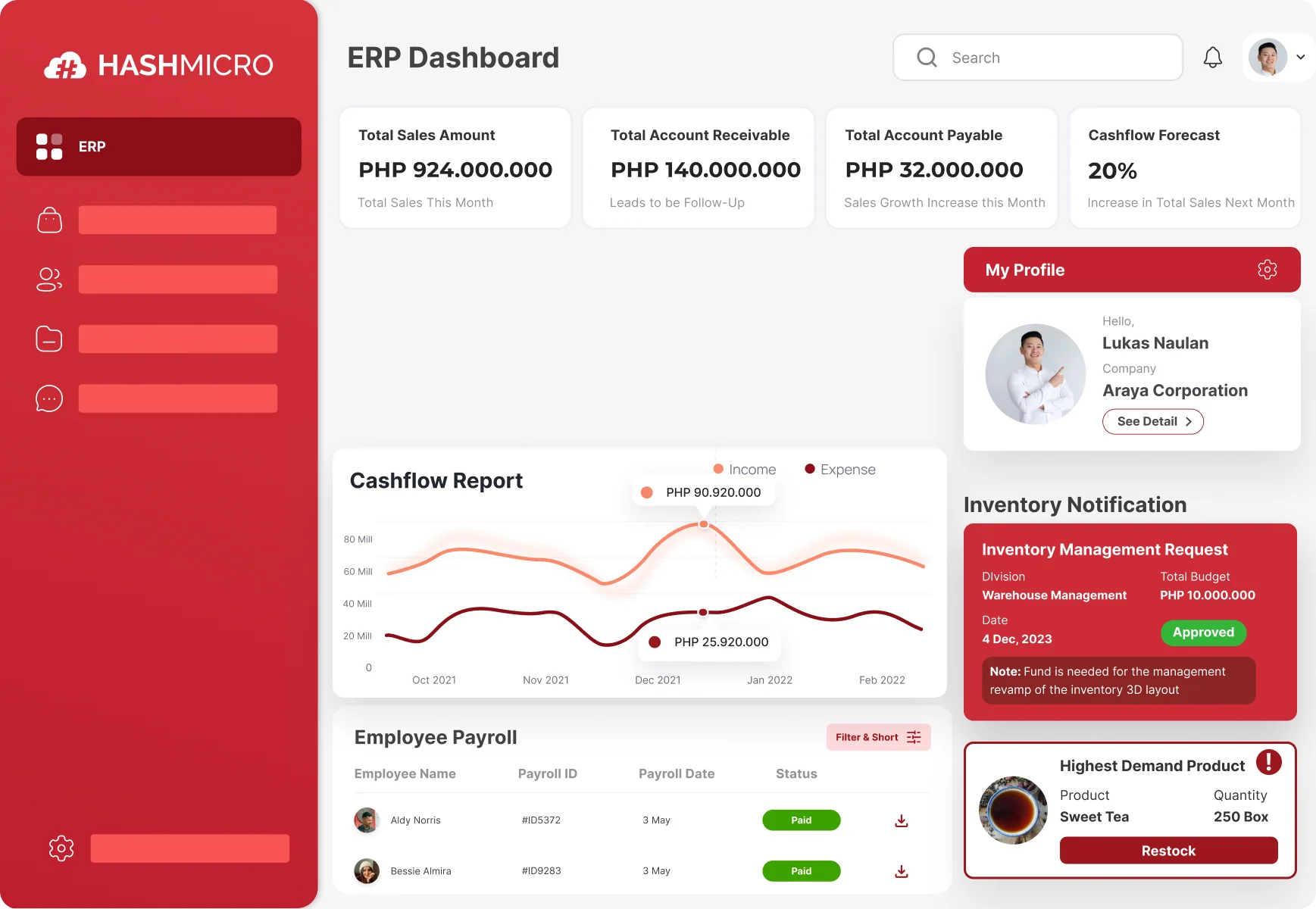
HashMicro CMMS Software is part of their larger ERP system, which means it connects directly with accounting, inventory, and HR modules. For Philippine businesses already using—or considering—an integrated business system, this setup eliminates the need to manually transfer data between platforms.
The software is used by companies like Brinks, Hino, and Danone in the region, and it’s built to handle compliance with local regulations—something that matters if you’re dealing with BIR documentation requirements.
Key Features:
- Automatic Maintenance Scheduling: The system sets up routine maintenance based on time intervals or usage, so you’re not relying on someone to remember when the next service is due
- Budget Tracking for Maintenance: Lets you monitor spending against your maintenance budget and forecast upcoming costs
- Parent-Child Asset Management: If you have complex equipment with multiple components, you can track the main unit and its parts separately while keeping them linked
- Barcode Scanner Integration: Speeds up asset tracking and reduces data entry errors
- Rental Contract Management: Useful if you lease equipment—tracks contract terms, renewal dates, and payment schedules
| Pros | Cons |
|---|---|
|
|
Works best for: Companies that want their maintenance system connected to their broader business software, especially those in manufacturing, logistics, telecommunications, food processing, or facilities management.
To explore the best solutions for your business, check out HashMicro’s ERP software. Discover the pricing scheme below and find the right package for your needs.

2. Fiix
Fiix is a cloud-based CMMS focused on predictive maintenance—using data to figure out when equipment is likely to fail before it actually does. It’s owned by Rockwell Automation, which gives it strong credibility in industrial settings.
Fiix offers comprehensive tools to manage work orders, organize preventive maintenance schedules, and document all maintenance activities. This enhances operational reliability by ensuring equipment receives the necessary maintenance before failures occur.
Key Features:
- Work order management
- Preventive maintenance scheduling
- Barcode and RFID integration
- Analytics and reporting
| Pros | Cons |
|---|---|
|
|
Works best for: Larger enterprises, particularly in manufacturing, that want advanced predictive maintenance features.
3. MaintainX
MaintainX was built with mobile use in mind. If your maintenance team spends most of its time on the floor rather than at a desk, this might be worth looking at. Work orders, checklists, and team communication happen through a smartphone app.
Features of MaintainX include detailed tracking of maintenance histories, real-time chat for in-team communication, robust analytic tools, and digital checklists to ensure all steps are followed during maintenance procedures.
Key Features:
- Mobile-first work order management
- Real-time team chat
- Digital checklists and procedures
- Maintenance history tracking
| Pros | Cons |
|---|---|
|
|
Works best for: Teams that do most of their work in the field and need a simple, mobile-friendly system for managing work orders and staying coordinated.
4. UpKeep
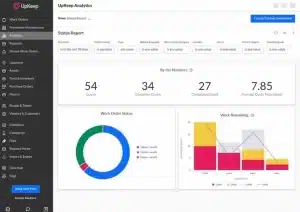
UpKeep is another mobile-focused CMMS that’s popular with field maintenance teams. It lets technicians log issues, update work orders, and check asset information from their phones.
UpKeep provides inventory management tools to track spare parts and supplies. Maintenance workers can also log issues, update work orders, and access asset information directly from their smartphones or tablets, making it highly effective for teams on the move.
Key Features:
- Mobile work order management
- Inventory tracking for spare parts
- Preventive maintenance scheduling
- Asset management
| Pros | Cons |
|---|---|
|
|
Works best for: Small to mid-sized businesses with mobile maintenance teams who need a straightforward system that’s easy to learn.
5. Cryotos
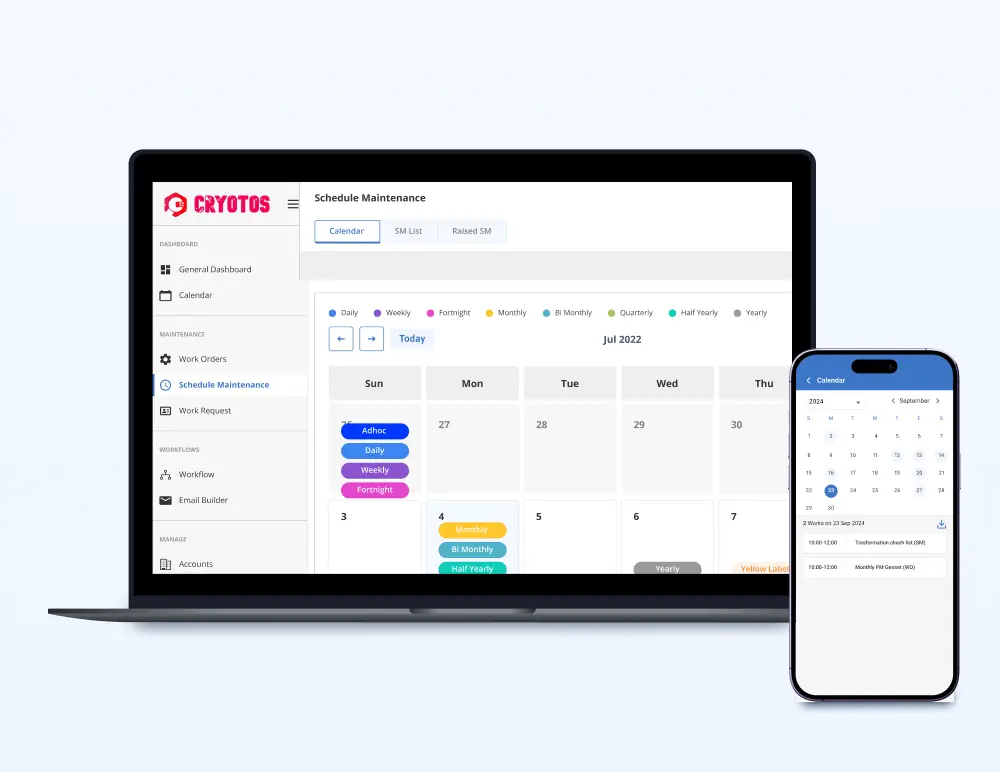
Cryotos is a cloud-based platform that uses AI to help predict when equipment will need maintenance. It’s designed for businesses that want to be more proactive about preventing breakdowns rather than just reacting to them.
Key Features:
- AI-powered predictive maintenance
- Real-time asset tracking
- Workflow automation
- Mobile-friendly interface
| Pros | Cons |
|---|---|
|
|
Works best for: Mid-sized to larger companies that want to use data analytics to improve their maintenance operations.
6. Limble
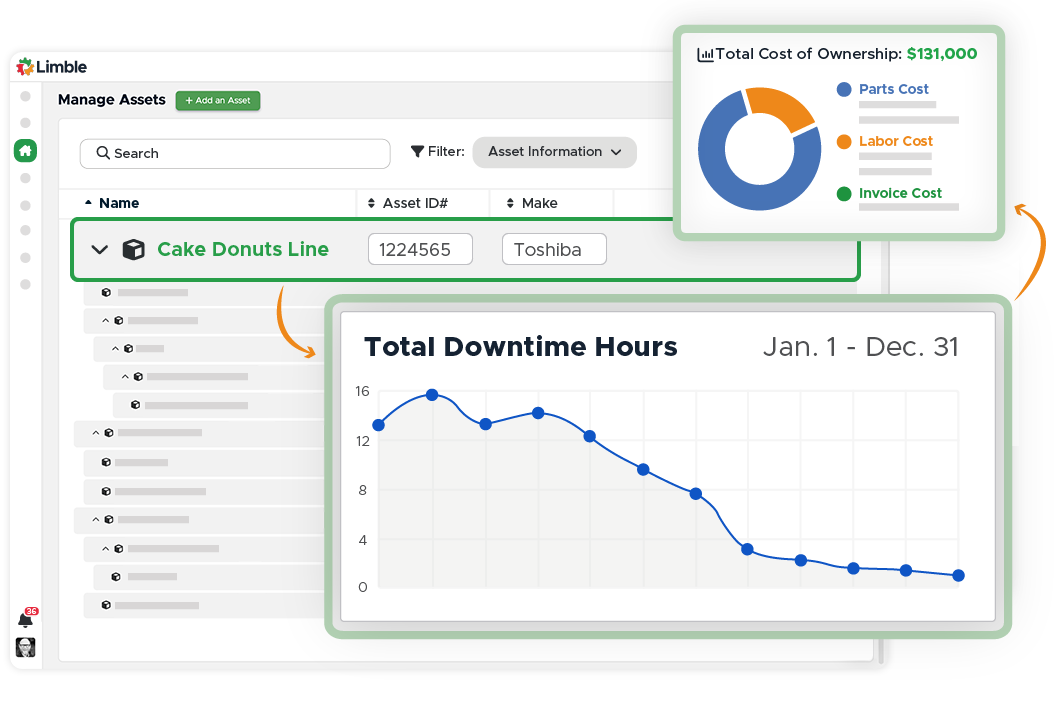
Limble is known for being easy to use, even for teams that aren’t particularly tech-savvy. It handles the basics well—work orders, preventive maintenance, asset tracking—without overwhelming users with features they won’t use.
Key Features:
- Automated work order management
- Preventive maintenance scheduling
- Customizable dashboards and reports
- Asset and inventory tracking
- Works offline on mobile
| Pros | Cons |
|---|---|
|
|
Works best for: Growing companies that want a system their team will actually use, with room to add more advanced features later.
7. Hippo
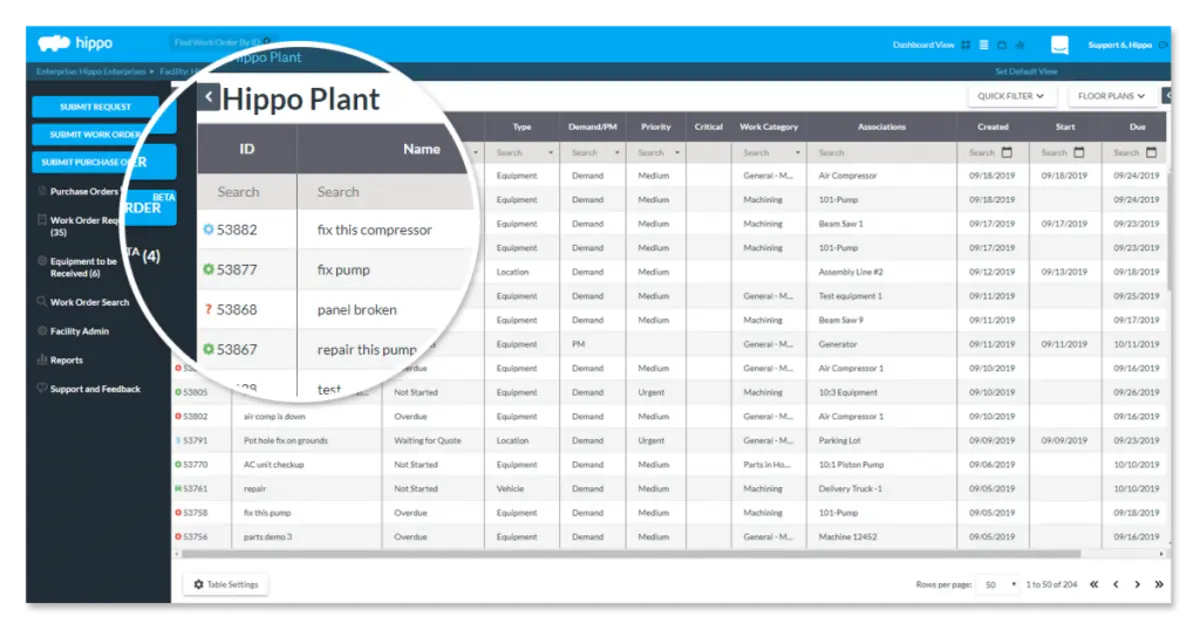
Hippo CMMS keeps things simple with drag-and-drop work order management. It’s cloud-based, so your team can access it from anywhere, and it doesn’t require much technical expertise to get started.
Key Features:
- Drag-and-drop work order management
- Asset and equipment tracking
- Preventive maintenance scheduling
- Customizable reporting
| Pros | Cons |
|---|---|
|
|
Works best for: Businesses that want a simple, cloud-based system without a steep learning curve.
8. Brightly
Brightly (formerly Dude Solutions) offers Asset Essentials as a CMMS for organizations that need a centralized platform for all their maintenance activities. It’s particularly popular in education and government sectors.
Key Features:
- Work order management
- Preventive and predictive maintenance
- Mobile access
- Customizable dashboards
| Pros | Cons |
|---|---|
|
|
Works best for: Small to medium businesses, especially those managing multiple locations, that need mobile access and real-time tracking.
9. EZOfficeInventory
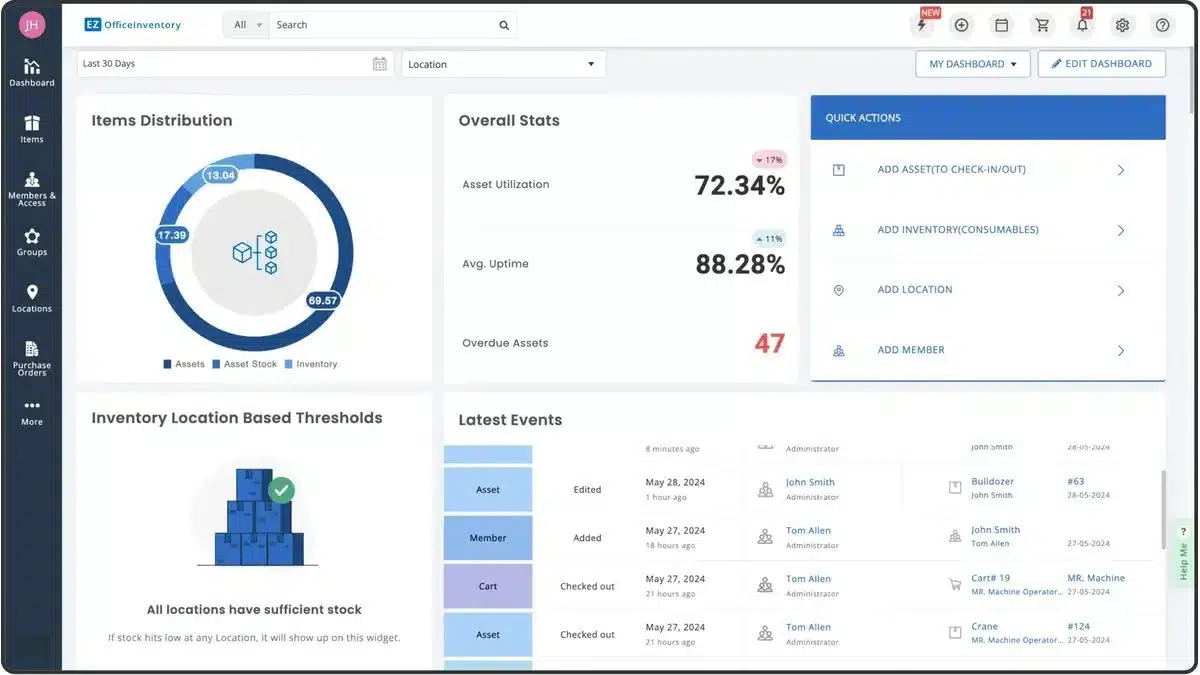
EZOfficeInventory combines asset tracking with maintenance management. It’s particularly strong on the inventory side, with barcode scanning and RFID integration built in.
This software simplifies asset tracking by offering features such as barcode scanning and RFID integration. This feature helps reduce equipment downtime and extend the useful life of assets by ensuring timely and effective maintenance.
Key Features:
- Maintenance scheduling
- Barcode and RFID tracking
- Reporting and analytics
- Mobile access
| Pros | Cons |
|---|---|
|
|
Works best for: Small and medium-sized businesses that need to track both assets and inventory, especially those with equipment that moves between locations.
10. CloudApper
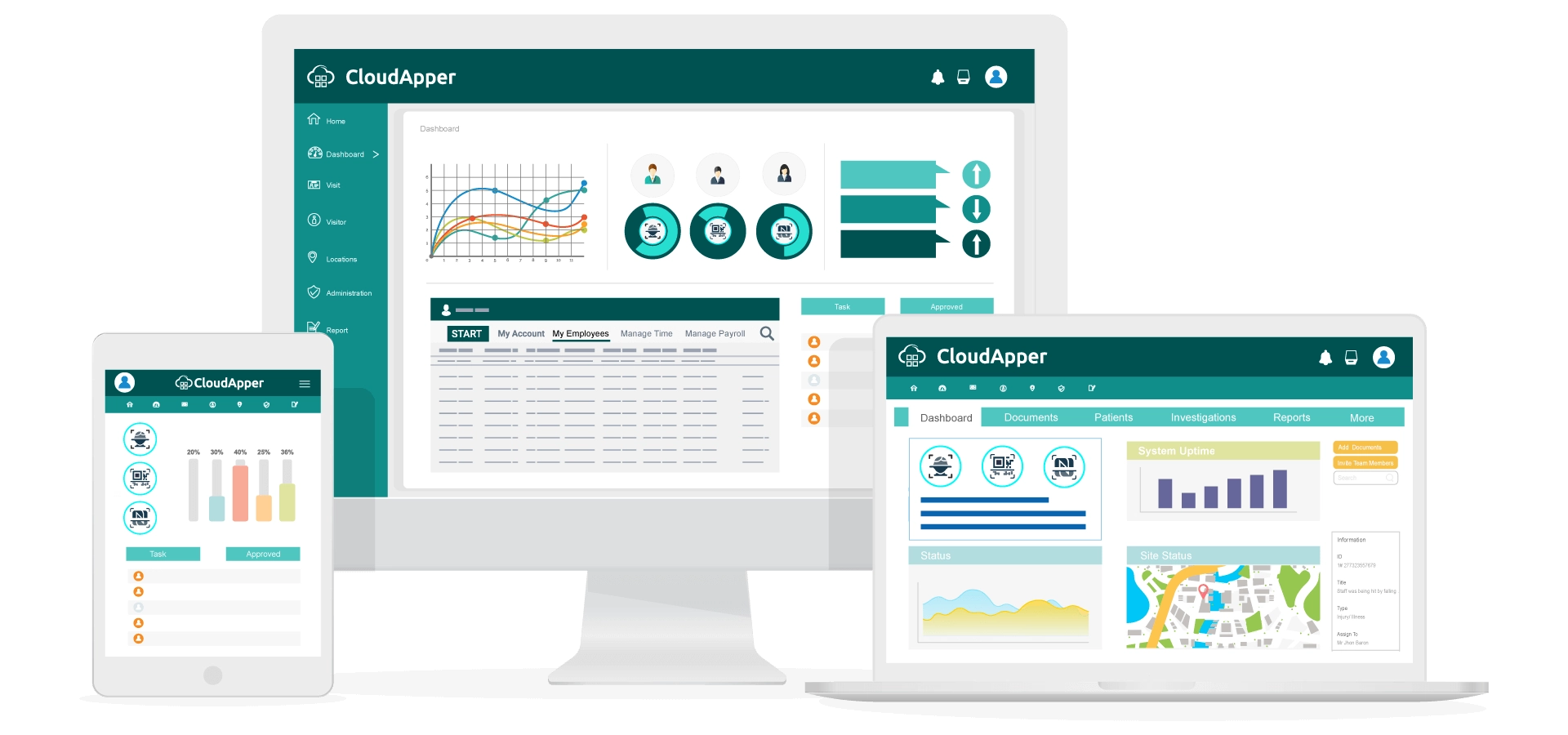
CloudApper offers a customizable CMMS that works across devices. It’s designed to be flexible enough to adapt to different business processes rather than forcing you to change how you work.
Key Features:
- Cloud-based and mobile-friendly
- Preventive maintenance scheduling
- Asset and equipment management
- Customizable reports and dashboards
| Pros | Cons |
|---|---|
|
|
Works best for: Organizations that want a flexible, cloud-based system they can customize to fit their specific processes.
11. Worktrek
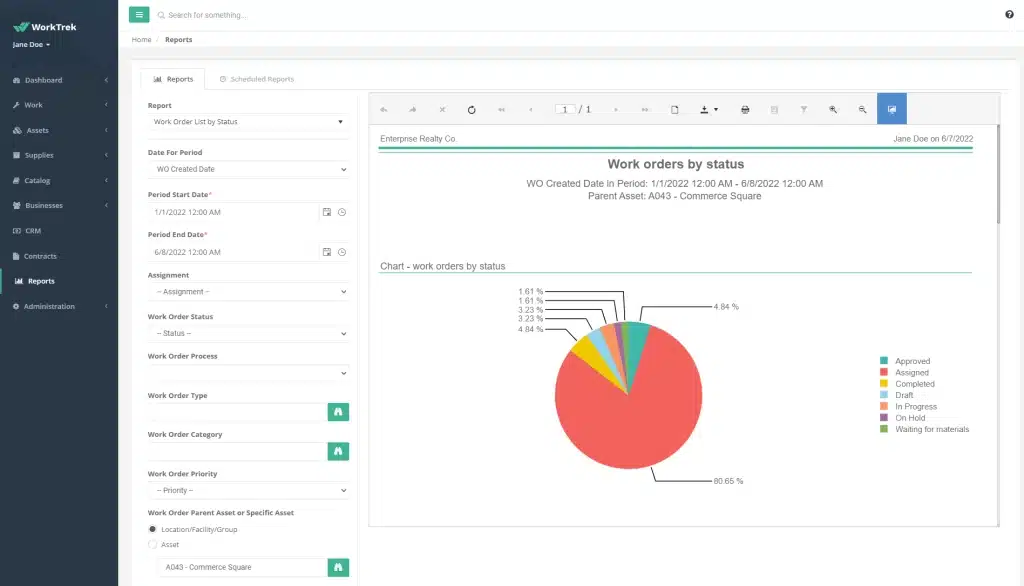
WorkTrek focuses on integrating with your existing systems, making it a good choice if you already have other software in place and don’t want to create data silos. It supports preventive maintenance, asset management, and work order tracking.
Key Features:
- Work order management
- Preventive maintenance
- Asset lifecycle tracking
- Integration with existing systems
| Pros | Cons |
|---|---|
|
|
Works best for: Organizations that need their CMMS to work alongside existing systems and want detailed tracking of asset lifecycles.
12. Fracttal One
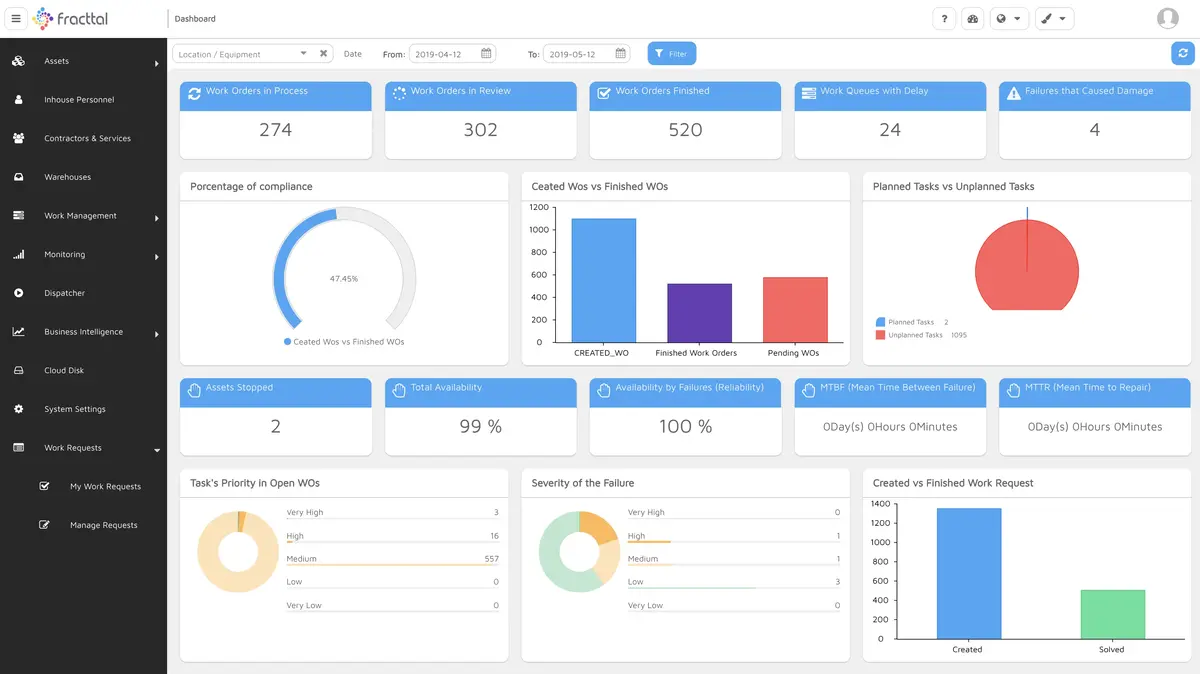
Fracttal One combines IoT sensors, AI, and cloud technology to create what they call “smart maintenance management.” If you’re looking to connect your equipment directly to your maintenance system, this is worth considering.
Key Features:
- IoT integration for connected equipment
- AI-powered predictive maintenance
- Mobile access with real-time updates
- Asset and equipment tracking
- Customizable maintenance workflows
| Pros | Cons |
|---|---|
|
|
Works best for: Businesses ready to invest in IoT-connected equipment and AI-driven maintenance strategies.
Comparison of the Best CMMS Software
To help you compare the options more easily, the table below summarizes the best CMMS software based on their key features and the type of business they suit best.
| Software | Key Features | Suitable For |
| HashMicro | Automatic maintenance scheduling, budget tracking, parent child asset management, barcode scanner integration, and rental contract management | Companies that need a CMMS integrated with accounting, inventory, and HR in one ERP system |
| Fiix | Work order management, preventive maintenance scheduling, barcode and RFID integration, and analytics reporting | Large enterprises, especially manufacturers that need predictive maintenance support |
| MaintainX | Mobile first work order management, real time team chat, digital checklists, and maintenance history tracking | Field service teams that rely on mobile access for daily maintenance work |
| UpKeep | Mobile work order management, inventory tracking, preventive maintenance scheduling, and asset management | Small to mid sized businesses with mobile maintenance teams |
| Cryotos | AI powered predictive maintenance, real time asset tracking, workflow automation, and mobile friendly access | Mid sized to larger businesses that want more proactive maintenance planning |
| Limble | Automated work order management, preventive maintenance scheduling, customizable dashboards, asset tracking, and offline mobile support | Growing companies that want a user friendly CMMS with flexible scaling |
| Hippo | Drag and drop work order management, asset tracking, preventive maintenance scheduling, and customizable reporting | Businesses that want a simple cloud based system with basic maintenance tools |
| Brightly | Work order management, preventive and predictive maintenance, mobile access, and customizable dashboards | Organizations managing multiple locations that need centralized maintenance visibility |
| EZOfficeInventory | Maintenance scheduling, barcode and RFID tracking, reporting analytics, and mobile access | Businesses that need stronger asset and inventory tracking across locations |
| CloudApper | Cloud based access, preventive maintenance scheduling, asset management, and customizable reports and dashboards | Organizations that want a flexible CMMS that adapts to existing workflows |
| WorkTrek | Work order management, preventive maintenance, asset lifecycle tracking, and integration with existing systems | Businesses that want their maintenance software to work smoothly with current systems |
| Fracttal One | IoT integration, AI powered predictive maintenance, real time mobile updates, asset tracking, and customizable workflows | Businesses ready to adopt smart maintenance with connected equipment and real time data |
How to Choose the Right CMMS Software for Your Business

Picking the right system depends on your specific situation. Here’s what to think about:
- What do you actually need? – Consider your asset inventory size, how complex your maintenance operations are, and which features matter most. A small business with 50 pieces of equipment has different needs than a manufacturing plant with thousands.
- Will your team actually use it? – The most feature-rich system in the world won’t help if it’s too complicated for your team. Look for something with an interface that makes sense to the people who’ll use it daily.
- Does it connect with your other systems? – If you’re already using accounting software, inventory management, or an ERP system, check whether the CMMS can integrate. Manual data transfer between systems wastes time and creates errors.
- Can it grow with you? – If you’re planning to expand, adding more equipment, opening new locations, or scaling up operations, make sure the system can handle that growth without needing to be replaced.
- What support is available locally? – For Philippine businesses, having local support can make a big difference. Time zone differences and language barriers can slow things down when you need help.
- What are other users saying? – Look for reviews from businesses in similar industries. Their experience will tell you more than marketing materials ever will.
Considerations for Philippine Businesses
If you’re operating in the Philippines, there are a few additional factors worth thinking about:
- BIR compliance: Your CMMS should help you maintain records that satisfy BIR requirements for asset tracking, depreciation schedules, and maintenance expenses. Clean documentation makes tax season and audits much smoother.
- Multi-location operations: If you have branches across different islands or regions, a cloud-based system with reliable mobile access becomes essential. Teams in Cebu and Davao need the same visibility as your head office in Manila.
- Internet reliability: Some areas still have inconsistent connectivity. If your maintenance teams work in locations with spotty internet, look for systems that offer offline functionality.
- Local support: When something goes wrong, being able to reach support during Philippine business hours, and in a language your team is comfortable with, saves time and frustration.
- MSME considerations: For small and medium enterprises, pricing models matter. Systems that charge per user can get expensive as your team grows. Look for options with flat-rate pricing or unlimited user licenses.
Which CMMS Software Suits My Business?
Choosing a CMMS becomes easier when you match the software with your operation size, maintenance complexity, and team workflow. Some platforms work better for mobile technicians, while others suit businesses that need ERP integration, predictive maintenance, or multi-site visibility.
| Business Need | Best Fit CMMS | Why It Fits |
| Need ERP integration across departments | HashMicro | Best for companies that want maintenance, inventory, accounting, and HR data connected in one system. |
| Need predictive maintenance for complex operations | Fiix or Cryotos | Suitable for larger businesses that want to reduce downtime through analytics and AI driven maintenance. |
| Need a mobile first tool for field technicians | MaintainX or UpKeep | Ideal for teams that handle work orders, inspections, and updates directly from mobile devices. |
| Need a simple system for a growing team | Limble or Hippo | Good for businesses that want an easy to use system without a steep learning curve. |
| Need strong asset and inventory tracking | EZOfficeInventory | A practical choice for businesses managing movable equipment, spare parts, and barcode based tracking. |
| Need a flexible system that adapts to existing workflows | CloudApper or WorkTrek | Useful for organizations that need customization or smoother integration with existing systems. |
| Need advanced IoT connected maintenance | Fracttal One | Best for businesses ready to invest in smart maintenance with real time equipment data. |
| Manage multiple sites and need centralized oversight | Brightly | Works well for businesses that need visibility across several locations with mobile access. |
Quick way to decide:
- Choose HashMicro if you want a broader business system, not just a standalone CMMS.
- Choose MaintainX or UpKeep if your team works mainly on-site and needs speed on mobile.
- Choose Fiix, Cryotos, or Fracttal One if reducing downtime through predictive insights is your main goal.
- Choose Limble, Hippo, or EZOfficeInventory if you want a more straightforward system for daily maintenance control.
Conclusion
comes down to matching the system’s capabilities with your business needs. A manufacturing plant in Batangas will have different requirements than a hotel chain in Palawan or a logistics company serving the entire archipelago.
The options we’ve covered range from simple, mobile-first tools to sophisticated systems with AI and IoT integration. There’s no single “best” choice, just the one that fits your operations, budget, and growth plans.
If you’re still unsure where to start, seeing the system in action can make the decision easier. HashMicro offers a product tour that lets you explore how its CMMS supports maintenance scheduling, asset tracking, and cross-department integration for growing businesses.
FAQ About CMMS Software
-
What does CMMS software do?
A CMMS, or computerized maintenance management software, is a tool that enables companies to streamline the management of maintenance data and processes in one place, ultimately improving equipment uptime.
-
Who needs CMMS?
Industries that need CMMS include manufacturing, healthcare, utilities, transportation, hospitality, and facility management. These industries rely on CMMS to streamline maintenance tasks, ensure equipment reliability, reduce downtime, and enhance overall operational efficiency.
-
Why is Downtime Expensive for Manufacturers?
Downtime can result in substantial financial setbacks, with certain manufacturers facing losses of up to $20,000 every minute. These losses stem from reduced production capacity, postponed deliveries, and the possible harm to the company’s reputation.
-
What Is the Difference Between Predictive and Preventive Maintenance?
Predictive maintenance relies on advanced data analysis to determine when maintenance is needed, while preventive maintenance follows a fixed schedule to minimize the risk of unexpected failures.
-
Which is the best CMMS?
The best CMMS software is one that offers comprehensive features, ease of use, and reliable support. HashMicro CMMS stands out as the top choice, providing powerful tools for managing maintenance processes, improving equipment uptime, and enhancing overall efficiency for businesses of all sizes.
-
What are the objectives of CMMS?
The primary goal of implementing a CMMS is to optimize maintenance operations, track maintenance activities, extend asset lifespan, and control expenses.














