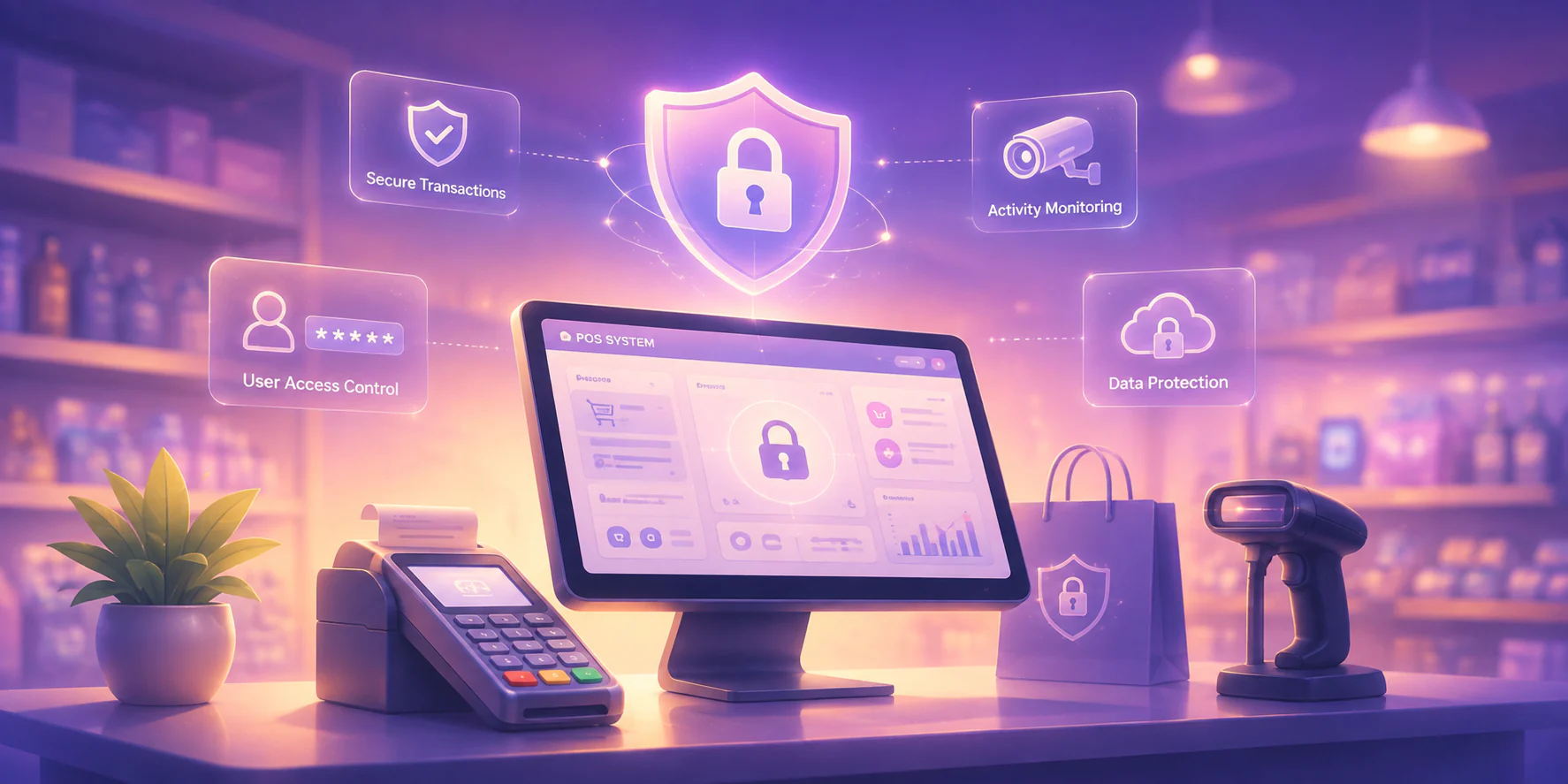







POS integration connects your point-of-sale system to other business platforms, including inventory management, accounting software, and eCommerce channels. It enables automatic data flow across all connected tools in real time. When a sale occurs, your stock levels, financial records, and online listings update instantly without manual input. This removes data silos and gives business owners a unified view of operations.
Many Philippine businesses still manage sales, inventory, and financial data through disconnected platforms. Verhoef, Kannan, and Inman's study on digital retailing (2015) shows that fragmented systems create data inconsistencies and operational bottlenecks in retail environments. These challenges grow more costly in the Philippines, where BIR compliance demands accurate records across all transaction points.
This article covers the business case for POS integration in the Philippines. It explains why integration drives business performance and how to connect your POS with eCommerce platforms. It also covers how integration affects financial reporting and what to look for in a BIR-accredited POS provider.
Key Takeaways
POS integration connects your sales data, inventory records, and financial reporting into one system that removes manual reconciliation gaps.
POS integration automates daily sales summaries, P&L data, and labor accruals, giving managers real-time financial visibility without manual reporting delays.
Setting up POS integration successfully requires seven steps, from auditing your current systems to monitoring sync accuracy after go-live.
A BIR-accredited POS system is legally required in the Philippines and protects your business from penalties for non-compliant receipt issuance.
Why POS Integration is Essential for Business
POS integration connects front-end sales to back-end financial management. The system records every transaction automatically in your accounting software. In the Philippines, choosing the right POS provider is a strategic move. It determines how efficiently your operations run and how accurately your records stay updated.
POS integration is more than a tech upgrade. It is a critical step in regulatory compliance. To operate legally in the Philippines, your system must be BIR accredited. This ensures all digital receipts and sales reports meet the Bureau of Internal Revenue's tax standards.
Businesses that accept GCash can expand compliance coverage through an integration of GCash payment API. It routes every digital wallet transaction into the same BIR-accredited sales record. As your business grows, an integrated POS system maintains an audit-ready general ledger automatically.
How Can You Integrate Your POS App with eCommerce Platforms?
Connecting your POS system to an eCommerce platform requires a structured process to prevent data mismatches and operational gaps. Follow these six steps to complete a successful POS integration. Each step covers everything from your initial system review to ongoing performance optimization.
- Evaluate Your POS: Review your current POS system to assess its features, including inventory management and sales reporting. Identifying its strengths and weaknesses helps you spot gaps to address before beginning the integration.
- Consider Your Requirements: Outline the functionalities your business needs from the integration, such as inventory tracking, sales reporting, and ease of use. POS for the Philippines' sari-sari stores, for example, prioritizes simple stock management and fast checkout over complex enterprise features.
- Ask the Right Questions: Engage your POS vendor with specific questions about how the system supports your online store. Ask about key features like payment processing and shipping options to confirm the POS meets your eCommerce needs.
- Set Up POS and Online Store Systems: Configure your POS system and online store to work together using a POS API or middleware. Shopify users should explore the platform's features and benefits for retailers before finalizing the configuration. Test the connection to verify that product data and sales transactions sync correctly.
- Tweak Product Descriptions and Images: Optimize your product listings by updating descriptions and images across both your POS and online store. Clear product names, accurate specifications, and high-quality images reduce customer confusion and improve conversion rates across all channels.
- Optimize for Improvement: Review your POS integration's performance regularly to spot gaps and inefficiencies early. Use customer feedback and analytics data to make adjustments that improve efficiency and satisfaction over time.
Following these steps ensures a reliable POS integration between your retail app and eCommerce sites, supporting stronger business performance.
How Does POS App Integration Affect Financial Reporting?
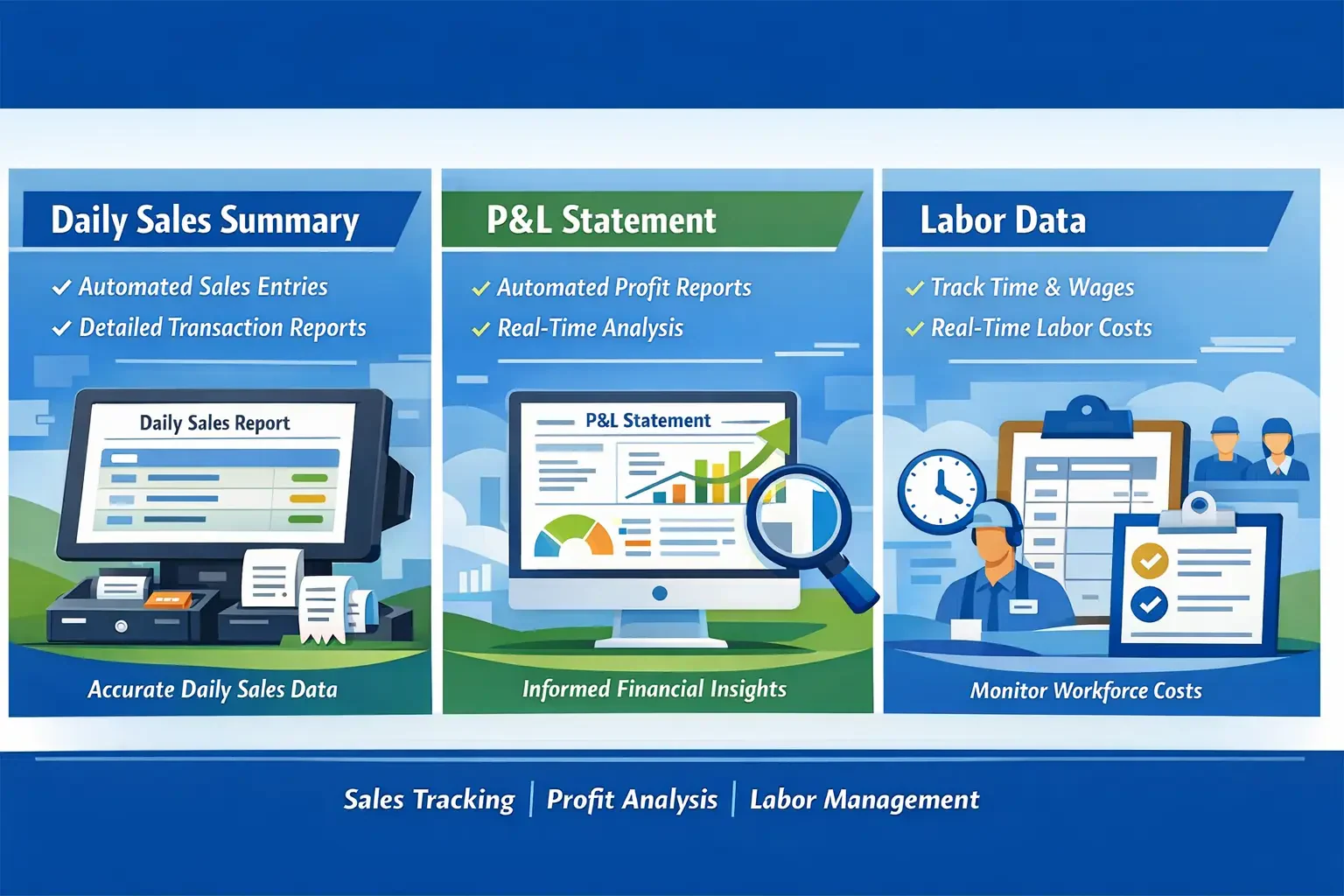
Integrating your cloud POS system with accounting software transforms financial reporting for your business. Below are three key ways POS tools for retail use improve reporting accuracy. Each covers a distinct reporting layer, from daily sales to labor cost records.
1. Daily Sales Summary
An integrated POS system automates transaction creation, generating a Daily Sales Summary for each branch and day. Each sales ticket produces journal entries for revenue, payment methods, and discounts. This connects your sales reporting and receipt details directly to your general ledger.
2. P&L Statement
With POS integration, your team can automate financial reporting tailored to specific business needs. Comprehensive sales reports support customizable analyses by location. Each report builds on live data from your retail operations. Business intelligence generated from real-time POS and operational data equips you with critical insights for enhancing operations.
3. Labor Data
POS integration streamlines data transfers between systems, letting you track time entries and accrue labor costs in your general ledger. It enables quick staffing adjustments and records time entry details across different roles. Real-time labor data supports daily decision-making without waiting weeks for updates.
The reporting accuracy described above requires a POS that calculates costs automatically at every step. HashMicro's retail POS does exactly this, automating cost calculation across transactions, labor records, and branch summaries. Your financial reports reflect real figures without manual input.
How to Set Up POS Integration: A Step-by-Step Guide
Setting up POS integration correctly from the start prevents data mismatches and sync failures. This seven-step process walks you through each phase, from auditing your systems to monitoring performance after go-live. Each step builds on the last to reduce rework and integration risk.
Step 1: Audit Your Current Systems and Map Integration Gaps
List every platform involved in your retail operations: your POS system, eCommerce platform, accounting software, and inventory management tools. For each system, document which data needs to flow in or out and who currently handles that movement manually.
Pay close attention to how your stock records are structured. Inconsistent product naming or missing SKUs cause sync failures later. If your inventory runs on manual tracking, review how to set up a barcode inventory system first. Standardizing product data before integration begins prevents most conflicts.
Step 2: Define Your Priority Integration Goals
Before building anything, specify the exact data fields that need to sync across your systems. Define whether each field updates in real time, on a daily batch, or when triggered by an event. This clarity prevents the data quality problems that most integrations produce.
Focus on the flows that affect your reporting and compliance first. For Philippine retailers, this typically includes real-time inventory levels, order status, and daily sales summaries that feed into accounting.
Step 3: Choose a BIR-Accredited POS Provider with Open Integration Support
Not every POS provider supports open integration. Look for a system that offers documented APIs or native connectors for the platforms you already use. Philippine retailers must also confirm that the provider holds current BIR accreditation for their POS receipt issuance.
Evaluating POS integration tools at this stage saves significant rework later. A provider with closed API access limits how deeply you can connect your systems. This holds regardless of how capable their POS terminal looks at the counter.
Step 4: Map and Standardize Your Data Fields Across Platforms
Match the data fields between your POS and each connected system. A product called "Blue T-Shirt XL" in your POS may appear differently in your eCommerce platform or accounting software. Resolve these naming conflicts before the first sync, not after.
Define how each field maps at the POS API level. Product SKU, tax code, discount type, and payment method each need a clear equivalent in the receiving system. Any field left ambiguous becomes a silent error in your reports.
Step 5: Configure Connections and Test with a Sample Batch
Configure your connections using the integration method that fits your setup. Use a POS API connection for custom builds or a native connector for standard platform pairs. Run a sample batch before enabling the full sync to verify that data flows correctly in both directions.
Test the edge cases, not just the standard sale. A partial refund, a split-tender payment, and a product with no SKU all behave differently in the sync. Document how each edge case is handled so your team knows what to expect.
Step 6: Train Your Team and Go Live Gradually
Roll out the integration to one outlet or channel before enabling it across your entire operation. A phased go-live limits the impact of configuration errors and gives your team time to adjust without pressure.
Train cashiers and floor staff on how the integration affects their daily workflow. This includes how returns are processed and what a cashless transaction looks like in the integrated flow. Make sure every cashier knows what steps to follow when a sync error appears at checkout.
Step 7: Monitor Sync Accuracy and Reconcile Regularly
Check sync accuracy weekly during the first month, then move to monthly reviews once the system runs cleanly. Set up alerts for sync errors, duplicate entries, and transaction counts that fall outside normal range.
Reconcile your POS data against your accounting records on a fixed schedule. A reliable POS integration produces consistent numbers across every connected platform. A discrepancy typically points to a field mapping error, a skipped sync window, or an unhandled edge case.
Choosing a BIR-Accredited POS Provider in the Philippines
| Category | Essential Features (Must-Haves) | Advanced Features (Strategic Growth) |
| Compliance & Tax | Non-Resettable Grand Total: Secure 10-digit cumulative counter that cannot be edited, reset, or manipulated to ensure regulatory integrity. | EIS-Ready (JSON Integration): Near real-time automated transmission of sales data directly to BIR servers for seamless compliance. |
| Operations | Offline Mode Stability: Continue processing sales transactions even during internet outages. This is critical for business continuity in the Philippines. | Smart Inventory Automation: AI-driven demand forecasting that recommends replenishment before stock-outs occur transforms your POS into a decision-support system. |
| Financials | Audit Accuracy: Ensures total sales reconcile precisely with computed tax amounts to protect your business during surprise inspections. | Integrated Profit Visibility: Real-time consolidation of labor costs and P&L data to monitor true profit margins and operational performance. |
Conclusion
POS integration reaches every layer of retail operations, from eCommerce sync and financial reporting to BIR compliance and staff records. By transitioning to a BIR accredited cloud-based POS system, Philippine retailers replace manual reconciliation with automated, audit-ready records. This applies across every channel and reporting cycle the business runs.
The setup guide and integration steps in this article give your team a practical path forward. The businesses that grow fastest are those that close integration gaps now rather than after the problems compound. Schedule a free consultation to see how HashMicro POS software automates the full cycle.
FAQ About POS Integration Tools
A POS system combines hardware and software to process sales, record transactions, and track inventory in real time. Modern systems connect payment processing, receipt generation, and stock updates in one centralized record. This gives owners a real-time picture of business performance without switching between tools.
An integrated POS system connects your point-of-sale terminal to other business platforms, such as inventory management, accounting, and CRM. Unlike a standalone POS, an integrated system shares data automatically across all connected tools. This reduces manual data entry and keeps every department's records in sync.
Integrating ERP with your POS typically involves a direct API connection or middleware that maps data fields between both systems. Identify which data needs to sync first: inventory levels, sales records, and labor costs. Confirm that your ERP vendor provides documented endpoints before you build the connection.
Software setup is typically instant, but the full BIR accreditation process takes longer. Merchants must complete document notarization, submit requirements to the BIR, and secure a Permit to Use (PTU) sticker. Through an accredited POS provider, this process typically takes 7 to 14 business days, though processing times vary.
A POS system is the hardware and software that processes transactions at the point of sale. POS integration connects that system to other platforms, such as accounting, eCommerce, or inventory software. The POS handles the transaction, while integration ensures that data flows to every connected system automatically.
POS integration is not explicitly required by the BIR as a standalone compliance step. However, using a BIR-accredited POS system is mandatory for registered businesses issuing official receipts. Integration supports compliance by automating sales records and financial reporting, but the BIR accreditation requirement itself remains a separate registration process.