






For every ₱100 earned in construction, only ₱2–5 remains as profit. With margins this thin, accurate financial tracking is essential. The Philippine Statistics Authority found that construction costs in the Philippines rose 9.9% on average in 2024 based on approved building permits, so one mispriced material or untracked variation order can erase a project's remaining margin.
Add Philippine-specific requirements, BIR Form 2307 for every subcontractor payment, correct withholding tax computations, VAT tracking, and BIR-accredited computerized accounting system (CAS) compliance, and the case for dedicated accounting software for construction becomes clear.
In this guide, we evaluate 16 construction accounting software solutions available to Philippine contractors in 2026. From enterprise ERP systems handling billions in annual volume to affordable cloud tools for small builders, you’ll find options that match your company’s size, complexity, and budget.
Key Takeaways
Accounting software for construction delivers several benefits, such as improving accuracy, cost tracking, and overall financial operations.
The article lists 16 construction accounting software Philippines options, with key features and benefits to guide your decision.
Philippine contractors should prioritize BIR compliance features like Form 2307 automation and VAT computation
Benefits of Using Dedicated Construction Accounting Tools
Why not just use a regular accounting app? Here’s what you gain with the using accounting tools:
-
-
- More accurate job costing: Generic accounting tools force you to create workarounds for tracking costs per project. Construction software does this natively, so you’re not manually allocating expenses. Studies show that contractors using dedicated job costing software reduce cost tracking errors by 85% compared to spreadsheet-based systems.
- Better cash flow visibility: Construction projects tie up cash for months. You’ve got materials to buy upfront, payroll to meet every week, and clients who pay 30-60 days after billing. Construction businesses with real-time cash flow visibility are 3x less likely to experience project-stopping cash crunches.
- Faster month-end closing: Instead of spending days reconciling project costs with your general ledger, the software keeps everything in sync. Your finance team can close the books faster and spot problems earlier. Automated construction accounting typically reduces month-end closing time from 10-15 days to 3-5 days.
- Easier BIR compliance: For Philippine contractors, this matters a lot. Automated Form 2307 generation, correct VAT computation, and reports formatted for BIR requirements save hours of manual work. Manual Form 2307 preparation takes an average of 2-3 hours per subcontractor payment cycle. Automated systems reduce this to minutes while eliminating calculation errors.
- Real-time decision making: When you can see project profitability as it happens (not weeks later), you can adjust. Maybe you need to renegotiate a change order or push back on a supplier’s price increase. Contractors with real-time financial dashboards identify cost overruns an average of 3 weeks earlier than those using monthly reports.
-
Quick Overview of Best Construction Accounting Software





Best Because
Best for seamless integration with QuickBooks

Best Because
Best for small to midsize firms across many sectors.

Best Because
Best for strong project management and accounting.


Best Because
Best for quick financial overviews
Comparison Table: Construction Accounting Software at a Glance
Choosing the right accounting software for contractors is essential for managing project costs, tracking job profitability, and maintaining accurate financial records across multiple projects.
The table below compares the leading accounting software for construction, helping construction firms evaluate each solution based on functionality, strengths, limitations, and pricing before selecting the most suitable system for their financial operations.
| Brand | Best for | Pros | Cons | Price |
|---|---|---|---|---|
| 1) HashMicro | End-to-end ERP for contractors needing project, accounting, payroll, and compliance coverage in one system. | 1) Tailored to unique business needs 2) Scalable for growth 3) Unlimited users with strong support 4) Local compliance-ready 5) Easy to navigate | 1) Advanced features may require expert setup 2) Initial customization takes time | Custom Pricing List |
| 2) Jonas Premier | Contractors that need strong job costing, estimating, and construction-specific reporting. | 1) Strong reporting and estimating tools 2) Cloud-based and accessible | 1) Interface may feel outdated 2) High implementation fees | Contact Vendor |
| 3) Procore | Contractors that need integrated project management, financial tracking, and field collaboration across jobs. | 1) Great integrations with construction tools 2) Real-time financial tracking 3) Mobile-friendly | 1) Some advanced tools need extra setup 2) May not suit very large enterprises | Contact Vendor |
| 4) Sage | Accounting-led firms needing deeper accounting control and reporting as construction projects scale. | 1) Robust project and accounting tools 2) Scales well for large projects | 1) Complex interface 2) Limited advanced analytics | Contact Vendor |
| 5) CoConstruct | Teams that rely on tight QuickBooks integration and client-facing project communication. | 1) Strong client communication tools 2) Good budgeting features 3) Integrates well with accounting apps | 1) Higher pricing may deter smaller firms 2) Limited advanced accounting depth | Starts at $99/month |
| 6) QuickBooks | Small to mid-sized firms that need simple accounting, invoicing, and basic financial visibility. | 1) Easy to use with strong reporting 2) Widely supported 3) Helpful for small construction firms | 1) Limited construction-specific features 2) User caps may restrict larger teams | Starts at $38/month |
| 7) Buildertrend | Contractors combining field project management with accounting and budget tracking. | 1) Strong project management + accounting features 2) Good mobile accessibility | 1) Steep learning curve for new users | Starts at $399/month |
| 8) Acumatica | Growing and enterprise firms needing customizable dashboards and accounting that scales with large projects. | 1) Strong cloud capabilities 2) Highly customizable dashboards 3) Real-time tracking | 1) Time-consuming setup for complex workflows | Starts at $20.000/year |
| 9) FreshBooks | Small firms that need simple invoicing, time tracking, and quick financial overviews. | 1) Simple interface 2) Easy invoicing and time tracking 3) Good for financial overviews | 1) Limited project-specific features 2) Lacks depth for larger enterprises | Starts at $21/month |
| 10) CMiC | Large contractors that need unified project and financial data across multiple concurrent projects. | 1) Real-time updates across modules 2) Strong reporting and analytics | 1) Slow performance with large data 2) Requires extensive training | Contact Vendor |
| 11) Fondation Software | Contractors that need construction-specific payroll, job costing, and detailed cost reporting. | 1) Strong construction-specific accounting tools 2) Detailed reporting | 1) Outdated interface 2) Reporting may need extra training | Contact Vendor |
| 12) NetSuite | Accounting-led enterprises that need ERP-level financial tools across large construction projects. | 1) Comprehensive ERP-level financial tools 2) Excellent integrations | 1) Steep learning curve 2) Complex setup | Starts at $999/month |
| 13) Xero | Small to mid-sized firms that want intuitive invoicing and expense tracking with third-party integrations. | 1) Very user-friendly 2) Strong invoicing + expense tracking 3) Good third-party integrations | 1) Limited project management tools 2) Starter plan limits transactions | Starts at $29/month |
| 14) Zoho | Small firms that want affordable automation and easy workflows for everyday accounting. | 1) Affordable, automated, easy UI 2) Strong integration with its own ecosystem | 1) Lacks advanced construction-specific tools | Starts at $12/month |
| 15) RedTeam | Contractors that need construction-specific job costing with real-time project collaboration. | 1) Robust project + accounting tools 2) Real-time collaboration | 1) Interface can feel cluttered 2) Requires adaptation time | Starts at $729/month |
| 16) Gusto | Organizations prioritizing payroll accuracy and compliance over full project accounting. | 1) Excellent payroll features 2) Easy UI 3) Strong tax + compliance automation | 1) Limited project accounting tools 2) Per-employee cost can add up | Starts at $49/month |
Top 16 Construction Accounting Software in 2026
There are many accounting software options available for construction in the Philippines. Each software offers unique features, allowing you to choose the most suitable software for your business needs. Below are the Accounting platforms for Philippine businesses for construction in the Philippines.
1. HashMicro
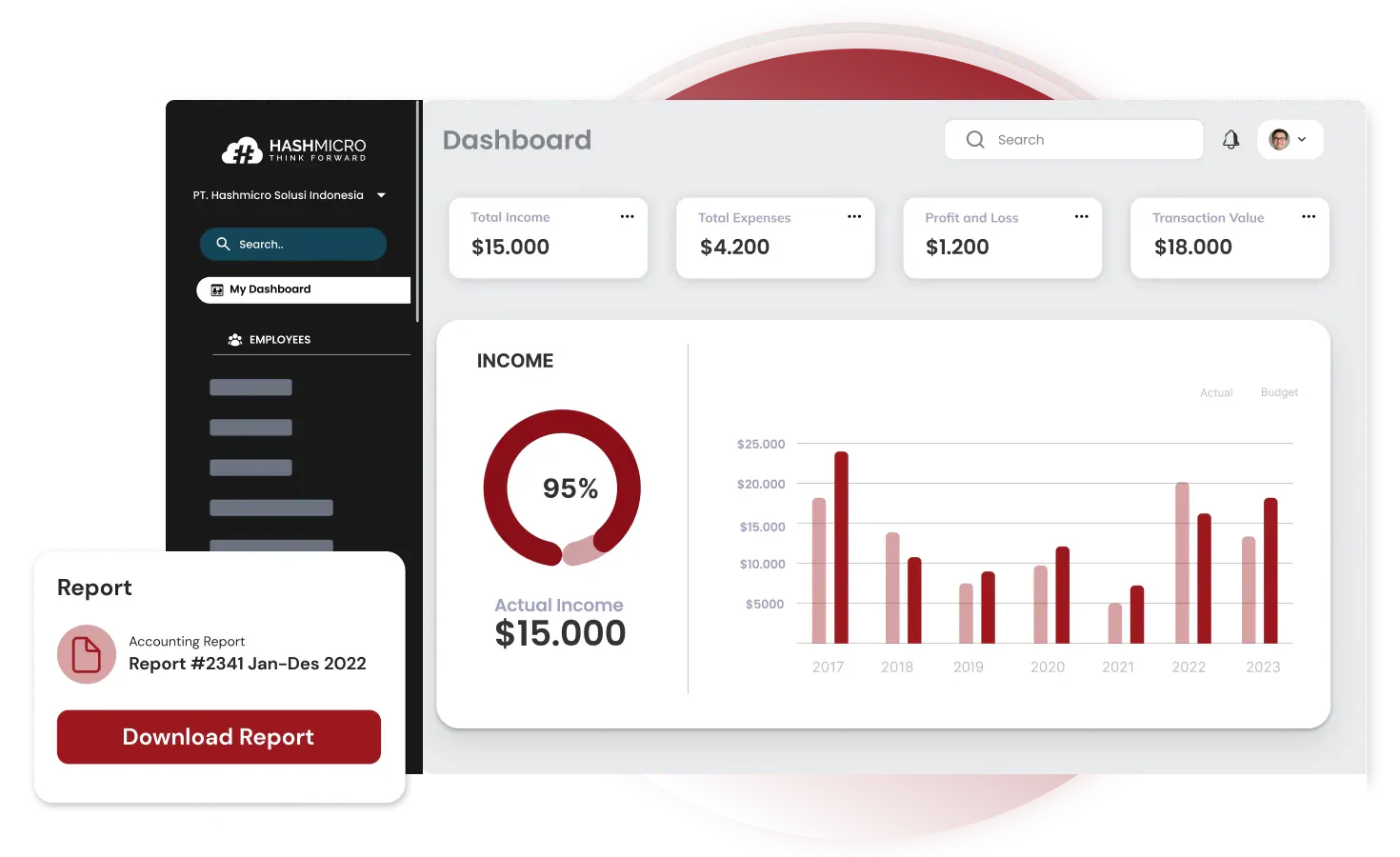
HashMicro offers a full ERP system built for Southeast Asian businesses, with specific features for Philippine contractors. It's a BIR-accredited accounting system, which means the system meets the bureau’s requirements for computerized accounting.
The platform handles everything from basic bookkeeping to advanced project costing, with modules for procurement, inventory, and HR that integrate with the accounting core. For contractors managing multiple projects across different locations, the centralized dashboard shows real-time financial status without jumping between systems.
One thing that stands out is the unlimited user access; you’re not paying extra every time you add someone to the system. The local support team also understands Philippine business requirements, which helps during implementation.
Best for: Mid to large Philippine contractors wanting an integrated system with local compliance
Key features:
-
-
- BIR-accredited with Form 2307 automation
- Job costing with WIP tracking
- Multi-project financial dashboard
- Integrated procurement and inventory
- Unlimited user licenses
- Local implementation support
-
| Pros | Cons |
|
|
Pricing: Custom quotes based on modules and business size. Contact us for a free consultation to get an estimate.

2. Jonas Premier
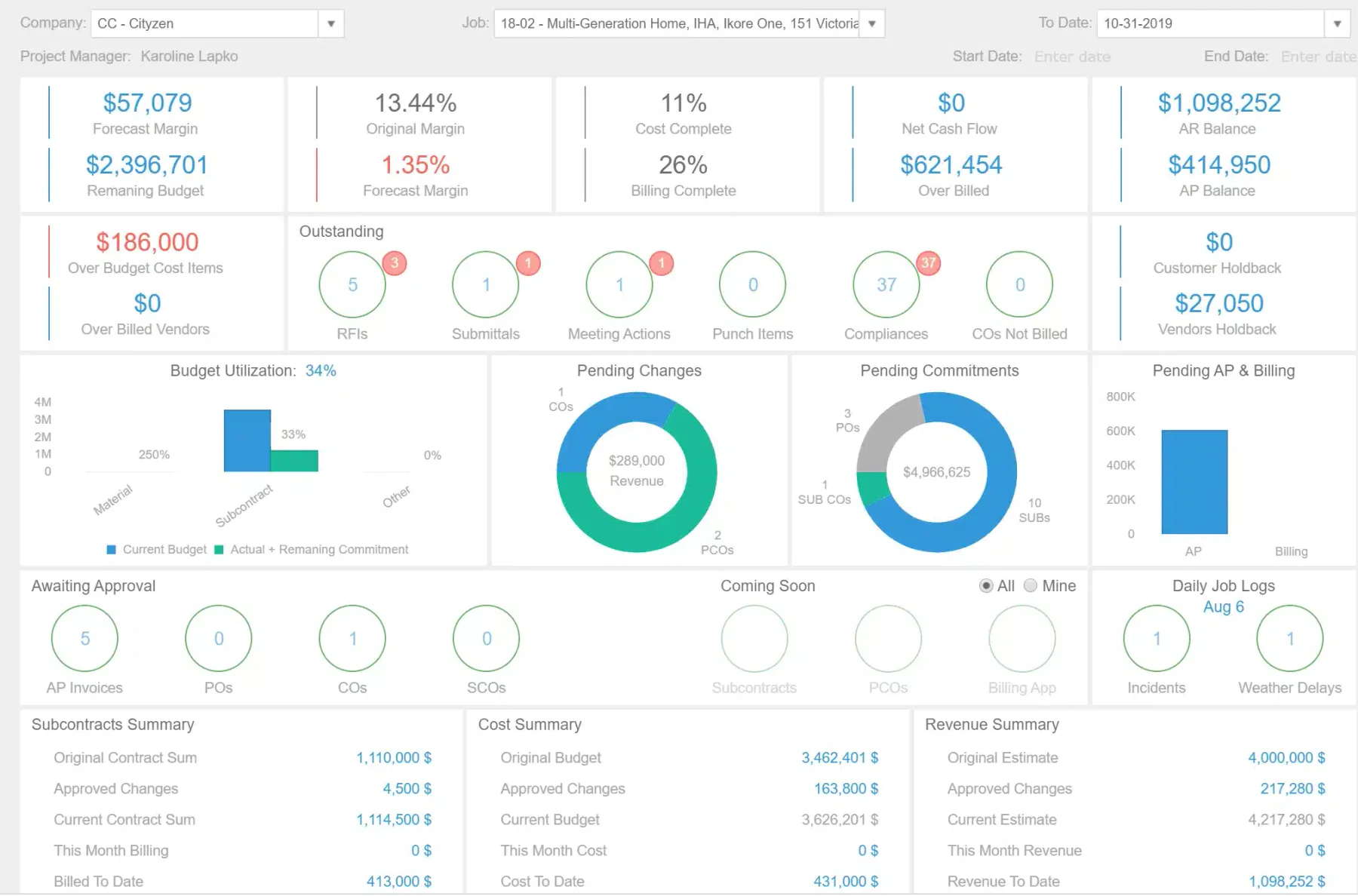
Jonas Premier targets construction and service contractors with a cloud-base software emphasizing job costing and financial reporting. It’s been in the market for decades, which means the core functionality is mature and well-tested.
The estimating tools connect directly to your accounting, so bids flow into budgets without re-entering data. Reporting is a strengths, you can slice financial data by project, division, or any custom dimension you set up.
Best for: Companies that prioritize detailed job costing and reporting
Key features:
-
-
- Real-time job costing and WIP analysis
- Integrated estimating tools
- Customizable financial dashboards
- Document management
- Service dispatch for contractors doing maintenance work
-
| Pros | Cons |
|
|
Pricing: Varies by user count and modules. Expect to request a quote.
3. Procore
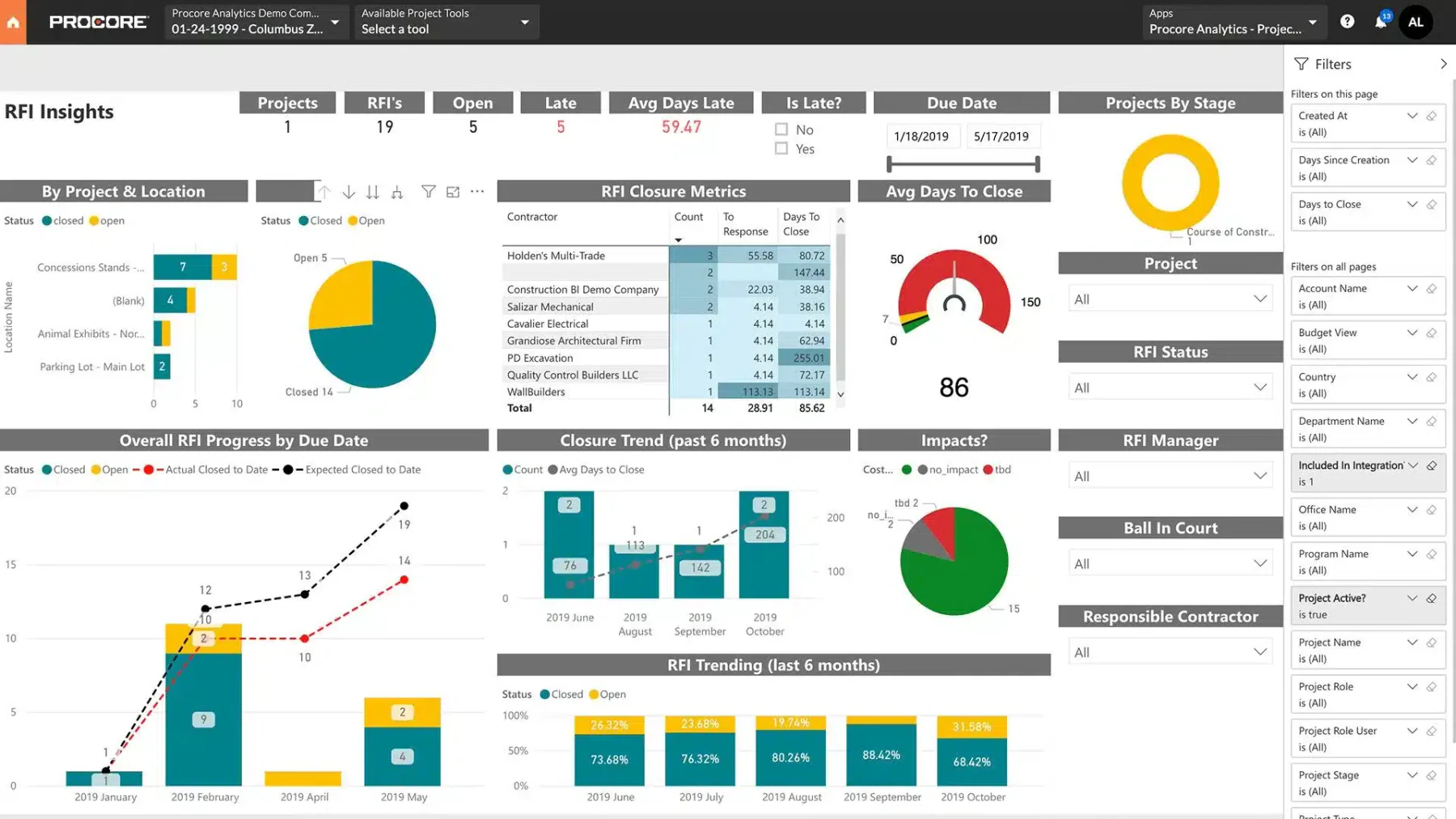
Procore started as project management software and expanded into financials. It’s strong when you need tight integration between field operations and accounting RFIs, change orders, and daily logs all connect to the financial picture.
The platform is popular with general contractors managing complex projects with many subcontractors. Mobile access is solid, so field supervisors can track costs and approve invoices from the job site.
Best for: Project-heavy firms wanting operations and financials in one platform
Key features:
-
-
- Unified project management and accounting
- Change order tracking with cost impact
- Subcontractor prequalification and management
- Mobile-friendly interface
- Strong integration ecosystem
-
| Pros | Cons |
|
|
Pricing: Custom quotes based on annual construction volume and selected modules.
4. Sage 100 Contractor
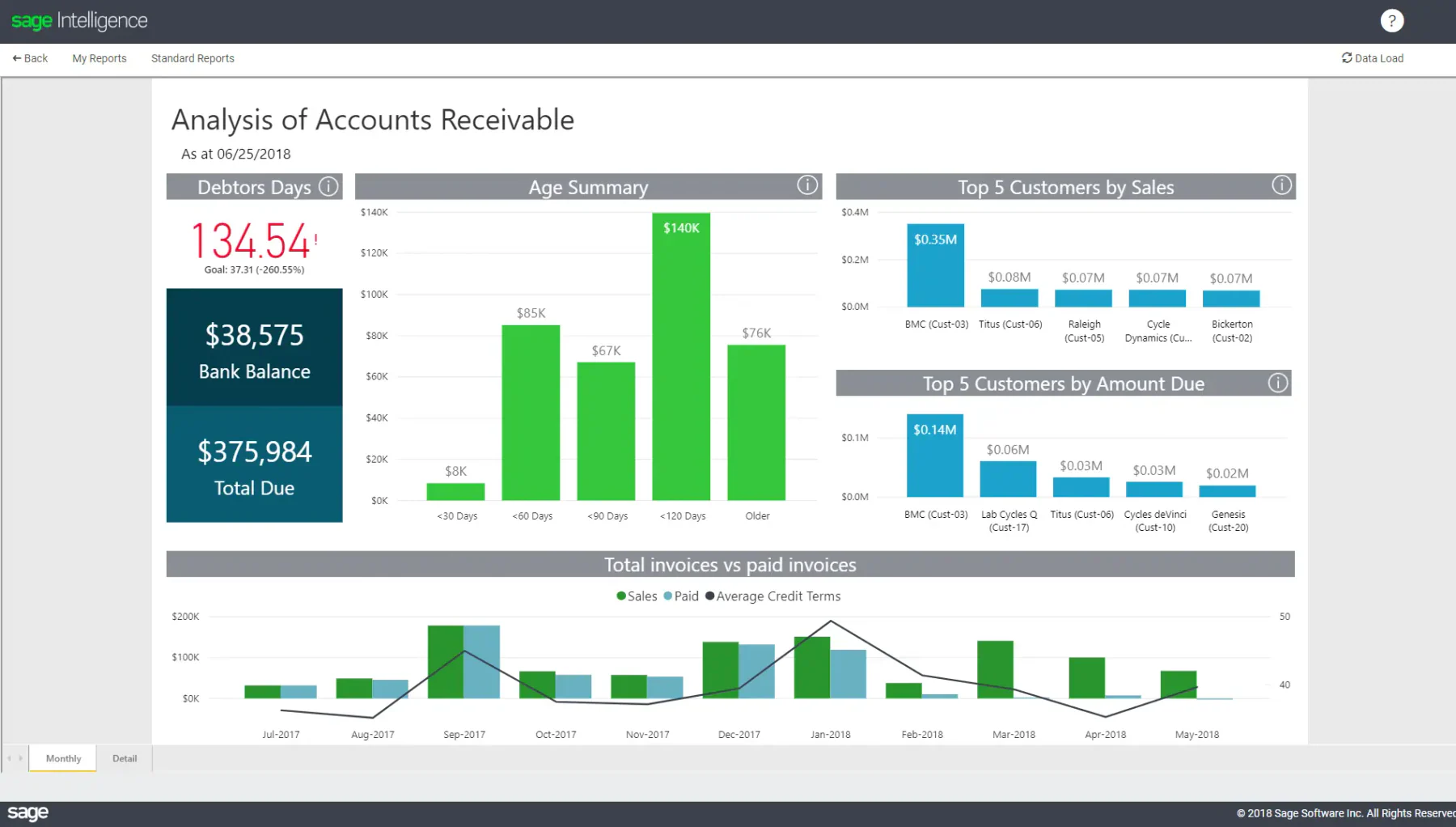
Sage has been serving contractors for years, and Sage 100 Contractor (formerly Sage Master Builder) is their flagship for the construction industry. It’s a solid, reliable choice for companies that want proven software without constant updates disrupting their workflow.
The system handles core accounting, job costing, and project management. Integration with Sage’s broader ecosystem means you can add payroll, HR, and other modules as needed.
Best for: Established contractors wanting reliable, proven software.
Key features:
-
-
- Complete job costing with cost code structure
- AIA billing support
- Equipment cost tracking
- Payroll with certified payroll reports
- Established vendor with a long track record
-
| Pros | Cons |
|
|
Pricing: Not published. Expect to request a quote; reviews suggest it’s on the higher end for small businesses.
5. CoConstruct
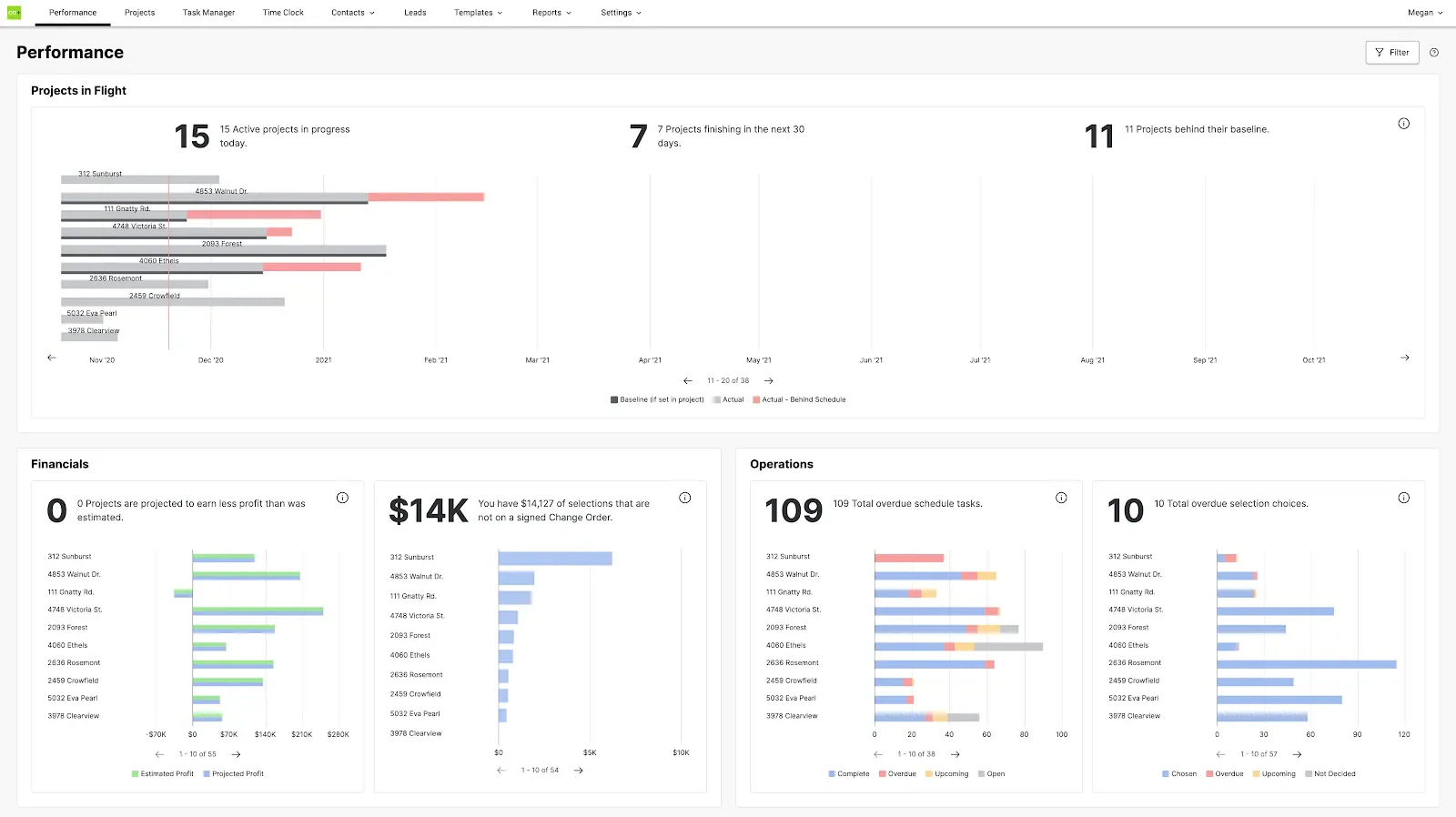
CoConstruct combines project management with financial tools, targeting custom home builders and remodelers. If your business involves client-facing work where communication and selections matter, this platform handles that well.
It integrates with QuickBooks, so you can keep your existing accounting setup while adding construction-specific features. The client portal lets homeowners track progress and make selections without constant phone calls.
Best for: Custom builders and remodelers who need client communication tools
Key features:
-
-
- Client portal for selections and communication
- Budgeting and change order management
- QuickBooks integration
- Scheduling with calendar sync
- Proposal and contract generation
-
| Pros | Cons |
|
|
Pricing: Starts around ₱5,500/month (~$99), with higher tiers for more features.
6. QuickBooks
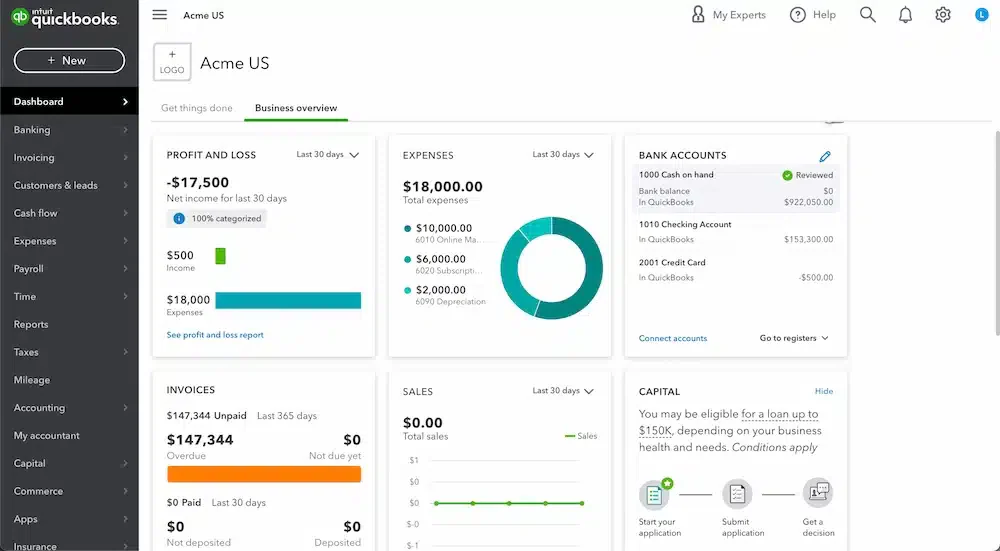
QuickBooks isn’t construction-specific, but it’s where many small contractors start. The learning curve is gentle, integrations are plentiful, and accountants know it well. For basic job costing, you can use the Projects feature to track income and expenses per job.
The limitation is complexity. Once you’re managing multiple projects with subcontractors, retention, and progress billing, you’ll start hitting walls. Many contractors use QuickBooks alongside construction-specific add-ons like Buildertrend or Knowify.
Best for: Small contractors who need simple, affordable accounting
Key features:
-
-
- Easy setup and familiar interface
- Project feature for basic job costing
- Extensive app integrations
- Mobile app for expense tracking
- Widely supported by accountants
-
| Pros | Cons |
|
|
Pricing: Plans range from ~₱2,100/month (Simple Start) to ~₱15,000/month (Advanced). Additional per-user costs on some plans.
7. Buildertrend
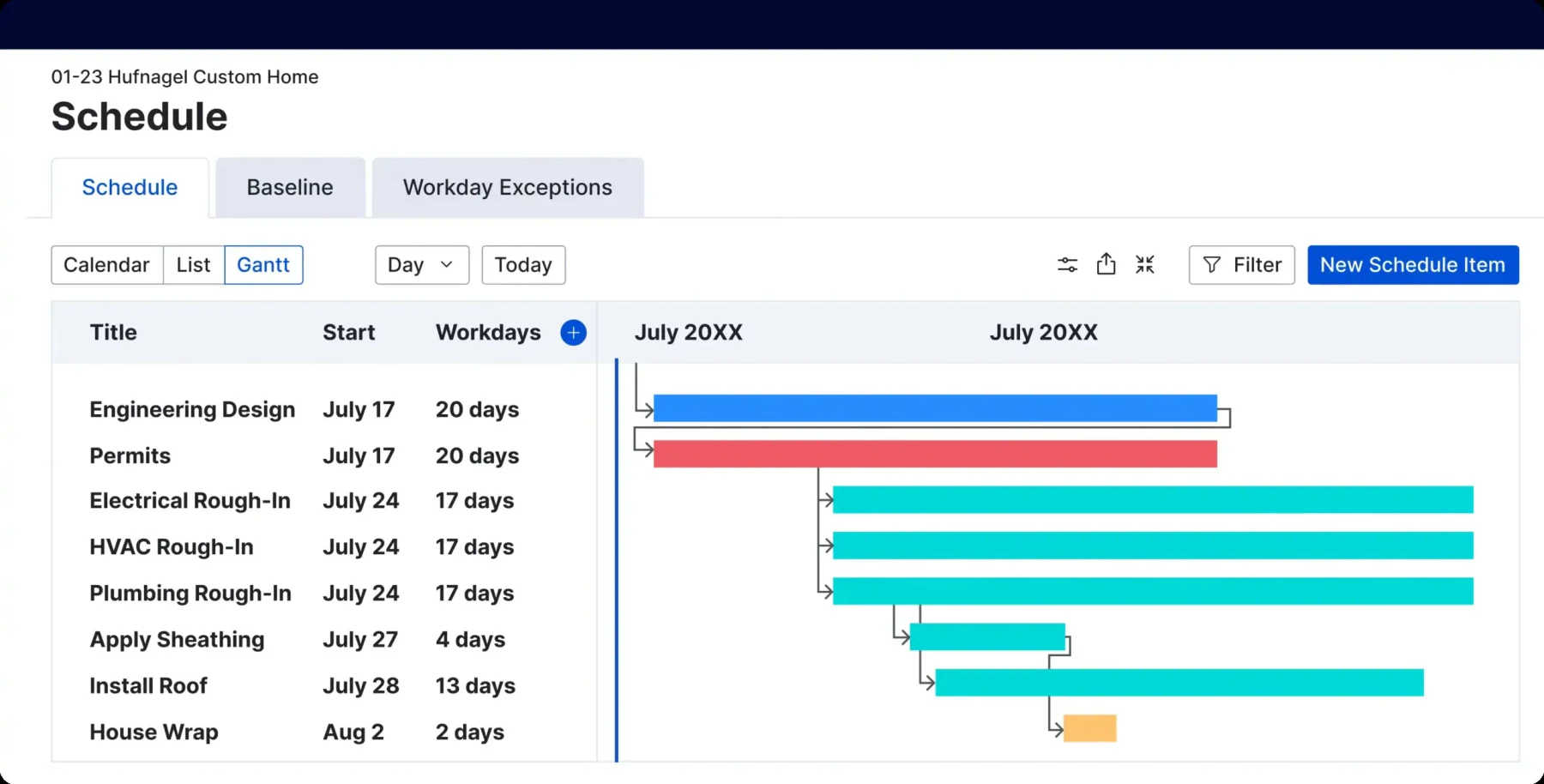
Buildertrend serves residential builders with a cloud platform covering pre-sale through warranty. The financial tools integrate with a project management and order management system, so budgets, change orders, and purchase orders flow together.
The QuickBooks and Xero integrations mean you can keep your accountant happy while using Buildertrend for daily operations. Customer reviews highlight the mobile app quality. Field staff can access schedules, documents, and cost data without returning to the office.
Best for: Residential builders wanting project management with financial tracking
Key features:
-
-
- Pre-sale lead management through post-construction warranty
- Budget tracking with change order management
- Customer portal
- Mobile app for field access
- Integrations with QuickBooks, Xero
-
| Pros | Cons |
|
|
Pricing: Starts around ₱22,000/month (~$399), with higher tiers reaching ₱60,000+/month.
8. Acumatica Accounting Software for Construction
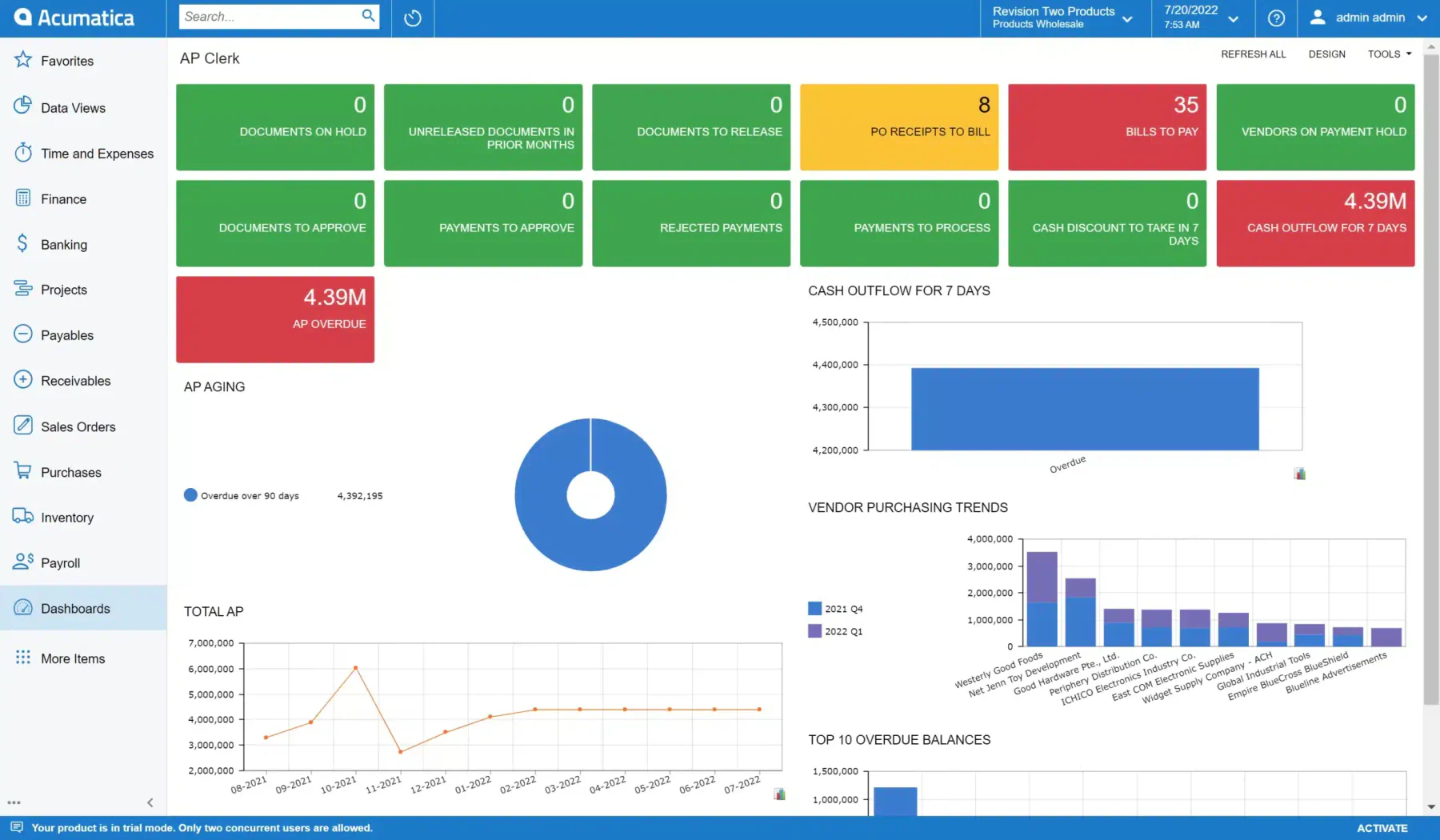
Acumatica is a cloud ERP that competes with larger systems like NetSuite, but with construction-specific functionality. The platform is highly customizable, and the pricing model (based on resources used, not per-user) can work well for growing companies.
Dashboards are a strength; you can build views showing exactly the metrics that matter to your business. The system handles multi-entity operations, which matters if you have separate companies for different business lines or regions.
Best for: Mid-sized firms wanting a customizable ERP with room to grow
Key features:
-
-
- Flexible, customizable dashboards
- Project accounting with WIP reporting
- Subcontractor and compliance management
- No per-user fees (resource-based pricing)
- Strong mobile access
-
| Pros | Cons |
|
|
Pricing: Typically ₱1.1-1.9 million/year (~$20,000-$34,000+) depending on scope. Custom quotes required.
9. FreshBooks
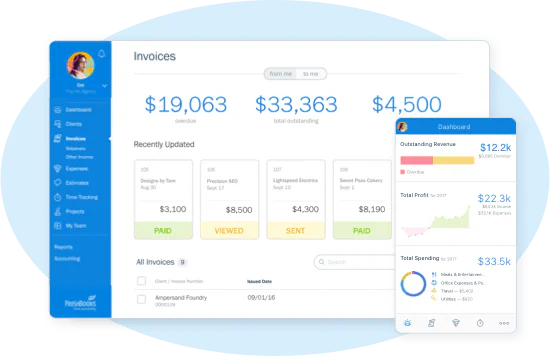
FreshBooks targets small businesses and freelancers with clean, simple accounting. For solo contractors or very small teams, it handles invoicing, expense tracking, and basic project tracking without overwhelming complexity.
The interface is genuinely easy to use; you won’t need training to get started. Time tracking is built in, which helps if you bill hourly for consulting or smaller jobs.
Best for: Solo contractors and small teams needing simple accounting
Key features:
-
-
- Clean, intuitive interface
- Easy invoicing with payment acceptance
- Time tracking
- Expense categorization with receipt capture
- Basic project profitability
-
| Pros | Cons |
|
|
Pricing: Lite at ~₱1,150/month, Plus at ~₱2,100/month, Premium at ~₱3,600/month.
10. CMiC
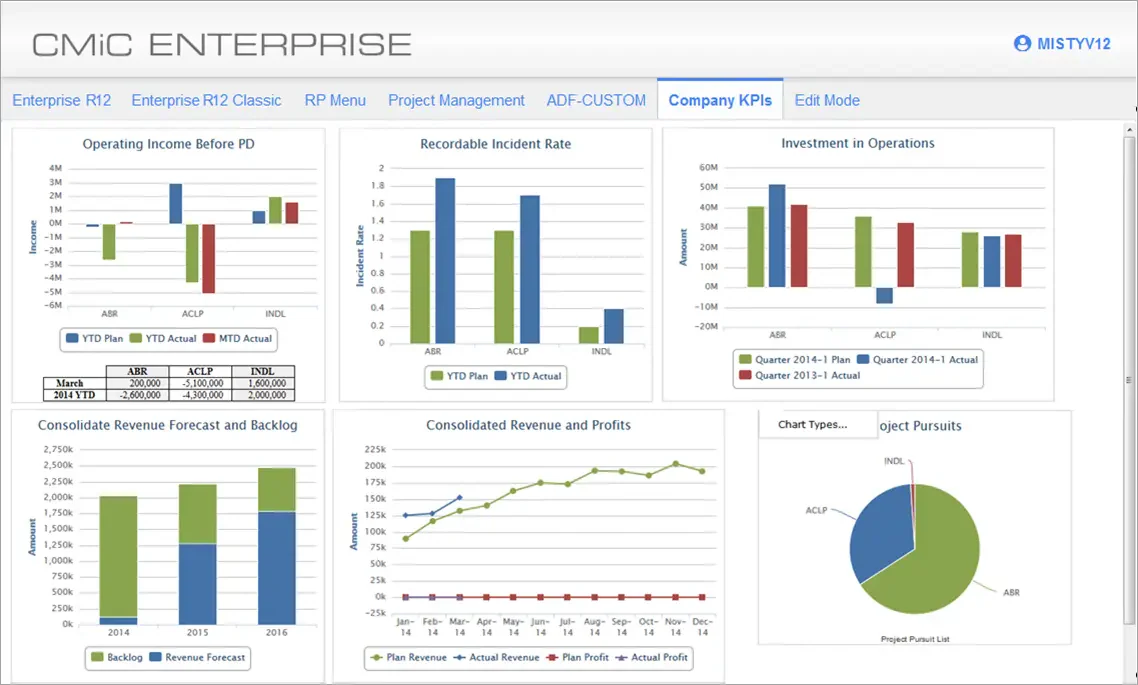
CMiC is enterprise software for large contractors, offering deep functionality across accounting, project management, HR, and field operations. The single-database architecture means all data lives in one place, with no syncing between systems.
Reporting and analytics are sophisticated, supporting the complex needs of contractors managing hundreds of millions in annual volume. The trade-off is complexity; this isn’t software you set up in a weekend.
Best for: Large contractors needing an enterprise-grade unified platform
Key features:
-
-
- Single database for all functions
- Advanced job costing and WIP analysis
- Compliance management
- HR and payroll integration
- Configurable workflows
-
| Pros | Cons |
|
|
Pricing: Custom enterprise pricing based on company size and modules.
11. Foundation Software
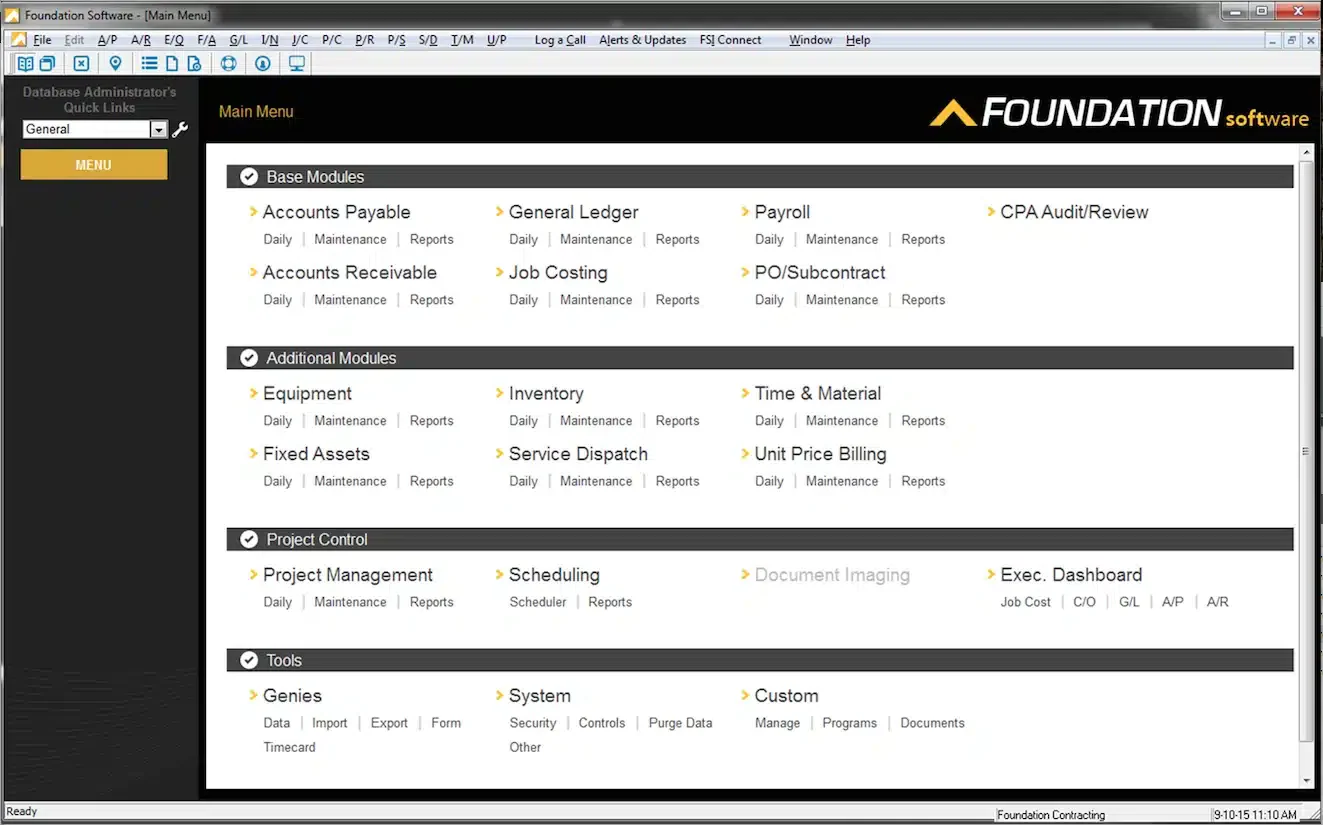
Foundation focuses exclusively on construction accounting, offering features tailored for contractors rather than generic tools. The system handles certified payroll, prevailing wage tracking, and the specific financial reporting constructions companies need.
It highlights some of the key construction project software advantages that make managing projects and finances simpler and more accurate. The company has been serving the industry for decades, so the feature set reflects real contractor feedback.
Best for: Contractors doing government work or needing certified payroll
Key features:
-
-
- Construction-specific accounting
- Certified payroll and prevailing wage
- Job costing with cost code structure
- Equipment management
- Union payroll support
-
| Pros | Cons |
|
|
Pricing: Foundation does not publish fixed pricing and uses a modular model, allowing users to pay only for the features they need, such as job costing, payroll, and optional add-ons like project management or equipment tracking.
12. NetSuite
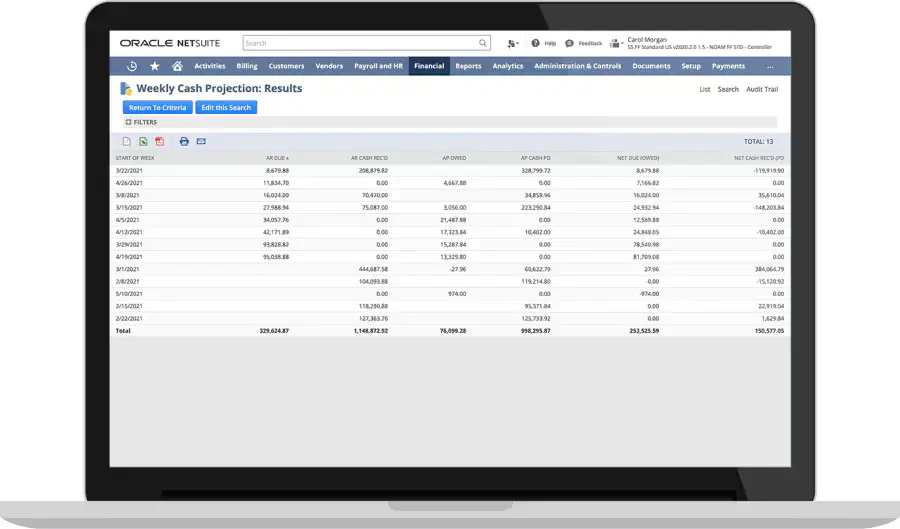
NetSuite is Oracle’s cloud ERP, used across industries including construction. It’s powerful and scalable, handling everything from accounting to CRM to e-commerce if you need it. For large construction companies or those planning rapid growth, the platform won’t limit you.
The construction-specific functionality comes through SuiteApps and customization. You’ll likely need an implementation partner to configure the system for contracting workflows.
Best for: Large enterprises wanting a scalable ERP with broad functionality
Key features:
-
-
- Full ERP suite (finance, CRM, inventory, HR)
- Real-time dashboards and analytics
- Multi-subsidiary consolidation
- Extensive customization options
- Global capabilities for international operations
-
| Pros | Cons |
|
|
Pricing: Typically starts around ₱55,000/month (~$999) plus per-user fees. Enterprise deals vary widely.
13. Xero Construction Accounting Software
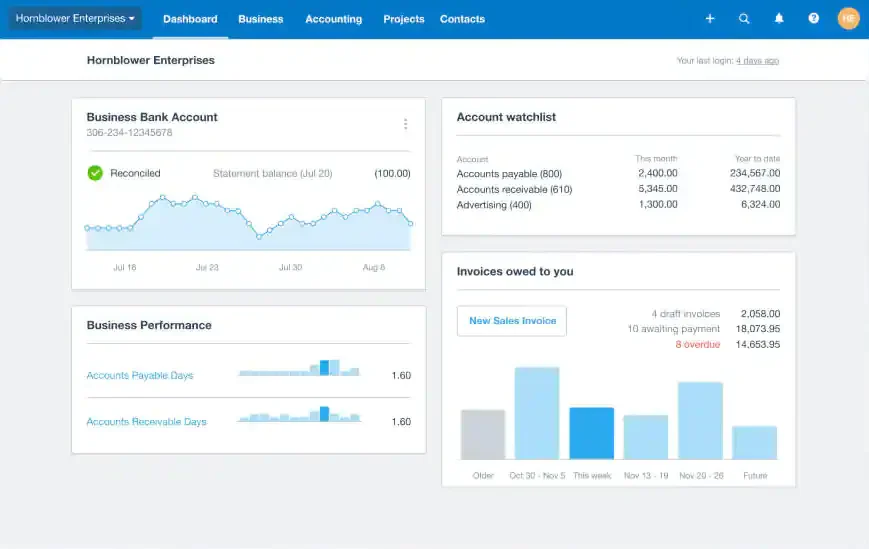
Xero is a cloud accounting platform popular with small businesses globally. It’s not construction-specific, but the clean interface and strong app ecosystem make it workable for smaller contractors. You can add construction functionality through integrations like WorkflowMax or Tradify.
Unlimited users on all plans is appealing if you want your whole team to access financial data without per-seat costs.
Best for: Small contractors wanting modern cloud accounting with integrations
Key features:
-
-
- Clean, modern interface
- Unlimited users on all plans
- Bank feeds and reconciliation
- App marketplace for add-ons
- Multi-currency support
-
| Pros | Cons |
|
|
Pricing: Starter ~₱1,600/month, Standard ~₱2,750/month, Premium ~₱3,850/month.
14. Zoho 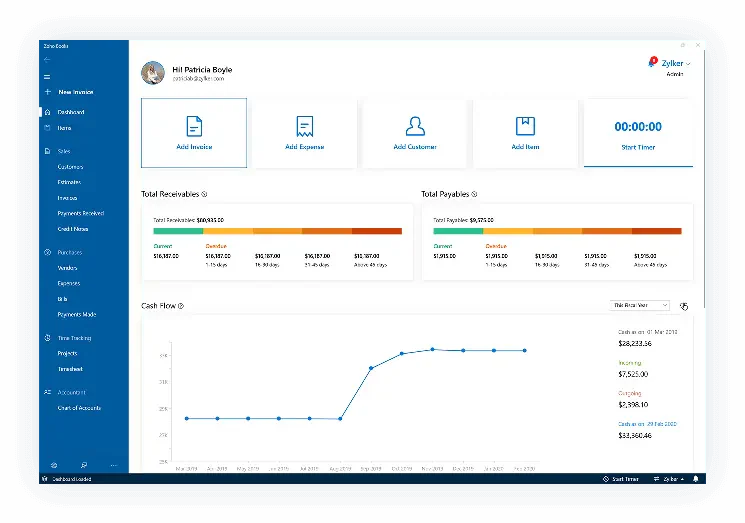
Zoho Books offers solid accounting at competitive prices, part of the broader Zoho ecosystem. For contractors already using Zoho CRM or Zoho Projects, the integration is smooth. The automation features help reduce manual data entry.
The free plan (with limitations) makes it accessible for very small operations just getting started with formal accounting.
Best for: Budget-conscious contractors wanting good features at low cost
Key features:
-
-
- Affordable pricing with a free tier
- Automation for recurring tasks
- Project tracking with basic job costing
- Integration with the Zoho ecosystem
- Client portal
-
| Pros | Cons |
|
|
Pricing: Free plan available. Paid plans from ~₱660/month (Standard) to ~₱2,000/month (Premium).
15. RedTeam
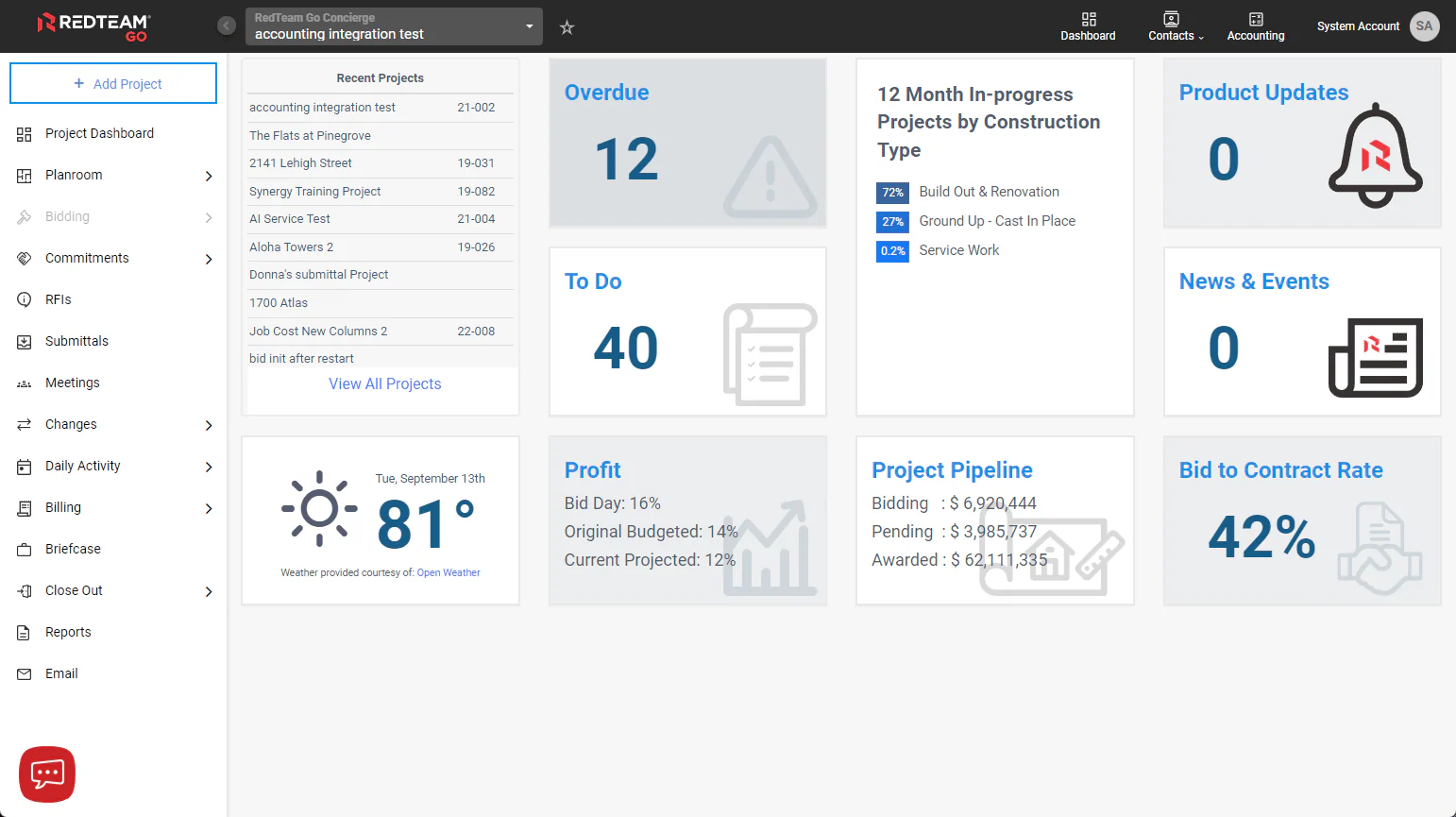
RedTeam was built by a construction company, which shows in features designed for real contractor workflows. The bidding and preconstruction tools help you estimate accurately and track how estimates compare to actual costs over time.
Project management is integrated, so you’re not switching between systems for financials and field operations. The learning curve exists, but reflects the depth of functionality.
Best for: Contractors wanting tools designed by industry insiders
Key features:
-
-
- Bidding and preconstruction tools
- Change order management
- Project financials with WIP
- Subcontractor management
- Mobile field access
-
| Pros | Cons |
|
|
Pricing: Typically starts around ₱40,000/month (~$729), based on active project value. Implementation fees additional.
16. Gusto 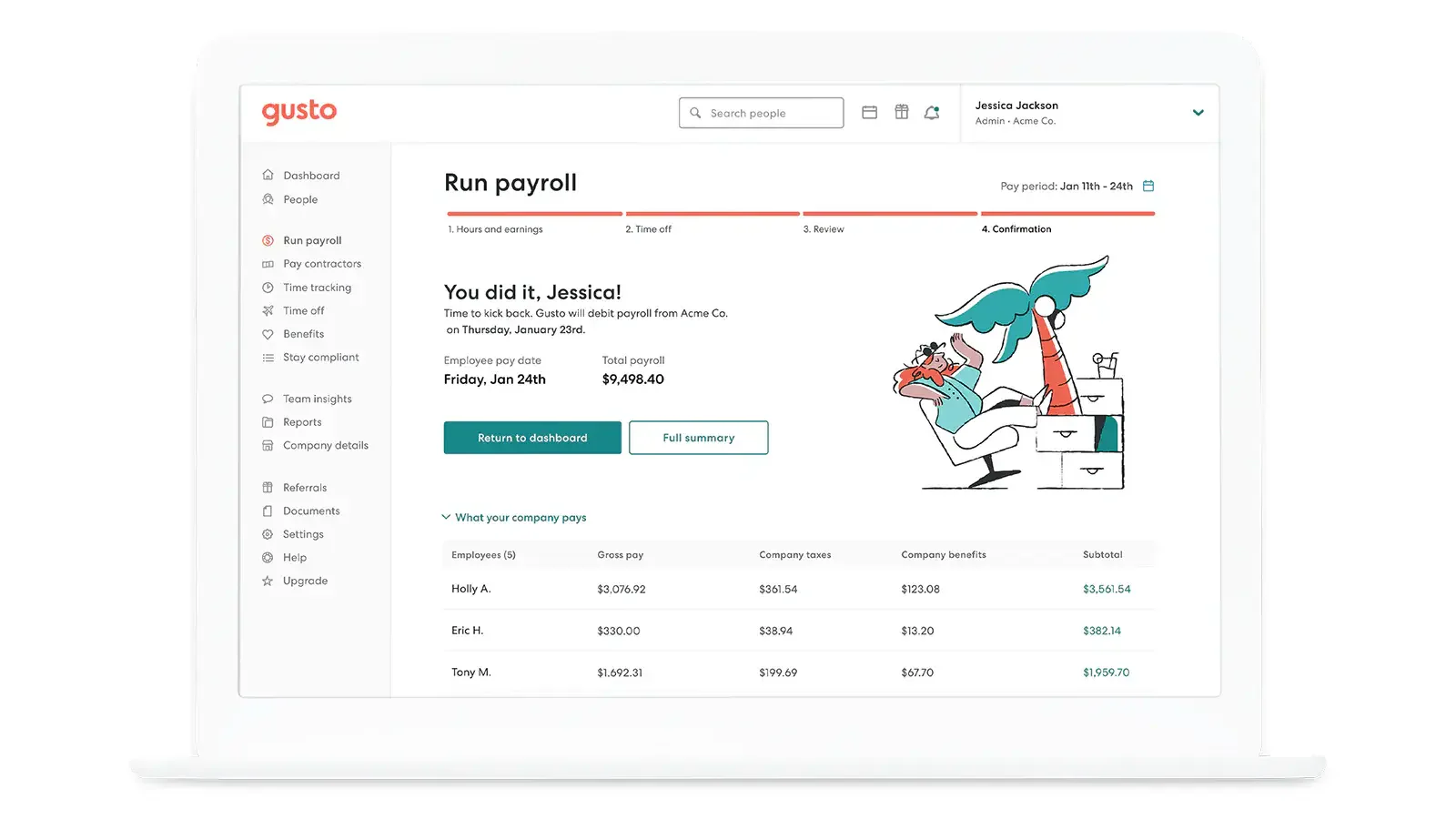
Gusto isn’t accounting software; it’s payroll and HR. But for contractors whose biggest headache is managing crew payroll, benefits, and compliance, It’s worth mentioning as a reliable wage processing system.
It handles the complexity of varying pay rates, multiple work locations, and benefits administration. You’d use Gusto alongside your accounting system (it integrates with QuickBooks, Xero, and others) rather than as a replacement.
Best for: Contractors needing modern payroll and HR management
Key features:
-
-
- Full-service payroll processing
- Benefits administration
- HR tools and compliance
- Employee self-service
- Integrations with accounting software
-
| Pros | Cons |
|
|
Pricing: Simple starts ~₱2,700/month plus ~₱330/person. Plus and Premium tiers increase base and per-person fees.
How to Choose the Right Construction Accounting Software

Selecting the right accounting software for contractors is crucial for managing finances efficiently and keeping projects on track. Here are some practical steps to help you choose the most suitable solution:
-
-
- Define Your Requirements: Start by listing the essential features you need, such as job costing, payroll, or real-time reporting. Consider your project size and financial complexity to ensure the software matches your construction workers efficiently.
- Consider User-Friendliness: Choose software with an intuitive interface that your team can easily adapt to without lengthy training. Take advantage of demos or trial periods to test usability and ensure it fits your workflow.
- Evaluate Integration Capabilities: A reliable system for managing construction finances should connect seamlessly with tools you already use. Workflows will stay aligned without extra manual work when tools like project management, CRM, HR, or procurement platforms are interconnected.
- Check for Scalability: As your business grows, your financial needs will evolve. Select software that can scale to accommodate larger projects, more users, and advanced financial management features.
- Read Reviews and Seek Recommendations: User reviews, especially from the construction industry, provide valuable insights into software performance in real-world conditions. Ask for recommendations from peers who have hands-on experience.
- Consider Support and Training: Strong customer support ensures a smooth transition and long-term success. Check if the provider offers onboarding assistance, tutorials, or ongoing technical help.
-
For even greater efficiency, ensure the software integrates seamlessly with construction scheduling software to improve coordination, avoid delays, and keep every project phase aligned.
Philippine Compliance: What Local Contractors Need
If you’re operating in the Philippines, your accounting software needs to handle specific requirements that international tools often miss:
BIR Requirements
-
-
- Form 2307 (Certificate of Creditable Tax Withheld at Source): Every time you pay a subcontractor or supplier subject to withholding tax, you need to issue Form 2307. The right software generates these automatically from your payables.
- Form 2316 (Annual Withholding Tax): For your employees, this annual certificate summarizes taxes withheld. Your payroll system or accounting software should produce this.
- VAT Computation: If you’re VAT-registered (mandatory for gross sales over ₱3 million), the software should track output VAT on your billings and input VAT on purchases, computing the net amount due.
- e-BIRForms Compatibility: The BIR increasingly wants electronic filing. Check if your software can export data in formats compatible with e-BIRForms or integrate directly.
-
What to Ask Vendors
When evaluating software for Philippine use, ask these questions:
-
-
- Can the system generate BIR Form 2307 automatically?
- Does it compute withholding tax at the correct rates for different transaction types?
- How does it handle VAT tracking and reporting?
- Can it export data for e-BIRForms submission?
- Is the system a BIR-accredited accounting system Computerized Accounting System (CAS)?
-
Some international software can be configured for Philippine taxes with help from a local accountant or implementation partner. Others simply can’t, which means manual work or parallel systems.
Conclusion
Finding the right construction financial management software comes down to matching your needs with the right tool. Small contractors don’t need enterprise systems, and large firms shouldn’t try to run on basic apps.
For Philippine contractors specifically, a BIR-accredited accounting software for contractors that handles Form 2307 generation and VAT computation matters most. Check whether your chosen software handles Form 2307 generation, VAT computation, and local tax reporting, or be prepared to manage those manually.
The options we've covered range from simple, affordable tools to full enterprise platforms. Start by understanding your current pain points, consider where your business is heading, and test drive a few options before committing. Whatever you choose, invest in accounting software built for Philippine businesses that grows with your projects.
FAQ About Construction Accounting Software
Not always at the start, but many small contractors outgrow basic accounting tools once they handle multiple projects, subcontractor payments, and tighter cash flow. Construction accounting software becomes more useful when you need clearer job costing, project-based tracking, and better control over billing and expenses.
Construction accounting software helps track billings by project stage, monitor unpaid balances, and record retention amounts that are withheld until project completion. This gives contractors better visibility into receivables and reduces the risk of cash flow gaps during long-running projects.
Yes. Most construction accounting software tracks subcontractor billings, retention, and payment schedules alongside the withholding tax deducted from each release. Philippine contractors should confirm the system generates BIR Form 2307 for payments subject to creditable withholding tax, since not every platform supports local tax forms.
Philippine contractors should prioritize job costing, progress billing, retention tracking, subcontractor payment monitoring, VAT and withholding tax support, and reporting that can keep up with multiple active projects. Local compliance readiness is also important because construction firms often deal with more complex tax and documentation requirements than other businesses.
Implementation usually takes two weeks to six months, depending on scope. Cloud bookkeeping tools for small contractors can go live in days, while a full construction ERP with job costing, payroll, and BIR compliance setup typically needs three to six months including data migration and staff training.