









 Limited to 100 registrants
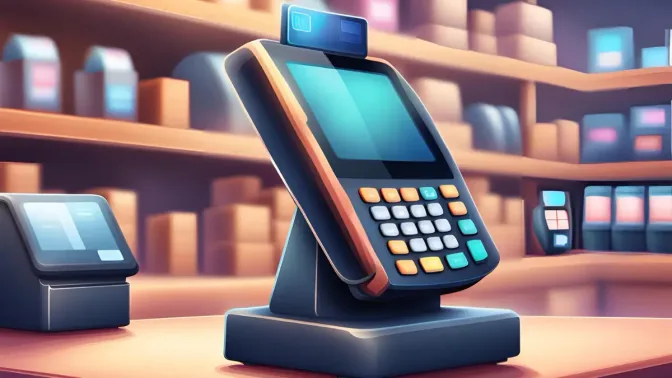
The shift to cloud technology is no longer optional for Philippine retailers; it’s becoming a survival necessity. The best cloud POS system gives businesses remote access to sales, inventory, and branch data through an online POS system, helping managers respond faster without maintaining a server at every store.
That’s why the shift is accelerating: a 2025 Mobility Oversight report projects the Philippines’ cloud POS market to grow from USD 7.6 billion in 2025 to USD 21.3 billion by 2031. This surge shows that traditional POS systems, which cause delays and stock mismatches, are no longer enough for scaling businesses.
This guide goes beyond the typical “best cloud POS” listicle. We’ll examine:
- The technical reality of how cloud POS actually works
- True cost analysis comparing cloud subscriptions vs. traditional licenses over 5 years
- Data security concerns specific to Philippine regulations
- Internet requirements and what happens when connectivity fails
- 11 cloud POS systems evaluated for the Philippine market
Whether you’re a Manila-based retail chain considering migration or a provincial business owner worried about internet reliability, this guide will help you make an informed decision.
Key Takeaways
Cloud POS software is an online system that securely manages sales, inventory, and customer data in real-time. It is accessible from any device, streamlines business operations, reduces errors, and improves customer service.
The key difference between cloud and traditional POS software is that it offers greater flexibility and real-time access, making it the better choice for most businesses despite its reliance on a stable internet connection.
Focus on a cloud POS system that fits your business needs, is easy to use, integrates seamlessly, and can scale with your growth when choosing.
Quick Overview of the Best Cloud POS System in 2026



Best Because
Best for multi-location POS.

Best Because
Best for real-time synchronization between online & offline sales.

Best Because
Best for real-time online-offline synchronization.



Best Because
Best for affordable cloud POS with local support

Best Because
Best for scalable cloud POS with strong analytics

Definition of Cloud POS System
A cloud POS system is an online platform that manages sales, inventory, and customer data in real time. Businesses evaluating a cloud based POS system can access and update this information from any connected device. Unlike locally installed software, a web based POS system securely stores operational data on remote servers.
When a customer makes a purchase, the system processes the transaction and instantly updates your sales and inventory records. This reduces errors, speeds up decision-making, and ensures customers receive faster, more accurate service.
Cloud POS is especially useful for businesses in the Philippines that operate multiple locations or handle fluctuating stock levels. With real-time visibility and remote access, it helps keep operations smooth and responsive wherever you are.
Understanding Cloud POS: Beyond the Buzzwords
Before comparing cloud POS software, it helps to clarify what “cloud POS” actually means. Some vendors describe any online POS system as cloud-ready, even when core processing and data storage still depend on local hardware. Understanding the architecture prevents businesses from choosing a system that cannot provide complete remote access or automatic synchronization.
Traditional (On-Premise) POS:
- Software installed on a local computer/server
- Data stored on your hardware
- You own the software license
- Updates require manual installation
- Access only from the installed device
True Cloud POS:
- Software runs on the vendor’s remote servers
- Data stored in cloud data centers
- You pay a subscription fee for access
- Updates happen automatically
- Access from any internet-connected device
Hybrid Cloud POS:
- Software can run locally AND sync to the cloud
- Data is stored both locally and remotely
- Continues working during internet outages
- Best of both worlds, but more complex
Why This Distinction Matters:
Many vendors market “cloud-based” systems that are actually traditional software with cloud backup. A true cloud POS runs entirely in your web browser, no installation required. This distinction affects:
- Disaster recovery: True cloud = your data survives even if your store burns down
- Multi-device access: True cloud = manage from phone, tablet, or any computer
- Automatic updates: True cloud = always on the latest version
- Internet dependency: True cloud = completely non-functional without internet
Why Cloud POS Makes Sense for Philippine Businesses
For Philippine retailers, the best cloud POS system should deliver real-time visibility without requiring complicated IT infrastructure. A web based POS system allows owners and authorized managers to monitor sales, stock, and branch performance remotely, making it especially valuable for geographically dispersed businesses and owners who frequently work away from their stores.
1. OFW Business Owners Can Monitor Remotely
Millions of Filipinos work abroad while their families manage businesses back home. Cloud POS enables:
- Real-time sales monitoring from anywhere in the world
- Instant alerts for unusual transactions
- Remote inventory checks before restocking decisions
- Video of the day’s operations (with integrated CCTV)
Real scenario: An OFW in Dubai can check their sari-sari store’s sales in Cebu at any time, seeing exactly what sold and what needs restocking.
2. Typhoon and Disaster Resilience
The Philippines experiences an average of 20 typhoons annually. When your physical store is damaged:
- Traditional POS: Data may be lost with damaged hardware
- Cloud POS: All data is safe in remote servers, accessible from a temporary location
3. Multi-Branch Visibility Without IT Infrastructure
Traditional multi-branch setups require:
- Expensive servers
- IT staff for maintenance
- VPN configurations
- Manual data consolidation
Cloud POS provides instant multi-branch visibility with zero IT infrastructure.
4. Scaling Without Hardware Investment
Opening a new branch? With cloud POS:
- Day 1: Sign up for the new terminal
- Day 1: Download the app or open the browser
- Day 1: Start selling
No server purchases, no IT setup, no waiting.
11 Best Cloud POS Systems
Now that we’ve weighed the pros and cons of cloud vs traditional POS software, it’s clear that cloud solutions are the more brilliant choice for modern businesses. But with so many options, how do you pick the best cloud POS system?
Don’t worry, we’ve got you covered with our top 11 cloud POS software picks for businesses in the Philippines.
1. HashMicro Cloud-Based POS System
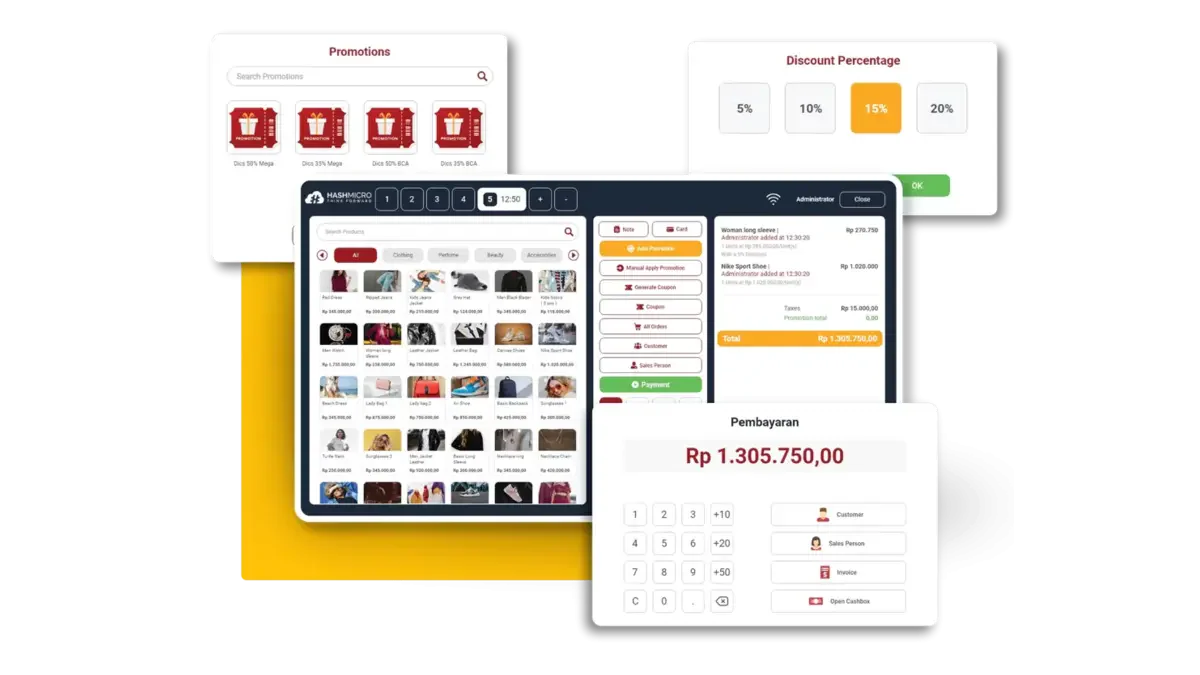
Best For: Medium to large businesses needing enterprise-grade cloud ERP with POS
Cloud Architecture: Hybrid (web-based with local sync capability)
HashMicro combines cloud POS software with inventory, accounting, HR, procurement, and other ERP functions in one platform. As a cloud based POS system, it gives medium-to-large businesses centralized control over sales and multi-branch operations. The best cloud POS system for an integrated enterprise should connect each transaction directly with relevant back-office workflows.
What Makes HashMicro’s Cloud Different:
The best cloud POS system operates as a true web-based application accessible from any browser, but includes local caching that maintains functionality during brief internet outages. For Philippine businesses concerned about connectivity, this hybrid approach provides cloud benefits with local resilience.
Data is hosted on secure servers with redundancy, meaning your business information survives even catastrophic local events. For multi-branch operations, real-time synchronization means the head office sees every transaction as it happens, whether the branch is in Manila, Cebu, or Davao.
Cloud-Specific Features:
- Browser-Based Access: No software installation required
- Real-Time Multi-Branch Sync: Instant visibility across all locations
- Automatic Updates: Always on the latest version
- Mobile Dashboard: Monitor sales from a smartphone with the best POS system
- Cloud Backup: Automatic daily backups with 99.9% uptime SLA
- API Integration: Connect with e-commerce, delivery apps, and accounting software
Data Security:
- ISO 27001 certified data centers
- End-to-end encryption
- Role-based access control
- Audit trail for all transactions
- Compliant with the Philippine Data Privacy Act
Offline Capability: Yes, local caching allows continued operation for several hours during an internet outage, with automatic sync when the connection is restored.
Pricing: Custom quote based on modules and users. Free demo available.
Considerations:
- Best value when using multiple ERP modules
- Higher investment than standalone POS
- Implementation requires planning (4-8 weeks typical)
2. Lightspeed
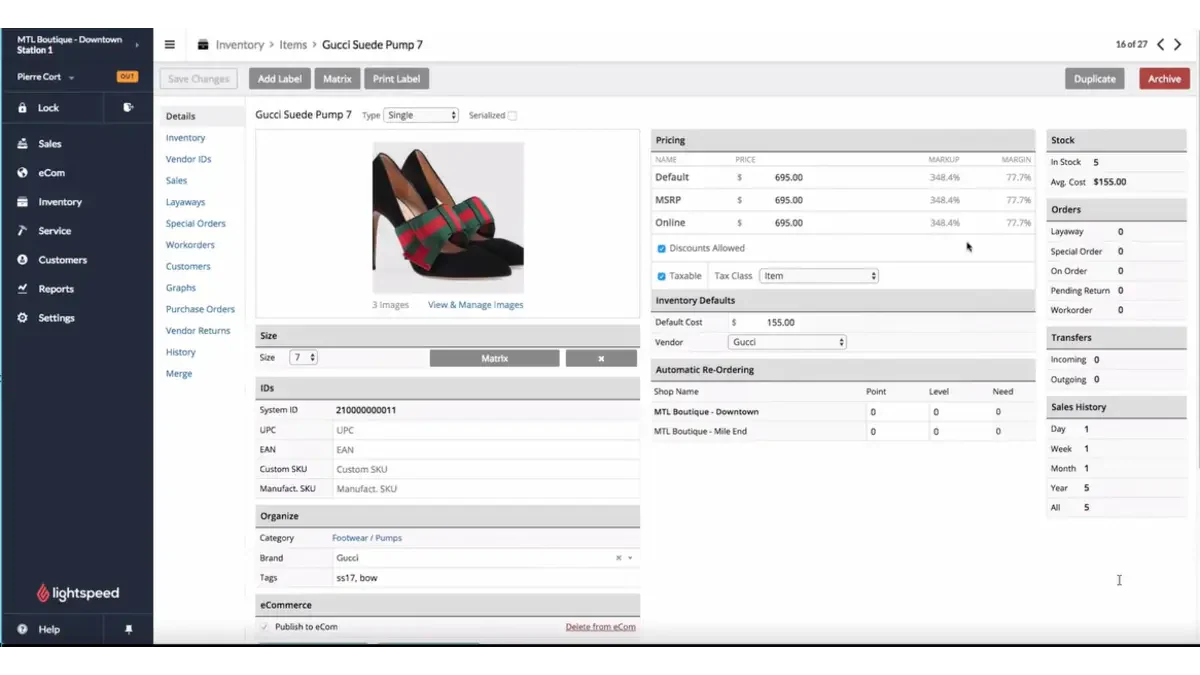
Best For: Retail businesses wanting premium cloud POS with advanced analytics
Cloud Architecture: True Cloud (browser and app-based)
Lightspeed has evolved from a traditional POS into a sophisticated cloud platform, particularly strong for retail businesses with complex inventory needs. The system runs entirely in the cloud, accessible from any device with a web browser.
Cloud-Specific Strengths:
Lightspeed’s cloud infrastructure is built on Amazon Web Services (AWS), one of the most reliable cloud platforms globally. This means excellent uptime and fast performance even during peak hours. The analytics capabilities leverage cloud computing to process large datasets, useful for businesses with thousands of SKUs wanting sales trend analysis.
Cloud-Specific Features:
- AWS-Hosted Infrastructure: Enterprise-grade reliability
- Real-Time Inventory Sync: Across physical stores and e-commerce
- Advanced Cloud Analytics: AI-powered sales insights
- Automatic Catalog Updates: Vendor catalogs sync automatically
- Multi-Location Dashboard: Single view of all branches
Offline Capability: Limited, basic transactions are possible, but most features require internet.
Pricing: Starting from $89/month (approximately ₱5,000/month)
Considerations:
- Premium pricing compared to local alternatives
- Best features require higher-tier plans
- Support is primarily in English
3. ConnectPOS
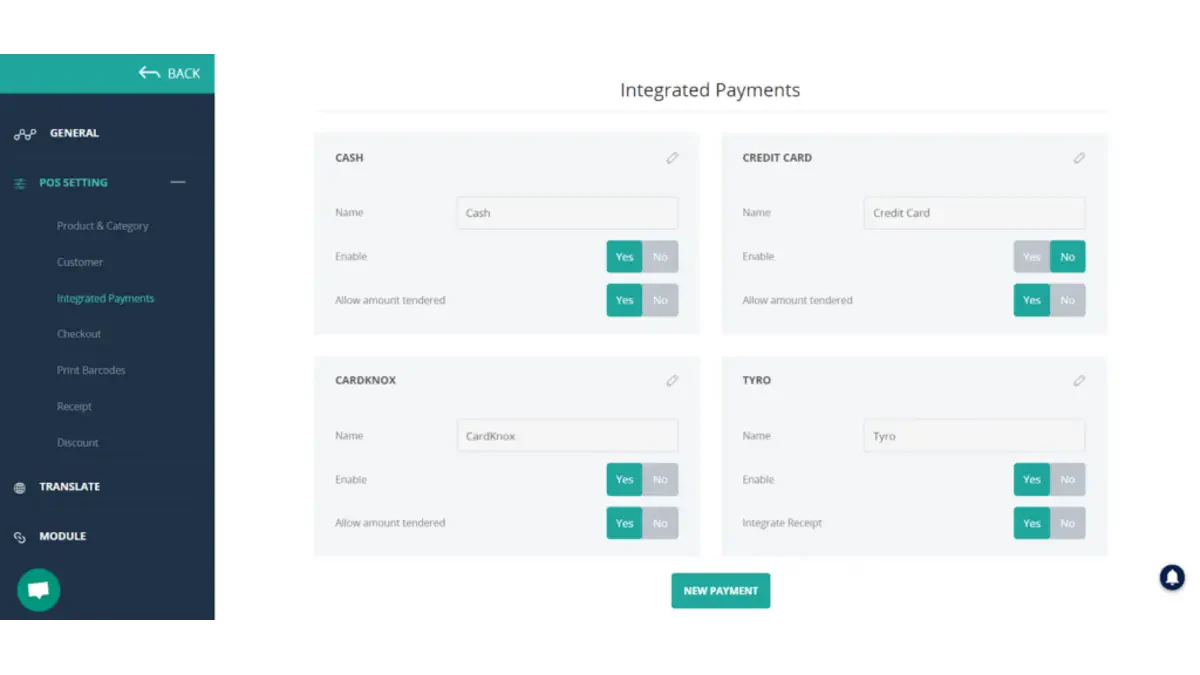
Best For: Omnichannel retailers needing real-time online-offline synchronization
Cloud Architecture: True Cloud with strong offline mode
ConnectPOS specializes in bridging the gap between physical stores and e-commerce, a critical need for Philippine retailers expanding into online sales. The system integrates with Magento, Shopify, BigCommerce, and WooCommerce, maintaining real-time inventory sync across all channels.
Cloud-Specific Strengths:
Unlike many cloud POS systems that struggle with offline scenarios, ConnectPOS was designed with connectivity challenges in mind. The Progressive Web App (PWA) technology allows the system to cache data locally, enabling full functionality even without internet for extended periods.
Cloud-Specific Features:
- PWA Technology: Superior offline capability
- Real-Time Omnichannel Sync: Physical store + website inventory unified
- Cloud-Based Order Management: Handle online orders from POS
- Multi-Currency Cloud Processing: Ideal for businesses with international customers
- Automatic Sync Recovery: Seamlessly uploads offline transactions when reconnected
Offline Capability: Excellent, one of the best offline modes among true cloud solutions.
Pricing: Starting from $39-$49/month per register
Considerations:
- Best value when combined with an e-commerce platform
- Some advanced features require higher tiers
- Setup requires e-commerce integration knowledge
4. Lightspeed Retail Vend-Series
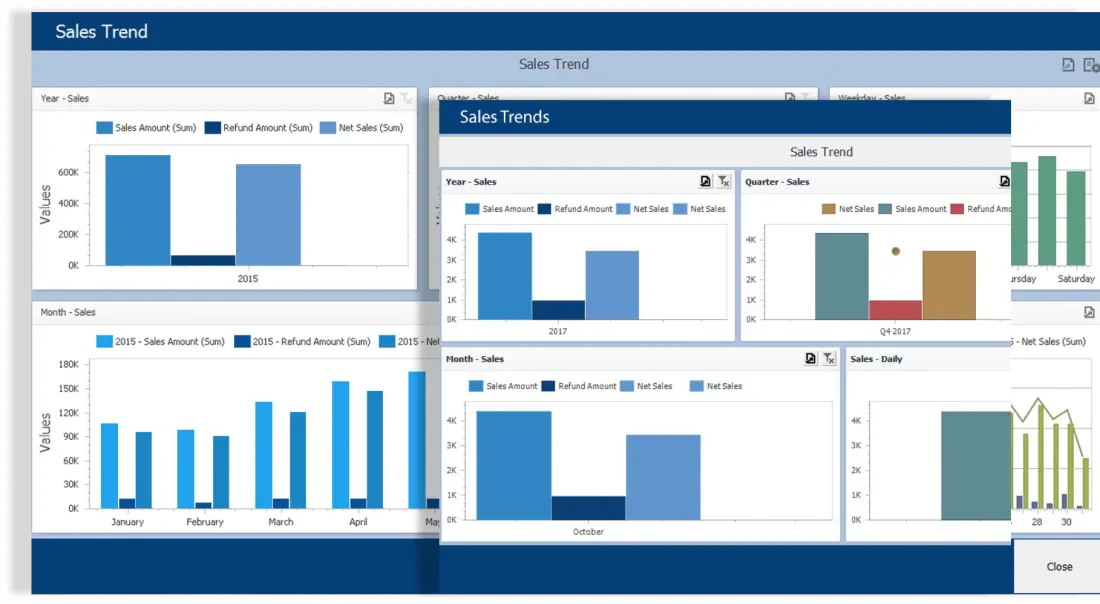
Best For: Retail stores wanting an intuitive cloud POS with strong inventory management
Cloud Architecture: True Cloud (browser-based)
Vend (now part of Lightspeed) is a pure cloud POS designed specifically for retail, not restaurants, not services, just retail. This focus results in exceptionally strong inventory and product management features that general-purpose POS systems lack.
Why Vend Instead of Generic POS:
Vend understands retail complexity: variants (size, color), composite products, serial number tracking, and supplier management. The cloud-native architecture means these features work seamlessly across locations without complex server setups.
Cloud-Specific Features:
- Browser-Based Operation: Works on any device with Chrome, Safari, or Firefox
- Real-Time Inventory Cloud: Stock levels update instantly across all terminals
- Supplier Management Cloud: Track purchase orders and supplier performance
- Cloud-Based Reporting: Access detailed analytics from anywhere
- Automatic Product Updates: Bulk import and sync from cloud catalogs
Offline Capability: Moderate, can process sales offline, but with limited functionality.
Pricing: Starting from $99/month (approximately ₱5,500/month)
Considerations:
- Retail-focused (not ideal for restaurants)
- Now integrated with the Lightspeed ecosystem
- Premium pricing but strong feature set
5. Toast POS
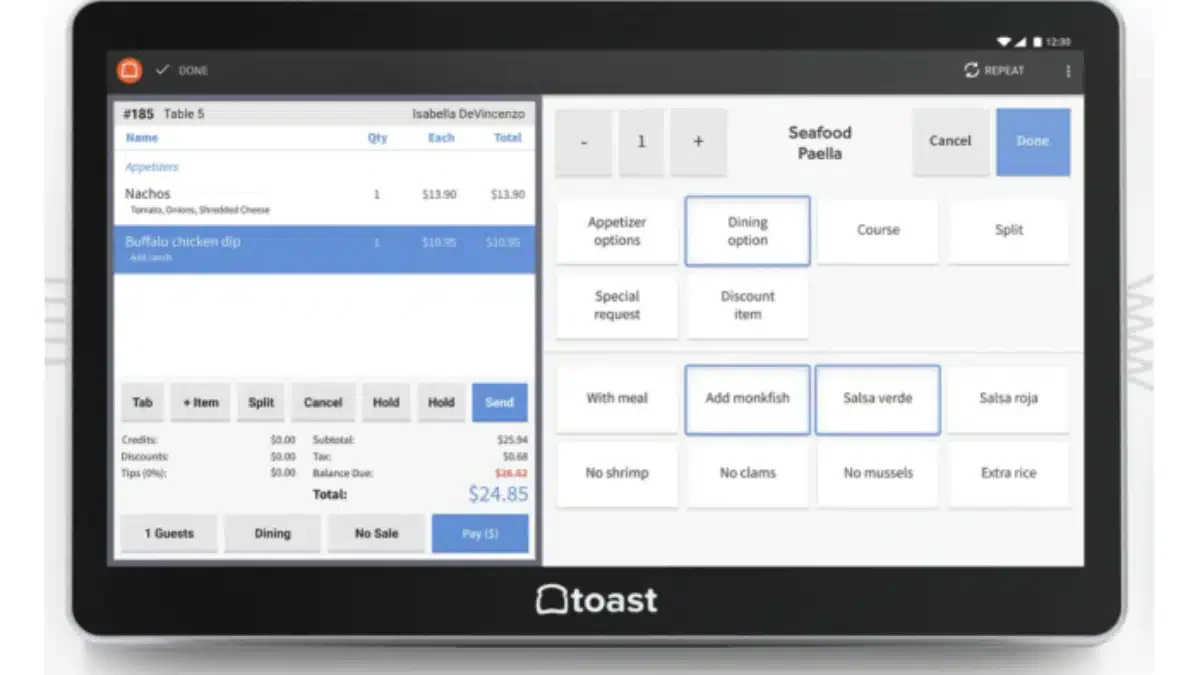
Best For: Restaurants and F&B businesses wanting specialized cloud POS
Cloud Architecture: True Cloud with dedicated hardware
Toast is the leading cloud POS specifically designed for restaurants, and it shows. While generic cloud POS systems bolt on restaurant features, Toast was built from the ground up for F&B operations: kitchen display systems, table management, online ordering, and menu engineering.
Why Restaurant-Specific Cloud Matters:
Generic cloud POS systems treat restaurants like any other retail business. Toast understands that a restaurant needs:
- Kitchen ticket routing (not just receipts)
- Table and seat management (not just transactions)
- Menu modifiers and combos (not just products)
- Tip management (not just payments)
Cloud-Specific Features:
- Cloud Kitchen Display System: Orders appear in the kitchen instantly
- Real-Time Menu Management: Update prices/items across all locations immediately
- Cloud-Based Online Ordering: Built-in, not third-party integration
- Restaurant Analytics Cloud: Food cost, labor cost, menu performance
- Multi-Location Menu Sync: Standardize menus across branches
Offline Capability: Good, proprietary hardware continues basic operation during outages.
Pricing: Hardware from $0 (with payment processing commitment), software from $69/month
Considerations:
- F&B only, not for retail
- Requires Toast hardware
- Payment processing tied to Toast (no third-party processors)
6. NetSuite Cloud-Based POS System
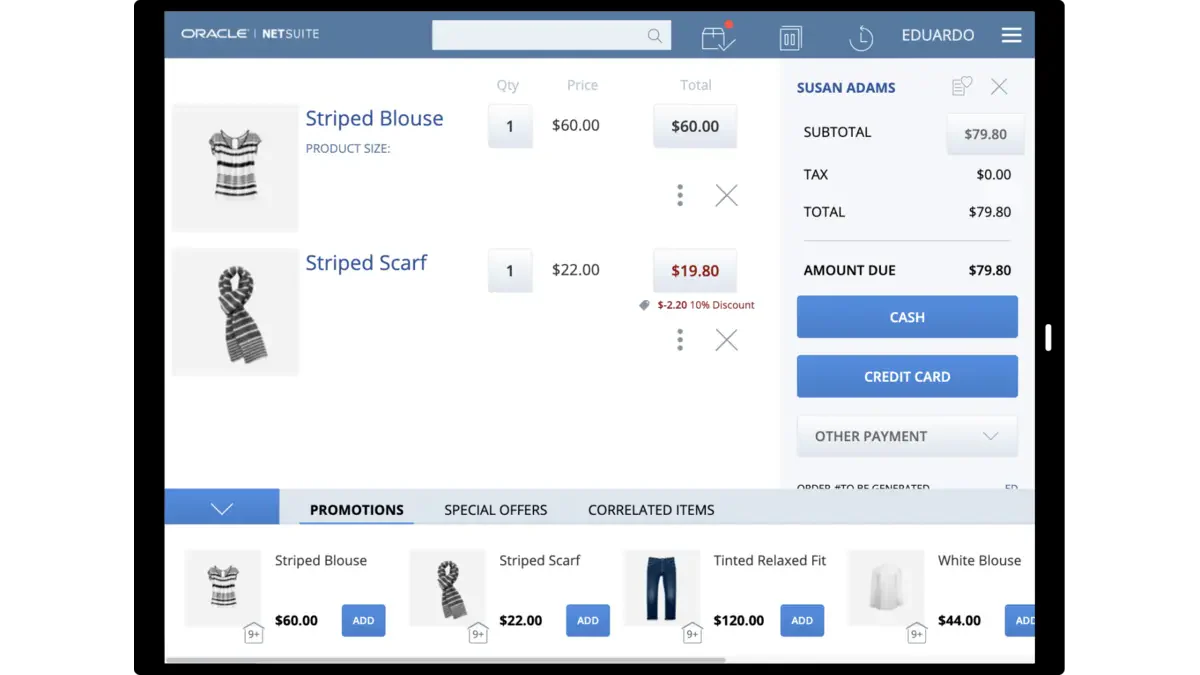
Best For: Large enterprises needing cloud POS integrated with a full ERP
Cloud Architecture: True Cloud (Oracle Cloud Infrastructure)
NetSuite isn’t just a POS, it’s a complete cloud ERP with POS capabilities. For large Philippine enterprises already using or considering NetSuite for finance, inventory, and operations, adding the POS module creates a unified cloud ecosystem.
Cloud-Specific Strengths:
Running on Oracle’s cloud infrastructure, NetSuite offers enterprise-grade reliability and security. The real-time integration between POS and back-office systems (inventory, accounting, CRM) happens automatically, no manual syncing or third-party connectors needed.
Cloud-Specific Features:
- Oracle Cloud Infrastructure: Enterprise security and reliability
- Real-Time ERP Integration: POS transactions immediately affect inventory and accounting
- Global Multi-Subsidiary Support: Ideal for businesses with international operations
- Advanced Cloud Analytics: Business intelligence built in
- Unified Customer Data: 360-degree customer view across all touchpoints
Offline Capability: Limited, designed for reliable connectivity environments.
Pricing: Custom enterprise pricing (typically ₱50,000+ monthly for full suite)
Considerations:
- Overkill for small businesses
- Best value as part of the full NetSuite ERP
- Requires NetSuite expertise for implementation
7. Clover
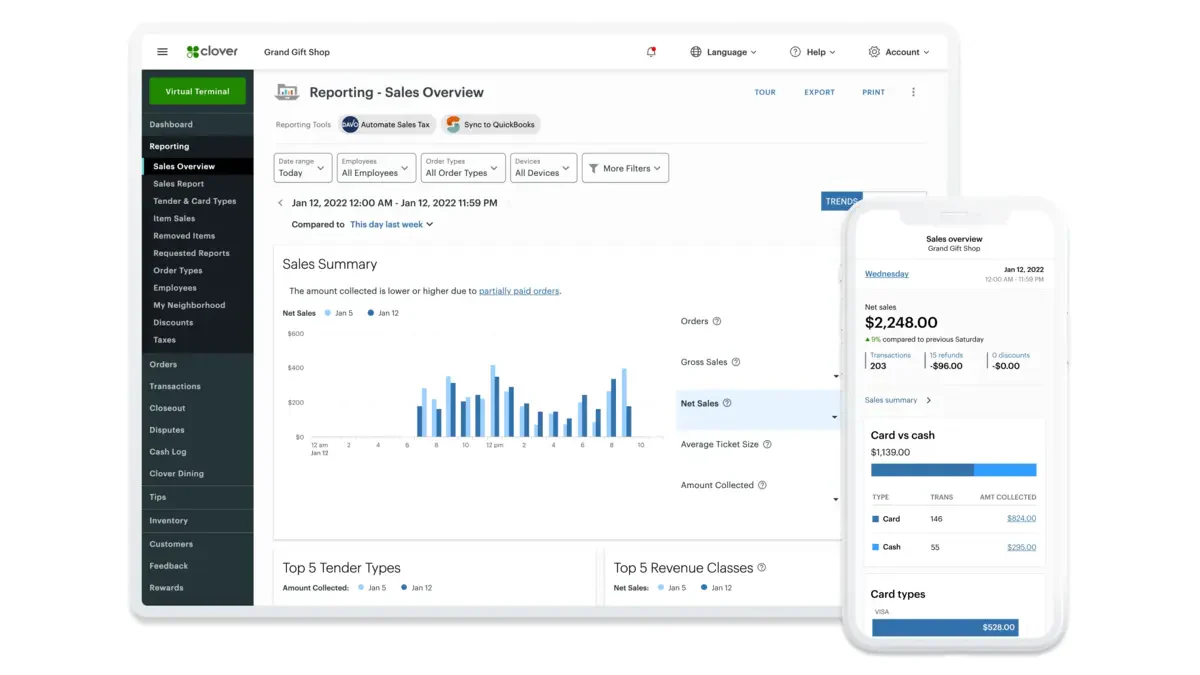
Best For: Small to medium businesses wanting all-in-one hardware + cloud software
Cloud Architecture: Hybrid (cloud-connected dedicated hardware)
Clover takes a different approach: instead of software-only cloud POS, it provides integrated hardware with cloud software built in. This “appliance” approach simplifies setup, you receive hardware that’s ready to use out of the box.
Cloud-Specific Strengths:
The Clover hardware is essentially a purpose-built cloud terminal. It connects to Clover’s cloud for data storage, reporting, and management while maintaining local processing for speed. The app marketplace allows cloud-based extensions without complex integrations.
Cloud-Specific Features:
- Pre-Configured Cloud Hardware: No IT setup required
- Cloud Dashboard: Manage business from web or mobile app
- App Marketplace: Add cloud-based features as needed
- Automatic Cloud Backup: Transaction data is always protected
- Remote Management: Adjust settings, view reports from anywhere
Offline Capability: Good, hardware continues operating during brief outages.
Pricing: Hardware from $599-$1,799, software from $14.95/month
Considerations:
- Locked to the Clover hardware ecosystem
- Payment processing through Fiserv (Clover’s parent company)
- Limited availability in Philippines (may need import)
8. Gofrugal RetailEasy
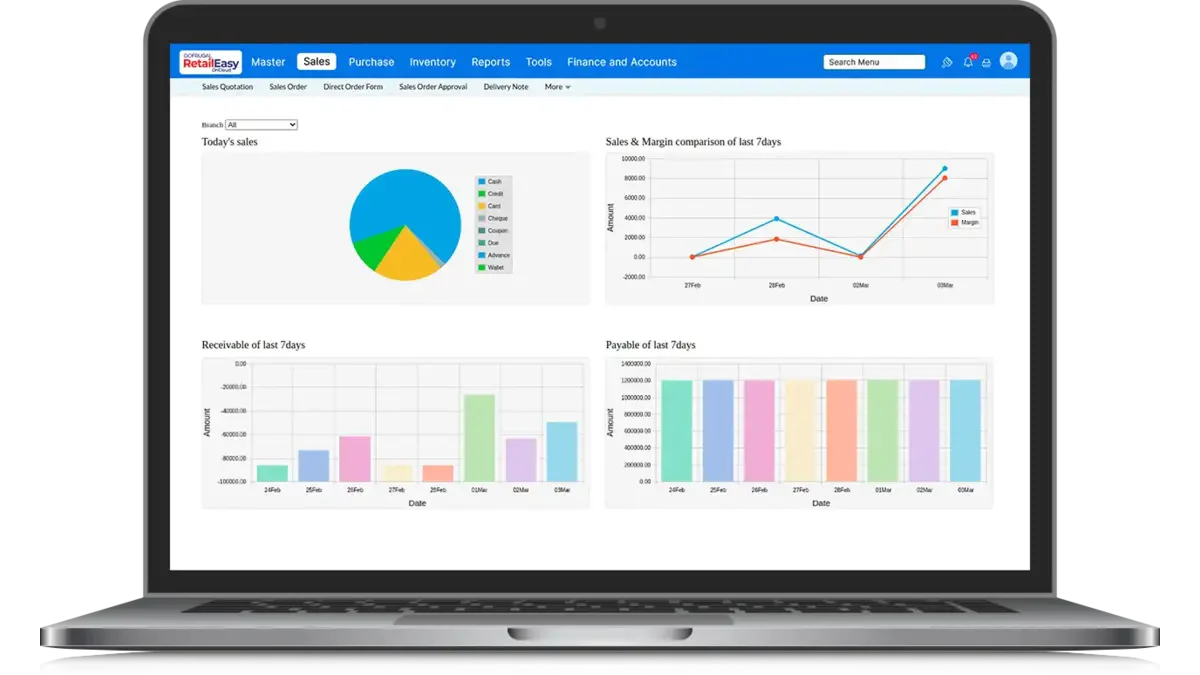
Best For: Asian market retailers wanting affordable cloud POS with local support
Cloud Architecture: Hybrid (local + cloud sync)
Gofrugal is an Indian-origin POS that has expanded across Asia, including a presence in the Philippines. The pricing is more accessible than Western alternatives, and the system is designed for markets with variable internet connectivity, a significant advantage in Philippine provincial areas.
Cloud-Specific Strengths:
Understanding that Asian markets often face connectivity challenges, Gofrugal built a robust hybrid architecture. The system runs locally but syncs to the cloud, ensuring operations continue even during extended outages while providing cloud benefits when connected.
Cloud-Specific Features:
- Hybrid Architecture: Local operation + cloud sync
- Cloud Analytics Dashboard: Access reports from the mobile app
- Multi-Store Cloud Management: Centralized control for chains
- Cloud-Based Loyalty: Customer programs synced across locations
- Automatic Cloud Backup: Data protection without manual intervention
Offline Capability: Excellent, designed for unreliable connectivity environments.
Pricing: Contact vendor (typically more affordable than Western alternatives)
Considerations:
- Interface may feel less polished than premium options
- Support quality varies by region
- Some features are designed for the Indian market
9. Posbytz
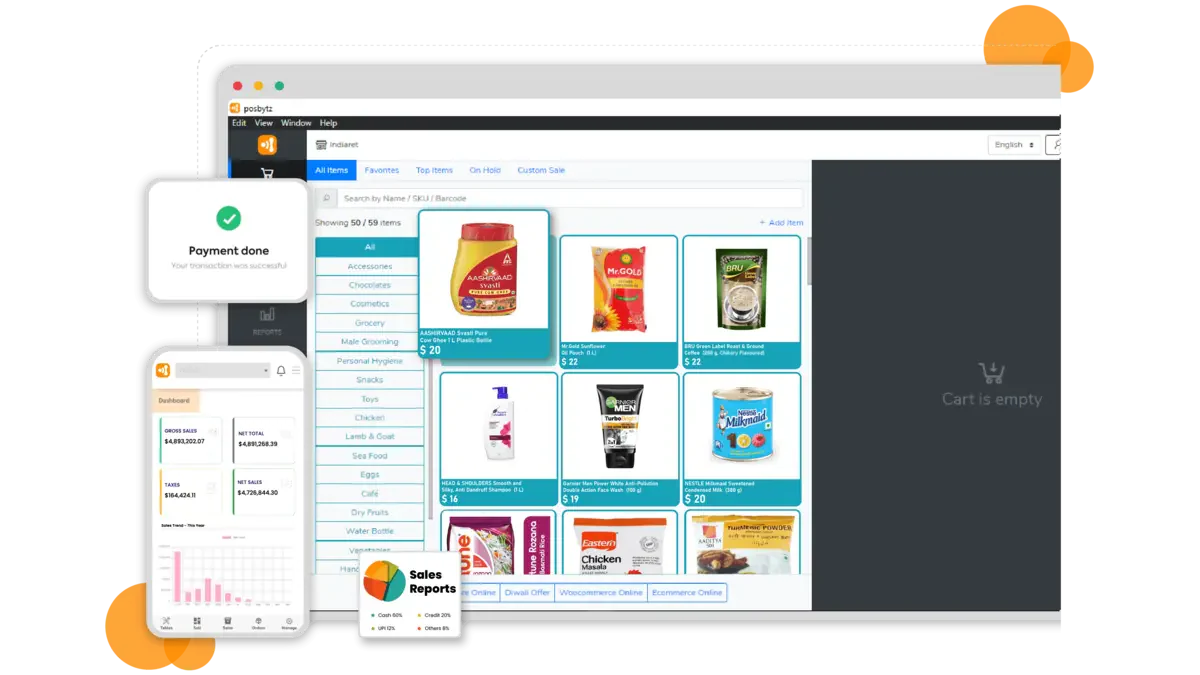
Best For: Retail and F&B businesses wanting an affordable all-in-one cloud solution
Cloud Architecture: True Cloud with mobile-first design
Posbytz positions itself as an affordable alternative to premium cloud POS systems, offering a comprehensive feature set at lower price points. The mobile-first design makes it particularly suitable for businesses starting their digital transformation with tablets rather than dedicated terminals.
Cloud-Specific Strengths:
The entire system runs on cloud infrastructure, accessible from any device. For budget-conscious Philippine businesses wanting cloud benefits without premium pricing, Posbytz offers a compelling value proposition.
Cloud-Specific Features:
- Mobile-First Cloud Design: Optimized for tablets and smartphones
- Cloud-Based E-commerce: Built-in online store capabilities
- Real-Time Cloud Sync: Multi-location inventory management
- Cloud Reporting: Comprehensive analytics accessible anywhere
- API Ecosystem: Connect with third-party services
Offline Capability: Moderate, basic operations possible without internet.
Pricing: Starting from $19/month (Lite), approximately ₱1,100/month
Considerations:
- Affordable but with fewer advanced features than premium options
- Best for small to medium businesses
- Some features are in the beta stage
10. RetailCloud
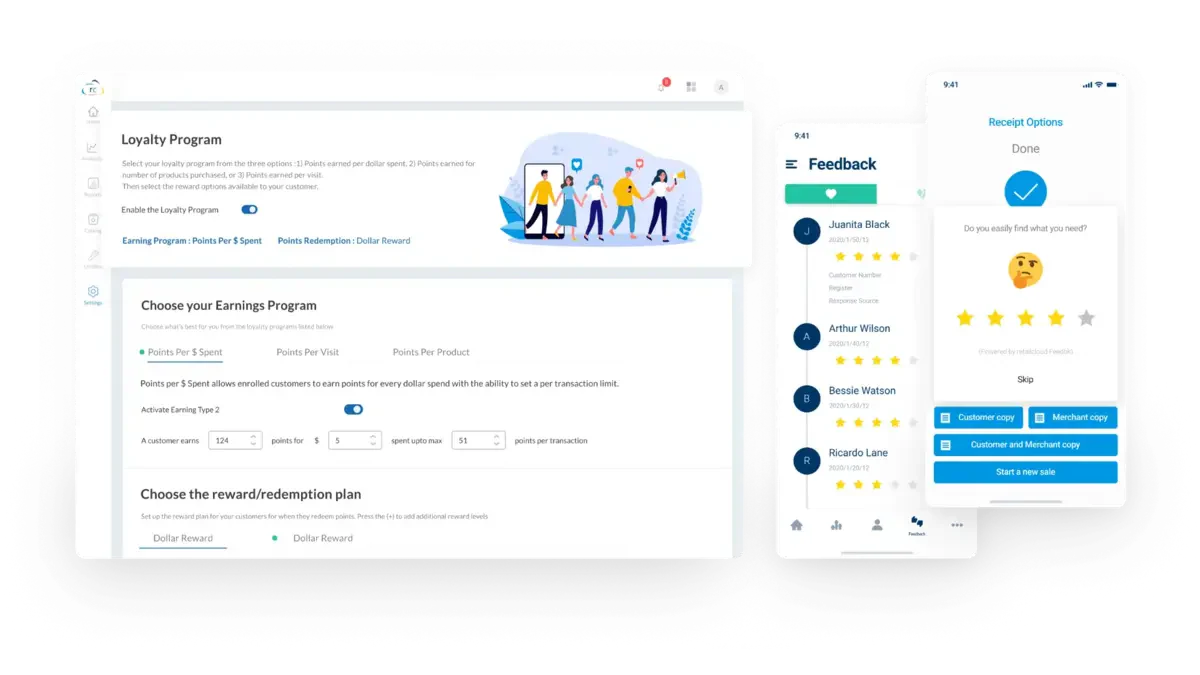
Best For: Growing retailers wanting scalable cloud POS with strong analytics
Cloud Architecture: True Cloud (AWS-based)
RetailCloud focuses specifically on retail businesses (not restaurants or services), offering deep inventory management and analytics capabilities. The AWS-based infrastructure provides reliability, while the retail-specific features address needs that general POS systems overlook.
Cloud-Specific Strengths:
Built on AWS, RetailCloud leverages enterprise cloud infrastructure typically reserved for large corporations. The analytics engine processes sales data in the cloud to provide actionable insights, something impossible with traditional on-premise systems.
Cloud-Specific Features:
- AWS Infrastructure: Enterprise-grade reliability and security
- Cloud-Based AI Analytics: Predictive inventory recommendations
- Real-Time Multi-Location: Instant sync across all stores
- Cloud Vendor Management: Supplier collaboration portal
- Automatic Scaling: System grows with your business
Offline Capability: Limited, designed for connected environments.
Pricing: Starting from $29/month (Everyday), $99/month (Grow), $149/month (Pro)
Considerations:
- Retail-focused (not for restaurants)
- Best features on higher tiers
- Requires stable internet for optimal performance
11. Erply
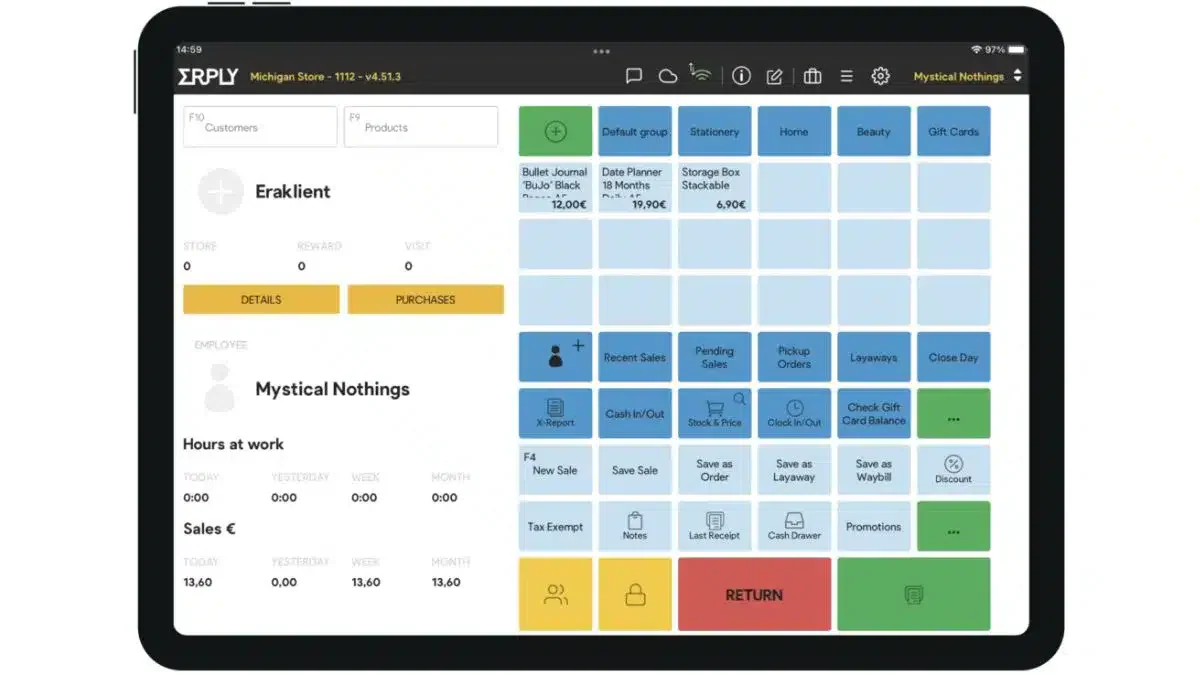
Best For: Multi-location retailers wanting enterprise cloud features at mid-market pricing
Cloud Architecture: True Cloud with exceptional offline mode
Erply is a cloud POS that punches above its weight class. While priced for mid-market businesses, it offers enterprise features like franchise management, advanced warehouse operations, and sophisticated pricing rules that typically require much more expensive solutions.
Why Erply for This List:
Most cloud POS systems at this price point offer basic features. Erply provides:
- Franchise management (for businesses with franchisees)
- Advanced matrix inventory (size/color/style variants)
- Warehouse management (not just store inventory)
- B2B capabilities (wholesale + retail in one system)
Cloud-Specific Features:
- Exceptional Offline Mode: Full POS functionality without internet
- Cloud-Based Franchise Management: Control franchisees from a central dashboard
- Real-Time Warehouse Sync: Store and warehouse inventory unified
- Cloud B2B Portal: Wholesale customers order directly
- Multi-Currency Cloud Processing: International transaction support
Offline Capability: Excellent, one of the best offline implementations among cloud systems.
Pricing: Starting from $39/month
Considerations:
- Less known than major brands, but a strong feature set
- Interface is functional rather than beautiful
- Best value for multi-location operations
Full Comparison of Cloud POS Software
| Brand | Best for | Pros | Cons | Pricing |
|---|---|---|---|---|
| 1) HashMicro | Medium-to-large businesses needing enterprise-grade POS integrated with ERP and multi-branch operations | 1) Hybrid cloud architecture 2) Browser and tablet access 3) Real-time multi-branch synchronization 4) Offline transaction storage with automatic reconnection sync 5) Integrates POS with inventory, accounting, HR, procurement, e-commerce, and delivery platforms | 1) Higher investment than standalone POS 2) Best value when using multiple ERP modules 3) Implementation time varies by configuration scope | Custom quote based on modules and users; free demo available |
| 2) Lightspeed | Retail businesses needing premium cloud POS, complex inventory management, and advanced analytics | 1) Browser and app access 2) Real-time inventory synchronization 3) Advanced sales analytics 4) Automatic catalog updates 5) Centralized multi-location dashboard | 1) Premium subscription cost 2) Advanced features require higher-tier plans 3) Most functions depend on internet access 4) Support is primarily in English | Starts from $89/month (approximately ₱5,000/month) |
| 3) ConnectPOS | Omnichannel retailers needing real-time synchronization between physical and online stores | 1) Integrates with major e-commerce platforms 2) Progressive Web App technology 3) Strong offline mode 4) Unified online and in-store inventory 5) Automatic synchronization after reconnection | 1) Best value requires an existing e-commerce platform 2) Advanced features may require higher plans 3) Setup may require e-commerce integration knowledge | Starts from $39–$49/month per register |
| 4) Vend (Lightspeed Retail X-Series) | Retail stores needing intuitive cloud POS with detailed inventory and product management | 1) Browser-based operation 2) Product variant and composite-item support 3) Serial-number tracking 4) Supplier management 5) Cloud reporting and multi-location inventory updates | 1) Designed mainly for retail rather than restaurants 2) Now part of the Lightspeed ecosystem 3) Premium subscription pricing 4) Offline functions are limited | Starts from $99/month (approximately ₱5,500/month) |
| 5) Toast POS | Restaurants and F&B businesses needing specialized cloud POS and kitchen workflows | 1) Kitchen display system 2) Table and seat management 3) Menu modifiers and online ordering 4) Restaurant analytics 5) Real-time multi-location menu updates 6) Basic offline operation | 1) Not designed for general retail 2) Requires Toast hardware 3) Payment processing is tied to Toast 4) Philippine availability and payment support require verification | Hardware from $0 with a processing commitment; software starts from $69/month |
| 6) NetSuite | Large enterprises needing POS connected with a complete cloud ERP and multi-subsidiary operations | 1) Oracle cloud infrastructure 2) Real-time integration with inventory, accounting, and CRM 3) Global subsidiary management 4) Advanced analytics 5) Unified customer records | 1) Excessive for many small businesses 2) Complex implementation 3) Limited offline capability 4) Requires NetSuite expertise 5) Best value comes from adopting the broader ERP suite | Custom enterprise pricing; supplied estimate is ₱50,000+ monthly for the complete suite and should be verified |
| 7) Clover | Small-to-medium businesses wanting dedicated POS hardware connected to cloud software | 1) Preconfigured hardware 2) Web and mobile management dashboard 3) Extensive app marketplace 4) Automatic cloud backup 5) Remote system management 6) Basic offline continuity | 1) Locked into Clover hardware 2) Payment processing depends on Fiserv 3) Monthly costs may increase with apps 4) Limited Philippine availability 5) Imported hardware may be required | Hardware from $599–$1,799; software starts from $14.95/month |
| 8) Gofrugal RetailEasy | Asian retailers needing affordable hybrid POS with strong offline continuity and multi-store management | 1) Local operation with cloud synchronization 2) Mobile analytics 3) Centralized multi-store management 4) Cloud-based loyalty programs 5) Automatic backups 6) Strong offline capability | 1) Interface may feel less polished than premium platforms 2) Support quality varies by region 3) Some features target the Indian market | Contact vendor for localized pricing |
| 9) Posbytz | Budget-conscious retail and F&B businesses needing a mobile-first, all-in-one cloud POS | 1) Works across tablets and smartphones 2) Built-in e-commerce capabilities 3) Real-time multi-location inventory 4) Cloud reporting 5) Third-party API support 6) Basic offline operation | 1) Fewer advanced enterprise capabilities 2) Some features remain in beta 3) Offline functionality is limited 4) Performance may depend on connection quality | Starts from $19/month for the Lite plan (approximately ₱1,100/month) |
| 10) RetailCloud | Growing retailers needing scalable multi-location POS and cloud-based analytics | 1) AWS-based infrastructure 2) Predictive inventory analytics 3) Real-time synchronization across stores 4) Vendor-management tools 5) Automatic scaling | 1) Designed primarily for retail 2) Requires reliable internet for optimal performance 3) Offline functionality is limited 4) Advanced features require higher plans | Starts from $29/month; Grow costs $99/month and Pro costs $149/month |
| 11) Erply | Multi-location retailers needing enterprise inventory, franchise, warehouse, and B2B features at mid-market pricing | 1) Extensive offline mode 2) Franchise management 3) Matrix inventory 4) Warehouse synchronization 5) B2B portal 6) Advanced pricing rules and multi-currency processing | 1) Less widely recognized than major POS brands 2) Interface prioritizes functionality over visual design 3) Advanced features may require additional configuration | Starts from $39/month |
Benefits of a cloud-based POS system vs. an on-premise POS
A cloud-based POS system offers more flexibility than an on-premise solution because it runs online, updates automatically, and remains accessible across authorized devices and locations. The best cloud POS system should also support secure backups and centralized management. A scalable cloud-based POS system can accommodate new branches without requiring major server investments.
- Lower upfront costs: A cloud-based POS system reduces (or even eliminates) heavy hardware spending because businesses can use existing tablets, smartphones, or standard devices. It’s also easier to add new outlets, users, or features without shutting down operations for a major system overhaul.
- Faster setup and remote management: Compared to on-premise setups that require installations and local servers, a cloud-based POS can be deployed faster and with fewer technical steps. Managers can monitor sales, inventory, and reports from anywhere, while controlling multi-branch performance through one dashboard.
- Enhanced security and backups: A cloud-based POS system typically includes automatic cloud backups and security measures that reduce the risk of data loss from device damage or system failure. This also helps businesses maintain continuity because critical POS data stays protected and recoverable.
- Real-time inventory tracking and smarter decisions: With a cloud-based POS, stock levels update in real time, helping retailers prevent sudden stockouts or expensive overstocking. It also supports built-in reporting and analytics, so businesses can quickly spot fast-moving items, low performers, and sales trends.
- Improved customer experience at checkout: A cloud-based POS system helps speed up transactions and supports flexible payment methods, which makes checkout smoother during peak hours. It also enables secure payment processing in-store, remotely, or on the go, so customers get a more convenient buying experience.
Key Features to Look for in Cloud POS Systems
When comparing providers, evaluate whether the online POS system supports BIR requirements, secure payment processing, real-time inventory, offline continuity, and multi-location reporting. The best cloud POS system should match your operational model, protect customer information, and integrate with the accounting, e-commerce, CRM, and payment tools your Philippine business already uses.
- Real-time inventory management: This feature automatically updates your inventory whenever a sale is made. No more guessing if you have enough stock; you’ll always know exactly what’s on your shelves. Product or stock visibility is one of the most important aspects to be enhanced by 54% of companies participating in Retail Consulting Partners’ 2023 survey.
- Sales reporting and analytics: Good cloud POS software provides detailed reports on your sales trends, best-selling items, and peak business hours. These insights help you make smarter decisions to boost your profits. Cited from FinancesOnline’s statistics report, Grand View Research stated that 61% of merchants prefer buying POS systems with analytics for a better understanding of customer preferences.
- Customer Relationship Management (CRM): With CRM integration, you can track customer preferences, purchase history, and even birthdays! It’s a great way to create personalized promotions and build customer loyalty.
- Multi-location management: This feature is a lifesaver if you have multiple stores. It allows you to manage all your locations from one central system, ensuring consistency across your business.
- Mobile accessibility: Whether at the beach or stuck in traffic, mobile accessibility lets you manage your business from anywhere using your smartphone or tablet. Convenience at its best!
- Secure payment processing: With so many payment options available today, your POS should handle everything from credit cards to digital wallets securely and efficiently.
Beyond the core features, dependable support matters too. Knowing quick solutions to common POS issues means a glitch never turns into lost revenue.
Cloud vs. Traditional POS Systems
A web based POS system differs from traditional POS software in accessibility, data storage, maintenance, and scalability. Cloud POS software stores information remotely and provides automatic updates, while traditional systems rely more heavily on local hardware. Comparing these differences helps businesses understand the operational and connectivity trade-offs before migrating.
| Aspect | Traditional POS | Cloud POS |
| Setup | Installed on a local computer or server in-store. | Runs online and is accessible from any internet-connected device. |
| Accessibility | Limited to one physical location. | Accessible anytime, anywhere. |
| Data Storage | Stored locally; risk of loss if the system crashes without backups. | Stored securely in the cloud with automatic backups. |
| Updates | Manual updates may require an extra cost. | Automatic updates are included with no effort. |
| Scalability | Harder to expand across multiple locations. | Easy to scale for multi-branch operations. |
| Reliability | Works offline but is vulnerable to hardware failures. | Relies on internet stability but offers more flexibility. |
In short, if you want to keep up with the times and avoid the headaches of old-school tech, whether you run a retail store, restaurant, café, or any customer-facing business, cloud POS is the way to go!
How to Choose the Best Cloud POS System?
Choosing the right cloud POS (Point of Sale) provider is crucial for streamlining operations, improving customer experience, and driving business growth. Here’s how to make an informed decision:
1. Assess Your Business Needs
Start by identifying your specific requirements. A retail store might prioritize inventory management and barcode scanning, while a restaurant may need table management and kitchen display integration. Understanding your daily operations helps narrow down providers that cater to your business model.
2. Check Core Features
Ensure the POS system includes essential functions such as sales tracking, inventory control, customer management, and multi-store support. Advanced features like real-time analytics, offline mode, loyalty programs, and mobile compatibility can offer added value depending on your growth goals.
3. Evaluate User Interface and Ease of Use
The system should be intuitive for both new and experienced staff. A clean, responsive interface reduces training time and minimizes errors during busy hours. Cloud POS systems that offer customizable dashboards or touchscreen-friendly layouts are especially useful in fast-paced environments.
4. Ensure Integration Capabilities
A good POS should integrate smoothly with accounting software, e-commerce platforms, CRM, and payment gateways. This reduces manual work, streamlines data flow, and gives you a holistic view of your business operations across departments.
5. Look at Scalability and Flexibility
As your business grows, your POS system should grow with you. Make sure the provider supports multi-branch operations, add-on modules, and increased transaction volume without performance issues or excessive cost increases.
Data Security: What Philippine Businesses Must Know
When your sales data, customer information, and business intelligence live on someone else’s servers, security isn’t optional; it’s essential.
Philippine Data Privacy Act (RA 10173) Requirements:
If your POS collects customer personal information (names, contact details, purchase history), you must:
- Register with the National Privacy Commission (if processing sensitive data)
- Implement reasonable security measures
- Obtain consent for data collection
- Provide customers access to their data upon request
- Report data breaches within 72 hours
Questions to Ask Cloud POS Vendors:
Before signing up, verify:
| Question | Acceptable Answer |
| Where is data stored? | Specific country or region (avoid vague answers like “various locations”) |
| Is data encrypted in transit? | Yes, using TLS 1.2 or higher |
| Is data encrypted at rest? | Yes, using AES-256 or equivalent standard |
| Who can access my data? | Only authorized personnel with full audit trail |
| What certifications do you have? | ISO 27001, SOC 2, PCI-DSS |
| How is data backed up? | Daily automated backups across multiple locations |
| What happens to my data if I cancel? | Data export available; deletion upon request |
| Are you compliant with the Philippine DPA? | Yes, with complete compliance documentation |
Security Features to Look For:
- Two-Factor Authentication (2FA): Prevent unauthorized access
- Role-Based Permissions: Limit what each user can see/do
- Audit Trail: Log of all system activities
- IP Whitelisting: Restrict access to known locations
- Session Timeout: Auto-logout after inactivity
- Data Export: Ability to download your own data
Conclusion
Cloud POS represents a fundamental shift in how Philippine businesses manage sales operations. The benefits, remote access, automatic updates, multi-branch visibility, and disaster recovery, are compelling. But the concerns, internet dependency, ongoing costs, and data security are equally valid.
Our Recommendations by Business Type:
- Enterprise/Large Chain (50+ employees, 5+ branches): → HashMicro or NetSuite for full ERP integration
- Mid-Size Retail (10-50 employees, 2-5 branches): → Lightspeed or Erply for strong multi-location management
- Restaurant/F&B: → Toast for restaurant-specific cloud features
- Small Retail (under 10 employees, 1-2 locations): → Posbytz or RetailCloud for affordable cloud entry
- E-commerce + Physical Store: → ConnectPOS for omnichannel synchronization
- Areas with Unreliable Internet: → Gofrugal or Erply for superior offline capabilities
The Bottom Line:
Cloud POS is not automatically better than traditional systems, it’s different, with distinct advantages and trade-offs. The right choice depends on your specific situation: your internet reliability, your growth plans, your technical comfort level, and your budget horizon.
Before committing, take advantage of free trials and demos. Test with your actual products, in your actual location, with your actual internet connection. The few hours invested in proper evaluation will save months of frustration with the wrong system.
Ready to explore? Most vendors listed here offer free consultations or trial periods. Start with 2-3 that match your business profile, and make your decision based on hands-on experience.
FAQ About Cloud POS Systems
The best inventory software depends on your business needs. HashMicro offers a comprehensive system with real-time tracking, automation, and integration. QuickBooks simplifies inventory and accounting, while Inflow and Sortly suit smaller businesses. Odoo provides advanced ERP features. Try HashMicro’s free demo to experience efficient inventory management firsthand!
Many cloud POS systems offer offline capabilities, allowing businesses to continue processing transactions even when the internet is down. The data is automatically synced once the connection is restored, ensuring no transactions are lost. This feature is handy for businesses in areas with unreliable internet service.
Cloud POS systems enhance inventory management by tracking stock levels in real-time, automatically reordering, and providing detailed reports on inventory movement. This helps businesses maintain optimal stock levels, reduce waste, and ensure that popular items are always available for customers.
Pricing for a web-based point-of-sale solution varies by platform and the functionality required. Generally, businesses incur a recurring monthly payment plus per-transaction charges, which vary by vendor.
A web-based POS system operates online and is accessible from various devices, making it adaptable for diverse business operations. Meanwhile, a mobile POS (mPOS) runs on devices like smartphones or tablets. It is specifically designed to handle transactions while on the go and is suited for businesses requiring flexibility in payment processing.
A cloud-based POS (or cloud-based POS system) is a point-of-sale system that runs on the internet and stores sales, customer, and inventory data in the cloud rather than only on a local computer. This lets businesses process transactions, sync stock in real time, and access reports from anywhere using devices like tablets, laptops, or smartphones.
A cloud-based POS hosts data and core functions online (cloud servers), so updates, backups, and multi-location access are typically easier and can be managed remotely. A server-based POS (often on-premise) stores data on a local server in the store or company office, which can work offline more easily but usually requires heavier setup, maintenance, and scaling when adding new branches or users.