






Accounting software does the heavy lifting when it comes to tracking your business finances. From recording daily transactions to preparing BIR-compliant computerized accounting system reports, these tools handle the repetitive work that used to eat up hours of your accountant’s time.
For Philippine businesses, whether you’re running a sari-sari store in Quezon City or managing a manufacturing plant in CALABARZON, the right financial management tool can mean the difference between scrambling during tax season and having everything ready when the BIR comes knocking.
We’ve tested and compared 12 bookkeeping software and the leading accounting solutions available in the Philippines. Here’s what actually works for different business sizes and industries in the Philippines.
Key Takeaways
During the Philippines energy crisis, real-time accounting helps businesses spot rising fuel, logistics, and utility costs early, protect cash flow, and act before losses grow.
Companies should carefully consider their needs when selecting their ideal software to ensure it aligns with their business goals and regulatory requirements.
Find an accounting software that is right for your unique industry so that you can track transactions, assets, liabilities, and expenses efficiently.
What Does an Accounting System Actually Do?
At its core, financial management software takes over the manual, error-prone tasks your team handles daily. Here’s what most platforms cover:
- General ledger management: Maintains a structured, accurate record of all financial activities using double-entry bookkeeping as its foundation.
- Bank reconciliation: Syncs bank transactions with internal records to identify inconsistencies and maintain accurate balances.
- Tax preparation: Helps streamline tax filing by tracking deductible expenses and computing applicable taxes.
- Transaction recording: Automatically logs daily financial activities, such as payments, sales, and purchases, often by linking directly to bank or card accounts.
- Financial reporting: Delivers real-time statements like balance sheets and profit-and-loss reports to reflect overall economic performance.
- Accounts receivable and payable: Manages customer billing and supplier payments, from issuing invoices to flagging overdue balances.
If you want a deeper look at how these systems work under the hood, this guide on accounting management system covers the fundamentals in detail.
What Are the Benefits of Accounting Software?
Accounting software offers various benefits to those who use it, including ensuring that the company’s accounting system is implemented well. Here are some key benefits of accounting software:
- Efficiency and Accuracy: Accounting automation, reduces human error, and ensures accurate financial reporting and tax compliance.
- Real-Time Financial Insights: Provides up-to-date reports on cash flow, expenses, profits, cash ratio, and return on equity (ROE), so the company can track where its funds are used and make adjustments immediately.
- Time Savings: Speeds up processes such as invoicing, sales orders, rebate accounting, adjusting entries, journal entries, payroll, reconciliation, accounts receivable, purchase journal, and Year-End Accounting, mostly tasks that would take hours using a manual bookkeeping software or spreadsheet. . It also streamlines accounts payable software workflows.
- Cost Management and Structure: Tracks expenses, budgets, marginal costs, and manufacturing overhead costs, enabling upper management to identify cost-saving and revenue-cost opportunities.
- Accessibility: Cloud-based software provides access to financial data anytime and anywhere, making it easier for teams to use the sales and inventory accounting, and allowing anyone who needs it to access the data.
- Forecasting Tools: Help predict future financial performance by analyzing historical data, enabling the company to implement more effective budgeting and strategic planning.
Comparison of the Best Accounting Software 2026 in the Philippines
Scroll right on mobile. This table is normalized from the draft content, so it focuses on compliance, reporting, and cost-control visibility rather than pricing.
| Accounting Software | Business Profile | Core strengths | PH compliance | Real-time Cost Control | Noteable Limitation |
|---|---|---|---|---|---|
| 1) HashMicro | Growing businesses to enterprise teams | Budgeting, bank reconciliation, PFRS reporting | ✅ Built-in BIR features | ✅Strong | ⚠️ Complex for smaller teams |
| 2) Xero | SMEs needing cloud bookkeeping | Bank feeds, multi-currency, integrations | ❌ No built-in BIR integration | ✅ Strong | ⚠️ Limited local compliance |
| 3) QNE | PH businesses needing local compliance | Custom reports, backup, real-time processing | ✅ BIR CAS-ready | ✅ Strong | ⚠️ Needs stable internet |
| 4) QuickBooks | Small to midsize businesses | Invoicing, analytics, general ledger | ⚠️ Check vendor | ✅ Good | ⚠️ Limited industry depth |
| 5) Taxumo | Freelancers, self-employed individuals | BIR-accredited e-filing, automated tax computation | ✅ Full BIR accreditation | ✅ Good | ⚠️ Tax-focused platform only |
| 6) FreshBooks | Freelancers and service businesses | Invoicing, expenses, time tracking | ⚠️ Limited BIR-specific feature | ✅ Good | ⚠️ Less suited for larger firms |
| 7) MYOB | International companies operating in PH Bank feeds | payroll automation, invoicing, cash flow management | ❌ No BIR compliance | ✅ Good | ⚠️ Not localized for Philippine market |
| 8) SAP Business One | Growing mid-market businesses needing full ERP | Accounting Financials, purchasing, inventory, CRM, BI | ⚠️ Check vendor | ✅ Strong | ⚠️Requires certified partner for implementation |
| 9) Zoho Books | Teams already using Zoho apps | Automation, inventory, mobile access | ⚠️ Check vendor | ✅ Good | ⚠️ Limited customization |
| 10) Oracle NetSuite | Mid-to-large enterprises | General ledger, AR/AP, cash management, tax management, AI-driven insights | ⚠️ Check vendor | ✅ Strong | ⚠️Complex implementation, not suited for small businesse |
| 11) Synder | E-commerce and online businesses managing multiple payment platforms | Multi-channel sync, 30+ integrations (Shopify, Stripe, PayPal, Amazon) | ❌ No BIR integration | ✅ Good | ⚠️Not a standalone accounting system |
| 12) Microsoft Excel | Manual spreadsheet-based tracking | Formulas, charts, flexible templates | ❌ Manual only | ❌ Manual | ⚠️ Not a dedicated accounting platform |
With so many options out there, it’s not easy to find the right fit. We’ve broken down 12 tools available in the Philippine market covering their strengths, weaknesses, and who they’re built for.
1. HashMicro Accounting Software
HashMicro's accounting software is a BIR-accredited platform that covers transaction tracking, asset management, liability monitoring, and expense recording. It’s built for businesses that want fast reporting and analysis without juggling multiple disconnected tools.
The system scales from small operations to enterprise-level setups, with built-in BIR compliance features. It works for business owners, accountants, and finance managers who need an automated approach to BIR-ready accounting.
HashMicro key features:
- Cash Flow Statements: This feature helps you make informed financial decisions, prevents cash shortages, and improves long-term sustainability.
- Asset Database and Depreciation: With this feature, you can ensure accurate financial planning, optimize asset utilization, and avoid unexpected losses.
- Client Monitoring Dashboard: This will allow you to personalize promotions, enhance customer retention, and improve overall dining experiences.
- PFRS-compliant financial reporting software: This feature allows you to generate reliable reports effortlessly and maintain financial transparency.
- Financial budgeting and realization: This feature allows you to forecast expenses, track spending, and maximize profitability.
- Automated Tax Calculation: This feature eliminates manual tax errors, ensuring compliance while saving time and effort.
- Profit and loss with templates and budget forecast: With this, you can analyze your restaurant’s financial health and make strategic growth decisions.
- Financial statement with comparison: This can help you identify trends, optimize operations, and boost restaurant profitability.
- Bank Reconciliation: Matches internal records with bank statements to identify discrepancies and ensure accuracy. Integration with bank reconciliation software enables automatic data import, real-time matching, and faster error detection:
| Pros | Cons |
|
|
💰Starting price: Custom pricing, try contacting HashMicro sales for a quote based on your number of users, required modules, and deployment scale. A free consultation is also available.

2. Xero
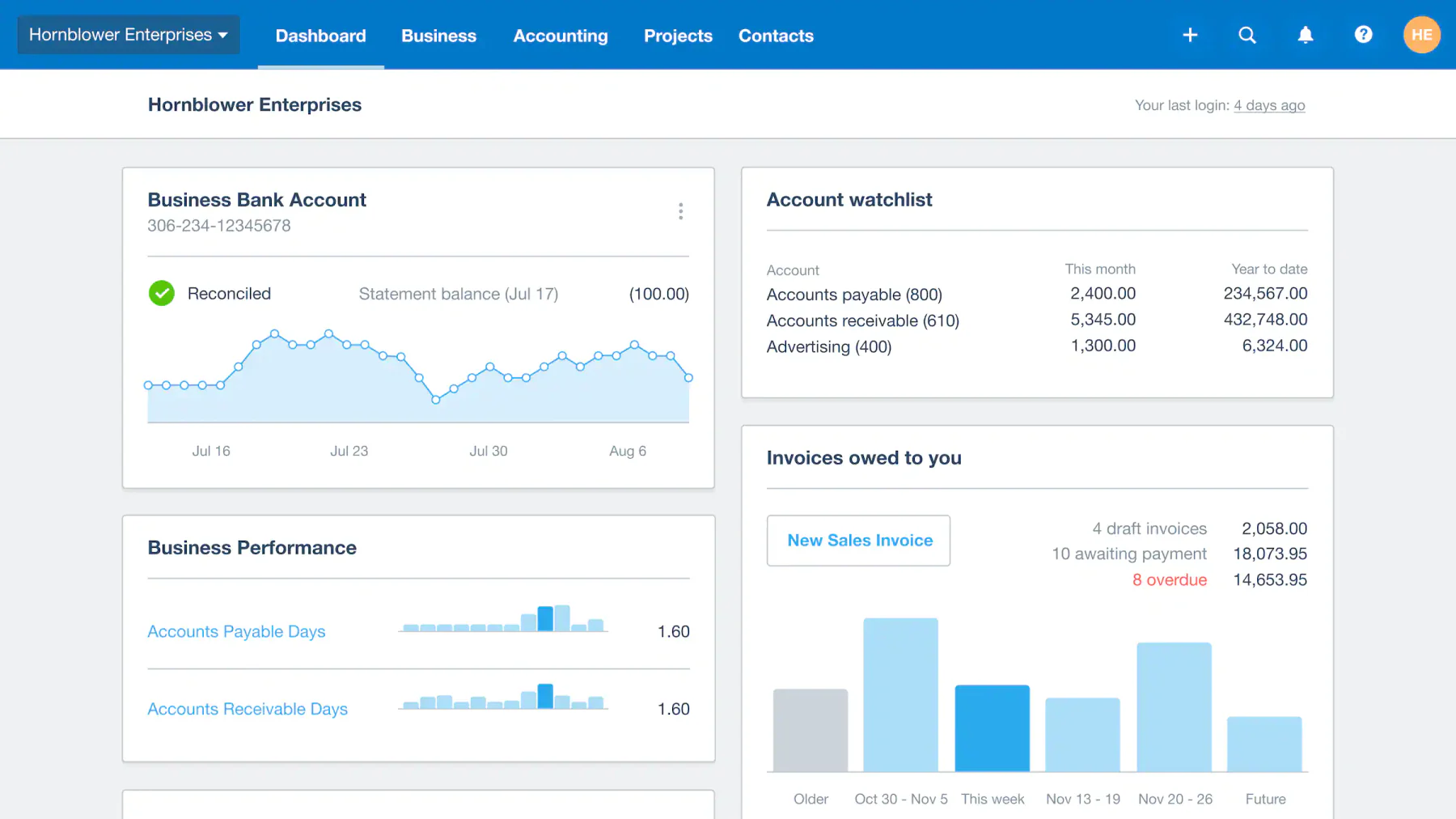
If you’ve looked into cloud-based alternatives to Xero for Philippine businesses, you’ll know it’s popular with SMEs for its clean interface and live bank feeds. Xero accounting system handles invoicing and payroll well, but it doesn’t come with built-in BIR integration.
That said, it supports both cash-based and accrual-based bookkeeping, which suits companies following IFRS standards.
Xero key features:
- Bills tracking: Manage outstanding supplier bills and schedule payments to avoid late fees
- Bank connections: Automatically import and categorize bank transactions through live bank feeds
- Online payment: Accept payments directly from invoices via Stripe, PayPal, and other gateways
- Financial reporting: Generate profit & loss, balance sheet, and cash flow reports on demand
- Inventory tracking: Monitor stock quantities and costs in real time across sales and purchases
- Multi-currency accounting: Record, convert, and report transactions in multiple currencies with live exchange rates
| Pros | Cons |
|
|
💰Starting price: From approx. ₱399/month (Lite plan)
3. QNE Accounting Software
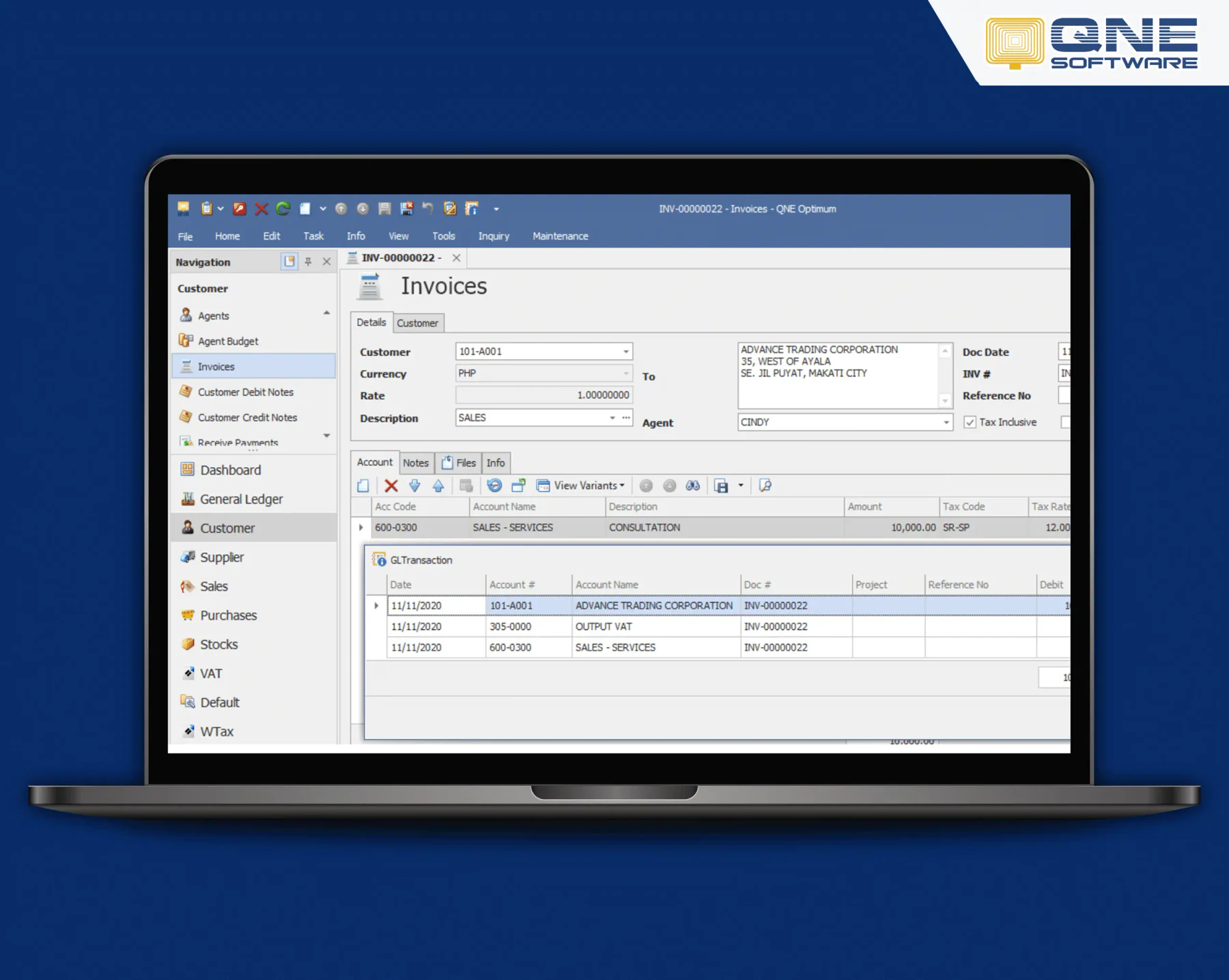
QNE Software is a localized accounting system Philippines option known for its user-friendly interface and customizable reporting tools. It assists with financial accounting, progress billing, and sales distribution modules.
The developers built it specifically for local business needs and challenging environments in the region. The software offers real-time processing, data handling, database recovery, and scheduled backup, enabling users to manage their accounting operations efficiently.
QNE key features:
- Cloud-based deployment: Access your books and reports from any device with a browser, no installation required
- Online order portal: Let customers place orders directly through a web portal linked to your inventory
- Online customer portal: Give clients a self-service view of their invoices, statements, and payment history
- BIR CAS-ready: Built to meet BIR Computerized Accounting System requirements for Philippine businesses
| Pros | Cons |
|
|
💰Starting price: Contact QNE directly for a quote.
4. QuickBooks Accounting
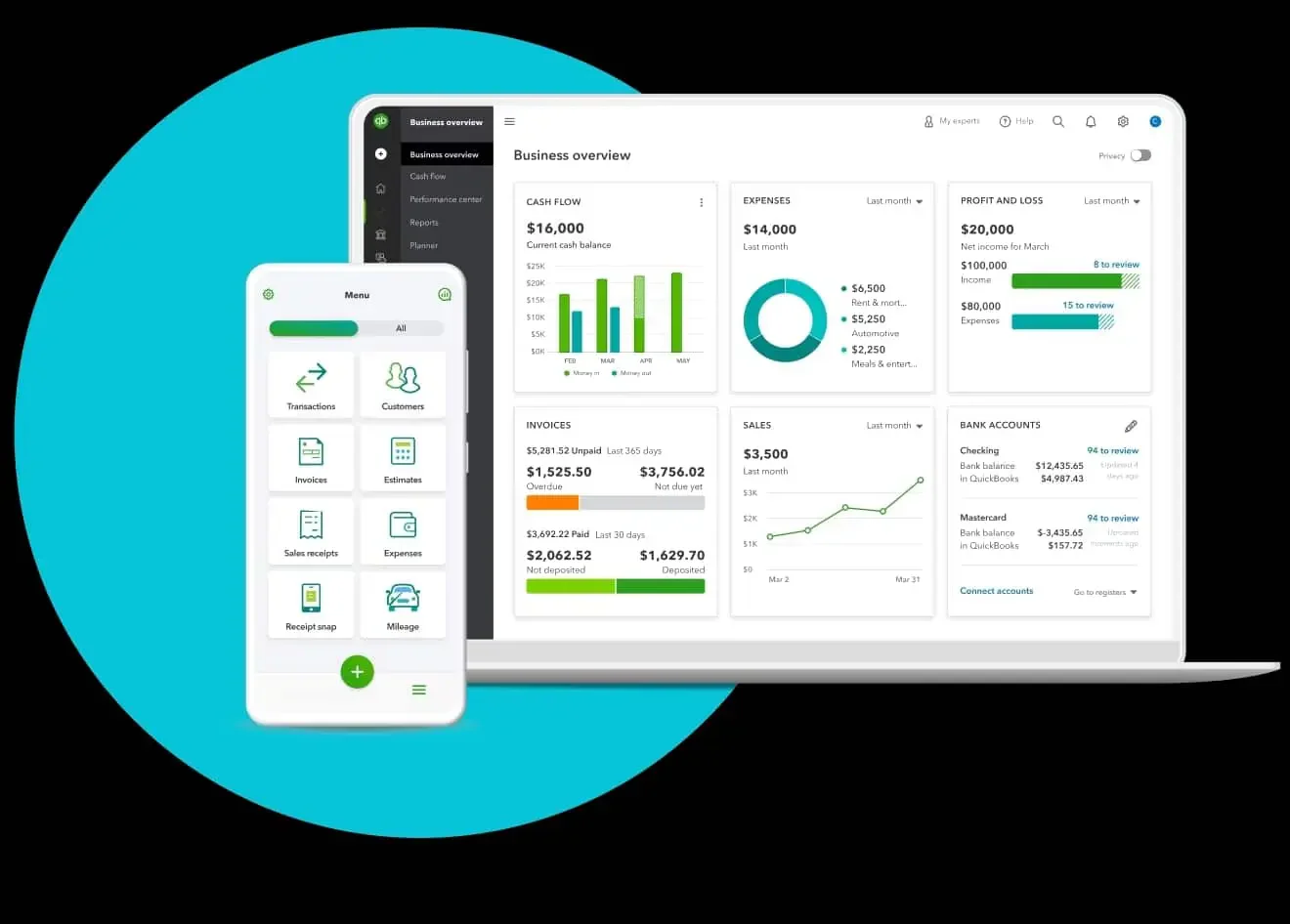
QuickBooks is a well-known accounting system with several plan tiers worth comparing. It’s accessible from multiple devices and suits small to midsize businesses that need standard financial tracking without heavy customization.
QuickBooks key features:
- Purchasing and vendor management: Track purchase orders, manage vendor records, and monitor outstanding payables in one place
- Reporting and analytics: Access pre-built and customizable reports covering sales, expenses, profitability, and taxes
- Time and expense management: Log billable hours and expenses per project and attach them directly to client invoices
- Invoicing and billing: Create, send, and track professional invoices with automated payment reminders
- General ledger: Maintain a full double-entry record of all financial transactions across accounts
| Pros | Cons |
|
|
💰Starting price: From ₱1,281/month (Simple Start plan).
5. Taxumo
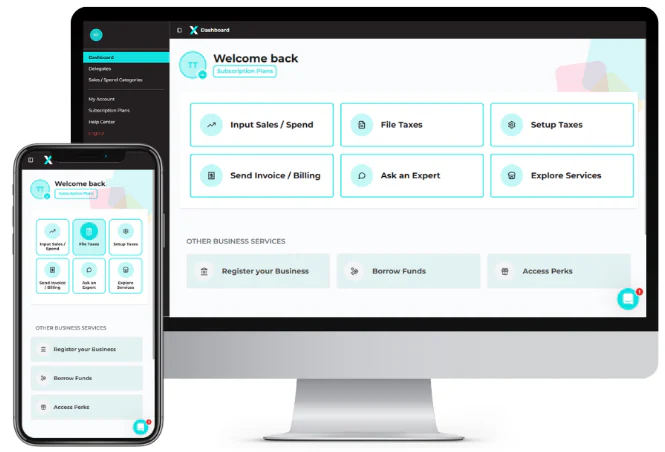
Taxumo is a Philippines-born, BIR-accredited tax automation platform built specifically to help freelancers, self-employed professionals, and micro-business owners stay compliant without hiring a dedicated accountant.
It automates the entire e-filing workflow covering quarterly income tax (1701Q), annual income tax returns (1701A), quarterly percentage tax (2551Q), and other required filings, while also supporting BIR-compliant Digital Official Receipts (e-OR/DOR) and integrated payment channels, making it a complete BIR-compliant computerized accounting system solution for self-employed Filipinos.
Taxumo Key features:
- Automated BIR e-filing: Submit 1701Q, 1701A, 2551Q, and related forms directly to BIR from the platform without manually preparing each form
- Tax computation engine: Automatically calculates quarterly and annual tax due based on income type (graduated tax rate or 8% flat rate) and BIR registration type
- Digital Official Receipts (e-OR/DOR): Issue and manage BIR-compliant digital receipts for client transactions
- Income and expense tracking: Log business income and deductible expenses with category tagging for accurate tax computation
BIR deadline calendar — Automated reminders for upcoming quarterly and annual filing deadlines so no due date is missed
Integrated payment channels — Pay tax dues directly through the platform via GCash, credit card, or over-the-counter options
| Pros | Cons |
|
|
💰Starting price: From approx. ₱399/month (Individual plan).
6. FreshBooks Online Accounting Software
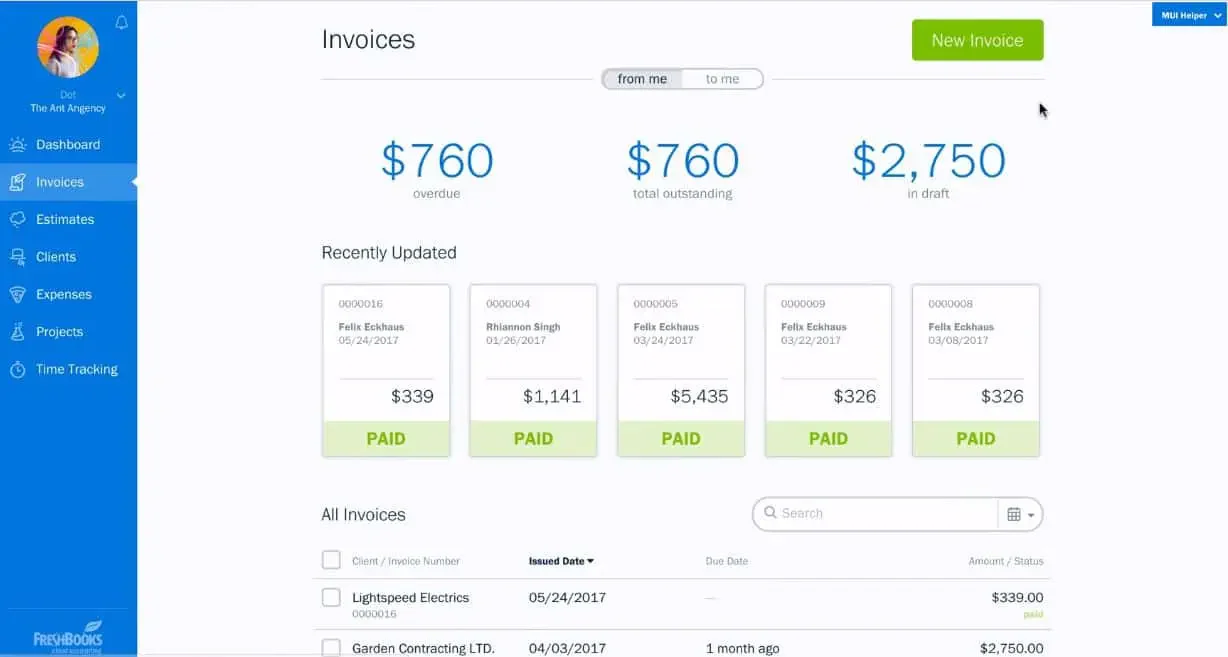
FreshBooks is one of the best small business accounting software for business owners, freelancers, and sole proprietors. It simplifies financial management for Filipino businesses by tracking payments and expenses, managing invoices, and facilitating payments.
FreshBooks key features:
- Budget and cost management: Set project budgets, track spending against them, and get alerts when costs approach limits
- Reporting: Generate profit & loss statements, expense summaries, and tax reports with a few clicks
- Chart of Accounts: Organize all income, expense, asset, and liability accounts in a structured ledger
- Time tracking: Log billable hours directly on projects and convert them automatically into client invoices
- Project management: Collaborate with clients and team members, share files, and track project progress in one workspace
| Pros | Cons |
|
|
💰Starting price: From approx. ₱1,083/month (Lite plan).
7. MYOB
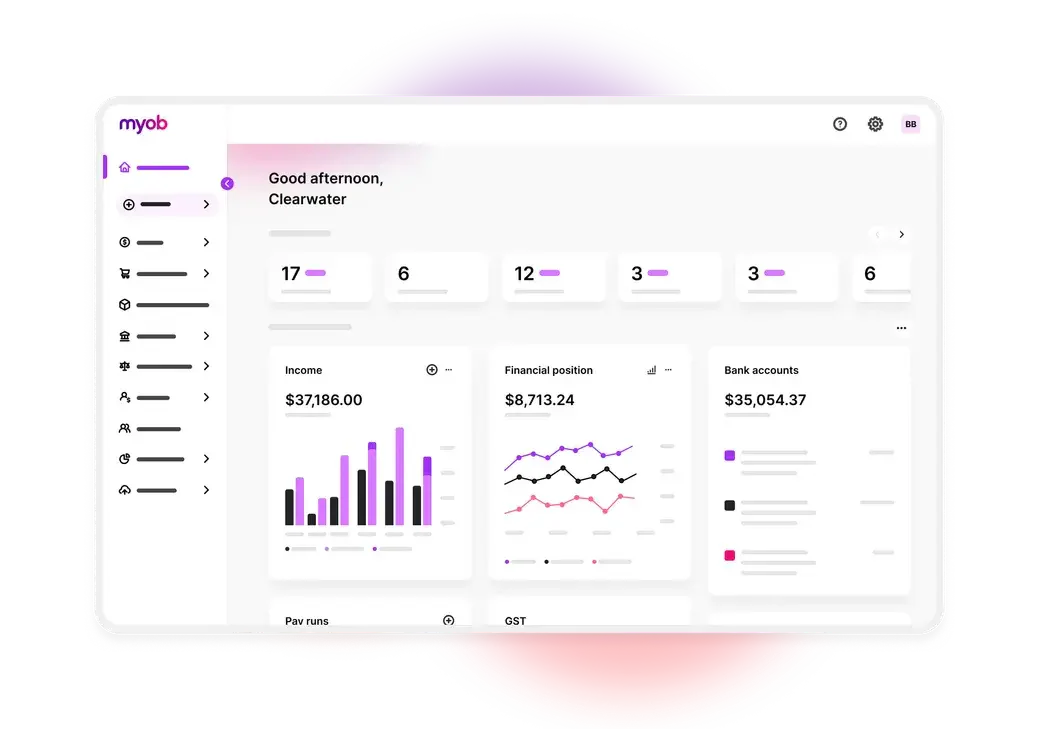
MYOB (Mind Your Own Business) is a developed accounting and ERP platform widely used by SMEs across Australia and New Zealand. While it does not have a Philippines-specific product or BIR compliance features, it is used by multinational companies with AU/NZ headquarters that also maintain operations in the Philippines.
The platform covers payroll, invoicing, bank feeds, inventory tracking, and financial reporting within a cloud-based interface. Businesses operating exclusively in the Philippines will need a separate BIR-compliant system for local regulatory requirements.
MYOB key features:
Bank feeds with automatic transaction matching and reconciliation
Accounts payable and accounts receivable management
Multi-currency support for international transactions
Inventory and stock tracking
Cash flow forecasting and financial reporting
Mobile app for managing finances on the go
| Pros | Cons |
|
|
automate tasks, enhance financial analysis, and improve decision-making processes.
💰Starting price: Contact vendor for pricing.
8. SAP Business One
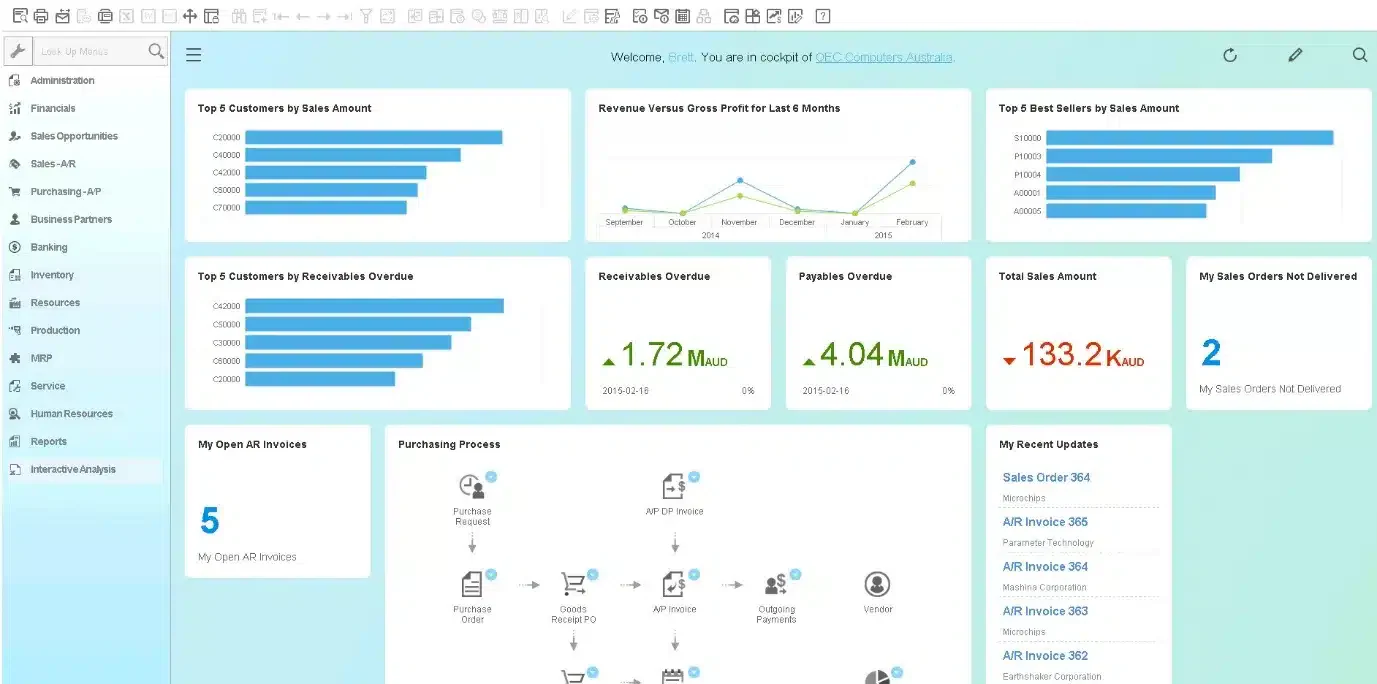
SAP Business One is a comprehensive ERP solution built specifically for small and midsize businesses. It covers the full range of business operations in a single platform. In the Philippines, SAP Business One is deployed through a network of certified local implementation partners who handle localization, setup, and ongoing support.
Pricing is custom-quoted based on the number of users and modules selected. Businesses should verify BIR compliance capabilities directly with their chosen Philippine SAP partner before committing.
SAP Business One key features:
Complete general ledger and financial management module
Purchasing, procurement, and supplier relationship management
Inventory control, warehouse management, and stock tracking
Sales order management and CRM with customer activity tracking
Business intelligence dashboards with drill-down reporting
Mobile access for real-time visibility on the go
| Pros | Cons |
|
|
💰Starting price: Contact vendor for pricing.
9. Zoho Books
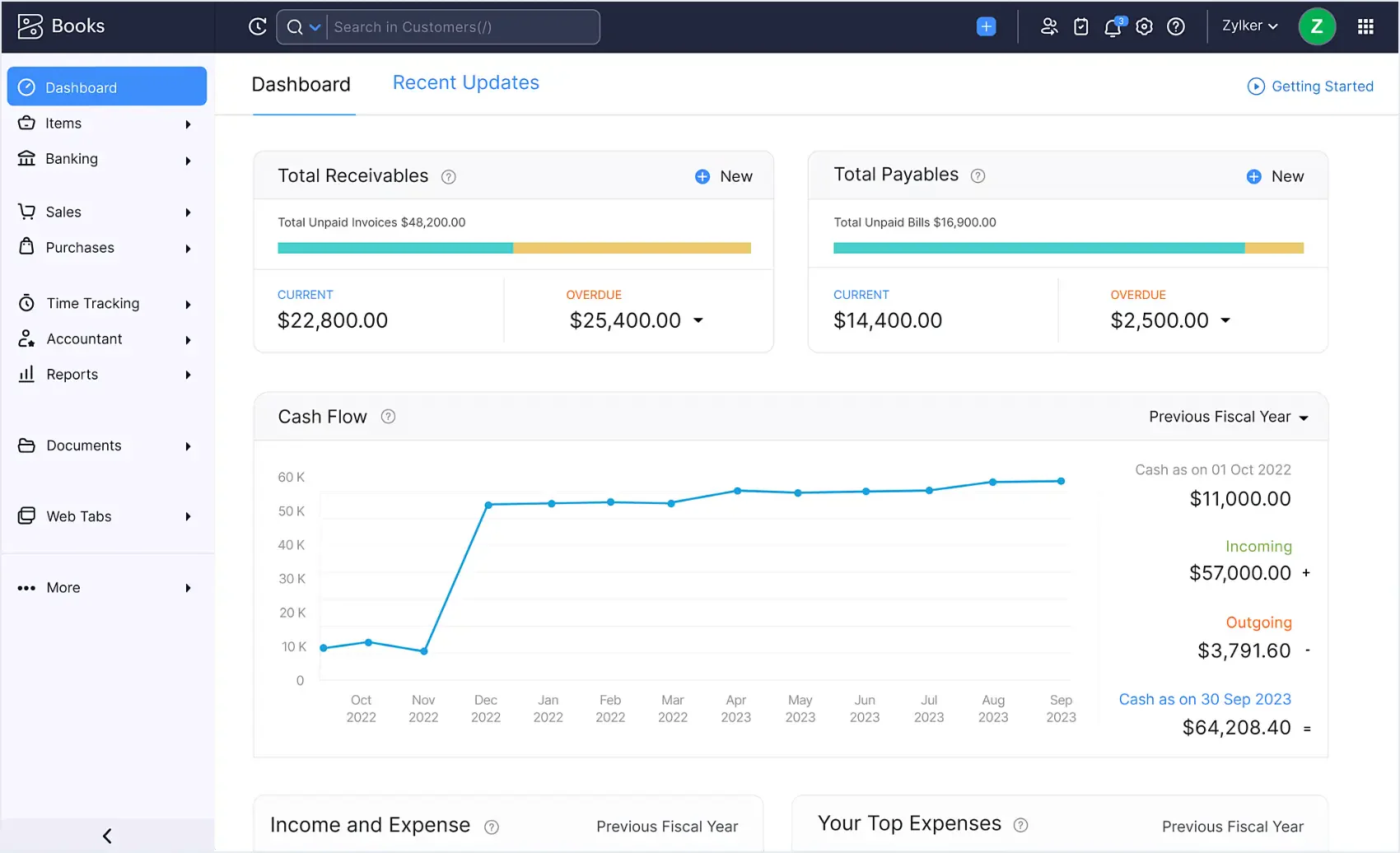
Zoho Books is a solid cloud option that covers invoicing, inventory management, and project tracking under one roof.
If your team already uses the Zoho ecosystem, this is a natural fit — it connects smoothly with 40+ Zoho apps like CRM and Inventory. You can compare Zoho’s capabilities against other platforms here.
Zoho Books key features:
- Inventory management: Track stock levels, set reorder points, and sync inventory movement with sales and purchase transactions
- Bank integration: Connect your bank account to automatically import transactions and reconcile entries against your books
- Expense tracking: Record, categorize, and attach receipts to business expenses, and mark them as billable to clients
- Customer portal: Give clients a self-service page to view invoices, make payments, and track their transaction history
| Pros | Cons |
|
|
💰Starting price: Free plan available (limited to 1,000 invoices per year and 1 accountant user); paid plans from approx. ₱855/month
10. Oracle NetSuite
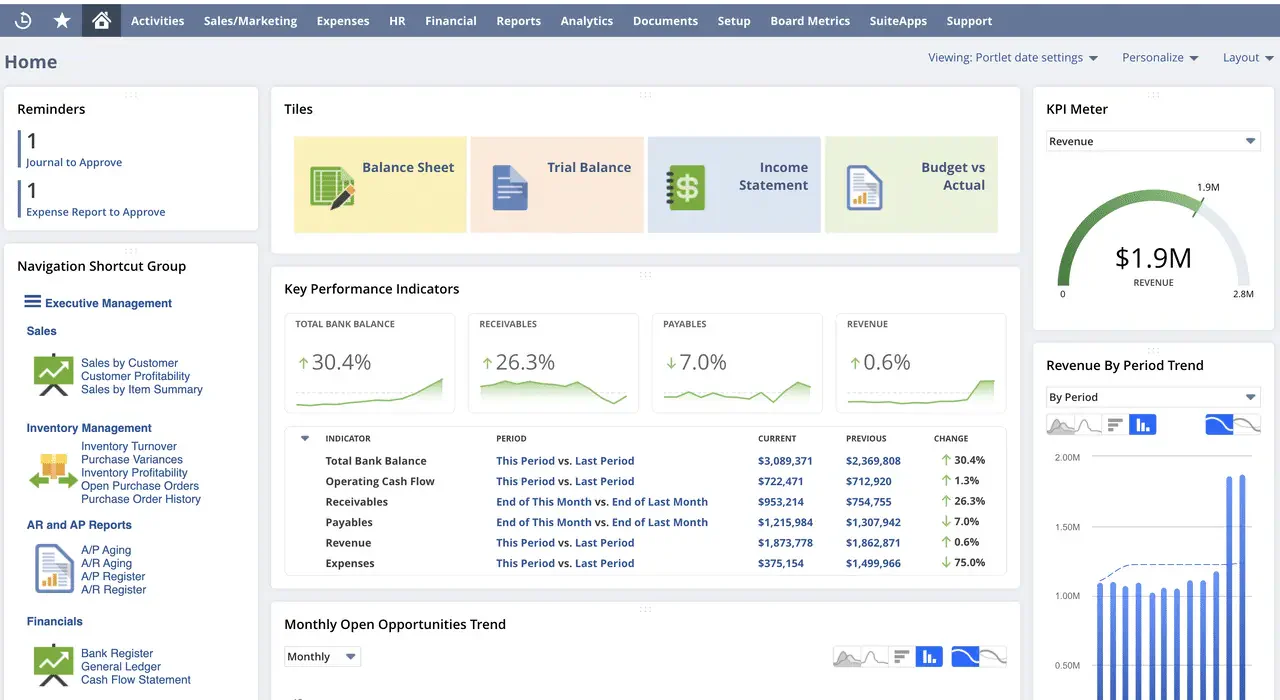
Oracle NetSuite is a cloud-native ERP and accounting platform built for mid-market and enterprise businesses that need comprehensive financial management at scale. The platform covers the full financial cycle, all in one cloud system.
NetSuite includes embedded AI features for anomaly detection, automated transaction matching, and financial insights. It is used by larger Philippine companies and multinational corporations operating in the Philippines. Pricing is fully custom and based on the number of modules, users, and contract term.
Oracle NetSuite key features:
Accounts receivable and accounts payable automation
Cash management and real-time bank reconciliation
Account reconciliation and financial close management
Tax accounting management and compliance reporting
Fixed asset management and depreciation tracking
Embedded AI for anomaly detection and financial intelligence
| Pros | Cons |
|
|
💰Starting price: Contact vendor for pricing.
11. Synder
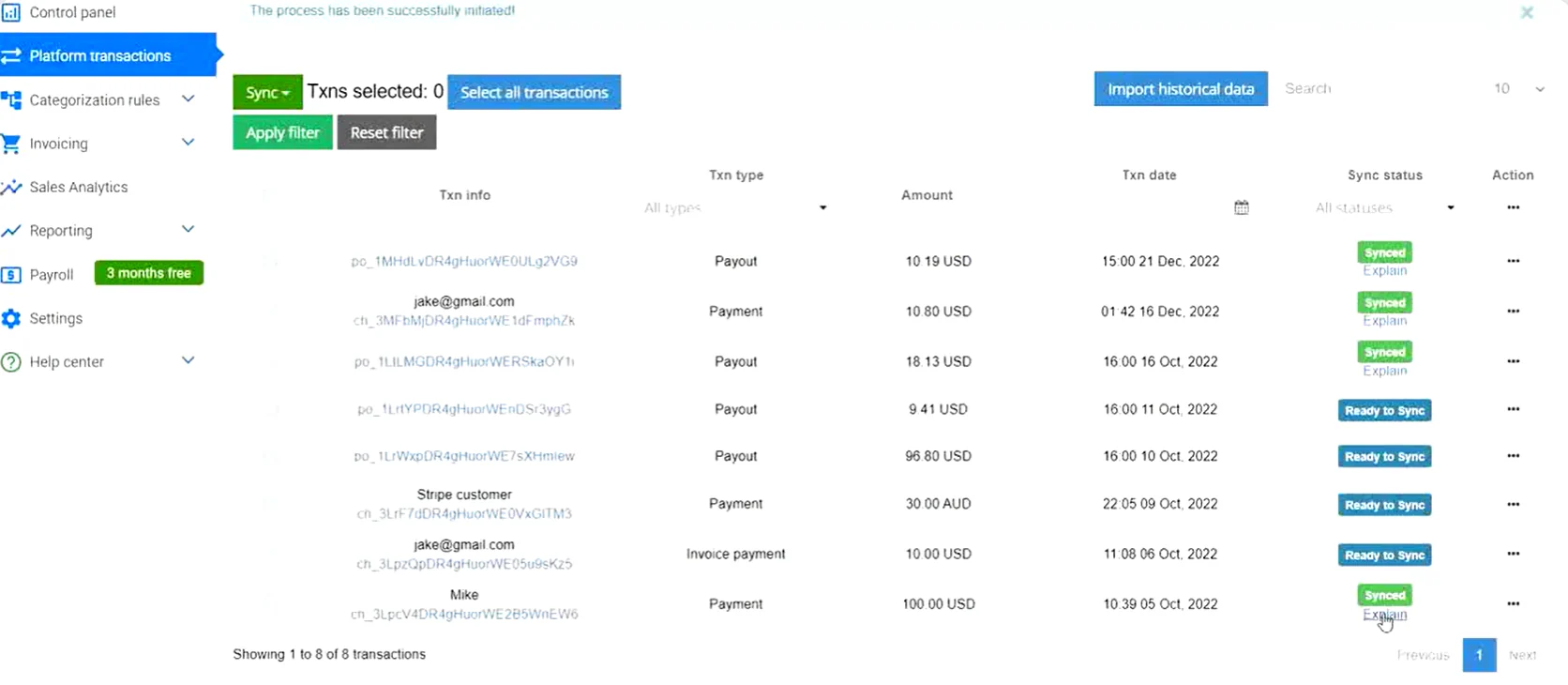
Synder is an accounting automation platform built for e-commerce businesses that sell across multiple channels and payment platforms. It connects with over 30 platforms and automatically syncs transactions, fees, refunds, and payouts into accounting software like QuickBooks or Xero.
For Philippine online sellers managing multiple storefronts or payment gateways, Synder eliminates the manual work of reconciling sales data across platforms. It does not function as a standalone accounting system and does not include BIR compliance features, so it works best as an automation layer on top of a primary accounting tool.
Synder key features:
- Multi-channel transaction reconciliation in real time
- Automatic categorization of sales, fees, refunds, and payouts
- Smart rules for custom transaction categorization
- Integration with QuickBooks and Xero as the accounting backend
| Pros | Cons |
|
|
💰Starting price: From approx. ₱2,912/month (Basic Plan); ₱5,152/month (Essential plan); ₱12,320/month (Pro plan)
12. Microsoft Excel
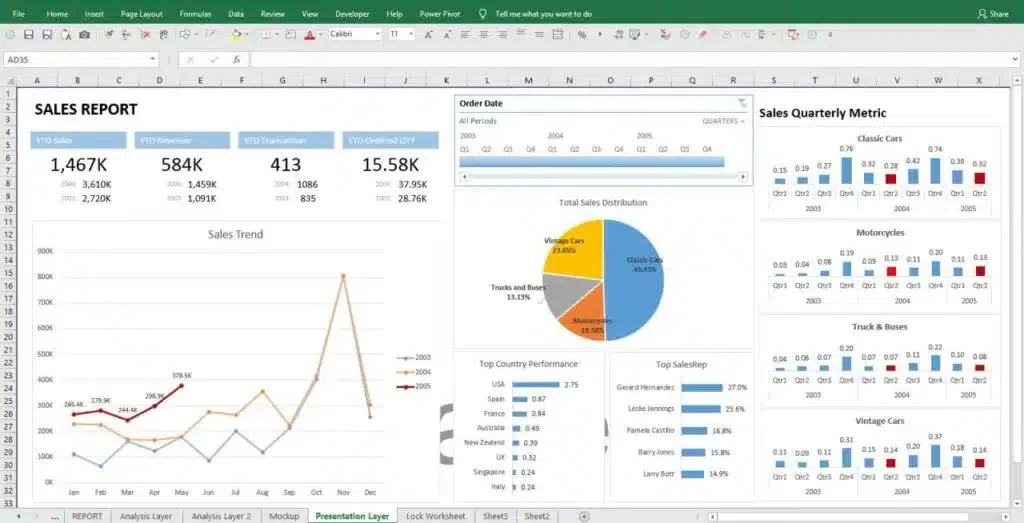
Microsoft Excel remains a widely relied-upon tool for accounting tasks across businesses in the Philippines. Its familiarity, flexibility, and accessibility make it a practical choice for companies looking to manage their financial data with precision and control.
Microsoft Excel key features:
- Built-in formulas for quick calculations and data analysis: Use SUM, IF, VLOOKUP, and hundreds of other functions to automate financial calculations without manual math
- Charting tools to visualize trends and patterns: Turn raw financial data into bar charts, line graphs, and pie charts to spot trends and present numbers clearly
| Pros | Cons |
|
|
💰Starting price: From approx. ₱475/user/month (Microsoft 365 Business Basic, which includes Excel alongside Word, Teams, and OneDrive cloud storage).
How to Choose the Right Accounting Tool for Your Business

There’s no one-size-fits-all answer here. Your pick depends on where your business is today and where it’s headed.
Not sure if it's time to switch? If two or more of these apply, your current setup is probably holding you back:
- You manually re-enter data between your accounting tool and your inventory or payroll system. This could cause errors sneak in.
- Your BIR reports require a separate process outside the software (exporting to Excel, reformatting, printing). A BIR-accredited system should generate these directly.
- You've hit the user limit or transaction cap on your current plan, and upgrading costs more than switching entirely.
- Your month-end close takes more than 5 business days. Modern tools with auto-reconciliation cut this to 1–2 days.
- You can't see a real-time cash position on demand. If you need to run a report and wait, you're working with stale data.
Once you've decided to move, use these five criteria to narrow down the accounting software solutions that fit your size and compliance needs:
1. Budget
Know your ceiling before you start shopping. Entry-level cloud tools run ₱800–₱2,500/month, while full ERP-integrated systems can go above ₱10,000/month. Factor in implementation costs and per-user fees because some vendors charge extra for each additional seat.
2. Features
Besides the budget, consider whether the accounting tool’s features fit your needs. List essential functions like invoicing, expense tracking, and financial reporting. If your team still encodes supplier bills by hand, review the best OCR software in the Philippines alongside your shortlist, since entry-level accounting tools rarely cover document capture well.
Pro tip: Choose a scalable system to future-proof your business. For example, FMCG companies may initially start with accounting software, but later require ERP solutions that integrate new modules as they expand into distribution and inventory.
3. Scalability
Think long-term. If you’re processing 500 transactions a month now but expect 5,000 within two years, pick a system that grows with you. Switching tools mid-growth is expensive and disruptive.
4. Integration
Your accounting tool shouldn’t exist in a vacuum. It needs to talk to your inventory system, CRM, payroll, and e-commerce platform.
For example, integrating an accounting tool with inventory management ensures that inventory levels are accurately reflected in financial reports. Linking it with CRM software speeds up invoicing and helps you track customer payments faster.
5. Security
Don’t overlook data security. Look for vendors with ISO certification, encrypted data storage, role-based access controls, and two-way matching to guard against payment fraud. This matters especially for businesses handling sensitive BIR data and multi-branch financial records.
Conclusion
There’s no single “best” accounting software, only the best fit for your specific situation. A freelancer invoicing five clients a month has very different needs from a multi-branch manufacturer filing monthly BIR returns across several entities.
You can start finding the right software by filtering out the things you need and don’t from the decision matrix above. Then test-drive your top two or three picks before committing. Most vendors offer free trials or consultations, so use them. Pay close attention to how well each tool handles BIR compliance, because that’s the one area where cutting corners will cost you later.
You can start looking at the list of trusted accounting software, but moving off manual spreadsheets with any software is already a win. The real question isn’t whether you need accounting software or not, it’s which one gets out of your way and lets your finance team focus on the numbers that actually matter.
FAQ About Accounting Software
Most accountants use Excel plus accounting software to manage analysis, bookkeeping, reporting, and daily finance tasks.
The three main types include:
1. ERP System: Integrates accounting with inventory, sales, procurement, and HR in one platform.
2. Billing and Invoicing System: Focuses on issuing invoices and managing customer payments.
3. Payroll Management System: Automates salary calculations, deductions, and statutory contributions.
Accounting software automates financial processes by recording transactions, categorizing income and expenses, and generating financial statements. Users input sales, purchases, or payments, and the system converts the data into structured reports such as profit and loss statements, balance sheets, and tax summaries.
Manual bookkeeping is time-consuming and prone to errors. Accounting software reduces manual work, improves accuracy, and provides real-time financial visibility, enabling business owners to make informed decisions based on up-to-date data.
BDO Unibank Philippines has been reported to use SAP Concur Expense, which is mainly for expense management and spend control.