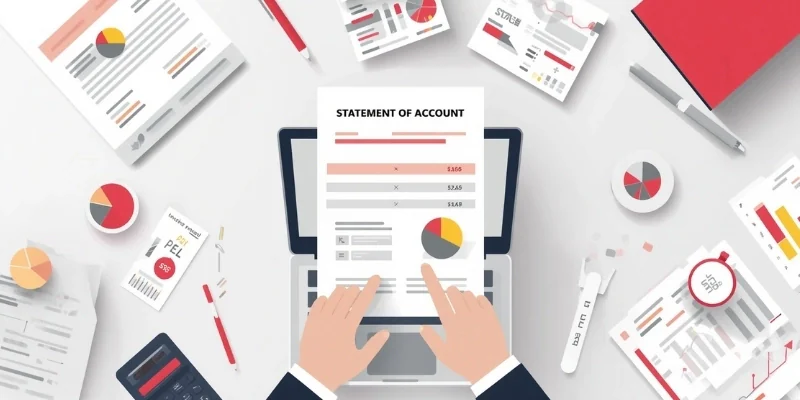







Managing expenses is a significant challenge for businesses of all sizes, especially when relying on manual processes. Without expense management software, companies face issues such as data entry errors, lost receipts, and delayed reimbursements, often resulting in financial incoherence and poor cash flow management.
According to the OECD, only 54% of Malaysian MSMEs use back end digital processes, including functions such as administration and accounting. This indicates that many businesses have yet to fully digitalise their internal financial workflows. Automating expense tracking and approvals can reduce repetitive data entry, improve record consistency, and provide clearer visibility into business spending.
Choosing the right business accounting solution business accounting solution is essential because the wrong system may cause integration problems, user resistance, or security concerns. In this article, we review 22 leading solutions in Malaysia to guide your decision.
Key Takeaways
Expense management software is a digital tool designed to simplify and automate the process of tracking, submitting, and approving business expenses.
Selecting the perfect expense management software is crucial for maximizing efficiency and cost savings.
The 22 tools range from receipt tracking to integrated expense and accounting workflows.
Take charge of your business finances and stop costly errors early. Click the banner below to schedule a consultation.

What is Business Expense Management Software?
Expense management software is a tool that simplifies the tracking, approval, and reimbursement of business expenses. It enables us to efficiently manage our financial resources by capturing and categorizing expense data, ensuring compliance with company policies and local regulations like LHDN MyInvois in Malaysia.
By providing real time insights into spending patterns, it enables us to control costs and enhance overall financial efficiency. It typically integrates with reliable cloud based financial accounting platforms and offers features such as receipt scanning and mobile accessibility, making it an indispensable solution for optimizing our daily financial operations.
Shortlisted Best Management Software
To help you choose the right solution for your business, we’ve shortlisted five of the best expense management system in Malaysia. Each offers specific strengths depending on your company size, industry, and operational needs. Here’s a quick comparison to guide your decision:

Best Because
Automated expense management with direct HR payroll integration and LHDN compliance



Best Because
A simple expense tool that automates policies, controls costs, and supports companies of all sizes

Best Because
A smart tool that simplifies travel, automates expenses, and strengthens spend control.
With so many options available, the real differentiator often comes down to integration, how well the software connects with your existing accounting, procurement, and approval workflows, rather than sitting as a standalone tool
Quick Comparison of Best Business Expense Management Software
| Expense Software | Best For | Main Strength | Key Features | Pricing |
|---|---|---|---|---|
| HashMicro | Medium and large businesses | Connected finance and payroll workflows | Claims, approvals, payroll integration, reconciliation, and reporting | Custom quote |
| Rydoo | Travel and employee expenses | Mobile expense submission | Receipt scanning, mileage, currency conversion, and approvals | From about RM39 per user monthly; Pro around RM47–57 |
| SAP Concur Expense | Large and multinational companies | Enterprise travel and expense control | Expenses, travel, receipts, policies, analytics, and ERP integration | About RM29–100 per active user monthly; request a quote |
| Webexpenses | Simple mobile expense reporting | Easy claims and approvals | Receipt capture, mileage, policies, invoices, and ERP integration | About RM43–86 per active user monthly |
| Zoho Expense | Businesses using Zoho applications | Affordable connected expense management | Receipts, cards, advances, approvals, travel, and per diem | Free up to 3 users; Standard about RM17 and Premium about RM29 per user monthly |
| Expensify | Small and growing teams | Automated receipt processing | SmartScan, reimbursements, cards, mileage, policies, and budgets | Collect about RM21 and Control about RM38 per user monthly |
| NetSuite Expense Management | NetSuite users and enterprises | Unified ERP and expense data | Receipts, travel expenses, approvals, currencies, and analytics | Custom quote |
| Sage Intacct | Growing finance teams | Advanced financial reporting | Expenses, accounts payable, dashboards, approvals, and multi entity accounting | Custom quote |
| Navan | Business travel and expenses | Travel booking and expense management | Bookings, cards, receipts, reimbursements, policies, and reporting | Free for the first 5 active users, then about RM63 per active user monthly |
| Emburse Spend | Simple expense reimbursement | Fast claims and approvals | Receipts, categorisation, policies, reimbursements, and accounting sync | From about RM38 per user monthly |
| Airbase by Paylocity | Cards, accounts payable, and expenses | Unified spend control | Virtual cards, approvals, budgets, payments, reports, and audit trails | Custom quote |
Why You Should Use Expense Management Software
Here are compelling reasons why integrating this technology into your operations can simplify processes and drive financial accountability:
- Efficient Expense Tracking: Automates expense tracking and data collection, including your routine petty fund management, reducing manual errors and ensuring accuracy across teams.
- Improved Compliance and Policy Adherence: Built-in policies and approval flows help enforce spending rules and reduce fraud or compliance risks.
- Real-time Visibility and Reporting: Gives instant insight into spending trends to support faster, more informed budgeting decisions, essential for businesses balancing operational expenses and debt financing.
- Enhanced Employee Productivity: Simplifies claim processes, letting employees focus on key tasks. Mobile apps allow easy submissions.
- Integration with Accounting Systems: Connects directly with financial systems (e.g., Maybank/CIMB), easing the reconciliation process and improving accuracy. and improving accuracy.
22 Best Business Expense Management Software
1. HashMicro Business Expense Management Software
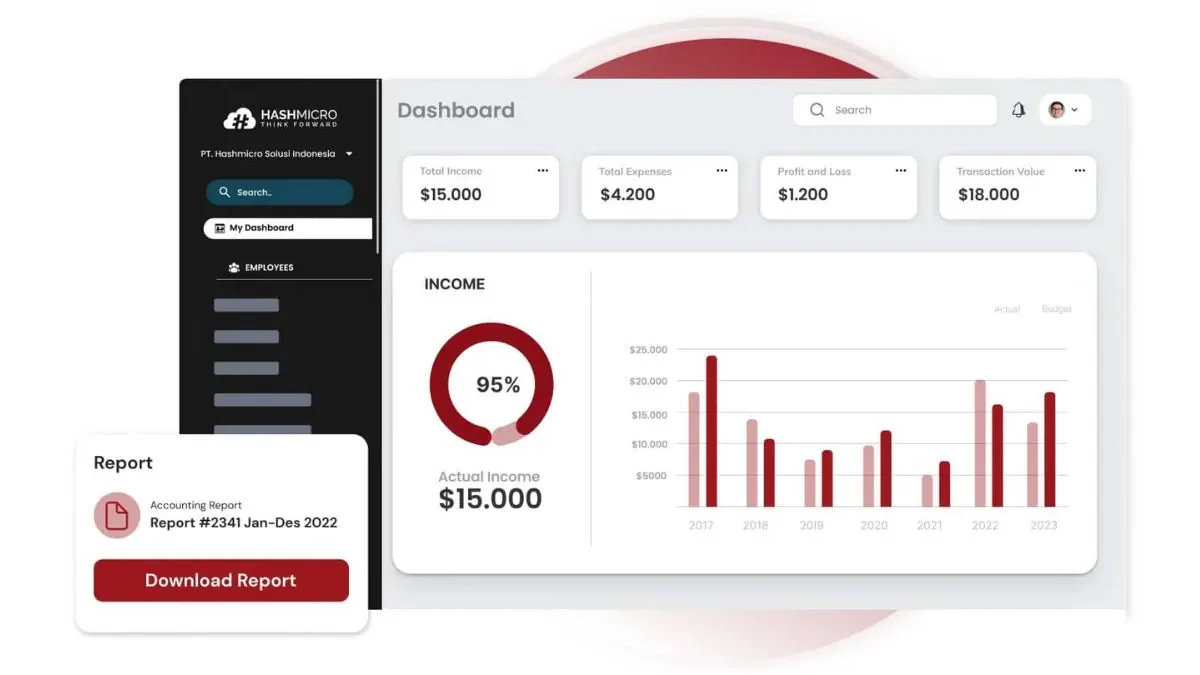
HashMicro Accounting Software Malaysia is one of the best expense management software that optimizing and automating key accounting workflows for businesses. Its expense management module helps companies avoid delays in reimbursement and lost receipts.
This is especially important for businesses preparing reports for LHDN or managing multiple claims in Ringgit Malaysia (RM). Discover how this software enhances your financial management with a free demo.
A key benefit is its integration with HR software for payroll, ensuring claims are processed on time and linked directly to salary disbursements. This helps reduce double entry and eases coordination between HR and finance.
The system also supports multi-currency transactions and provides detailed reporting. For Malaysian businesses using Maybank or CIMB, the bank integration feature allows direct reconciliation, reducing manual matching errors.
Pricing: Custom pricing (RM), unlimited users with no per-user fee
| Pros | Cons |
|---|---|
|
|
HashMicro supports claims, reimbursements, RM reporting, LHDN needs, and bank reconciliation through HRM, payroll, CRM, and accounting integration.
"What makes HashMicro exceptional is how effectively it links HR and accounting. Claims move instantly into payroll without double entry, allowing finance teams to close books faster and with greater confidence."
HashMicro’s comprehensive features and smooth integrations make it an ideal solution for businesses seeking to enhance efficiency, accuracy, and compliance in their expense management and payroll operations. Click the banner below to view the pricing scheme.
2. Rydoo
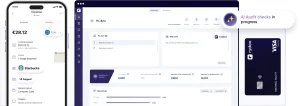
Rydoo provides convenient mobile access that helps businesses manage travel and expenses more easily through a user-friendly interface.
It automates expense reporting, receipt scanning, and expense categorization, enhancing efficiency for businesses with frequent travel requirements.
While Rydoo may lack some advanced features compared to enterprise-focused solutions, it has real-time analytics and integration capabilities with major accounting systems.
Pricing: From about RM39 per user/month (billed annually) on Essentials; Pro tier around RM47–57.
| Pros | Cons |
|---|---|
|
|
Rydoo supports receipt capture, approvals, policy control, and multi-currency expense tracking for easier claims management.
3. SAP Concur Expense
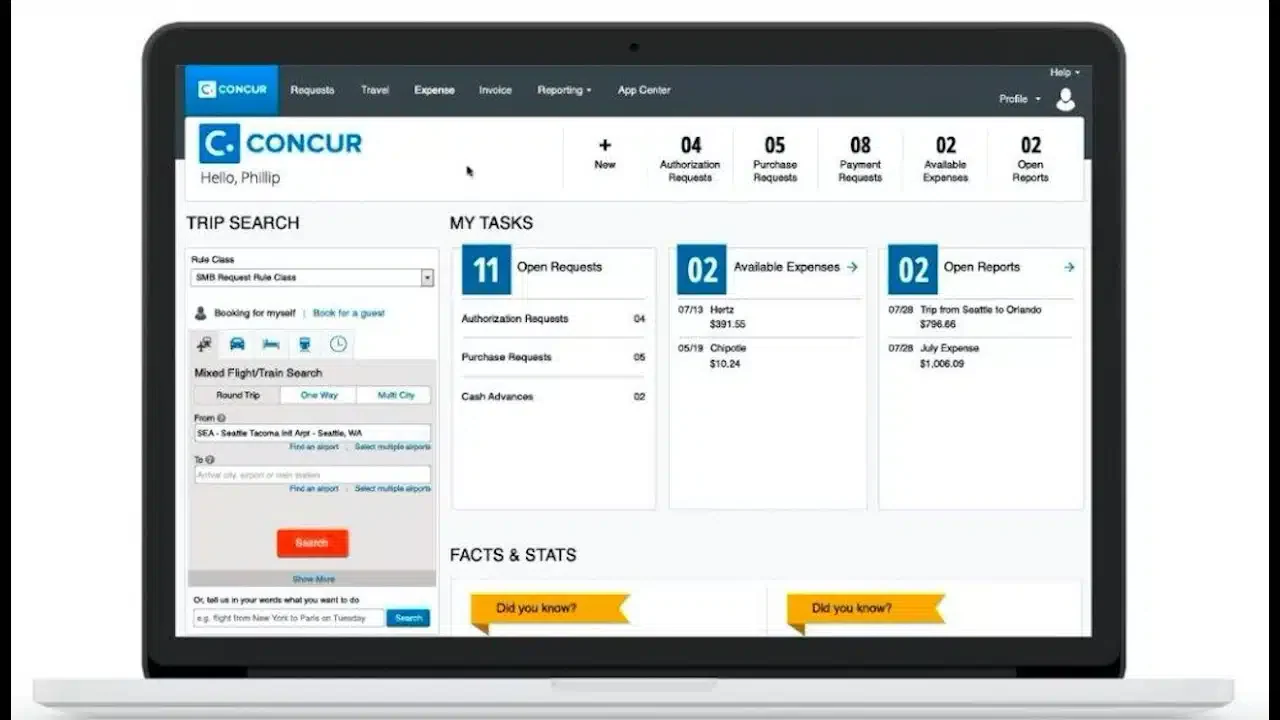
SAP Concur Expense is a widely used software known for its comprehensive features and global reach, expenses management software.
It automates the expense reporting and travel expense management process, ensuring that expenses are accurately recorded and compliant with company policies.
SAP Concur integrates with major accounting systems and ERP software, providing an end-to-end experience for businesses. The system offers features such as automatic receipt recording, range tracking, and policy compliance checks.
Pricing: Usage-based; roughly RM29–100 per active user/month depending on modules — request a tailored quote.
| Pros | Cons |
|---|---|
|
|
SAP Concur Expense supports receipt capture, approvals, policy control, and multi-currency expense tracking for pharmaceuticals companies managing frequent claims and business travel.
4. Webexpenses
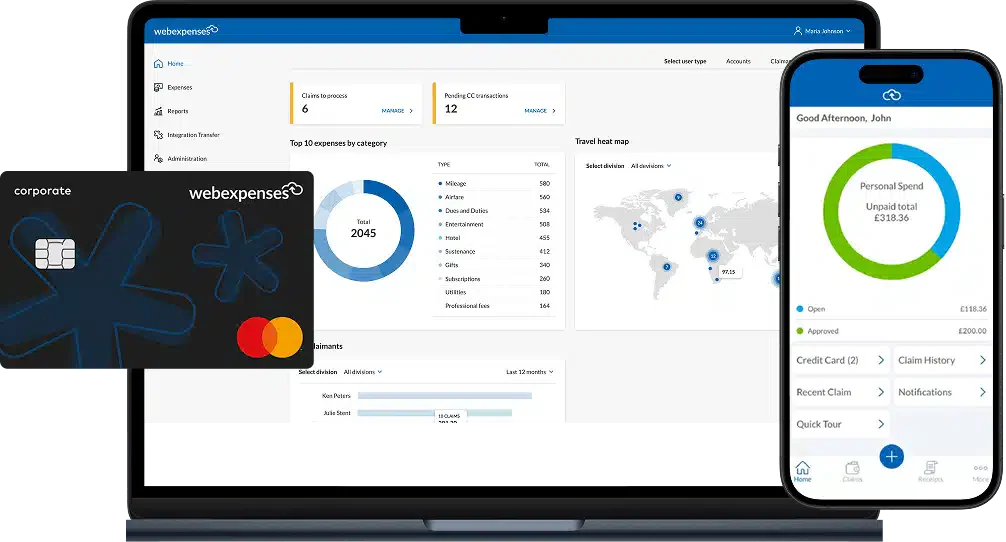
Webexpenses simplifies expense reporting and approval processes through a user-friendly interface, helping businesses manage expenses more efficiently and in a more organized way.
It offers mobile apps that enable employees to submit expenses on the go, along with features such as receipt scanning and automated expense categorization.
The software helps businesses manage expenses more easily through a practical and cost-efficient system without requiring complex implementation.
Pricing: About RM43–86 per active user/month (only users who submit claims are billed).
About RM43–86 per active user/month (only users who submit claims are billed).
| Pros | Cons |
|---|---|
|
|
Webexpenses supports receipt capture, approvals, policy control, and expense tracking for education teams managing staff claims, travel costs, and reimbursements.
5. Zoho Expense
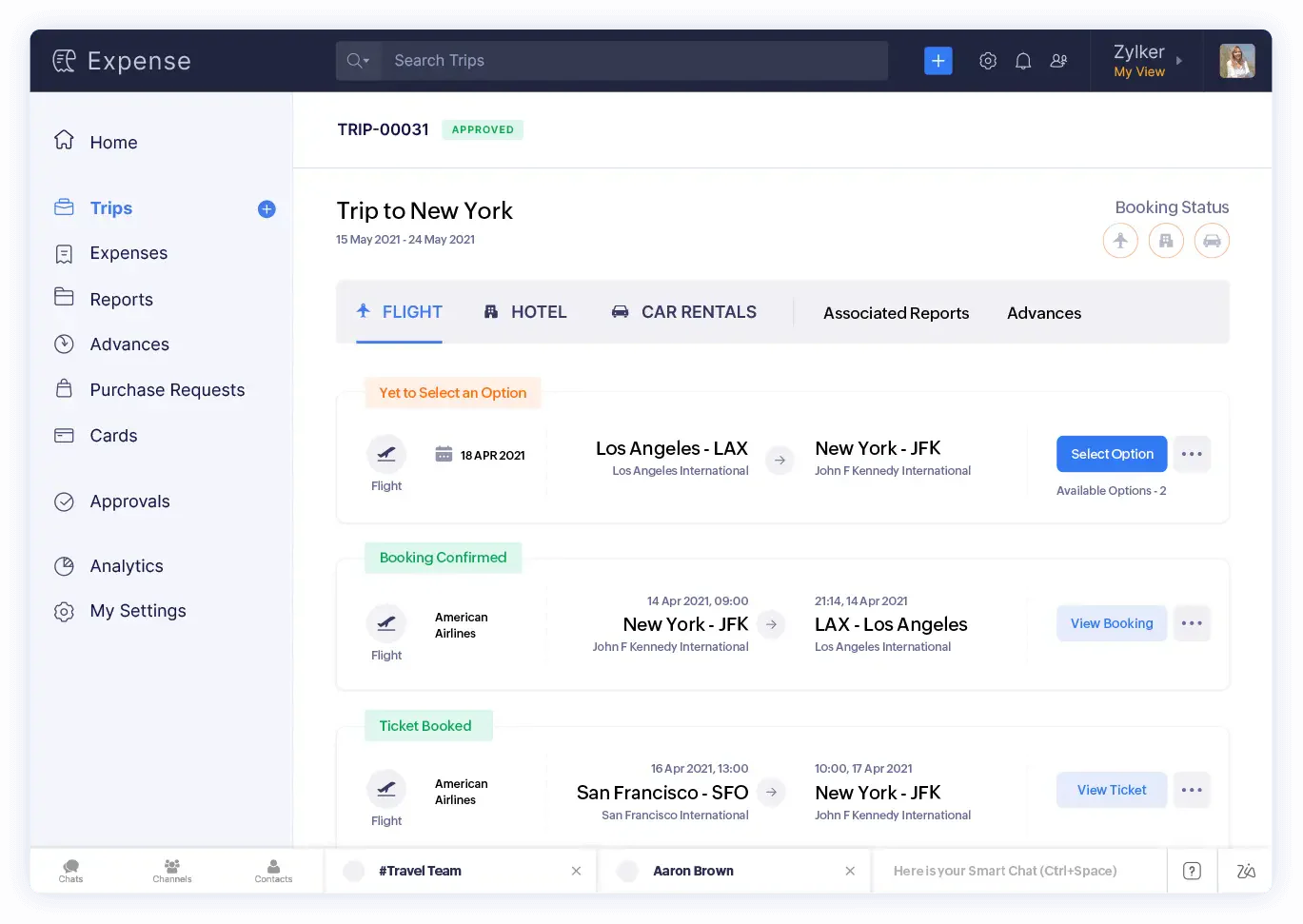
Zoho business expense management software is part of the Zoho suite of business applications, providing a comprehensive expense management solution that integrates natively with other Zoho apps.
This app is designed to optimize the expense reporting process while ensuring compliance with company policies.
Its integration with the broader Zoho ecosystem makes it particularly beneficial for businesses already using Zoho’s suite of applications.
Pricing: Free for up to 3 users; Standard about RM17 and Premium about RM29 per user/month.
| Pros | Cons |
|---|---|
|
|
Xero supports expense tracking, receipt capture, approvals, and accounting integration for teams managing claims, reimbursements, and daily finance records.
6. Expensify
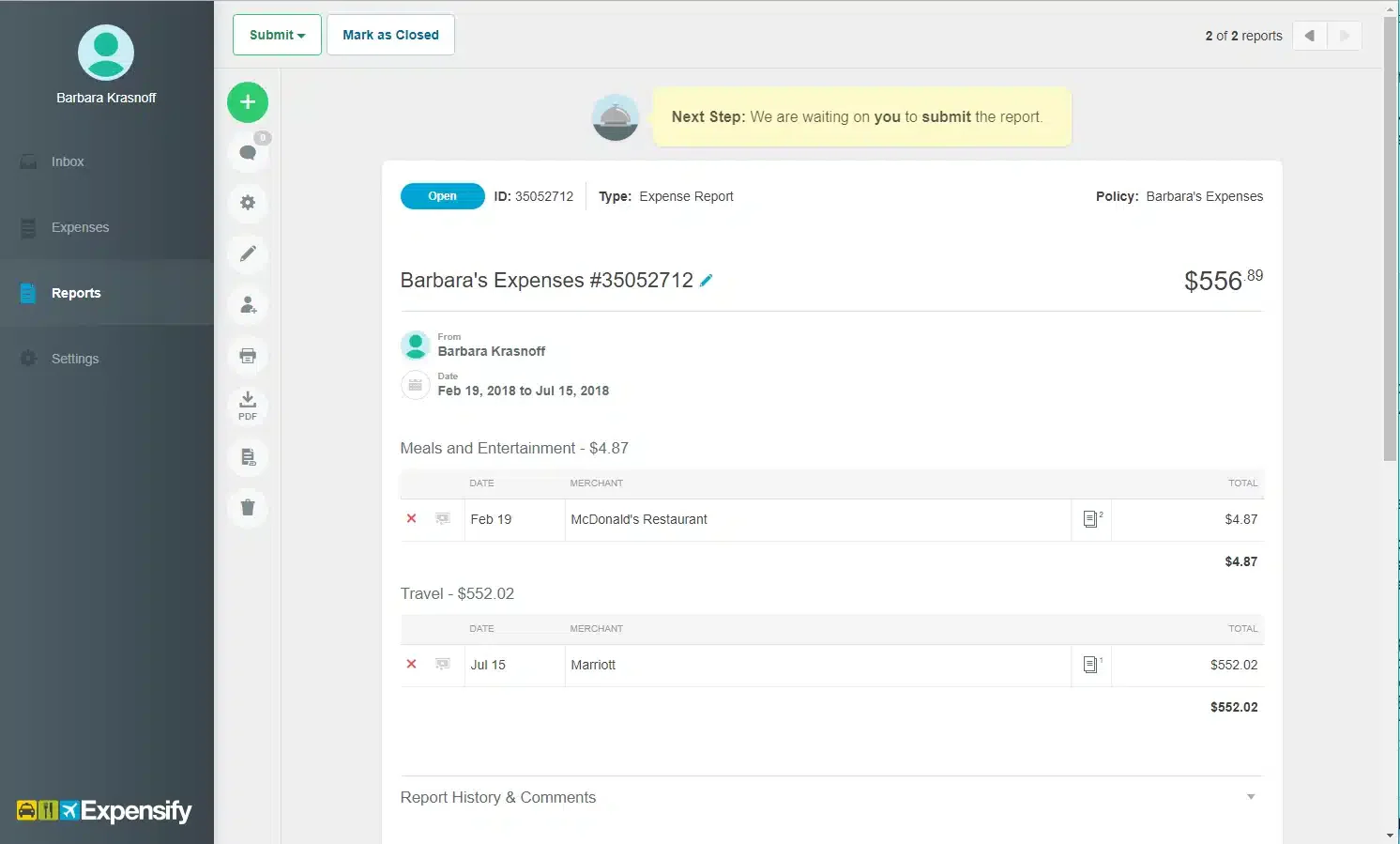
Expensify is a leading expense management solution designed to improve the entire expense reporting process. It leverages innovative technology such as SmartScan for receipt scanning, ensuring accurate data capture and categorization.
Expensify is ideal for businesses looking to improve expense management workflows, enforce policy compliance, and gain real-time visibility into spending trends.
Pricing: Collect from about RM21 and Control about RM38 per user/month; up to 50% off with the Expensify Card.
Collect from about RM21 and Control about RM38 per user/month; up to 50% off with the Expensify Card.
| Pros | Cons |
|---|---|
|
|
Expensify supports receipt capture, expense approvals, reimbursements, and card tracking for teams managing employee claims and business spending.
7. NetSuite Expense Management
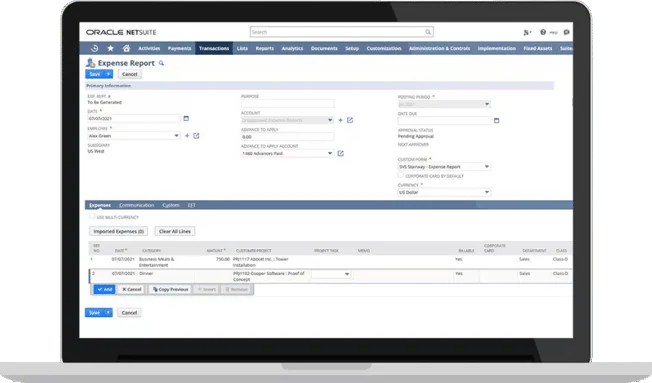
This platform is part of the comprehensive NetSuite ERP suite, providing advanced capabilities for managing employee expenses and travel.
This software supports mobile receipt capture and submission, ensuring timely and accurate expense tracking from anywhere.
With advanced analytics and reporting tools, businesses can gain deep insights into spending patterns and compliance metrics.
Pricing: Custom pricing; expense self-service users typically around RM42–105 per user/month.
Custom pricing; expense self-service users typically around RM42–105 per user/month.
| Pros | Cons |
|---|---|
|
|
NetSuite Expense Management supports expense claims, approvals, reimbursements, and accounting integration for companies managing employee spending and finance records across multiple departments.
8. Sage Intacct
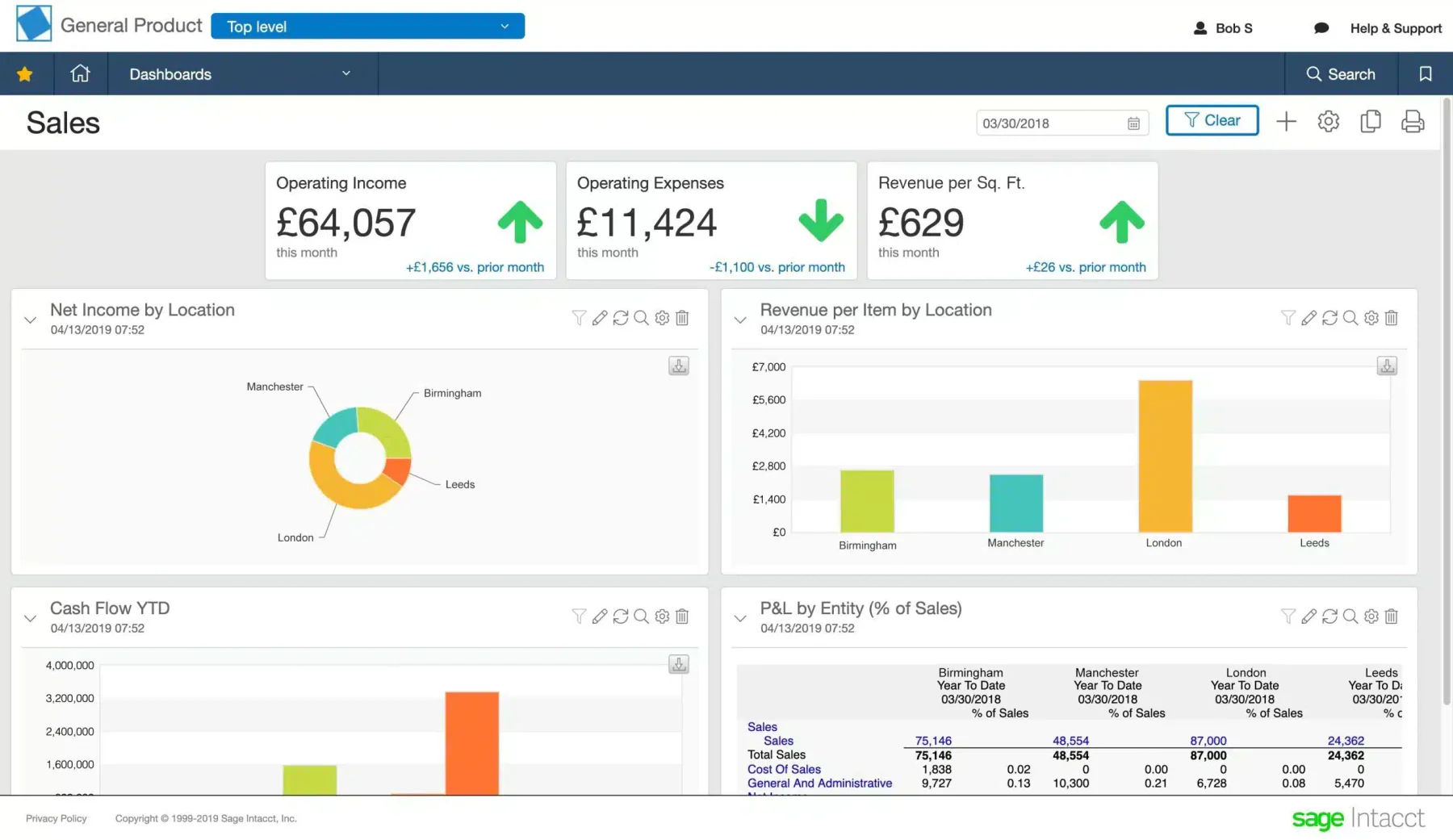
Sage Expense Management is a cloud-based financial management solution that includes a comprehensive expense management module.
This expense management system helps businesses reduce errors and save time by automating the capture, reporting, and approval of expenses.
The software’s advanced reporting capabilities enable businesses to gain detailed insights into spending patterns and financial health, which can inform better decision-making.
Pricing: Custom pricing; annual contracts commonly start from around RM50,000/year.
Custom pricing; annual contracts commonly start from around RM50,000/year.
| Pros | Cons |
|---|---|
|
|
Sage Intacct supports expense tracking, approvals, reimbursements, and reporting for companies that need a flexible financial management solution across teams.
9. Navan
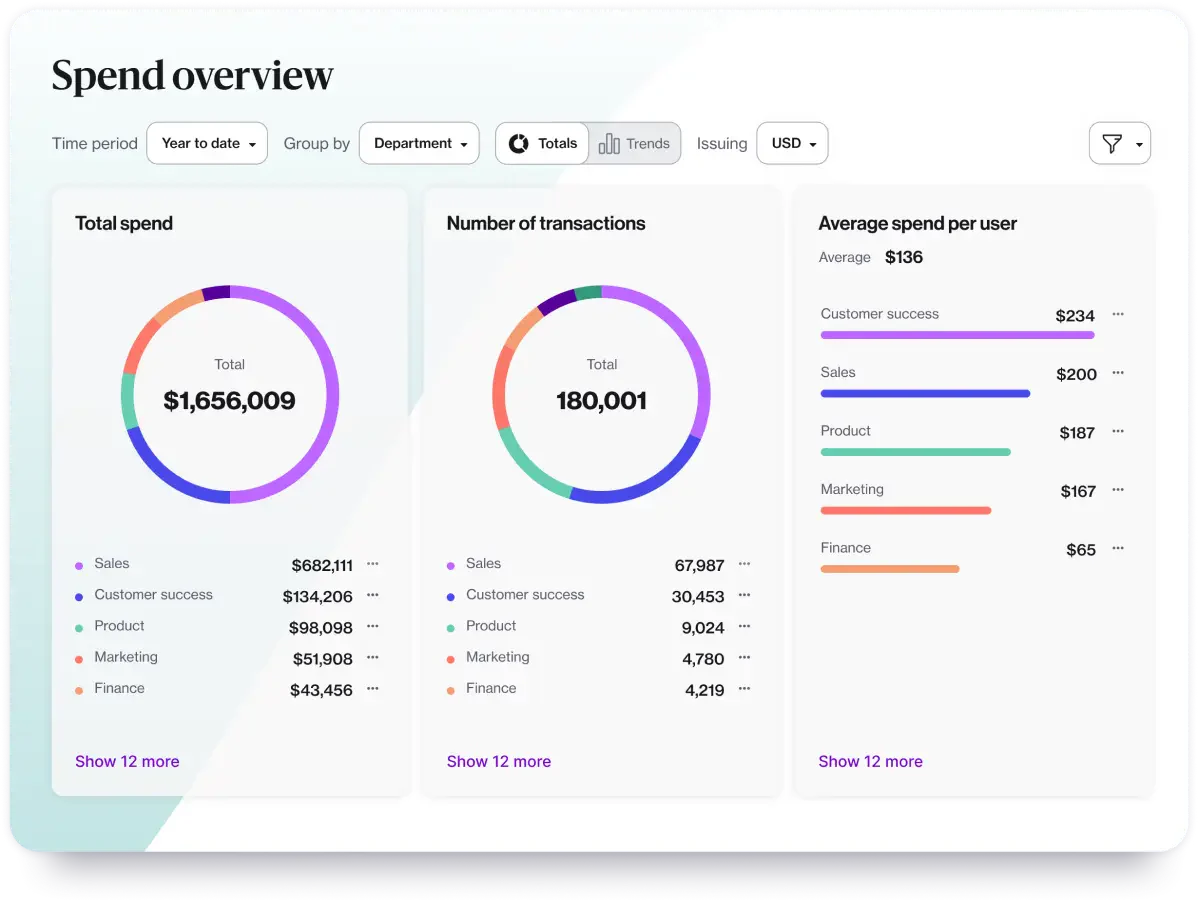
Navan, formerly known as TripActions, is an expense and travel management platform designed to simplify business travel and expense processes.
It offers features such as automated expense reporting, travel booking, policy enforcement, and direct integration with accounting systems.
Navan provides businesses with a comprehensive solution to manage travel expenses, track employee spending, and ensure compliance with company policies.
Pricing: Free for the first 5 active users, then about RM63 per active user/month; custom pricing above 300 employees.
Free for the first 5 active users, then about RM63 per active user/month; custom pricing above 300 employees.
| Pros | Cons |
|---|---|
|
|
Navan supports travel booking, expense tracking, approvals, and reimbursements for teams managing business trips, employee claims, and company spending.
10. Emburse Spend
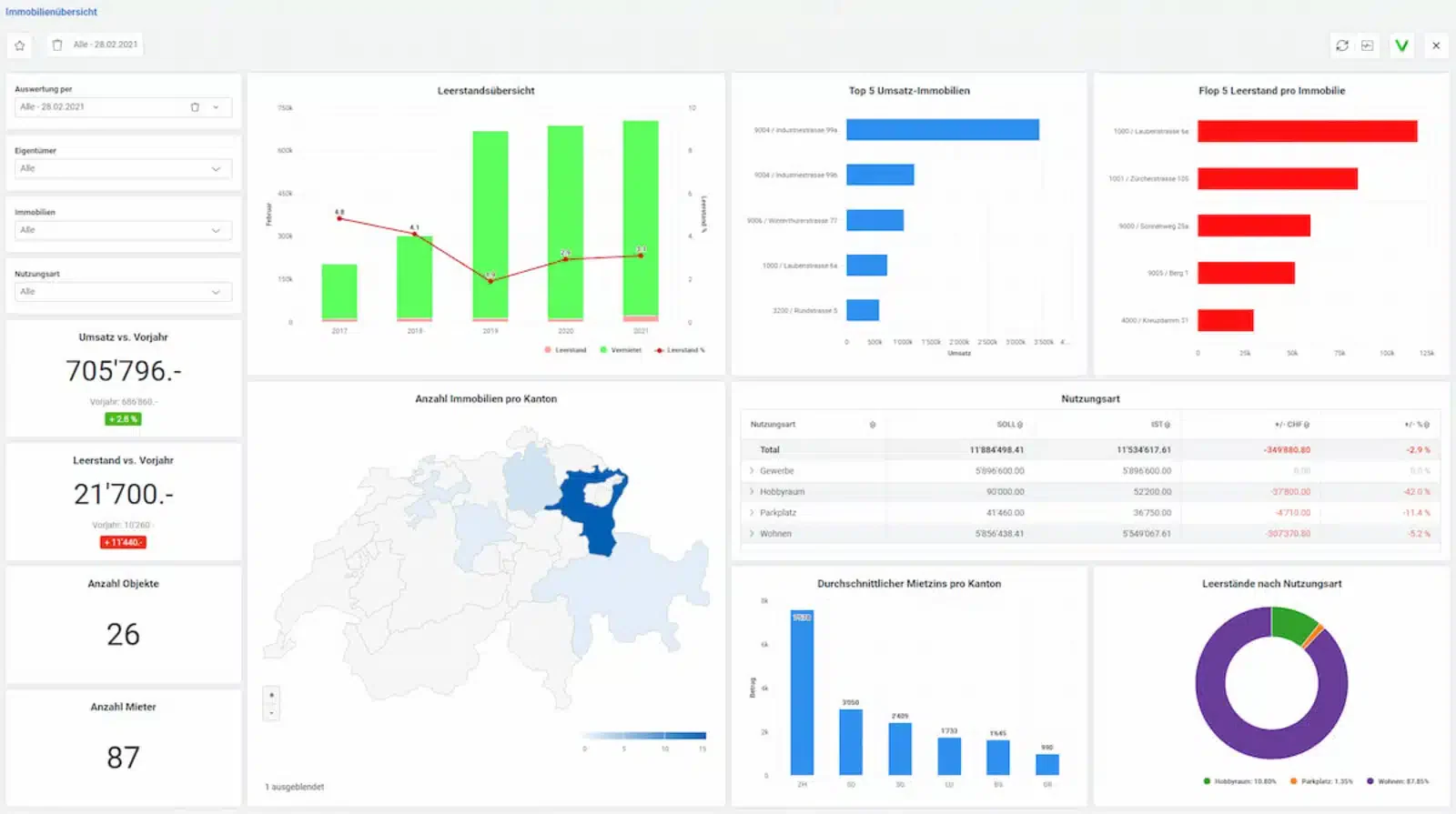
Emburse Spend helps businesses manage expense claims more efficiently through intuitive and user-friendly reporting and reimbursement processes.
Its real-time reporting capabilities provide businesses with actionable insights into spending patterns and budget allocation, making it a valuable tool for financial control and decision-making.
This expense management app offers features such as automated expense categorization, receipt scanning, and policy enforcement, all accessible through a user-friendly interface.
Pricing: From about RM38 per user/month.
From about RM38 per user/month.
| Pros | Cons |
|---|---|
|
|
Abacus supports expense tracking, approvals, reimbursements, and real-time reporting for teams managing employee claims and daily business spending.
11. Dext Prepare
Dext Prepare revolutionizes expense tracking with its advanced optical character recognition (OCR) technology, automating the extraction of receipt and invoice data for direct integration with major accounting platforms.
Its ability to automatically categorize expenses and improve reconciliation makes Dext Prepare a preferred choice for businesses looking to reduce administrative overhead and enhance financial transparency.
Pricing: From about RM106/month; annual billing saves roughly 15–20%.
From about RM106/month; annual billing saves roughly 15–20%.
| Pros | Cons |
|---|---|
|
|
Why this suits Malaysian businesses: Dext Prepare supports receipt capture, invoice processing, expense tracking, and accounting integration for teams managing claims, supplier bills, and finance records.
Receipt Bank supports receipt capture, invoice processing, expense tracking, and accounting integration for teams managing claims, supplier bills, and finance records.
12. Airbase by Paylocity
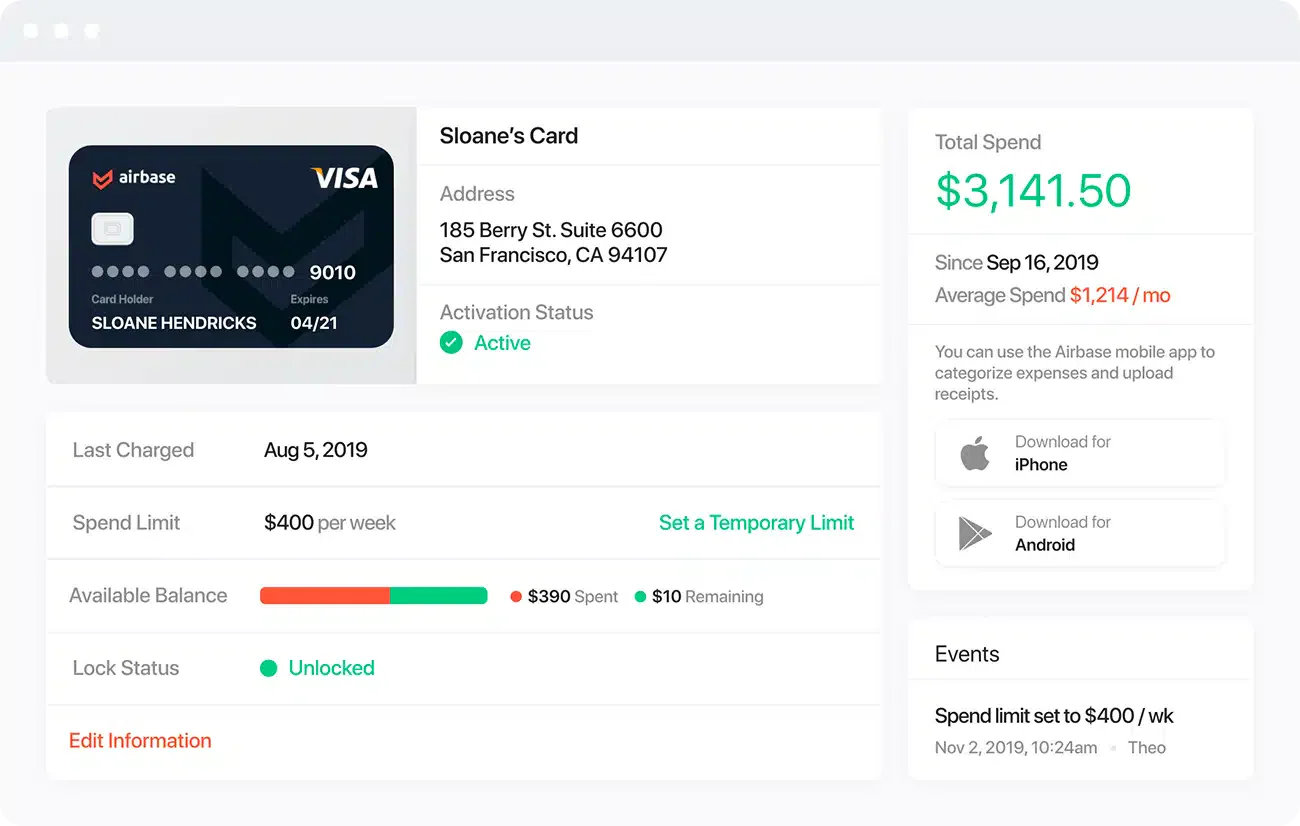
Airbase by Paylocity provides features such as virtual cards, automated approval workflows, and real-time reporting to help businesses improve financial control and manage expenses more efficiently within a single modern platform.
The reliable controls and audit trails ensure compliance with financial policies and regulations, making it suitable for businesses prioritizing financial transparency and operational efficiency.
Pricing: Custom pricing; entry plans start around RM35,000/year (roughly RM21–34 per user).
Custom pricing; entry plans start around RM35,000/year (roughly RM21–34 per user).
| Pros | Cons |
|---|---|
|
|
Airbase supports spend management, approvals, expense tracking, and reimbursements for teams managing employee spending, vendor payments, and company budgets.
13. Timesheet.com
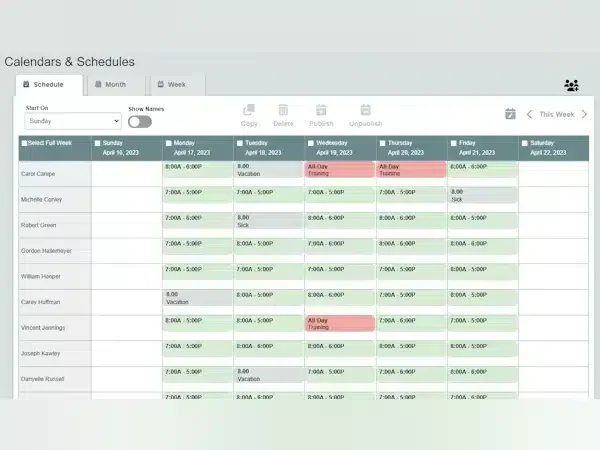
Timesheet.com offers a comprehensive expense management solution integrated with time tracking and project management features. It enables businesses to track employee time, manage expenses, and allocate costs to projects with ease.
Timesheet.com provides real-time visibility into project budgets and expenses, enabling businesses to effectively monitor profitability and resource allocation.
Pricing: Standard about RM23 per user/month.
Standard about RM23 per user/month.
| Pros | Cons |
|---|---|
|
|
Timesheets.com supports time tracking, expense claims, approvals, and reporting for teams managing staff hours, project costs, and reimbursements.
Overall Comparison of Accounting Systems in Malaysia
| Provider | Connection Quality | Bank Coverage | Ease of Integration | Data Enrichment |
|---|---|---|---|---|
| HashMicro | ||||
| Rydoo | ||||
| SAP | ||||
| Zoho | ||||
| Webexpenses |
By automating tedious tasks and providing actionable insights, these solutions play a crucial role in modernizing financial management practices and achieving sustainable business growth.
What are The Benefits of Expense Management Software?
Understanding how an expense tracker improves financial performance is crucial for every business. With accurate tracking, companies can control spending and protect their finances. Below are the key benefits you can gain:
- Clearer financial visibility: Helps you understand exactly where money is being spent, making it easier to cut unnecessary costs.
- Stronger budgeting and forecasting: Accurate records support more realistic budgets and better financial planning.
- Simpler tax filing: Complete documentation makes filing taxes easier and helps identify valid deductions.
- Improved cash flow control: Monitoring expenses ensures sufficient funds for operations and future investments.
- Smarter financial decisions: With transparent spending data, businesses can allocate resources more effectively.
- Fraud detection and cost reduction: Regular tracking helps catch suspicious spending early and uncover areas to save more.
How to Choose the Right Expense Management Software
Selecting the right expense management software for your organization is crucial for maximizing efficiency and ensuring financial accuracy. Here are key considerations to guide your decision-making process:
- Assess Your Business Needs: Identify your team’s expense volume, approval complexity, and integration needs before choosing a solution.
- User-Friendly Interface: Select tools that are easy to use and quick to adopt, reducing training time and user resistance.
- Customization and Flexibility: Choose software that adapts to your company’s unique policies and workflows, not the other way around.
- Mobile Accessibility: Ensure the system supports mobile claims and approvals, especially for teams frequently on the go.
- Integration Capabilities: The software should connect with existing accounting tools to maintain data accuracy and simplifies financial reporting.
- Automation Features: Look for automated workflows for claims, approvals, and compliance checks to reduce manual effort.
- Data Security: Ensure the software offers encryption, multi-factor authentication, and meets financial data protection standards.
By carefully considering these factors, you can choose a solution that enhances financial control, improves operational efficiency, and supports your organization’s growth.
Which Expense Management Software Suits Your Business?
| Business Scenario | Recommended Software | Why It Fits |
|---|---|---|
| Medium to large business needing full financial automation | HashMicro Accounting | Offers complete expense automation integrated with HR, payroll, and banking systems. Ideal for companies managing multi-department claims, ensuring faster reimbursements and compliance with Malaysian regulations like LHDN. |
| Companies with frequent travel expenses | Rydoo | Automates travel expense reporting with receipt scanning and real-time analytics, making it easier to manage business trips and reimbursements efficiently. |
| Large enterprises with global operations | SAP Concur Expense | Provides enterprise-grade expense tracking with global compliance, ERP integration, and automated policy enforcement. |
| SMEs looking for simple expense tracking | Zoho Expense | Easy-to-use platform with strong mobile features and tight integration within the Zoho ecosystem, ideal for startups and growing businesses. |
| Businesses needing accounting + expense in one system | Xero | Combines expense tracking with invoicing and bank reconciliation, giving real-time financial visibility in one platform. |
| Companies wanting automated receipt capture | Expensify | Uses SmartScan technology to automate receipt entry and enforce expense policies, reducing manual work significantly. |
| Enterprises needing ERP-level expense control | NetSuite Expense Management | Fully integrated with ERP, offering deep analytics and scalable expense control for large organizations. |
| Businesses focused on financial insights | Sage Intacct | Provides advanced reporting and analytics to monitor spending trends and improve financial decision-making. |
| Teams combining travel and expense management | Navan | Combines travel booking with expense tracking, ensuring policy compliance and better cost control. |
| Businesses wanting real-time expense insights | Emburse Spend | Real-time reporting and automated approvals help finance teams stay in control of spending instantly. |
| Businesses focusing on receipt digitization | Dext Prepare | OCR-based system that extracts and categorizes receipt data automatically, reducing admin workload. |
| Small businesses needing simple accounting tools | QuickBooks Online | Combines expense tracking with accounting and reporting in a simple, easy-to-use interface. |
Conclusions
Choosing the right expense management software depends on company size, claim volume, approval complexity, integration needs, and security requirements. The selected platform should reduce manual work, improve spending visibility, and maintain consistent financial controls as operations grow.
HashMicro suits medium to large businesses with integrated workflows, while Zoho, Xero, or QuickBooks fit simpler needs, Rydoo or Navan suit travel expenses, and SAP Concur or NetSuite support multinational operations. Choose based on workflow fit.
Scaling our business with confidence requires total LHDN MyInvois compliance and automated reporting. Discover how this technology fits our workflow by scheduling a free demo via the banner below to see how it transforms our daily financial management.

FAQ about Expense Management Software
Not every business needs dedicated software immediately. However, it becomes valuable as transaction volumes, employee claims, approval levels, and LHDN reporting requirements increase.
A spreadsheet becomes risky when multiple employees edit it, receipts go missing, formulas break, or approvals cannot be traced clearly. These issues can create duplicate claims, inaccurate records, and delays during reconciliation or reporting.
Warning signs include repeated claims just below approval limits, duplicate receipts, unusual weekend spending, frequent policy exceptions, and recurring expenses from the same employee or vendor. Regular exception reports can help finance teams identify these patterns early.
Expense tracking software isn’t required for every business, but it can improve accuracy, save time, and reduce manual errors. While small companies may rely on spreadsheets, growing businesses with frequent expense claims or multiple employees will benefit from automation, clearer financial visibility, and easier reporting.
Monitoring income and expenses is crucial for any business. At a minimum, finances should be reviewed weekly to stay aligned with targets and adjust quickly when needed. The ideal frequency depends on the business size, budget structure, and complexity; for larger companies, it may require more frequent checks. By regularly tracking and setting reminders, businesses can better manage budgets and stay on course with financial goals.
In Malaysia, business expenses generally fall into four categories: Operating Expenses – Daily costs required to run the business, such as rent, utilities, and wages. Capital Expenses – Long-term investments like equipment, vehicles, or property. Tax-Deductible Expenses – Costs eligible for tax relief under LHDN rules, including travel, training, and office supplies. Non-Deductible Expenses – Personal or non-business-related costs, such as fines or private entertainment, which are not claimable under tax laws.
Xe