












Stock inconsistencies across outlets have become a growing challenge for retailers in Malaysia, especially as businesses expand into multiple locations and sales channels. When inventory data isn’t synchronized in real time, it often results in overselling, stock discrepancies, and operational inefficiencies. Issues become more critical when businesses must also stay compliant with LHDN e-Invoicing requirements.
In 2026, retail operations in Malaysia are getting more complex, particularly with the rise of omnichannel (O2O) selling. Sales happening across in-store and online channels, combined with disconnected systems, can lead to inaccurate stock visibility, slow checkout processes, and inconsistent customer experiences.
This guide compares 24 POS systems in Malaysia based on usability, integration, scalability, and compliance readiness.
Key Takeaways
|
Choosing the wrong retail POS software can lead to stock discrepancies, slow checkout processes, and missed compliance with Malaysia’s e-invoicing regulations, all of which directly impact your revenue and daily operations.
Best Retail POS Software
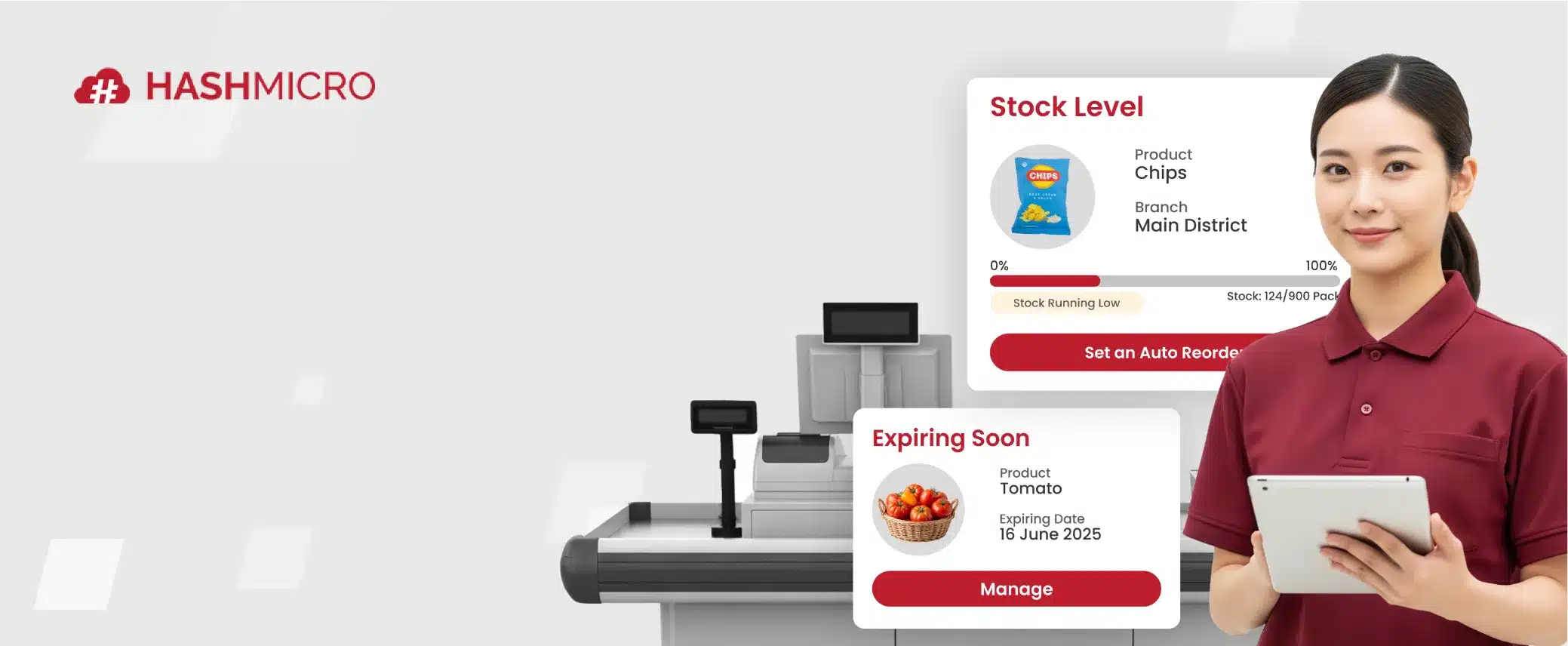
Based on my research, here is a shortlist of the best POS software for retail to help businesses streamline sales, manage inventory, and improve the customer experience. These solutions provide real-time insights, efficient transaction processing, and reliable tools to support smooth retail operations.




After reviewing the top retail POS systems in Malaysia, you may need a clearer comparison of how each solution performs across key operational needs. The table below highlights essential features to help you choose the right POS system for maintaining synchronized inventory, supporting compliance, and scaling your retail operations effectively.
Quick POS System Comparison Overview
| Software | Offline Mode | E-commerce Integration | SST Compliance | LHDN e-Invoice Ready | Multi-outlet | Local MY Support | Pricing |
|---|---|---|---|---|---|---|---|
HashMicro POS Retail Software |
Yes | Yes | Yes | Yes | Yes | Custom Pricing | |
Revel POS Retail Software |
Limited | Yes | Yes | Yes | Limited | Subscription (Starts US$99/month) | |
Lightspeed Retail POS Software |
Yes | Yes | Yes | Yes | Partner-based | Subscription (Starts US$89/month) | |
Red Zone Retail POS |
Yes | Limited | Yes | Limited | Yes | One-time (Starts RM2,599) | |
POSERVA POS Software |
Yes | Limited | No | Limited | Yes | Custom Pricing | |
Waffle POS Retail Software |
Limited | Limited | Yes | Limited | Yes | Custom Pricing | |
Shopify Retail POS Software |
Limited | Yes | Yes | Yes | Limited | Subscription (US$79–89/month) | |
GO POS Retail Software |
Yes | Limited | Yes | Yes | Yes | Custom Pricing | |
ePOS Retail POS Malaysia |
Yes | Limited | Yes | Limited | Yes | One-time (Starts RM4,599) | |
Sapaad Retail POS Software |
No | Yes | Yes | Yes | Limited | Subscription (Starts US$39.99/month) | |
Loyverse POS Software |
Yes | Limited | No | Yes | Limited | Freemium (Add-ons paid) | |
MegaPOS |
Yes | Limited | Yes | Yes | Yes | Subscription (Starts US$60/month) | |
Qashier Retail POS Software |
Limited | Yes | Yes | Yes | Yes | Freemium / Subscription (RM158–238/month) | |
Erply |
Yes | Yes | Yes | Yes | Limited | Subscription (US$59–99/month) | |
HitPay Retail POS Software |
No | Yes | Yes | Yes | Yes | Transaction-based | |
StoreHub POS Software |
Yes | Limited | Yes | Yes | Yes | Subscription (Starts RM102/month) | |
Xilnex Retail POS Software |
Yes | Yes | Yes | Yes | Yes | Subscription (US$19–99/month) | |
Cegid Retail POS Software |
Yes | Yes | Yes | Yes | Limited | Custom Pricing | |
Raptor Retail POS Software |
Yes | Limited | Yes | Yes | Yes | Custom Pricing | |
EasyStore Retail POS System |
Yes | Yes | Yes | Yes | Yes | Subscription (RM249–899/month) | |
ConnectPOS |
Yes | Yes | Yes | Yes | Limited | Subscription (US$49–99/month) | |
AutoCount POS |
Yes | Limited | Yes | Yes | Yes | One-time (RM2,000–2,800) | |
MillionPOS |
Yes | Limited | Yes | Limited | Yes | One-time (RM1,499) | |
Synergy POS |
Yes | Limited | Yes | Yes | Yes | One-time (RM848) |
What is Retail POS Software?
Retail POS software is a combination of hardware and software that enables businesses to manage sales transactions, inventory, and customer interactions effectively. When an item is sold through the POS, the system instantly updates inventory counts, records revenue, adjusts costs, and provides insights into sales trends.
It processes payments, records purchases, and generates receipts, allowing retailers to operate efficiently both online and offline. Retail POS software supports multiple payment methods, including cash and various card types.
Hashy AI Fact

Need to know!
Hashy AI from HashMicro can streamline your retail POS by allowing you to manage transactions efficiently, easily track products, and manage different product prices across multiple outlets.
Request a free demo today!
What are the Benefits of Using POS System for Retailers?
Implementing a POS retail software offers retailers far more than just faster payments or inventory control. It provides a range of benefits that enhance daily operations and drive business growth. A reliable retail POS software also supports multi-store efficiency by centralizing data and improving visibility across locations.
- Faster Transactions: POS systems streamline checkout by automating payment and inventory updates, reducing errors and speeding up service, especially during peak hours.
- Real-Time Stock Monitoring: Automatically tracks and updates inventory, helping retailers prevent shortages or overstocking.
- Actionable Sales Insights: Generates in-depth analytics on product performance, peak shopping times, and sales trends to support better decision-making.
- Customer Engagement & Loyalty: Enables retailers to identify customer preferences, personalize promotions, and run loyalty programs that boost retention.
- Workforce Optimization: Tracks employee performance and working hours efficiently, making it easier to reward achievements and identify areas for improvement.
- Enables Data-Driven Decisions: By analyzing sales data, POS systems reveal customer preferences, seasonal trends, and top-selling products, helping businesses make informed choices for growth.
- Automates Operations: POS systems streamline operations by automating tasks such as accounting, inventory management, and sales tracking. With accounting software integration, they record transactions automatically, ensuring accuracy and saving time. This makes a retail POS software a valuable tool for minimizing manual work and improving overall operational accuracy.
24 Best Retail POS Software in Malaysia
The right retail POS system in Malaysia can significantly improve daily operations and customer experience. Here are the details of the 24 best retail POS systems in Malaysia for 2026.
1. HashMicro POS Retail Software
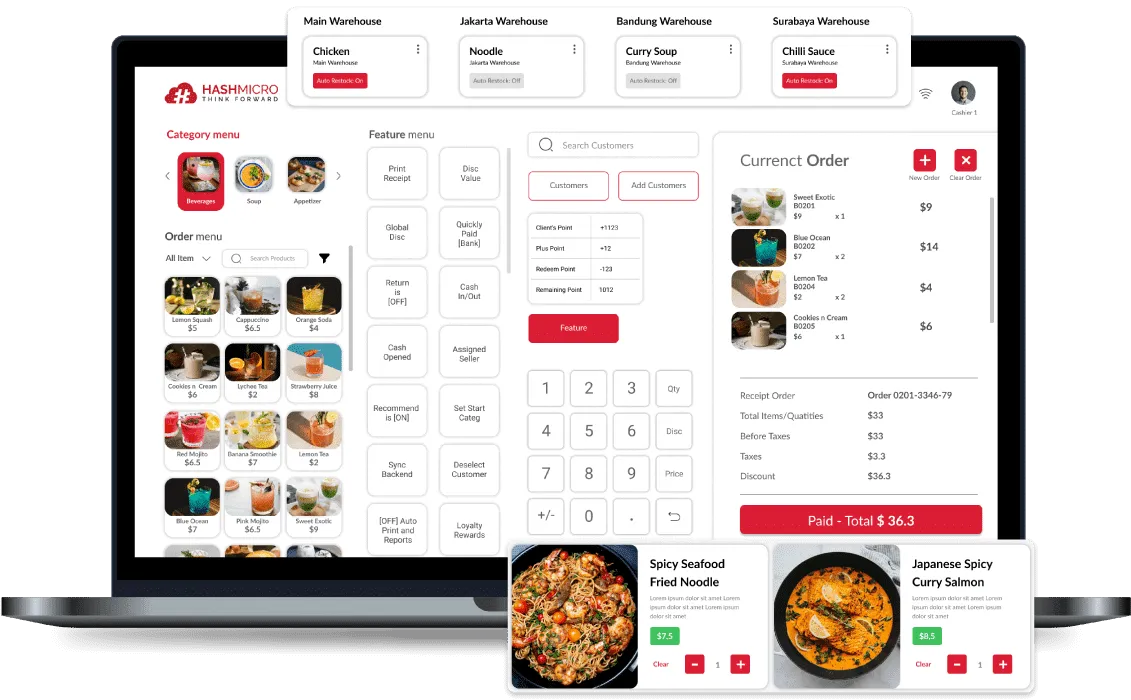
HashMicro offers an enterprise-grade POS solution that bridges the gap between offline stores and online marketplaces. Moving beyond simple transaction processing, the system serves as a central hub that synchronises inventory, promotions, and customer data across all branches in real-time, eliminating the risk of overselling or stock discrepancies.
Critically for Malaysian retailers, the software is fully optimised for the LHDN e-Invoicing initiative. It automates the generation of validated e-invoices directly from the POS terminal, ensuring that every transaction complies with the latest tax regulations without slowing service at the checkout counter.
HashMicro POS Retail Software has proven its capability to handle high-volume transactions securely. To understand how this system can be configured to meet your specific retail needs, you can schedule a free consultation with their retail experts.
Features:
- Automated promotion and loyalty points management
- Price checker screen
- Auto reconciliation with banks
- Home delivery and shipping management
- Automated inventory tracking and performance insights
- Order Picking & Packing
- Resource Utilization
- Inbound Goods Management
- Smart Storage Allocation
| Pros | Cons |
|
|
Not only is this software powerful, but it also offers competitive pricing with all the features you’re getting. Moreover, it’s also able to integrate the data with inventory, sales, finances, and purchasing modules, so you don’t need to manually update the data one by one.

To explore the best solutions for your business financial, discover out pricing schemes below and find the right package for your needs.
2. Revel
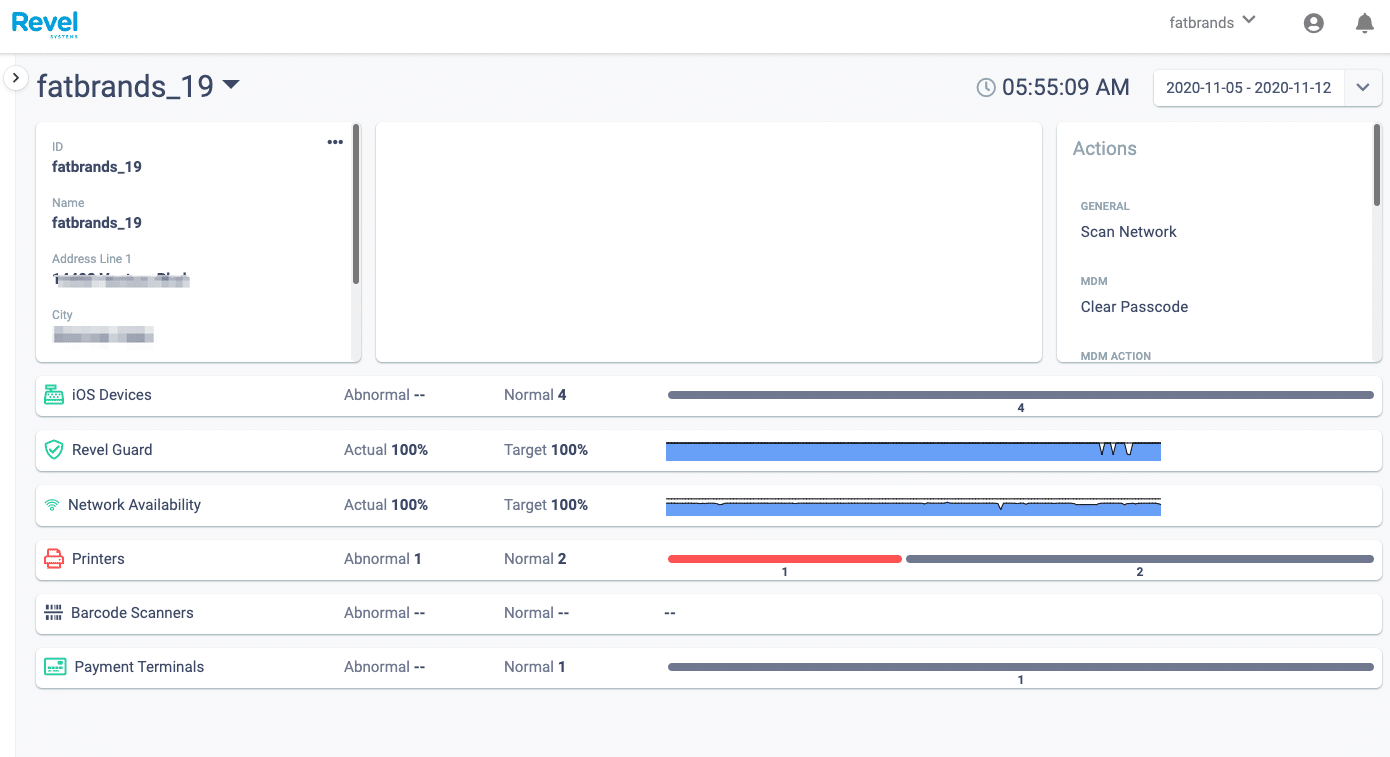
Revel is an advanced cloud-based point-of-sale (POS) system designed to help businesses streamline sales, manage inventory, and enhance customer experiences. Built for scalability and efficiency, Revel’s POS system caters to businesses of all sizes, from small retailers to large multi-location enterprises.
With a user-friendly interface, real-time data analytics, and seamless integrations, Revel provides a complete solution for modern retail management.
Pricing: Revel POS typically starts at about US$99 per terminal per month under a multi-year contract, with additional costs for hardware, payment processing, and onboarding.
Features:
- Real-time reporting
- Customer relationship management (CRM) integration
- Multi-location support
- Employee management tools
| Pros | Cons |
|
|
3. Lightspeed
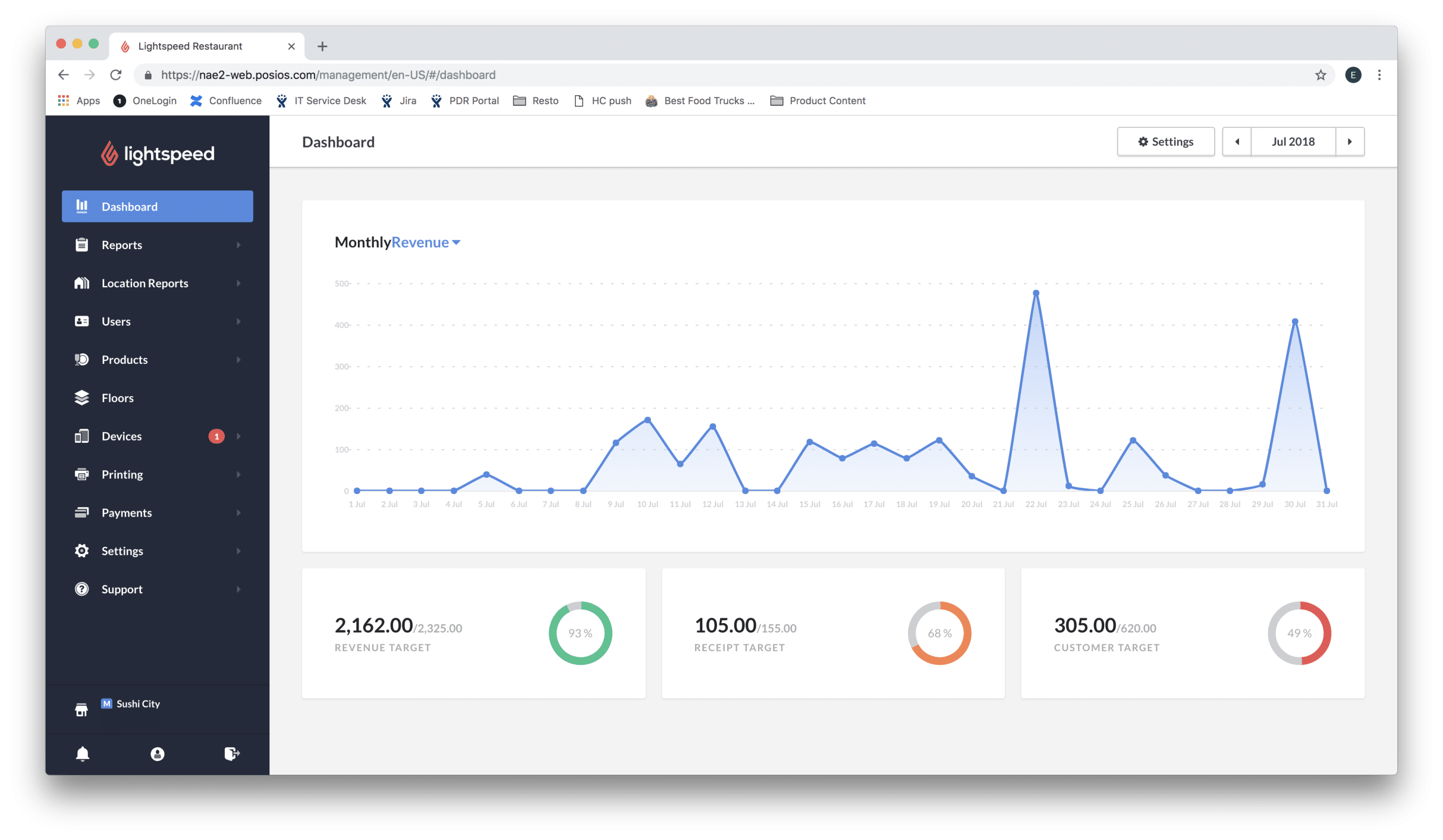
Lightspeed is a cloud-based point-of-sale (POS) and commerce platform designed to streamline operations for retail, hospitality, and golf businesses. It offers a comprehensive suite of tools to manage sales, inventory, customer relationships, and analytics, all within a unified system.
For businesses in Malaysia interested in implementing the Lightspeed retail POS system, local expertise is available through third-party partners. They offer consultation and support for Lightspeed products.
Pricing: Lightspeed Retail POS pricing starts at about US$89 per month for the basic plan, with higher tiers costing more and additional fees for payment processing, hardware, and add-ons.
Features:
- E-commerce integration
- Payment processing
- Customer loyalty programs
- Multi-channel sales integration
- Inventory and order management
| Pros | Cons |
|
|
4. Red Zone
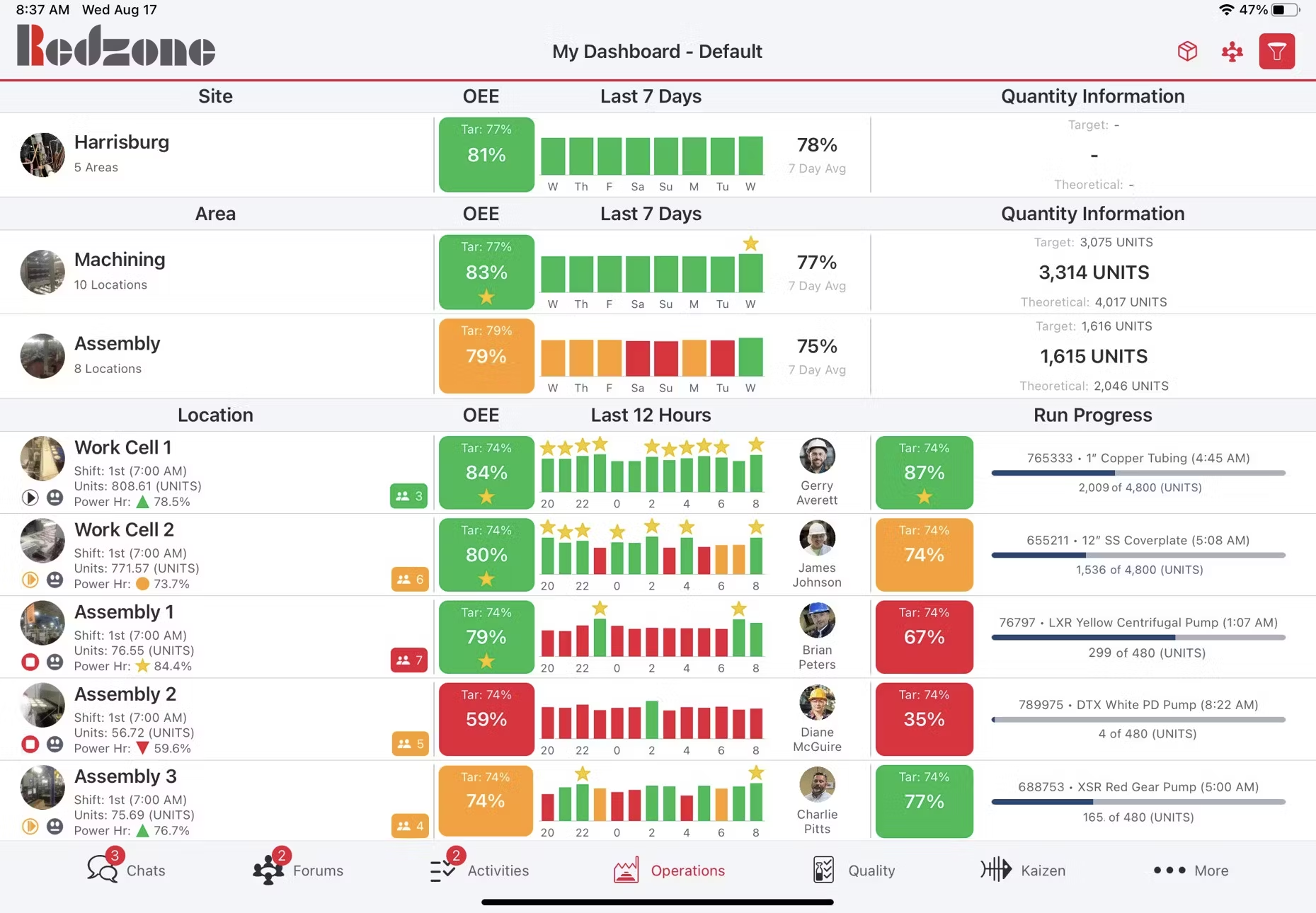
RedZone Solution develops POS systems compatible with Android smartphones, cloud technology, SQL, and other platforms. Its Cloud POS system is a web-based system designed for iPads, storing business data in online cloud storage.
Authorized users can securely access this data from anywhere via the internet. Fast, easy to manage, and highly portable, this system is ideal for Malaysian retailers with international operations.
Pricing: Red Zone Retail POS in Malaysia starts at about RM 2,599 when bundled with POS hardware and a printer.
Features:
- Improved inventory management
- Easy installation
- Store sales tracking
- Staff management
- Membership with points
| Pros | Cons |
|
|
5. POSERVA
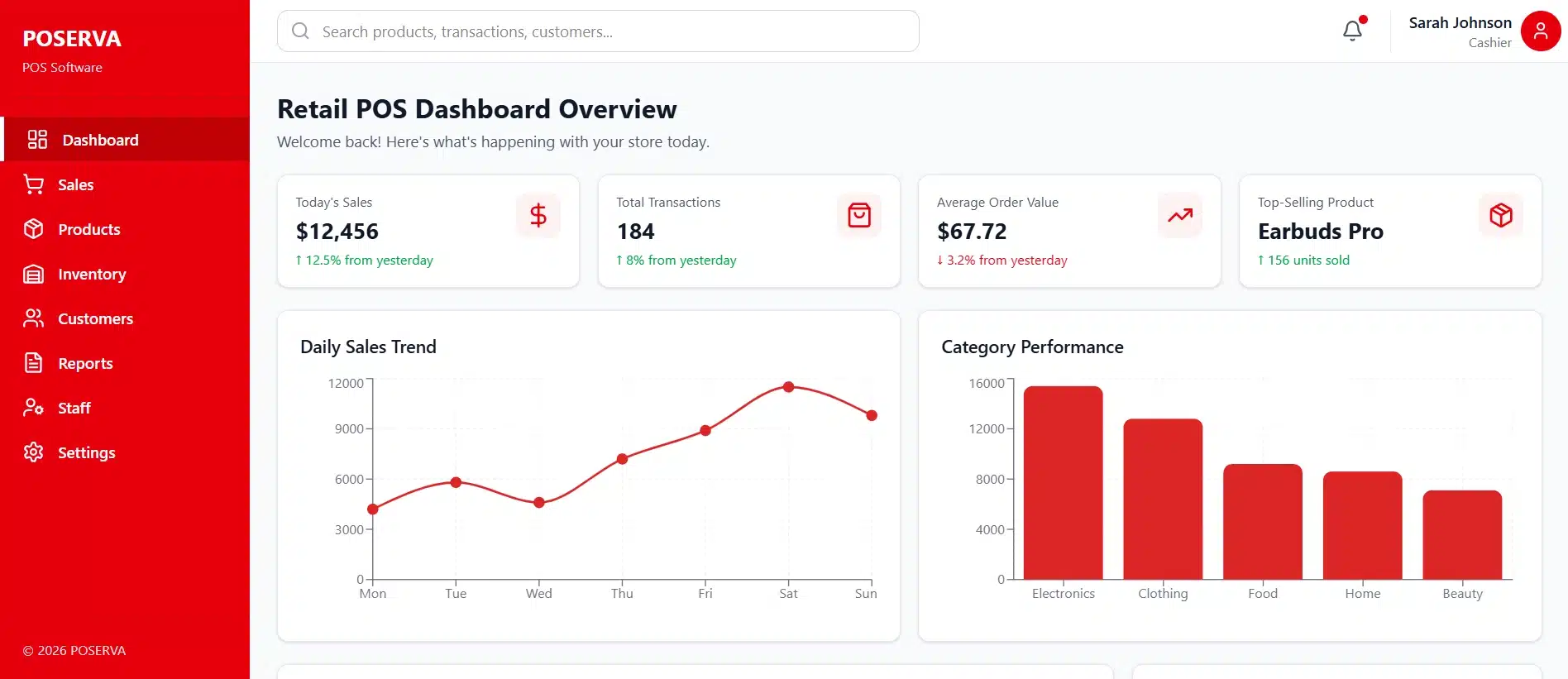
POSERVA is a free POS software designed for retail businesses to optimize operations. This POS software leverages data and analytics to provide a complete overview of business performance, supporting informed decision-making.
Users can access real-time company insights, including customer behavior and preferences. Additionally, the system enables real-time tracking of inventory and voucher activity for better business management.
Pricing: POSERVA POS software generally uses a “pricing-on-request” model rather than a fixed public price. You need to contact the vendor for a quote.
Features:
- Statistic reporting in real time
- Cloud storage
- Offline work synchronization
- Reorder alert
| Pros | Cons |
|
|
6. Waffle
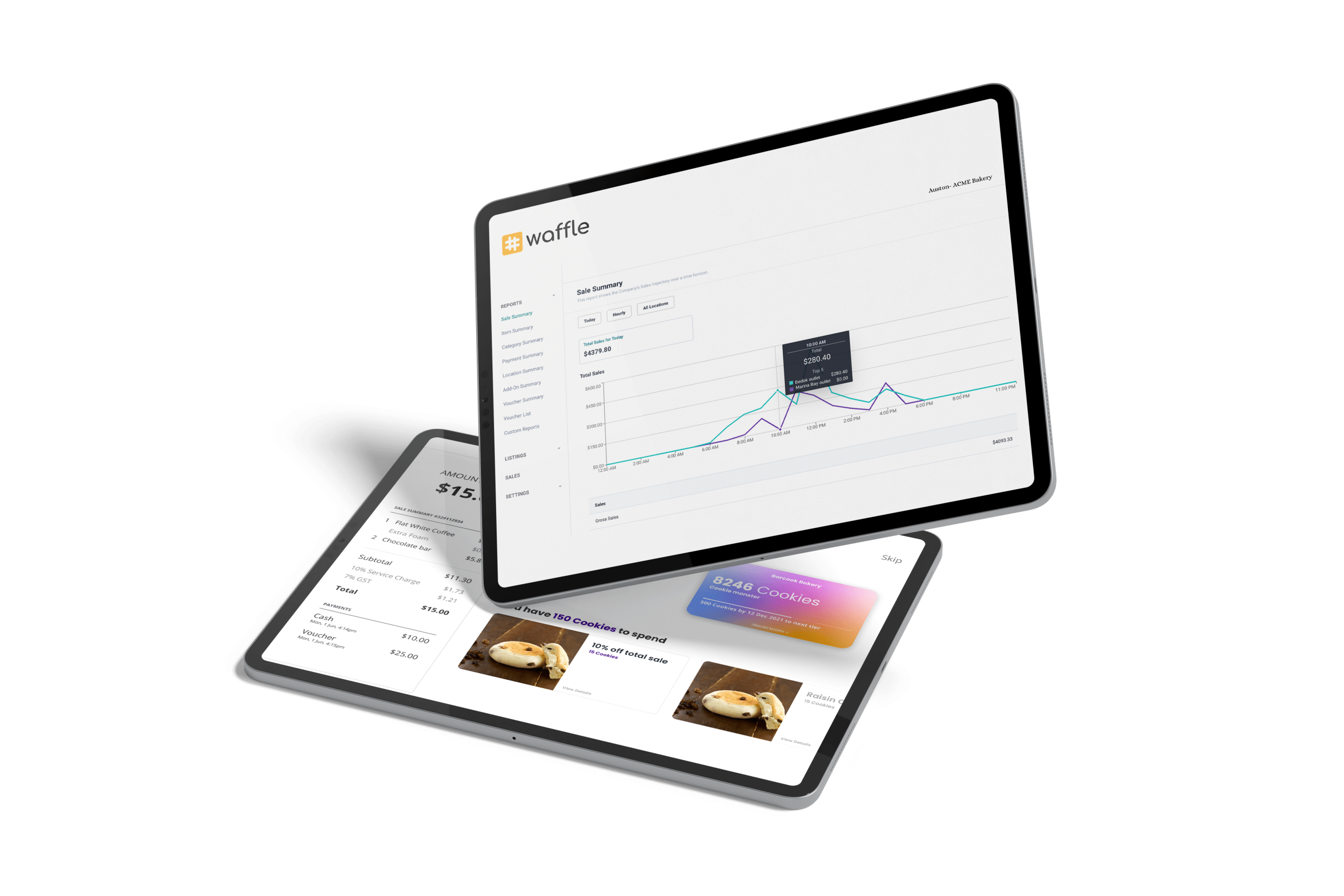
Waffle POS system is a retail point-of-sale (POS) system designed specifically for F&B businesses, offering a user-friendly interface with robust features for managing restaurants and cafés. Its seamless integration connects with kitchen management and payment systems for efficient operations.
Pricing: Waffle POS does not publish fixed public pricing; costs vary by business needs. You can contact the vendor for exact pricing information.
Features:
- Kitchen display integration for streamlined order management.
- Mobile ordering is used to speed up service and improve customer experience.
- Staff performance tracking to monitor employee efficiency.
- Real-time sales reports for data-driven decision-making.
| Pros | Cons |
|
|
7. Shopify
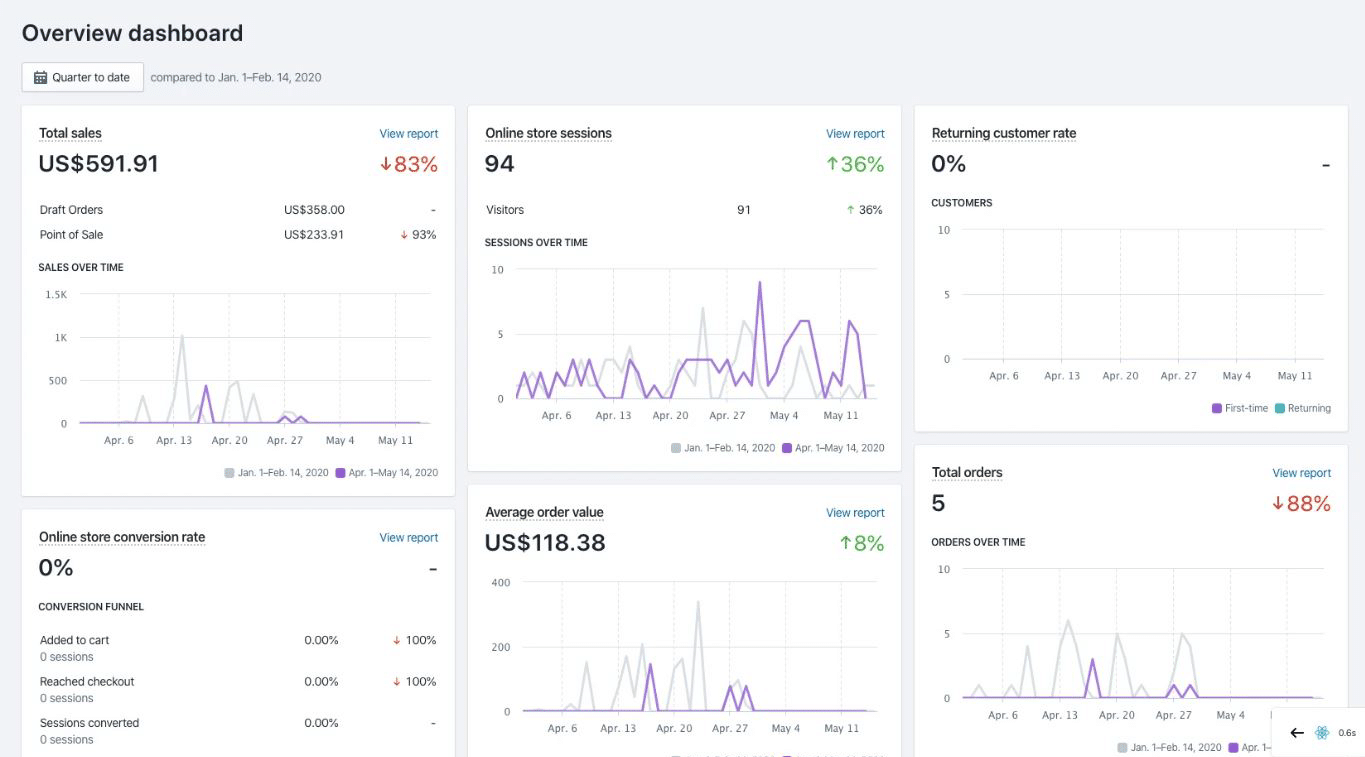
The POS system provided by Shopify is designed for retail businesses, enabling seamless integration of in-store and online sales.
It includes essential features such as inventory tracking, omnichannel selling, and mobile checkout to enhance the customer experience.
Additionally, the Shopify POS system Pro version provides advanced functionalities, including comprehensive staff management, in-depth reporting and analytics, and enhanced inventory control.
Pricing: Shopify POS offers a free Lite version with any Shopify plan, while the Pro version costs about US$79–89 per month per location, excluding hardware and transaction fees.
Features:
- Unified online and offline sales
- Customer profile tracking
- Mobile-friendly design
- Customizable sales reports
| Pros | Cons |
|
|
8. GoPOS

GOPOS provides tailored for Food & Beverage (F&B), retail, and service businesses, ensuring efficient management across different industries.
Its F&B POS system includes key features such as kitchen management, ordering, and ingredient inventory tracking to optimize restaurant operations.
Meanwhile, its Retail and Service POS system supports multi-store management, allowing users to monitor transactions, inventory, and other essential business activities across different locations.
Pricing: GOPOS does not publish fixed public pricing. You can contact the vendor for exact pricing information.
Features:
- Customize orders
- Multi-location support
- Mobile reporting
- Membership program
- Deposit payment
| Pros | Cons |
|
|
9. ePOS
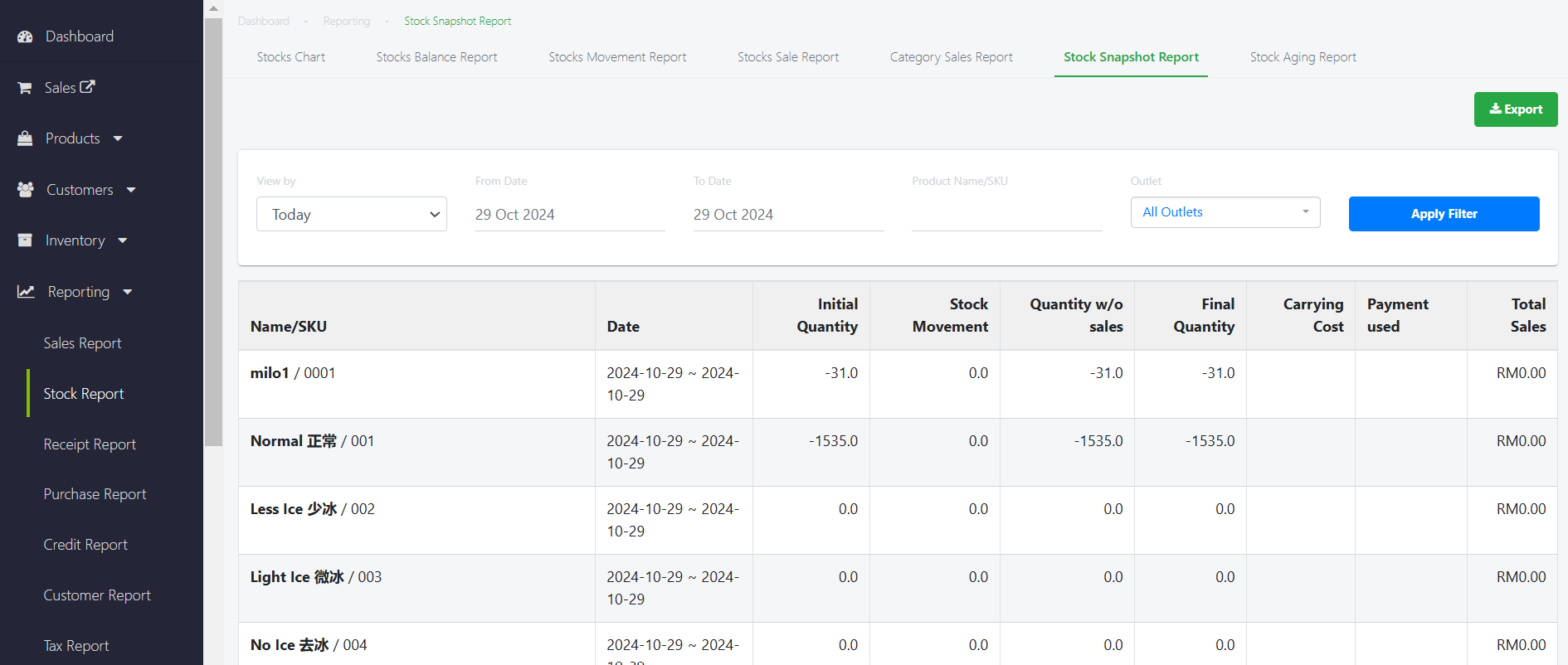
ePOS provides an easy-to-use yet effective retail management system tailored for small and medium-sized businesses. Designed with simplicity in mind, this software offers essential tools for tracking sales, managing customers, and handling inventory without unnecessary complexity.
Pricing: EPOS Retail POS in Malaysia is advertised at around RM4,599 for a complete package that includes software and basic hardware.
Features:
- Sales and inventory tracking
- Support for multiple payment methods
- Customizable receipts
- Real-time transaction reports
| Pros | Cons |
|
|
10. Sapaad
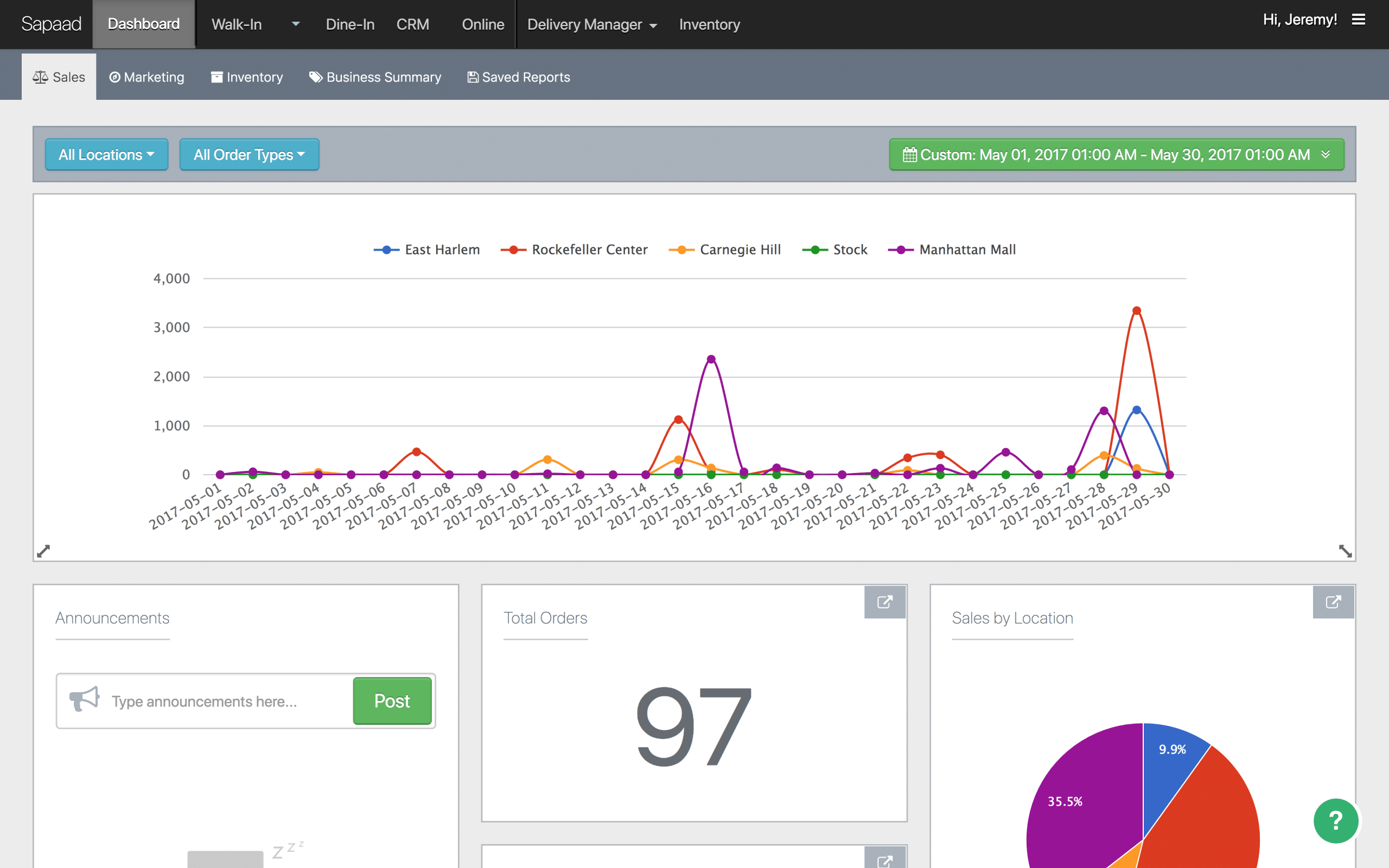
Sapaad Pte Ltd offers a cloud-based POS system for restaurants. It supports walk-in, dine-in, take-out, and delivery orders, making it suitable for various business models.
Sapaad’s POS system enhances dine-in management with table layouts, running order tracking, and a tablet-based ordering app for servers. It includes customizable tables, real-time order monitoring, and tableside payments, along with a business dashboard that provides live performance insights.
This POS system also features inventory tracking, recipe costing, and purchase order management, so that restaurants can manage stock efficiently. Additionally, integration with secure payment gateways makes it easier to manage payments.
Pricing: Sapaad pricing typically starts at US $39.99/month per outlet (on a long-term plan), with short-term monthly plans at around US $59.99/month and discounts for annual or multi-year subscriptions.
Features:
- Delivery and takeaway coordination
- Cloud-based kitchen display
- F&B-focused inventory management
- Real-time sales analytics
| Pros | Cons |
|
|
11. Loyverse
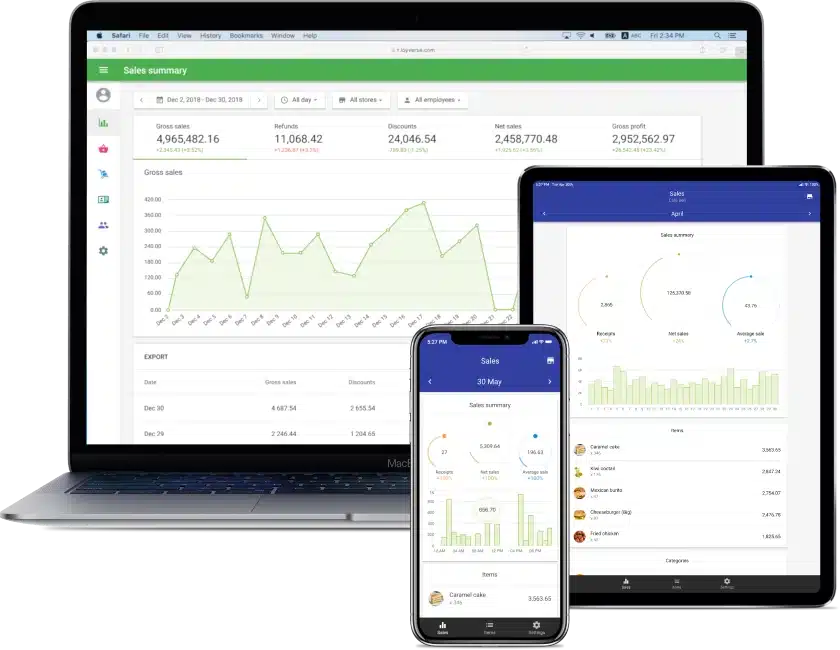
Loyverse POS system is a free, cloud-based point-of-sale (POS) system in Malaysia designed to streamline operations for small and medium-sized businesses across various industries, including retail, restaurants, and salons.
Accessible via iOS and Android devices, this software offers a comprehensive suite of tools to manage sales, inventory, and customer relationships.
Pricing: Loyverse POS is free for core features, with optional add-ons starting at US$5–25 per store per month, depending on inventory, sales history, or employee management needs.
Features:
- Complementary core POS functions
- Staff management tools
- Support for multiple store locations
- Inventory tracking
| Pros | Cons |
|
|
12. MegaPOS
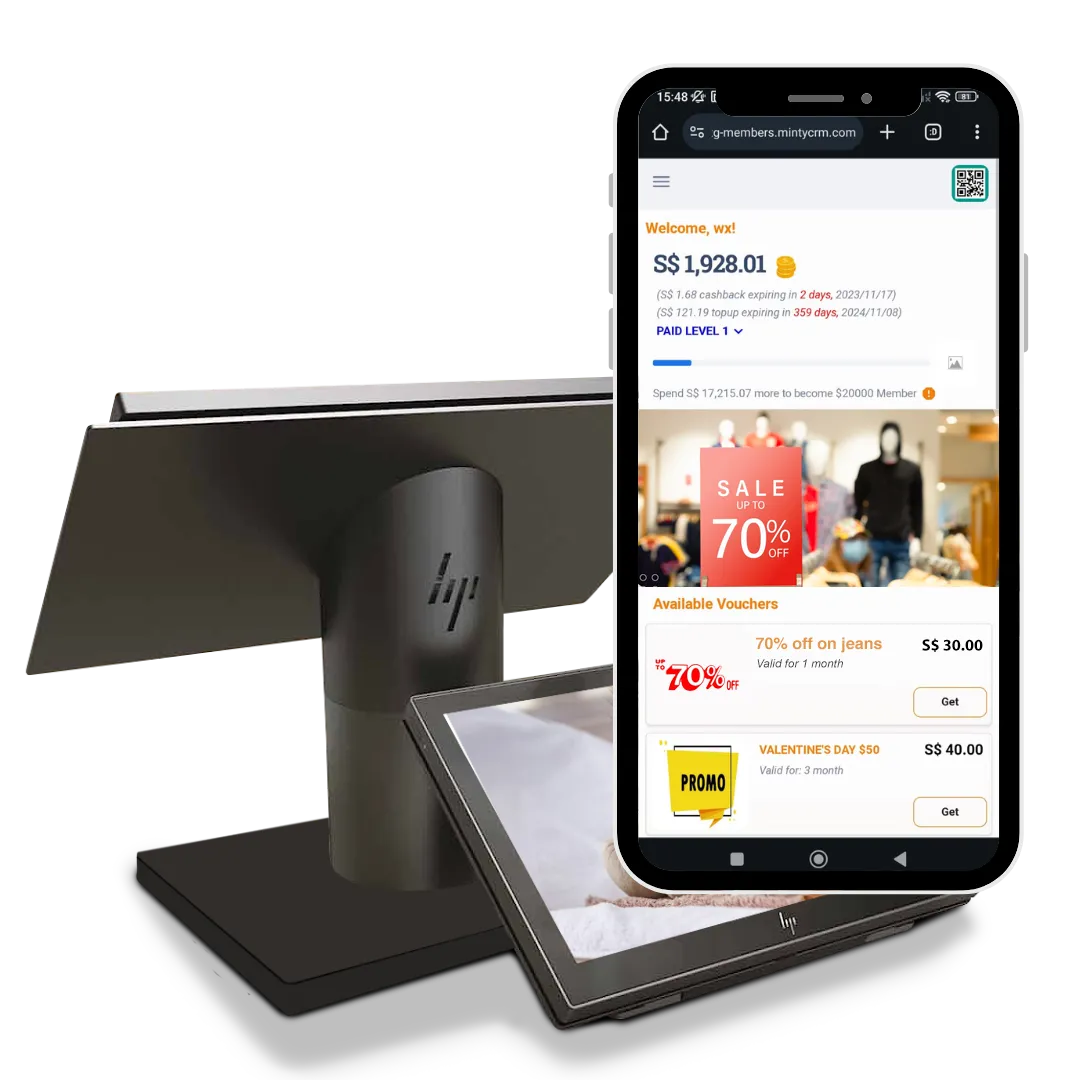
MegaPOS is a feature-rich point-of-sale system designed to help businesses in retail, F&B, and beauty & wellness manage sales, inventory, and customer interactions more efficiently.
It supports multiple payment options, offers real-time data insights, and integrates with self-ordering solutions to improve service speed and accuracy.
Pricing: MEGAPOS is advertised with subscription pricing of about US $60/month for the standard plan, US $80/month for the “Pro” plan, and US $150/month for the top-tier plan.
Features:
- Self-ordering kiosks & QR code ordering
- Customer loyalty & CRM tools
- Comprehensive sales record
- Inventory tracking
- Multi-location management
| Pros | Cons |
|
|
13. Qashier

Qashier is a Singapore-based POS solution designed for affordability and seamless integration across various platforms. It serves both retail and F&B businesses. Its compact hardware combines POS, payments, and business management tools into one streamlined system.
It also supports various payment methods, including major credit and debit cards (Visa, Mastercard), contactless payments (PayWave, Apple Pay, Samsung Pay, Google Pay), and mobile payments and e-wallets (e.g., GrabPay).
Pricing: Qashier Retail POS in Malaysia ranges from a free Lite plan to paid plans at RM158–238 per month, with optional add-ons charged separately.
Features:
- Compact hardware integration
- Multi-store management
- Real-time sales insights
- Contactless payment options
| Pros | Cons |
|
|
14. Erply
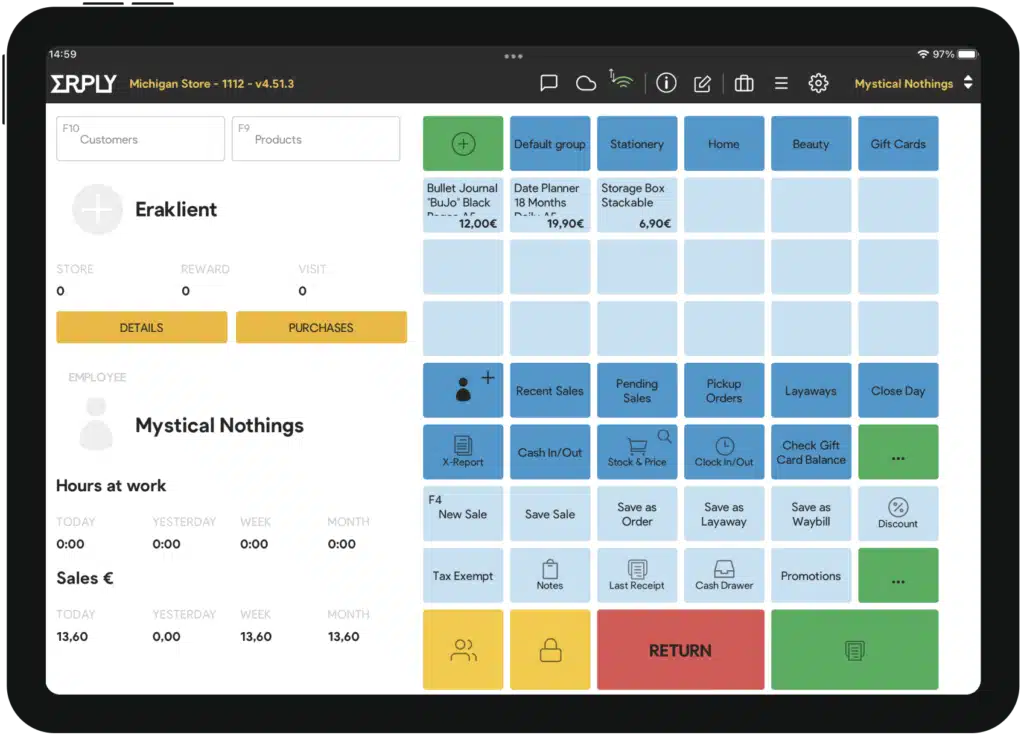
Erply is a retail management system that integrates POS, inventory control, and customer relationship management (CRM) into a single solution. Established in 2009, it serves various business types and provides robust tools to enhance operational efficiency and customer engagement.
Pricing: ERPLY pricing starts at US$59–99 per month, depending on the plan, with custom quotes required for larger or multi-store setups.
Features:
- Advanced inventory control
- CRM integration
- Customizable reports
- Employee time tracking
| Pros | Cons |
|
|
15. HitPay
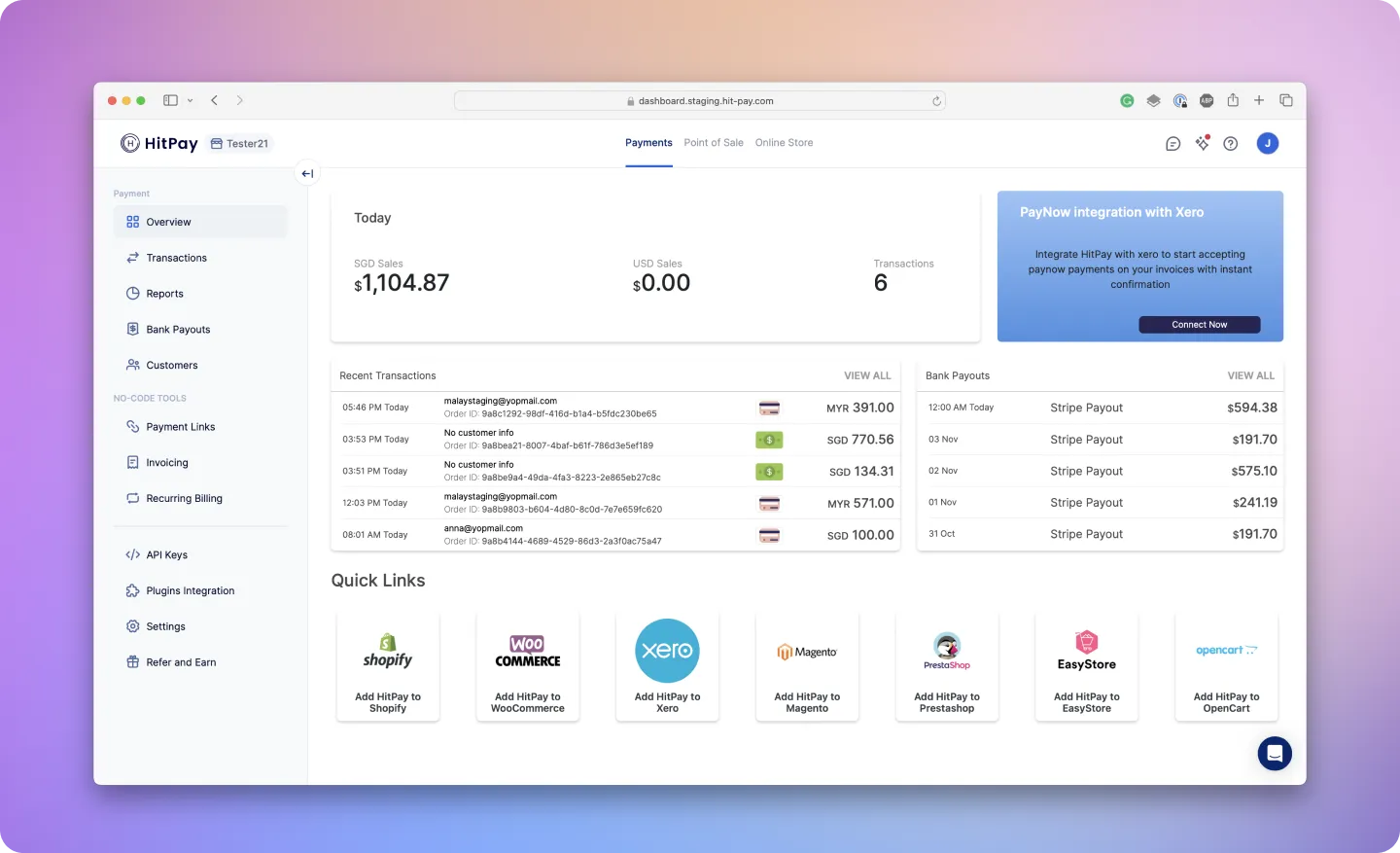
HitPay is a cost-effective POS software Malaysia designed for small and medium-sized businesses, offering easy payment processing and smooth integration with existing tools. It supports multiple payment gateways and e-commerce platforms.
In addition to its core functionalities, HitPay’s POS system offers multi-location management, as well as tipping options, surcharge management, and tax rate configurations.
Pricing: HitPay Retail POS in Malaysia uses a pay-per-transaction pricing model with no setup or monthly subscription fees; You only pay when a sale happens.
Features:
- Payment gateway support
- Inventory and sales tracking
- Real-time sales reporting
- User-friendly interface
| Pros | Cons |
|
|
16. StoreHub

StoreHub is a comprehensive cloud-based platform built to support F&B and retail businesses across Southeast Asia. Based in Kuala Lumpur, it combines key operational tools such as POS systems, table management, and QR order-and-pay features, all integrated within one seamless system.
Pricing: StoreHub POS in Malaysia starts from around RM 102 per month (on the basic plan) if billed annually, with higher tiers up to about RM 393/month for more advanced features.
Features:
- Cloud-based POS system
- QR order & pay
- Customer loyalty program
- Inventory and reporting tools
| Pros | Cons |
|
|
17. Xilnex

Xilnex POS is a cloud-based point-of-sale system designed to streamline retail operations through automation and real-time data tracking. It enables retailers to manage sales, inventory, and customer information efficiently within one integrated platform.
With features such as stock monitoring, loyalty programs, and detailed reporting, Xilnex helps retail businesses enhance accuracy, improve customer experiences, and make data-driven decisions to support growth.
Pricing: Xilnex Retail POS software starts at US $19 per month per feature for the basic plan, and typical plans run US $69/month (standard) or US $99/month (enterprise) when billed monthly.
Features:
- Support for diverse payment methods
- Multi-channel & marketplace integration
- Real-time inventory and sales tracking
- CRM and loyalty module for customer engagement
| Pros | Cons |
|
|
18. Cegid

Cegid POS is a powerful retail platform designed to support fashion, lifestyle, and specialty stores by streamlining operations and enhancing the customer journey.
With features that span inventory, sales, and omnichannel engagement, Cegid POS enables brands to manage complex retail environments and deliver seamless shopping experiences across online and offline channels.
Pricing: Contact the vendor for exact pricing information.
Features:
- Full omnichannel capabilities
- Real-time analytics and reporting
- CRM and loyalty program tools
- Real-time inventory and stock management
| Pros | Cons |
|
|
19. Raptor

Raptor POS delivers high-performance solutions tailored for retail and F&B brands, emphasizing speed, security, and simplicity. With its intuitive interface and robust backend, the system is built to handle high-volume transactions and complex operations efficiently.
Pricing: Contact the vendor for exact pricing information.
Features:
- Rapid transaction processing
- Real-time inventory and stock management
- Mobile and kiosk ordering support
- Web-based reporting and analytics
| Pros | Cons |
|
|
20. EasyStore EasyStore is a unified commerce platform designed to help brands sell both online and in-store through a single backend. It offers point-of-sale (POS) functionality for retail, plus e-commerce, marketplace and social-commerce integrations, inventory management, loyalty programs and customer-engagement tools.
Pricing: EasyStore charges from RM 249/month (Standard plan) up to RM 899/month (Growth plan), depending on your needs.
Features:
- Omni-channel sales integration
- Inventory & order management
- Customer loyalty & CRM features
- Real-time reporting and dashboard
| Pros | Cons |
|
|
21. ConnectPOS
 ConnectPOS is a cloud-based, omnichannel retail point-of-sale system designed for both in-store and online operations. Its target users range from small retailers to multi-store chains that require real-time inventory tracking, multi-store management, and seamless online/offline integration.
Pricing: ConnectPOS pricing ranges from US$49 to US$99 per register per month, depending on the plan.
Features:
- Multi-device and multi-platform compatibility
- Real-time inventory synchronization & multi-store support
- Omnichannel order management & loyalty programs
- Comprehensive reporting & analytics
| Pros | Cons |
|
|
22. AutoCount
 AutoCount POS is a point-of-sale and retail system designed to integrate front-end retail and F&B operations with back-end accounting and inventory modules. It supports real-time sync between outlets, multi-location inventory, multiple payment methods, including e-wallets, and seamless posting to AutoCount Accounting.
Pricing: AutoCount POS is typically priced as follows: the “POS Basic” package costs around RM 2,000 (one-time, lifetime license), while the “POS Standard” package costs about RM 2,800 per unit.
Features:
- Multi-payment methods
- Inventory & stock control
- Customer & promotion management
- Real-time reporting & dashboard
| Pros | Cons |
|
|
23. MillionPOS
 Million POS System Software is a retail-focused point-of-sale solution developed by Million (Malaysia). It is designed for businesses in the retail channel, allowing sales transactions, inventory tracking, and integration with accounting modules.
Pricing: MillionPOS in Malaysia is typically priced at RM 1,499 for a one-time license purchase (including SST), according to its official pricing plan.
Features:
- Real-time inventory & sales posting
- Multiple payment methods supported
- User-friendly touch screen interface
- Integration with accounting/inventory modules
| Pros | Cons |
|
|
24. Synergy

Synergy POS is a POS system that’s deeply integrated with your accounting and inventory systems. It is beneficial for Malaysian SMEs with multi-store operations. It balances affordability (one-off payment) with powerful features.
Pricing: For Synergy POS in Malaysia, one-time license pricing is available around RM 848 for the retail + stock version.
Features:
- Integrates POS and accounting in one system
- Supports multi-store inventory control
- Loyalty features like memberships and reward points
- Supports e-wallets and credit card terminals
| Pros | Cons |
|
|
Key Features of POS Software for Retail
A well-designed retail POS system streamlines sales processes, benefiting both businesses and customers. Here are the key features of POS software for retail to enhance operations:
- Real-Time Inventory Management: Automatically updates stock levels after every sale, return, or restock. Helps retailers prevent overstocking or running out of popular products.
- Multi-Payment Method Support: Accepts various payment types such as cash, credit/debit cards, eWallets (like GrabPay, Touch ’n Go, Boost), online banking, and even QR Pay — a must-have in Malaysia’s cashless ecosystem.
- Sales Tracking & Reporting: Provides detailed insights into sales performance, daily transactions, best-selling items, and profit margins — helping business owners make data-driven decisions.
- Customer Management (CRM Integration): Stores customer data, purchase history, and preferences to support loyalty programs, promotions, and personalized marketing campaigns.
- Multi-Outlet Management: Enables centralized control of inventory, pricing, and sales across multiple retail outlets or branches, making it ideal for expanding retail chains or franchises.
What Are the Differences Between Cloud POS and Unified POS Systems?
While both systems aim to streamline sales operations, they differ significantly and understanding these differences is crucial for retailers and F&B businesses in Malaysia to select the right system that aligns with their growth strategy and operational requirements.
| Aspects | Cloud POS Systems | Unified POS Systems |
| Definition | Internet-based platform storing data remotely for multi-device access. | Integrates sales, inventory, and customer data across all channels. |
| Function | Provides real-time synchronization and remote accessibility. | Unifies in-store, online, and mobile operations. |
| Cost and Scalability | Lower upfront cost with scalable cloud solutions. | May require higher setup cost but offers full ecosystem integration. |
| Customer experience | Focuses on operational flexibility. | Delivers consistent customer experience and loyalty programs. |
| Best for | Businesses seeking affordable, flexible POS management. | Businesses manage both physical and digital sales channels. |
Tips to Choose the Best POS Software for Retail

Finding the perfect POS retail software can make running your business smoother and set you up for growth. Here’s what to keep in mind:
- Match Features to Your Needs: Pick a POS system that supports your daily operations, from sales to customer management.
- User-Friendly Interface: Your staff should be able to learn and use it with ease.
- Scalability: Choose POS software that grows with your business and handles increasing demand.
- Strong Inventory Management: A good POS system helps you track stock levels accurately and prevent shortages.
- Insightful Reporting: Get detailed reports that help you make smarter business decisions.
- Seamless Integration: Ensure POS software works well with your current tools, like accounting or e-commerce platforms.
- Customization Options: Look for a POS system that adapts to your unique business processes.
You’ll find a retail POS system that suits your workflow, needs, and dynamics with customers if you keep those considerations in mind.
Which Retail POS System Suit The Most for Your Business?
Choosing the right retail POS system also depends on how well it fits your specific business model. The comparison matrix below maps each solution against common retail scenarios to help you identify which systems align best with your operational needs.
| Software | Key Capabilities | Strengths | Best Fit For |
|---|---|---|---|
| HashMicro | Omnichannel POS, inventory sync, e-invoicing, ERP integration | Highly customizable, scalable, strong compliance support | Retailers needing full ERP + POS integration |
| Revel | Cloud POS, CRM, analytics, multi-store | Advanced features, strong reporting | Mid to large retail businesses |
| Lightspeed | Inventory, ecommerce integration, loyalty tools | Strong omnichannel capabilities | Retailers selling online & offline |
| Red Zone | Cloud POS, mobile access, inventory tracking | Portable and easy to deploy | Small retailers with mobility needs |
| POSERVA | Real-time analytics, inventory tracking | Free and simple system | Startups & small F&B outlets |
| Waffle | Kitchen integration, mobile ordering | Optimized for F&B workflows | Restaurants & cafes |
| Shopify POS | Omnichannel sales, mobile POS | Seamless ecommerce integration | Online-first retail brands |
| GoPOS | Multi-industry POS, inventory, reporting | Flexible deployment | Retail & service businesses |
| ePOS | Sales tracking, payment integration | Simple and reliable | SMEs with basic POS needs |
| Sapaad | F&B POS, delivery, inventory | Strong restaurant features | Food & beverage chains |
| Loyverse | Free POS, inventory, CRM basics | Cost-effective entry solution | Micro businesses |
| MegaPOS | Self-ordering, CRM, analytics | Scalable and feature-rich | Growing retail & F&B brands |
| Qashier | All-in-one POS + payment system | Compact and affordable | SMEs & kiosks |
| Erply | POS + CRM + inventory | Advanced retail management | Mid-size retailers |
| HitPay | Payment-focused POS, real-time tracking | No subscription cost | SMEs prioritizing payments |
| StoreHub | Cloud POS, loyalty, QR ordering | Strong local ecosystem | Retail & F&B in Southeast Asia |
| Xilnex | Inventory, CRM, analytics | Data-driven insights | Scaling retail chains |
| Cegid | Omnichannel retail platform | Enterprise-grade system | Fashion & lifestyle brands |
| Raptor | High-speed POS, analytics | Strong performance | High-volume retailers |
| EasyStore | Unified commerce, ecommerce + POS | Strong omnichannel selling | Brands scaling online + offline |
| ConnectPOS | Omnichannel POS, multi-store sync | Strong integrations | Retail chains |
| AutoCount POS | POS + accounting integration | Strong local compliance | Malaysian SMEs |
| MillionPOS | Sales, inventory, accounting sync | One-time license model | Budget-conscious retailers |
| Synergy POS | POS + accounting integration | Affordable and practical | SMEs with multi-store setup |
Conclusion
A retail POS system supports day-to-day operations by processing sales, updating inventory, and organizing customer data in one place. With the right setup, teams can work faster at checkout, keep stock accurate, and make better decisions using clearer reports.
A strong POS should fit your workflow, integrate smoothly with the tools you already use, and scale as the business grows. Features such as multi-store control, promotion automation, and role-based access can also reduce manual work and maintain consistent operations across locations.
If you’re comparing options, a free consultation can help clarify your needs and match them to the right POS capabilities. This way, you can choose a system that improves efficiency without adding unnecessary complexity.

Frequently Asked Questions on Retail POS Software Malaysia
-
What is a Virtual POS System?
A Virtual POS (vPOS) system is a cloud-based platform that processes transactions without dedicated hardware. It operates through web browsers or apps, allowing businesses to accept payments online or remotely.
-
How does a Cloud-Based POS System differ from a Traditional POS System?
Cloud-based POS systems store data on remote servers, whereas traditional POS systems keep data locally on a physical machine. Cloud-based systems require an internet connection for full functionality, while conventional POS systems can operate offline but may lack remote access.
-
How Secure are Cloud-Based POS Systems?
While cloud-based systems offer convenience, they require strong security measures to prevent data breaches. Encryption, multi-factor authentication, and regular software updates help protect sensitive business and customer data.
-
How much does a POS system cost in Malaysia?
POS system costs in Malaysia range from a few hundred to several thousand ringgit depending on features and deployment type. Prices vary further based on add-ons like inventory tracking, CRM, and multi-outlet support.
-
What are the Benefits of Using a Mobile POS System?
Mobile systems enable sales transactions on the go, allowing staff to assist customers anywhere in the store. These systems typically run on tablets or smartphones and connect to external payment terminals for processing transactions.
-
Which POS retail software is best for retail?
HashMicro is one of the best POS retail software options thanks to its comprehensive features, ease of use, and local support. Other strong choices include Lightspeed, Vend, and Square, depending on your business size and needs.
-
What are the four types of POS systems?
There are four main types of POS systems commonly used by businesses: Terminal POS, Mobile POS, Cloud-Based POS, and Self-Service POS. Terminal POS refers to the traditional setup found in retail stores and restaurants. Mobile POS systems utilize tablets or smartphones, providing portability and flexibility for businesses such as cafes or pop-up stores. Cloud-Based POS stores all data online, allowing real-time access to sales and inventory information from anywhere. Meanwhile, Self-Service POS enables customers to complete transactions independently through kiosks or touchscreens, improving speed and reducing wait times.





















