








School management software is becoming essential as schools face the growing pressure to improve student outcomes, stay organized, and meet regulatory requirements. With so many responsibilities to balance, having a reliable system can make daily operations more manageable.
This type of software supports tasks such as attendance tracking, grade management, and communication in one platform. It reduces workload, saves time, and keeps processes consistent, which is especially helpful for schools across the Philippines that handle multiple academic and administrative demands.
To help you choose the right solution, we created a list of the 15 Best School Management Software in the Philippines for 2026. You can also explore the free demo to see how digital tools can support your school better. Patuloy na basahin upang matuklasan kung paano maaring magbago ang iyong institusyon gamit ang mga tool na ito.
Table of Contents
Key Takeaways
|
What is School Management Software?
School management software is a specialized tool that helps schools efficiently handle administrative and academic tasks. It centralizes functions like attendance tracking, classroom management, scheduling, communication, and resource allocation.
By automating key processes, schools can reduce workload, improve data accuracy, and enhance operational efficiency. Real-time insights help administrators, teachers, and staff make informed decisions that support student success.
Adopting school management software streamlines operations and creates a more organized, efficient learning environment. In today’s fast-paced education system, this technology is essential for better school management.
15 Best School Management Software in Philippines 2026
Before we review each recommendation in-depth, here’s our top-picked school management software:
- HashMicro School Management Software: Best overall for automation, security, and efficient school operations.
- PowerSchool SIS: Great for K-12 schools with advanced student management system.
- Gradelink SIS: Ideal for small to medium schools needing grading and attendance tracking.
- Veracross: Best for private schools with strong communication tools.
- Fedena: Budget-friendly with essential academic and admin features.

1. HashMicro School Management Software 
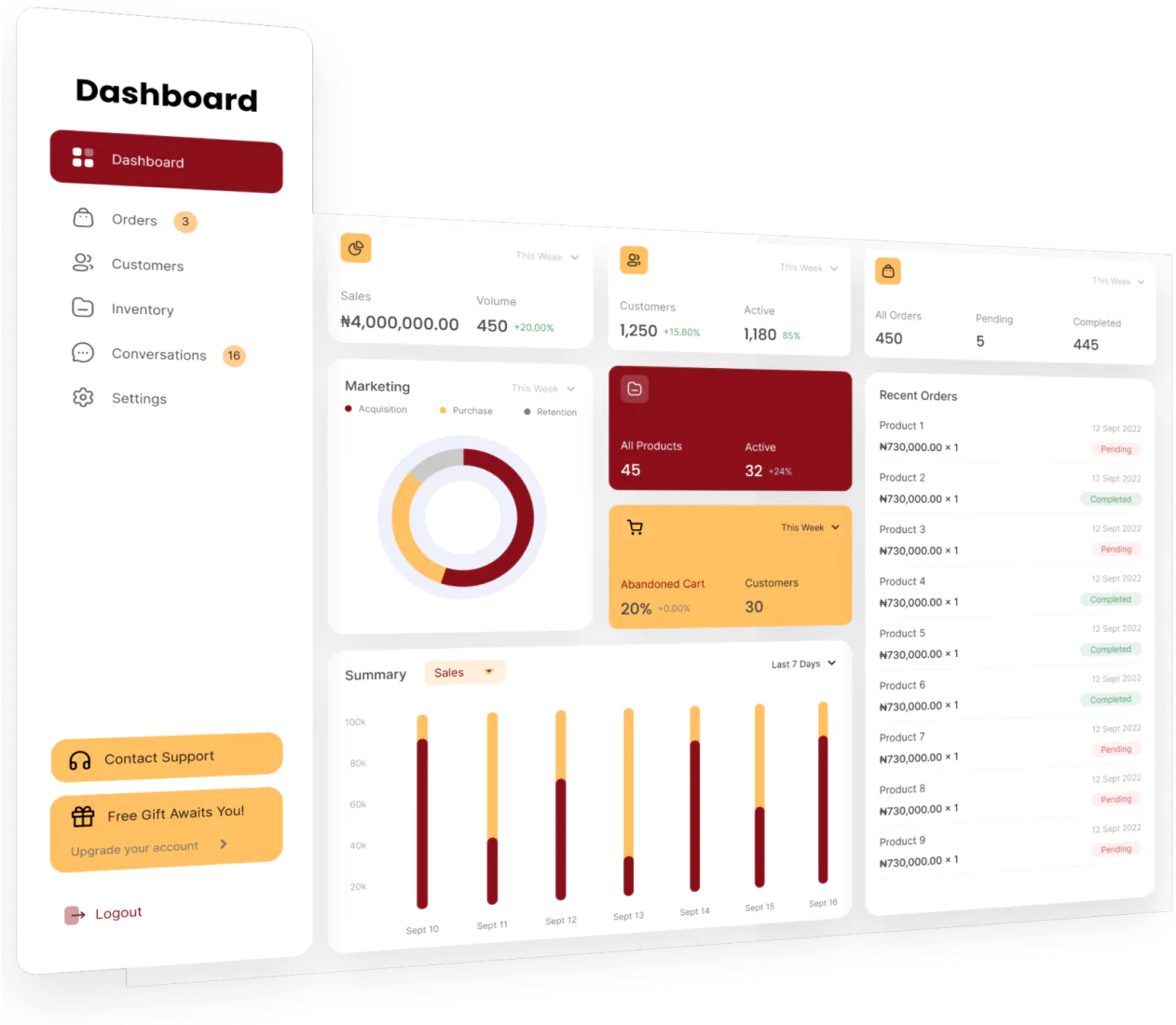
HashMicro’s School Management Software is a trusted and comprehensive platform tailored to address the complex needs of modern educational institutions. It is built to assist schools in managing their daily operations with ease, ensuring a seamless experience for administrators, teachers, and staff.
By offering innovative and efficient solutions, HashMicro continues to support schools in creating organized well managed environments that foster better outcomes for students and stakeholders alike.
Key features:
- Teacher & student attendance: Easily track student attendance and assigned teachers in real time through a centralized dashboard, ensuring efficient monitoring and management.
- Automatic student report generation: Instantly generate accurate report cards by compiling homework, quiz, and exam data, saving educators time while providing a clear academic overview.
- Teacher competency monitor: Gain insights into teacher effectiveness by tracking lesson plans, student scores, and learning materials to ensure consistent teaching quality.
- Document and certificate record: Securely store and organize essential documents like certificates and official records for easy access and accurate record-keeping.
| Pros | Cons |
|
|

2. PowerSchool SIS School management system
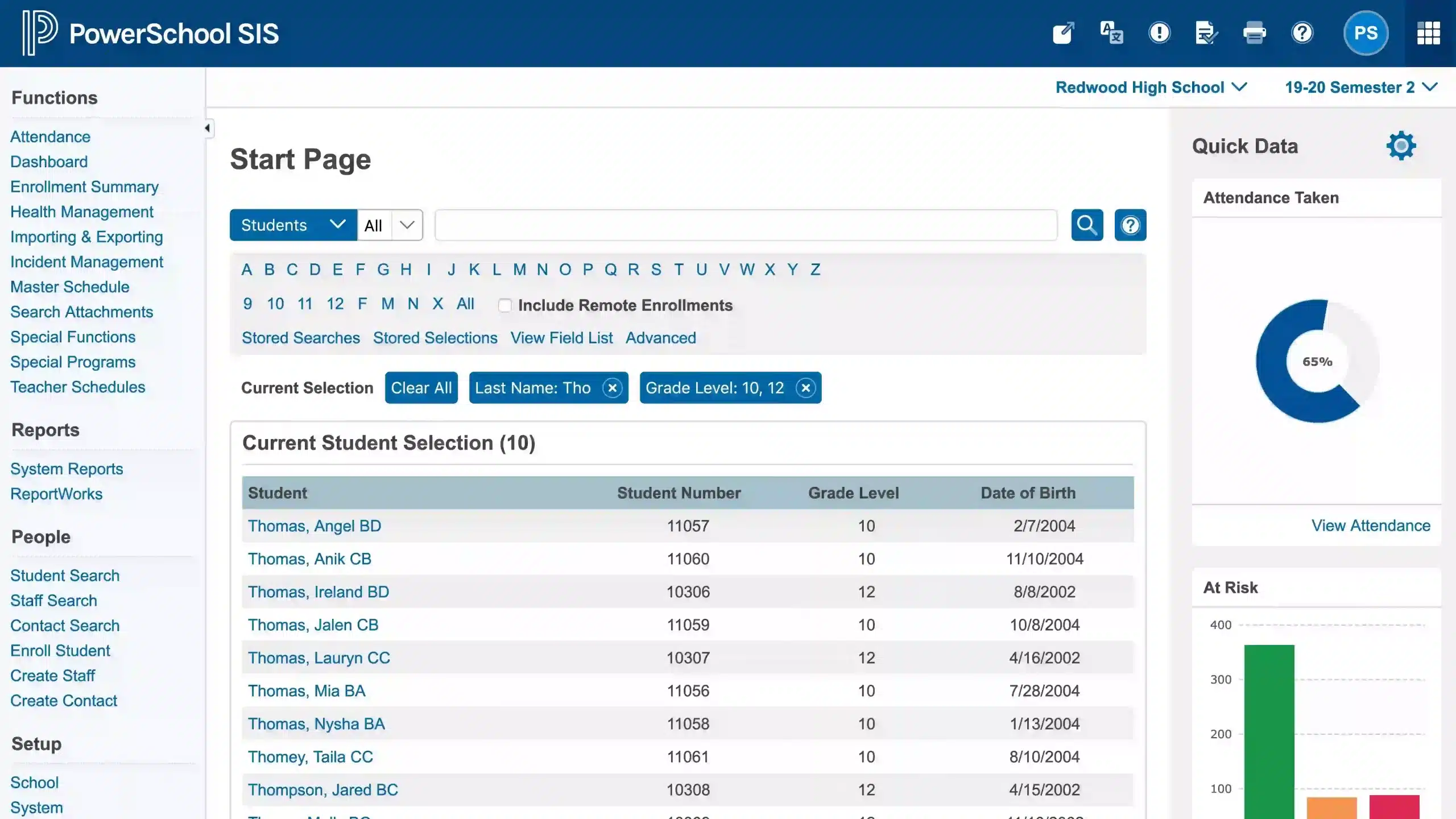
PowerSchool SIS is an advanced school management system designed to streamline administrative operations and support the academic goals of educational institutions. Known for its adaptability and advanced integration capabilities. PowerSchool SIS is the software for schools that want to improve operational efficiency and deliver educational outcomes.
Key features:
- Advanced reports.
- LMS that supports whole child instruction.
- Student support services.
| Pros | Cons |
|
|
3. Gradelink SIS
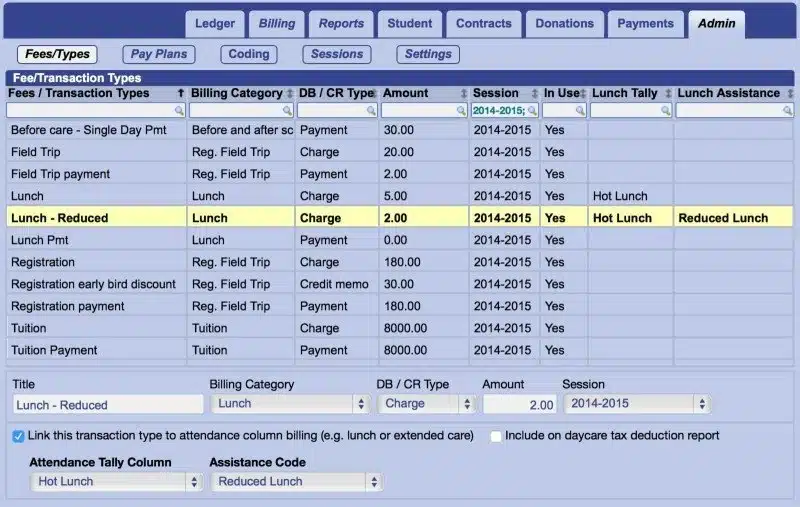
Gradelink SIS is a trusted school management software designed to simplify and centralize administrative tasks for educational institutions. Known for its user-friendly interface and reliable functionality, it continues to be a preferred choice for schools aiming to enhance their operational efficiency.
Key features:
- Simplified payments.
- Administrative reports.
- Classes & scheduling.
- Student information.
- Teacher gradebooks.
| Pros | Cons |
|
|
4. Veracross School management software 
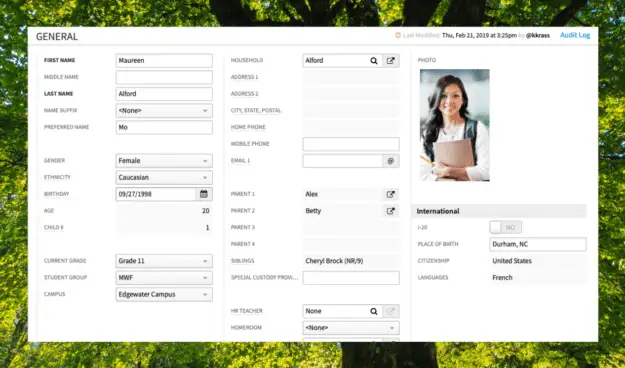
Veracross is a widely used school management software that provides essential tools for administrative tasks, student information and communication. The software offers an easy approach to managing various school operations, making it a practical choice for institutions looking for a centralized platform.
Key features:
- Parent, student and teacher portals.
- Attendance.
- Email builder and automation.
| Pros | Cons |
|
|
5. Fedena
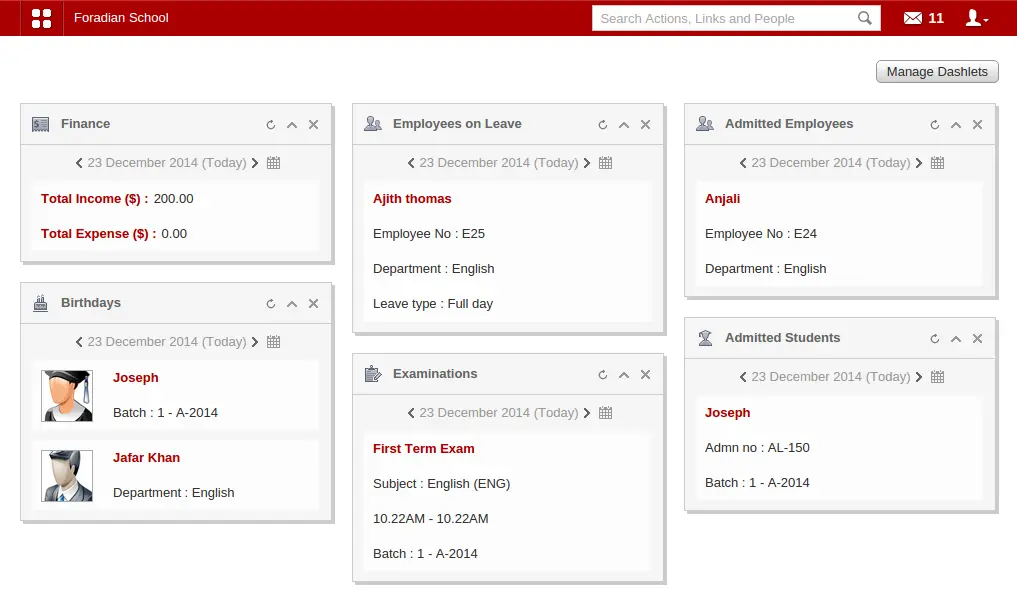
Fedena is a widely recognized school management system that offers a structured approach to handling administrative tasks. It provides schools with tools to manage various aspects of academic operations efficiently.
Key features:
- Student information management.
- Communication tools.
- Timetable management.
| Pros | Cons |
|
|
6. Synergy Education Platform
 Synergy Education Platform is a trusted school management system that helps schools manage their administrative and academic activities effectively. It offers a unified system to handle essential tasks, making it a reliable option for institutions aiming for efficient operations.
Key features:
- Reports, assessments, and performance analysis.
- Teacher portal.
| Pros | Cons |
|
|
7. Classe365 School management system

Classe365 is a versatile school management system designed to meet the diverse needs of educational institutions. It combines administrative, academic, and communication tools into a single platform, offering a streamlined approach to managing day-to-day school operations.
Key features:
- Lead management.
- Job placement platform for students and recruiters.
- Attendance and health record tracker.
| Pros | Cons |
|
|
8. Pisara solution
Pisara Solution is a school management software designed to simplify and enhance educational institutions’ administrative and academic processes. Its user-centric approach ensures that schools can efficiently handle day-to-day operations while adapting to the evolving needs of modern education.
Key features:
- Student and teacher database management.
- Time and attendance monitoring.
- Class scheduling.
| Pros | Cons |
|
|
9. Thinkwave
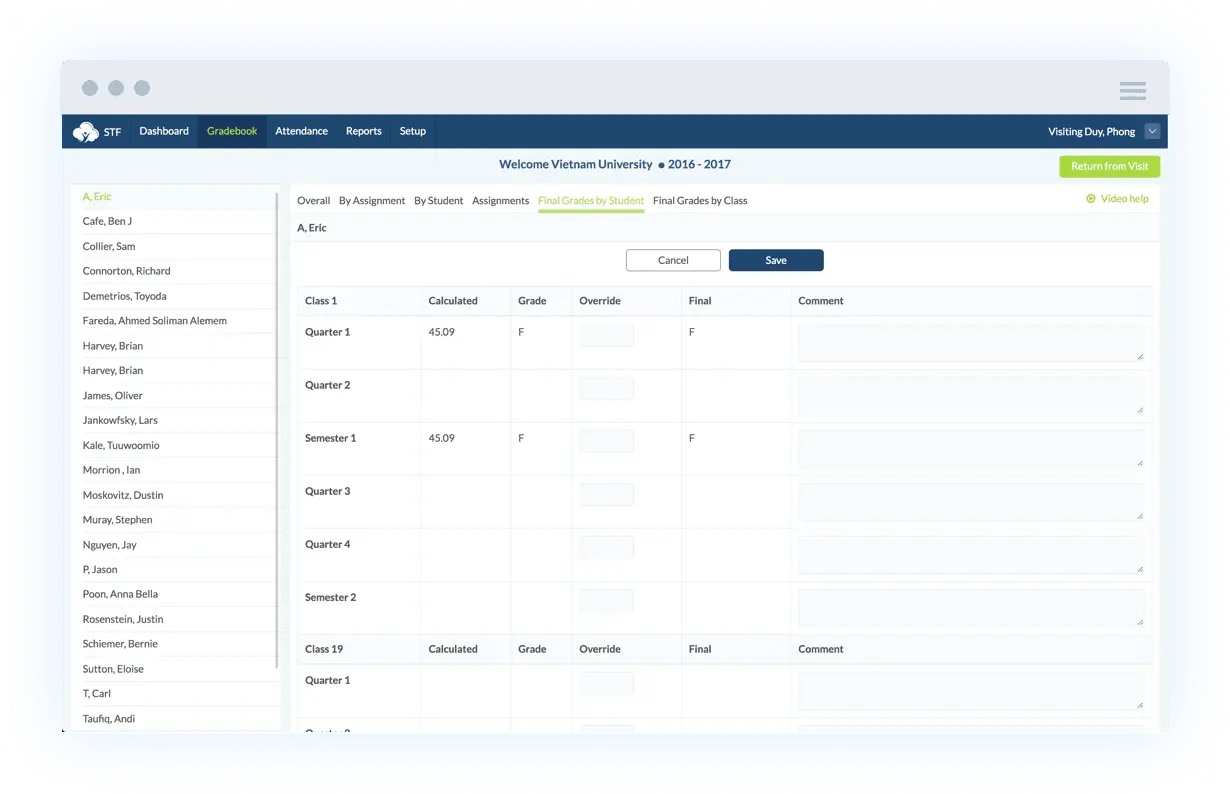
Thinkwave is a comprehensive school management system designed to simplify administrative tasks for teachers and school administrators. It offers tools for grade tracking, attendance monitoring, and report generation, all accessible via a cloud-based platform.
Key features:
- New messaging and emailing systems.
- Custom report cards and transcripts.
| Pros | Cons |
|
|
10. Facts Tuition Management
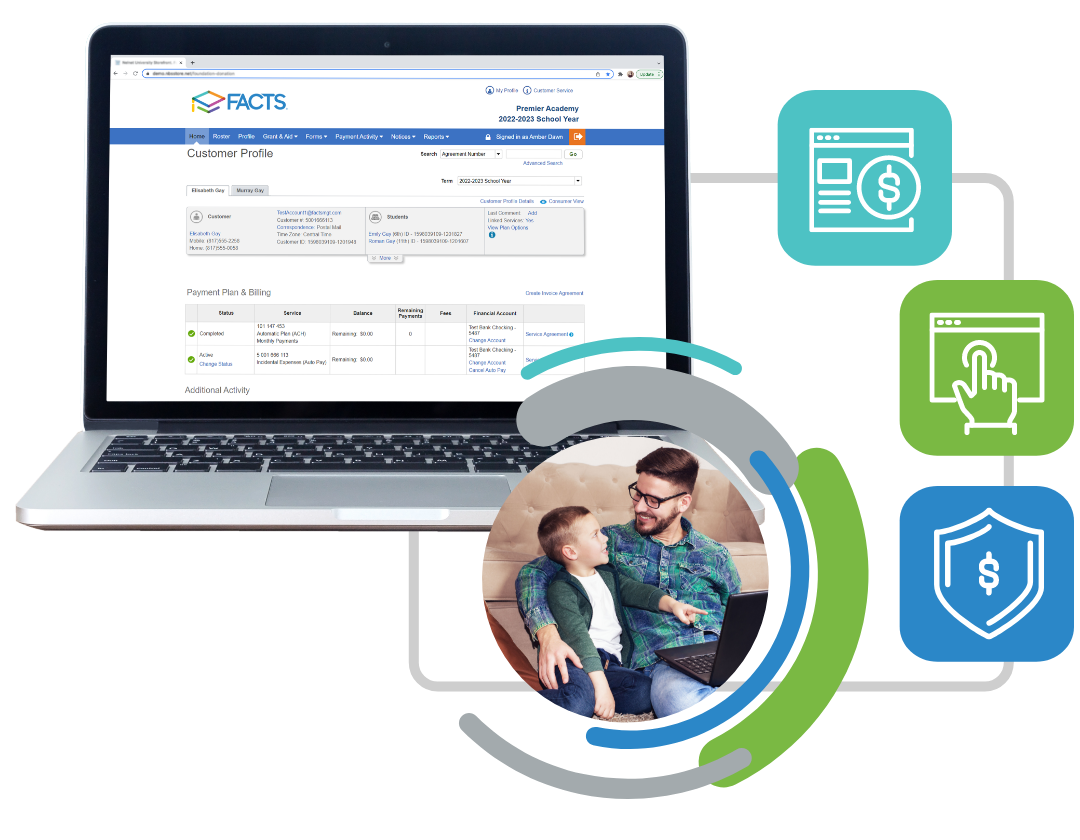
Facts Tuition Management is a robust school management software tailored to simplify tuition payment processes. It offers tools for creating customized payment plans, automating reminders, and providing secure online payment options.
Key features:
- Online payment and automated admission.
- Staff information management.
- Student and family information management.
| Pros | Cons |
|
|
11. Orah School management system
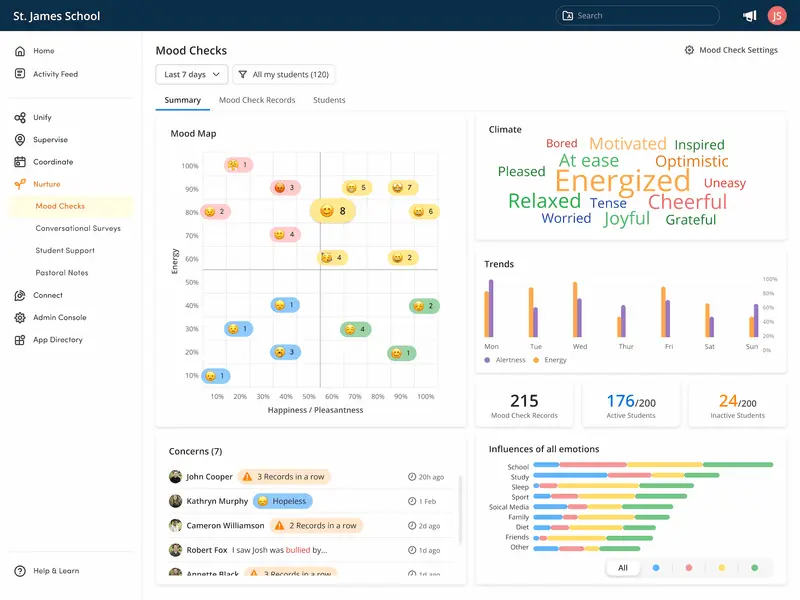
Orah School Management System is an innovative platform designed to streamline daily school operations while enhancing student engagement. It provides tools for attendance tracking, student welfare monitoring, and activity management. With its focus on creating a connected and supportive school environment, Orah enables educators and administrators to foster better communication and collaboration among students, parents, and staff.
Key features:
- Data management.
- Tracking real-time wellness data.
- Attendance tracking.
| Pros | Cons |
|
|
12. Ellucian School management software
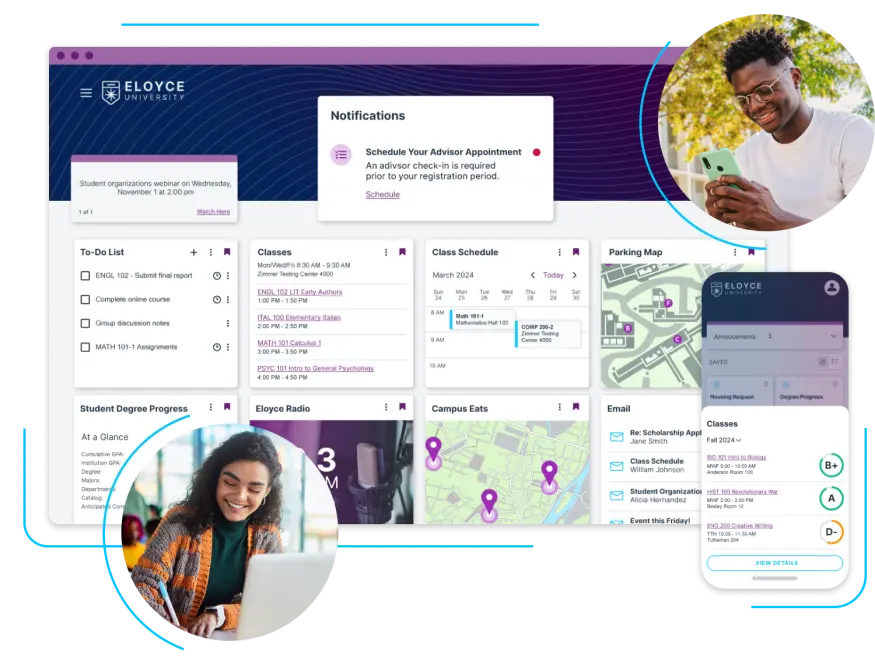
Ellucian is a school management software designed to maximize the potential of higher education institutions. It integrates seamlessly with your existing systems to create a tailored platform that meets your specific needs. Backed by 50 years of experience, Ellucian has been a trusted provider of solutions for managing higher education institutions.
Key features:
- Automated financial management processes.
- Flexible, secure, and personalized SIS.
| Pros | Cons |
|
|
13. FreshSchools
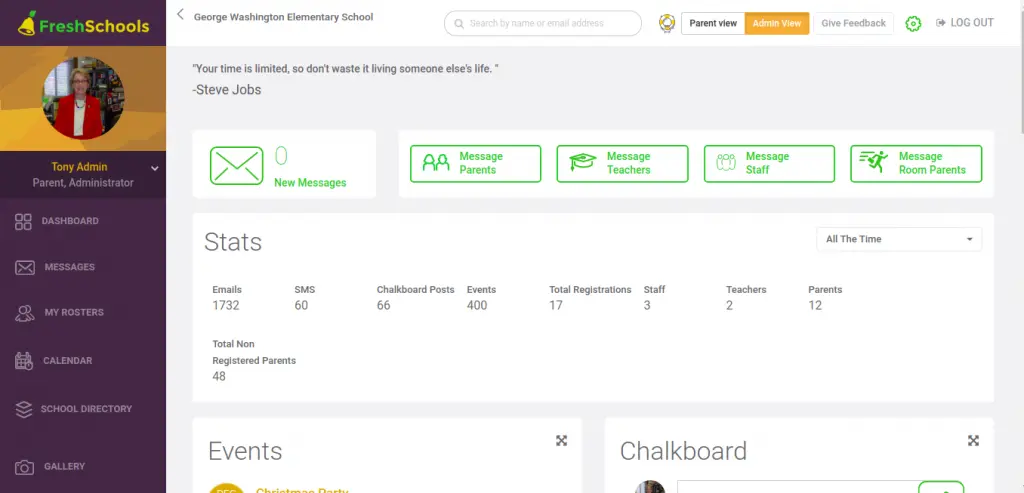
FreshSchools is a school management system that enhances communication within institutions and encourages community involvement. It simplifies the process of connecting with stakeholders, ensuring everyone is actively engaged in your community’s initiatives. From involving parents to managing enrichment programs, FreshSchools streamlines these tasks, making them more efficient and effective.
Key features:
- Volunteer management.
- Attendance tracking.
- Event management.
| Pros | Cons |
|
|
14. School Diary

School Diary is a school management system that consolidating all aspects of your school into a single platform. It addresses communication challenges among stakeholders, fostering better relationships and collaboration. With its automated features, School Diary offers a hassle-free, efficient, and user-friendly solution to enhance performance and productivity.
Key features:
- Admission and inquiry management.
- User & subject management.
- Performance analytics.
| Pros | Cons |
|
|
15. Quick Campus
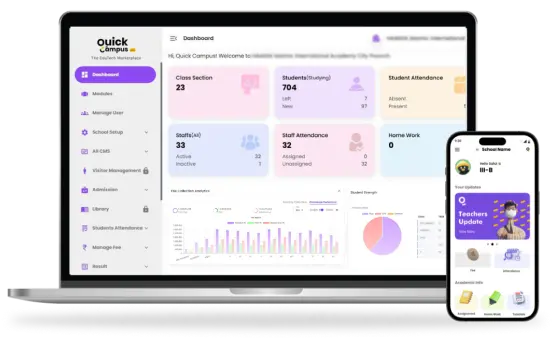
Quick Campus is a cutting-edge platform developed to simplify the management of educational institutions. It provides a wide range of features and intuitive tools that enable administrators, educators, students, and parents to handle academic processes effectively, improve communication, and promote collaboration.
Key features:
- Learning management solutions.
- Management consultancy services.
- Capacity building programs for teachers.
| Pros | Cons |
|
|
Benefits of School Management Software
Managing schools effectively can be challenging but school management software offers powerful solutions to streamline operations and improve efficiency. Here are the key benefits that make this software essential for schools:
- Streamlined administrative tasks: The software automates attendance tracking, grade reporting, and scheduling, reducing manual work and errors. Centralized data frees administrators to focus on strategic planning and school improvement.
- Cost and time savings: Automation eliminates paperwork and manual processes, saving time and reducing costs. Schools can allocate resources more efficiently and focus on student learning and development.
- Improved communication and collaboration: Real-time updates, parent portals with teachers, and messaging features ensure smooth communication between teachers, students, and parents. This fosters better collaboration and engagement.
Enhanced efficiency and productivity: Automating routine tasks reduces administrative burdens, allowing educators to focus on teaching. Schools operate more efficiently, maximizing resources and improving overall performance.
How to Choose the Best School Management Software?

Selecting the right school management software is crucial for ensuring the smooth operation of your institution. Consider these key points when making your choice:
- Identify your institution’s needs: Understand the specific challenges your school faces, such as attendance tracking, communication, or academic reporting, to ensure the software addresses your key requirements.
- Ease of use: The software should have an intuitive interface that is easy for administrators, teachers, parents, and students to navigate, reducing the need for extensive training.
- Key features and functionality: Ensure the software includes essential tools like attendance tracking, grade management, communication modules, and analytics. Customize it if necessary to fit your unique needs.
- Scalability: Choose software that can grow with your institution, accommodating changes such as increased enrollment or additional functionalities without frequent upgrades.
- Security and data privacy: Prioritize software with strong security features and compliance with data protection regulations to safeguard sensitive student and school information.
Conclusion
Choosing the best school management software is essential for improving efficiency, streamlining operations, and enhancing communication within institutions. The software options listed provide a range of features tailored to meet the specific needs of schools in the Philippines, from attendance tracking to grade management and seamless communication.
For institutions looking to invest in reliable software, HashMicro stands out as a top choice, offering comprehensive solutions designed to support school management. With its user-friendly interface, scalability, and robust security features, HashMicro ensures smooth operation and data privacy. S
Schools can take advantage of HashMicro’s powerful capabilities through a free demo, which allows them to explore the software’s full potential before making a commitment.
FAQ School Management Software
-
Who uses school management software?
The software is designed for administrators, teachers, students, and parents, providing different features tailored to their specific needs.
-
What software do schools use?
Schools use ERP-based systems like HashMicro to manage records, communication, payroll, and scheduling efficiently.
-
What is the best school management software?
The best school management software depends on your institution’s needs, but HashMicro stands out for its comprehensive features, automation, and user-friendly interface. It helps schools manage attendance, scheduling, grading, and communication efficiently, improving overall operations.
-
Why is school management software essential?
School management software streamlines administration, enhances communication among stakeholders, supports hybrid and remote learning, and simplifies school operations. It ensures smooth functioning, even during disruptions like the COVID-19 pandemic.
-
What are the key features of school management software?
Essential features include attendance tracking, exam management, online payments, admission handling, communication tools, inventory control, and LMS integration. Some platforms also offer mental health tracking and performance analytics.
-
How does school management software support hybrid learning?
It integrates online and offline resources, tracks attendance for both in-person and remote students, and offers communication tools to keep stakeholders connected, enabling smooth transitions between learning modes.
-
What are the latest trends in school management software?
Emerging trends include advanced analytics dashboards, student performance insights, cloud-based accessibility, LMS integration for remote learning, and mental health monitoring tools.
-
How does school management software enhance communication?
It provides messaging, email, and notification platforms for teachers, parents, students, and administrators, ensuring seamless updates on events, announcements, and student progress














