







Finance teams in Malaysia juggle more than bookkeeping, and financial management software helps keep cash flow, budgets, and reporting in one reliable view. When sales, vendors, and entities grow, scattered files slow decisions and create mismatched numbers across teams.
The right platform centralises budgeting, forecasting, reconciliation, and approvals, so you spend less time chasing spreadsheets and more time checking the story behind the numbers. It also creates clearer audit trails during month-end close when policies or tax rules change.
Still, not every tool fits every business. Some are built for fast invoicing and bank matching, while others focus on consolidation, controls, and multi-entity reporting. This guide reviews 20 options for Malaysia in 2026 to help you shortlist based on how your finance workflow runs.
Key Takeaways
|

What is a Financial Management System (FMS)?
Financial Management System (FMS) is a digital tool used by organizations to manage their finances, including income, expenses, and assets. The main goal of a financial management system is to maximize profitability and ensure long-term business sustainability.
Whether integrated into an ERP system or used as standalone software, these tools give businesses a unified view of their financial health. Today, many Chief Financial Officers (CFOs) prefer cloud-based financial management solutions for their scalability and flexibility.
According to the Academy of Strategic Management Journal, integrating an accounting information system within an ERP improves decision-making, accounting for 43.8% of the variance. This suggests that ERP-supported financial data provides more accurate and timely insights that strengthen strategic decisions.
Shortlisted Top Financial Management System (FMS) Software
I’ve shortlisted the best financial management software in Malaysia for 2026 that balance automation and compliance. These tools streamline accounting, payroll, and invoicing while simplifying reporting. With real-time insights, they improve financial control and support better decisions.


Best Because Cloud-based automation, real-time insights, multi-currency support.

Best Because ERP integration, sales and accounting, industry-specific customization.


Best Because User-friendly accounting, payroll, invoicing, and cloud access.

Best Because Simple invoicing, expense tracking, time management for freelancers.

Best Because Integrated invoicing, accounting, payroll, and automation.


Why do Businesses Need Financial Management System Software?
Financial management software is a specialized tool that integrates with Enterprise Resource Planning or ERP software to streamline financial operations. It assists businesses in managing financial tasks, such as accounting, budget management, payroll, billing, and reporting.
The adoption of best financial management software brings numerous benefits to businesses, which include:
- Adequate cash flow from effective tracking and managing payables, receivables, and inventory, enhancing both financial and management accounting insights.
- Automating routine tasks reduces the risk of human errors, labor costs, and financial losses.
- Financial management software simplifies complex financial processes, from payroll to tax filing, making them more manageable and less time-consuming.
- Improved data security from robust security features to protect against unauthorized access and data breaches.
- Enhanced decision-making from real-time financial data and analytics.
Hashy AI Fact

Need to know!
Hashy AI monitors overdue invoices and automatically engages customers for follow-up, enhancing financial management by ensuring timely payments.
Request a free demo today!
20 Best Financial Management Software System for Businesses in Malaysia
Choosing the best financial management software is crucial for optimal financial management. Below are the top 20 financial management software in Malaysia to help you make an informed choice that will drive your business forward.
- HashMicro is a comprehensive financial management software solution that automates finance, ensures compliance, and integrates seamlessly.
- Sage Intacct cloud-based software with automation, real-time insights, and multi-currency support.
- SAP Business One is an integrated ERP for accounting, sales, and inventory with industry-specific customization.
- Oracle NetSuite cloud-based finance dashboard combining CRM, e-commerce, and real-time analytics.
- QuickBooks is an user-friendly finance software with automation and cloud accessibility for small businesses.
- FreshBooks is a simple invoicing and expense tracking for freelancers and small businesses.
- Zoho Finance Plus an integrated finance system automating invoicing, accounting, and payroll.
- Infor ERP industry-specific financial software linking finance, supply chain, and CRM.
- Acumatica financial management software sis calable finance software with real-time insights and cost-effective access.
- Xero cloud-based accounting with mobile access and real-time financial tracking.
- Workday integrates finance and HR for large multinational enterprises.
- Kissflow automates financial workflows, approvals, and expense tracking.
- Cube enhances budgeting, forecasting, and financial data analysis.
- Multiview ERP offers financial tools for healthcare, hospitality, and service industries.
- Prophix automates budgeting, planning, forecasting, and scenario analysis.
- Anaplan provides cloud-based financial planning, forecasting, and decision-making.
- MYOB Accounting simplifies invoicing, payroll, tax tracking, and compliance.
- Clockwork uses AI for financial forecasting, automation, and insights.
- SmartFusion manages public sector finance, compliance, and reporting.
- Vena Solutions combines spreadsheets with enterprise budgeting and forecasting.
1. HashMicro Financial Management System

HashMicro offers financial management software for finance teams that keeps core workflows in one place, from ledger tasks to invoicing and tax-related reporting. It automates routine entries and standardises approvals across departments. As a result, the team spends less time reconciling and more time reviewing insights.
To evaluate fit, HashMicro provides a free consultation to map your current finance process and confirm which modules you actually need. This also helps set realistic expectations for implementation, data migration, and reporting setup. The shortlist becomes based on workflow needs, not feature lists.
HashMicro’s credibility is proven by being trusted by notable names such as Forbes, Bank of China, and Hino. These collaborations highlight HashMicro’s capability to support complex, large-scale financial operations, proving its reliability and effectiveness.
Below is the comprehensive suite of features that HashMicro Financial Management Software offers:
- Bank Integrations & Auto Reconciliation: This feature seamlessly connects with banking institutions to automatically align and reconcile transactions, thereby eliminating the need for manual entry and minimizing the chance of errors.
- Budget S-Curve: This feature from the best financial management software displays cumulative budgeted expenses or revenues over a period, enhancing the visualization of budget progress. This tool is essential to monitor budget trends and effectively manage resources to maintain financial discipline.
- Profit & Loss vs Budget & Forecast: HashMicro enables businesses to compare profit and loss against budgeted and forecasted figures. This provides a dynamic view of financial status, facilitating more precise expense tracking and budget adjustments.
- Financial Ratio Analysis: HashMicro calculates essential financial ratios, such as liquidity, profitability, and solvency. These ratios furnish a detailed assessment of a company’s financial stability, supporting strategic planning and risk management.
- Custom Printout for Invoices: This feature allows companies to design invoices that reflect their branding. Businesses can tailor aspects such as logos, contact information, and payment terms, ensuring a professional and consistent image to their clients.
- Automated Currency Update: The software automatically updates exchange rates, facilitating precise financial calculations for transactions involving multiple currencies. This function simplifies accounting tasks and ensures financial accuracy.
- Cashflow Reports: This feature offers an analysis of cash inflows and outflows. With customizable reports, companies can gain insights into spending behaviors and make informed projections, aiding in more effective cash flow management.
Why we pick it: HashMicro adheres to a high standard of compliance and functionality in its software design. The system is standardized to ensure consistency and reliability, while also being fully compliant with local regulations, including Peppol standards for e-invoicing.
| Pros | Cons |
|---|---|
|
|
Best for: Businesses that want a broader finance setup with strong integrations across functions. It works best when you need one flow across reporting, approvals, and multi-department data. The trade-off is implementation time if your processes are highly customised.
If you’re narrowing options, start by matching the tool to your reporting depth, integration needs, and control requirements. It also helps to review the support scope and rollout approach early to avoid rework later. Click the banner below to view the pricing scheme of the best financial management software!

2. Sage Intacct

Sage Intacct is a cloud financial performance management software that provides comprehensive accounting software. It stands out for its robust automation capabilities that reduce manual tasks and its real-time operational and financial visibility that aids strategic decision-making.
Pricing: Pricing is custom, and businesses must request a quote based on modules and company size.
Features:
- Advanced general ledger
- Automated billing and revenue recognition
- Real-time reporting and dashboards
- Multi-currency management
| Pros | Cons |
|---|---|
|
|
Best for: Sage Intacct is the best choice for businesses managing multiple entities, subsidiaries, or branches.
3. SAP Business One
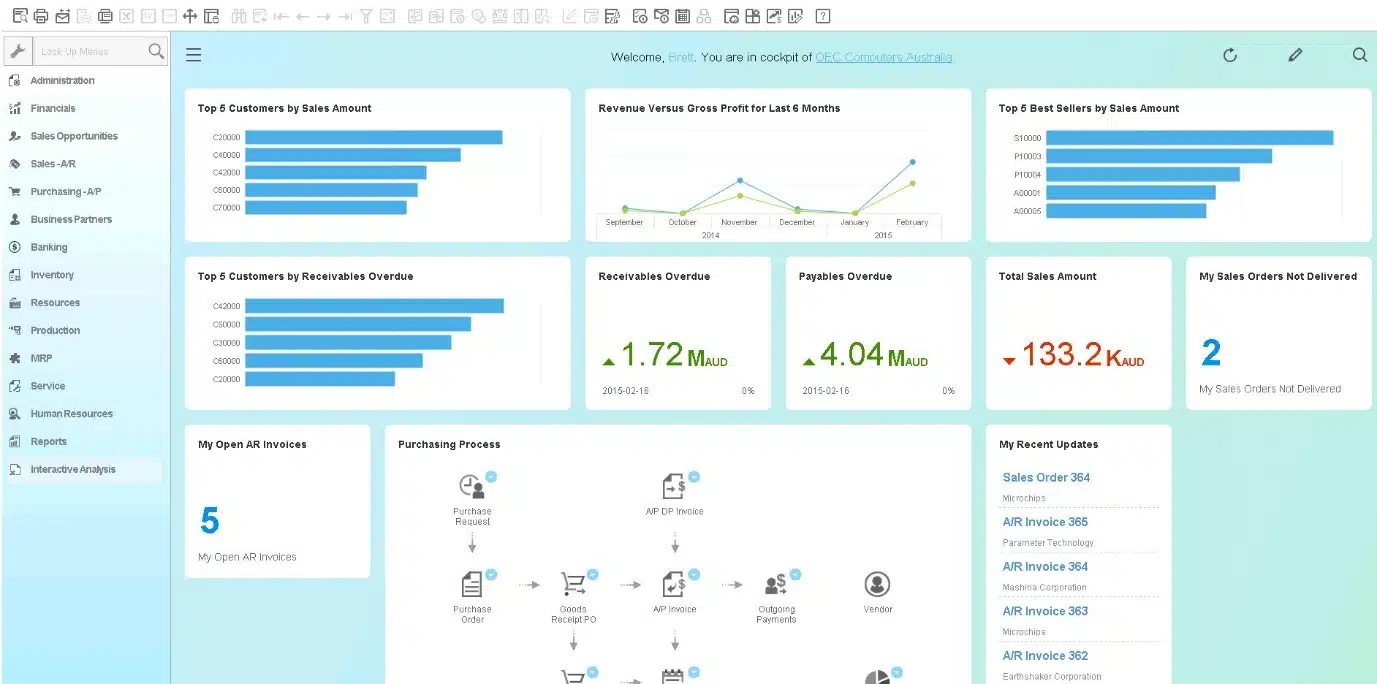
SAP Business One provides an integrated ERP solution that covers everything from accounting and sales to customer relationships and inventory management. This financial management software simplifies business processes by providing a unified system that increases visibility across the company.
Pricing: Typically starts around MYR 50,000+ for a basic 3-user implementation, while larger deployments (10–15 users) can range from MYR 300,000–500,000 depending on licenses and setup.
Features:
- Integrated accounting
- Financial forecasting
- Fixed asset management
- Comprehensive financial reporting
| Pros | Cons |
|---|---|
|
|
Best for: SAP Business One is best suited for small to medium-sized enterprises (SMEs) that are ready to move beyond basic accounting tools and spreadsheets.
4. Oracle NetSuite
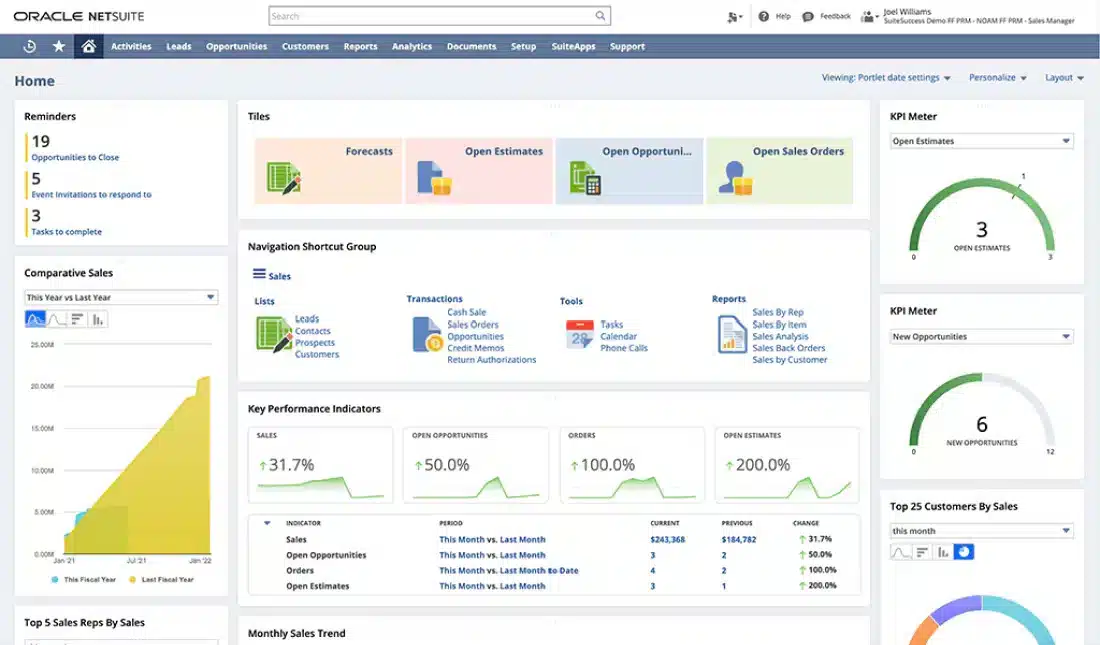
Oracle NetSuite is an ERP financial performance management software designed to consolidate financial management with other key business processes. This financial performance management software’s flexibility makes it a popular choice for various industries, including retail, manufacturing, and technology.
Pricing: Public estimates suggest about USD $99/month for the first user plus USD $49/month per additional user, depending on configuration.
Features:
- Comprehensive financial planning and analysis
- Real-time consolidation
- Automated revenue management
- Global compliance
| Pros | Cons |
|---|---|
|
|
Best for: Oracle Netsuite is best suited for companies with complex, multi-entity, multi-location operations who need a robust, cloud-based ERP platform.
5. QuickBooks Financial Management Software
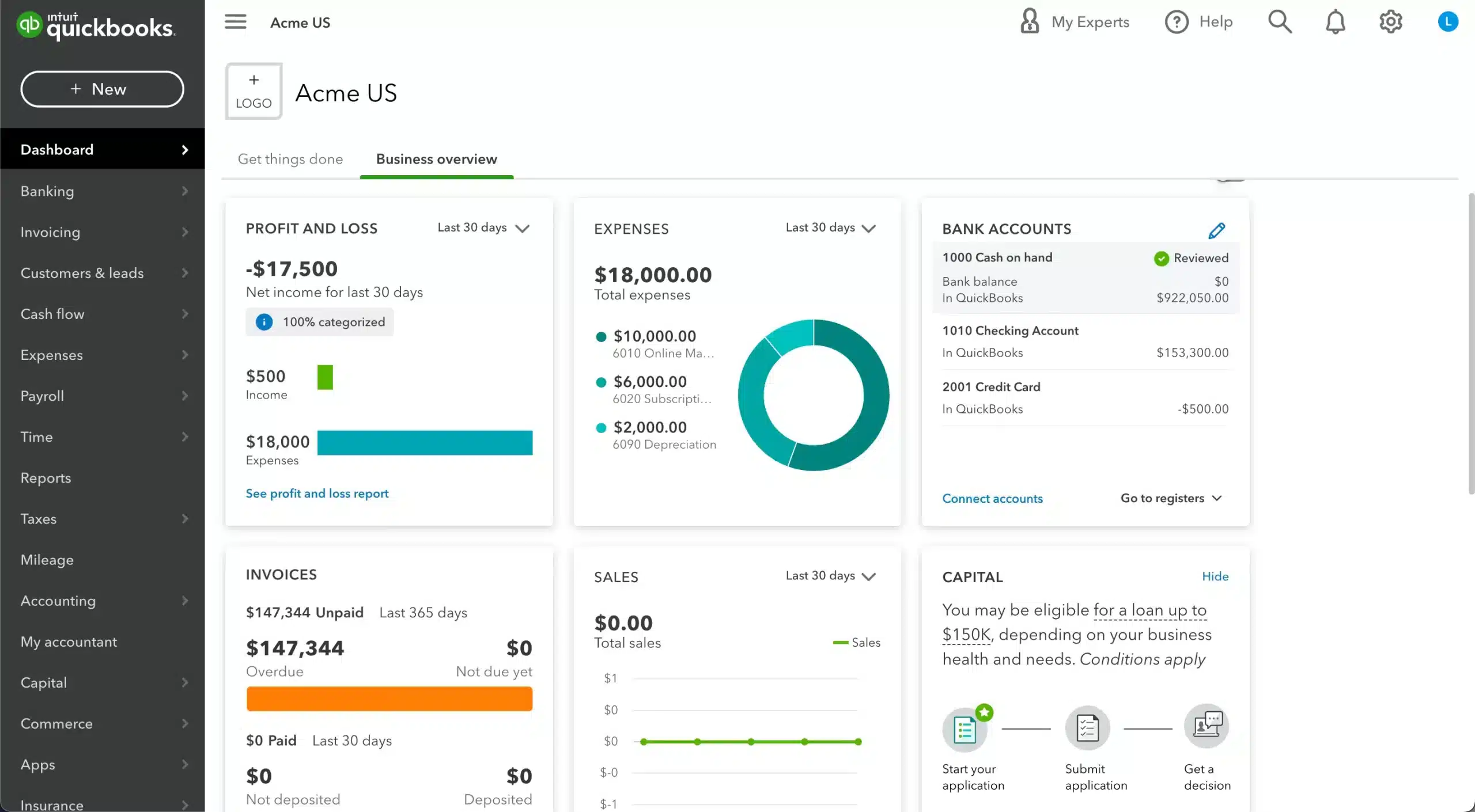
QuickBooks Financial Management Software is widely recognized for its powerful accounting features, making it ideal for small businesses and freelancers. It offers functionalities such as invoicing, payroll processing, profit and loss reporting, and tax preparation.
Pricing: Cloud plans generally range from USD $25–70/month, depending on features.
Features:
- Simplified invoicing
- Real-time invoicing reporting
- Tax management
- Bank reconciliation
| Pros | Cons |
|---|---|
|
|
Best for: QuickBooks is best for small to medium businesses with simple structures that need an easy, cloud-based tool for invoicing, expense tracking, and bank reconciliation.
6. FreshBooks

FreshBooks is financial management software primarily for business owners and self-employed professionals. It focuses on streamlining client invoicing and time tracking, expense management, and project financial management.
Pricing: Pricing begins at around USD $6.30/month for starter plans.
Features:
- Intuitive invoicing and time tracking
- Expense and receipt management
- Financial reporting and insights
- Online payments and client portal
| Pros | Cons |
|---|---|
|
|
Best for: FreshBooks is ideal for simple, service-based businesses needing easy invoicing and expense tracking, but less suited for multi-entity or complex accounting.
7. Zoho Finance Plus
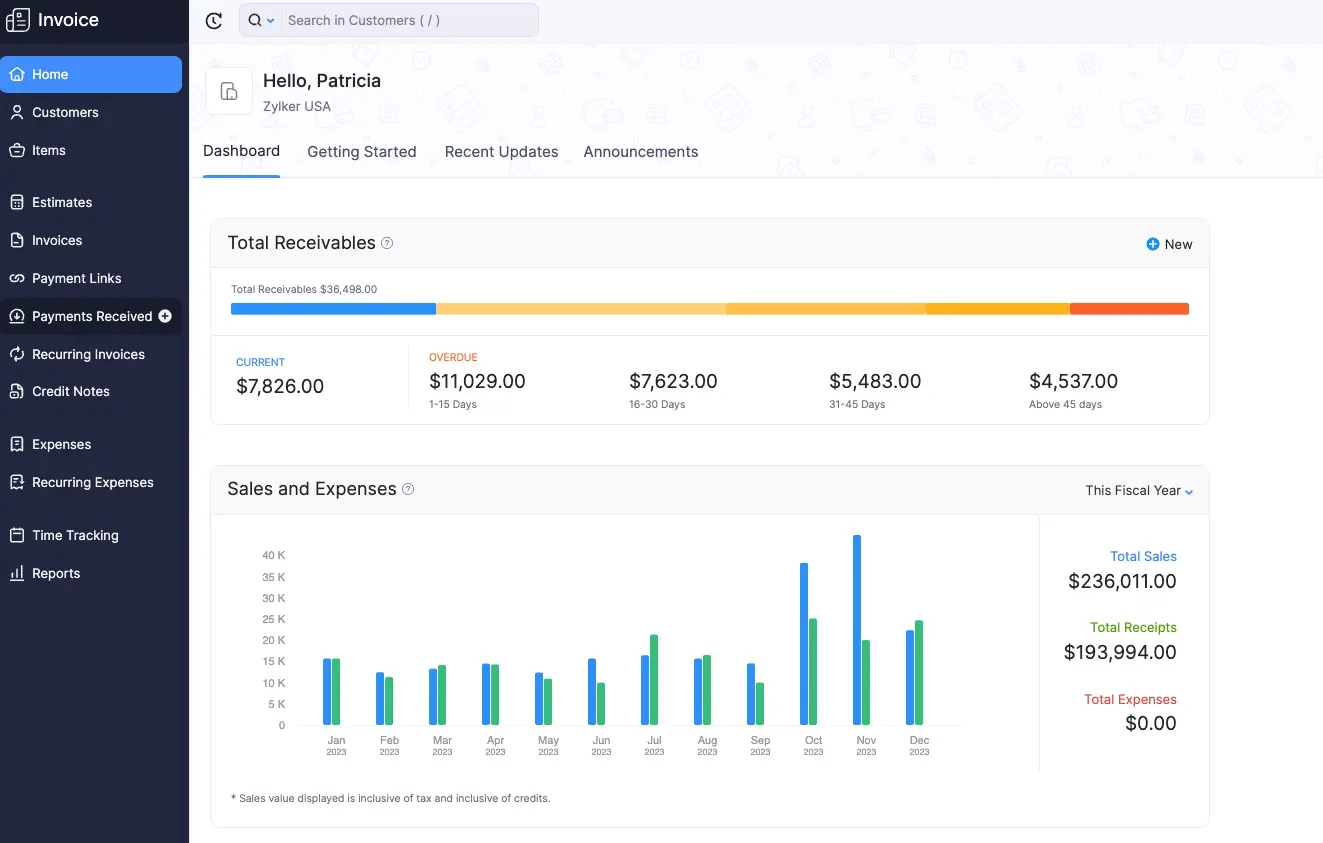
Zoho Finance Plus offers a comprehensive suite of integrated finance software designed for businesses of all sizes. It covers various financial management processes, from invoicing and expense management to accounting and payroll.
Pricing: Starts from approximately USD $15/month.
Features:
- Comprehensive accounting automation
- Tax and compliance management
- Multi-currency support
- Real-time dashboards
| Pros | Cons |
|---|---|
|
|
Best for: Zoho Finance Plus is ideal for growing or mid-sized and need an integrated cloud platform for accounting, invoicing, expenses, inventory, and subscriptions all in one place.
8. Infor ERP
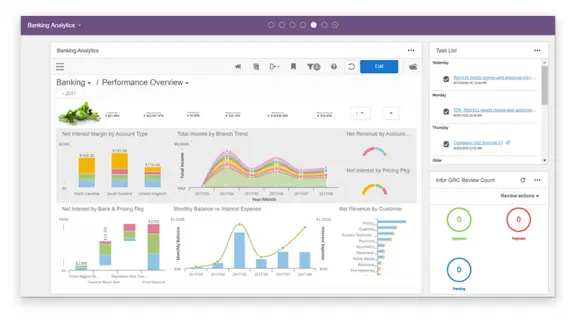
Infor ERP offers industry-specific ERP financial management software designed to meet the complex demands of specific industries. The software uses advanced analytics to provide insights that help businesses optimize operations and enhance financial performance.
Pricing: Not publicly listed; costs vary widely depending on modules and deployment scale.
Features:
- Unlimited dimensions and ledgers
- Unified data repository
- Advanced compliance and reporting controls
- Integrated source-to-settle supply-management capability
| Pros | Cons |
|---|---|
|
|
Best for: Infor financial performance management software is best for large or growing manufacturing, distribution, and industrial businesses that need industry-specific, multi-site, and global operational management.
9. Acumatica
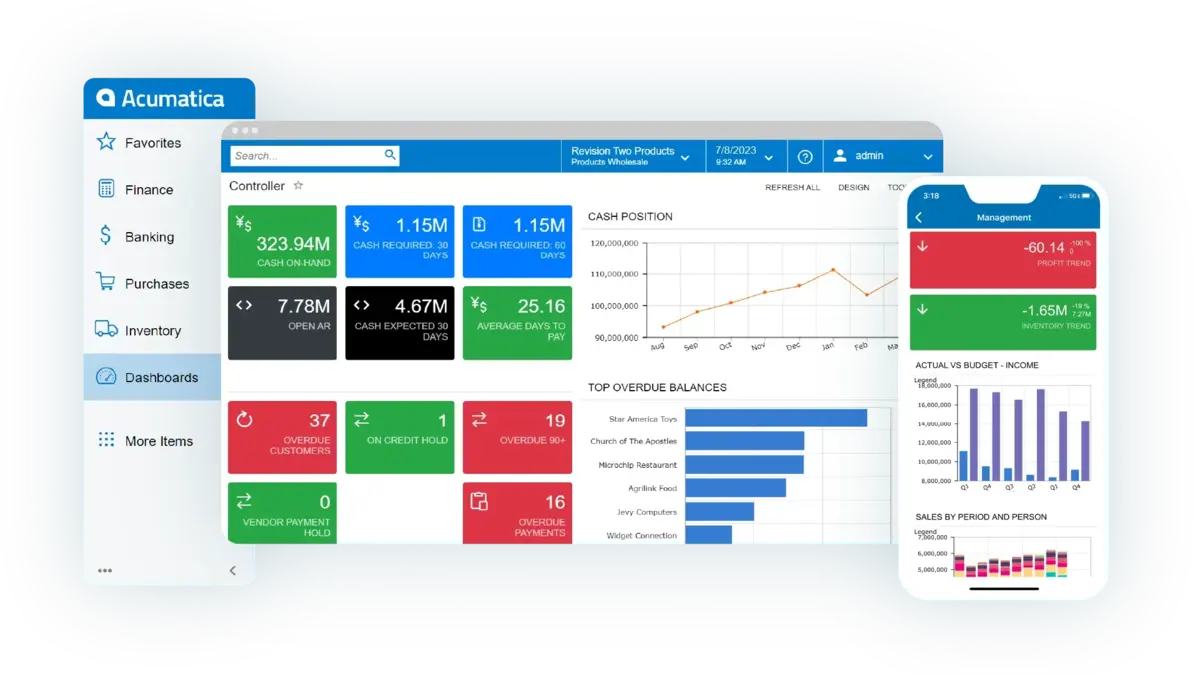
Acumatica provides ERP financial management software tools known for their adaptability and comprehensive functionality. It supports various business functions, including financial management, project accounting, and CRM.
Pricing: Fully custom pricing; request a quote based on resource consumption and modules.
Features:
- Real-time insights
- Multi-currency and inter-company support
- Automated workflows
- Open API/integrations
| Pros | Cons |
|---|---|
|
|
Best for: Acumatica is best for growing small to mid-sized businesses that need a flexible, cloud-native ERP with strong finance and operations capabilities.
10. Xero Financial Risk Management Software
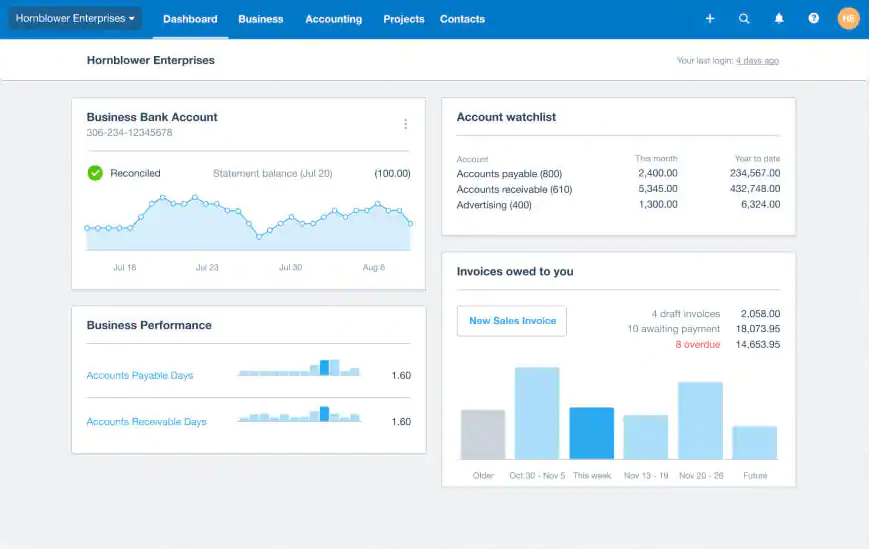
Xero Financial Risk Management Software is a financial performance management software known for its simplicity and strong mobile capabilities. It provides essential financial management features such as invoicing, expense tracking, and payroll.
Pricing: Packages start at about USD $20/month for basic accounting tools.
Features:
- Automated bank feeds and reconciliation
- Extensive integrations
- Multi-currency, invoicing & expense tracking
- Fully cloud-based
| Pros | Cons |
|---|---|
|
|
Best for: Xero financial performance management software is a strong choice for small to medium-sized businesses that need easy-to-use cloud accounting with real-time visibility and multi-currency support.
11. Workday
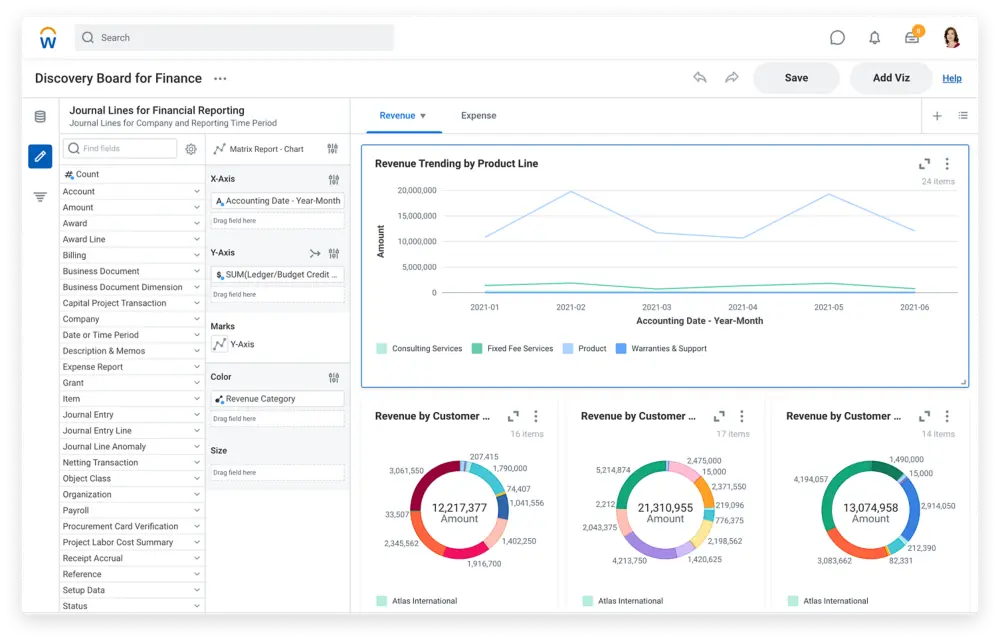
Workday offers a finance management app and human capital management software for large and multinational enterprises. It combines finance and HR in a single system, making it easier for businesses to view their performance comprehensively.
Pricing: No public pricing; enterprise subscribers must request a customized quote.
Features:
- Real-time general ledger
- Expense, invoice, and revenue automation
- Global compliance
- Contract-to-cash integration
| Pros | Cons |
|---|---|
|
|
Best for: Workday is best for medium to large enterprises, especially those with global operations, multiple entities, and inter-company transactions.
12. Kissflow
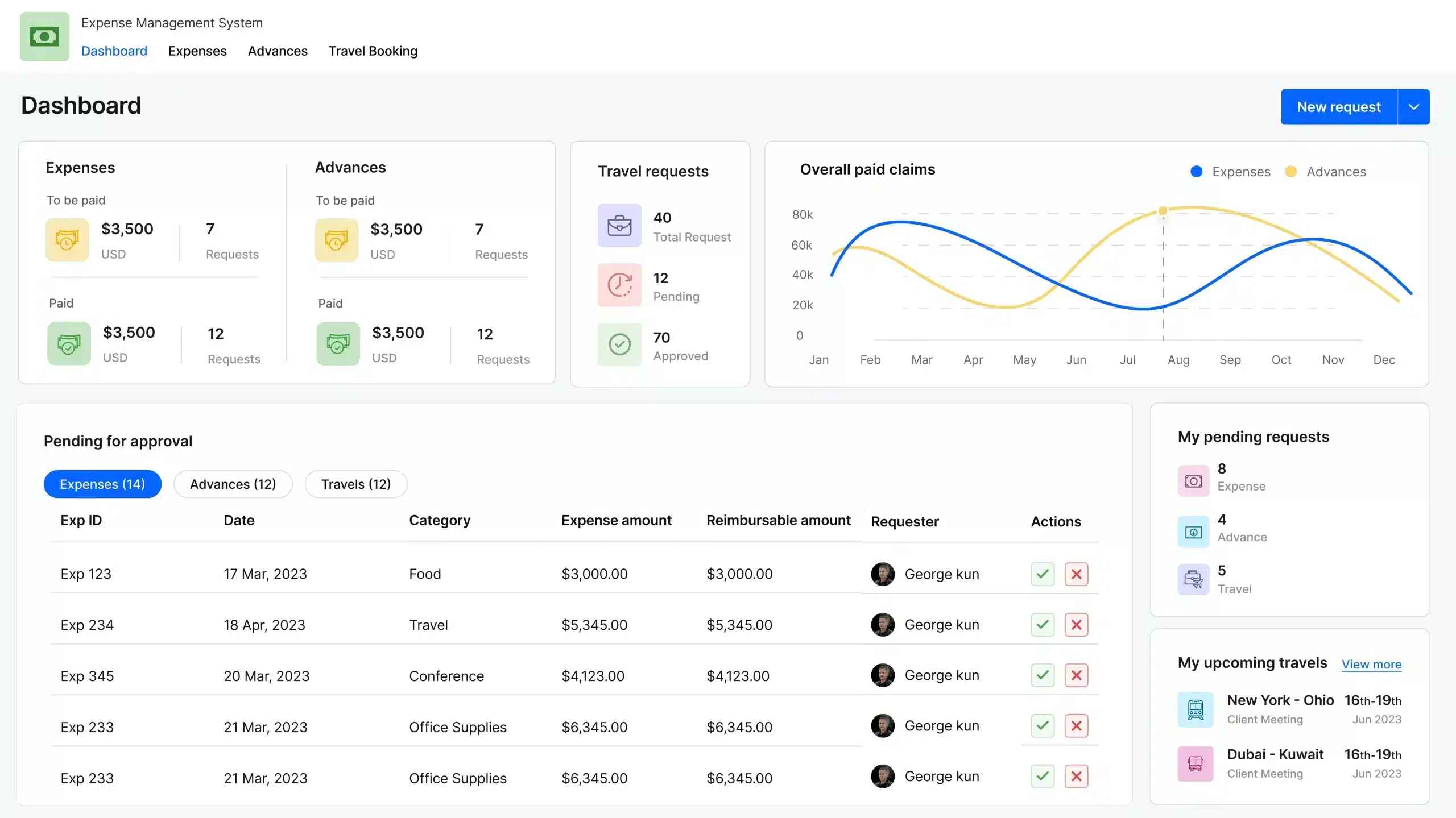
Kissflow offers financial management software to automate and streamline business processes. Its financial management module integrates seamlessly with its workflow management system, facilitating an automated process for budget approvals, expense tracking, and financial performance reporting.
Pricing: Offers custom pricing depending on workflow modules and the number of users.
Features:
- Budgeting management
- Fixed-asset management
- Transactional efficiency and internal controls
- Unified finance and operations platform
| Pros | Cons |
|---|---|
|
|
Best for: Kissflow is best for businesses that need to automate and manage financial-process workflows, such as expense approvals, asset management, and purchase approvals.
13. Cube
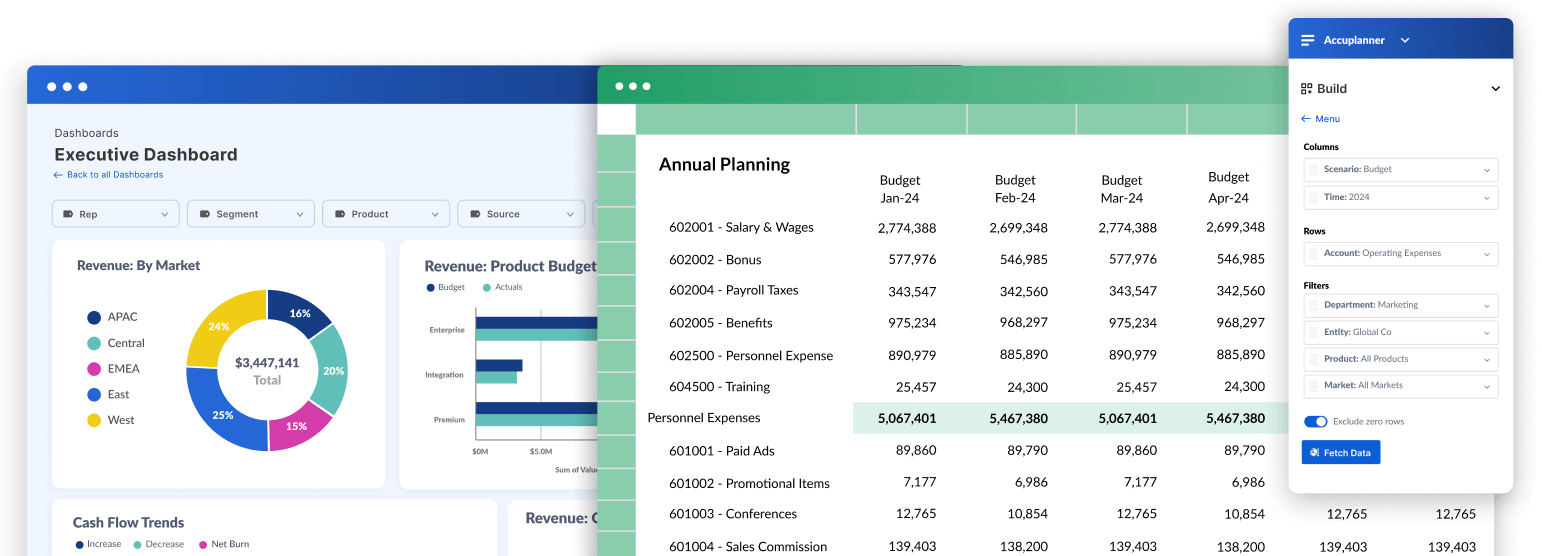
Cube is a financial management system software that specializes in enabling real-time financial insights and data-driven decision-making. It is designed to help finance teams accelerate their planning processes, manage budgets more effectively, and generate detailed financial forecasts.
Pricing: Budgeting & FP&A platform with custom pricing; vendor quote required.
Features:
- Planning & scenario modelling
- Spreadsheet-centric integration
- Data integration and workflow automation
- Collaboration and access control
| Pros | Cons |
|---|---|
|
|
Best for: Cube financial management system software is best for businesses upgrading from spreadsheets to smarter, faster budgeting and forecasting, though complex global operations may need a heavier system.
14. Multiview ERP
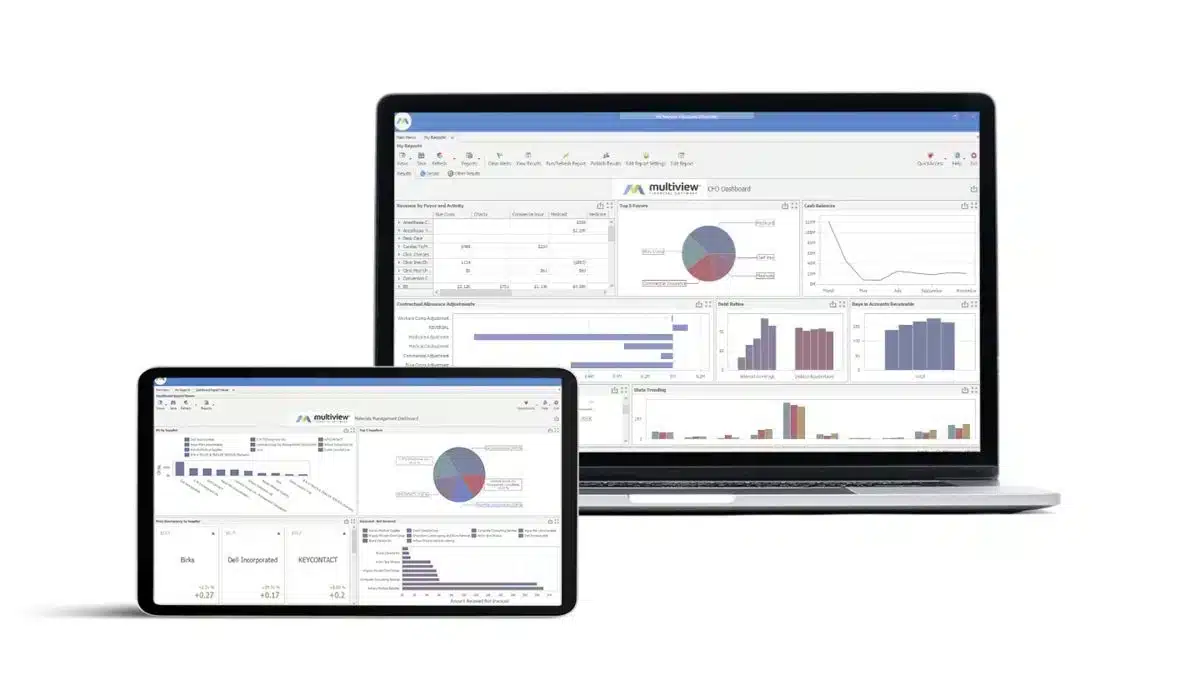
Multiview ERP offers a robust money management solution for complex businesses, particularly those in healthcare, hospitality, and service industries. The software provides a suite of financial applications, including a general ledger, accounts payable, and financial reporting.
Pricing: Pricing depends on deployment size and modules; no public price available.
Features:
- Full finance suite
- Real-time reporting
- Document management
- Multi-entity support
| Pros | Cons |
|---|---|
|
|
Best for: Multiview ERP is best for mid-sized and larger organisations, especially those with strong financial control and multi-entity/fund-accounting needs.
15. Prophix Financial Management Software
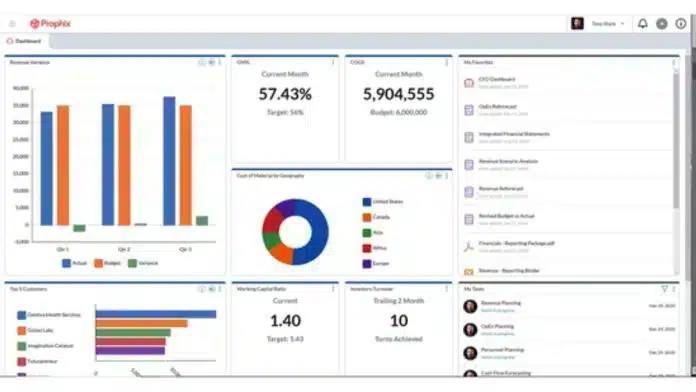
Prophix is a corporate financial management software that helps companies plan, budget, forecast, and report on their financial health. The software automates repetitive tasks and integrates financial data to provide a holistic view of business performance.
Pricing: Uses custom pricing based on FP&A requirements and company size.
Features:
- Budgeting, planning, and forecasting automation
- Financial consolidation and intercompany management
- Reporting and analytics with data integration
- Automation of financial close or reconciliation
| Pros | Cons |
|---|---|
|
|
Best for: Prophix is best for mid-sized to large organizations needing strong capabilities in budgeting, forecasting, consolidation, and financial planning & analysis.
16. Anaplan
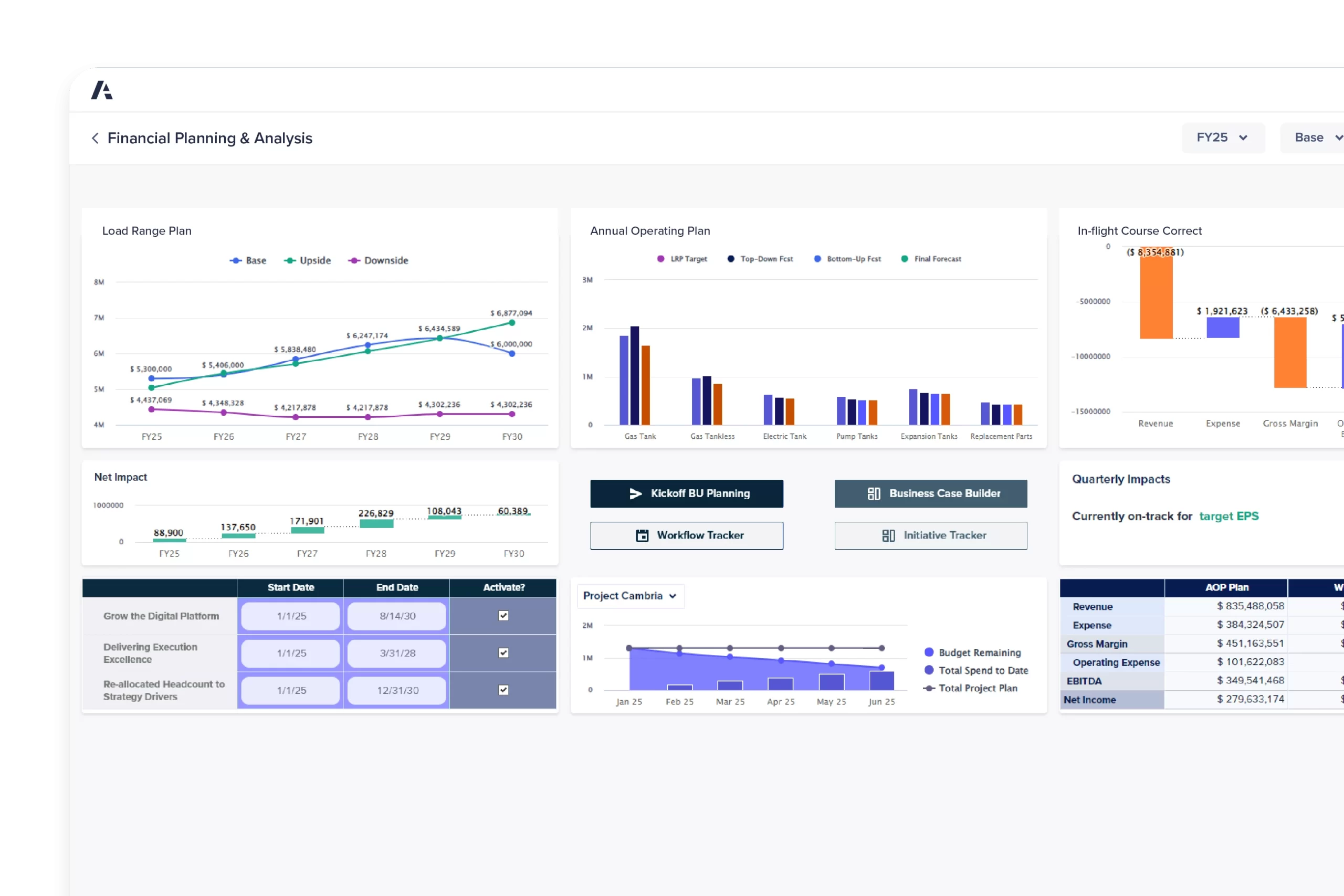
Anaplan is a cloud-based ERP financial management software that offers extensive tools for budgeting, forecasting, and decision-making. It connects data, people, and plans across the business, providing a deep insight into financial and operational performance.
Pricing: Enterprise FP&A system with custom pricing tied to user seats and model complexity.
Features:
- Financial consolidation and reporting
- Real-time data integration
- Driver-based planning and forecasting at scale
- Self-service, finance-owned platform with no/low code
| Pros | Cons |
|---|---|
|
|
Best for: Anaplan is best for a large or growing and have multiple departments/functions that need to plan, forecast, and adjust in real-time (for example finance, sales, and operations).
17. MYOB Accounting
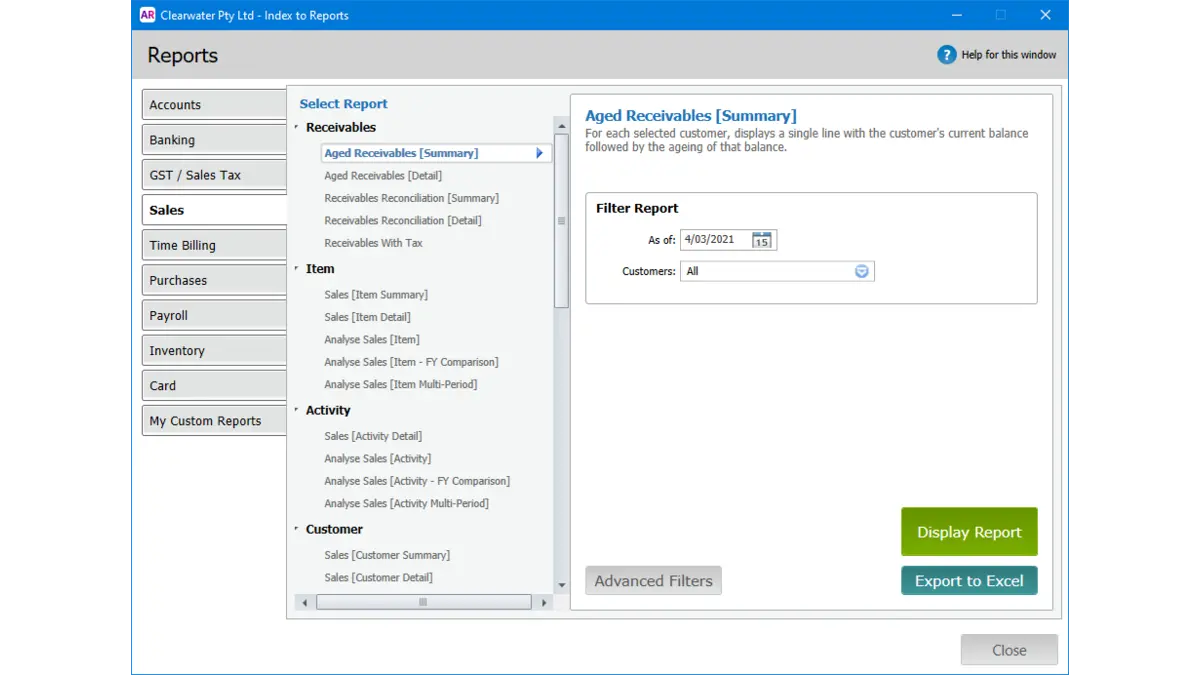
MYOB Accounting is an ERP financial management software that provides essential accounting features including invoicing, expenses, GST tracking, and payroll. The software also offers cloud-based capabilities, allowing business owners and accountants to collaborate remotely.
Pricing: Basic plans start from around MYR 25–30/month, depending on the package.
Features:
- Comprehensive accounting
- Reporting and dashboards
- Job/departmental tracking
- Localized compliance (Malaysia/Asia)
| Pros | Cons |
|---|---|
|
|
Best for: MYOB financial management system software is best for small to medium businesses with a simple structure that need reliable tools for accounting, invoicing, expense tracking, and basic inventory control.
18. Clockwork
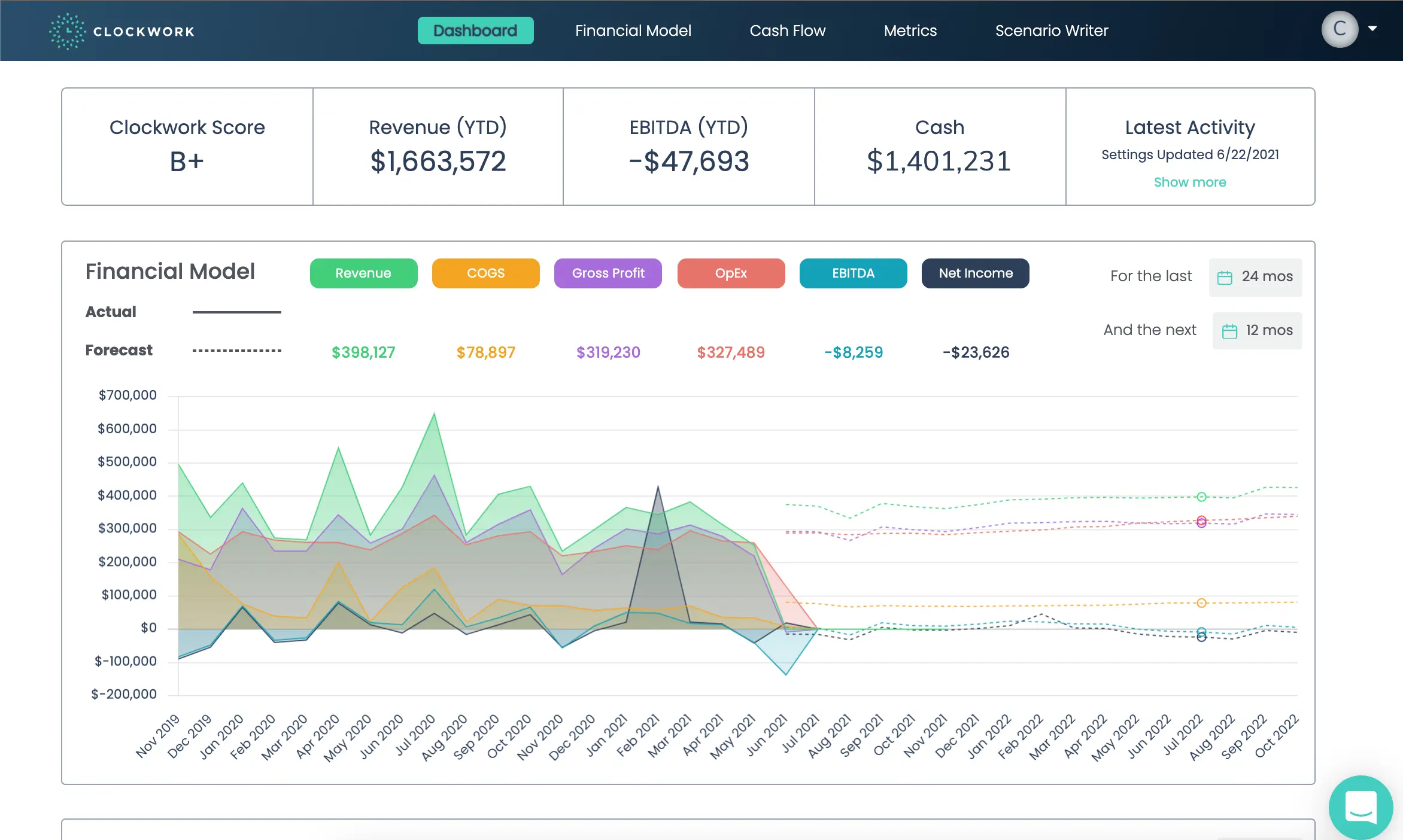
Clockwork is a financial management system software that leverages artificial intelligence (AI) to provide businesses with accurate forecasts and actionable financial insights. It helps companies automate their financial analysis, reducing manual input and increasing the precision of financial projections.
Pricing: AI-driven financial forecasting tool with tailored pricing; vendor quote required.
Features:
- Cash flow forecasting
- Financial modelling from historical data
- Scenario “what-if” planning
- Dashboard & real-time insights
| Pros | Cons |
|---|---|
|
|
Best for: Clockwork is best for small to medium in size, and want to move beyond spreadsheets for forecasting and cash‑flow modelling.
19. SmartFusion
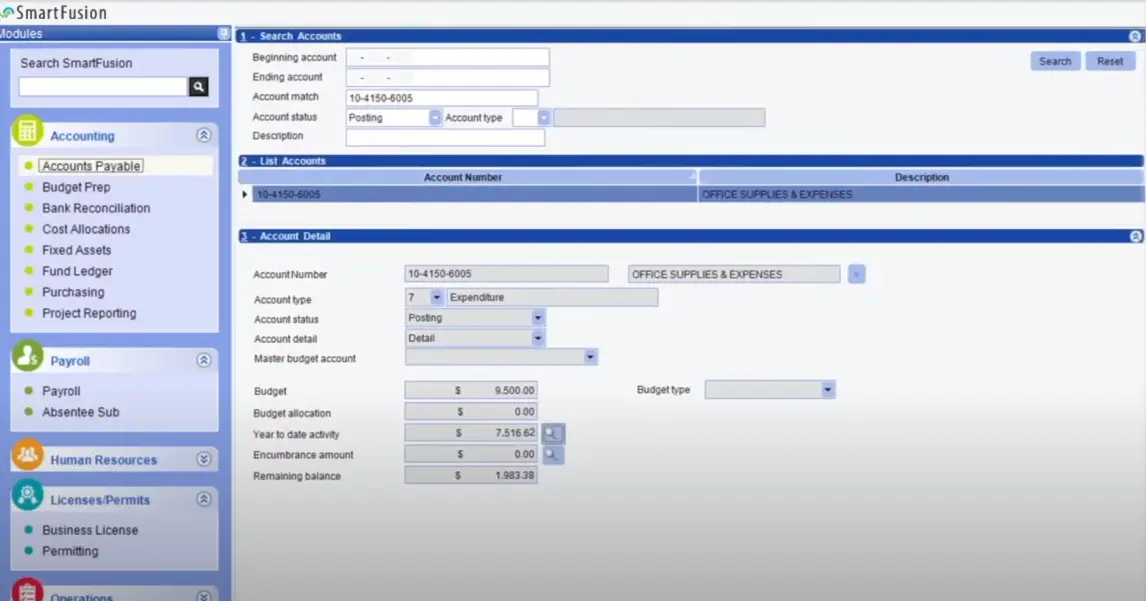
SmartFusion is financial performance management software tailored for public sector entities. It provides a comprehensive suite of financial management tools designed to meet the unique needs of government agencies, schools, and non-profit organizations.
Pricing: Public-sector focused financial system with custom pricing depending on configuration.
Features:
- Fund-accounting and entity segmentation
- Integrated modules
- Customizable reporting
- Automation & data consistency
| Pros | Cons |
|---|---|
|
|
Best for: SmartFusion is best for public‑sector organizations such as municipalities, local government authorities, utilities, and entities that require fund accounting.
20. Vena Solutions Financial Management System

Vena Solutions Financial Management System Software combines spreadsheet familiarity with the reliability and security of an enterprise-class solution. It enhances financial data integrity and provides comprehensive audit trails.
Pricing: Custom enterprise pricing based on modules and number of users.
Features:
- Excel-native interface and centralized database
- Planning, budgeting, and forecasting
- Workflow automation and collaboration
- Deep integrations and analytic
| Pros | Cons |
|---|---|
|
|
Best for: Vena Solutions is best for companies that rely heavily on Excel and want to move into structured budgeting, forecasting, and scenario planning across multiple departments.
Overall Comparison of Financial Management Software & Tools in Malaysia
| Provider | Connection Quality | Bank Coverage | Ease of Integration | Data Enrichment |
|---|---|---|---|---|
| HashMicro | ||||
| Sage | ||||
| SAP | ||||
| Oracle | ||||
| Quickbooks | ||||
| Freshbooks | ||||
| Zoho | ||||
| Infor |
Key Features to Look For in Financial Management Software System
When choosing financial management system software, focusing on features that enhance accuracy, efficiency, and strategic decision-making is crucial. Here are some key features to look for:
- Bank reconciliation: Automated bank reconciliation matches bank transactions with ledger records to ensure accuracy, reduce manual work, and keep financial data up to date.
- Financial forecasting: Effective financial management uses forecasting tools from financial management system software to predict revenues, expenses, and cash flow, enabling better planning, risk assessment, and informed decisions.
- Compliance management: Compliance management ensures businesses stay aligned with evolving financial regulations, and software supports this by providing automatic updates to prevent penalties.
- Multi-currency support: Good accounting software should automatically manage currency conversions and fluctuations to ensure accurate, compliant financial statements.
- Analytical reporting: Comprehensive analytical financial reporting should deliver customizable insights into profitability, cost centers, and departmental performance to support deeper business analysis.
If you manage multiple companies, read our article about accounting software for multiple businesses to learn which software is best for enhancing your business’s operations.
How to Choose the Right Financial Management Software for Your Business
Choosing the right financial management software for your business is a crucial decision that can significantly impact your operational efficiency and financial insight. Here is a guide on how to navigate through the selection process:
- Assess your business needs: Begin by evaluating your business’s specific financial processes and requirements. Determine whether you require a simple accounting solution or a comprehensive ERP system that integrates other business functions.
- Evaluate features: Once you have a clear understanding of your needs, match these with the features offered by various software solutions, Ensure the software you choose can handle your current needs and can scale as your business grows.
- Ease of use and support: Look for a user-friendly interface and intuitive navigation. Additionally, consider the vendor’s customer support services. Reliable support can significantly ease the implementation process and ongoing maintenance.
- Integration capabilities: Check how well the software integrates with other tools and systems you currently use, such as CRM systems, HR software, and e-commerce platforms.
- Compliance and security: Ensure the software complies with the financial regulations and standards relevant to your industry and location. Look for features that safeguard your data, such as secure data storage, user access controls, and regular backups.
By thoroughly considering these factors, you can select financial management tools that not only meet your financial management needs but also enhance your decision-making and business growth potential.
Conclusion
Choosing the right financial management software comes down to how well it matches your day-to-day finance workflow. In this guide, we covered what these tools do best, from budgeting and forecasting to reconciliation, approvals, and audit-ready reporting as operations scale.
We also compared 20 options for 2026 and highlighted where each platform typically fits, such as SMEs that need faster invoicing and bank matching versus larger teams that require consolidation, controls, and multi-entity reporting. The key is to weigh automation depth, integration with existing systems, reporting clarity, and support reliability.
To narrow the shortlist, focus on the processes that cost your team the most time today, then check which tools reduce manual work without adding complexity. When the right platform is in place, month-end close becomes smoother, compliance is easier to manage, and decisions rely on consistent numbers rather than scattered files.
FAQ about Financial Management Software
-
What software is used for financial management?
Accounting software is commonly used for financial management. This software helps track financial transactions and manage various operational aspects of a business’s finances.
-
What is a CRM system in finance?
CRM (Customer Relationship Management) software is designed to assist businesses in monitoring and managing their interactions with clients. It facilitates the organization and analysis of customer data, enhancing communication and improving customer relationships.
-
Do I need accounting knowledge to use financial management tools?
It depends on the platform and its capabilities. While many financial management tools don’t require expert accounting knowledge, the finance team members using them often need to understand basic accounting, budgeting, and forecasting principles.
-
What is the most important tool for managing finances?
Companies often employ multiple tools to manage their finances. While there’s no imperative to use a single tool, businesses should always have an accounting system in place, a process for expense reimbursements, budgeting workflows, vendor bill pay protocols, and financial planning and reporting capabilities.
-
Will financial performance management software support financial auditing?
Yes, top financial performance management software keep detailed logs and audit trails for every transaction. This helps you meet compliance standards and speeds up audits. Look for software that lets you control access, generate audit reports, and see user activity, so you maintain transparency and stay ready for reviews or regulatory checks.
-
What security features should I expect from financial management system software?
You should expect role-based access, multi-factor authentication, data encryption (in transit and at rest), and regular security audits. Choose a system that’s compliant with industry standards like SOC 2 or ISO 27001. If you handle sensitive or regulated financial data, ask for details about the vendor’s security certifications.
-
How do I monitor my finances?
Below are the stops to monitor finances:
1. Review your account statements regularly.
2. Categorize your expenses.
3. Create a budget tailored to your financial needs.
4. Use budgeting or expense-tracking apps.
5. Explore different methods for tracking expenses.
6. Implement accounting software for a comprehensive financial overview.