










Struggling with account reconciliation can be a headache for businesses, from managing discrepancies to handling time-consuming manual processes. Account reconciliation software helps automate and streamline reconciliation tasks, ensuring efficiency in financial management.
Account reconciliation software is a game-changer, streamlining processes, saving time, and reducing errors. For instance, Robotic Process Automation (RPA) boosts efficiency by 44% by automating repetitive tasks, showing the significant impact of automation on improving financial operations.
However, with numerous software options available, finding the perfect fit for your business can be a daunting task. Thus, this article will provide the 12 best account reconciliation software in Malaysia to help you make an informed choice that best suits your needs.
Key Takeaways
|

What is Account Reconciliation Software and Why is It Important?
Account reconciliation software is a tool that automates the process of comparing financial records with bank statements to ensure accuracy and consistency. Often integrated with bookkeeping system, the software helps identify discrepancies, resolve them, and ensure that all accounts are balanced.
The software can manage large volumes of transactions, providing a clearer, more organized view of a company’s financial health. This tool is especially valuable for businesses seeking to maintain transparency and accuracy in both bookkeeping and financial reporting.
Hashy AI Fact

Need to know!
With Hashy AI, payment tracking and invoice verification run on autopilot, ensuring accurate records and smoother account reconciliation without manual checks.
Request a free demo today!
12 Best Account Reconciliation Software in Malaysia
Choosing the proper accounting reconciliation software ensures accurate financial management and compliance. Below are Malaysia’s 12 best account reconciliation software, each offering unique features and benefits to streamline business operations.
- HashMicro: Automatically matches transactions and generates reports.
- Oracle NetSuite: automating reconciled bookkeeping processes.
- Sage: Automate balance sheet and accurately reconcile bookkeeping.
- QuickBooks: Ensuring comprehensive financial account reconciliation.
- Xero: Automate reconciled bookkeeping and balance sheet reconciliation.
- Zoho: Integrates bank account reconciliation software.
- Multiview: Accurate financial account reconciliation and balance sheet.
- OneStream: Enhance overall accounting reconciliation processes.
- BlackLine: Integrating bank account software into accounting software.
- FloQast: Ensure efficiency by integrating with various ERP software.
- Prophix: Providing real-time visibility into reconciliation statuses.
- Solvexia: Eliminates and accelerates financial close cycles.
1. HashMicro Account Reconciliation Software
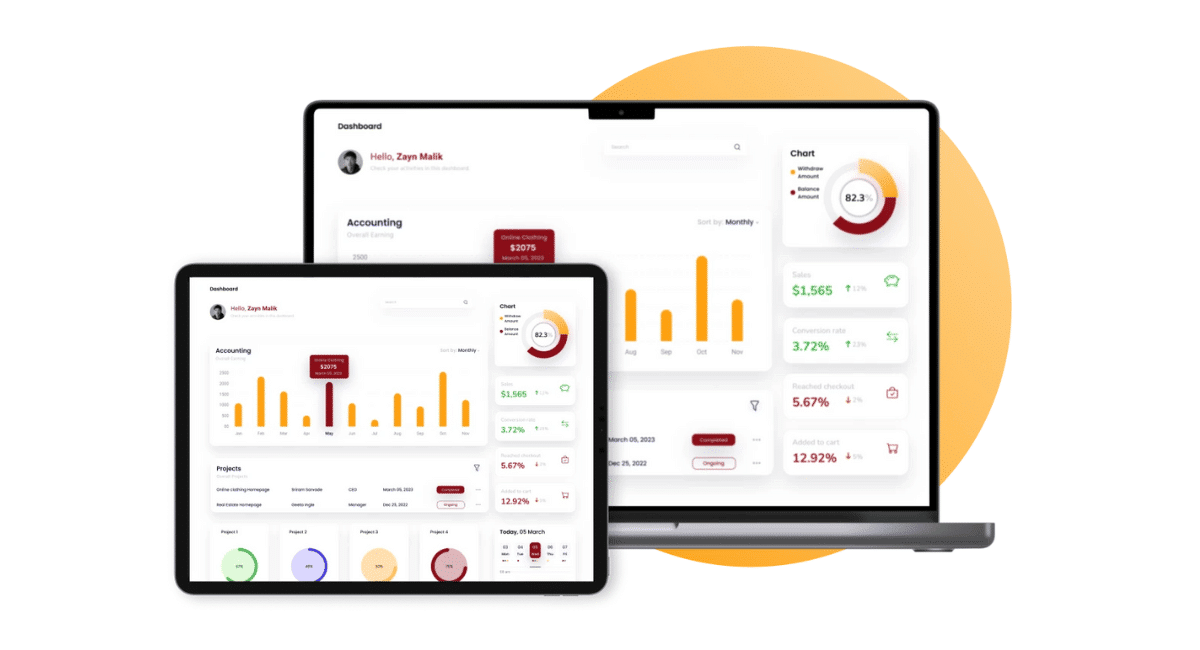
HashMicro Account Reconciliation Software is a robust tool for automating the comparison of financial records, ensuring they match accurately with corresponding bank statements. It automatically matches transactions, flags discrepancies, and generates reports for review.
Moreover, HashMicro offers a free product tour and consultation without commitment, allowing businesses to explore the software’s features as a localized solution that complies with Malaysia’s financial regulations and the Peppol framework.
Features:
- Bank Integrations & Auto Reconciliation: This feature links directly with bank accounts to automatically reconcile transactions with the financial ledger. It ensures bank entries match accounting records, reducing errors and manual reconciliation efforts.
- Budget Forecast: This tool utilizes past reconciliation data to forecast future cash flows, enabling businesses to plan their finances by anticipating the timing and amount of incoming and outgoing payments.
- 3-Way Matching: This feature verifies that invoices, bank statements, and ledger entries match before reconciliation. It prevents errors and ensures that only valid transactions are recorded.
- Financial Ratio Analysis: Key financial ratios, such as the reconciliation accuracy ratio, are automatically calculated to identify discrepancies and ensure that all accounts are accurately balanced, highlighting areas that require further review.
- Custom Printouts for Invoices: Customizing invoice formats to align with your reconciliation process enhances clarity and ensures that invoices are accurately matched with payments during the reconciliation process.
- Cash Flow Reports: This tool generates reports based on reconciled data, giving businesses a clear view of their actual cash position. By aligning cash flow with reconciled balances, it supports more accurate and strategic financial management.
Why we chose it:
We chose HashMicro for its end-to-end solutions that streamline financial account reconciliation. Its seamless integration with ERP systems and bank account reconciliation software ensures accurate balance sheet reconciliation and efficient reconciled bookkeeping across all processes.
| Pros | Cons |
|---|---|
|
|

Considering HashMicro’s Account Reconciliation Software for your business? Click on the pricing calculator below to get a personalized quote and understand the potential investment.
2. Oracle NetSuite Account Reconciliation Software
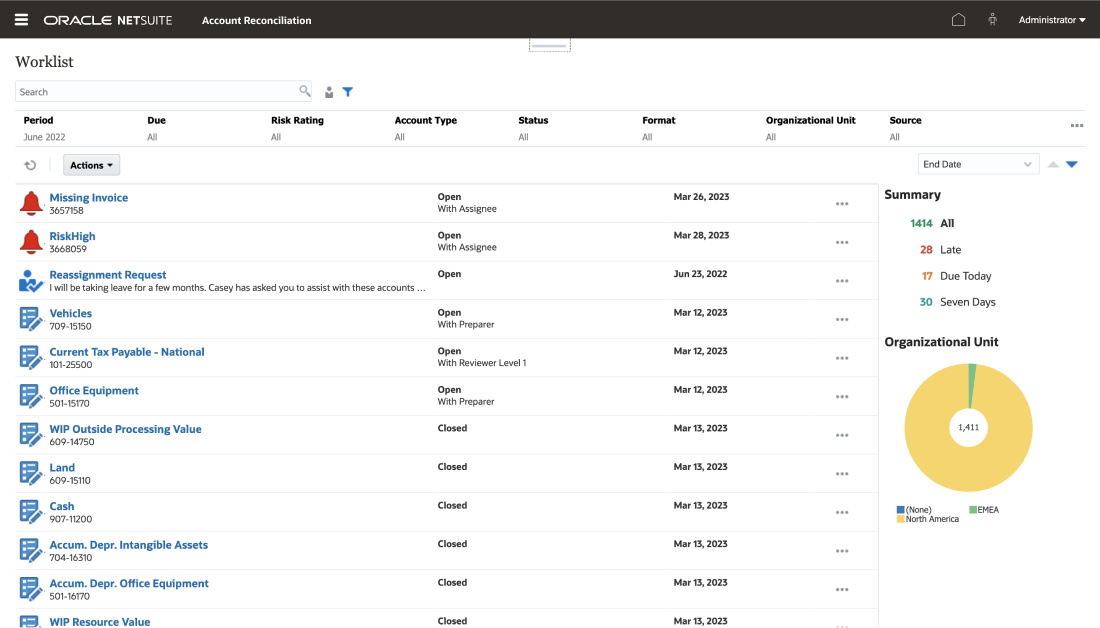
Oracle NetSuite offers automated account reconciliation software Malaysia that streamlines the account reconciliation process, ensuring accurate balance sheet reconciliation through the automation of reconciled bookkeeping tasks.
Consequently, the software helps businesses enhance efficiency by integrating bank account reconciliation software with ERP (Enterprise Resource Planning) and manufacturing financial software.
Features:
- General ledger and accounts receivable/payable
- Budget management
- Tax management
- Amortization tracking
- Financial reporting
Why we chose it:
Chosen for its scalability and customization, Oracle NetSuite excels in complex financial needs. It integrates seamlessly with ERP and bank account reconciliation software, streamlining financial account reconciliation for precise accounting.
| Pros | Cons |
|---|---|
|
No fixed pricing; cost depends on features and users
Requires time and expertise to implement properly Learning curve can be steep for new users |
3. Sage Intacct Bank Account Reconciliation Software
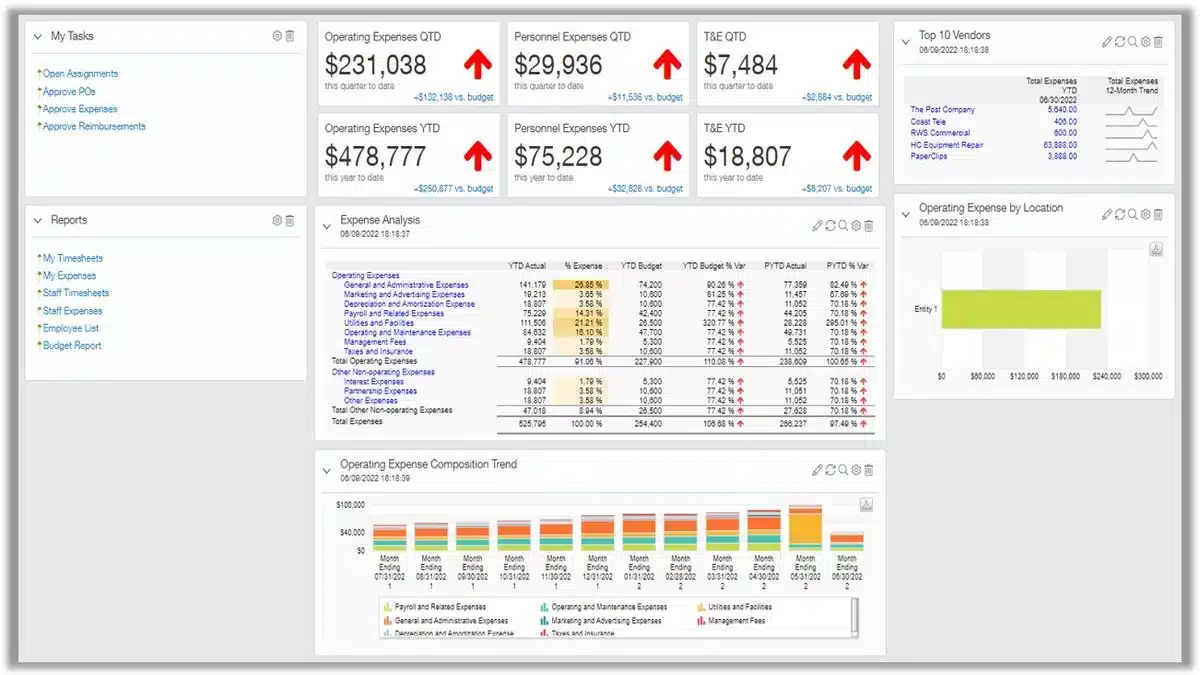
Sage Intacct offers comprehensive financial account reconciliation by automating balance sheet reconciliation and ensuring accurate reconciled bookkeeping. Therefore, it simplifies the reconciliation meaning in accounting, providing clear insights into financial health through integrated accounting software.
Features:
- Automated bank reconciliation system
- Budgeting and planning
- General ledger and accounts receivable/payable
- Cash management
- Pre-built reports and custom reporting
Why we chose it:
We chose Sage Intacct for its intuitive interface and extensive customization options. It simplifies balance sheet and financial account reconciliation, efficiently integrating with bank account reconciliation software to make reconciled bookkeeping easier.
| Pros | Cons |
|---|---|
|
|
4. QuickBooks Account Reconciliation Software
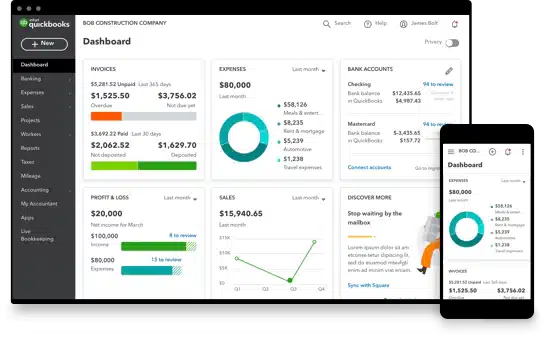
QuickBooks is a bank account reconciliation software Malaysia that supports the reconciliation meaning in accounting by automating reconciled bookkeeping for accurate balance sheet reconciliation. The platform enhances functionality through seamless integration, ensuring comprehensive and efficient financial account reconciliation.
Features:
- Automated rules for reconciliation
- Bank and credit card feeds
- Payment reminders for accounts receivable/payable
- Time tracking and payroll
- Automated reconciliation reports
Why we chose it:
QuickBooks stands out for its intuitive automation features. It effortlessly handles bank account reconciliation software, ensuring accurate financial account reconciliation and balance sheet reconciliation in every accounting task.
| Pros | Cons |
|---|---|
|
|
5. Xero Account Reconciliation Software
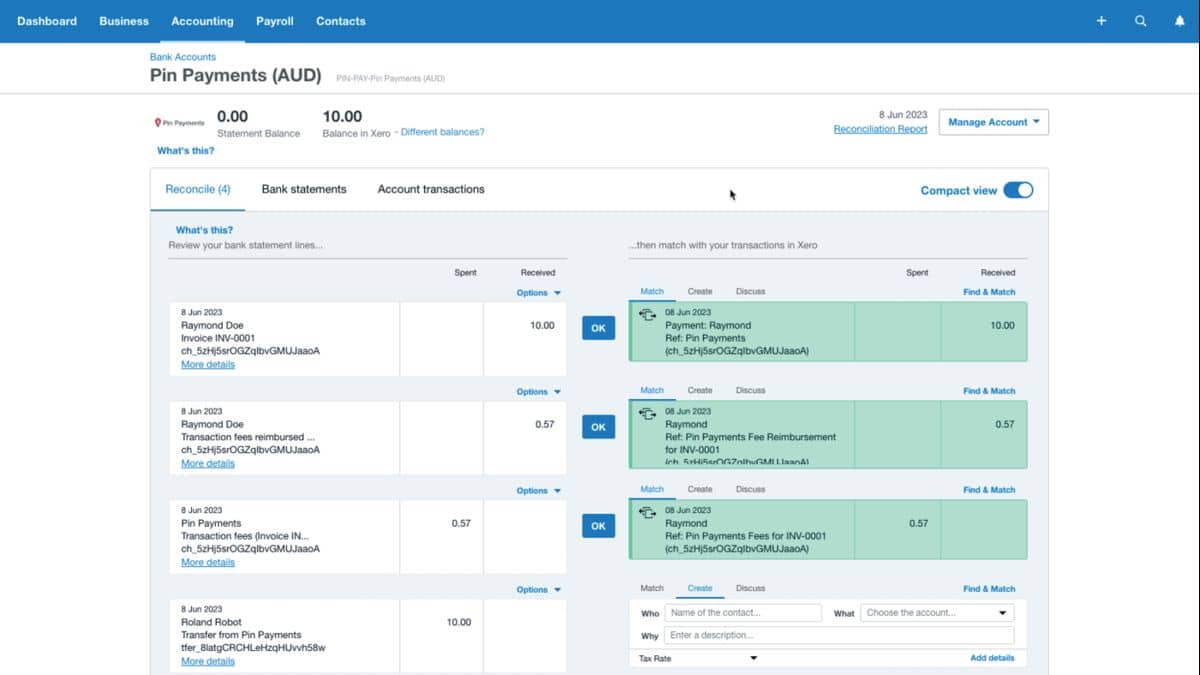
Xero Account Reconciliation Software Malaysia helps businesses maintain accurate financial records by automating reconciled bookkeeping and facilitating balance sheet reconciliation. Its integrated bank account reconciliation software simplifies reconciliation within its ERP.
Features:
- Automated bank feeds
- Bulk and customizable reconciliation
- Online invoicing
- Payroll management
- Financial reporting
Why we chose it:
Xero’s ease of use and flexibility make it ideal for straightforward accounting reconciliation. Moreover, it integrates smoothly with online account reconciliation software, simplifying reconciled bookkeeping and financial account reconciliation processes.
| Pros | Cons |
|---|---|
|
|
6. Zoho Books Bank Account Reconciliation Software
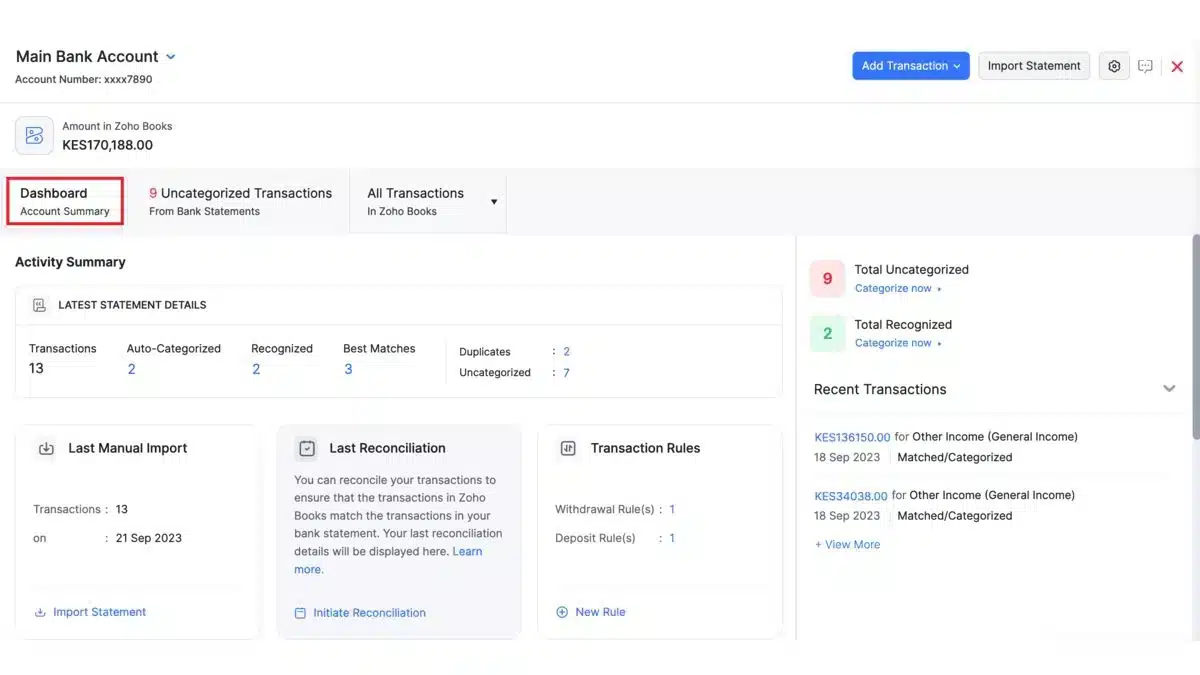
Zoho Books offers account reconciliation software that simplifies financial account reconciliation by automating reconciled bookkeeping processes and balance sheet reconciliation. Its accounting software integrates bank account reconciliation software for seamless reconciliation and enhanced accuracy.
Features:
- Expense management
- Bank reconciliation with automatic transaction import
- Automated categorization of bank rules
- Time and project tracking
- Tamper-proof audit trail
Why we chose it:
Zoho Books was selected for its affordability and customization options. It enhances financial account reconciliation by integrating with bank account reconciliation software, ensuring accurate reconciled bookkeeping and balance sheet reconciliation.
| Pros | Cons |
|---|---|
|
|
7. Multiview ERP Account Reconciliation Software
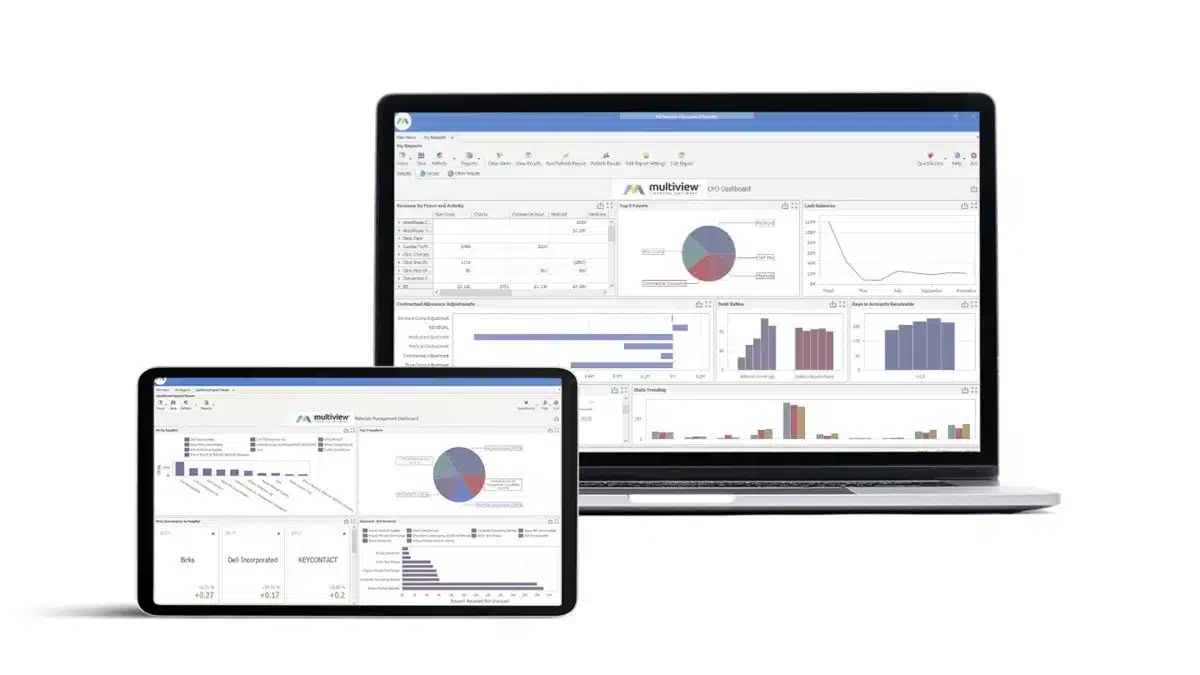
Multiview ERP features advanced account reconciliation software Malaysia that ensures accurate financial account reconciliation and balance sheet reconciliation through automated reconciled bookkeeping. It integrates bank account reconciliation software for streamlined accounting reconciliation and enhanced ERP efficiency.
Features:
- Budget management
- General ledger integration
- Accounts payable and receivable
- Payment processing
- Financial reporting
Why we chose it:
Multiview ERP is ideal for detailed accounting reconciliation. Chosen for its customization and integration with bank account reconciliation software, it ensures precise financial account reconciliation and practical balance sheet reconciliation.
| Pros | Cons |
|---|---|
|
|
8. OneStream Bank Account Reconciliation Software
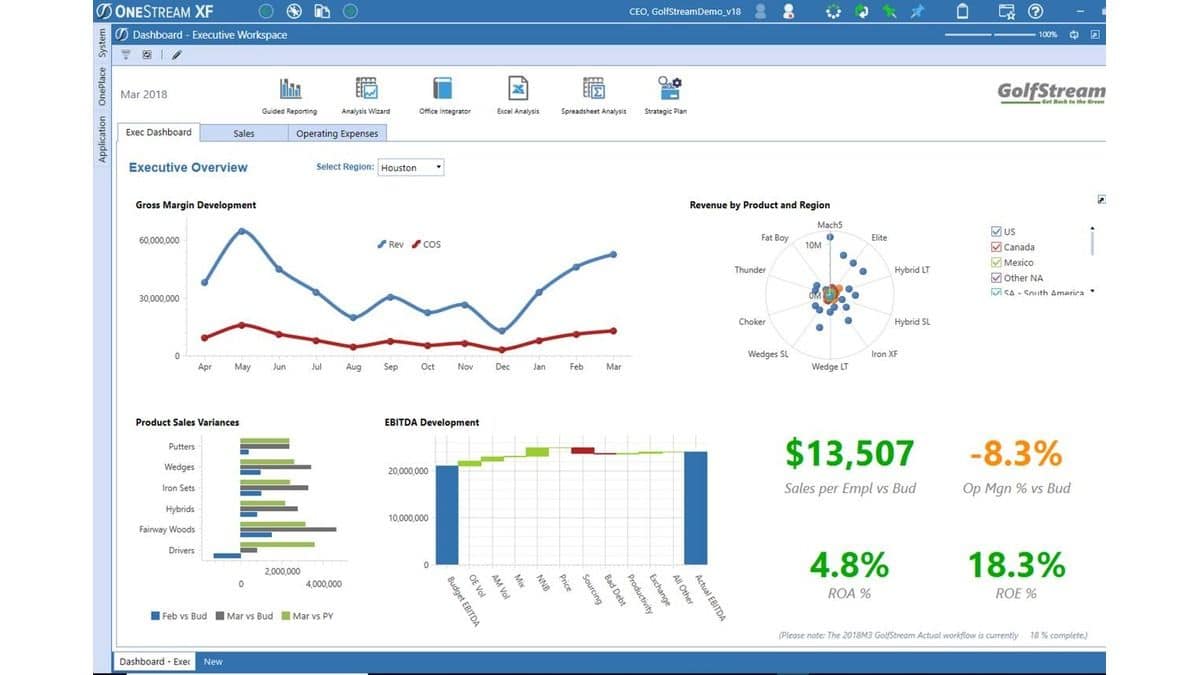
OneStream provides online account reconciliation software that automates financial account reconciliation and reconciled bookkeeping. It integrates bank account reconciliation software within its ERP framework to ensure precise balance sheet reconciliation and enhance overall accounting reconciliation processes.
Features:
- Financial close and consolidation
- Planning, budgeting, and forecasting
- Automated reconciliation
- Trial balance single-sourcing
- Reporting and analytics
Why we chose it:
OneStream’s data integration and robust account reconciliation software make it an ideal solution for large-scale financial operations. It integrates with ERP and bank account reconciliation software, ensuring accurate financial and balance sheet reconciliation.
| Pros | Cons |
|---|---|
|
|
9. BlackLine Account Reconciliation Software
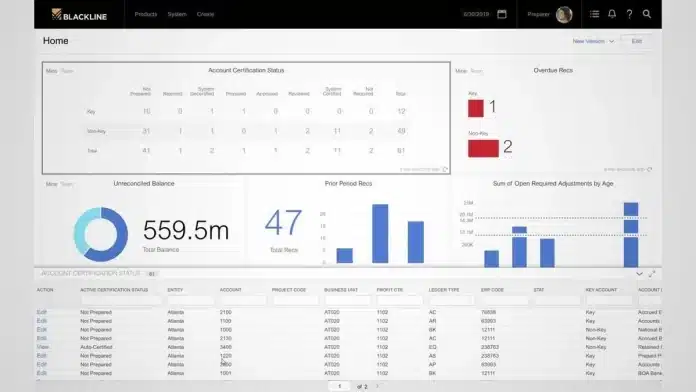
BlackLine automates the financial account reconciliation process, ensuring accurate balance sheet reconciliation and reconciled bookkeeping. It enhances the reconciliation meaning in accounting by integrating bank account reconciliation software into its accounting system for seamless reconciliation.
Features:
- Account reconciliation automation
- Transaction matching
- Policy and procedure documentation
- Task management
- Reporting and analytics
Why we chose it:
BlackLine was chosen for its automation and process efficiency. Additionally, it excels in financial account reconciliation and integrates with bank account reconciliation software, making balance sheet reconciliation and reconciled bookkeeping streamlined and accurate.
| Pros | Cons |
|---|---|
|
|
10. FloQast Account Reconciliation Software
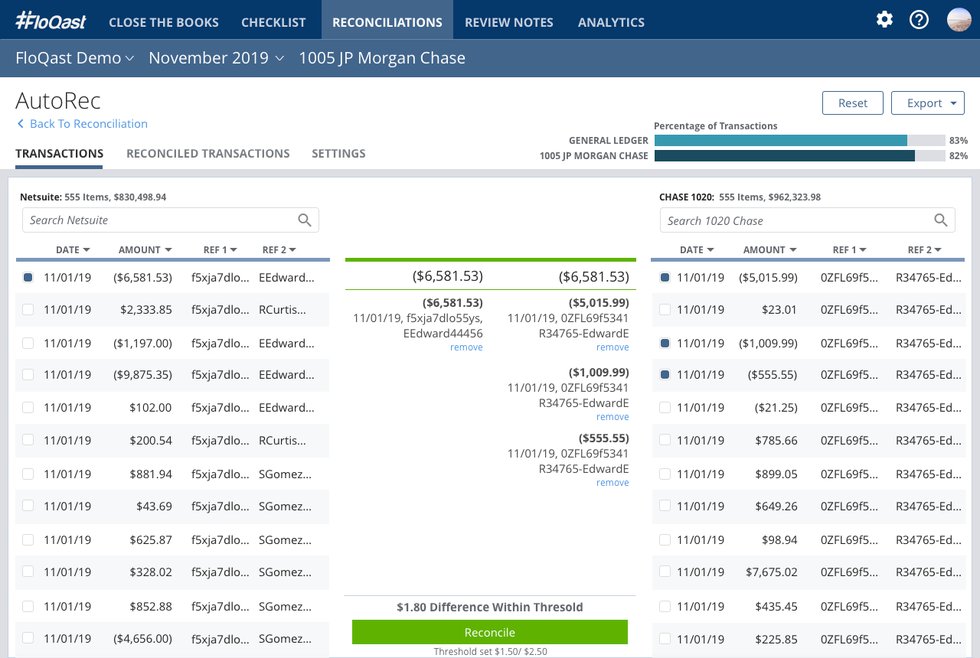
FloQast offers online account reconciliation software that simplifies financial account reconciliation by streamlining balance sheet reconciliation and automating reconciled bookkeeping. It integrates with bank account reconciliation software to ensure efficient accounting reconciliation and is compatible with various ERP systems.
Features:
- Automated reconciliation
- Close management
- Task management
- Flux analysis
- Reporting and analytics
Why we chose it:
FloQast is favored for its simplicity and efficiency. It automates reconciled bookkeeping and integrates with bank account reconciliation software, ensuring timely, accurate financial account and balance sheet reconciliations.
| Pros | Cons |
|---|---|
|
|
11. Prophix Account Reconciliation Software

Prophix offers automated account reconciliation software that accelerates the finance close by automating transaction matching, centralizing workflows, and providing real-time visibility into reconciliation statuses. It connects with multiple data sources and supports audit-ready controls.
Features:
- Automated transaction matching
- Close and task management
- Risk and flux analysis
- Detailed reconciliation reports
- Budgeting management
Why we chose it:
Prophix stands out thanks to its powerful automation and built-in reconciliation templates. It cuts down manual effort while ensuring accuracy, making closing processes faster and more reliable.
| Pros | Cons |
|---|---|
|
|
12. Solvexia Account Reconciliation Software

Solvexia provides automated account reconciliation software that eliminates manual spreadsheet work and accelerates financial close cycles. The platform streamlines data consolidation, automates balance sheet reconciliation, and delivers real-time financial accuracy.
Features:
- Automated data consolidation
- Balance sheet reconciliation
- Workflow management
- Exception management
- Reporting dashboards
Why we chose it:
Solvexia stands out for its low-code automation capabilities and flexibility. It reduces manual work dramatically, improves auditability, and helps finance teams reconcile faster with greater accuracy.
| Pros | Cons |
|---|---|
|
|
Comprehensive Comparison of Account Reconciliation Software
| Provider | Connection Quality | Bank Coverage | Ease of Integration | Data Enrichment |
|---|---|---|---|---|
| Hashmicro | ||||
| Oracle NetSuite | ||||
| Sage Intacct | ||||
| QuickBooks | ||||
| Xero | ||||
| Zoho | ||||
| Multiview ERP | ||||
| OneStream | ||||
| Prophix | ||||
| Solvexia |
Benefits of Automated Account Reconciliation Software
Automating the reconciliation process brings clear advantages for finance teams. By replacing manual processes with smart software, businesses improve the accuracy of their financial records.
Here are the key benefits of automated account reconciliation software:
1. Automated reconciliation
A dedicated reconciliation platform removes the need for manual matching by automating most steps. This allows teams to catch inconsistencies sooner, reconcile multiple accounts faster, and focus their time on higher-value priorities.
2. Greater financial transparency
Instead of locking financial information within spreadsheets or finance-only workflows, reconciliation tools centralize that data so key stakeholders can access accurate figures when needed, primarily if the platform supports other core financial tasks.
3. Stronger risk control
Manual reconciliation always carries the risk of mistakes, which can slow monthly closing and distort financial reporting. By switching to a specialized system, businesses minimize human errors early and create a more reliable reconciliation process overall.
Why is Account Reconciliation Software Important?
The software is essential for businesses as it ensures financial integrity, reduces the risk of errors, and enhances overall financial management. It allows companies to maintain accurate records and make informed financial decisions.
Here are some accounting software benefits that demonstrate its importance:
- Automates manual processes, reducing time spent on reconciliation.
- Helps eliminate unnecessary costs by ensuring all transactions are accurate.
- Minimizes errors by automatically matching transactions and identifying discrepancies.
- Ensures that financial records comply with local regulations and are subject to regular audits.
- Provides real-time visibility into cash positions, enabling better financial decisions.
- Identifies unauthorized transactions or inconsistencies early on.
- Generates detailed reports that aid in financial analysis and decision-making.
Key Features to Look for in Account Reconciliation Software

Before selecting accounting software, it is crucial to know which features will genuinely benefit your business. The right software can streamline your financial processes, reduce errors, and save time. Here are the essential features to look for:
- Automation capabilities: Automatically matches transactions and flags discrepancies, reducing manual effort and speeding up month-end close processes.
- Bank integration: Connects directly with your bank accounts for real-time data syncing, eliminating manual imports and ensuring up-to-date records.
- Tax management: Simplifies tax calculations and filings, helping you stay compliant with local and international regulations while avoiding costly errors.
- Audit trail: Records every change and user action within the system, ensuring transparency audit and making audits easier and more reliable.
- Customizable reporting: Allows you to create reports tailored to your business needs, offering deeper insights into reconciliation status, variances, and trends.
- Automated alerts: Allows you to create reports tailored to your business needs, offering deeper insights into reconciliation status, variances, and trends.
- Multi-currency support: Critical for businesses with international operations, ensuring accurate reconciliation across multiple currencies and compliance with global standards.
Signs That You Need Accounting Reconciliation Software
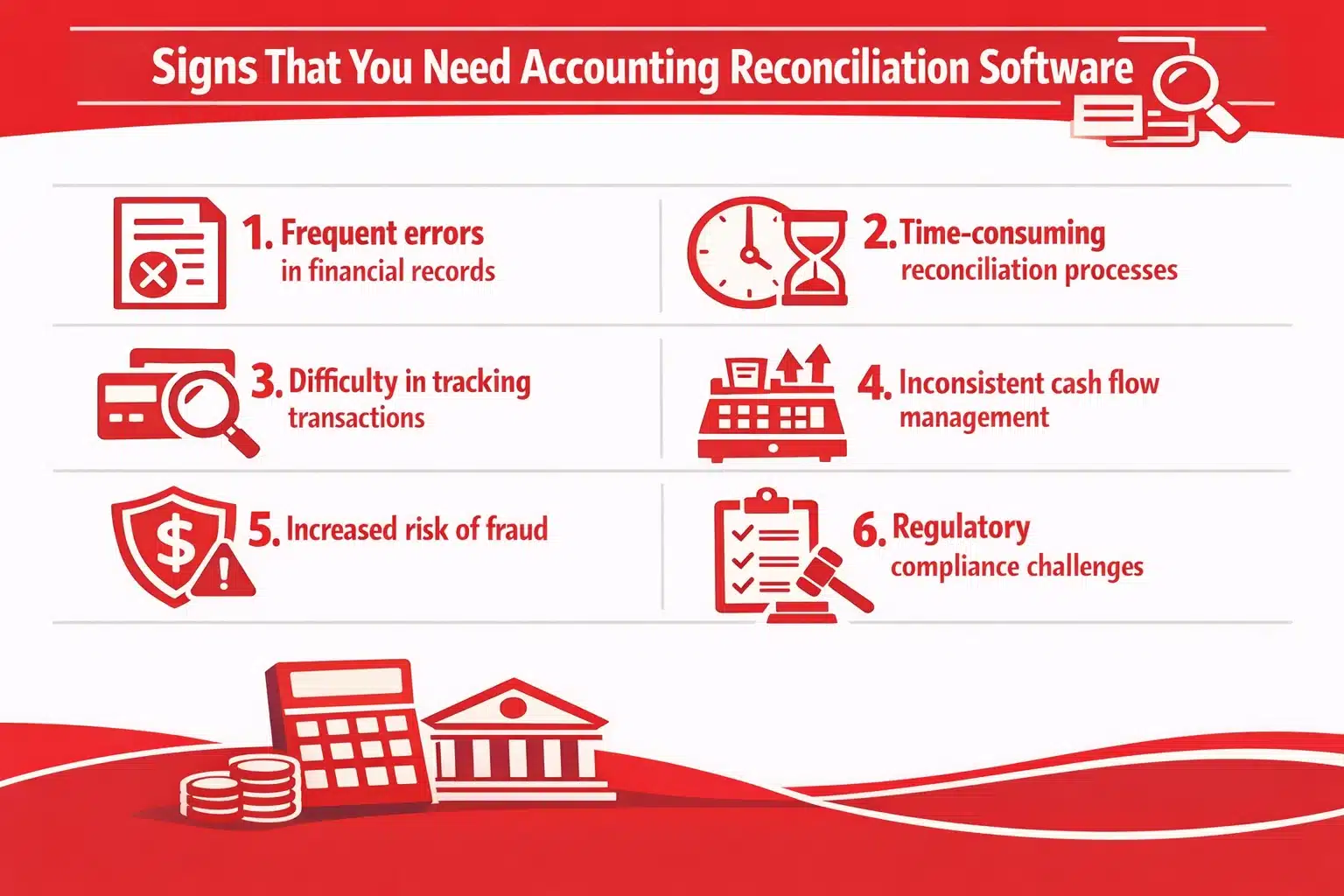
Consider implementing this software if you find your financial processes increasingly complex or if you are spending too much time on manual reconciliations. Below are some signs that indicate the need:
- Frequent errors in financial records: If your financial statements often contain errors, it’s a clear sign that manual processes are no longer sufficient.
- Time-consuming reconciliation processes: When your team spends excessive time reconciling accounts, software can automate these tasks, freeing up valuable time.
- Difficulty in tracking transactions: Struggling to match transactions across multiple accounts or bank statements suggests the need for more efficient tools.
- Inconsistent cash flow management: If you’re struggling to maintain a consistent cash flow due to inaccurate records, bank account reconciliation software can provide real-time updates and insights.
- Increased risk of fraud: When financial data is not regularly reconciled, the risk of unnoticed fraudulent activity rises, signaling the need for automated checks.
- Regulatory compliance challenges: Difficulty staying compliant with financial regulations due to manual errors is a strong indicator that it’s time to automate accounting software.
Challenges often extend beyond reconciliation as your business grows, affecting overall operations. This is where ERP (Enterprise Resource Planning) software comes in. It integrates accounting, HR, inventory, and CRM functions, creating a unified platform that boosts efficiency and accuracy.
How to Choose the Best Account Reconciliation Software
Choosing the right account reconciliation software can significantly impact your business’s financial accuracy and efficiency. It is essential to consider various factors that align with your specific needs. Here’s a guide on how to choose the best choice:
- Assess your business needs: Identify reconciliation requirements, including the volume of transactions and the need for integration with existing accounting systems. Understanding these needs helps you choose software that perfectly fits your business operations.
- Check for automation features: Look for accounting reconciliation software that automates repetitive tasks, such as matching transactions and flagging discrepancies. Automation saves time, reduces errors, and ensures consistency.
- Ensure seamless integration: Choose bank account reconciliation software that integrates smoothly with your current accounting software and bank systems. This integration eliminates data silos, ensuring data is synchronized and accessible in one place.
- Evaluate security measures: To protect your sensitive financial information from unauthorized access, consider using financial account reconciliation software that offers robust security features, such as encryption and user access controls.
- Consider scalability: As your business grows, your reconciliation needs may increase. Select software that can scale with your company, offering advanced features and the ability to handle more transactions without compromising performance.
- Test user-friendliness: A user-friendly interface is essential for efficient operations. Select intuitive and easy-to-navigate software that enables your team to learn and utilize the system quickly, eliminating the need for extensive training.
- Look for strong customer support: Reliable customer support can make a big difference when issues arise. Opt for a vendor that offers comprehensive support, including live chat, phone, and email assistance, to help you resolve problems quickly.
Conclusion
Account reconciliation software is crucial for maintaining accurate financial records and ensuring compliance with regulatory requirements. It streamlines the reconciliation process, saving time and reducing errors that impact your business’s economic health.
ERP software offers robust account reconciliation features, seamlessly integrating with your existing systems to automate and simplify the reconciliation process. With ERP software, business can enhance accuracy and efficiency in managing your financial data.
Ready to see the difference HashMicro can make? Sign up for a free demo today and experience how it can transform financial management and streamline reconciliation tasks.

FAQ About Account Reconciliation Software
-
What is the difference between bank reconciliation and account reconciliation?
Bank reconciliation involves matching a company’s records with bank statements to identify discrepancies, such as missing deposits or unprocessed checks. Account reconciliation consists in reviewing all types of accounts, including assets, liabilities, and expenses, to ensure that the recorded balances match the supporting documentation.
-
How do you record reconciliation?
Reconciliation is recorded by adjusting entries in the accounting software or ledger. Identify discrepancies, add or subtract transactions, and update the general ledger. For example, record interest income, fees, or errors after matching statements to ensure accurate financial reports.
-
How does account reconciliation software improve financial accuracy?
Account reconciliation software improves financial accuracy by automating transaction matching and ensuring that all financial records align across accounts. It reduces human error and provides real-time visibility into financial data for more reliable reporting.
-
What’s the best account reconciliation software?
The ideal account reconciliation software is one that automates key finance workflows, minimizes manual work, and seamlessly synchronizes with your financial data sources. HashMicro’s Account Reconciliation System is a comprehensive, integrated finance platform that simplifies reconciliation, accelerates monthly closing, and improves financial accuracy across the organization.
-
What are the Common Challenges in implementing bank reconciliation software in Malaysia?
Implementing reconciliation software can be challenging, mainly due to setup, training, and system compatibility. The initial setup may involve data migration and process configuration. Teams must also learn how to use and customize the tool, which can take time. Finally, the software must integrate smoothly with existing systems to keep data consistent across platforms.
-
What types of companies benefit the most from financial reconciliation tools?
Financial reconciliation tools benefit companies with high transaction volumes or multiple accounts, such as banks, retailers, and manufacturers. They help automate data matching, detect errors, and maintain accurate financial records.
-
How to do balance sheet reconciliations?
How to do balance sheet reconciliations
1. List all accounts: Identify balance sheet accounts (e.g., cash, receivables, liabilities).
2. Match balances: Compare the account balance with supporting documents (e.g., invoices, statements).
3. Investigate differences: Identify and correct errors or omissions.
4. Document findings: Record reconciliation adjustments in the ledger. Repeat monthly to maintain financial accuracy.