













Your finance team closes the month, then spends days matching bank transactions against internal records, hunting for discrepancies. Manual bank reconciliation has an error rate of 15 to 25 percent, meaning one in four reconciliations contains mistakes.
For most Malaysian businesses, this means hours cross-checking spreadsheets against PDF statements. One missed bank charge or transposed digit, and the numbers stop adding up.
Bank reconciliation software automates this matching. The system pulls transactions from your bank, compares them against your records, and flags mismatches. This guide covers 10 options available in Malaysia, from basic tools for small businesses to enterprise systems for complex operations.
Key Takeaways
|
Don’t let a single transposed digit disrupt your financial accuracy. Click the banner below to explore how our system automates matching and ensures your numbers always add up.

Shortlisted Bank Reconciliation Software
The 10 options below range from basic tools for small businesses to enterprise platforms for companies with complex multi-entity structures. Each serves a different need, and the best choice depends on your transaction volume, existing systems, and budget.
Below are some recommended bank reconciliation software that I suggest.



Best Because
It has a User-friendly interface and is cost-effective


Best Because
Excellent choice for small businesses

The right bank reconciliation software not only simplifies the process but also strengthens overall financial control. I trust that the recommendations above will help you find the best fit for your accounting needs.
What is Bank Reconciliation Software?
Bank reconciliation software is a digital tool that automatically matches your internal financial records with bank statements to ensure every transaction is accurate and up to date.
By automating repetitive accounting tasks, this software reduces human error, improves accuracy, and provides clearer visibility into your cash flow. It also supports audit-ready reporting, helping businesses maintain clean and reliable financial records.
Hashy AI Fact

Need to know!
Hashy AI uploads proof of payment and flags it for verification, streamlining the bank reconciliation process for accurate and efficient financial management.
Request a free demo today!
Why Bank Reconciliation is Important for Financial Accuracy
A bank reconciliation is more than just a routine financial task. It’s essential for keeping your business’s records accurate and reliable. By regularly comparing your financial records with bank statements, you gain a clearer understanding of your company’s financial health.
Here’s why this process is so important:
- Errors Get Caught Early
A supplier payment recorded twice. A bank fee nobody logged. A customer deposit entered with one wrong digit. These small mistakes hide in spreadsheets for months until someone notices the numbers do not add up. Regular reconciliation surfaces them while they are still easy to trace and fix. - Fraud Shows Up Faster
Unexplained withdrawals, payments to vendors you do not recognise, charges that nobody approved. These warning signs sit in your bank statement waiting to be noticed. If you only reconcile quarterly, a fraudulent transaction has three months to repeat before anyone catches it. - You Know What Cash You Actually Have
Your accounting system says you have RM 80,000. But RM 12,000 in cheques have not cleared yet, and there is a RM 3,500 bank charge you missed. Your real available cash is RM 64,500. Reconciliation tells you the true number so you do not accidentally overdraw or miss a payment. - Audits Become Less Painful
Auditors will ask how you verified your bank balances. If you hand them a folder of reconciliation reports with matched transactions and documented explanations for every variance, the conversation is short. If you hand them a spreadsheet full of question marks, expect a long week. - Decisions Rest on Real Numbers
Should you hire another staff member? Can you afford that equipment upgrade? Is your profit margin actually what you think it is? These decisions depend on accurate financial data. Reconciled accounts give you that confidence. Unreconciled accounts give you guesses.
10 Top Bank Reconciliation Software in Malaysia
To help Malaysian businesses make the right choice, we’ve curated a list of the 10 best bank reconciliation software tailored to local needs.
- Automated Bank Reconciliation Software from HashMicro: Automates reconciliation with real-time bank integration, smart matching rules, and centralized financial oversight.
- QuickBooks Bank Reconciliation Automation Software: Simplifies reconciliation with automated bank feeds, easy transaction matching, and accountant collaboration tools.
- Xero: Offers automated bank feeds, AI-driven transaction matching, and real-time financial updates.
- NCH Express Accounts: A lightweight accounting tool with basic bank reconciliation, simple matching, and straightforward reporting features.
- Sage 50 Bank Reconciliation Software: Provides automated matching, secure bank connections, and clear reconciliation reports for SMEs.
- BlackLine: Specializes in compliance-focused automated reconciliation with real-time visibility and audit-ready documentation.
- ReconArt: Delivers enterprise-grade reconciliation with rule-based matching, exception management, and end-to-end financial close automation.
- Cube Bank Reconciliation Software: A finance planning and reporting tool that streamlines reconciliation with automated workflows and centralized financial data.
- Nomentia: Automates reconciliation with real-time data integration, multi-bank aggregation, and customizable matching rules.
- NetCash by Netgain: A Malaysian cloud accounting solution offering automated bank feeds, reconciliation tools, and simple cash-flow tracking.
1. Automated Bank Reconciliation Software from HashMicro
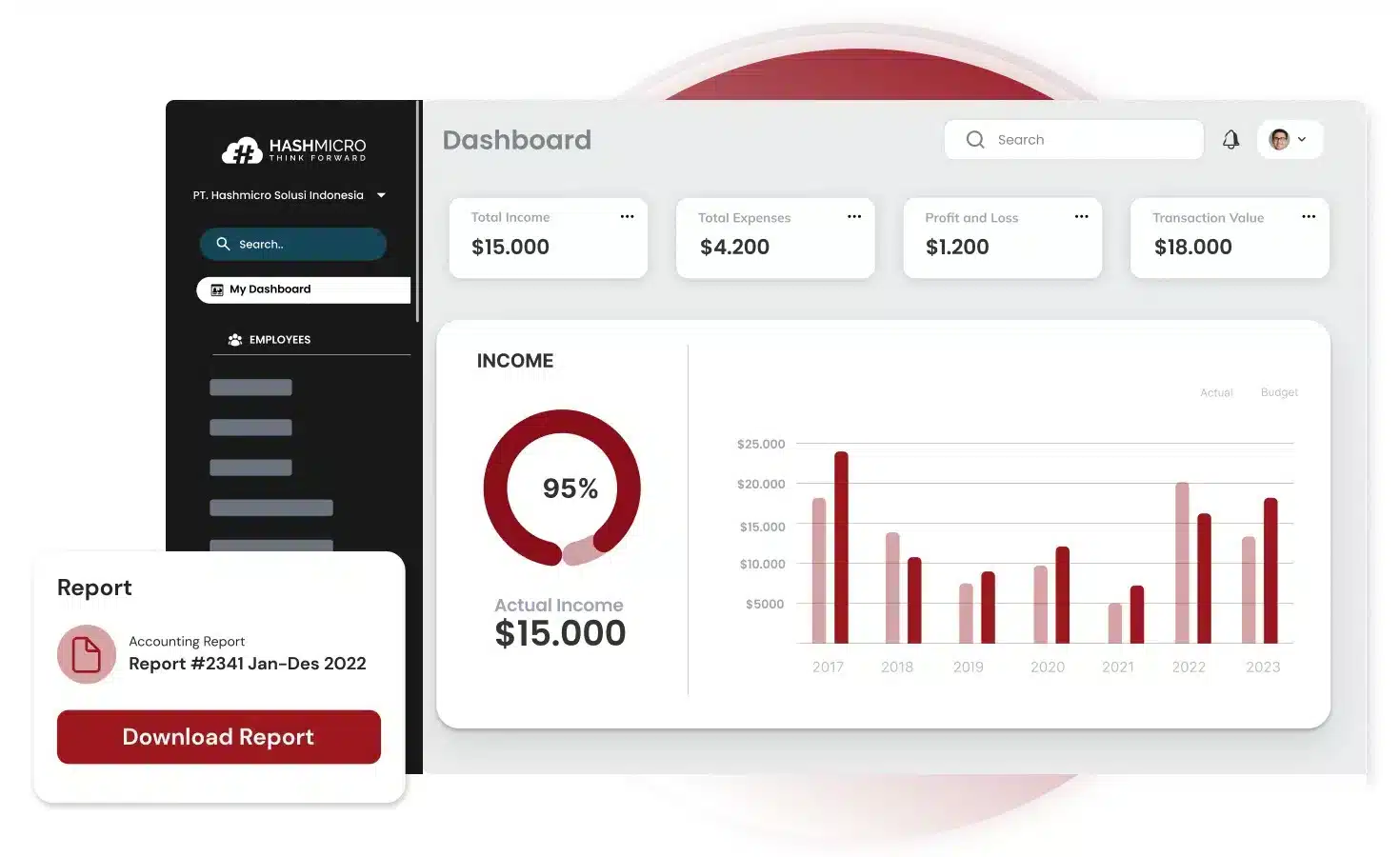
HashMicro provides bank reconciliation as part of its broader ERP accounting system. The software connects directly to Malaysian banks, imports transactions automatically, and matches them against your internal records using configurable matching rules.
The reconciliation module sits within a larger system that includes general ledger, accounts payable, accounts receivable, and financial reporting. This integration means reconciled transactions flow directly into your financial statements without manual re-entry.
Here are several of HashMicro’s features that will be useful for you:
- Bank Integration – Auto Reconciliation
- Bank Integration – Auto Payment
- Multi-Level Analytics
- Profit & Loss vs Budget & Forecast
- Cash Flow Reports
- Financial Statement with Budget Comparison
Why we recommend this software: HashMicro simplifies the reconciliation process with its automation tools, ensuring accurate financial records and reducing the risk of manual errors. The solution includes features such as automated transaction matching, making it a versatile choice for businesses with diverse needs.
Ideal for companies that need integrated accounting, reconciliations, and enterprise-grade automation in a unified ERP ecosystem. Works best for businesses with multiple bank accounts, recurring transactions, and centralized financial oversight.
| Pros | Cons |
|
|
To see how our software handles your inventory and provides full visibility across your distribution network, click the banner below to explore our features and pricing.
2. QuickBooks Bank Reconciliation Automation Software
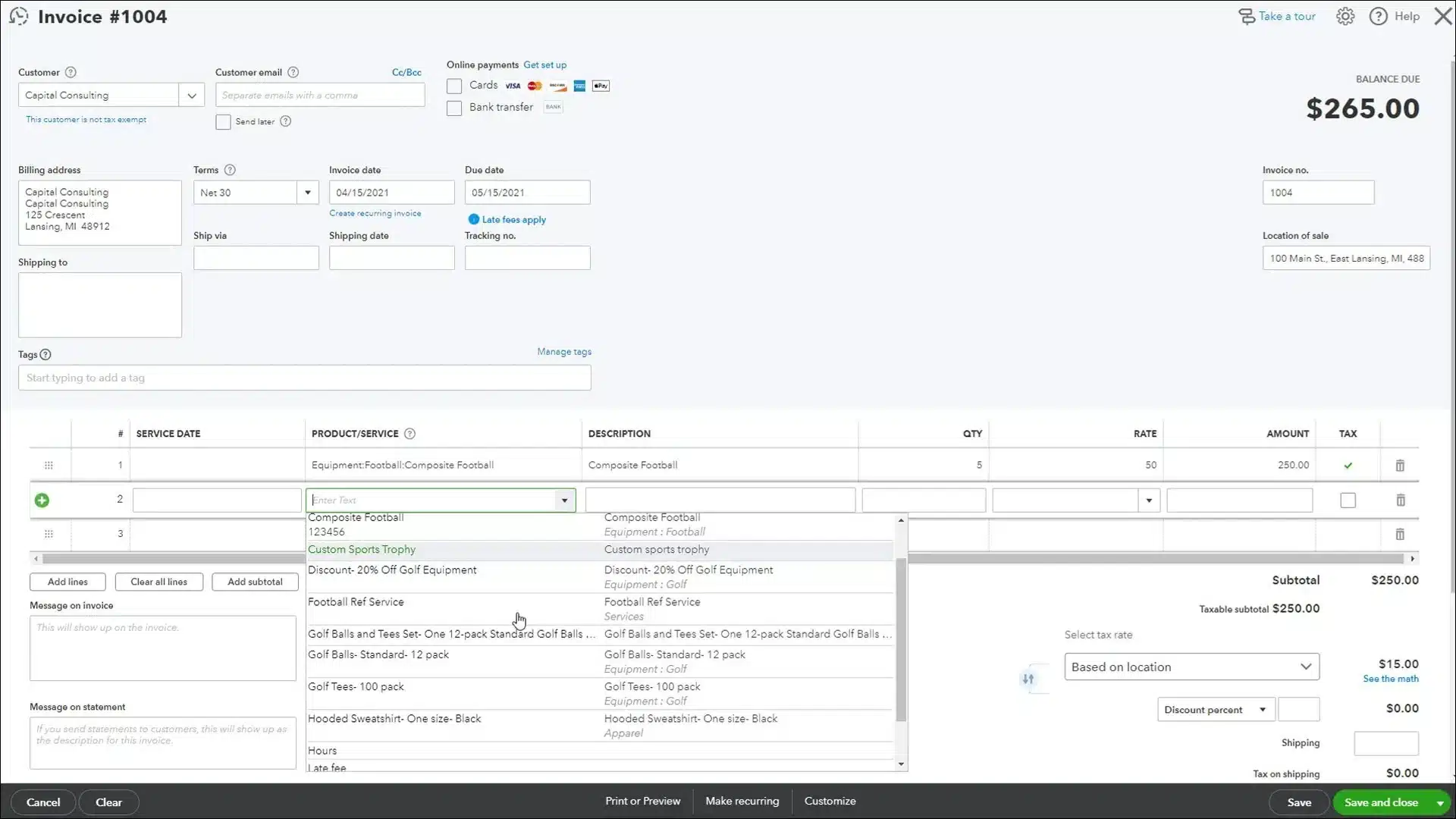
QuickBooks is a widely used bank reconciliation automation software developed by Intuit, known for its bank reconciliation features tailored for small to medium-sized businesses. This bank reconciliation automation software streamlines transaction matching, ensuring that financial records remain accurate and up-to-date.
QuickBooks’ automated bank reconciliation software includes the following features:
- Income and Expenses
- Invoices and Payments
- Tax Deductions
- Comprehensive Reports
- Receipt Capture
- Workflow Automation
Why we recommend this software: QuickBooks bank reconciliation software is a top choice for small businesses in Malaysia due to its user-friendly interface and cost-effective pricing. This bank reconciliation automation software provides essential bank reconciliation tools suitable for businesses with simple financial management needs.
Suitable for SMEs, accountants, and small finance teams that want simple automated reconciliations, easy bank feeds, and collaborative workflows without heavy IT setup.
| Pros | Cons |
|
|
3. Xero
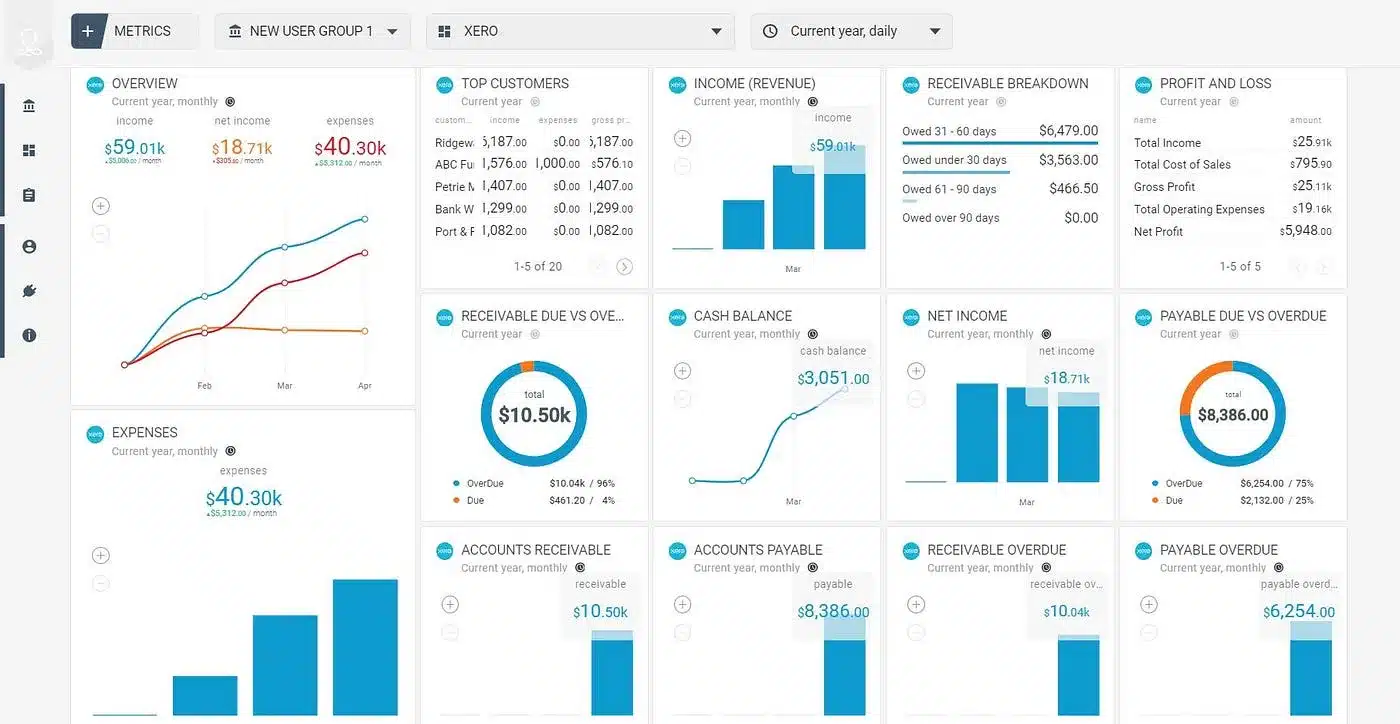
Xero is a cloud-based accounting platform known for its intuitive design and powerful bank reconciliation features. It enables businesses to effortlessly match transactions with accounting records, ensuring streamlined and accurate financial processes.
Features:
- Automated reconciliation
- Real-time analysis
- Seamless integration with third-party applications and online services.
- Advanced data security
- Automatic bank feeds for real-time updates on transactions.
Why Xero Stands Out: Xero’s cloud-based system and integration capabilities make it a standout choice for businesses in Malaysia. The bank reconciliation software’s flexibility and collaborative tools allow companies to manage their finances efficiently, even when working across teams or locations.
Well-suited for organizations dealing with international transactions, multi-currency reconciliations, and real-time cloud financials, especially remote or distributed teams.
| Pros | Cons |
|
|
4. NCH Express Accounts
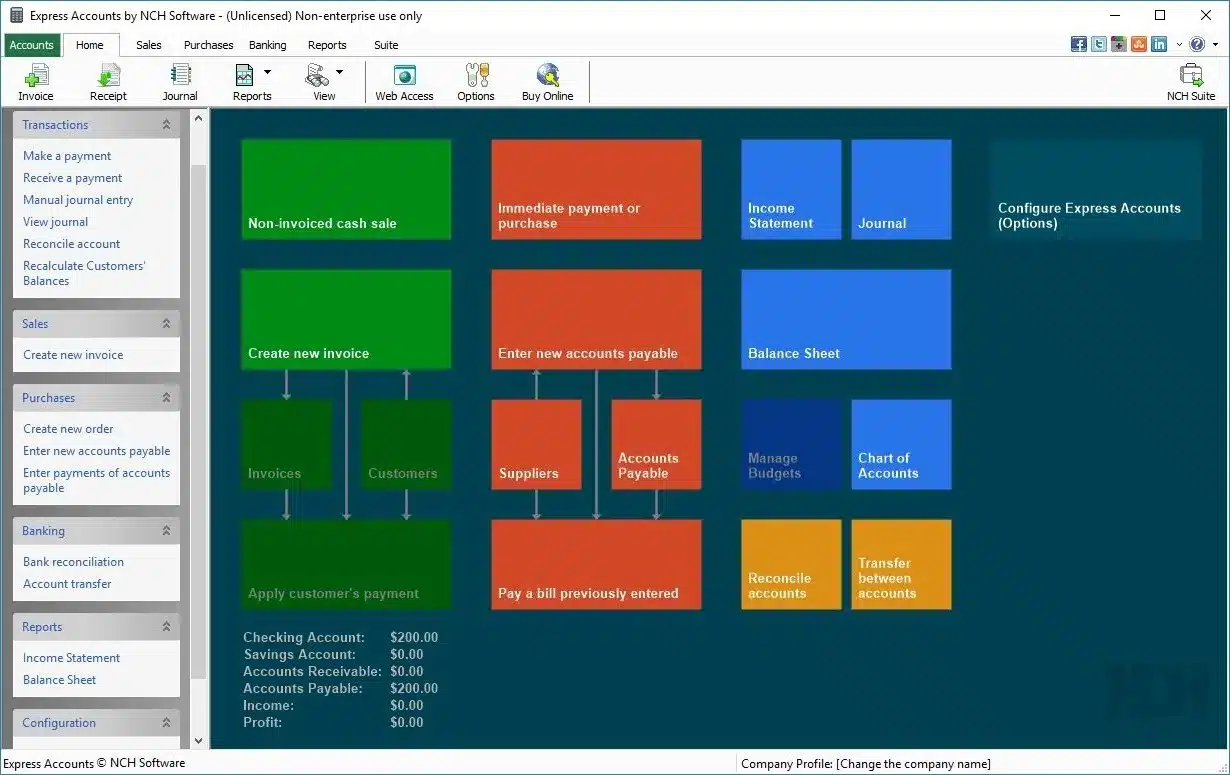
NCH Express Accounts is a versatile accounting software designed for small businesses, offering essential bank reconciliation tools that allow users to easily match their bank transactions with accounting records.
Features:
- Manual import
- Immediate correction
- Balance recalculation
Why We Recommend This Software: NCH Express Accounts is an excellent choice for small businesses or startups in Malaysia looking for a simple, no-frills solution for bank reconciliation. This bank reconciliation automation software is perfect for companies that don’t need the complexity of more advanced software.
Perfect for very small businesses that need basic reconciliation, easy bookkeeping, and lightweight financial management without the complexity or cost of full accounting suites.
| Pros | Cons |
|
|
5. Sage 50 Bank Reconciliation Software
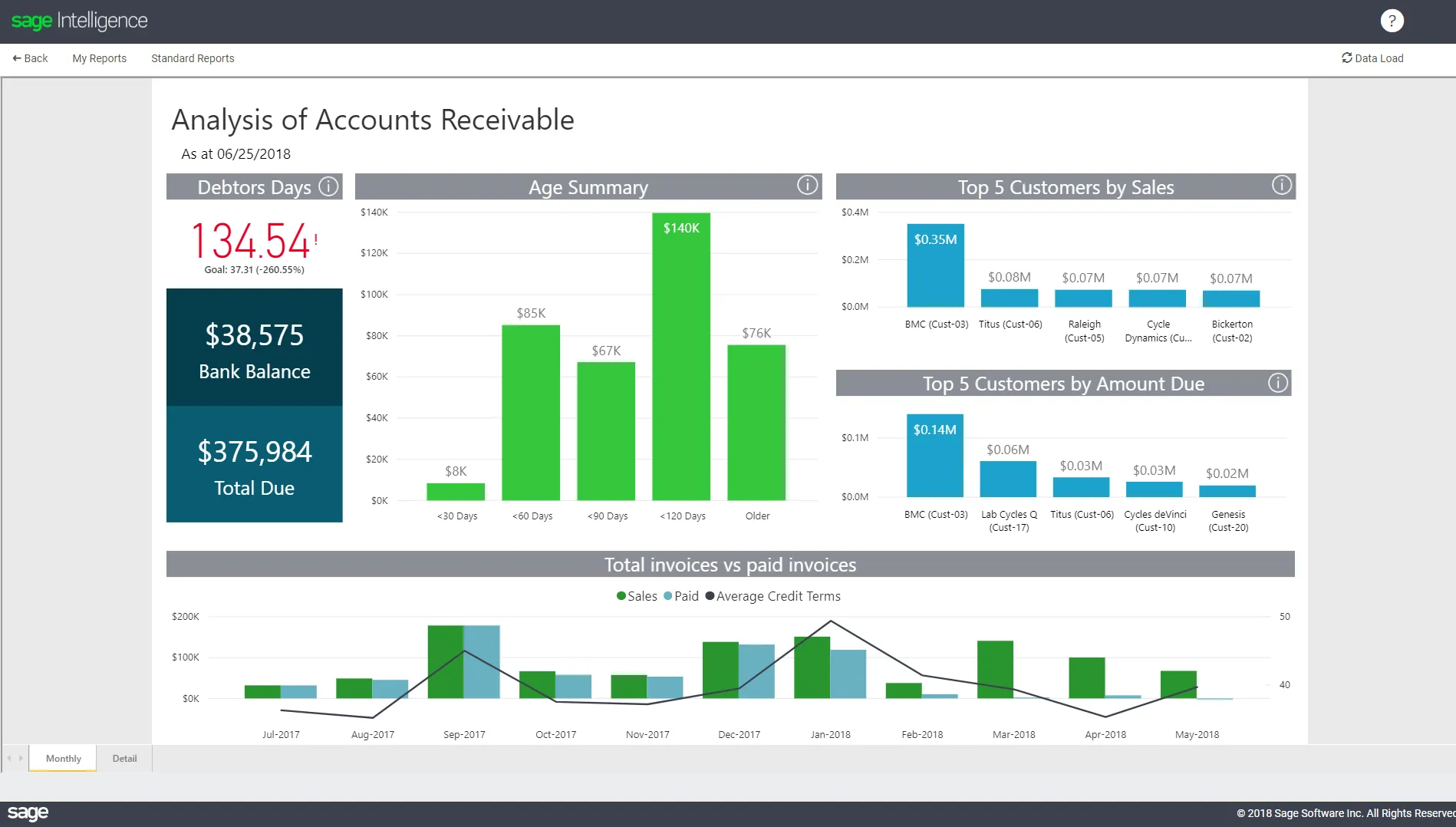
Sage 50 is a streamlined bank reconciliation software that offers powerful tools for automated bank reconciliation. Designed for small to medium-sized businesses, this bank reconciliation software helps streamline financial processes while ensuring accurate record-keeping. It also offers manufacturing accounting software specifically tailored to factories.
Features:
- Automated account reconciliation
- Customizable workflows
- Robust reporting
- 24/7 customer support
Why We Recommend This Solution: Sage 50 Accounting is ideal for medium-sized businesses in Malaysia, offering a comprehensive financial management system with reliable bank reconciliation capabilities.
Works best for SMEs that require secure on-premise accounting, clear reconciliation workflows, and strong financial reporting, especially where local accountants or auditors prefer Sage’s documentation style.
| Pros | Cons |
|
|
6. BlackLine
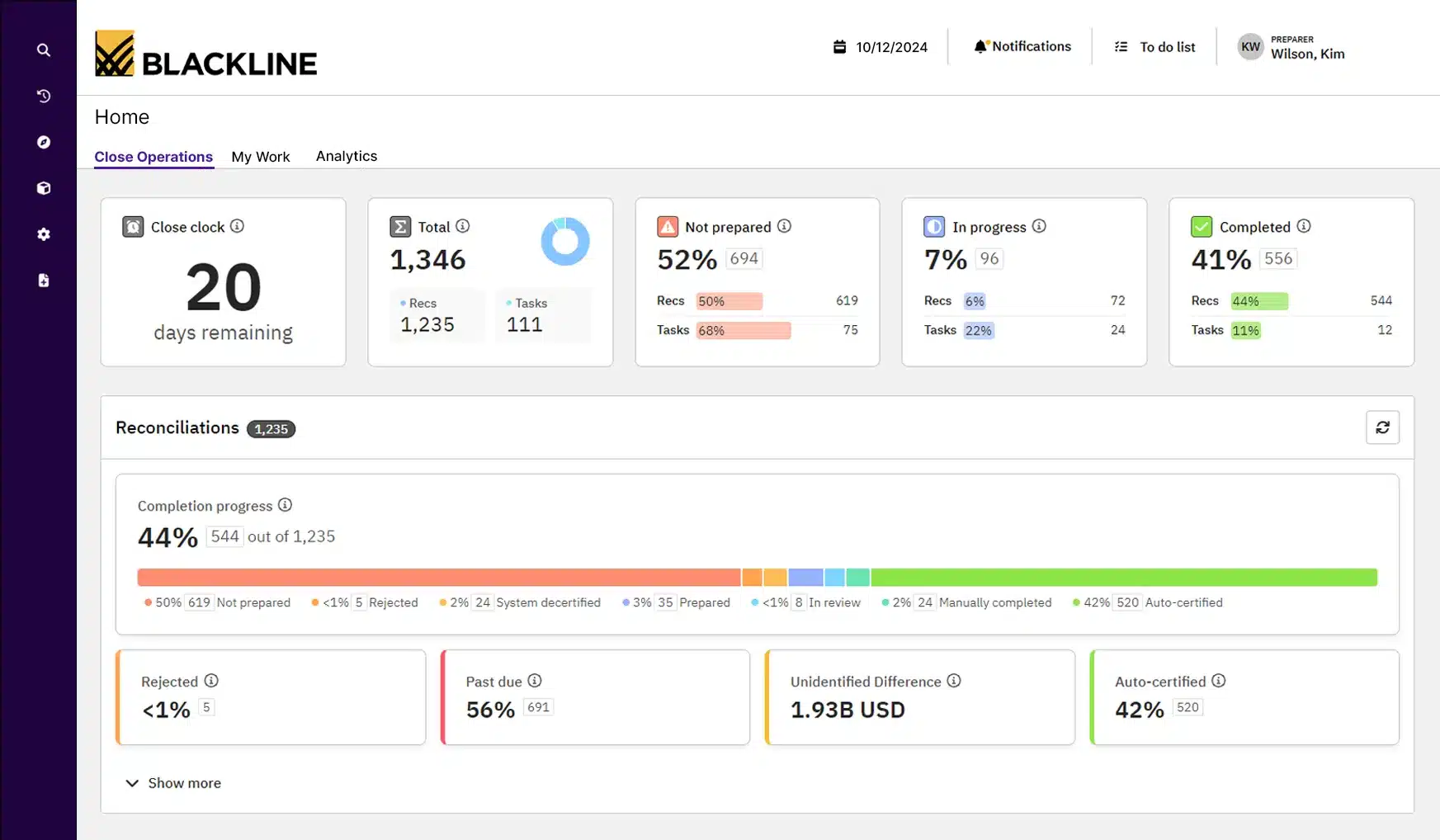
BlackLine provides advanced financial automation solutions, including bank reconciliation automation software and construction procurement software designed for large enterprises. This bank reconciliation software improves the accuracy of financial data by automating intricate reconciliation tasks and ensuring better compliance.
Features:
- Comprehensive financial close management
- Automated workflow and task management
- Real-time monitoring and exception reporting
- Integration with major ERP systems
Why We Recommend This Solution: BlackLine bank reconciliation software is chosen for its enterprise-level capabilities, making this bank reconciliation software Malaysia ideal for large companies in Malaysia that need robust financial management and reconciliation tools to ensure compliance and maintain financial accuracy.
Designed for large organizations that need compliance-ready reconciliation, internal controls, audit trails, and real-time financial visibility, especially in regulated industries or companies preparing for audits.
| Pros | Cons |
|
|
7. ReconArt
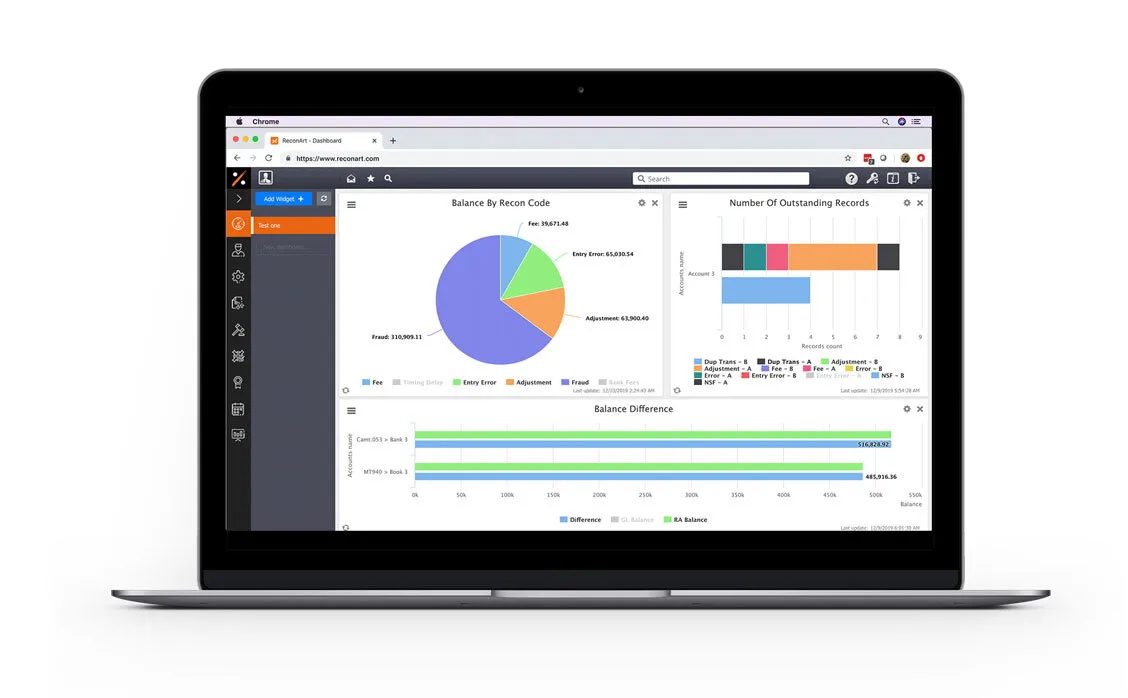
ReconArt offers automated reconciliation software solutions tailored for businesses of all sizes. Its highly customizable platform is particularly suited for companies with complex reconciliation requirements across various financial accounts.
Features:
- Advanced automation
- Configurable matching rules
- Comprehensive audit trails and reporting
- Integration with multiple financial systems
Why We Recommend This Solution: ReconArt bank reconciliation automation software is ideal for large businesses in Malaysia with high transaction volumes and intricate reconciliation needs. Its robust automation and customization features ensure it can handle the complexities of large-scale financial operations effectively.
Best for companies with high transaction volume, multiple ledgers, and complex rule-based matching, including finance teams that require end-to-end financial close automation across departments.
| Pros | Cons |
|
|
8. Cube Bank Reconciliation Software
Cube is a financial planning and analysis software that includes bank reconciliation features. This bank reconciliation software Malaysia is especially beneficial for midsize businesses, seamlessly integrating with existing financial systems to enable efficient reconciliation and provide real-time financial insights.
Features:
- Data consolidation
- Spreadsheet-driven
- Audit trail
- Data management
- Report distribution
Why We Recommend This Solution: Cube’s bank reconciliation automation software is chosen for its powerful financial planning and analysis capabilities, making this bank reconciliation software an ideal choice for midsize businesses in Malaysia that want to combine reconciliation with broader financial management functions.
Great for finance teams that want centralized financial planning, automated reconciliation workflows, and unified reporting, especially where budgeting and reconciliation sit under the same department.
| Pros | Cons |
|
|
9. Nomentia

Nomentia is built for mid-to-large enterprises and global corporations that need advanced automation and flexibility in bank reconciliation. This online bank reconciliation software streamlines transaction matching, integrates real-time data from multiple banks, and adapts to complex financial workflows.
Features:
- Automated transaction alignment
- Real-time financial synchronization
- Consolidated multi-bank data management
Why We Recommend This Solution: Nomentia is ideal for mid-to-large enterprises and multinational corporations with numerous banking relationships and those handling high transaction volumes, as it ensures accuracy, speed, and consistency in every reconciliation process.
Ideal for businesses that need real-time data aggregation across multiple banks, treasury oversight, cash forecasting, and automated reconciliation, especially in environments with multiple financial entities.
| Pros | Cons |
|
|
10. NetCash by Netgain

NetCash by Netgain simplifies bank reconciliation and cash-flow management directly within NetSuite, offering real-time visibility and automation to accounting teams. This online bank reconciliation software brings together automated bank imports, seamless matching to the general ledger, and integrated cash-position reporting to reduce manual effort and increase accuracy.
Features:
- Automated bank data imports and transaction matching.
- Real-time cash-flow reporting and visibility of cash positions.
- Native integration with NetSuite
Why We Recommend This Solution: NetCash by Netgain is ideal for businesses seeking to streamline their bank reconciliation and gain real-time visibility of cash without relying on manual spreadsheets. Its tight NetSuite integration and strong automation make it a smart choice for finance teams focused on efficiency and accuracy.
Well-suited for Malaysian SMEs that want automated reconciliations, bank feeds, and local accounting workflows, especially organizations that prefer local compliance support, easier onboarding, and familiar accounting formats.
| Pros | Cons |
|
|
Overall Comparison of Bank Reconciliation Software in Malaysia
| Provider | Connection Quality | Bank Coverage | Ease of Integration | Data Enrichment |
|---|---|---|---|---|
| HashMicro | ||||
| QuickBooks | ||||
| Xero | ||||
| NCH | ||||
| Sage 50 | ||||
| BlackLine | ||||
| ReconArt | ||||
| Cube |
What are the Benefits of Using Bank Reconciliation Software?

Managing financial records manually can be overwhelming, especially when discrepancies go unnoticed. Reconciliation tools eliminate this hassle, allowing businesses to maintain control and focus on growth. Here’s how they make a difference:
- Matches Transactions Automatically
Manually matching transactions is time-consuming and error-prone. Automated bank reconciliation tools streamline the process by applying transaction matching rules that cross-check bank statements against accounting records, reducing risks such as duplicate or missing entries. - Provides Real-Time Balance Updates
Tracking account balances becomes easier with real-time cash flow visibility. These reconciliation dashboards continuously update financial data across multiple bank accounts, offering a clear picture of account activities without manual calculations. - Simplifies the Comparison of Records
Modern reconciliation solutions automatically identify inconsistencies such as unrecorded transactions or entry errors. Within accounting software, bank statement reconciliation improves accuracy and supports compliance-ready reporting based on local regulations. - Keeps Balance Sheets Spot-On
Accurate balance sheets are essential for financial reporting. Cloud-based reconciliation software identifies gaps between recorded amounts and actual bank balances, creating audit-ready financial records and reducing reconciliation exceptions. - Powers Smarter Strategic Planning
Planning becomes easier when your financial close workflow paints a clear picture. With real-time reconciliation, businesses can uncover spending trends, minimize financial risks, and allocate resources wisely. For companies looking to scale, this level of oversight supports stronger strategic and operational decisions.
Key Features of Bank Reconciliation Software
Choosing the right bank reconciliation software means focusing on features that boost accuracy, efficiency, and usability. Essential features of bank reconciliation automation software to look for include:
Accuracy & efficiency
- Automated transaction matching: Instantly compares bank statements with accounting records to identify matches and discrepancies, reducing manual effort and human errors.
- User-friendly interface: Simplifies navigation and shortens training time, allowing finance teams to complete reconciliations faster and more accurately.
Decision-making & visibility
- Real-time reporting: Provides immediate access to reconciliation data and cash positions, helping decision-makers act quickly based on the latest financial insights.
- Multi-level analytics: Breaks down financial data across departments, projects, or locations to reveal performance trends and support informed strategic decisions.
Automation & connectivity
- Seamless bank integration: Connects directly with multiple banks to automatically import transaction data and statements for smooth reconciliation workflows.
- Customizable workflow: Let’s businesses tailor reconciliation rules, approval processes, and report formats to automate tasks according to internal requirements.
Risk management & compliance
- Error detection and alerts: Identifies duplicates, missing entries, or unauthorized payments early to prevent financial losses and maintain clean records.
- Audit trails: Logs every reconciliation activity for full transparency and easier compliance with auditing and regulatory standards.
Scalability & Customization
- Customizable reconciliation rules: Enable companies to set tailored matching criteria based on payment types, intercompany activities, or unique customer billing requirements.
- Scalability for growth: Capable of handling rising transaction volumes and connecting with more financial systems as the business grows, ensuring long-term adaptability.
User Experience & Accessibility
- Simplified navigation: Offers intuitive tools such as drag-and-drop actions, personalized layouts, and quick access to essential reports.
- Operational efficiency: Accelerates reconciliation through automation and streamlined workflows, enabling teams to work faster with less effort.
Together, these features help businesses maintain precise financial records, streamline reconciliation, and improve overall financial control.
How to Choose Bank Reconciliation Software That Actually Fits
Forget feature checklists for a moment. Start with your actual situation.
- How many transactions do you process monthly?
A business with 50 transactions per month can survive with basic tools. Once you cross 200 or 300 transactions, manual matching becomes a time sink. Higher volume means you need stronger automation and faster matching rules. - How many bank accounts are you reconciling?
One account is straightforward. Five accounts across two banks, plus a PayPal and a payment gateway? Now you need software that consolidates everything into one view rather than forcing you to reconcile each separately. - What accounting system do you already use?
If you run QuickBooks or Xero, check whether their built-in reconciliation is enough before adding another tool. If you use spreadsheets or a local system, you may need standalone reconciliation software or a full accounting upgrade. - Who will use it daily?
Your finance manager with 10 years experience can handle complex software. Your admin staff handling bookkeeping part-time needs something simpler. Software your team refuses to use is worthless regardless of features. - What happens when something breaks?
Check support availability. Is there local support in Malaysian timezone? How fast do they respond? For software handling your financial data, waiting 48 hours for an email reply is not acceptable. - What is the real cost over two years?
Monthly subscription looks cheap until you add per-user fees, implementation costs, and charges for extra bank connections. Calculate total cost, not just the starting price.
Once you narrow down to two or three options, test them with your own bank statements. How the software handles your actual data matters more than any demo presentation.

Conclusion
Using bank reconciliation software is a smart step toward maintaining accurate and up-to-date financial records. Not only does it streamline the reconciliation process, but it also minimizes the risk of errors, making financial management smoother and more efficient.
When it comes to addressing reconciliation challenges, HashMicro’s Accounting Software is one of the best options available. HashMicro offers several standout features, including seamless integration with other platforms, customizable tools tailored to your business needs, and an intuitive interface.
So why wait? Experience the benefits for yourself by trying HashMicro’s free demo today. It’s the perfect way to see how this software can transform your financial management for the better.

FAQ on Bank Reconciliation Software
-
How does bank reconciliation software handle multiple bank accounts?
Many bank reconciliation software solutions are designed to manage multiple bank accounts simultaneously. They allow users to import transactions from various accounts, automate the matching process, and provide consolidated reports, streamlining the reconciliation process across all accounts.
-
Can bank reconciliation software integrate with my existing accounting system?
Yes, most bank reconciliation software can integrate with popular accounting systems. This integration ensures seamless data flow between platforms, reducing manual data entry and enhancing overall financial accuracy.
-
How does bank reconciliation software handle foreign currency transactions?
Many bank reconciliation tools offer multi-currency support, allowing businesses to reconcile accounts involving different currencies. They automatically apply the appropriate exchange rates and adjust for currency fluctuations, ensuring accurate financial records across international transactions.
-
What security measures are in place to protect financial data in bank reconciliation software?
Bank reconciliation software typically employs advanced security protocols, including data encryption, secure user authentication, and regular security audits, to safeguard sensitive financial information. These measures help prevent unauthorized access and ensure data integrity.






















