



Managing production and inventory becomes dramatically harder as a restaurant grows into multiple outlets, especially when each branch depends on a single kitchen for consistent taste, portions, and timing. What used to work with manual coordination often starts breaking as order volume and menu complexity increase.
Across Malaysia, many multi-outlet restaurants face the same hidden issues, such as stock levels that don’t reflect reality, ingredient usage that’s hard to track, and production plans that change too late. When these gaps pile up, costs creep up through avoidable waste, emergency purchasing, and inconsistent quality, risking customer loyalty.
That’s where a centralized system becomes useful, giving teams one place to plan production, monitor inventory movement, and coordinate distribution with real-time visibility.
Key Takeaways
|
Solving operational gaps is the key to maintaining your competitive edge in the Malaysian market. Click the banner below to see how our system handles your multi-outlet inventory and production needs.
Shortlisted Best Central Kitchen Management System
Based on my research, the following are the best central kitchen management systems, excelling in efficiency, scalability, and ease of integration. These solutions have been carefully evaluated for their ability to streamline operations, improve inventory control, and enhance overall productivity.



Best Because
Goods transfer, cost control, and optimized inventory.


What is Central Kitchen Software?
Central kitchen software is a specialized tool used to manage central kitchens that supply food and ingredients to multiple outlets. It combines inventory, order processing, production planning, and distribution tracking in one system to ensure consistent food supply across branches.
If it connects with an integrated cloud POS system, the software helps optimize food production, reduce waste, and track inventory in real time. It also enables managers to schedule production, manage suppliers, and monitor goods distribution across outlets, improving coordination and efficiency across the supply chain.
What are the Benefits of a Kitchen Management System?
Central kitchen software is a vital tool for businesses seeking to optimise their operations and foster collaboration between outlets and headquarters. It offers a range of benefits that simplify processes, reduce inefficiencies, and improve overall business performance. Here are some key advantages:
- Streamlined Ordering Process: Central kitchen software centralises order management, improving communication between outlets and headquarters. This ensures orders are processed accurately and efficiently, minimising delays and errors.
- Seamless Integration with Accounting Systems: The software integrates directly with accounting systems for businesses to automate the generation of critical documents like sales invoices, delivery orders, and stock receipts. This reduces manual data entry, saving time and enhancing accuracy.
- Enhanced Inventory Management: With real-time inventory tracking, businesses can monitor stock levels across multiple locations. This helps prevent overstocking or shortages, optimises stock levels, and reduces waste.
- Improved Operational Efficiency: By automating repetitive tasks and streamlining workflows, the software enables teams to focus on strategic activities while ensuring seamless operations across procurement and documentation.
- Accurate Reporting and Analytics: Real-time reporting tools provide valuable insights into business performance. These analytics enable trend identification, effective cost management, and informed, data-driven decision-making.
- Enhanced Customer Satisfaction: With consistent stock availability and efficient order processing, businesses can better meet customer demands, resulting in improved customer service and satisfaction.
This comprehensive tool enables businesses to achieve operational excellence while maintaining scalability and adaptability in a competitive environment.
Key Features to Look For in a Central Kitchen System
Kitchen management software helps improve and organize daily activities in restaurants, catering services, and other food-related businesses. To choose the right system, it’s important to understand the essential features that support smooth and efficient kitchen operations.
| Feature | Description |
|---|---|
| Smart Inventory Control | If integrated with inventory automation tools, this software can monitor ingredient levels, usage history, and expiry dates in real time. Sends alerts before stock runs low, helping prevent overordering or spoilage. |
| Central Operations Hub | Provides a unified dashboard to oversee all outlets, so managers can access performance data, update menus, and adjust settings across branches from a single place. |
| Recipe and Production Management | Stores standardized recipes, helps adjust serving sizes, and tracks ingredient requirements for each dish to ensure consistent quality and accurate production planning. |
| Order Progress Monitoring | Tracks customer orders from placement to delivery and shows preparation stages and estimated completion time to help teams prioritize tasks efficiently. |
| Kitchen Workflow Details | Displays full order information, including item modifications, special requests, and quantities, with filters and alerts when orders are ready to be served or dispatched. |
| Menu and Cost Planning Tools | Helps plan menus, calculate food costs, and suggest ingredient alternatives when supplies are limited so you can control costs and keep menus profitable. |
| Purchase and Supplier Coordination | Lets you create purchase orders, track delivery status, and automate replenishment for frequently ordered items to improve purchasing accuracy and control. |
| Staff Scheduling and Activity Tracking | Restaurant automation scheduling system helps organize employee data, work schedules, attendance, and shift changes, while supporting leave requests and labor compliance to streamline team management. |
| Business Insights and Reporting | Generates reports on sales, inventory, order performance, and customer trends so decision makers can reduce waste, refine menus, and identify growth opportunities. |
| Cloud-Based Accessibility | As a cloud-based system, it can be accessed from any device with an internet connection and receives automatic updates for easier multi-outlet management. |
| Integrated Restaurant Ecosystem | Connects with POS, accounting, inventory, and delivery platforms to reduce manual data entry and keep information consistent across the entire F and B operation. |
| Scalable Platform Design | Supports business growth, whether you expand to new branches or introduce new concepts, and can adapt to restaurants, catering services, cloud kitchens, and delivery brands. |
| Real Time Order and Delivery Tracking | Provides up-to-date order and delivery status so the kitchen team can minimize delays while customers receive more accurate expectations and timely service. |
10 Recommended Kitchen Management Software in Malaysia
Now that you understand the importance of central kitchen software, it’s time to find the right solution for your business. Here’s a list of the top central kitchen software providers in Malaysia for your reference.
1. HashMicro Central Kitchen Management System
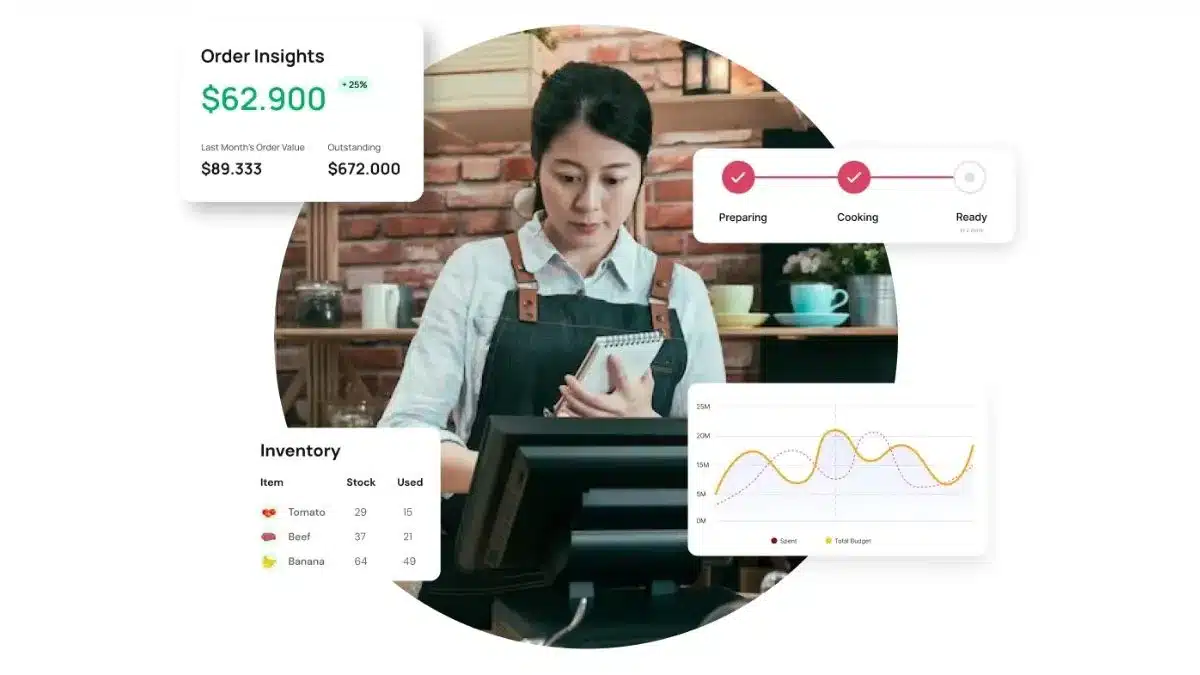
HashMicro is a robust and comprehensive solution trusted by over 1,750 world-class enterprises, including McDonald’s and Banban. It offers a range of modules and software solutions tailored to different business needs.
One of HashMicro’s business solutions is Central Kitchen Software. It is designed to be user-friendly, enabling even those with minimal technical expertise to navigate and use the system effectively. This is particularly beneficial for Malaysia’s diverse workforce.
The ability to customize features and integrate with existing systems makes this ERP software a versatile choice for Malaysian businesses looking to enhance their central kitchen operations.
HashMicro also offers a free consultation, allowing you, the prospective client, to explore the features and modules available firsthand without any commitment.
Here’s how HashMicro’s Central Kitchen Software can benefit companies in Malaysia through its key features:
- Ordering portal: This portal streamlines customer ordering, ensuring effortless transactions, improved satisfaction for Malaysian businesses, and efficient order processing.
- Supplier management: The software tracks supplier contracts and inventory costs, enabling businesses to select optimal deals, a crucial factor for cost control in Malaysia’s competitive market.
- Kitchen screen: Kitchen screens provide real-time updates to chefs, enabling efficient food prep management and ensuring prompt service in Malaysia’s bustling central kitchens.
- Delivery management: Efficient ingredient shipment tracking enables faster delivery, which is crucial for business success in Malaysia’s expansive market.
- Inventory management: The system automatically tracks stock levels, quality, and expiry dates, alerting users to low inventory levels to help Malaysian firms avoid shortages, minimize waste, and optimize costs.
- Central kitchen reports: The system’s reporting on kitchen operations, sales, and logistics, complete with analytics, empowers Malaysian businesses to make informed decisions, crucial for staying competitive in the food service sector.
Price: Contact the team for a cost estimate aligned with your workflow.
| Pros | Cons |
|---|---|
|
|

To explore the best solutions for your business, discover our Central Kitchen Software pricing schemes below and find the right package for your needs.
2. Melba Central Kitchen Management System
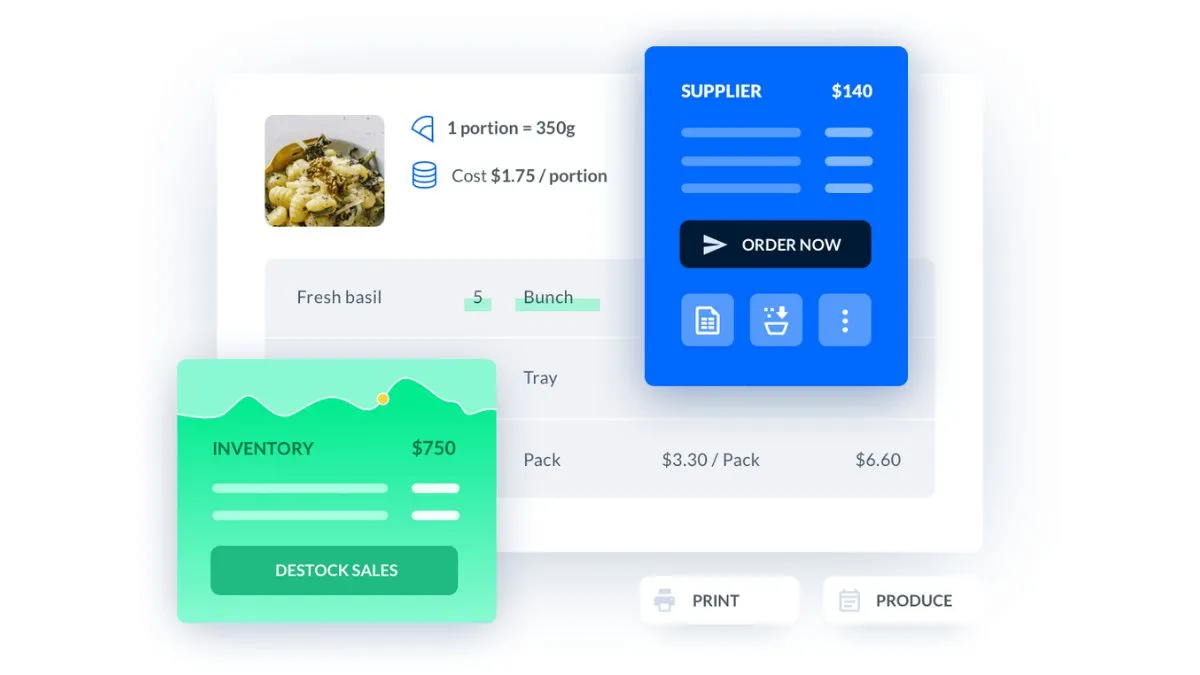
Central kitchen management software, Melba, is a tool designed to optimize operations in central kitchens, which serve as hubs of food production for various dining establishments. Melba central kitchen software streamlines processes such as ingredient and recipe management, production scheduling, and order organization.
This central kitchen system enables centralized control over food production, helping to save time, reduce waste, and increase profit margins.
Here are the main features of the Melba Central Kitchen System:
- Ingredient and recipe management: Create and manage ingredient and recipe databases to ensure uniform quality and standards across all outlets.
- Dynamic recipe data: Work with dynamic data that can be synchronized with multiple sales points.
- Production for multiple sales sites: Organize production by merging identical needs and dispatching finished products to various points of sale.
- Operational management: Optimize supply operations to various sales sites.
- Inventory optimization: Manage stocks of ingredients, recipes, and drinks efficiently, and conduct inventory with precision.
- Supplier order placement: Place orders with suppliers directly through the software.
Price: From around RM235/month (Core) up to RM475/month (Pro/Premium)
| Pros | Cons |
|---|---|
|
|
3. Restroworks Central Kitchen Management Software
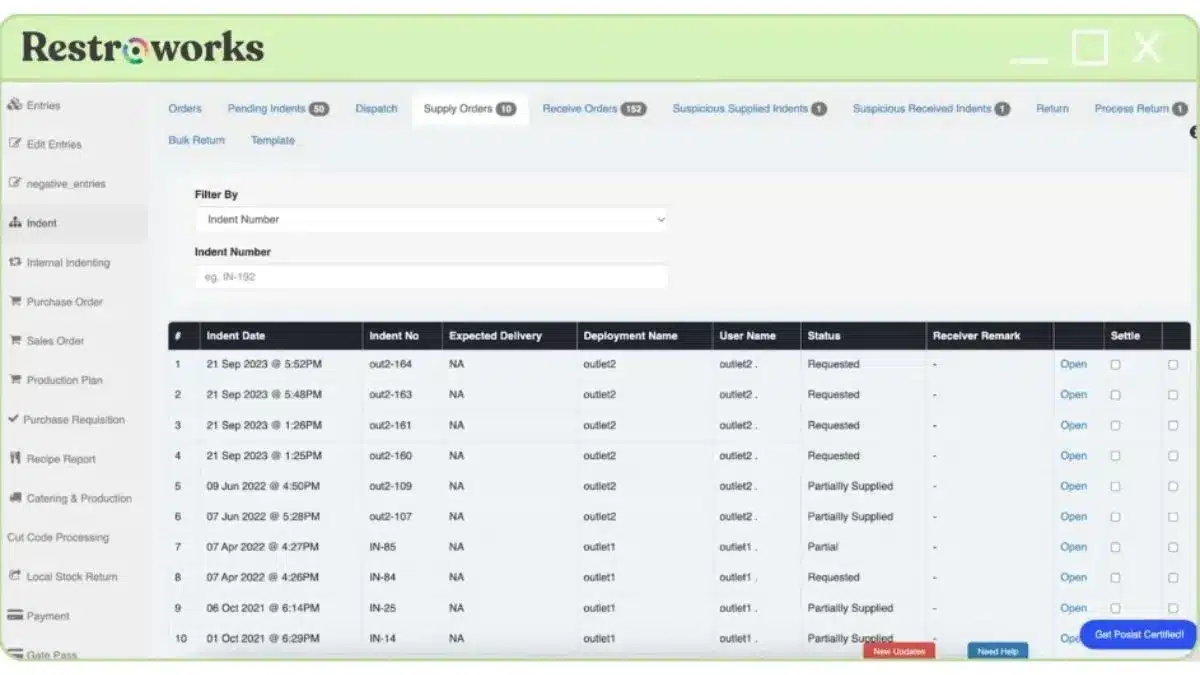
Restroworks is designed to optimize the operations of a central kitchen, the core facility that prepares and supplies food to various dining locations. This central kitchen software ensures efficient goods transfer, cost control, and optimized inventory for a restaurant’s central kitchen and outlets.
Here are the key features of the Retroworks central kitchen system:
- Inventory Management: Streamline inventory to minimize waste and enhance profitability.
- Recipe management: Accurate ingredient tracking to reduce kitchen waste.
- Base kitchen: Centralized kitchen software to optimize operations.
- Kitchen Display System: Organize Kitchen Chaos.
- Kitchen production system: A future-ready system to enhance kitchen productivity.
Price: Custom quote available based on business needs.
| Pros | Cons |
|---|---|
|
|
4. Apicbase Central Kitchen Management System
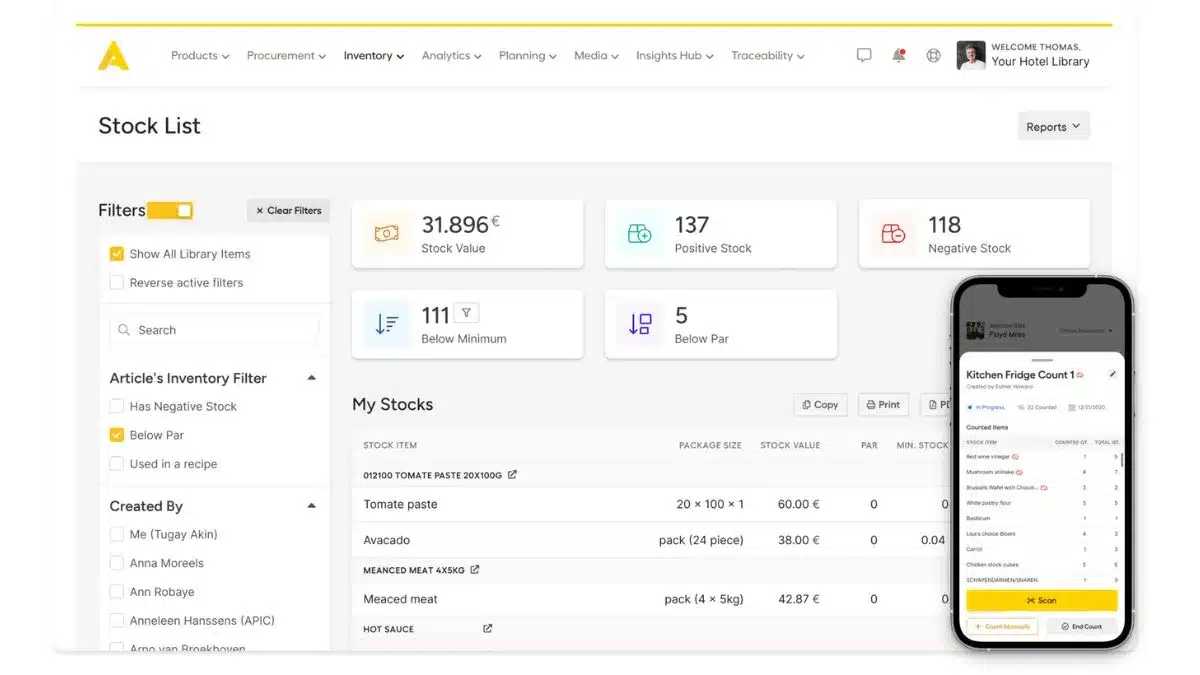
Apicbase is a comprehensive food and beverage (F&B) management platform designed to drive operational excellence across multi-site restaurant operations. It centralizes crucial food and beverage (F&B) data and provides insights into processes that impact profitability.
The central kitchen system aims to reduce staff and management workloads through automation, enabling businesses to increase profitability, enhance customer experience, grow sustainably, and ensure regulatory compliance.
Here are the core features of the central kitchen system:
- Menu engineering: A central hub for managing recipes, menus, and data group-wide.
- Production planning: Tools for planning production, generating Bills of Materials (BOMs), and monitoring execution.
- Inventory management: Inventory automation tools can prevent waste and shortages and monitor stock levels across all locations.
- Sales analytics: Analytics to identify top-performing and underperforming products, helping to develop profitable and popular items.
Price: Get a tailored plan based on locations, users, and integrations.
| Pros | Cons |
|---|---|
|
|
5. Gofrugal Central Kitchen Management System
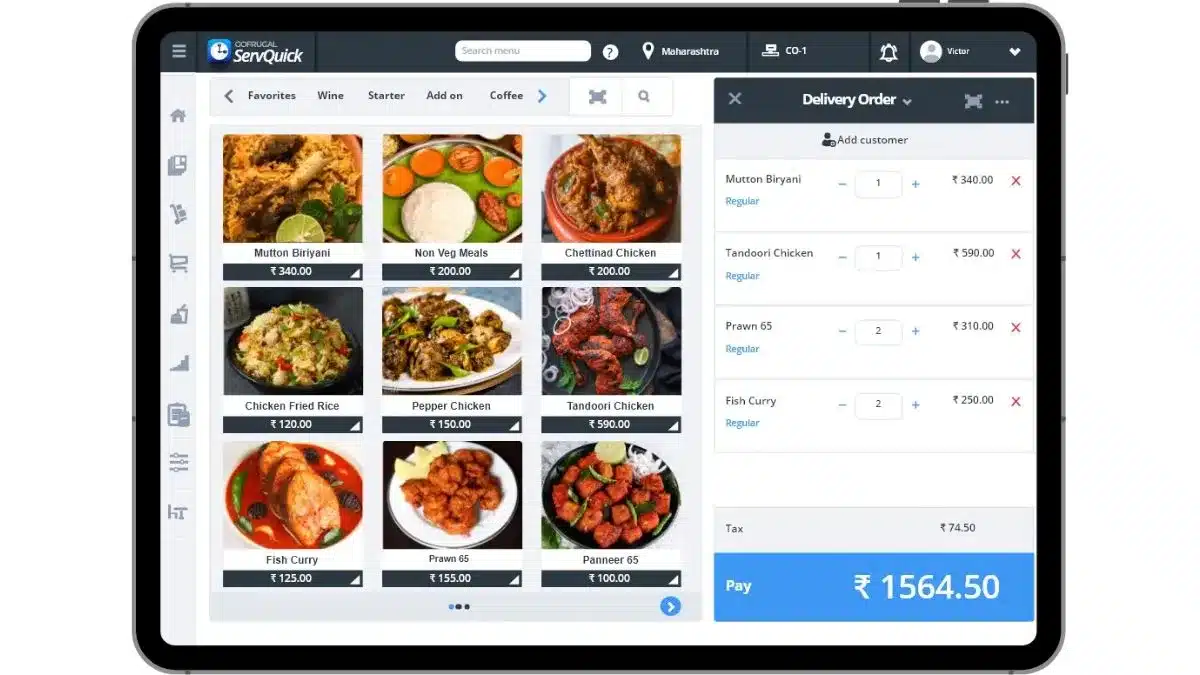
Gofrugal is a management system designed to enhance the efficiency and profitability of central kitchen management system operations. This central kitchen system manages production planning, stock transfers, franchise management, waste reduction, and vendor collaboration.
Here are the main features of central kitchen management software:
- Franchise management: Ensure brand-taste consistency across franchises through unified recipes.
- Menu engineering: Analyse sales and trends to refine menus and identify opportunities for cost savings.
- Vendor management: Centralise vendor data, streamline procurement, and monitor supplier performance.
- Wastage management: Minimise waste and maximise profits by tracking recipe ingredient utilisation and shelf life.
- Integrated accounts module: Simplify audits by ensuring price consistency across restaurants.
Price: Starting from around RM29/month.
| Pros | Cons |
|---|---|
|
|
6. LS Retail’s Central Kitchen Software
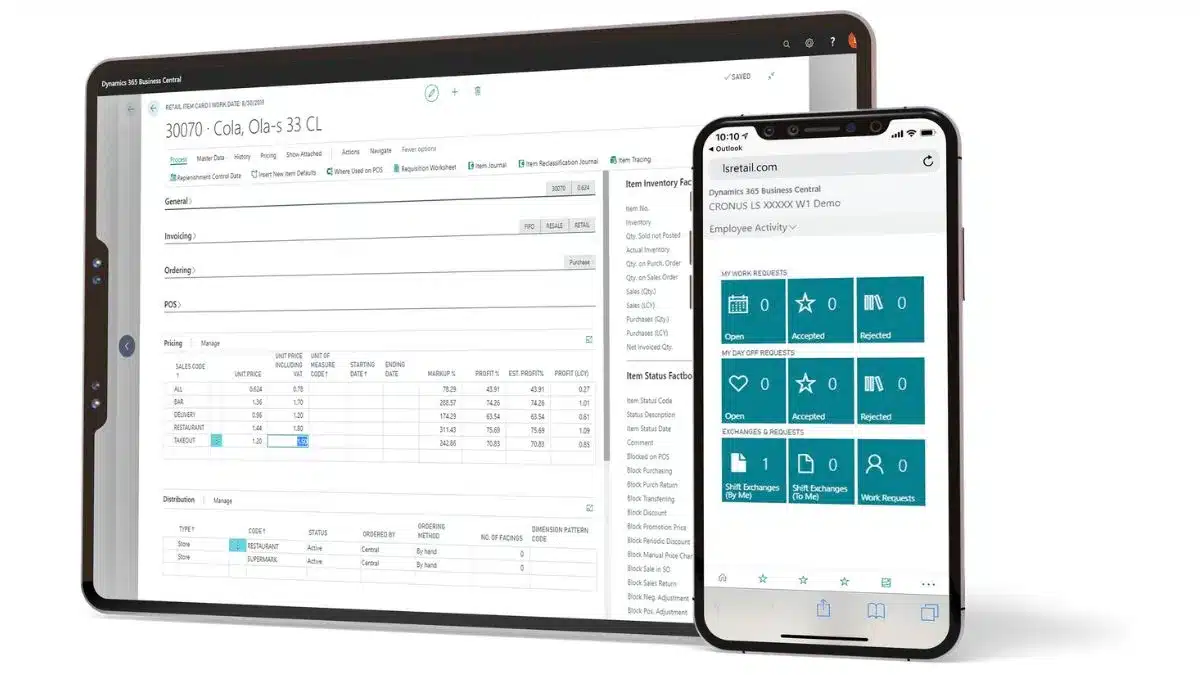
The LS central kitchen software is a comprehensive solution designed to optimise the operations of a central kitchen, which serves as the hub for food preparation and distribution for restaurants, cafes, and other food service establishments.
It’s part of the LS Retail suite of products and is specifically tailored to improve efficiency and communication between the front house (where customers are served) and the back house (where food is prepared).
Here are some key features of LS Retail’s central kitchen software:
- Kitchen Display System (KDS): Streamlines order organisation and recipe management, ensuring correct display sequencing at kitchen stations.
- Efficient workflow: Enhances workflow, links house areas, and facilitates consistent dish preparation in accordance with guest specifications.
- Order management: A KDS enables kitchen staff to prioritise food preparation over ticket management, thereby enhancing customer service through faster and more precise order processing.
- Digital order-viewing screens eliminate the need for printers and paper, directing POS orders to the corresponding prep stations.
Price: Flexible pricing packages available upon consultation.
| Pros | Cons |
|---|---|
|
|
7. Supy Central Kitchen Software Malaysia
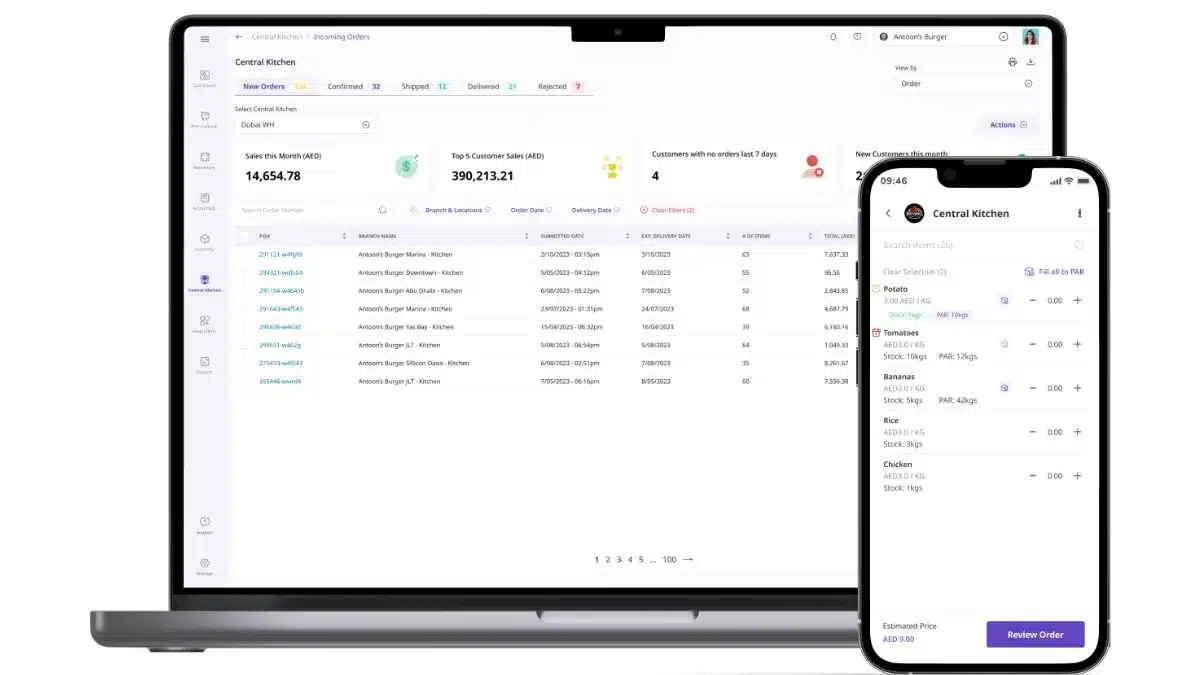
Supy is designed to streamline operations for food and beverage businesses by enabling internal ordering and transfers between branches and the central kitchen.
This kitchen order management system focuses on enhancing internal supply chain operations, enabling businesses to manage their central kitchen’s production and distribution processes more effectively.
The key features of Supy’s central kitchen software are:
- Internal ordering: Enables branches to place orders with the central kitchen.
- Batch production and transfers: Enable mass production and bulk shipping.
- Dedicated central kitchen module: Offers a specialised module for central kitchen operations.
- Clear order statuses: Provides real-time updates on order statuses.
Price: Request a demo to receive a pricing plan that matches your production volume.
| Pros | Cons |
|---|---|
|
|
8. Inresto Kitchen Management System
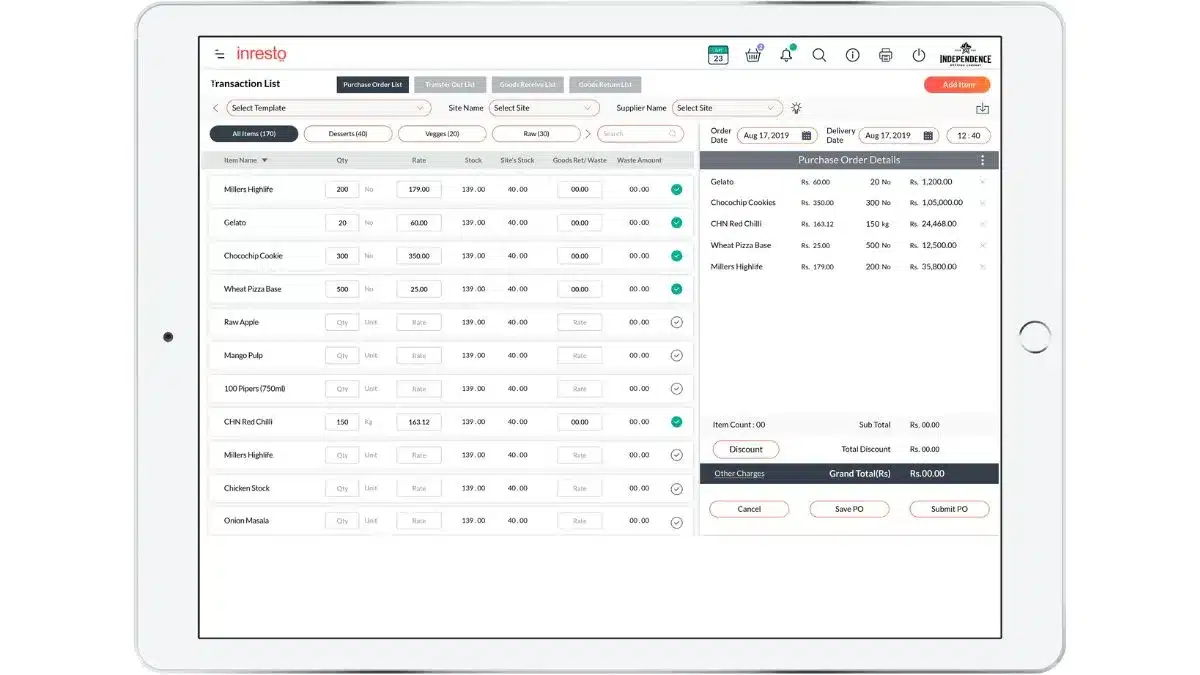
Inresto is a specialised solution designed to manage and streamline operations in a central kitchen, the core facility for preparing and distributing food across various outlets of a restaurant chain or food service business.
The key features of Inresto central kitchen management software include:
- Vendor management: Digitizes records and schedules vendors via texts.
- Inventory tracking: Provides real-time monitoring of recipes and sub-recipes.
- Stock management: Automatically updates inventory status based on orders and sends notifications to manage stock levels effectively.
- Purchase order management: Generates and sends purchase orders to relevant vendors from the central kitchen.
Price: Pricing is customized for restaurant size and required modules.
| Pros | Cons |
|---|---|
|
|
9. Sharva POS Kitchen Management
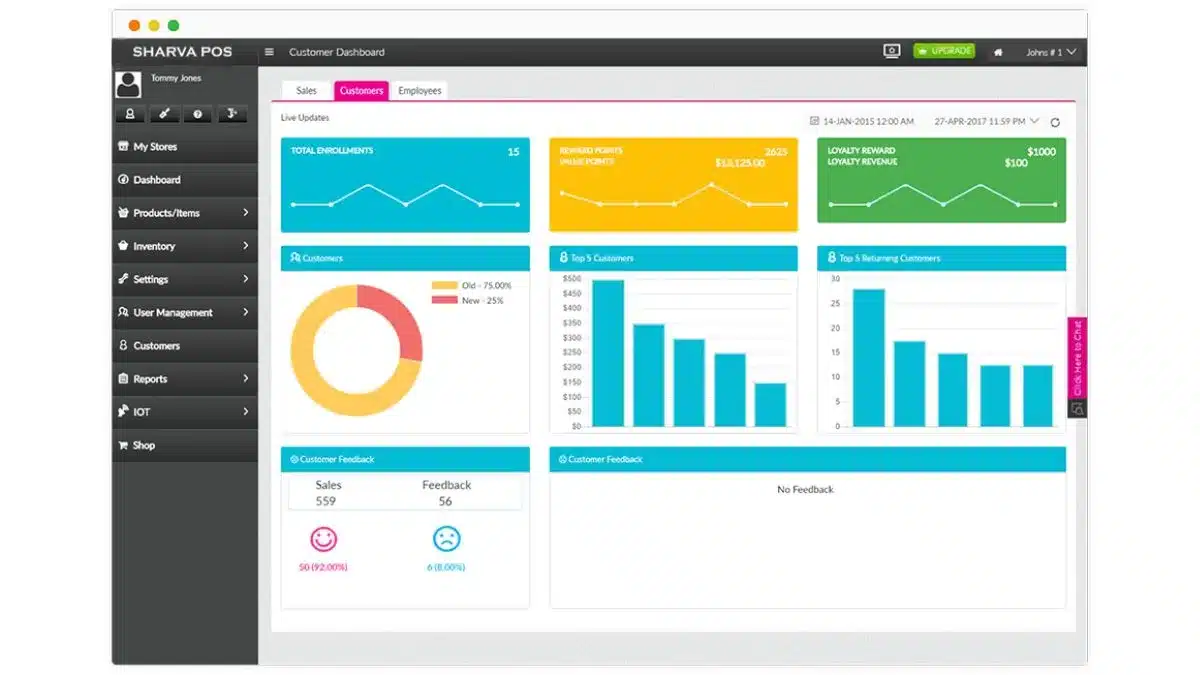
Sharva POS is a solution designed to help food service businesses streamline their central kitchen operations. This central kitchen system integrates central kitchen and warehouse management to cut costs and improve food production efficiency.
Here are the key features of Sharva POS:
- Inventory management: Automatically tracks low stock and generates POs for out-of-stock items.
- Vendor management: A vendor automation management system manages vendor relationships and schedules deliveries.
- Quality and Safety Control: Maintains stricter control over food quality and kitchen hygiene.
- Consistency in food production: Ensures a consistent taste for customers’ favourite food items across different locations.
Price: Scalable pricing depending on features and kitchen workflow complexity.
| Pros | Cons |
|---|---|
|
|
10. LINGA ROS Kitchen Management System<
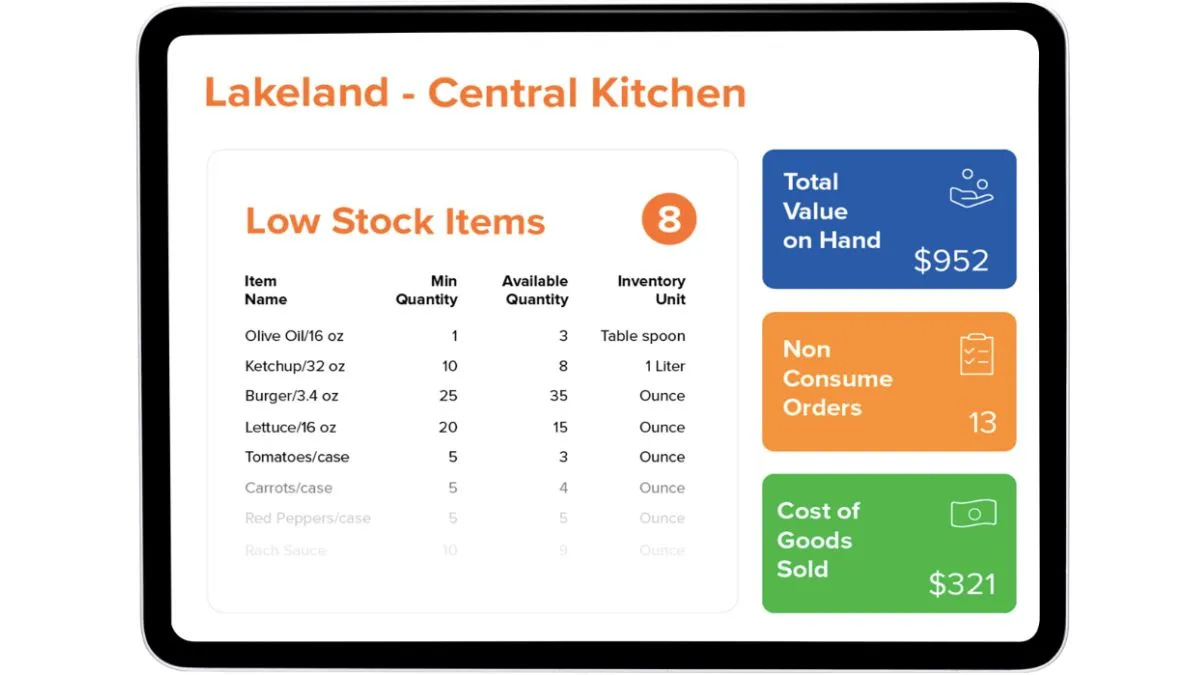
LINGA ROS, which stands for Restaurant Operating System, is a comprehensive point-of-sale (POS) system designed for the restaurant and retail industry.
It’s a cloud-based central kitchen software suite that offers applications to manage various business functions, including central kitchen operations.
Here are the key features of LINGA ROS central kitchen management system:
- Cloud-based system: Ensure automatic updates and upgrades, and that the system can adapt to the business’s changing needs.
- Inventory management: It provides real-time tracking of inventory levels, sets reorder points, and receives live updates on inventory shipments.
- Quality control: The software maintains high standards of food quality and safety.
- Order management: Streamlines the process of managing orders from different outlets.
Price: From around RM124/month (Core) to RM371/month (Enterprise), billed annually.
| Pros | Cons |
|---|---|
|
|
Overall Comparison of Central Kitchen Management System in Malaysia
| Provider | Connection Quality | Bank Coverage | Ease of Integration | Data Enrichment |
|---|---|---|---|---|
| HashMicro | ||||
| Melba | ||||
| Restoworks | ||||
| Apicbase | ||||
| Gofrugal | ||||
| LS Retail | ||||
| Supy | ||||
| Inresto | ||||
| Sharva | ||||
| Linga ROS |
Who Uses Kitchen Management Software?
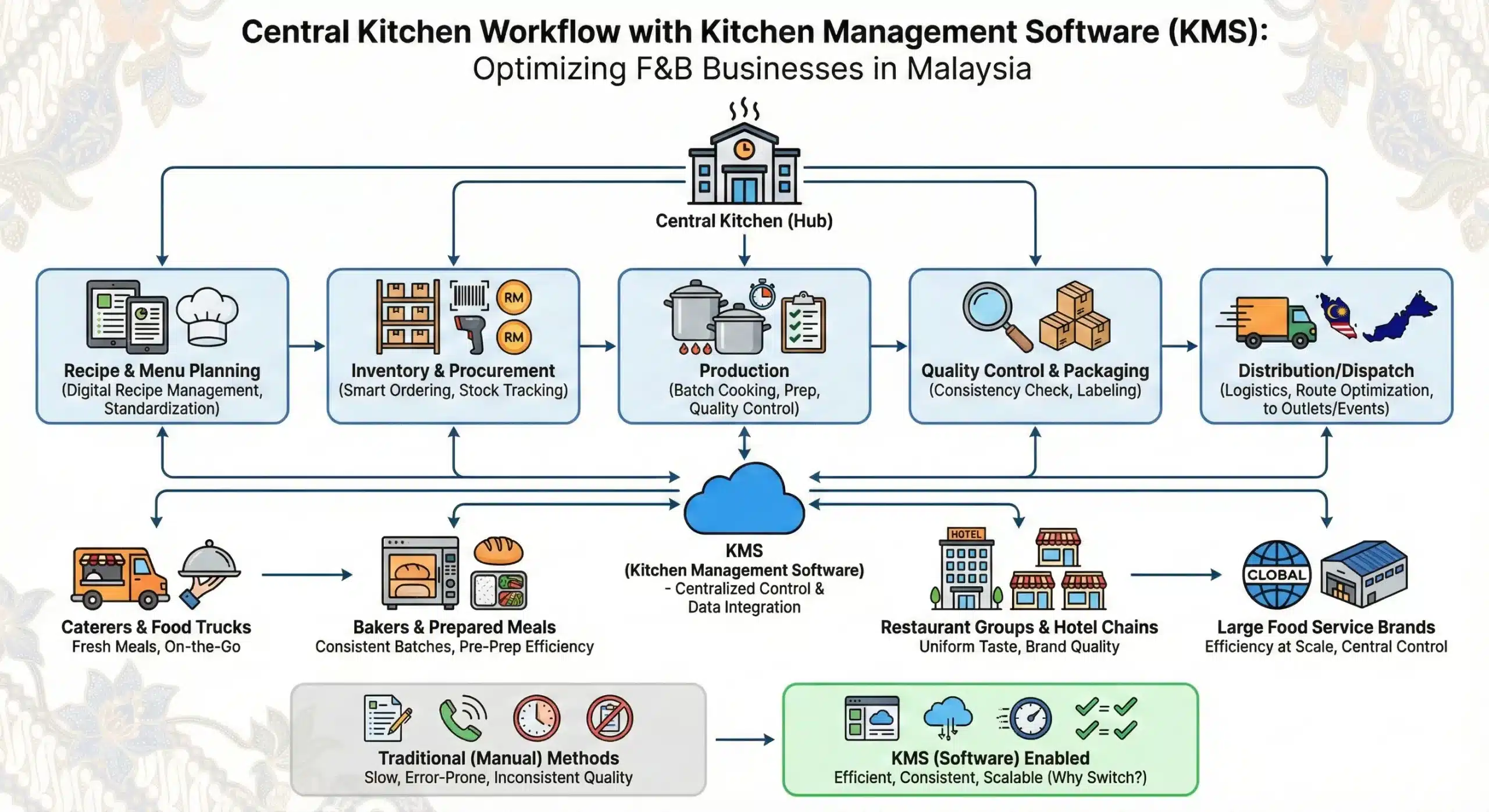
The central kitchen management system is widely used by food businesses that need consistent quality, efficient production, and centralized control across multiple outlets. In Malaysia, several F&B segments rely on this central kitchen management software, including:
- Caterers and food trucks: Use central kitchen software for food preparation, inventory management, and menu planning, and restaurant software for workforce management, including staff scheduling, shifts, and labor allocation.
- Bakers and prepared meal companies: Central kitchen software is crucial for businesses that prepare meals or baked goods in advance. It streamlines batch cooking and recipe management to guarantee consistent, high-quality products.
- Restaurant groups and hotel chains: Central kitchen software helps maintain uniform taste and quality in food preparation and batch cooking, which is crucial to maintaining consistent brand reputations.
- Large food service brands: The software serves as a central control centre, streamlining food preparation from delivery to dispatch while focusing on efficiency and consistent quality at scale.
Central kitchen software enables these businesses to operate efficiently, maintain consistency, and compete in a growing F&B landscape.
But why do they have to use central kitchen software instead of continuing to use traditional (manual) central kitchen management system methods?
Why Malaysian F&B Businesses Must Use Central Kitchen Software?
The Malaysian food and beverage industry is growing rapidly, but faces challenges. F&B businesses need tools to ensure consistency, reduce waste, and maintain smooth operations. Using a central kitchen software system is an effective solution.
Here’s why this solution has become increasingly vital for restaurant operations:
- Ensure food consistency and protect brand reputation: Central kitchen software helps standardise recipes and preparation methods, making sure every outlet delivers the same quality and taste. This consistency helps maintain the brand’s reputation and aligns customer expectations.
- Accurately manage inventory and reduce waste: With automated inventory control and usage forecasting, the software prevents both overstocking and shortages. It also tracks expiry dates and stock levels to reduce spoilage and improve supply accuracy.
- Avoid operational bottlenecks across branches: Businesses that operate without integrated systems often face delivery delays, communication breakdowns, and inconsistent supply levels. This software connects all locations in real time, helping teams work more efficiently.
- Automate workflows and gain better visibility: From supplier coordination to production schedules, central kitchen software streamlines routine tasks. Managers can track everything in one place and make timely adjustments when demand shifts.
- Achieve sustainability goals while cutting costs: Research shows that adopting central kitchen systems can help kitchens reduce food waste and energy consumption by 40-70% in just 6-12 months. This supports long-term savings and environmental responsibility.
- Increase profitability through data insights: Businesses using this system benefit from advanced analytics, better planning, and tighter cost control. In some cases, profits have grown by up to 50 percent thanks to more efficient resource management.
How to Choose the Right Kitchen Management System for Your Business
Choosing the right central kitchen management software for Malaysian F&B companies requires careful consideration of several factors to ensure it meets the business’s specific needs. Here are some key points to consider:
- Identify core features: Central kitchen software must have key features such as inventory management, recipe standardisation, production planning, procurement, and real-time analytics.
- Software’s credibility: Verify software credibility through customer feedback, case studies, and industry certifications. Ensure it provides strong customer support and frequent updates.
- Scalability and integration: Select software that scales with your business and integrates seamlessly with integrated systems such as restaurant POS, CRM, and supply chain tools, enabling effective communication and centralised data management.
- User-friendly interface: Search for software with an intuitive, user-friendly interface that minimises training time and boosts staff productivity.
- Customisation and flexibility: Ensure the software can be customised to meet unique business needs, with flexible features and payment options to support effective cost management.
- Data security and compliance: Prioritise software that prioritises strong data security, adheres to data protection laws, and employs encryption to protect sensitive information.
Before wrapping up this section, it’s important to highlight the key factors Malaysian F&B companies should consider when evaluating central kitchen software. These criteria will help ensure the system not only streamlines operations and adapts to evolving business needs but also supports long-term growth across multiple outlets.
| Selection Criteria | Why It Matters for Your F&B Business |
|---|---|
| Comprehensive Core Features | Includes inventory, ordering, production, and distribution management tools. |
| Scalability and Integration | Grows with your business and connects seamlessly with POS, CRM, and supply systems. |
| Vendor Credibility | Backed by strong reviews, case studies, and relevant industry certifications. |
| User-Friendliness | An intuitive interface boosts team efficiency and reduces training time. |
| Data Security and Compliance | Ensures business data protection and supports regulatory compliance with encryption. |
Conclusion
Choosing the best central kitchen software means finding a system that fits how your kitchen works today while staying flexible as operations grow. The right tool helps protect food consistency, improve inventory accuracy, and reduce waste that quietly eats into margins.
To compare options, prioritize what matters most to your team, production planning, real-time stock visibility, outlet distribution tracking, and smooth integration with your POS or accounting system. Also consider scalability, support quality, and data security to avoid rework later.
If you want help narrowing the shortlist, book a free consultation to map your workflow and identify the features you actually need. That way, you can choose with clear benchmarks.

FAQ about Central Kitchen Management Software
-
How does central kitchen software help in managing multiple outlets?
Central kitchen software is designed to streamline operations across various outlets by centralising key processes. It integrates order management, inventory control, and production scheduling, ensuring consistency in food quality and efficient resource allocation.
-
Can a kitchen management system handle real-time inventory management?
Yes, the kitchen management system provides real-time inventory management features. These tools allow businesses to track stock levels continuously, ensuring that ingredients are always available when needed.
-
How does central kitchen software improve compliance and food safety?
Central kitchen software helps businesses comply with food safety regulations by standardising processes and maintaining accurate records. The software ensures that all recipes and procedures are followed correctly, reducing the risk of contamination and ensuring consistent quality.
-
Is it possible to integrate a kitchen management system with other business systems?
Yes, a kitchen management system can be integrated with various other business systems, including point-of-sale (POS) systems, accounting software, and supply chain management tools. This integration enables seamless data flow between different business components, enhancing overall efficiency and minimising the need for manual data entry.
-
What role does a Kitchen Display System (KDS) play in a central kitchen management system?
A Kitchen Display System (KDS) is essential for enhancing kitchen workflow and improving order accuracy. It replaces traditional paper tickets with digital screens that display orders in real-time. This system organises orders by preparation station, ensuring that dishes are cooked and served in the correct sequence.
-
How can I reduce food waste in my restaurant and save money?
Reduce food waste by tightening purchasing, storage, and portion control while using simple data to spot patterns. Start by tracking daily waste (prep, spoilage, plate waste) for 2 weeks, then adjust orders and prep quantities to match real demand.
Use FIFO labeling, clear date stickers, and proper storage zones to prevent spoilage, and train staff on correct prep cuts and batch cooking. Standardize recipes and portions, offer flexible sides/portion sizes, and repurpose safe trim into specials (e.g., stocks, sauces, staff meals). Finally, monitor menu performance and remove low-selling, high-waste items while promoting profitable, low-waste dishes.